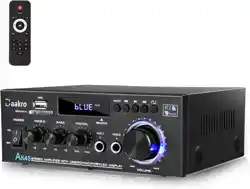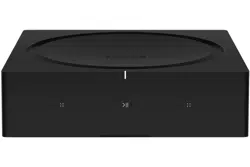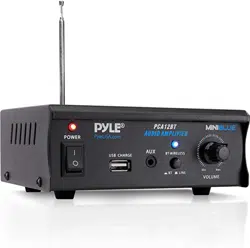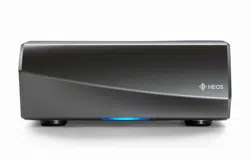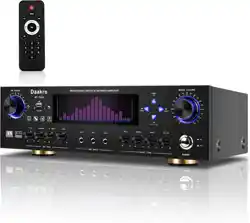
BLUETOOTH NAME“Daakro”
MODEL:AV-735A
Audio amplifier
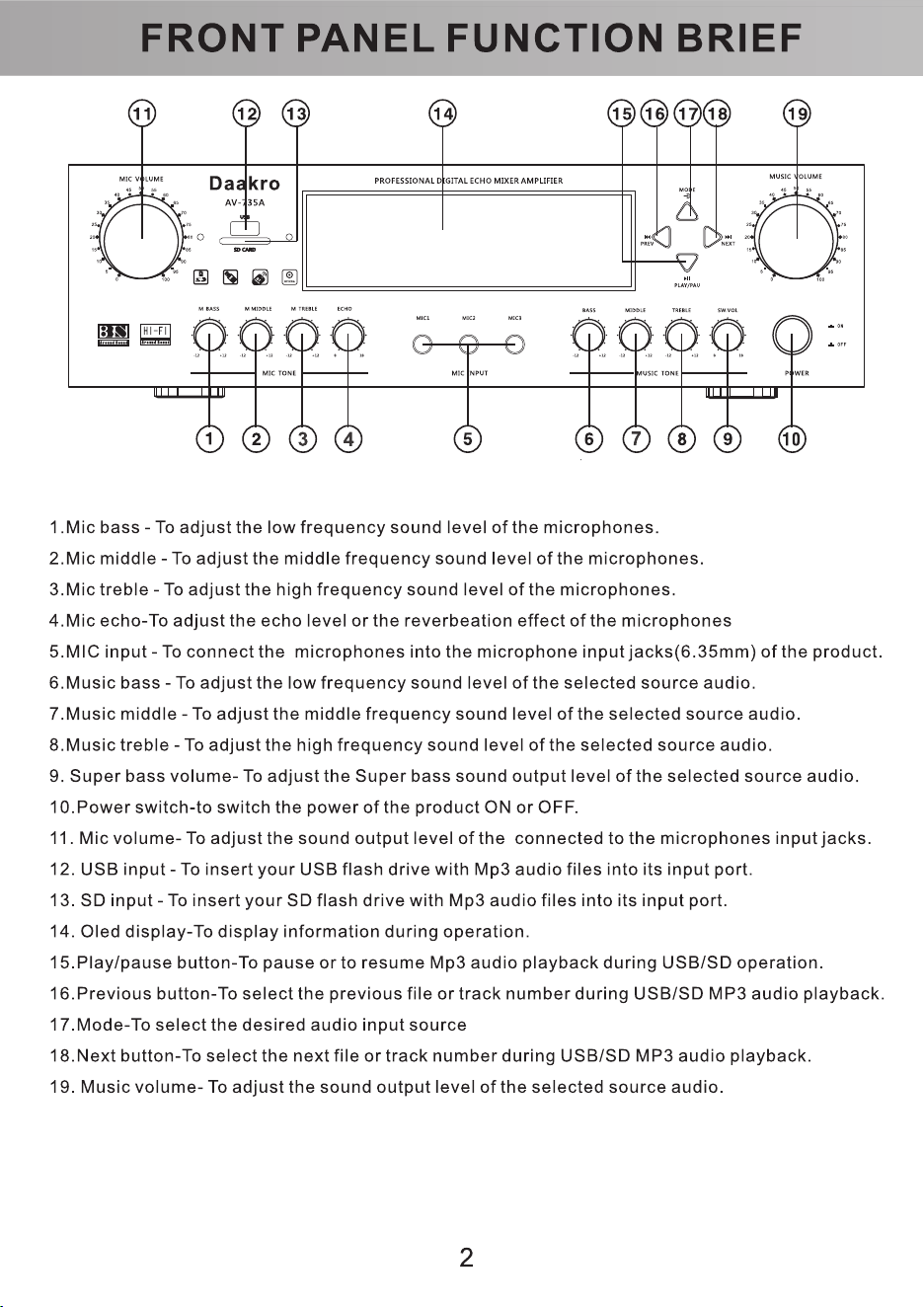
REMOTE CONTROL FUNCTION DESCRIPTION
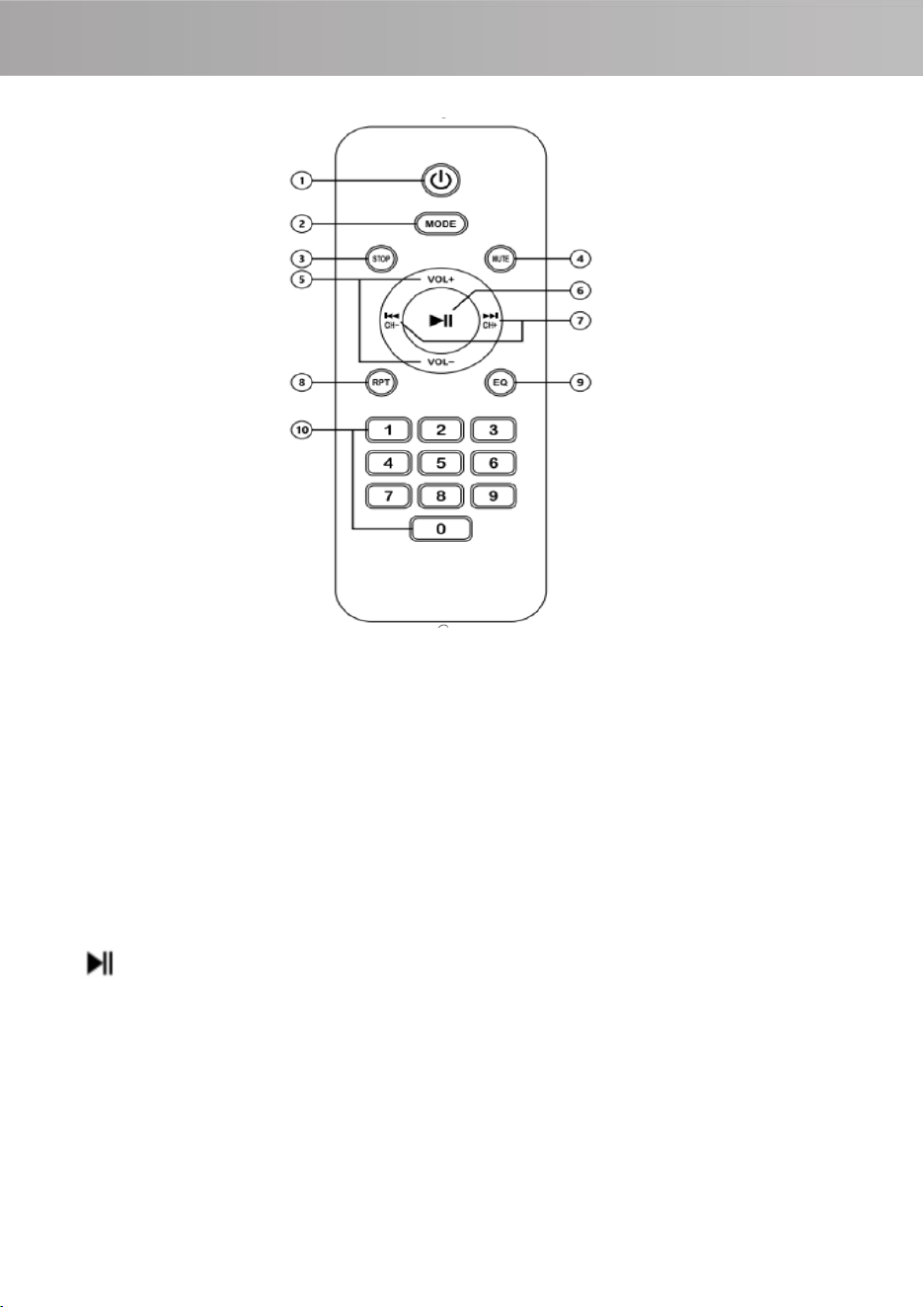
①Standby button: The AV-735A amplifier enters sleep mode, but the knob/screen light
will not go out, reminding you that it is in standby mode .
②MODE: AUX/ Bluetooth /OPT/COAX cyclic switching.
③STOP: Reset the song to restore the current song progress to the original state, then
press the play button to start playing the song from the beginning(Note: This function is
only available in Bluetooth mode and USB mode).
④MUTE: put the device into silent mode .
⑤VOL+/VOL-: Volume up/down .
⑥ : Pause/play loop switch
⑦CH+/CH-: Previous song/Next song .
⑧RPT: Repeat the current song (Note: This function is only available in USB mode) .
⑨EQ: Built-in 5 kinds of tones and original sound, you can choose your favorite tone.
⑩0-9 number keys: select the song to be played (Note: only supports playing songs in
the USB flash drive) (If you need to switch to songs after 10+, for example, the 12th song,
press "1" first, then quickly press "2").
HOW
T
O
WIRE
4 5
:
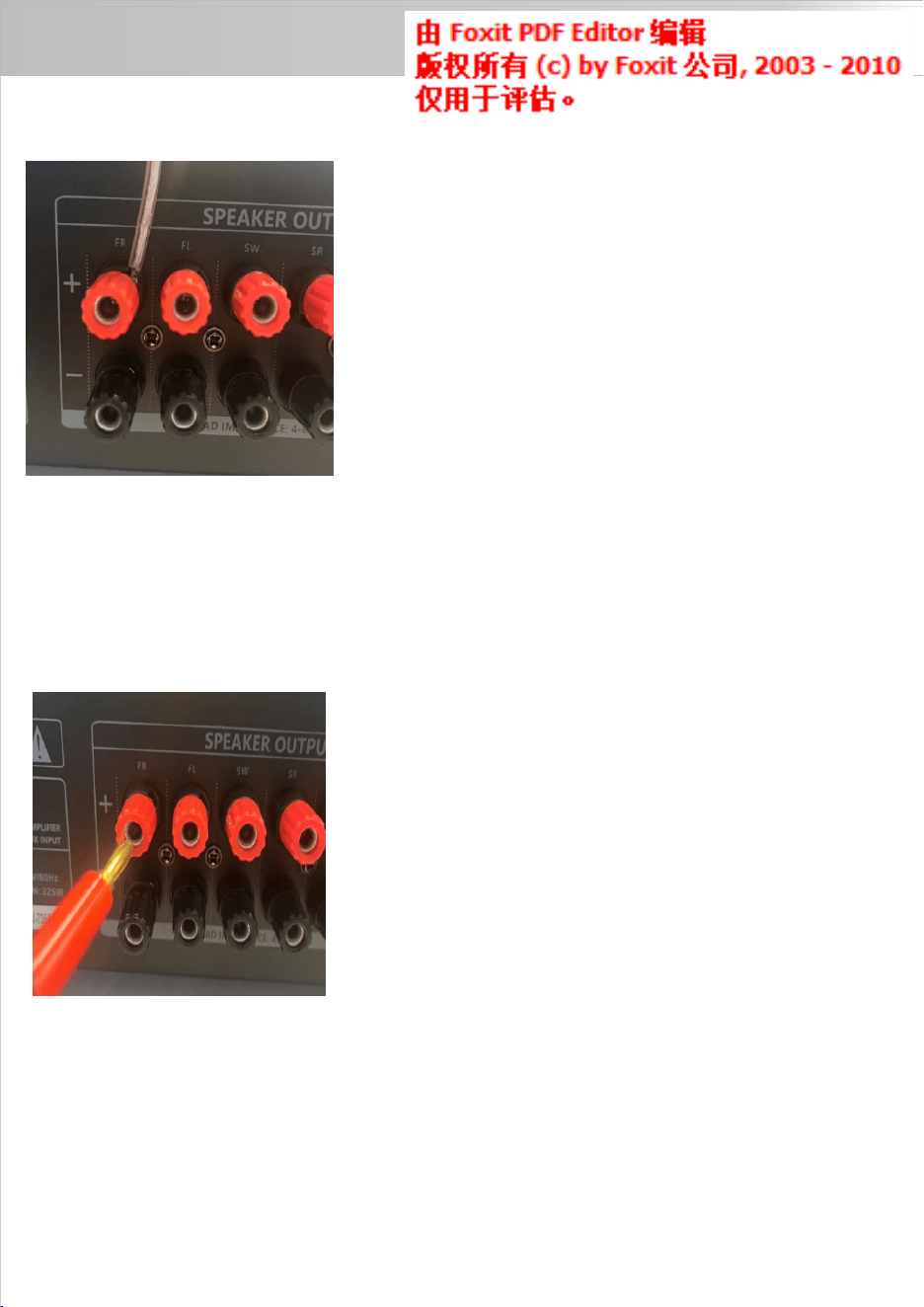
Wiring method 1:
The speaker terminals of this unit can also be connected
using banana plugs, the procedures are as follows:
1、First tighten the binding post knobs;
2. Then insert the banana plug into the corresponding jack.
Notice:
Red terminal to the red port of the speaker (+ positive)
Black terminal to the black connector of the speaker (-
1、Use wires of the correct specifications to connect the
speakers, strip off about 10mm of insulation at both ends,
and tighten the wire core if the bare wire is loose;
2. When connecting the speaker wire post, unscrew the
knob, insert the bare wire, and tighten the knob.
Notice:
Red terminal to the red port of the speaker (+ positive)
Black terminal to the black connector of the speaker (-
negative)
Wiring method 2:
negative)
REMOTE CONTROL FUNCTION DESCRIPTION
①Standby button: The AV-735A amplifier enters sleep mode, but the knob/screen light
will not go out, reminding you that it is in standby mode .
②MODE: AUX/ Bluetooth /OPT/COAX cyclic switching.
③STOP: Reset the song to restore the current song progress to the original state, then
press the play button to start playing the song from the beginning(Note: This function is
only available in Bluetooth mode and USB mode).
④MUTE: put the device into silent mode .
⑤VOL+/VOL-: Volume up/down .
⑥ : Pause/play loop switch
⑦CH+/CH-: Previous song/Next song .
⑧RPT: Repeat the current song (Note: This function is only available in USB mode) .
⑨EQ: Built-in 5 kinds of tones and original sound, you can choose your favorite tone.
⑩0-9 number keys: select the song to be played (Note: only supports playing songs in
the USB flash drive) (If you need to switch to songs after 10+, for example, the 12th song,
press "1" first, then quickly press "2").
HOW
T
O
WIRE
4 5
:
Wiring method 1:
The speaker terminals of this unit can also be connected
using banana plugs, the procedures are as follows:
1、First tighten the binding post knobs;
2. Then insert the banana plug into the corresponding jack.
Notice:
Red terminal to the red port of the speaker (+ positive)
Black terminal to the black connector of the speaker (-
1、Use wires of the correct specifications to connect the
speakers, strip off about 10mm of insulation at both ends,
and tighten the wire core if the bare wire is loose;
2. When connecting the speaker wire post, unscrew the
knob, insert the bare wire, and tighten the knob.
Notice:
Red terminal to the red port of the speaker (+ positive)
Black terminal to the black connector of the speaker (-
negative)
Wiring method 2:
negative)

HOW TO USE:
1.How to use the wired connection:
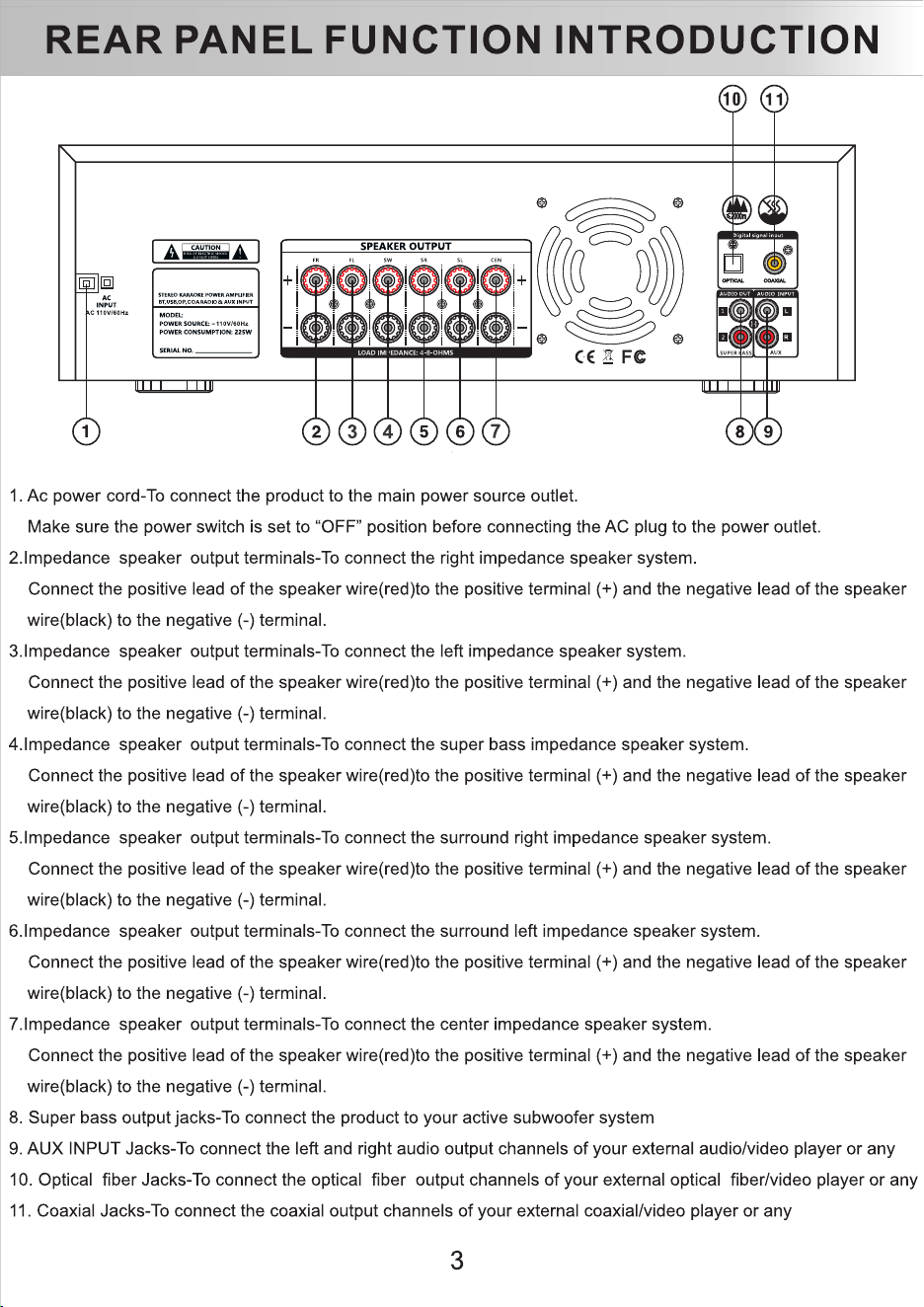
①Connect AV-735A to the computer/TV via the RCA interface, COA coaxial interface or
Optical fiber interface.
②Use the signal cable to connect the audio output interface and the passive speaker of this
product, and ensure that the left/right channels and the positive and negative poles are
connected correctly (refer to wiring method 1/method 2)
③Click the MODE button to switch to the correct signal (AUX/BT/OPT/COAX)
2. Wireless Bluetooth connection method (Bluetooth version only)
①Use a signal cable to connect the audio output interface and the passive speaker of this
product, and ensure that the left/right channels and the positive and negative poles are
connected correctly (refer to wiring method 1/method 2)
②Once click the MODE button to switch to Bluetooth mode, the voice prompt "Bluetooth
mode" will be heard. Then turn on the phone and go to Settings - Bluetooth - search for "
Daakro" and click Connect. After the connection is completed , the voice prompt "Connected"
will be heard.
Step 1: Use banana plugs or bare wires to connect the passive speakers to the AV-735A, and
use a signal cable to connect the audio output interface and the passive speakers of this
product. Then connect the power plug to the power supply, turn on the power switch, and
make sure the screen and LED light up.
Step 2: Adjust the total volume knob to 40%, press the mode button, and the voice prompts
the current mode (the default mode is AUX mode at startup). You can switch between four
modes: AUX/ Bluetooth /OPT/COAX.
Step 3: Adjust Volume Control/Bass Control/Mid-Pitch Control/Treble Control/Subwoofer
Control and enjoy it!
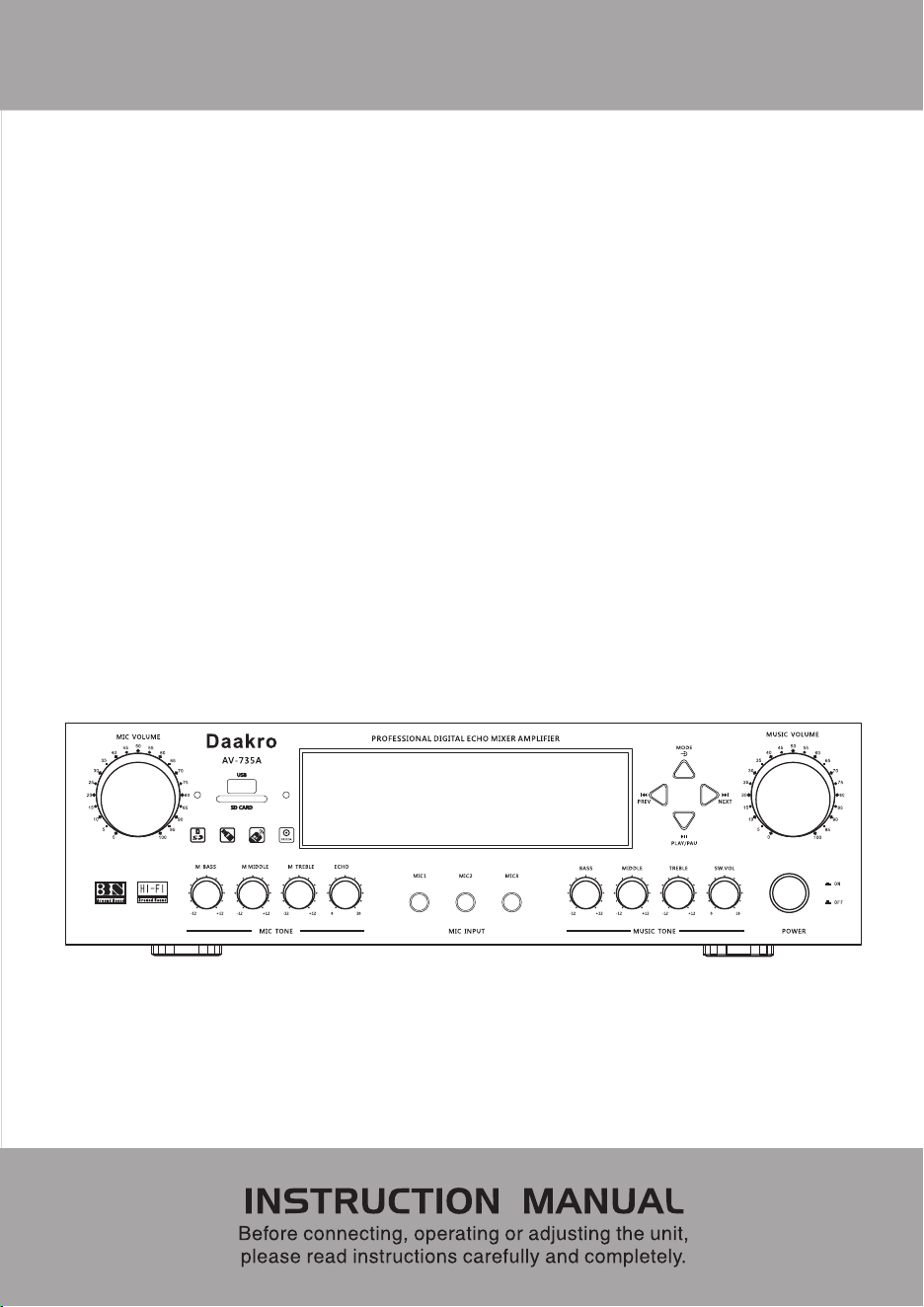
How to use the Microphone’s singing function:
1.The AV-735A front panel has 3 microphone input interfaces (1/4 inch microphone interfaces)
2.After inserting the microphone, the microphone volume, bass, mid-range, treble and reverb
can all be fine-tuned through MIC VOLUME, M BASS, M MIDDLE, M TREBLE and ECHO.
6
GENERAL QUESTIONS:
1.Why is there noise when playing music?
①
Try to use another Bluetooth device, as weak or unstable Bluetooth signals may be the
reason of the noise . Please try to disconnect the device from AV-735A.
②
Change an RCA cable and make sure the audio cable is connected correctly.
③
Please unplug the RCA cable from the amplifier and turn it on again.
④
Please try changing the audio cable and audio source.
⑤
Have you turned up the volume of the "treble" to the highest level? Please turn down the
volume of the "treble".
⑥
You can try to lower the volume of the "treble". Some speakers are very sensitive, so it’s
normal that the white noise may sound very loud .
⑦
Make sure all cables are fully plugged into the device. Incomplete connections may lead
to noise .
⑧
Please separate this device from other electronic devices.
2. All cables are connected, but there is no audio output?
①
Please check whether the indicator light on the front panel of the amplifier is on and
whether the power is on.
②
If the indicator light is on, please check whether the volume knob is at the minimum state.
If so, please turn up the volume.
③
Make sure the AV-735A is in the playback mode you want.
④
Please check whether the audio source is paused.
⑤
Try changing the sound source, cables, speakers, or subwoofer.
⑥
Restart the AV-735A and the device, and then try to connect again.
⑦
: Make sure all cables are properly connected and fully inserted into the device.
3.Why is the sound quality bad?
①Make sure all cables are connected.
②Adjust the treble and bass controls of the amplifier to achieve the appropriate tone.
③Replace the sound source and cable for testing
7

HOW TO USE:
1.How to use the wired connection:
①Connect AV-735A to the computer/TV via the RCA interface, COA coaxial interface or
Optical fiber interface.
②Use the signal cable to connect the audio output interface and the passive speaker of this
product, and ensure that the left/right channels and the positive and negative poles are
connected correctly (refer to wiring method 1/method 2)
③Click the MODE button to switch to the correct signal (AUX/BT/OPT/COAX)
2. Wireless Bluetooth connection method (Bluetooth version only)
①Use a signal cable to connect the audio output interface and the passive speaker of this
product, and ensure that the left/right channels and the positive and negative poles are
connected correctly (refer to wiring method 1/method 2)
②Once click the MODE button to switch to Bluetooth mode, the voice prompt "Bluetooth
mode" will be heard. Then turn on the phone and go to Settings - Bluetooth - search for "
Daakro" and click Connect. After the connection is completed , the voice prompt "Connected"
will be heard.
Step 1: Use banana plugs or bare wires to connect the passive speakers to the AV-735A, and
use a signal cable to connect the audio output interface and the passive speakers of this
product. Then connect the power plug to the power supply, turn on the power switch, and
make sure the screen and LED light up.
Step 2: Adjust the total volume knob to 40%, press the mode button, and the voice prompts
the current mode (the default mode is AUX mode at startup). You can switch between four
modes: AUX/ Bluetooth /OPT/COAX.
Step 3: Adjust Volume Control/Bass Control/Mid-Pitch Control/Treble Control/Subwoofer
Control and enjoy it!
How to use the Microphone’s singing function:
1.The AV-735A front panel has 3 microphone input interfaces (1/4 inch microphone interfaces)
2.After inserting the microphone, the microphone volume, bass, mid-range, treble and reverb
can all be fine-tuned through MIC VOLUME, M BASS, M MIDDLE, M TREBLE and ECHO.
6
GENERAL QUESTIONS:
1.Why is there noise when playing music?
①
Try to use another Bluetooth device, as weak or unstable Bluetooth signals may be the
reason of the noise . Please try to disconnect the device from AV-735A.
②
Change an RCA cable and make sure the audio cable is connected correctly.
③
Please unplug the RCA cable from the amplifier and turn it on again.
④
Please try changing the audio cable and audio source.
⑤
Have you turned up the volume of the "treble" to the highest level? Please turn down the
volume of the "treble".
⑥
You can try to lower the volume of the "treble". Some speakers are very sensitive, so it’s
normal that the white noise may sound very loud .
⑦
Make sure all cables are fully plugged into the device. Incomplete connections may lead
to noise .
⑧
Please separate this device from other electronic devices.
2. All cables are connected, but there is no audio output?
①
Please check whether the indicator light on the front panel of the amplifier is on and
whether the power is on.
②
If the indicator light is on, please check whether the volume knob is at the minimum state.
If so, please turn up the volume.
③
Make sure the AV-735A is in the playback mode you want.
④
Please check whether the audio source is paused.
⑤
Try changing the sound source, cables, speakers, or subwoofer.
⑥
Restart the AV-735A and the device, and then try to connect again.
⑦
: Make sure all cables are properly connected and fully inserted into the device.
3.Why is the sound quality bad?
①Make sure all cables are connected.
②Adjust the treble and bass controls of the amplifier to achieve the appropriate tone.
③Replace the sound source and cable for testing
7

GENERAL QUESTIONS:
8
4.Why can't my Bluetooth device pair with the AV-735A?
①First make sure that AV-735A is turned on and currently in Bluetooth mode.
②Make sure the AV-735A is not paired with other devices.
③The distance between your device and AV-735A should not be too far. If there is some
distance, try shortening the distance between your device and AV-735A.
④Is there any obstacle between the device and AV-735A? Obstacles will affect the working
distance of Bluetooth.
⑤Please try to change other Bluetooth audio sources for testing.
⑥Please unplug the power supply, move the amplifier to another room and test it again.
⑦Restart AV-735A and try to connect it again with another brand of mobile phone.
5.Why is Bluetooth intermittent?
①Try to change the Bluetooth device.
② Is there any interference from other electronic devices between the AV-735A and the
audio source?
③Try moving the sound source closer to AV-735A.
④Restart the machine.
6.Why does a certain channel not work?
①Please first test whether the Bluetooth and RCA inputs have the same problem.
②If both modes have the same problem, please replace the cables of the left and right
speakers, or replace the former one with another speaker, and then test whether this
channel still does not work.
③If only AUX or Bluetooth mode does not work, please change the audio source, replace
the RCA cable, and test again. Make sure all cables are fully inserted into the device.
7.Why can't I start the machine?
①Please check whether the power plug is loose.
②Try pressing the power button all the way down.
8.Does the AV-735A support Bluetooth apt-X and low latency?
Not supported
GENERAL QUESTIONS:
9.Should I unplug the power cord?
If the item is not used for a long time, please unplug the power plug to prevent the AV-
735A from being burned by lightning.
10. Do I have to connect all the outputs of the AV-735A? Can I just connect one speaker? Or
just use it as a subwoofer amplifier?
You do not need to connect all the outputs. You can selectively connect the output
channels as needed.
11.Can the AV-735A be used as a 2.0 channel power amplifier? Can it be used without
connecting a subwoofer?
It can be used as a 2.0 channel amplifier and can be used without connecting a subwoofer.
12.What does the SW VOL knob do? Does it only adjust the subwoofer volume?
The SW VOL knob can only be used to adjust the volume of the passive subwoofer.
13.Which speakers are suitable for AV-735A?
The AV-735A is suitable for both passive speakers and powered subwoofers.
14.Why is the sound intermittent?
①Try to turn down the volume of the sound source.
②Try to change the audio source for testing.
③turn down the volume of treble and bass.
④Make sure the positive and negative poles of the speaker output do not touch each other.
Some larger banana plugs can easily touch each other and cause a short circuit.
15.Why is there a howling sound when using the microphone?
① Adjust the position of the microphone and the speaker, and keep a certain distance
between them, so as to avoid pointing the microphone directly at the speaker.
②Reduce the gain of the microphone and turn down the volume of the microphone to
avoid over-amplification of the sound.
③Use a microphone with low directivity to reduce the capture of unnecessary sounds.
16.Why the screen is blurry, and has bubbles and scratches on it?
There is a protective film on the screen. Remove it before use to get a better experience.
9

GENERAL QUESTIONS:
8
4.Why can't my Bluetooth device pair with the AV-735A?
①First make sure that AV-735A is turned on and currently in Bluetooth mode.
②Make sure the AV-735A is not paired with other devices.
③The distance between your device and AV-735A should not be too far. If there is some
distance, try shortening the distance between your device and AV-735A.
④Is there any obstacle between the device and AV-735A? Obstacles will affect the working
distance of Bluetooth.
⑤Please try to change other Bluetooth audio sources for testing.
⑥Please unplug the power supply, move the amplifier to another room and test it again.
⑦Restart AV-735A and try to connect it again with another brand of mobile phone.
5.Why is Bluetooth intermittent?
①Try to change the Bluetooth device.
② Is there any interference from other electronic devices between the AV-735A and the
audio source?
③Try moving the sound source closer to AV-735A.
④Restart the machine.
6.Why does a certain channel not work?
①Please first test whether the Bluetooth and RCA inputs have the same problem.
②If both modes have the same problem, please replace the cables of the left and right
speakers, or replace the former one with another speaker, and then test whether this
channel still does not work.
③If only AUX or Bluetooth mode does not work, please change the audio source, replace
the RCA cable, and test again. Make sure all cables are fully inserted into the device.
7.Why can't I start the machine?
①Please check whether the power plug is loose.
②Try pressing the power button all the way down.
8.Does the AV-735A support Bluetooth apt-X and low latency?
Not supported
GENERAL QUESTIONS:
9.Should I unplug the power cord?
If the item is not used for a long time, please unplug the power plug to prevent the AV-
735A from being burned by lightning.
10. Do I have to connect all the outputs of the AV-735A? Can I just connect one speaker? Or
just use it as a subwoofer amplifier?
You do not need to connect all the outputs. You can selectively connect the output
channels as needed.
11.Can the AV-735A be used as a 2.0 channel power amplifier? Can it be used without
connecting a subwoofer?
It can be used as a 2.0 channel amplifier and can be used without connecting a subwoofer.
12.What does the SW VOL knob do? Does it only adjust the subwoofer volume?
The SW VOL knob can only be used to adjust the volume of the passive subwoofer.
13.Which speakers are suitable for AV-735A?
The AV-735A is suitable for both passive speakers and powered subwoofers.
14.Why is the sound intermittent?
①Try to turn down the volume of the sound source.
②Try to change the audio source for testing.
③turn down the volume of treble and bass.
④Make sure the positive and negative poles of the speaker output do not touch each other.
Some larger banana plugs can easily touch each other and cause a short circuit.
15.Why is there a howling sound when using the microphone?
① Adjust the position of the microphone and the speaker, and keep a certain distance
between them, so as to avoid pointing the microphone directly at the speaker.
②Reduce the gain of the microphone and turn down the volume of the microphone to
avoid over-amplification of the sound.
③Use a microphone with low directivity to reduce the capture of unnecessary sounds.
16.Why the screen is blurry, and has bubbles and scratches on it?
There is a protective film on the screen. Remove it before use to get a better experience.
9

WARNING:
10
1.Do not use this product near magnets or strong magnetic fields, as this may affect the
normal function of the product or even damage it.
2.Do not drop or strongly impact it; rough use may cause damage.
3.This product is an audio transmission device and does not support the transmission of
pictures/files.
4.Please avoid using it in extremely high or low temperatures, or in humid or corrosive
environments.
5.The device shall not be exposed to water dripping or splashing, and shall not be dropped
or thrown into water or fire.
6.If the product is not to be used for a long time, please store it in a dry, dust-free
environment with little temperature change.
7.Please supervise children to ensure that they do not use this product as a toy.
WARNING:
10
1.Do not use this product near magnets or strong magnetic fields, as this may affect the
normal function of the product or even damage it.
2.Do not drop or strongly impact it; rough use may cause damage.
3.This product is an audio transmission device and does not support the transmission of
pictures/files.
4.Please avoid using it in extremely high or low temperatures, or in humid or corrosive
environments.
5.The device shall not be exposed to water dripping or splashing, and shall not be dropped
or thrown into water or fire.
6.If the product is not to be used for a long time, please store it in a dry, dust-free
environment with little temperature change.
7.Please supervise children to ensure that they do not use this product as a toy.

BLUETOOTH NAME“Daakro”
MODEL:AV-735A
Audio amplifier