User Manual
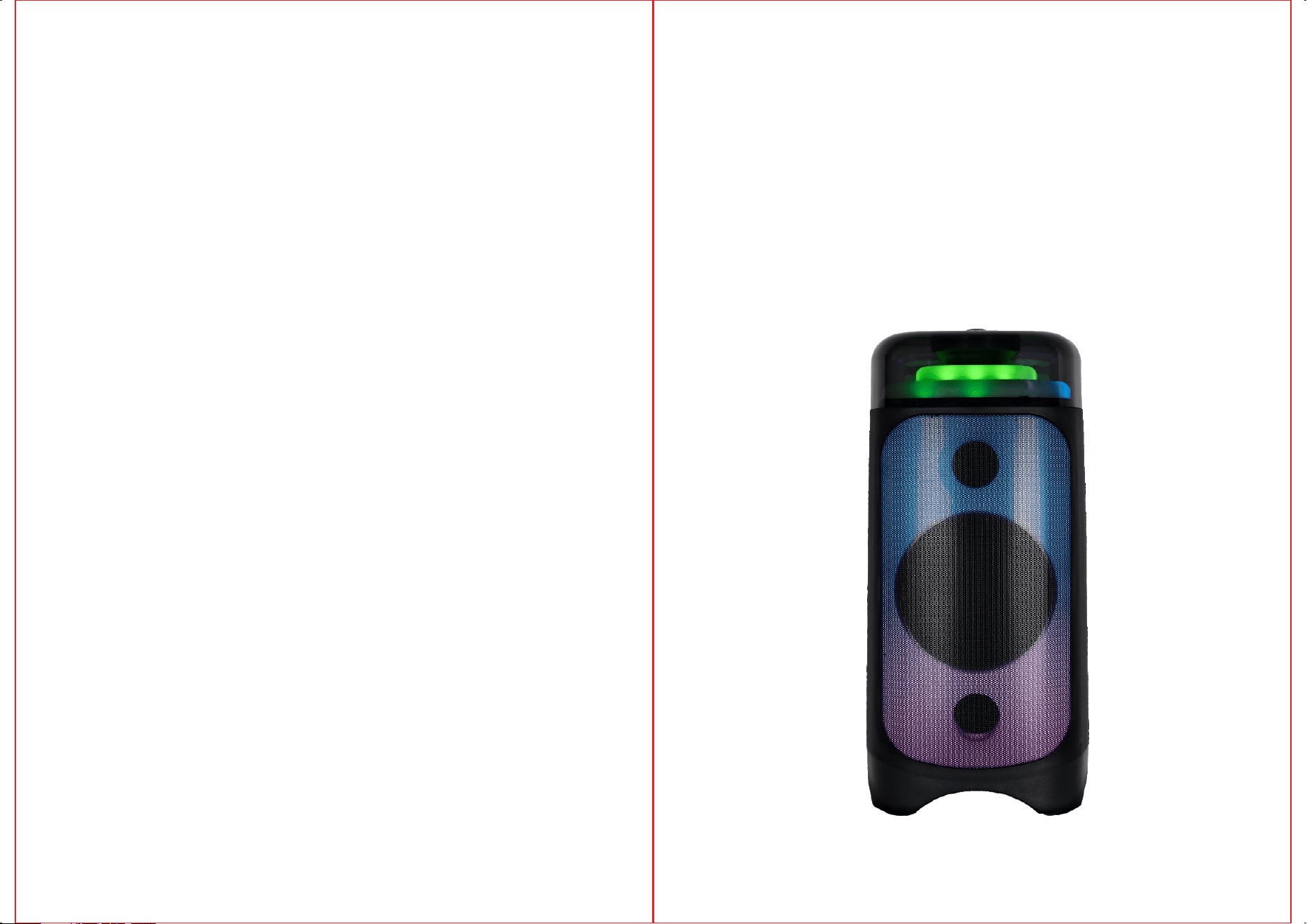
TK-610
MULTIMEDIA SPEAKER SYSTEM
1
2
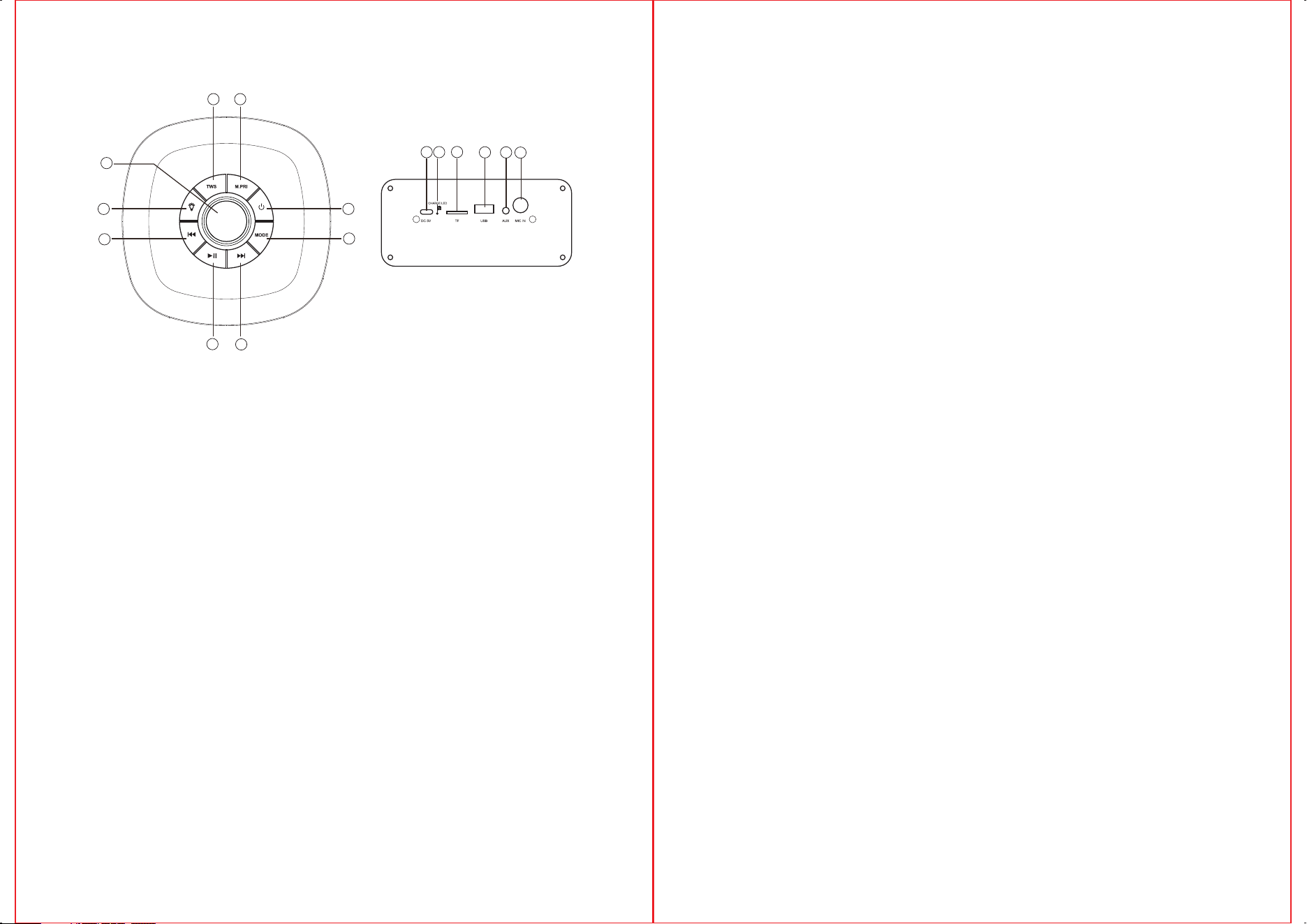
Control Panel/Rear Function
1.
,
Short press for playing mode selection for AUX, FM Radio,Bluetooth,
USB,and TF card.
TWS pairing(Wireless Bluetooth Connection:Under blue tooth mode,
press TWS button to pairing another TWS speaker and playing them with
same input signal, repress to quit the function).
2.
3.
4.Previous track
5.Pause/Play
6.Mic phone priority
7.
8.
Next track
10.
11.
12.
14.AUX Input
15.MIC input
VOLUME Music volume adjust
card input
USB Jack
simultaneous adjustmnet of music and
microphone volume
Light mode selection & Light switch on/off button
Standby
MODE:
9.
DC interface(5V)
Charging Indicator
RED=Charging Light off= Fully Charged
TF
13.
10
13
15
14
12
11
6
1
4
2
3
5
9
7
8
CHARGING THE SPEAKER
Charge the unit fully before using it for the first time and whenever the sound
becomes weak.
1. Connect the adaptor cable to the DC 5V port on the unit and the adaptor plug to
a suitable mains socket (see Technical Specifications for details). Turn on at the
outlet.
2. The red Charging Indicator turns on when the unit is charging and turns off when
it is fully charged. Remove the charging cable promptly. Do not overcharge.
Charging time: Around 6-7 hours.
TRUE WIRELESS STEREO (TWS) MODE
(Optional, requires two speakers)
If you have two speakers (model: TK-610), you can use them together for
a more immersive audio experience.
1. Place the two speakers in the same room and turn them on.
2. If the speakers are not in Bluetooth mode, short press the
Mode Button to switch to Bluetooth mode (do not connect to any device at this stage).
3. Press TWS button on one speaker to enter TWS pairing mode. The two speakers
will pair to each other with an audio alert.
4. Turn on your Bluetooth device like a smartphone and connect to“ ”.
5. Once connected, you can play Bluetooth audio from your source device on the
speakers wirelessly, in stereo.
FM RADIO PLAYBACK
•Press) the Mode Button repeatedly to switch to FM Radio mode.
•Press and hold the Play/Pause Button to search for available FM channels
automatically. Once the search is complete, the speaker will store the channels
automatically.
•Press the Previous or Next Buttons to switch between the channels.
BLUETOOTH CONNECTION
• Place the speaker close to (within 10 metres of) your Bluetooth enabled device.
• If not in Bluetooth mode, press Mode Button repeatedly to switch to Bluetooth
mode.
• Enable Bluetooth function on your Bluetooth-enabled smartphone, tablet or
media player; navigate to the Bluetooth setting menu, and search for new devices.
The Bluetooth name for this speaker is “ ” .
• Once connected, you can short press Previous or Next Button to play the previous
or next song.
TK-610
TK-610
SPECIFICATIONS
Power Output: 40W
Frequency Response
for main speaker: 65Hz-18KHz
Power Supply: DC 5V

FCC Warnning:
This equipment has been tested and found to comply with the limits for a Class B digital device,
pursuant to part 15 of the FCC Rules. These limits are designed to provide
reasonable
protection againstharmful interference in a residential installation. This equipment generates,
uses and can radiateradio
frequency
energy
and,
if
not
installed
and
used
in
accordance
with
the
instructions,
maycause
harmful
interference
to
radio
communications.
However,
there
is
no
guarantee
thatinterference
will
not
occur
in
a
particular
installation.
If
this
equipment
does
cause
harmfulinterference to radio or television reception, which can be
determined by turning the equipmentoff
and
on,
the
user
is
encouraged
to
try
to
correct
the
interference
by
one
or
more
of
thefollowing measures:
•
Reorient or relocate the receiving antenna.
•
Increase the separation between the equipment and receiver.
•
Connect the equipment into an outlet on a circuit different from that to which the receiver is
connected.
• Consult the dealer or an experienced radio/TV technician for help.
Caution:
Any
changes
or
modifications
to
this
device
not
explicitly
approved
by
manufacturer
could void your authority to operate this equipment.
This
device
complies
with
part
15
of
the
FCC
Rules.
Operation
is
subject
to
the
following
two
conditions:
(1)This
device
may
not
cause
harmful
interference,
and
(2)
this
device
must
accept
any
interference received, including interference that may cause undesired operation.
This
equipment
complies
with
FCC
radiation
exposure
limits
set
forth
for
an
uncontrolled
environment.
This
equipment
should
be
installed
and
operated
with
minimum
distance
20cm
between the radiator and your body.