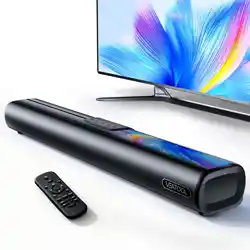
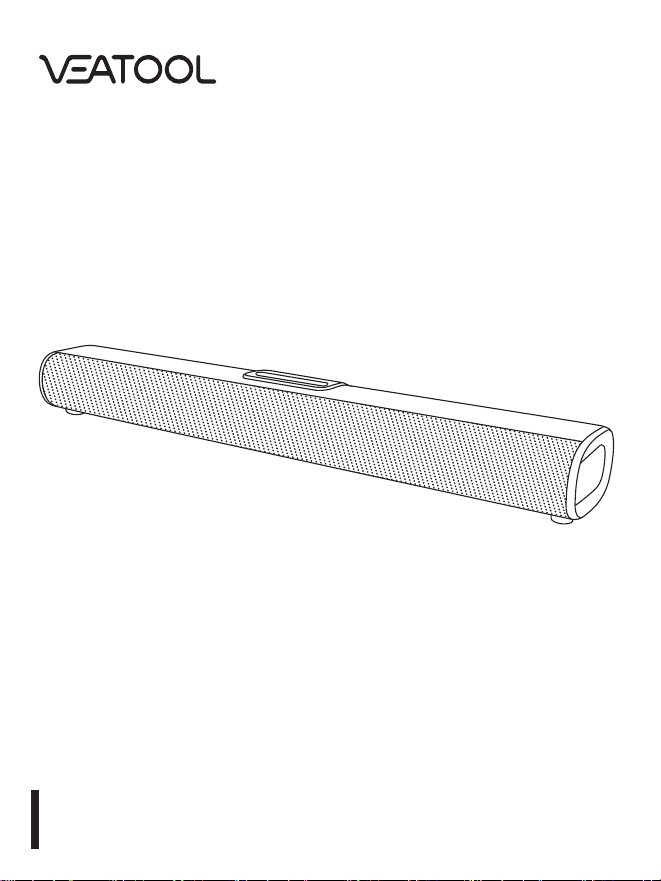
Soundbar
S20L

Table of Contents
1. lmportant Safety instructions........................................................................3
2. intended Use.....................................................................................................3
3. Before First Use................................................................................................3
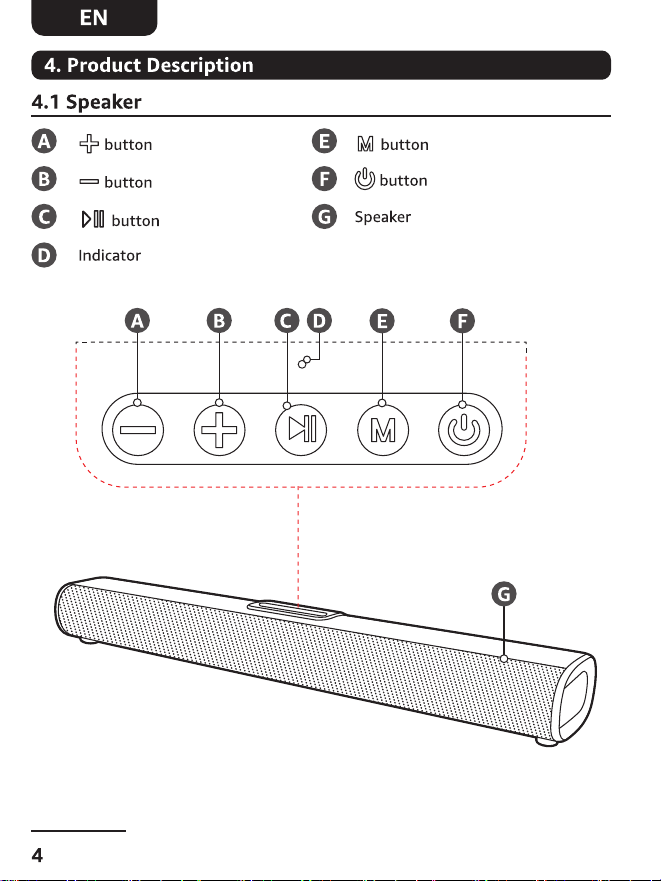
4. product Description....................................................................................4~7
4.1 SDeaker.......................................................................................................4~6
4.2 Remote Control...............................................................................................7
5. Use..............................................................................................................8~12
5.1 Switching on/off..............................................................................................8
5.2 Inserting batteries...........................................................................................8
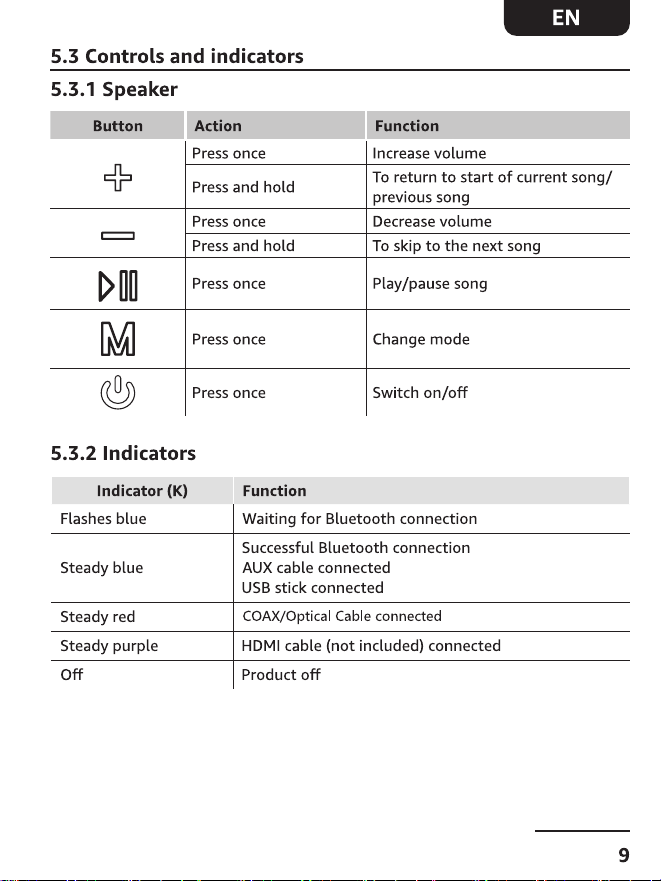
5.3 Controls and indicators...................................................................................9
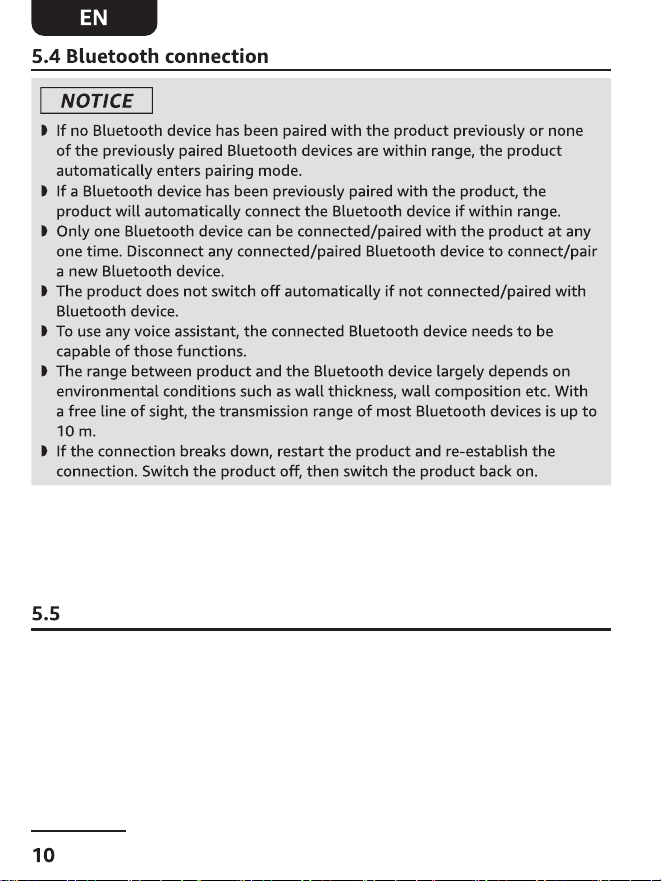
5.4 Bluetooth connection....................................................................................10
5.5 Optical connection.........................................................................................10
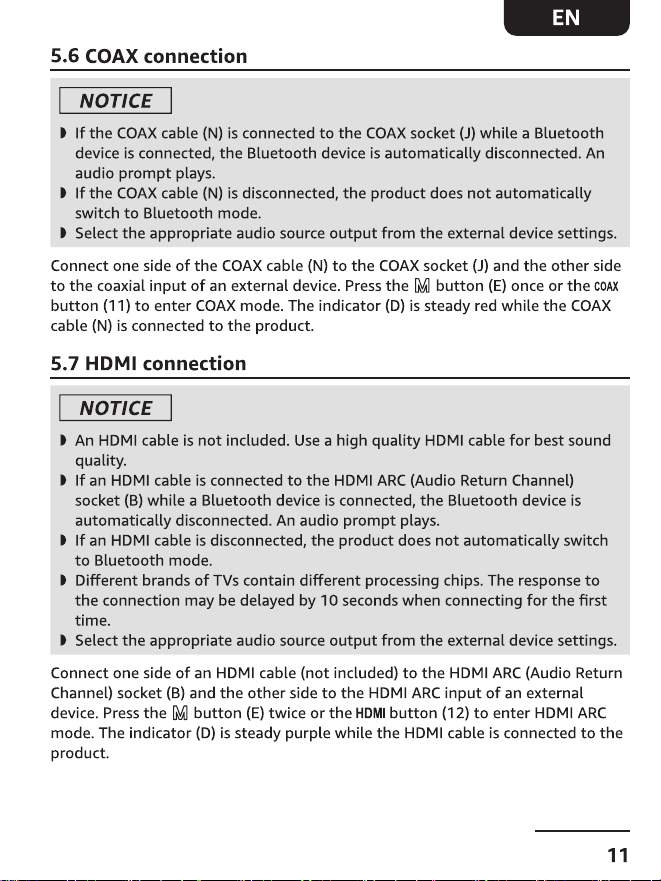
5.6 COAX connection...........................................................................................11
5.7 HDMi connection...........................................................................................11
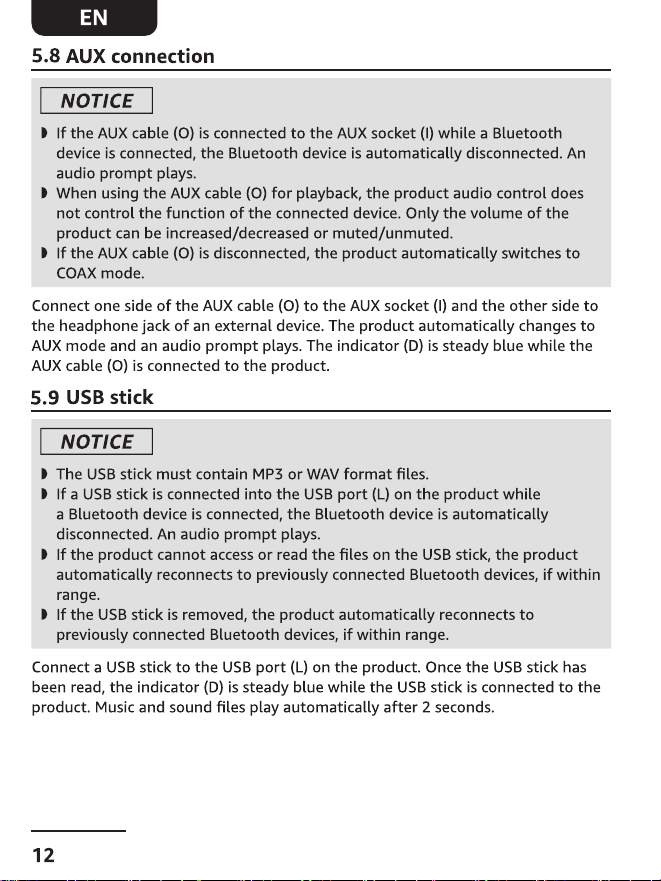
5.8 AUX connection.............................................................................................12
5.9 USB stick.........................................................................................................12
6. Wall Mounting.........................................................................................13~15
7. Cleaning and Storage....................................................................................15
7.1 Cleaning.........................................................................................................15
7.2 Storage...........................................................................................................15
8. Freguently Asked Questions........................................................................16
9. Specifications.................................................................................................17
10. Trademarks...................................................................................................18
11. Battery Disposal...........................................................................................18
12. E-Waste Disposal..........................................................................................18
13. Warranty & Service......................................................................................19
Read these instructions carefully and retain them for future use. lf this
product is passed to a third party, then these instructions must be included.
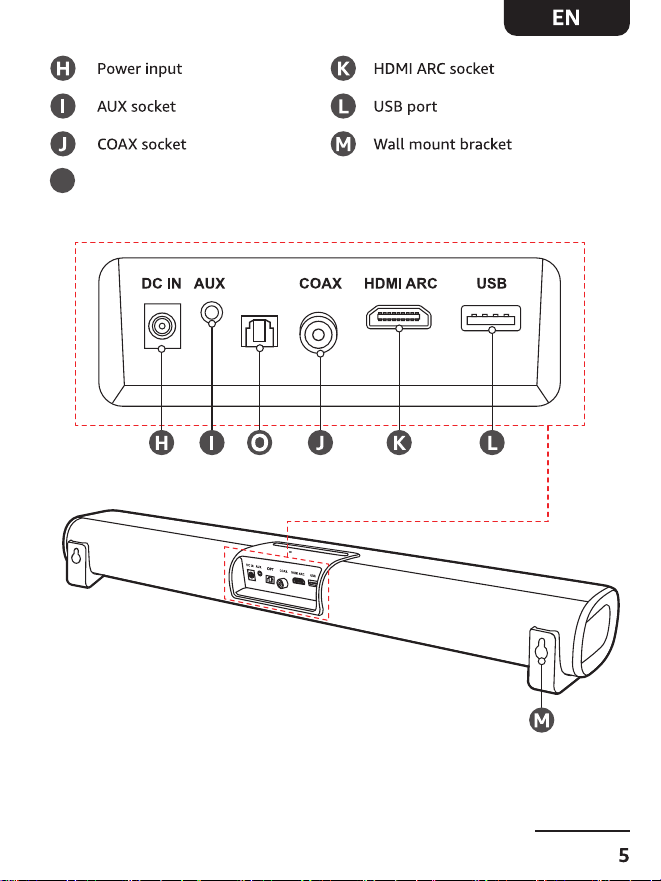
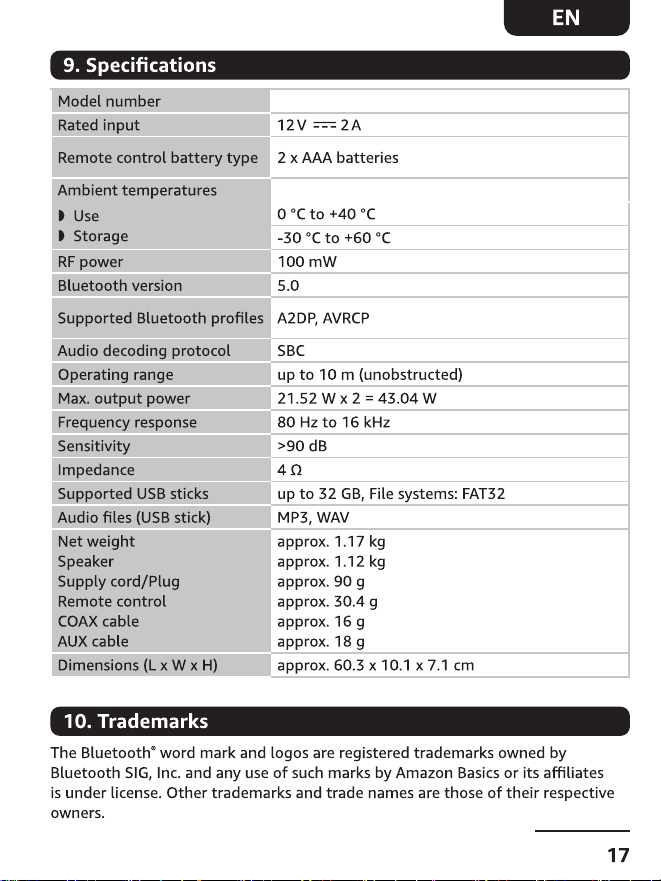
This product is intended for playback of audio files either via Bluetooth, AUX
input, Optical input, Optical input, HDMl ARC input, or from a USB stick.
O
OPT
Optical
Optical connection
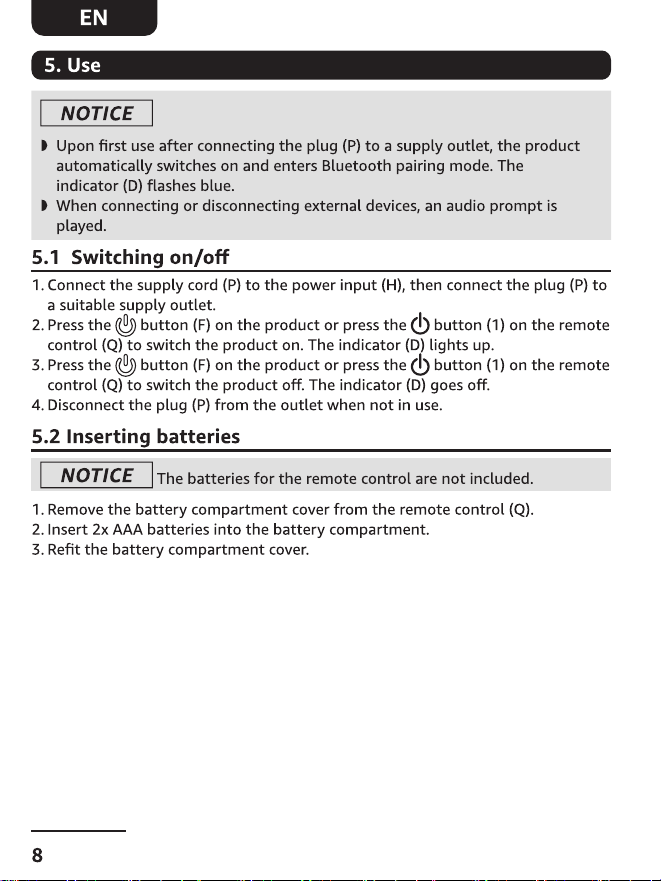
NOTICE
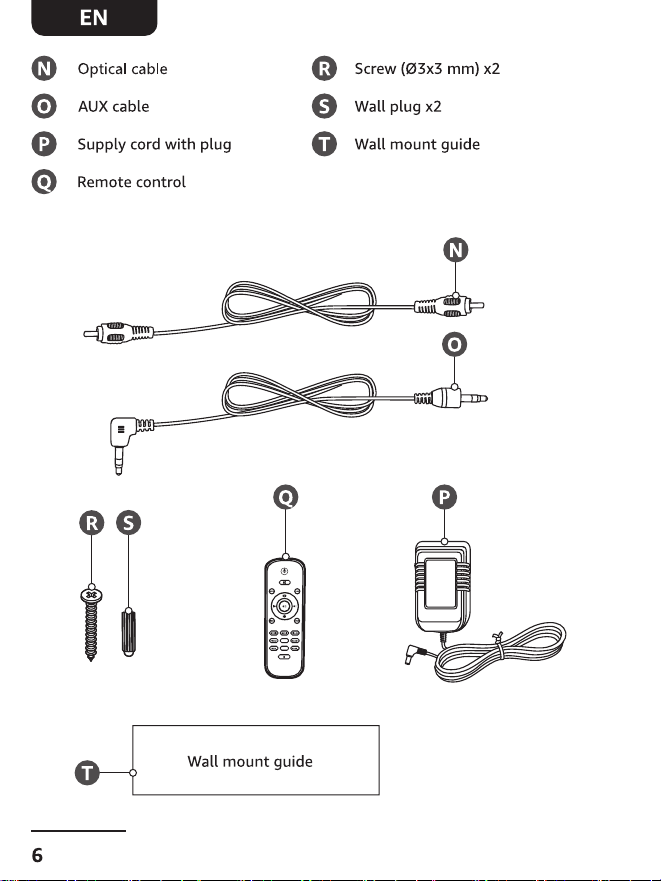
lf the Optical cable (N) is connected to the Optical socket (J) while a Bluetoothdevice is connect-
ed, the Bluetooth device is automatically disconnected. Anaudio prompt plays.
lf the Optical cable (N) is disconnected, the product does not automaticallyswitch to Bluetooth
mode.
Select the appropriate audio source output from the external device settings.
Connect one side of the Optical cable (N) to the Optical socket (J) and the other sideto the
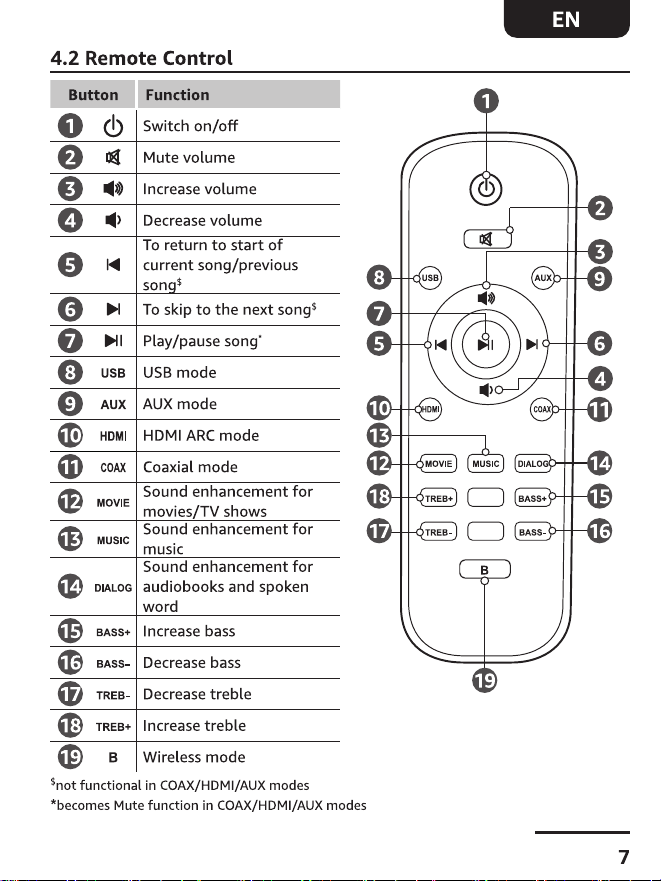
Opticalial input of an external device. Press the M button (E) once or the Opticalbutton (11) to
enter Optical mode. The indicator (D) is steady red while the Opticalcable (N) is connected to
the product.
1.Switch the product on, The indicator (D) flashes blue. An audio prompt plays.
2.Keep the product and the Bluetooth device close to each other.
3. Activate Bluetooth on the device you wish to pair and search for a new device.
4. Select " AB-SB0-060 " from the list of available Bluetooth connections.
5. Once the devices are paired, the product plays an audio prompt and theindicator (D) changes
to steady blue
S20L
Dear customer,
Hello ! Thank you for purchasing from us.
If you have any questions or concerns about this product, please contact us at the
following email address: VEAT00L@outlook.com, we are happyto help you and provide
happy and satisfactory after-sales service.
If you are satisfied with this product, please provide us with relevantfeed back and share
your shopping experience with other customers. lf you send us a screenshot of the posted
review and order number viaemail address: VEAT00L@outlook.com, we will provide you
with alifetime warranty (product lost/damaged/missing accessories during use)

Soundbar S20L