

The Wife UPdater
user manual

© 2003 Martin Professional A/S, Denmark.
All rights reserved. No part of this manual may be reproduced, in any form or by any means,
without permission in writing from Martin Professional A/S, Denmark.
The information contained in this document is subject to change without notice. Martin
Professional AS makes no warranty of any kind with regard to this material, including, but not
limited to, the implied warranties of fitness for a particular purpose.
Martin Profession AS shall not be liable for errors contained herein or for incidental or
consequential damages in connection with the furnishing, performance or use of this material.
P/N 35000133, Revision A

3
Table of Contents
Overview ...................................................................................................4
Getting started..........................................................................................5
Software requirements........................................................................5
Hardware requirements ......................................................................5
Installation...........................................................................................5
Connecting “The Wife” to your PC ......................................................8
Main screen ......................................................................................10
Setting the patch....................................................................................11
Patch columns ..................................................................................13
Deleting a lamp .................................................................................13
Editing memories...................................................................................14
Editing memories by spreadsheet.....................................................14
Memory columns ........................................................................15
Editing memories by fader ................................................................16
Fader rows..................................................................................16
Setting levels...............................................................................17
Editing levels.....................................................................................17
Using palettes.........................................................................................19
Editing memory legends....................................................................21
Editing fixtures.......................................................................................22
Spreadsheet......................................................................................23
Header ........................................................................................25
Footer..........................................................................................26
Finishing editing ................................................................................27
Editing “The Wife” DMX Tester configuration ....................................28
Menu........................................................................................................31
Export................................................................................................31
Live editing........................................................................................32
USITT ASCII import ..........................................................................32

The Wife UPdater
4 Overview
OVERVIEW
The Wife UPdater is a Windows application that runs through “The Wife”
DMX Tester and that provides:
• An on-line editor that allows live programming of moving lamps.
• An off-line editor allowing all “The Wife” Memories and configuration
data to be programmed in a console style format.
• A Moving Lamp personality editor.

The WIfe UPdater
Getting started 5
GETTING STARTED
You need a PC with a connection to the internet to download The Wife
UPdater.
Software requirements
The Wife UPdater is compatible with Windows 95, 98, ME, NT5, 2000 & XP.
Hardware requirements
The Wife UPdater requires the following minimum specification to run:
1. Pentium at 133MHz or higher PC Compatible.
2. Windows 95/98/ME/2000/XP operating system.
3. Mouse.
4. VGA 640 x 480 or better.
5. 2 MB Hard disc space.
6. 16 MB ram
Installation
To install the software:
1. Download and open the following file on your PC -
http://www.martin.dk/product/TheWifeUPdater.exe
2. Extract the setup files to a temporary folder on your PC.
3. Select the Start Menu and then the Run Command.
4. Press the Browse button.
5. Locate the program SETUP.EXE that you extracted in step 2.
The Wife UPdater
6 Getting started
6. Execute the program.
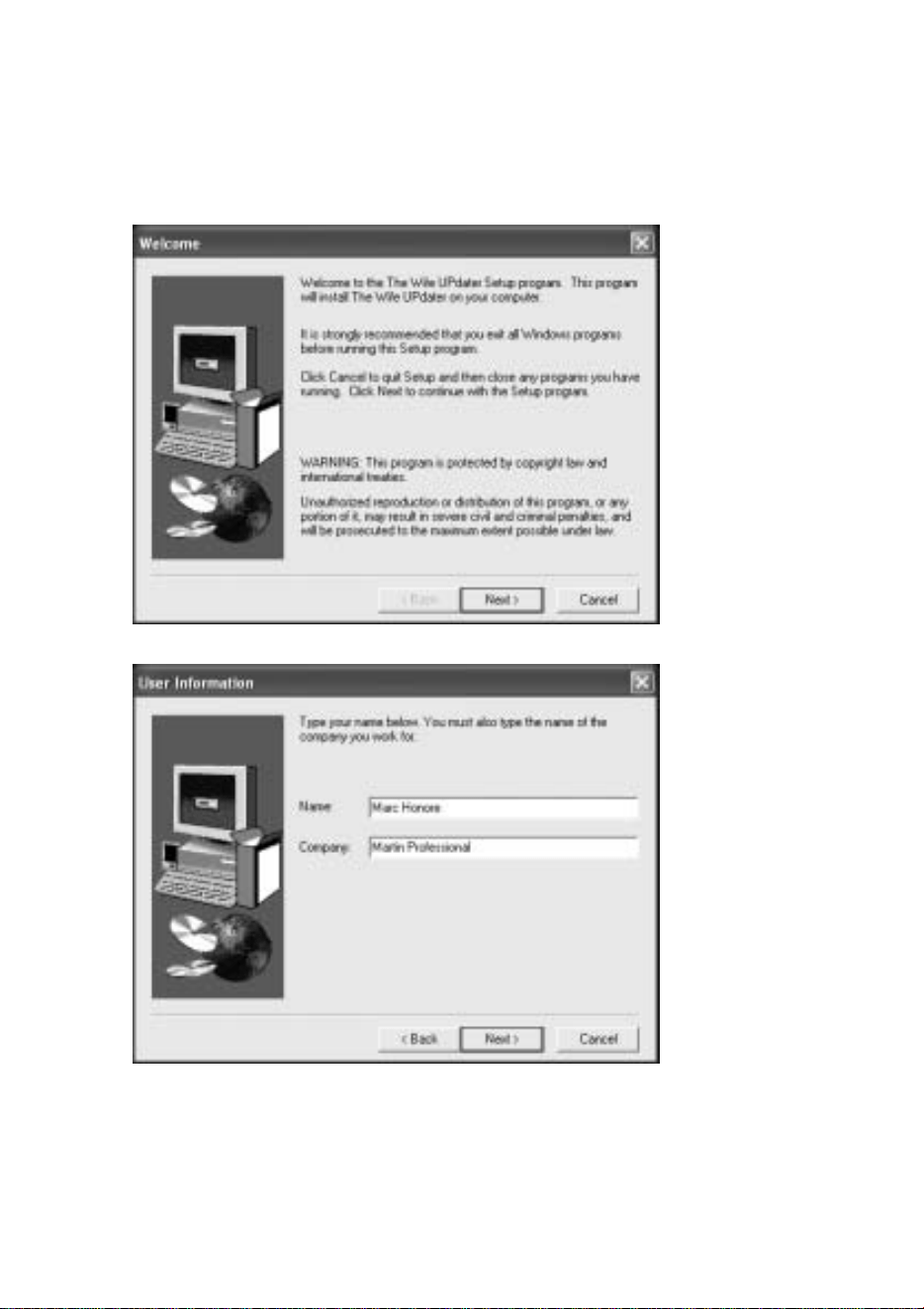
7. The Install Shield program will start.
8. Click Next.
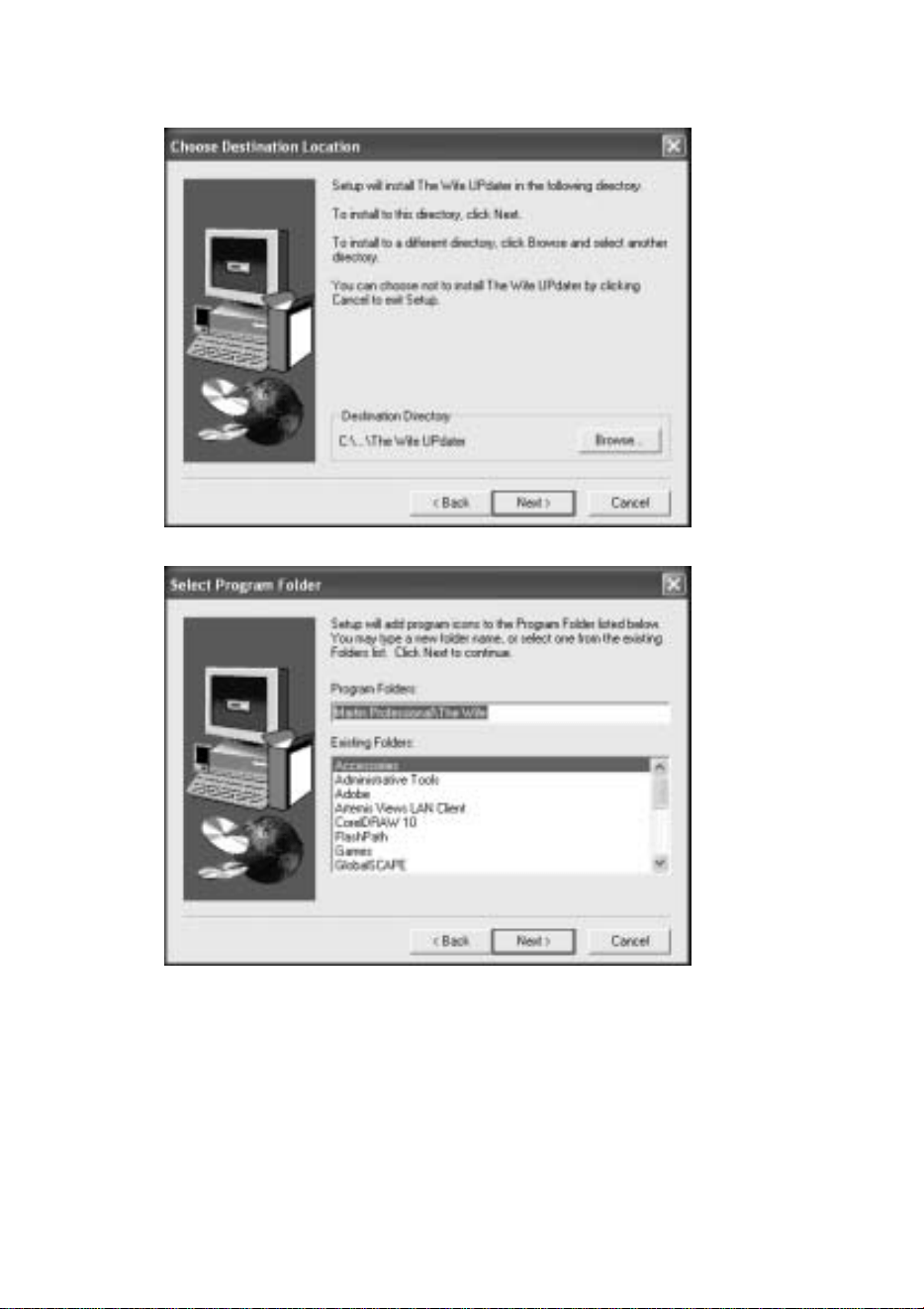
9. Fill in your name and company (if appropriate) and click Next.
The WIfe UPdater
Getting started 7
10. Select a destination directory, or accept the default, and click Next.
11. Select the location of the program on the start menu, or accept the default,
and click Next.
The Wife UPdater
8 Getting started
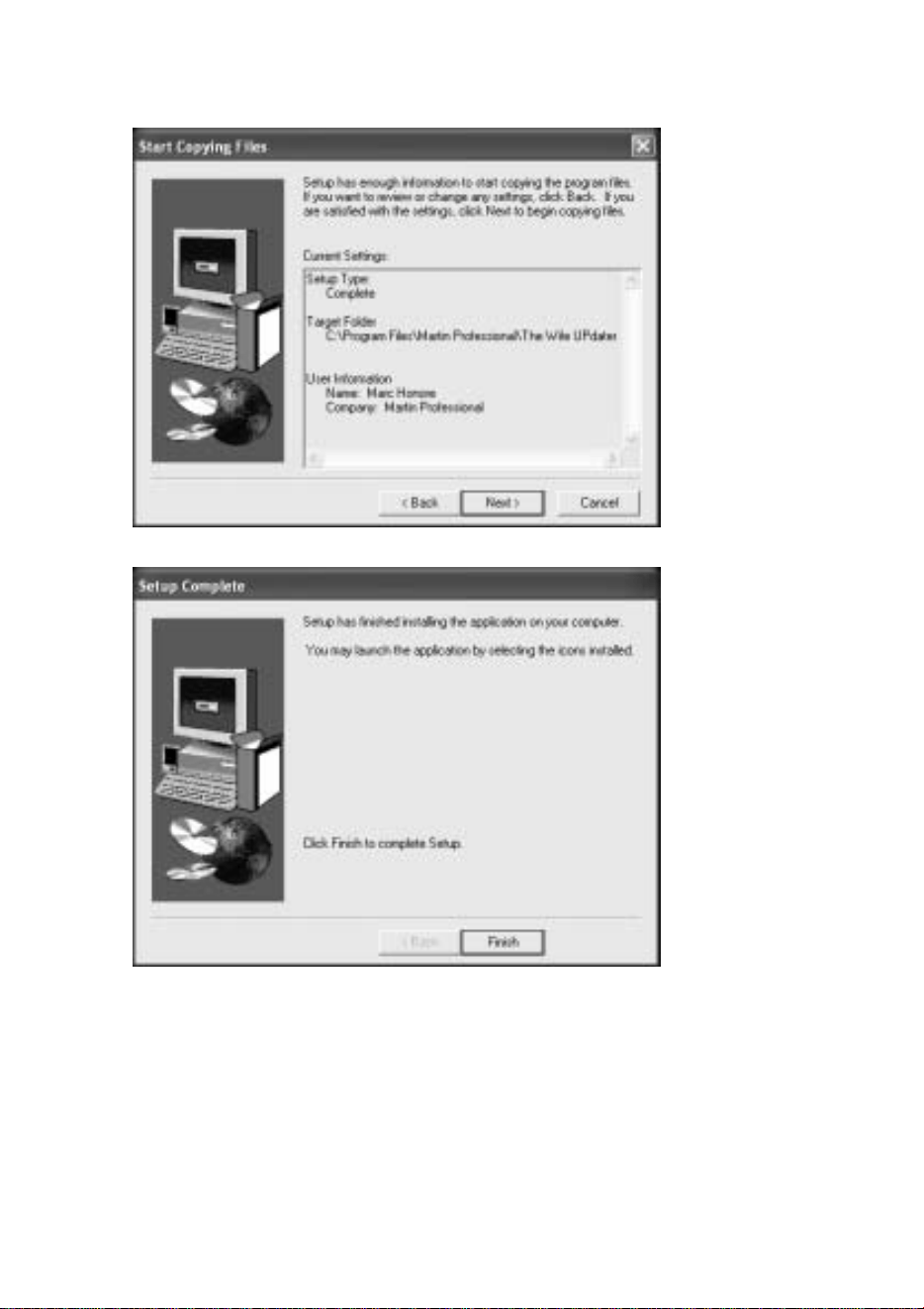
12. Confirm that the installation details are correct and click Next.
13. Click Finish to complete the installation.
Connecting “The Wife” to your PC
The Wife UPdater communicates with the “The Wife” via the RS232 interface
of the PC. The Wife UPdater can access either COM1 or COM2.
The WIfe UPdater
Getting started 9
An XLR5F to 9 pin DB cable is provided with The Wife UPdater. The cable
contains the RS232 to RS485 conversion electronics required for
communications between the PC and “The Wife”.
1. Connect one end of the cable to the DMX512 connector on “The Wife”
and the other end to the COM port on your PC.
2. Start the Wife UPdater program.
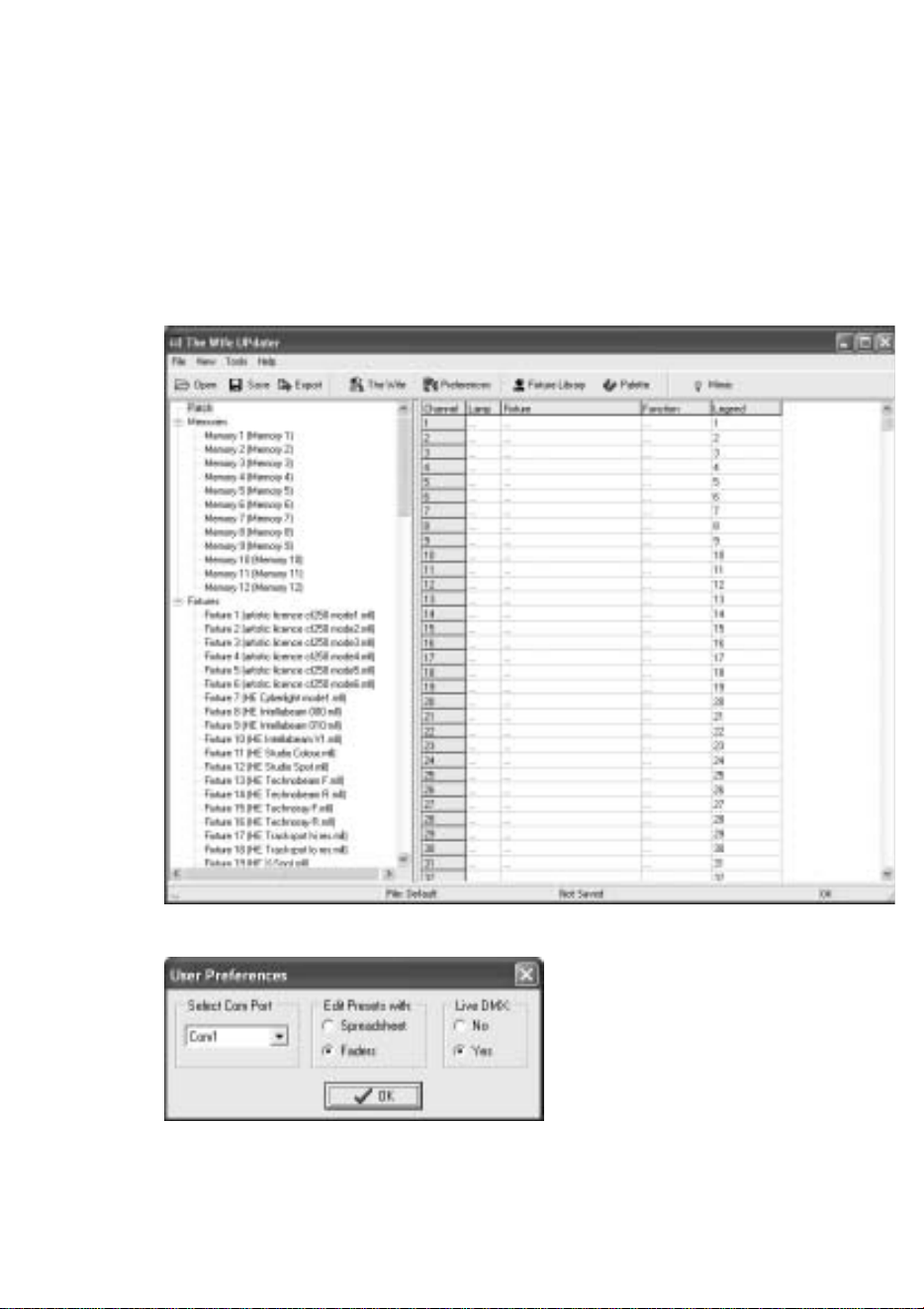
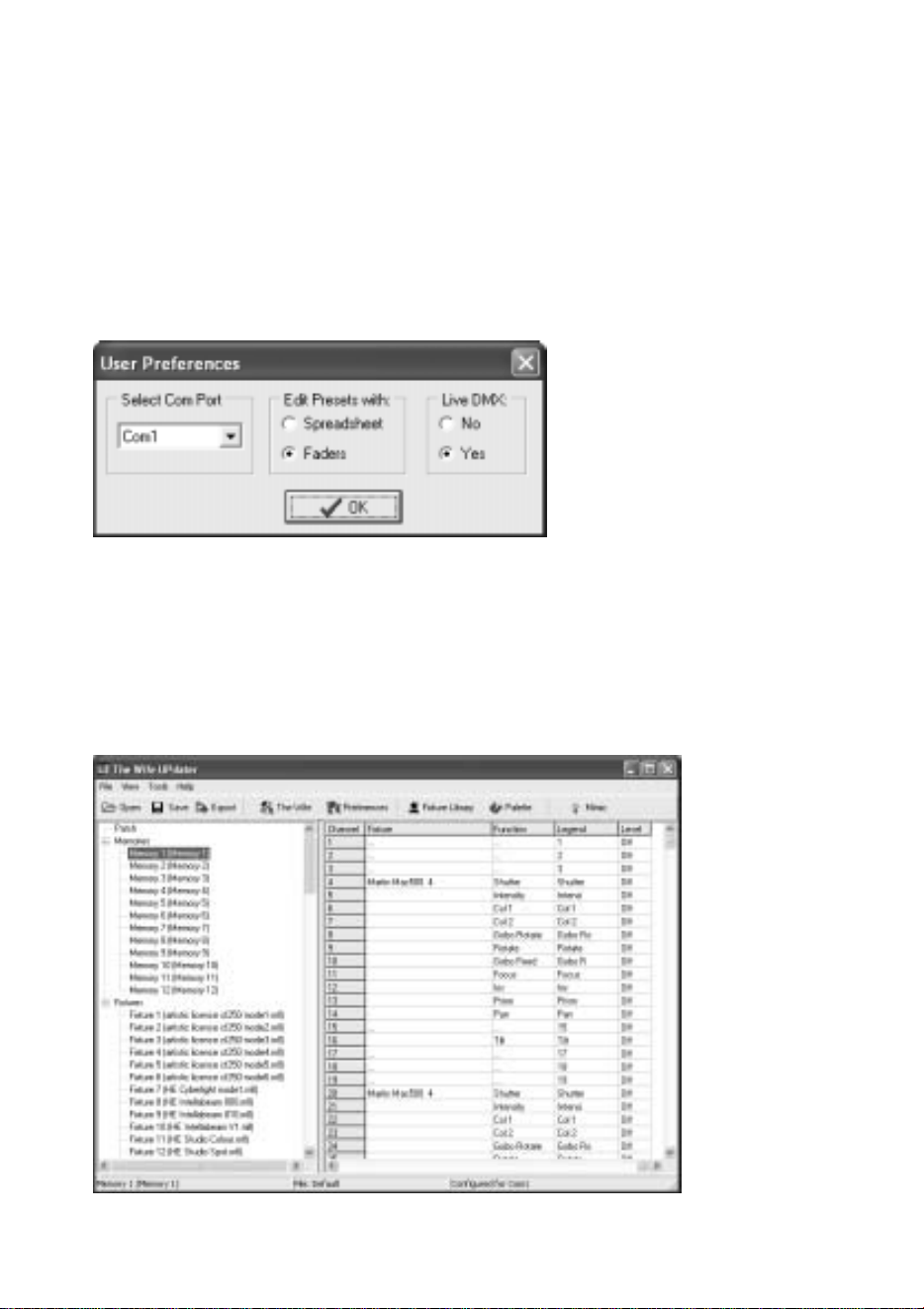
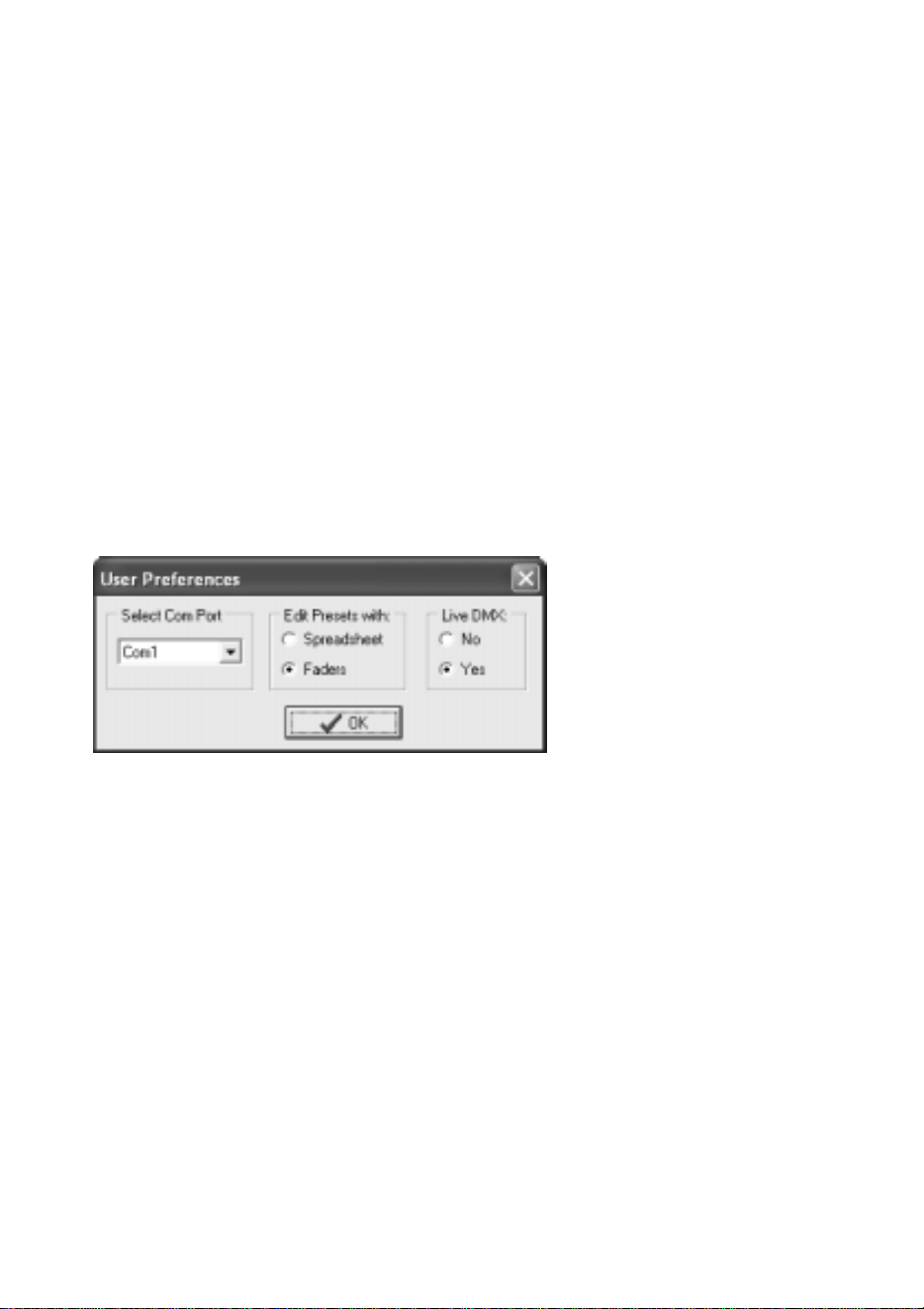
3. Select Tools Preferences.
4. Select the Com port that the “The Wife” is connected to and click OK.
5. Activate communications from “The Wife” by holding down the MENU
key while powering “The Wife” on and then selecting TALK TO WIFE
The Wife UPdater
10 Getting started
UPDATER (MIC EDIT) (S7). Note: Always enter this mode prior to
pressing the Export button in the Wife Updater.
Main screen
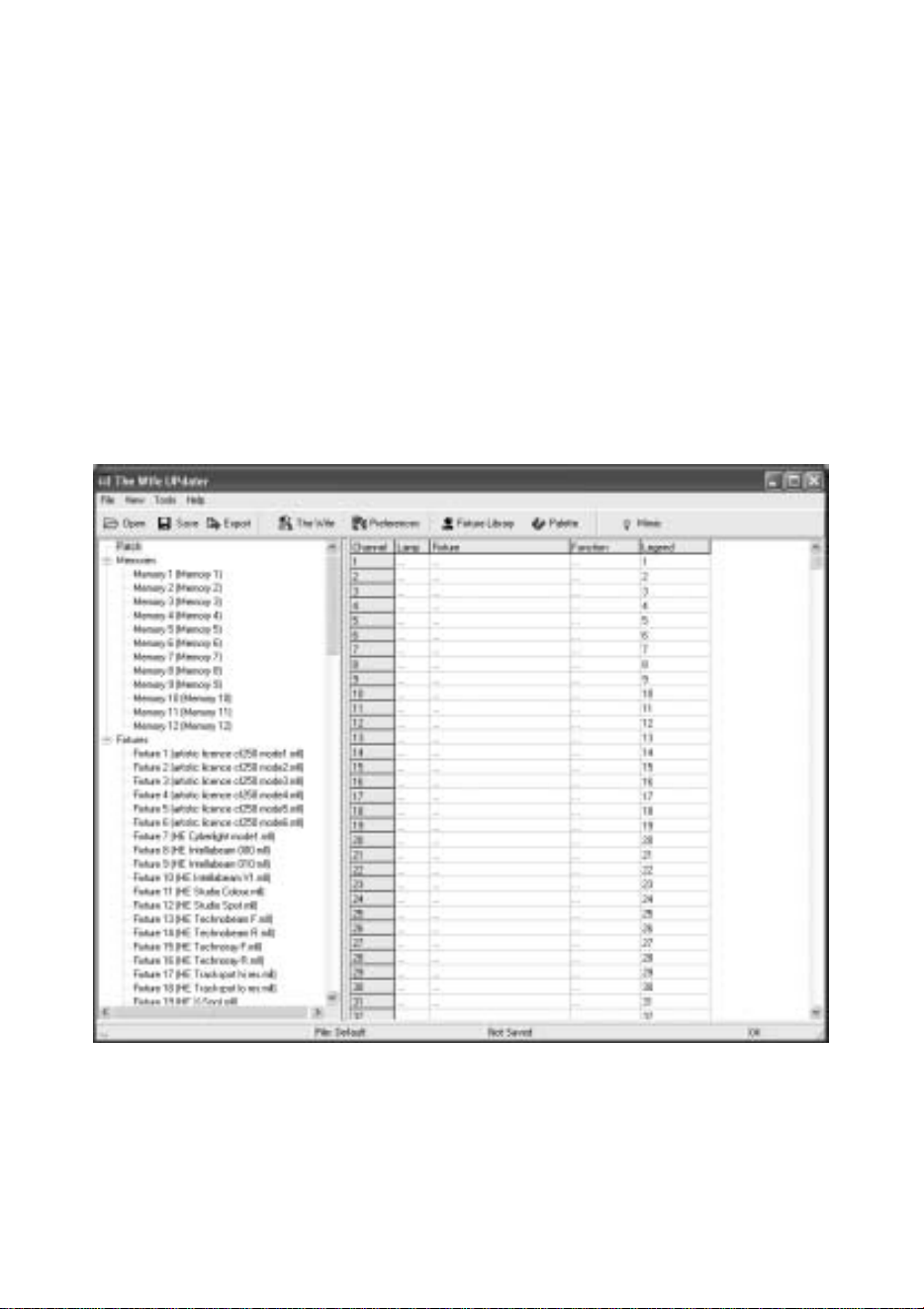
The Wife UPdater displays the following screen when started.
The left panel of the screen displays the information store. This lists all the data
that will be downloaded to The Wife. This is referred to as the Show Panel.
The right panel is used to display the spreadsheet or fader style information for
editing presets and lamp personalities. This is referred to as the Edit Panel.
The WIfe UPdater
Setting the patch 11
SETTING THE PATCH
The patch is used to select the DMX512 channel allocation that is used in the
‘Transmit Memory’ menu.
When the ‘Patch’ option is selected in the Show Panel, the patch spreadsheet is
then displayed in the Edit Panel.
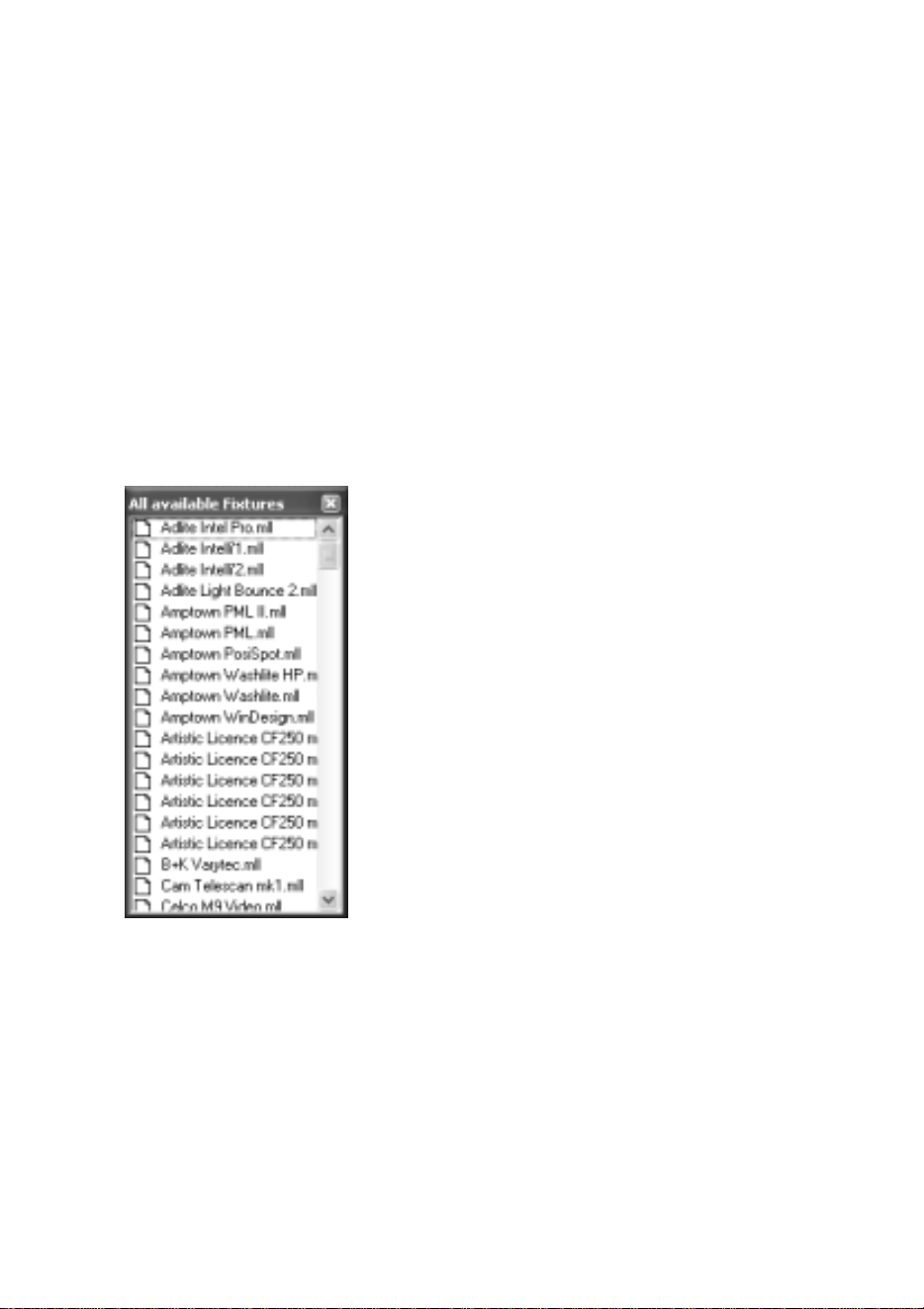
Click the Fixture Library button at the top of the screen. The palette of
available fixtures is then displayed:
Select the required lamp from the palette and drag in onto the required start
channel of the patch.
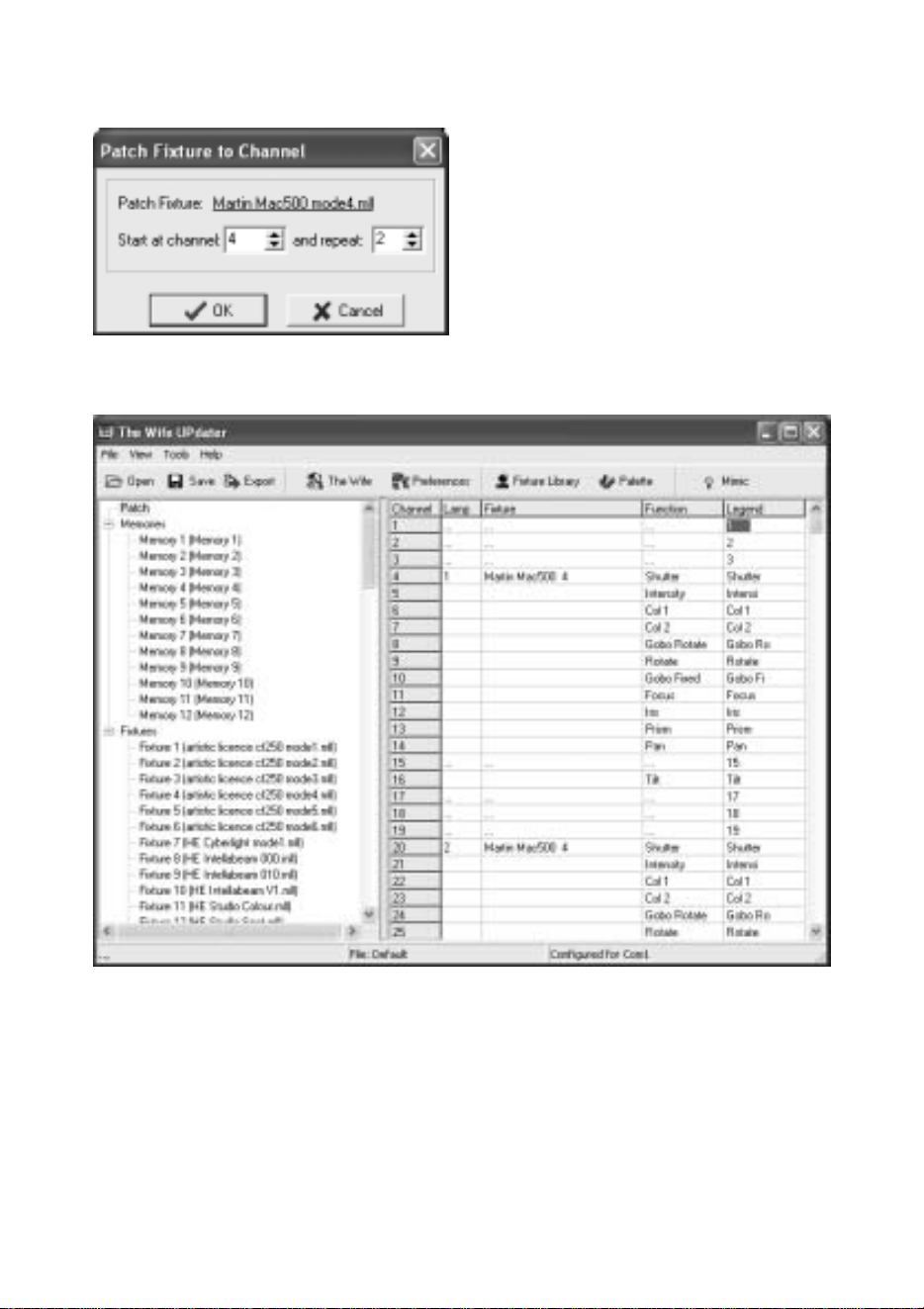
A dialogue is displayed which confirms the start channel and the number of
lamps to be patched.
The Wife UPdater
12 Setting the patch
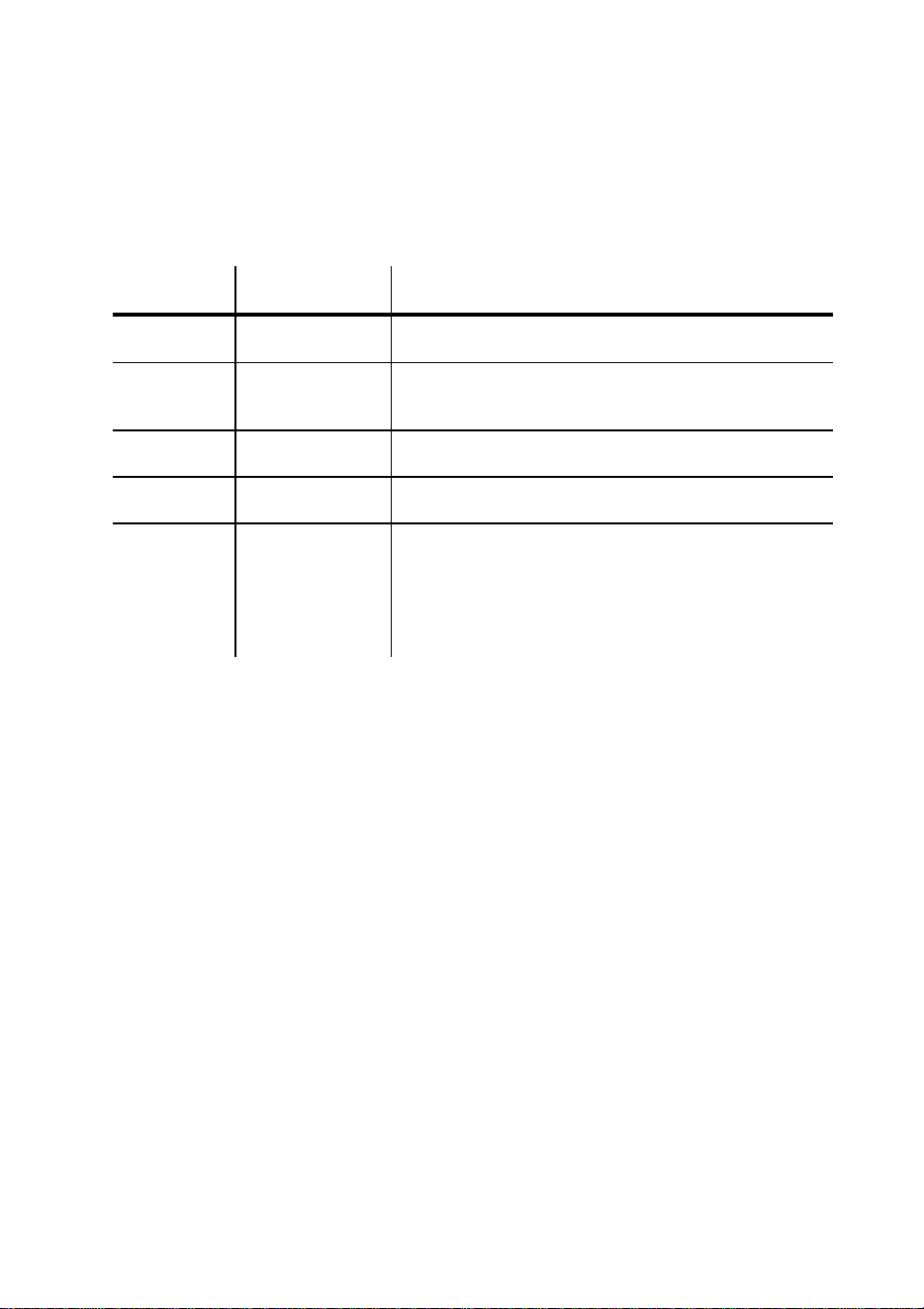
The example shown will patch two Martin Mac 500s starting at channel 4. The
resulting patch is shown below:
The WIfe UPdater
Setting the patch 13
Patch columns
The columns of the Patch display provide the following information:
Column Name Purpose
1 Channel Lists the DMX512 channel number from 1 to 512.
2 Lamp The number of the moving lamp. The Wife UPdater
generates this automatically, numbering lamp 1 as
the lowest DMX channel value.
3 Fixture The text name of the moving lamp. This corresponds
to the name in the Fixture Library Palette.
4 Function Describes the lamp function controlled by this
channel.
5 Legend This is a seven character description of the lamp
channel function. This text is displayed in the
‘Transmit Memory’ menu. When a lamp is patched,
this field is automatically updated from the lamp
function. This field can be edited to override the
default behavior.
Deleting a lamp
To delete a lamp from the patch, simply right click on the lamp. A popup menu
is displayed offering this option.
The Wife UPdater
14 Editing memories
EDITING MEMORIES
Depending upon the setting in the Tools→Preferences menu, the Edit Panel
will display either a spreadsheet or an array of faders.
To edit a Memory, select the required Memory in the Show Panel.
Editing memories by spreadsheet
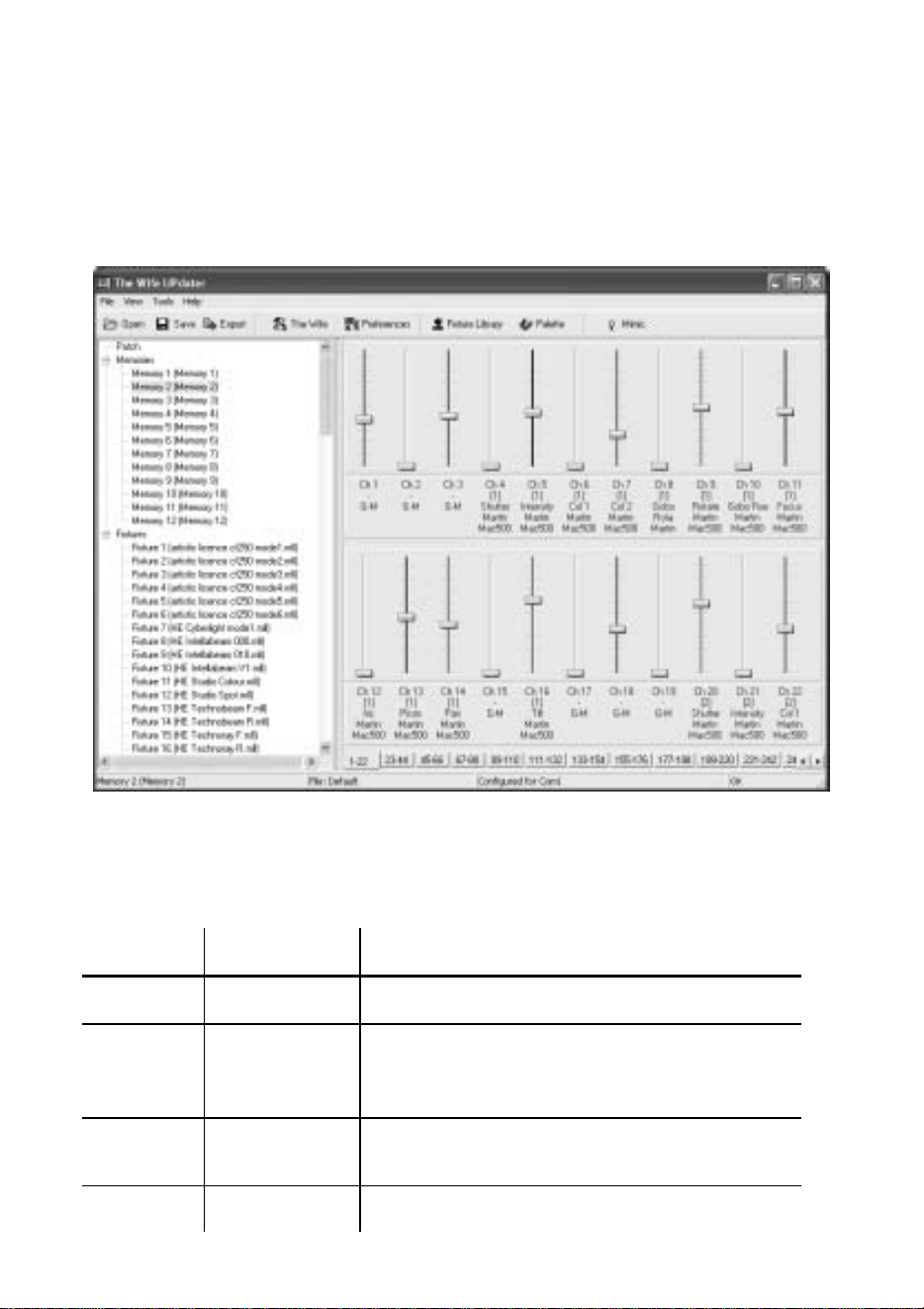
When editing memories in spreadsheet mode, the Edit Panel displays as shown
below:

The WIfe UPdater
Editing memories 15
Memory columns
The columns of the Memory spreadsheet are identical to those displayed in
Patch mode, with the exception of column 6.
Column Name Purpose
1 Channel Lists the DMX512 channel number from 1 to
60
2 Lamp The number of the moving lamp. Show-Edit
generates this automatically, numbering lamp
1 as the lowest DMX channel value.
3 Fixture The text name of the moving lamp. This
corresponds to the name in the Fixture Library
Palette.
4 Function Describes the lamp function controlled by this
channel.
5 Legend This is a seven character description of the
lamp channel function. This text is displayed
in the ‘Transmit Memory’ menu. When a lamp
is patched, this field is automatically updated
from the lamp function. This field can be
edited to override the default behavior.
6 Level The level of this channel in this Memory. The
level can range from 0 to 255. Off is identical
to zero level.
The Wife UPdater
16 Editing memories
Editing memories by fader
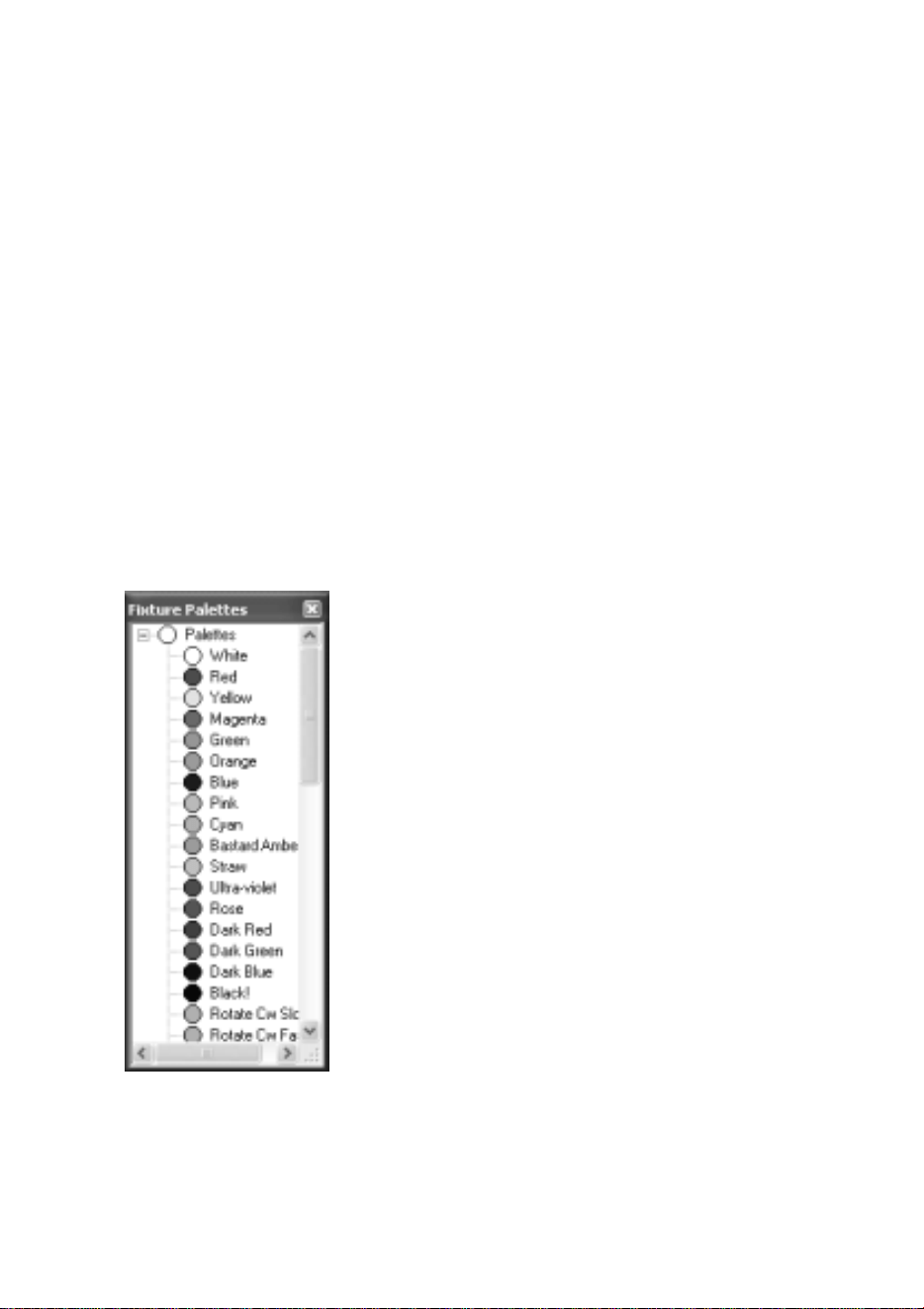
When editing memories in fader mode, the Edit Panel displays as shown below:
Fader rows
Each channel of each moving lamp or dimmer is displayed as a fader. Below
each fader, a 5 line text display describes the function:
Row Name Purpose
1 Channel The Channel number ranging from 1 to 512.
2 Lamp The Lamp Number ranging from 1 to 512.
Channels that are not patched do not have a
lamp number but can still be programmed.
3 Function A text description of the lamp attribute
controlled by this fader.
4/5 Name The name of the moving lamp.

The WIfe UPdater
Editing memories 17
Setting levels
Dragging the fader knob with the mouse sets fader levels. When the level of a
fader is set to any value above zero, tick marks are displayed next to the fader
track. The absence of tick marks indicates that the channel is at zero.
Editing levels
Right clicking on any fader produces a popup menu. The popup menu provides
numerous Memory editing functions as detailed in the table below.
The fader that is right clicked is described as the selected channel in the table
below.
Entry Name Purpose
1 Exclude channel from this
Memory
Selected channel is set to zero in
this Memory
2 Exclude fixture from this
Memory
If the selected channel is part of a
moving lamp, all channels in the
lamp are set to zero in this
Memory.
3 Exclude INTENSITY
channels of this fixture
If the selected channel is part of a
moving lamp and it is an intensity
(dimmer) channel, all intensity
channels of the lamp are set to zero
in this Memory.
4 Exclude POSITION channels
of this fixture
If the selected channel is part of a
moving lamp and it is a position
(pan or tilt) channel, all position
channels of the lamp are set to zero
in this Memory.
5 Exclude COLOUR channels
of this fixture
If the selected channel is part of a
moving lamp and it is a color
channel, all color channels of the
lamp are set to zero in this
Memory.

The Wife UPdater
18 Editing memories
6 Exclude BEAM channels of
this fixture
If the selected channel is part of a
moving lamp and it is a beam (iris,
gobo, prism) channel, all beam
channels of the lamp are set to zero
in this Memory.
7 Exclude CONTROL channels
of this fixture
If the selected channel is part of a
moving lamp and it is a control
(lamp strike etc.) channel, all
control channels of the lamp are set
to zero in this Memory.
8 Exclude all INTENSITY
channels from Memory
If the selected channel is part of a
moving lamp and it is an intensity
channel, all intensity channels in
this Memory are set to zero.
9 Exclude all POSITION
channels from Memory
If the selected channel is part of a
moving lamp and it is a position
channel, all position channels in
this Memory are set to zero.
10 Exclude all COLOUR
channels from Memory
If the selected channel is part of a
moving lamp and it is a color
channel, all color channels in this
Memory are set to zero.
11 Exclude all BEAM channels
from Memory
If the selected channel is part of a
moving lamp and it is a beam
channel, all beam channels in this
Memory are set to zero.
12 Exclude all CONTROL
channels from Memory
If the selected channel is part of a
moving lamp and it is a control
channel, all control channels in this
Memory are set to zero.
13 Clear Memory to zero Sets all channels to zero level.
14 Clear Memory to off Sets all channels to zero level.
15 Remove fixture from patch Removes this fixture from the
patch.
The WIfe UPdater
Using palettes 19
USING PALETTES
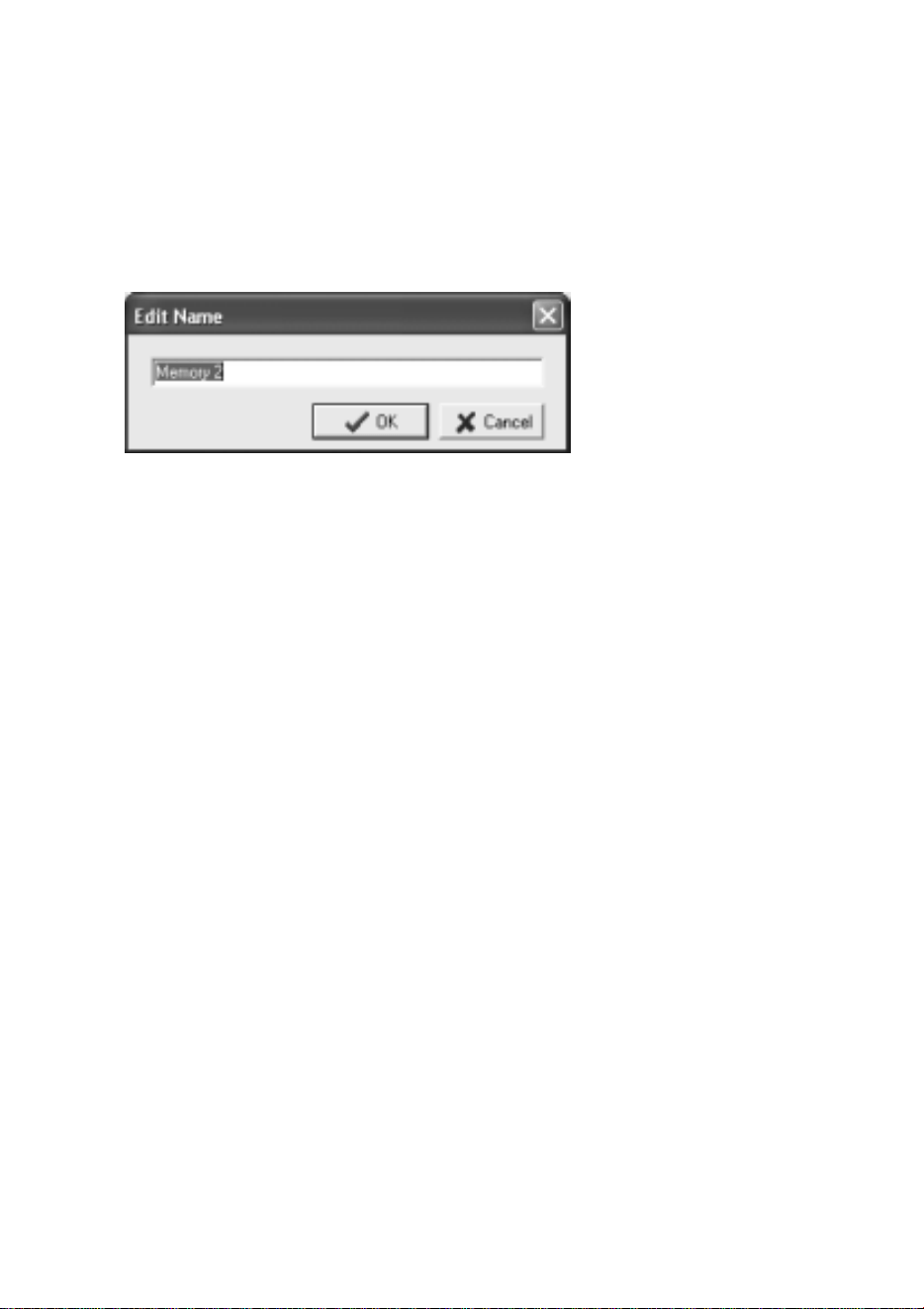
To display the palette, click on the Palette button at the top of the screen. The
Palette contains 50 entries that contain settings for every attribute of every
fixture.
These values are defined in the Fixture Editor.
For ease of use, the palette entries are coded by color, but they are equally valid
for use with position and beam attributes.
The palette can be used in both spreadsheet and fader view of a Memory.
Simply drag the required palette entry and drop it on the required fixture. The
cursor changes to a hand icon with a small moving lamp icon.
The entire fixture changes to represent the levels contained in the palette. This
drag and drop function can be further modified by combination of the Shift,
Ctrl and Alt keys as detailed in the table below.

The Wife UPdater
20 Using palettes
Hold
Key
Cursor Dropping on
Channel Type
Result
None Moving
Lamp Icon
All Entire fixture is set to the level
contained in the palette.
Shift Fader Icon All Only the channel that is dropped
upon will change to the palette
value.
Light Bulb Intensity All intensity channels within the
fixture change to the levels
contained within the palette.
Arrows Position All intensity channels within the
fixture change to the levels
contained within the palette.
Ctrl
Color Wheel Color All intensity channels within the
fixture change to the levels
contained within the palette.
Diamond
Gobo
Beam All intensity channels within the
fixture change to the levels
contained within the palette.
Ctrl
cont
Hammer Control All intensity channels within the
fixture change to the levels
contained within the palette.
Alt Multiple
Lamps
All Sets all patched fixtures to the
levels contained in the palette.
The WIfe UPdater
Using palettes 21
Editing memory legends
The name or legend of each Memory can be changed by right clicking on the
required Memory and selecting Edit name from the pop-up menu.
The Wife UPdater
22 Editing fixtures
EDITING FIXTURES
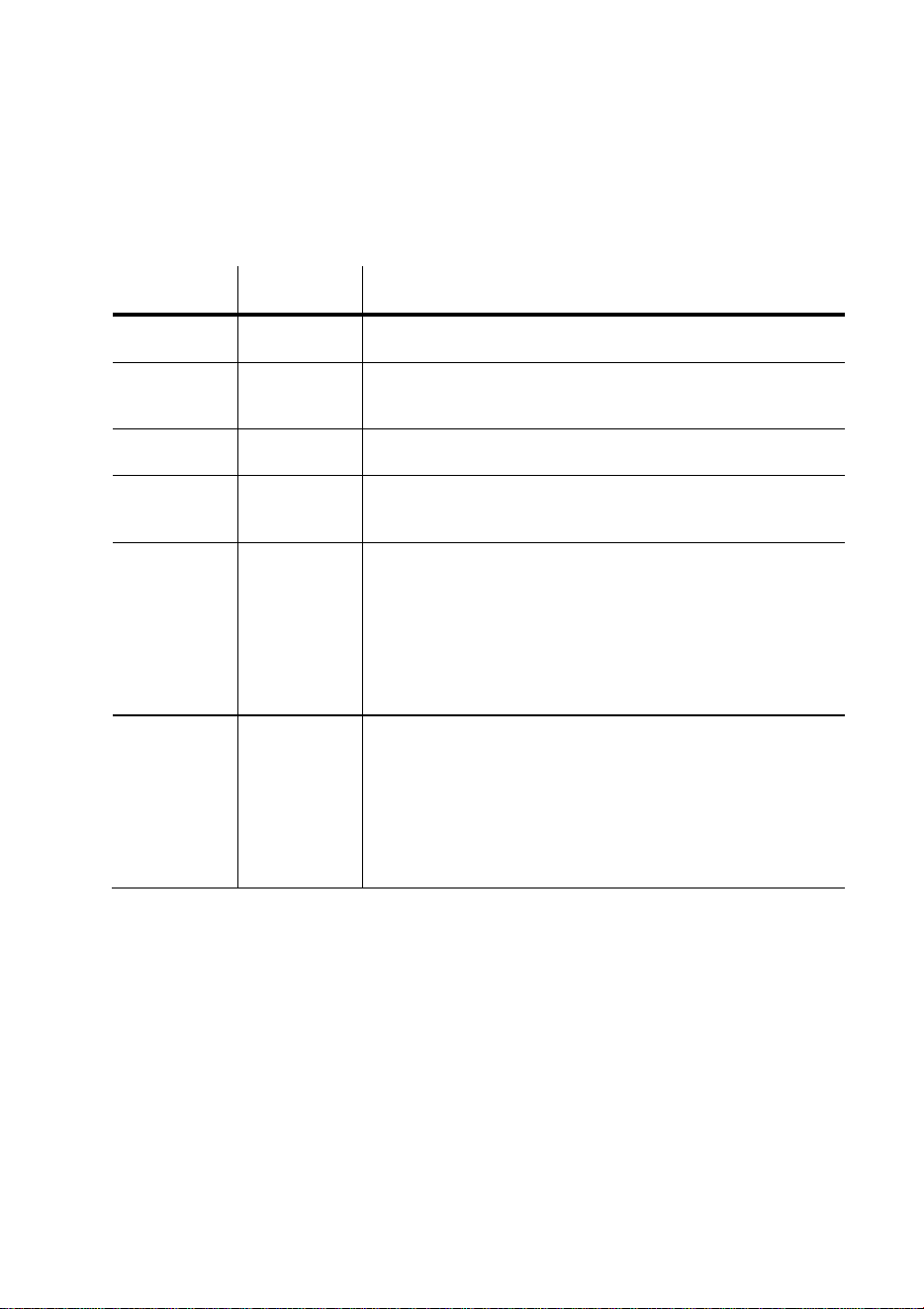
To edit a fixture personality, double click on a fixture entry in the Fixture
Palette.
The following dialogue is displayed (this example is the Martin Mac 500 mode
4).
The WIfe UPdater
Editing fixtures 23
Spreadsheet
The spreadsheet displayed allows each of the possible fixture attributes to be
controlled. Each attribute (pan, tilt etc.) contains the settings detailed below:
Column Name Function Result
1 Attribute Defines the fixture channel type.
2 Notes This field is simply for your information; it is not
downloaded to “The Wife” DMX Tester.
3 Use Set to Yes if this channel function is active.
4 Chan This is the channel address for this lamp attribute.
Numbering is in the range 1 to 38.
5 Offset This is the minimum value of data that is valid for
this attribute. Normally this is zero, however some
fixtures (the MadScan for example) mix attributes
on a single channel. If intensity is controlled over
the range 128 to 255, you must enter a value of 128
in this field.
6 Range This is the range of values of data that is valid for
this attribute. Normally this is 255, however some
lamps (the MadScan for example) mix attributes on
a single channel. If intensity is controlled over the
range 128 to 255, you must enter a value of 127 in
this field.

The Wife UPdater
24 Editing fixtures
This field is for file compatibility with Show-
Control. The following are the default
abbreviations:
Abbreviation Attribute
P Pan
T Tilt
R Red
G Green
B Blue
C Color
g Gobo
I Intensity
i Iris
7 Icon
p Prism
8-58 Palette This is the default data value for each attribute of
each palette.
The WIfe UPdater
Editing fixtures 25
Header
The header to the spreadsheet allows overall configuration of the fixture:
Field Function
Lamp Filename The name of the file that contains this fixture
personality.
Number of Channels Used to enter the total number of channels required
by this fixture.
Lamp Name This is the 16 character name of the fixture.
Color Defines whether the fixture uses red, green, blue or
cyan, magenta, yellow color mixing.
Include Aux In Test If this box is ticked, Micro-Scope will include all
the Aux attributes in the automatic tests. Generally
you will not select this as the Aux attributes are
used for controls needed to make the entire lamp
operate.
Test Cycle Speed Three options of speed for the automatic test ramp
are provided. Generally you would use Slow to
Normal for moving heads and Normal to Fast for
moving mirrors.
Notes This field is provided to document revisions to the
personality.

The Wife UPdater
26 Editing fixtures
Footer
The footer to the spreadsheet provides two additional controls:
Field Function
Graph The graph shows the level of each consecutive fixture channel
for the selected palette. It also changes color to reflect the color
assigned to the palette.
Live Test
Channel
This defines the DMX512 channel to use for live testing the
fixture data. If a fixture is available, this greatly simplifies the
task of data entry.
Warning
Display
The Warning Display provides help with entry of complex
lamps. Show-Edit analyses the data as you enter it, and checks
for any possible problems. The display options are:
Error: Channel x is duplicated: This means that you have
entered identical channel numbers for two or more lamp
functions.
Error: There are x channels over patched: This means that you
have entered a channel number that exceeds the number in
‘Number of Channels’.
Error: There are x functions over patched: This means that
you have entered more lamp functions than the number in
‘Number of Channels’.
Warning: There are x functions unpatched: This means that
you have entered less lamp functions than the number in
‘Number of Channels’.
Unpatched functions transmit with a zero channel level. This is
therefore a warning not an error. On complex lamps, you will
regularly see this message.
OK: X channels patched: This message simply confirms that all
is well.

The WIfe UPdater
Editing fixtures 27
Finishing editing
To finish the editing there are three options:
Save As: Allows the edited personality to be saved as a new personality. This is
useful when entering a new mode for a fixture as only the differences need be
entered.
Save: Simply saves the edited personality.
Cancel: Drops any changes made during the editing session.
The Wife UPdater
28 “The Wife” configuration
EDITING “THE WIFE” DMX
TESTER CONFIGURATION
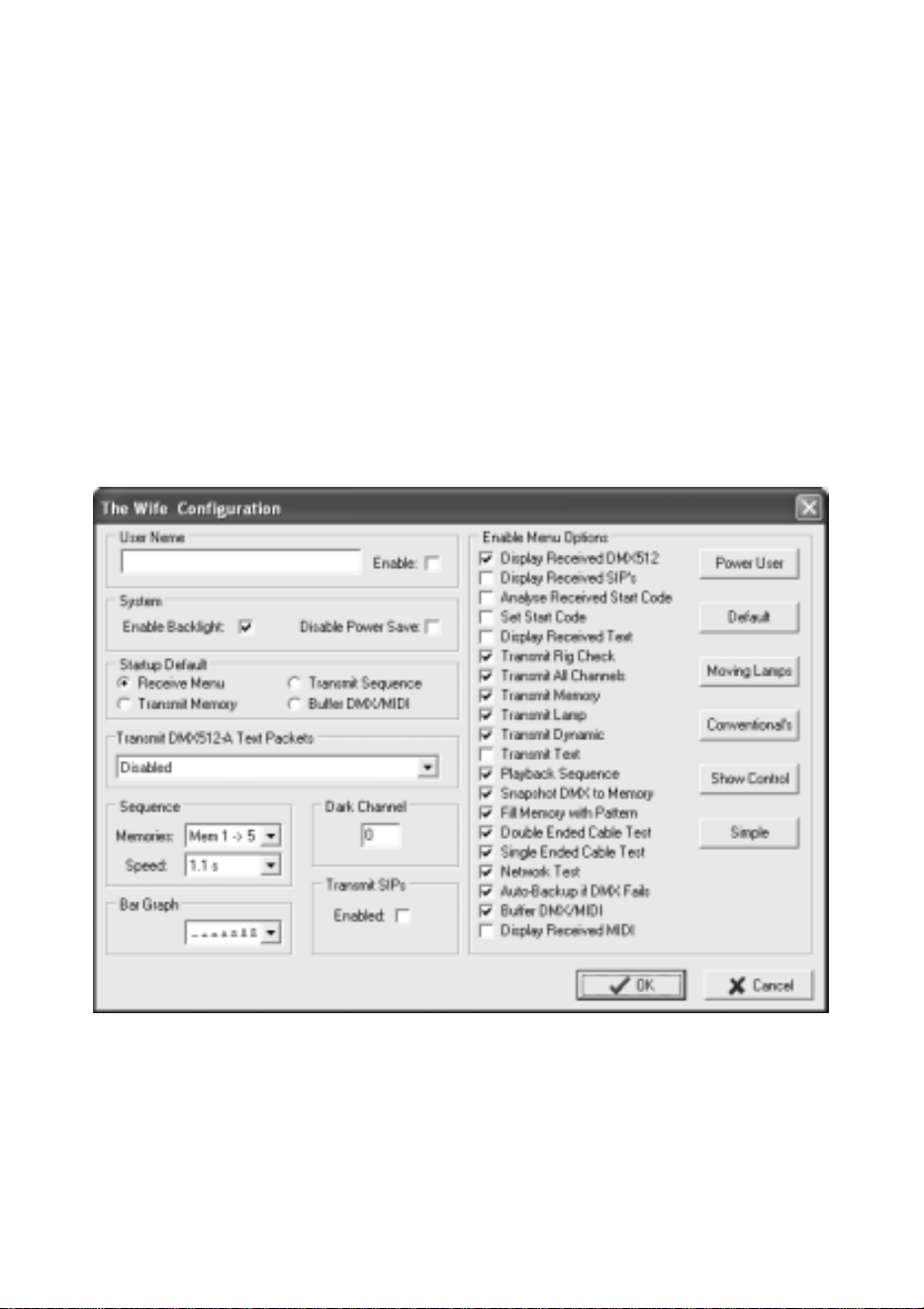
“The Wife” DMX Tester configuration dialogue is displayed by clicking The
Wife button at the top of the screen.
The dialogue displayed, allows access to all The Wife configuration items.

The WIfe UPdater
“The Wife” configuration 29
Field Function
User Name When the enable box is ticked, the 32 character user name will
be displayed when The Wife is switched on. The user name is
also displayed when The Wife enters power saving mode.
Enable
Backlight
When ticked, the backlight is enabled. On battery power, the
backlight switches of after a period of inactivity. On mains
power, the backlight is continuously on.
Disable
Power
Saving
When ticked, The Wife will not enter power saving mode.
Startup
Default
This is used to select one of four possible start menus. The
selected menu is used when The Wife is switched on or exits
from power saving.
Transmit
DMX512-A
Text
This option is used to select one of four preset text messages in
order to check text reception on other equipment.
When Transmit Text is selected, the text DMX frame is
sent once every 64 packets of standard (start code zero)
DMX512.
If this is not desired, set the message to None before exiting the
menu.
Sequence The two controls are used to select the range of memories and
the inter step delay for sequence playback.
Bar Graph The control allows one of eight position bar graph fonts to be
selected. The selected font is used in the Receive DMX512
menu.
Dark
Channel
The Dark Channel control is used to set the level to be
transmitted in place of zero (dark) channels when operating in
either Rig Check or Transmit Dynamic Mode.

The Wife UPdater
30 “The Wife” configuration
Transmit
SIPs
The Transmit SIPs option is used to enable the transmission of
System Information Packets.
When enabled, a single SIP packet is sent for every 64 standard
packets.
If Text DMX is enabled (Menu 10), the SIP packet is sent every
65 packets.
Menu
Options
The Menu Options section is used to enable or disable
individual menus within The Wife. When the box is ticked, the
relevant menu is enabled. The six buttons are simply shortcuts
to select menu lists that may be useful.
The WIfe UPdater
Menu 31
MENU
The main menu functions can also be accessed from the button panel at the top
of the screen. The main functions are:
Open Used to load a file from disc into The Wife UPdater.
Save Used to save a file from The Wife UPdater to disc.
Import Used to read an USITT ASCII text format file.
Export Used to send data from The Wife UPdater to The Wife.
Configuration Used to set The Wife UPdater configuration options.
Export
Export sends data from The Wife UPdater to The Wife DMX Tester. Not all
data is sent to “The Wife” DMX Tester, so you should save your show to disc
as well as exporting.
Ensure that The Wife is switched on, connected to the PC com port and
displaying ‘Waiting for The Wife UPdater to talk’.
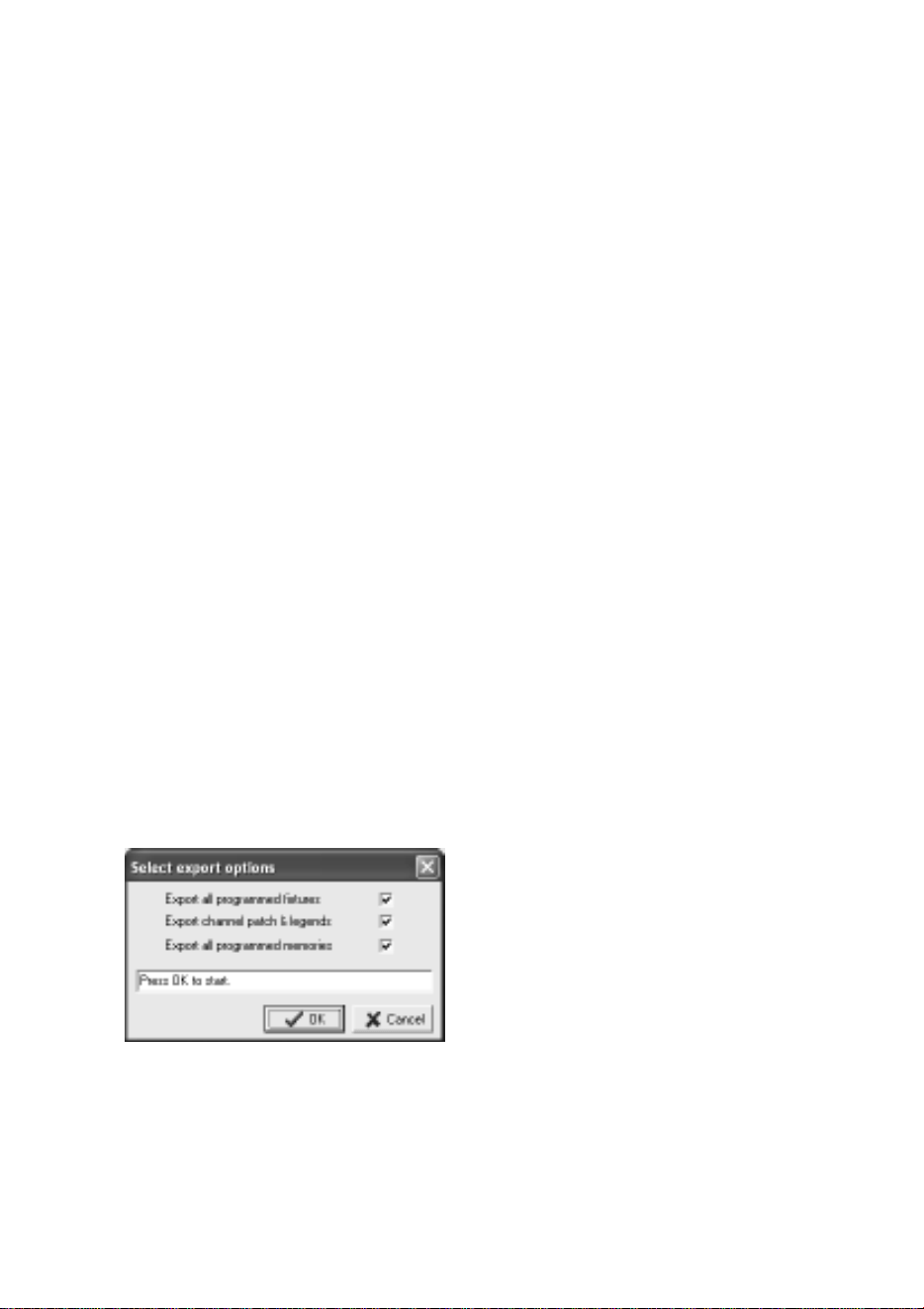
Once the Export key is pressed, the following is displayed:
The Export Dialogue allows the user to select which of the three types of data
should be exported. The configuration data is always exported, even when all
three boxes are un-ticked.
Select the relevant types and then click the OK key.
The Wife UPdater will then export the data. The export process may take up to
two minutes. When the Export process finishes, press “The Wife” DMX Tester
The Wife UPdater
32 Menu
MENU key to return to the Setup Menu. Should “The Wife” DMX Tester
display an error at any point, cancel the Export and start the process again.
Live editing
The Wife UPdater is able to send live DMX512 data via “The Wife” DMX
Tester when editing.
This allows the show to be programmed visually with the aid of the actual
lighting rig.
To use this feature, ensure that “The Wife” DMX Tester is in ‘Talk to The Wife
UPdater/MIC-Edit’ mode.
The Setting dialogue allows this feature to be enabled and also the PC com port
to be selected:
USITT ASCII import
The Wife UPdater allows the import of USITT ASCII text files. This is an
international standard designed to allow lighting data to be transferred between
differing manufacturers.
The Wife UPdater implements the following subset of commands:
• CLEAR ALL: All memories will be cleared to zero channel levels. If this
command is removed, the import will effectively merge data into the
existing show.
• CUE: Cue numbers are not used, the data is simply loaded to the next
consecutive Memory number. The cue is automatically assigned to the
next available sequence step.
• TEXT: The text field is loaded into the Memory’s legend.
