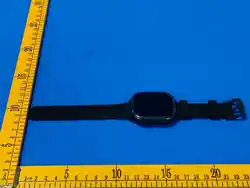

Instruction Manuel
Please read the manual carefully before using the device.
1.Before starting
1. Check if the watch is the correct model and has complete accessories in the
package.
2. Prepare a 4G LTE SIM card, can ask for your dealer if have any questions.(Please
turn off the power before installing the SIM Card)
3. It is necessary to activate data flow, GPRS and caller display functions .
4. Download the mobile client APP in your cell phone and if you can’t find it please
ask the seller for the way of downloading.
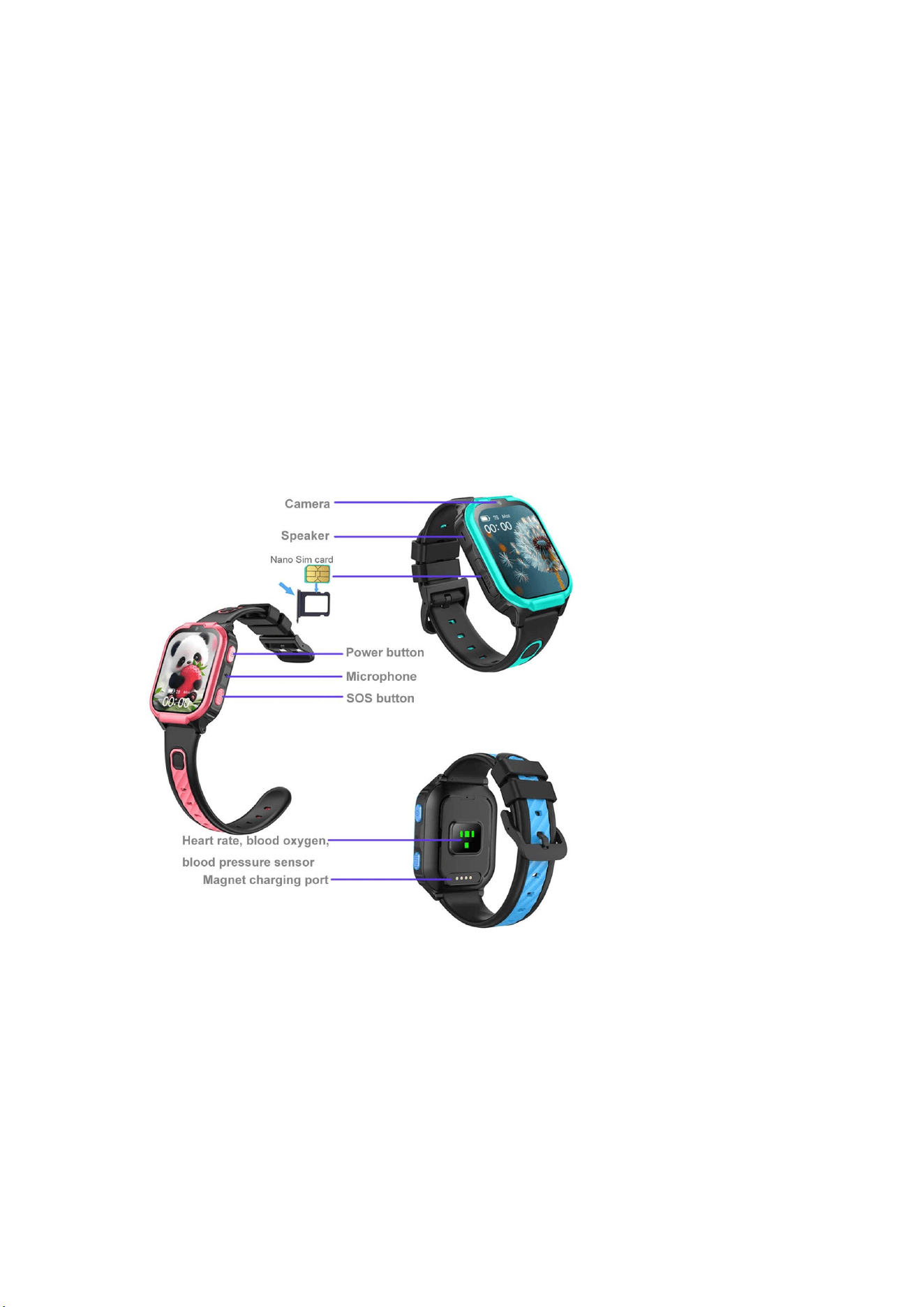
2.Install the Nano-SIM card.
1. Make sure the device is off the power.
2.Put the sim card in the SIM Card tray with correct orientation
3.Switch on and off
Turn on:
If the device is off the power, long press the power button 3 seconds to turn
on the device.
Shutdown:
1: Enter the settings,choose the power off option.
2: Remote turn off from the mobile app
3: When there is no SIM card inside, long press the power button to turn the
device.
Before first use, fully charge the battery. Overall item construction is IP67
waterproof, but NO Swimming!
Note:
1) Before inserting the SIM card into the device or when removing the SIM
card from the device, the device must first be turned OFF.
2) Restart the device outside in an open area where you are guaranteed to
have a good signal to properly sync the GPS position from the satellites. This
way you ensure the correct functionality of the device. Please note that in
places with a poorer signal, the device may not be set correctly.
3) After pairing the device with the app (with your account), logout the app and
then login again to refresh the app features
4) Long press 3 seconds turn ON device, long press 5 seconds trigger the
SOS call
5) Set correct your local timezone in the app setting
4G sim nano card specs.:
Ⅰ) Activate VoLTE 4G sim,valid Voice +SMS+GPRS(VoLTE=voice over LTE,
VERY important)
Ⅱ) GPRS monthly plan is 60-80MB/monthly
Ⅲ) No Pin code
Ⅳ) No voice mail
Functional details
5.Download the APP
5.1
1:IOS just search“Beesure GPS”in app store , Android search “Beesure GPS”in
Google Play Store and just download it
2: Scan the QR code below to download the APP and install directly.
3: Enter the device information option in the watch and find the QR code to scan and
download.
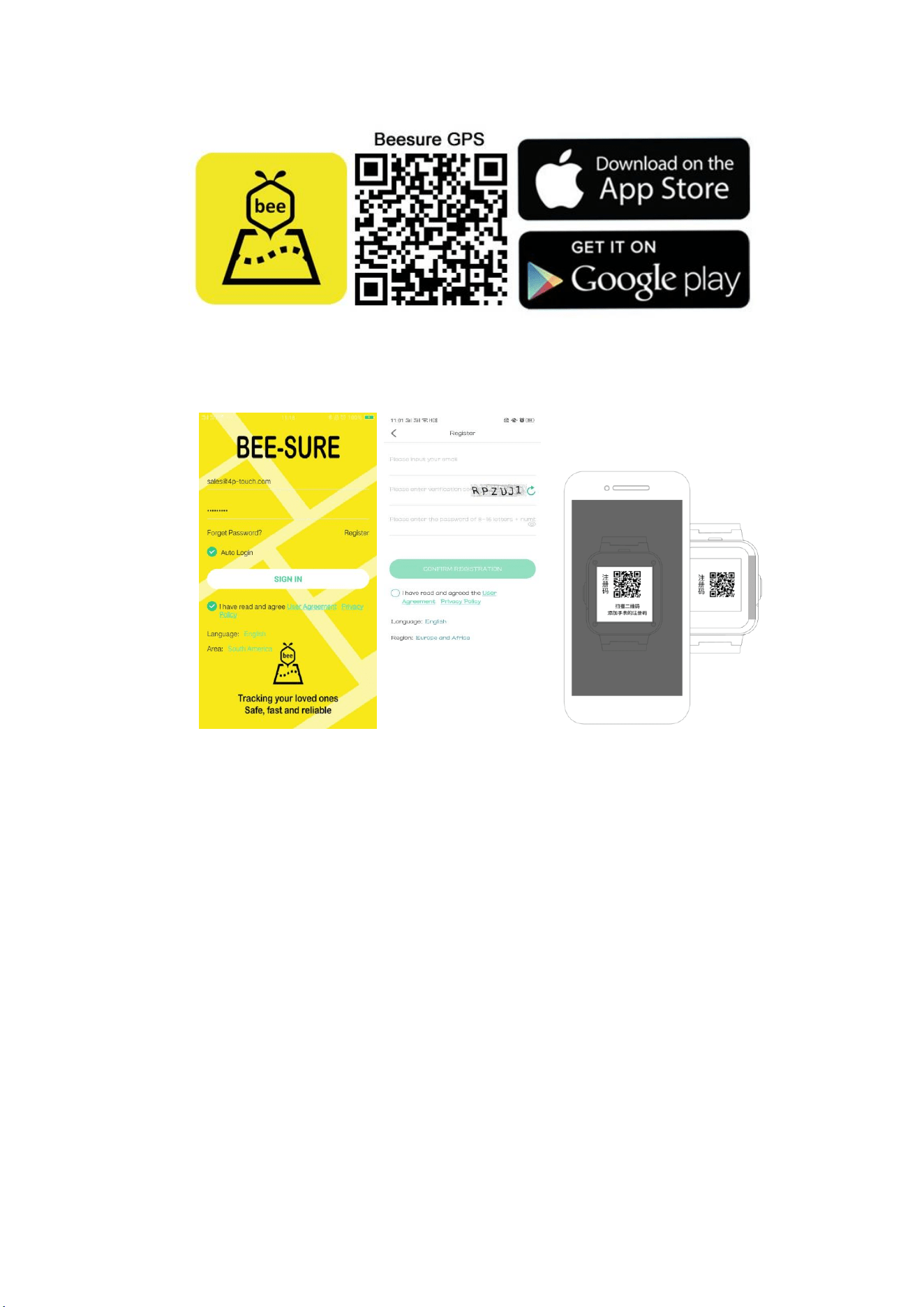
5.2 Register and login in.
Please follow the steps in the APP to register and login in.
5.3Bind with the device.
Login in the APP and find the correct device. The correct device type is SMART
WATCH. Enter the registration code to bind with device.
About the registration code:
(1)Scan the QR code on the back of device or manually enter the 15 numbers
length code
(2)Enter the device information page and find the registration code option, scan
or manual input.
6.Functions
Location: GPS + LBS Location real time on Map.
History Route: Find the history route in APP.
Safety area: Set fence(safety area) in the device(Max 3 fences),And notify you in
APP when watch wearer reach or out of the appointed area.
Contact: Setting up maximum 15 members of your friends or relative in APP.
Dial interface: Dial interface is supported. You can turn on or off this function in switch

settings of APP.
SOS: 3 emergency contacts can be set. Press the side Power/SOS Button for 5
seconds and it will call the SOS numbers, if there is no one answering, it will continue
to call in 2 rounds and stop.
Message notification: Notify you when the device turn on or off the SOS function in
SMS.(The fees of SMS are calculated according to your local carrier)
White list: Turn on this function and the watch only receives the call from the
contacts.It will block all other calls.
Alarms: Set 3 alarm clocks
Voice chat: Real time chat between the device and the APP. APP can text or send 15s
voice message to the device.And device can read one unread message each time and
only send voice message.
Video call:Make a video call with the bind account on Mobile.
Do not disturb: Set 4 periods in one time.Block all calls and keep silent mode in this
appointed period.
Setting: Volume(Medium, Ringtone, Alarms, Power on and off), Brightness, Date and
tine, Volte, Power off, About device(Model, Version, IMEI)
What is in Device Information:
1. Registration code: Scan it to register device.
2. APP download: Download the Beesure GPS APP
Stopwatch:For time measuring
Calculator:For usual math calculating
Members: Show the account of family members who is bind with with the device.
Tracking frequency: 3 modes(10min,1hour and Sleep mode)
Remote shutdown: Remote shutting down order to the watch when it is power on.
Remote restart:Send a remote restarting message to the watch. And restart the
device.
7.Problems fixing
If the device can not connect to the server in your first time of using, and on the APP
shows the device is out off line.Please check the following conditions:
1) Your SIM card is 4G and network is normal or not.
2) Data flow service is turned on and normal or not.
3) The ip and port,or the IMEI is correct or not.The IMEI code on the device shall be
same as the factory code.You can get the code by send message pw,123456,ts# to the
watch.(The watch has a SIM card.And the message is texted in ENGLISH).
4) If there is still not working, please ask the seller for more details and help.
5) If you can not register, there are 2 problems usual:
1. The code of device does not exist or it has registered before, under this condition you
must ask for your seller for help.
2.Account has registered before.Under this condition, you just change this account is
OK.
Changes or modifications not expressly approved by the party responsible for compliance could voi
d the user'
This device complies with part 15 of the FCC rules. Operation is subject to the following two condit
ions: (1) this device may not cause harmful interference, and (2) this device must accept any interfer
ence received, including interference that may cause undesired operation.
s authority to operate the equipment.
•
•
•
•
NOTE: This equipment has been tested and found to comply with the limits for a Class B digital dev
ice, pursuant to part 15 of the FCC Rules. These limits are designed to provide reasonable protection
against harmful interference in a residential installation. This equipment generates uses and can radi
ate radio frequency energy and, if not installed and used in accordance with the instructions, may ca
use harmful interference to radio communications. However, there is no guarantee that interference
will not occur in a particular installation. If this equipment does cause harmful interference to radio
or television reception, which can be determined by turning the equipment off and on, the user is en
couraged to try to correct the interference by one or more of the following measures:
Reorient or relocate the receiving antenna.
Increase the separation between the equipment and receiver.
Connect the equipment into an outlet on a circuit different from that to which the receiver is connect
ed.
Consult the dealer or an experienced radio/TV technician for help.
This device meets the government's requirements for exposure to radio waves. The guidelines are
based on standards that were developed by independent scientific organizations through periodic
and thorough evaluation of scientific studies. The standards include a substantial safety margin
designed to assure the safety of all persons regardless of age or health. The SAR limit of USA (FCC
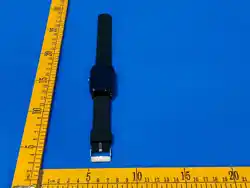
) is 1.6 W/kg averaged. Device types: 4G GPS tracker watch (FCC ID: 2BH5J-P41) has also been
tested against this SAR limit. SAR information can be viewed on‐line at http://www.fcc.gov/oet/
ea/fccid/. Please use the device FCC ID number for search. This device was tested simulation
typical 10mm to Body(Front of face) and 0mm to Body(Wrist-worn). To maintain compliance with
FCC RF exposure requirements, use accessories should maintain a separation distance between the
user's bodies mentioned above, use accessories should not contain metallic components in its
assembly, the use of accessories that do not satisfy these requirements may not comply with FCC
RF exposure requirements, and should be avoided.