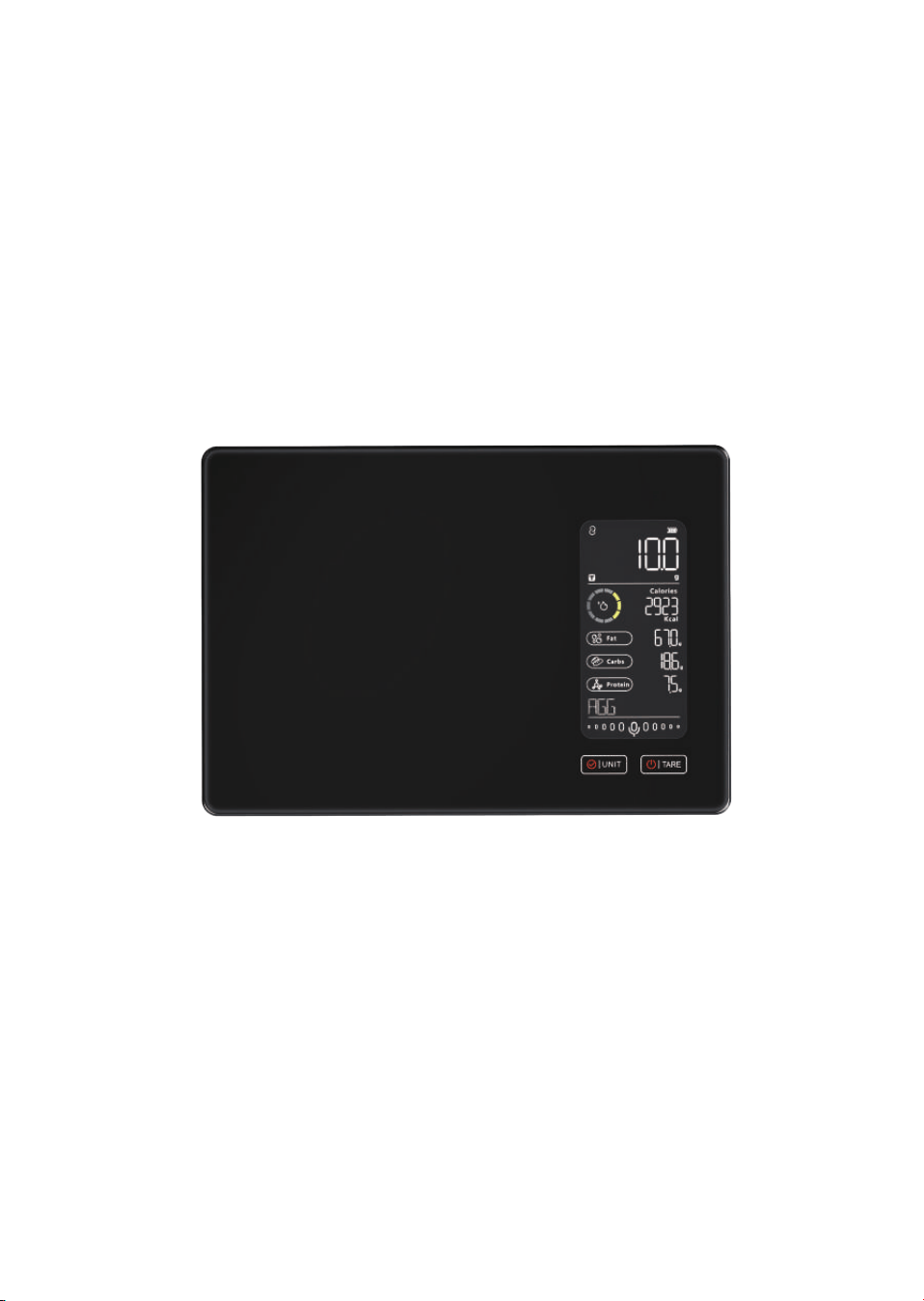
Kitchen Scale
1
Product Overview
The smart kitchen scale combines precise weighing capabilities with
smart nutrition tracking.Designed for modern kitchens,this digital scale
integrates with a mobile app to monitor macronutrients like fats,carbs ,
and proteins.
English Al Voicing for food checking and
speaking for food name easily. 500 kinds of dierent food for o-line
AI voicing mode.
Product Specifications
Model:
KG2458ULB-D
FCC ID: 2AP3Q-KG2458ULB
Max Capacity: 5kg/11lb
Min Weight: 2g
Division: 1g/0.1oz
Units: g,ml(water),ml(milk),oz,lb:oz
Power: 300mAh rechargeable lithium battery/Type-c
Weighing Platform: tempered glass
Display: color LCD 55x17mm
Bluetooth connectivity
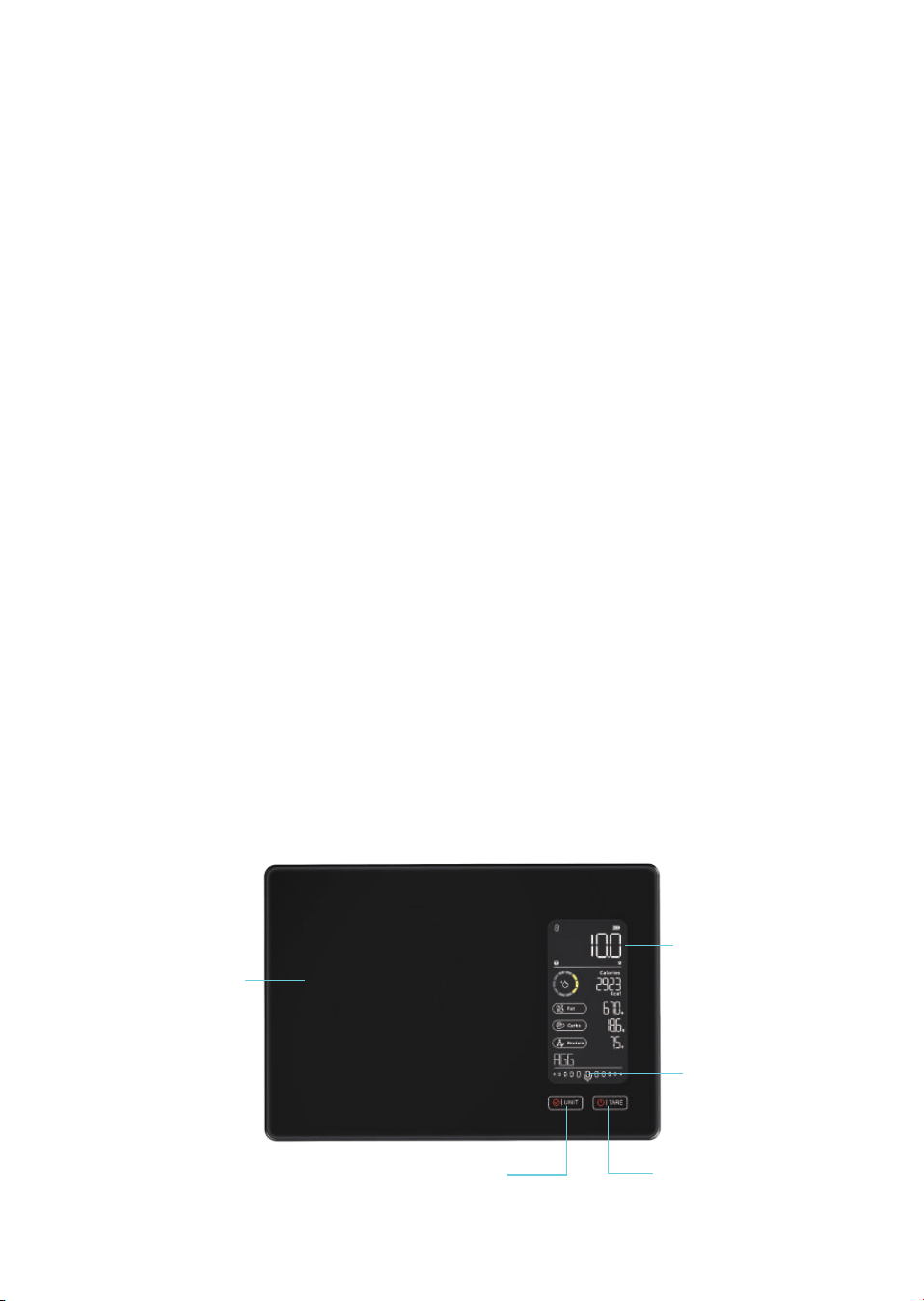
Product Diagram
Tempered glass
Color LCD display
AI voice icon
On/off button / Tare button
Unit button / Confirm button
2
Getting Started
POWER ON :
Recharge the scale before first use
Short press TARE to power on
TURN OFF:
Long press TARE.
Auto-o:Scale powers down after 120s .
Weighing & Unit Conversion
Default unit : g
Press UNIT to toggle between :
g
ml(water)
ml(milk)
oz
lb:oz
•
•
•
•
•
•
•
•
•
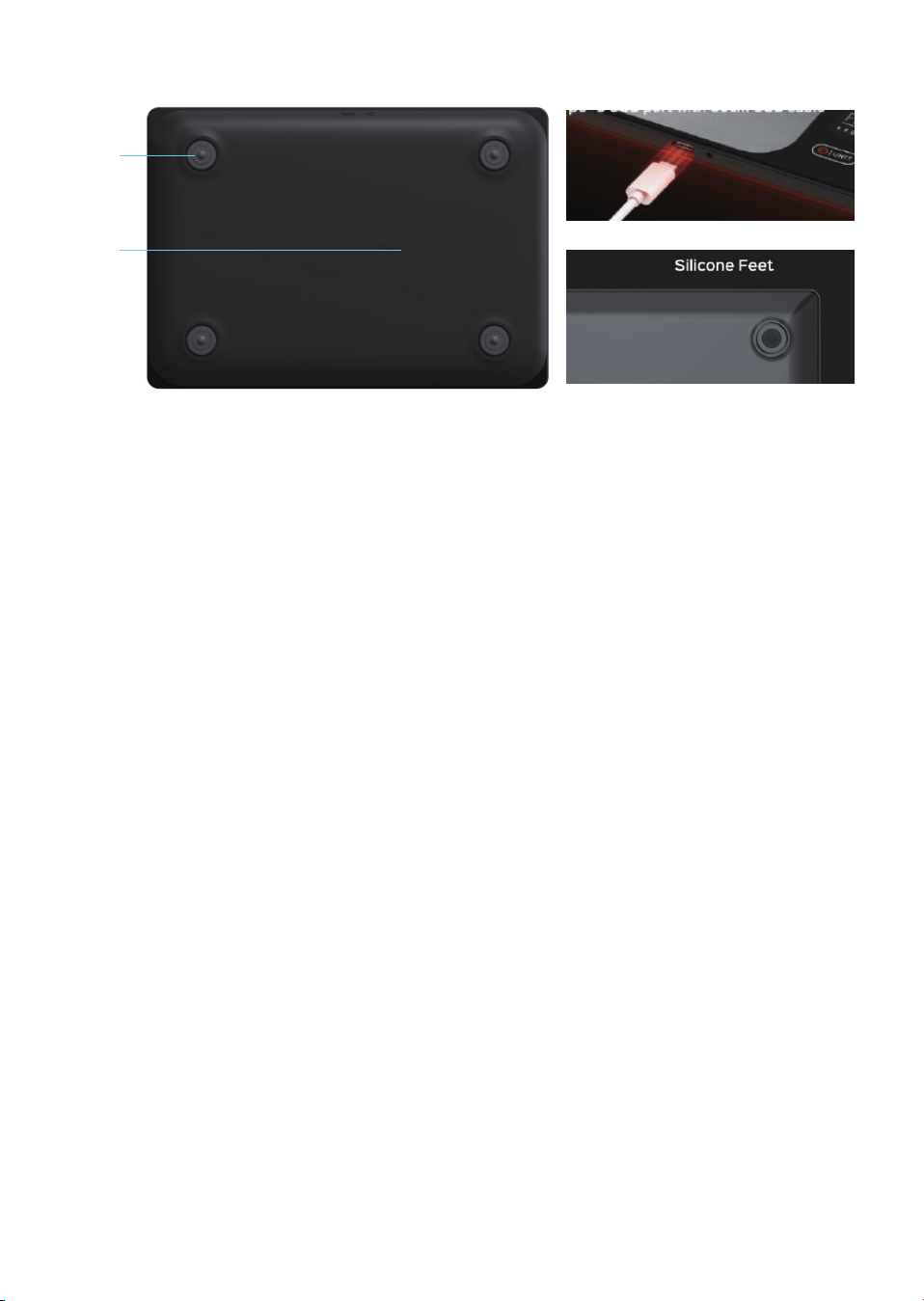
Scale feet
Reset
3
How to Operate
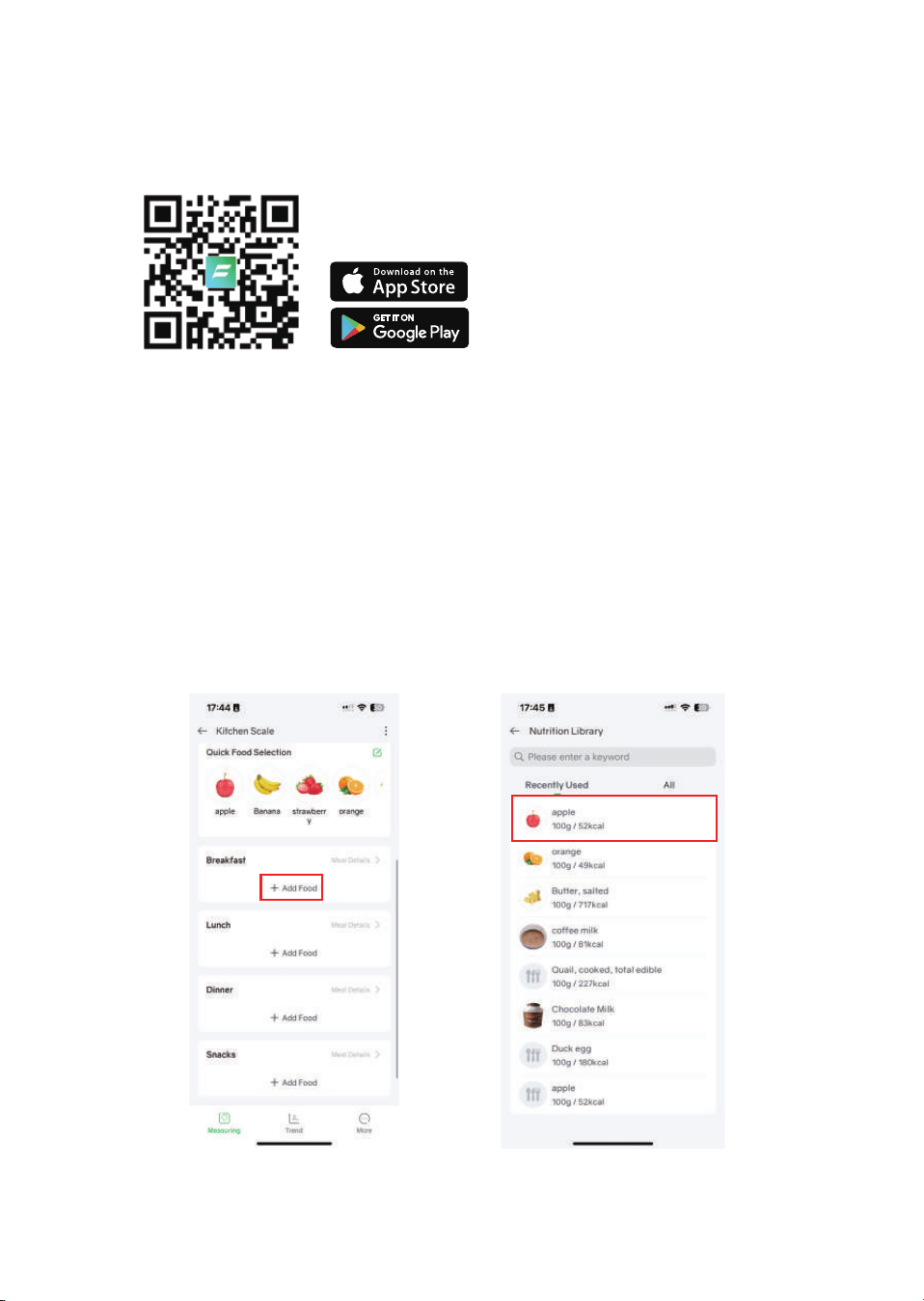
1.Download Fitdays+ APP
2.Pairing Instructions
(1)Turn on the kitchen scale
(2)Open the app and enable Bluetooth
(3)Select device “MY_SCALE”.
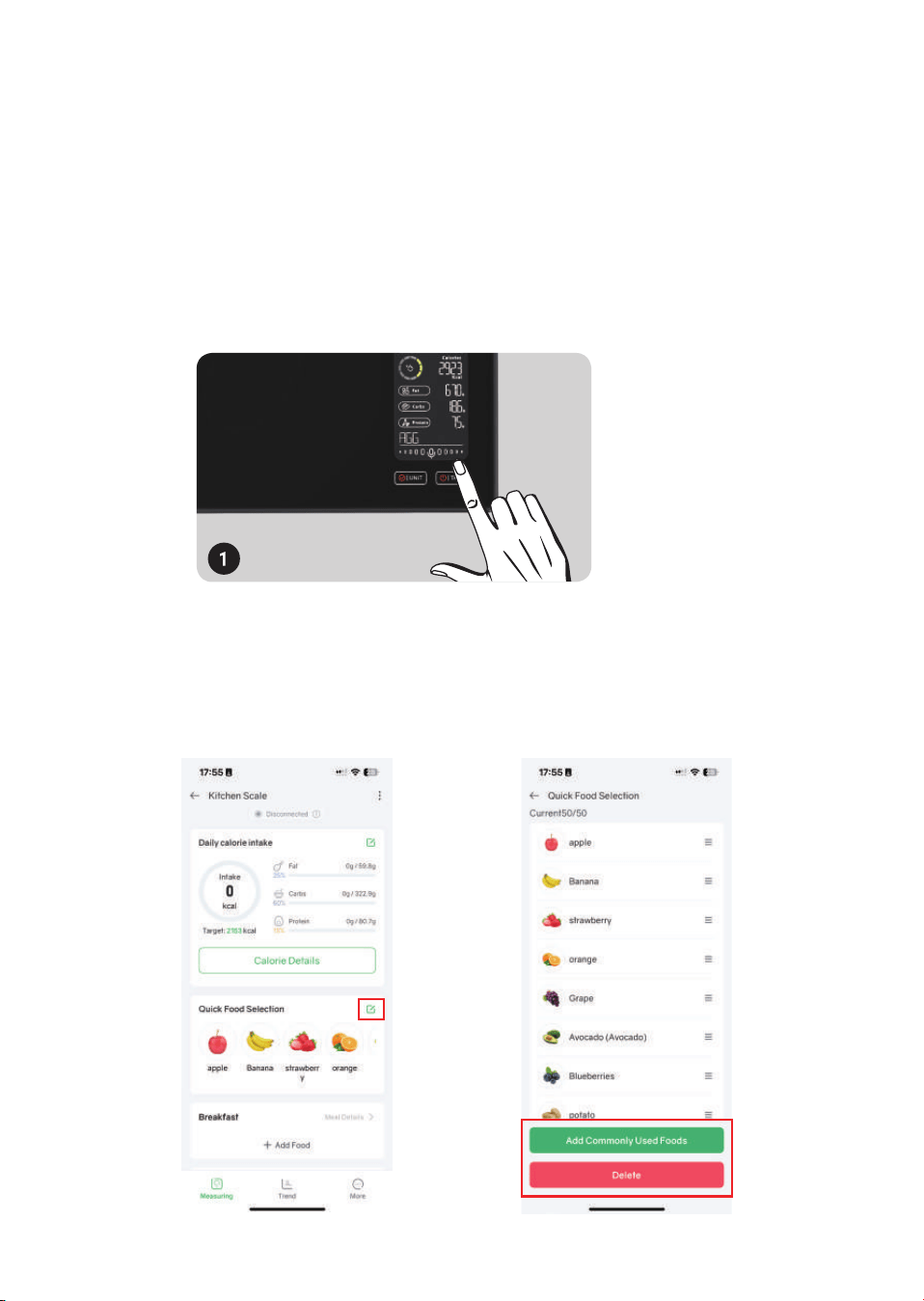
3.Choose food type
Option1: Select the corresponding food intake time and type on the app
4
Option2:
AI voice mode (English only):
* Speak “Hello Vita” to activate.
* Speak the food name clearly.
* Display shows food name and place food to weigh.
* Press Confirm Button to save data.
4.Customize frequently used foods
The app supports customizing and resorting 50 frequently used foods.
5
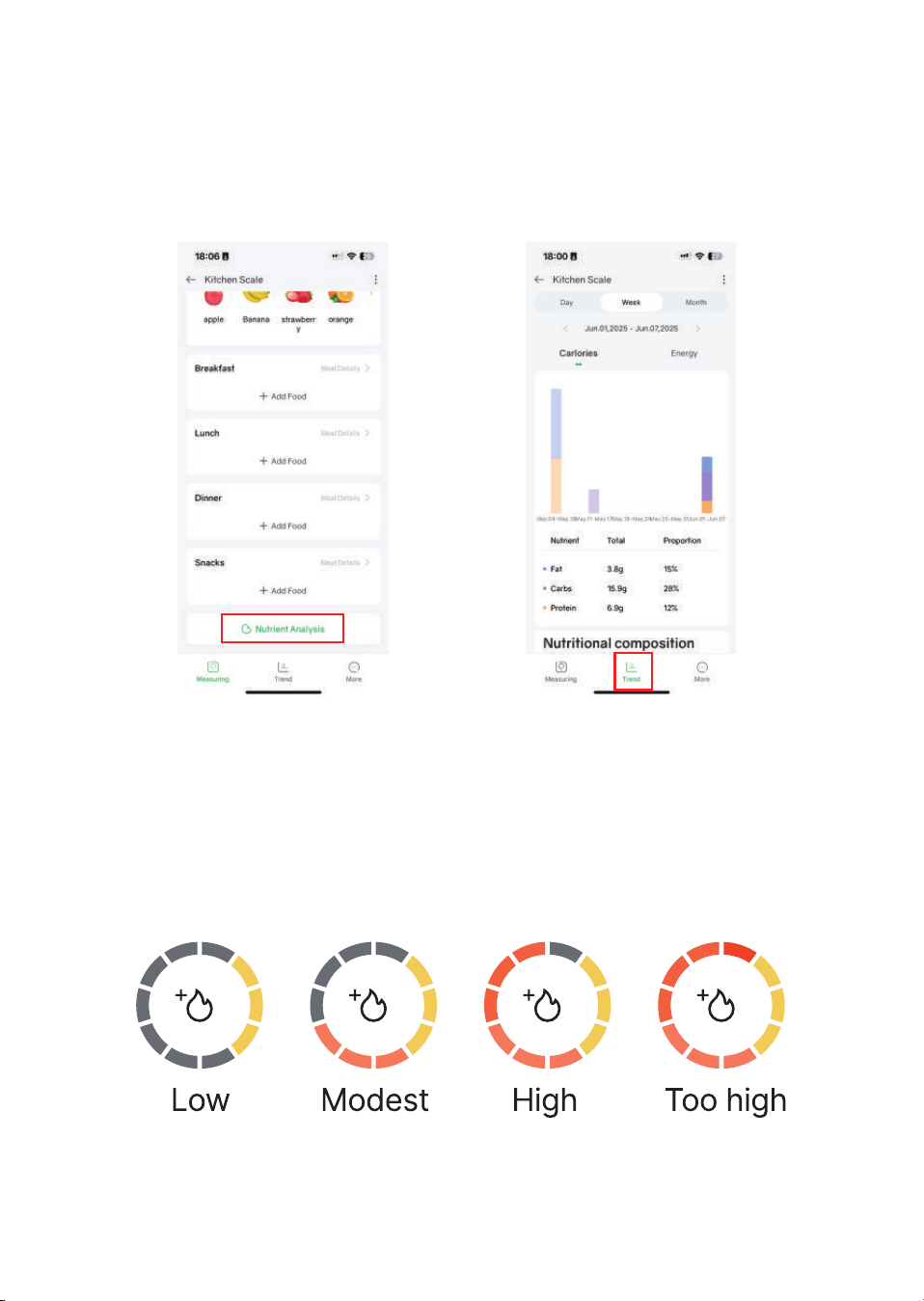
5.Check Nutrient Analysis and Trend
Click Nutrient Analysis to view more detailed nutrient intake analysis
and trends.
Daily Calorie Goal Tracking
Set calorie targets and monitor progress directly for weight management
support.
6
Troubleshooting
Safety & Maintenance
Do not immerse in water.
Clean with damp cloth.
Store in dry, cool place.
Keep away from strong electromagnetic sources.
ISSUE
"Lo" on display
"Err" on display
No Bluetooth
Inaccurate weight
CAUSE
Low battery
Overweight
(>5020g)
Not paired/
app closed
Not on flat surface
SOLUTION
Remove excess weight
Reconnect in app settings
Use on flat, stable platform
•
•
•
•
Recharge battery

1
Operation is subject to the following two conditions:
(1) This device may not cause harmful interference.
(2) This device must accept any interference received, including interfe
rence that may cause undesired operation.
• Reorient or relocate the receiving antenn
Note: This equipment has been tested and found to comply with
the limits for a Class B digital device, pursuant to part 15 of the
FCC Rules. These limits are designed to provide reasonable
protection against harmful interference in a residential installation.This eq
uipment generates, uses and can radiate radio frequency
energy and, if not installed and used in accordance with
the
instructions, may cause harmful interference to radio communica-
tions. However, there is no guarantee that interference will not
occur in a particular installation. If this equipment does cause
harmful interference to radio or television reception, which can be determ
ined by turning the equipment off and on, the user is
encouraged to try to correct the interference by one or more of the followi
ng measures:
a.
• Increase the separation between the equipment and receiver.
• Connect the equipment into an outlet on a circuit different from th
at
to whi
ch the receiver is connected.
• Consult the dealer or an experienced radio/TV technician for help.
FCC Statement
Changes or modifications not expressly approved by the party
responsible for compliance could void the user's authority to operate the
equipment.