
3
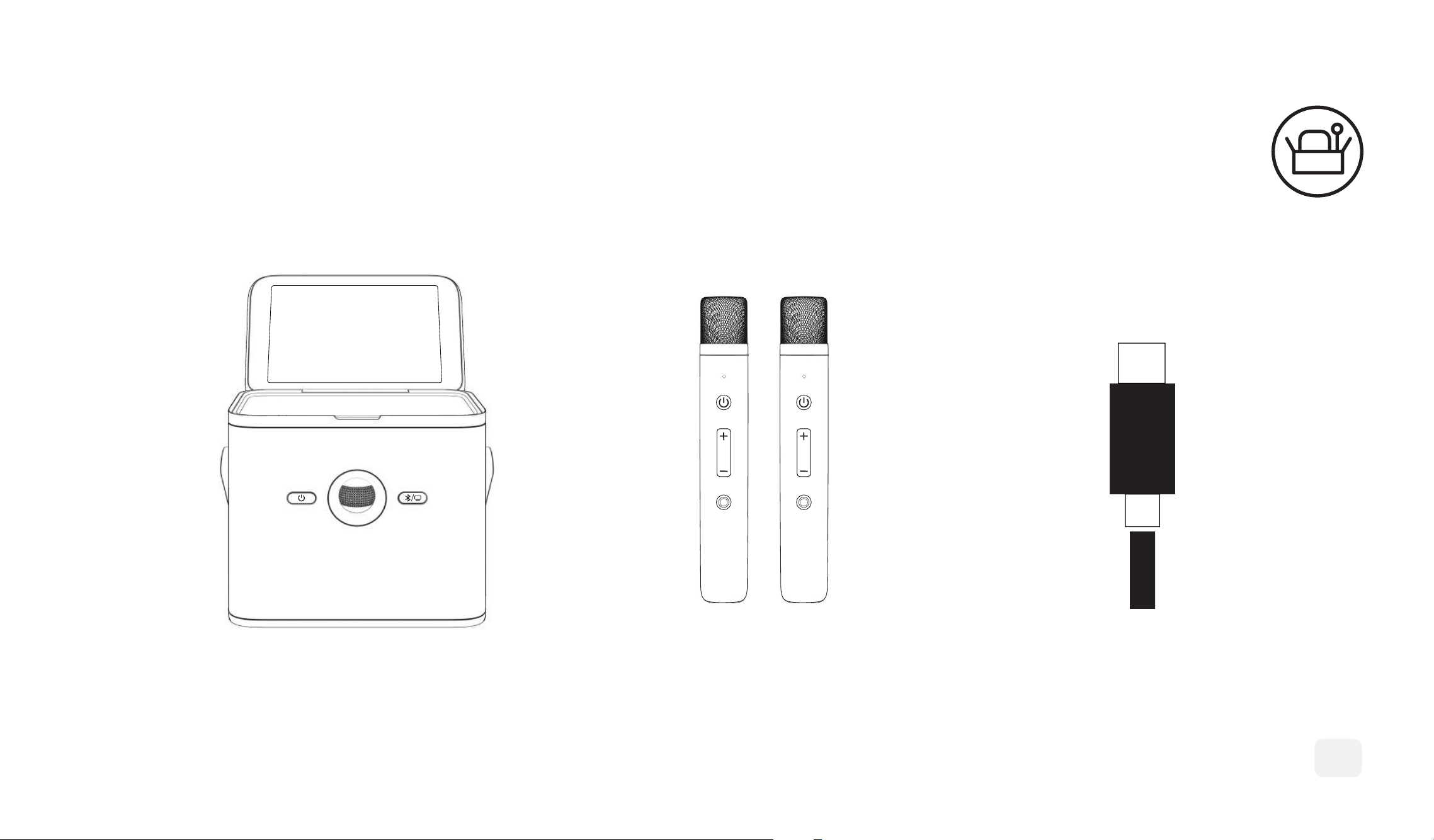
WHAT'S IN THE BOX
SHELL S3 TWO WIRELESS MICS TYPE-C CABLE
1
2
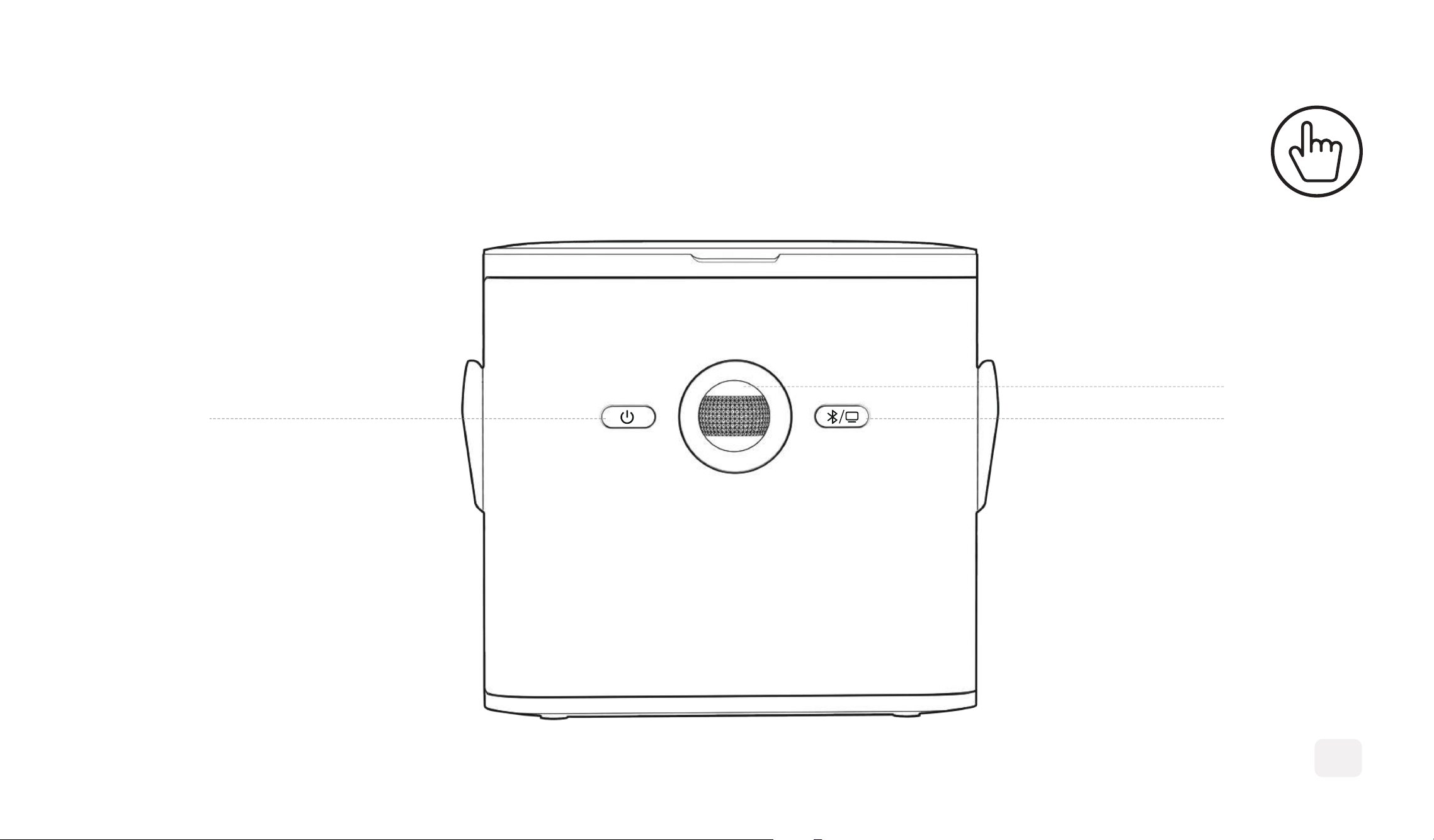
BUTTON
POWER
VOLUME
BLUETOOTH
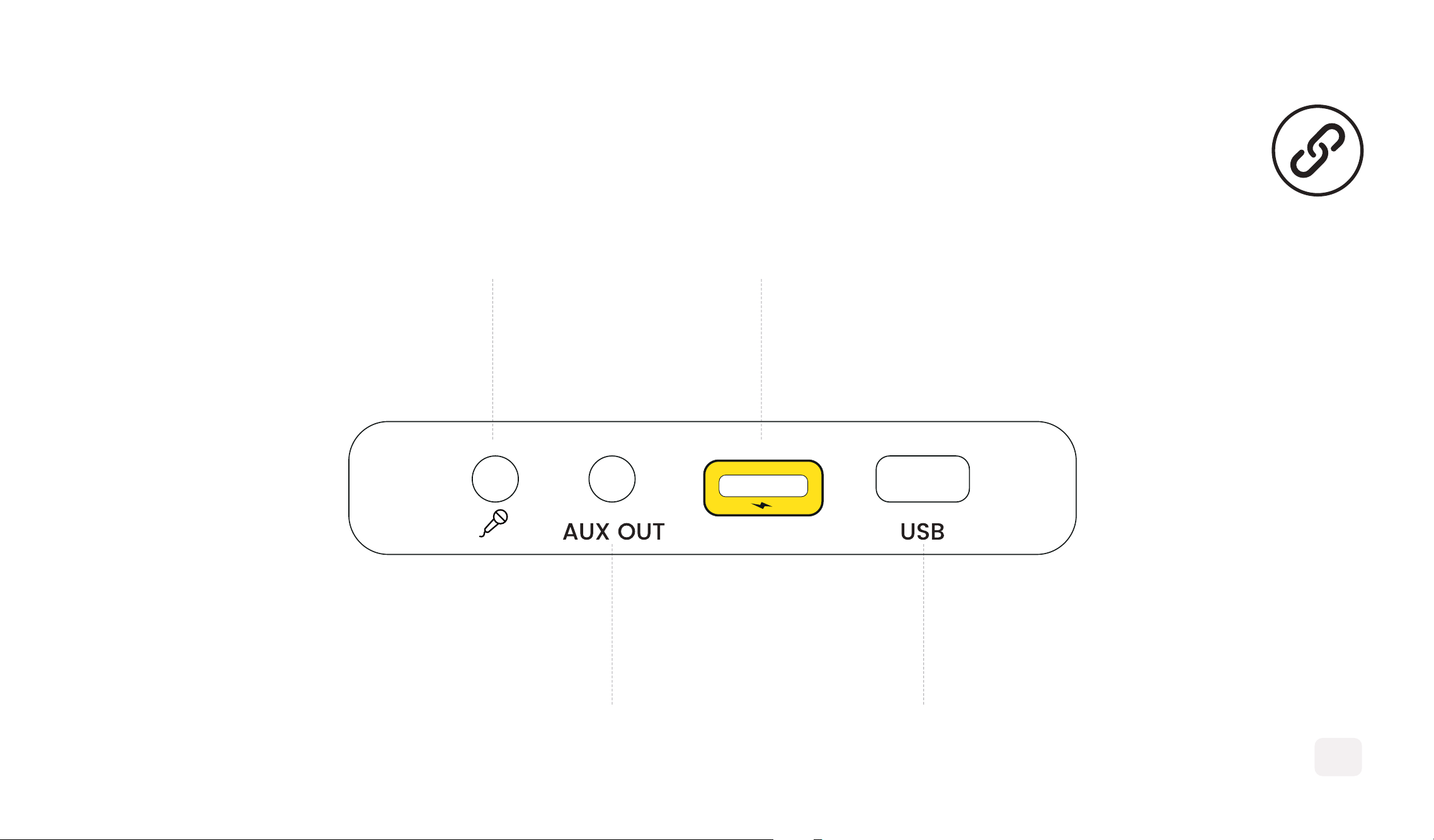
INTERFACE
3
3.5MM MIC
USB
TYPE-C POWER
AUX OUT
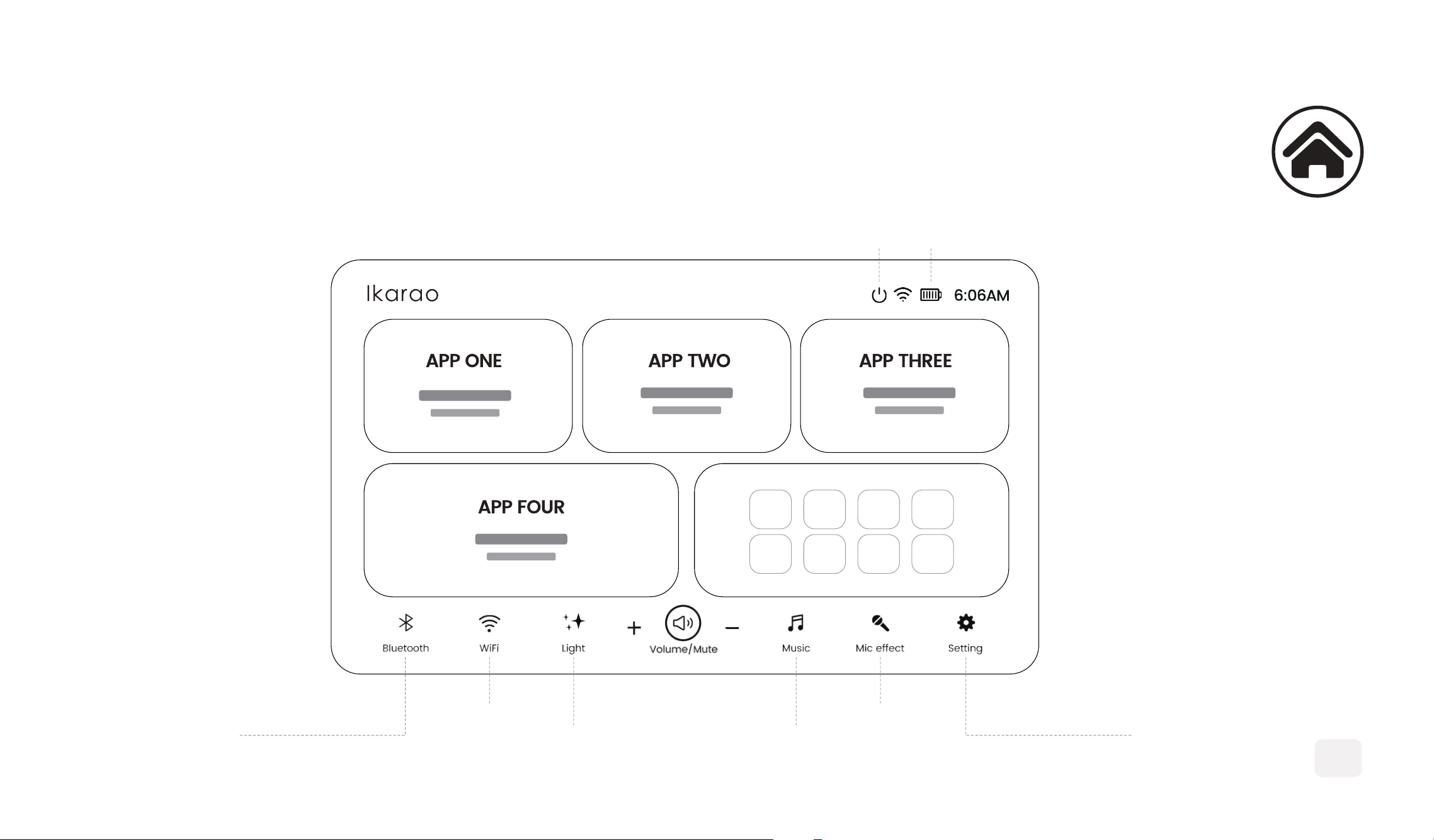
HOMEPAGE
4
POWER BATTERY
SETTINGSBLUETOOTH
WLAN MICROPHONE
LIGHTING MODE MUSIC MODE
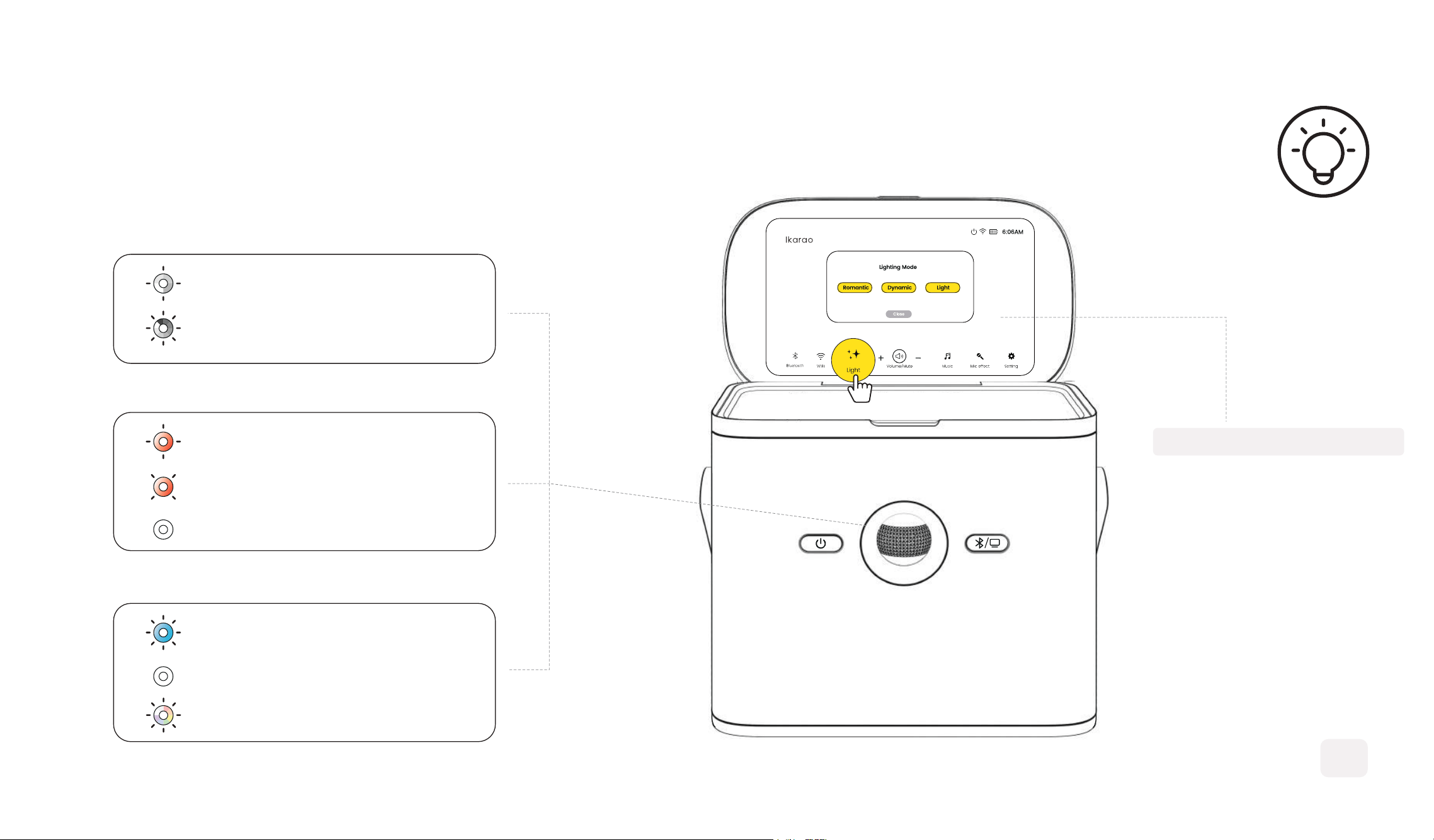
Power/Volume Indicator:
Charging Indicator:
Bluetooth/Playback Indicator:
5
LIGHTING EFFECT
CHARGING
*FLASHING*3
FULLY CHARGED
*OFF
LOW BATTERY
*SLOW FLASHING
VOLUME+/-
*VOLUME INCREASES, LIGHT INTENSIFIES
POWERING ON
*WHITE LIGHT SPINS ONCE PER SECOND.
CONNECTED
*BLUE LIGHT ON FOR 3S THEN REVERTS.
PLAYING MUSIC
*ROMANTIC/DYNAMIC/LIGHT
PAIRING
*FAST FLASHING
Select the preferred light
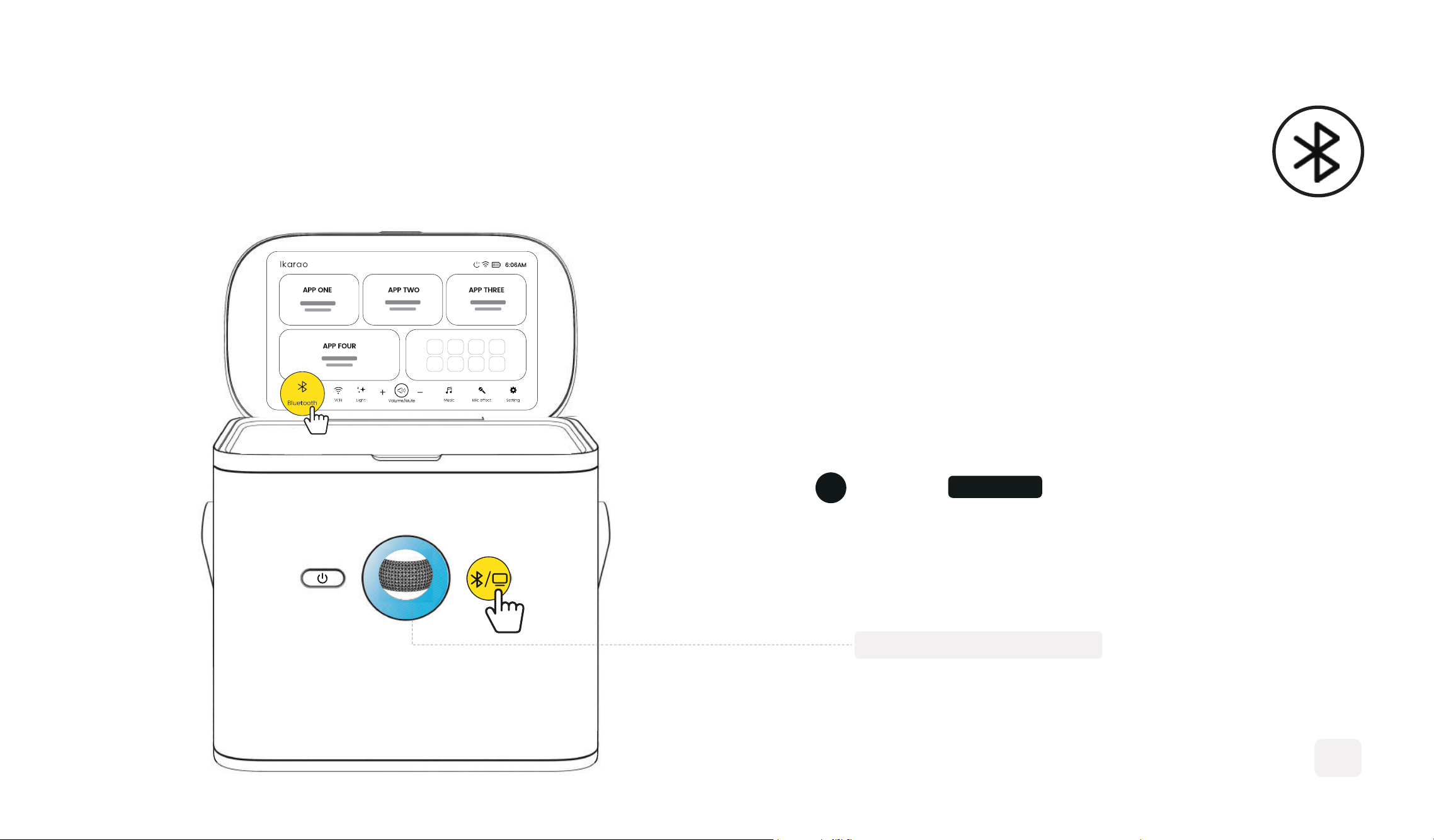
BLUETOOTH AUDIO
6
1
The lights will flash blue
Enter the Bluttooth mode
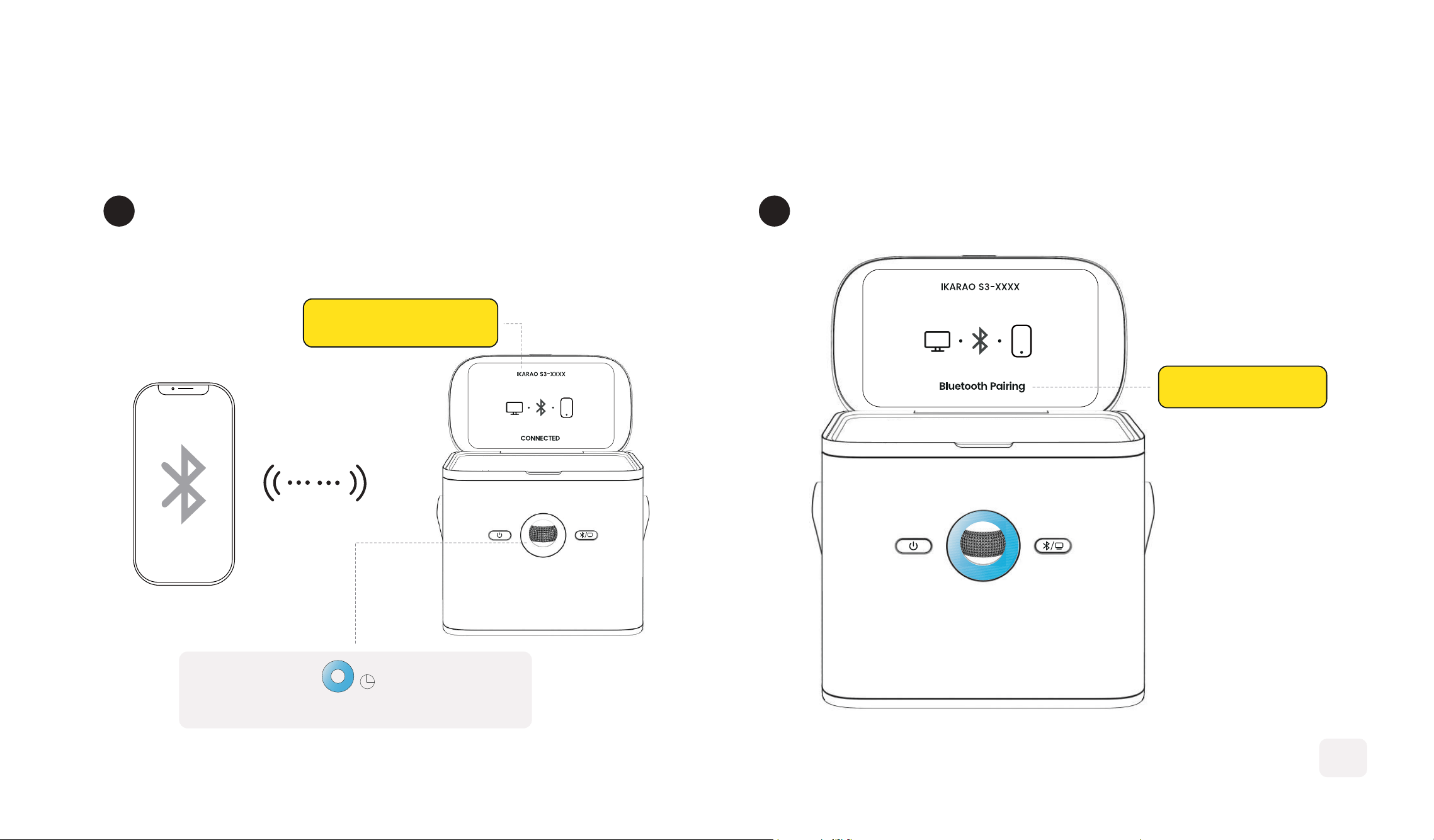
Press the Bluetooth button to disconnect
IKARAO S3-XXXX
Blue light on for 3s then reverts
3S
BLUETOOTH PAIRING
3
Open the Bluetooth settings on your device
and pair with 'IKARAO S3-XXXX'
2
7
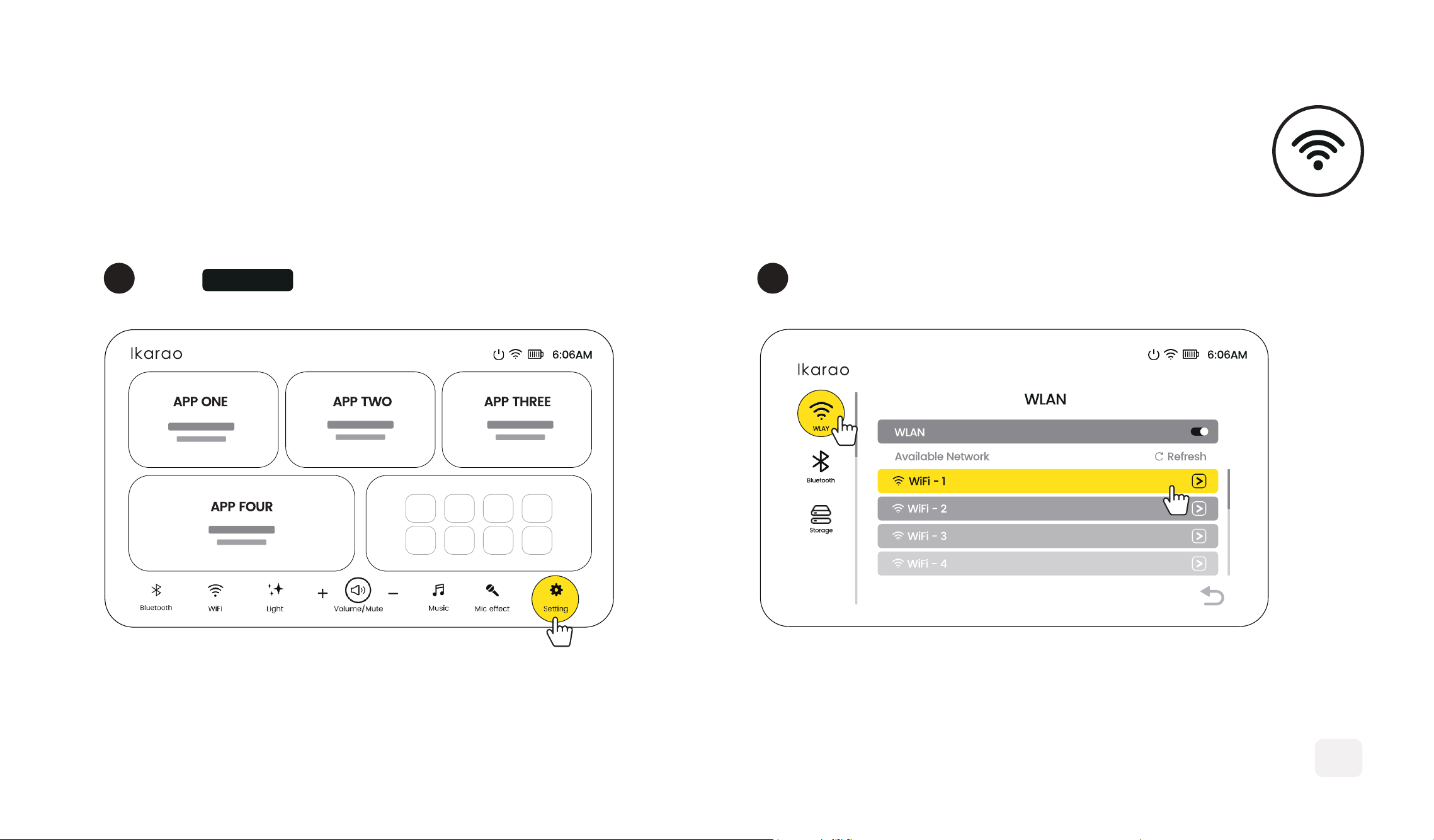
1 Connect Your Wlan
2
8
WI-FI AUDIO
Click Settings
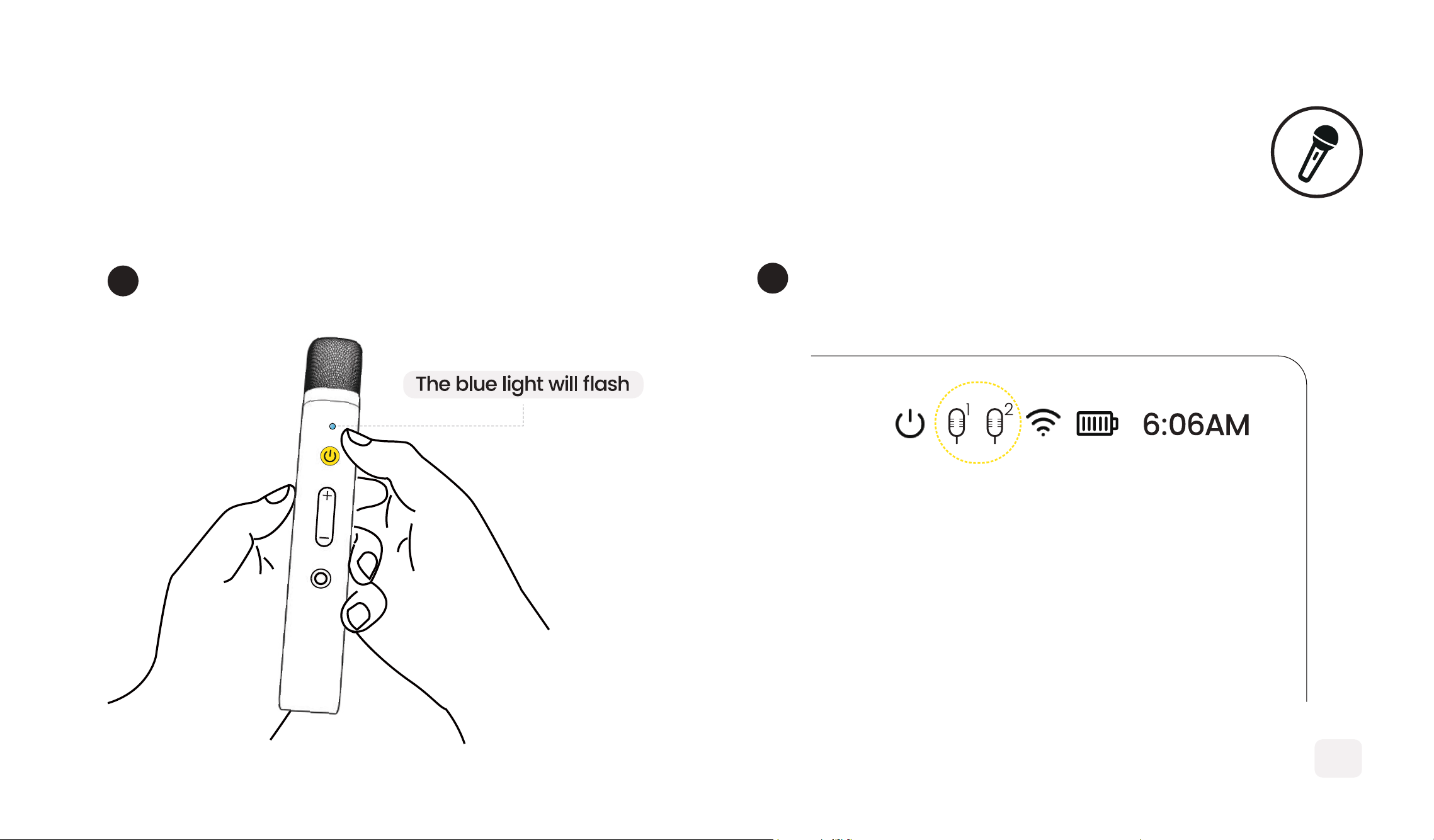
The mic auto-pairs with the speaker
2
Hold the power button for 2 seconds to turn on
1
MICROPHONES
9
10
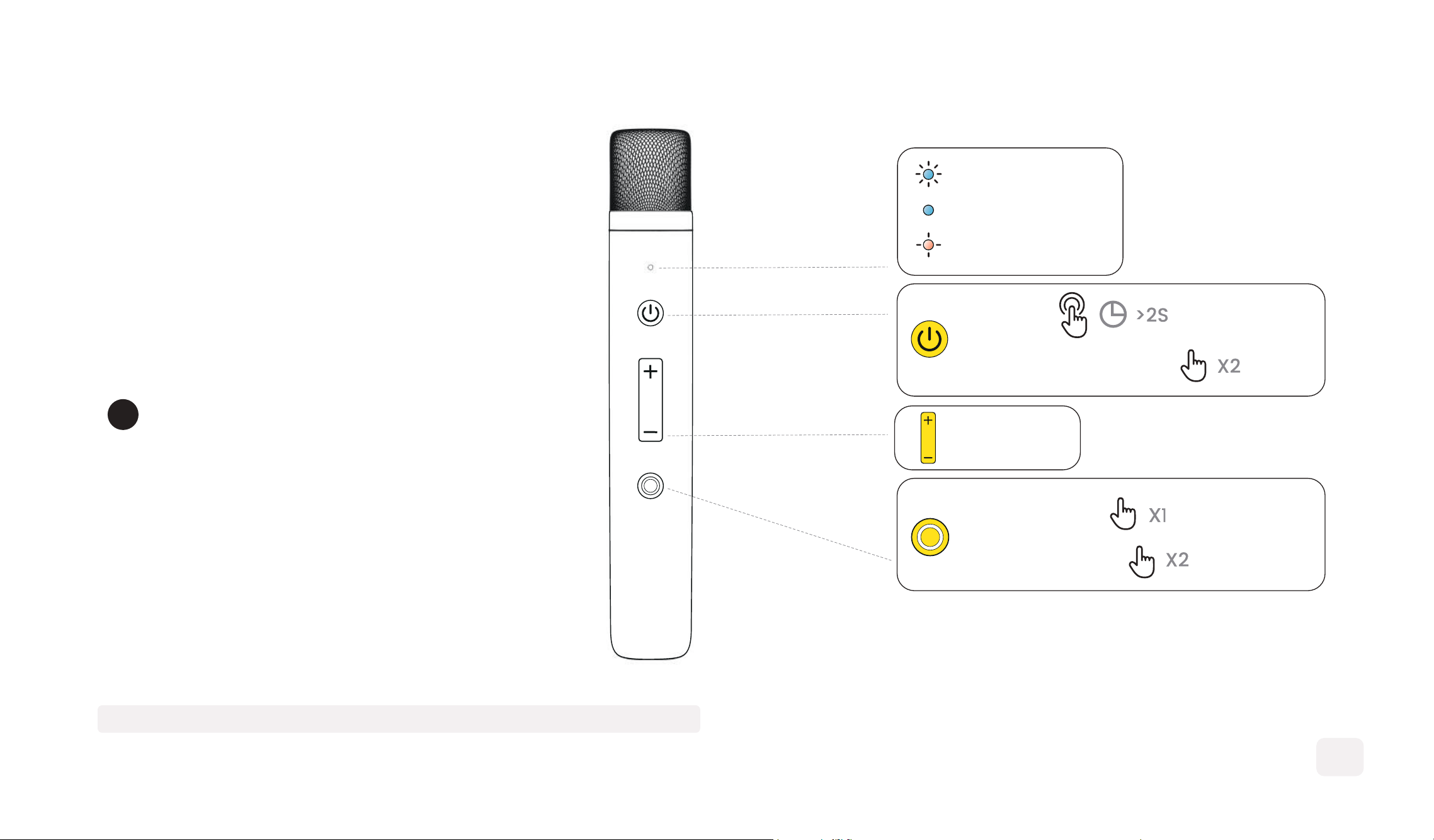
Use buttons to switch effects,
adjust volume, and play/pause.
3
PLAY/PAUSE
SKIP FORWARD
ON/OFF
CHANGE MIC EFFECT
VOLUME +
VOLUME -
PAIRING
*FLASHING
CONNECTED
*BRIGHT
LOW BATTERY
*SOLID RED
NOTE: Don't point the mic at the speaker to avoid interference.
SPEAKER CHARGING
2
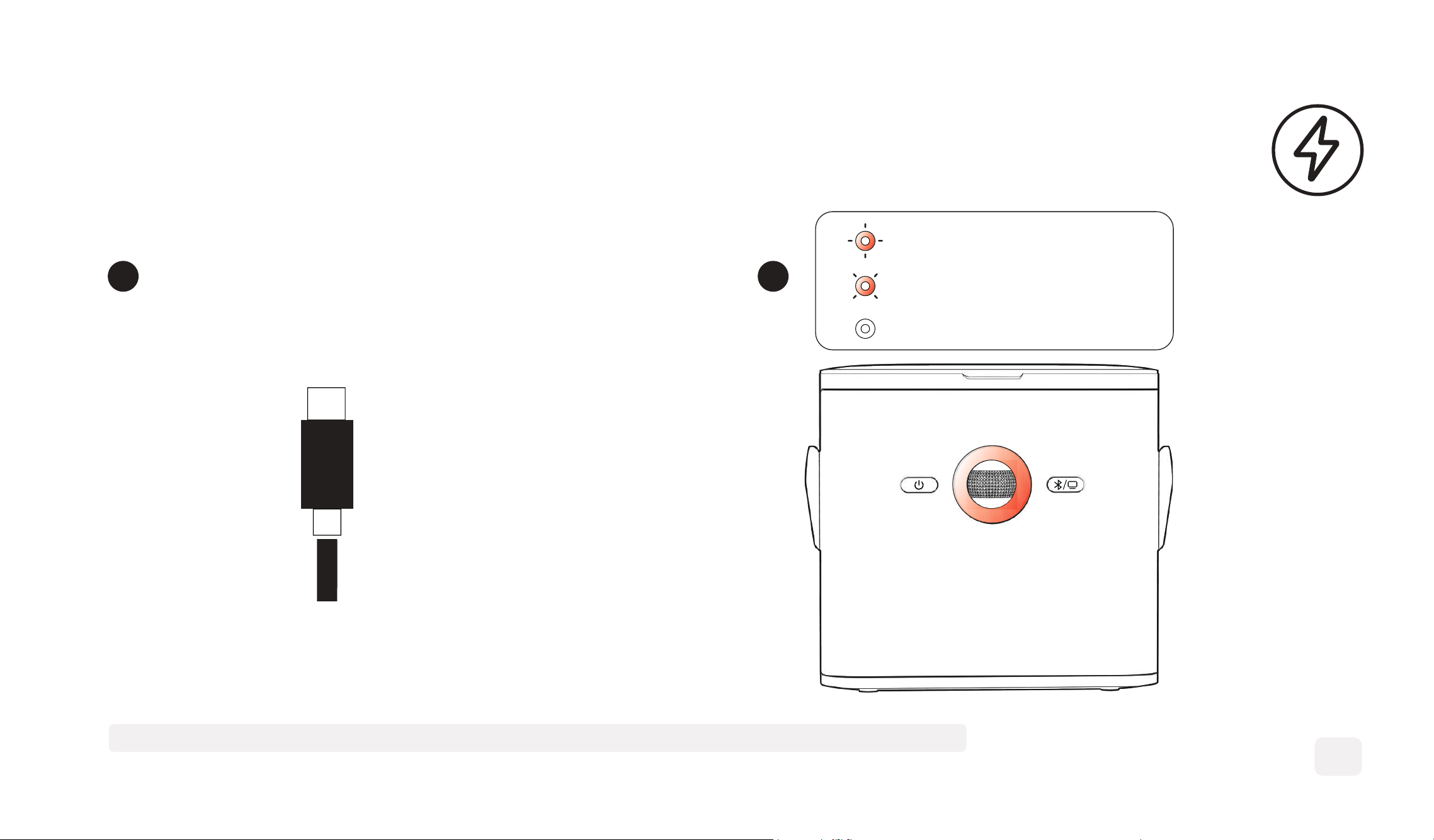
Charge speaker with Type-C cable
1
Type-C
11
CHARGING
*FLASHING*3
FULLY CHARGED
*OFF
LOW BATTERY
*SLOW FLASHING
NOTE: Cable included, no adapter. Recommended 30W adapter for fast 3-hour charging.
MICROPHONES CHARGING
12
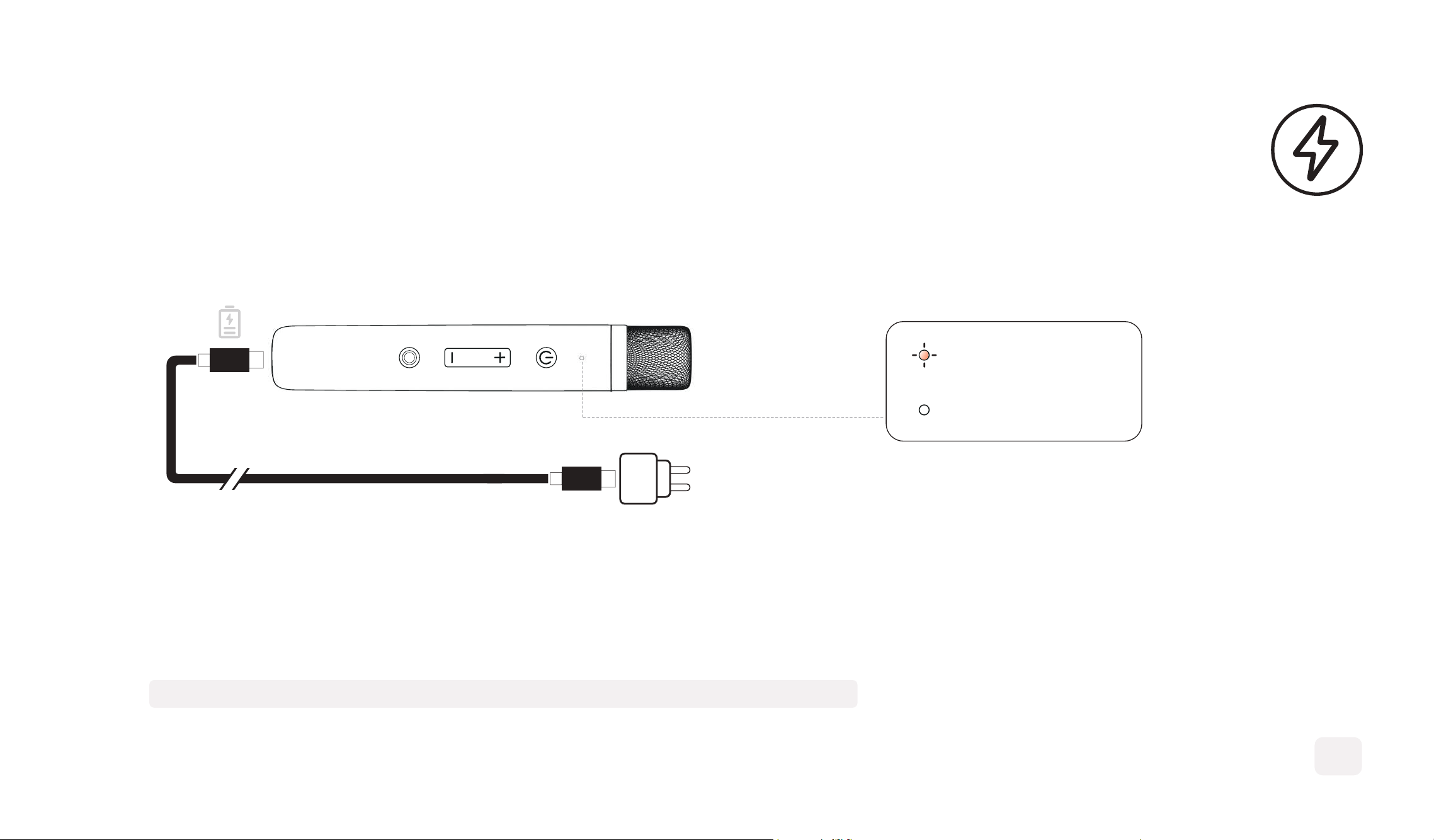
*FLASHING
*OFF
CHARGING
FULLY CHARGED
Use the type-c cable to charge the microphone.
NOTE:
Microphone has a 6-hour usage duration with a 2-hour full charge time.
13
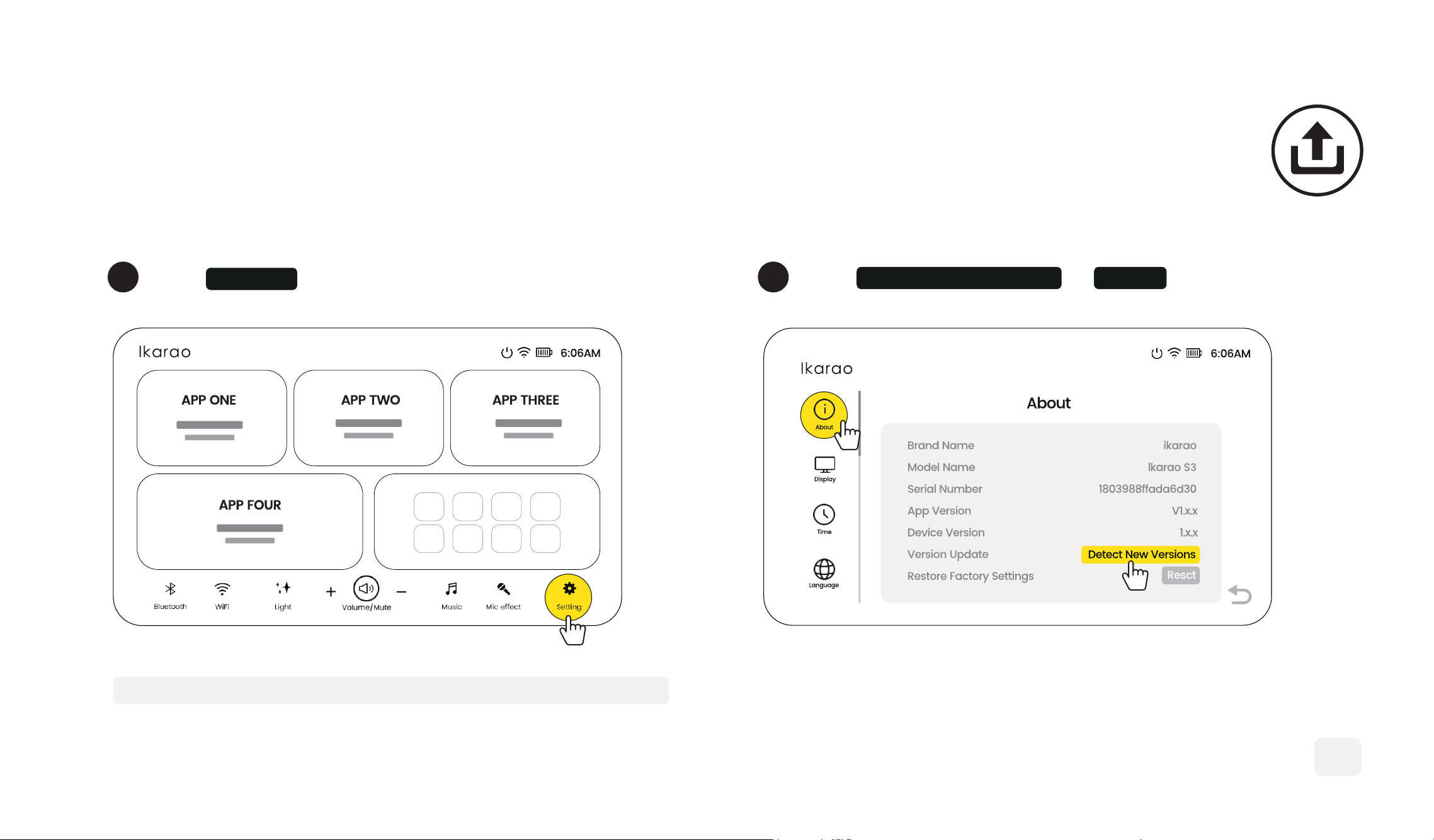
SOFTWARE UPDATE
1
2
Click Settings Click Detect New Version on About
NOTE: Ensure speaker power is above 50% or plugged in.
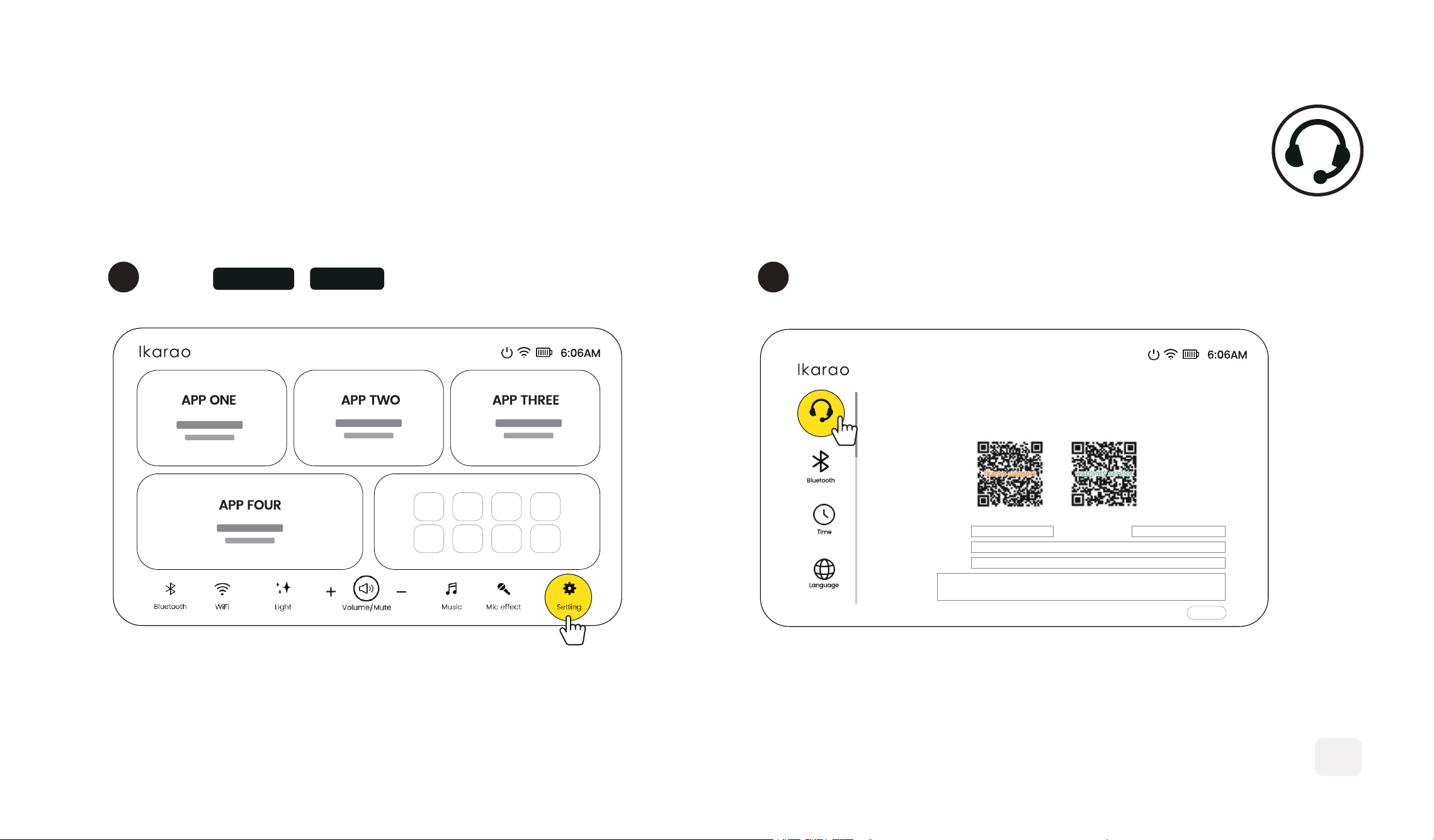
CUSTOMER SERVICE
1 Fill in your information
2
Click Settings - Service
14
Service
Dear user:
If you have any questions or suggestions about this product,
kindly leave your precious advice here, we will give you maximum support.
way 1:
submit
way 2:
Model name :
Country/region :
Tel/E-mait:
Question :
Your name :
IMPORTANT SAFETY INFORMATION
1
Please read and retain this user manual.
2
Do not block the speaker's ventilation openings or sound channels with objects.
3
Avoid using the machine at high volumes for prolonged periods to prevent damage.
4
Use compliant accessories, internal batteries must not be removed or replaced by the end user.
5
The operating temperature should be between 0°C and 40°C.
6
Do not expose the device to damp or high-temperature environments such as puddles, sunlight, or open flames to
avoid the risk of electric shock or explosion.
7
Unplug the machine during thunderstorms or if it will not be used for an extended period.
8
Do not forcibly insert a TF card or SD card into the slot. Insert the card in the correct sequence to avoid malfunction.
9
Do not use any corrosive or oily cleaners to clean the machine.
10
To maintain the machine's performance and battery life, fully charge it at least once every three months.
Safety Instructions Before Using the Machine:
CERTIFICATION AND COMPLIANCE
FCC Statement
This device complies with Part 15 of the FCC Rules. Operation
is subject to the following two conditions:
1) This device may not cause harmful interference, and
2) this device must accept any interference received,
including interference that may cause undesired operation.
FCC WARNING
Changes or modifications not expressly approved by the
party responsible for compliance could void the user’s
authority to operate this equipment.
Radiation Exposure Statement(Only for speaker)
This equipment complies with FCC radiation exposure limits
set forth for uncontrolled environment. This equipment
should be installed and operated with minimum distance of
20 cm between the radiation &your body.
Dongguan Aika Electronic Technology Co., Ltd. declares
that this product is in compliance with Directives
2014/53EU and all other applicable EU directivce
requirements. The complete declaration of conformity
can be found at: www.ikarao.com
The Bluetooth® word mark and logos are registered
trademarks owned by Bluetooth SIG, Inc. and any use
of such marks by Dongguan Aika Electronic Technology
Co., Ltd. is under license. Other trademarks and trade
names are those of their respective owners.
This symbol means the product must not be discarded
as household waste, and should be delivered to an
appropriate collection facility for recycling. Follow
local rules and never dispose of the product and
rechargeable batteries with normal household waste.
Correct disposal of old products and rechargeable
batteries helps prevent negative consequences for
the environment and human health.