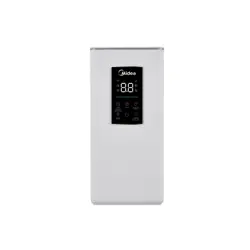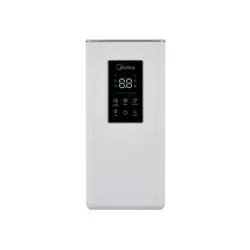
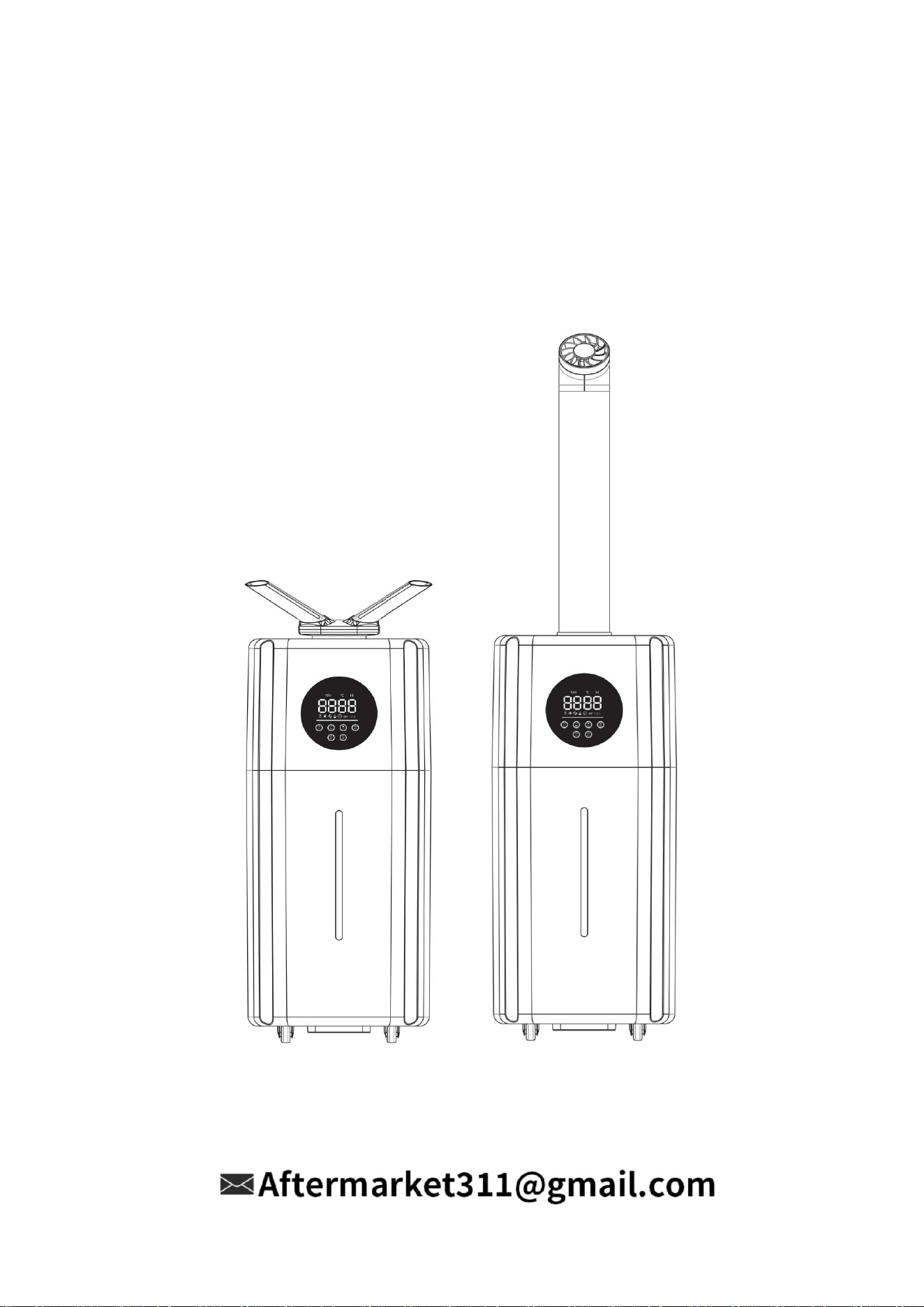
Water circulation ultrasonic
air humidifier
User Guide
MODEL NO.:ZB-J001

Thank you for
choosing our
product!
We are committed to your satisfaction
and hope it brings you great value and
enjoyment.
PLEASE READ THIS MANUAL
CAREFULLY BEFORE USING
THE PRODUCT AND KEEP IT
FOR FUTURE REFERENCE.

TABLE OF CONTENTS
IMPORTANT
SAFETY
INSTRUCTIONS
1-2
CLEANING AND
MAINTENANCE
8
TROUBLE-
SHOOTING
8-9

KNOW
THE
HUMIDIFIER
3
USE
THE
HUMIDIFIER
4-7
CUSTOMER
SERVICE
10

1
IMPORTANT SAFETY
INSTRUCTIONS
SAFETY INSTRUCTIONS
IMPORTANT INFORMATION
To reduce the risk of fire, electric shock, or other injury, follow all instructions and safety
guidelines:
1. Only use the humidifier as described in this manual.
2. Do not run cord under carpeting. Do not cover cord with throw rugs, runners, or similar
coverings. Do not route cord under furniture or appliances. Arrange cord away from traffic
area and where it will not be tripped over.
3. Do not use the humidifier in wet environments.
4. Do not open the base or remove the water level sensor for self-servicing.
5. Before adding water, cleaning the humidifier, or removing the humidifier base from the water
tank, be sure to unplug the plug from the power outlet.
6. When cleaning, please avoid water from inside the appliance.
7. When not in use, turn the humidifier off and disconnect from power by removing the plug
from the outlet.
8. Do not let water flow into the body from the air outlet. Please do not turn the appliance over
when it is electrified and there is water inside to avoid burning the internal electronic
components. Do not separate the water tank from the base during work, and do not touch the
water and parts in the base.
9. Always make sure to place the humidifier on a flat, level surface before operation.
10. Please do not replace the power cord without authorization. If there is any abnormal
phenomenon, please pull out the plug immediately and contact the manufacturer or
after-sales customer service.
11. Only fill the water tank with clean water. Never fill the water tank with any other liquids.
12. Please do not disassemble, repair or transform this product without authorization.
13. Do not touch the atomizer by hand when starting the machine to avoid danger.
14. Do not place the humidifier near sources of heat, such as stove tops, ovens, or radiators.
15. Do not use other items as replacement parts for this product.
16. Do not cover the nozzle while the humidifier is on. Doing so may damage the humidifier.
17. Please unplug the power plug when it is thunderstorm or not used for a long time.
18. If the power cord is damaged, in order to avoid danger, it must be replaced by the
maintenance department designated by the manufacturer or similar professionals.
19. Do not immerse the humidifier base, power cord, or plug in water.
20. It is forbidden to inject water into the mist outlet and air outlet.
21. Please place the humidifier 2 meters away from furniture and electrical appliances to avoid
moisture.
22. Please keep away from heat source and avoid direct sunlight.
23. Do not inject hot water above 40 °C(104℉)into the water tank and water tank to avoid
damaging the machine.

2
24. When the room temperature is lower than 0 °C (32℉), please pour out the water in the water
tank and water tank, so as to avoid freezing and damage to the machine.
25. Please use it at normal room temperature (5 °C - 40 °C)(41℉-104℉).
26. Household use only.
27. Please do not put metal products, chemicals, detergents into the water tank, or there will be
bad atomization.
28. Please turn off the power and pull out the plug before pouring out the water in the sink. If the
humidifier wants to move, clean and add water, the power must be turned off and the power
plug must be pulled out. The machine can not be moved at will during operation.
29.
Do not handle the power cord or plug with wet hands. Keep the plug and power cord away
from liquids.
30. Keep the humidifier out of reach from children.
31. Supervise children when they are near the humidifier.
32. Children should not clean or perform maintenance on the humidifier without supervision.
33. Children should be supervised to ensure that they do not play with the humidifier.
34. This appliance is not intended for use by persons (including children) with reduced physical,
sensory or mental capabilities, or lack of experience and knowledge, unless they have been
given supervision or instruction concerning use of the appliance by a person responsible for
their safety.
35. Ensure that the plug fits properly into a polarized socket.
36. CAUTION :This appliance has a polarized plug (one blade is wider than the other). To
reduce the risk of shock, this plug is intended to fit only one way in a polarized outlet. If the
plug does not fit fully in the outlet, reverse the plug. If it still does not fit, contact a qualified
electrician. DO NOT attempt to defeat this safety feature. To do so could result in an electric
shock hazard.
READ AND SAVE THESE INSTRUCTIONS
3
KNOW THE
HUMIDIFIER
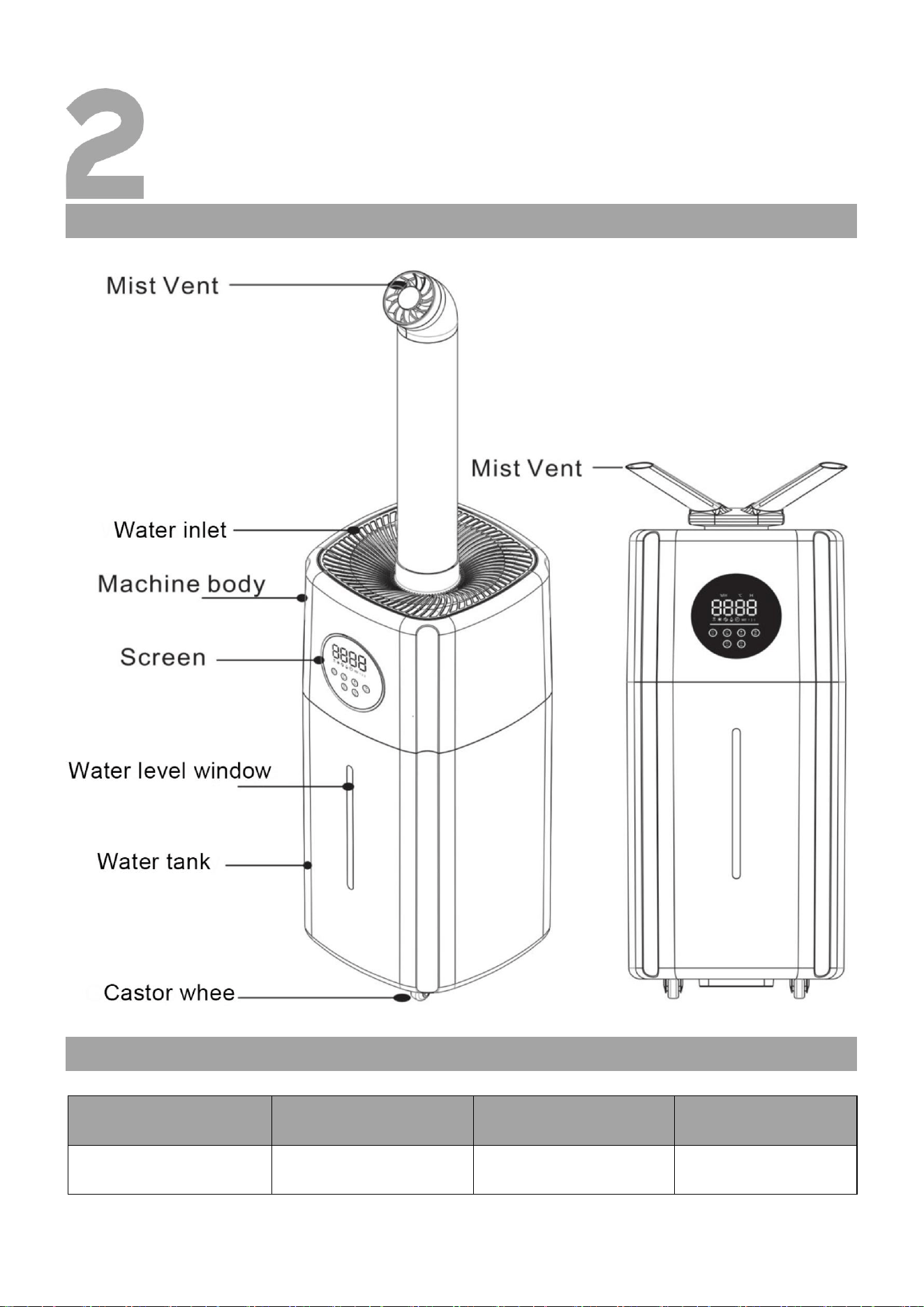
PRODUCT DESCRIPTION
SPECIFICATIONS
Model No.
Rated Voltage
Frequency
Rated Power
ZB-J001
100-240V~
50-60Hz
110W
4
USE THE
HUMIDIFIER
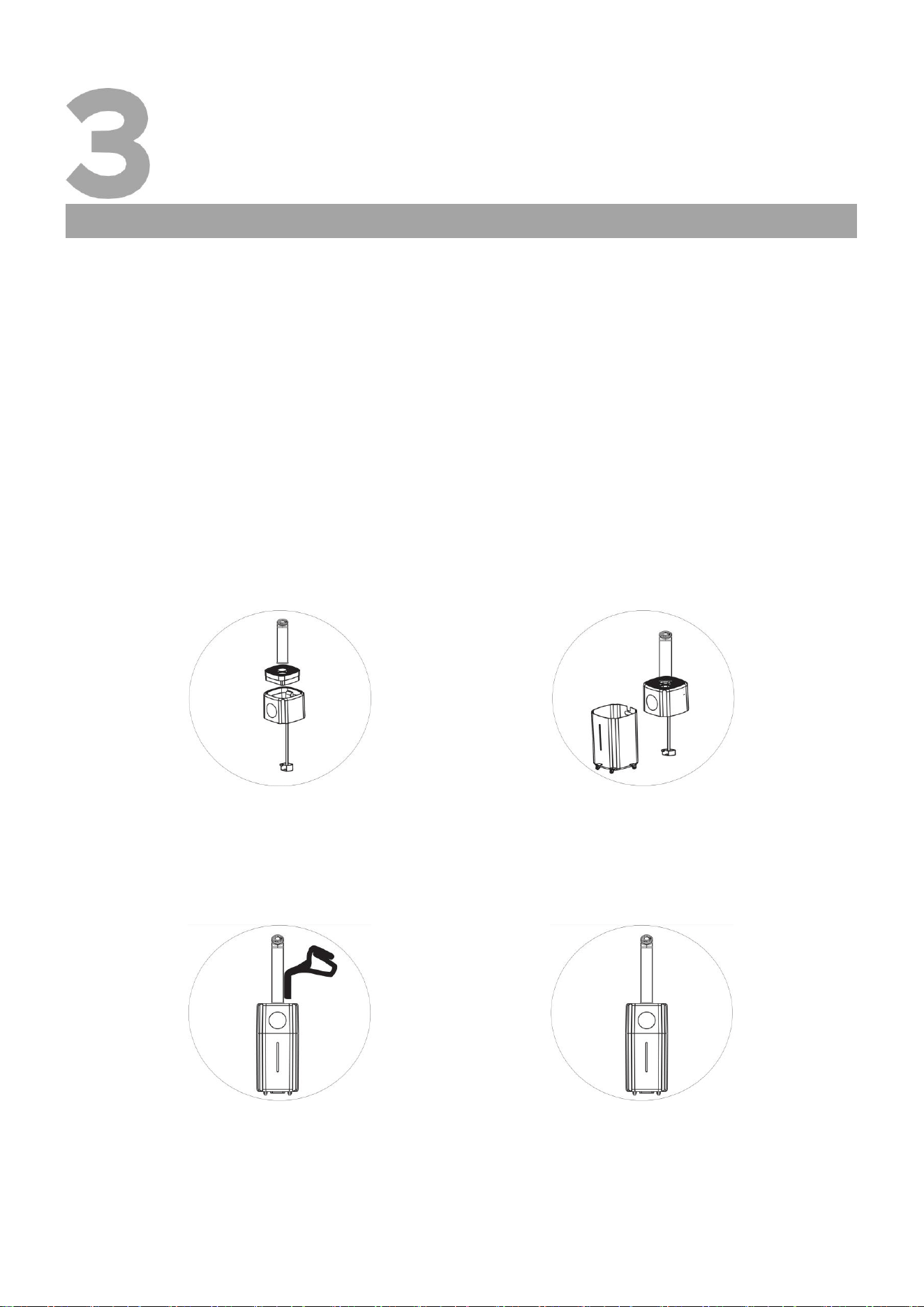
WATER TANK FILLING INSTRUCTIONS
When using the machine for the first time, place it on a horizontal surface, remove the host,
take out the protective bag on the water pump, inject an appropriate amount of clean tap
water or purified water into the water tank, unplug the power plug when filling, and add water
to the highest water level marked on the water tank (indicated by MAX).
Place the water pump of the host into the bottom of the water tank, and then place the host
on the water tank. Then plug the power plug of the machine into the socket. Before powering
on, ensure that the operating voltage of the machine is consistent with the voltage used;
Do not move the humidifier while the product is running. Before moving the humidifier,
please stop using it, turn off the power switch, unplug the power plug, and let the entire
machine move together to avoid the humidifier not working properly and causing
malfunctions.
Note: Please add clean tap water or purified water below 40 ℃ (104°F).
Instructions for use and installation
1.Take out the protective sleeve of
the suction pump from the main
engine of the extraction machine.
4.Plug in the power cord and start
the machine.
3.Open the upper cover of the main
engine for water injection, and pay
attention not to be higher than
(Maximum water level).
2.Put the machine suction pump
into the bottom of the water tank
and place the corresponding
interface in balance.
5
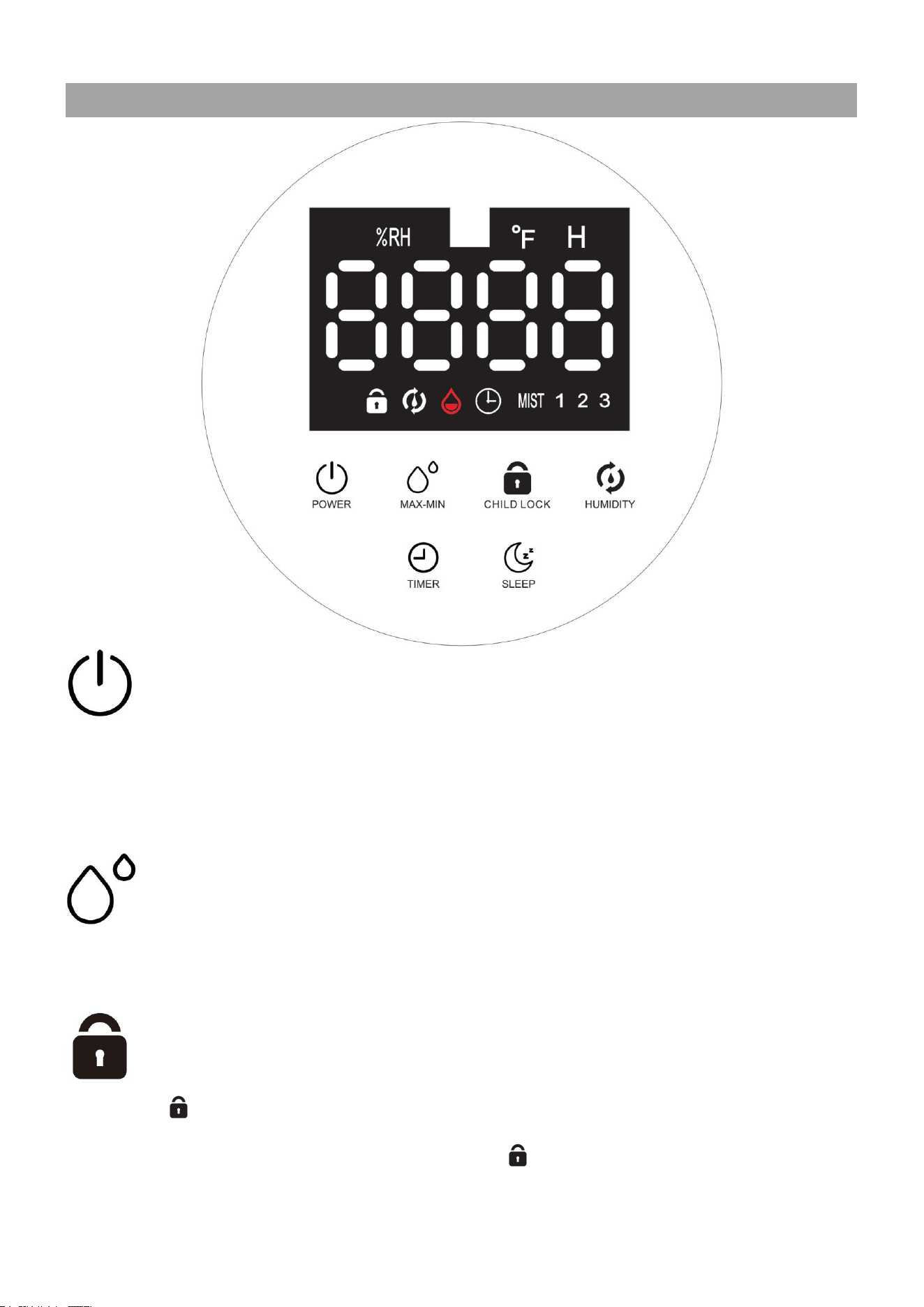
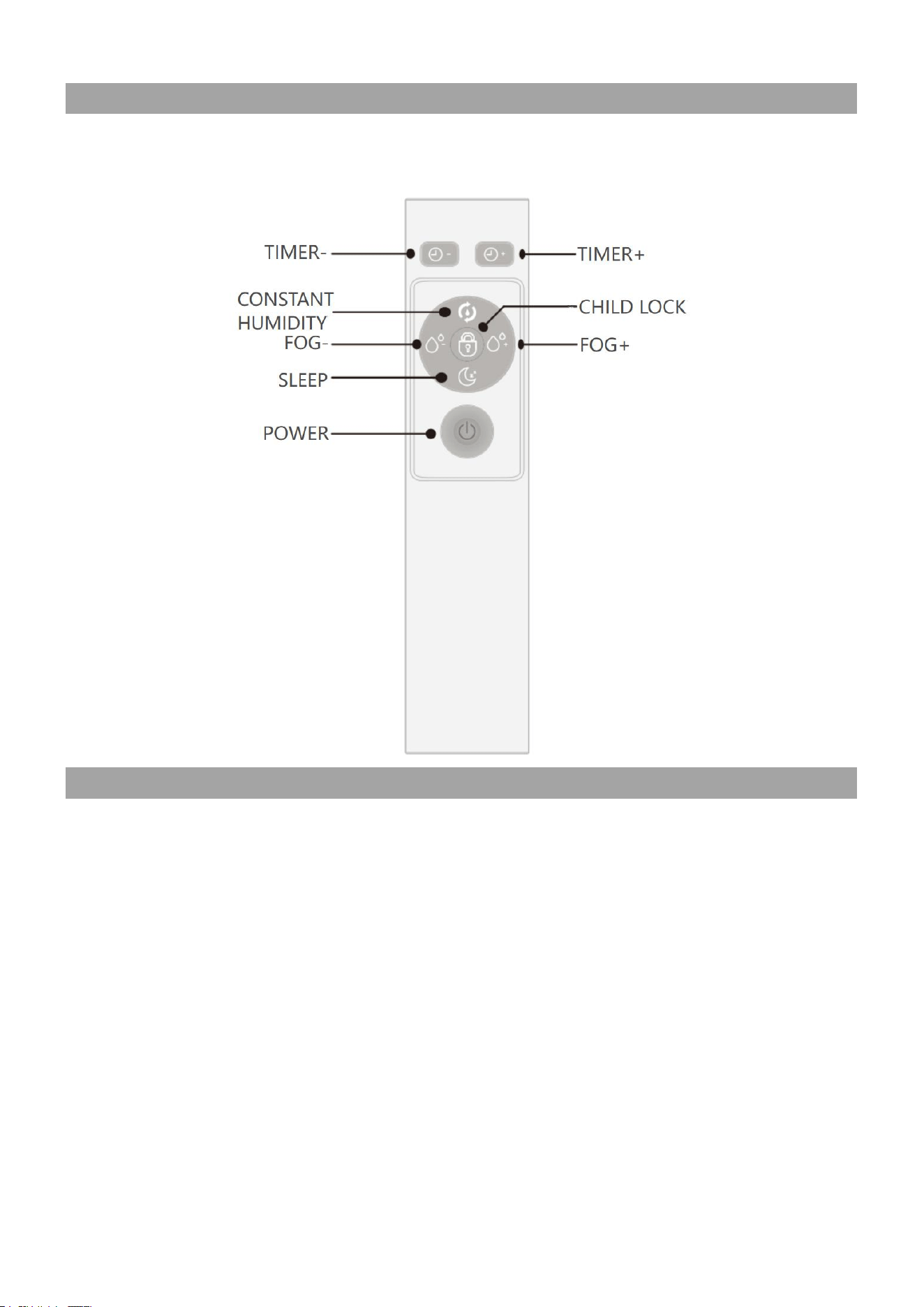
PANEL DESCRIPTION/SETTINGS
Power button
After connecting the power supply, touch the power button, the screen will light up, and the
machine will work. Touch the power button again, and the humidifier will stop working and enter
the standby state.
Note: During first use,the humidifier may take15-25 seconds to start misting.
Fog volume button
The product is divided into 1 and 2 gear, 3 gear, fog volume can be adjusted, press the fog
amount key for cycle adjustment each time.
Child lock
Long press " " for 2 seconds to activate/deactivate the child lock function. After activating the
child lock, all buttons will be locked. At this point, the " " indicating will light up.

6
Constant humidity button
Press this key for the first time, the product will enter the constant humidity function, and the
ambient humidity on the screen will be on; the default humidity is 40%, then press 5% to increase
until 90%, then exit the constant humidity function, adjust it in a cycle, and stop working when the
ambient humidity reaches the preset humidity value.
Timing button
The timer can be set for 1-12 hours in increments of 1 hour. The humidifier will shut down
automatically when the time reaches the set value. Press the key to display the corresponding
time.
Sleep button
Click to turn on/off sleep mode. In sleep mode, the beep sound of the button is turned off and the
screen brightness is halved. After a few seconds, the screen display will automatically turn off,
but other functions will still remain in their initial settings. When the screen is turned off, press
any key to wake up the screen.
7
REMOTE CONTROL
Due to transportation safety reasons, batteries are not included in the package. Please prepare
two 1.5V AAA batteries by yourself.
INSTALLATION/REPLACEMENT OF BATTERIES
1. Flip the back of the remote control, hold and slide down the back cover of the remote control.
2. Insert two 1.5V AAA batteries according to the indications of the polarity symbols (+ and -)
inside the battery compartment.
NOTES:
1. The remote control must be pointed towards the remote sensor on the control panel.
2. Use manganese or alkaline batteries of type "AAA". Do not use rechargeable batteries.
3. If not in use for a long time, please remove the batteries to prevent battery leakage from
damaging your remote control.
4. Do not allow water or liquid to enter the remote control.
5. Do not dispose of batteries in fire, batteries may explode or leak.
6. Do not mix old and new batteries.
7. Dispose of the used batteries at appropriate recycling points or in accordance with local
regulations.

8
CLEANING AND
MAINTENANCE
CLEANING AND MAINTENANCE
Please regularly clean the water tank, sink, and atomizer, and unplug the power plug before
cleaning.
Do not use hard objects when cleaning to avoid damage to parts.
Please replace the aged water in the water tank frequently to keep the inside of the
humidifier clean.
Before cleaning the product, you must pull out the power plug and stop working, or there may
be short circuit or electric shock.
When cleaning the host and the entire display panel, please wipe them with a clean cloth. It
is strictly prohibited to clean the host with water. Do not immerse the host in water to prevent
short circuits due to water ingress.
Except for the host and the entire display panel, other parts of the product can be cleaned
with water and wiped dry with a clean cloth.
Please do not use metal brush, nylon brush, detergent, diluent, volatile oil and other cleaning
products to clean the product, or it may damage the surface structure of the product or affect
the humidification effect.
The inside of the water tank can be cleaned by adding appropriate amount of washing
powder, washing liquid and 40 °C
(
104
℉)
warm water. The water outlet is sealed, soaked for
10 - 15 minutes, and then washed with clean water. The outside of the water tank can be
directly wiped with a wet cloth.
Please use mild cleaning agents and a soft cloth or sponge to clean and maintain the
product.
Please wipe the dirt on the power cord with dry soft cloth.
Please store the machine in a dry and ventilated place.
Note: Do not allow water to contact the air outlet.
TROUBLESHOOTING
TROUBLESHOOTING
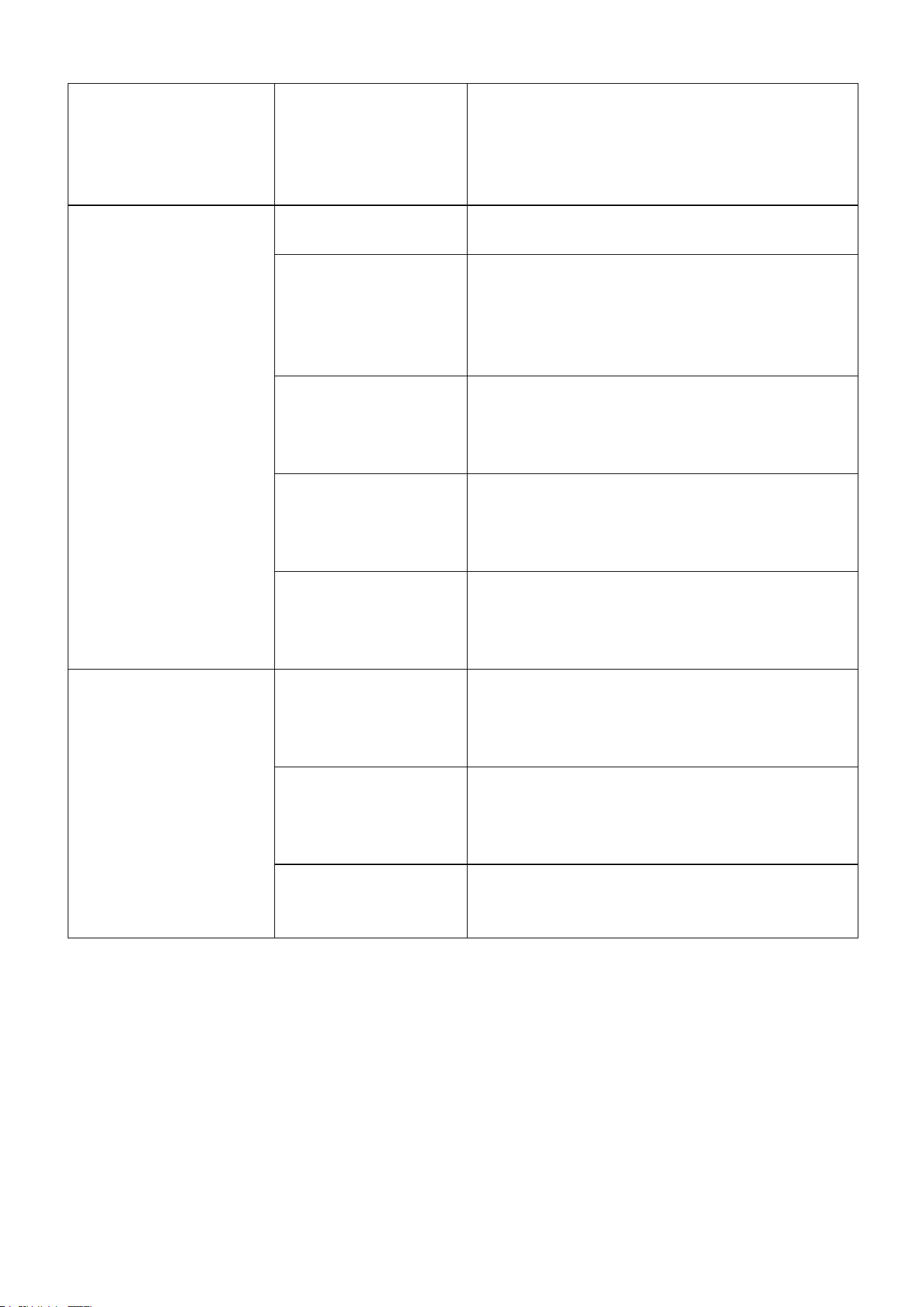
Problem
Possible Causes
Solution
The humidifier cannot
be turned on,or
accidentally shut
down.
Power cord is not
properly plugged in
or the outlet has no
power.
Try other sockets, make sure they have
power, and connect the power cord correctly
to the power socket.
9
Abnormal noise.
There is too little
water in the water
tank,The placement
surface is not
smooth.
Add water to the water tank and place the
humidifier on a sturdy and stable surface.
Little or no mist comes
out.
The water tank is
empty.
Fill up the water tank and adjust the mist level
to maximum.
The constant
humidity mode is
turned on.
In constant humidity , the humidifier will stop
misting when the target humidity level is
reached. Increase the target humidity or
manually select a mist level (see constant
humidity, page 6).
There are too much
scale or impurities in
the water of the
atomizer.
Clean the atomizer and replace the clean
water.
First time adding
water for use.
After turning on the humidifier, wait for 30
seconds. During the first use and after
cleaning or storage, the humidifier may take
15-25 seconds to start fogging.
There are foreign
objects in the air
inlet/outlet or nozzle
of the host.
Check if there are any abnormal blockages in
the inlet/outlet and nozzle of the host.
Water shortage alert.
Water cannot reach
the main water tank.
Pick up the host and check if the water pump
protection bag has been removed. Press the
power button to observe if the water pump is
working.
There is no water
flowing out from the
water pipe on the
water pump.
Check if the water pump connecting pipe is
connected correctly and if the water pump is
installed correctly in the water tank.
Abnormal water
shortage protection
function.
Check if the water shortage protection float in
the working water tank of the host can float
up and down normally.
NOTES:
The types of faults and possible causes include but are not limited to the above. If the
problem remains unsolved or other problems are encountered after the operation of the
above methods, please contact our after-sales mailbox for more help.
Continuous Improvement
:
We are constantly working to improve our products. Therefore,
design and specifications are subject to change without notice.

10
CUSTOMER
SERVICE
WARRANTY AND SERVICE
Thank you for your purchase!
Our goal is to ensure your 100% satisfaction with our warranty service!
This appliance comes with a 12 month warranty, starting from the date of initial purchase. During
the 1 year warranty period, we will provide free service for any quality issues, installation
problems, and missing parts.
Service Guarantee
All of our items are brand new and in excellent condition, In the event that the product you
received does not meet this standard, please contact us.
Sincerely At Your Service
Your shopping experience is very important to us! If you are unsatisfied with our service with
purchases, please feel free to let us know. We will always be here to offer you the best service
and get your satisfaction. Proof of purchase (order confirmation) is required to claim warranty
service.
The warranty does not apply to the following situations
:
Damage from improper installation, misuse, or failure to follow the User Manual (e.g.,
incorrect power supply).
Damage caused by shipment, repair, service, or modification of the product or any of its parts
by unauthorized personnel from the manufacturer.
Normal wear and tear of consumable/wearable parts.
Partial or complete disassembly of the product without authorization.
Abuse, improper operation, accidents or natural disasters.
Tampering with the product or using it for commercial purposes.
Damage caused by forceful use, external impact, or improper external influences.
We are here to provide assistance
For any questions, please contact our customer service email to get extra after -sale service.
Email: [email protected]
DISPOSAL
CORRECT DISPOSAL OF THIS PRODUCT:
Do not dispose of electrical appliances as unsorted municipal waste, use separate collection
facilities. Contact your local authorities for information regarding the collection systems available.
If electrical appliances are disposed of in landfills or dumps hazardous substances can leak into
the groundwater and get into the food chain, damaging your health and well-being

If you encounter any problems when
using our products, please feel free to
contact us through the following Email
to get a quick response and a 100%
satisfactory solution.
Questions or Problems?
Tell us
We are here
to help with
our 100%
satisfactory service
within 24 hours
Email: Aftermarket311@gmail.com
MADE IN CHINA