MRA-DUO
Owner’s Manual
Total Control
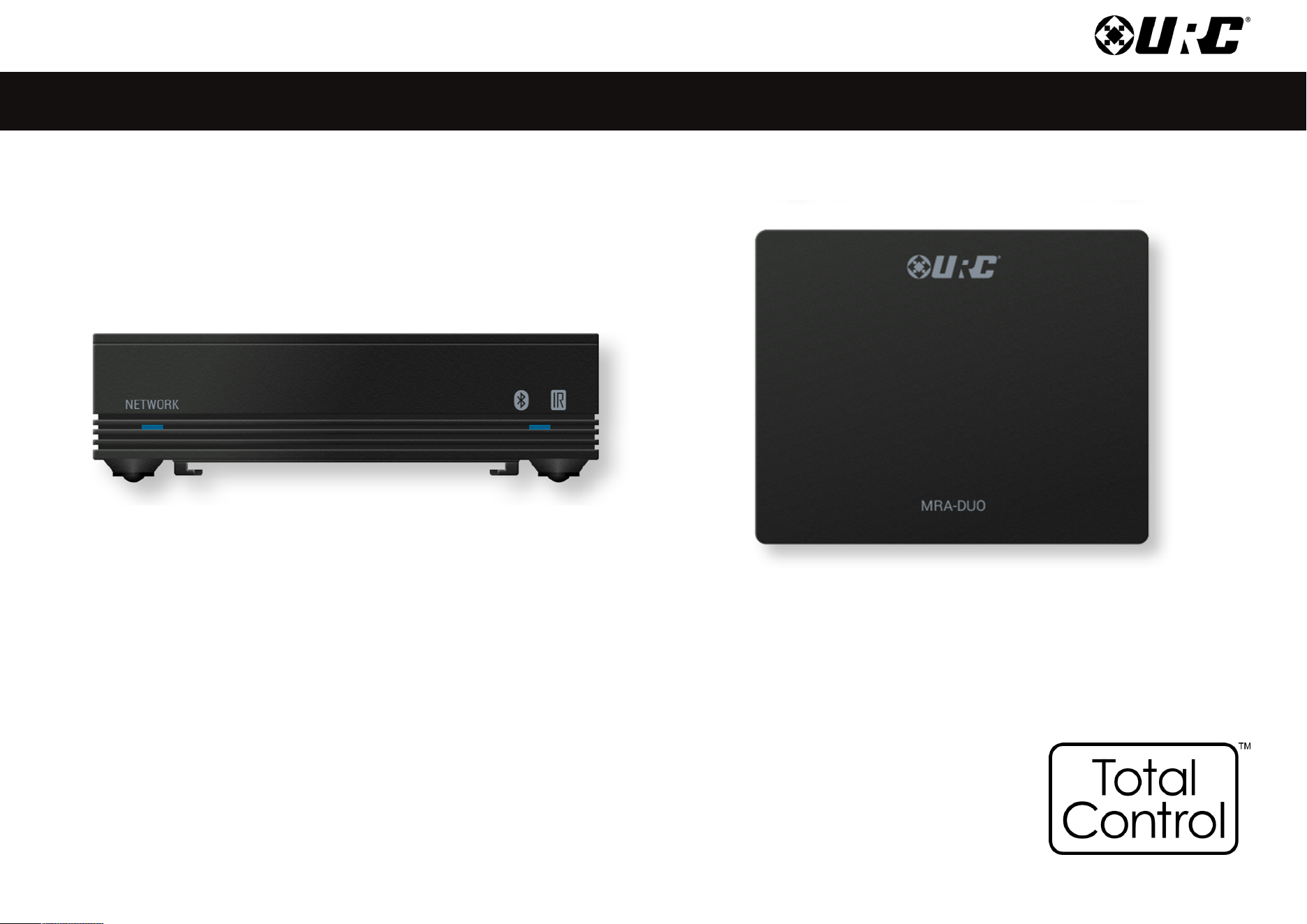
MRA-DUO
Owner’s Manual
Total Control
MRA-DUO
Owner’s Manual
Rev 1.0
Technical Support
Toll Free: 800-904-0800
Main: 914-835-4484
techsupport@urc-automation.com
H o u r s : 9 : 0 0 a m - 5 : 0 0 p m E S T M - F
Table of Contents
Introduction............................................................................................................................................................................................................... 1
Features and Benets.............................................................................................................................................................................................. 1
Parts List ................................................................................................................................................................................................................... 1
Front Panel Description........................................................................................................................................................................................... 2
Rear Panel Description ............................................................................................................................................................................................ 4
Bottom Panel Description........................................................................................................................................................................................ 5
Installing the MRA-DUO........................................................................................................................................................................................... 6
Network Installation ............................................................................................................................................................................................ 6
Connecting IR Emitters....................................................................................................................................................................................... 7
Specications ........................................................................................................................................................................................................... 8
1
Total Control
MRA-DUO
Owner’s Manual
Table of Contents
Introduction
The MRA-DUO Network System Controller controls is designed to meet the
needs of residential or small commercial environments.
Only Total Control software, products, and user interfaces are supported by
this powerful device.
Features and Benets
• Supports both wired and wireless IP network connection, with
Bluetooth® Low Energy (BLE) 5.2.
• Has four IR 3.5mm ports and a front IR Blaster to control IR devices.
• Can control up two Bluetooth® devices.
Parts List
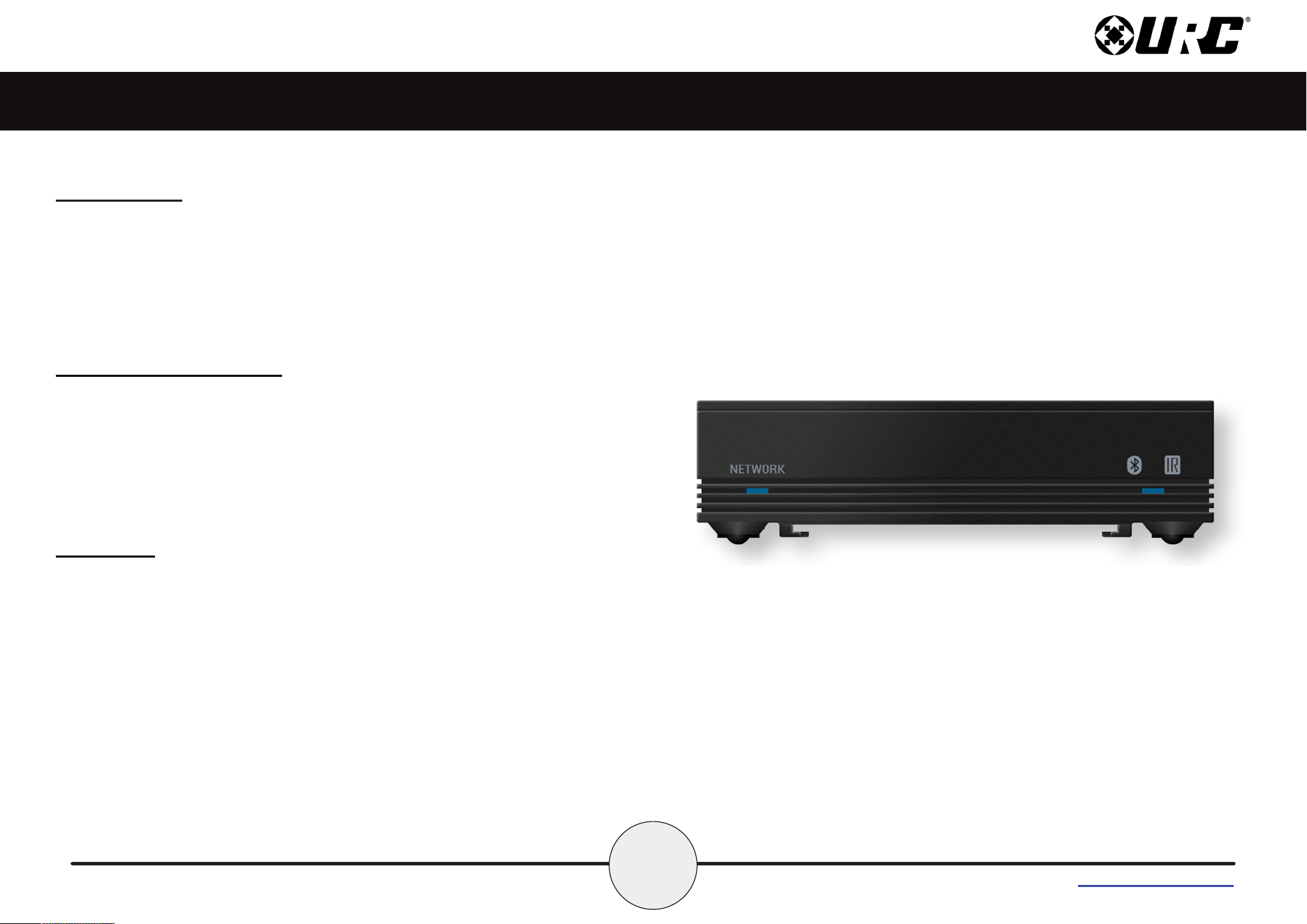
The MRA-DUO Advanced Network Controller includes:
• 1x MRA-DUO System Controller
• 1x AC Power Adapter
• 4x IR Emitters 3.5mm (standard)
• Wall Mount and 4x Screws
2
Total Control
MRA-DUO
Owner’s Manual
Table of Contents
Front Panel Description
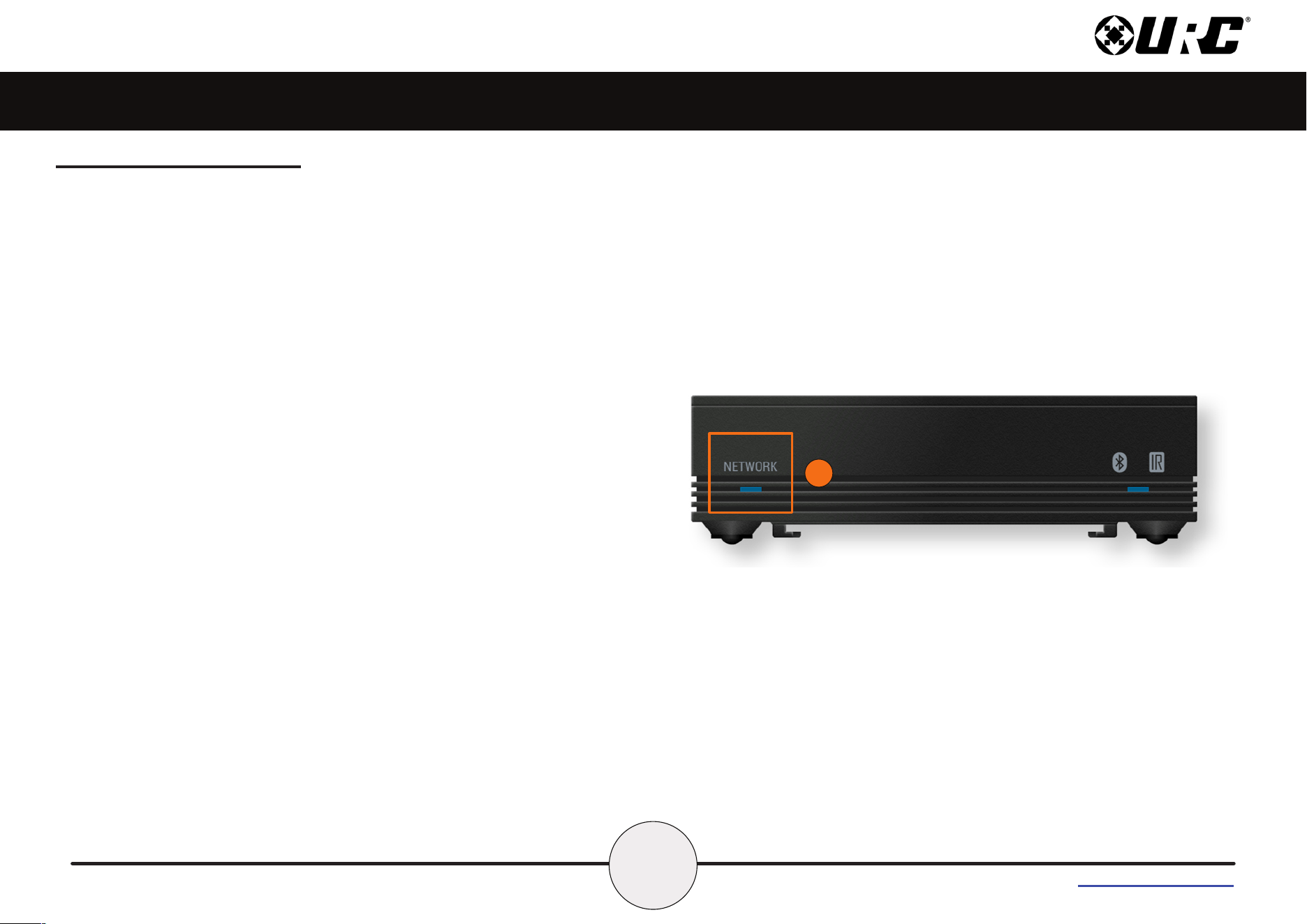
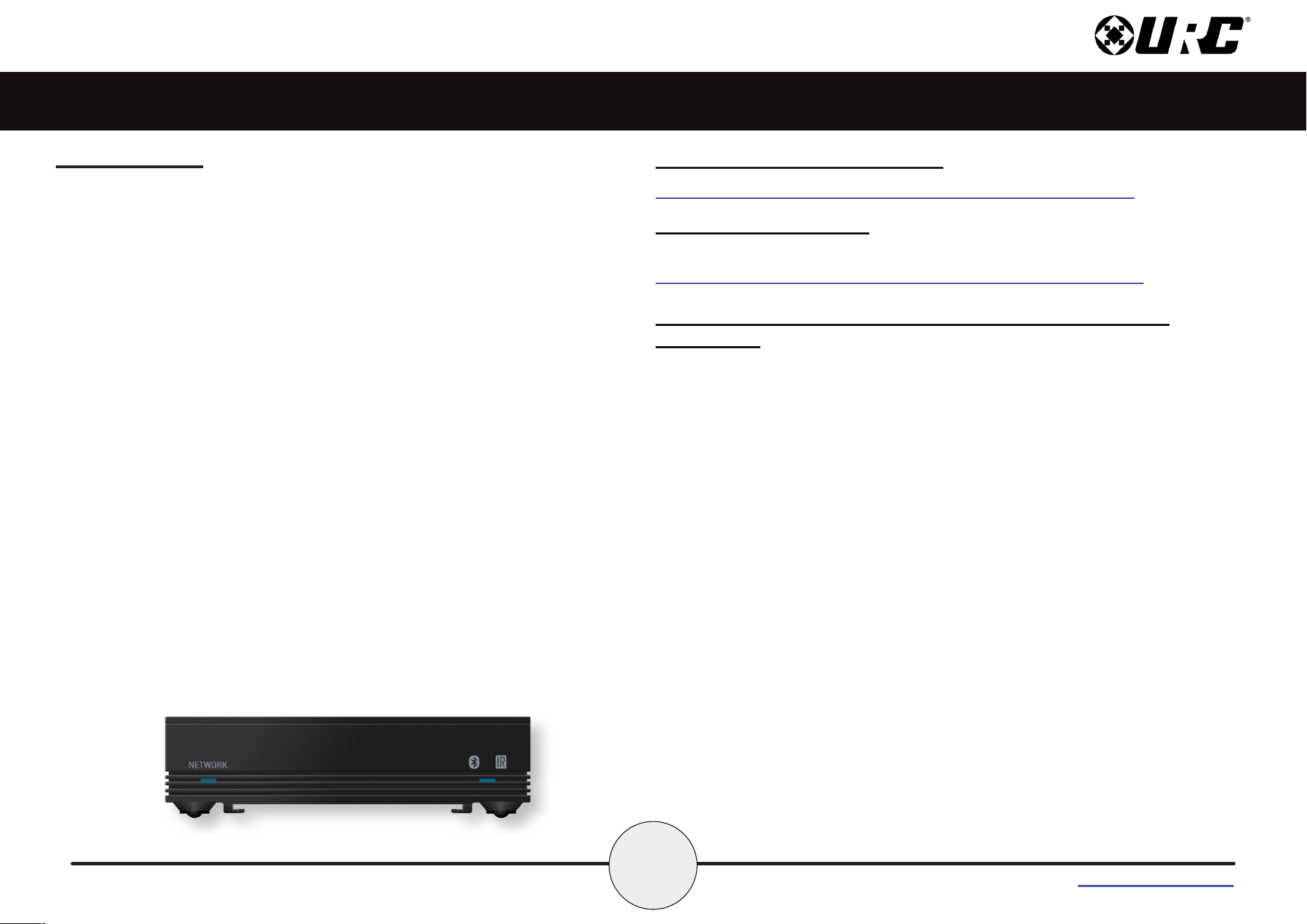
The front panel of the MRA-DUO Advanced Network System Controller
displays the following information:
1. Network LED State: Indicates nine (9) possible states:
• Solid Green - The device is connected wirelessly to the
network with strong/good signal strength & is connected to
the MRX Master Base Station.
• Solid Yellow - The device is connected wirelessly to the
network with fair/poor signal strength & is connected to the
MRX Base Station.
• Solid Blue - The device is connected to the network with a
wired Ethernet connection & is connected to the MRX Master
Base Station.
• Solid Red - The device is not connected to a network.
• Blinking Yellow - The device is connected to a network but is
not connected to the MRX Master Base Station.
• Blinking Blue - The 12VDC Power is initially connected to the
device and the the device is booting. The blinking blue shall
stop after the the device has successfully booted.
• Blinking Green - The device is being downloaded to from the
URC software.
• Blinking Red Continuously Until Device Reboots - The
Reset button has been pressed and held for 20 seconds.
• Blink White for 10 Seconds - The device was sent the
“Identify Device” command.
1
3
Total Control
MRA-DUO
Owner’s Manual
Table of Contents
Front Panel Description (cont’d)
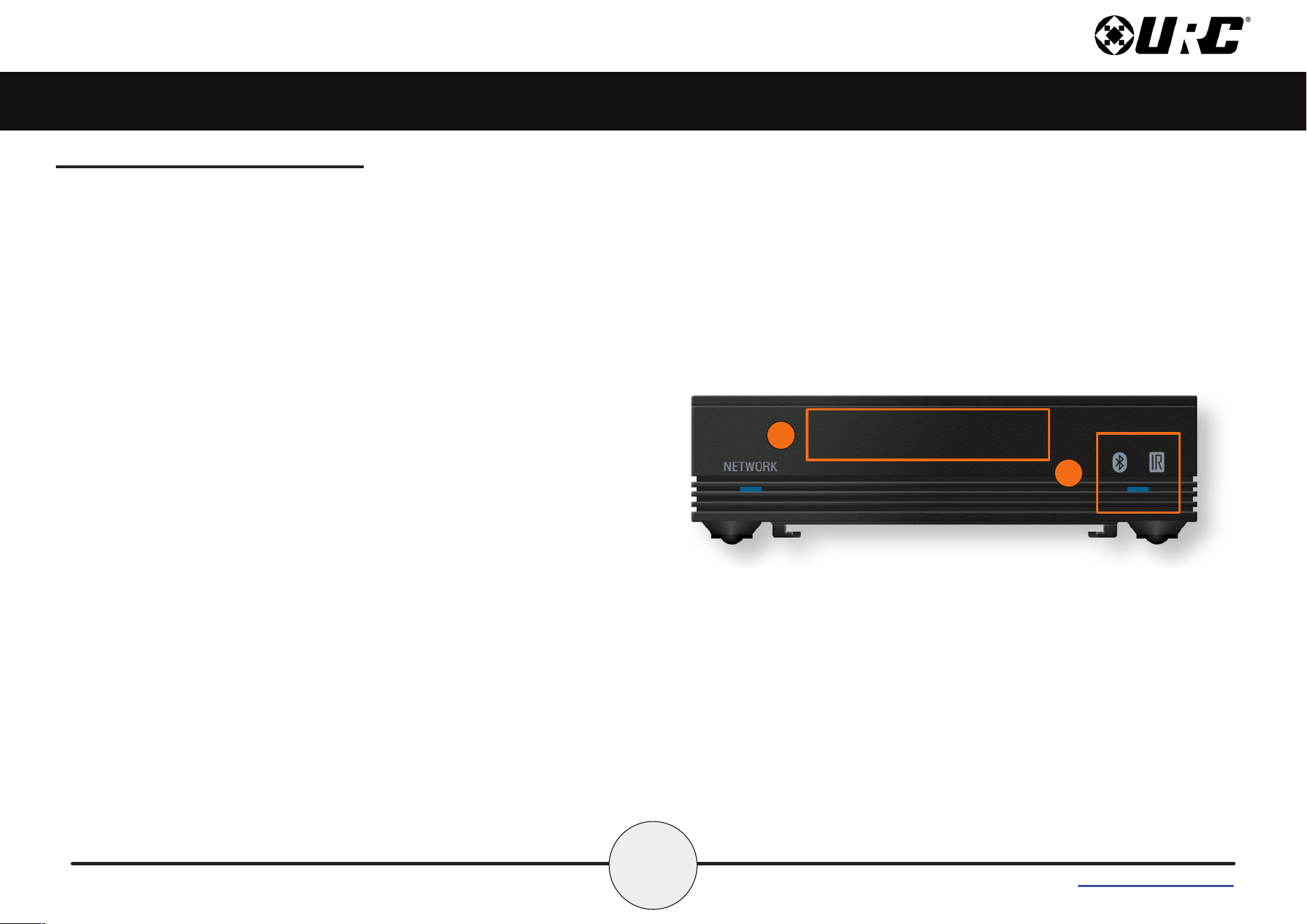
2. Bluetooth®/Infrared LED State: Indicates eight (8) possible states:
• O - The device is powered ON, booted, and not paired to a
Bluetooth® device.
• Solid Blue - The device is powered ON, booted, and paired to at
least one Bluetooth® device.
• Blinking Blue - The device is transmitting RF (Bluetooth®) data.
• Blinking White - The device in pairing mode.
• Blinking Green Three Times - The Bluetooth® pairing attempt
succeeded.
• Blinking Yellow Three Times - The Bluetooth® pairing attempt
failed.
• Blinking Green - The device is transmitting Infrared data.
• Blinking Red Fast Two Times - The transmitting Bluetooth data
failed.
3. Front Panel Infrared Blaster - IR Blaster that oods a room with
infrared commands.
2
3
4
Total Control
MRA-DUO
Owner’s Manual
Table of Contents
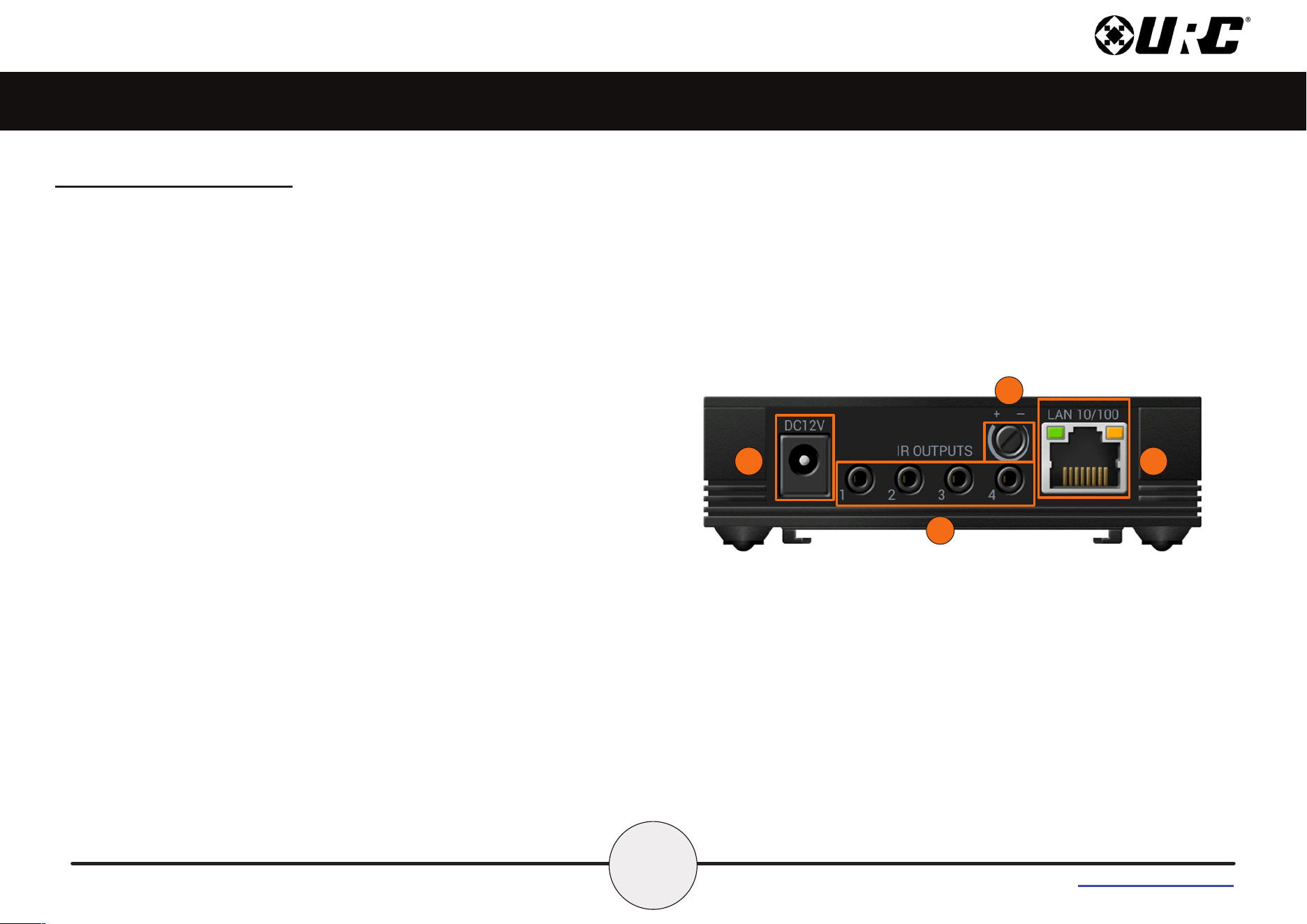
Rear Panel Description
The rear panel of the MRA-DUO Advanced Network System Controller
includes the following information:
1. DC 12V Port - Connect the supplied power adapter to this port.
2. IR Outputs - Four (4) standard 3.5mm IR emitter ports. IR Output
4 provides variable level adjustment.
3. Infrared Intensity Trimpot - This trimpot aects IR Output #4
only.
4. LAN Port - RJ45 standard 10/100 Ethernet connection to the
local network. Please note that PoE is not supported.
1
4
2
3
5
Total Control
MRA-DUO
Owner’s Manual
Table of Contents
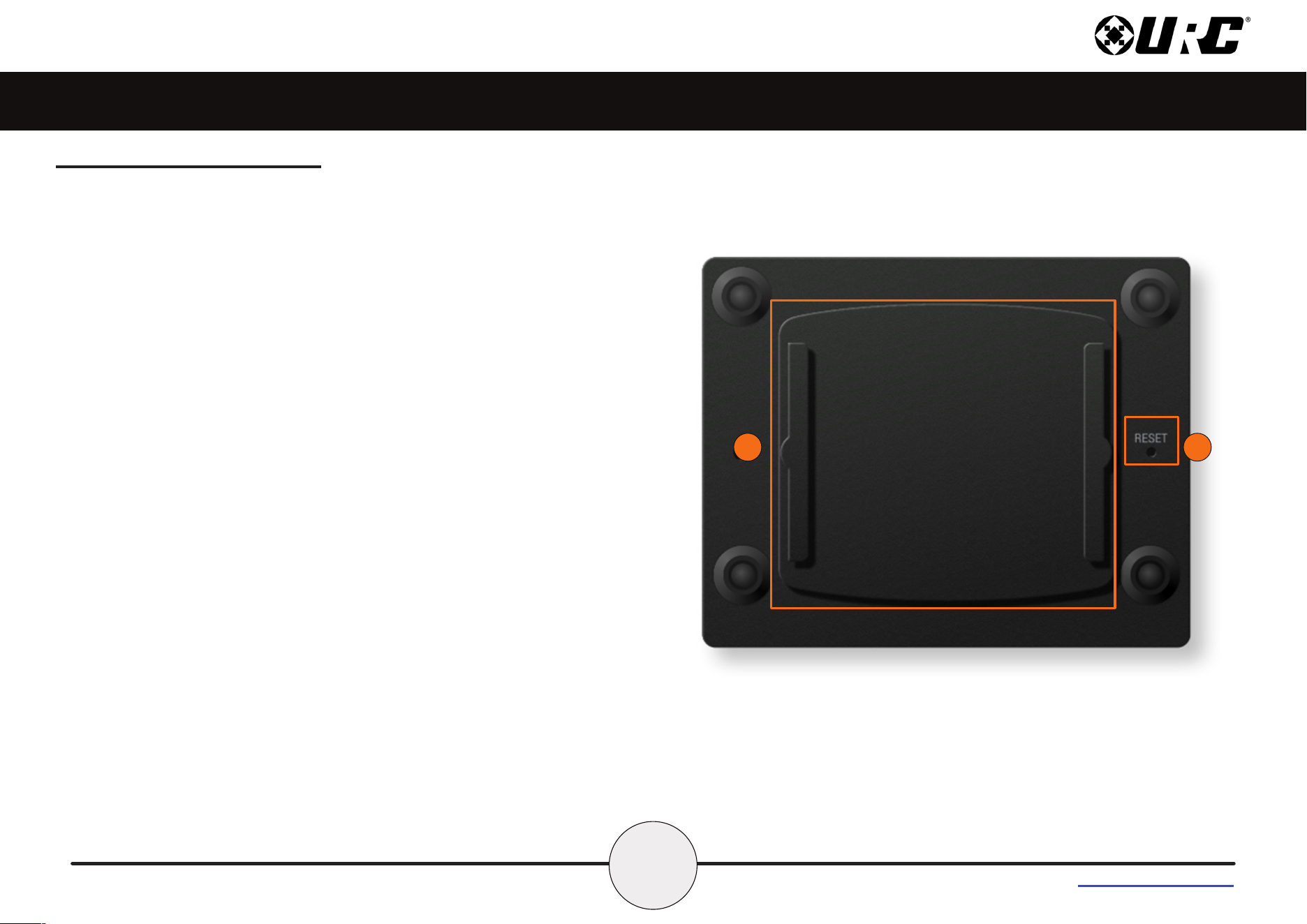
Bottom Panel Description
On the bottom panel of the MRA-Duo Advanced Network System
Controller are the Reset Button & Mounting Plate:
1. Reset Button: Located at the bottom of the device and requires a
stylus or paper clip to press. Performs two (2) possible actions:
• Single Tap: Reboot the device.
• Press-N-Hold: Press this button for 15 seconds to restore the
device to its factory settings. This action cannot be reversed
and the device REQUIRES re-programming with the Total
Control software. Pressing and holding the Reset button for 15
seconds will also result in the Network LED blinking fast blue
until the Reset button is released.
2. Mounting Plate: Slide the mounting plate up or down to remove
it from the device. Use the four (4) supplied mounting screws to
mount the MRA-DUO on a wall, ceiling, or any other convenient
location.
1
2
6
Total Control
MRA-DUO
Owner’s Manual
Table of Contents
1
2
Installing the MRA-DUO
The MRA-DUO Advanced Network System Controller can be installed
almost anywhere in the home.
Once physically installed, it requires programming by a certied URC
integrator in order to operate local equipment using IP (Network) or IR
(Infrared). All cables must be connected to their respective ports at the
rear of the device.
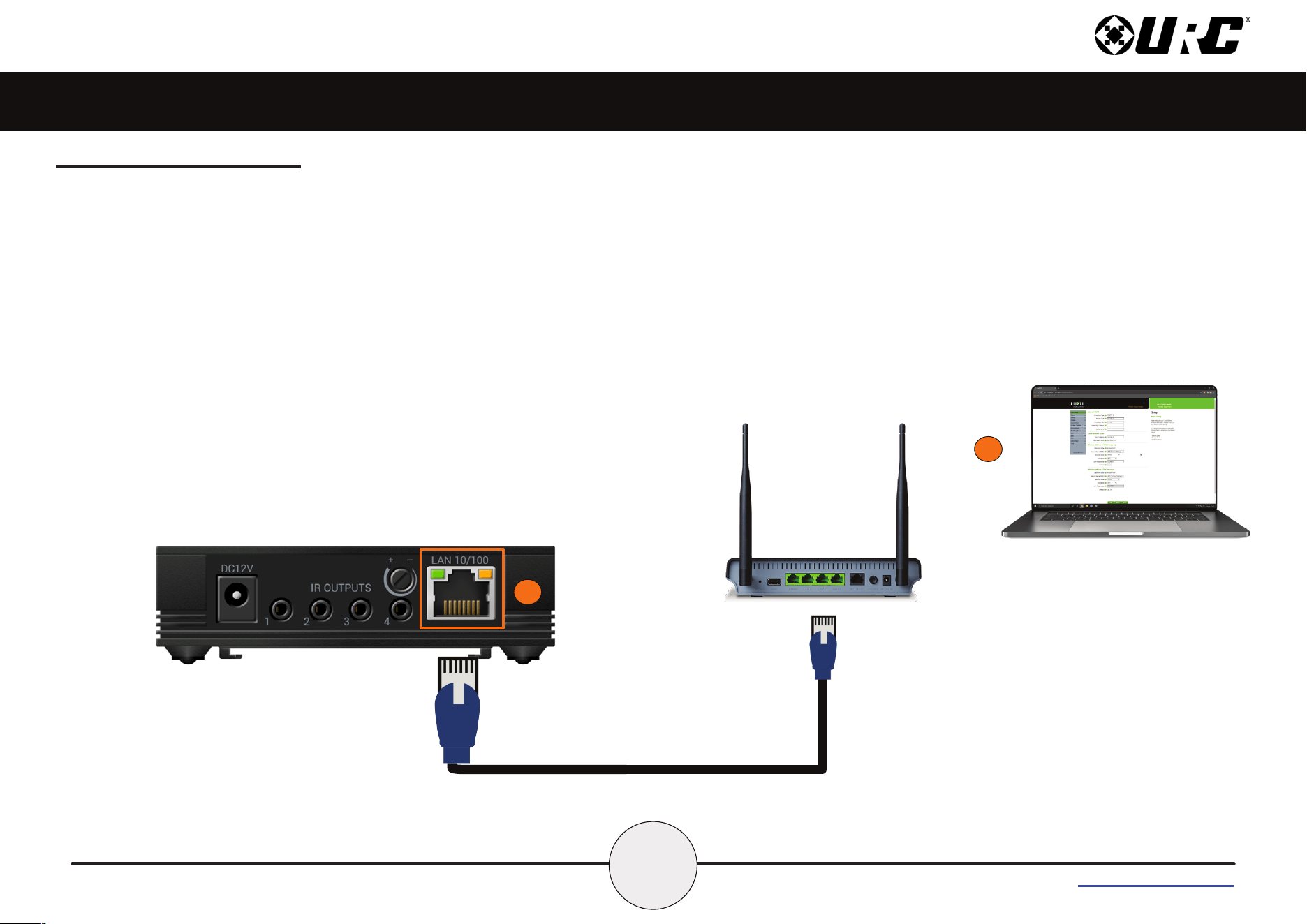
Network Installation
1. Connect an Ethernet cable (RJ45) to the rear of the MRA-DUO
and then into an available LAN port of the network’s local router
(Luxul preferred).
2. Congure the MRA-DUO to a DHCP/MAC reservation within
the local router. A certied URC integrator is required for this
step.
7
Total Control
MRA-DUO
Owner’s Manual
Table of Contents
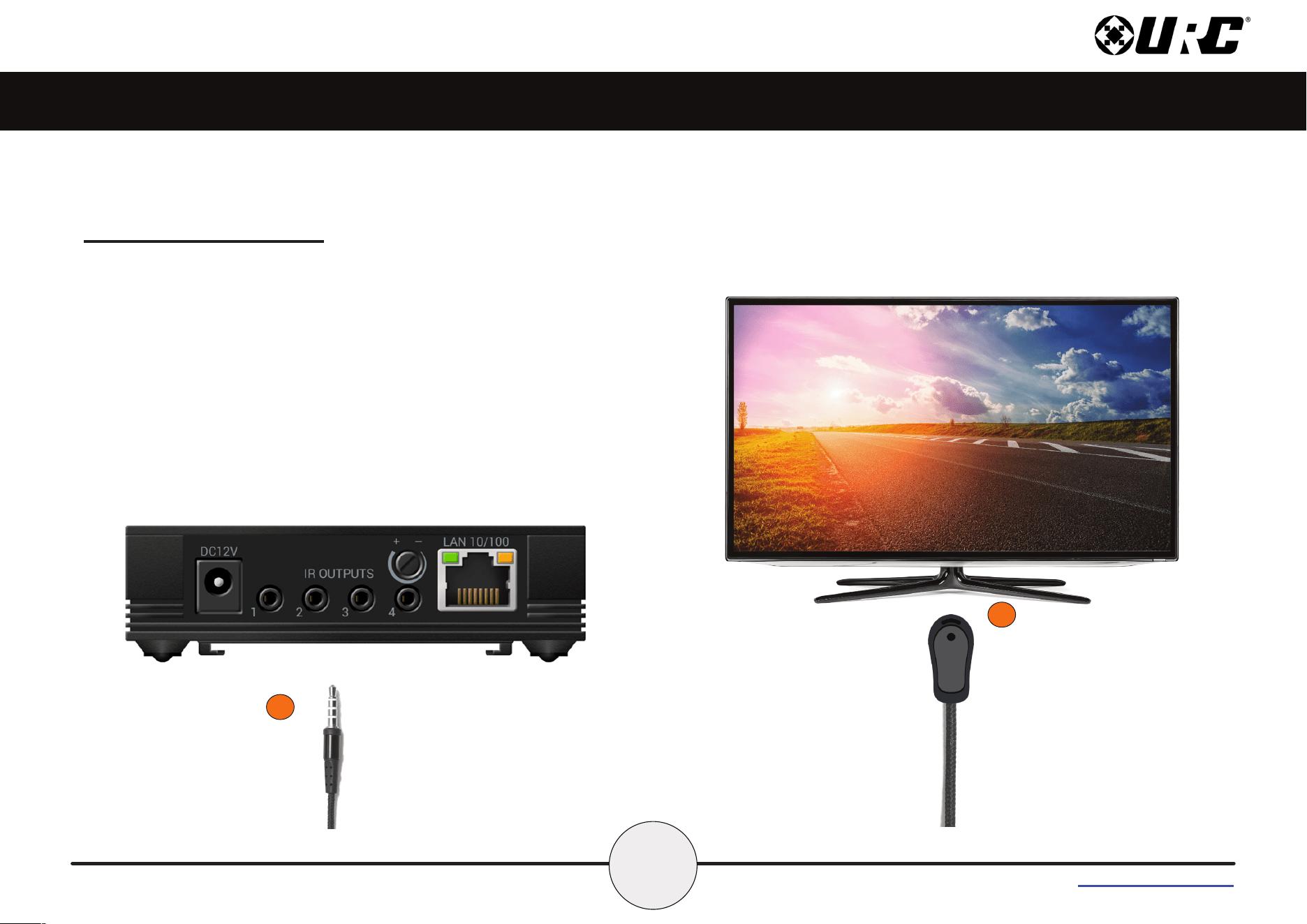
Connecting IR Emitters
IR emitters are used to communicate to AV devices such as cable
boxes, televisions, blu-ray players and more.
1. Plug IR emitters (four (4) supplied in the box) into any of the
four (4) IR outputs available on the rear of the MRA-DUO.
2. Remove the adhesive covering from the emitter and place it
over the IR receiver of the 3rd party device (cable box,
television, etc.).
1
2
8
Total Control
MRA-DUO
Owner’s Manual
Table of Contents
Specications
• Network: One (1) 10/100 RJ45 Ethernet port (two LED
indicators)
• Wi-Fi: 2.4GHz [802.11 b/g/n]
• Bluetooth: BLE 5.2
• Processor: Xtensa® dual-core 32bit LX6
• RAM: PSRAM 2MB
• Storage: FLASH 8MB
• Weight: 3.2 oz
• Power: DC 12V/1.0A
• IR Outputs: Four (4) IR outputs (IR attenuator on output 4)
• IR Blaster: Front IR Blaster
Limited Warranty Statement
https://www.urc-automation.com/legal/warranty-statement/
End User Agreement
The terms and conditions of the End User Agreement available at
https://www.urc-automation.com/legal/end-user-agreement/ shall apply.
Federal Communication Commission Interference
Statement
This equipment has been tested and found to comply with the limits for a
Class B digital device, pursuant to part 15 of the FCC Rules. These
limits are designed to provide reasonable protection against harmful
interference in a residential installation.
This equipment generates, uses and can radiate radio frequency energy
and, if not installed and used in accordance with the instructions, may
cause harmful interference to radio communications. However, there is
no guarantee that interference will not occur in a particular installation. If
this equipment does cause harmful interference to radio or television
reception, which can be determined by turning the equipment o and on,
the user is encouraged to try to correct the interference by one more of
the following measures:
• Reorient or relocate the receiving antenna.
• Increase the separation between the equipment and receiver.
• Connect the equipment into an outlet on a circuit dierent from
that to which the receiver is connected.
• Consult the dealer or an experienced radio/TV technician for
help.
9
Total Control
MRA-DUO
Owner’s Manual
Table of Contents
Warning!
The manufacturer is not responsible for any Radio or TV interference
caused by unauthorized modications to this equipment.
Changes or modications not expressly approved by the manufacturer
could void the user's authority to operate the equipment.
Radiation Exposure Statement
This equipment complies with FCC radiation exposure limits set forth for
an uncontrolled environment. The device has been evaluated to meet
general RF exposure requirements. The device can be used in portable
exposure condition without restrictions.
Bluetooth Trademark Notice
The Bluetooth® word mark and logos are registered trademarks owned
by Bluetooth SIG, Inc. And are used by URC under license.
Other trademarks and trade names are those of their respective owners.