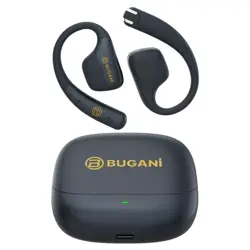
BLUETOOTH HEADPHONE
1. Multifunction touch button (MFB)
2. LED indicator
3. Vocal position
4. Charging contacts
5. Charging Case Indicator Light
6. USB-C charging interface
Earphones x 2 (left & right)
Charging Case
USB-C Charging Cable
User manual and Warranty Letter
Scented paper pendant
Product Overview
Power On/O
Open the cover of the charging case and the earphones
will turn on automatically. Put the earphones into the
charging case, close the cover, and the earphones will
automatically turn o and charge.
Charging
Use the USB-C charging cable provided with the product
to charge. When charging the charging case, the blue
indicator light on the charging case flashes, and it will stay
on after being fully charged.
Pairing
Open the charging case cover and the earphones will turn
on automatically. To connect a new device, turn on your
phone's Bluetooth and search for "BUGANi Fit B18" to
pairing, after the connection is successful, you will hear the
system voice prompt.
Volume control
Turn down the volume: While music is playing, double
press the MFB button on your left earphone.
Turn up the volume: While music is playing, double press
the MFB button on your right earphone.
Call
Answer a call: Press the MFB button (both left and right
earphone can be operated).
End a call: Double press the MFB button (both left and
right earphone can be operated).
Reject the call: When an incoming call comes, press and
hold for 2 seconds (both left and right earphone can be
operated).
Music
Play/pause: Press the MFB button (both left and right
earphone can be operated).
Previous song: Connected mobile phone status, left
earphone quickly press 3 times.
Next song: Connected mobile phone status, right earphone
quickly press 3 times.
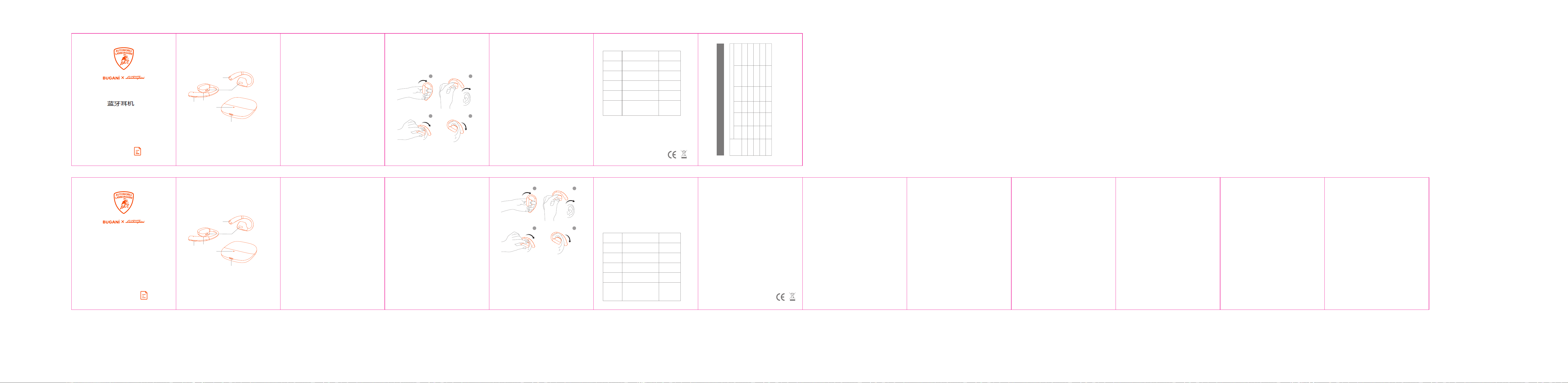
Wear
Take out the earphones, sit the "BUGANi Fit B18" behind
your earphone and gently rotate it into a comfortable
position to ensure the best wearing and sound experience.
LIMITED WARRANTY
BUGANi products will furnish a replacement or repair any
part which proves (upon inspection by BUGANi) to be
defective under normal use within 12 months of the original
purchase date. This warranty does not apply to appearance
items, or accessories in the human damage caused by leaking
batteries. it also does not apply to the product, or to any part
thereof, that has been damaged through misuse or
negligence, improper installation, or operation. Furthermore,
this warranty will become invalid, in the judgment of BUGANi
products or any parts installed incorrectly, repaired or altered
by other than BUGANi Service department. This warranty
gives you specific legal rights and you may also have other
rights which vary from state to state. Some states do not
allow the exclusion or limitation of incidental or consequential
damages or limitation incidental or consequential damages
or limitations on how long an implied warranty lasts, so the
above exclusions and limitations may not apply to you.
NOTE: This equipment has been tested and found to comply
with the limits for a Class B digital device, pursuant to part 15
of the FCC Rules. These limits are designed to provide
reasonable protection against harmful interference in a
residential installation. This equipment generates uses and
can radiate radio frequency energy and, if not installed and
used in accordance with the instructions, may cause harmful
interference to radio communications. However, there is no
guarantee that interference will not occur in a particular
installation. If this equipment does cause harmful interference
to radio or television reception which can be determined by
turning the equipment o and on, the user is encouraged to
try to correct the interference by one or more of the
following measures:
- Reorient or relocate the receiving antenna.
-Increase the separation between the equipment and the
receiver.
-Connect the equipment to an outlet on a circuit dierent
from that to which the receiver is connected.
-Consult the dealer or an experienced radio/TV technician for
help
Changes or modifications not expressly approved by the
party responsible for compliance could void the user's
authority to operate the equipment.
This device complies with Part 15 of the FCC Rules. Operation
is subject to the following two conditions:
(1) this device may not cause harmful interference, and
(2) this device must accept any interference received.
including interference that may cause undesired operation.
For more information please visit www.bugani-global.com.
Please contact: care@bugani-global.com
FCC STATEMENT
Changes or modifications not expressly approved by the
party responsible for compliance could void the user's
authority to operate the equipment.
This equipment has been tested and found to comply with the
limits for a Class B digital device, pursuant to part 15 of the
FCC Rules.
These limits are designed to provide reasonable protection
against harmful interference in a residential installation. This
equipment generates uses and can radiate radio frequency
energy and, if not installed and used in accordance with the
instructions, may cause harmful interference to radio
communications. However, there is no guarantee that
interference will not occur in a particular installation. lf this
equipment does cause harmful interference to radio or
television reception which can be determined by turning the
equipment o
and on, the user is encouraged to try to correct the
interference by one or more of the following measures:
- Reorient or relocate the receiving antenna.
- Increase the separation between the equipment and the
receiver.
- Connect the equipment to an outlet on a circuit dierent
from that to which the receiver is connected.
- Consult the dealer or an experienced radio / TV technician
for help.
Changes or modifications not expressly approved by the
party responsible for compliance could void the user's
authority to operate the equipment.
This device complies with Part 15 of the FCC Rules. Operation
is subject to the following two conditions:
(1) This device may not cause harmful interference, and
(2) This device must accept any interference received.
Including interference that may cause undesired operation.
The device has been evaluated to meet general RF exposure
requirement. The device can be used in portable exposure
condition without restriction.
FCC ID: 2BGTK-BH21026
IC CAUTION
Radio Standards Specification RSS-Gen, issue 5
- English:
This device contains licence-exempt transmitter(s)/receiver(s)
that comply with Innovation, Science and Economic
Development Canada’s licence-exempt RSS(s). Operation is
subject to the following two conditions:
This device may not cause interference.
This device must accept any interference, including
interference that may cause undesired operation of the
device.
RF exposure statement:
The device has been evaluated to meet general RF exposure
requirement. The device can be used in portable exposure
condition without restriction.
- French:
Cet appareil contient des émetteurs / récepteurs exemptés
de licence conformes aux RSS (RSS) d'Innovation, Sciences et
Développement économique Canada. Le fonctionnement est
soumis aux deux conditions suivantes:
Cet appareil ne doit pas causer d'interférences.
Cet appareil doit accepter toutes les interférences, y compris
celles susceptibles de provoquer un fonctionnement
indésirable de l'appareil.
Déclaration d'exposition RF:
L'appareil a été évalué pour répondre aux exigences générales
d'exposition aux RF. L'appareil peut être utilisé dans des
conditions d'exposition portable sans restriction.
IC: 32554-BH21026
For more information,
please visit www.bugani-global.com
Voice Assistant
Connected mobile phone status, long press the MFB
button for 3 seconds to wake up voice assistant (both left
and right earphone can be operated).
Game Mode
In music mode, Press the MFB button four times to switch
to game mode. (both left and right earphone can be
operated).
Reset
In the power on state, touch the MFB of the earphones 5
times (two earphones at the same time), and the
earphones will automatically shut down to reset. Put the
earphones in the charging case and then take them out,
the earphones will turn on automatically, and enter the
pairing mode.
Note
* After removing the earphone from the charging case, there
is no need to press any buttons, the left and right earphone
will automatically connect and Automatically enter pairing
mode.
*Please place the earphones in the correct position for
charging.
*It is not recommended to replace the battery privately
without permission.
*Batteries [battery packs or cell combinations] must not be
exposed to lighting, baking, or similar excessive heat.
Indicator/Voice Prompt Guide
Mode
Power On
Description
Voice Prompt
Power Off
Pairing
Connected
The white light flashes
quickly
The red indicator is on for
2s and off
The white indicator flashes
for 2s and off
The white light flashes
quickly
Charging
case
When charging the charging
case, the blue indicator light
on the charging case
flashes, and it will stay on
aer being fully charged
System tone
System tone
-
System tone
-
USER MANUAL
Model: BH21026
75X95MM 105G双胶+1655C+K+风琴折+1黑+1专
B18
�
�
�
�
�
�
1
2
3
4
封面
Model: BH21026
�
�
�
�
�
�
产品概述
耳机x�(左&右耳)
充电盒
USB-C充电线
用户手册/快速指南
定制香片挂件
�. 多功能触控键 (MFB)
�. 耳机指示灯
�. 发声位置
�. 充电触点
�. 充电盒指示灯
�. USB-C充电口
1
2
3
4
电源开、关
打开充电盒盖,耳机将自动开机。将耳机放入充电盒,把盖合上,耳机
会自动关机同时进行充电。
充电盒充电
使用产品自带的USB-C充电线进行充电,充电盒充电时,充电盒蓝色
指示灯慢闪,充满电后蓝色指示灯长亮。
配对
打开充电盒盖,耳机将自动开机。对于新设备连接,请打开手机蓝牙
并搜索“BUGANi Fit B��”进行配对,配对成功后,您会听到系统提
示音。
音量控制
调低音量:在音乐播放状态下,双击左耳机的多功能触控键。
调高音量:在音乐播放状态下,双击右耳机的多功能触控键。
通话
接听通话:短按多功能触控键(左右耳机均可操作)。
结束通话:双击多功能触控键(左右耳机均可操作)。
拒接来电:长按�秒多功能触控键(左右耳机均可操作)。
音乐
播放/暂停:短按多功能触控键(左右耳机均可操作)。
上一曲:已连接手机状态,左耳机轻点�下多功能触控键。
下一曲:已连接手机状态,右耳机轻点�下多功能触控键。
佩戴
拿出耳机,将“ BUGANi Fit B18 ”顺着耳后佩戴,并轻轻旋转至舒适
位置,以确保获得最佳的佩戴效果和音质体验。
语音助手
已连接手机状态,长按�秒多功能触控键唤醒语音助手(左右耳机均可
操作) 。
游戏模式
在音乐模式下,四击多功能触控键即可切换游戏模式(左右耳机均可
操 作 ) 。
恢复出厂设置
开机状态下连续�击耳机触控键(双耳机同时),耳机将自动关机,恢
复出厂设置。耳机放入充电盒再取出,耳机重新开机,进入配对模式。
注意
*从充电盒中取出耳机后,无需按任何按键,左右耳机会自动连接和自动
进入配对模式。
*请将耳机放在正确的位置进行充电。
*不建议未经许可私下更换电池。
*电池[电池组或电池组合]不得暴露在照明,烘烤或类似过热的环境中。
指示灯/语音指南
模式 描述 声音提示
开机 白灯快闪
白灯快闪
系统提示音
红灯长亮�s熄灭
白灯闪烁�s熄灭
关机
配对
连接
充电盒充电时, 充电盒上
的蓝色指示灯闪烁,充满
后蓝色指示灯灯长亮
系统提示音
系统提示音
充电盒充电
-
-
B18
本产品由中国平安保险公司承保
用户手册
X:表示该有害物质至少 在该部件的某一均质材料中的含量超出GB/T�����规定的限量要求。
本表格依据SJ/T�����-����的规定来编制
O:
表示该有害物质在该部件所有均质材料中的含量均在GB/T�����规定的限量要求以下。
产品有毒有害物质或元素表
有害物质
铅
(Pb)
汞
(Hg)
镉
(Cd)
六格铬
(Cr(VI))
多溴联笨
(PBBs)
多溴二笨醚
(PBDEs)
部件名称
外壳
线材
喇叭
主板
电池
○
○
○
○
○
○
○
○
○
○
○
○
○
○
○
○
○
○
○
○
○
○
○
○
○
○
○
○
○
○

