IMPORTANT SAFEGUARDS
Please read and follow all instructions and safety guidelines in this manual.
• Do not exceed the 33 lb / 15 kg weight capacity, as it will damage the scale. An error indicator will
appear on the LED display if the limit is exceeded.
• Do not immerse the scale body in water or any liquid. If liquid is spilled on the digital display or buttons,
immediately wipe the scale dry with a soft cloth to avoid internal damage.
• Handle with care. This scale is not intended for commercial or heavy-duty use.
• Keep the scale in a cool, dry place. Avoid exposure to damp environments or extreme temperatures.
• Household use only.

GETTING TO KNOW YOUR KITCHEN SCALE
1. PRODUCT DIAGRAM
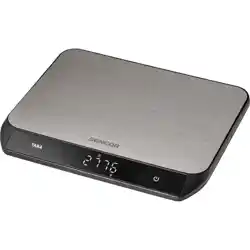
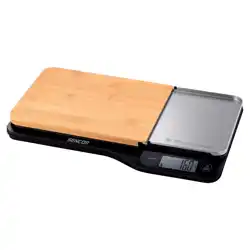
1.Weighing platform
2.Charging & Connection Contacts
3.USB‑ C Charging Port
4.Scale Reset Button
5.Power Button
6.Unit Selection
7.Tare Button
8.Charging & Connection Contacts
9.Display Reset Button
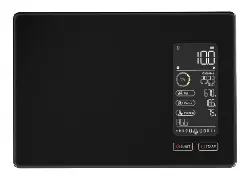
1. Bluetooth connection status icon
2. Battery indicator for scale body
3. Tare indicator
4. Battery indicator for display module
5. Weight capacity indicator
6. SPECIFICATIONS

Weight Capacity
33 lb / 15 kg
FCC ID for scale body
2BWMD-KS17
FCC ID for display module
2BWMD-KS17D
Units
lb:oz-oz-g-ml-fl oz-ml(milk)-fl oz (milk)
Increments
1 g/ 0.05 oz
Auto Off
3 minutes, adjustable
Battery
Li-ion Rechargeable Battery
Charging Method
5 V ⎓ 1 A (USB‑ C)
Operating Temperature
41°–104°F / 5°–40°C
Operating Humidity
35%–80%
OPERATING INSTRUCTIONS
Battery Charging
It is recommended to charge the product before first use.
1. Place the display module back onto the scale body, ensuring the metal Charging & Connection
Contacts are properly aligned and fully connected..
2. Insert the USB charging cable into the USB‑ C charging port.
3. Plug the cable into a 5V DC adapter, then plug the adapter into a wall outlet. You can also plug the
cable into a powered USB port.
Note: The display module has no charging port. It can only be charged when placed back onto the scale
body.

Status
Description
Low battery (below 10%): You can keep
using the scale, but we recommend
charging it to ensure uninterrupted use.
Charging complete: The battery is fully
charged.
General Operation
Note:
• For accurate results, always place the scale on a hard, flat surface, and keep the scale away from dirt,
dust, vibrations, wind, air currents, and electromagnetic interference.
• When you turn on the scale, choose units, or use the tare function, wait for the display to read “0” before
measuring.
Power On / Off

Power on: Tap" "to turn on the scale.
Power off: To conserve battery power, the scale will automatically turn off after 180 seconds of inactivity. Or
you can press and hold the " " for 2 seconds to manually turn off the digital scale at any time.
Pairing with the scale
1.After turn on the scale and the display module will pairing with the scale body automatically.
2.Pairing usually takes about 3 seconds. If the scale is unstable or due to other factors, pairing may take
longer.
Note: When display module is placed back on the scale, it also work normally without pairing with the scale
- even if pairing fails.
Weighing
This scale supports two weighing modes based on your needs.
Display Docked Mode:
Place the display module back into the scale body until it aligns and sits firmly. You can weigh normally.
Note: Even if the Bluetooth connection is not established, the scale can still weigh normally while docked.
Display Split Sync Mode: Easy reading for weighing large items or large bowls.
1.Remove the display module from the scale body and place it where you can read it easily (to avoid bowls
blocking the view).
2.After you turn on the scale, the display module will automatically pair with the scale body. Then you can
weigh normally.

Unit Switch
Tap the UNIT button to select your desired unit.
Tare Function
Whenever you measure liquid or items inside a container, you can use the tare function to remove the
container's weight from the total measurement.
1. Place an empty container on the scale. The display will show the container's weight.
2. Tap the TARE button. The display will show “0” again.
3. Place liquid or food items in the container. The scale will now measure the liquid or items, without
including the weight of the container. When you're done, reset the scale by removing all the weight and
tapping the Tare button.
Adjustable auto-off time
Press and hold the UNIT button for 2 seconds to adjust the auto power-off time. The default setting is t-3.
1. Tap the UNIT button to cycle through t-5, t-8, and t-3.
2. After selecting, press the “ ” button to confirm and return to the normal display.

Weight Capacity Indicator
The Weight Capacity Indicator shows how much of the scale’s capacity is being used (0–11 lb / 0–5 kg).
If overloaded, the overload message "O_Ld" appears on the display.
MAINTENANCE
• Use a slightly damp cloth to clean the surface, followed by a dry, soft cloth to wipe away the remaining
moisture.
• Do not wash the scale body or immerse it in water or any other liquid.
TROUBLESHOOTING
ERROR MESSAGE
REASON
SOLUTION
"O_Ld"
Scale overload.Maximum weight capacity:
33 lb / 15kg.
Remove the object from the scale to avoid damag
"Lo" or Display is
very dim
Battery power is low. Shutting down
soon.
Charing the batteries.
"No-Con"
Display module
can’t pair with
the scale body.
1.The devices are too far apart.
2.Low battery causing an unstable
connection.
3.The Bluetooth module is in an
abnormal state
1.Make sure the devices is within 30 ft / 10 m.
2. Please charge the scale.
3.Press the Reset button with a safety pin or paper clip
to restart the scale body or display moudle,
The scale doesn’t
turn on
low battery or software malfunction or
other causes
1.Press the Reset button with a safety pin or paper clip
to restart the scale body or display moudle,
2.Charge the scale.
Reading is
inaccurate.
1. Incorrect Operation or the surface
is uneven or unstable
2. Environmental interference (e.g.,
airflow from a fan or high humidity).
1.Place scale on a level surface.and make sure the
screen displays “0” before measuring or keep scale
away from dirt, dust, vibrations, wind, air currents,
and electromagnetic interference.
2. If the problem persists, reset the scale and check
that the weighing platform is attached properly.
The display module
can not charged
1.The display module is not properly
seated on the scale body, and the metal
contacts are not making good contact
2.Dirt, oil, oxidation, or moisture on
the contacts may also prevent charging.
1.Ensure the display module magnets are aligned and the
metal charging contacts are well connected.
2.Clean the metal contacts with a dry, soft cloth and
keep them dry.

FCC STATEMENT
NOTE: This equipment has been tested and found to comply with the limits for a Class B digital device,
pursuant to part 15 of the FCC Rules. These limits are
designed to provide reasonable protection against harmful interference in a
residential installation. This equipment generates, uses and can radiate radio
frequency energy and, if not installed and used in accordance with the instructions, may cause harmful
interference to radio communications. However, there is no guarantee that interference will not occur in a
particular installation. If this equipment does cause harmful interference to radio or television reception,
which can be determined by turning the equipment off and on, the user is encouraged to try to correct the
interference by one or more of the following measures:
- Reorient or relocate the receiving antenna.
- Increase the separation between the equipment and receiver.
-Connect the equipment into an outlet on a circuit different from that to which the receiver is connected.
-Consult the dealer or an experienced radio/TV technician for help
Changes or modifications not expressly approved by the party responsible for compliance could void the
user's authority to operate the equipment.
This device complies with Part 15 of the FCC Rules. Operation is subject to the following two conditions:
(1) this device may not cause harmful interference, and (2) this device must accept any interference
received, including interference that may cause undesired operation.
FCC RF Exposure Warning Statement:
This equipment complies with FCC radiation exposure limits set forth for an uncontrolled environment. This
equipment can be used in portable exposure conditions.The device shall be operated and installed without
restriction.
ISED Radio Frequency Exposure Statement:
This equipment complies with ISED exposure limits set forth for an uncontrolled environment. This
equipment can be used in portable exposure conditions.
ISED Déclaration d'exposition aux radiofréquences:
Cet équipement est conforme aux limites d'exposition d'ISDE établies pour un environnement non contrôlé.
Cet équipement peut être utilisé dans des conditions d'exposition portables.
Shenzhen Faray InfoTech Co.,Ltd.

Room 401, Building, No. 7025, Liuxian Avenue, Xili Community, Xili Street, Nanshan District, Shenzhen,
China Block A, Xichuang Technology
WARRANTY INFORMATION
We offer a 1-year warranty on the product, starting from the date of purchase. During the warranty period,
we will address any defects resulting from faults in materials or workmanship. Please contact us at:
support@ultrean.com to launch a warranty claim.
This warranty does not cover: Damage caused by improper use, normal wear and tear, or defects that have
a negligible impact on the functionality or value of the appliance. Repairs performed by unauthorized
persons or the use of non-original parts, which will void the warranty.
CUSTOMER SERVICE
1. If you have questions or concerns, please don't hesitate to contact us directly at [email protected]
or visit our website at:
www.ultrean.com.
2. Our hassle-free warranty and customer service team are here to provide satisfactory solutions for any
issues you may encounter.