
P
airing the Remote Control
After connecting the wires and powering on, turn on the fan to enter the network configuration
mode, which lasts for 30 seconds.
In pairing mode, press and hold the fan's power button for 3 seconds.
Until the fan remote control indicator light flashes, the fan emits a beep sound, and the fan light
flashes 4 times, indicating successful pairing.
Note: Multiple remotes can be paired with one fan. A single fan can be paired with up to 4 remotes.
When a fifth remote is successfully paired, the code of the first paired remote will be automatically
cleared.
C
lear the remote control's network pairing function
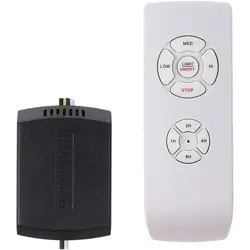
Press and hold the 2H button for 3 seconds, and all indicator lights on the remote will flas
h 3
time
s.
Then press and hold the 8H button on the remote control for 3 seconds, and all indicator lights
on the remote will flash 3 times.
Then press and hold the 2H button for 3 seconds, and all indicator lights on the remote will
flash 10 times to complete the clearing process.
Note: After each step (button action) is completed, the next button action must be performed within
5 seconds to maintain continuous validity.
T
he fan's mode switch button (this button toggles functions rather than providing a clear
on/off command)
If the fan is currently on, pressing this button sends an on/off command to the fan. The system
detects that it is already on and proceeds to turn it off, while all indicator lights on the remote
control will blink.
If the fan is currently off, pressing this button sends an on/off command to the fan. The system
detects the current off status and then executes the turning-on action, while all indicator lights
on the remote control will blink simultaneously.
The switch button of the lamp (this button is a toggle function button, not a clear command
button for turning on or off)
If the light is on, pressing this button will send an on/off command to the fan. The fan will
detect that it is currently on and then turn off. The indicator lights on the remote control will
also blink.
If the light is off, pressing this button sends an on/off command to the fan, which detects the
current off state and executes the on action. The remote control indicator lights will also bli
nk
s
imultaneously.
A
ll toggle buttons (this button is a function toggle button, not a clear command button for
turning on or off)
The red on/off button sends the same switch command each time it is pressed. The fan will first
check the current status of the fan or light. If either is in the "on" state, it will turn both the fan
and the light off. If both are in the "off" state when the button is pressed, it will turn both on.
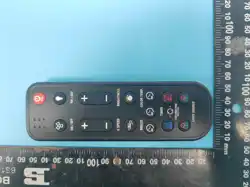
Model: ER-4RGB-S
FCC ID: 2BAPV-ER808
Fan remote control

Dimming button
Press the "+" or "-" button once to increase or decrease the brightness. The light has 6 preset
levels: 10%-20%-40%-60%-80%-100%. Adjust up or down sequentially without cycling.
Press and hold the + or - button for stepless dimming. Transition from minimum to maximu
m
or
maximum to minimum brightness over 8 seconds. Press and hold the - button to reduce
brightness to a minimum of 1%.
Note: Added a new synchronization feature. When there are two fans in a room and one remote
sends a command, if one fan fails to receive the signal, it directly follows the remote's memory to
jump to the next command, achieving synchronization between the two fans (Example: Fan A and
Fan B are controlled simultaneously, both at 10% brightness. When the "+" button is pressed, Fan
A changes to 20%, while Fan B remains at 10% due to not receiving the command. Then, when the
"+" button is pressed again, Fan A changes to 40%, and Fan B also directly changes to 40% by
following the remote's memory, achieving synchronization instead of Fan B staying at 20%). (The
synchronization feature cannot be implemented during stepless dimming.)
C
CT button
Single press cycles through 6 modes: 2700K-3000K-3500K-4000K-5000K-6500K, wit
h
6500K looping back to 2700K.
Press and hold for seamless color changes, with one cycle completed in 6 seconds.
Note: Added a new synchronization feature. Similar to dimming, if one of the two fans fails to
receive a command, the next button press will directly synchronize both to the same CCT.
D
ual-side backlit function keys (Press the function key first, then control the corresponding
lighting)
Press the Both button. The top and bottom light up and can be controlled simultaneously.
Before pressing the BOTH button, if the upper and lower lighting are at different color
temperatures or brightness levels, pressing the corresponding dimming or color adjustment
button after pressing BOTH will automatically synchronize the upper lighting section to match
the color temperature or brightness ratio of the lower lighting.
F
an speed button
Press the "+" or "-" button once to adjust the fan speed level, achieving 6 distinct levels with
conventional proportional increments (the app also follows the same 6-level system).
Press and hold the minus (-) button for 5 seconds to turn off the individual fan.
Note: The synchronization feature enables multiple fans in the same room to achieve synchronized
operation. Similar to the synchronization function for dimming and color tuning, it relies on the
remote control's memory to restore synchronization with the next command even if one fan misses
a previous command.
Respiratory function
The dwell time for each gear is shown in the figure below. Switching between gears occurs
randomly, and each switch must cover a distance of at least 2 wind speed levels (as illustrated
in the example).
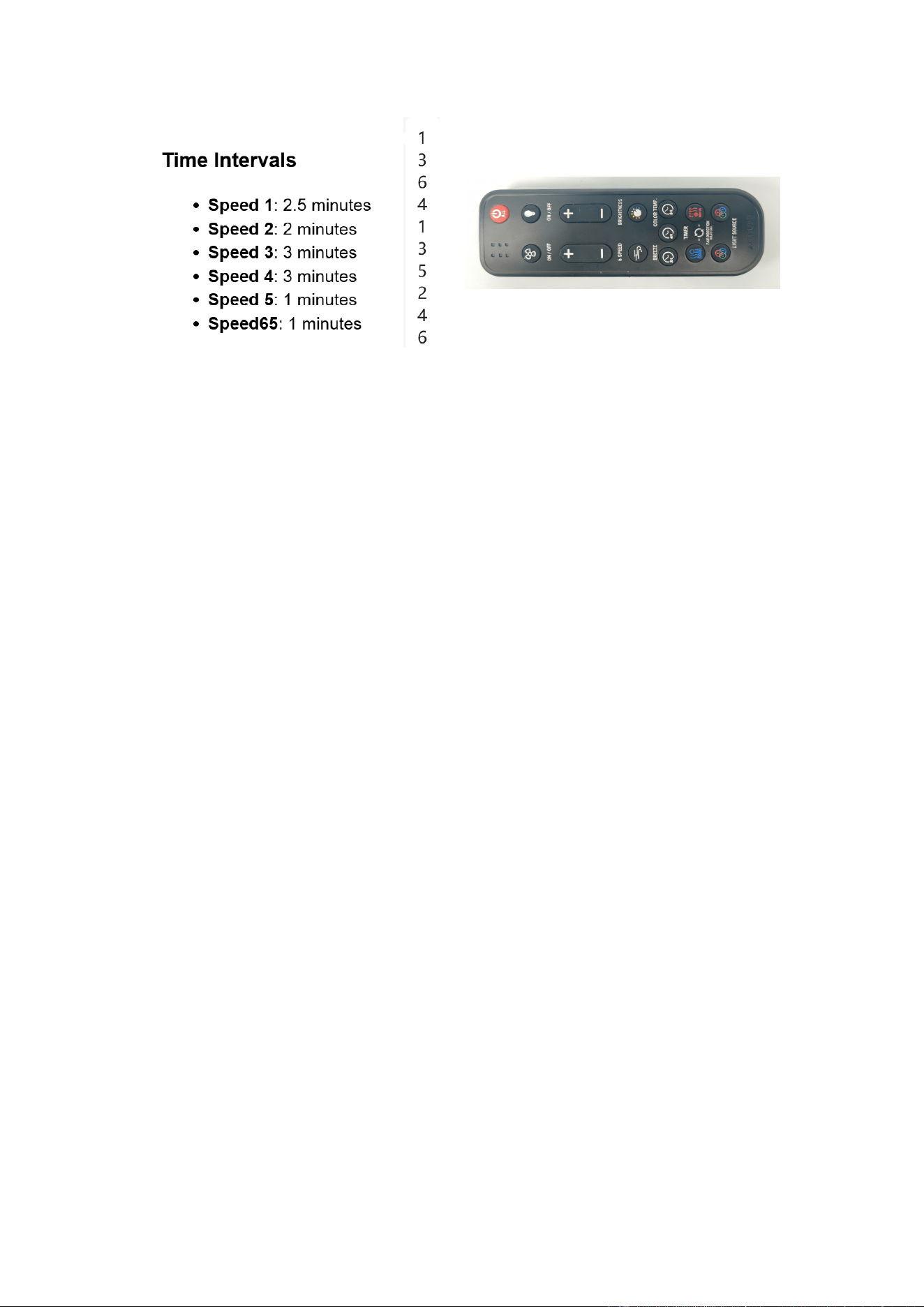
Not
e: When the fan is in the breathing function mode, pressing any fan control button or adjusting
the fan speed will automatically exit the breathing function and switch to the corresponding fan
speed setting.
Fo
rward/Reverse Button
Press and hold for 3 seconds, the corresponding remote's LED flashes to switch between
forward and reverse rotation functions.
If the forward button is held down while the fan is already rotating forward, the command will
be automatically ignored. If the reverse button is held down while the fan is already rotating in
reverse, the command will be automatically ignored.
Po
wer outage recovery function
When the fan is powered off and then restarted, it has a memory function that automatically
returns to its pre-power-off state. Additionally, within the first 30 seconds after power
restoration, it enters a pairing mode to allow pairing with new remote controls.
FCC statement
This device complies with part 15 of the FCC Rules.Operation is subject to the
following two conditions:
(1) This
device may not cause harmful interference, and
(2) this device must accept any interference received, including interference that may
cause undesired operation.
Any changes or modifications not expressly approved by the party
responsible for
compliance could void the user's authority to operate the equipment.
FCC Radiation Exposure Statement
This equipment complies with FCC radiation exposure limits set forth for an uncontrolled
environment.