OWNER’S MANUAL
JBL-AURA-BT-HDMI STEREO

FCC Warning
This device complies with part 15 of the FCC Rules. Operation is subject to the following two conditions: (1) This
device may not cause harmful interference, and (2) this device must accept any interference received, including
interference that may cause undesired operation.
Note: This equipment has been tested and found to comply with the limits for a Class B digital device, pursuant to
part 15 of the FCC Rules. These limits are designed to provide reasonable protection against harmful interference in
a residential installation. This equipment generates, uses and can radiate radio frequency energy and, if not installed
and used in accordance with the instructions, may cause harmful interference to radio communications. However,
there is no guarantee that interference will not occur in a particular installation. If this equipment does cause harmful
interference to radio or television reception, which can be determined by turning the equipment off and on, the user
is encouraged to try to correct the interference by one or more of the following measures:
—Reorient or relocate the receiving antenna.
—Increase the separation between the equipment and receiver.
—Connect the equipment into an outlet on a circuit different from that to which the receiver is connected.
—Consult the dealer or an experienced radio/TV technician for help.
Note: The Grantee is not responsible for any changes or modifications not expressly approved by the party
responsible for compliance. Such modifications could void the user's authority to operate the equipment.
The device has been evaluated to meet general RF exposure requirement.
To maintain compliance with FCC's RF exposure guidelines, the distance must be at least 20 cm between the
radiator and your body, and fully supported by the operating and installation.
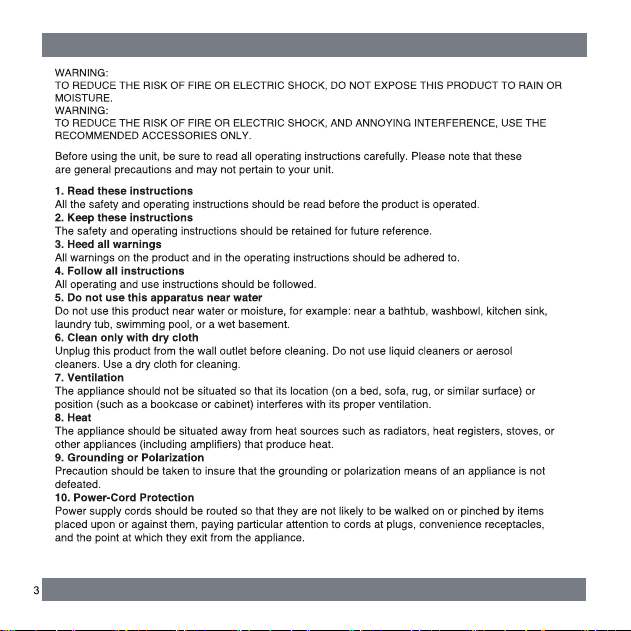
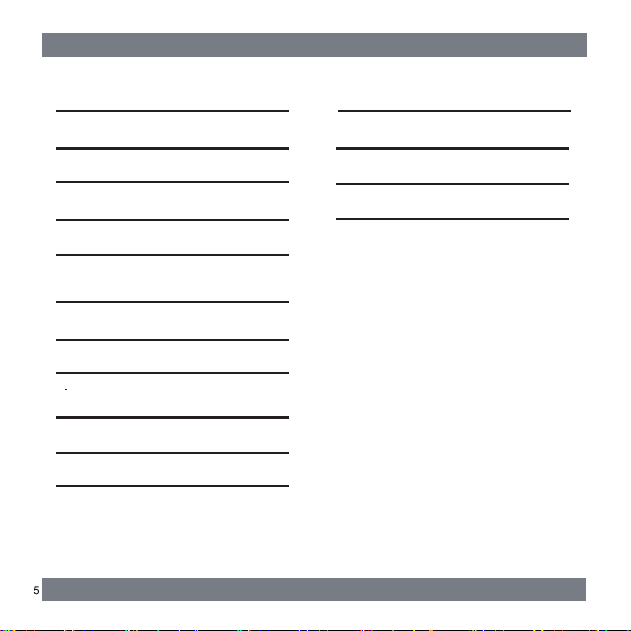
IMPORTANT SAFETY INSTRUCTIONS 2
2. WHAT'S IN THE BOX 6
3. PRODUCT OVERVIEW 7
4. SPEAKER/POWER WIRE SOCKET 8
DIAGRAM
5. MOUNTING 9
6. BLUETOOTH OPERATION 10
7. PLAYING TV SOUND 10
THROUGH THE AURA-BT-HDMI
8. USB PLAYBACK 11
9. ZONE A/FRONT -ZONE B/REAR 11
SPEAKER OPERATION
10. HDMI OPERATION 12
11. LED BEHAVIOR AROUND KNOB 12
12. RESTORE FACTORY SETTINGS 12
13. TROUBLESHOOTING 13
1. INTRODUCTION 6
TABLE OF CONTENTS
14. PRODUCT SPECIFICATIONS 14
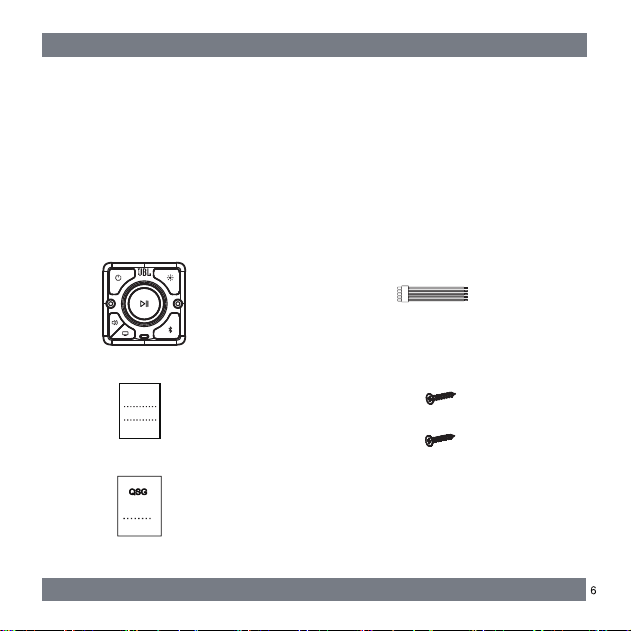
Quick Start Guide
Wire harness for speaker and power supply
Screws X 2
Unpack the box carefully and ensure that the following parts are included.
User manual
2. WHAT’S IN THE BOX
1. INTRODUCTION
Thank you for purchasing the JBL-AURA-BT-HDMI STEREO which is designed to
bring an extraordinary sound experience to your entertainment system. We encourage
you to take a few minutes to read through this manual, which describes the product
and includes step-by-step instructions for setting up and getting started.
JBL AURA-BT-HDMI STEREO
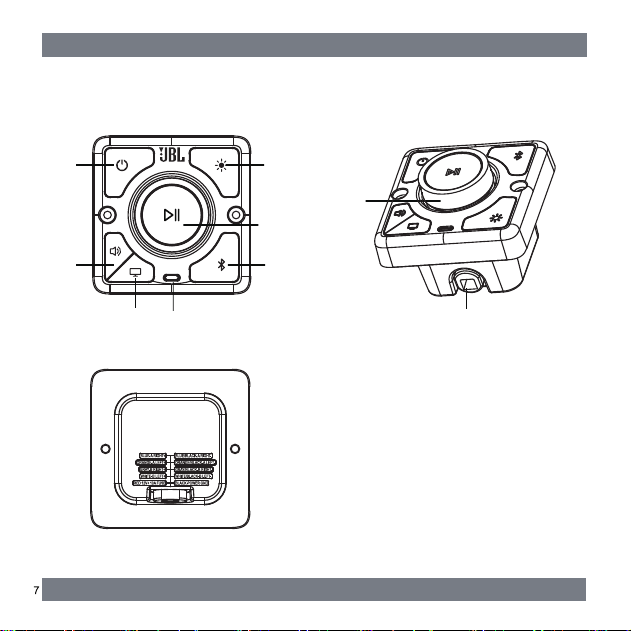
Connectors
1
2
3
8
7
6
5
4
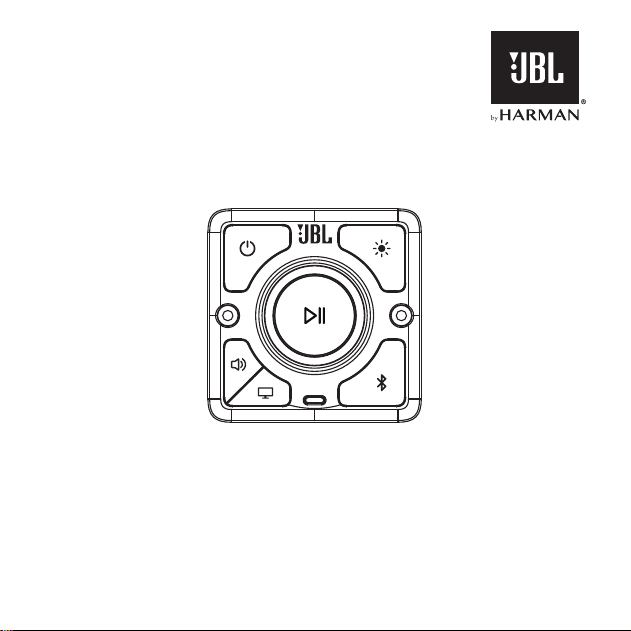
Controls and Features
3. PRODUCT OVERVIEW
9
1 Power Button
2 Light Effect Button
3 Sound/Zone Button
4 HDMI Button
5 USB Type C Port
6 Play/Pause Multi-Function Button
7 Pair Button
8 Wire Harness Outlet
9 Volume Knob
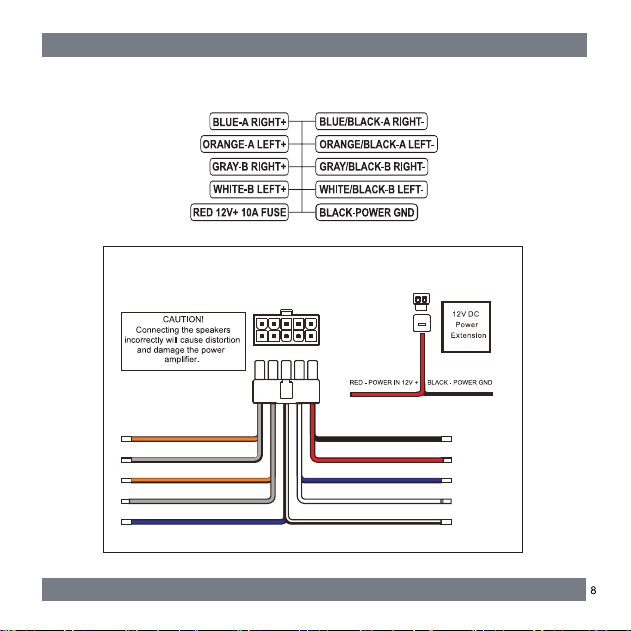
4. SPEAKER/POWER WIRE SOCKET DIAGRAM
SPEAKER (4X4-ohms) WIRING COLOR CODE GUIDE
ORANGE-A LEFT+
GRAY/BLACK- B RIGH T-
ORANGE/B LACK-A LEFT-
GRAY-B RIGH T+
BLUE-A RIGH T+ WHITE/BLACK-B LEFT-
BLACK-POWER G ND
RED 12V+
BLUE/BLACK- A RIGHT-
WHITE-B LEFT+
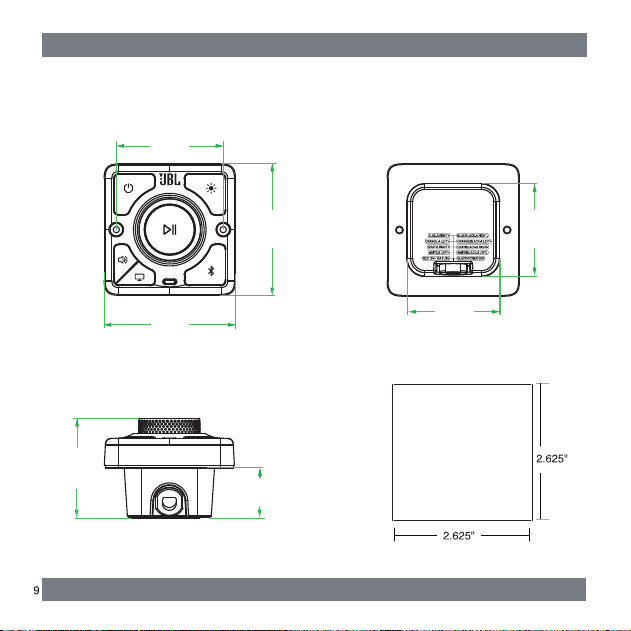
CABINET OR WALL ROUGH OPENING CUT-OUT
5. MOUNTING
3.67’’
2.83’‘
1.42’’
2.57’’
3.67’’
2.99’’
2.57’’
1. Power ON the AURA-BT-HDMI.
2. Turn on the Bluetooth compatible device and enter pairing mode.
3. When the Bluetooth device finds the unit, “JBL-AURA-BT-HDMI” will appear on
the display of the device, select it to make the connection.
4. During Playback:
- Short press button on the front panel to pause playback, short press button
again to resume playback.
- Quick short press button twice on the front panel to play next track, quick short
press button three times to play previous track.
- Rotate the volume knob right on the front panel to increase the volume, rotate the
volume knob left to decrease the volume.
5. To pair another Bluetooth Device, disconnect the current paired device by pressing
the button on the front panel. The unit now can be discovered by other Bluetooth
devices.
Note:
After first time pairing, the unit will connect to the last paired Bluetooth Device
when both are within working range.
Hearing TV sound through the AURA-BT-HDMI is possible when using a compatible
SMART TV that has a sound out via Bluetooth, Place the AURA-BT-HDMI in the
Bluetooth pairing/discoverable mode, then open the TV settings menu for sound out,
select Bluetooth, and do a device search to select “JBL-AURA-BT-HDMI”. Adjust the
volume on the TV and/or the AURA-BT-HDMI to hear TV sound through the
connected speakers.
6. BLUETOOTH OPERATION
7. PLAYING TV SOUND THROUGH THE AURA-BT-HDMI
1. Power ON the AURA-BT-HDMI.
2. Plug a USB device into the USB Type C port on the front panel.
3. During Playback:
Short press button on the front panel to pause playback, short press button
again to resume playback.
4. Quick short press button twice on the front panel to play next track, quick
short press button three times to play previous track.
5. Rotate the volume knob right on the front panel to increase the volume, rotate
the volume knob left to decrease the volume.
Notes:
The unit will automatically switch to USB mode and start playback when the USB
flash drive is connected. Press the button or button to switch to Bluetooth mode
or HDMI mode.
The USB Type C port can provide external charging (10W/2.1A).
1. Press the button on the front panel to switch ON or OFF the corresponding
FRONT and REAR Speakers. FRONT speakers are default ON and REAR speakers
are default OFF when the unit is turned on.
2. Press the button once, FRONT and REAR are on.
3. Press the button second time, FRONT is OFF and REAR is ON.
4. Press the button third time, FRONT is ON and REAR is OFF.
8. USB PLAYBACK
9. ZONE A/FRONT - ZONE B/REAR SPEAKER OPERATION

1. Press button on the front panel to change the visualization of the AURA-BT-HDMI
lighting (Bright/Dim/Off), selected mode will retain in memory until changed.
2. Blue “Pulsing” - BT Pairing Mode, Blue “Solid” - Paired to a Device.
3. White “Solid” - HDMI mode.
11. LED BEHAVIOR AROUND KNOB (Lightning effect)
By restoring the default settings defined at the factory, you remove all personalized
settings from the AURA-BT-HDMI Wall Mount Stereo.
1. Power ON the AURA-BT-HDMI.
2. Press button for at least 10 seconds on the front panel to restore AURA-BT-HDMI
to factory settings.
12. RESTORE FACTORY SETTINGS
1. Power ON the AURA-BT-HDMI.
2. Connect the HDMI cable to the HDMI ARC port of your TV and the AURA-BT-HDMI.
3. Press button on the AURA-BT-HDMI to switch to HDMI ARC mode.
4. Set the Audio Output of TV to HDMI output.
5. During Playback:
Short press button on the AURA-BT-HDMI to mute the sound, short press again
to resume.
Note:
The TV should support HDMI ARC function and the Audio Output of TV should be set
to PCM option.
10. HDMI OPERATION

Poor audio quality from a connected Bluetooth device
- The Bluetooth reception is poor. Move the source device closer to the AURA-BT-HDMI
or remove any obstacle between the source device and the AURA-BT-HDMI.
System
The AURA-BT-HDMI will not turn on.
- Check for properly connected power.
- The AURA-BT-HDMI has no response to button pressing.
- Restore the AURA-BT-HDMI to factory settings.
Sound
No sound from the AURA-BT-HDMI
- Make sure speakers are connected properly.
- Make sure volume is turned up.
- Connect the AURA-BT-HDMI to your TV or other devices properly.
- Restore the AURA-BT-HDMI to its factory settings.
Bluetooth
A device cannot be connected with the AURA-BT-HDMI.
- Check if you have enabled Bluetooth on the device.
- lf the AURA-BT-HDMI has been paired with another Bluetooth device,
press button on front panel.
- lf your Bluetooth device has ever been paired with the AURA-BT-HDMI, unpair
the AURA-BT-HDMI from the Bluetooth device, and then pair the Bluetooth device
to the AURA-BT-HDMI again.
The connected Bluetooth device connects and disconnects constantly.
- The Bluetooth reception is poor. Move the source device closer to the AURA-BT-HDMI
or remove any obstacle between the source device and the BT STEREO.
Never try to repair the product yourself. If you have problems using this product, check
the following before you request services.
13. TROUBLESHOOTING
General specification:
Power supply: 12 -15V,6A
Total speaker power output
(Max.@THD 10%): 72W
Zone A Output power
(Max.@THD 10%): 2x18W
Zone B Output power
(Max.@THD 10%): 2x18W
USB specification:
Supporting file format: mp3
Wireless specification:
Bluetooth version: 5.4
Bluetooth working range: up to 10 meters
Dimension:
AURA-BT-HDMI: L3.67"*W3.67"*H2.83" (Rough Install Opening: 2.625" x 2.625" x 1.5")
14. PRODUCT SPECIFICATIONS
www.riverparkinc.com
2026 RIVERPARK Inc.
C