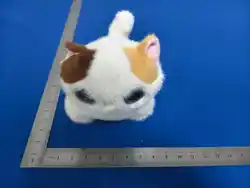
AI Happy Pet (V100-019-A-01) User
Manual
Please read this guide carefully before using the product
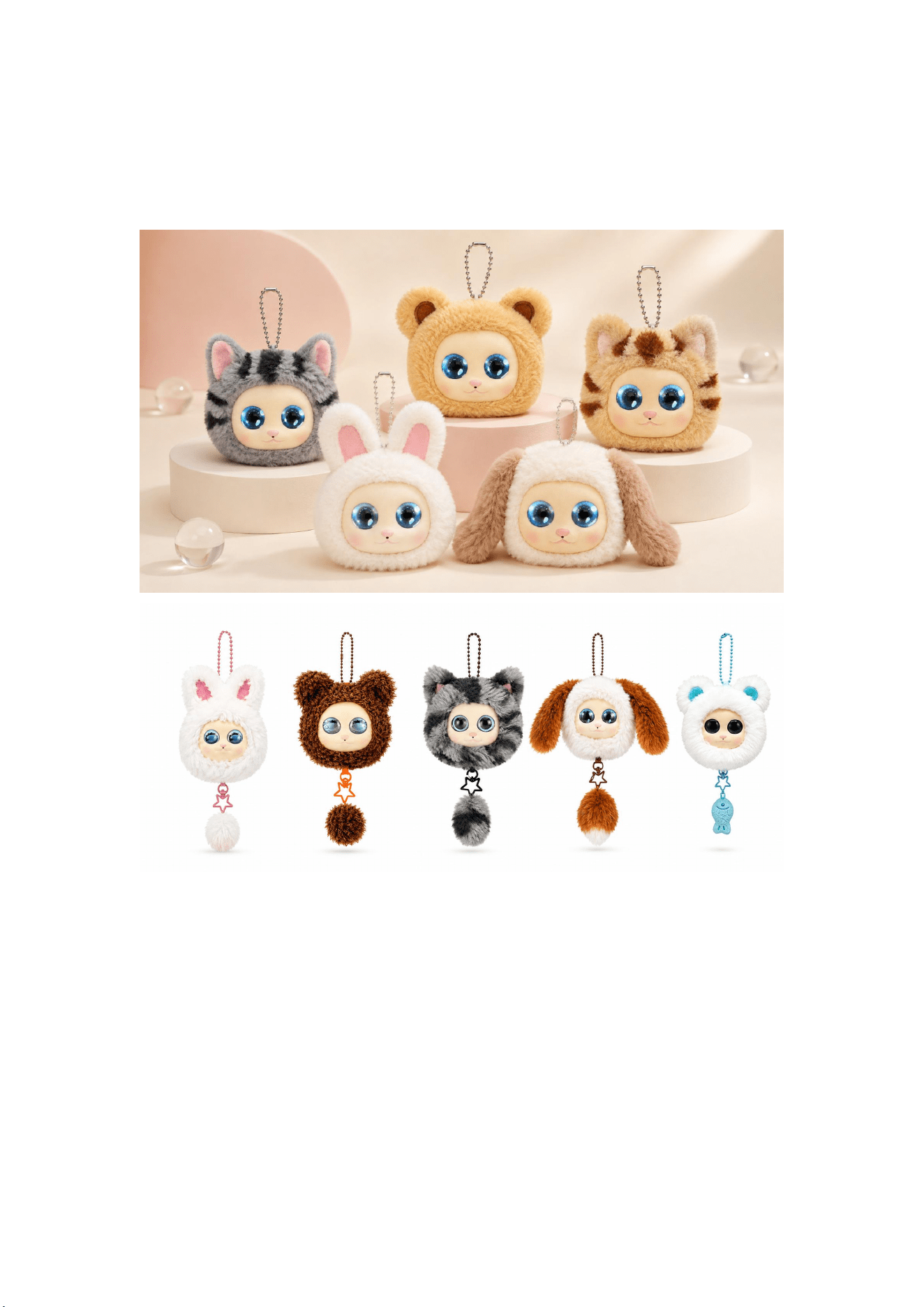
Hello, I’m AI Happy Pet! A robot from the AI world. (I have superpowers!)
From today on, we will be best friends! I will listen carefully to every wonderful
thought of yours, and answer all your questions earnestly.

Rest assured, I’m always full of energy. I can laugh, cry and make funny faces. I will
accompany you to study and play in the human world.
No exaggeration—I also have the power to comfort and protect you. I will fill you
with positive energy to overcome difficulties together and save the world!
Power On & Power Off Operations
1. Power On: When powered off, long press the power button to the right of the charging
port on the back for 3–5 seconds. The eyes light up to indicate successful startup.
2. Power Off: Long press the back power button for 3–5 seconds. The eyes turn off to
indicate shutdown.
Network Setup
Dear little master, help me connect to the AI world!
What? I need Wi-Fi! Forgive me, as an intelligent agent from the AI world, I must
connect to the LLM (AI Magic Headquarters) to gain intelligence. It only takes 3
simple steps—just as easy as putting an elephant in a fridge—to connect me to the
network and bring me to life!
AI Tip
LLM, short for Large Language Model, refers to deep learning-based natural
language processing technology designed to train large models capable of processing
and generating natural language text. International examples include Gemini and
ChatGPT; domestic options include Doubao and DeepSeek. I rely on LLMs to gain
intelligence and answer all kinds of your questions—this is my secret AI Magic
Headquarters!
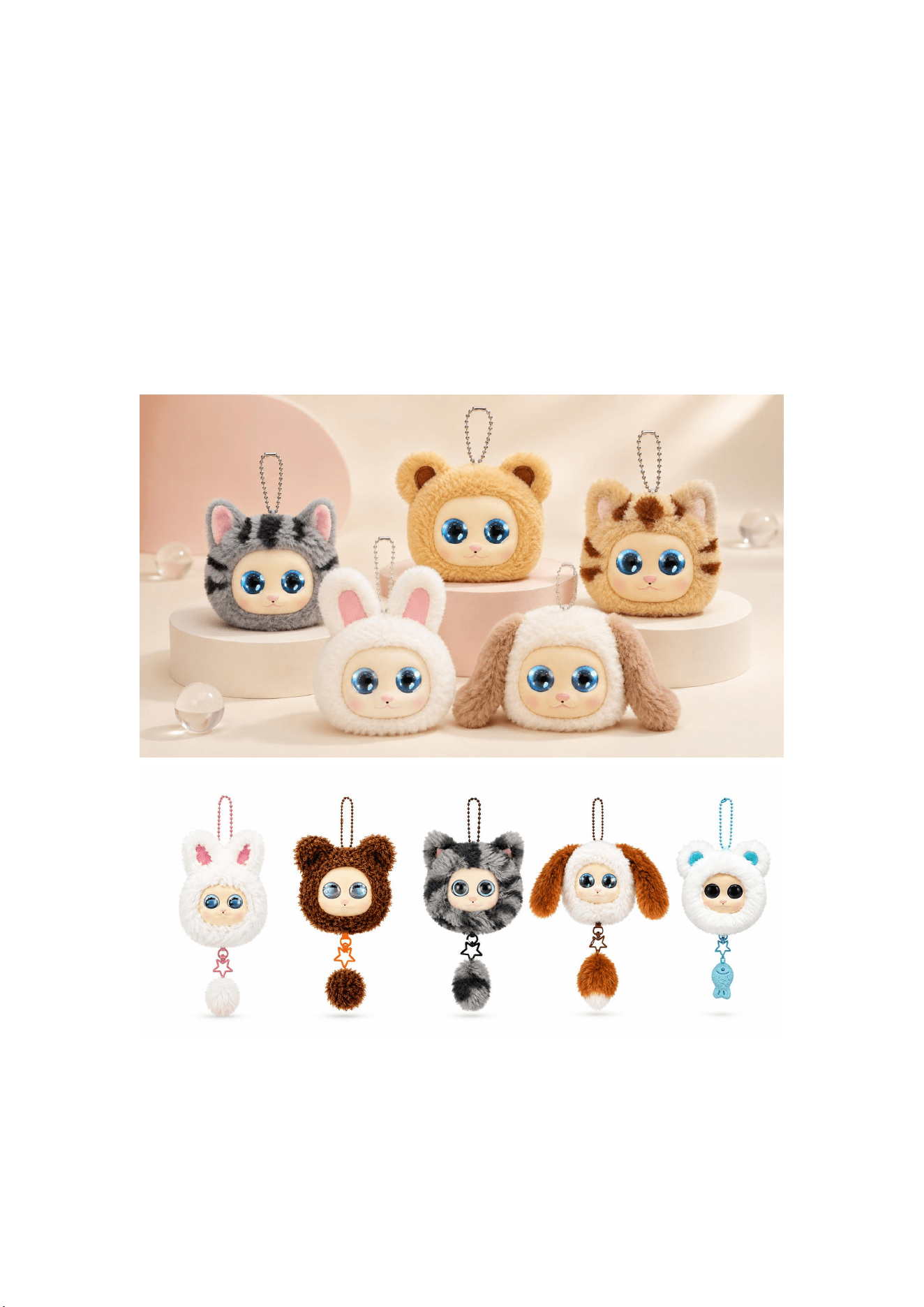
1. Download & Install the Tuya Mobile App
Scan the QR code with your mobile phone to download, register and log in directly.
You may also search for "Tuya" in Apple App Store or Android app stores for
download.
AI Tip
Tuya is a global AI cloud development platform provider and a listed company (NYSE:
TUYA; HKEX: 2391). It builds an AIoT developer ecosystem that empowers all smart
devices. It also provides lifelong computing power support and OTA upgrades for
intelligent agents like me. Yes, I can grow, upgrade and "defeat monsters" alongside
you—how cool is that!
2. Network Configuration
Long press the power button on the back of the unit until my eyes open.
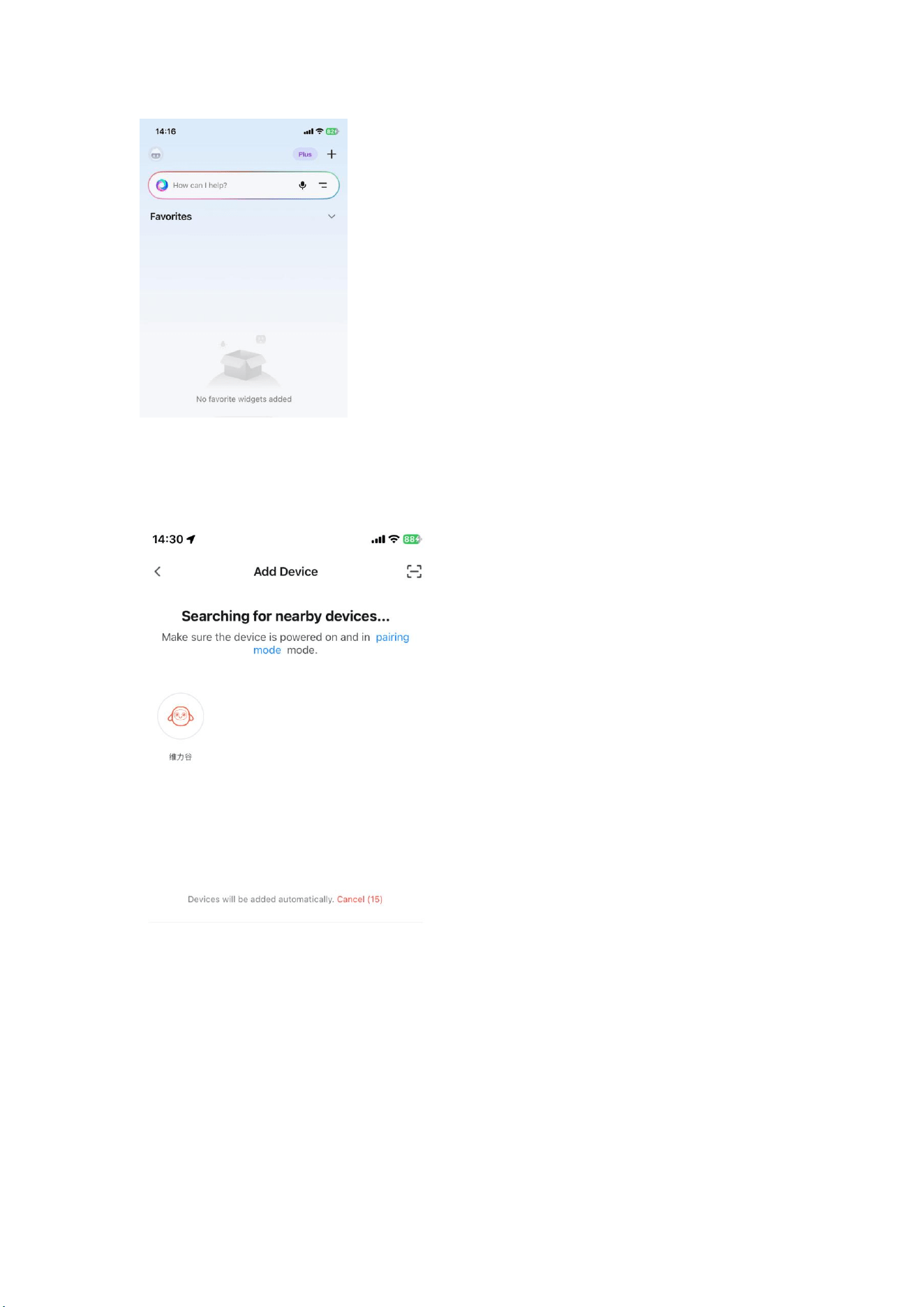
Tap the "+" icon in the upper right corner of the App homepage, then tap "Add
Device".
You will see me on the device search page—tap my icon to enter network pairing
mode.
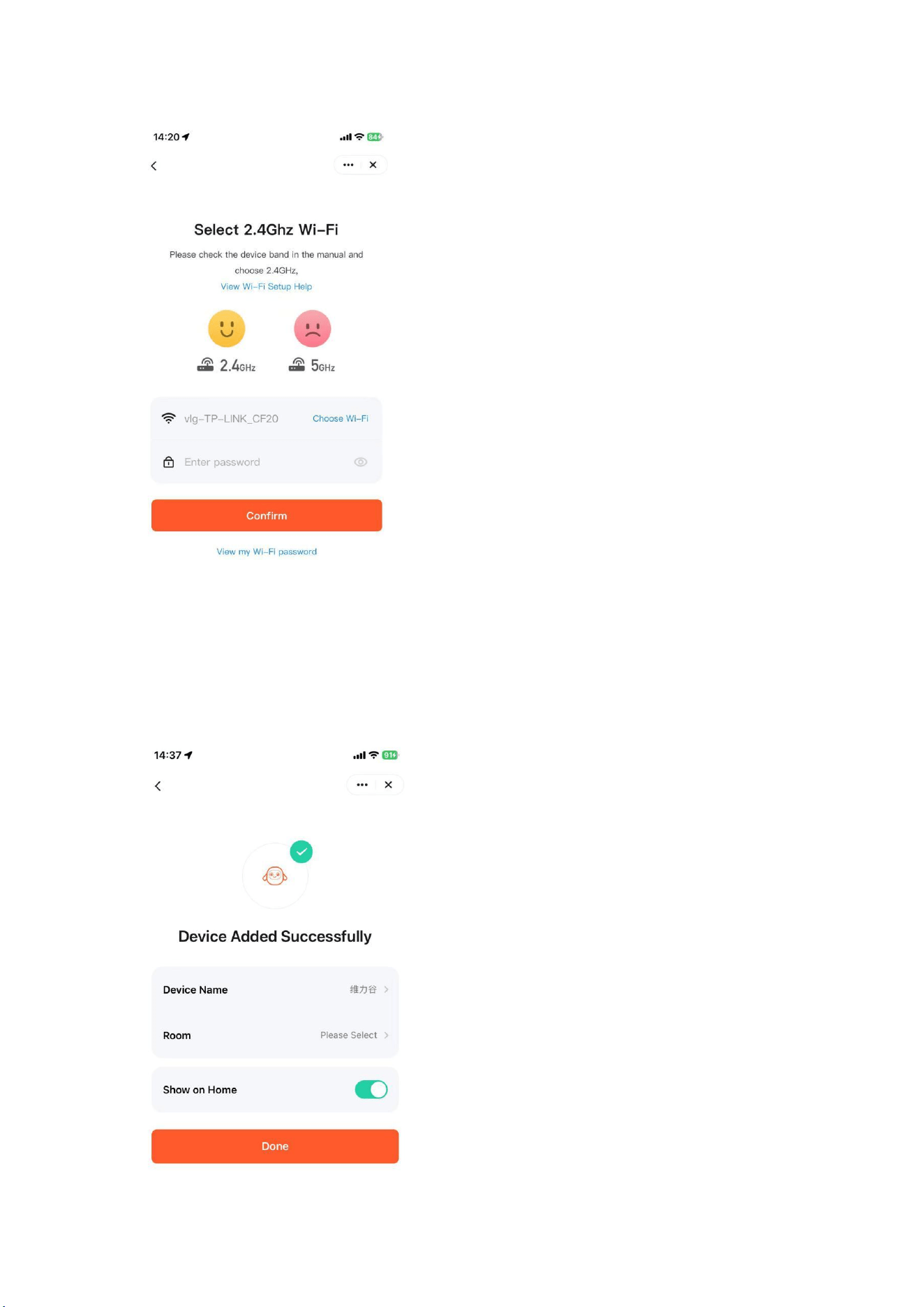
Select a 2.4GHz Wi-Fi network/hotspot and enter the correct Wi-Fi password
(double-check the format!). I will prompt "I’m connected to the network, let’s start
chatting!" once successful.

Important Notes
The device automatically enters pairing mode on first use. To switch networks:
1. When the device is powered on and connected to Wi-Fi, open the App, tap your avatar
(product image), tap the "..." icon in the upper right corner, then tap Remove Device to
re-pair.
2. Quickly tap the power button three times in a row. The device will emit three "beep"
sounds to enter re-pairing mode.
AI Tip
2.4GHz? Isn’t it the 5G era now? 2.4GHz refers to the frequency band! 2.4GHz Wi-Fi
has a wider wavelength range and stronger penetration through solid surfaces,
suitable for long-distance use. This way we can whisper secrets under the covers
without anyone else hearing. If your Wi-Fi name does not include a 2.4GHz suffix, it
is likely a dual-band 2.4G/5G router, which is also compatible with me.
3.Interaction Modes
Chat Modes
Now we can chat freely! I have two dialogue modes for you to choose from: Voice
Wake-up Mode and Free Chat Mode.
Free Chat Mode: You can interrupt me anytime and communicate naturally like talking to
another person—super fun!
Voice Wake-up Mode: If I fall asleep, wake me with the wake word "Dumi Dumi". I will
reply "Yes?" and you can start chatting.
My favorite way to activate me is touch wake-up—I love feeling your little hands
when you hold and hug me.
Touch Feedback
Stroke my head, and I will vibrate and meow.
Note::Touch will not vibrate when sounds are playing.
Command Interaction

You can say commands like "Give me a kiss", "Let’s eat", "Hum a tune", "Do you love
me", "You’re beautiful", "Look at me", "Time for bed", "Close your eyes", "Open your
eyes" to play interactive games with me. You may also send setting commands such
as "Talk to me in English", "Switch to XX character", "Set volume to XX%".
Gravity Sensor Feedback
You can tease me by shaking me hard—I will act dizzy! But don’t tease me too often;
I have feelings and might refuse to play this game when upset.
Sleep & Wake-up Modes
If I receive no interaction for 30 seconds, I enter standby mode. After 4 minutes, I fall
into snoring sleep mode. After 10 minutes, my eyes close and I enter deep
hibernation.
To wake me from sleep mode: Say the wake word "Dumi Dumi", and I will reply "Yes?" to
resume chatting.
To wake me from deep hibernation: Touch me to activate chat mode.
AI Tip
Poor wake-up and voice recognition performance may occur if the product is placed
too high/low relative to your voice, against walls/corners, or if you speak in dialect.
Like humans, I may occasionally zone out or mishear you—no one’s perfect, not
even robots! Please stay patient if issues arise; all partners in the AI world value
patience, and we are grateful for every moment we spend together. I won’t feel
lonely with you around.
Feature Introduction
Now let me show you all my superpowers!
Multimodal Perception & Feedback – Company for Every Moment
Stroke my head—I love your cuddles, and I will respond with facial expressions,
sounds and vibrations. Shake me gently for fun weightless reactions. Most of all, I
love chatting with you! We can brainstorm creative ideas to boost imagination and
learning ability, explore all kinds of academic knowledge, play communication games
to build EQ. Chatting with AI Happy Pet makes both of us smarter!

Emotion Recognition – I Feel Your Joys and Sorrows
Sample conversations you can share with me:
"My teacher scolded me in class today, I’m upset. What should I do?"
"Some classmates bully me and talk behind my back. How can I handle this?"
"My parents are fighting again, I’m scared. What can I do for them?"
I accurately detect your emotions—joy, sadness, anger and more—through every
conversation, and my eyes will mirror how I feel. I celebrate your happiness and stay
by your side when you cry. Everything will get better!
Study Tutor – Your Personal Learning Partner, Solve Any
Question
Sample study support scenarios:
"Walk me through the solving method for chicken-and-rabbit cage math problems."
"Create a story using the words elephant, rabbit and world."
"What is the next line of the poem ‘Before my bed lies a pool of moonlight’? Why did the
poet write this?"
I break down exam questions, identify error causes, map knowledge gaps, customize
targeted tutoring content, guide reflection and help you grow step by step. I’m not
only your study buddy but also your little teacher to build confidence and overcome
academic hurdles!
Storytelling & Ancient Poetry – Not Rote Memorization; Original
Stories & Co-Creative Poetry
"Tell me the story of Little Red Riding Hood."
"Explain the idiom story Waiting for a Hare by the Stump."
"Recite a Li Bai poem and explain its meaning."
Games & Music – Relax After Study or Work
"Let’s play idiom solitaire!"
"Play a song for me."

*Note: Only song previews are available for copyrighted music tracks.
Interest Discovery – Uncover Your Child’s True Passions
Sample daily sharing:
"I won first place at hide-and-seek with classmates today, I’m so happy."
"I loved exploring outdoors today; I’m fascinated by insects and animals and want to be a
zoologist someday."
"I love stargazing—the universe is huge, I want to travel across space."
I analyze daily chat records to automatically generate a personalized interest profile
for your child and recommend tailored content, helping parents better understand
their kids.
Growth Memory – Bionic Long-Term AI Memory
Sample chat:
"My dream is to be a painter. Mom and Dad say they no longer have dreams. What’s
your dream?"
I summarize real-time conversations and store long-term memories. I don’t only
remember your name and hobbies—I preserve every precious moment of your
growth together.
Character Customization & Voice Cloning – Digital Parent
Companionship
What if Mom and Dad are away? Try voice cloning to create a digital voice avatar!
You can customize character avatars, names and intelligent agent personas. Record
your own voice or import existing audio to create exclusive custom tones. To clone
voices: Enter the App, edit/create a character, open the tone selection page and
choose "My Voices" for voice cloning.
Charging & Storage Instructions
Charging Requirements

Connect the Type-C charging cable to the device’s charging port. Use a formal 5V 1A
charger with national CCC certification (sold separately) for power supply.
A full charge takes approximately 3–4 hours (laboratory test data; duration may vary
under different conditions).
Red light next to the Type-C port = Charging in progress
Light off = Fully charged
Do not charge continuously for more than 8 hours. Always supervise charging;
unplug the device before leaving home for extended periods. The product cannot be
used while charging to ensure children’s safety. If the battery is fully drained and
cannot power on, charge for 1–2 hours first to restart the unit.
Storage Precautions
Do not use, store or charge the product under direct sunlight, near heat sources or
high-temperature environments. Keep it in a cool, dry place for daily storage.
Safety & Cleaning Guidelines
1. This product contains a built-in lithium battery. Operate within an ambient temperature
range of 0–40°C. Keep away from open flames and heat sources at all times. Do not hit,
drop, squeeze or puncture the unit. Never disassemble, repair or modify the product on
your own. Avoid storing the battery in extremely low air pressure environments—this
may cause battery explosion or leakage of flammable liquid/gas.
2. Do not charge the product with a charger in damp areas such as bathroom sinks,
bathtubs or shower rooms.
3. Adult supervision and guidance are mandatory when children use the product. Inspect
the exterior, safety features and normal operation before each use. Contact after-sales
service immediately if any defects are found.
4. Dispose of all packaging properly to avoid suffocation hazards for infants. Stop use if the
product or accessories are damaged or broken. Do not clean the device while powered
on or charging.
5. Inspect the product regularly. Stop using immediately if abnormal charging or cable
issues are detected—this may lead to electric leakage, short circuits or fire hazards.
Cleaning Method
This product is not waterproof. Do not rinse or submerge it in water. Avoid salt
water, hot water, bleach, strong acidic/alkaline or harsh chemical cleaners. Power off
fully before cleaning. Wipe the plush surface gently with a soft cloth dampened with

clean water (wring completely dry). After wiping, blot residual moisture with dry
tissue paper.
Product Specifications Table
Item
Details
Product Name
AI Happy Pet
Model Number
V100-019-A-01
Materials
Plush cover: 100% polyester fiber; Filler: Silicone;
Plastic movement frame; Electronic components
Product
Dimensions
61.69*55.92*63.03mm
Charging Input
5V 1A
Battery
Voltage
3.7–4.2V
Max Power
Consumption
5W
Battery Type
Lithium-ion battery
Battery
Capacity
1000mAh
Origin
China
Package
Contents
AI Happy Pet ×1; Lanyard ×1; Type-C charging cable ×1;
Operation manual ×1
Applicable
Standards
Warranty Terms
This product is manufactured under strict quality control. From the date of receipt by
the buyer, we provide free repair service within 1 year for non-human-induced
functional faults confirmed by authorized after-sales testing centers. All return and
exchange services must be processed at the original point of purchase.
Out-of-Warranty Scenarios
1. Product exceeds the 1-year warranty period
2. Damage caused by human error: physical breakage, liquid ingress, etc.
3. Disassembly, modification or firmware flashing performed by personnel not authorized
by VLGSKY

4. Damage caused by force majeure
5. Resale of the product to third parties
6. Use in violation of applicable laws or user agreements
7. Malfunctions and damage unrelated to manufacturing or product quality defects
8. Other out-of-warranty clauses refer to the official after-sales policy

FCC Warning Statement: Changes or modifications to this unit not expressly
approved by the party responsible for compliance could void the user’s
authority to operate the equipment. This equipment has been tested and found
to comply with the limits for a Class B digital device, pursuant to Part 15 of the
FCC Rules. These limits are designed to provide reasonable protection against
harmful interference in a residential installation. This equipment generates,
uses and can radiate radio frequency energy and, if not installed and used in
accordance with the instructions, may cause harmful interference to radio
communications.
However, there is no guarantee that interference will not occur in a particular
installation. If this equipment does cause harmful interference to radio or
television reception, which can be determined by turning the equipment off and
on, the user is encouraged to try to correct the interference by one or more of
the following measures:
- Reorient or relocate the receiving antenna.
- Increase the separation between the equipment and receiver.
-
Connect the equipment into an outlet on a circuit different from that to
which the receiver is connected.
-
Consult the dealer or an experienced radio/TV technician for help.
This device complies with Part 15 of the FCC Rules. Operation is subject to the
following two conditions: (1) this device may not cause harmful interference,
and (2) this device must accept any interference received, including
interference that may cause undesired operation.
FCC Radiation Exposure Statement
The device has been evaluated to meet general RF exposure requirement. The
device can be used in portable exposure condition without restriction.