Contact info: [email protected]
Address:
Manufacturer: Xfanic Group (HK) Limited
This device complies with Part 15 of the FCC Rules. Operation is subject to the following
two conditions:
(1) This device may not cause harmful interference.
(2) This device must accept any interference received, including interference that may cause
undesired operation.
Warning: Changes or modifications not expressly approved by the party responsible for compliance
could void the user's authority to operate the equipment.
FCC Compliance Statement
24-Month Warranty
2
4-monatige Garantie | Garantía de 24 meses | Garanzia di 24 me si | Garantie de 24 mois | 24ヶ月間製品保証
Lifetime
ida | Assistenza tecnica per la durata del
Warranty
Garantie | Garantía | Garanzia | Garantie | 製品保証について
This symbol indicates that this product shall not be treated as household waste. Instead
it shall be handed over to the applicable collection point for the recycling of electrical
and electronic equipment.
WSJ Product LTD
Unit 1 Alsop Arcade L3 5TX brownlow
hill,Liverpool, GB
+004407825478124
Manuale utente
PAP 22
Raccolta carta
EN: Quick Start Guide
FR:Description du produit | ES:Descripción del Producto |IT:Descrizione del Prodotto
| DE:Produktbeschreibung | JP:製品説明
USER MANUAL
Model: BT32
WIRELESS
AUDIO ADAPTER
Link Creative Life
TX 10
A: BT speake
B: BT headphone
AUX(SBC)
As a wireless transmitter (TX mode)
1) Use a suitable audio cable (optical cable, AUX cable, RCA cable) according
to the connection diagram, and input the audio source (from TV, DVD, etc.) to
the corresponding interface on the "Audio in" end of BT32;
2) Connect the USB end of the power cord to the power supply (TV, PC USB
socket or power adapter), and plug the USB-C end into the BT32 "DC IN"
interface;
3) The device will automatically turn on after being powered on (after manual
shutdown, you need to press and hold the switch key to turn it on), and the
white indicator light on the knob will light up;
4) Adjust the product to TX Mode by switching the button;
5) Pair the product with a Bluetooth-enabled headset or speaker:
a. Bluetooth search
- First time use: BT32 automatically enters the search state after powering on,
and the screen displays "Searching..." (if "Waiting..." is displayed, please
double-click the "pairing button")
- One-to-two: Double-click the "pairing button" to re-enter the search state,
and the screen will display "Searching..."
- Automatic reconnection: If it has been paired before, it will reconnect to the
last paired device after powering on, and the screen will display "Waiting..."
b. Refer to the user manual of the headset/speaker to set it into pairing mode
c. Waiting for connection
d. After successful pairing, the name of the paired device will be displayed on
the screen.
6) Automatic sleep: In the power-on state, if there is no Bluetooth connection
within 10 minutes, the screen will display "Disconnected...". After 10 minutes,
the screen will darken. Short press any key to activate.
Bypass Mode (non-Bluetooth mode)
1) Refer to the Bypass Mode connection diagram and use a suitable audio
cable (optical cable, AUX cable, RCA cable) to connect the audio source (TV,
DVD, etc.) to the BT32 "Audio in" corresponding interface;
2) Use a suitable audio cable (optical cable, AUX cable, RCA cable) to connect
the speaker to the BT32 "Audio out" corresponding port;
Note: If you use an optical fiber cable to connect, the BT32 optical fiber
output port will light up with a red indic
ator light, please do not insert it
incorrectly;
3) Connect the USB end of the power cord to the power supply (TV, PC USB
interface or power adapter), and plug the USB-C end into the BT32 "DC IN"
interface;
4) After powering on, the device will automatically turn on (after manual
shutdown, you need to press and hold the switch key to turn it on), and the
white indicator light on the knob will light up;
5) Adjust the product to Bypass MODE by switching the button; it supports
four audio modes: AUX input OPT output, Aux input AUX output, OPT input
AUX output and OPT input OPT output.
6) Get started
Note:
a. Make sure your (TV) output is valid, you can use headphones for AUX
testing;
b. Dolby/DTS3 output is not supported when using optical fiber transmission,
and the TV needs to be adjusted to PCM format (refer to troubleshooting for
TV audio output settings).
Troubleshooting
1) Problems encountered during pairing:
a. Confirm that BT32 and your device are within 1 meter and both are in the
pairing state;
b. When connecting for the first time in TX mode, if the screen shows
"Waiting...", please double-click the pairing button first, and wait until the
screen shows "Searching..." to perform Bluetooth search and pairing;
c. If pairing fails in TX mode, please first put the Bluetooth headset or speaker
into the pairing mode, and then double-click the "pairing button" on the
BT32 to re-pair the Bluetooth device;
2) After connecting and pairing with my wireless device, I can't hear any
music on my sound system:
1. The output defaults to AUX output priority. If you need optical output,
please make sure there is no external AUX cable connected to the AUX
output port.
2. You need to ensure that the TV audio format is set to PCM (Figure-1) and
the TV sound output is "External Speaker" (Figure-2)
interruttore per accenderlo) e la spia bianca sulla manopola si accenderà;
4) Regolare il prodotto in modalità RX cambiando il pulsante;
5) Associare il prodotto a computer, tablet, telefoni cellulari e altri dispositivi
abilitati Bluetooth:
a.Stato di associazione Bluetooth
- Primo utilizzo: dopo l'accensione, BT32 entra automaticamente nello stato
di associazione e lo schermo visualizza "Paring..."
-Doppia connessione:attivare il Bluetooth del computer, tablet, telefono
cellulare e altri dispositivi che devono essere accoppiati
-Riconnessione automatica: se è stato accoppiato in precedenza, si
ricollegherà automaticamente all'ultimo dispositivo accoppiato dopo
l'accensione e lo schermo visualizzerà "Waiting..."
b. Trovare il nome Bluetooth "BT32" sul tuo computer, tablet, telefono
cellulare, ecc.
c. Fare clic e attendere la connessione
d. Dopo aver effettuato con successo l'accoppiamento, il nome del
dispositivo accoppiato verrà visualizzato sullo schermo
6) Sospensione automatica: nello stato di accensione, se non viene stabilita
alcuna connessione Bluetooth entro 10 minuti, lo schermo visualizzerà
"Disconnected...". Dopo 10 minuti, lo schermo si oscurerà. Premere
brevemente un tasto qualsiasi per attivare."
Modalità Bypass (modalità non Bluetooth)
1) Fare riferimento allo schema di collegamento della modalità Bypass e
utilizzare un cavo audio adatto (cavo ottico, cavo AUX, cavo RCA) per
collegare la sorgente audio (TV, DVD, ecc.) all'interfaccia corrispondente
"Audio in" BT32;
2) Utilizzare un cavo audio adatto (cavo ottico, cavo AUX, cavo RCA) per
collegare l'altoparlante alla porta corrispondente "Audio out" del BT32;
Nota: se si utilizza un cavo in fibra ottica per la connessione, la porta di uscita
in fibra ottica BT32 si illuminerà con una spia rossa, non inserirla in modo
errato;
3) Collegare l'estremità USB del cavo di alimentazione all'alimentatore (TV,
interfaccia USB del PC o alimentatore) e collegare l'estremità USB-C
all'interfaccia "DC IN" BT32;
4) Dopo l'accensione, il dispositivo si accenderà automati
camente (dopo lo
spegnimento manuale, è necessario tenere premuto il tasto interruttore per
accenderlo) e la spia bianca sulla manopola si accenderà;
5) Regolare il prodotto in MODALITÀ Bypass spostando il pulsante;
Supporta quattro modalità audio Ingresso AUX-uscita OPT, ingresso
AUX-uscita AUX, ingresso OPT-uscita AUX e ingresso OPT-uscita OPT.
6) Iniziare a utilizzare
Guida per L'uso
Come trasmettitore wireless (modalità TX)
1) Utilizzare un cavo audio adatto (cavo ottico, cavo AUX, cavo RCA) secondo lo
schema di collegamento e immettere la sorgente audio (da TV, DVD, ecc.)
all'interfaccia corrispondente sull'estremità "Audio in" di BT32 ;
2) Collegare l'estremità USB del cavo di alimentazione all'alimentatore (TV,
presa USB del PC o alimentatore) e collegare l'estremità USB-C all'interfaccia
BT32 "DC IN";
3) Il dispositivo si accenderà automaticamente dopo essere stato acceso (dopo
lo spegnimento manuale, è necessario tenere premuto il tasto interruttore per
accenderlo) e la spia bianca sulla manopola si accenderà;
4) Regolare il prodotto in modalità TX cambiando il pulsante;
5) Accoppiare il prodotto con un auricolare o un altoparlante abilitato
Bluetooth:
a. Ricerca Bluetooth
-Primo utilizzo: BT32 entra automaticamente nello stato di ricerca dopo
l'accensione e lo schermo visualizza "Searching..."(se viene visualizzato
"Waiting...", fare doppio clic sul pulsante di associazione)
-Doppia connessione: fare doppio clic sul pulsante di associazione per rientrare
nello stato di ricerca e lo schermo visualizzerà "Searching..."
- Riconnessione automatica: se è stato accoppiato in precedenza, si
ricollegherà all'ultimo dispositivo accoppiato dopo l'accensione e lo schermo
visualizzerà "Waiting..."
b.Fare riferimento al manuale dell'utente dell'auricolare/altoparlante per
impostarlo in modalità di accoppiamento
c. In attesa di connessione
d. Dopo aver effettuato con successo l'accoppiamento, il nome del dispositivo
accoppiato verrà visualizzato sullo schermo.
6) Sospensione automatica: Nello stato di accensione, se non viene stabilita
alcuna connessione Bluetooth entro 10 minuti, lo schermo visualizzerà
"Disconnected...". Dopo 10 minuti, lo schermo si oscurerà. Premere brevemente
un tasto qualsiasi per attivare."
Come ricevitore wireless (modalità RX)
1) Utilizzare un cavo audio adatto (cavo ottico, cavo AUX, cavo RCA) secondo lo
schema di collegamento e collegare la sorgente audio dall'estremità "Audio
out" di BT32 all'interfaccia corrispondente;
2) Collegare l'estremità USB del cavo di alimentazione all'alimentatore e
collegare l'estremità USB-C all'interfaccia BT32 "DC IN";
3) Il dispositivo si accenderà automaticamente dopo essere stato acceso (dopo
lo spegnimento manuale, è necessario tenere premuto il tasto
Nota:
b. L'uscita Dolby/DTS3 non è supportata quando si utilizza la trasmissione in
fibra ottica e la TV deve essere regolata sul formato PCM (fare riferimento alla
"Risoluzione dei problemi" per le impostazioni dell'uscita audio della TV)."
Risoluzione dei problemi
1) Quando si riscontrano problemi durante l'accoppiamento:
a. Confermare che BT32 e il dispositivo si trovino entro 1 metro e che
entrambi siano nello stato di associazione;
b. Quando ci si connette per la prima volta in modalità TX, se sullo schermo
viene visualizzato "Waiting...", fare prima doppio clic sul pulsante di
accoppiamento e attendere finché sullo schermo non viene visualizzato
"Searching..." per eseguire la ricerca e l'accoppiamento Bluetooth ;
c. Se l'accoppiamento non riesce in modalità TX, mettere prima l'auricolare o
l'altoparlante Bluetooth in modalità di accoppiamento, poi fare doppio clic sul
pulsante di accoppiamento sul BT32 per riaccoppiare il dispositivo Bluetooth.
2) Quando è connesso e accoppiato con un dispositivo wireless, il sistema
audio non riesce a sentire la musica:
1. Per impostazione predefinita l'uscita ha la priorità dell'uscita AUX. Se è
necessaria un'uscita ottica, assicurarsi che non sia collegato un cavo AUX
esterno alla porta di uscita AUX;
2. È necessario assicurarsi che il formato audio della TV sia impostato su PCM
(Figura-1) e che l'uscita audio della TV sia "Altoparlante esterno" (Figura-2)."
3s
Turn on/ off
Confirm the Bluetooth device
Force entered the Bluetooth pairing mode
Clear the pair and restore the factory settings
TX, RX, Bypass cycle switching
RX: Play, Pause
TX: Mute
RX: Volume -
TX: Select Bluetooth menu upward, volume-
RX: Volume+
TX: Select Bluetooth menu downward, volume+
ワイヤレス送信機として(TXモード)
1) 適切なオーディオケーブル(光ケーブル、AUXケーブル、RCAケーブル)を使用し、接
続図に従って、オーディオソース(TV、DVDなど)をBT32の「Audio in」端の対応する
ポートに入力します;
2) 電源ケーブルのUSB側を電源(TV、PCのUSBソケットまたは電源アダプタ)に接続
し、USB-C側をBT32の「DC IN」ポートに挿入します;
3)電源を接続した後、デバイスの電源が自動的にオンになり(手動でデバイスの電源
をオフにした後、電源ボタンを長押ししてデバイスの電源をオンにする必要がありま
す)、丸いボタンの白い表示灯が点灯します;
4) 切り替えボタンで製品をTXモードに調整します;
5) Bluetooth対応ヘッドフォンまたはスピーカーと製品をペアリングします:
a.ブルートゥース検索
- 初回使用時:BT32の電源を入れた後、自動的に検索状態になり、画面に
"Searching ..."と表示されます。("Waiting ..."と表示された場合は、「ペアリング」ボタ
ンをダブルクリックしてください。)
- 2-in-1:ペアリングボタンをダブルクリックし、再度検索状態に入ると、画面に "検索
中... "と表示されます。
- 自動再接続:以前にペアリングしたことがある場合、デバイスの電源を入れた後、最後
にペアリングしたデバイスを接続すると、画面に「Waiting ...」と表示されます。
b.ヘッドセット/スピーカーのユーザーマニュアルを参照して、ペアリングモードに設定
します。
c.接続を待ちます。
d.ペアリングに成功すると、画面にペアリングされたデバイスの名前が表示されます。
6)自動ハイバネーション:電源を入れ、10分以内にBluetooth接続がない場合、画面
には "Disconnected... "と表示され、10分後に画面が暗くなり、アクティブにするには、
いずれかのボタンを押します。
ワイヤレス受信機として(RXモード)
1)適切なオーディオケーブル(光ケーブル、AUXケーブル、RCAケーブル)を使用し、接
続図に従ってオーディオソースをBT32の「Audioout」側の対応するポートに接続する;
2)電源ケーブルのUSB側を電源に接続し、USB-C側をBT32の「DCIN」ポートに挿入し
ます;
3)電源を接続した後、デバイスは自動的にオンになり(手動でデバイスをオフにした
後、デバイスをオンにするにはオンボタンを長押しする必要があります)、丸いボタンの
白い表示灯が点灯
します;
4)切り替えボタンで製品をRXモードに調整します;
5)Bluetooth対応のPC、タブレット、スマホやその他のデバイスと製品をペアリングし
ます:
a.Bluetoothペアリング状態
-初回使用時:BT32は電源オン後、自動的にペアリング保留状態に入り、画面に
「Pairing...」と表示されます。
-2-in-1:ペアリングが必要なパソコン、タブレット、携帯電話などのBluetoothをオンに
します;
-自動再接続:以前にペアリングしたことがある場合、電源を入れた後、自動的に最後に
ペアリングしたデバイスに再接続し、画面に「Waiting...」と表示されます。
b.PC、タブレット、スマホ、その他のデバイスでBluetooth名""BT32""を見つけます。
c.クリックして接続を待ちます。
d.ペアリングに成功すると、画面にペアリングされたデバイス名が表示されます。
6)自動ハイバネーション:電源を入れ、10分以内にBluetooth接続がない場合、画面は
""Disconnected...""と表示され、10分後に画面が暗くなります。10分後、画面が暗くなり、
任意のキーを押して起動します。
Bypassモード(非ブルートゥースモード)
1)Bypassモードの接続図を参照し、適切なオーディオケーブル(光、AUX、RCA)を使用し
て、オーディオソース(TV、DVDなど)をBT32の「Audioin」ポートに接続します;
2)適切なオーディオケーブル(光、AUX、RCA)を使用して、スピーカーをBT32の「オー
ディオ出力」ポートに接続します;
注:光ケーブルを使用して接続すると、BT32の光出力ポートが赤い表示灯で点灯しま
すので、間違って差し込まないようにしてください;
3)電源ケーブルのUSB側を電源(テレビ、PCのUSBポート、または電源アダプター)に接
続し、USB-C側をBT32の「DCIN」ポートに挿入します;
4)電源を入れると、自動的に電源が入り(手動で電源を切った後、電源ボタンを長押しす
ると電源が入ります)、丸いボタンの白い表示灯が点灯します;
5)切り替えボタンで製品をBypassモードに調整します;
AUX入力OPT出力、AUX入力AUX出力、OPT入力AUX出力、OPT入力OPT出力の4つ
のオーディオモードをサポートします。
6)使用開始
注意:
a.あなたの(TV)出力が有効であることを確かめて下さい、AUXテストのためにヘッドホ
ンを使用できます;
b.Dolby/DTS3出力は、光伝送を使用する場合はサポートされていませんので、TVを
PCMフォーマットに調整する必要があります(TVオーディオ出力設定のトラブルシュー
ティングを参照)。
トラブルシューティング
1)ペアリング時に問題が発生:
a.BT32とデバイスが1メートル以内にあり、両方がペアリング保留状態であることを確認し
てください;
b.TXモードが初めて接続されたとき、画面に「Waiting...」と表示されたら、まずペアリング
ボタンをダブルクリックし、画面に"Searching..."と表示されるまでお待ちください。
Bluetooth検索とペアリングが実行できます;
c.TXモードでBluetoothデバイスとペアリングできない場合、Bluetoothヘッドセットまた
はスピーカーをスタンバイペアリングモードに設定し、BT32の"ペアリングボタン"をダブ
ルクリックしてBluetoothデバイスと再度ペアリングしてください;
2)ワイヤレス設備と接続してペアリングした後、サウンドシステムから音楽が聞こえませ
ん:
1、出力のデフォルトはAUX出力優先です。光出力が必要な場合は、AUX出力ポートに外部
AUXケーブルがないことを確認してください。
2、テレビの音声フォーマットがPCM(図-1)に設定され、テレビの音声出力が「外部スピー
カー」(図-2)であることを確認してください。
Benutzerhandbuch
Als drahtloser Sender (TX-Modus)
1) Verwenden Sie ein geeignetes Audiokabel (optisches Kabel, AUX-Kabel,
RCA-Kabel) gemäß Anschlussplan und geben Sie die Audioquelle (von TV,
DVD usw.) an die entsprechende Schnittstelle am „Audio in“-Ende des BT32
ein ;
2) Verbinden Sie das USB-Ende des Stromkabels mit der Stromversorgung
(Fernseher, PC-USB-Buchse oder Netzteil) und verbinden Sie das USB-C-Ende
mit der BT32-Schnittstelle „DC IN“.
3) Das Gerät schaltet sich nach dem Einschalten automatisch ein (nach dem
manuellen Ausschalten müssen Sie die Schaltertaste gedrückt halten, um es
einzuschalten), und die weiße Kontrollleuchte am Knopf leuchtet auf;
4) Stellen Sie das Produkt durch Ändern der Taste auf den TX-Modus ein;
5) Koppeln Sie das Produkt mit einem Bluetooth-fähigen Headset oder
Lautsprecher:
a. Bluetooth-Suche
-Erste Verwendung: BT32 wechselt nach dem Einschalten automatisch in
den Suchzustand und auf dem Bildschirm wird „Searching...“ angezeigt
(wenn „Waiting…“ angezeigt wird, doppelklicken Sie auf die Kopplungsschalt-
fläche.)
-Doppelte Verbindung: Doppelklicken Sie auf die Kopplungsschaltfläche, um
den Suchstatus erneut aufzurufen. Auf dem Bildschirm wird „Searching...“
angezeigt.
- Automatische Wiederverbindung: Wenn es zuvor gekoppelt wurde,
verbindet es sich nach dem Einschalten erneut mit dem zuletzt gekoppelten
Gerät und auf dem Bildschirm wird „Waiting …“ angezeigt.
b. Lesen Sie im Benutzerhandbuch Ihres Headsets/Lautsprechers nach, wie
Sie es in den Kopplungsmodus versetzen
C. Auf Verbindung warten
D. Nach erfolgreicher Kopplung wird der Name des gekoppelten Geräts auf
dem Bildschirm angezeigt.
6) Automatischer Ruhezustand: Wenn im eingeschalteten Zustand innerhalb
von 10 Minuten keine Bluetooth-Verbindung hergestellt wird, wird auf dem
Bildschirm „Disconnected…“ angezeigt. Nach 10 Minuten wird der Bildschirm
dunkel. Zum Aktivieren kurz eine beliebige Taste drücken."
Als kabelloser Empfänger (RX-Modus)
1) Verwenden Sie ein geeignetes Audiokabel (optisches Kabel, AUX-Kabel,
RCA-Kabel) gemäß Anschlussplan und verbinden Sie die Audioquelle vom
„Audio out“-Ende des BT32 mit der entsprechenden Schnittstelle;
Comme émetteur sans fil (mode TX)
1) Utilisez un câble audio approprié (câble optique, câble AUX, câble RCA)
selon le schéma de connexion et entrez la source audio (du téléviseur, du
DVD, etc.) à l'interface correspondante à l'extrémité "Audio in" du BT32;
2) Connectez l'extrémité USB du câble d'alimentation à la source
d'alimentation (TV, prise USB PC ou adaptateur secteur) et connectez
l'extrémité USB-C à l'interface BT32 "DC IN";
3) l'appareil s'allumera automatiquement après la mise sous tension (après
un arrêt manuel, vous devez appuyer et maintenir la touche de
l'interrupteur pour l'allumer) et le voyant blanc sur le bouton s'allumera;
4) Réglez le produit en mode TX en changeant le bouton;
5) Associez le produit à un casque ou un haut-parleur Bluetooth:
a. Recherche Bluetooth
- Première utilisation: le BT32 entre automatiquement dans l'état de
- Un à deux: double-cliquez sur le "bouton d'appairage" pour entrer à
- Reconnexion automatique: S'il a déjà été couplé, il se reconnectera au
"Waiting..."
b. Reportez-vous au manuel d'utilisation du casque/haut-parleur pour le
régler en mode d'appairage.
c. En attente de connexion
l'écran.
6) Veille automatique: à la mise sous tension, s'il n'y a pas de connexion
minutes, l'écran s'assombrit. Appuyez brièvement sur n’importe quelle
touche pour l’activer.
Comme récepteur sans fil (mode RX)
1) Utilisez un câble audio approprié (câble optique, câble AUX, câble RCA)
pour connecter la source audio à l'interface correspondante de l'extrémité
"Audio out" du BT32 selon le schéma de connexion;
2) Connectez l'extrémité USB du câble d'alimentation à l'alimentation et
connectez l'extrémité USB-C à l'interface BT32 "DC IN";
Como transmisor inalámbrico (modo TX)
1) Utilice un cable de audio adecuado (cable óptico, cable AUX, cable RCA)
según el diagrama de conexión e introduzca la fuente de audio (de TV, DVD,
etc.) a la interfaz correspondiente en el extremo "Audio in" del BT32. ;
2) Conecte el extremo USB del cable de alimentación a la fuente de
alimentación (TV, toma USB de PC o adaptador de corriente) y conecte el
extremo USB-C a la interfaz "DC IN" BT32;
3) El dispositivo se encenderá automáticamente después de encenderlo
(después del apagado manual, debe presionar y mantener presionada la
tecla del interruptor para encenderlo) y la luz indicadora blanca en la perilla
se encenderá;
4) Ajuste el producto al modo TX cambiando el botón;
5) Empareje el producto con unos auriculares o un altavoz con Bluetooth:
a.Búsqueda por Bluetooth
- Uso por primera vez: BT32 ingresa automáticamente al estado de
búsqueda después de encenderse y la pantalla muestra "Searching..." (si se
muestra "Waiting...", haga doble clic en el "botón de emparejamiento")
- Uno a dos: haga doble clic en el "botón de emparejamiento" para volver a
ingresar al estado de búsqueda y la pantalla mostrará "Searching..."
- Reconexión automática: si se ha emparejado antes, se volverá a conectar al
último dispositivo emparejado después de encenderlo y la pantalla mostrará
"Waiting..."
b. Consulte el manual de usuario del auricular/altavoz para configurarlo en
modo de emparejamiento.
c. Esperando conexión
d. Después de un emparejamiento exitoso, el nombre del dispositivo
emparejado se mostrará en la pantalla.
6) Suspensión automática: en el estado de encendido, si no hay conexión
Bluetooth dentro de 10 minutos, la pantalla mostrará "Disconnected...".
Después de 10 minutos, la pantalla se oscurecerá. Presione brevemente
cualquier tecla para activar."
Como receptor inalámbrico (modo RX)
1) Utilice un cable de audio adecuado (cable óptico, cable AUX, cable RCA)
para conectar la fuente de audio a la interfaz correspondiente del extremo
"Audio out" del BT32 según el diagrama de conexión;
2) Conecte el extremo USB del cable de alimentación a la fuente de
alimentación y conecte el extremo USB-C a la interfaz BT32 "DC IN";
3) El dispositivo se encenderá aut
omáticamente después de encenderlo
(después del apagado manual, debe presionar y mantener presionada la
tecla del interruptor para encenderlo) y la luz indicadora blanca en la
perilla se encenderá;
4) Ajuste el producto al modo RX cambiando el botón;
5) Empareje el producto con computadoras, tabletas, teléfonos móviles y
otros dispositivos con Bluetooth:
a. Estado de emparejamiento de Bluetooth
- Uso por primera vez: después de encenderlo, BT32 ingresa automática-
mente al estado de espera y la pantalla muestra "Pairing..."
- Uno a dos: Encienda el Bluetooth de la computadora, tableta, teléfono
móvil y otros dispositivos que necesiten emparejarse;
- Reconexión automática: si se ha emparejado antes, se volverá a conectar
automáticamente al último dispositivo emparejado después de
encenderlo y la pantalla mostrará "Waiting..."
b. Busque el nombre de Bluetooth "BT32" en su computadora, tableta,
teléfono móvil, etc.
c. Haga clic y espere la conexión.
d. Después de un emparejamiento exitoso, el nombre del dispositivo
emparejado se mostrará en la pantalla.
6) Suspensión automática: en el estado de encendido, si no hay conexión
Bluetooth dentro de 10 minutos, la pantalla mostrará "Disconnected...".
Después de 10 minutos, la pantalla se oscurecerá. Presione brevemente
cualquier tecla para activar.
Modo de Bypass (modo sin Bluetooth)
1) Consulte el diagrama de conexión del modo Bypass y utilice un cable de
audio adecuado (cable óptico, cable AUX, cable RCA) para conectar la
fuente de audio (TV, DVD, etc.) a la interfaz correspondiente de "Audio in"
BT32;
2) Utilice un cable de audio adecuado (cable óptico, cable AUX, cable RCA)
para conectar el altavoz al puerto correspondiente "Audio out" BT32;
Nota: Si utiliza un cable de fibra óptica para conectarse, el puerto de salida
de fibra óptica BT32 se iluminará con una luz indicadora roja, no lo inserte
incorrectamente;
3) Conecte el extremo USB del cable de alimentación a la fuente de
alimentación (TV, interfaz USB de PC o adaptador de corriente) y conecte
el extremo USB-C a la interfaz "DC IN" BT32;
4) Después de encenderlo, el dispositivo se encenderá automáticamen
te
(después del apagado manual, debe presionar y mantener presionada la
tecla del interruptor para encenderlo) y la luz indicadora blanca en la
perilla se encenderá;
5) Ajuste el producto al MODO Bypass cambiando el botón;
Admite cuatro modos de audio: Entrada AUX Salida OPT, Entrada AUX
Salida AUX, Entrada OPT Salida AUX y Entrada OPT Salida OPT
6) Empieza
Aviso:
a. Asegúrese de que su salida (TV) sea válida; puede usar auriculares para la
prueba AUX;
b. La salida Dolby/DTS3 no es compatible cuando se utiliza transmisión de
fibra óptica y el televisor debe ajustarse al formato PCM (consulte la solución
de problemas para conocer la configuración de salida de audio del televisor).
Solución de Problemas
1) Problemas encontrados durante el emparejamiento:
a. Confirme que BT32 y su dispositivo estén dentro de 1 metro y que ambos
estén en estado de emparejamiento;
b. Cuando se conecte por primera vez en modo TX, si la pantalla muestra
"Waiting...", primero haga doble clic en el botón de emparejamiento y espere
hasta que la pantalla muestre "Searching..." para realizar la búsqueda y el
emparejamiento de Bluetooth;
c. Si el emparejamiento falla en el modo TX, primero coloque los auriculares
o el altavoz Bluetooth en el modo de emparejamiento y luego haga doble
clic en el "botón de emparejamiento" del BT32 para volver a emparejar el
dispositivo Bluetooth;
2) Después de conectar y vincular mi dispositivo inalámbrico, no puedo
escuchar música en mi sistema de sonido:
a. La salida tiene por defecto prioridad de salida AUX. Si necesita una salida
óptica, asegúrese de que no haya ningún cable AUX externo conectado al
puerto de salida AUX.
b. Debe asegurarse de que el formato de audio del televisor esté configurado
en PCM (Figura 1) y que la salida de sonido del televisor sea "Altavoz externo"
(Figura 2).
3) l'appareil s'allumera automatiquement après la mise sous tension (après
un arrêt manuel, vous devez appuyer et maintenir la touche de
l'interrupteur pour l'allumer) et le voyant blanc sur le bouton s'allumera;
4) Réglez le produit en mode RX en changeant le bouton;
5) Associez le produit à des ordinateurs, tablettes, téléphones mobiles et
autres appareils compatibles Bluetooth:
a. État du couplage Bluetooth
- Première utilisation: Après la mise sous tension, le BT32 entre
- Un à deux : activez le Bluetooth de l'ordinateur, de la tablette, du
téléphone portable et des autres appareils qui doivent être couplés;
automatiquement au dernier appareil couplé après la mise sous tension et
b. Recherchez le nom Bluetooth "BT32" sur votre ordinateur, tablette,
téléphone portable, etc.
c. Cliquez et attendez la connexion.
l'écran.
6) Veille automatique: à la mise sous tension, s'il n'y a pas de connexion
minutes, l'écran s'assombrit. Appuyez brièvement sur n’importe quelle
touche pour l’activer.
Mode contournement (mode non Bluetooth)
1) Reportez-vous au schéma de connexion du mode Bypass et utilisez un
câble audio approprié (câble optique, câble AUX, câble RCA) pour
connecter la source audio (TV, DVD, etc.) à l'interface BT32 "Audio in"
correspondante;
2) Utilisez un câble audio approprié (câble optique, câble AUX, câble RCA)
pour connecter le haut-parleur au port BT32 "Audio out" correspondant;
Note: si vous utilisez un câble à fibre optique pour vous connecter, le port
de sortie à fibre optique BT32 s'allumera avec un voyant rouge, veuillez ne
pas l'insérer incorrectement;
3) Connectez l'extrémité USB du câble d'alimentation à la source
d'alimentation (TV, interface USB PC ou adaptateur secteur) et connectez
l'extrémité USB-C à l'interface BT32 "DC IN";
4) après la mise sous tension, l'appareil s'allumera automatiquement (après
un arrêt manuel, vous devez appuyer et maintenir la touche de
l'interrupteur pour l'allumer) et le voyant blanc sur le bouton s'allumera;
2) Verbinden Sie das USB-Ende des Stromkabels mit dem Netzteil und das
USB-C-Ende mit der BT32-Schnittstelle „DC IN“.
3) Das Gerät schaltet sich nach dem Einschalten automatisch ein (nach dem
manuellen Ausschalten müssen Sie die Schaltertaste gedrückt halten, um es
einzuschalten), und die weiße Kontrollleuchte am Knopf leuchtet auf;
4) Stellen Sie das Produkt durch Ändern der Taste auf den RX-Modus ein;
5) Koppeln Sie das Produkt mit Computern, Tablets, Mobiltelefonen und
anderen Bluetooth-fähigen Geräten:
a.Bluetooth-Kopplungsstatus
- Erstmalige Verwendung: Nach dem Einschalten wechselt BT32 automatisch
in den Pairing-Status und auf dem Bildschirm wird „Paring...“ angezeigt.
-Doppelte Verbindung: Schalten Sie die Bluetooth-Funktion Ihres Computers,
Tablets, Mobiltelefons und anderer Geräte ein, die gekoppelt werden müssen
-Automatische Wiederverbindung: Wenn es zuvor gekoppelt wurde, verbindet
es sich nach dem Einschalten automatisch wieder mit dem zuletzt
gekoppelten Gerät und auf dem Bildschirm wird „Waiting …“ angezeigt.
B. Suchen Sie den Bluetooth-Namen „BT32“ auf Ihrem Computer, Tablet,
Mobiltelefon usw.
C. Klicken Sie und warten Sie auf die Verbindung
D. Nach erfolgreicher Kopplung wird der Name des gekoppelten Geräts auf
dem Bildschirm angezeigt
6) Automatischer Ruhezustand: Wenn im eingeschalt
eten Zustand innerhalb
von 10 Minuten keine Bluetooth-Verbindung hergestellt wird, wird auf dem
Bildschirm „Disconnected…“ angezeigt. Nach 10 Minuten wird der Bildschirm
dunkel. Zum Aktivieren kurz eine beliebige Taste drücken.
Bypass-Modus (Nicht-Bluetooth-Modus)
1) Sehen Sie sich das Anschlussdiagramm des Bypass-Modus an und
verwenden Sie ein geeignetes Audiokabel (optisches Kabel, AUX-Kabel,
RCA-Kabel), um die Audioquelle (TV, DVD usw.) an die entsprechende „Audio
in“-BT32-Schnittstelle anzuschließen;
2) Schließen Sie den Lautsprecher über ein geeignetes Audiokabel (optisches
Kabel, AUX-Kabel, RCA-Kabel) an den entsprechenden „Audio out“-Anschluss
des BT32 an;
Hinweis: Wenn Sie zum Anschließen ein optisches Kabel verwenden, leuchtet
der BT32-Optischausgangsanschluss rot auf. Bitte stecken Sie ihn nicht falsch
ein.
3) Verbinden Sie das USB-Ende des Stromkabels mit der Stromversorgung
(Fernseher, PC-USB-Schnittstelle oder Netzteil) und verbinden Sie das
USB-C-Ende mit der BT32-Schnittstelle „DC IN“.
4) Nach dem Einschalten schaltet sich das Gerät automatisch ein (nach dem
manuellen Ausschalten müssen Sie die Schaltertaste gedrückt halten, um es
einzuschalten), und die weiße Kontrollleuchte am Knopf leuchtet auf;
5) Stellen Sie das Produkt durch Bewegen der Taste auf den Bypass-Modus.
Unterstützt vier Audiomodi: AUX-Eingang-OPT-Ausgang, AUX-Ein-
gang-AUX-Ausgang, OPT-Eingang-AUX-Ausgang und OPT-Eingang-OPT-Aus-
gang.
6) Beginnen Sie mit der Verwendung
Notiz:
Zu. Stellen Sie sicher, dass der Ausgang (TV) gültig ist. Sie können Kopfhörer
für den AUX-Test verwenden;
B. Die Dolby/DTS3-Ausgabe wird bei Verwendung einer Glasfaserübertragung
nicht unterstützt und das Fernsehgerät muss auf das PCM-Format eingestellt
sein (siehe „Fehlerbehebung“ für die Audioausgabeeinstellungen des
Fernsehgeräts).
Fehlerbehebung
1) Wenn beim Pairing Probleme auftreten:
a. Vergewissern Sie sich, dass der BT32 und das Gerät weniger als 1 Meter
voneinander entfernt sind und sich beide im Pairing-Zustand befinden.
b. Wenn beim ersten Herstellen einer Verbindung im TX-Modus „Waiting…“ auf
dem Bildschirm angezeigt wird, doppelklicken Sie zunächst auf die
Kopplungsschaltfläche und warten Sie, bis „Searching…“ auf dem Bildschirm
angezeigt wird, um eine Suche durchzuführen und eine Bluetooth-Kopplung
durchzuführen.
c. Wenn die Kopplung im TX-Modus fehlschlägt, versetzen Sie zuerst das
Bluetooth-Headset oder den Bluetooth-Lautsprecher in den Kopplungsmo-
dus und doppelklicken Sie dann auf die Kopplungstaste am BT32, um das
Bluetooth-Gerät erneut zu koppeln.
2) Wenn das Soundsystem mit einem drahtlosen Gerät verbunden und
gekoppelt ist, kann es keine Musik hören:
2. Sie müssen sicherstellen, dass das Audioformat Ihres Fernsehers auf PCM
eingestellt ist (Abbildung 1) und dass der Audioausgang Ihres Fernsehers
„Externer Lautsprecher“ ist (Abbildung 2).
5) Réglez le produit sur le MODE Bypass en changeant le bouton;
OPT In AUX Out et OPT In OPT Out
6) Commencez
Avertissement:
a. Assurez-vous que votre sortie (TV) est valide; vous pouvez utiliser des
écouteurs pour le test AUX;
b. La sortie Dolby/DTS3 n'est pas prise en charge lors de l'utilisation d'une
transmission par fibre optique et le téléviseur doit être réglé au format PCM
(voir dépannage pour les paramètres de sortie audio du téléviseur).
Solution de problèmes
1) Problèmes rencontrés lors de l'appairage:
a. Veuillez confirmer que le BT32 et votre appareil sont à moins de 1 mètre
et que les deux sont en état de couplage;
double-cliquez d'abord sur le bouton d'appairage et attendez que l'écran
c. Si l'appairage échoue en mode TX, mettez d'abord le casque ou le
haut-parleur Bluetooth en mode d'appairage, puis double-cliquez sur le «
bouton d'appairage » du BT32 pour appairer à nouveau l'appareil Bluetooth;
2) Après avoir connecté et couplé mon appareil sans fil, je ne parviens pas à
écouter de la musique sur mon système audio:
a. La sortie a la priorité de sortie AUX par défaut. Si vous avez besoin d'une
sortie optique, assurez-vous qu'aucun câble AUX externe n'est connecté au
port de sortie AUX.
b. Vous devez vous assurer que le format audio du téléviseur est réglé sur
PCM (Figure 1) et que la sortie audio du téléviseur est « Haut-parleur
externe » (Figure 2).
24H Technical Support: [email protected]
10s
x 2
x 1
x1
x 1
3s
10s
x 2
x 1
x1
x 1
3s
10s
x 2
x 1
x1
x 1
3s
10s
x 2
x 1
x1
x 1
SUCCESS COURIER SL
CALLE RIO TORMES NUM.1, PLANTA 1, DERECHA, OFICINA 3,
Fuenlabrada, Madrid, 28947 Spain
www.soomfon.com
-1
-4
-5 -6
-9 -10 -11
-12 -13 -14
-16
-17 -18
-20 -21 -22
-24 -25 -26
IT: Guida per L'uso
FR:Description du produit | ES:Descripción del Producto |IT:Descrizione del Prodotto
| DE:Produktbeschreibung |
JP:製品説明
Accensione/Spegnimento
Confermare il dispositivo Bluetooth
Entrare forzatamente nella modalità di accoppiamento Bluetooth
Cancellare l'associazione e ripristinrea le impostazioni di fabbrica
Passare attraverso le modalità TX, RX e Bypass
RX: Play / Pausa
TX: Muto
RX: Volume -
TX: Selezionare verso l'alto il menu Bluetooth / Volume -
RX: Volume +
JP: クイック使用ガイド
FR:Description du produit | ES:Descripción del Producto |IT:Descrizione del Prodotto
| DE:Produktbeschreibung | JP:製品説明
電源を入れる、電源を切る
Bluetoothデバイスを確認
Bluetoothペアリングモードに強制的に入る
ペアリングの消去、工場出荷時の設定に戻す
TX、RX、Bypass サイクル切り替え
RX:再生、一時停止
TX:ミュート
RX:音量-
TX:上からBluetoothメニューを選び、音量-
RX:音量+
TX: 下からBluetoothメニューを選び、音量+
DE: Schnellstartanleitung
FR:Description du produit | ES:Descripción del Producto |IT:Descrizione del Prodotto
| DE:Produktbeschreibung | JP:製品説明
FR: Guide de démarrage rapide
FR:Description du produit | ES:Descripción del Producto |IT:Descrizione del Prodotto
| DE:Produktbeschreibung | JP:製品説明
3s
10s
x 2
x 1
x1
x 1
Allumé/Désactivé
Confirmer le périphérique Bluetooth
Forcer le mode de couplage Bluetooth
Effacer l'appairage et restaurer les paramètres d'usine
Basculer entre les modes TX, RX et Bypass
RX: lecture, pause
TX: muet
TX: sélectionnez le menu Bluetooth vers le haut/volume-
TX: sélectionnez le menu Bluetooth vers le bas/volume+
ES: Guía de inicio rápido
FR:Description du produit | ES:Descripción del Producto |IT:Descrizione del Prodotto
| DE:Produktbeschreibung | JP:製品説明
Encendido/Apagado
Confirmar dispositivo bluetooth
Forzar el modo de emparejamiento Bluetooth
Borrar el emparejamiento y restaurar la configuración de fábrica
Cambiar entre modo TX, RX y Bypass
RX: reproducir, pausar
TX: silenciar
RX: volumen-
TX: seleccione menú Bluetooth arriba/volumen-
RX: volumen+
TX: Seleccionar menú Bluetooth abajo/volumen+
-7 -8
-15
-19
-23
Contents
User Guide ( EN )---4-6
Guida utente ( IT ) ---7-10
Guida utente ( ES ) ---11-14
Manual de Usuario ( FR ) ---15-18
Benutzerhandbuch ( DE ) ---19-22
取扱説明書( JP ) ---23-26
3s
10s
x 2
x 1
x1
x 1
Ein-/Ausschalten
Bestätigen Sie das Bluetooth-Gerät
Wechseln Sie zwangsweise in den Bluetooth-Pairing-Modus
Wechseln Sie zwischen den TX-, RX- und Bypass-Modi
RX: Wiedergabe/Pause
TX: Stumm
RX: Lautstärke -
TX: Wählen Sie Bluetooth-Menü nach oben / Lautstärke -
RX: Lautstärke +
TX: Wählen Sie Bluetooth-Menü nach unten / Lautstärke +
Brechen Sie die Zuordnung ab und stellen Sie die
Werkseinstellungen wieder her
EN
1. Pairing
2. Mode switching
3. Turn on / off
4. Volume adjustment
5. Working mode
6. Volume display
7. Input mode
8. Codec format
9. Device connection list
DE
FR
1. Kopplung
2. Modusumschaltung
3. Ein-/Ausschalten
4. Lautstärkeregelung
5. Arbeitsmodus
6. Lautstärkeanzeige
7. Eingabemodus
8. Codec-Format
9. Geräteverbindungsliste
1. Appariement
2. Changement de mode
3. Allumer/éteindre
4. Réglage du volume
5. Mode de travail
7. Mode d'entrée
8. Format des codecs
9. Liste de connexion des
appareils Bluetooth
ES
1
. Emparejamiento
2
. Cambio de modo
3
. Encender/apagar
4. Ajuste de volumen
5. Modo de trabajo
6. Visualización del volumen
7
. Modo de entrada
8. Formato de códec
9
. Lista de conexiones de
dispositivos Bluetooth
JP
1
. ペアリング
2. モード切替
3. スイッチ
4
. 音量調整
5
. 動作モード
6. 音量表示
7
. 入力モード
8. コーデック形式
9. 設備接続リスト
IT
1
. Associazione
2
. Commutazione della modalità
3. Accensione/spegnimento
4
. Regolazione del volume
5
. Modalità di lavoro
6
. Visualizzazione del volume
7
. Modalità di ingresso
8
. Formato codec
9. Nomi dei dispositivi Bluetooth
TX 10
A: BT speaker
B: BT headphone
AUX(SBC)
5
7
9
6
8
TX 10
A: BT speaker
B: BT headphone
AUX(SBC)
1 2 3 4
USER MANUAL
Model: XF-BT32
WIRELESS
AUDIO AUDIO ADAPTER
Link Creative Life
Packing list
FR:Liste de Paquetage | ES:Lista de Embalaje | IT:Lista imballaggio | DE:Packliste | JP:梱包内容
X1 X1
X1
X1
EN: Specifications
Bluetooth name: BT32
Bluetooth version: V5.3
Connection distance: TX: 15M, RX: 20-30M
Working mode: TX+RX+Bypass
Input: AUX, SPDIF
Output: AUX, SPDIF
Power input: USB-C
Support protocol: A2DP
Codec format: TX:SBC,RX:AAC
FR:Spécifications | ES:Especificaciones | IT:Specifiche | DE:Spezifikationen | JP:製品規格
TX 10
A: BT speake
B: BT headpho
ne
AUX(
SBC)
-2 -3
Product Description
Contact info: [email protected]
Address:
Manufacturer: Xfanic Group (HK) Limited
This device complies with Part 15 of the FCC Rules. Operation is subject to the following
two conditions:
(1) This device may not cause harmful interference.
(2) This device must accept any interference received, including interference that may cause
undesired operation.
Warning: Changes or modifications not expressly approved by the party responsible for compliance
could void the user's authority to operate the equipment.
FCC Compliance Statement
24-Month Warranty
2
4-monatige Garantie | Garantía de 24 meses | Garanzia di 24 me si | Garantie de 24 mois | 24ヶ月間製品保証
Lifetime
ida | Assistenza tecnica per la durata del
Warranty
Garantie | Garantía | Garanzia | Garantie | 製品保証について
This symbol indicates that this product shall not be treated as household waste. Instead
it shall be handed over to the applicable collection point for the recycling of electrical
and electronic equipment.
WSJ Product LTD
Unit 1 Alsop Arcade L3 5TX brownlow
hill,Liverpool, GB
+004407825478124
Manuale utente
PAP 22
Raccolta carta
EN: Quick Start Guide
FR:Description du produit | ES:Descripción del Producto |IT:Descrizione del Prodotto
| DE:Produktbeschreibung | JP:製品説明
USER MANUAL
Model: BT32
WIRELESS
AUDIO ADAPTER
Link Creative Life
TX 10
A: BT speake
B: BT headphone
AUX(SBC)
As a wireless transmitter (TX mode)
1) Use a suitable audio cable (optical cable, AUX cable, RCA cable) according
to the connection diagram, and input the audio source (from TV, DVD, etc.) to
the corresponding interface on the "Audio in" end of BT32;
2) Connect the USB end of the power cord to the power supply (TV, PC USB
socket or power adapter), and plug the USB-C end into the BT32 "DC IN"
interface;
3) The device will automatically turn on after being powered on (after manual
shutdown, you need to press and hold the switch key to turn it on), and the
white indicator light on the knob will light up;
4) Adjust the product to TX Mode by switching the button;
5) Pair the product with a Bluetooth-enabled headset or speaker:
a. Bluetooth search
- First time use: BT32 automatically enters the search state after powering on,
and the screen displays "Searching..." (if "Waiting..." is displayed, please
double-click the "pairing button")
- One-to-two: Double-click the "pairing button" to re-enter the search state,
and the screen will display "Searching..."
- Automatic reconnection: If it has been paired before, it will reconnect to the
last paired device after powering on, and the screen will display "Waiting..."
b. Refer to the user manual of the headset/speaker to set it into pairing mode
c. Waiting for connection
d. After successful pairing, the name of the paired device will be displayed on
the screen.
6) Automatic sleep: In the power-on state, if there is no Bluetooth connection
within 10 minutes, the screen will display "Disconnected...". After 10 minutes,
the screen will darken. Short press any key to activate.
Bypass Mode (non-Bluetooth mode)
1) Refer to the Bypass Mode connection diagram and use a suitable audio
cable (optical cable, AUX cable, RCA cable) to connect the audio source (TV,
DVD, etc.) to the BT32 "Audio in" corresponding interface;
2) Use a suitable audio cable (optical cable, AUX cable, RCA cable) to connect
the speaker to the BT32 "Audio out" corresponding port;
Note: If you use an optical fiber cable to connect, the BT32 optical fiber
output port will light up with a red indic
ator light, please do not insert it
incorrectly;
3) Connect the USB end of the power cord to the power supply (TV, PC USB
interface or power adapter), and plug the USB-C end into the BT32 "DC IN"
interface;
4) After powering on, the device will automatically turn on (after manual
shutdown, you need to press and hold the switch key to turn it on), and the
white indicator light on the knob will light up;
5) Adjust the product to Bypass MODE by switching the button; it supports
four audio modes: AUX input OPT output, Aux input AUX output, OPT input
AUX output and OPT input OPT output.
6) Get started
Note:
a. Make sure your (TV) output is valid, you can use headphones for AUX
testing;
b. Dolby/DTS3 output is not supported when using optical fiber transmission,
and the TV needs to be adjusted to PCM format (refer to troubleshooting for
TV audio output settings).
Troubleshooting
1) Problems encountered during pairing:
a. Confirm that BT32 and your device are within 1 meter and both are in the
pairing state;
b. When connecting for the first time in TX mode, if the screen shows
"Waiting...", please double-click the pairing button first, and wait until the
screen shows "Searching..." to perform Bluetooth search and pairing;
c. If pairing fails in TX mode, please first put the Bluetooth headset or speaker
into the pairing mode, and then double-click the "pairing button" on the
BT32 to re-pair the Bluetooth device;
2) After connecting and pairing with my wireless device, I can't hear any
music on my sound system:
1. The output defaults to AUX output priority. If you need optical output,
please make sure there is no external AUX cable connected to the AUX
output port.
2. You need to ensure that the TV audio format is set to PCM (Figure-1) and
the TV sound output is "External Speaker" (Figure-2)
interruttore per accenderlo) e la spia bianca sulla manopola si accenderà;
4) Regolare il prodotto in modalità RX cambiando il pulsante;
5) Associare il prodotto a computer, tablet, telefoni cellulari e altri dispositivi
abilitati Bluetooth:
a.Stato di associazione Bluetooth
- Primo utilizzo: dopo l'accensione, BT32 entra automaticamente nello stato
di associazione e lo schermo visualizza "Paring..."
-Doppia connessione:attivare il Bluetooth del computer, tablet, telefono
cellulare e altri dispositivi che devono essere accoppiati
-Riconnessione automatica: se è stato accoppiato in precedenza, si
ricollegherà automaticamente all'ultimo dispositivo accoppiato dopo
l'accensione e lo schermo visualizzerà "Waiting..."
b. Trovare il nome Bluetooth "BT32" sul tuo computer, tablet, telefono
cellulare, ecc.
c. Fare clic e attendere la connessione
d. Dopo aver effettuato con successo l'accoppiamento, il nome del
dispositivo accoppiato verrà visualizzato sullo schermo
6) Sospensione automatica: nello stato di accensione, se non viene stabilita
alcuna connessione Bluetooth entro 10 minuti, lo schermo visualizzerà
"Disconnected...". Dopo 10 minuti, lo schermo si oscurerà. Premere
brevemente un tasto qualsiasi per attivare."
Modalità Bypass (modalità non Bluetooth)
1) Fare riferimento allo schema di collegamento della modalità Bypass e
utilizzare un cavo audio adatto (cavo ottico, cavo AUX, cavo RCA) per
collegare la sorgente audio (TV, DVD, ecc.) all'interfaccia corrispondente
"Audio in" BT32;
2) Utilizzare un cavo audio adatto (cavo ottico, cavo AUX, cavo RCA) per
collegare l'altoparlante alla porta corrispondente "Audio out" del BT32;
Nota: se si utilizza un cavo in fibra ottica per la connessione, la porta di uscita
in fibra ottica BT32 si illuminerà con una spia rossa, non inserirla in modo
errato;
3) Collegare l'estremità USB del cavo di alimentazione all'alimentatore (TV,
interfaccia USB del PC o alimentatore) e collegare l'estremità USB-C
all'interfaccia "DC IN" BT32;
4) Dopo l'accensione, il dispositivo si accenderà automati
camente (dopo lo
spegnimento manuale, è necessario tenere premuto il tasto interruttore per
accenderlo) e la spia bianca sulla manopola si accenderà;
5) Regolare il prodotto in MODALITÀ Bypass spostando il pulsante;
Supporta quattro modalità audio Ingresso AUX-uscita OPT, ingresso
AUX-uscita AUX, ingresso OPT-uscita AUX e ingresso OPT-uscita OPT.
6) Iniziare a utilizzare
Guida per L'uso
Come trasmettitore wireless (modalità TX)
1) Utilizzare un cavo audio adatto (cavo ottico, cavo AUX, cavo RCA) secondo lo
schema di collegamento e immettere la sorgente audio (da TV, DVD, ecc.)
all'interfaccia corrispondente sull'estremità "Audio in" di BT32 ;
2) Collegare l'estremità USB del cavo di alimentazione all'alimentatore (TV,
presa USB del PC o alimentatore) e collegare l'estremità USB-C all'interfaccia
BT32 "DC IN";
3) Il dispositivo si accenderà automaticamente dopo essere stato acceso (dopo
lo spegnimento manuale, è necessario tenere premuto il tasto interruttore per
accenderlo) e la spia bianca sulla manopola si accenderà;
4) Regolare il prodotto in modalità TX cambiando il pulsante;
5) Accoppiare il prodotto con un auricolare o un altoparlante abilitato
Bluetooth:
a. Ricerca Bluetooth
-Primo utilizzo: BT32 entra automaticamente nello stato di ricerca dopo
l'accensione e lo schermo visualizza "Searching..."(se viene visualizzato
"Waiting...", fare doppio clic sul pulsante di associazione)
-Doppia connessione: fare doppio clic sul pulsante di associazione per rientrare
nello stato di ricerca e lo schermo visualizzerà "Searching..."
- Riconnessione automatica: se è stato accoppiato in precedenza, si
ricollegherà all'ultimo dispositivo accoppiato dopo l'accensione e lo schermo
visualizzerà "Waiting..."
b.Fare riferimento al manuale dell'utente dell'auricolare/altoparlante per
impostarlo in modalità di accoppiamento
c. In attesa di connessione
d. Dopo aver effettuato con successo l'accoppiamento, il nome del dispositivo
accoppiato verrà visualizzato sullo schermo.
6) Sospensione automatica: Nello stato di accensione, se non viene stabilita
alcuna connessione Bluetooth entro 10 minuti, lo schermo visualizzerà
"Disconnected...". Dopo 10 minuti, lo schermo si oscurerà. Premere brevemente
un tasto qualsiasi per attivare."
Come ricevitore wireless (modalità RX)
1) Utilizzare un cavo audio adatto (cavo ottico, cavo AUX, cavo RCA) secondo lo
schema di collegamento e collegare la sorgente audio dall'estremità "Audio
out" di BT32 all'interfaccia corrispondente;
2) Collegare l'estremità USB del cavo di alimentazione all'alimentatore e
collegare l'estremità USB-C all'interfaccia BT32 "DC IN";
3) Il dispositivo si accenderà automaticamente dopo essere stato acceso (dopo
lo spegnimento manuale, è necessario tenere premuto il tasto
Nota:
b. L'uscita Dolby/DTS3 non è supportata quando si utilizza la trasmissione in
fibra ottica e la TV deve essere regolata sul formato PCM (fare riferimento alla
"Risoluzione dei problemi" per le impostazioni dell'uscita audio della TV)."
Risoluzione dei problemi
1) Quando si riscontrano problemi durante l'accoppiamento:
a. Confermare che BT32 e il dispositivo si trovino entro 1 metro e che
entrambi siano nello stato di associazione;
b. Quando ci si connette per la prima volta in modalità TX, se sullo schermo
viene visualizzato "Waiting...", fare prima doppio clic sul pulsante di
accoppiamento e attendere finché sullo schermo non viene visualizzato
"Searching..." per eseguire la ricerca e l'accoppiamento Bluetooth ;
c. Se l'accoppiamento non riesce in modalità TX, mettere prima l'auricolare o
l'altoparlante Bluetooth in modalità di accoppiamento, poi fare doppio clic sul
pulsante di accoppiamento sul BT32 per riaccoppiare il dispositivo Bluetooth.
2) Quando è connesso e accoppiato con un dispositivo wireless, il sistema
audio non riesce a sentire la musica:
1. Per impostazione predefinita l'uscita ha la priorità dell'uscita AUX. Se è
necessaria un'uscita ottica, assicurarsi che non sia collegato un cavo AUX
esterno alla porta di uscita AUX;
2. È necessario assicurarsi che il formato audio della TV sia impostato su PCM
(Figura-1) e che l'uscita audio della TV sia "Altoparlante esterno" (Figura-2)."
3s
Turn on/ off
Confirm the Bluetooth device
Force entered the Bluetooth pairing mode
Clear the pair and restore the factory settings
TX, RX, Bypass cycle switching
RX: Play, Pause
TX: Mute
RX: Volume -
TX: Select Bluetooth menu upward, volume-
RX: Volume+
TX: Select Bluetooth menu downward, volume+
ワイヤレス送信機として(TXモード)
1) 適切なオーディオケーブル(光ケーブル、AUXケーブル、RCAケーブル)を使用し、接
続図に従って、オーディオソース(TV、DVDなど)をBT32の「Audio in」端の対応する
ポートに入力します;
2) 電源ケーブルのUSB側を電源(TV、PCのUSBソケットまたは電源アダプタ)に接続
し、USB-C側をBT32の「DC IN」ポートに挿入します;
3)電源を接続した後、デバイスの電源が自動的にオンになり(手動でデバイスの電源
をオフにした後、電源ボタンを長押ししてデバイスの電源をオンにする必要がありま
す)、丸いボタンの白い表示灯が点灯します;
4) 切り替えボタンで製品をTXモードに調整します;
5) Bluetooth対応ヘッドフォンまたはスピーカーと製品をペアリングします:
a.ブルートゥース検索
- 初回使用時:BT32の電源を入れた後、自動的に検索状態になり、画面に
"Searching ..."と表示されます。("Waiting ..."と表示された場合は、「ペアリング」ボタ
ンをダブルクリックしてください。)
- 2-in-1:ペアリングボタンをダブルクリックし、再度検索状態に入ると、画面に "検索
中... "と表示されます。
- 自動再接続:以前にペアリングしたことがある場合、デバイスの電源を入れた後、最後
にペアリングしたデバイスを接続すると、画面に「Waiting ...」と表示されます。
b.ヘッドセット/スピーカーのユーザーマニュアルを参照して、ペアリングモードに設定
します。
c.接続を待ちます。
d.ペアリングに成功すると、画面にペアリングされたデバイスの名前が表示されます。
6)自動ハイバネーション:電源を入れ、10分以内にBluetooth接続がない場合、画面
には "Disconnected... "と表示され、10分後に画面が暗くなり、アクティブにするには、
いずれかのボタンを押します。
ワイヤレス受信機として(RXモード)
1)適切なオーディオケーブル(光ケーブル、AUXケーブル、RCAケーブル)を使用し、接
続図に従ってオーディオソースをBT32の「Audioout」側の対応するポートに接続する;
2)電源ケーブルのUSB側を電源に接続し、USB-C側をBT32の「DCIN」ポートに挿入し
ます;
3)電源を接続した後、デバイスは自動的にオンになり(手動でデバイスをオフにした
後、デバイスをオンにするにはオンボタンを長押しする必要があります)、丸いボタンの
白い表示灯が点灯
します;
4)切り替えボタンで製品をRXモードに調整します;
5)Bluetooth対応のPC、タブレット、スマホやその他のデバイスと製品をペアリングし
ます:
a.Bluetoothペアリング状態
-初回使用時:BT32は電源オン後、自動的にペアリング保留状態に入り、画面に
「Pairing...」と表示されます。
-2-in-1:ペアリングが必要なパソコン、タブレット、携帯電話などのBluetoothをオンに
します;
-自動再接続:以前にペアリングしたことがある場合、電源を入れた後、自動的に最後に
ペアリングしたデバイスに再接続し、画面に「Waiting...」と表示されます。
b.PC、タブレット、スマホ、その他のデバイスでBluetooth名""BT32""を見つけます。
c.クリックして接続を待ちます。
d.ペアリングに成功すると、画面にペアリングされたデバイス名が表示されます。
6)自動ハイバネーション:電源を入れ、10分以内にBluetooth接続がない場合、画面は
""Disconnected...""と表示され、10分後に画面が暗くなります。10分後、画面が暗くなり、
任意のキーを押して起動します。
Bypassモード(非ブルートゥースモード)
1)Bypassモードの接続図を参照し、適切なオーディオケーブル(光、AUX、RCA)を使用し
て、オーディオソース(TV、DVDなど)をBT32の「Audioin」ポートに接続します;
2)適切なオーディオケーブル(光、AUX、RCA)を使用して、スピーカーをBT32の「オー
ディオ出力」ポートに接続します;
注:光ケーブルを使用して接続すると、BT32の光出力ポートが赤い表示灯で点灯しま
すので、間違って差し込まないようにしてください;
3)電源ケーブルのUSB側を電源(テレビ、PCのUSBポート、または電源アダプター)に接
続し、USB-C側をBT32の「DCIN」ポートに挿入します;
4)電源を入れると、自動的に電源が入り(手動で電源を切った後、電源ボタンを長押しす
ると電源が入ります)、丸いボタンの白い表示灯が点灯します;
5)切り替えボタンで製品をBypassモードに調整します;
AUX入力OPT出力、AUX入力AUX出力、OPT入力AUX出力、OPT入力OPT出力の4つ
のオーディオモードをサポートします。
6)使用開始
注意:
a.あなたの(TV)出力が有効であることを確かめて下さい、AUXテストのためにヘッドホ
ンを使用できます;
b.Dolby/DTS3出力は、光伝送を使用する場合はサポートされていませんので、TVを
PCMフォーマットに調整する必要があります(TVオーディオ出力設定のトラブルシュー
ティングを参照)。
トラブルシューティング
1)ペアリング時に問題が発生:
a.BT32とデバイスが1メートル以内にあり、両方がペアリング保留状態であることを確認し
てください;
b.TXモードが初めて接続されたとき、画面に「Waiting...」と表示されたら、まずペアリング
ボタンをダブルクリックし、画面に"Searching..."と表示されるまでお待ちください。
Bluetooth検索とペアリングが実行できます;
c.TXモードでBluetoothデバイスとペアリングできない場合、Bluetoothヘッドセットまた
はスピーカーをスタンバイペアリングモードに設定し、BT32の"ペアリングボタン"をダブ
ルクリックしてBluetoothデバイスと再度ペアリングしてください;
2)ワイヤレス設備と接続してペアリングした後、サウンドシステムから音楽が聞こえませ
ん:
1、出力のデフォルトはAUX出力優先です。光出力が必要な場合は、AUX出力ポートに外部
AUXケーブルがないことを確認してください。
2、テレビの音声フォーマットがPCM(図-1)に設定され、テレビの音声出力が「外部スピー
カー」(図-2)であることを確認してください。
Benutzerhandbuch
Als drahtloser Sender (TX-Modus)
1) Verwenden Sie ein geeignetes Audiokabel (optisches Kabel, AUX-Kabel,
RCA-Kabel) gemäß Anschlussplan und geben Sie die Audioquelle (von TV,
DVD usw.) an die entsprechende Schnittstelle am „Audio in“-Ende des BT32
ein ;
2) Verbinden Sie das USB-Ende des Stromkabels mit der Stromversorgung
(Fernseher, PC-USB-Buchse oder Netzteil) und verbinden Sie das USB-C-Ende
mit der BT32-Schnittstelle „DC IN“.
3) Das Gerät schaltet sich nach dem Einschalten automatisch ein (nach dem
manuellen Ausschalten müssen Sie die Schaltertaste gedrückt halten, um es
einzuschalten), und die weiße Kontrollleuchte am Knopf leuchtet auf;
4) Stellen Sie das Produkt durch Ändern der Taste auf den TX-Modus ein;
5) Koppeln Sie das Produkt mit einem Bluetooth-fähigen Headset oder
Lautsprecher:
a. Bluetooth-Suche
-Erste Verwendung: BT32 wechselt nach dem Einschalten automatisch in
den Suchzustand und auf dem Bildschirm wird „Searching...“ angezeigt
(wenn „Waiting…“ angezeigt wird, doppelklicken Sie auf die Kopplungsschalt-
fläche.)
-Doppelte Verbindung: Doppelklicken Sie auf die Kopplungsschaltfläche, um
den Suchstatus erneut aufzurufen. Auf dem Bildschirm wird „Searching...“
angezeigt.
- Automatische Wiederverbindung: Wenn es zuvor gekoppelt wurde,
verbindet es sich nach dem Einschalten erneut mit dem zuletzt gekoppelten
Gerät und auf dem Bildschirm wird „Waiting …“ angezeigt.
b. Lesen Sie im Benutzerhandbuch Ihres Headsets/Lautsprechers nach, wie
Sie es in den Kopplungsmodus versetzen
C. Auf Verbindung warten
D. Nach erfolgreicher Kopplung wird der Name des gekoppelten Geräts auf
dem Bildschirm angezeigt.
6) Automatischer Ruhezustand: Wenn im eingeschalteten Zustand innerhalb
von 10 Minuten keine Bluetooth-Verbindung hergestellt wird, wird auf dem
Bildschirm „Disconnected…“ angezeigt. Nach 10 Minuten wird der Bildschirm
dunkel. Zum Aktivieren kurz eine beliebige Taste drücken."
Als kabelloser Empfänger (RX-Modus)
1) Verwenden Sie ein geeignetes Audiokabel (optisches Kabel, AUX-Kabel,
RCA-Kabel) gemäß Anschlussplan und verbinden Sie die Audioquelle vom
„Audio out“-Ende des BT32 mit der entsprechenden Schnittstelle;
Comme émetteur sans fil (mode TX)
1) Utilisez un câble audio approprié (câble optique, câble AUX, câble RCA)
selon le schéma de connexion et entrez la source audio (du téléviseur, du
DVD, etc.) à l'interface correspondante à l'extrémité "Audio in" du BT32;
2) Connectez l'extrémité USB du câble d'alimentation à la source
d'alimentation (TV, prise USB PC ou adaptateur secteur) et connectez
l'extrémité USB-C à l'interface BT32 "DC IN";
3) l'appareil s'allumera automatiquement après la mise sous tension (après
un arrêt manuel, vous devez appuyer et maintenir la touche de
l'interrupteur pour l'allumer) et le voyant blanc sur le bouton s'allumera;
4) Réglez le produit en mode TX en changeant le bouton;
5) Associez le produit à un casque ou un haut-parleur Bluetooth:
a. Recherche Bluetooth
- Première utilisation: le BT32 entre automatiquement dans l'état de
- Un à deux: double-cliquez sur le "bouton d'appairage" pour entrer à
- Reconnexion automatique: S'il a déjà été couplé, il se reconnectera au
"Waiting..."
b. Reportez-vous au manuel d'utilisation du casque/haut-parleur pour le
régler en mode d'appairage.
c. En attente de connexion
l'écran.
6) Veille automatique: à la mise sous tension, s'il n'y a pas de connexion
minutes, l'écran s'assombrit. Appuyez brièvement sur n’importe quelle
touche pour l’activer.
Comme récepteur sans fil (mode RX)
1) Utilisez un câble audio approprié (câble optique, câble AUX, câble RCA)
pour connecter la source audio à l'interface correspondante de l'extrémité
"Audio out" du BT32 selon le schéma de connexion;
2) Connectez l'extrémité USB du câble d'alimentation à l'alimentation et
connectez l'extrémité USB-C à l'interface BT32 "DC IN";
Como transmisor inalámbrico (modo TX)
1) Utilice un cable de audio adecuado (cable óptico, cable AUX, cable RCA)
según el diagrama de conexión e introduzca la fuente de audio (de TV, DVD,
etc.) a la interfaz correspondiente en el extremo "Audio in" del BT32. ;
2) Conecte el extremo USB del cable de alimentación a la fuente de
alimentación (TV, toma USB de PC o adaptador de corriente) y conecte el
extremo USB-C a la interfaz "DC IN" BT32;
3) El dispositivo se encenderá automáticamente después de encenderlo
(después del apagado manual, debe presionar y mantener presionada la
tecla del interruptor para encenderlo) y la luz indicadora blanca en la perilla
se encenderá;
4) Ajuste el producto al modo TX cambiando el botón;
5) Empareje el producto con unos auriculares o un altavoz con Bluetooth:
a.Búsqueda por Bluetooth
- Uso por primera vez: BT32 ingresa automáticamente al estado de
búsqueda después de encenderse y la pantalla muestra "Searching..." (si se
muestra "Waiting...", haga doble clic en el "botón de emparejamiento")
- Uno a dos: haga doble clic en el "botón de emparejamiento" para volver a
ingresar al estado de búsqueda y la pantalla mostrará "Searching..."
- Reconexión automática: si se ha emparejado antes, se volverá a conectar al
último dispositivo emparejado después de encenderlo y la pantalla mostrará
"Waiting..."
b. Consulte el manual de usuario del auricular/altavoz para configurarlo en
modo de emparejamiento.
c. Esperando conexión
d. Después de un emparejamiento exitoso, el nombre del dispositivo
emparejado se mostrará en la pantalla.
6) Suspensión automática: en el estado de encendido, si no hay conexión
Bluetooth dentro de 10 minutos, la pantalla mostrará "Disconnected...".
Después de 10 minutos, la pantalla se oscurecerá. Presione brevemente
cualquier tecla para activar."
Como receptor inalámbrico (modo RX)
1) Utilice un cable de audio adecuado (cable óptico, cable AUX, cable RCA)
para conectar la fuente de audio a la interfaz correspondiente del extremo
"Audio out" del BT32 según el diagrama de conexión;
2) Conecte el extremo USB del cable de alimentación a la fuente de
alimentación y conecte el extremo USB-C a la interfaz BT32 "DC IN";
3) El dispositivo se encenderá aut
omáticamente después de encenderlo
(después del apagado manual, debe presionar y mantener presionada la
tecla del interruptor para encenderlo) y la luz indicadora blanca en la
perilla se encenderá;
4) Ajuste el producto al modo RX cambiando el botón;
5) Empareje el producto con computadoras, tabletas, teléfonos móviles y
otros dispositivos con Bluetooth:
a. Estado de emparejamiento de Bluetooth
- Uso por primera vez: después de encenderlo, BT32 ingresa automática-
mente al estado de espera y la pantalla muestra "Pairing..."
- Uno a dos: Encienda el Bluetooth de la computadora, tableta, teléfono
móvil y otros dispositivos que necesiten emparejarse;
- Reconexión automática: si se ha emparejado antes, se volverá a conectar
automáticamente al último dispositivo emparejado después de
encenderlo y la pantalla mostrará "Waiting..."
b. Busque el nombre de Bluetooth "BT32" en su computadora, tableta,
teléfono móvil, etc.
c. Haga clic y espere la conexión.
d. Después de un emparejamiento exitoso, el nombre del dispositivo
emparejado se mostrará en la pantalla.
6) Suspensión automática: en el estado de encendido, si no hay conexión
Bluetooth dentro de 10 minutos, la pantalla mostrará "Disconnected...".
Después de 10 minutos, la pantalla se oscurecerá. Presione brevemente
cualquier tecla para activar.
Modo de Bypass (modo sin Bluetooth)
1) Consulte el diagrama de conexión del modo Bypass y utilice un cable de
audio adecuado (cable óptico, cable AUX, cable RCA) para conectar la
fuente de audio (TV, DVD, etc.) a la interfaz correspondiente de "Audio in"
BT32;
2) Utilice un cable de audio adecuado (cable óptico, cable AUX, cable RCA)
para conectar el altavoz al puerto correspondiente "Audio out" BT32;
Nota: Si utiliza un cable de fibra óptica para conectarse, el puerto de salida
de fibra óptica BT32 se iluminará con una luz indicadora roja, no lo inserte
incorrectamente;
3) Conecte el extremo USB del cable de alimentación a la fuente de
alimentación (TV, interfaz USB de PC o adaptador de corriente) y conecte
el extremo USB-C a la interfaz "DC IN" BT32;
4) Después de encenderlo, el dispositivo se encenderá automáticamen
te
(después del apagado manual, debe presionar y mantener presionada la
tecla del interruptor para encenderlo) y la luz indicadora blanca en la
perilla se encenderá;
5) Ajuste el producto al MODO Bypass cambiando el botón;
Admite cuatro modos de audio: Entrada AUX Salida OPT, Entrada AUX
Salida AUX, Entrada OPT Salida AUX y Entrada OPT Salida OPT
6) Empieza
Aviso:
a. Asegúrese de que su salida (TV) sea válida; puede usar auriculares para la
prueba AUX;
b. La salida Dolby/DTS3 no es compatible cuando se utiliza transmisión de
fibra óptica y el televisor debe ajustarse al formato PCM (consulte la solución
de problemas para conocer la configuración de salida de audio del televisor).
Solución de Problemas
1) Problemas encontrados durante el emparejamiento:
a. Confirme que BT32 y su dispositivo estén dentro de 1 metro y que ambos
estén en estado de emparejamiento;
b. Cuando se conecte por primera vez en modo TX, si la pantalla muestra
"Waiting...", primero haga doble clic en el botón de emparejamiento y espere
hasta que la pantalla muestre "Searching..." para realizar la búsqueda y el
emparejamiento de Bluetooth;
c. Si el emparejamiento falla en el modo TX, primero coloque los auriculares
o el altavoz Bluetooth en el modo de emparejamiento y luego haga doble
clic en el "botón de emparejamiento" del BT32 para volver a emparejar el
dispositivo Bluetooth;
2) Después de conectar y vincular mi dispositivo inalámbrico, no puedo
escuchar música en mi sistema de sonido:
a. La salida tiene por defecto prioridad de salida AUX. Si necesita una salida
óptica, asegúrese de que no haya ningún cable AUX externo conectado al
puerto de salida AUX.
b. Debe asegurarse de que el formato de audio del televisor esté configurado
en PCM (Figura 1) y que la salida de sonido del televisor sea "Altavoz externo"
(Figura 2).
3) l'appareil s'allumera automatiquement après la mise sous tension (après
un arrêt manuel, vous devez appuyer et maintenir la touche de
l'interrupteur pour l'allumer) et le voyant blanc sur le bouton s'allumera;
4) Réglez le produit en mode RX en changeant le bouton;
5) Associez le produit à des ordinateurs, tablettes, téléphones mobiles et
autres appareils compatibles Bluetooth:
a. État du couplage Bluetooth
- Première utilisation: Après la mise sous tension, le BT32 entre
- Un à deux : activez le Bluetooth de l'ordinateur, de la tablette, du
téléphone portable et des autres appareils qui doivent être couplés;
automatiquement au dernier appareil couplé après la mise sous tension et
b. Recherchez le nom Bluetooth "BT32" sur votre ordinateur, tablette,
téléphone portable, etc.
c. Cliquez et attendez la connexion.
l'écran.
6) Veille automatique: à la mise sous tension, s'il n'y a pas de connexion
minutes, l'écran s'assombrit. Appuyez brièvement sur n’importe quelle
touche pour l’activer.
Mode contournement (mode non Bluetooth)
1) Reportez-vous au schéma de connexion du mode Bypass et utilisez un
câble audio approprié (câble optique, câble AUX, câble RCA) pour
connecter la source audio (TV, DVD, etc.) à l'interface BT32 "Audio in"
correspondante;
2) Utilisez un câble audio approprié (câble optique, câble AUX, câble RCA)
pour connecter le haut-parleur au port BT32 "Audio out" correspondant;
Note: si vous utilisez un câble à fibre optique pour vous connecter, le port
de sortie à fibre optique BT32 s'allumera avec un voyant rouge, veuillez ne
pas l'insérer incorrectement;
3) Connectez l'extrémité USB du câble d'alimentation à la source
d'alimentation (TV, interface USB PC ou adaptateur secteur) et connectez
l'extrémité USB-C à l'interface BT32 "DC IN";
4) après la mise sous tension, l'appareil s'allumera automatiquement (après
un arrêt manuel, vous devez appuyer et maintenir la touche de
l'interrupteur pour l'allumer) et le voyant blanc sur le bouton s'allumera;
2) Verbinden Sie das USB-Ende des Stromkabels mit dem Netzteil und das
USB-C-Ende mit der BT32-Schnittstelle „DC IN“.
3) Das Gerät schaltet sich nach dem Einschalten automatisch ein (nach dem
manuellen Ausschalten müssen Sie die Schaltertaste gedrückt halten, um es
einzuschalten), und die weiße Kontrollleuchte am Knopf leuchtet auf;
4) Stellen Sie das Produkt durch Ändern der Taste auf den RX-Modus ein;
5) Koppeln Sie das Produkt mit Computern, Tablets, Mobiltelefonen und
anderen Bluetooth-fähigen Geräten:
a.Bluetooth-Kopplungsstatus
- Erstmalige Verwendung: Nach dem Einschalten wechselt BT32 automatisch
in den Pairing-Status und auf dem Bildschirm wird „Paring...“ angezeigt.
-Doppelte Verbindung: Schalten Sie die Bluetooth-Funktion Ihres Computers,
Tablets, Mobiltelefons und anderer Geräte ein, die gekoppelt werden müssen
-Automatische Wiederverbindung: Wenn es zuvor gekoppelt wurde, verbindet
es sich nach dem Einschalten automatisch wieder mit dem zuletzt
gekoppelten Gerät und auf dem Bildschirm wird „Waiting …“ angezeigt.
B. Suchen Sie den Bluetooth-Namen „BT32“ auf Ihrem Computer, Tablet,
Mobiltelefon usw.
C. Klicken Sie und warten Sie auf die Verbindung
D. Nach erfolgreicher Kopplung wird der Name des gekoppelten Geräts auf
dem Bildschirm angezeigt
6) Automatischer Ruhezustand: Wenn im eingeschalt
eten Zustand innerhalb
von 10 Minuten keine Bluetooth-Verbindung hergestellt wird, wird auf dem
Bildschirm „Disconnected…“ angezeigt. Nach 10 Minuten wird der Bildschirm
dunkel. Zum Aktivieren kurz eine beliebige Taste drücken.
Bypass-Modus (Nicht-Bluetooth-Modus)
1) Sehen Sie sich das Anschlussdiagramm des Bypass-Modus an und
verwenden Sie ein geeignetes Audiokabel (optisches Kabel, AUX-Kabel,
RCA-Kabel), um die Audioquelle (TV, DVD usw.) an die entsprechende „Audio
in“-BT32-Schnittstelle anzuschließen;
2) Schließen Sie den Lautsprecher über ein geeignetes Audiokabel (optisches
Kabel, AUX-Kabel, RCA-Kabel) an den entsprechenden „Audio out“-Anschluss
des BT32 an;
Hinweis: Wenn Sie zum Anschließen ein optisches Kabel verwenden, leuchtet
der BT32-Optischausgangsanschluss rot auf. Bitte stecken Sie ihn nicht falsch
ein.
3) Verbinden Sie das USB-Ende des Stromkabels mit der Stromversorgung
(Fernseher, PC-USB-Schnittstelle oder Netzteil) und verbinden Sie das
USB-C-Ende mit der BT32-Schnittstelle „DC IN“.
4) Nach dem Einschalten schaltet sich das Gerät automatisch ein (nach dem
manuellen Ausschalten müssen Sie die Schaltertaste gedrückt halten, um es
einzuschalten), und die weiße Kontrollleuchte am Knopf leuchtet auf;
5) Stellen Sie das Produkt durch Bewegen der Taste auf den Bypass-Modus.
Unterstützt vier Audiomodi: AUX-Eingang-OPT-Ausgang, AUX-Ein-
gang-AUX-Ausgang, OPT-Eingang-AUX-Ausgang und OPT-Eingang-OPT-Aus-
gang.
6) Beginnen Sie mit der Verwendung
Notiz:
Zu. Stellen Sie sicher, dass der Ausgang (TV) gültig ist. Sie können Kopfhörer
für den AUX-Test verwenden;
B. Die Dolby/DTS3-Ausgabe wird bei Verwendung einer Glasfaserübertragung
nicht unterstützt und das Fernsehgerät muss auf das PCM-Format eingestellt
sein (siehe „Fehlerbehebung“ für die Audioausgabeeinstellungen des
Fernsehgeräts).
Fehlerbehebung
1) Wenn beim Pairing Probleme auftreten:
a. Vergewissern Sie sich, dass der BT32 und das Gerät weniger als 1 Meter
voneinander entfernt sind und sich beide im Pairing-Zustand befinden.
b. Wenn beim ersten Herstellen einer Verbindung im TX-Modus „Waiting…“ auf
dem Bildschirm angezeigt wird, doppelklicken Sie zunächst auf die
Kopplungsschaltfläche und warten Sie, bis „Searching…“ auf dem Bildschirm
angezeigt wird, um eine Suche durchzuführen und eine Bluetooth-Kopplung
durchzuführen.
c. Wenn die Kopplung im TX-Modus fehlschlägt, versetzen Sie zuerst das
Bluetooth-Headset oder den Bluetooth-Lautsprecher in den Kopplungsmo-
dus und doppelklicken Sie dann auf die Kopplungstaste am BT32, um das
Bluetooth-Gerät erneut zu koppeln.
2) Wenn das Soundsystem mit einem drahtlosen Gerät verbunden und
gekoppelt ist, kann es keine Musik hören:
2. Sie müssen sicherstellen, dass das Audioformat Ihres Fernsehers auf PCM
eingestellt ist (Abbildung 1) und dass der Audioausgang Ihres Fernsehers
„Externer Lautsprecher“ ist (Abbildung 2).
5) Réglez le produit sur le MODE Bypass en changeant le bouton;
OPT In AUX Out et OPT In OPT Out
6) Commencez
Avertissement:
a. Assurez-vous que votre sortie (TV) est valide; vous pouvez utiliser des
écouteurs pour le test AUX;
b. La sortie Dolby/DTS3 n'est pas prise en charge lors de l'utilisation d'une
transmission par fibre optique et le téléviseur doit être réglé au format PCM
(voir dépannage pour les paramètres de sortie audio du téléviseur).
Solution de problèmes
1) Problèmes rencontrés lors de l'appairage:
a. Veuillez confirmer que le BT32 et votre appareil sont à moins de 1 mètre
et que les deux sont en état de couplage;
double-cliquez d'abord sur le bouton d'appairage et attendez que l'écran
c. Si l'appairage échoue en mode TX, mettez d'abord le casque ou le
haut-parleur Bluetooth en mode d'appairage, puis double-cliquez sur le «
bouton d'appairage » du BT32 pour appairer à nouveau l'appareil Bluetooth;
2) Après avoir connecté et couplé mon appareil sans fil, je ne parviens pas à
écouter de la musique sur mon système audio:
a. La sortie a la priorité de sortie AUX par défaut. Si vous avez besoin d'une
sortie optique, assurez-vous qu'aucun câble AUX externe n'est connecté au
port de sortie AUX.
b. Vous devez vous assurer que le format audio du téléviseur est réglé sur
PCM (Figure 1) et que la sortie audio du téléviseur est « Haut-parleur
externe » (Figure 2).
24H Technical Support: [email protected]
10s
x 2
x 1
x1
x 1
3s
10s
x 2
x 1
x1
x 1
3s
10s
x 2
x 1
x1
x 1
3s
10s
x 2
x 1
x1
x 1
SUCCESS COURIER SL
CALLE RIO TORMES NUM.1, PLANTA 1, DERECHA, OFICINA 3,
Fuenlabrada, Madrid, 28947 Spain
www.soomfon.com
-1
-4
-5 -6
-9 -10 -11
-12 -13 -14
-16
-17 -18
-20 -21 -22
-24 -25 -26
IT: Guida per L'uso
FR:Description du produit | ES:Descripción del Producto |IT:Descrizione del Prodotto
| DE:Produktbeschreibung |
JP:製品説明
Accensione/Spegnimento
Confermare il dispositivo Bluetooth
Entrare forzatamente nella modalità di accoppiamento Bluetooth
Cancellare l'associazione e ripristinrea le impostazioni di fabbrica
Passare attraverso le modalità TX, RX e Bypass
RX: Play / Pausa
TX: Muto
RX: Volume -
TX: Selezionare verso l'alto il menu Bluetooth / Volume -
RX: Volume +
JP: クイック使用ガイド
FR:Description du produit | ES:Descripción del Producto |IT:Descrizione del Prodotto
| DE:Produktbeschreibung | JP:製品説明
電源を入れる、電源を切る
Bluetoothデバイスを確認
Bluetoothペアリングモードに強制的に入る
ペアリングの消去、工場出荷時の設定に戻す
TX、RX、Bypass サイクル切り替え
RX:再生、一時停止
TX:ミュート
RX:音量-
TX:上からBluetoothメニューを選び、音量-
RX:音量+
TX: 下からBluetoothメニューを選び、音量+
DE: Schnellstartanleitung
FR:Description du produit | ES:Descripción del Producto |IT:Descrizione del Prodotto
| DE:Produktbeschreibung | JP:製品説明
FR: Guide de démarrage rapide
FR:Description du produit | ES:Descripción del Producto |IT:Descrizione del Prodotto
| DE:Produktbeschreibung | JP:製品説明
3s
10s
x 2
x 1
x1
x 1
Allumé/Désactivé
Confirmer le périphérique Bluetooth
Forcer le mode de couplage Bluetooth
Effacer l'appairage et restaurer les paramètres d'usine
Basculer entre les modes TX, RX et Bypass
RX: lecture, pause
TX: muet
TX: sélectionnez le menu Bluetooth vers le haut/volume-
TX: sélectionnez le menu Bluetooth vers le bas/volume+
ES: Guía de inicio rápido
FR:Description du produit | ES:Descripción del Producto |IT:Descrizione del Prodotto
| DE:Produktbeschreibung | JP:製品説明
Encendido/Apagado
Confirmar dispositivo bluetooth
Forzar el modo de emparejamiento Bluetooth
Borrar el emparejamiento y restaurar la configuración de fábrica
Cambiar entre modo TX, RX y Bypass
RX: reproducir, pausar
TX: silenciar
RX: volumen-
TX: seleccione menú Bluetooth arriba/volumen-
RX: volumen+
TX: Seleccionar menú Bluetooth abajo/volumen+
-7 -8
-15
-19
-23
Contents
User Guide ( EN )---4-6
Guida utente ( IT ) ---7-10
Guida utente ( ES ) ---11-14
Manual de Usuario ( FR ) ---15-18
Benutzerhandbuch ( DE ) ---19-22
取扱説明書( JP ) ---23-26
3s
10s
x 2
x 1
x1
x 1
Ein-/Ausschalten
Bestätigen Sie das Bluetooth-Gerät
Wechseln Sie zwangsweise in den Bluetooth-Pairing-Modus
Wechseln Sie zwischen den TX-, RX- und Bypass-Modi
RX: Wiedergabe/Pause
TX: Stumm
RX: Lautstärke -
TX: Wählen Sie Bluetooth-Menü nach oben / Lautstärke -
RX: Lautstärke +
TX: Wählen Sie Bluetooth-Menü nach unten / Lautstärke +
Brechen Sie die Zuordnung ab und stellen Sie die
Werkseinstellungen wieder her
EN
1. Pairing
2. Mode switching
3. Turn on / off
4. Volume adjustment
5. Working mode
6. Volume display
7. Input mode
8. Codec format
9. Device connection list
DE
FR
1. Kopplung
2. Modusumschaltung
3. Ein-/Ausschalten
4. Lautstärkeregelung
5. Arbeitsmodus
6. Lautstärkeanzeige
7. Eingabemodus
8. Codec-Format
9. Geräteverbindungsliste
1. Appariement
2. Changement de mode
3. Allumer/éteindre
4. Réglage du volume
5. Mode de travail
7. Mode d'entrée
8. Format des codecs
9. Liste de connexion des
appareils Bluetooth
ES
1
. Emparejamiento
2
. Cambio de modo
3
. Encender/apagar
4. Ajuste de volumen
5. Modo de trabajo
6. Visualización del volumen
7
. Modo de entrada
8. Formato de códec
9
. Lista de conexiones de
dispositivos Bluetooth
JP
1
. ペアリング
2. モード切替
3. スイッチ
4
. 音量調整
5
. 動作モード
6. 音量表示
7
. 入力モード
8. コーデック形式
9. 設備接続リスト
IT
1
. Associazione
2
. Commutazione della modalità
3. Accensione/spegnimento
4
. Regolazione del volume
5
. Modalità di lavoro
6
. Visualizzazione del volume
7
. Modalità di ingresso
8
. Formato codec
9. Nomi dei dispositivi Bluetooth
TX 10
A: BT speaker
B: BT headphone
AUX(SBC)
5
7
9
6
8
TX 10
A: BT speaker
B: BT headphone
AUX(SBC)
1 2 3 4
USER MANUAL
Model: XF-BT32
WIRELESS
AUDIO AUDIO ADAPTER
Link Creative Life
Packing list
FR:Liste de Paquetage | ES:Lista de Embalaje | IT:Lista imballaggio | DE:Packliste | JP:梱包内容
X1 X1
X1
X1
EN: Specifications
Bluetooth name: BT32
Bluetooth version: V5.3
Connection distance: TX: 15M, RX: 20-30M
Working mode: TX+RX+Bypass
Input: AUX, SPDIF
Output: AUX, SPDIF
Power input: USB-C
Support protocol: A2DP
Codec format: TX:SBC,RX:AAC
FR:Spécifications | ES:Especificaciones | IT:Specifiche | DE:Spezifikationen | JP:製品規格
TX 10
A: BT speake
B: BT headpho
ne
AUX(
SBC)
-2 -3
Product Description
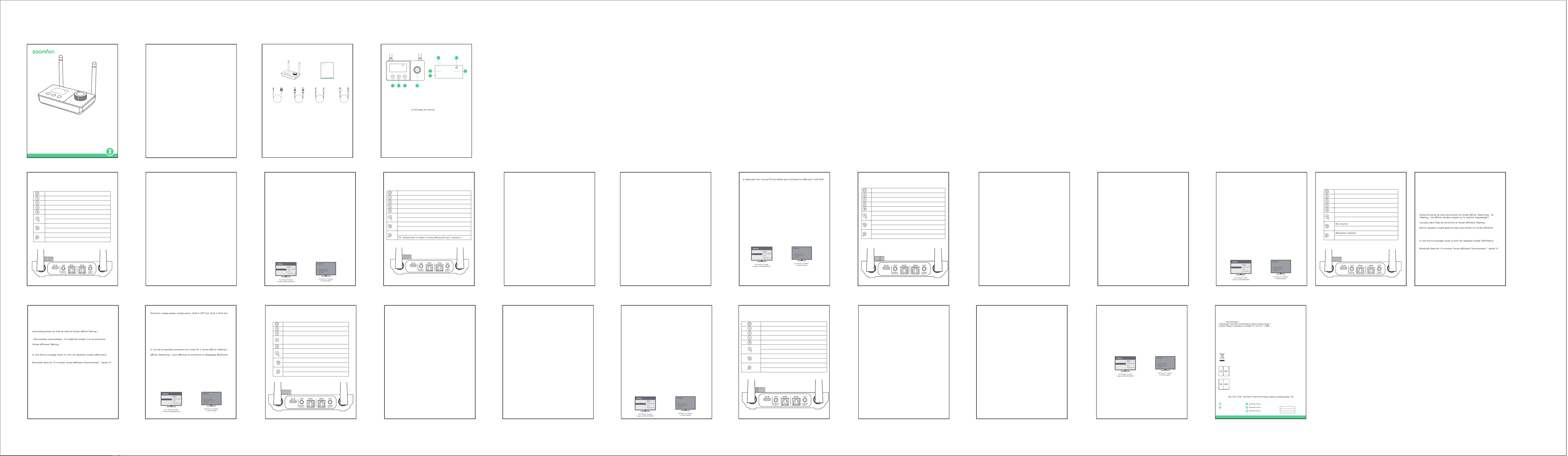
Contact info: [email protected]
Address:
Manufacturer: Xfanic Group (HK) Limited
This device complies with Part 15 of the FCC Rules. Operation is subject to the following
two conditions:
(1) This device may not cause harmful interference.
(2) This device must accept any interference received, including interference that may cause
undesired operation.
Warning: Changes or modifications not expressly approved by the party responsible for compliance
could void the user's authority to operate the equipment.
FCC Compliance Statement
24-Month Warranty
2
4-monatige Garantie | Garantía de 24 meses | Garanzia di 24 me si | Garantie de 24 mois | 24ヶ月間製品保証
Lifetime
ida | Assistenza tecnica per la durata del
Warranty
Garantie | Garantía | Garanzia | Garantie | 製品保証について
This symbol indicates that this product shall not be treated as household waste. Instead
it shall be handed over to the applicable collection point for the recycling of electrical
and electronic equipment.
WSJ Product LTD
Unit 1 Alsop Arcade L3 5TX brownlow
hill,Liverpool, GB
+004407825478124
Manuale utente
PAP 22
Raccolta carta
EN: Quick Start Guide
FR:Description du produit | ES:Descripción del Producto |IT:Descrizione del Prodotto
| DE:Produktbeschreibung | JP:製品説明
USER MANUAL
Model: BT32
WIRELESS
AUDIO ADAPTER
Link Creative Life
TX 10
A: BT speake
B: BT headphone
AUX(SBC)
As a wireless transmitter (TX mode)
1) Use a suitable audio cable (optical cable, AUX cable, RCA cable) according
to the connection diagram, and input the audio source (from TV, DVD, etc.) to
the corresponding interface on the "Audio in" end of BT32;
2) Connect the USB end of the power cord to the power supply (TV, PC USB
socket or power adapter), and plug the USB-C end into the BT32 "DC IN"
interface;
3) The device will automatically turn on after being powered on (after manual
shutdown, you need to press and hold the switch key to turn it on), and the
white indicator light on the knob will light up;
4) Adjust the product to TX Mode by switching the button;
5) Pair the product with a Bluetooth-enabled headset or speaker:
a. Bluetooth search
- First time use: BT32 automatically enters the search state after powering on,
and the screen displays "Searching..." (if "Waiting..." is displayed, please
double-click the "pairing button")
- One-to-two: Double-click the "pairing button" to re-enter the search state,
and the screen will display "Searching..."
- Automatic reconnection: If it has been paired before, it will reconnect to the
last paired device after powering on, and the screen will display "Waiting..."
b. Refer to the user manual of the headset/speaker to set it into pairing mode
c. Waiting for connection
d. After successful pairing, the name of the paired device will be displayed on
the screen.
6) Automatic sleep: In the power-on state, if there is no Bluetooth connection
within 10 minutes, the screen will display "Disconnected...". After 10 minutes,
the screen will darken. Short press any key to activate.
Bypass Mode (non-Bluetooth mode)
1) Refer to the Bypass Mode connection diagram and use a suitable audio
cable (optical cable, AUX cable, RCA cable) to connect the audio source (TV,
DVD, etc.) to the BT32 "Audio in" corresponding interface;
2) Use a suitable audio cable (optical cable, AUX cable, RCA cable) to connect
the speaker to the BT32 "Audio out" corresponding port;
Note: If you use an optical fiber cable to connect, the BT32 optical fiber
output port will light up with a red indic
ator light, please do not insert it
incorrectly;
3) Connect the USB end of the power cord to the power supply (TV, PC USB
interface or power adapter), and plug the USB-C end into the BT32 "DC IN"
interface;
4) After powering on, the device will automatically turn on (after manual
shutdown, you need to press and hold the switch key to turn it on), and the
white indicator light on the knob will light up;
5) Adjust the product to Bypass MODE by switching the button; it supports
four audio modes: AUX input OPT output, Aux input AUX output, OPT input
AUX output and OPT input OPT output.
6) Get started
Note:
a. Make sure your (TV) output is valid, you can use headphones for AUX
testing;
b. Dolby/DTS3 output is not supported when using optical fiber transmission,
and the TV needs to be adjusted to PCM format (refer to troubleshooting for
TV audio output settings).
Troubleshooting
1) Problems encountered during pairing:
a. Confirm that BT32 and your device are within 1 meter and both are in the
pairing state;
b. When connecting for the first time in TX mode, if the screen shows
"Waiting...", please double-click the pairing button first, and wait until the
screen shows "Searching..." to perform Bluetooth search and pairing;
c. If pairing fails in TX mode, please first put the Bluetooth headset or speaker
into the pairing mode, and then double-click the "pairing button" on the
BT32 to re-pair the Bluetooth device;
2) After connecting and pairing with my wireless device, I can't hear any
music on my sound system:
1. The output defaults to AUX output priority. If you need optical output,
please make sure there is no external AUX cable connected to the AUX
output port.
2. You need to ensure that the TV audio format is set to PCM (Figure-1) and
the TV sound output is "External Speaker" (Figure-2)
interruttore per accenderlo) e la spia bianca sulla manopola si accenderà;
4) Regolare il prodotto in modalità RX cambiando il pulsante;
5) Associare il prodotto a computer, tablet, telefoni cellulari e altri dispositivi
abilitati Bluetooth:
a.Stato di associazione Bluetooth
- Primo utilizzo: dopo l'accensione, BT32 entra automaticamente nello stato
di associazione e lo schermo visualizza "Paring..."
-Doppia connessione:attivare il Bluetooth del computer, tablet, telefono
cellulare e altri dispositivi che devono essere accoppiati
-Riconnessione automatica: se è stato accoppiato in precedenza, si
ricollegherà automaticamente all'ultimo dispositivo accoppiato dopo
l'accensione e lo schermo visualizzerà "Waiting..."
b. Trovare il nome Bluetooth "BT32" sul tuo computer, tablet, telefono
cellulare, ecc.
c. Fare clic e attendere la connessione
d. Dopo aver effettuato con successo l'accoppiamento, il nome del
dispositivo accoppiato verrà visualizzato sullo schermo
6) Sospensione automatica: nello stato di accensione, se non viene stabilita
alcuna connessione Bluetooth entro 10 minuti, lo schermo visualizzerà
"Disconnected...". Dopo 10 minuti, lo schermo si oscurerà. Premere
brevemente un tasto qualsiasi per attivare."
Modalità Bypass (modalità non Bluetooth)
1) Fare riferimento allo schema di collegamento della modalità Bypass e
utilizzare un cavo audio adatto (cavo ottico, cavo AUX, cavo RCA) per
collegare la sorgente audio (TV, DVD, ecc.) all'interfaccia corrispondente
"Audio in" BT32;
2) Utilizzare un cavo audio adatto (cavo ottico, cavo AUX, cavo RCA) per
collegare l'altoparlante alla porta corrispondente "Audio out" del BT32;
Nota: se si utilizza un cavo in fibra ottica per la connessione, la porta di uscita
in fibra ottica BT32 si illuminerà con una spia rossa, non inserirla in modo
errato;
3) Collegare l'estremità USB del cavo di alimentazione all'alimentatore (TV,
interfaccia USB del PC o alimentatore) e collegare l'estremità USB-C
all'interfaccia "DC IN" BT32;
4) Dopo l'accensione, il dispositivo si accenderà automati
camente (dopo lo
spegnimento manuale, è necessario tenere premuto il tasto interruttore per
accenderlo) e la spia bianca sulla manopola si accenderà;
5) Regolare il prodotto in MODALITÀ Bypass spostando il pulsante;
Supporta quattro modalità audio Ingresso AUX-uscita OPT, ingresso
AUX-uscita AUX, ingresso OPT-uscita AUX e ingresso OPT-uscita OPT.
6) Iniziare a utilizzare
Guida per L'uso
Come trasmettitore wireless (modalità TX)
1) Utilizzare un cavo audio adatto (cavo ottico, cavo AUX, cavo RCA) secondo lo
schema di collegamento e immettere la sorgente audio (da TV, DVD, ecc.)
all'interfaccia corrispondente sull'estremità "Audio in" di BT32 ;
2) Collegare l'estremità USB del cavo di alimentazione all'alimentatore (TV,
presa USB del PC o alimentatore) e collegare l'estremità USB-C all'interfaccia
BT32 "DC IN";
3) Il dispositivo si accenderà automaticamente dopo essere stato acceso (dopo
lo spegnimento manuale, è necessario tenere premuto il tasto interruttore per
accenderlo) e la spia bianca sulla manopola si accenderà;
4) Regolare il prodotto in modalità TX cambiando il pulsante;
5) Accoppiare il prodotto con un auricolare o un altoparlante abilitato
Bluetooth:
a. Ricerca Bluetooth
-Primo utilizzo: BT32 entra automaticamente nello stato di ricerca dopo
l'accensione e lo schermo visualizza "Searching..."(se viene visualizzato
"Waiting...", fare doppio clic sul pulsante di associazione)
-Doppia connessione: fare doppio clic sul pulsante di associazione per rientrare
nello stato di ricerca e lo schermo visualizzerà "Searching..."
- Riconnessione automatica: se è stato accoppiato in precedenza, si
ricollegherà all'ultimo dispositivo accoppiato dopo l'accensione e lo schermo
visualizzerà "Waiting..."
b.Fare riferimento al manuale dell'utente dell'auricolare/altoparlante per
impostarlo in modalità di accoppiamento
c. In attesa di connessione
d. Dopo aver effettuato con successo l'accoppiamento, il nome del dispositivo
accoppiato verrà visualizzato sullo schermo.
6) Sospensione automatica: Nello stato di accensione, se non viene stabilita
alcuna connessione Bluetooth entro 10 minuti, lo schermo visualizzerà
"Disconnected...". Dopo 10 minuti, lo schermo si oscurerà. Premere brevemente
un tasto qualsiasi per attivare."
Come ricevitore wireless (modalità RX)
1) Utilizzare un cavo audio adatto (cavo ottico, cavo AUX, cavo RCA) secondo lo
schema di collegamento e collegare la sorgente audio dall'estremità "Audio
out" di BT32 all'interfaccia corrispondente;
2) Collegare l'estremità USB del cavo di alimentazione all'alimentatore e
collegare l'estremità USB-C all'interfaccia BT32 "DC IN";
3) Il dispositivo si accenderà automaticamente dopo essere stato acceso (dopo
lo spegnimento manuale, è necessario tenere premuto il tasto
Nota:
b. L'uscita Dolby/DTS3 non è supportata quando si utilizza la trasmissione in
fibra ottica e la TV deve essere regolata sul formato PCM (fare riferimento alla
"Risoluzione dei problemi" per le impostazioni dell'uscita audio della TV)."
Risoluzione dei problemi
1) Quando si riscontrano problemi durante l'accoppiamento:
a. Confermare che BT32 e il dispositivo si trovino entro 1 metro e che
entrambi siano nello stato di associazione;
b. Quando ci si connette per la prima volta in modalità TX, se sullo schermo
viene visualizzato "Waiting...", fare prima doppio clic sul pulsante di
accoppiamento e attendere finché sullo schermo non viene visualizzato
"Searching..." per eseguire la ricerca e l'accoppiamento Bluetooth ;
c. Se l'accoppiamento non riesce in modalità TX, mettere prima l'auricolare o
l'altoparlante Bluetooth in modalità di accoppiamento, poi fare doppio clic sul
pulsante di accoppiamento sul BT32 per riaccoppiare il dispositivo Bluetooth.
2) Quando è connesso e accoppiato con un dispositivo wireless, il sistema
audio non riesce a sentire la musica:
1. Per impostazione predefinita l'uscita ha la priorità dell'uscita AUX. Se è
necessaria un'uscita ottica, assicurarsi che non sia collegato un cavo AUX
esterno alla porta di uscita AUX;
2. È necessario assicurarsi che il formato audio della TV sia impostato su PCM
(Figura-1) e che l'uscita audio della TV sia "Altoparlante esterno" (Figura-2)."
3s
Turn on/ off
Confirm the Bluetooth device
Force entered the Bluetooth pairing mode
Clear the pair and restore the factory settings
TX, RX, Bypass cycle switching
RX: Play, Pause
TX: Mute
RX: Volume -
TX: Select Bluetooth menu upward, volume-
RX: Volume+
TX: Select Bluetooth menu downward, volume+
ワイヤレス送信機として(TXモード)
1) 適切なオーディオケーブル(光ケーブル、AUXケーブル、RCAケーブル)を使用し、接
続図に従って、オーディオソース(TV、DVDなど)をBT32の「Audio in」端の対応する
ポートに入力します;
2) 電源ケーブルのUSB側を電源(TV、PCのUSBソケットまたは電源アダプタ)に接続
し、USB-C側をBT32の「DC IN」ポートに挿入します;
3)電源を接続した後、デバイスの電源が自動的にオンになり(手動でデバイスの電源
をオフにした後、電源ボタンを長押ししてデバイスの電源をオンにする必要がありま
す)、丸いボタンの白い表示灯が点灯します;
4) 切り替えボタンで製品をTXモードに調整します;
5) Bluetooth対応ヘッドフォンまたはスピーカーと製品をペアリングします:
a.ブルートゥース検索
- 初回使用時:BT32の電源を入れた後、自動的に検索状態になり、画面に
"Searching ..."と表示されます。("Waiting ..."と表示された場合は、「ペアリング」ボタ
ンをダブルクリックしてください。)
- 2-in-1:ペアリングボタンをダブルクリックし、再度検索状態に入ると、画面に "検索
中... "と表示されます。
- 自動再接続:以前にペアリングしたことがある場合、デバイスの電源を入れた後、最後
にペアリングしたデバイスを接続すると、画面に「Waiting ...」と表示されます。
b.ヘッドセット/スピーカーのユーザーマニュアルを参照して、ペアリングモードに設定
します。
c.接続を待ちます。
d.ペアリングに成功すると、画面にペアリングされたデバイスの名前が表示されます。
6)自動ハイバネーション:電源を入れ、10分以内にBluetooth接続がない場合、画面
には "Disconnected... "と表示され、10分後に画面が暗くなり、アクティブにするには、
いずれかのボタンを押します。
ワイヤレス受信機として(RXモード)
1)適切なオーディオケーブル(光ケーブル、AUXケーブル、RCAケーブル)を使用し、接
続図に従ってオーディオソースをBT32の「Audioout」側の対応するポートに接続する;
2)電源ケーブルのUSB側を電源に接続し、USB-C側をBT32の「DCIN」ポートに挿入し
ます;
3)電源を接続した後、デバイスは自動的にオンになり(手動でデバイスをオフにした
後、デバイスをオンにするにはオンボタンを長押しする必要があります)、丸いボタンの
白い表示灯が点灯
します;
4)切り替えボタンで製品をRXモードに調整します;
5)Bluetooth対応のPC、タブレット、スマホやその他のデバイスと製品をペアリングし
ます:
a.Bluetoothペアリング状態
-初回使用時:BT32は電源オン後、自動的にペアリング保留状態に入り、画面に
「Pairing...」と表示されます。
-2-in-1:ペアリングが必要なパソコン、タブレット、携帯電話などのBluetoothをオンに
します;
-自動再接続:以前にペアリングしたことがある場合、電源を入れた後、自動的に最後に
ペアリングしたデバイスに再接続し、画面に「Waiting...」と表示されます。
b.PC、タブレット、スマホ、その他のデバイスでBluetooth名""BT32""を見つけます。
c.クリックして接続を待ちます。
d.ペアリングに成功すると、画面にペアリングされたデバイス名が表示されます。
6)自動ハイバネーション:電源を入れ、10分以内にBluetooth接続がない場合、画面は
""Disconnected...""と表示され、10分後に画面が暗くなります。10分後、画面が暗くなり、
任意のキーを押して起動します。
Bypassモード(非ブルートゥースモード)
1)Bypassモードの接続図を参照し、適切なオーディオケーブル(光、AUX、RCA)を使用し
て、オーディオソース(TV、DVDなど)をBT32の「Audioin」ポートに接続します;
2)適切なオーディオケーブル(光、AUX、RCA)を使用して、スピーカーをBT32の「オー
ディオ出力」ポートに接続します;
注:光ケーブルを使用して接続すると、BT32の光出力ポートが赤い表示灯で点灯しま
すので、間違って差し込まないようにしてください;
3)電源ケーブルのUSB側を電源(テレビ、PCのUSBポート、または電源アダプター)に接
続し、USB-C側をBT32の「DCIN」ポートに挿入します;
4)電源を入れると、自動的に電源が入り(手動で電源を切った後、電源ボタンを長押しす
ると電源が入ります)、丸いボタンの白い表示灯が点灯します;
5)切り替えボタンで製品をBypassモードに調整します;
AUX入力OPT出力、AUX入力AUX出力、OPT入力AUX出力、OPT入力OPT出力の4つ
のオーディオモードをサポートします。
6)使用開始
注意:
a.あなたの(TV)出力が有効であることを確かめて下さい、AUXテストのためにヘッドホ
ンを使用できます;
b.Dolby/DTS3出力は、光伝送を使用する場合はサポートされていませんので、TVを
PCMフォーマットに調整する必要があります(TVオーディオ出力設定のトラブルシュー
ティングを参照)。
トラブルシューティング
1)ペアリング時に問題が発生:
a.BT32とデバイスが1メートル以内にあり、両方がペアリング保留状態であることを確認し
てください;
b.TXモードが初めて接続されたとき、画面に「Waiting...」と表示されたら、まずペアリング
ボタンをダブルクリックし、画面に"Searching..."と表示されるまでお待ちください。
Bluetooth検索とペアリングが実行できます;
c.TXモードでBluetoothデバイスとペアリングできない場合、Bluetoothヘッドセットまた
はスピーカーをスタンバイペアリングモードに設定し、BT32の"ペアリングボタン"をダブ
ルクリックしてBluetoothデバイスと再度ペアリングしてください;
2)ワイヤレス設備と接続してペアリングした後、サウンドシステムから音楽が聞こえませ
ん:
1、出力のデフォルトはAUX出力優先です。光出力が必要な場合は、AUX出力ポートに外部
AUXケーブルがないことを確認してください。
2、テレビの音声フォーマットがPCM(図-1)に設定され、テレビの音声出力が「外部スピー
カー」(図-2)であることを確認してください。
Benutzerhandbuch
Als drahtloser Sender (TX-Modus)
1) Verwenden Sie ein geeignetes Audiokabel (optisches Kabel, AUX-Kabel,
RCA-Kabel) gemäß Anschlussplan und geben Sie die Audioquelle (von TV,
DVD usw.) an die entsprechende Schnittstelle am „Audio in“-Ende des BT32
ein ;
2) Verbinden Sie das USB-Ende des Stromkabels mit der Stromversorgung
(Fernseher, PC-USB-Buchse oder Netzteil) und verbinden Sie das USB-C-Ende
mit der BT32-Schnittstelle „DC IN“.
3) Das Gerät schaltet sich nach dem Einschalten automatisch ein (nach dem
manuellen Ausschalten müssen Sie die Schaltertaste gedrückt halten, um es
einzuschalten), und die weiße Kontrollleuchte am Knopf leuchtet auf;
4) Stellen Sie das Produkt durch Ändern der Taste auf den TX-Modus ein;
5) Koppeln Sie das Produkt mit einem Bluetooth-fähigen Headset oder
Lautsprecher:
a. Bluetooth-Suche
-Erste Verwendung: BT32 wechselt nach dem Einschalten automatisch in
den Suchzustand und auf dem Bildschirm wird „Searching...“ angezeigt
(wenn „Waiting…“ angezeigt wird, doppelklicken Sie auf die Kopplungsschalt-
fläche.)
-Doppelte Verbindung: Doppelklicken Sie auf die Kopplungsschaltfläche, um
den Suchstatus erneut aufzurufen. Auf dem Bildschirm wird „Searching...“
angezeigt.
- Automatische Wiederverbindung: Wenn es zuvor gekoppelt wurde,
verbindet es sich nach dem Einschalten erneut mit dem zuletzt gekoppelten
Gerät und auf dem Bildschirm wird „Waiting …“ angezeigt.
b. Lesen Sie im Benutzerhandbuch Ihres Headsets/Lautsprechers nach, wie
Sie es in den Kopplungsmodus versetzen
C. Auf Verbindung warten
D. Nach erfolgreicher Kopplung wird der Name des gekoppelten Geräts auf
dem Bildschirm angezeigt.
6) Automatischer Ruhezustand: Wenn im eingeschalteten Zustand innerhalb
von 10 Minuten keine Bluetooth-Verbindung hergestellt wird, wird auf dem
Bildschirm „Disconnected…“ angezeigt. Nach 10 Minuten wird der Bildschirm
dunkel. Zum Aktivieren kurz eine beliebige Taste drücken."
Als kabelloser Empfänger (RX-Modus)
1) Verwenden Sie ein geeignetes Audiokabel (optisches Kabel, AUX-Kabel,
RCA-Kabel) gemäß Anschlussplan und verbinden Sie die Audioquelle vom
„Audio out“-Ende des BT32 mit der entsprechenden Schnittstelle;
Comme émetteur sans fil (mode TX)
1) Utilisez un câble audio approprié (câble optique, câble AUX, câble RCA)
selon le schéma de connexion et entrez la source audio (du téléviseur, du
DVD, etc.) à l'interface correspondante à l'extrémité "Audio in" du BT32;
2) Connectez l'extrémité USB du câble d'alimentation à la source
d'alimentation (TV, prise USB PC ou adaptateur secteur) et connectez
l'extrémité USB-C à l'interface BT32 "DC IN";
3) l'appareil s'allumera automatiquement après la mise sous tension (après
un arrêt manuel, vous devez appuyer et maintenir la touche de
l'interrupteur pour l'allumer) et le voyant blanc sur le bouton s'allumera;
4) Réglez le produit en mode TX en changeant le bouton;
5) Associez le produit à un casque ou un haut-parleur Bluetooth:
a. Recherche Bluetooth
- Première utilisation: le BT32 entre automatiquement dans l'état de
- Un à deux: double-cliquez sur le "bouton d'appairage" pour entrer à
- Reconnexion automatique: S'il a déjà été couplé, il se reconnectera au
"Waiting..."
b. Reportez-vous au manuel d'utilisation du casque/haut-parleur pour le
régler en mode d'appairage.
c. En attente de connexion
l'écran.
6) Veille automatique: à la mise sous tension, s'il n'y a pas de connexion
minutes, l'écran s'assombrit. Appuyez brièvement sur n’importe quelle
touche pour l’activer.
Comme récepteur sans fil (mode RX)
1) Utilisez un câble audio approprié (câble optique, câble AUX, câble RCA)
pour connecter la source audio à l'interface correspondante de l'extrémité
"Audio out" du BT32 selon le schéma de connexion;
2) Connectez l'extrémité USB du câble d'alimentation à l'alimentation et
connectez l'extrémité USB-C à l'interface BT32 "DC IN";
Como transmisor inalámbrico (modo TX)
1) Utilice un cable de audio adecuado (cable óptico, cable AUX, cable RCA)
según el diagrama de conexión e introduzca la fuente de audio (de TV, DVD,
etc.) a la interfaz correspondiente en el extremo "Audio in" del BT32. ;
2) Conecte el extremo USB del cable de alimentación a la fuente de
alimentación (TV, toma USB de PC o adaptador de corriente) y conecte el
extremo USB-C a la interfaz "DC IN" BT32;
3) El dispositivo se encenderá automáticamente después de encenderlo
(después del apagado manual, debe presionar y mantener presionada la
tecla del interruptor para encenderlo) y la luz indicadora blanca en la perilla
se encenderá;
4) Ajuste el producto al modo TX cambiando el botón;
5) Empareje el producto con unos auriculares o un altavoz con Bluetooth:
a.Búsqueda por Bluetooth
- Uso por primera vez: BT32 ingresa automáticamente al estado de
búsqueda después de encenderse y la pantalla muestra "Searching..." (si se
muestra "Waiting...", haga doble clic en el "botón de emparejamiento")
- Uno a dos: haga doble clic en el "botón de emparejamiento" para volver a
ingresar al estado de búsqueda y la pantalla mostrará "Searching..."
- Reconexión automática: si se ha emparejado antes, se volverá a conectar al
último dispositivo emparejado después de encenderlo y la pantalla mostrará
"Waiting..."
b. Consulte el manual de usuario del auricular/altavoz para configurarlo en
modo de emparejamiento.
c. Esperando conexión
d. Después de un emparejamiento exitoso, el nombre del dispositivo
emparejado se mostrará en la pantalla.
6) Suspensión automática: en el estado de encendido, si no hay conexión
Bluetooth dentro de 10 minutos, la pantalla mostrará "Disconnected...".
Después de 10 minutos, la pantalla se oscurecerá. Presione brevemente
cualquier tecla para activar."
Como receptor inalámbrico (modo RX)
1) Utilice un cable de audio adecuado (cable óptico, cable AUX, cable RCA)
para conectar la fuente de audio a la interfaz correspondiente del extremo
"Audio out" del BT32 según el diagrama de conexión;
2) Conecte el extremo USB del cable de alimentación a la fuente de
alimentación y conecte el extremo USB-C a la interfaz BT32 "DC IN";
3) El dispositivo se encenderá aut
omáticamente después de encenderlo
(después del apagado manual, debe presionar y mantener presionada la
tecla del interruptor para encenderlo) y la luz indicadora blanca en la
perilla se encenderá;
4) Ajuste el producto al modo RX cambiando el botón;
5) Empareje el producto con computadoras, tabletas, teléfonos móviles y
otros dispositivos con Bluetooth:
a. Estado de emparejamiento de Bluetooth
- Uso por primera vez: después de encenderlo, BT32 ingresa automática-
mente al estado de espera y la pantalla muestra "Pairing..."
- Uno a dos: Encienda el Bluetooth de la computadora, tableta, teléfono
móvil y otros dispositivos que necesiten emparejarse;
- Reconexión automática: si se ha emparejado antes, se volverá a conectar
automáticamente al último dispositivo emparejado después de
encenderlo y la pantalla mostrará "Waiting..."
b. Busque el nombre de Bluetooth "BT32" en su computadora, tableta,
teléfono móvil, etc.
c. Haga clic y espere la conexión.
d. Después de un emparejamiento exitoso, el nombre del dispositivo
emparejado se mostrará en la pantalla.
6) Suspensión automática: en el estado de encendido, si no hay conexión
Bluetooth dentro de 10 minutos, la pantalla mostrará "Disconnected...".
Después de 10 minutos, la pantalla se oscurecerá. Presione brevemente
cualquier tecla para activar.
Modo de Bypass (modo sin Bluetooth)
1) Consulte el diagrama de conexión del modo Bypass y utilice un cable de
audio adecuado (cable óptico, cable AUX, cable RCA) para conectar la
fuente de audio (TV, DVD, etc.) a la interfaz correspondiente de "Audio in"
BT32;
2) Utilice un cable de audio adecuado (cable óptico, cable AUX, cable RCA)
para conectar el altavoz al puerto correspondiente "Audio out" BT32;
Nota: Si utiliza un cable de fibra óptica para conectarse, el puerto de salida
de fibra óptica BT32 se iluminará con una luz indicadora roja, no lo inserte
incorrectamente;
3) Conecte el extremo USB del cable de alimentación a la fuente de
alimentación (TV, interfaz USB de PC o adaptador de corriente) y conecte
el extremo USB-C a la interfaz "DC IN" BT32;
4) Después de encenderlo, el dispositivo se encenderá automáticamen
te
(después del apagado manual, debe presionar y mantener presionada la
tecla del interruptor para encenderlo) y la luz indicadora blanca en la
perilla se encenderá;
5) Ajuste el producto al MODO Bypass cambiando el botón;
Admite cuatro modos de audio: Entrada AUX Salida OPT, Entrada AUX
Salida AUX, Entrada OPT Salida AUX y Entrada OPT Salida OPT
6) Empieza
Aviso:
a. Asegúrese de que su salida (TV) sea válida; puede usar auriculares para la
prueba AUX;
b. La salida Dolby/DTS3 no es compatible cuando se utiliza transmisión de
fibra óptica y el televisor debe ajustarse al formato PCM (consulte la solución
de problemas para conocer la configuración de salida de audio del televisor).
Solución de Problemas
1) Problemas encontrados durante el emparejamiento:
a. Confirme que BT32 y su dispositivo estén dentro de 1 metro y que ambos
estén en estado de emparejamiento;
b. Cuando se conecte por primera vez en modo TX, si la pantalla muestra
"Waiting...", primero haga doble clic en el botón de emparejamiento y espere
hasta que la pantalla muestre "Searching..." para realizar la búsqueda y el
emparejamiento de Bluetooth;
c. Si el emparejamiento falla en el modo TX, primero coloque los auriculares
o el altavoz Bluetooth en el modo de emparejamiento y luego haga doble
clic en el "botón de emparejamiento" del BT32 para volver a emparejar el
dispositivo Bluetooth;
2) Después de conectar y vincular mi dispositivo inalámbrico, no puedo
escuchar música en mi sistema de sonido:
a. La salida tiene por defecto prioridad de salida AUX. Si necesita una salida
óptica, asegúrese de que no haya ningún cable AUX externo conectado al
puerto de salida AUX.
b. Debe asegurarse de que el formato de audio del televisor esté configurado
en PCM (Figura 1) y que la salida de sonido del televisor sea "Altavoz externo"
(Figura 2).
3) l'appareil s'allumera automatiquement après la mise sous tension (après
un arrêt manuel, vous devez appuyer et maintenir la touche de
l'interrupteur pour l'allumer) et le voyant blanc sur le bouton s'allumera;
4) Réglez le produit en mode RX en changeant le bouton;
5) Associez le produit à des ordinateurs, tablettes, téléphones mobiles et
autres appareils compatibles Bluetooth:
a. État du couplage Bluetooth
- Première utilisation: Après la mise sous tension, le BT32 entre
- Un à deux : activez le Bluetooth de l'ordinateur, de la tablette, du
téléphone portable et des autres appareils qui doivent être couplés;
automatiquement au dernier appareil couplé après la mise sous tension et
b. Recherchez le nom Bluetooth "BT32" sur votre ordinateur, tablette,
téléphone portable, etc.
c. Cliquez et attendez la connexion.
l'écran.
6) Veille automatique: à la mise sous tension, s'il n'y a pas de connexion
minutes, l'écran s'assombrit. Appuyez brièvement sur n’importe quelle
touche pour l’activer.
Mode contournement (mode non Bluetooth)
1) Reportez-vous au schéma de connexion du mode Bypass et utilisez un
câble audio approprié (câble optique, câble AUX, câble RCA) pour
connecter la source audio (TV, DVD, etc.) à l'interface BT32 "Audio in"
correspondante;
2) Utilisez un câble audio approprié (câble optique, câble AUX, câble RCA)
pour connecter le haut-parleur au port BT32 "Audio out" correspondant;
Note: si vous utilisez un câble à fibre optique pour vous connecter, le port
de sortie à fibre optique BT32 s'allumera avec un voyant rouge, veuillez ne
pas l'insérer incorrectement;
3) Connectez l'extrémité USB du câble d'alimentation à la source
d'alimentation (TV, interface USB PC ou adaptateur secteur) et connectez
l'extrémité USB-C à l'interface BT32 "DC IN";
4) après la mise sous tension, l'appareil s'allumera automatiquement (après
un arrêt manuel, vous devez appuyer et maintenir la touche de
l'interrupteur pour l'allumer) et le voyant blanc sur le bouton s'allumera;
2) Verbinden Sie das USB-Ende des Stromkabels mit dem Netzteil und das
USB-C-Ende mit der BT32-Schnittstelle „DC IN“.
3) Das Gerät schaltet sich nach dem Einschalten automatisch ein (nach dem
manuellen Ausschalten müssen Sie die Schaltertaste gedrückt halten, um es
einzuschalten), und die weiße Kontrollleuchte am Knopf leuchtet auf;
4) Stellen Sie das Produkt durch Ändern der Taste auf den RX-Modus ein;
5) Koppeln Sie das Produkt mit Computern, Tablets, Mobiltelefonen und
anderen Bluetooth-fähigen Geräten:
a.Bluetooth-Kopplungsstatus
- Erstmalige Verwendung: Nach dem Einschalten wechselt BT32 automatisch
in den Pairing-Status und auf dem Bildschirm wird „Paring...“ angezeigt.
-Doppelte Verbindung: Schalten Sie die Bluetooth-Funktion Ihres Computers,
Tablets, Mobiltelefons und anderer Geräte ein, die gekoppelt werden müssen
-Automatische Wiederverbindung: Wenn es zuvor gekoppelt wurde, verbindet
es sich nach dem Einschalten automatisch wieder mit dem zuletzt
gekoppelten Gerät und auf dem Bildschirm wird „Waiting …“ angezeigt.
B. Suchen Sie den Bluetooth-Namen „BT32“ auf Ihrem Computer, Tablet,
Mobiltelefon usw.
C. Klicken Sie und warten Sie auf die Verbindung
D. Nach erfolgreicher Kopplung wird der Name des gekoppelten Geräts auf
dem Bildschirm angezeigt
6) Automatischer Ruhezustand: Wenn im eingeschalt
eten Zustand innerhalb
von 10 Minuten keine Bluetooth-Verbindung hergestellt wird, wird auf dem
Bildschirm „Disconnected…“ angezeigt. Nach 10 Minuten wird der Bildschirm
dunkel. Zum Aktivieren kurz eine beliebige Taste drücken.
Bypass-Modus (Nicht-Bluetooth-Modus)
1) Sehen Sie sich das Anschlussdiagramm des Bypass-Modus an und
verwenden Sie ein geeignetes Audiokabel (optisches Kabel, AUX-Kabel,
RCA-Kabel), um die Audioquelle (TV, DVD usw.) an die entsprechende „Audio
in“-BT32-Schnittstelle anzuschließen;
2) Schließen Sie den Lautsprecher über ein geeignetes Audiokabel (optisches
Kabel, AUX-Kabel, RCA-Kabel) an den entsprechenden „Audio out“-Anschluss
des BT32 an;
Hinweis: Wenn Sie zum Anschließen ein optisches Kabel verwenden, leuchtet
der BT32-Optischausgangsanschluss rot auf. Bitte stecken Sie ihn nicht falsch
ein.
3) Verbinden Sie das USB-Ende des Stromkabels mit der Stromversorgung
(Fernseher, PC-USB-Schnittstelle oder Netzteil) und verbinden Sie das
USB-C-Ende mit der BT32-Schnittstelle „DC IN“.
4) Nach dem Einschalten schaltet sich das Gerät automatisch ein (nach dem
manuellen Ausschalten müssen Sie die Schaltertaste gedrückt halten, um es
einzuschalten), und die weiße Kontrollleuchte am Knopf leuchtet auf;
5) Stellen Sie das Produkt durch Bewegen der Taste auf den Bypass-Modus.
Unterstützt vier Audiomodi: AUX-Eingang-OPT-Ausgang, AUX-Ein-
gang-AUX-Ausgang, OPT-Eingang-AUX-Ausgang und OPT-Eingang-OPT-Aus-
gang.
6) Beginnen Sie mit der Verwendung
Notiz:
Zu. Stellen Sie sicher, dass der Ausgang (TV) gültig ist. Sie können Kopfhörer
für den AUX-Test verwenden;
B. Die Dolby/DTS3-Ausgabe wird bei Verwendung einer Glasfaserübertragung
nicht unterstützt und das Fernsehgerät muss auf das PCM-Format eingestellt
sein (siehe „Fehlerbehebung“ für die Audioausgabeeinstellungen des
Fernsehgeräts).
Fehlerbehebung
1) Wenn beim Pairing Probleme auftreten:
a. Vergewissern Sie sich, dass der BT32 und das Gerät weniger als 1 Meter
voneinander entfernt sind und sich beide im Pairing-Zustand befinden.
b. Wenn beim ersten Herstellen einer Verbindung im TX-Modus „Waiting…“ auf
dem Bildschirm angezeigt wird, doppelklicken Sie zunächst auf die
Kopplungsschaltfläche und warten Sie, bis „Searching…“ auf dem Bildschirm
angezeigt wird, um eine Suche durchzuführen und eine Bluetooth-Kopplung
durchzuführen.
c. Wenn die Kopplung im TX-Modus fehlschlägt, versetzen Sie zuerst das
Bluetooth-Headset oder den Bluetooth-Lautsprecher in den Kopplungsmo-
dus und doppelklicken Sie dann auf die Kopplungstaste am BT32, um das
Bluetooth-Gerät erneut zu koppeln.
2) Wenn das Soundsystem mit einem drahtlosen Gerät verbunden und
gekoppelt ist, kann es keine Musik hören:
2. Sie müssen sicherstellen, dass das Audioformat Ihres Fernsehers auf PCM
eingestellt ist (Abbildung 1) und dass der Audioausgang Ihres Fernsehers
„Externer Lautsprecher“ ist (Abbildung 2).
5) Réglez le produit sur le MODE Bypass en changeant le bouton;
OPT In AUX Out et OPT In OPT Out
6) Commencez
Avertissement:
a. Assurez-vous que votre sortie (TV) est valide; vous pouvez utiliser des
écouteurs pour le test AUX;
b. La sortie Dolby/DTS3 n'est pas prise en charge lors de l'utilisation d'une
transmission par fibre optique et le téléviseur doit être réglé au format PCM
(voir dépannage pour les paramètres de sortie audio du téléviseur).
Solution de problèmes
1) Problèmes rencontrés lors de l'appairage:
a. Veuillez confirmer que le BT32 et votre appareil sont à moins de 1 mètre
et que les deux sont en état de couplage;
double-cliquez d'abord sur le bouton d'appairage et attendez que l'écran
c. Si l'appairage échoue en mode TX, mettez d'abord le casque ou le
haut-parleur Bluetooth en mode d'appairage, puis double-cliquez sur le «
bouton d'appairage » du BT32 pour appairer à nouveau l'appareil Bluetooth;
2) Après avoir connecté et couplé mon appareil sans fil, je ne parviens pas à
écouter de la musique sur mon système audio:
a. La sortie a la priorité de sortie AUX par défaut. Si vous avez besoin d'une
sortie optique, assurez-vous qu'aucun câble AUX externe n'est connecté au
port de sortie AUX.
b. Vous devez vous assurer que le format audio du téléviseur est réglé sur
PCM (Figure 1) et que la sortie audio du téléviseur est « Haut-parleur
externe » (Figure 2).
24H Technical Support: [email protected]
10s
x 2
x 1
x1
x 1
3s
10s
x 2
x 1
x1
x 1
3s
10s
x 2
x 1
x1
x 1
3s
10s
x 2
x 1
x1
x 1
SUCCESS COURIER SL
CALLE RIO TORMES NUM.1, PLANTA 1, DERECHA, OFICINA 3,
Fuenlabrada, Madrid, 28947 Spain
www.soomfon.com
-1
-4
-5 -6
-9 -10 -11
-12 -13 -14
-16
-17 -18
-20 -21 -22
-24 -25 -26
IT: Guida per L'uso
FR:Description du produit | ES:Descripción del Producto |IT:Descrizione del Prodotto
| DE:Produktbeschreibung |
JP:製品説明
Accensione/Spegnimento
Confermare il dispositivo Bluetooth
Entrare forzatamente nella modalità di accoppiamento Bluetooth
Cancellare l'associazione e ripristinrea le impostazioni di fabbrica
Passare attraverso le modalità TX, RX e Bypass
RX: Play / Pausa
TX: Muto
RX: Volume -
TX: Selezionare verso l'alto il menu Bluetooth / Volume -
RX: Volume +
JP: クイック使用ガイド
FR:Description du produit | ES:Descripción del Producto |IT:Descrizione del Prodotto
| DE:Produktbeschreibung | JP:製品説明
電源を入れる、電源を切る
Bluetoothデバイスを確認
Bluetoothペアリングモードに強制的に入る
ペアリングの消去、工場出荷時の設定に戻す
TX、RX、Bypass サイクル切り替え
RX:再生、一時停止
TX:ミュート
RX:音量-
TX:上からBluetoothメニューを選び、音量-
RX:音量+
TX: 下からBluetoothメニューを選び、音量+
DE: Schnellstartanleitung
FR:Description du produit | ES:Descripción del Producto |IT:Descrizione del Prodotto
| DE:Produktbeschreibung | JP:製品説明
FR: Guide de démarrage rapide
FR:Description du produit | ES:Descripción del Producto |IT:Descrizione del Prodotto
| DE:Produktbeschreibung | JP:製品説明
3s
10s
x 2
x 1
x1
x 1
Allumé/Désactivé
Confirmer le périphérique Bluetooth
Forcer le mode de couplage Bluetooth
Effacer l'appairage et restaurer les paramètres d'usine
Basculer entre les modes TX, RX et Bypass
RX: lecture, pause
TX: muet
TX: sélectionnez le menu Bluetooth vers le haut/volume-
TX: sélectionnez le menu Bluetooth vers le bas/volume+
ES: Guía de inicio rápido
FR:Description du produit | ES:Descripción del Producto |IT:Descrizione del Prodotto
| DE:Produktbeschreibung | JP:製品説明
Encendido/Apagado
Confirmar dispositivo bluetooth
Forzar el modo de emparejamiento Bluetooth
Borrar el emparejamiento y restaurar la configuración de fábrica
Cambiar entre modo TX, RX y Bypass
RX: reproducir, pausar
TX: silenciar
RX: volumen-
TX: seleccione menú Bluetooth arriba/volumen-
RX: volumen+
TX: Seleccionar menú Bluetooth abajo/volumen+
-7 -8
-15
-19
-23
Contents
User Guide ( EN )---4-6
Guida utente ( IT ) ---7-10
Guida utente ( ES ) ---11-14
Manual de Usuario ( FR ) ---15-18
Benutzerhandbuch ( DE ) ---19-22
取扱説明書( JP ) ---23-26
3s
10s
x 2
x 1
x1
x 1
Ein-/Ausschalten
Bestätigen Sie das Bluetooth-Gerät
Wechseln Sie zwangsweise in den Bluetooth-Pairing-Modus
Wechseln Sie zwischen den TX-, RX- und Bypass-Modi
RX: Wiedergabe/Pause
TX: Stumm
RX: Lautstärke -
TX: Wählen Sie Bluetooth-Menü nach oben / Lautstärke -
RX: Lautstärke +
TX: Wählen Sie Bluetooth-Menü nach unten / Lautstärke +
Brechen Sie die Zuordnung ab und stellen Sie die
Werkseinstellungen wieder her
EN
1. Pairing
2. Mode switching
3. Turn on / off
4. Volume adjustment
5. Working mode
6. Volume display
7. Input mode
8. Codec format
9. Device connection list
DE
FR
1. Kopplung
2. Modusumschaltung
3. Ein-/Ausschalten
4. Lautstärkeregelung
5. Arbeitsmodus
6. Lautstärkeanzeige
7. Eingabemodus
8. Codec-Format
9. Geräteverbindungsliste
1. Appariement
2. Changement de mode
3. Allumer/éteindre
4. Réglage du volume
5. Mode de travail
7. Mode d'entrée
8. Format des codecs
9. Liste de connexion des
appareils Bluetooth
ES
1
. Emparejamiento
2
. Cambio de modo
3
. Encender/apagar
4. Ajuste de volumen
5. Modo de trabajo
6. Visualización del volumen
7
. Modo de entrada
8. Formato de códec
9
. Lista de conexiones de
dispositivos Bluetooth
JP
1
. ペアリング
2. モード切替
3. スイッチ
4
. 音量調整
5
. 動作モード
6. 音量表示
7
. 入力モード
8. コーデック形式
9. 設備接続リスト
IT
1
. Associazione
2
. Commutazione della modalità
3. Accensione/spegnimento
4
. Regolazione del volume
5
. Modalità di lavoro
6
. Visualizzazione del volume
7
. Modalità di ingresso
8
. Formato codec
9. Nomi dei dispositivi Bluetooth
TX 10
A: BT speaker
B: BT headphone
AUX(SBC)
5
7
9
6
8
TX 10
A: BT speaker
B: BT headphone
AUX(SBC)
1 2 3 4
USER MANUAL
Model: XF-BT32
WIRELESS
AUDIO AUDIO ADAPTER
Link Creative Life
Packing list
FR:Liste de Paquetage | ES:Lista de Embalaje | IT:Lista imballaggio | DE:Packliste | JP:梱包内容
X1 X1
X1
X1
EN: Specifications
Bluetooth name: BT32
Bluetooth version: V5.3
Connection distance: TX: 15M, RX: 20-30M
Working mode: TX+RX+Bypass
Input: AUX, SPDIF
Output: AUX, SPDIF
Power input: USB-C
Support protocol: A2DP
Codec format: TX:SBC,RX:AAC
FR:Spécifications | ES:Especificaciones | IT:Specifiche | DE:Spezifikationen | JP:製品規格
TX 10
A: BT speake
B: BT headpho
ne
AUX(
SBC)
-2 -3
Product Description
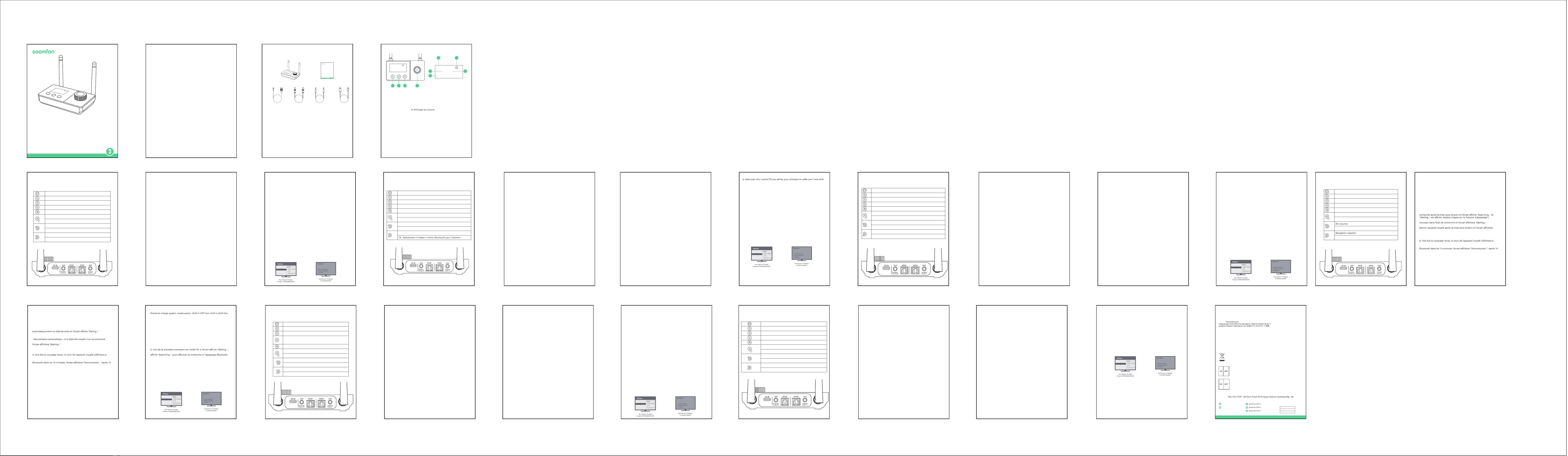
Contact info: [email protected]
Address:
Manufacturer: Xfanic Group (HK) Limited
This device complies with Part 15 of the FCC Rules. Operation is subject to the following
two conditions:
(1) This device may not cause harmful interference.
(2) This device must accept any interference received, including interference that may cause
undesired operation.
Warning: Changes or modifications not expressly approved by the party responsible for compliance
could void the user's authority to operate the equipment.
FCC Compliance Statement
24-Month Warranty
2
4-monatige Garantie | Garantía de 24 meses | Garanzia di 24 me si | Garantie de 24 mois | 24ヶ月間製品保証
Lifetime
ida | Assistenza tecnica per la durata del
Warranty
Garantie | Garantía | Garanzia | Garantie | 製品保証について
This symbol indicates that this product shall not be treated as household waste. Instead
it shall be handed over to the applicable collection point for the recycling of electrical
and electronic equipment.
WSJ Product LTD
Unit 1 Alsop Arcade L3 5TX brownlow
hill,Liverpool, GB
+004407825478124
Manuale utente
PAP 22
Raccolta carta
EN: Quick Start Guide
FR:Description du produit | ES:Descripción del Producto |IT:Descrizione del Prodotto
| DE:Produktbeschreibung | JP:製品説明
USER MANUAL
Model: BT32
WIRELESS
AUDIO ADAPTER
Link Creative Life
TX 10
A: BT speake
B: BT headphone
AUX(SBC)
As a wireless transmitter (TX mode)
1) Use a suitable audio cable (optical cable, AUX cable, RCA cable) according
to the connection diagram, and input the audio source (from TV, DVD, etc.) to
the corresponding interface on the "Audio in" end of BT32;
2) Connect the USB end of the power cord to the power supply (TV, PC USB
socket or power adapter), and plug the USB-C end into the BT32 "DC IN"
interface;
3) The device will automatically turn on after being powered on (after manual
shutdown, you need to press and hold the switch key to turn it on), and the
white indicator light on the knob will light up;
4) Adjust the product to TX Mode by switching the button;
5) Pair the product with a Bluetooth-enabled headset or speaker:
a. Bluetooth search
- First time use: BT32 automatically enters the search state after powering on,
and the screen displays "Searching..." (if "Waiting..." is displayed, please
double-click the "pairing button")
- One-to-two: Double-click the "pairing button" to re-enter the search state,
and the screen will display "Searching..."
- Automatic reconnection: If it has been paired before, it will reconnect to the
last paired device after powering on, and the screen will display "Waiting..."
b. Refer to the user manual of the headset/speaker to set it into pairing mode
c. Waiting for connection
d. After successful pairing, the name of the paired device will be displayed on
the screen.
6) Automatic sleep: In the power-on state, if there is no Bluetooth connection
within 10 minutes, the screen will display "Disconnected...". After 10 minutes,
the screen will darken. Short press any key to activate.
Bypass Mode (non-Bluetooth mode)
1) Refer to the Bypass Mode connection diagram and use a suitable audio
cable (optical cable, AUX cable, RCA cable) to connect the audio source (TV,
DVD, etc.) to the BT32 "Audio in" corresponding interface;
2) Use a suitable audio cable (optical cable, AUX cable, RCA cable) to connect
the speaker to the BT32 "Audio out" corresponding port;
Note: If you use an optical fiber cable to connect, the BT32 optical fiber
output port will light up with a red indic
ator light, please do not insert it
incorrectly;
3) Connect the USB end of the power cord to the power supply (TV, PC USB
interface or power adapter), and plug the USB-C end into the BT32 "DC IN"
interface;
4) After powering on, the device will automatically turn on (after manual
shutdown, you need to press and hold the switch key to turn it on), and the
white indicator light on the knob will light up;
5) Adjust the product to Bypass MODE by switching the button; it supports
four audio modes: AUX input OPT output, Aux input AUX output, OPT input
AUX output and OPT input OPT output.
6) Get started
Note:
a. Make sure your (TV) output is valid, you can use headphones for AUX
testing;
b. Dolby/DTS3 output is not supported when using optical fiber transmission,
and the TV needs to be adjusted to PCM format (refer to troubleshooting for
TV audio output settings).
Troubleshooting
1) Problems encountered during pairing:
a. Confirm that BT32 and your device are within 1 meter and both are in the
pairing state;
b. When connecting for the first time in TX mode, if the screen shows
"Waiting...", please double-click the pairing button first, and wait until the
screen shows "Searching..." to perform Bluetooth search and pairing;
c. If pairing fails in TX mode, please first put the Bluetooth headset or speaker
into the pairing mode, and then double-click the "pairing button" on the
BT32 to re-pair the Bluetooth device;
2) After connecting and pairing with my wireless device, I can't hear any
music on my sound system:
1. The output defaults to AUX output priority. If you need optical output,
please make sure there is no external AUX cable connected to the AUX
output port.
2. You need to ensure that the TV audio format is set to PCM (Figure-1) and
the TV sound output is "External Speaker" (Figure-2)
interruttore per accenderlo) e la spia bianca sulla manopola si accenderà;
4) Regolare il prodotto in modalità RX cambiando il pulsante;
5) Associare il prodotto a computer, tablet, telefoni cellulari e altri dispositivi
abilitati Bluetooth:
a.Stato di associazione Bluetooth
- Primo utilizzo: dopo l'accensione, BT32 entra automaticamente nello stato
di associazione e lo schermo visualizza "Paring..."
-Doppia connessione:attivare il Bluetooth del computer, tablet, telefono
cellulare e altri dispositivi che devono essere accoppiati
-Riconnessione automatica: se è stato accoppiato in precedenza, si
ricollegherà automaticamente all'ultimo dispositivo accoppiato dopo
l'accensione e lo schermo visualizzerà "Waiting..."
b. Trovare il nome Bluetooth "BT32" sul tuo computer, tablet, telefono
cellulare, ecc.
c. Fare clic e attendere la connessione
d. Dopo aver effettuato con successo l'accoppiamento, il nome del
dispositivo accoppiato verrà visualizzato sullo schermo
6) Sospensione automatica: nello stato di accensione, se non viene stabilita
alcuna connessione Bluetooth entro 10 minuti, lo schermo visualizzerà
"Disconnected...". Dopo 10 minuti, lo schermo si oscurerà. Premere
brevemente un tasto qualsiasi per attivare."
Modalità Bypass (modalità non Bluetooth)
1) Fare riferimento allo schema di collegamento della modalità Bypass e
utilizzare un cavo audio adatto (cavo ottico, cavo AUX, cavo RCA) per
collegare la sorgente audio (TV, DVD, ecc.) all'interfaccia corrispondente
"Audio in" BT32;
2) Utilizzare un cavo audio adatto (cavo ottico, cavo AUX, cavo RCA) per
collegare l'altoparlante alla porta corrispondente "Audio out" del BT32;
Nota: se si utilizza un cavo in fibra ottica per la connessione, la porta di uscita
in fibra ottica BT32 si illuminerà con una spia rossa, non inserirla in modo
errato;
3) Collegare l'estremità USB del cavo di alimentazione all'alimentatore (TV,
interfaccia USB del PC o alimentatore) e collegare l'estremità USB-C
all'interfaccia "DC IN" BT32;
4) Dopo l'accensione, il dispositivo si accenderà automati
camente (dopo lo
spegnimento manuale, è necessario tenere premuto il tasto interruttore per
accenderlo) e la spia bianca sulla manopola si accenderà;
5) Regolare il prodotto in MODALITÀ Bypass spostando il pulsante;
Supporta quattro modalità audio Ingresso AUX-uscita OPT, ingresso
AUX-uscita AUX, ingresso OPT-uscita AUX e ingresso OPT-uscita OPT.
6) Iniziare a utilizzare
Guida per L'uso
Come trasmettitore wireless (modalità TX)
1) Utilizzare un cavo audio adatto (cavo ottico, cavo AUX, cavo RCA) secondo lo
schema di collegamento e immettere la sorgente audio (da TV, DVD, ecc.)
all'interfaccia corrispondente sull'estremità "Audio in" di BT32 ;
2) Collegare l'estremità USB del cavo di alimentazione all'alimentatore (TV,
presa USB del PC o alimentatore) e collegare l'estremità USB-C all'interfaccia
BT32 "DC IN";
3) Il dispositivo si accenderà automaticamente dopo essere stato acceso (dopo
lo spegnimento manuale, è necessario tenere premuto il tasto interruttore per
accenderlo) e la spia bianca sulla manopola si accenderà;
4) Regolare il prodotto in modalità TX cambiando il pulsante;
5) Accoppiare il prodotto con un auricolare o un altoparlante abilitato
Bluetooth:
a. Ricerca Bluetooth
-Primo utilizzo: BT32 entra automaticamente nello stato di ricerca dopo
l'accensione e lo schermo visualizza "Searching..."(se viene visualizzato
"Waiting...", fare doppio clic sul pulsante di associazione)
-Doppia connessione: fare doppio clic sul pulsante di associazione per rientrare
nello stato di ricerca e lo schermo visualizzerà "Searching..."
- Riconnessione automatica: se è stato accoppiato in precedenza, si
ricollegherà all'ultimo dispositivo accoppiato dopo l'accensione e lo schermo
visualizzerà "Waiting..."
b.Fare riferimento al manuale dell'utente dell'auricolare/altoparlante per
impostarlo in modalità di accoppiamento
c. In attesa di connessione
d. Dopo aver effettuato con successo l'accoppiamento, il nome del dispositivo
accoppiato verrà visualizzato sullo schermo.
6) Sospensione automatica: Nello stato di accensione, se non viene stabilita
alcuna connessione Bluetooth entro 10 minuti, lo schermo visualizzerà
"Disconnected...". Dopo 10 minuti, lo schermo si oscurerà. Premere brevemente
un tasto qualsiasi per attivare."
Come ricevitore wireless (modalità RX)
1) Utilizzare un cavo audio adatto (cavo ottico, cavo AUX, cavo RCA) secondo lo
schema di collegamento e collegare la sorgente audio dall'estremità "Audio
out" di BT32 all'interfaccia corrispondente;
2) Collegare l'estremità USB del cavo di alimentazione all'alimentatore e
collegare l'estremità USB-C all'interfaccia BT32 "DC IN";
3) Il dispositivo si accenderà automaticamente dopo essere stato acceso (dopo
lo spegnimento manuale, è necessario tenere premuto il tasto
Nota:
b. L'uscita Dolby/DTS3 non è supportata quando si utilizza la trasmissione in
fibra ottica e la TV deve essere regolata sul formato PCM (fare riferimento alla
"Risoluzione dei problemi" per le impostazioni dell'uscita audio della TV)."
Risoluzione dei problemi
1) Quando si riscontrano problemi durante l'accoppiamento:
a. Confermare che BT32 e il dispositivo si trovino entro 1 metro e che
entrambi siano nello stato di associazione;
b. Quando ci si connette per la prima volta in modalità TX, se sullo schermo
viene visualizzato "Waiting...", fare prima doppio clic sul pulsante di
accoppiamento e attendere finché sullo schermo non viene visualizzato
"Searching..." per eseguire la ricerca e l'accoppiamento Bluetooth ;
c. Se l'accoppiamento non riesce in modalità TX, mettere prima l'auricolare o
l'altoparlante Bluetooth in modalità di accoppiamento, poi fare doppio clic sul
pulsante di accoppiamento sul BT32 per riaccoppiare il dispositivo Bluetooth.
2) Quando è connesso e accoppiato con un dispositivo wireless, il sistema
audio non riesce a sentire la musica:
1. Per impostazione predefinita l'uscita ha la priorità dell'uscita AUX. Se è
necessaria un'uscita ottica, assicurarsi che non sia collegato un cavo AUX
esterno alla porta di uscita AUX;
2. È necessario assicurarsi che il formato audio della TV sia impostato su PCM
(Figura-1) e che l'uscita audio della TV sia "Altoparlante esterno" (Figura-2)."
3s
Turn on/ off
Confirm the Bluetooth device
Force entered the Bluetooth pairing mode
Clear the pair and restore the factory settings
TX, RX, Bypass cycle switching
RX: Play, Pause
TX: Mute
RX: Volume -
TX: Select Bluetooth menu upward, volume-
RX: Volume+
TX: Select Bluetooth menu downward, volume+
ワイヤレス送信機として(TXモード)
1) 適切なオーディオケーブル(光ケーブル、AUXケーブル、RCAケーブル)を使用し、接
続図に従って、オーディオソース(TV、DVDなど)をBT32の「Audio in」端の対応する
ポートに入力します;
2) 電源ケーブルのUSB側を電源(TV、PCのUSBソケットまたは電源アダプタ)に接続
し、USB-C側をBT32の「DC IN」ポートに挿入します;
3)電源を接続した後、デバイスの電源が自動的にオンになり(手動でデバイスの電源
をオフにした後、電源ボタンを長押ししてデバイスの電源をオンにする必要がありま
す)、丸いボタンの白い表示灯が点灯します;
4) 切り替えボタンで製品をTXモードに調整します;
5) Bluetooth対応ヘッドフォンまたはスピーカーと製品をペアリングします:
a.ブルートゥース検索
- 初回使用時:BT32の電源を入れた後、自動的に検索状態になり、画面に
"Searching ..."と表示されます。("Waiting ..."と表示された場合は、「ペアリング」ボタ
ンをダブルクリックしてください。)
- 2-in-1:ペアリングボタンをダブルクリックし、再度検索状態に入ると、画面に "検索
中... "と表示されます。
- 自動再接続:以前にペアリングしたことがある場合、デバイスの電源を入れた後、最後
にペアリングしたデバイスを接続すると、画面に「Waiting ...」と表示されます。
b.ヘッドセット/スピーカーのユーザーマニュアルを参照して、ペアリングモードに設定
します。
c.接続を待ちます。
d.ペアリングに成功すると、画面にペアリングされたデバイスの名前が表示されます。
6)自動ハイバネーション:電源を入れ、10分以内にBluetooth接続がない場合、画面
には "Disconnected... "と表示され、10分後に画面が暗くなり、アクティブにするには、
いずれかのボタンを押します。
ワイヤレス受信機として(RXモード)
1)適切なオーディオケーブル(光ケーブル、AUXケーブル、RCAケーブル)を使用し、接
続図に従ってオーディオソースをBT32の「Audioout」側の対応するポートに接続する;
2)電源ケーブルのUSB側を電源に接続し、USB-C側をBT32の「DCIN」ポートに挿入し
ます;
3)電源を接続した後、デバイスは自動的にオンになり(手動でデバイスをオフにした
後、デバイスをオンにするにはオンボタンを長押しする必要があります)、丸いボタンの
白い表示灯が点灯
します;
4)切り替えボタンで製品をRXモードに調整します;
5)Bluetooth対応のPC、タブレット、スマホやその他のデバイスと製品をペアリングし
ます:
a.Bluetoothペアリング状態
-初回使用時:BT32は電源オン後、自動的にペアリング保留状態に入り、画面に
「Pairing...」と表示されます。
-2-in-1:ペアリングが必要なパソコン、タブレット、携帯電話などのBluetoothをオンに
します;
-自動再接続:以前にペアリングしたことがある場合、電源を入れた後、自動的に最後に
ペアリングしたデバイスに再接続し、画面に「Waiting...」と表示されます。
b.PC、タブレット、スマホ、その他のデバイスでBluetooth名""BT32""を見つけます。
c.クリックして接続を待ちます。
d.ペアリングに成功すると、画面にペアリングされたデバイス名が表示されます。
6)自動ハイバネーション:電源を入れ、10分以内にBluetooth接続がない場合、画面は
""Disconnected...""と表示され、10分後に画面が暗くなります。10分後、画面が暗くなり、
任意のキーを押して起動します。
Bypassモード(非ブルートゥースモード)
1)Bypassモードの接続図を参照し、適切なオーディオケーブル(光、AUX、RCA)を使用し
て、オーディオソース(TV、DVDなど)をBT32の「Audioin」ポートに接続します;
2)適切なオーディオケーブル(光、AUX、RCA)を使用して、スピーカーをBT32の「オー
ディオ出力」ポートに接続します;
注:光ケーブルを使用して接続すると、BT32の光出力ポートが赤い表示灯で点灯しま
すので、間違って差し込まないようにしてください;
3)電源ケーブルのUSB側を電源(テレビ、PCのUSBポート、または電源アダプター)に接
続し、USB-C側をBT32の「DCIN」ポートに挿入します;
4)電源を入れると、自動的に電源が入り(手動で電源を切った後、電源ボタンを長押しす
ると電源が入ります)、丸いボタンの白い表示灯が点灯します;
5)切り替えボタンで製品をBypassモードに調整します;
AUX入力OPT出力、AUX入力AUX出力、OPT入力AUX出力、OPT入力OPT出力の4つ
のオーディオモードをサポートします。
6)使用開始
注意:
a.あなたの(TV)出力が有効であることを確かめて下さい、AUXテストのためにヘッドホ
ンを使用できます;
b.Dolby/DTS3出力は、光伝送を使用する場合はサポートされていませんので、TVを
PCMフォーマットに調整する必要があります(TVオーディオ出力設定のトラブルシュー
ティングを参照)。
トラブルシューティング
1)ペアリング時に問題が発生:
a.BT32とデバイスが1メートル以内にあり、両方がペアリング保留状態であることを確認し
てください;
b.TXモードが初めて接続されたとき、画面に「Waiting...」と表示されたら、まずペアリング
ボタンをダブルクリックし、画面に"Searching..."と表示されるまでお待ちください。
Bluetooth検索とペアリングが実行できます;
c.TXモードでBluetoothデバイスとペアリングできない場合、Bluetoothヘッドセットまた
はスピーカーをスタンバイペアリングモードに設定し、BT32の"ペアリングボタン"をダブ
ルクリックしてBluetoothデバイスと再度ペアリングしてください;
2)ワイヤレス設備と接続してペアリングした後、サウンドシステムから音楽が聞こえませ
ん:
1、出力のデフォルトはAUX出力優先です。光出力が必要な場合は、AUX出力ポートに外部
AUXケーブルがないことを確認してください。
2、テレビの音声フォーマットがPCM(図-1)に設定され、テレビの音声出力が「外部スピー
カー」(図-2)であることを確認してください。
Benutzerhandbuch
Als drahtloser Sender (TX-Modus)
1) Verwenden Sie ein geeignetes Audiokabel (optisches Kabel, AUX-Kabel,
RCA-Kabel) gemäß Anschlussplan und geben Sie die Audioquelle (von TV,
DVD usw.) an die entsprechende Schnittstelle am „Audio in“-Ende des BT32
ein ;
2) Verbinden Sie das USB-Ende des Stromkabels mit der Stromversorgung
(Fernseher, PC-USB-Buchse oder Netzteil) und verbinden Sie das USB-C-Ende
mit der BT32-Schnittstelle „DC IN“.
3) Das Gerät schaltet sich nach dem Einschalten automatisch ein (nach dem
manuellen Ausschalten müssen Sie die Schaltertaste gedrückt halten, um es
einzuschalten), und die weiße Kontrollleuchte am Knopf leuchtet auf;
4) Stellen Sie das Produkt durch Ändern der Taste auf den TX-Modus ein;
5) Koppeln Sie das Produkt mit einem Bluetooth-fähigen Headset oder
Lautsprecher:
a. Bluetooth-Suche
-Erste Verwendung: BT32 wechselt nach dem Einschalten automatisch in
den Suchzustand und auf dem Bildschirm wird „Searching...“ angezeigt
(wenn „Waiting…“ angezeigt wird, doppelklicken Sie auf die Kopplungsschalt-
fläche.)
-Doppelte Verbindung: Doppelklicken Sie auf die Kopplungsschaltfläche, um
den Suchstatus erneut aufzurufen. Auf dem Bildschirm wird „Searching...“
angezeigt.
- Automatische Wiederverbindung: Wenn es zuvor gekoppelt wurde,
verbindet es sich nach dem Einschalten erneut mit dem zuletzt gekoppelten
Gerät und auf dem Bildschirm wird „Waiting …“ angezeigt.
b. Lesen Sie im Benutzerhandbuch Ihres Headsets/Lautsprechers nach, wie
Sie es in den Kopplungsmodus versetzen
C. Auf Verbindung warten
D. Nach erfolgreicher Kopplung wird der Name des gekoppelten Geräts auf
dem Bildschirm angezeigt.
6) Automatischer Ruhezustand: Wenn im eingeschalteten Zustand innerhalb
von 10 Minuten keine Bluetooth-Verbindung hergestellt wird, wird auf dem
Bildschirm „Disconnected…“ angezeigt. Nach 10 Minuten wird der Bildschirm
dunkel. Zum Aktivieren kurz eine beliebige Taste drücken."
Als kabelloser Empfänger (RX-Modus)
1) Verwenden Sie ein geeignetes Audiokabel (optisches Kabel, AUX-Kabel,
RCA-Kabel) gemäß Anschlussplan und verbinden Sie die Audioquelle vom
„Audio out“-Ende des BT32 mit der entsprechenden Schnittstelle;
Comme émetteur sans fil (mode TX)
1) Utilisez un câble audio approprié (câble optique, câble AUX, câble RCA)
selon le schéma de connexion et entrez la source audio (du téléviseur, du
DVD, etc.) à l'interface correspondante à l'extrémité "Audio in" du BT32;
2) Connectez l'extrémité USB du câble d'alimentation à la source
d'alimentation (TV, prise USB PC ou adaptateur secteur) et connectez
l'extrémité USB-C à l'interface BT32 "DC IN";
3) l'appareil s'allumera automatiquement après la mise sous tension (après
un arrêt manuel, vous devez appuyer et maintenir la touche de
l'interrupteur pour l'allumer) et le voyant blanc sur le bouton s'allumera;
4) Réglez le produit en mode TX en changeant le bouton;
5) Associez le produit à un casque ou un haut-parleur Bluetooth:
a. Recherche Bluetooth
- Première utilisation: le BT32 entre automatiquement dans l'état de
- Un à deux: double-cliquez sur le "bouton d'appairage" pour entrer à
- Reconnexion automatique: S'il a déjà été couplé, il se reconnectera au
"Waiting..."
b. Reportez-vous au manuel d'utilisation du casque/haut-parleur pour le
régler en mode d'appairage.
c. En attente de connexion
l'écran.
6) Veille automatique: à la mise sous tension, s'il n'y a pas de connexion
minutes, l'écran s'assombrit. Appuyez brièvement sur n’importe quelle
touche pour l’activer.
Comme récepteur sans fil (mode RX)
1) Utilisez un câble audio approprié (câble optique, câble AUX, câble RCA)
pour connecter la source audio à l'interface correspondante de l'extrémité
"Audio out" du BT32 selon le schéma de connexion;
2) Connectez l'extrémité USB du câble d'alimentation à l'alimentation et
connectez l'extrémité USB-C à l'interface BT32 "DC IN";
Como transmisor inalámbrico (modo TX)
1) Utilice un cable de audio adecuado (cable óptico, cable AUX, cable RCA)
según el diagrama de conexión e introduzca la fuente de audio (de TV, DVD,
etc.) a la interfaz correspondiente en el extremo "Audio in" del BT32. ;
2) Conecte el extremo USB del cable de alimentación a la fuente de
alimentación (TV, toma USB de PC o adaptador de corriente) y conecte el
extremo USB-C a la interfaz "DC IN" BT32;
3) El dispositivo se encenderá automáticamente después de encenderlo
(después del apagado manual, debe presionar y mantener presionada la
tecla del interruptor para encenderlo) y la luz indicadora blanca en la perilla
se encenderá;
4) Ajuste el producto al modo TX cambiando el botón;
5) Empareje el producto con unos auriculares o un altavoz con Bluetooth:
a.Búsqueda por Bluetooth
- Uso por primera vez: BT32 ingresa automáticamente al estado de
búsqueda después de encenderse y la pantalla muestra "Searching..." (si se
muestra "Waiting...", haga doble clic en el "botón de emparejamiento")
- Uno a dos: haga doble clic en el "botón de emparejamiento" para volver a
ingresar al estado de búsqueda y la pantalla mostrará "Searching..."
- Reconexión automática: si se ha emparejado antes, se volverá a conectar al
último dispositivo emparejado después de encenderlo y la pantalla mostrará
"Waiting..."
b. Consulte el manual de usuario del auricular/altavoz para configurarlo en
modo de emparejamiento.
c. Esperando conexión
d. Después de un emparejamiento exitoso, el nombre del dispositivo
emparejado se mostrará en la pantalla.
6) Suspensión automática: en el estado de encendido, si no hay conexión
Bluetooth dentro de 10 minutos, la pantalla mostrará "Disconnected...".
Después de 10 minutos, la pantalla se oscurecerá. Presione brevemente
cualquier tecla para activar."
Como receptor inalámbrico (modo RX)
1) Utilice un cable de audio adecuado (cable óptico, cable AUX, cable RCA)
para conectar la fuente de audio a la interfaz correspondiente del extremo
"Audio out" del BT32 según el diagrama de conexión;
2) Conecte el extremo USB del cable de alimentación a la fuente de
alimentación y conecte el extremo USB-C a la interfaz BT32 "DC IN";
3) El dispositivo se encenderá aut
omáticamente después de encenderlo
(después del apagado manual, debe presionar y mantener presionada la
tecla del interruptor para encenderlo) y la luz indicadora blanca en la
perilla se encenderá;
4) Ajuste el producto al modo RX cambiando el botón;
5) Empareje el producto con computadoras, tabletas, teléfonos móviles y
otros dispositivos con Bluetooth:
a. Estado de emparejamiento de Bluetooth
- Uso por primera vez: después de encenderlo, BT32 ingresa automática-
mente al estado de espera y la pantalla muestra "Pairing..."
- Uno a dos: Encienda el Bluetooth de la computadora, tableta, teléfono
móvil y otros dispositivos que necesiten emparejarse;
- Reconexión automática: si se ha emparejado antes, se volverá a conectar
automáticamente al último dispositivo emparejado después de
encenderlo y la pantalla mostrará "Waiting..."
b. Busque el nombre de Bluetooth "BT32" en su computadora, tableta,
teléfono móvil, etc.
c. Haga clic y espere la conexión.
d. Después de un emparejamiento exitoso, el nombre del dispositivo
emparejado se mostrará en la pantalla.
6) Suspensión automática: en el estado de encendido, si no hay conexión
Bluetooth dentro de 10 minutos, la pantalla mostrará "Disconnected...".
Después de 10 minutos, la pantalla se oscurecerá. Presione brevemente
cualquier tecla para activar.
Modo de Bypass (modo sin Bluetooth)
1) Consulte el diagrama de conexión del modo Bypass y utilice un cable de
audio adecuado (cable óptico, cable AUX, cable RCA) para conectar la
fuente de audio (TV, DVD, etc.) a la interfaz correspondiente de "Audio in"
BT32;
2) Utilice un cable de audio adecuado (cable óptico, cable AUX, cable RCA)
para conectar el altavoz al puerto correspondiente "Audio out" BT32;
Nota: Si utiliza un cable de fibra óptica para conectarse, el puerto de salida
de fibra óptica BT32 se iluminará con una luz indicadora roja, no lo inserte
incorrectamente;
3) Conecte el extremo USB del cable de alimentación a la fuente de
alimentación (TV, interfaz USB de PC o adaptador de corriente) y conecte
el extremo USB-C a la interfaz "DC IN" BT32;
4) Después de encenderlo, el dispositivo se encenderá automáticamen
te
(después del apagado manual, debe presionar y mantener presionada la
tecla del interruptor para encenderlo) y la luz indicadora blanca en la
perilla se encenderá;
5) Ajuste el producto al MODO Bypass cambiando el botón;
Admite cuatro modos de audio: Entrada AUX Salida OPT, Entrada AUX
Salida AUX, Entrada OPT Salida AUX y Entrada OPT Salida OPT
6) Empieza
Aviso:
a. Asegúrese de que su salida (TV) sea válida; puede usar auriculares para la
prueba AUX;
b. La salida Dolby/DTS3 no es compatible cuando se utiliza transmisión de
fibra óptica y el televisor debe ajustarse al formato PCM (consulte la solución
de problemas para conocer la configuración de salida de audio del televisor).
Solución de Problemas
1) Problemas encontrados durante el emparejamiento:
a. Confirme que BT32 y su dispositivo estén dentro de 1 metro y que ambos
estén en estado de emparejamiento;
b. Cuando se conecte por primera vez en modo TX, si la pantalla muestra
"Waiting...", primero haga doble clic en el botón de emparejamiento y espere
hasta que la pantalla muestre "Searching..." para realizar la búsqueda y el
emparejamiento de Bluetooth;
c. Si el emparejamiento falla en el modo TX, primero coloque los auriculares
o el altavoz Bluetooth en el modo de emparejamiento y luego haga doble
clic en el "botón de emparejamiento" del BT32 para volver a emparejar el
dispositivo Bluetooth;
2) Después de conectar y vincular mi dispositivo inalámbrico, no puedo
escuchar música en mi sistema de sonido:
a. La salida tiene por defecto prioridad de salida AUX. Si necesita una salida
óptica, asegúrese de que no haya ningún cable AUX externo conectado al
puerto de salida AUX.
b. Debe asegurarse de que el formato de audio del televisor esté configurado
en PCM (Figura 1) y que la salida de sonido del televisor sea "Altavoz externo"
(Figura 2).
3) l'appareil s'allumera automatiquement après la mise sous tension (après
un arrêt manuel, vous devez appuyer et maintenir la touche de
l'interrupteur pour l'allumer) et le voyant blanc sur le bouton s'allumera;
4) Réglez le produit en mode RX en changeant le bouton;
5) Associez le produit à des ordinateurs, tablettes, téléphones mobiles et
autres appareils compatibles Bluetooth:
a. État du couplage Bluetooth
- Première utilisation: Après la mise sous tension, le BT32 entre
- Un à deux : activez le Bluetooth de l'ordinateur, de la tablette, du
téléphone portable et des autres appareils qui doivent être couplés;
automatiquement au dernier appareil couplé après la mise sous tension et
b. Recherchez le nom Bluetooth "BT32" sur votre ordinateur, tablette,
téléphone portable, etc.
c. Cliquez et attendez la connexion.
l'écran.
6) Veille automatique: à la mise sous tension, s'il n'y a pas de connexion
minutes, l'écran s'assombrit. Appuyez brièvement sur n’importe quelle
touche pour l’activer.
Mode contournement (mode non Bluetooth)
1) Reportez-vous au schéma de connexion du mode Bypass et utilisez un
câble audio approprié (câble optique, câble AUX, câble RCA) pour
connecter la source audio (TV, DVD, etc.) à l'interface BT32 "Audio in"
correspondante;
2) Utilisez un câble audio approprié (câble optique, câble AUX, câble RCA)
pour connecter le haut-parleur au port BT32 "Audio out" correspondant;
Note: si vous utilisez un câble à fibre optique pour vous connecter, le port
de sortie à fibre optique BT32 s'allumera avec un voyant rouge, veuillez ne
pas l'insérer incorrectement;
3) Connectez l'extrémité USB du câble d'alimentation à la source
d'alimentation (TV, interface USB PC ou adaptateur secteur) et connectez
l'extrémité USB-C à l'interface BT32 "DC IN";
4) après la mise sous tension, l'appareil s'allumera automatiquement (après
un arrêt manuel, vous devez appuyer et maintenir la touche de
l'interrupteur pour l'allumer) et le voyant blanc sur le bouton s'allumera;
2) Verbinden Sie das USB-Ende des Stromkabels mit dem Netzteil und das
USB-C-Ende mit der BT32-Schnittstelle „DC IN“.
3) Das Gerät schaltet sich nach dem Einschalten automatisch ein (nach dem
manuellen Ausschalten müssen Sie die Schaltertaste gedrückt halten, um es
einzuschalten), und die weiße Kontrollleuchte am Knopf leuchtet auf;
4) Stellen Sie das Produkt durch Ändern der Taste auf den RX-Modus ein;
5) Koppeln Sie das Produkt mit Computern, Tablets, Mobiltelefonen und
anderen Bluetooth-fähigen Geräten:
a.Bluetooth-Kopplungsstatus
- Erstmalige Verwendung: Nach dem Einschalten wechselt BT32 automatisch
in den Pairing-Status und auf dem Bildschirm wird „Paring...“ angezeigt.
-Doppelte Verbindung: Schalten Sie die Bluetooth-Funktion Ihres Computers,
Tablets, Mobiltelefons und anderer Geräte ein, die gekoppelt werden müssen
-Automatische Wiederverbindung: Wenn es zuvor gekoppelt wurde, verbindet
es sich nach dem Einschalten automatisch wieder mit dem zuletzt
gekoppelten Gerät und auf dem Bildschirm wird „Waiting …“ angezeigt.
B. Suchen Sie den Bluetooth-Namen „BT32“ auf Ihrem Computer, Tablet,
Mobiltelefon usw.
C. Klicken Sie und warten Sie auf die Verbindung
D. Nach erfolgreicher Kopplung wird der Name des gekoppelten Geräts auf
dem Bildschirm angezeigt
6) Automatischer Ruhezustand: Wenn im eingeschalt
eten Zustand innerhalb
von 10 Minuten keine Bluetooth-Verbindung hergestellt wird, wird auf dem
Bildschirm „Disconnected…“ angezeigt. Nach 10 Minuten wird der Bildschirm
dunkel. Zum Aktivieren kurz eine beliebige Taste drücken.
Bypass-Modus (Nicht-Bluetooth-Modus)
1) Sehen Sie sich das Anschlussdiagramm des Bypass-Modus an und
verwenden Sie ein geeignetes Audiokabel (optisches Kabel, AUX-Kabel,
RCA-Kabel), um die Audioquelle (TV, DVD usw.) an die entsprechende „Audio
in“-BT32-Schnittstelle anzuschließen;
2) Schließen Sie den Lautsprecher über ein geeignetes Audiokabel (optisches
Kabel, AUX-Kabel, RCA-Kabel) an den entsprechenden „Audio out“-Anschluss
des BT32 an;
Hinweis: Wenn Sie zum Anschließen ein optisches Kabel verwenden, leuchtet
der BT32-Optischausgangsanschluss rot auf. Bitte stecken Sie ihn nicht falsch
ein.
3) Verbinden Sie das USB-Ende des Stromkabels mit der Stromversorgung
(Fernseher, PC-USB-Schnittstelle oder Netzteil) und verbinden Sie das
USB-C-Ende mit der BT32-Schnittstelle „DC IN“.
4) Nach dem Einschalten schaltet sich das Gerät automatisch ein (nach dem
manuellen Ausschalten müssen Sie die Schaltertaste gedrückt halten, um es
einzuschalten), und die weiße Kontrollleuchte am Knopf leuchtet auf;
5) Stellen Sie das Produkt durch Bewegen der Taste auf den Bypass-Modus.
Unterstützt vier Audiomodi: AUX-Eingang-OPT-Ausgang, AUX-Ein-
gang-AUX-Ausgang, OPT-Eingang-AUX-Ausgang und OPT-Eingang-OPT-Aus-
gang.
6) Beginnen Sie mit der Verwendung
Notiz:
Zu. Stellen Sie sicher, dass der Ausgang (TV) gültig ist. Sie können Kopfhörer
für den AUX-Test verwenden;
B. Die Dolby/DTS3-Ausgabe wird bei Verwendung einer Glasfaserübertragung
nicht unterstützt und das Fernsehgerät muss auf das PCM-Format eingestellt
sein (siehe „Fehlerbehebung“ für die Audioausgabeeinstellungen des
Fernsehgeräts).
Fehlerbehebung
1) Wenn beim Pairing Probleme auftreten:
a. Vergewissern Sie sich, dass der BT32 und das Gerät weniger als 1 Meter
voneinander entfernt sind und sich beide im Pairing-Zustand befinden.
b. Wenn beim ersten Herstellen einer Verbindung im TX-Modus „Waiting…“ auf
dem Bildschirm angezeigt wird, doppelklicken Sie zunächst auf die
Kopplungsschaltfläche und warten Sie, bis „Searching…“ auf dem Bildschirm
angezeigt wird, um eine Suche durchzuführen und eine Bluetooth-Kopplung
durchzuführen.
c. Wenn die Kopplung im TX-Modus fehlschlägt, versetzen Sie zuerst das
Bluetooth-Headset oder den Bluetooth-Lautsprecher in den Kopplungsmo-
dus und doppelklicken Sie dann auf die Kopplungstaste am BT32, um das
Bluetooth-Gerät erneut zu koppeln.
2) Wenn das Soundsystem mit einem drahtlosen Gerät verbunden und
gekoppelt ist, kann es keine Musik hören:
2. Sie müssen sicherstellen, dass das Audioformat Ihres Fernsehers auf PCM
eingestellt ist (Abbildung 1) und dass der Audioausgang Ihres Fernsehers
„Externer Lautsprecher“ ist (Abbildung 2).
5) Réglez le produit sur le MODE Bypass en changeant le bouton;
OPT In AUX Out et OPT In OPT Out
6) Commencez
Avertissement:
a. Assurez-vous que votre sortie (TV) est valide; vous pouvez utiliser des
écouteurs pour le test AUX;
b. La sortie Dolby/DTS3 n'est pas prise en charge lors de l'utilisation d'une
transmission par fibre optique et le téléviseur doit être réglé au format PCM
(voir dépannage pour les paramètres de sortie audio du téléviseur).
Solution de problèmes
1) Problèmes rencontrés lors de l'appairage:
a. Veuillez confirmer que le BT32 et votre appareil sont à moins de 1 mètre
et que les deux sont en état de couplage;
double-cliquez d'abord sur le bouton d'appairage et attendez que l'écran
c. Si l'appairage échoue en mode TX, mettez d'abord le casque ou le
haut-parleur Bluetooth en mode d'appairage, puis double-cliquez sur le «
bouton d'appairage » du BT32 pour appairer à nouveau l'appareil Bluetooth;
2) Après avoir connecté et couplé mon appareil sans fil, je ne parviens pas à
écouter de la musique sur mon système audio:
a. La sortie a la priorité de sortie AUX par défaut. Si vous avez besoin d'une
sortie optique, assurez-vous qu'aucun câble AUX externe n'est connecté au
port de sortie AUX.
b. Vous devez vous assurer que le format audio du téléviseur est réglé sur
PCM (Figure 1) et que la sortie audio du téléviseur est « Haut-parleur
externe » (Figure 2).
24H Technical Support: [email protected]
10s
x 2
x 1
x1
x 1
3s
10s
x 2
x 1
x1
x 1
3s
10s
x 2
x 1
x1
x 1
3s
10s
x 2
x 1
x1
x 1
SUCCESS COURIER SL
CALLE RIO TORMES NUM.1, PLANTA 1, DERECHA, OFICINA 3,
Fuenlabrada, Madrid, 28947 Spain
www.soomfon.com
-1
-4
-5 -6
-9 -10 -11
-12 -13 -14
-16
-17 -18
-20 -21 -22
-24 -25 -26
IT: Guida per L'uso
FR:Description du produit | ES:Descripción del Producto |IT:Descrizione del Prodotto
| DE:Produktbeschreibung |
JP:製品説明
Accensione/Spegnimento
Confermare il dispositivo Bluetooth
Entrare forzatamente nella modalità di accoppiamento Bluetooth
Cancellare l'associazione e ripristinrea le impostazioni di fabbrica
Passare attraverso le modalità TX, RX e Bypass
RX: Play / Pausa
TX: Muto
RX: Volume -
TX: Selezionare verso l'alto il menu Bluetooth / Volume -
RX: Volume +
JP: クイック使用ガイド
FR:Description du produit | ES:Descripción del Producto |IT:Descrizione del Prodotto
| DE:Produktbeschreibung | JP:製品説明
電源を入れる、電源を切る
Bluetoothデバイスを確認
Bluetoothペアリングモードに強制的に入る
ペアリングの消去、工場出荷時の設定に戻す
TX、RX、Bypass サイクル切り替え
RX:再生、一時停止
TX:ミュート
RX:音量-
TX:上からBluetoothメニューを選び、音量-
RX:音量+
TX: 下からBluetoothメニューを選び、音量+
DE: Schnellstartanleitung
FR:Description du produit | ES:Descripción del Producto |IT:Descrizione del Prodotto
| DE:Produktbeschreibung | JP:製品説明
FR: Guide de démarrage rapide
FR:Description du produit | ES:Descripción del Producto |IT:Descrizione del Prodotto
| DE:Produktbeschreibung | JP:製品説明
3s
10s
x 2
x 1
x1
x 1
Allumé/Désactivé
Confirmer le périphérique Bluetooth
Forcer le mode de couplage Bluetooth
Effacer l'appairage et restaurer les paramètres d'usine
Basculer entre les modes TX, RX et Bypass
RX: lecture, pause
TX: muet
TX: sélectionnez le menu Bluetooth vers le haut/volume-
TX: sélectionnez le menu Bluetooth vers le bas/volume+
ES: Guía de inicio rápido
FR:Description du produit | ES:Descripción del Producto |IT:Descrizione del Prodotto
| DE:Produktbeschreibung | JP:製品説明
Encendido/Apagado
Confirmar dispositivo bluetooth
Forzar el modo de emparejamiento Bluetooth
Borrar el emparejamiento y restaurar la configuración de fábrica
Cambiar entre modo TX, RX y Bypass
RX: reproducir, pausar
TX: silenciar
RX: volumen-
TX: seleccione menú Bluetooth arriba/volumen-
RX: volumen+
TX: Seleccionar menú Bluetooth abajo/volumen+
-7 -8
-15
-19
-23
Contents
User Guide ( EN )---4-6
Guida utente ( IT ) ---7-10
Guida utente ( ES ) ---11-14
Manual de Usuario ( FR ) ---15-18
Benutzerhandbuch ( DE ) ---19-22
取扱説明書( JP ) ---23-26
3s
10s
x 2
x 1
x1
x 1
Ein-/Ausschalten
Bestätigen Sie das Bluetooth-Gerät
Wechseln Sie zwangsweise in den Bluetooth-Pairing-Modus
Wechseln Sie zwischen den TX-, RX- und Bypass-Modi
RX: Wiedergabe/Pause
TX: Stumm
RX: Lautstärke -
TX: Wählen Sie Bluetooth-Menü nach oben / Lautstärke -
RX: Lautstärke +
TX: Wählen Sie Bluetooth-Menü nach unten / Lautstärke +
Brechen Sie die Zuordnung ab und stellen Sie die
Werkseinstellungen wieder her
EN
1. Pairing
2. Mode switching
3. Turn on / off
4. Volume adjustment
5. Working mode
6. Volume display
7. Input mode
8. Codec format
9. Device connection list
DE
FR
1. Kopplung
2. Modusumschaltung
3. Ein-/Ausschalten
4. Lautstärkeregelung
5. Arbeitsmodus
6. Lautstärkeanzeige
7. Eingabemodus
8. Codec-Format
9. Geräteverbindungsliste
1. Appariement
2. Changement de mode
3. Allumer/éteindre
4. Réglage du volume
5. Mode de travail
7. Mode d'entrée
8. Format des codecs
9. Liste de connexion des
appareils Bluetooth
ES
1
. Emparejamiento
2
. Cambio de modo
3
. Encender/apagar
4. Ajuste de volumen
5. Modo de trabajo
6. Visualización del volumen
7
. Modo de entrada
8. Formato de códec
9
. Lista de conexiones de
dispositivos Bluetooth
JP
1
. ペアリング
2. モード切替
3. スイッチ
4
. 音量調整
5
. 動作モード
6. 音量表示
7
. 入力モード
8. コーデック形式
9. 設備接続リスト
IT
1
. Associazione
2
. Commutazione della modalità
3. Accensione/spegnimento
4
. Regolazione del volume
5
. Modalità di lavoro
6
. Visualizzazione del volume
7
. Modalità di ingresso
8
. Formato codec
9. Nomi dei dispositivi Bluetooth
TX 10
A: BT speaker
B: BT headphone
AUX(SBC)
5
7
9
6
8
TX 10
A: BT speaker
B: BT headphone
AUX(SBC)
1 2 3 4
USER MANUAL
Model: XF-BT32
WIRELESS
AUDIO AUDIO ADAPTER
Link Creative Life
Packing list
FR:Liste de Paquetage | ES:Lista de Embalaje | IT:Lista imballaggio | DE:Packliste | JP:梱包内容
X1 X1
X1
X1
EN: Specifications
Bluetooth name: BT32
Bluetooth version: V5.3
Connection distance: TX: 15M, RX: 20-30M
Working mode: TX+RX+Bypass
Input: AUX, SPDIF
Output: AUX, SPDIF
Power input: USB-C
Support protocol: A2DP
Codec format: TX:SBC,RX:AAC
FR:Spécifications | ES:Especificaciones | IT:Specifiche | DE:Spezifikationen | JP:製品規格
TX 10
A: BT speake
B: BT headpho
ne
AUX(
SBC)
-2 -3
Product Description
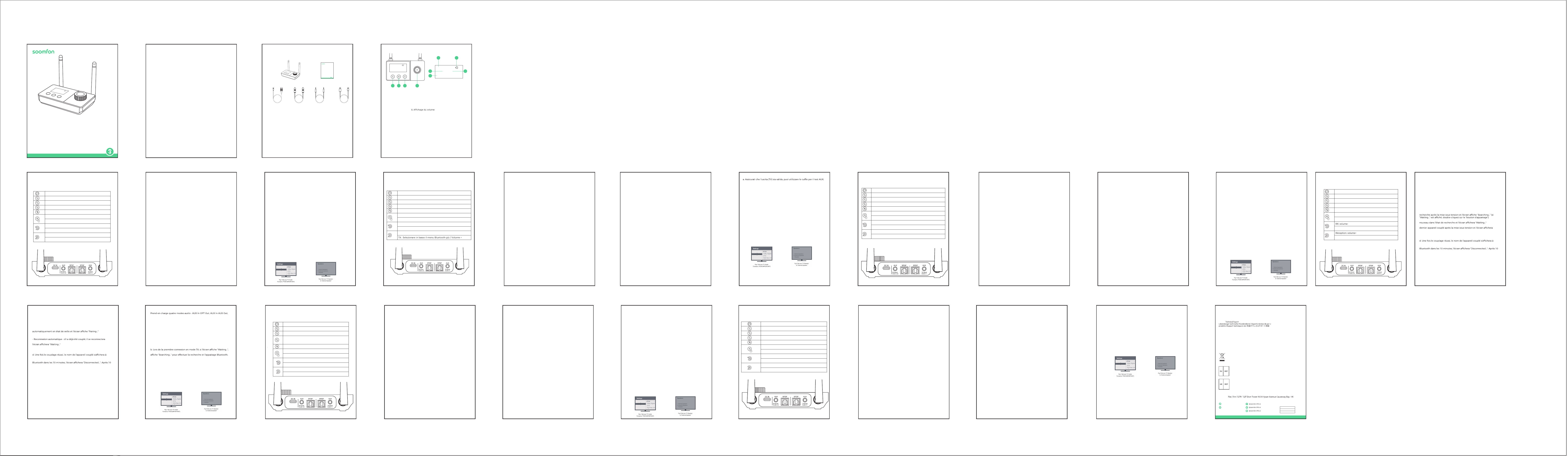
Contact info: [email protected]
Address:
Manufacturer: Xfanic Group (HK) Limited
This device complies with Part 15 of the FCC Rules. Operation is subject to the following
two conditions:
(1) This device may not cause harmful interference.
(2) This device must accept any interference received, including interference that may cause
undesired operation.
Warning: Changes or modifications not expressly approved by the party responsible for compliance
could void the user's authority to operate the equipment.
FCC Compliance Statement
24-Month Warranty
2
4-monatige Garantie | Garantía de 24 meses | Garanzia di 24 me si | Garantie de 24 mois | 24ヶ月間製品保証
Lifetime
ida | Assistenza tecnica per la durata del
Warranty
Garantie | Garantía | Garanzia | Garantie | 製品保証について
This symbol indicates that this product shall not be treated as household waste. Instead
it shall be handed over to the applicable collection point for the recycling of electrical
and electronic equipment.
WSJ Product LTD
Unit 1 Alsop Arcade L3 5TX brownlow
hill,Liverpool, GB
+004407825478124
Manuale utente
PAP 22
Raccolta carta
EN: Quick Start Guide
FR:Description du produit | ES:Descripción del Producto |IT:Descrizione del Prodotto
| DE:Produktbeschreibung | JP:製品説明
USER MANUAL
Model: BT32
WIRELESS
AUDIO ADAPTER
Link Creative Life
TX 10
A: BT speake
B: BT headphone
AUX(SBC)
As a wireless transmitter (TX mode)
1) Use a suitable audio cable (optical cable, AUX cable, RCA cable) according
to the connection diagram, and input the audio source (from TV, DVD, etc.) to
the corresponding interface on the "Audio in" end of BT32;
2) Connect the USB end of the power cord to the power supply (TV, PC USB
socket or power adapter), and plug the USB-C end into the BT32 "DC IN"
interface;
3) The device will automatically turn on after being powered on (after manual
shutdown, you need to press and hold the switch key to turn it on), and the
white indicator light on the knob will light up;
4) Adjust the product to TX Mode by switching the button;
5) Pair the product with a Bluetooth-enabled headset or speaker:
a. Bluetooth search
- First time use: BT32 automatically enters the search state after powering on,
and the screen displays "Searching..." (if "Waiting..." is displayed, please
double-click the "pairing button")
- One-to-two: Double-click the "pairing button" to re-enter the search state,
and the screen will display "Searching..."
- Automatic reconnection: If it has been paired before, it will reconnect to the
last paired device after powering on, and the screen will display "Waiting..."
b. Refer to the user manual of the headset/speaker to set it into pairing mode
c. Waiting for connection
d. After successful pairing, the name of the paired device will be displayed on
the screen.
6) Automatic sleep: In the power-on state, if there is no Bluetooth connection
within 10 minutes, the screen will display "Disconnected...". After 10 minutes,
the screen will darken. Short press any key to activate.
Bypass Mode (non-Bluetooth mode)
1) Refer to the Bypass Mode connection diagram and use a suitable audio
cable (optical cable, AUX cable, RCA cable) to connect the audio source (TV,
DVD, etc.) to the BT32 "Audio in" corresponding interface;
2) Use a suitable audio cable (optical cable, AUX cable, RCA cable) to connect
the speaker to the BT32 "Audio out" corresponding port;
Note: If you use an optical fiber cable to connect, the BT32 optical fiber
output port will light up with a red indic
ator light, please do not insert it
incorrectly;
3) Connect the USB end of the power cord to the power supply (TV, PC USB
interface or power adapter), and plug the USB-C end into the BT32 "DC IN"
interface;
4) After powering on, the device will automatically turn on (after manual
shutdown, you need to press and hold the switch key to turn it on), and the
white indicator light on the knob will light up;
5) Adjust the product to Bypass MODE by switching the button; it supports
four audio modes: AUX input OPT output, Aux input AUX output, OPT input
AUX output and OPT input OPT output.
6) Get started
Note:
a. Make sure your (TV) output is valid, you can use headphones for AUX
testing;
b. Dolby/DTS3 output is not supported when using optical fiber transmission,
and the TV needs to be adjusted to PCM format (refer to troubleshooting for
TV audio output settings).
Troubleshooting
1) Problems encountered during pairing:
a. Confirm that BT32 and your device are within 1 meter and both are in the
pairing state;
b. When connecting for the first time in TX mode, if the screen shows
"Waiting...", please double-click the pairing button first, and wait until the
screen shows "Searching..." to perform Bluetooth search and pairing;
c. If pairing fails in TX mode, please first put the Bluetooth headset or speaker
into the pairing mode, and then double-click the "pairing button" on the
BT32 to re-pair the Bluetooth device;
2) After connecting and pairing with my wireless device, I can't hear any
music on my sound system:
1. The output defaults to AUX output priority. If you need optical output,
please make sure there is no external AUX cable connected to the AUX
output port.
2. You need to ensure that the TV audio format is set to PCM (Figure-1) and
the TV sound output is "External Speaker" (Figure-2)
interruttore per accenderlo) e la spia bianca sulla manopola si accenderà;
4) Regolare il prodotto in modalità RX cambiando il pulsante;
5) Associare il prodotto a computer, tablet, telefoni cellulari e altri dispositivi
abilitati Bluetooth:
a.Stato di associazione Bluetooth
- Primo utilizzo: dopo l'accensione, BT32 entra automaticamente nello stato
di associazione e lo schermo visualizza "Paring..."
-Doppia connessione:attivare il Bluetooth del computer, tablet, telefono
cellulare e altri dispositivi che devono essere accoppiati
-Riconnessione automatica: se è stato accoppiato in precedenza, si
ricollegherà automaticamente all'ultimo dispositivo accoppiato dopo
l'accensione e lo schermo visualizzerà "Waiting..."
b. Trovare il nome Bluetooth "BT32" sul tuo computer, tablet, telefono
cellulare, ecc.
c. Fare clic e attendere la connessione
d. Dopo aver effettuato con successo l'accoppiamento, il nome del
dispositivo accoppiato verrà visualizzato sullo schermo
6) Sospensione automatica: nello stato di accensione, se non viene stabilita
alcuna connessione Bluetooth entro 10 minuti, lo schermo visualizzerà
"Disconnected...". Dopo 10 minuti, lo schermo si oscurerà. Premere
brevemente un tasto qualsiasi per attivare."
Modalità Bypass (modalità non Bluetooth)
1) Fare riferimento allo schema di collegamento della modalità Bypass e
utilizzare un cavo audio adatto (cavo ottico, cavo AUX, cavo RCA) per
collegare la sorgente audio (TV, DVD, ecc.) all'interfaccia corrispondente
"Audio in" BT32;
2) Utilizzare un cavo audio adatto (cavo ottico, cavo AUX, cavo RCA) per
collegare l'altoparlante alla porta corrispondente "Audio out" del BT32;
Nota: se si utilizza un cavo in fibra ottica per la connessione, la porta di uscita
in fibra ottica BT32 si illuminerà con una spia rossa, non inserirla in modo
errato;
3) Collegare l'estremità USB del cavo di alimentazione all'alimentatore (TV,
interfaccia USB del PC o alimentatore) e collegare l'estremità USB-C
all'interfaccia "DC IN" BT32;
4) Dopo l'accensione, il dispositivo si accenderà automati
camente (dopo lo
spegnimento manuale, è necessario tenere premuto il tasto interruttore per
accenderlo) e la spia bianca sulla manopola si accenderà;
5) Regolare il prodotto in MODALITÀ Bypass spostando il pulsante;
Supporta quattro modalità audio Ingresso AUX-uscita OPT, ingresso
AUX-uscita AUX, ingresso OPT-uscita AUX e ingresso OPT-uscita OPT.
6) Iniziare a utilizzare
Guida per L'uso
Come trasmettitore wireless (modalità TX)
1) Utilizzare un cavo audio adatto (cavo ottico, cavo AUX, cavo RCA) secondo lo
schema di collegamento e immettere la sorgente audio (da TV, DVD, ecc.)
all'interfaccia corrispondente sull'estremità "Audio in" di BT32 ;
2) Collegare l'estremità USB del cavo di alimentazione all'alimentatore (TV,
presa USB del PC o alimentatore) e collegare l'estremità USB-C all'interfaccia
BT32 "DC IN";
3) Il dispositivo si accenderà automaticamente dopo essere stato acceso (dopo
lo spegnimento manuale, è necessario tenere premuto il tasto interruttore per
accenderlo) e la spia bianca sulla manopola si accenderà;
4) Regolare il prodotto in modalità TX cambiando il pulsante;
5) Accoppiare il prodotto con un auricolare o un altoparlante abilitato
Bluetooth:
a. Ricerca Bluetooth
-Primo utilizzo: BT32 entra automaticamente nello stato di ricerca dopo
l'accensione e lo schermo visualizza "Searching..."(se viene visualizzato
"Waiting...", fare doppio clic sul pulsante di associazione)
-Doppia connessione: fare doppio clic sul pulsante di associazione per rientrare
nello stato di ricerca e lo schermo visualizzerà "Searching..."
- Riconnessione automatica: se è stato accoppiato in precedenza, si
ricollegherà all'ultimo dispositivo accoppiato dopo l'accensione e lo schermo
visualizzerà "Waiting..."
b.Fare riferimento al manuale dell'utente dell'auricolare/altoparlante per
impostarlo in modalità di accoppiamento
c. In attesa di connessione
d. Dopo aver effettuato con successo l'accoppiamento, il nome del dispositivo
accoppiato verrà visualizzato sullo schermo.
6) Sospensione automatica: Nello stato di accensione, se non viene stabilita
alcuna connessione Bluetooth entro 10 minuti, lo schermo visualizzerà
"Disconnected...". Dopo 10 minuti, lo schermo si oscurerà. Premere brevemente
un tasto qualsiasi per attivare."
Come ricevitore wireless (modalità RX)
1) Utilizzare un cavo audio adatto (cavo ottico, cavo AUX, cavo RCA) secondo lo
schema di collegamento e collegare la sorgente audio dall'estremità "Audio
out" di BT32 all'interfaccia corrispondente;
2) Collegare l'estremità USB del cavo di alimentazione all'alimentatore e
collegare l'estremità USB-C all'interfaccia BT32 "DC IN";
3) Il dispositivo si accenderà automaticamente dopo essere stato acceso (dopo
lo spegnimento manuale, è necessario tenere premuto il tasto
Nota:
b. L'uscita Dolby/DTS3 non è supportata quando si utilizza la trasmissione in
fibra ottica e la TV deve essere regolata sul formato PCM (fare riferimento alla
"Risoluzione dei problemi" per le impostazioni dell'uscita audio della TV)."
Risoluzione dei problemi
1) Quando si riscontrano problemi durante l'accoppiamento:
a. Confermare che BT32 e il dispositivo si trovino entro 1 metro e che
entrambi siano nello stato di associazione;
b. Quando ci si connette per la prima volta in modalità TX, se sullo schermo
viene visualizzato "Waiting...", fare prima doppio clic sul pulsante di
accoppiamento e attendere finché sullo schermo non viene visualizzato
"Searching..." per eseguire la ricerca e l'accoppiamento Bluetooth ;
c. Se l'accoppiamento non riesce in modalità TX, mettere prima l'auricolare o
l'altoparlante Bluetooth in modalità di accoppiamento, poi fare doppio clic sul
pulsante di accoppiamento sul BT32 per riaccoppiare il dispositivo Bluetooth.
2) Quando è connesso e accoppiato con un dispositivo wireless, il sistema
audio non riesce a sentire la musica:
1. Per impostazione predefinita l'uscita ha la priorità dell'uscita AUX. Se è
necessaria un'uscita ottica, assicurarsi che non sia collegato un cavo AUX
esterno alla porta di uscita AUX;
2. È necessario assicurarsi che il formato audio della TV sia impostato su PCM
(Figura-1) e che l'uscita audio della TV sia "Altoparlante esterno" (Figura-2)."
3s
Turn on/ off
Confirm the Bluetooth device
Force entered the Bluetooth pairing mode
Clear the pair and restore the factory settings
TX, RX, Bypass cycle switching
RX: Play, Pause
TX: Mute
RX: Volume -
TX: Select Bluetooth menu upward, volume-
RX: Volume+
TX: Select Bluetooth menu downward, volume+
ワイヤレス送信機として(TXモード)
1) 適切なオーディオケーブル(光ケーブル、AUXケーブル、RCAケーブル)を使用し、接
続図に従って、オーディオソース(TV、DVDなど)をBT32の「Audio in」端の対応する
ポートに入力します;
2) 電源ケーブルのUSB側を電源(TV、PCのUSBソケットまたは電源アダプタ)に接続
し、USB-C側をBT32の「DC IN」ポートに挿入します;
3)電源を接続した後、デバイスの電源が自動的にオンになり(手動でデバイスの電源
をオフにした後、電源ボタンを長押ししてデバイスの電源をオンにする必要がありま
す)、丸いボタンの白い表示灯が点灯します;
4) 切り替えボタンで製品をTXモードに調整します;
5) Bluetooth対応ヘッドフォンまたはスピーカーと製品をペアリングします:
a.ブルートゥース検索
- 初回使用時:BT32の電源を入れた後、自動的に検索状態になり、画面に
"Searching ..."と表示されます。("Waiting ..."と表示された場合は、「ペアリング」ボタ
ンをダブルクリックしてください。)
- 2-in-1:ペアリングボタンをダブルクリックし、再度検索状態に入ると、画面に "検索
中... "と表示されます。
- 自動再接続:以前にペアリングしたことがある場合、デバイスの電源を入れた後、最後
にペアリングしたデバイスを接続すると、画面に「Waiting ...」と表示されます。
b.ヘッドセット/スピーカーのユーザーマニュアルを参照して、ペアリングモードに設定
します。
c.接続を待ちます。
d.ペアリングに成功すると、画面にペアリングされたデバイスの名前が表示されます。
6)自動ハイバネーション:電源を入れ、10分以内にBluetooth接続がない場合、画面
には "Disconnected... "と表示され、10分後に画面が暗くなり、アクティブにするには、
いずれかのボタンを押します。
ワイヤレス受信機として(RXモード)
1)適切なオーディオケーブル(光ケーブル、AUXケーブル、RCAケーブル)を使用し、接
続図に従ってオーディオソースをBT32の「Audioout」側の対応するポートに接続する;
2)電源ケーブルのUSB側を電源に接続し、USB-C側をBT32の「DCIN」ポートに挿入し
ます;
3)電源を接続した後、デバイスは自動的にオンになり(手動でデバイスをオフにした
後、デバイスをオンにするにはオンボタンを長押しする必要があります)、丸いボタンの
白い表示灯が点灯
します;
4)切り替えボタンで製品をRXモードに調整します;
5)Bluetooth対応のPC、タブレット、スマホやその他のデバイスと製品をペアリングし
ます:
a.Bluetoothペアリング状態
-初回使用時:BT32は電源オン後、自動的にペアリング保留状態に入り、画面に
「Pairing...」と表示されます。
-2-in-1:ペアリングが必要なパソコン、タブレット、携帯電話などのBluetoothをオンに
します;
-自動再接続:以前にペアリングしたことがある場合、電源を入れた後、自動的に最後に
ペアリングしたデバイスに再接続し、画面に「Waiting...」と表示されます。
b.PC、タブレット、スマホ、その他のデバイスでBluetooth名""BT32""を見つけます。
c.クリックして接続を待ちます。
d.ペアリングに成功すると、画面にペアリングされたデバイス名が表示されます。
6)自動ハイバネーション:電源を入れ、10分以内にBluetooth接続がない場合、画面は
""Disconnected...""と表示され、10分後に画面が暗くなります。10分後、画面が暗くなり、
任意のキーを押して起動します。
Bypassモード(非ブルートゥースモード)
1)Bypassモードの接続図を参照し、適切なオーディオケーブル(光、AUX、RCA)を使用し
て、オーディオソース(TV、DVDなど)をBT32の「Audioin」ポートに接続します;
2)適切なオーディオケーブル(光、AUX、RCA)を使用して、スピーカーをBT32の「オー
ディオ出力」ポートに接続します;
注:光ケーブルを使用して接続すると、BT32の光出力ポートが赤い表示灯で点灯しま
すので、間違って差し込まないようにしてください;
3)電源ケーブルのUSB側を電源(テレビ、PCのUSBポート、または電源アダプター)に接
続し、USB-C側をBT32の「DCIN」ポートに挿入します;
4)電源を入れると、自動的に電源が入り(手動で電源を切った後、電源ボタンを長押しす
ると電源が入ります)、丸いボタンの白い表示灯が点灯します;
5)切り替えボタンで製品をBypassモードに調整します;
AUX入力OPT出力、AUX入力AUX出力、OPT入力AUX出力、OPT入力OPT出力の4つ
のオーディオモードをサポートします。
6)使用開始
注意:
a.あなたの(TV)出力が有効であることを確かめて下さい、AUXテストのためにヘッドホ
ンを使用できます;
b.Dolby/DTS3出力は、光伝送を使用する場合はサポートされていませんので、TVを
PCMフォーマットに調整する必要があります(TVオーディオ出力設定のトラブルシュー
ティングを参照)。
トラブルシューティング
1)ペアリング時に問題が発生:
a.BT32とデバイスが1メートル以内にあり、両方がペアリング保留状態であることを確認し
てください;
b.TXモードが初めて接続されたとき、画面に「Waiting...」と表示されたら、まずペアリング
ボタンをダブルクリックし、画面に"Searching..."と表示されるまでお待ちください。
Bluetooth検索とペアリングが実行できます;
c.TXモードでBluetoothデバイスとペアリングできない場合、Bluetoothヘッドセットまた
はスピーカーをスタンバイペアリングモードに設定し、BT32の"ペアリングボタン"をダブ
ルクリックしてBluetoothデバイスと再度ペアリングしてください;
2)ワイヤレス設備と接続してペアリングした後、サウンドシステムから音楽が聞こえませ
ん:
1、出力のデフォルトはAUX出力優先です。光出力が必要な場合は、AUX出力ポートに外部
AUXケーブルがないことを確認してください。
2、テレビの音声フォーマットがPCM(図-1)に設定され、テレビの音声出力が「外部スピー
カー」(図-2)であることを確認してください。
Benutzerhandbuch
Als drahtloser Sender (TX-Modus)
1) Verwenden Sie ein geeignetes Audiokabel (optisches Kabel, AUX-Kabel,
RCA-Kabel) gemäß Anschlussplan und geben Sie die Audioquelle (von TV,
DVD usw.) an die entsprechende Schnittstelle am „Audio in“-Ende des BT32
ein ;
2) Verbinden Sie das USB-Ende des Stromkabels mit der Stromversorgung
(Fernseher, PC-USB-Buchse oder Netzteil) und verbinden Sie das USB-C-Ende
mit der BT32-Schnittstelle „DC IN“.
3) Das Gerät schaltet sich nach dem Einschalten automatisch ein (nach dem
manuellen Ausschalten müssen Sie die Schaltertaste gedrückt halten, um es
einzuschalten), und die weiße Kontrollleuchte am Knopf leuchtet auf;
4) Stellen Sie das Produkt durch Ändern der Taste auf den TX-Modus ein;
5) Koppeln Sie das Produkt mit einem Bluetooth-fähigen Headset oder
Lautsprecher:
a. Bluetooth-Suche
-Erste Verwendung: BT32 wechselt nach dem Einschalten automatisch in
den Suchzustand und auf dem Bildschirm wird „Searching...“ angezeigt
(wenn „Waiting…“ angezeigt wird, doppelklicken Sie auf die Kopplungsschalt-
fläche.)
-Doppelte Verbindung: Doppelklicken Sie auf die Kopplungsschaltfläche, um
den Suchstatus erneut aufzurufen. Auf dem Bildschirm wird „Searching...“
angezeigt.
- Automatische Wiederverbindung: Wenn es zuvor gekoppelt wurde,
verbindet es sich nach dem Einschalten erneut mit dem zuletzt gekoppelten
Gerät und auf dem Bildschirm wird „Waiting …“ angezeigt.
b. Lesen Sie im Benutzerhandbuch Ihres Headsets/Lautsprechers nach, wie
Sie es in den Kopplungsmodus versetzen
C. Auf Verbindung warten
D. Nach erfolgreicher Kopplung wird der Name des gekoppelten Geräts auf
dem Bildschirm angezeigt.
6) Automatischer Ruhezustand: Wenn im eingeschalteten Zustand innerhalb
von 10 Minuten keine Bluetooth-Verbindung hergestellt wird, wird auf dem
Bildschirm „Disconnected…“ angezeigt. Nach 10 Minuten wird der Bildschirm
dunkel. Zum Aktivieren kurz eine beliebige Taste drücken."
Als kabelloser Empfänger (RX-Modus)
1) Verwenden Sie ein geeignetes Audiokabel (optisches Kabel, AUX-Kabel,
RCA-Kabel) gemäß Anschlussplan und verbinden Sie die Audioquelle vom
„Audio out“-Ende des BT32 mit der entsprechenden Schnittstelle;
Comme émetteur sans fil (mode TX)
1) Utilisez un câble audio approprié (câble optique, câble AUX, câble RCA)
selon le schéma de connexion et entrez la source audio (du téléviseur, du
DVD, etc.) à l'interface correspondante à l'extrémité "Audio in" du BT32;
2) Connectez l'extrémité USB du câble d'alimentation à la source
d'alimentation (TV, prise USB PC ou adaptateur secteur) et connectez
l'extrémité USB-C à l'interface BT32 "DC IN";
3) l'appareil s'allumera automatiquement après la mise sous tension (après
un arrêt manuel, vous devez appuyer et maintenir la touche de
l'interrupteur pour l'allumer) et le voyant blanc sur le bouton s'allumera;
4) Réglez le produit en mode TX en changeant le bouton;
5) Associez le produit à un casque ou un haut-parleur Bluetooth:
a. Recherche Bluetooth
- Première utilisation: le BT32 entre automatiquement dans l'état de
- Un à deux: double-cliquez sur le "bouton d'appairage" pour entrer à
- Reconnexion automatique: S'il a déjà été couplé, il se reconnectera au
"Waiting..."
b. Reportez-vous au manuel d'utilisation du casque/haut-parleur pour le
régler en mode d'appairage.
c. En attente de connexion
l'écran.
6) Veille automatique: à la mise sous tension, s'il n'y a pas de connexion
minutes, l'écran s'assombrit. Appuyez brièvement sur n’importe quelle
touche pour l’activer.
Comme récepteur sans fil (mode RX)
1) Utilisez un câble audio approprié (câble optique, câble AUX, câble RCA)
pour connecter la source audio à l'interface correspondante de l'extrémité
"Audio out" du BT32 selon le schéma de connexion;
2) Connectez l'extrémité USB du câble d'alimentation à l'alimentation et
connectez l'extrémité USB-C à l'interface BT32 "DC IN";
Como transmisor inalámbrico (modo TX)
1) Utilice un cable de audio adecuado (cable óptico, cable AUX, cable RCA)
según el diagrama de conexión e introduzca la fuente de audio (de TV, DVD,
etc.) a la interfaz correspondiente en el extremo "Audio in" del BT32. ;
2) Conecte el extremo USB del cable de alimentación a la fuente de
alimentación (TV, toma USB de PC o adaptador de corriente) y conecte el
extremo USB-C a la interfaz "DC IN" BT32;
3) El dispositivo se encenderá automáticamente después de encenderlo
(después del apagado manual, debe presionar y mantener presionada la
tecla del interruptor para encenderlo) y la luz indicadora blanca en la perilla
se encenderá;
4) Ajuste el producto al modo TX cambiando el botón;
5) Empareje el producto con unos auriculares o un altavoz con Bluetooth:
a.Búsqueda por Bluetooth
- Uso por primera vez: BT32 ingresa automáticamente al estado de
búsqueda después de encenderse y la pantalla muestra "Searching..." (si se
muestra "Waiting...", haga doble clic en el "botón de emparejamiento")
- Uno a dos: haga doble clic en el "botón de emparejamiento" para volver a
ingresar al estado de búsqueda y la pantalla mostrará "Searching..."
- Reconexión automática: si se ha emparejado antes, se volverá a conectar al
último dispositivo emparejado después de encenderlo y la pantalla mostrará
"Waiting..."
b. Consulte el manual de usuario del auricular/altavoz para configurarlo en
modo de emparejamiento.
c. Esperando conexión
d. Después de un emparejamiento exitoso, el nombre del dispositivo
emparejado se mostrará en la pantalla.
6) Suspensión automática: en el estado de encendido, si no hay conexión
Bluetooth dentro de 10 minutos, la pantalla mostrará "Disconnected...".
Después de 10 minutos, la pantalla se oscurecerá. Presione brevemente
cualquier tecla para activar."
Como receptor inalámbrico (modo RX)
1) Utilice un cable de audio adecuado (cable óptico, cable AUX, cable RCA)
para conectar la fuente de audio a la interfaz correspondiente del extremo
"Audio out" del BT32 según el diagrama de conexión;
2) Conecte el extremo USB del cable de alimentación a la fuente de
alimentación y conecte el extremo USB-C a la interfaz BT32 "DC IN";
3) El dispositivo se encenderá aut
omáticamente después de encenderlo
(después del apagado manual, debe presionar y mantener presionada la
tecla del interruptor para encenderlo) y la luz indicadora blanca en la
perilla se encenderá;
4) Ajuste el producto al modo RX cambiando el botón;
5) Empareje el producto con computadoras, tabletas, teléfonos móviles y
otros dispositivos con Bluetooth:
a. Estado de emparejamiento de Bluetooth
- Uso por primera vez: después de encenderlo, BT32 ingresa automática-
mente al estado de espera y la pantalla muestra "Pairing..."
- Uno a dos: Encienda el Bluetooth de la computadora, tableta, teléfono
móvil y otros dispositivos que necesiten emparejarse;
- Reconexión automática: si se ha emparejado antes, se volverá a conectar
automáticamente al último dispositivo emparejado después de
encenderlo y la pantalla mostrará "Waiting..."
b. Busque el nombre de Bluetooth "BT32" en su computadora, tableta,
teléfono móvil, etc.
c. Haga clic y espere la conexión.
d. Después de un emparejamiento exitoso, el nombre del dispositivo
emparejado se mostrará en la pantalla.
6) Suspensión automática: en el estado de encendido, si no hay conexión
Bluetooth dentro de 10 minutos, la pantalla mostrará "Disconnected...".
Después de 10 minutos, la pantalla se oscurecerá. Presione brevemente
cualquier tecla para activar.
Modo de Bypass (modo sin Bluetooth)
1) Consulte el diagrama de conexión del modo Bypass y utilice un cable de
audio adecuado (cable óptico, cable AUX, cable RCA) para conectar la
fuente de audio (TV, DVD, etc.) a la interfaz correspondiente de "Audio in"
BT32;
2) Utilice un cable de audio adecuado (cable óptico, cable AUX, cable RCA)
para conectar el altavoz al puerto correspondiente "Audio out" BT32;
Nota: Si utiliza un cable de fibra óptica para conectarse, el puerto de salida
de fibra óptica BT32 se iluminará con una luz indicadora roja, no lo inserte
incorrectamente;
3) Conecte el extremo USB del cable de alimentación a la fuente de
alimentación (TV, interfaz USB de PC o adaptador de corriente) y conecte
el extremo USB-C a la interfaz "DC IN" BT32;
4) Después de encenderlo, el dispositivo se encenderá automáticamen
te
(después del apagado manual, debe presionar y mantener presionada la
tecla del interruptor para encenderlo) y la luz indicadora blanca en la
perilla se encenderá;
5) Ajuste el producto al MODO Bypass cambiando el botón;
Admite cuatro modos de audio: Entrada AUX Salida OPT, Entrada AUX
Salida AUX, Entrada OPT Salida AUX y Entrada OPT Salida OPT
6) Empieza
Aviso:
a. Asegúrese de que su salida (TV) sea válida; puede usar auriculares para la
prueba AUX;
b. La salida Dolby/DTS3 no es compatible cuando se utiliza transmisión de
fibra óptica y el televisor debe ajustarse al formato PCM (consulte la solución
de problemas para conocer la configuración de salida de audio del televisor).
Solución de Problemas
1) Problemas encontrados durante el emparejamiento:
a. Confirme que BT32 y su dispositivo estén dentro de 1 metro y que ambos
estén en estado de emparejamiento;
b. Cuando se conecte por primera vez en modo TX, si la pantalla muestra
"Waiting...", primero haga doble clic en el botón de emparejamiento y espere
hasta que la pantalla muestre "Searching..." para realizar la búsqueda y el
emparejamiento de Bluetooth;
c. Si el emparejamiento falla en el modo TX, primero coloque los auriculares
o el altavoz Bluetooth en el modo de emparejamiento y luego haga doble
clic en el "botón de emparejamiento" del BT32 para volver a emparejar el
dispositivo Bluetooth;
2) Después de conectar y vincular mi dispositivo inalámbrico, no puedo
escuchar música en mi sistema de sonido:
a. La salida tiene por defecto prioridad de salida AUX. Si necesita una salida
óptica, asegúrese de que no haya ningún cable AUX externo conectado al
puerto de salida AUX.
b. Debe asegurarse de que el formato de audio del televisor esté configurado
en PCM (Figura 1) y que la salida de sonido del televisor sea "Altavoz externo"
(Figura 2).
3) l'appareil s'allumera automatiquement après la mise sous tension (après
un arrêt manuel, vous devez appuyer et maintenir la touche de
l'interrupteur pour l'allumer) et le voyant blanc sur le bouton s'allumera;
4) Réglez le produit en mode RX en changeant le bouton;
5) Associez le produit à des ordinateurs, tablettes, téléphones mobiles et
autres appareils compatibles Bluetooth:
a. État du couplage Bluetooth
- Première utilisation: Après la mise sous tension, le BT32 entre
- Un à deux : activez le Bluetooth de l'ordinateur, de la tablette, du
téléphone portable et des autres appareils qui doivent être couplés;
automatiquement au dernier appareil couplé après la mise sous tension et
b. Recherchez le nom Bluetooth "BT32" sur votre ordinateur, tablette,
téléphone portable, etc.
c. Cliquez et attendez la connexion.
l'écran.
6) Veille automatique: à la mise sous tension, s'il n'y a pas de connexion
minutes, l'écran s'assombrit. Appuyez brièvement sur n’importe quelle
touche pour l’activer.
Mode contournement (mode non Bluetooth)
1) Reportez-vous au schéma de connexion du mode Bypass et utilisez un
câble audio approprié (câble optique, câble AUX, câble RCA) pour
connecter la source audio (TV, DVD, etc.) à l'interface BT32 "Audio in"
correspondante;
2) Utilisez un câble audio approprié (câble optique, câble AUX, câble RCA)
pour connecter le haut-parleur au port BT32 "Audio out" correspondant;
Note: si vous utilisez un câble à fibre optique pour vous connecter, le port
de sortie à fibre optique BT32 s'allumera avec un voyant rouge, veuillez ne
pas l'insérer incorrectement;
3) Connectez l'extrémité USB du câble d'alimentation à la source
d'alimentation (TV, interface USB PC ou adaptateur secteur) et connectez
l'extrémité USB-C à l'interface BT32 "DC IN";
4) après la mise sous tension, l'appareil s'allumera automatiquement (après
un arrêt manuel, vous devez appuyer et maintenir la touche de
l'interrupteur pour l'allumer) et le voyant blanc sur le bouton s'allumera;
2) Verbinden Sie das USB-Ende des Stromkabels mit dem Netzteil und das
USB-C-Ende mit der BT32-Schnittstelle „DC IN“.
3) Das Gerät schaltet sich nach dem Einschalten automatisch ein (nach dem
manuellen Ausschalten müssen Sie die Schaltertaste gedrückt halten, um es
einzuschalten), und die weiße Kontrollleuchte am Knopf leuchtet auf;
4) Stellen Sie das Produkt durch Ändern der Taste auf den RX-Modus ein;
5) Koppeln Sie das Produkt mit Computern, Tablets, Mobiltelefonen und
anderen Bluetooth-fähigen Geräten:
a.Bluetooth-Kopplungsstatus
- Erstmalige Verwendung: Nach dem Einschalten wechselt BT32 automatisch
in den Pairing-Status und auf dem Bildschirm wird „Paring...“ angezeigt.
-Doppelte Verbindung: Schalten Sie die Bluetooth-Funktion Ihres Computers,
Tablets, Mobiltelefons und anderer Geräte ein, die gekoppelt werden müssen
-Automatische Wiederverbindung: Wenn es zuvor gekoppelt wurde, verbindet
es sich nach dem Einschalten automatisch wieder mit dem zuletzt
gekoppelten Gerät und auf dem Bildschirm wird „Waiting …“ angezeigt.
B. Suchen Sie den Bluetooth-Namen „BT32“ auf Ihrem Computer, Tablet,
Mobiltelefon usw.
C. Klicken Sie und warten Sie auf die Verbindung
D. Nach erfolgreicher Kopplung wird der Name des gekoppelten Geräts auf
dem Bildschirm angezeigt
6) Automatischer Ruhezustand: Wenn im eingeschalt
eten Zustand innerhalb
von 10 Minuten keine Bluetooth-Verbindung hergestellt wird, wird auf dem
Bildschirm „Disconnected…“ angezeigt. Nach 10 Minuten wird der Bildschirm
dunkel. Zum Aktivieren kurz eine beliebige Taste drücken.
Bypass-Modus (Nicht-Bluetooth-Modus)
1) Sehen Sie sich das Anschlussdiagramm des Bypass-Modus an und
verwenden Sie ein geeignetes Audiokabel (optisches Kabel, AUX-Kabel,
RCA-Kabel), um die Audioquelle (TV, DVD usw.) an die entsprechende „Audio
in“-BT32-Schnittstelle anzuschließen;
2) Schließen Sie den Lautsprecher über ein geeignetes Audiokabel (optisches
Kabel, AUX-Kabel, RCA-Kabel) an den entsprechenden „Audio out“-Anschluss
des BT32 an;
Hinweis: Wenn Sie zum Anschließen ein optisches Kabel verwenden, leuchtet
der BT32-Optischausgangsanschluss rot auf. Bitte stecken Sie ihn nicht falsch
ein.
3) Verbinden Sie das USB-Ende des Stromkabels mit der Stromversorgung
(Fernseher, PC-USB-Schnittstelle oder Netzteil) und verbinden Sie das
USB-C-Ende mit der BT32-Schnittstelle „DC IN“.
4) Nach dem Einschalten schaltet sich das Gerät automatisch ein (nach dem
manuellen Ausschalten müssen Sie die Schaltertaste gedrückt halten, um es
einzuschalten), und die weiße Kontrollleuchte am Knopf leuchtet auf;
5) Stellen Sie das Produkt durch Bewegen der Taste auf den Bypass-Modus.
Unterstützt vier Audiomodi: AUX-Eingang-OPT-Ausgang, AUX-Ein-
gang-AUX-Ausgang, OPT-Eingang-AUX-Ausgang und OPT-Eingang-OPT-Aus-
gang.
6) Beginnen Sie mit der Verwendung
Notiz:
Zu. Stellen Sie sicher, dass der Ausgang (TV) gültig ist. Sie können Kopfhörer
für den AUX-Test verwenden;
B. Die Dolby/DTS3-Ausgabe wird bei Verwendung einer Glasfaserübertragung
nicht unterstützt und das Fernsehgerät muss auf das PCM-Format eingestellt
sein (siehe „Fehlerbehebung“ für die Audioausgabeeinstellungen des
Fernsehgeräts).
Fehlerbehebung
1) Wenn beim Pairing Probleme auftreten:
a. Vergewissern Sie sich, dass der BT32 und das Gerät weniger als 1 Meter
voneinander entfernt sind und sich beide im Pairing-Zustand befinden.
b. Wenn beim ersten Herstellen einer Verbindung im TX-Modus „Waiting…“ auf
dem Bildschirm angezeigt wird, doppelklicken Sie zunächst auf die
Kopplungsschaltfläche und warten Sie, bis „Searching…“ auf dem Bildschirm
angezeigt wird, um eine Suche durchzuführen und eine Bluetooth-Kopplung
durchzuführen.
c. Wenn die Kopplung im TX-Modus fehlschlägt, versetzen Sie zuerst das
Bluetooth-Headset oder den Bluetooth-Lautsprecher in den Kopplungsmo-
dus und doppelklicken Sie dann auf die Kopplungstaste am BT32, um das
Bluetooth-Gerät erneut zu koppeln.
2) Wenn das Soundsystem mit einem drahtlosen Gerät verbunden und
gekoppelt ist, kann es keine Musik hören:
2. Sie müssen sicherstellen, dass das Audioformat Ihres Fernsehers auf PCM
eingestellt ist (Abbildung 1) und dass der Audioausgang Ihres Fernsehers
„Externer Lautsprecher“ ist (Abbildung 2).
5) Réglez le produit sur le MODE Bypass en changeant le bouton;
OPT In AUX Out et OPT In OPT Out
6) Commencez
Avertissement:
a. Assurez-vous que votre sortie (TV) est valide; vous pouvez utiliser des
écouteurs pour le test AUX;
b. La sortie Dolby/DTS3 n'est pas prise en charge lors de l'utilisation d'une
transmission par fibre optique et le téléviseur doit être réglé au format PCM
(voir dépannage pour les paramètres de sortie audio du téléviseur).
Solution de problèmes
1) Problèmes rencontrés lors de l'appairage:
a. Veuillez confirmer que le BT32 et votre appareil sont à moins de 1 mètre
et que les deux sont en état de couplage;
double-cliquez d'abord sur le bouton d'appairage et attendez que l'écran
c. Si l'appairage échoue en mode TX, mettez d'abord le casque ou le
haut-parleur Bluetooth en mode d'appairage, puis double-cliquez sur le «
bouton d'appairage » du BT32 pour appairer à nouveau l'appareil Bluetooth;
2) Après avoir connecté et couplé mon appareil sans fil, je ne parviens pas à
écouter de la musique sur mon système audio:
a. La sortie a la priorité de sortie AUX par défaut. Si vous avez besoin d'une
sortie optique, assurez-vous qu'aucun câble AUX externe n'est connecté au
port de sortie AUX.
b. Vous devez vous assurer que le format audio du téléviseur est réglé sur
PCM (Figure 1) et que la sortie audio du téléviseur est « Haut-parleur
externe » (Figure 2).
24H Technical Support: [email protected]
10s
x 2
x 1
x1
x 1
3s
10s
x 2
x 1
x1
x 1
3s
10s
x 2
x 1
x1
x 1
3s
10s
x 2
x 1
x1
x 1
SUCCESS COURIER SL
CALLE RIO TORMES NUM.1, PLANTA 1, DERECHA, OFICINA 3,
Fuenlabrada, Madrid, 28947 Spain
www.soomfon.com
-1
-4
-5 -6
-9 -10 -11
-12 -13 -14
-16
-17 -18
-20 -21 -22
-24 -25 -26
IT: Guida per L'uso
FR:Description du produit | ES:Descripción del Producto |IT:Descrizione del Prodotto
| DE:Produktbeschreibung |
JP:製品説明
Accensione/Spegnimento
Confermare il dispositivo Bluetooth
Entrare forzatamente nella modalità di accoppiamento Bluetooth
Cancellare l'associazione e ripristinrea le impostazioni di fabbrica
Passare attraverso le modalità TX, RX e Bypass
RX: Play / Pausa
TX: Muto
RX: Volume -
TX: Selezionare verso l'alto il menu Bluetooth / Volume -
RX: Volume +
JP: クイック使用ガイド
FR:Description du produit | ES:Descripción del Producto |IT:Descrizione del Prodotto
| DE:Produktbeschreibung | JP:製品説明
電源を入れる、電源を切る
Bluetoothデバイスを確認
Bluetoothペアリングモードに強制的に入る
ペアリングの消去、工場出荷時の設定に戻す
TX、RX、Bypass サイクル切り替え
RX:再生、一時停止
TX:ミュート
RX:音量-
TX:上からBluetoothメニューを選び、音量-
RX:音量+
TX: 下からBluetoothメニューを選び、音量+
DE: Schnellstartanleitung
FR:Description du produit | ES:Descripción del Producto |IT:Descrizione del Prodotto
| DE:Produktbeschreibung | JP:製品説明
FR: Guide de démarrage rapide
FR:Description du produit | ES:Descripción del Producto |IT:Descrizione del Prodotto
| DE:Produktbeschreibung | JP:製品説明
3s
10s
x 2
x 1
x1
x 1
Allumé/Désactivé
Confirmer le périphérique Bluetooth
Forcer le mode de couplage Bluetooth
Effacer l'appairage et restaurer les paramètres d'usine
Basculer entre les modes TX, RX et Bypass
RX: lecture, pause
TX: muet
TX: sélectionnez le menu Bluetooth vers le haut/volume-
TX: sélectionnez le menu Bluetooth vers le bas/volume+
ES: Guía de inicio rápido
FR:Description du produit | ES:Descripción del Producto |IT:Descrizione del Prodotto
| DE:Produktbeschreibung | JP:製品説明
Encendido/Apagado
Confirmar dispositivo bluetooth
Forzar el modo de emparejamiento Bluetooth
Borrar el emparejamiento y restaurar la configuración de fábrica
Cambiar entre modo TX, RX y Bypass
RX: reproducir, pausar
TX: silenciar
RX: volumen-
TX: seleccione menú Bluetooth arriba/volumen-
RX: volumen+
TX: Seleccionar menú Bluetooth abajo/volumen+
-7 -8
-15
-19
-23
Contents
User Guide ( EN )---4-6
Guida utente ( IT ) ---7-10
Guida utente ( ES ) ---11-14
Manual de Usuario ( FR ) ---15-18
Benutzerhandbuch ( DE ) ---19-22
取扱説明書( JP ) ---23-26
3s
10s
x 2
x 1
x1
x 1
Ein-/Ausschalten
Bestätigen Sie das Bluetooth-Gerät
Wechseln Sie zwangsweise in den Bluetooth-Pairing-Modus
Wechseln Sie zwischen den TX-, RX- und Bypass-Modi
RX: Wiedergabe/Pause
TX: Stumm
RX: Lautstärke -
TX: Wählen Sie Bluetooth-Menü nach oben / Lautstärke -
RX: Lautstärke +
TX: Wählen Sie Bluetooth-Menü nach unten / Lautstärke +
Brechen Sie die Zuordnung ab und stellen Sie die
Werkseinstellungen wieder her
EN
1. Pairing
2. Mode switching
3. Turn on / off
4. Volume adjustment
5. Working mode
6. Volume display
7. Input mode
8. Codec format
9. Device connection list
DE
FR
1. Kopplung
2. Modusumschaltung
3. Ein-/Ausschalten
4. Lautstärkeregelung
5. Arbeitsmodus
6. Lautstärkeanzeige
7. Eingabemodus
8. Codec-Format
9. Geräteverbindungsliste
1. Appariement
2. Changement de mode
3. Allumer/éteindre
4. Réglage du volume
5. Mode de travail
7. Mode d'entrée
8. Format des codecs
9. Liste de connexion des
appareils Bluetooth
ES
1
. Emparejamiento
2
. Cambio de modo
3
. Encender/apagar
4. Ajuste de volumen
5. Modo de trabajo
6. Visualización del volumen
7
. Modo de entrada
8. Formato de códec
9
. Lista de conexiones de
dispositivos Bluetooth
JP
1
. ペアリング
2. モード切替
3. スイッチ
4
. 音量調整
5
. 動作モード
6. 音量表示
7
. 入力モード
8. コーデック形式
9. 設備接続リスト
IT
1
. Associazione
2
. Commutazione della modalità
3. Accensione/spegnimento
4
. Regolazione del volume
5
. Modalità di lavoro
6
. Visualizzazione del volume
7
. Modalità di ingresso
8
. Formato codec
9. Nomi dei dispositivi Bluetooth
TX 10
A: BT speaker
B: BT headphone
AUX(SBC)
5
7
9
6
8
TX 10
A: BT speaker
B: BT headphone
AUX(SBC)
1 2 3 4
USER MANUAL
Model: XF-BT32
WIRELESS
AUDIO AUDIO ADAPTER
Link Creative Life
Packing list
FR:Liste de Paquetage | ES:Lista de Embalaje | IT:Lista imballaggio | DE:Packliste | JP:梱包内容
X1 X1
X1
X1
EN: Specifications
Bluetooth name: BT32
Bluetooth version: V5.3
Connection distance: TX: 15M, RX: 20-30M
Working mode: TX+RX+Bypass
Input: AUX, SPDIF
Output: AUX, SPDIF
Power input: USB-C
Support protocol: A2DP
Codec format: TX:SBC,RX:AAC
FR:Spécifications | ES:Especificaciones | IT:Specifiche | DE:Spezifikationen | JP:製品規格
TX 10
A: BT speake
B: BT headpho
ne
AUX(
SBC)
-2 -3
Product Description