McIntosh Laboratory, Inc. 2 Chambers Street Binghamton, New York 13903-2699 Phone: 607-723-3512 www.mcintoshlabs.com
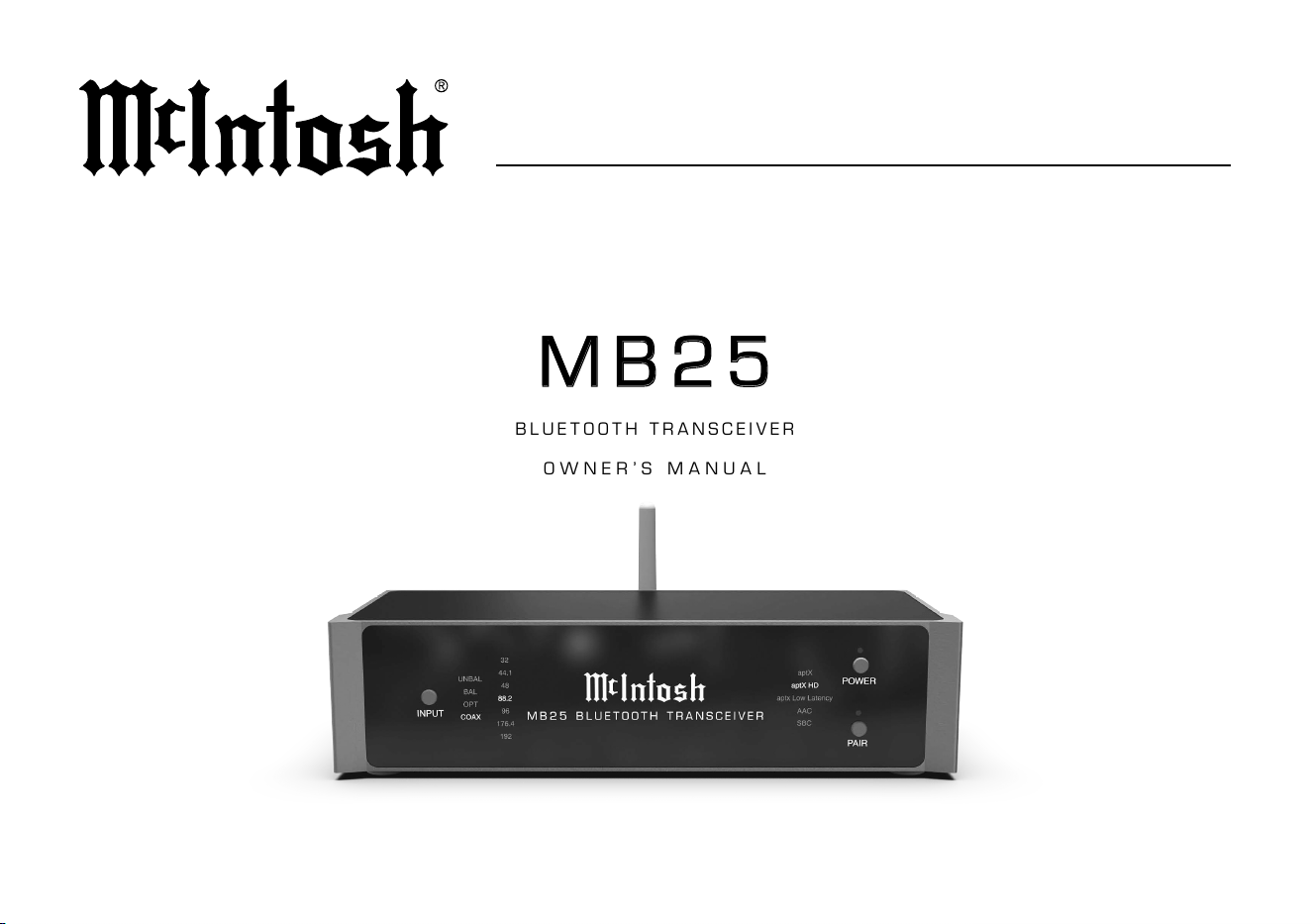
MB25MB25
BLUETOOTH TRANSCEIVER
OWNER’S MANUAL

2
FCC Information
(US Customers)
This device complies with Part 15 of the FCC Rules.
Operation is subject to the following two conditions: (1)
this device may not cause harmful interference, and (2)
this device must accept any interference received, in-
cluding interference that may cause undesired operation.
1. IMPORTANT NOTICE: DO NOT
MODIFY THIS PRODUCT
This product, when installed as indicated in the
instructions contained in this manual, meets FCC
requirements. Modication not expressly approved
by McIntosh may void your authority, granted by the
FCC, to use the product.
2. CAUTION:
• To comply with FCC RF exposure compliance re-
quirement, separation distance of at least 20cm must
be maintained between this product and all persons.
• This product and its antenna must not be co-located
or operating in conjunction with any other antenna
or transmitter.
3. COMPLIANCE INFORMATION:
• Product Name: MB25 Bluetooth Transceiver
• Model Number: MB25
• This product contains FCC ID:BWY-MB25
McIntosh Laboratory, Inc.
2 Chambers Street
Binghamton, NY 13903
Tel. (607) 723-3512
IC Information
(Canadian Customers)
1. PRODUCT:
This device contains license-exempt transmitter(s)/
receiver(s) that comply with Innovation, Science and
Economic Development Canada’s license-exempt
RSS(s). Operation is subject to the following two
conditions:
1. This device may not cause interference.
2. This device must accept any interference, including
interference that may cause undesired operation of
the device.
2. CAUTION:
Under Industry Canada regulations, this radio trans-
mitter may only operate using an antenna of a type and
maximum (or lesser) gain approved for the transmitter
by Industry Canada.
To reduce potential radio interference to other users, the
antenna type and its gain should be so chosen that the
equivalent isotropically radiated power (e.i.r.p.) is not
more than that permitted for successful communication.
This radio transmitter (IC: 2483A-MB25) has been
approved by Innovation, Science and Economic Devel-
opment Canada to operate with the antenna types listed
below, with the maximum permissible gain indicated.
Antenna types not included in this list that have a gain
greater than the maximum gain indicated for any type
listed are strictly prohibited for use with this device.
Antenna used by this product: MB25
Antenna Model/Peak Gain: 380B 3dBi or FS-441 5dBi
Manufacturer: ShenZhen Feihseng Electronics Co., Ltd
Informations sur IC (pour les
clients Canadiens)
L’émetteur/récepteur exempt de licence contenu dans le
présent appareil est conforme aux CNR d’Innovation,
Sciences et Développement économique Canada ap-
plicables aux appareils radio exempts de licence. L’ex-
ploitation est autorisée aux deux conditions suivantes :
1. L’appareil ne doit pas produire de brouillage;
2. L’appareil doit accepter tout brouillage radioélec-
trique subi, même si le brouillage est susceptible
d’en compromettre le fonctionnement
RED (EN) Information
1. DECLARATION OF CONFORMITY
Our products follow the provisions of EC/EU directives:
LVD: 2014/35/EC
EMC: 2014/30/EU
RED: 2014/53/EU
ErP: EC regulation 1275/2008 and its frame work
directive 2009/125/EC
RoHS: 2015/863/EU
2. IMPORTANT NOTICE: DO NOT MODI-
FY THIS PRODUCT
This product, when installed as indicated in the instruc-
tions contained in this manual, meets RED directive
requirements. Modication of the product could result
in hazardous Radio and EMC radiation.
3. CAUTION:
Separation distance of at least 20cm must be main-
tained between this product and all persons.
This product and its antenna must not be co-located
or operating in conjunction with any other antenna or
transmitter.
3
MB25
1. Read these instructions.
2. Keep these instructions.
3. Heed all warnings.
4. Follow all instructions.
5. Do not use this apparatus near water.
6. Clean only with a dry cloth.
7. Do not use or place near any heat sources such as
radiators, heat registers, stoves, or other apparatus that
produce heat.
8. Only use attachments/accessories specied by the manu-
facturer including the supplied AC/DC adapter.
9. Unplug the supplied AC/DC Adapter during lightning
storms or when unused for long periods of time.
10. Refer all servicing to qualied service personnel. Ser-
vicing is required when the apparatus has been damaged
in any way, the AC/DC Adapter is damaged, liquid has
been spilled or objects have fallen into the apparatus, the
apparatus has been exposed to rain or moisture, does not
operate normally, or has been dropped.
11. Do not expose this apparatus to dripping or splashing and
that no objects lled with liquids, should not be placed on
the equipment.
12. This equipment is supplied with AC/DC Adapter with
separate power supply cord or the AC/DC Adapter plugging
directly into an a.c. receptacle, they shall remain readily
operable. To completely disconnect this equipment from the
a.c. mains remove the AC/DC Adapter mains power supply
cord from the a.c. receptacle or remove the AC/DC Adapter
when it is directly plugged into the a.c. receptacle.
Working temperature: 0-35
o
C.
This product is intended for use only with the
adapter provided:
Manufacturer: GOLDEN PROFIT ELECTRONICS LTD.
Model: GPE013B-050240-Z
13. WARNING: Do not expose apparatus to excessive
heat such as sunshine, re or the like. No naked ame
sources such as lighted candles should be placed on
the apparatus.
Les piles ne doivent pas être exposées à de forte
chaleur, tel qu’à la lumière du soleil, au feu ou autres
choses de semblable. Aucune source de amme nue,
tel qu’une bougie, ne doit être placée sur l’appareil.
14. Rating plate is located at bottom enclosure of the
apparatus.
Les marquages sont inscrits en bas de l’appareil.
Statement for Class B digital device acc. to FCC 15.105 as
following:
Note: This equipment has been tested and found to comply
with the limits for a Class B digital device, pursuant
to part 15 of the FCC Rules. These limits are designed
to provide reasonable protection against harmful
interference in a residential installation. This equip-
ment generates, uses and can radiate radio frequency
energy and, if not installed and used in accordance
with the instructions, may cause harmful interference
to radio communications. However, there is no guar-
antee that interference will not occur in a particular
installation. If this equipment does cause harmful
interference to radio or television reception, which can
be determined by turning the equipment o and on, the
user is encouraged to try to correct the interference by
one or more of the following measures:
• Reorient or relocate the receiving antenna.
• Increase the separation between the equipment and
receiver.
• Connect the equipment into an outlet on a circuit dif-
ferent from that to which the receiver is connected.
• Consult the dealer or an experienced radio/ TV
technician for help.
WARNING:
Cancer and Reproductive Harm -
www.P65Warnings.ca.gov
ATTENTION:
RISQUE DE CHOC ELECTRIQUE - NE PAS OUVRIR
Table of Contents
Introduction........................................... 5
MB25 Front View .................................. 6
MB25 Rear View ................................... 7
How to Use the MB25 ........................8-9
Power the MB25 .........................................8
Attach the Antenna ....................................8
Entering Discovery Mode ..........................8
Pairing to New Devices .............................. 8
Reset / Clear Paired Devices ......................8
Compatible Bluetooth Audio Codecs .........9
License Information ............................. 9
Selecting Mode .................................... 10
Transmitter Mode ..................................... 10
Receiver Mode .......................................... 10
Shipping the MB25 ............................. 11
Technical Specifications .................... 11
Safety Information

4
Thank You from All of Us at McIntosh
You have invested in a precision instrument that will provide
you with many years of enjoyment. Please take a few moments
to familiarize yourself with the features and instructions to get
the maximum performance from your equipment.
If you need further technical assistance, please contact your
dealer who may be more familiar with your particular setup
including other brands. You can also contact McIntosh with
additional questions or in the unlikely event of needing service.
McIntosh Laboratory, Inc.
2 Chambers Street
Binghamton, New York 13903
Technical Assistance (607) 723-3512
Fax (607) 724-0549
Customer Service (607) 723-3515
Fax (607) 723-1917
Email support@mcintoshlabs.com
Website www.mcintoshlabs.com
Please Take A Moment
For future reference, you can write down your serial number
and purchase information here. We can identify your purchase
from this information if the occasion should arise:
Serial Number: ______________________________
Purchase Date: ______________________________
Dealer Name: ______________________________

5
MB25
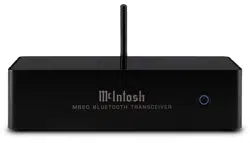
The MB25 functions as a Bluetooth Receiver or as a Bluetooth
Transmitter. The MB25 has been designed to provide a superior
Bluetooth connection to equipment that lacks Bluetooth
connectivity. The MB25 is a Class 1 Bluetooth device with a
transmission range ten times that of a typical Class 2 Bluetooth
device (such as most cell phones.) As a receiver, the MB25
employs an extremely sensitive receiver for better reception
even from Class 2 devices.
Class 1 Bluetooth can transmit up to ten times the range of
Class 2 devices. Class 1 operation can typically be 150 feet (45.7
meters) in ideal conditions with mobile devices. Actual range
of Bluetooth Class 1 technology may be aected by physical
obstacles as well as the performance of devices with which
the MB25 is intended to connect, particularly Class 2 devices.
Think of this measure as a point of comparison since the
world is not always ideal. As a receiver, the maximum range is
determined by the capabilities of both paired devices.
Internal sampling and bit shifting, which can be thought of as
sophisticated up-sampling, will enable all digital processing to
occur at the highest available speed and resolution. The MB25’s
internal DAC processing at 192 kHz is the gentlest way of
ltering the audio signal. The digital output will be at 96 kHz
for wider compatibility with other DACs.
Bluetooth Transmit and Receive support aptX HD for improved
sound quality. Plus aptX
TM
Low Latency audio improves end-to-
end speed of audio transmission to keep the sound in sync with
the screen. Using two MB25, one as a receiver and the other as
a transmitter, provides full wireless aptX HD code and decode
bridge.
Introduction
6
A059929 MB25 FRONT VIEW 4 11/27/23 JM
M B 2 5 B L U E T O O T H T R A N S C E I V E R
INPUT
COAX
88.2
UNBAL
BAL
OPT
44.1
48
96
32
176.4
192
POWER
PAIR
aptX
aptX HD
aptX Low Latency
AAC
SBC
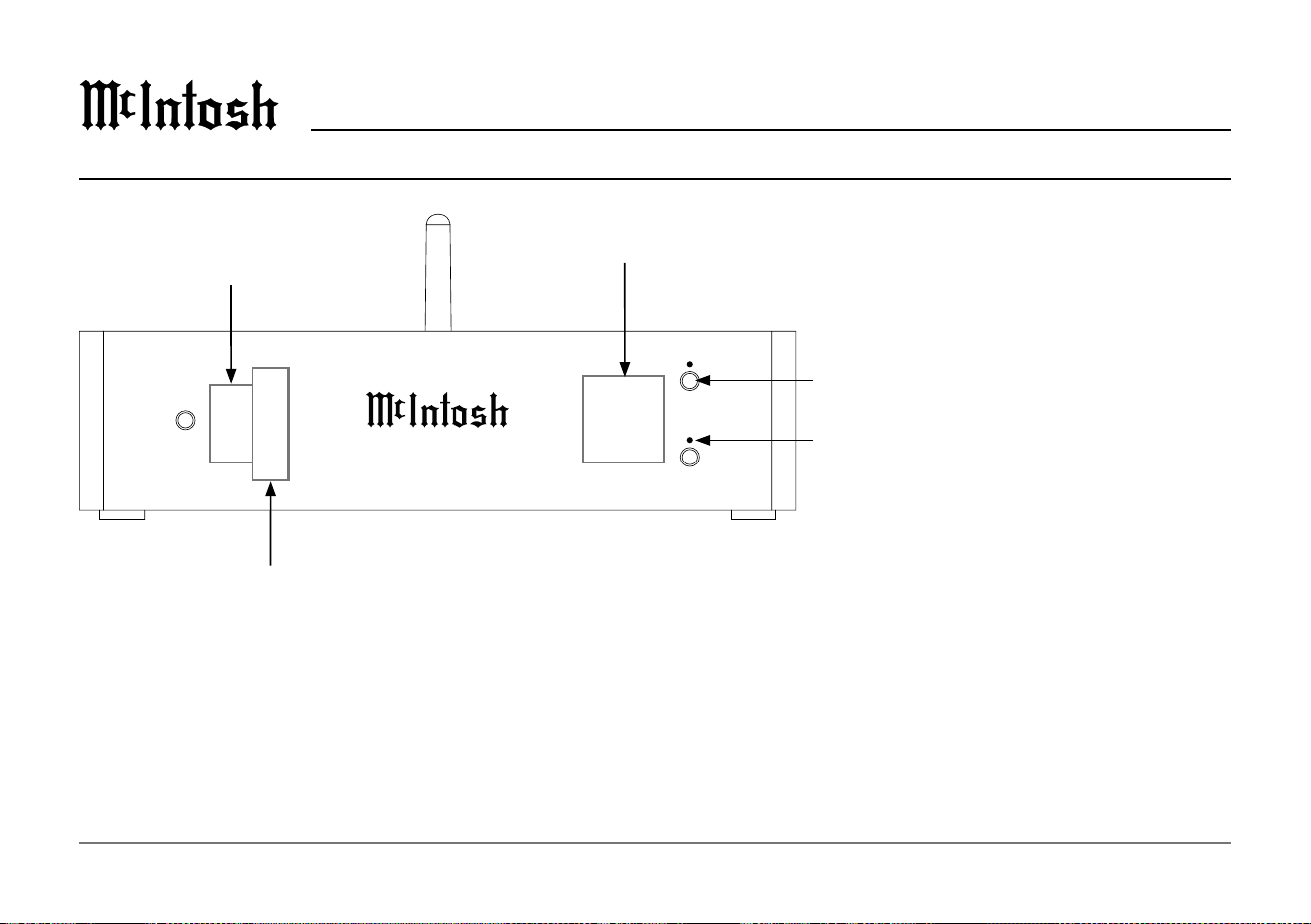
Power Button turns the MB25 On or O.
Pair Button LED indicator displays the following:
White- Standby, ready to reconnect to the last
connected device
Blue- Bluetooth Receiver Mode
Green- Bluetooth Transmitter Mode
Flashing (Blue or Green)- Discovery Mode
MB25 Front View
Active Bluetooth protocol
with paired device
Input select while
in TX mode
Sample Rate Indicators will show the input sample rate if the selected input is digital.
7
MB25
MB25 Rear View
A059930 MB2 REAR5 V3 11/27/23 JM
ANALOG
IN
COAX IN
ANALOG
OUT
L
R
OPTICAL
IN
COAX OUT
OPTICAL
OUT
DC 5V IN
2.4A
RX/ T X
ANT
L
R
IN
HD/LL
OUT
POWER
CONTROL
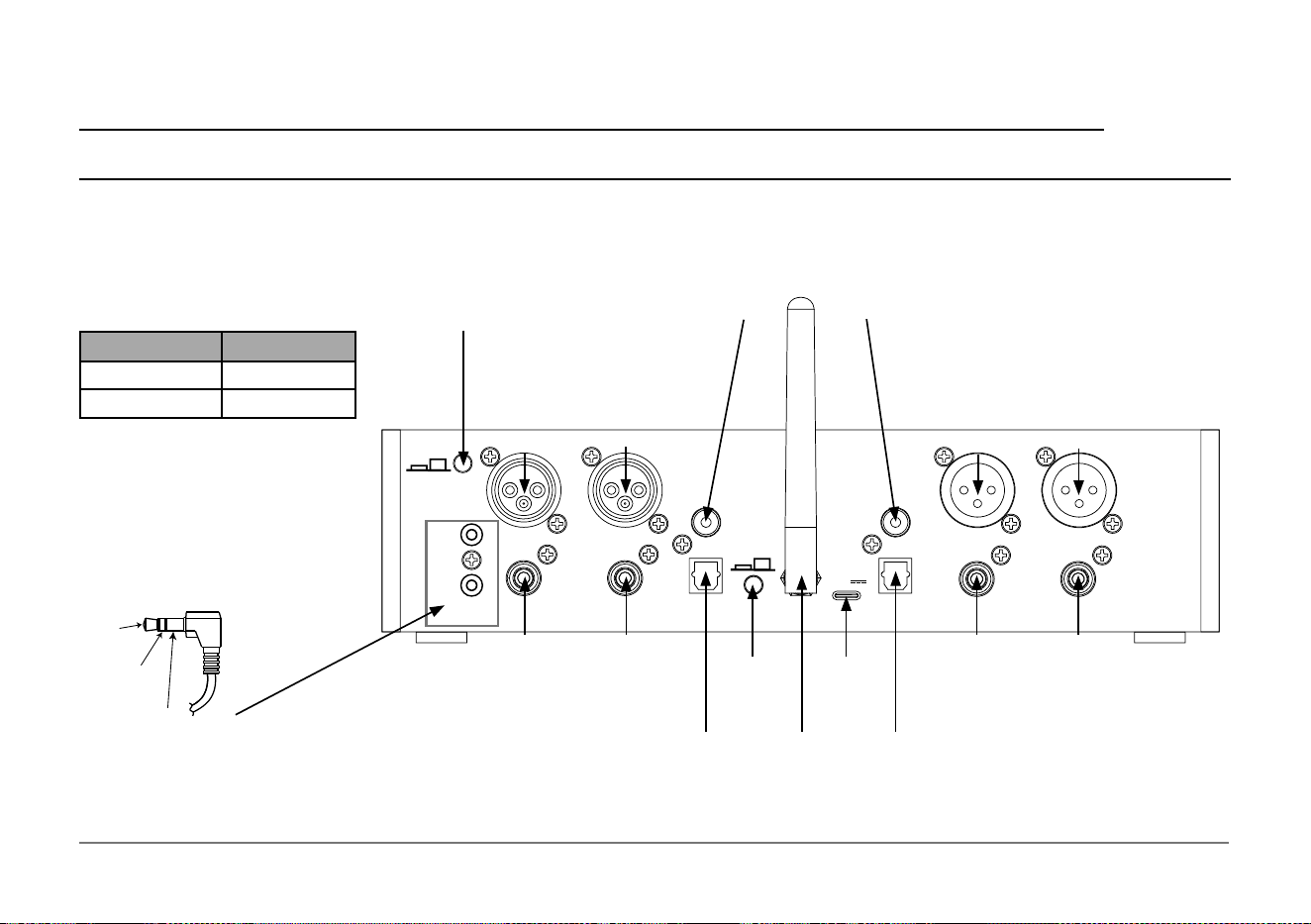
Analog Balanced
(XLR) Inputs
Right Left
Right Left
Analog Unbalanced
(RCA) Inputs
Analog Balanced
(XLR) Outputs
Right Left
Right Left
Analog Unbalanced
(RCA) Outputs
Digital Coax
Input Output
Digital
Optical
Input
Digital
Optical
Output
USB C
Power
Input
RX/TX
Button
Antenna
Connection
Power Control Input and Output on the rear panel send or
receive power on/o signals when connected to other McIntosh
components. A 3.5 mm stereo mini plug is used for the connection
to the Power Input connection, while a TRS cable with Ring open
circuit is used for a direct connection to a McIntosh amplier.
Power
Control
Ground
Meter
Illumination
Control
Low Latency/High Denition Preference Button sets a preference for either
Low Latency or High Denition connections. If a receiver does not support
both protocols, the MB25 will use the available protocol. If both protocols are
available on the receiver this button will set the preference of which to use.
Low Latency may desirable for video viewing to better sync video and audio.
Front Panel indicator LEDs conrm the connected protocol.
Button Position aptX Protocol
Out Low Latency
In High Denition
8
Power the MB25
Use only the supplied AC/DC adapter with the included USB
cable to power the MB25.
The DC input labeled DC 5V IN can be found next to the
antenna connection in “MB25 Rear View” on page 7.
To allow the MB25 to properly reset when powering o and on,
please allow 5 to 10 seconds between removing and re-inserting
the power cord.
Attach the Antenna
Attach the included Bluetooth Antenna to the ANT Connection
in the center of the rear panel of the MB25. Tighten the brass
nut at the base of the Antenna until nger tight.
Entering Discovery Mode
When powered on, the MB25 will automatically search for
the last paired device. After one minute, the MB25 will enter
Discovery Mode.
If the MB25 has not been previously paired (or the pairing list
has been erased), the unit will more quickly (10 seconds) enter
Discovery Mode.
Discovery Mode is indicated by the LED above the Front Panel
Pairing Button ashing green or blue (single blink on and o).
It
will stay in Discovery Mode for 15 minutes.
Pairing to New Devices
The MB25 will pair a previously paired device while in Discovery
Mode or press the Front Panel Pair button to pair with a new
device that is also in Discovery Mode. The process of pairing will
happen automatically. When the MB25 pairs with another device,
the Front Panel Button will be solid green or blue (no longer
blinking).
Since you may not be able to see a list of discoverable Bluetooth
Devices to choose from on the device you are trying to connect,
it is helpful to not have any other discoverable devices compet-
ing with the MB25 when trying to pair.
After 15 minutes in Discovery Mode, if no pairing occurs, the
MB25 will exit Discovery Mode.
Reset / Clear Paired Devices
To reset the MB25 and clear the pairing list:
1. Press and hold the Front Panel Pair Button for 10 seconds.
2. The LED of the Front Panel Button will blink, pause and
then double blink when reset. Once that happens, release the
button.
3. Pull out DC USB Power Connector from the rear of MB25
for 10 seconds and then plug it back in.
How to Use the MB25
9
MB25
How to Use the MB25 (continued)
Compatible Bluetooth Audio Codecs
• aptX: Supports 48kHz/16-bit LCPM audio data.
• aptX HD: Supports near-lossless 48kHz/24-bit LCPM
audio data.
• aptX LL: Supports a Low-Latency audio connection that
helps with audio-video synchronization.
• AAC (Advanced Audio Coding): Improved audio quality
that is better than MP3.
• SBC (Sub-Band Codec): Good audio quality at medium bit
rates.
Note: Currently only Android devices support aptX codecs. MB25’s
configured in Transmitter-Receiver pairs also support aptX. Visit
www.aptx.com/products for a complete list of compatible products.
License Information
Trademark Logo License Information
The Bluetooth
®
word mark and logos are regis-
tered trademarks owned by Bluetooth SIG, Inc.
and any use of such marks by McIntosh Group,
Inc. is under license. Other trademarks and trade
names are those of their respective owners.
Qualcomm
®
aptX
TM
is a product of Qualcomm
Technologies, Inc. and/or its subsidiaries.
Qualcomm is a trademark of Qualcomm
Incorporated, registered in the United States and
other countries. aptX is a trademark of Qualcomm
Technologies International, Ltd., registered in the
United States and other countries.
Trademarks of McIntosh Laboratory, Inc.:
The following are Registered Trademarks of McIntosh Laboratory, Inc.
in multiple jurisdictions around the world: the written McIntosh logo; the
McIntosh Globe logo; the Mc logo; Power Guard; Power Guard Screen Grid
Sensor; Power Guard SGS; LD/HP; Dynamic Power Manager; the 4DPM8
logo; HXD; the HXD logo; Behind The Sound; Legendary Performance.
The following are Trademarks of McIntosh Laboratory, Inc. in multiple
jurisdictions around the world: Autoformer; Sentry Monitor; Solid Cinch;
McIntosh Monogrammed Heatsinks; Hybrid Drive; DualView; TripleView;
Made of Sound.
The foregoing trademarks, registered and otherwise, are not to be used, reproduced,
or registered in any way without the express written permission of McIntosh
Laboratory, Inc.
10
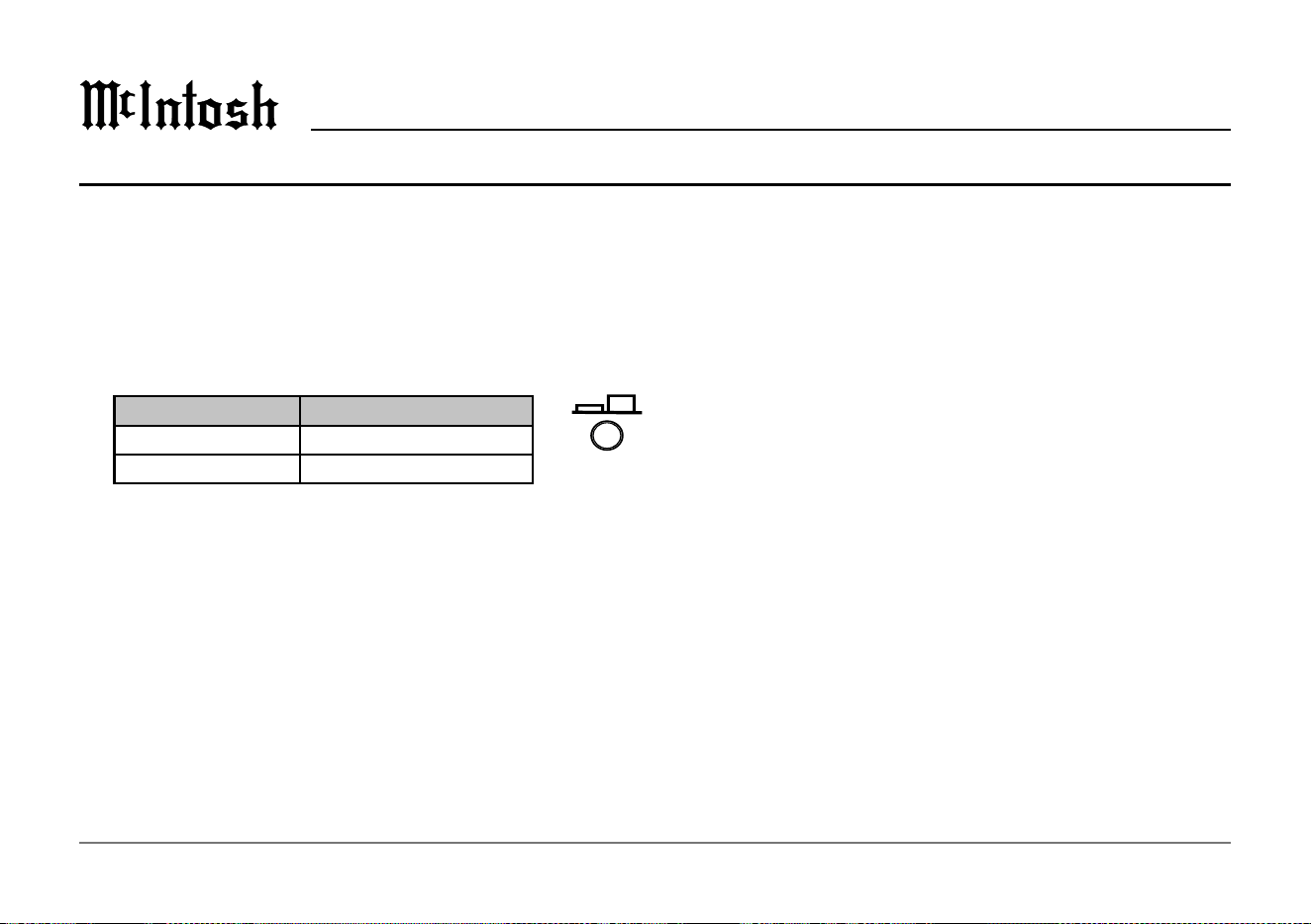
The MB25 can be switch between Receiver (RX) or Transmitter
(TX) Mode, but it can only be one of these at a time.
Set the MB25 to the desired mode, either RX or TX, by pushing
the RX/TX Button located on the rear of the unit. When
the RX/TX Button is depressed (pushed in), the MB25 is in
Receiver Mode. When the button is in the released position, the
MB25 is in Transmitter Mode. Pushing the RX/TX button will
toggle between these two modes.
RX/TX Button MB25 Mode
In Bluetooth Receiver
Out Bluetooth Transmitter
Transmitter Mode
In the Transmitter Mode (TX), the MB25 will transmit a signal
from one of the following inputs:
• Analog Balanced (XLR)
• Analog Unbalanced (RCA)
• Digital Coax
• Digital Optical
Press the Input Select button to connect the desired input.
Most devices will auto-pair back with the MB25 upon powering
up. To re-connect, quickly press the pairing button. The
Front Panel Button above the Pair Button will glow Green in
Transmitter Mode if already paired and connected. Only one
device is stored in memory while in TX mode.
Receiver Mode
In the Receiver Mode (RX), the MB25 will send a received
Bluetooth signal to ALL these outputs:
• Analog Balanced (XLR)
• Analog Unbalanced (RCA)
• Digital Coax
• Digital Optical
The Front Panel Button will glow Blue in Receiver Mode.
To pair the MB25 to receive from your device:
• RX/TX Button should be in the receive (RX) position
(depressed)
• Power On the MB25. Front Panel Button will glow blue. It
will begin to blink when in pairing mode
• On the device you wish to connect to the MB25, scan for
Available Devices. The MB25 will be listed as “MB25”
• Choose MB25. If asked “Pair with MB25?”, choose OK
• MB25 should be connected for Audio. When
successfully
paired the Front Panel Button will display as solid blue.
Unsuccessful pairing will display as solid white
You can use the Bluetooth menu of your connected device to
disconnect or reconnect the MB25. The MB25 will remember
up to six previously paired devices while in RX mode.
Selecting Receiver or Transmitter Mode
A059930 MB2 REAR5 V3 11/27/23 JM
ANALOG
IN
COAX IN
ANALOG
OUT
L
R
OPTICAL
IN
COAX OUT
OPTICAL
OUT
DC 5V IN
2.4A
RX/T X
ANT
L
R
IN
HD/LL
OUT
POWER
CONTROL

11
MB25
Technical Specications
The MB25 has been tested and certified for indoor use only.
Bluetooth Version
Bluetooth 5.0
Supported Protocols
A2DP, SBC, AAC, aptX, aptX Low Latency, aptX HD
Digital Input
up to 192kHz 24-bit
Digital Ouput
96 kHz 24-bit
Analog Input and Output
2.5 Vrms maximum
Dimensions
Width is 9.7 inches (24.64cm)
Depth is 3.94 inches (10.01cm)
Height is 2.5 inches (6.35cm)
Shipping Carton Dimensions
Width is 12 inches (30.48cm)
Depth is 8 inches (20.32cm)
Height is 4 inches (10.16cm)
Weight
2.5 pounds (1.2 kg) net, 3.5 pounds (1.6 kg) in shipping carton
Shipping the MB25
When shipping the MB25, it is highly recommended that the
unit be packed as it was originally shipped to avoid damage.
For this reason, you may wish to save the original box and
packing material for your MB25. If you need any of the packing
material, you can contact McIntosh Customer Service. Use
only packing material that is in good condition and replace any
material that has seen better days.

The continuous improvement of its products is the policy of
McIntosh Laboratory, Inc. who reserve the right to improve
design without notice.
Printed in the U.S.A.
McIntosh Laboratory, Inc.
2 Chambers Street
Binghamton, NY 13903
www.mcintoshlabs.com
© 2024 McIntosh Laboratory, Inc.
McIntosh Part No. 24128301