�idea
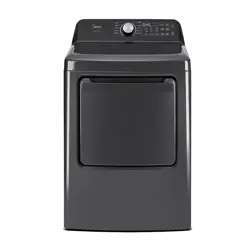
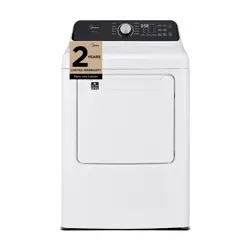
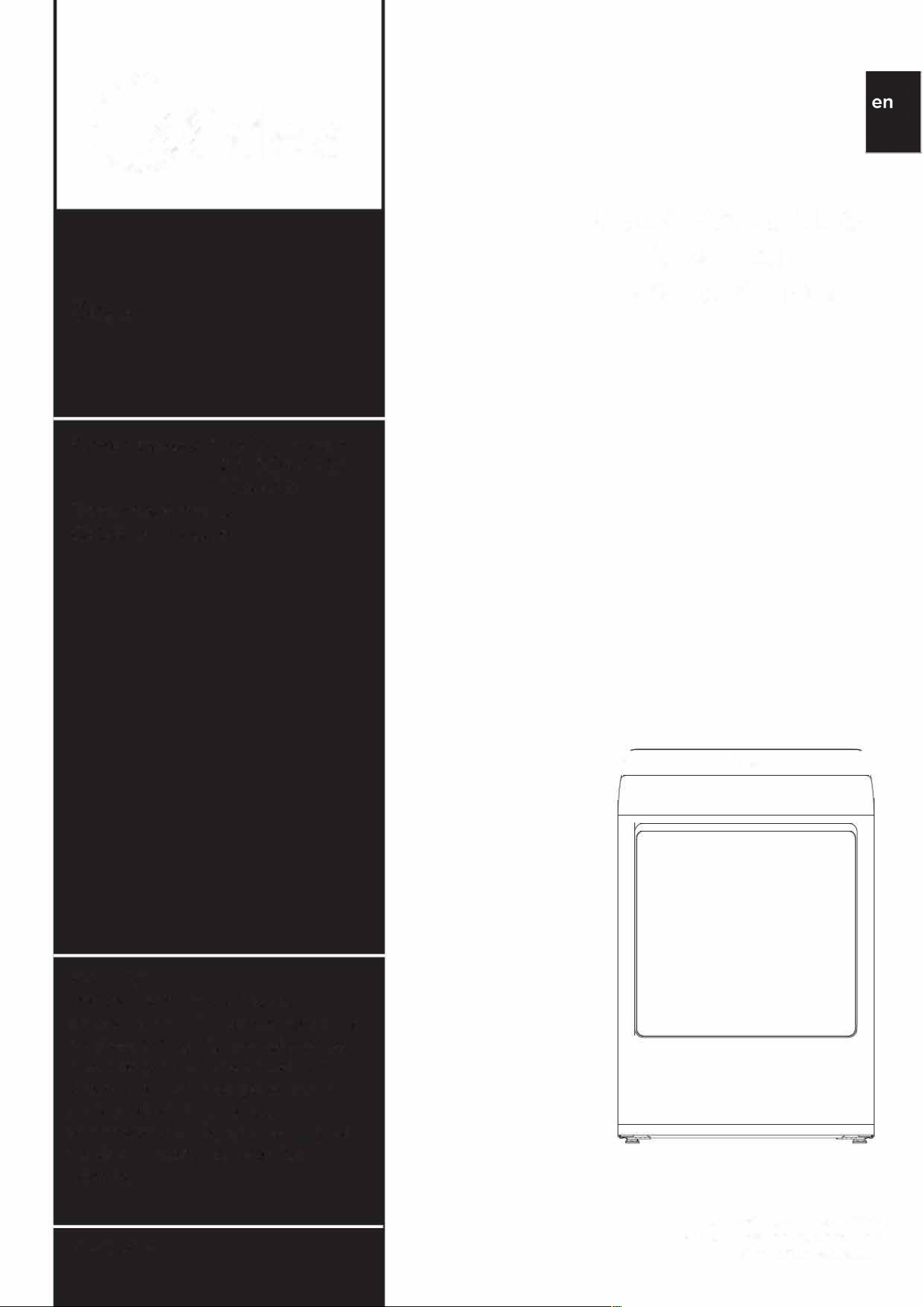
Dryer
Power supply:
120/2
40V-(E)
120/208V-(E)
120V-(G)
Fre
q
u
e
n
c
y:
60Hz
Cap
acit
y:
7
.4c
u
.
ft
Warning:
Before using this product,
please read this manual carefully
and keep it for future reference.
The design and specifications
are subject to change without
prior notice for product
improvement. Consult with your
dealer or manufacturer for
details.
Version A
USER MANUAL &
INSLLION
INSTRUCTIONS
[
0
)
ML
T
E45
N
5C
WW
/F03EHS·US1305
M
L
T
E45
N
5C
WW
/F03EHS-US13
www.midea.com

2
Dear user
THANK YOU and CONGRATULIONS on your purchase of
this high-quality Midea product. Your Midea dryer is designed
for reliable, trouble-free performance. Please take a moment to
register your new dryer.
Register your new dryer at www.midea.com under the Support
tab.
For future reference, record your product model and serial
numbers located on the inside frame of the dryer.
Model Number
------------------
Seri a I Number
------------------
DRYER SAFETY ................................................................................. 4
OPERA Tl ON RE
Q
UIRE
M
ENTS.......................................................... 9
Important to Installer .............................................................................
9
Basic Requirements .................................................................................
1
0
Location Requirements ..........................................................................
1
0
Ducting Requirements ........................................................................... 13
Exhausting Requirements ....................................................................
1
5
Gas Requirements ...................................................................................
1
5
Electric Requirements ...........................................................................
1
7
Grounding ..................................................................................................
19
RTS AND FEURES .................................................................. 20
Replacement Parts and Accessories ............................................... 20
INSLLION INSTRUCTIONS ...................................................... 21
Remove Packaging ..................................................................................
2
1
Tools Required ............................................................................................
22
Choose the Proper Location ............................................................... 22
Install the Exhaust System ···································································
22
Connect the Gas Line (For Gas Models) ........................................
2
4
Connect the Electrical Wiring ........................................................... 2
5
Level the Dryer ........................................................................................
28
Power On ................................................................................................... 2
8
Final
Check
..............................................................................................
28
Door
Reversal
Procedure
..................................................................
29
Change
the
Dryer
Vent
Location
.....................................................
31
DRYER USE........................................................................................
32
Control
Panel ............................................................................................ 32
Drying
a
Load
of
Laundry
...................................................................
34
Special
Laundry
Tips ............................................................................
38
Smart
Control
..........................................................................................
39
App
Setup
and
Operation
.........................................................................
42
Certifications
...............................................................................................
43
USER-MAINTENANCE
INSTRUCTIONS .........................................
45
Cleaning
and
Maintenance
..................................................................
45
TROUBLESHOOTING ........................................................................ 4 7
Check
These
Solutions
if
Your
Dryer
..............................................
47
Error
Codes
...............................................................................................
49
APPEND
IX
. . . . . .
..
. . . . .
..
. . . . .
..
. . . . .
..
. . . . ... . . . . ... . . . . ... . . . .
..
. . . . .
..
. . . . .
..
. . . . .
..
. . . . .
..
. . . .
50
Fabric
Care
Chart
...................................................................................
50
WARRANTY
........................................................................................
51
REGISTRATION
INFORMATION
....................................................
53
READ
AND
KEEP THESE INSTRUCTIONS FOR FUTURE
REFERENCE
This manual
contains
important
information
on
the
installation, use,
and
care
of
your
appliance. Please read
this
manual
carefully
before
installation
and
operation
of
this
machine
to
prevent
injury
and
property
damage.
Warnings
and
Important
Safety
Instructions
in
this
manual
DO NOT
cover
all
possible
conditions
and
situations
that
may
occur.
It
is
your
responsibility
to
use
common
sense,
caution
and
care
when
installing,
maintaining
and
operating
your
dryer.
3
4
DRYER
SAFETY
YOUR
SAFETY
AND
THE
SAFETY
OF
OTHERS ARE VERY
IMPORTANT
To
prevent
injury
to
the
user
or
other
people
and
property
damage,
the
instructions
shown
here
must
be
followed.
Incorrect
operation
due
to
ignoring
of
instructions
may
cause
harm
or
damage,
including
death.
The level
of
risk
is
shown
by
the
following
indications.
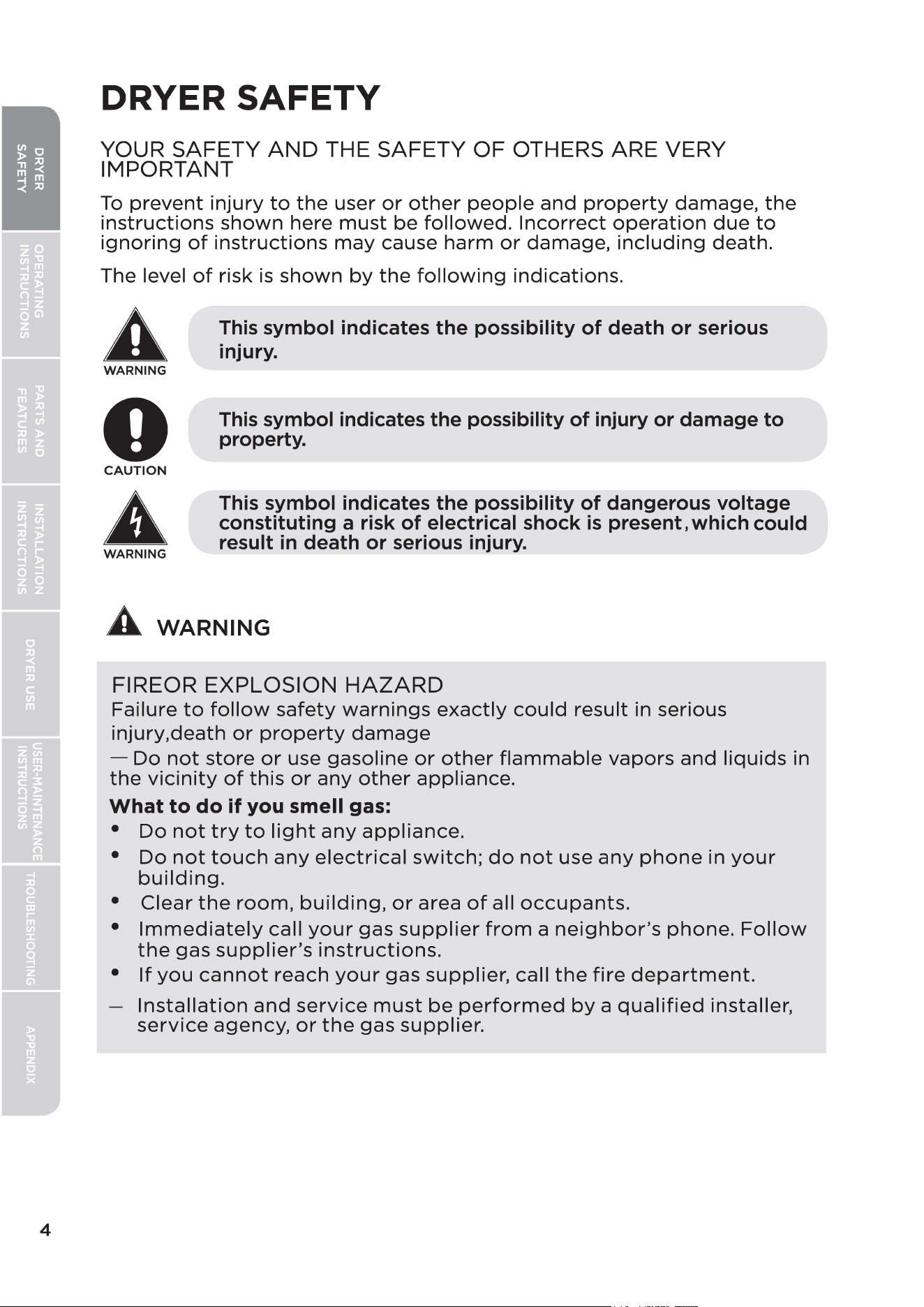
A
WARNING
0
CAUTION
A
WARNING
This
symbol indicates the possibility of death or serious
injury.
This
symbol indicates the possibility of injury or damage to
property.
This
symbol indicates the possibility of dangerous voltage
constituting a risk of electrical shock
is
present, which could
result
in
death or serious injury.
A WARNING
FIREOR EXPLOSION
HAZARD
Failure
to
follow
safety
warnings
exactly
could
result
in serious
injury.death
or
property
damage
-
Do
not
store
or
use
gasoline
or
other
flammable
vapors
and
liquids
in
the
vicinity
of
this
or
any
other
appliance.
What
to
do
if
you smell gas:
•
Do
not
try
to
light
any
appliance.
•
Do
not
touch
any
electrical
switch;
do
not
use
any
phone
in
your
building.
•
Clear
the
room,
building,
or
area
of
all
occupants.
•
Immediately
call
your
gas
supplier
from
a
neighbor's
phone.
Follow
the
gas
supplier's
instructions.
•
If
you
cannot
reach
your
gas
supplier,
call
the
fire
department.
Installation
and
service
must
be
performed
by
a
qualified
installer,
service
agency,
or
the
gas
supplier.
IMPORTANT
SAFETY
INSTRUCTIONS
A
WARNING
To
reduce
the
risk
of
fire,
electric
shock,
or
injury
to
persons
when
using
your
appliance,
follow
basic
precautions,
including
the
following:
• Read all
instructions
before
using
the
appliance.
• Use
this
appliance
only
for
its
intended
purpose
as
described
in
this
manual.
•
Before
use,
the
dryer
must
be
properly
installed
as
described
in
this
manual.
• ALWAYS
follow
the
fabric
care
instructions
supplied
by
the
garment
manufacturer.
•
Do
not
dry
articles
that
have
been
previously
cleaned
in,
washed
in,
soaked
in,
or
spotted
with
gasoline,
dry-cleaning
solvents,
other
flammable
or
explosive
substances.as
they
give
off
vapors
that
could
ignite
or
explode.
•
Do
not
use
the
dryer
to
dry
clothes
which
have
traces
of
any
flammable
substance,
such
as
vegetable
oil,
cooking
oil,
machine
oil,
flammable
chemicals,
thinner, etc.,
or
anything
containing
wax
or
chemicals,
such
as
mops
and
cleaning
clothes.
Flammable
substances
may
cause
the
fabric
to
catch
fire
by
itself.
•
Do
not
store
or
use
combustible
materials,
gasoline.and
/or
other
flammable
vapors
and
liquids
near
this
or
any
other
appliance.
• There
is
a risk
of
suffocation
and
injury
from
entrapment.
Do
not
allow
children
to
play
on
or
in
the
appliance.
Close
supervision
of
children
is
necessary
when
the
appliance
is
used
near
children.
•
Before
the
appliance
is
removed
from
service
or
discarded,
remove
the
lid
of
the
washing
or
door
of
the
drying
compartment.
•
Do
not
reach
into
the
appliance
if
the
drum
is
moving.
•
Do
not
install
or
store
this
appliance
where
it
will
be
exposed
to
the
weather
or
freezing
temperatures
below
33°F.
•
Do
not
tamper
with
the
controls
and
latch.
•
Do
not
install a
booster
fan in
the
exhaust
duct.
•
Do
not
use
replacement
parts
that
have
not
been
recommended
by
the
manufacturer(e.g.
parts
made
at
home
using a 3D
printer).
5
6
•
Do
not
repair
or
replace
any
part
of
the
appliance
or
attempt
any
servicing
unless
it
is
specifically
recommended
in
the
user-
maintenance
instructions
or
in
published
user-repair
instructions
that
you
understand
and
have
the
skills
to
carry
out.
• Keep
the
area
underneath
and
around
your
appliances
clear
and
free
from
combustible
materials
(lint,
paper, rags, etc.), gasoline, chemicals,
and
other
flammable
vapors
and
liquids.
• Keep
dryer
area
clear
and
free
from
items
that
would
obstruct
the
flow
of
combustion
and
ventilation
air.
•
Do
not
place
items
exposed
to
cooking
oils in
your
dryer.
Items
contaminated
with
cooking
oils
may
contribute
to
a
chemical
reaction
that
could
cause a
load
to
catch
fire.
To
reduce
the
risk
of
fire
due
to
contaminated
loads,
the
final
part
of
a
tumble
dryer
cycle
occurs
without
heat
(cool
down
period).
Avoid
stopping
a
tumble
dryer
before
the
end
of
the
drying
cycle
unless all
items
are
quickly
removed
and
spread
out
so
that
the
heat
is
dissipated.
•
Unplug
the
dryer
if
the
machine
is
to
be
left
for
an
extended
period
of
time,
such
as
during
vacations.
• Packaging
material
can
be
dangerous
for
children. There
is
a risk
of
suffocation!
Keep all
packaging
away
from
children.
•
Always
check
the
inside
of
the
dryer
for
foreign
objects
before
loading
laundry. Keep
the
door
closed
when
not
in use.
•
Do
not
use
fabric
softeners
or
products
to
eliminate
static
unless
recommended
by
the
manufacturer
of
the
fabric
softener
or
product
manufacturer.
• Clean the lint screen before or after each load.
• Keep
the
area
around
the
exhaust
opening
and
surrounding
areas
free
from
lint, dust,
and
dirt.
• The
interior
of
the
dryer
and
exhaust
duct
should
be
cleaned
periodically
by
qualified
service personnel.
•
Do
not
place
items
exposed
to
cooking
oils in
your
dryer.
Items
contaminated
with
cooking
oils
may
contribute
to
a
chemical
reaction
that
could
cause a
load
to
catch
fire.
• This
appliance
must
be
grounded.
See Electric Requirements
and
Grounding in
the
OPERATION REQUIREMENTS section.
• This
appliance
must
be
properly
grounded.
Never
plug
the
power
cord
into
a
receptacle
that
is
not
grounded
adequately
and
in
accordance
with
local
and
national
codes. Refer
to
the
installation
instructions
for
grounding
this
appliance.
• Ensure
pockets
are free
from
small
irregularly
shaped
hard
objects
and
foreign
material,
i.e.
coins, knives, pins, etc. These
objects
could
damage
your
dryer.
•
Do
not
use
heat
to
dry
articles
containing
foam
rubber
or
similarly
textured
rubber
- like materials.
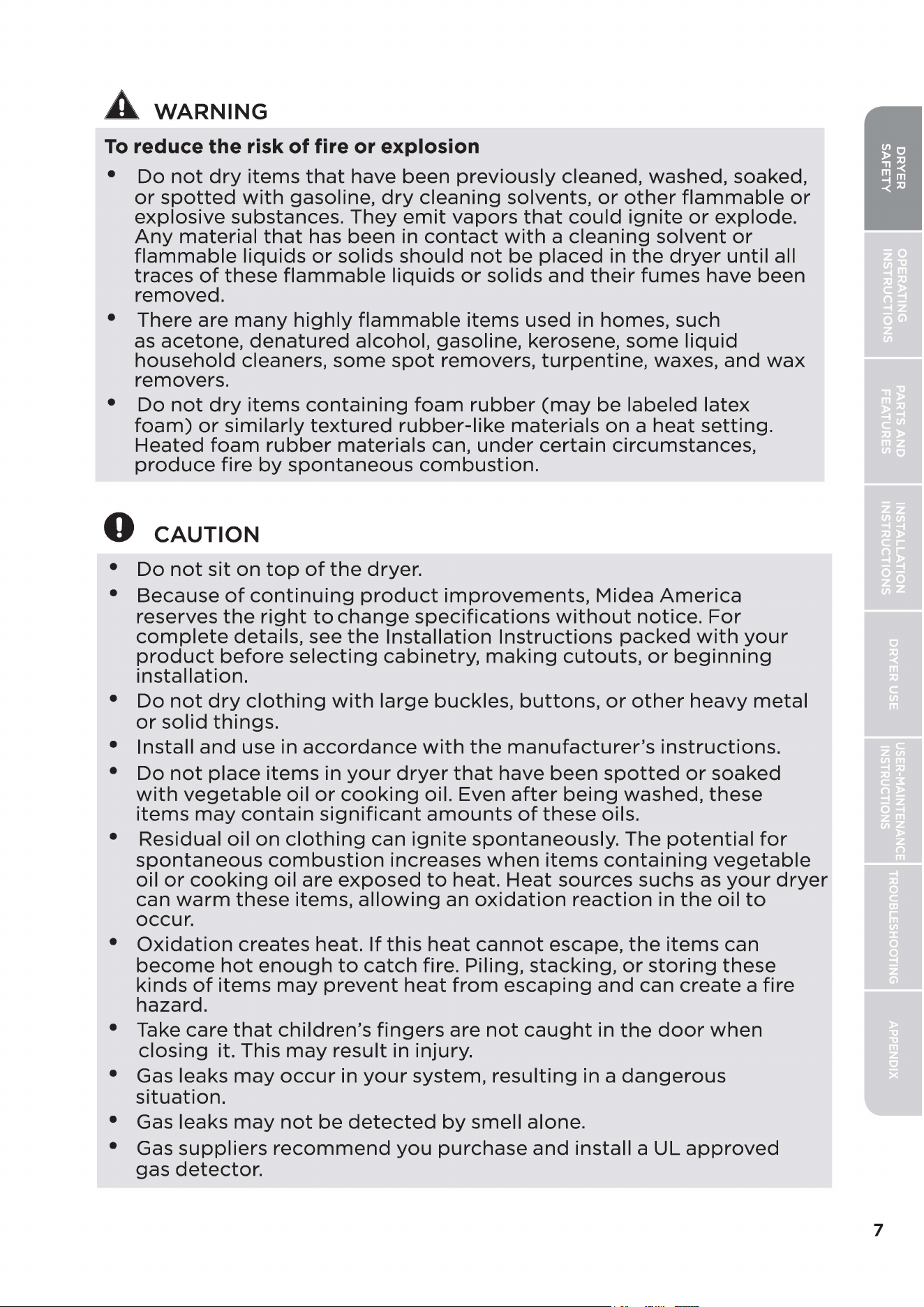
A
WARNING
To
reduce the risk
of
fire or explosion
•
Do
not
dry
items
that
have
been
previously
cleaned, washed, soaked,
or
spotted
with
gasoline,
dry
cleaning
solvents,
or
other
flammable
or
explosive
substances.
They
emit
vapors
that
could
ignite
or
explode.
Any
material
that
has been in
contact
with
a
cleaning
solvent
or
flammable
liquids
or
solids
should
not
be
placed
in
the
dryer
until
all
traces
of
these
flammable
liquids
or
solids
and
their
fumes
have
been
removed.
• There are
many
highly
flammable
items
used in homes, such
as
acetone,
denatured
alcohol, gasoline, kerosene,
some
liquid
household
cleaners,
some
spot
removers,
turpentine,
waxes,
and
wax
removers.
•
Do
not
dry
items
containing
foam
rubber
(may
be
labeled
latex
foam)
or
similarly
textured
rubber-like
materials
on
a
heat
setting.
Heated
foam
rubber
materials
can,
under
certain
circumstances,
produce
fire
by
spontaneous
combustion.
0
CAUTION
•
Do
not
sit
on
top
of
the
dryer.
• Because
of
continuing
product
improvements,
Midea
America
reserves
the
right
to
change
specifications
without
notice.
For
complete
details, see
the
Installation
Instructions
packed
with
your
product
before
selecting
cabinetry,
making
cutouts,
or
beginning
installation.
•
Do
not
dry
clothing
with
large
buckles,
buttons,
or
other
heavy
metal
or
solid
things.
• Install
and
use in
accordance
with
the
manufacturer's
instructions.
•
Do
not
place
items
in
your
dryer
that
have
been
spotted
or
soaked
with
vegetable
oil
or
cooking
oil. Even
after
being
washed,
these
items
may
contain
significant
amounts
of
these
oils.
• Residual oil
on
clothing
can
ignite
spontaneously.
The
potential
for
spontaneous
combustion
increases
when
items
containing
vegetable
oil
or
cooking
oil are
exposed
to
heat.
Heat
sources suchs
as
your
dryer
can
warm
these
items,
allowing
an
oxidation
reaction
in
the
oil
to
occur.
•
Oxidation
creates
heat.
If
this
heat
cannot
escape,
the
items
can
become
hot
enough
to
catch
fire. Piling,
stacking,
or
storing
these
kinds
of
items
may
prevent
heat
from
escaping
and
can
create
a
fire
hazard.
• Take care
that
children's
fingers
are
not
caught
in
the
door
when
closing
it. This
may
result
in injury.
• Gas leaks
may
occur
in
your
system,
resulting
in a
dangerous
situation.
• Gas leaks
may
not
be
detected
by
smell
alone.
• Gas
suppliers
recommend
you
purchase
and
install a UL
approved
gas
detector.
7
State
of
California Proposition
65
Warnings:
A
WARNING:
Risk
of
reproductive
harm
from
exposure
to
Lead.
See
www.P65Warnings.ca.gov.
8
OPERATION
REQUIREMENTS
Important to Installer
Please read the following instructions carefully before installing the dryer.
These instructions should be kept for future reference.
A RNING
To reduce the risk of fire, electric shock, or injury to persons, read the
IMPORT ANT SAFETY INSTRUCTIONS before operating this appliance.
0 CAUTION
•
The dryer is not suitable for installation in a mobile home.
•
Remove the door from all discarded appliances to avoid the danger
of a child being trapped and suffocating.After unplugging a discarded
appliance, cut off the power cord.
9
10
Basic Requirements
Make sure you have everything necessary for the proper installation.
• A
GROUNDED
ELECTRICAL
OUTLET
is
required.
Refer
to
the
Electric Requirements
section.
• A
POWER
CORD
electric
dryer
(except
for
Canada).
• GAS LINES
(if
a gas
dryer)
must
meet
national
and
local
codes.
• The EXHAUST SYSTEM
must
be
made
of
rigid
metal
or
flexible
stiff-
walled
metal
exhaust
ducting.
Location Requirements
1.
The
dryer
should
be
located
where
there
is
enough
space
at
the
front
for
loading
the
dryer,
and
enough
space
behind
for
the
exhaust
system.
2.
This
dryer
is
factory-ready
for
the
rear
exhaust
option.
If
you
want
to
change
the
vent
location,
see
the
Change
the
Dryer
Vent
Location
section.
3.
Make sure
the
room
in
which
the
dryer
is
located
has
enough
fresh air.
The
dryer
must
be
located
where
there
are
no
air-flow
obstructions.
Ambient
temperature
shall
not
be
lower
than
33°F.
4.
For
gas dryers,
adequate
clearance
must
be
maintained
as
noted
on
the
data
plate
to
ensure
adequate
air
for
combustion
and
proper
dryer
operation.
5.
The
dryer
must
not
be
installed
or
stored
in an area
where
it
will
be
exposed
to
water
and/or
weather. The
dryer
area
must
be
kept
clear
of
combustible
materials, gasoline,
and
other
flammable
vapors
and
liquids. A
dryer
produces
combustible
lint. The area
around
the
dryer
should
be
kept
lint-free.
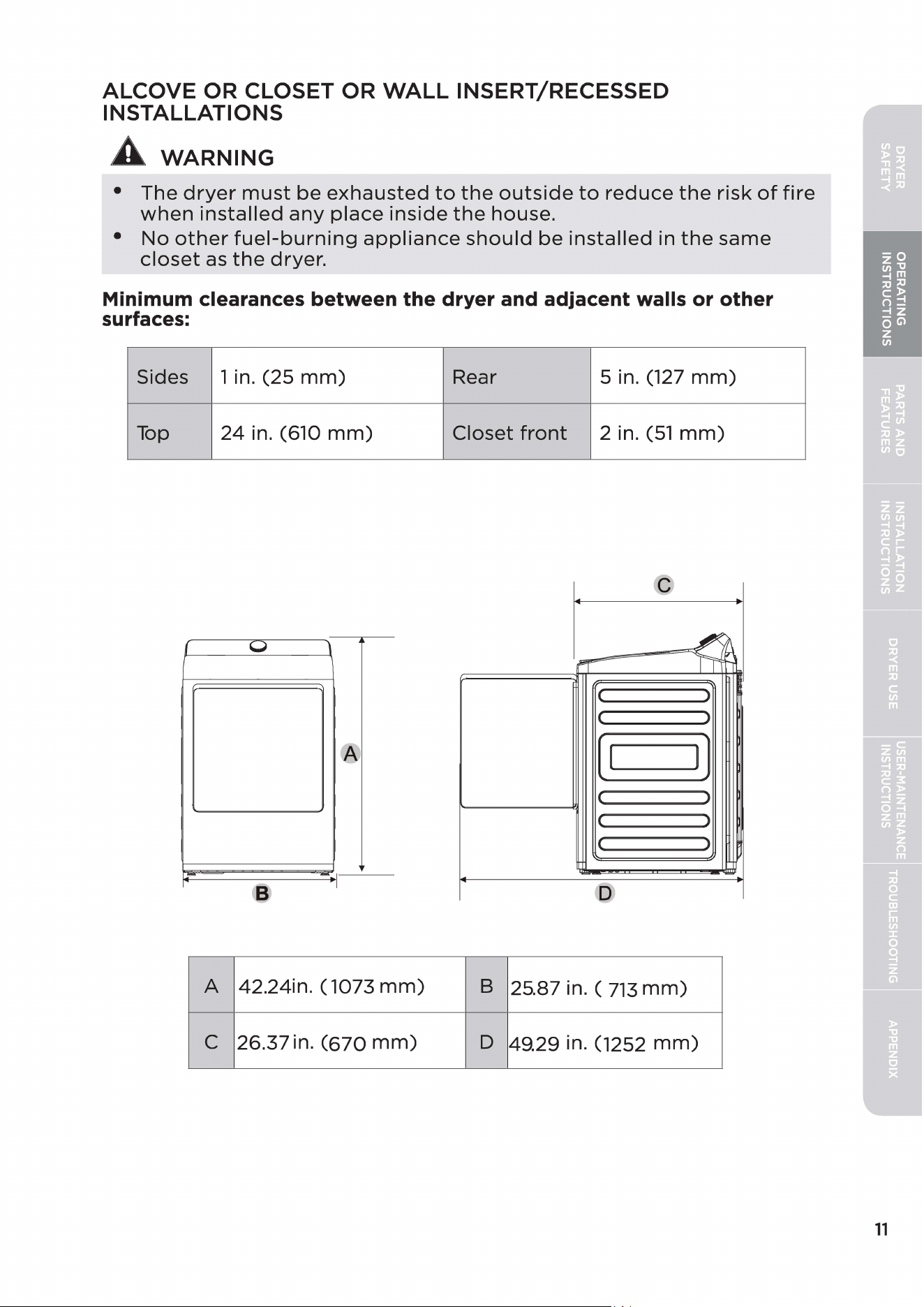
ALCOVE
OR
CLOSET
OR
WALL
INSERT/RECESSED
INSTALLATIONS
A
WARNING
•
The
dryer
must
be
exhausted
to
the
outside
to
reduce
the
risk
of
fire
when
installed
any
place
inside
the
house.
•
No
other
fuel-burning
appliance
should
be
installed
in
the
same
closet
as
the
dryer.
Minimum clearances between the dryer and adjacent walls or other
surfaces:
Sides
1 in.
(25
mm)
Rear
5 in. (127
mm)
Top
24
in. (610
mm)
Closet
front
2 in.
(51
mm)
{
u
1
'
( )
( )
®
[ I
1]
l J
( )
(
J
I
A 42.24in. ( 1073
mm)
B
25.87 in. (
713
mm)
C
26.37 in.
(670
mm)
D
49.29 in. (1252
mm)
11
12
~
-~
0
'
ll
( )
ll
J
(1
1)
( )
IC
>
11
J
- - - -
y
~
-
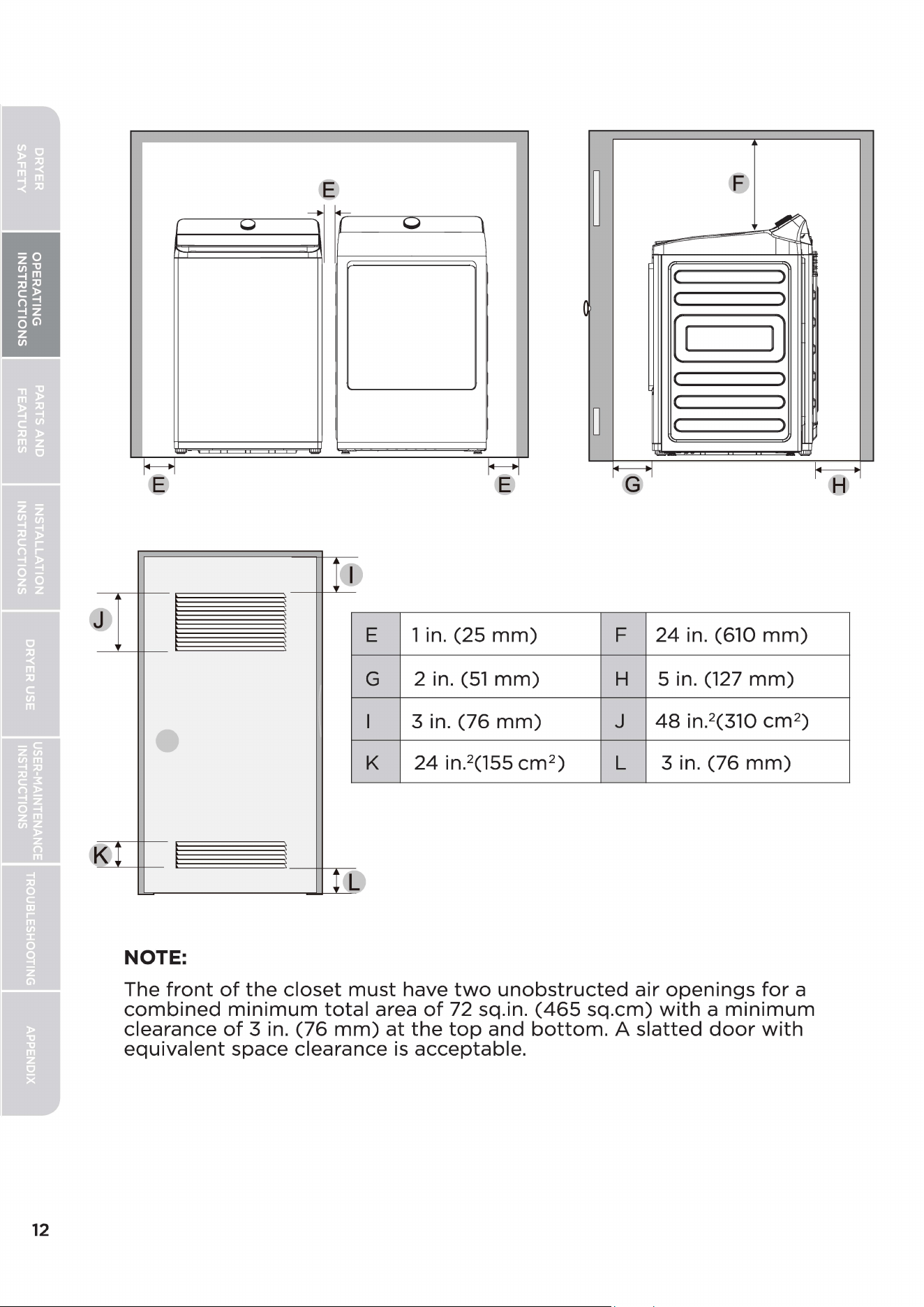
E
1 in.
(25
mm)
F
24
in. (610
mm)
G
2 in.
(51
mm)
H
5 in.
(127
mm)
3 in.
(76
mm)
J
48
in.
2
(310
cm
2
)
•
K
24
in.
2
(155
cm
2
)
L
3 in.
(76
mm)
NOTE:
The
front
of
the
closet
must
have
two
unobstructed
air
openings
for
a
combined
minimum
total
area
of
72 sq.in.
(465
sq.cm)
with
a
minimum
clearance
of
3 in.
(76
mm)
at
the
top
and
bottom.
A
slatted
door
with
equivalent
space clearance
is
acceptable.
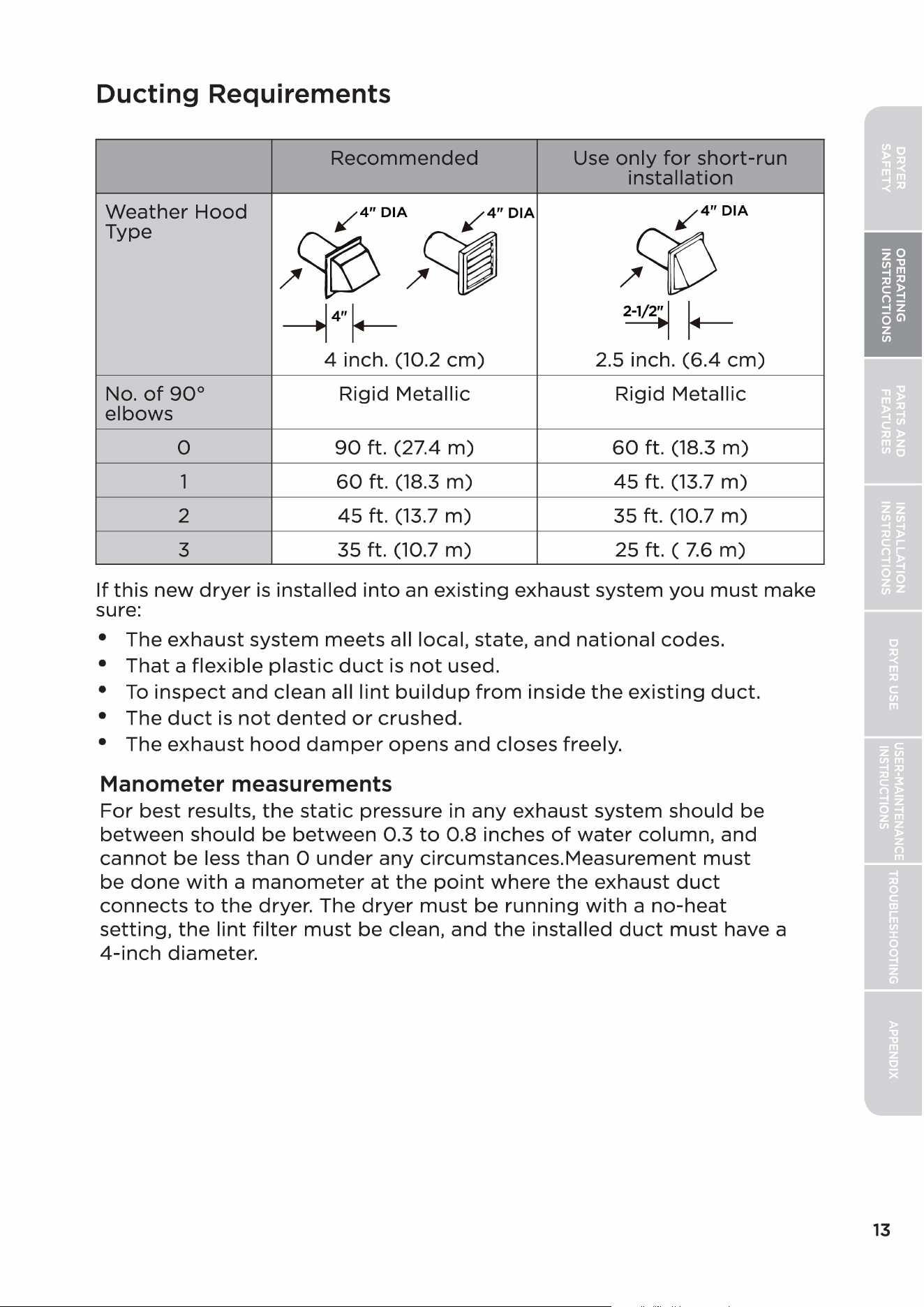
Ducting Requirements
Recommended
Use
only
for
short-run
installation
Weather
Hood
✓
4"
DIA
✓
4"
DIA
✓
4"DIA
Type
/~/~
/ct>
---1
4"
~
2-1/2
►
1
~
4 inch. (10.2
cm)
2.5 inch.
(6.4
cm)
No.
of
90°
Rigid
Metallic
Rigid
Metallic
elbows
0
90
ft. (27.4
m)
60
ft. (18.3
m)
1
60
ft. (18.3
m)
45
ft. (13.7
m)
2
45
ft. (13.7
m)
35 ft. (10.7
m)
3
35
ft. (10.7
m)
25 ft. (
7.6
m)
If
this
new
dryer
is
installed
into
an
existing
exhaust system
you
must
make
sure:
•
The
exhaust
system
meets
all local, state,
and
national
codes.
•
That
a
flexible
plastic
duct
is
not
used.
•
To
inspect
and
clean all
lint
buildup
from
inside
the
existing
duct.
• The
duct
is
not
dented
or
crushed.
• The
exhaust
hood
damper
opens
and
closes freely.
Manometer measurements
For
best
results,
the
static
pressure in
any
exhaust
system
should
be
between
should
be
between
0.3
to
0.8
inches
of
water
column,
and
cannot
be
less
than
O
under
any
circumstances.Measurement
must
be
done
with
a
manometer
at
the
point
where
the
exhaust
duct
connects
to
the
dryer. The
dryer
must
be
running
with
a
no-heat
setting,
the
lint
filter
must
be
clean,
and
the
installed
duct
must
have a
4-inch
diameter.
13
14
A
WARNING
The correct exhaust installation
is
YOUR RESPONSIBILITY.
• Use a
4-inch
(10.2cm)
diameter
rigid
aluminum
or
rigid
galvanized
steel
duct.
•
Do
not
use a
smaller
diameter
than
recommended.
•
Ducts
larger
than
4
inches
(10.2cm)
in
diameter
can
result
in
increased
accumulation
of
lint
and
changes
in
performance
•
Lint
should
be
removed
regularly
from
the
internal
filter
every
cycle
and
from
annually
ducts.
•
If
a
flexible
metal
duct
must
be
used, use
the
type
with
a
stiff
sheet
metal
wall.
Do
not
use a
flexible
duct
with
a
thin
foil
wall. A
serious
blockage
can
result
if
the
flexible
metal
duct
is
bent
too
sharply.
•
Never
install
any
type
of
flexible
duct
in walls, ceilings,
or
other
concealed
spaces.
• Keep
the
exhaust
duct
as
straight
and
short
as
possible,
with
a
minimum
of
elbows.
•
Secure
joints
with
aluminum
tape.
Do
not
use screws.
•
Do
not
use
flexible
plastic
exhaust
venting
between
dryer
and
house
exhaust
duct.
•
Exhaust
systems
longer
than
the
recommended
90
ft
can
extend
drying
times,
affect
machine
operations,
and
collect
lint.
• The
exhaust
duct
should
end
with
an
exhaust
hood
with
a
swing-out
damper
to
prevent
back
drafts
and
entry
of
wildlife.
Never
use an
exhaust
hood
with
a
magnetic
damper.
• The
hood
should
have
at
least
12
inches
(30.5cm)
of
clearance
between
the
bottom
of
the
hood
and
the
ground
or
other
obstruction.
The
hood
opening
should
point
down.
•
Never
install a screen
over
the
exhaust
outlet.
•
To
avoid
lint
buildup,
do
not
exhaust
the
dryer
directly
into
a
window
well.
Do
not
exhaust
under
a
house
or
porch.
•
If
the
exhaust
duct
must
run
through
an
unheated
area,
the
duct
should
be
insulated
and
slope
slightly
down
towards
the
exhaust
hood
to
reduce
condensation
and
lint
buildup.
•
Inspect
and
clean
the
interior
of
the
exhaust
system
at
least
once
a
year.
Unplug
the
power
cord
before
cleaning.
•
Check
frequently
to
make
sure
the
exhaust
hood
damper
opens
and
closes freely.
•
Check
ducting
monthly,
and
clean
at
least
once
per
year. NOTE:
If
your
clothes
are
not
getting
dry,
then
check
the
ducting
for
obstructions.
•
Do
not
exhaust
the
dryer
into
a wall, ceiling,
crawl
space,
or
concealed
space
of
a
building,
gas
vent,
or
any
other
common
duct
or
chimney. This
could
create
a
fire
hazard
from
the
lint
expelled
by
the
dryer.
•
Do
not
use a
non-metallic
flexible
duct.
•
To
reduce
the
risk
of
fire,
this
dryer
MUST
BE
EXHAUSTED
OUTDOORS.
•
Exhaust
duct
must
not
be
connected
or
secured
with
screws
or
other
fastening
devices
which
extend
into
the
interior
of
the
duct.
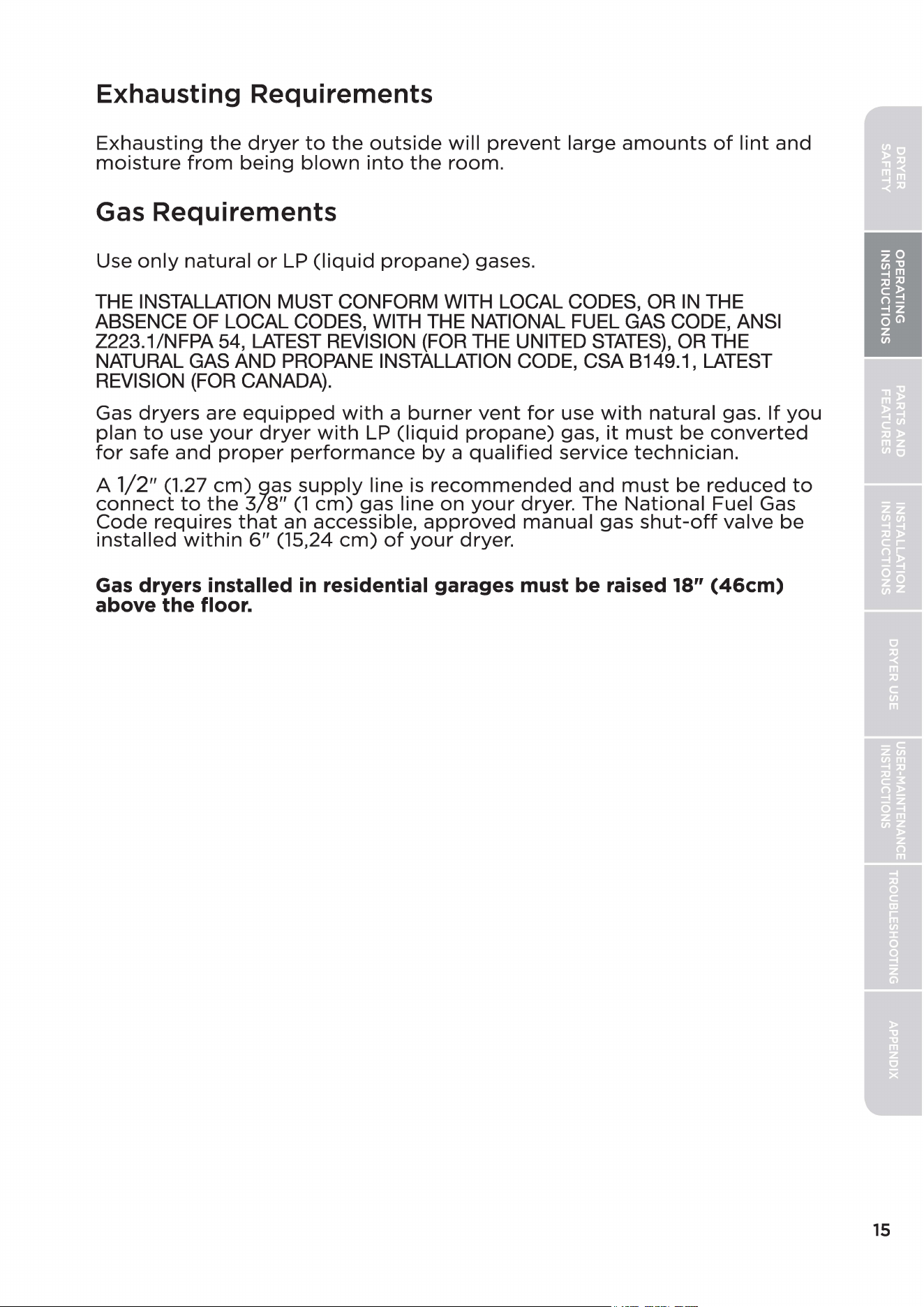
Exhausting Requirements
Exhausting
the
dryer
to
the
outside
will
prevent
large
amounts
of
lint
and
moisture
from
being
blown
into
the
room.
Gas Requirements
Use
only
natural
or
LP
(liquid
propane)
gases.
THE INSTALLATION MUST CONFORM WITH LOCAL CODES, OR
IN
THE
ABSENCE OF LOCAL CODES, WITH THE NATIONAL FUEL GAS CODE, ANSI
Z223.1/NFPA 54, LATEST REVISION (FOR THE UNITED
STATES),
OR THE
NATURAL GAS AND PROPANE INSTALLATION CODE, CSA 8149.1, LATEST
REVISION (FOR CANADA).
Gas
dryers
are
equipped
with
a
burner
vent
for
use
with
natural gas.
If
you
plan
to
use
your
dryer
with
LP
(liquid
propane)
gas,
it
must
be
converted
for
safe
and
proper
performance
by
a
qualified
service
technician.
A
1/2"
(1.27
cm)
gas
supply
line
is
recommended
and
must
be
reduced
to
connect
to
the
3/8"
(1
cm)
gas line
on
your
dryer. The
National
Fuel Gas
Code
requires
that
an accessible,
approved
manual gas
shut-off
valve
be
installed
within
6"
(15,24
cm)
of
your
dryer.
Gas
dryers installed
in
residential garages must be raised 18"
(46cm)
above the floor.
15
16
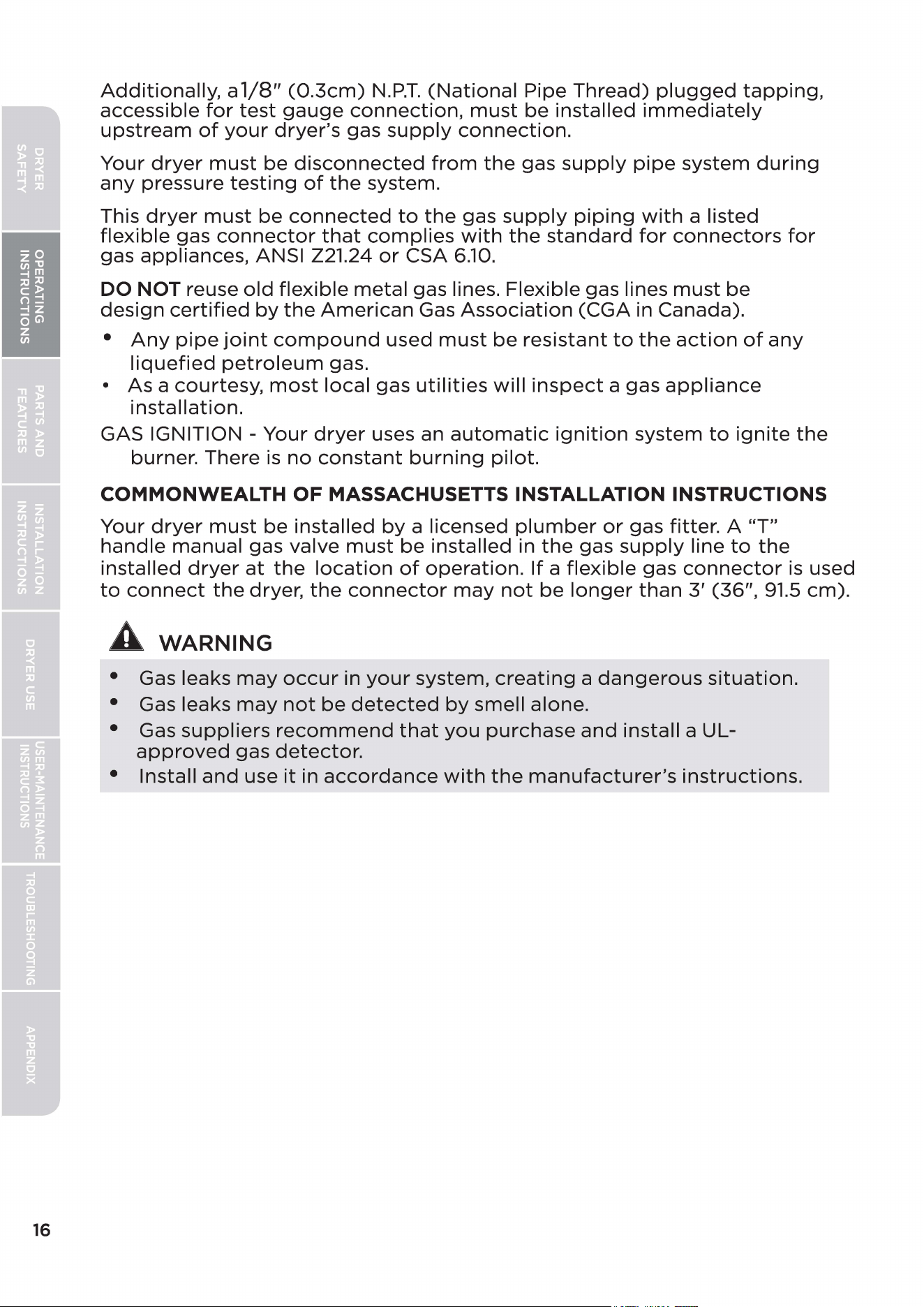
Additionally,
a
1/8"
(0.3cm)
N.P.T.
(National
Pipe
Thread)
plugged
tapping,
accessible
for
test
gauge
connection,
must
be
installed
immediately
upstream
of
your
dryer's
gas
supply
connection.
Your
dryer
must
be
disconnected
from
the
gas
supply
pipe
system
during
any
pressure
testing
of
the
system.
This
dryer
must
be
connected
to
the
gas
supply
piping
with
a listed
flexible
gas
connector
that
complies
with
the
standard
for
connectors
for
gas appliances, ANSI Z21.24
or
CSA
6.10.
DO NOT reuse
old
flexible
metal
gas lines. Flexible gas lines
must
be
design
certified
by
the
American
Gas
Association
(CGA in Canada).
•
Any
pipe
joint
compound
used
must
be
resistant
to
the
action
of
any
liquefied
petroleum
gas.
•
As
a
courtesy,
most
local
gas
utilities
will
inspect
a gas
appliance
installation.
GAS IGNITION - Your
dryer
uses an
automatic
ignition
system
to
ignite
the
burner. There
is
no
constant
burning
pilot.
COMMONWEALTH
OF
MASSACHUSETTS INSTALLATION INSTRUCTIONS
Your
dryer
must
be
installed
by
a licensed
plumber
or
gas fitter. A
"T"
handle
manual gas valve
must
be
installed in
the
gas
supply
line
to
the
installed
dryer
at
the
location
of
operation.
If
a
flexible
gas
connector
is
used
to
connect
the
dryer,
the
connector
may
not
be
longer
than
3'
(36",
91.5
cm).
A
WARNING
• Gas leaks
may
occur
in
your
system,
creating
a
dangerous
situation.
• Gas leaks
may
not
be
detected
by
smell alone.
• Gas
suppliers
recommend
that
you
purchase
and
install a UL-
approved
gas
detector.
• Install
and
use
it
in
accordance
with
the
manufacturer's
instructions.
Electric Requirements
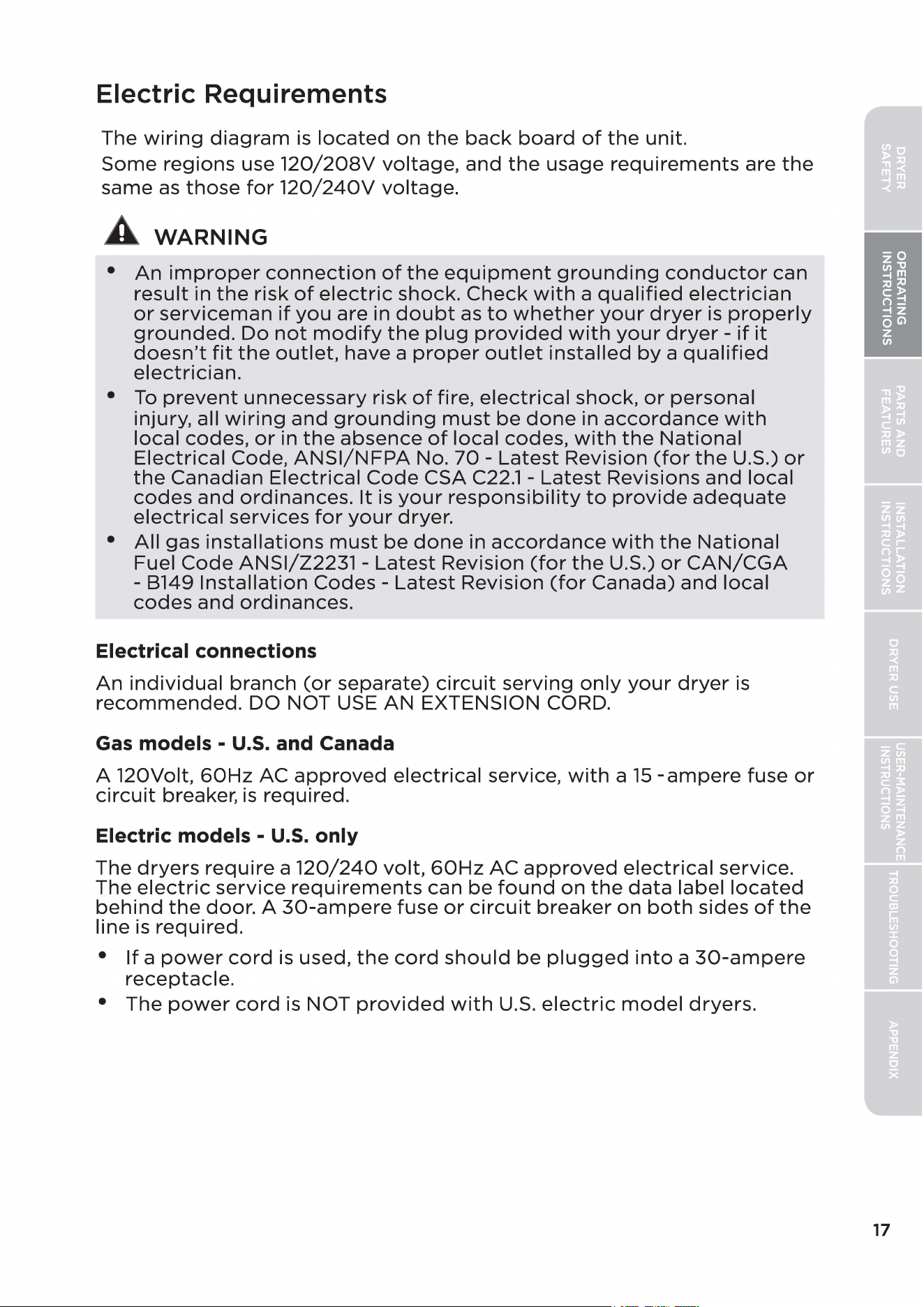
The
wiring
diagram
is
located
on
the
back
board
of
the
unit.
Some
regions use
120/208V
voltage,
and
the
usage
requirements
are
the
same
as
those
for
120/240V
voltage.
A
WARNING
•
An
improper
connection
of
the
equipment
grounding
conductor
can
result
in
the
risk
of
electric
shock.
Check
with
a
qualified
electrician
or
serviceman
if
you
are in
doubt
as
to
whether
your
dryer
is
properly
grounded.
Do
not
modify
the
plug
provided
with
your
dryer
-
if
it
doesn't
fit
the
outlet,
have a
proper
outlet
installed
by
a
qualified
electrician.
•
To
prevent
unnecessary
risk
of
fire,
electrical
shock,
or
personal
injury, all
wiring
and
grounding
must
be
done
in
accordance
with
local
codes,
or
in
the
absence
of
local
codes,
with
the
National
Electrical
Code,
ANSI/NFPA
No.
70
-
Latest
Revision
(for
the
U.S.)
or
the
Canadian
Electrical
Code
CSA
C22.1
-
Latest
Revisions
and
local
codes
and
ordinances.
It
is
your
responsibility
to
provide
adequate
electrical
services
for
your
dryer.
•
All
gas
installations
must
be
done
in
accordance
with
the
National
Fuel
Code
ANSI/Z2231
-
Latest
Revision
(for
the
U.S.)
or
CAN/CGA
- B149
Installation
Codes
-
Latest
Revision
(for
Canada)
and
local
codes
and
ordinances.
Electrical connections
An
individual
branch
(or
separate)
circuit
serving
only
your
dryer
is
recommended.
DO NOT USE
AN
EXTENSION CORD.
Gas
models -
U.S.
and Canada
A 120Volt,
60Hz
AC
approved
electrical
service,
with
a
15
-ampere
fuse
or
circuit
breaker,
is
required.
Electric models -
U.S.
only
The
dryers
require
a
120/240
volt,
60Hz
AC
approved
electrical
service.
The
electric
service
requirements
can
be
found
on
the
data
label
located
behind
the
door.
A
30-ampere
fuse
or
circuit
breaker
on
both
sides
of
the
line
is
required.
•
If
a
power
cord
is used,
the
cord
should
be
plugged
into
a
30-ampere
receptacle.
•
The
power
cord
is NOT
provided
with
U.S.
electric
model
dryers.
17
18
A
WARNING
Electrical Shock Hazard
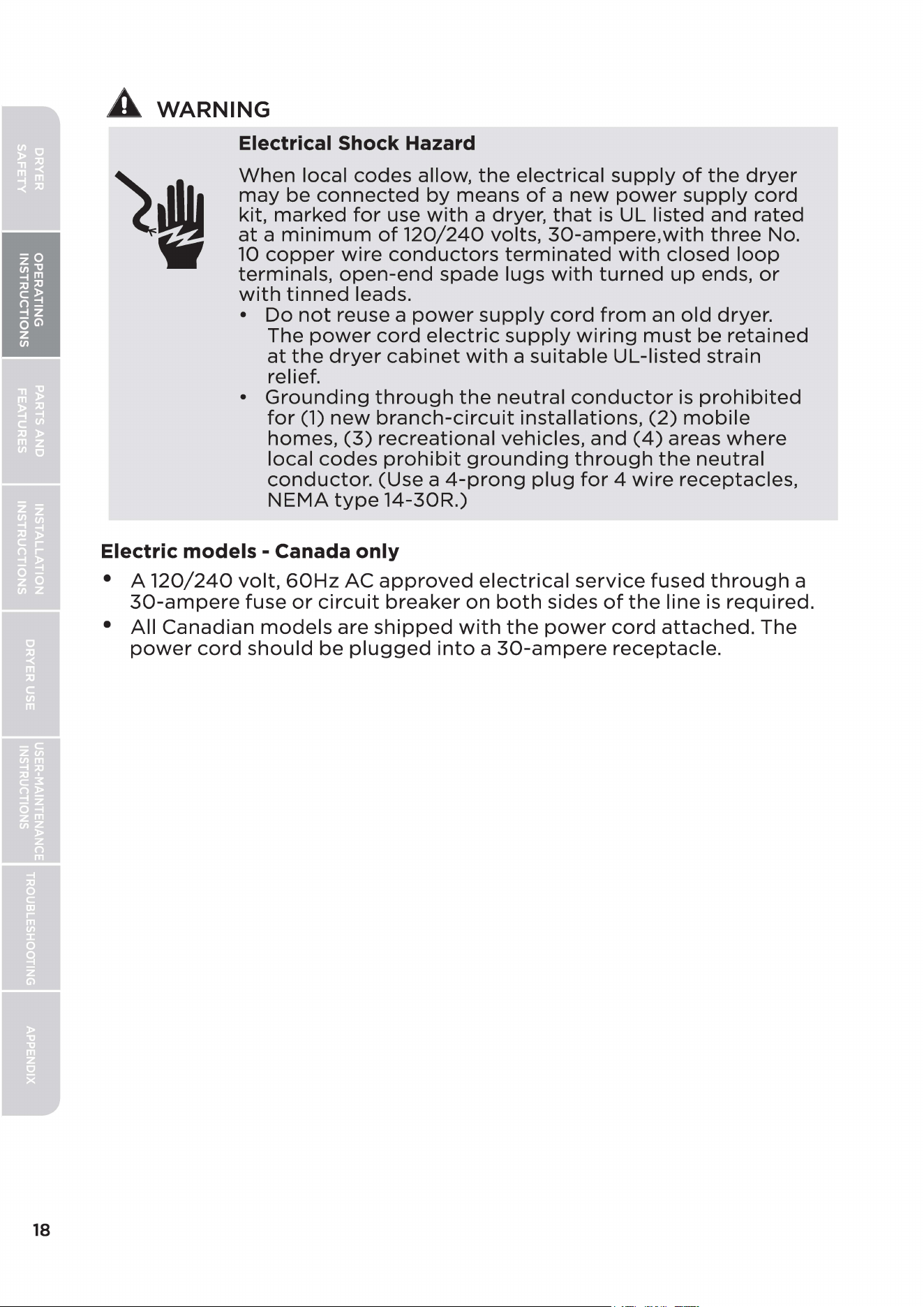
When
local
codes
allow,
the
electrical
supply
of
the
dryer
may
be
connected
by
means
of
a
new
power
supply
cord
kit,
marked
for
use
with
a dryer,
that
is
UL listed
and
rated
at
a
minimum
of
120/240
volts,
30-ampere,with
three
No.
10
copper
wire
conductors
terminated
with
closed
loop
terminals,
open-end
spade
lugs
with
turned
up
ends,
or
with
tinned
leads.
•
Do
not
reuse a
power
supply
cord
from
an
old
dryer.
The
power
cord
electric
supply
wiring
must
be
retained
at
the
dryer
cabinet
with
a
suitable
UL-listed
strain
relief.
•
Grounding
through
the
neutral
conductor
is
prohibited
for
(1)
new
branch-circuit
installations,
(2)
mobile
homes,
(3)
recreational
vehicles,
and
(4)
areas
where
local
codes
prohibit
grounding
through
the
neutral
conductor.
(Use a
4-prong
plug
for
4
wire
receptacles,
NEMA
type
14-30R.)
Electric models - Canada only
• A
120/240
volt,
60Hz
AC
approved
electrical
service
fused
through
a
30-ampere
fuse
or
circuit
breaker
on
both
sides
of
the
line is
required.
•
All
Canadian
models
are
shipped
with
the
power
cord
attached.
The
power
cord
should
be
plugged
into
a
30-ampere
receptacle.
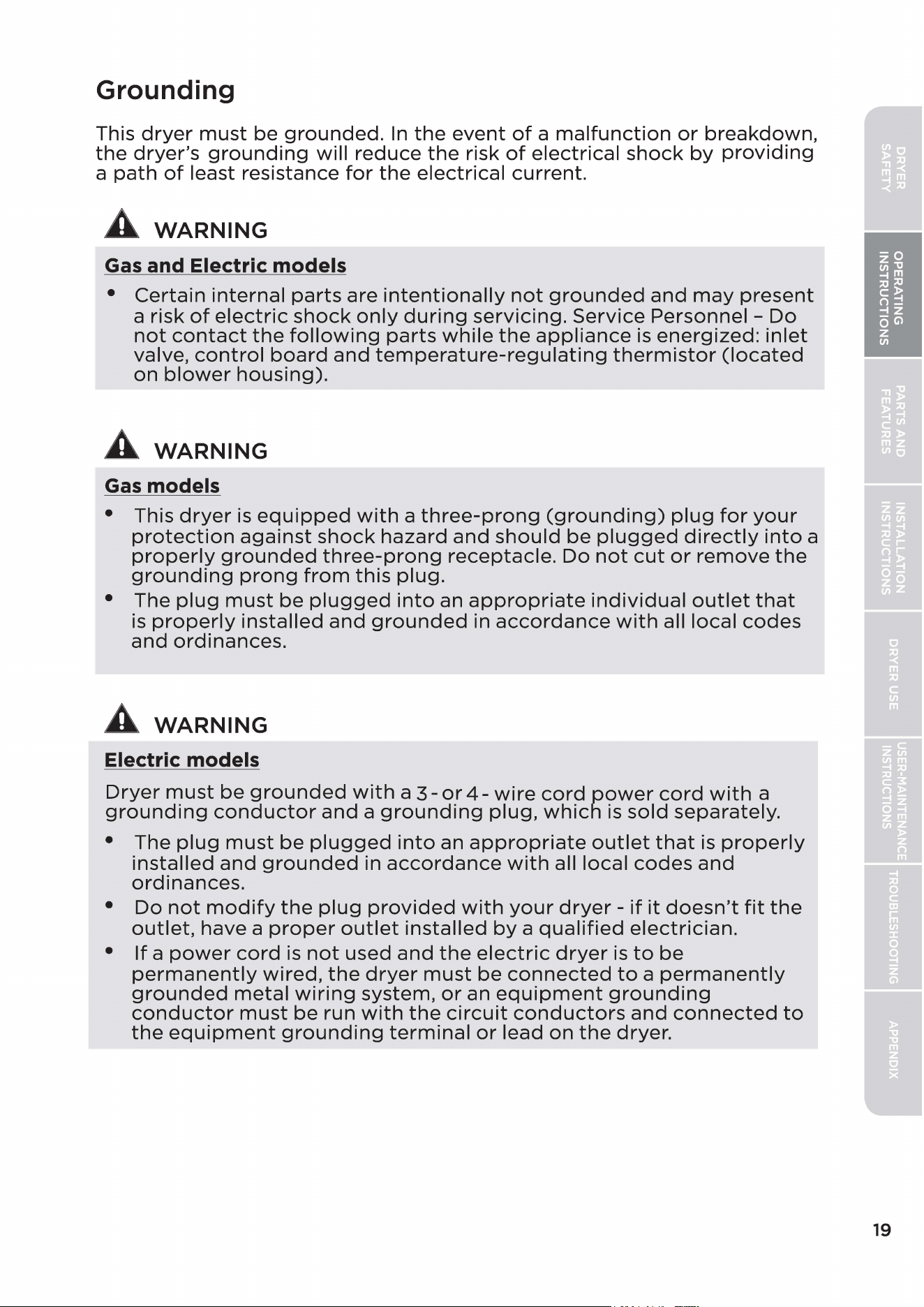
Grounding
This
dryer
must
be
grounded.
In
the
event
of
a
malfunction
or
breakdown,
the
dryer's
grounding
will
reduce
the
risk
of
electrical
shock
by
providing
a
path
of
least resistance
for
the
electrical
current.
A
WARNING
Gas and Electric models
•
Certain
internal
parts
are
intentionally
not
grounded
and
may
present
a risk
of
electric
shock
only
during
servicing.
Service
Personnel -
Do
not
contact
the
following
parts
while
the
appliance
is
energized:
inlet
valve,
control
board
and
temperature-regulating
thermistor
(located
on
blower
housing).
A
WARNING
Gas
models
• This
dryer
is
equipped
with
a
three-prong
(grounding)
plug
for
your
protection
against
shock
hazard
and
should
be
plugged
directly
into
a
properly
grounded
three-prong
receptacle.
Do
not
cut
or
remove
the
grounding
prong
from
this
plug.
• The
plug
must
be
plugged
into
an
appropriate
individual
outlet
that
is
properly
installed
and
grounded
in
accordance
with
all local
codes
and
ordinances.
A
WARNING
Electric models
Dryer
must
be
grounded
with
a
3-
or
4-
wire
cord
power
cord
with
a
grounding
conductor
and
a
grounding
plug,
which
is
sold
separately.
•
The
plug
must
be
plugged
into
an
appropriate
outlet
that
is
properly
installed
and
grounded
in
accordance
with
all local
codes
and
ordinances.
•
Do
not
modify
the
plug
provided
with
your
dryer
-
if
it
doesn't
fit
the
outlet,
have a
proper
outlet
installed
by
a
qualified
electrician.
•
If
a
power
cord
is
not
used
and
the
electric
dryer
is
to
be
permanently
wired,
the
dryer
must
be
connected
to
a
permanently
grounded
metal
wiring
system,
or
an
equipment
grounding
conductor
must
be
run
with
the
circuit
conductors
and
connected
to
the
equipment
grounding
terminal
or
lead
on
the
dryer.
19
20
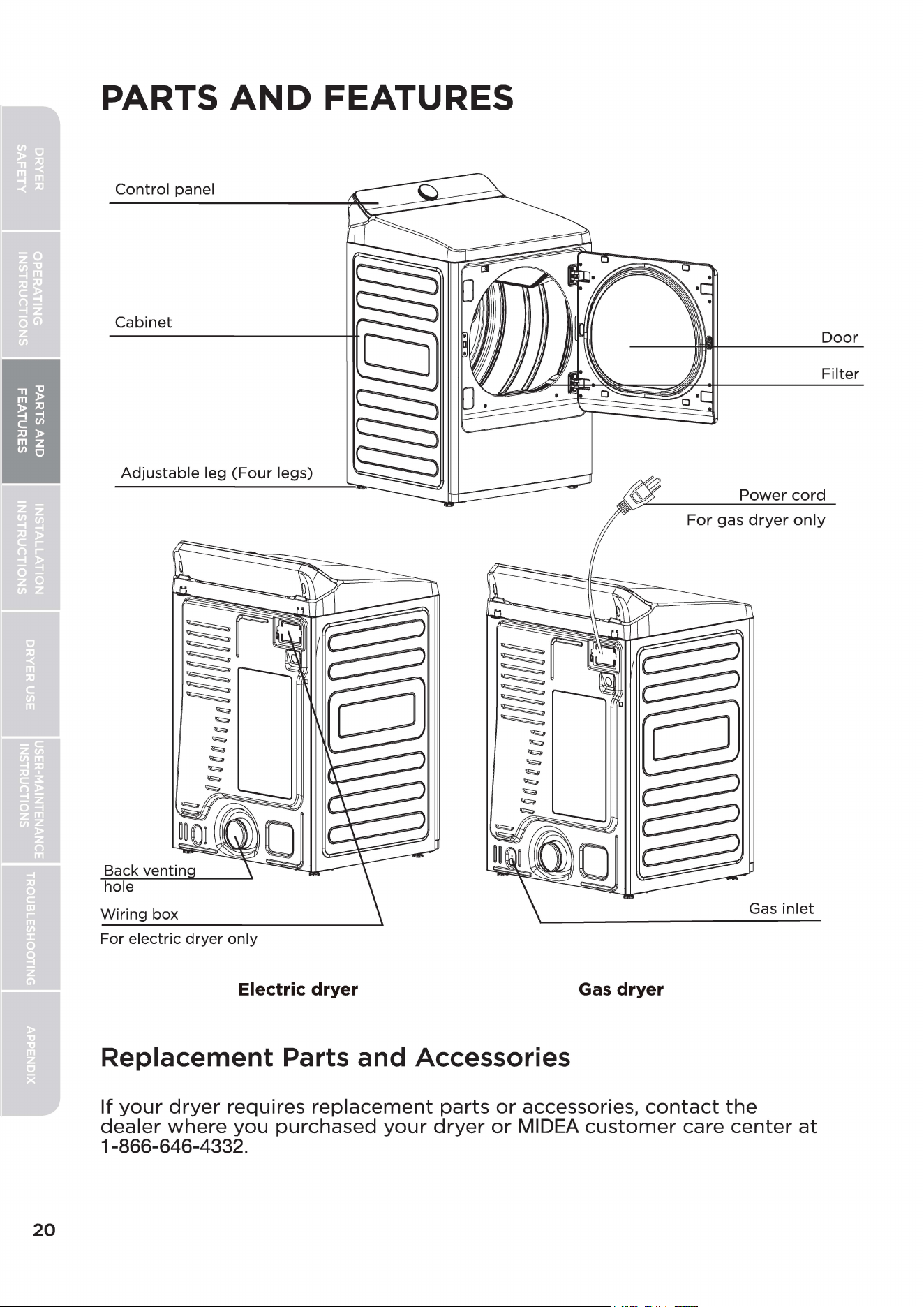
PARTS
AND
FEATURES
Control panel
Cabinet
Door
Filter
Adjustable
leg
(Four
legs)
Power
cord
Back ventin
hole
Wiring box
For electric dryer only
Electric dryer
Replacement Parts and Accessories
For
gas
dryer
only
Gas
inlet
Gas
dryer
If
your
dryer
requires
replacement
parts
or
accessories,
contact
the
dealer
where
you
purchased
your
dryer
or
MIDEA
customer
care
center
at
1-866-646-4332.
SAVE THESE INSTRUCTIONS
THIS APPLIANCE
IS
FOR HOUSEHOLD USE ONLY
INSTALLATION INSTRUCTIONS
Install
the
clothes
dryer
according
to
the
manufacturer's
instructions
and
local codes.
Clothes
dryer
installation
must
be
performed
by
a
qualified
installer.
A
WARNING
Risk
of
Fire
• Failure
to
follow
safety
warnings
exactly
could
result
in serious injury,
death
or
property
damage.
•
Do
not
install a
booster
fan in
the
exhaust
duct.
• Install all
clothes
dryers
in
accordance
with
the
installation
instructions
of
the
manufacturer
of
the
dryer.
•
Do
not
install
a
clothes
dryer
with
flexible
plastic
venting
materials.
If
a
flexible
metal
(foil
type)
duct
is
installed,
it
must
be
of
a
specific
type
identified
by
the
appliance
manufacturer
as
suitable
for
use
with
clothes
dryer.
Flexible
venting
materials
are
known
to
collapse,
be
easily
crushed,
and
trap
lint.
These
conditions
will
obstruct
the
clothes
dryer's
airflow
and
increase
the
risk
of
fire.
•
To
reduce
the
risk
of
severe
injury
or
death,
follow
all
installation
instructions
0
CAUTION
• This
appliance
shall
be
secured
to
the
structure
or
adjusted,
using
the
methods
for
installation
and
securing
means
provided
with
the
appliance.
Remove Packaging
•
Unpack
your
dryer
and
inspect
it
for
shipping
damage.
Make sure
you
have
received
all
the
items
shown
below.
•
To
prevent
personal
injury
or
strain,
wear
protective
gloves
whenever
lifting
or
carrying
the
unit.
A
WARNING
Packaging
materials
can
be
dangerous
to
children;
Keep all
packaging
material
(plastic
bags,
polystyrene,
etc.)
well
out
of
children's
reach.
21
22
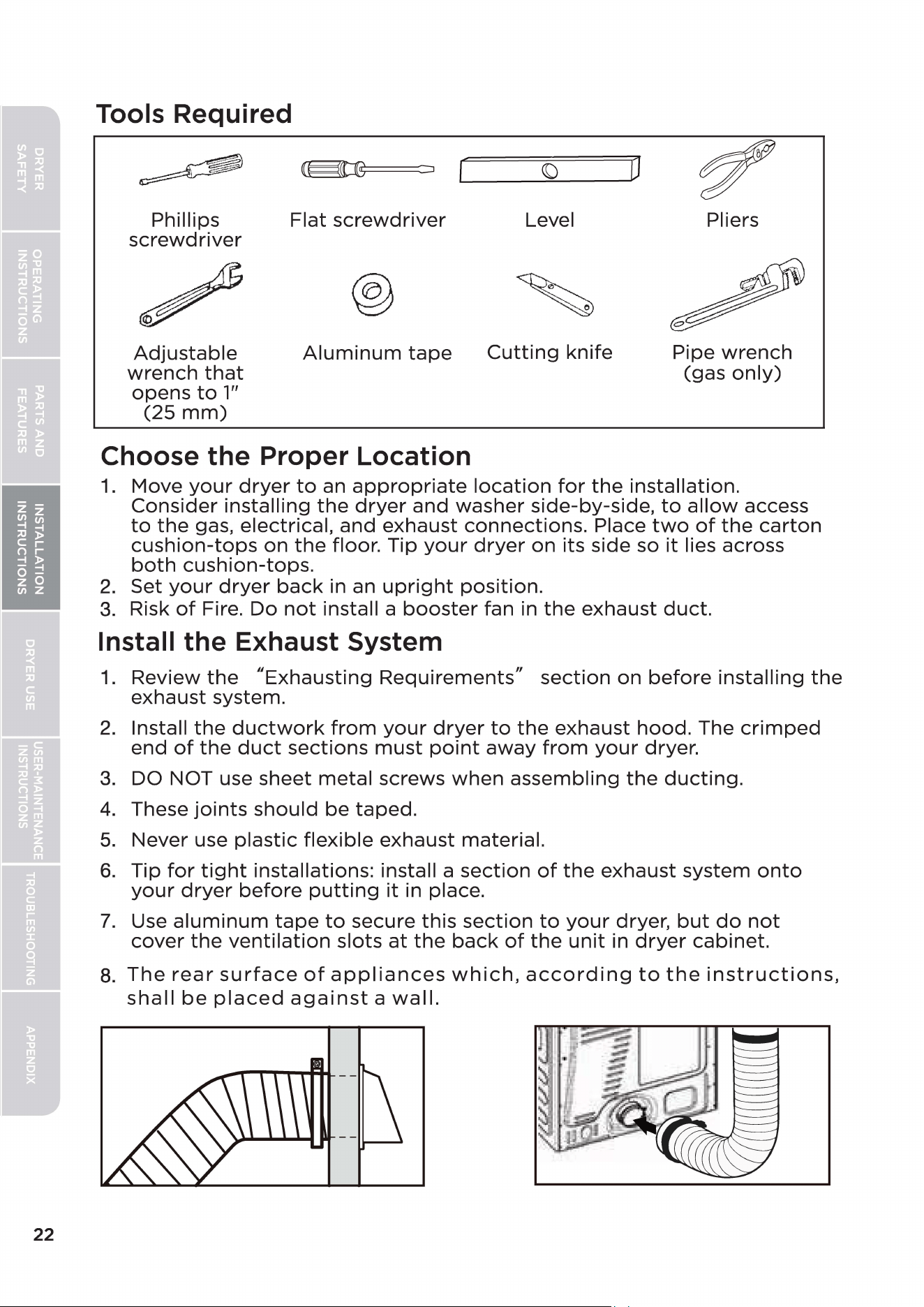
Tools Required
~
~
{)
0
~
Phillips
Flat
screwdriver
Level Pliers
screwdriver
/
®
~
Adjustable
Aluminum
tape
Cutting
knife Pipe
wrench
wrench
that
(gas
only)
opens
to
1"
(25
mm)
Choose the Proper Location
1.
Move
your
dryer
to
an
appropriate
location
for
the
installation.
Consider
installing
the
dryer
and
washer
side-by-side,
to
allow
access
to
the
gas, electrical,
and
exhaust
connections.
Place
two
of
the
carton
cushion-tops
on
the
floor. Tip
your
dryer
on
its side so
it
lies across
both
cushion-tops.
2.
Set
your
dryer
back
in an
upright
position.
3.
Risk
of
Fire.
Do
not
install a
booster
fan in
the
exhaust
duct.
Install the Exhaust System
1.
Review
the
"Exhausting
Requirements"
section
on
before
installing
the
exhaust system.
2.
Install
the
ductwork
from
your
dryer
to
the
exhaust
hood.
The
crimped
end
of
the
duct
sections
must
point
away
from
your
dryer.
3.
DO NOT use
sheet
metal
screws
when
assembling
the
ducting.
4.
These
joints
should
be
taped.
5.
Never use
plastic
flexible
exhaust
material.
6.
Tip
for
tight
installations: install a
section
of
the
exhaust
system
onto
your
dryer
before
putting
it
in place.
7.
Use
aluminum
tape
to
secure
this
section
to
your
dryer,
but
do
not
cover
the
ventilation
slots
at
the
back
of
the
unit
in
dryer
cabinet.
8.
The
rear
surface
of
appliances
which,
according
to
the
instructions,
shall
be
placed
against
a
wall.
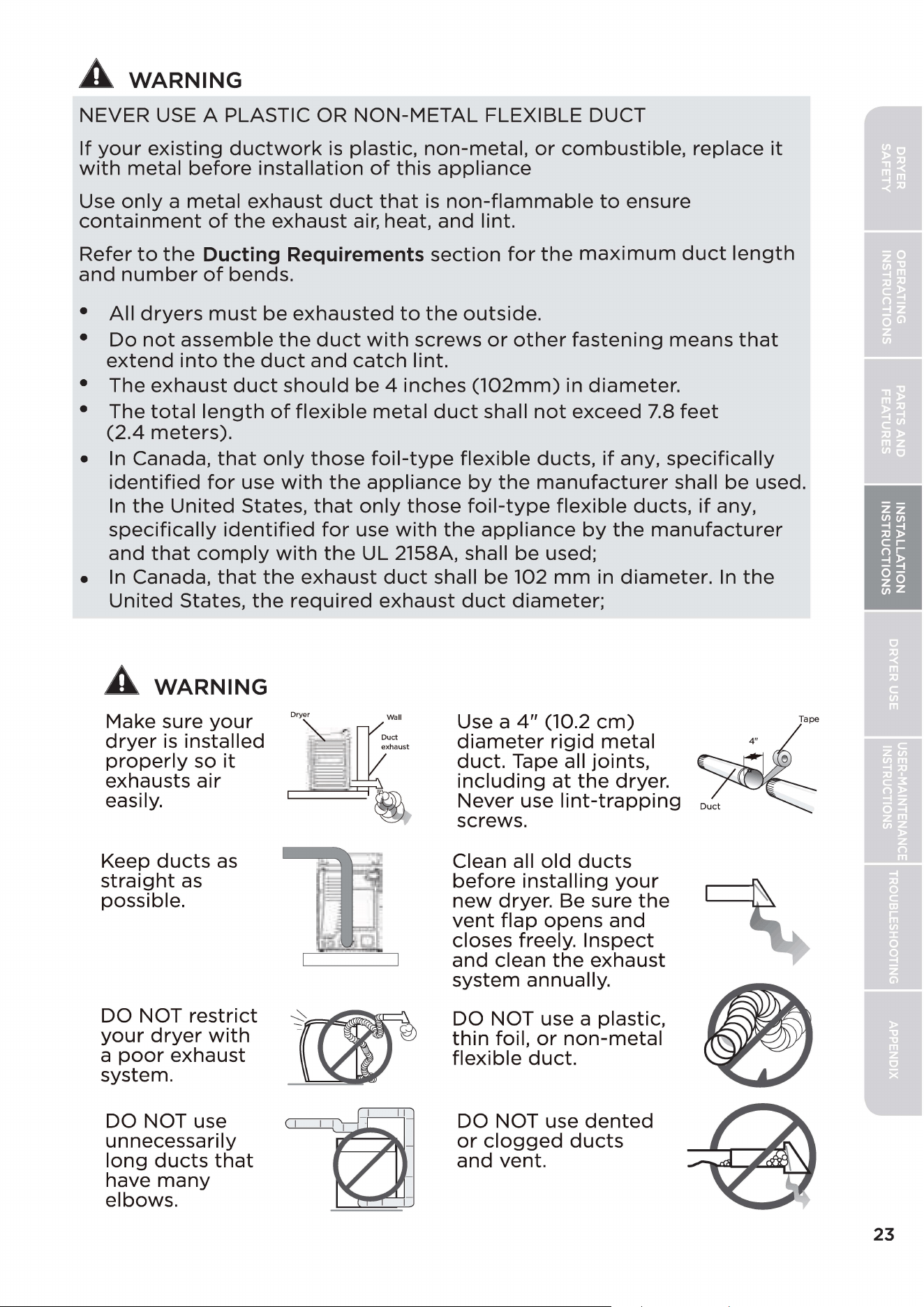
A
WARNING
NEVER USE A PLASTIC OR
NON-METAL
FLEXIBLE DUCT
If
your
existing
ductwork
is
plastic,
non-metal,
or
combustible,
replace
it
with
metal
before
installation
of
this
appliance
Use
only
a
metal
exhaust
duct
that
is
non-flammable
to
ensure
containment
of
the
exhaust
air, heat,
and
lint.
Refer
to
the
Ducting Requirements
section
for
the
maximum
duct
length
and
number
of
bends.
•
All
dryers
must
be
exhausted
to
the
outside.
•
Do
not
assemble
the
duct
with
screws
or
other
fastening
means
that
extend
into
the
duct
and
catch
lint.
• The
exhaust
duct
should
be
4
inches
(102mm)
in
diameter.
• The
total
length
of
flexible
metal
duct
shall
not
exceed
7.8
feet
(2.4
meters).
•
In
Canada,
that
only
those
foil-type
flexible
ducts,
if
any,
specifically
identified
for
use
with
the
appliance
by
the
manufacturer
shall
be
used.
In
the
United
States,
that
only
those
foil-type
flexible
ducts,
if
any,
specifically
identified
for
use
with
the
appliance
by
the
manufacturer
and
that
comply
with
the
UL 2158A, shall
be
used;
•
In
Canada,
that
the
exhaust
duct
shall
be
102
mm
in
diameter.
In
the
United
States,
the
required
exhaust
duct
diameter;
A
WARNING
Make sure
your
dryer
is
installed
properly
so
it
exhausts
air
easily.
Keep
ducts
as
straight
as
possible.
DO NOT
restrict
your
dryer
with
a
poor
exhaust
system.
DO NOT use
unnecessarily
long
ducts
that
have
many
elbows.
Dry\
::II
xhaust
~
Use a
4"
(10.2
cm)
diameter
rigid
metal
duct.
Tape all
joints,
including
at
the
dryer.
Never use
lint-trapping
screws.
Clean all
old
ducts
before
installing
your
new
dryer. Be sure
the
vent
flap
opens
and
closes freely.
Inspect
and
clean
the
exhaust
system annually.
DO NOT use a plastic,
thin
foil,
or
non-metal
flexible
duct.
DO NOT use
dented
or
clogged
ducts
and
vent.
23
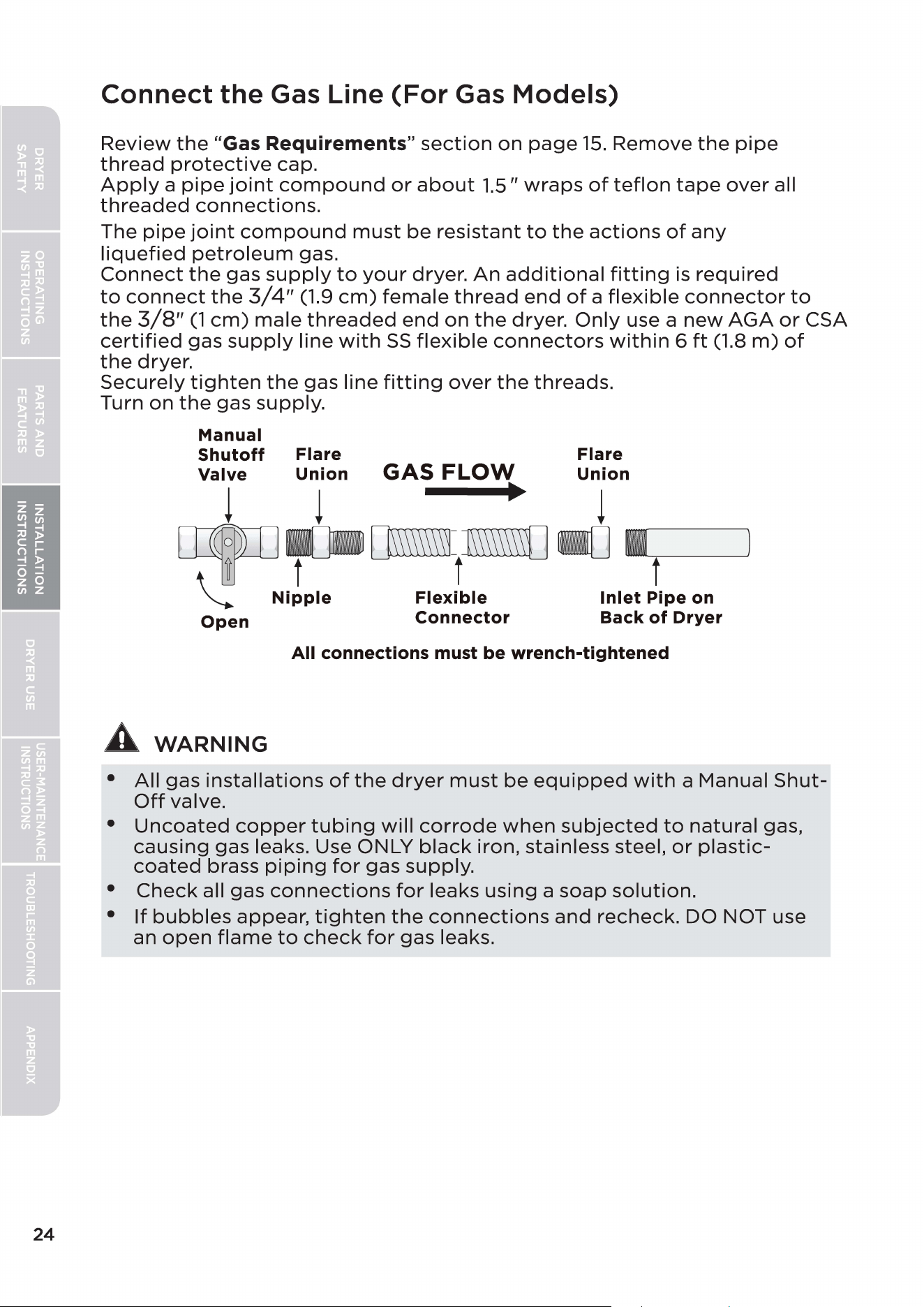
24
Connect the Gas Line
(For
Gas Models)
Review
the
"Gas Requirements"
section
on
page
15.
Remove
the
pipe
thread
protective
cap.
Apply
a
pipe
joint
compound
or
about
1.5"
wraps
of
teflon
tape
over
all
threaded
connections.
The
pipe
joint
compound
must
be
resistant
to
the
actions
of
any
liquefied
petroleum
gas.
Connect
the
gas
supply
to
your
dryer.
An
additional
fitting
is
required
to
connect
the
3/4"
(1.9
cm)
female
thread
end
of
a
flexible
connector
to
the
3/8"
(1
cm)
male
threaded
end
on
the
dryer.
Only
use a
new
AGA
or
CSA
certified
gas
supply
line
with
SS
flexible
connectors
within
6
ft
(1.8
m)
of
the
dryer.
Securely
tighten
the
gas line
fitting
over
the
threads.
Turn
on
the
gas
supply.
Manual
Shutoff
Flare Flare
Valve
Union
GAS
FLOW
Union
!
!
•
!
~t
[]m\\\\l
~
I
t
t
\:
Nipple
Flexible
Inlet
Pipe on
Open
Connector
Back
of
Dryer
All connections must
be
wrench-tightened
A
WARNING
•
All
gas
installations
of
the
dryer
must
be
equipped
with
a Manual
Shut-
Off
valve.
•
Uncoated
copper
tubing
will
corrode
when
subjected
to
natural
gas,
causing
gas
leaks. Use ONLY
black
iron, stainless steel,
or
plastic-
coated
brass
piping
for
gas
supply.
•
Check
all gas
connections
for
leaks
using
a
soap
solution.
•
If
bubbles
appear,
tighten
the
connections
and
recheck.
DO NOT use
an
open
flame
to
check
for
gas leaks.
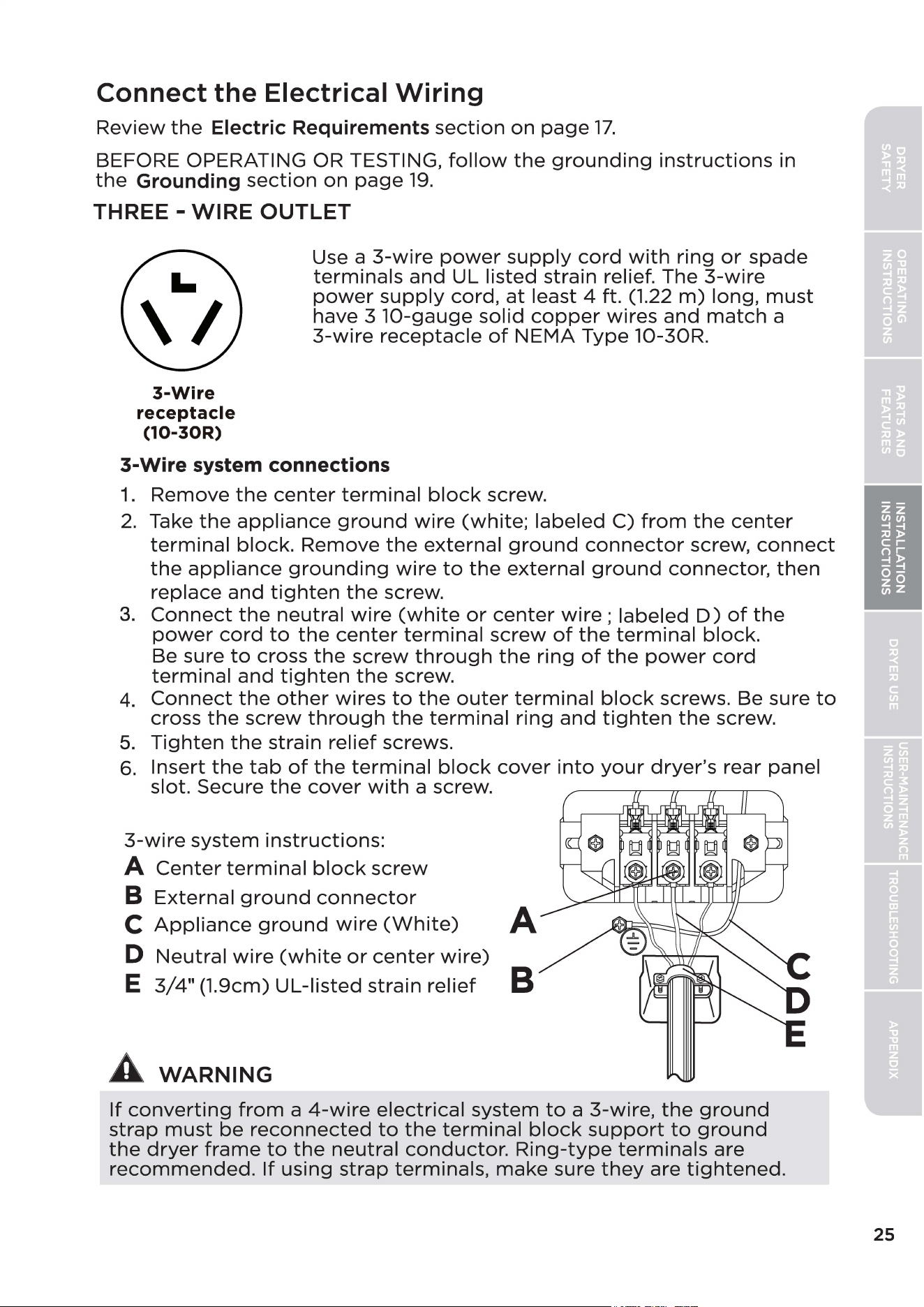
Connect the Electrical Wiring
Review
the
Electric Requirements
section
on
page
17.
BEFORE OPERATING OR TESTING,
follow
the
grounding
instructions
in
the
Grounding
section
on
page
19.
THREE -
WIRE
OUTLET
3-Wire
receptacle
(10-30R)
Use a
3-wire
power
supply
cord
with
ring
or
spade
terminals
and
UL listed strain relief. The
3-wire
power
supply
cord,
at
least 4 ft. (1.22
m)
long,
must
have 3 1O-gauge
solid
copper
wires
and
match
a
3-wire
receptacle
of
NEMA
Type 10-30R.
3-Wire system connections
1.
Remove
the
center
terminal
block
screw.
2.
Take
the
appliance
ground
wire
(white;
labeled
C)
from
the
center
terminal
block.
Remove
the
external
ground
connector
screw,
connect
the
appliance
grounding
wire
to
the
external
ground
connector,
then
replace
and
tighten
the
screw.
3.
Connect
the
neutral
wire
(white
or
center
wire;
labeled
D)
of
the
power
cord
to
the
center
terminal
screw
of
the
terminal
block.
Be sure
to
cross
the
screw
through
the
ring
of
the
power
cord
terminal
and
tighten
the
screw.
4.
Connect
the
other
wires
to
the
outer
terminal
block
screws. Be sure
to
cross
the
screw
through
the
terminal
ring
and
tighten
the
screw.
5.
Tighten
the
strain relief screws.
6.
Insert
the
tab
of
the
terminal
block
cover
into
your
dryer's
rear panel
slot. Secure
the
cover
with
a screw.
3-wire
system
instructions:
A
Center
terminal
block
screw
B
External
ground
connector
C
Appliance
ground
wire
(White)
A
D
Neutral
wire
(white
or
center
wire)
E
3/4"
(1.9cm)
UL-listed
strain
relief
B
A
WARNING
If
converting
from
a
4-wire
electrical
system
to
a 3-wire,
the
ground
strap
must
be
reconnected
to
the
terminal
block
support
to
ground
the
dryer
frame
to
the
neutral
conductor.
Ring-type
terminals
are
recommended.
If
using
strap
terminals,
make
sure
they
are
tightened.
25
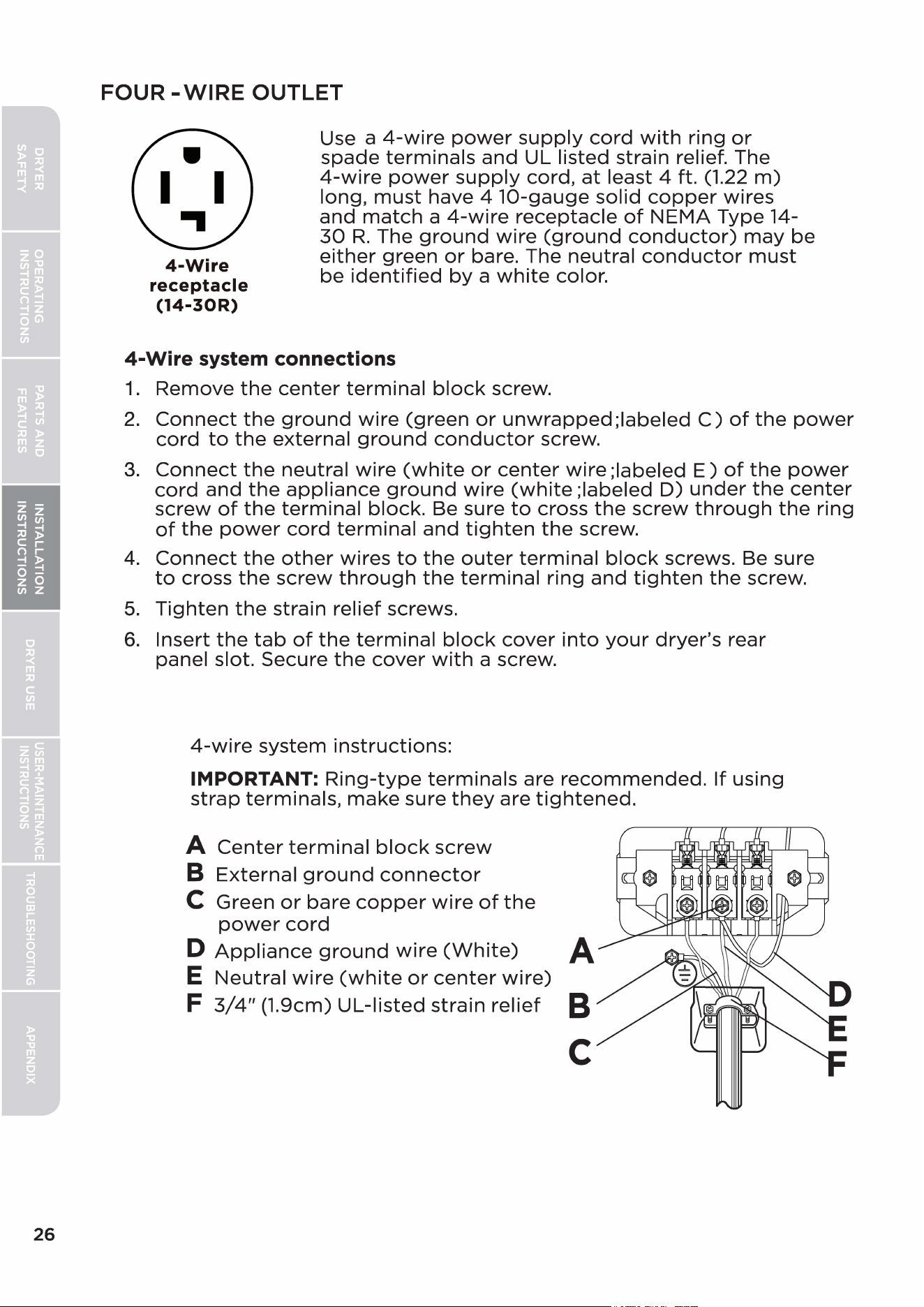
26
FOUR
-WIRE
OUTLET
Use a
4-wire
power
supply
cord
with
ring
or
spade
terminals
and
UL listed strain relief. The
4-wire
power
supply
cord,
at
least 4 ft. (1.22
m)
long,
must
have 4
10-gauge
solid
copper
wires
4-Wire
receptacle
(14-30R)
and
match
a
4-wire
receptacle
of
NEMA
Type 14-
30
R.
The
ground
wire
(ground
conductor)
may
be
either
green
or
bare. The neutral
conductor
must
be
identified
by
a
white
color.
4-Wire
system connections
1.
Remove
the
center
terminal
block
screw.
2.
Connect
the
ground
wire
(green
or
unwrapped;labeled
C)
of
the
power
cord
to
the
external
ground
conductor
screw.
3.
Connect
the
neutral
wire
(white
or
center
wire
;labeled
E)
of
the
power
cord
and
the
appliance
ground
wire
(white
;labeled
D)
under
the
center
screw
of
the
terminal
block. Be sure
to
cross
the
screw
through
the
ring
of
the
power
cord
terminal
and
tighten
the
screw.
4.
Connect
the
other
wires
to
the
outer
terminal
block
screws. Be sure
to
cross
the
screw
through
the
terminal
ring
and
tighten
the
screw.
5.
Tighten
the
strain relief screws.
6.
Insert
the
tab
of
the
terminal
block
cover
into
your
dryer's
rear
panel slot. Secure
the
cover
with
a screw.
4-wire
system
instructions:
IMPORTANT:
Ring-type
terminals
are
recommended.
If
using
strap
terminals,
make
sure
they
are
tightened.
A
Center
terminal
block
screw
B
External
ground
connector
C Green
or
bare
copper
wire
of
the
power
cord
D
Appliance
ground
wire
(White)
A
E
Neutral
wire
(white
or
center
wire)
F
3/4"
(1.9cm)
UL-listed
strain
relief
B
C
A
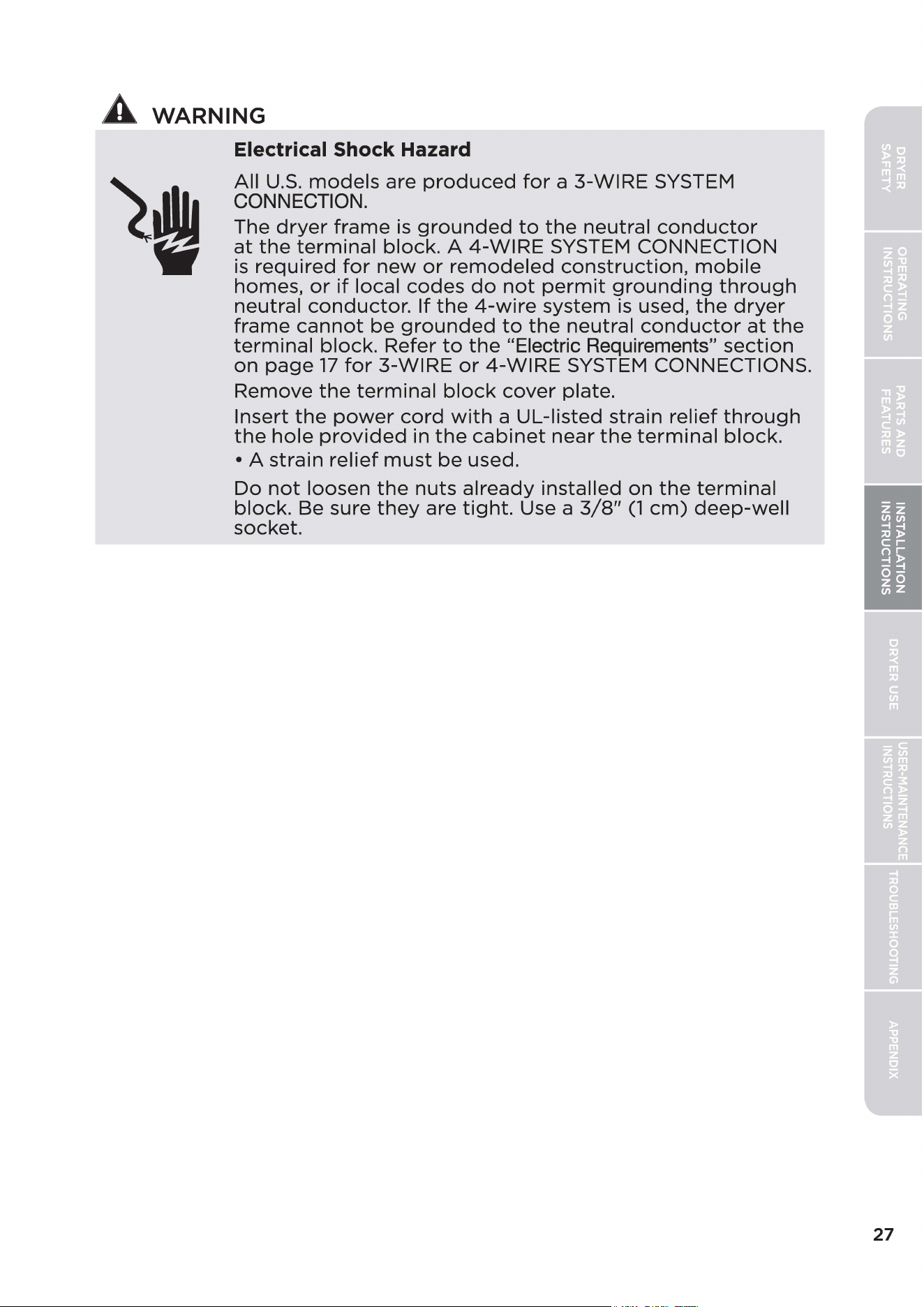
WARNING
Electrical Shock Hazard
All
U.S.
models
are
produced
for
a 3-WIRE SYSTEM
CONNECTION.
The
dryer
frame
is
grounded
to
the
neutral
conductor
at
the
terminal
block.
A
4-WIRE
SYSTEM CONNECTION
is
required
for
new
or
remodeled
construction,
mobile
homes,
or
if
local
codes
do
not
permit
grounding
through
neutral
conductor.
If
the
4-wire
system
is
used,
the
dryer
frame
cannot
be
grounded
to
the
neutral
conductor
at
the
terminal
block.
Refer
to
the
"Electric Requirements"
section
on
page
17
for
3-WIRE
or
4-WIRE
SYSTEM CONNECTIONS.
Remove
the
terminal
block
cover
plate.
Insert
the
power
cord
with
a UL-listed strain relief
through
the
hole
provided
in
the
cabinet
near
the
terminal
block.
• A
strain
relief
must
be
used.
Do
not
loosen
the
nuts
already
installed
on
the
terminal
block.
Be sure
they
are
tight.
Use a
3/8"
(1
cm)
deep-well
socket.
27
28
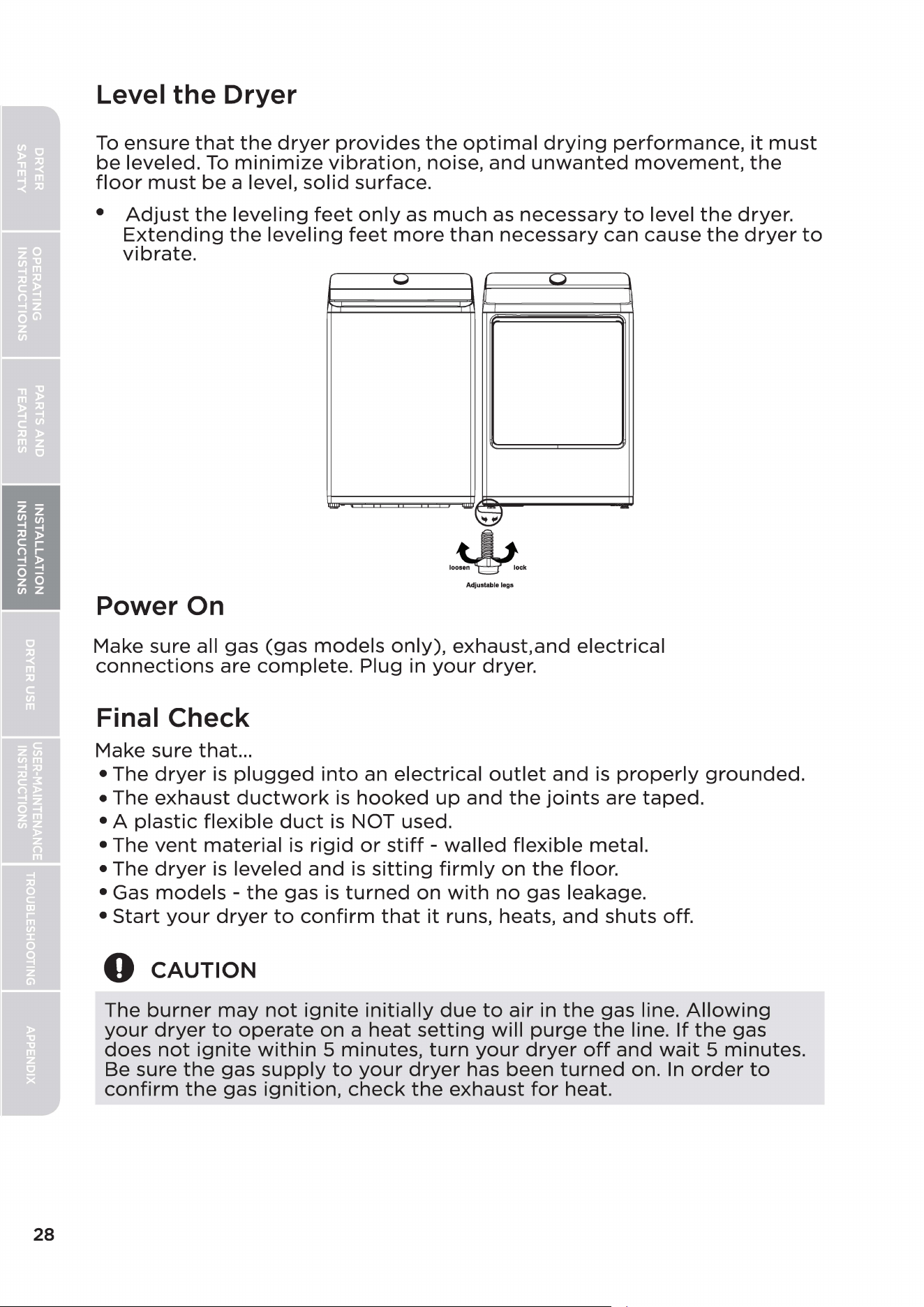
Level
the
Dryer
To
ensure
that
the
dryer
provides
the
optimal
drying
performance,
it
must
be
leveled.
To
minimize
vibration,
noise,
and
unwanted
movement,
the
floor
must
be
a level,
solid
surface.
•
Adjust
the
leveling
feet
only
as
much
as
necessary
to
level
the
dryer.
Extending
the
leveling
feet
more
than
necessary
can cause
the
dryer
to
vibrate.
1,,,,.1
{
I..
_J
- -
Adjustable legs
Power On
Make sure all gas
(gas
models
only),
exhaust.and
electrical
connections
are
complete.
Plug in
your
dryer.
Final Check
Make sure that...
• The
dryer
is
plugged
into
an
electrical
outlet
and
is
properly
grounded.
• The exhaust
ductwork
is
hooked
up
and
the
joints
are
taped.
• A
plastic
flexible
duct
is
NOT used.
• The
vent
material
is
rigid
or
stiff
-
walled
flexible
metal.
• The
dryer
is
leveled
and
is
sitting
firmly
on
the
floor.
• Gas
models
-
the
gas
is
turned
on
with
no
gas leakage.
•
Start
your
dryer
to
confirm
that
it
runs, heats,
and
shuts
off.
0
CAUTION
The
burner
may
not
ignite
initially
due
to
air in
the
gas line.
Allowing
your
dryer
to
operate
on
a
heat
setting
will
purge
the
line.
If
the
gas
does
not
ignite
within
5 minutes,
turn
your
dryer
off
and
wait
5 minutes.
Be sure
the
gas
supply
to
your
dryer
has been
turned
on.
In
order
to
confirm
the
gas
ignition,
check
the
exhaust
for
heat.
Door Reversal Procedure
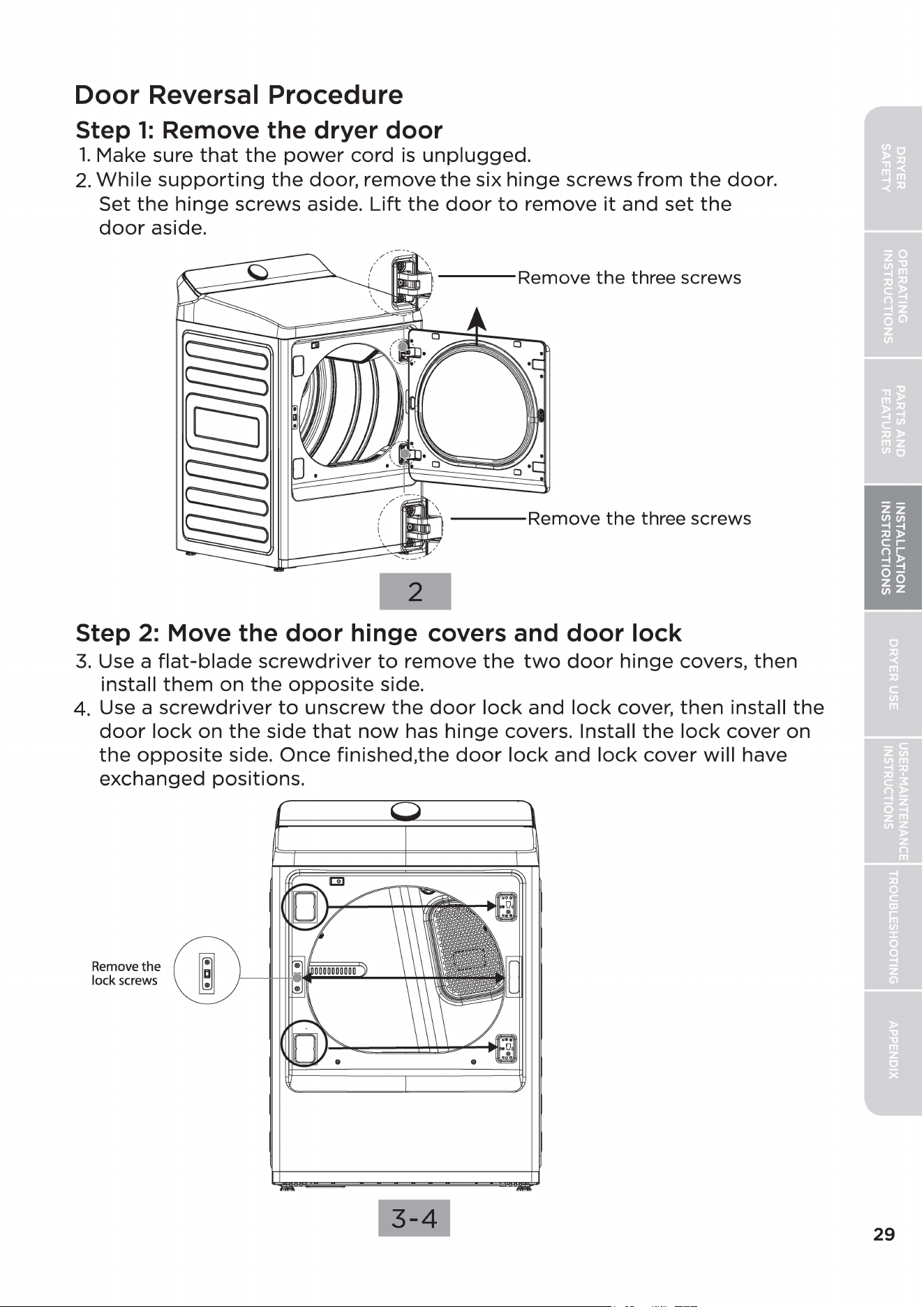
Step
1:
Remove the dryer door
1.
Make sure
that
the
power
cord
is
unplugged.
2.
While
supporting
the
door,
remove
the
six
hinge
screws
from
the
door.
Set
the
hinge
screws aside.
Lift
the
door
to
remove
it
and
set
the
door
aside.
---Remove
the
three screws
---Remove
the
three screws
2
Step
2:
Move the door hinge covers and door lock
3.
Use a
flat-blade
screwdriver
to
remove
the
two
door
hinge
covers,
then
install
them
on
the
opposite
side.
4. Use a
screwdriver
to
unscrew
the
door
lock
and
lock
cover,
then
install
the
door
lock
on
the
side
that
now
has
hinge
covers. Install
the
lock
cover
on
the
opposite
side.
Once
finished,the
door
lock
and
lock
cover
will
have
exchanged
positions.
Remove
the
lock screws
3-4
29
30
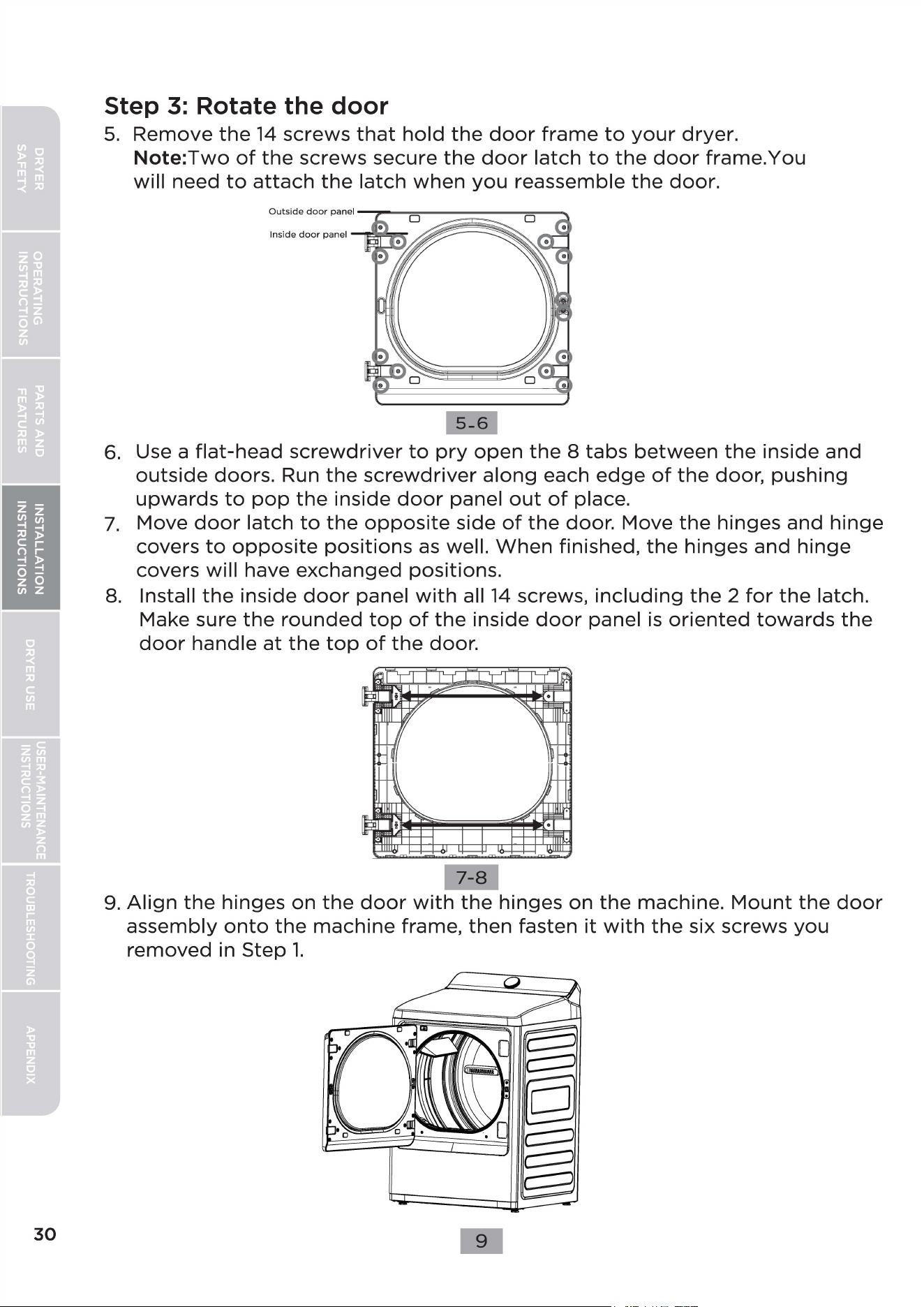
Step
3:
Rotate the
door
5.
Remove
the
14
screws
that
hold
the
door
frame
to
your
dryer.
Note:Two
of
the
screws
secure
the
door
latch
to
the
door
frame.You
will
need
to
attach
the
latch
when
you
reassemble
the
door.
5-6
6.
Use a
flat-head
screwdriver
to
pry
open
the
8
tabs
between
the
inside
and
outside
doors.
Run
the
screwdriver
along
each
edge
of
the
door,
pushing
upwards
to
pop
the
inside
door
panel
out
of
place.
7.
Move
door
latch
to
the
opposite
side
of
the
door. Move
the
hinges
and
hinge
covers
to
opposite
positions
as
well.
When
finished,
the
hinges
and
hinge
covers
will
have
exchanged
positions.
8.
Install
the
inside
door
panel
with
all
14
screws,
including
the
2
for
the
latch.
Make sure
the
rounded
top
of
the
inside
door
panel
is
oriented
towards
the
door
handle
at
the
top
of
the
door.
9.
Align
the
hinges
on
the
door
with
the
hinges
on
the
machine.
Mount
the
door
assembly
onto
the
machine
frame,
then
fasten
it
with
the
six screws
you
removed
in
Step
1.
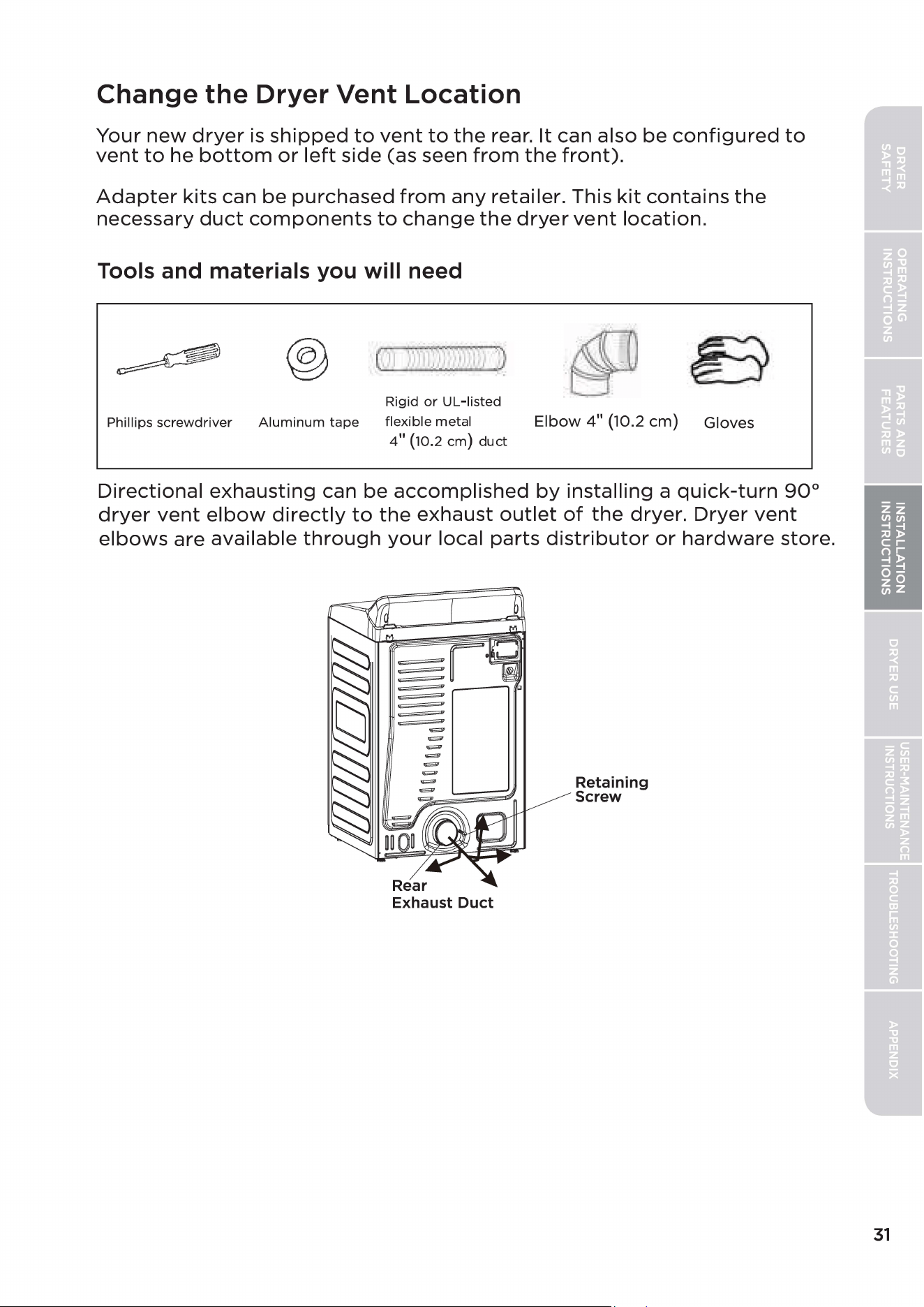
Change the Dryer Vent Location
Your
new
dryer
is
shipped
to
vent
to
the
rear.
It
can also
be
configured
to
vent
to
he
bottom
or
left
side
(as seen
from
the
front).
Adapter
kits
can
be
purchased
from
any
retailer. This
kit
contains
the
necessary
duct
components
to
change
the
dryer
vent
location.
Tools and materials you will need
B
.
I
.
Phillips screwdriver
Aluminum
tape
Rigid
or
UL-listed
flexible metal
4
11
(10.2
cm)
duct
Elbow
4"
(10.2
cm)
Gloves
Directional
exhausting
can be
accomplished
by
installing
a
quick-turn
90°
dryer
vent
elbow
directly
to
the
exhaust
outlet
of
the
dryer.
Dryer
vent
elbows
are
available
through
your
local
parts
distributor
or
hardware
store.
Retaining
Screw
31
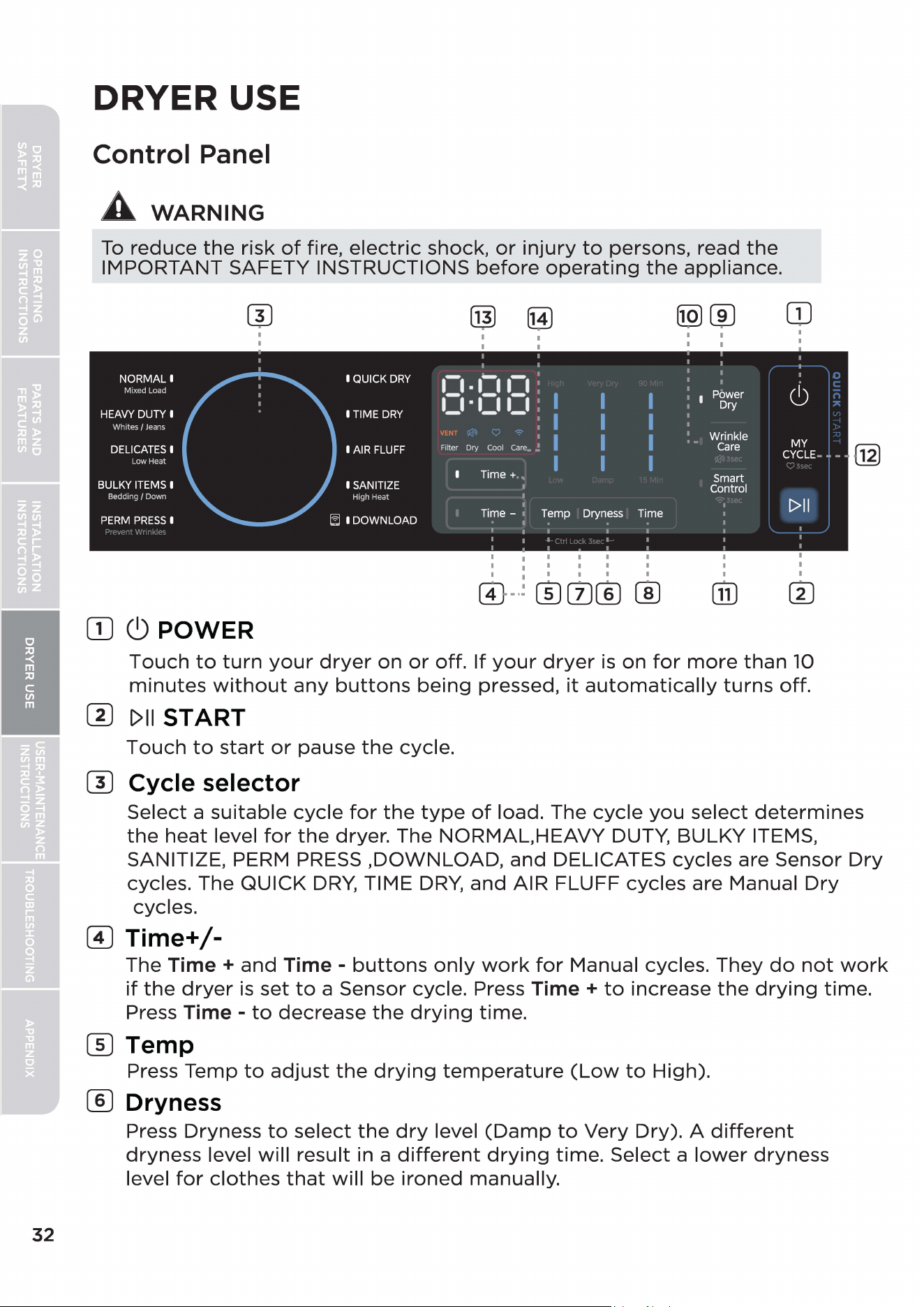
32
DRYER USE
Control Panel
A
WARNING
To
reduce
the
risk
of
fire,
electric
shock,
or
injury
to
persons, read
the
IMPORTANT SAFETY INSTRUCTIONS
before
operating
the
appliance.
NORMAL I
Mixed Load
HEAVY DUTY I
Whites/
Jeans
DELICATES I
Low Heat
BULKY ITEMS I
Bedding
/
Down
PERM
PRESS
I
0
I
I
[DC)
POWER
I QUICK
DRY
I TIME
DRY
I AIR FLUFF
I SANITIZE
High Heat
I DOWNLOAD
m
im
1:1
•
1:11:1
1_1·1_11_1
VENT
Filter
=
Ory
Coo
l
care
.
Time+
,,
Time - ,
I
I
I
I
I
I
Temp
I I
I I
I I
I I
Dryness
Time
0
-·;
®0®
CID
®J®
I I
I I
Power
I I
Dry
Wrinkle
Care
Smart
Control
OJ
I
I
(0
MY
CYCLE
- - - -
t>II
Touch
to
turn
your
dryer
on
or
off.
If
your
dryer
is
on
for
more
than
10
minutes
without
any
buttons
being
pressed,
it
automatically
turns
off.
(I)
[>II
START
Touch
to
start
or
pause
the
cycle.
(1) Cycle selector
IE
Select
a
suitable
cycle
for
the
type
of
load. The
cycle
you
select
determines
the
heat
level
for
the
dryer. The NORMAL.HEAVY DUTY, BULKY ITEMS,
SANITIZE, PERM PRESS
,DOWNLOAD,
and
DELICATES cycles are Sensor
Dry
cycles. The QUICK
DRY,
TIME
DRY,
and
AIR FLUFF cycles are Manual
Dry
cycles.
(I)
Time+/-
The Time +
and
Time -
buttons
only
work
for
Manual cycles.
They
do
not
work
if
the
dryer
is
set
to
a Sensor cycle. Press Time +
to
increase
the
drying
time.
Press Time -
to
decrease
the
drying
time.
(]]
Temp
Press Temp
to
adjust
the
drying
temperature
(Low
to
High).
® Dryness
Press Dryness
to
select
the
dry
level
(Damp
to
Very
Dry). A
different
dryness
level
will
result in a
different
drying
time.
Select a
lower
dryness
level
for
clothes
that
will
be
ironed
manually.
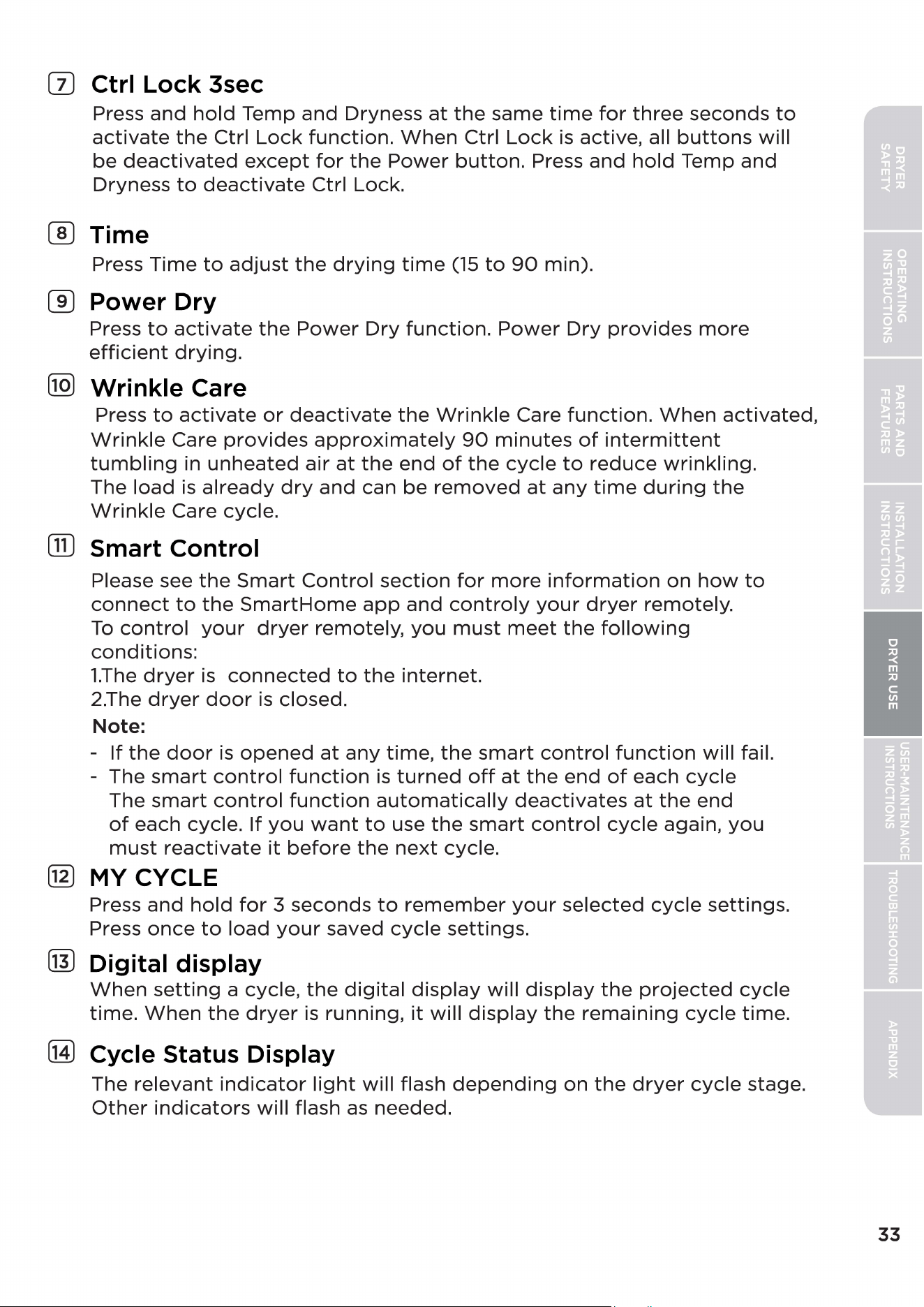
0 Ctrl Lock 3sec
Press
and
hold
Temp
and
Dryness
at
the
same
time
for
three
seconds
to
activate
the
Ctrl
Lock
function.
When
Ctrl
Lock
is active, all
buttons
will
be
deactivated
except
for
the
Power
button.
Press
and
hold
Temp
and
Dryness
to
deactivate
Ctrl Lock.
® Time
Press
Time
to
adjust
the
drying
time
(15
to
90
min).
CID
Power Dry
Press
to
activate
the
Power
Dry
function.
Power
Dry
provides
more
efficient
drying.
@ Wrinkle Care
Press
to
activate
or
deactivate
the
Wrinkle
Care
function.
When
activated,
Wrinkle
Care
provides
approximately
90
minutes
of
intermittent
tumbling
in
unheated
air
at
the
end
of
the
cycle
to
reduce
wrinkling.
The
load
is
already
dry
and
can
be
removed
at
any
time
during
the
Wrinkle
Care cycle.
GD
Smart Control
Please see
the
Smart
Control
section
for
more
information
on
how
to
connect
to
the
SmartHome
app
and
controly
your
dryer
remotely.
To
control
your
dryer
remotely,
you
must
meet
the
following
conditions:
1.The
dryer
is
connected
to
the
internet.
2.The
dryer
door
is closed.
Note:
-
If
the
door
is
opened
at
any
time,
the
smart
control
function
will
fail.
- The
smart
control
function
is
turned
off
at
the
end
of
each
cycle
The
smart
control
function
automatically
deactivates
at
the
end
of
each cycle.
If
you
want
to
use
the
smart
control
cycle
again,
you
must
reactivate
it
before
the
next
cycle.
@ MY CYCLE
Press
and
hold
for
3
seconds
to
remember
your
selected
cycle
settings.
Press
once
to
load
your
saved
cycle
settings.
(IT)
Digital display
When
setting
a cycle,
the
digital
display
will
display
the
projected
cycle
time.
When
the
dryer
is
running,
it
will
display
the
remaining
cycle
time.
(M)
Cycle Status Display
The
relevant
indicator
light
will
flash
depending
on
the
dryer
cycle
stage.
Other
indicators
will
flash
as
needed.
33
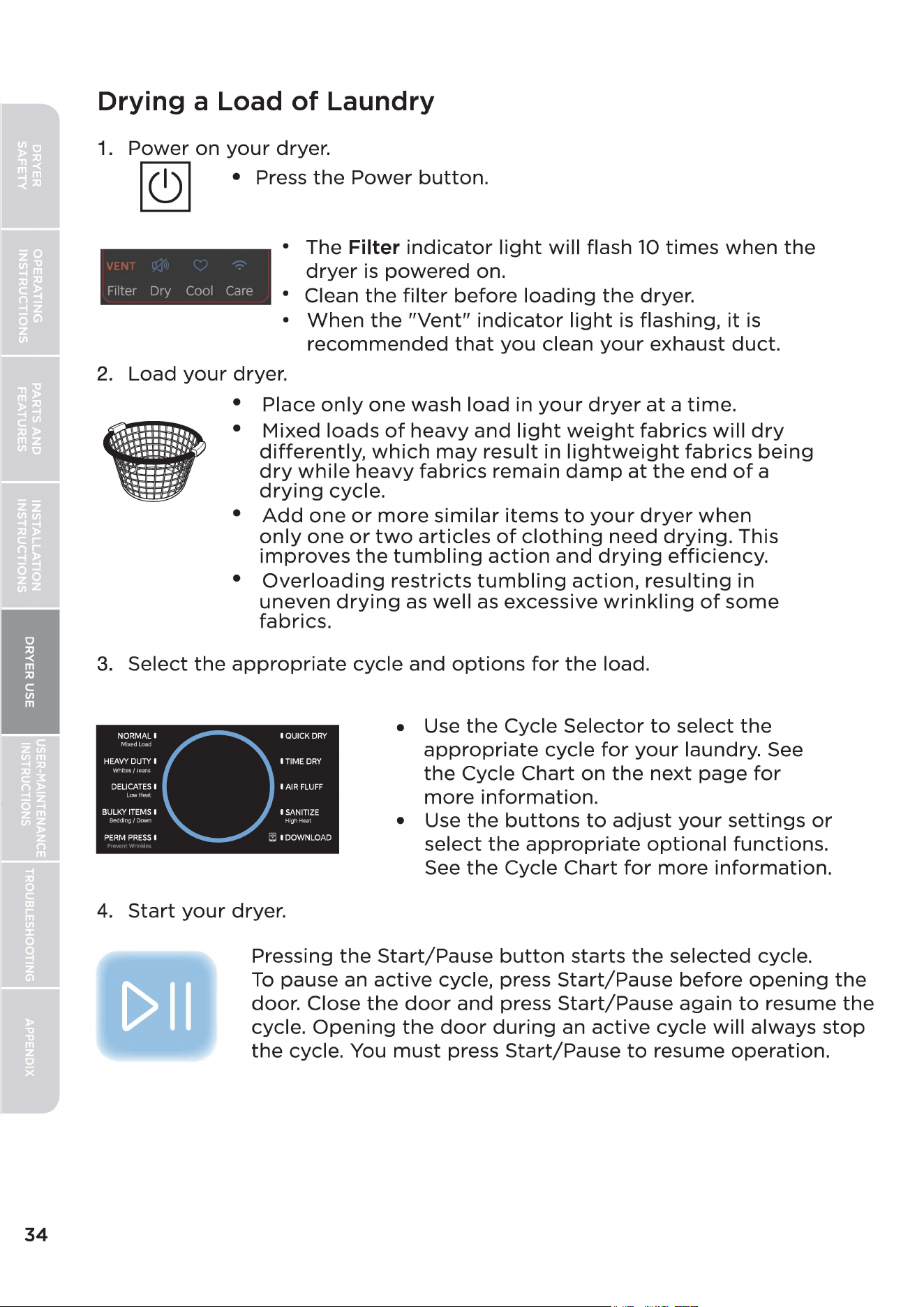
34
Drying a Load
of
Laundry
1.
Power
on
your
dryer.
I
C)
I • Press
the
Power
button.
Filter Dry Cool
Care
• The Filter
indicator
light
will
flash 10
times
when
the
dryer
is
powered
on.
• Clean
the
filter
before
loading
the
dryer.
•
When
the
"Vent"
indicator
light
is
flashing,
it
is
recommended
that
you
clean
your
exhaust
duct.
2.
Load
your
dryer.
• Place
only
one
wash
load
in
your
dryer
at
a
time.
•
Mixed
loads
of
heavy
and
light
weight
fabrics
will
dry
differently,
which
may
result
in
lightweight
fabrics
being
dry
while
heavy
fabrics
remain
damp
at
the
end
of
a
drying
cycle.
•
Add
one
or
more
similar
items
to
your
dryer
when
only
one
or
two
articles
of
clothing
need
drying.
This
improves
the
tumbling
action
and
drying
efficiency.
•
Overloading
restricts
tumbling
action,
resulting
in
uneven
drying
as
well
as excessive
wrinkling
of
some
fabrics.
3.
Select
the
appropriate
cycle
and
options
for
the
load.
4.
Start
your
dryer.
• Use
the
Cycle
Selector
to
select
the
appropriate
cycle
for
your
laundry. See
the
Cycle
Chart
on
the
next
page
for
more
information.
• Use
the
buttons
to
adjust
your
settings
or
select
the
appropriate
optional
functions.
See
the
Cycle
Chart
for
more
information.
Pressing
the
Start/Pause
button
starts
the
selected
cycle.
To
pause an
active
cycle, press
Start/Pause
before
opening
the
door. Close
the
door
and
press
Start/Pause
again
to
resume
the
cycle.
Opening
the
door
during
an
active
cycle
will
always
stop
the
cycle. You
must
press
Start/Pause
to
resume
operation.
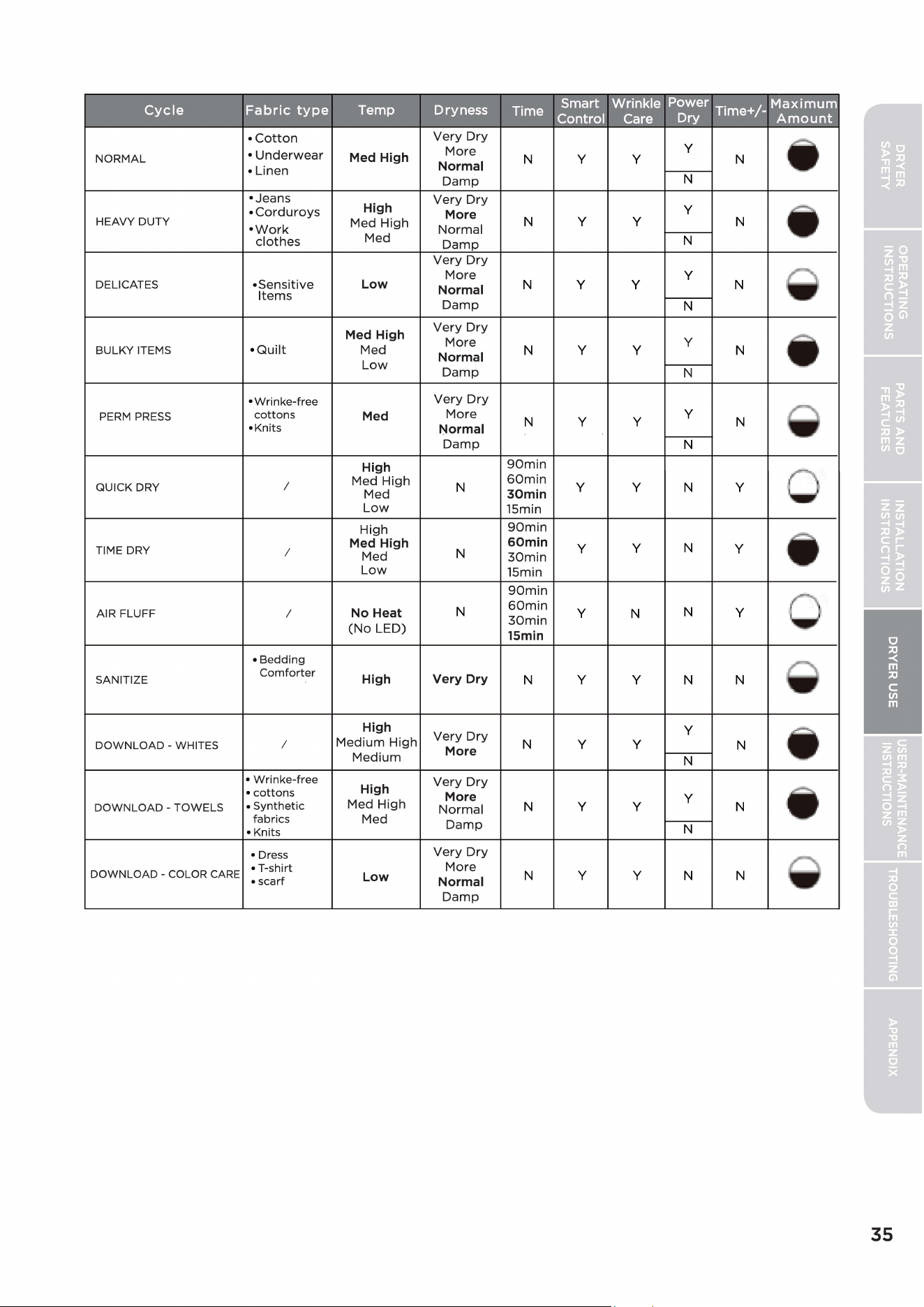
Cycle
Fabric
type
Temp
Dryness
Time
Smart Wrinkle Power T' +/
Maximum
Ime -
Control Care Dry
Amount
•
Cotton
Very
Dry
I.
•
Underwear
Med High
More
y
NORMAL
N
y y
N
• Linen
Normal
Damp
N
• Jeans
Very
Dry
•
Corduroys
High
More
y
I.
HEAVY
DUTY
•
Work
Med
High
Normal
N
y y
N
clothes
Med
Damp
N
Very
Dry
More
y
DELICATES
•
Sensitive
Low
Normal
N
y y
N
Items
Damp
N
Med High
Very
Dry
More
y
I.
BULKY
ITEMS
•
Quilt
Med
Normal
N
y y
N
Low
Damp
N
•Wrinke-free
Very
Dry
PERM
PRESS
cottons
Med
More
N
y y
y
N
I
•Knits
Normal
Damp
N
High
90min
QUICK
DRY
I
Med
High
N
60min
y y
N
y
Med
30min
Low
15min
High
90min
TIME
DRY
Med High
60min
y
y
N
y
I.
I
Med
N
30min
Low
15min
90min
AIR
FLUFF
I
No Heat
N
60min
y
N
N
y
30min
(No
LED)
15min
• Bedding
SANITIZE
Comforter
High
Very Dry
N
y y
N N
High
Very
Dry
y
I.
DOWNLOAD
-
WHITES
I
Medium
High
More
N
y y
N
Medium
N
• Wrinke-free
Very
Dry
• cottons
High
More
y
I.
DOWNLOAD
-
TOWELS
• Synthetic
Med
High
Normal
N
y y
N
fabrics
Med
• Knits
Damp
N
•
Dress
Very
Dry
DOWNLOAD
-
COLOR
CARE
• T-shirt
More
N
y y
N N
• scarf
Low
Normal
Damp
35
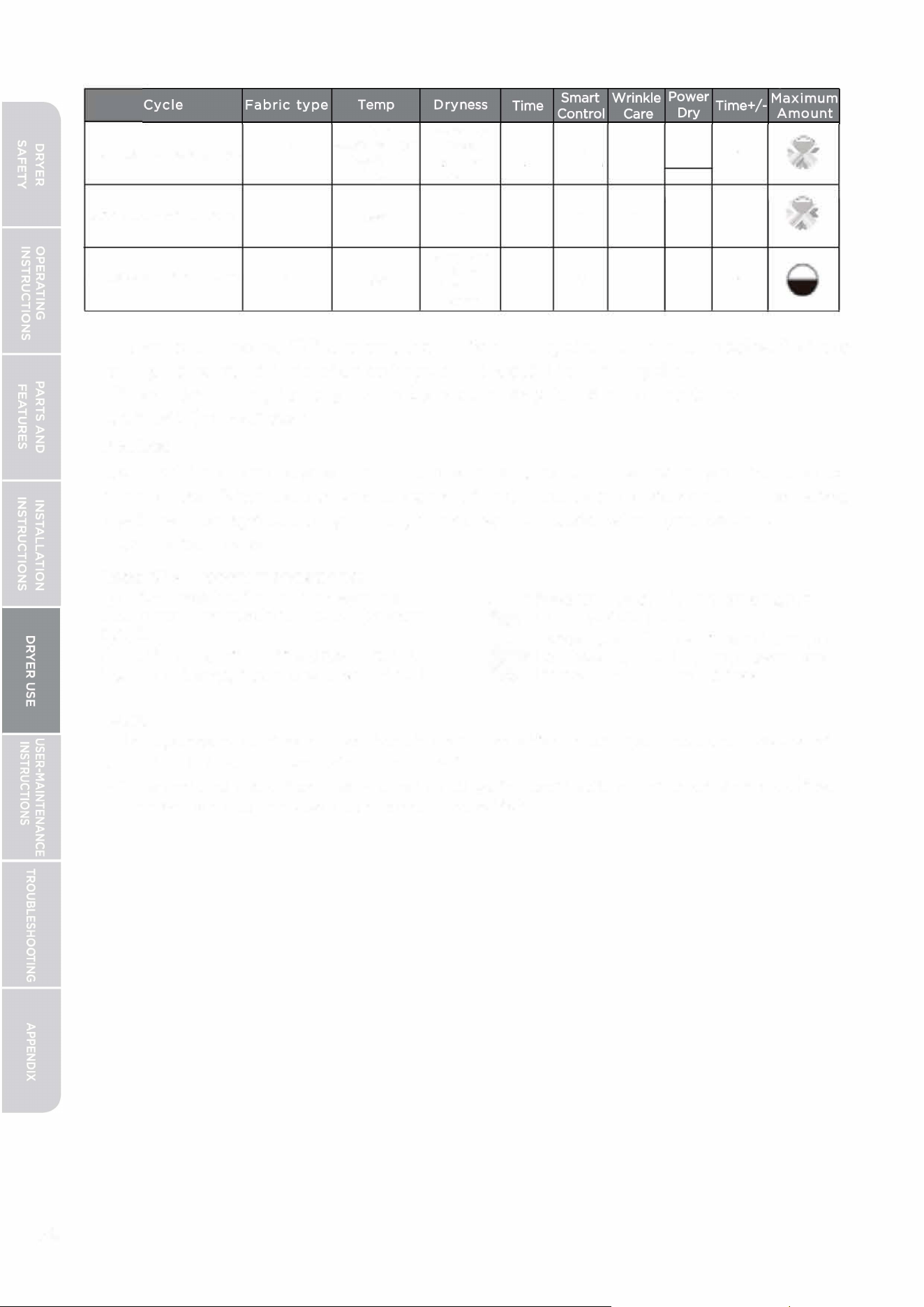
36
High Very Dry
I.
I
Medium High
More
N
y y
y
N
DOLO- E LO
Medium
Normal
Low Damp
N
DOWNLOAD -WATER PROOF
I
Low
N
y
y y
N
y
I
.
Very Dry
DOWNLOAD -DOWN JACKETS I
Low
More
N
y y
N N
Normal
Damp
- Functions labeled "Y" are selectable for the cycle. Functions labeled "N" are
all optional functions that cannot be selected for the cycle.
- Please select higher dry levels to reduce any remaining moisture
content (dampness).
Dowload
Set the Download cycle from the app menu. Select the cycle you want to use,
then press Download at the bottom of the next pop-up screen. The selected
cycle will be synced to your dryer and will be used when you select a
Download cycle.
Load Size Recommendations:
For best results, follow the wet load
size recommendations noted for each
cycle.
0 Small load: Fill the dryer drum with
3-4 items, not more than 1/4 full.
Note:
� Medium load: Fill the dryer drum
�
up to about 1/2 full.
Large load: Fill the dryer drum up
to about 3/4 full. Do not overload.
�
Items need to tumble freely.
- Independent testing shows that this product's "Sanitize" cycle reduces >99.9% of
common household bacteria on laundry.
- The Sanitize cycle has preselected settings for sanitization that cannot be
modi
fi
ed. For best results, use less than 8 lbs of fabric.
- Do not put live pets in the dryer.
- Do not use the Sanitize cycle for items that cannot withstand high temperatures.
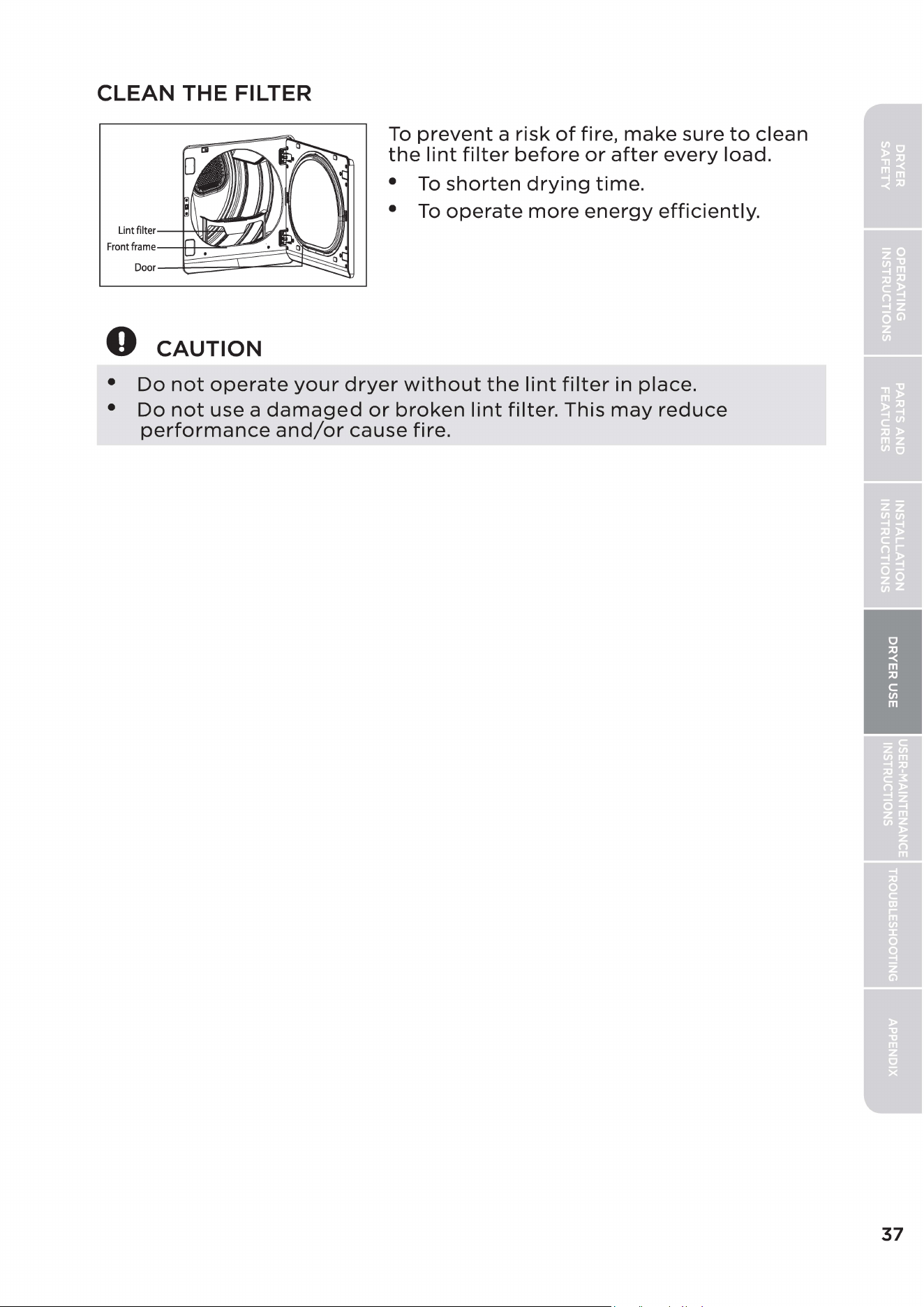
CLEAN THE FILTER
Lint
filter-+---'<f,~e---/'J
~m~===~~[;i~~~
Door
0
CAUTION
To
prevent
a
risk
of
fire,
make
sure
to
clean
the
lint
filter
before
or
after
every
load.
•
To
shorten
drying
time.
•
To
operate
more
energy
efficiently.
•
Do
not
operate
your
dryer
without
the
lint
filter
in place.
•
Do
not
use a
damaged
or
broken
lint
filter.
This
may
reduce
performance
and/or
cause
fire.
37
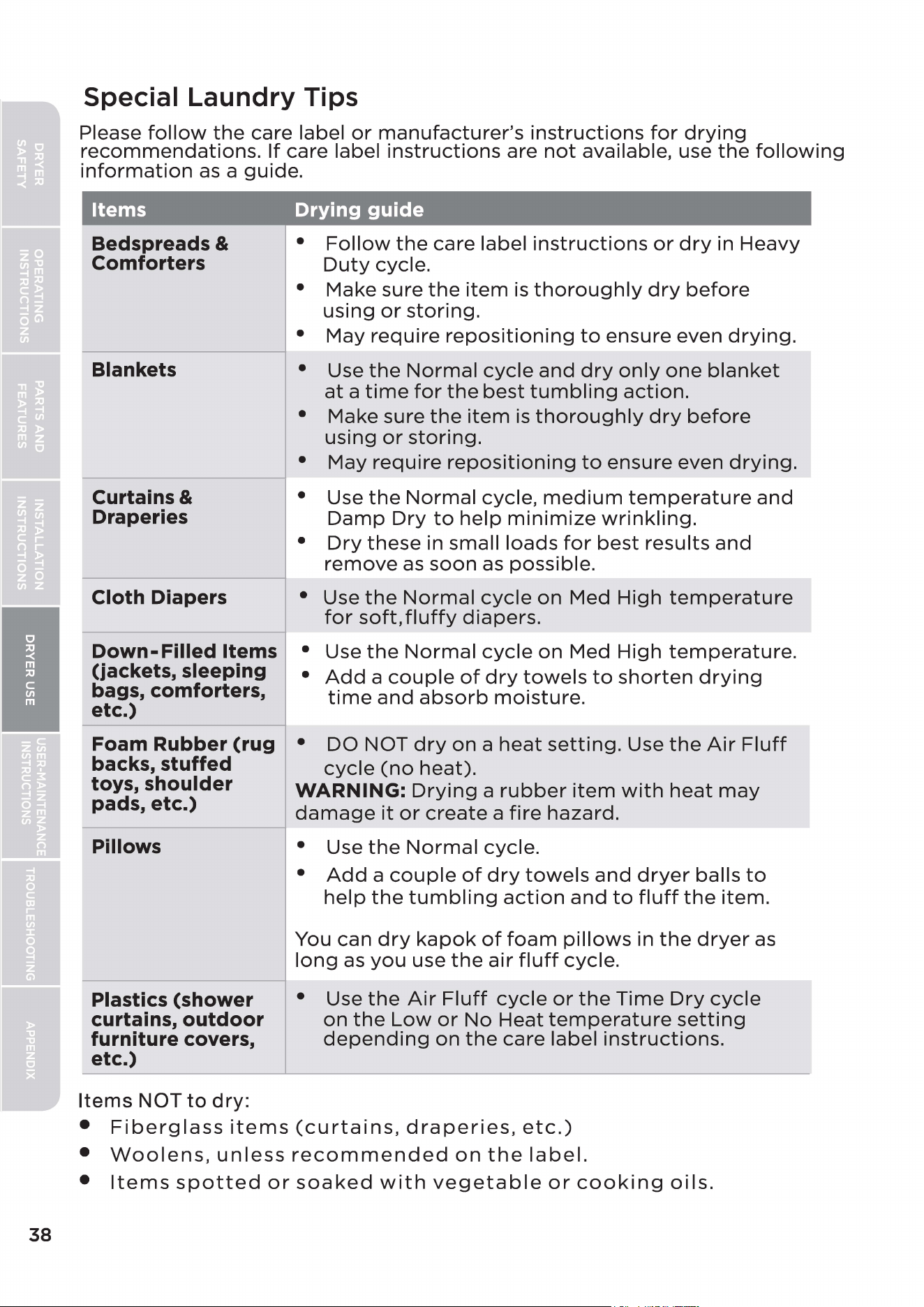
38
Special Laundry Tips
Please
follow
the
care label
or
manufacturer's
instructions
for
drying
recommendations.
If
care label
instructions
are
not
available, use
the
following
information
as
a guide.
Items Drying guide
Bedspreads &
Comforters
Blankets
Curtains &
Draperies
Cloth Diapers
Down-
Filled Items
(jackets, sleeping
bags, comforters,
etc.)
•
Follow
the
care label
instructions
or
dry
in
Heavy
Duty
cycle.
• Make sure
the
item
is
thoroughly
dry
before
using
or
storing.
• May
require
repositioning
to
ensure even
drying.
• Use
the
Normal
cycle
and
dry
only
one
blanket
at
a
time
for
the
best
tumbling
action.
• Make sure
the
item
is
thoroughly
dry
before
using
or
storing.
• May
require
repositioning
to
ensure even
drying.
• Use
the
Normal
cycle,
medium
temperature
and
Damp
Dry
to
help
minimize
wrinkling.
•
Dry
these
in small
loads
for
best
results
and
remove
as
soon
as possible.
• Use
the
Normal
cycle
on
Med High
temperature
for
soft,
fluffy
diapers.
• Use
the
Normal
cycle
on
Med High
temperature.
•
Add
a
couple
of
dry
towels
to
shorten
drying
time
and
absorb
moisture.
Foam Rubber (rug • DO NOT
dry
on
a
heat
setting.
Use
the
Air
Fluff
backs, stuffed
cycle
(no
heat).
toys, shoulder
I
WARNING:
Drying
a
rubber
item
with
heat
may
pads, etc.)
___
damage
it
or
create
a
fire
hazard.
Pillows • Use
the
Normal
cycle.
Plastics (shower
curtains, outdoor
furniture covers,
etc.)
Items
NOT
to
dry:
•
Add
a
couple
of
dry
towels
and
dryer
balls
to
help
the
tumbling
action
and
to
fluff
the
item.
You can
dry
kapok
of
foam
pillows
in
the
dryer
as
long
as
you
use
the
air
fluff
cycle.
• Use
the
Air
Fluff
cycle
or
the
Time
Dry
cycle
on
the
Low
or
No
Heat
temperature
setting
depending
on
the
care label
instructions.
•
Fiberglass
items
(curtains,
draperies,
etc.)
•
Woolens,
unless
recommended
on
the
label.
•
Items
spotted
or
soaked
with
vegetable
or
cooking
oils.
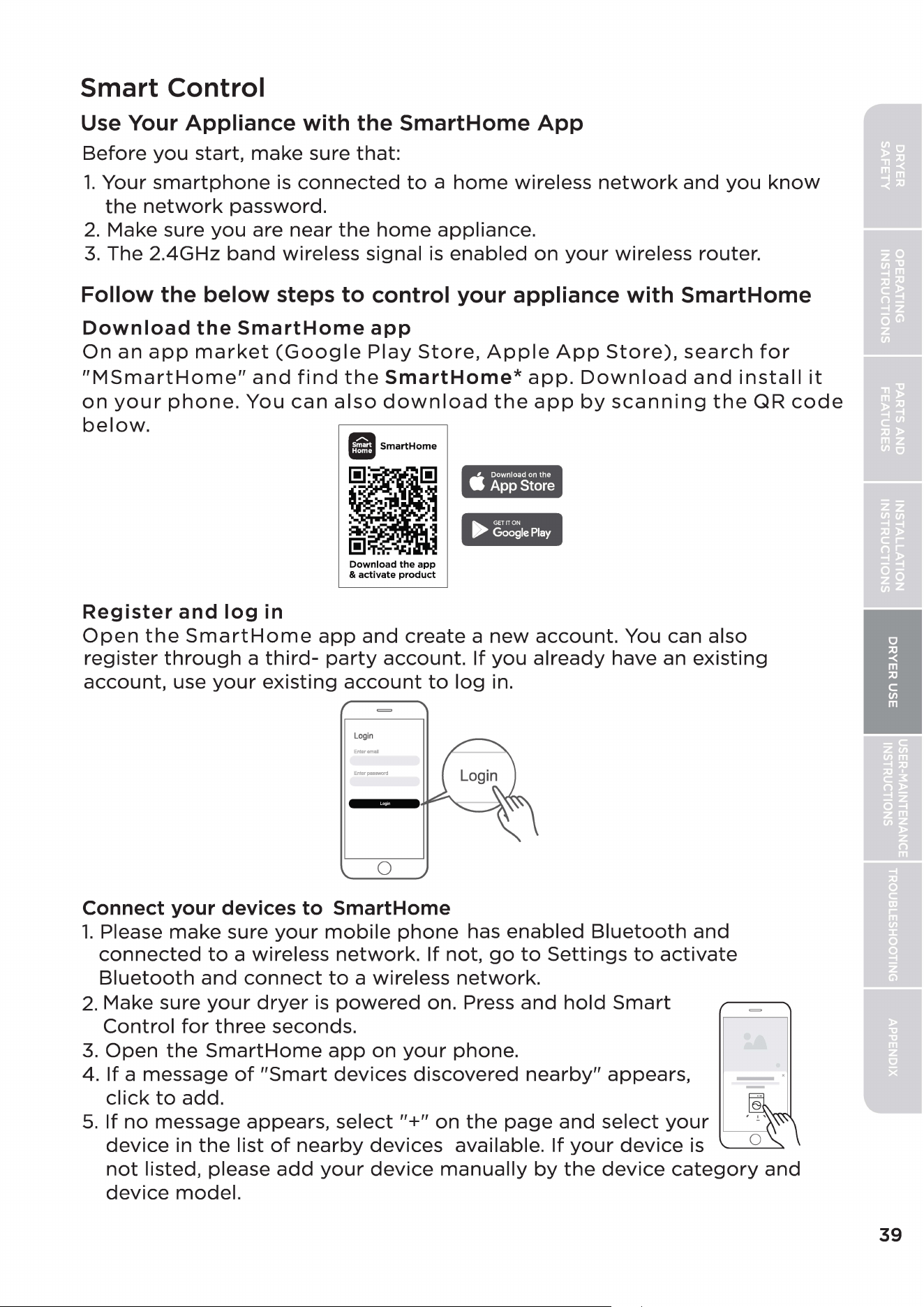
Smart Control
Use Your Appliance with the SmartHome
App
Before
you
start,
make
sure
that:
1.
Your
smartphone
is
connected
to
a
home
wireless
network
and
you
know
the
network
password.
2.
Make sure
you
are
near
the
home
appliance.
3.
The 2.4GHz
band
wireless signal
is
enabled
on
your
wireless router.
Follow the below steps to control your appliance with SmartHome
Download
the
SmartHome
app
On
an
app
market
(Google
Play
Store,
Apple
App
Store),
search
for
"MSmartHome"
and
find
the
SmartHome*
app.
Download
and
install
it
on
your
phone.
You
can
also
download
the
app
by
scanning
the
QR
code
below.
Register
and
log
in
II
SmartHome
•
ij
.
.
Download
the
app
&
activate
product
►
GETITON
Google
Play
Open
the
SmartHome
app
and
create
a
new
account.
You can also
register
through
a
third-
party
account.
If
you
already
have an
existing
account,
use
your
existing
account
to
log
in.
Login
Enturpa11sword
0
Connect your devices
to
SmartHome
1.
Please
make
sure
your
mobile
phone
has
enabled
Bluetooth
and
connected
to
a wireless
network.
If
not,
go
to
Settings
to
activate
Bluetooth
and
connect
to
a wireless
network.
2.
Make sure
your
dryer
is
powered
on. Press
and
hold
Smart
Control
for
three
seconds.
3.
Open
the
SmartHome
app
on
your
phone.
4.
If
a message
of
"Smart
devices
discovered
nearby"
appears,
click
to
add.
5.
If
no
message appears,
select
"+"
on
the
page
and
select
your
device
in
the
list
of
nearby
devices
available.
If
your
device
is
not
listed, please
add
your
device
manually
by
the
device
category
and
device
model.
39
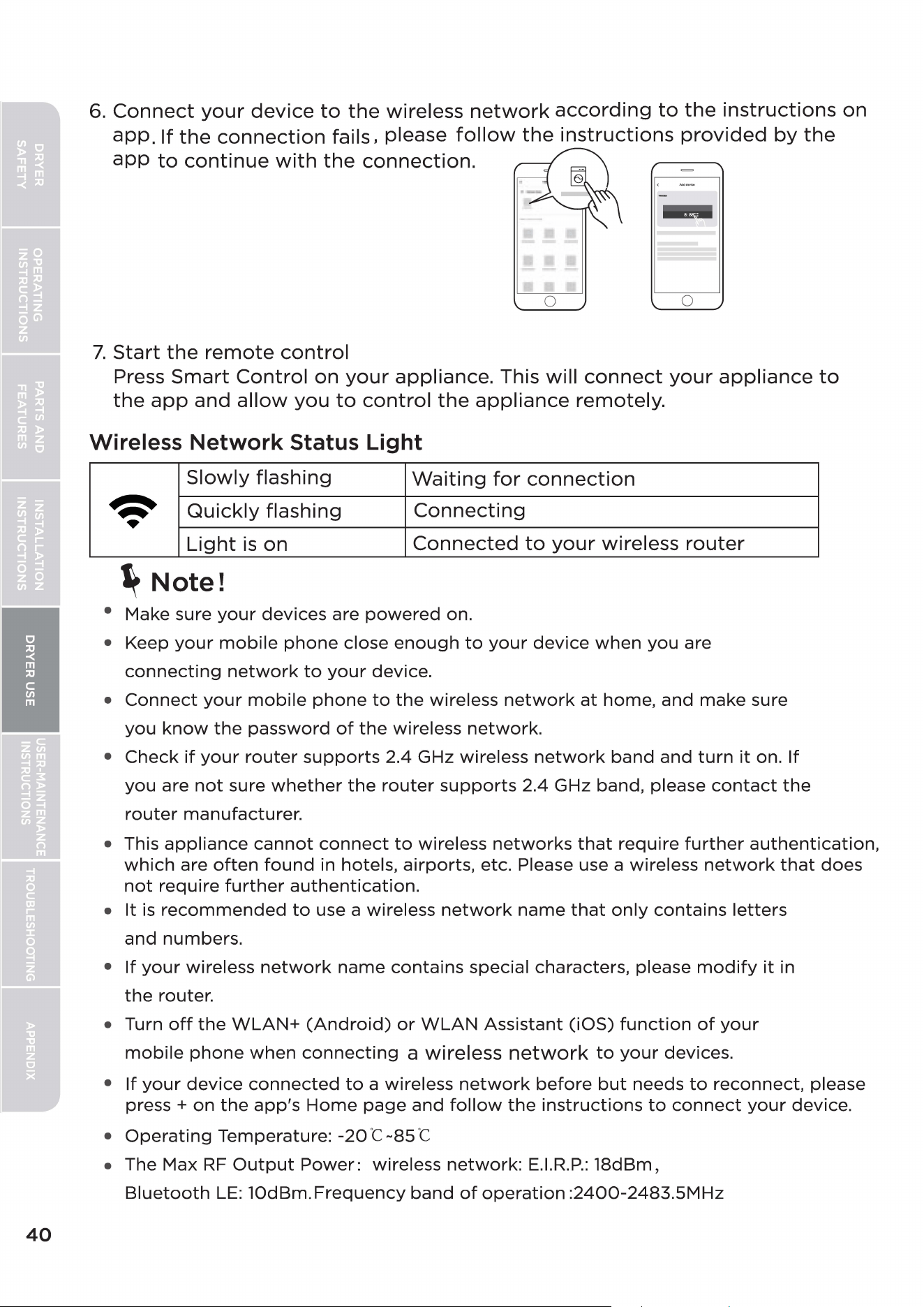
40
6.
Connect
your
device
to
the
wireless
network
according
to
the
instructions
on
app_
If
the
connection
fails, please
follow
the
instructions
provided
by
the
app
to
continue
with
the
connection.
-·
0
0
7.
Start
the
remote
control
Press
Smart
Control
on
your
appliance. This will
connect
your
appliance
to
the
app
and
allow
you
to
control
the
appliance
remotely.
Wireless Network Status Light
Slowly
flashing
Waiting
for
connection
~
Quickly
flashing
Connecting
•
Light
is
on
Connected
to
your
wireless
router
~
Note!
• Make sure
your
devices are
powered
on.
• Keep
your
mobile
phone
close
enough
to
your
device
when
you are
connecting
network
to
your
device.
•
Connect
your
mobile
phone
to
the
wireless
network
at
home, and make sure
you
know
the
password
of
the
wireless
network.
•
Check
if
your
router
supports
2.4 GHz wireless
network
band
and
turn
it
on.
If
you are
not
sure
whether
the
router
supports
2.4 GHz band, please
contact
the
router
manufacturer.
• This
appliance
cannot
connect
to
wireless
networks
that
require
further
authentication,
which
are
often
found
in hotels,
airports,
etc. Please use a wireless
network
that
does
not
require
further
authentication.
•
It
is
recommended
to
use a wireless
network
name
that
only
contains
letters
and numbers.
•
If
your
wireless
network
name
contains
special characters, please
modify
it
in
the
router.
• Turn
off
the
WLAN+
(Android)
or
WLAN
Assistant
(iOS)
function
of
your
mobile
phone
when
connecting
a wireless
network
to
your
devices.
•
If
your
device
connected
to
a wireless
network
before
but
needs
to
reconnect, please
press +
on
the
app's
Home
page
and
follow
the
instructions
to
connect
your
device.
•
Operating
Temperature:
-20
"C-85
"C
• The Max
RF
Output
Power:
wireless
network:
E.I.R.P.:
18dBm,
Bluetooth
LE:
l0dBm.Frequency
band
of
operation
:2400-2483.SMHz
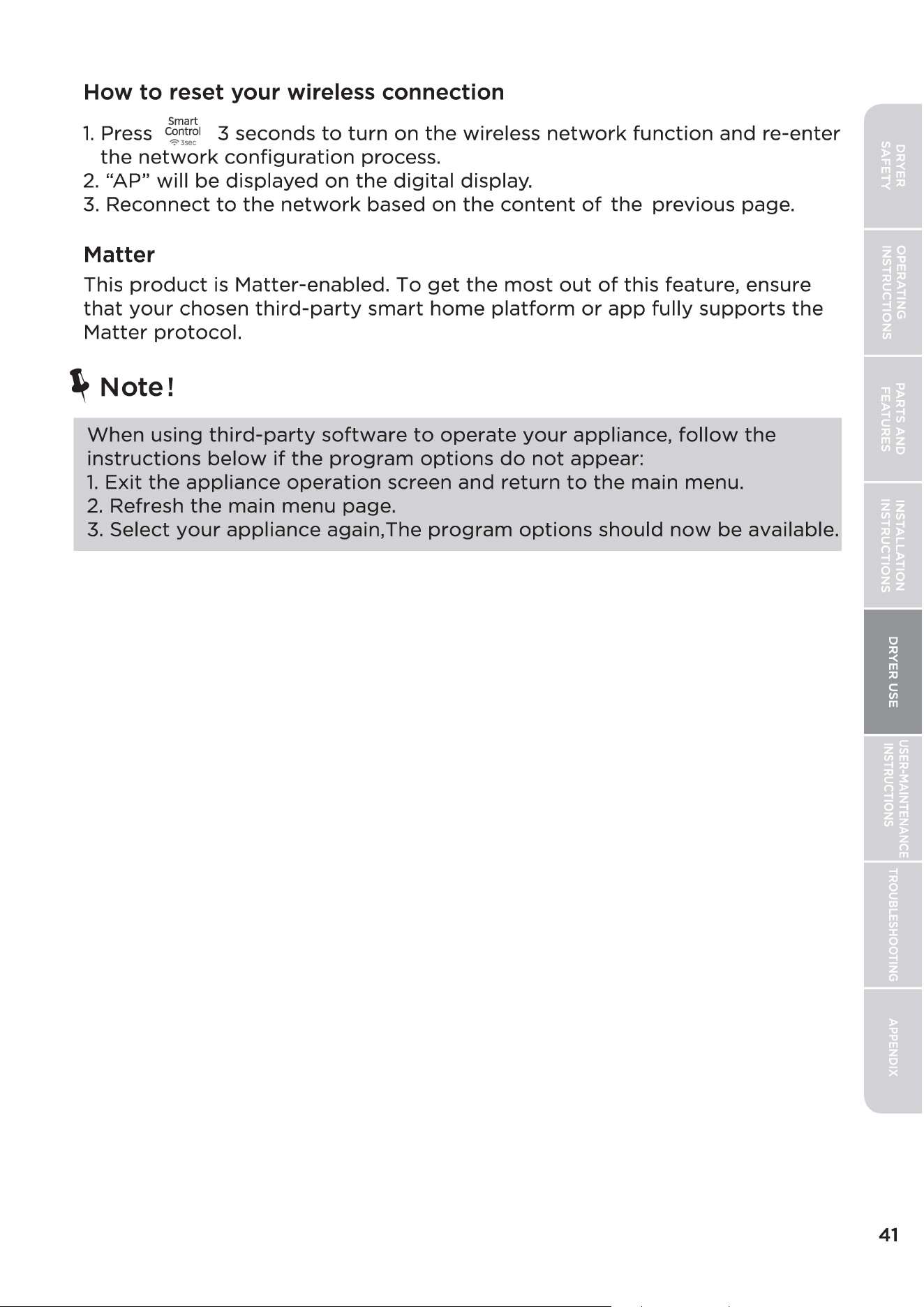
How to reset your wireless connection
Smart
1.
Press c~ ntroi 3
seconds
to
turn
on
the
wireless
network
function
and
re-enter
-;,
3sec
the
network
configuration
process.
2.
"AP"
will
be
displayed
on
the
digital
display.
3.
Reconnect
to
the
network
based
on
the
content
of
the
previous
page.
Matter
This
product
is
Matter-enabled.
To
get
the
most
out
of
this
feature, ensure
that
your
chosen
third-party
smart
home
platform
or
app
fully
supports
the
Matter
protocol.
~
Note!
When
using
third-party
software
to
operate
your
appliance,
follow
the
instructions
below
if
the
program
options
do
not
appear:
1.
Exit
the
appliance
operation
screen
and
return
to
the
main
menu.
2.
Refresh
the
main
menu
page.
3.
Select
your
appliance
again.The
program
options
should
now
be
available.
41
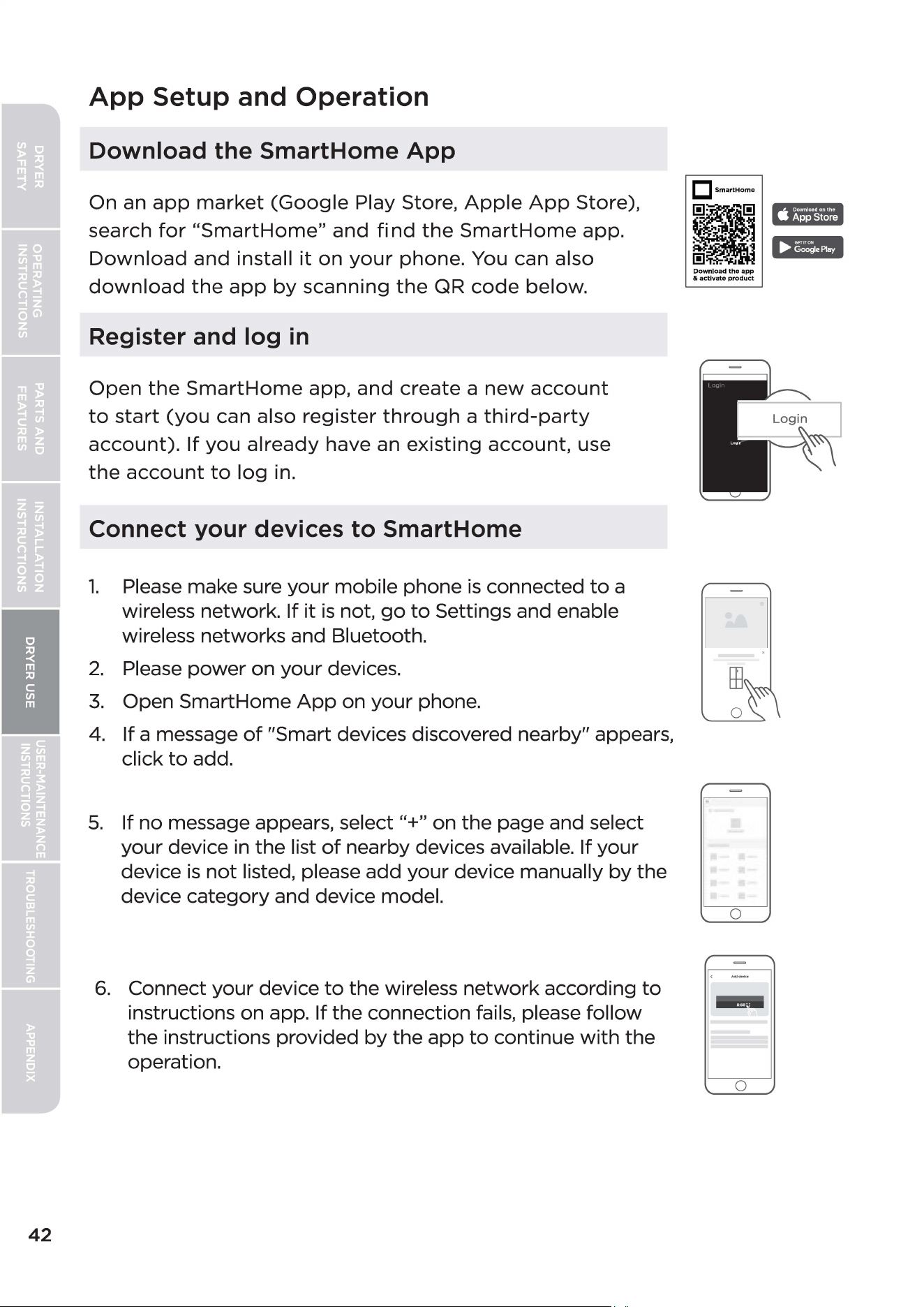
42
App
Setup and
Operation
Download the SmartHome App
On an
app
market
(Google
Play Store,
Apple
App
Store),
search
for
"SmartHome"
and
find
the
Smart
Home
app.
Download
and
install
it
on
your
phone. You can also
download
the
app
by
scanning
the
QR
code
below.
Register and log
in
Open
the
SmartHome
app,
and
create
a
new
account
to
start
(you
can also
register
through
a
third-party
account).
If
you
already
have an
existing
account,
use
the
account
to
log
in.
Connect your devices to SmartHome
1.
Please make sure
your
mobile phone
is
connected
to
a
wireless network.
If
it
is
not,
go
to
Settings and enable
wireless networks and Bluetooth.
2.
Please
power
on
your
devices.
3.
Open SmartHome
App
on
your
phone.
4. If a message
of
"Smart devices discovered nearby" appears,
click
to
add.
5.
If
no
message appears, select "+" on
the
page and select
your
device in
the
list
of
nearby devices available. If
your
device
is
not
listed, please
add
your
device manually
by
the
device
category
and device model.
6.
Connect
your
device
to
the
wireless
network
according
to
instructions on app. If
the
connection fails, please
follow
the
instructions provided
by
the
app
to
continue
with
the
operation.
DsmartHome
•
. •
[!I
. .
ij
[!I . . •
Download
the
app
&
activate
product
n
0
0
-
0
C1!III
.,
..
Certifications
Please
note
that
changes
or
modifications
of
this
product
is
not
expressly approved
by
the
party
responsible
for
compliance could void
the
user's
authority
to
operate
the
equipment.
This
equipment
complies
with
FCC's
RF
radiation exposure limits set
forth
for
an
uncontrolled
environment.
The antenna(s) used
for
this transmitter must be installed and operated
to
provide a separation
distance
of
at
least
20
cm
from
all persons and must
not
be collocated
or
operating
in
conjunction
with
any
other
antenna
or
transmitter. Installers must ensure
that
20cm
separation distance will be
maintained between
the
device (excluding its handset) and users.
Federal Communications Commission (FCC) Compliance Statement for USA
This device complies
with
part
15
of
the
FCC
rules. Operation
is
subject
to
the
following
two
conditions:
(1)
This device may
not
cause harmful interference, and
(2)
this device must accept any interference
received, including interference
that
may cause undesired operation.
Note: This
equipment
has been tested and found
to
comply
with
the
limits
for
a Class B digital device,
pursuant
to
part
15
of
the
FCC
Rules. These limits are designed
to
provide reasonable protection
against harmful interference in a residential installation. This
equipment
generates, uses and can radiate
radio frequency energy and,
if
not
installed and used in accordance
with
the
instructions,
may
cause
harmful interference
to
radio communications. However, there
is
no guarantee
that
interference will
not
occur
in a particular installation. If this
equipment
does cause harmful interference
to
radio
or
television
reception, which can be determined
by
turning
the
equipment
off
and on,
the
user
is
encouraged
to
try
to
correct
the
interference
by
one
or
more
of
the
following measures:
• Reorient
or
relocate
the
receiving antenna.
• Increase
the
separation
between
the
equipment
and receiver.
•
Connect
the
equipment
into
an
outlet
on
a
circuit
di
erent
from
that
to
which
the
receiver
is
connected.
• Consult
the
dealer
or
an
experienced
radio/TV
technician
for
help.
This
equipment
complies
with
FCC
radiation exposure limits set
forth
for
an
uncontrolled environment.
FCC Supplier's Declaration
of
Conformity
Product Name:
Dryer
Model number:
MDL74C-V162/F03EHS-US1305;
MDL74C-VG162/F03EHS-US13
Suppliers Name: Midea America Corp.
Suppliers Address (USA):
300
Kimball
Dr.
Parsippany, NJ
07054
Suppliers Website: http://midea.com/us
Contact Email/Telephone: 1-866-646-4332
43
44
Industry Canada (IC) Compliance Statement for Canada
This device complies
with
Industry Canada license-exempt
RSS
standard(s). Operation
is
subject
to
the
following
two
conditions: (1) this device may
not
cause interference, and
(2)
this device
must
accept
any interference, including interference
that
may cause undesired operation
of
the
device.
CAN
ICES-003(8)/NMB-003(8)
Midea
is
not
responsible
for
any changes
or
modifications
not
expressly approved
by
Midea. Such
modifications could void
the
user's
authority
to
operate
the
equipment.
For
model:
MWB-S-WB0l
FCC ID:
2ADQOMWB-SWB01
IC ID: 12575A-WB01
USER-MAINTENANCE
INSTRUCTIONS
A
WARNING
-
To
reduce the risk
of
fire, electric shock, or
injury
to
persons, read
the
IMPORTANT SAFETY
INSTRUCTIONS before operating this appliance.
•
Certain
internal
parts
are
intentionally
not
grounded
and
may
present
a
risk
of
electric
shock
only
during
servicing.
Service
Personnel -
Do
not
contact
the
following
parts
while
the
appliance
is
energized:
inlet
valve,
control
board
and
temperature-regulating
thermistor
(located
on
blower
housing).
Cleaning and Maintenance
CONTROL PANEL
• Clean
with
a
soft,
damp
cloth.
Do
not
use
abrasive
substances.
•
Do
not
spray
cleaners
directly
on
the
panel.
•
The
control
panel
finish
may
be
damaged
by
some
laundry
pre-
treatment
soil
and
stain
remover
products.
Apply
such
products
away
from
your
dryer
and
wipe
up
any
spills
or
overspray
immediately.
STAINLESS STEEL OR
ANODIZED
DRUM
•
To
clean
the
stainless steel
or
anodized
drum,
use a
damp
cloth
with
a
mild,
non-abrasive
cleaner
suitable
for
stainless steel
and
anodized
surfaces.
•
Remove
the
cleaner
residue
and
dry
with
a clean
cloth.
DRYER EXTERIOR
•
After
opening
the
door,
if
there
are
gray
marks,
it
is
due
to
the
tight
contact
between
the
sealing ring
and
the
metal,
which
is
a
normal
phenomenon.
Simply
wipe
it
with
a
damp
cloth.
• Clean
with
a
soft,
damp
cloth.
Do
not
use
abrasive
substances.
•
Protect
the
surface
from
sharp
objects.
•
Do
not
place
any
heavy
or
sharp
objects
or
a
detergent
box
on
the
dryer. This
may
scratch
or
damage
the
top
cover
of
the
dryer. Keep
them
on
the
purchased
pedestal
or
in a
separate
storage
box.
• Since
the
entire
dryer
has a
high-gloss
finish,
the
surface
can
be
scratched
or
damaged.
•
Avoid
scratching
or
damaging
the
surface
when
using
the
dryer.
DRYER EXHAUST SYSTEM
•
Should
be
inspected
and
cleaned
yearly
to
maintain
optimum
performance.
•
Disconnect
the
exhaust
duct
from
the
dryer
and
from
the
exhaust
hood
(at
the
exhaust
outlet)
outside
of
the
building.
•
Check
the
interior
of
the
duct
and
remove
any
lint
accumulation.
• Be sure
that
lint
is
removed
from
the
exhaust
hood.
Lint
may
collect
in
the
exhaust
hood
so
that
the
flappers
or
louvers
will
not
open
or
close
completely.
45
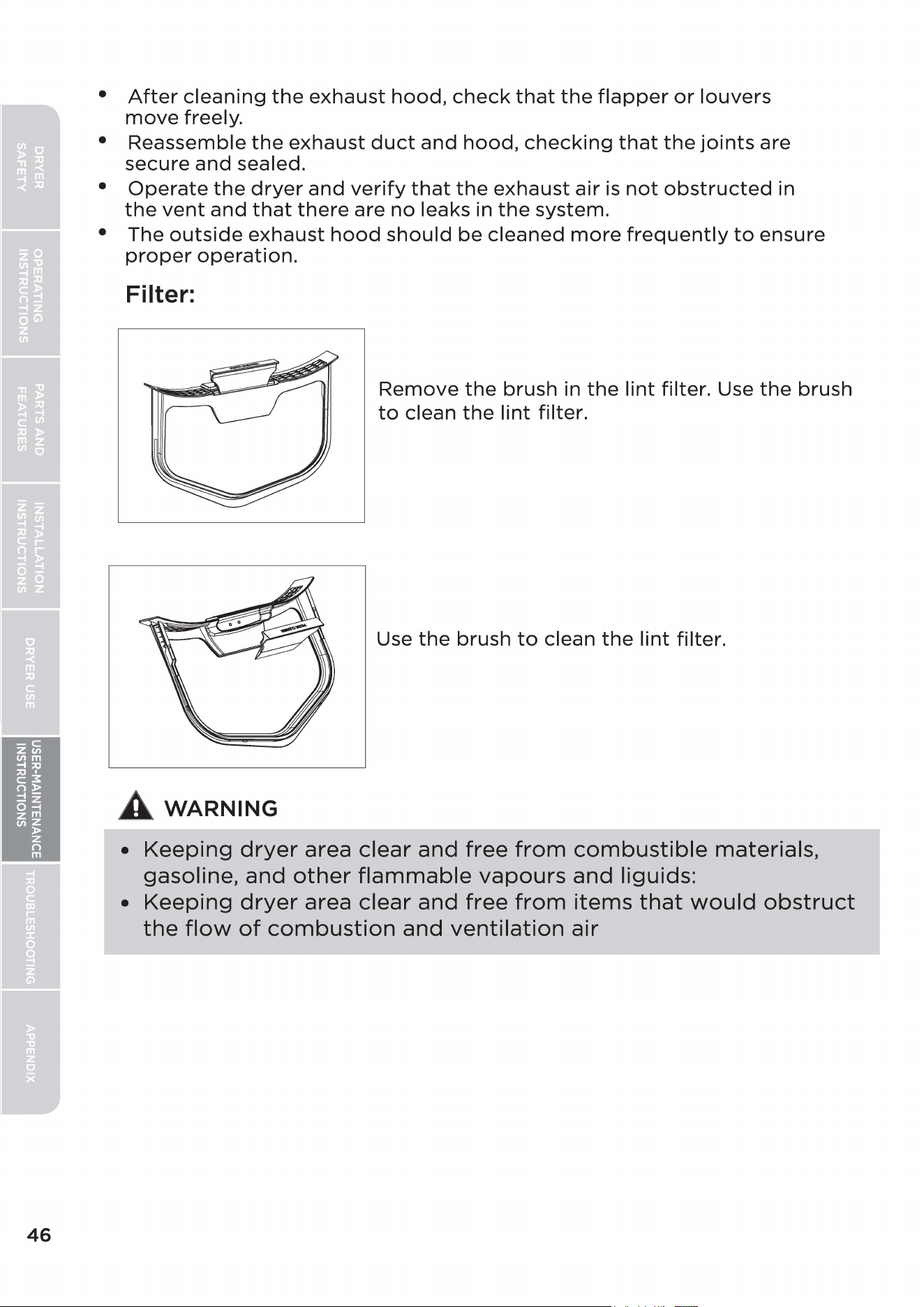
46
•
After
cleaning
the
exhaust
hood,
check
that
the
flapper
or
louvers
move
freely.
• Reassemble
the
exhaust
duct
and
hood,
checking
that
the
joints
are
secure
and
sealed.
•
Operate
the
dryer
and
verify
that
the
exhaust
air
is
not
obstructed
in
the
vent
and
that
there
are
no
leaks in
the
system.
• The
outside
exhaust
hood
should
be
cleaned
more
frequently
to
ensure
proper
operation.
Filter:
A
WARNING
Remove
the
brush in
the
lint
filter. Use
the
brush
to
clean
the
lint
filter.
Use
the
brush
to
clean
the
lint
filter.
•
Keeping
dryer
area
clear
and
free
from
combustible
materials,
gasoline,
and
other
flammable
vapours
and
liguids:
•
Keeping
dryer
area
clear
and
free
from
items
that
would
obstruct
the
flow
of
combustion
and
ventilation
air
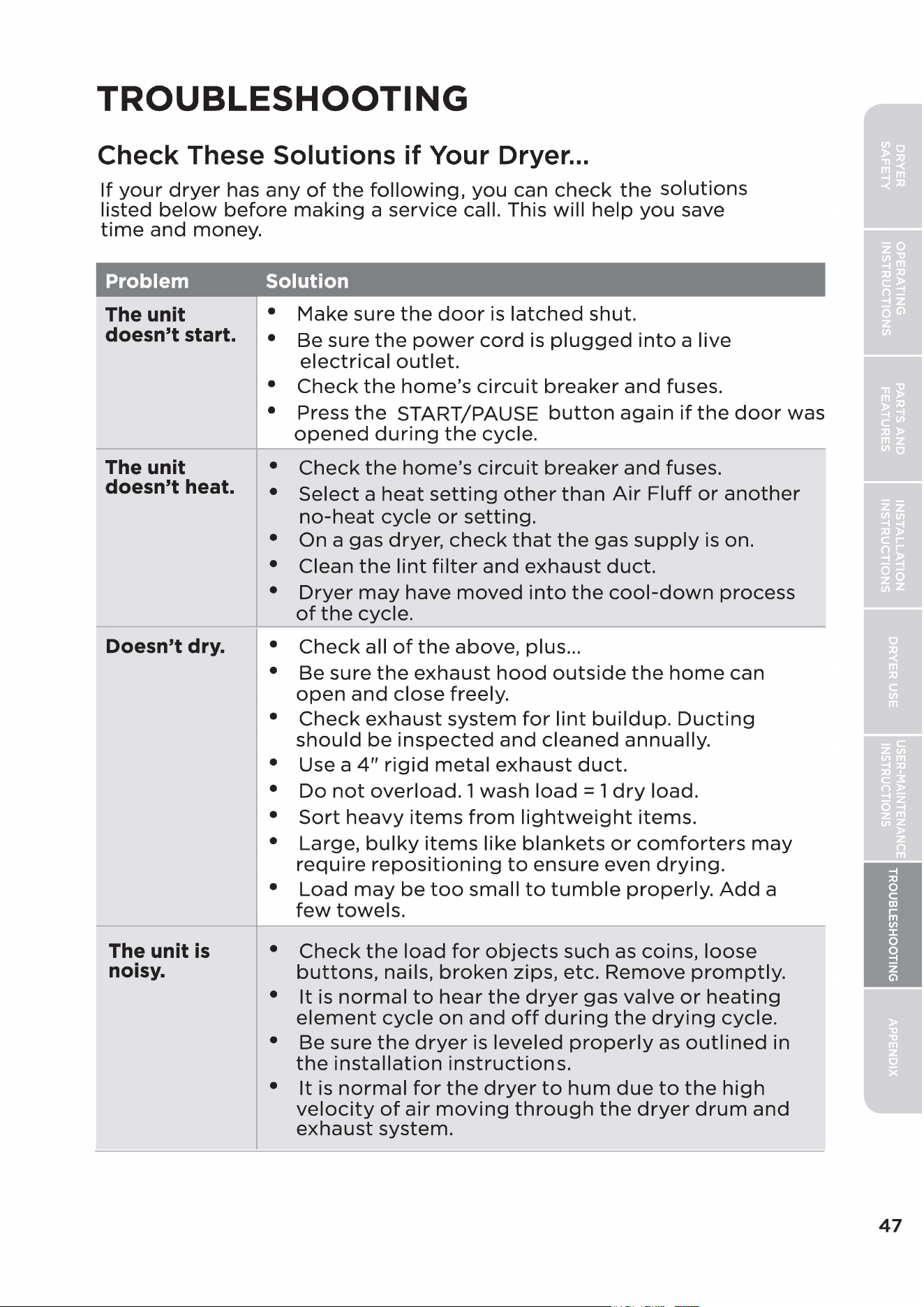
TROUBLESHOOTING
Check These Solutions if Your Dryer
...
If
your
dryer
has
any
of
the
following,
you
can
check
the
solutions
listed
below
before
making
a service call. This
will
help
you
save
time
and
money.
Problem Solution
The unit • Make sure
the
door
is
latched
shut.
doesn't start. • Be sure
the
power
cord
is
plugged
into
a live
The unit
doesn't heat.
Doesn't dry.
The unit
is
noisy.
electrical
outlet.
•
Check
the
home's
circuit
breaker
and
fuses.
• Press
the
START/PAUSE
button
again
if
the
door
was
opened
during
the
cycle.
•
Check
the
home's
circuit
breaker
and
fuses.
•
Select
a
heat
setting
other
than
Air
Fluff
or
another
no-heat
cycle
or
setting.
• On a gas dryer,
check
that
the
gas
supply
is
on.
• Clean
the
lint
filter
and
exhaust
duct.
•
Dryer
may
have
moved
into
the
cool-down
process
of
the
cycle.
•
Check
all
of
the
above,
plus
...
• Be
sure
the
exhaust
hood
outside
the
home
can
open
and
close
freely.
•
Check
exhaust
system
for
lint
buildup.
Ducting
should
be
inspected
and
cleaned
annually.
• Use a
4"
rigid
metal
exhaust
duct.
•
Do
not
overload.
1
wash
load
= 1
dry
load.
•
Sort
heavy
items
from
lightweight
items.
• Large,
bulky
items
like
blankets
or
comforters
may
require
repositioning
to
ensure
even
drying.
•
Load
may
be
too
small
to
tumble
properly.
Add
a
few
towels.
•
Check
the
load
for
objects
such
as coins,
loose
buttons,
nails,
broken
zips, etc.
Remove
promptly.
•
It
is
normal
to
hear
the
dryer
gas
valve
or
heating
element
cycle
on
and
off
during
the
drying
cycle.
• Be
sure
the
dryer
is
leveled
properly
as
outlined
in
the
installation
instructions.
•
It
is
normal
for
the
dryer
to
hum
due
to
the
high
velocity
of
air
moving
through
the
dryer
drum
and
exhaust
system.
47
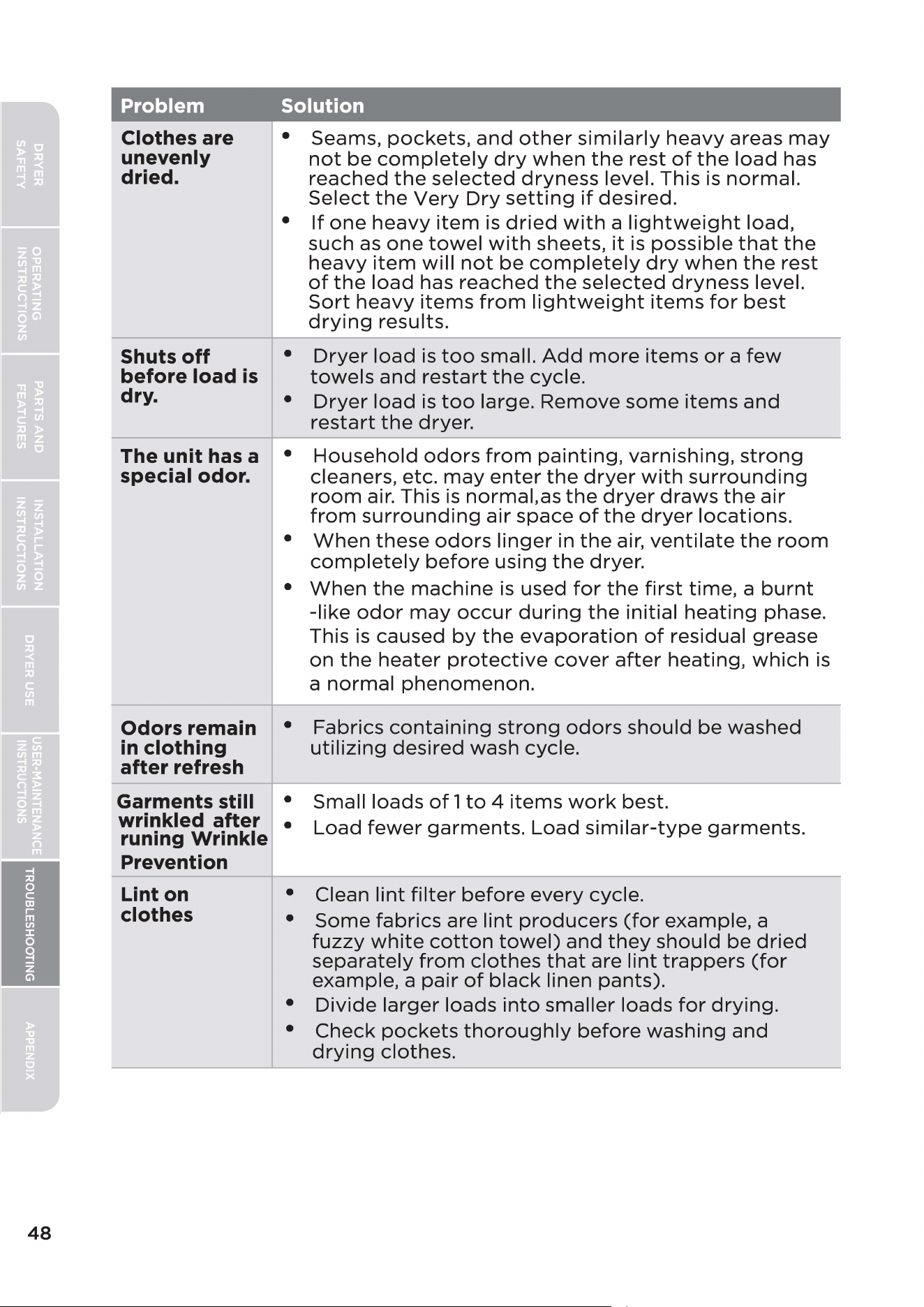
48
Problem Solution
Clothes are
unevenly
dried.
Shuts
off
before load
is
dry.
The unit has a
special odor.
Odors remain
in
clothing
after refresh
Garments still
wrinkled after
runing Wrinkle
Prevention
• Seams,
pockets,
and
other
similarly
heavy
areas
may
not
be
completely
dry
when
the
rest
of
the
load
has
reached
the
selected
dryness
level. This is
normal.
Select
the
Very
Dry
setting
if
desired.
•
If
one
heavy
item
is
dried
with
a
lightweight
load,
such
as
one
towel
with
sheets,
it
is
possible
that
the
heavy
item
will
not
be
completely
dry
when
the
rest
of
the
load
has
reached
the
selected
dryness
level.
Sort
heavy
items
from
lightweight
items
for
best
drying
results.
•
Dryer
load
is
too
small.
Add
more
items
or
a
few
towels
and
restart
the
cycle.
•
Dryer
load
is
too
large.
Remove
some
items
and
restart
the
dryer.
•
Household
odors
from
painting,
varnishing,
strong
cleaners, etc.
may
enter
the
dryer
with
surrounding
room
air. This is
normal.as
the
dryer
draws
the
air
from
surrounding
air
space
of
the
dryer
locations.
•
When
these
odors
linger
in
the
air,
ventilate
the
room
completely
before
using
the
dryer.
•
When
the
machine
is
used
for
the
first
time,
a
burnt
-like
odor
may
occur
during
the
initial
heating
phase.
This is caused
by
the
evaporation
of
residual grease
on
the
heater
protective
cover
after
heating,
which
is
a
normal
phenomenon.
• Fabrics
containing
strong
odors
should
be
washed
utilizing
desired
wash cycle.
• Small
loads
of
1
to
4
items
work
best.
•
Load
fewer
garments.
Load
similar-type
garments.
---------------------------
Lint on
clothes
• Clean
lint
filter
before
every
cycle.
•
Some
fabrics
are
lint
producers
(for
example, a
fuzzy
white
cotton
towel)
and
they
should
be
dried
separately
from
clothes
that
are
lint
trappers
(for
example, a
pair
of
black
linen
pants).
•
Divide
larger
loads
into
smaller
loads
for
drying.
•
Check
pockets
thoroughly
before
washing
and
drying
clothes.
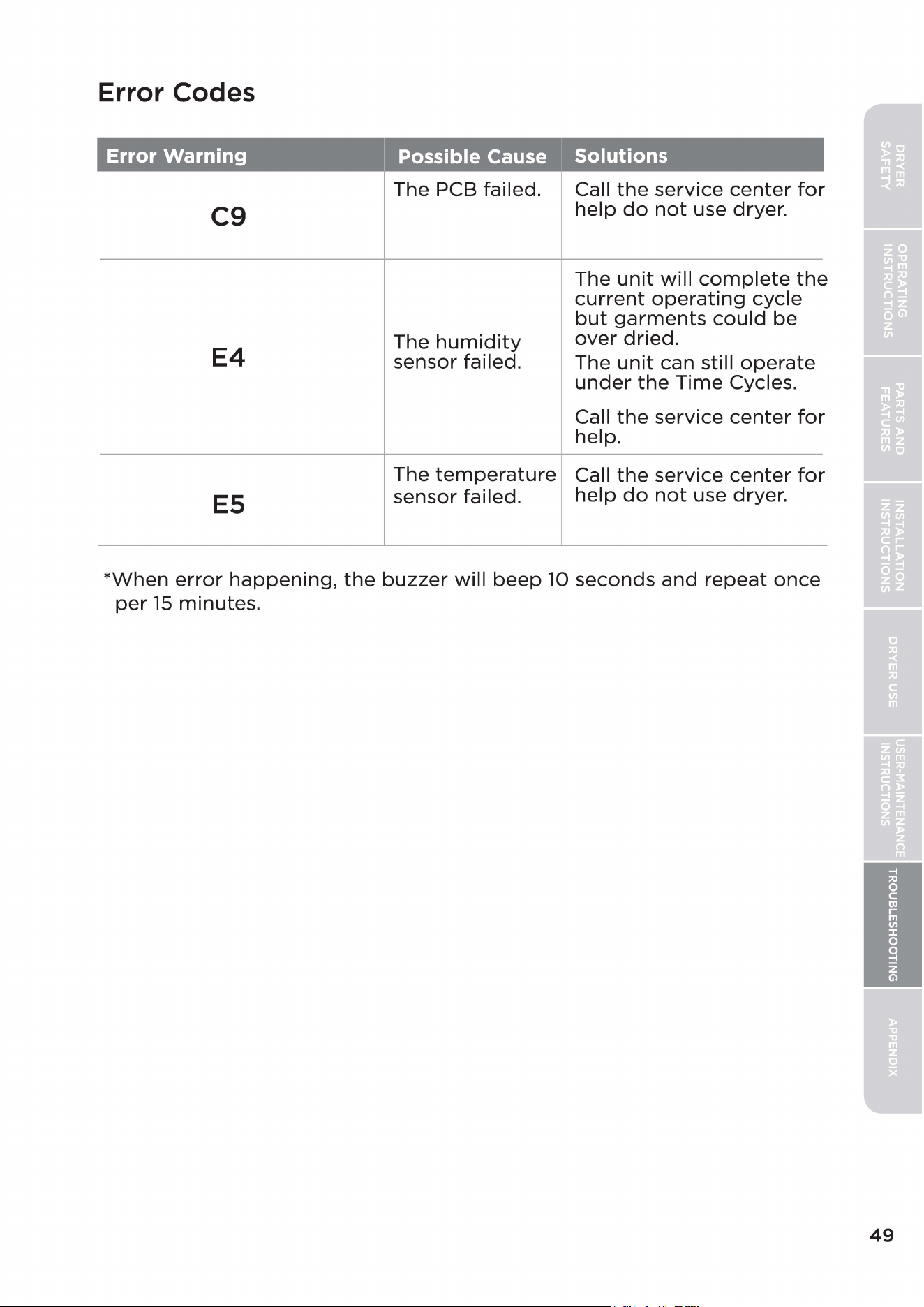
Error Codes
Error Warning Possible Cause Solutions
The PCB failed. Call
the
service
center
for
C9
help
do
not
use dryer.
The
unit
will
complete
the
current
operating
cycle
but
garments
could
be
The
humidity
over
dried.
E4
sensor failed.
The
unit
can still
operate
under
the
Time
Cycles.
Call
the
service
center
for
help.
The
temperature
Call
the
service
center
for
ES
sensor failed.
help
do
not
use dryer.
*When
error
happening,
the
buzzer
will
beep
10
seconds
and
repeat
once
per
15
minutes.
49
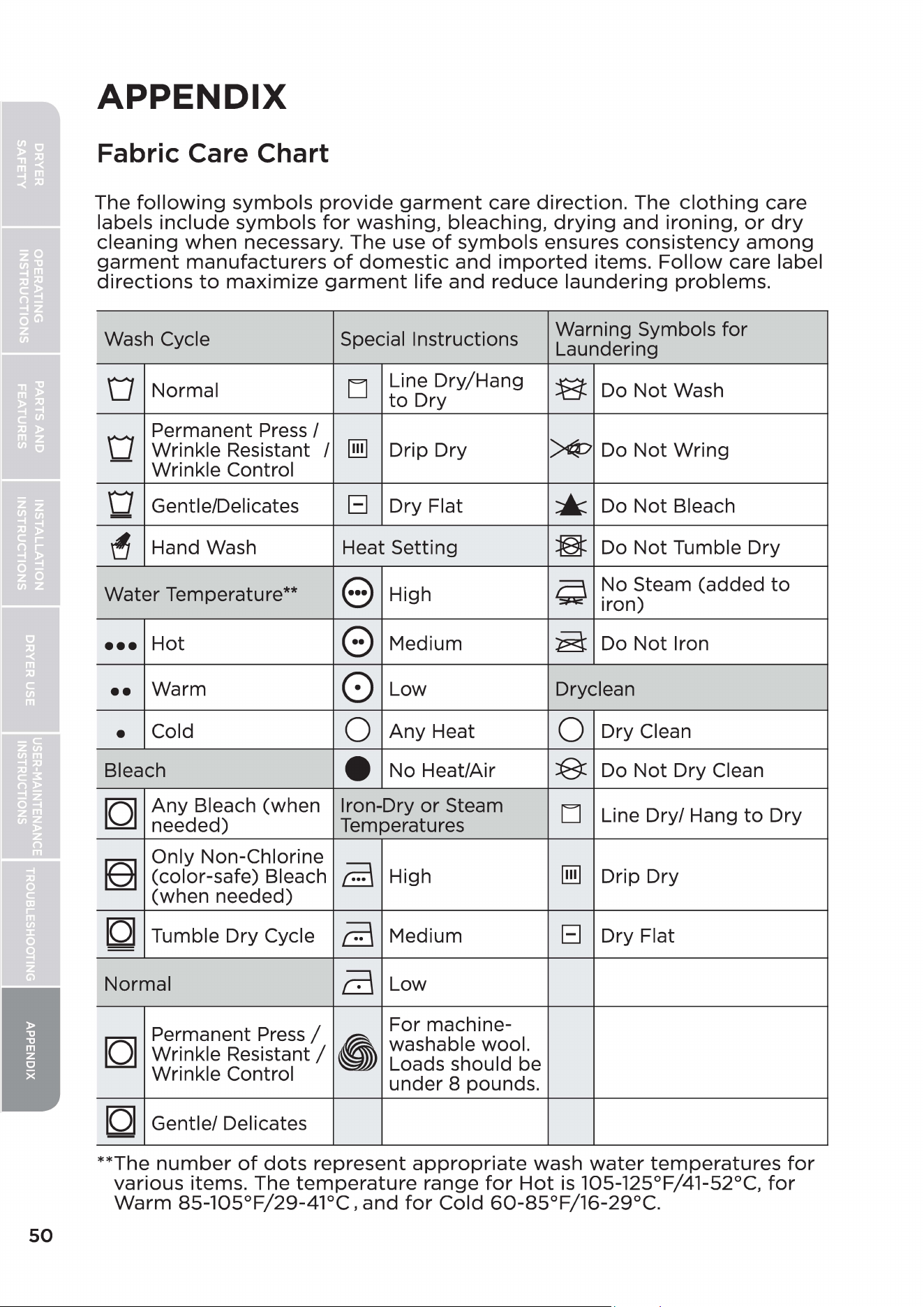
50
APPENDIX
Fabric Care Chart
The
following
symbols
provide
garment
care
direction.
The
clothing
care
labels
include
symbols
for
washing, bleaching,
drying
and
ironing,
or
dry
cleaning
when
necessary. The use
of
symbols
ensures
consistency
among
garment
manufacturers
of
domestic
and
imported
items.
Follow
care label
directions
to
maximize
garment
life
and
reduce
laundering
problems.
Wash Cycle Special Instructions
Warning Symbols
for
Laundering
D
Normal
LJ
Line Dry/Hang
B
Do
Not
Wash
to
Dry
D
Permanent Press/
Wrinkle Resistant /
[ill]
Drip Dry
)¢7
Do
Not
Wring
Wrinkle Control
D
Gentle/Delicates
El
Dry Flat
•
Do
Not
Bleach
=
~
Hand Wash Heat Setting
3
Do
Not
Tumble Dry
Water Temperature**
e
High
Q
No Steam (added
to
iron)
•••
Hot
0
Medium
~
Do
Not
Iron
••
Warm
0
Low Dryclean
•
Cold
0
Any
Heat
0
Dry Clean
Bleach
-
No Heat/Air
B:
Do
Not
Dry Clean
[Q]
Any
Bleach (when
Iron-Dry
or
Steam
LJ
Line Dry/ Hang
to
Dry
needed) Temperatures
[eJ
Only Non-Chlorine
a
[ill]
(color-safe) Bleach
High Drip Dry
(when needed)
[Q]
Tumble Dry Cycle
a
Medium
El
Dry Flat
Normal
a
Low
Permanent
Press
/
For machine-
[Q]
•
washable wool.
Wrinkle
Resistant/
Loads should be
Wrinkle Control
under 8 pounds.
[Q]
Gentle/ Delicates
**The
number
of
dots
represent
appropriate
wash
water
temperatures
for
various
items. The
temperature
range
for
Hot
is
105-125°F/41-52°C,
for
Warm
85-105°F/29-41°C,
and
for
Cold
60-85°F/16-29°C.
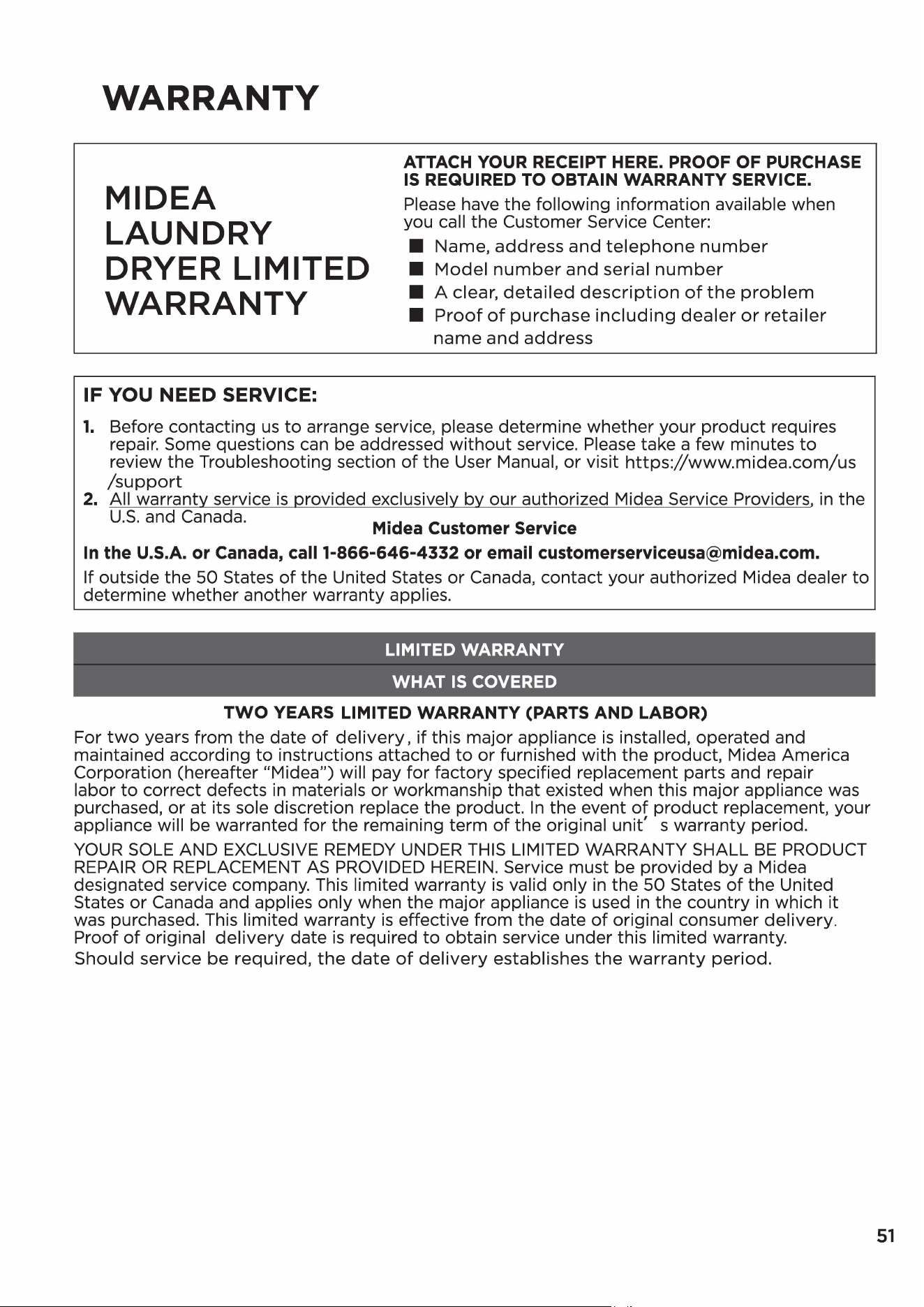
WARRANTY
MIDEA
LAUNDRY
DRYER LIMITED
WARRANTY
IF
YOU NEED SERVICE:
ATTACH YOUR RECEIPT HERE. PROOF OF PURCHASE
IS
REQUIRED TO OBTAIN WARRANTY SERVICE.
Please have the following information available when
you call the Customer Service Center:
■
Name,
address
and
telephone
number
■
Model
number
and
serial
number
■
A clear,
detailed
description
of
the
problem
■
Proof
of
purchase
including
dealer
or
retailer
name
and
address
1.
Before contacting
us
to
arrange service, please determine whether your
product
requires
repair. Some questions can be addressed
without
service. Please take a few minutes
to
review the Troubleshooting section
of
the User Manual,
or
visit
https://www.midea.com/us
/support
2. All warranty service
is
provided exclusively by our authorized Midea Service Providers,
in
the
U.S.
and Canada.
Midea Customer Service
In
the U.S.A. or Canada, call
1-866-646-4332
or email [email protected].
If outside the
50
States
of
the United States or Canada, contact your authorized Midea dealer
to
determine whether another warranty applies.
LIMITED WARRANTY
WHAT
IS
COVERED
TWO
YEARS LIMITED WARRANTY (PARTS AND LABOR)
For
two
years from the date
of
delivery,
if
this major appliance
is
installed, operated and
maintained according
to
instructions attached
to
or
furnished with the product, Midea America
Corporation (hereafter "Midea") will pay for factory specified replacement parts and repair
labor
to
correct defects
in
materials
or
workmanship that existed when this major appliance was
purchased,
or
at its sole discretion replace the product.
In
the event
of
product replacement, your
appliance will be warranted
for
the remaining term
of
the original unit' s warranty period.
YOUR
SOLE
AND EXCLUSIVE
REMEDY
UNDER
THIS
LIMITED WARRANTY SHALL
BE
PRODUCT
REPAIR
OR
REPLACEMENT
AS
PROVIDED
HEREIN.
Service must be provided by a Midea
designated service company. This limited warranty
is
valid only
in
the
50
States
of
the United
States
or
Canada and applies only when the major appliance
is
used
in
the country
in
which
it
was purchased. This limited warranty
is
effective from the date
of
original consumer delivery.
Proof
of
original
delivery
date
is
required
to
obtain service under this limited warranty.
Should
service be required,
the
date
of
delivery
establishes
the
warranty
period.
51
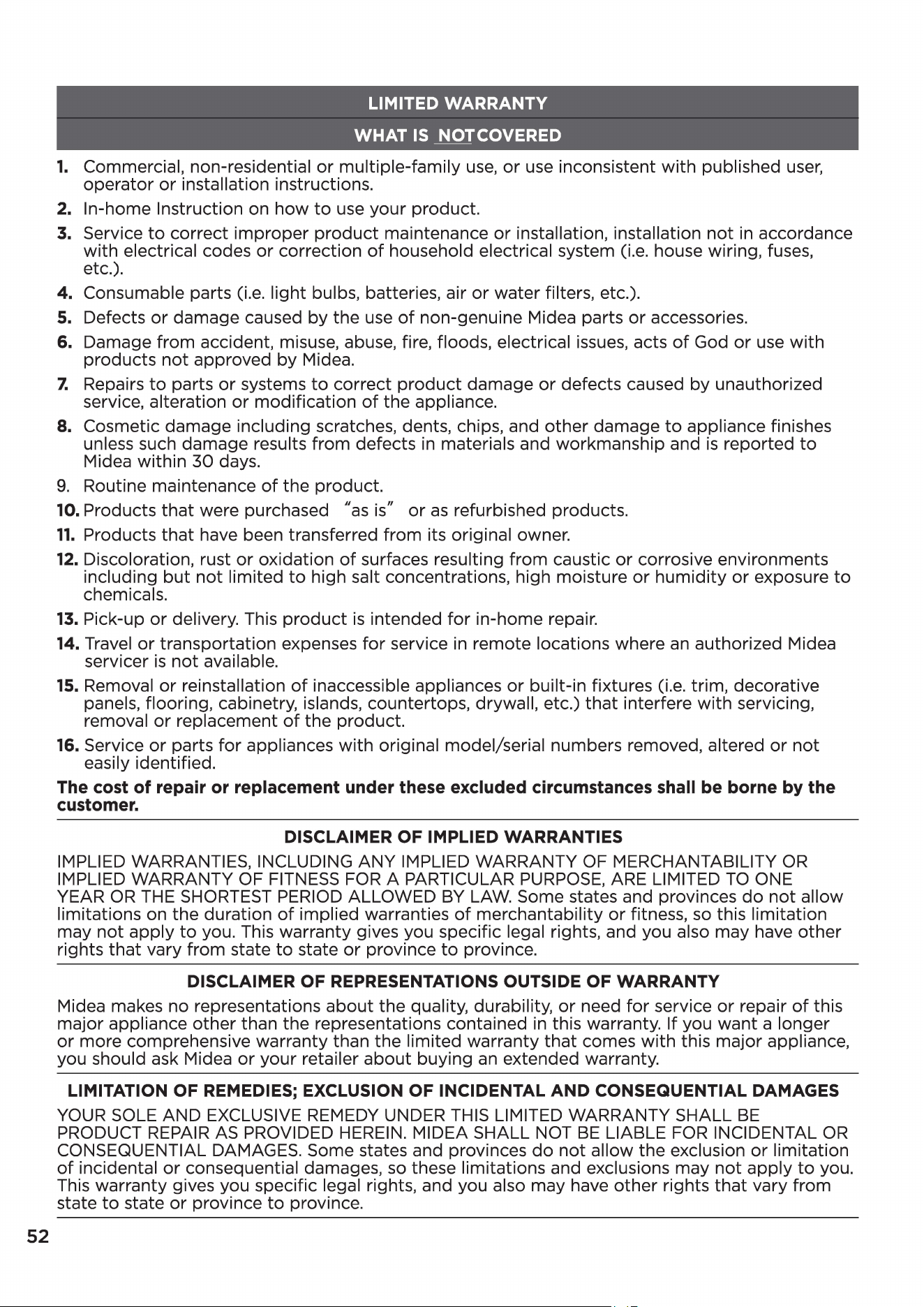
52
LIMITED WARRANTY
WHAT
IS
NOTCOVERED
1.
Commercial, non-residential
or
multiple-family
use,
or
use inconsistent
with
published
user,
operator
or
installation instructions.
2. In-home Instruction on how
to
use your product.
3. Service
to
correct improper
product
maintenance
or
installation, installation
not
in
accordance
with
electrical codes
or
correction
of
household electrical system (i.e. house wiring, fuses,
etc.).
4.
Consumable parts (i.e. light bulbs, batteries, air
or
water filters, etc.).
5. Defects
or
damage caused by the
use
of
non-genuine Midea parts
or
accessories.
6. Damage from accident, misuse, abuse, fire, floods, electrical issues, acts
of
God
or
use
with
products
not
approved by Midea.
7.
Repairs
to
parts
or
systems
to
correct
product
damage
or
defects caused by unauthorized
service, alteration
or
modification
of
the appliance.
8. Cosmetic damage including scratches, dents, chips, and
other
damage
to
appliance finishes
unless such damage results from defects
in
materials and workmanship and
is
reported
to
Midea within
30
days.
9.
Routine maintenance
of
the product.
10. Products
that
were purchased "as is"
or
as
refurbished products.
11.
Products
that
have been transferred from its original owner.
12. Discoloration, rust
or
oxidation
of
surfaces resulting from caustic
or
corrosive environments
including
but
not
limited
to
high salt concentrations, high moisture
or
humidity
or
exposure
to
chemicals.
13. Pick-up
or
delivery. This
product
is
intended
for
in-home repair.
14. Travel
or
transportation expenses for service
in
remote locations where
an
authorized Midea
servicer
is
not
available.
15. Removal
or
reinstallation
of
inaccessible appliances
or
built-in fixtures (i.e. trim, decorative
panels, flooring, cabinetry, islands, countertops, drywall, etc.)
that
interfere with servicing,
removal
or
replacement
of
the product.
16. Service
or
parts
for
appliances
with
original model/serial numbers removed, altered
or
not
easily identified.
The cost
of
repair or replacement under these excluded circumstances shall be borne by the
customer.
DISCLAIMER OF IMPLIED WARRANTIES
IMPLIED WARRANTIES, INCLUDING ANY IMPLIED WARRANTY OF MERCHANTABILITY
OR
IMPLIED WARRANTY OF
FITNESS
FOR
A PARTICULAR
PURPOSE,
ARE LIMITED
TO
ONE
YEAR
OR
THE
SHORTEST PERIOD ALLOWED
BY
LAW.
Some states and provinces
do
not
allow
limitations on the duration
of
implied warranties
of
merchantability
or
fitness, so this limitation
may
not
apply
to
you. This warranty gives you specific legal rights, and you also may have
other
rights
that
vary from state
to
state
or
province
to
province.
DISCLAIMER OF REPRESENTATIONS OUTSIDE OF WARRANTY
Midea makes no representations
about
the quality, durability,
or
need
for
service
or
repair
of
this
major appliance other than the representations contained
in
this warranty. If you want a longer
or
more comprehensive warranty than the limited warranty
that
comes
with
this major appliance,
you should ask Midea
or
your retailer
about
buying
an
extended warranty.
LIMITATION OF REMEDIES; EXCLUSION OF INCIDENTAL AND CONSEQUENTIAL DAMAGES
YOUR
SOLE AND EXCLUSIVE
REMEDY
UNDER
THIS
LIMITED WARRANTY SHALL
BE
PRODUCT
REPAIR
AS
PROVIDED
HEREIN.
MIDEA SHALL NOT
BE
LIABLE
FOR
INCIDENTAL
OR
CONSEQUENTIAL DAMAGES. Some states and provinces
do
not
allow the exclusion
or
limitation
of
incidental
or
consequential damages, so these limitations and exclusions may
not
apply
to
you.
This warranty gives you specific legal rights, and you also may have
other
rights
that
vary from
state
to
state
or
province
to
province.
Glidea
REGISTRATION
INFORMATION
PROTECT YOUR PRODUCT:
We
will
keep
the
model
number
and
date
of
purchase
of
your
new
Midea
product
on
file
to
help
you
refer
to
this
information
in
the
event
of
an insurance
claim
such
as
fire
or
theft.
Product
registration
is
not
mandatory.
Failure
to
complete
and
return
the
card
or
form
does
not
diminish
the
consumer's
warranty
rights.
Register
online
at
https://www.midea.com/us/support
Please consider leaving a customer review at www.midea.com
Midea America Corp.
300
Kimball Drive, Suite
201,
Parsippany, NJ
07054
Customer
Service
1-866-646-4332
Made in Thailand
53