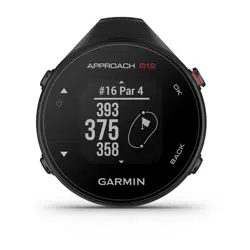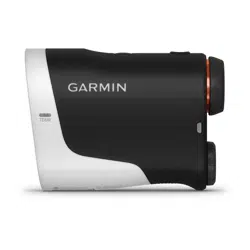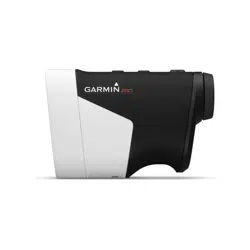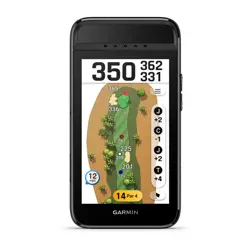
APPROACH
®
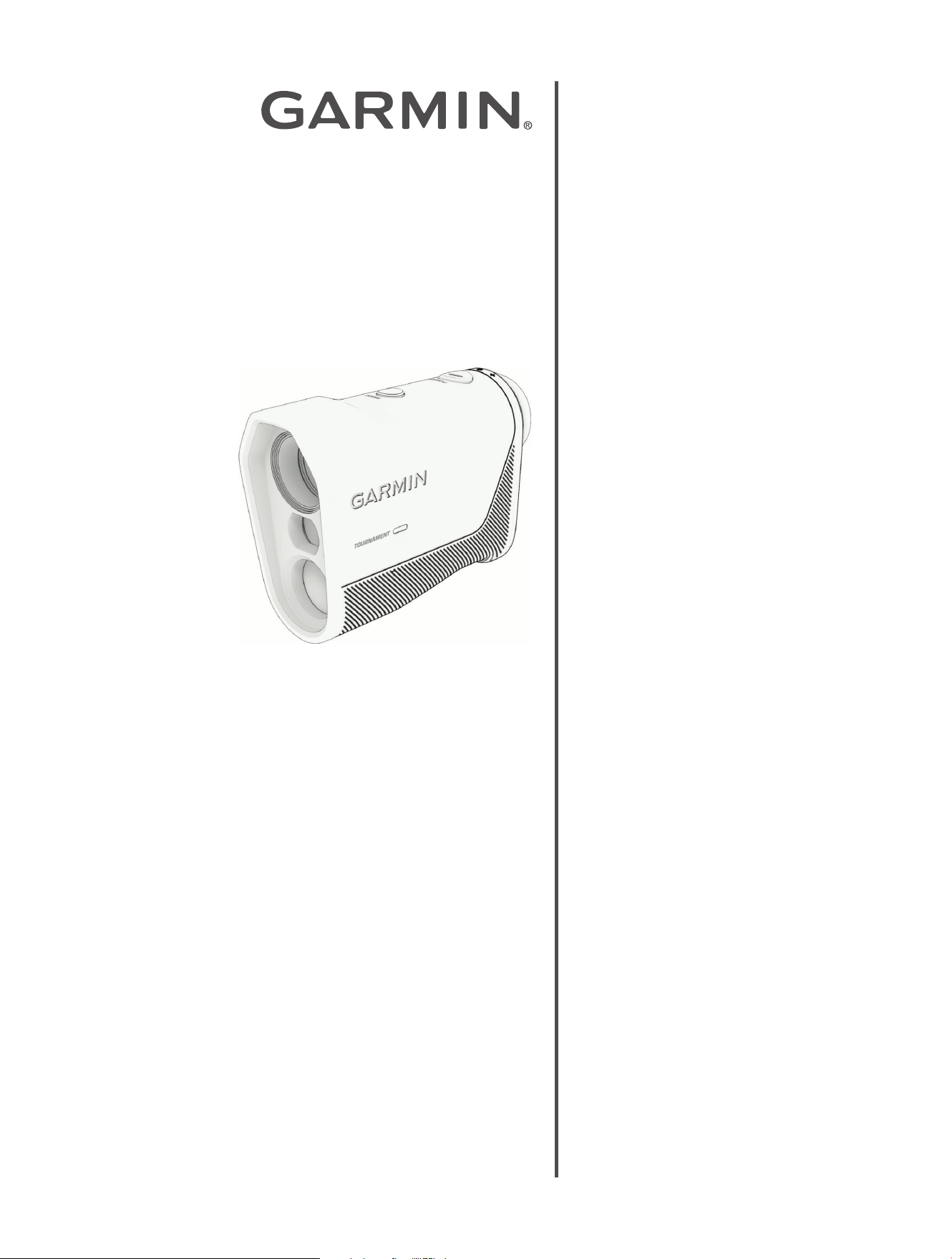
Z10
Laser Rangefinder
Owner's
Manual

Table of Contents
Introduction......................................3
Device Overview.............................. 3
Installing the Battery......................4
Adjusting the Eyepiece...................4
Ranging Display Overview..................5
Waking Up the Device....................... 5
Sleep Mode.................................... 5
Using Setup Mode............................5
Using Tournament Mode................... 6
Bluetooth
®
Connected Features........ 7
Pairing Your Phone...........................7
Pairing a Compatible Device...............7
Measuring the Distance to the Pin.... 8
Measuring the Distance to a
Target.............................................. 9
Troubleshooting Ranging Accuracy..... 9
Device Information......................... 10
Device Care...................................10
Cleaning the Device..................... 10
Device Storage........................... 10
Product Updates............................ 10
Specifications............................... 10
Getting More Information.................10
Introduction
WARNING
See the Important Safety and Product Information guide in the product box for product warnings and other
important information.
Failure to heed the following warnings could result in death, serious injury, or property damage.
This device requires no regular maintenance. In the event that the device becomes damaged or is inoperable,
repair or service must be handled by authorized, factory-trained technicians only. Attempting to repair or service
the unit on your own can result in direct exposure to laser radiation and the risk of permanent eye damage. For
repair or service, contact your dealer or Garmin
®
for more information.
This device has a protective housing which, when in place, prevents human access to laser radiation in excess
of the accessible emission limit (AEL) for Class 1 laser products. This device should not be modified or
operated without its housing or optics. Operating this device without a housing and optics, or operating this
device with a modified housing or optics that expose the laser source, may result in direct exposure to laser
radiation and the risk of permanent eye damage. Removal or modification of the diffuser in front of the laser
optic may result in the risk of permanent eye damage.
CAUTION
Failure to heed the following cautions could result in minor or moderate injury, or property damage.
This device emits laser radiation. Use of controls or adjustments or performance of procedures other than
those specified herein may result in hazardous radiation exposure.
This laser product is designated Class 1 during all procedures of operation. When the ranging feature of the
device is activated, a laser emitter of a ranging module may emit laser radiation and the device should not be
aimed toward anyone. Avoid looking toward the laser emitter or into the laser radiation (beam) when operating
the device. It is advisable to turn off the ranging module when it is not in use. This device must be used only
according to the directions and procedures described in the owner's manual, available at garmin.com/manuals.
Do not leave this device within the reach of children.
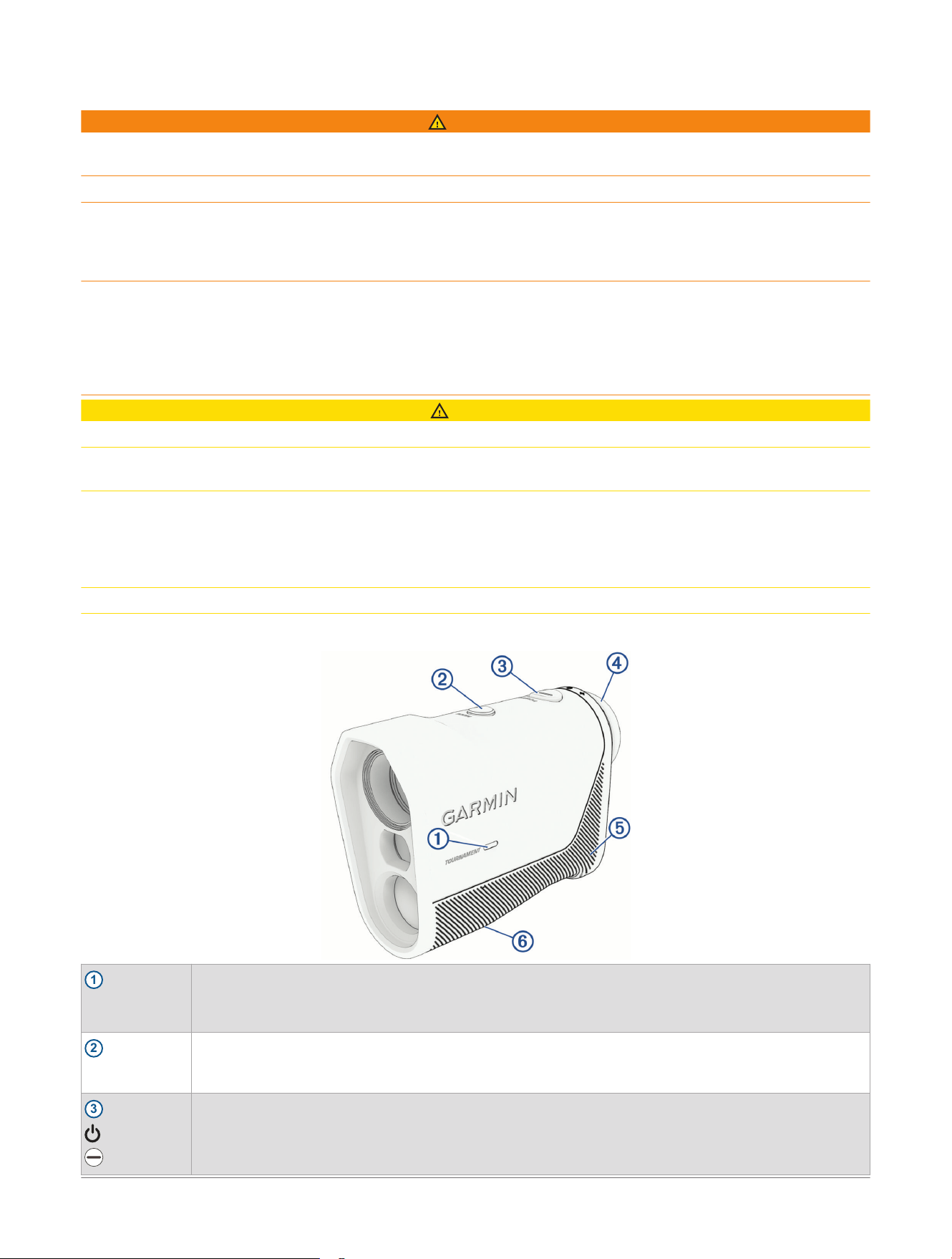
Device Overview
1
TOURNAMENT
Status LED
When tournament mode is enabled, the LED is solid blue.
When applying a firmware update to the rangefinder, the LED flashes blue (Product Updates,
page10).
2
MODE
Press to enable tournament mode and turn off the PlaysLike feature (Using Tournament Mode,
page6).
Hold to open setup mode (Using Setup Mode, page5).
3
Press to wake up the device (Waking Up the Device, page5).
Press to range with the laser for 3 seconds or until the rangefinder locks onto the pin (Measuring the
Distance to a Target, page9, Measuring the Distance to the Pin, page8).
Hold to actively range with the laser for up to 8 seconds or until the rangefinder locks onto the pin.
Introduction Approach® Z10 Laser Rangefinder
Owner's Manual
3
4
Adjustable
diopter
Rotate the eyepiece to focus the screen (Adjusting the Eyepiece, page4).
5
Battery cover
Remove to install or replace the CR2 battery.
6
Device label
View manufacturer's identification and certification.
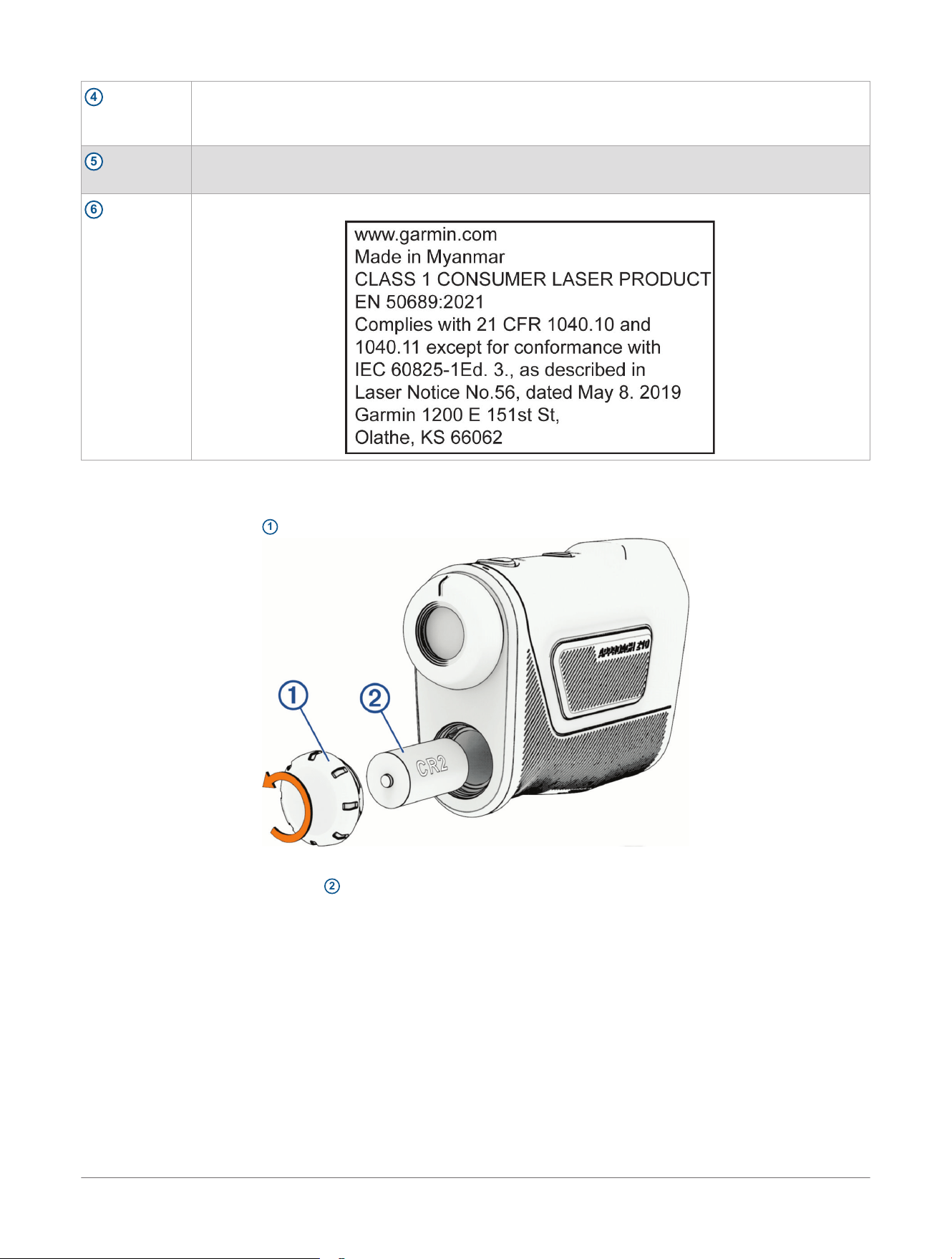
Installing the Battery
The Approach
®
Z10 rangefinder uses a CR2 battery.
1 Turn the battery cover
1
counter-clockwise to remove it.
NOTE: You should verify the gasket and battery compartment are free of debris.
2 Insert the included CR2 battery
2
, observing polarity.
3 Reattach the battery cover, and turn it clockwise to close it.
Adjusting the Eyepiece
The rangefinder features an adjustable eyepiece (+/- 3.5 diopter adjustment). This allows you to focus the
image in the display for your eyesight.
Rotate the eyepiece in or out to focus the display.
4
Approach® Z10 Laser Rangefinder
Owner's Manual
Introduction
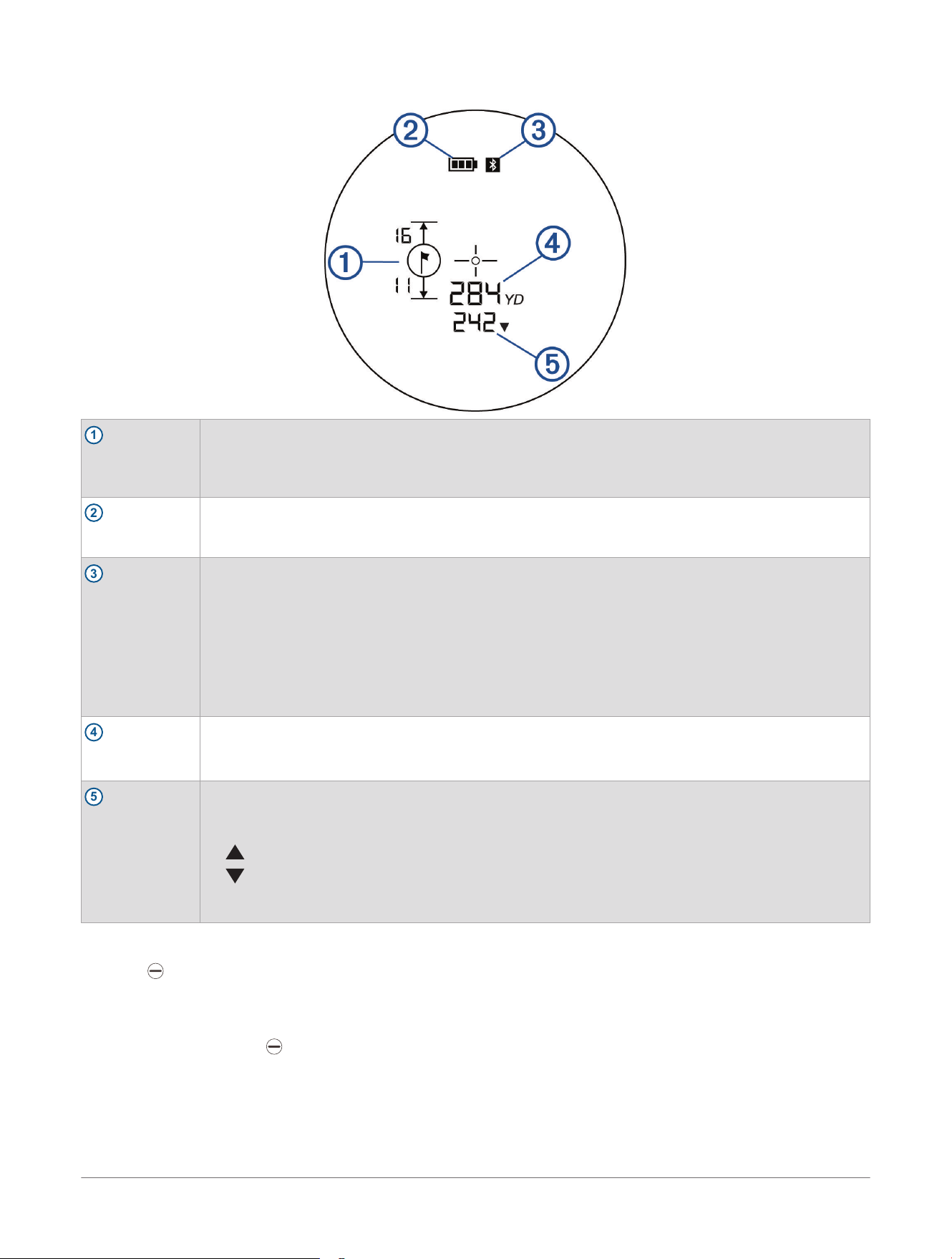
Ranging Display Overview
1
Pin indicator
Indicates the rangefinder is locked on to the pin for the current hole and displays the distances from
the pin to the front and the back of the green. (Measuring the Distance to the Pin, page8)
NOTE: To use this feature, your rangefinder must be paired to the Garmin Golf
™
app or a compatible
device (Pairing Your Phone, page7, Pairing a Compatible Device, page7).
2
Battery indicator
Indicates the battery level of the rangefinder.
When the rangefinder is awake and the battery is low (under 10%), the battery indicator is always
displayed.
3
Bluetooth
®
indicator
Indicates the Bluetooth connectivity status.
• Not displayed: the rangefinder is not paired to another device.
NOTE: The indicator does not appear immediately after pairing the device for the first time. It
becomes active once you start a round with a paired device.
• Flashing: the rangefinder is paired but not connected to another device.
TIP: When the device wakes from sleep mode during a round, the indicator may flash tempora
rily.
• Solid: the rangefinder is paired and connected to another device.
4
Distance to
target
Displays the measured distance to a target (Measuring the Distance to a Target, page9).
5
PlaysLike
distance
The PlaysLike distance feature accounts for elevation changes on the course by showing the
adjusted distance to the green. When connected to a compatible device, the PlaysLike distance
feature also accounts for data provided by that device, such as wind and weather data.
• : distance plays longer than expected.
• : distance plays shorter than expected.
NOTE: Tournament mode disables the PlaysLike distance feature (Using Tournament Mode,
page6).
Waking Up the Device
Press .
Sleep Mode
To conserve battery life, the rangefinder goes into sleep mode after 10 seconds of inactivity. The rangefinder
wakes up when you press .
Using Setup Mode
In setup mode, you can change the unit of measure and the display brightness.
1 From the ranging display, hold MODE to enter setup mode.
The unit of measure setting flashes.
Introduction
Approach® Z10 Laser Rangefinder
Owner's Manual
5

2 Press MODE to scroll between the unit of measure options.
3 Press to select the unit of measure.
The display brightness setting flashes.
4 Press MODE to scroll between the display brightness options.
5 Press to select the display brightness.
The rangefinder returns to ranging mode.
Using Tournament Mode
The tournament mode setting disables the PlaysLike distance feature (Ranging Display Overview, page5). This
feature is not allowed during sanctioned tournaments.
Press MODE.
The tournament mode LEDon the rangefinder appears solid blue when the tournament mode setting is
enabled.
6 Approach® Z10 Laser Rangefinder
Owner's Manual
Introduction

Bluetooth
®
Connected Features
Distances from the pin to the front and back of the green: Allows you to view the distances from the pin to the
front and back of the green when using the Garmin Golf
™
app or a compatible device.
Software updates: Allows you to receive updates for your device software using the Garmin Golf app.
Find My Garmin: Allows you to use the Garmin Golf app to locate your rangefinder using its last known location.
NOTE: To use the Find My Garmin feature, you must set the Garmin Golf app to always allow access to your
phone's location services.
Pairing Your Phone
To use the connected features of your rangefinder, it must be paired directly through the Garmin Golf
™
app,
instead of from the Bluetooth
®
settings on your phone.
1 From the app store on your phone, install and open the Garmin Golf app.
2 Bring your phone within 10m (33ft.) of your device.
3 Select Profile> My Devices> Add Device, and follow the on-screen instructions.
4 On your rangefinder, press to wake up the device and initiate pairing.
When paired and connected, the measured distance from your rangefinder appears in the Garmin Golf app.
Pairing a Compatible Device
You can pair your rangefinder with a compatible Garmin
®
device, such as an Approach
®
watch. When paired, the
measured distance from your rangefinder appears on the compatible device.
1 Bring your compatible device within 10m (33ft.) of your rangefinder.
2 On your compatible device, pair your rangefinder from the sensor settings menu.
For more information, see the owner's manual for your compatible device.
3 On your rangefinder, press to wake up the device and initiate pairing.
Bluetooth
®
Connected Features Approach® Z10 Laser Rangefinder
Owner's Manual
7

Measuring the Distance to the Pin
You can use the device to measure the distance from your current position to the pin.
NOTE: The device can measure distance to the flag up to 320 m (350 yd.).
1 Align the rangefinder reticle with the flag.
2 Select an option:
• Press to measure for 3 seconds.
• Hold to actively measure for up to 8 seconds.
If the device is able to lock on to the pin, your rangefinder vibrates and the measured range appears. If your
rangefinder is paired to the Garmin Golf
™
app or a compatible device, the distances from the pin to the front
and the back of the green appear (Pairing Your Phone, page7, Pairing a Compatible Device, page7).
8 Approach® Z10 Laser Rangefinder
Owner's Manual
Measuring the Distance to the Pin

Measuring the Distance to a Target
You can use the device to measure the distance from your current position to a target.
NOTE: The device can measure distance to a reflective surface from 6 to 1097 m (7 to 1200 yd.).
1 Align the rangefinder reticle with the target.
2 Select an option:
• Press to measure for 3 seconds.
• Hold to actively measure for up to 8 seconds.
The measured range appears.
Troubleshooting Ranging Accuracy
External factors may affect ranging accuracy, such as ambient light, weather conditions, target reflectivity, and
target size.
• Larger objects are easier to target than smaller objects. For example, you should target the flag instead of
the pin.
• The device can target longer ranges in lower light conditions, such as on overcast days. Bright sunlight
minimizes ranging ability.
• Rain minimizes ranging ability.
• The device can target longer ranges when measuring the distance to reflective or shiny objects.
• The device can target longer ranges when the angle to the target is closer to 90 degrees. A smaller angle to
the target limits ranging ability.
Measuring the Distance to a Target
Approach® Z10 Laser Rangefinder
Owner's Manual
9
Device Information
Device Care
NOTICE
Avoid extreme shock and harsh treatment, because it can degrade the life of the product.
Do not use a sharp object to clean the device.
Avoid chemical cleaners, solvents, and insect repellents that can damage plastic components and finishes.
Do not store the device where prolonged exposure to extreme temperatures can occur, because it can cause
permanent damage.
Cleaning the Device
NOTICE
Do not use a dry cloth to clean the lens. Use of a dry cloth may damage the lens.
Avoid chemical cleaners and solvents that can damage plastic components.
1 Wipe the outer casing and lens with a soft, non-scratch cloth dampened with water or alcohol.
2 Wipe the outer casing dry, and allow the lens to air dry.
Device Storage
When you do not plan to use the device for several weeks, remove the battery. You should store the device in a
cool, dry place with temperatures around the typical household level.
Product Updates
On your phone, install the Garmin Golf
™
app.
This provides easy access to these services for Garmin
®
devices:
• Software updates
• Product registration
Specifications
Battery type
CR2 battery
1
Battery life Up to 1 year
NOTE: The actual battery life depends on how the device's features are used
and the operating conditions.
Water rating
IEC 60529 IPX4
2
Operating temperature range From -10º to 50ºC (from 14º to 122ºF)
Wireless frequency and transmit
power
2,4 GHz: < 20 dBm
Getting More Information
• Go to support.garmin.com for additional manuals, articles, and software updates.
• Go to garmin.com/golf.
• Go to buy.garmin.com, or contact your Garmin
®
dealer for information about optional accessories and
replacement parts.
1
The included battery is intended for initial functionality testing and may have a shorter lifespan than usual. When the battery is depleted, replace it
with a new commercially available battery.
2
The device is protected against splashes of water.
10 Approach® Z10 Laser Rangefinder
Owner's Manual
Device Information


support.garmin.com
© 2026 Garmin Ltd. or its subsidiaries
Garmin
®
, the Garmin logo, and Approach
®
are trademarks of Garmin Ltd. or its subsidiaries, registered in the USA and other countries. Garmin Golf
™
is a
trademark of Garmin Ltd. or its subsidiaries. These trademarks may not be used without the express permission of Garmin.
The Bluetooth
®
word mark and logos are owned by the Bluetooth SIG, Inc. and any use of such marks by Garmin is under license. Other trademarks and trade
names are those of their respective owners.
July 2026 GUID-37E23352-BFDD-4E5C-BA18-DD87E3A346B4 v1