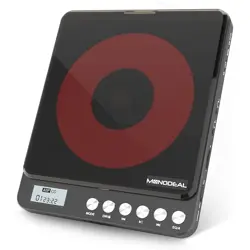
MODEL:MD-702
MODE
PROG
A-B
EQ/REC.


EQ/REC.
MODE
PROG
A-B
EQ/REC.


MODE
PROG
A-B
EQ/REC.

If you just want to repeat the specific part of a track, when the player is played that part, please press the A-B
button one time, the display show “A -”, then when it plays to the end of that part, press the A-B button once
again, the display show “A-B” .After that, the player will only repeat that specific part.
NOTE: If you want to stop repeating that part, just press the A-B button once again, A-B will disappear on the
Press to change the playback mode between: 1(repeat track)/ A (repeat album)/ RND(shuffle) /INT
(intro preview) /NOR (normal mode). In TF card modek, you also have the additional mode: F (reapeat folder).
display it will play in an orde.
3UHVVVWRSŶEXWWRQILUVWO\SUHVVWKH352*EXWWRQWRHQWHUWKHSURJUDPPLQJ
MODE
PROG
A-B
EQ/REC.
001 00:10
001 00:10
001 00:10 001 00:10

When playing TF card, long press [ ] button for about 3 second and it wil display the songs list on TF card.
Press the EQ/REC. button to changes the different sound effects. There are a total of 7 sound effects: NOR ,BBS,
POP, ROC, JAZZ, CLAS, COV.
RECORDING FUNCTION(TO TF)
DELETING FUNCTION (FROM TF CARD)
Press and hold to start the recording function, press and hold the button again to complete the recording.
Note: If on TF card is installed, it will prompt “ No device ”).
001 00:10
MODE
PROG
PROG
A-B
EQ/REC.
001 00:10
Long presss [ ] button for about 3 seconds, it will display whether you want to delete or not.
唀軧
䧭鿪꣥㸌♧
䧭鿪꣥㸌N
霹侔㽠侔靲
㼭낃끹NQ
MODE
PROG
A-B
EQ/REC.
0,
.FTTBHF
%FMFUFUIJTMF
$BODFM

Turn on your Bluetooth headphone/speaker and make sure that the Bluetooth is turned on.
Select “ BT Search ” option, then press the PLAY button, the cd player will start searching nearby Bluetooth
devices.
Press the PLAY button to select the name of your device that needs to connect to.
After paired successfully, press the BLUETOOTH button to return to the play interface.
Tip:Can not find bluetooth? pls disconnect with other paired device first, such as cellphone.
EN-09
MODE
PROG
A-B
EQ/REC.
MODE
PROG
A-B
EQ/REC.
MODE
PROG
A-B
EQ/REC.
MODE
PROG
A-B
EQ/REC.
001 00:10