Download the
Latest Manual
Russound.com/
PSeries-manual
P75
BT
AMPLIFIER
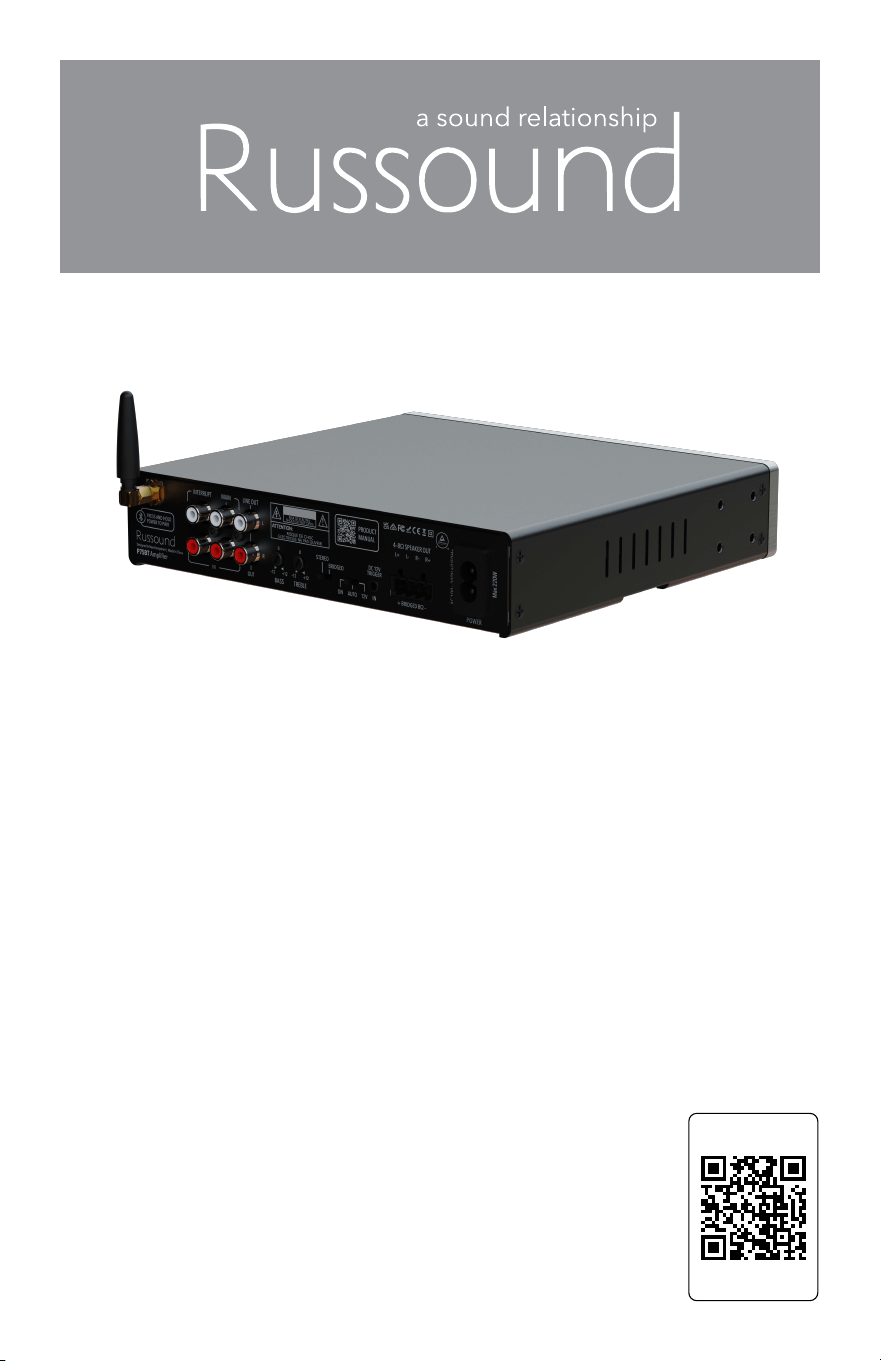
Dual-Source Stereo Power Amplifier
A powerful stereo amplifier, packed with useful features such as Dual Source
auto-switching, built-in Bluetooth, bass and treble adjustments and a convenient
front-panel volume control. Designed for standalone operation with any audio
source, or for adding additional rooms of audio to existing syst ems, the P75BT is
a great addition to any premium audio system.
HVIN: P75BT IC ID: 7950A-P75BT
INSTALLATION GUI DE

2
P75BT AMPLIFIER
OVERVIEW
Since 1967, Russound has been dedicated to providing premium audio
components and accessories designed for improving the quality of life of its
customers. From amplifiers to speakers to complex control systems that make
it easy for anyone to listen to their favorite music, movies, podcasts, or any
audio content. The P75BT from Russound adds high-power amplification in an
elegant design with easy-to-use front panel controls perfect for locating in any
area of the home or when installed in an equipment rack.
WHAT’S IN THE BOX
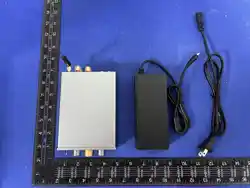
1 Russound P75BT Amplifier
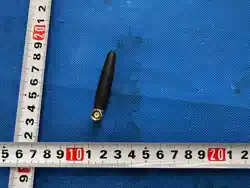
1 50Ω Bluetooth Antenna
1 6-foot Power Cord (International Model Available with UK, EURO, and AUS
cords)
1 Removable 4-Pin Screwdown Speaker Connector
OPTIONAL ACCESSORIES
P75BT Rack Mount Kit – For installing a P75BT into a standard equipment
rack. The P75BT is a 1/2-rack design. By using the optional P75BT Rack Mount
kit, you can install a P75BT in either the left or right side of an equipment rack.
Rack Mount screws are not included.
WHAT YOU NEED FOR THE INSTALLATION
#2 Philips Screwdriver for attaching the included rack mount ears (Optional)
Wire Strippers
AUTOMATIC SOURCE SWITCHING
The P75BT uses a powerful auto-detect feature to allow for the easy use of 2
different audio sources that can switch automatically. This is designed for
applications where there is a default source that is the primary audio source
used almost all of the time and a second “interrupting” source that is turned
on occasionally and takes priority whenever it is used. For example, a
streaming audio box is normally used as the source but occasionally using an
additional source is desired. By connecting the streaming audio box to the
“Main” connection on the P75BT and the other audio source to the
“Interrupting” connection, the P75BT will play the main source, streaming
audio, and automatically switch to the other source when it detects the audio
signal becoming active. The P75BT will switch back to the main input,
streaming audio, a few seconds after the other audio source is no longer
present.
P75BT AMPLIFIER
3
CONNECTIONS
BLUETOOTH AUDIO
With its powerful built-in Bluetooth audio source (Version 5.3), the P75BT
can receive audio signals from up to 65’ (20 m) away indoors. Once paired
with a phone or tablet, the P75BT can receive Bluetooth audio at any time
and automatically switch to the Bluetooth audio source, making the use of
Bluetooth as simple as possible for everyone in the home. When the
Bluetooth audio source stops transmitting, the P75BT will return to its
previous active audio source after a few seconds.
MAKING THE CONNECTIONS
Note: All wiring connections must be made with the system powered off and
the power cord disconnected from the electrical mains (unplugged from the
wall outlet).
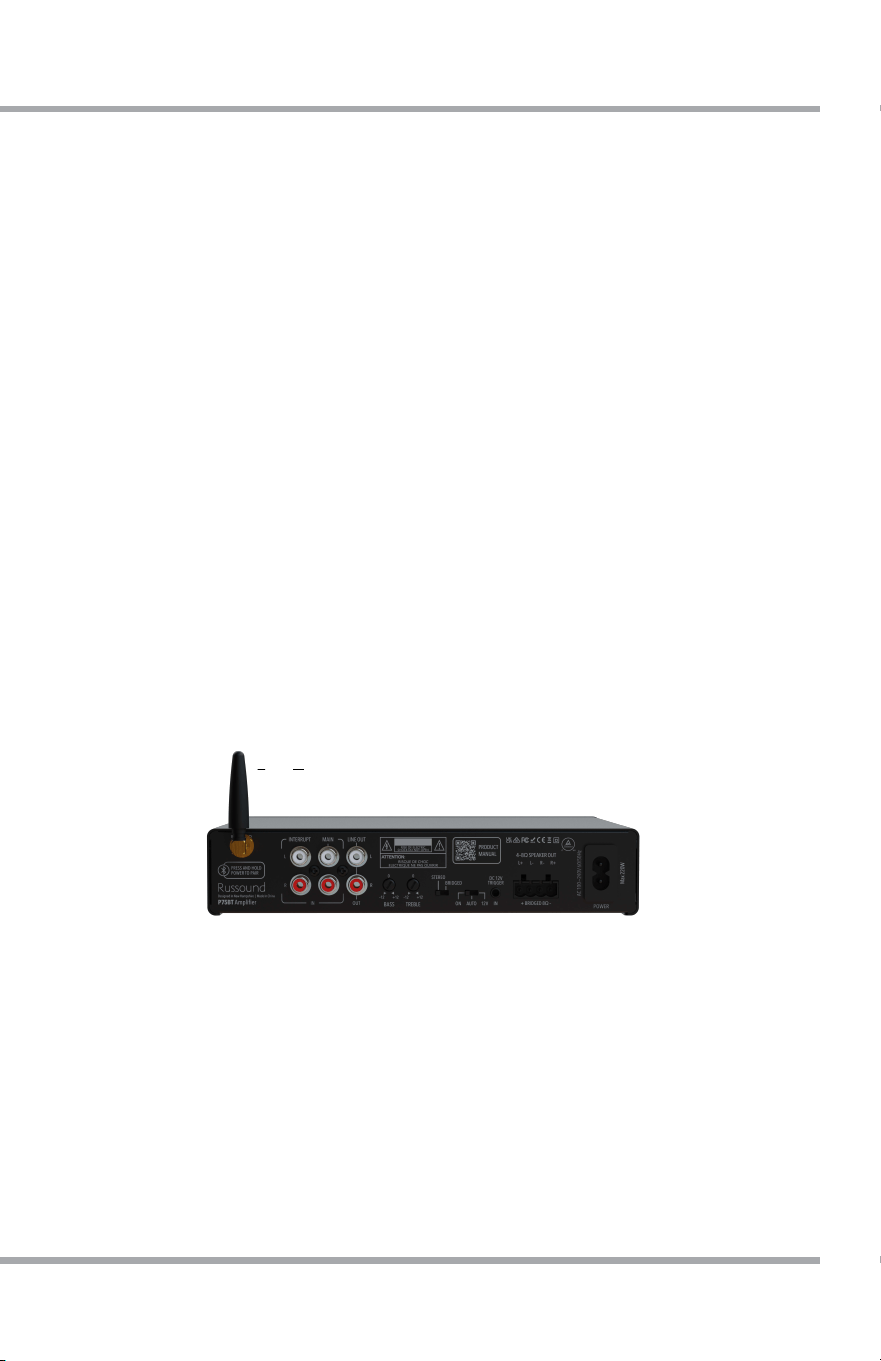
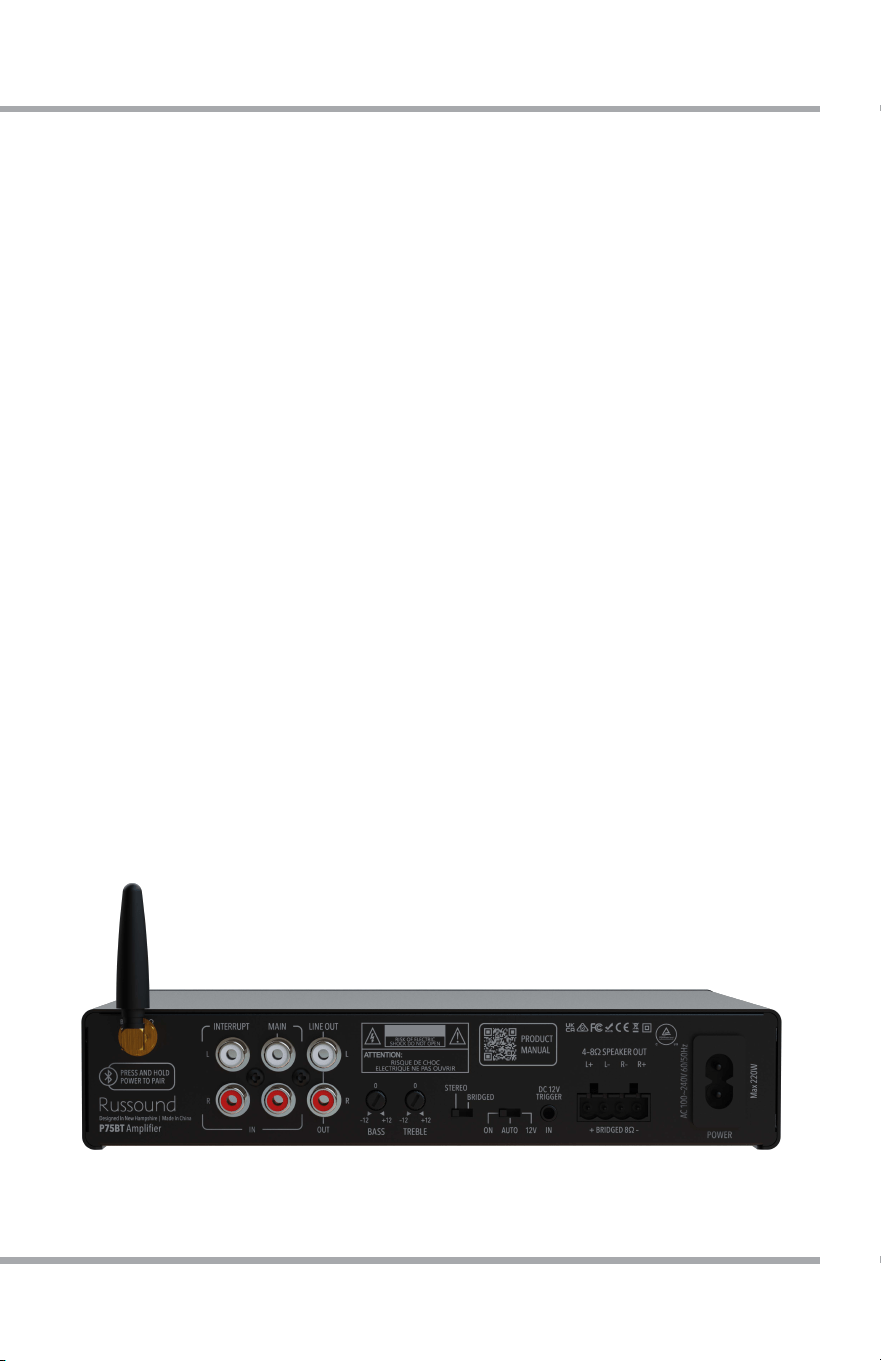
The P75BT is very easy to install and only requires three connections: audio
source(s), loudspeakers, and power.
The amplifier may be placed on a shelf, mounted to a wall, or installed into
an equipment rack using the optional P75BT Rack Mount Kit.

4
P75BT AMPLIFIER
USING THE P75BT
WALL MOUNTING
CONNECTING AUDIO SOURCES
There are two input source connections on your Russound P75BT amplifier:
Main Input & Interrupting Input
MAIN INPUT
This is the primary connection for any audio source. If you are only using a
single audio source, connect it to the Main Input connection.
INTERRUPTING INPUT
The Interrupting Input is only used when connecting a second audio source
to the P75BT. The “Interrupting” source will interrupt the main source and
become the active audio source of the P75BT whenever it has an active
audio signal. A few seconds after the “Interrupting” audio signal stops, the
P75BT will automatically switch the input back to the “main” input.
For all input source connections, use high-quality RCA cables and make
sure all cables are fully attached and secured to the input source and to the
amplifier.
USING BLUEOOTH
In order to pair a Bluetooth device with the P75BT, you must put the
amplifier into Bluetooth Pairing Mode. To enter pairing mode, press and
hold the front panel power button for a few seconds until the front panel
LED begins blinking blue.
The amplifier is now in Pairing Mode. Use your phone/tablet to complete
the pairing.
You can now play Bluetooth audio from your phone/tablet to your
connected loudspeakers. Keep in mind that the maximum volume that can
be played by your P75BT is set by the position of the front-panel volume
control.
P75BT AMPLIFIER
5
USING THE P75BT
CONNECTING LOUDSPEAKERS
Loudspeaker connections should always be made with the electrical power
removed from t
he P75BT. Simply disconnect the power cord while wiring
connections are being made and re-connect the power cord when finished.
Loudspeakers will always connect directly to the P75BT unless a separate
impedance matching volume control, speaker selector or similar device is
required (all sold separately). CL2 rated wire must be used when running
wire within a home’s walls. The loudspeaker connectors are designed to
use up to 12ga wire.
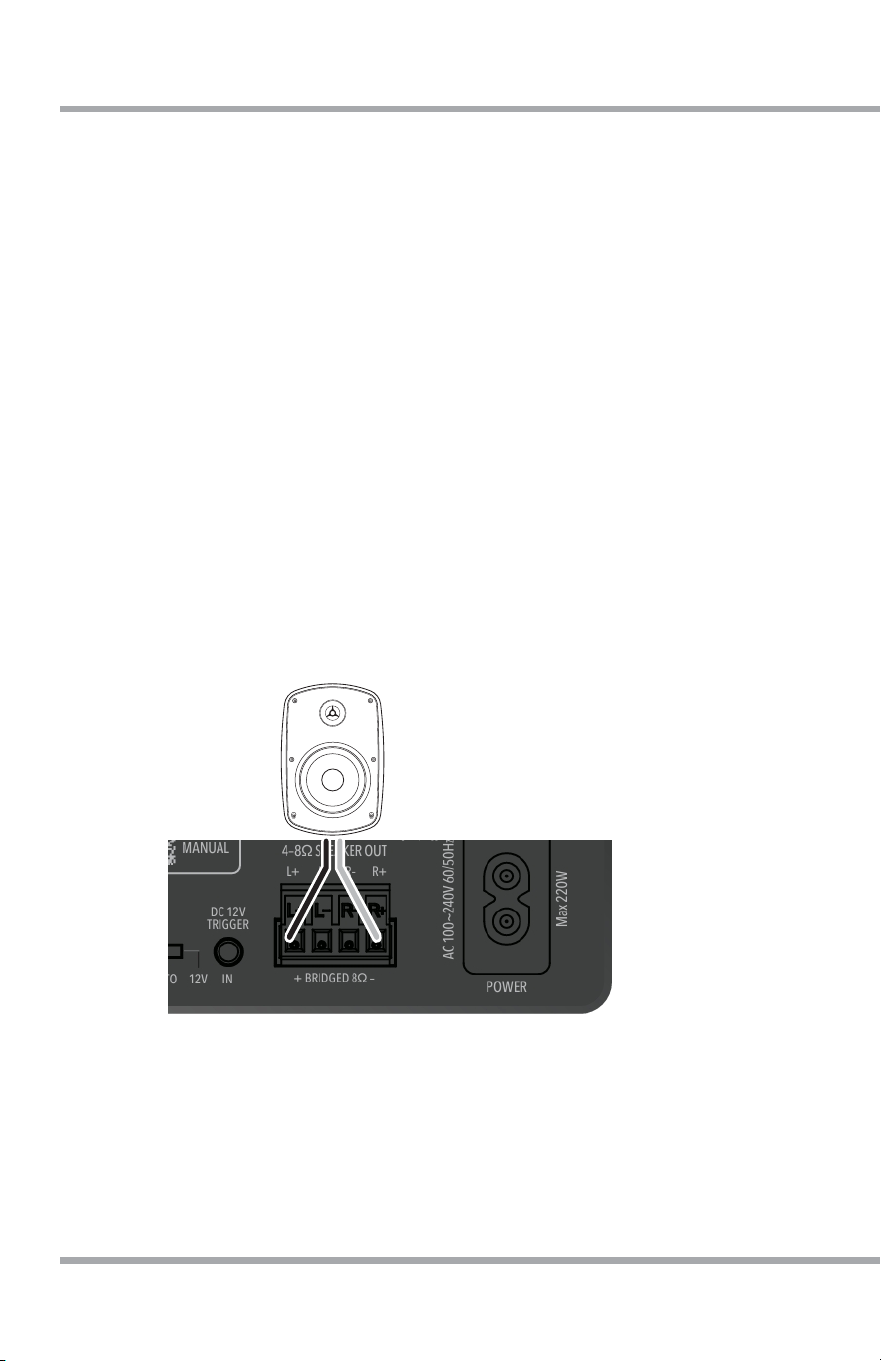
When connecting the loudspeaker wires, be sure to observe proper
polarity. The positive and negative terminals on the Russound P75BT must
correspond with the positive and negative terminals at both the left and
right loudspeakers. This is also true of the power connections at the
loudspeaker side of the connection. Make sure that all connectors are tight
and that there are no loose strands.
Make sure the polarity and left/right connections are made properly.
The speaker output is stable to 4 ohms, which means that up to 2 pairs of
8-ohm speakers may be connected. Do not use multiple pairs of 6-ohm or
4-ohm speakers so that the total impedance of the connected speakers
does not drop below 4 ohms.
6
P75BT AMPLIFIER
BRIDGING LOUDSPEAKER CONNECTIONS (BRIDGED MODE)
Please note that all wiring changes and changes to the settings switches on
the rear of the Russound P75BT should be done with the amplifier powered
off by removing the power cord from the rear of the amplifier.
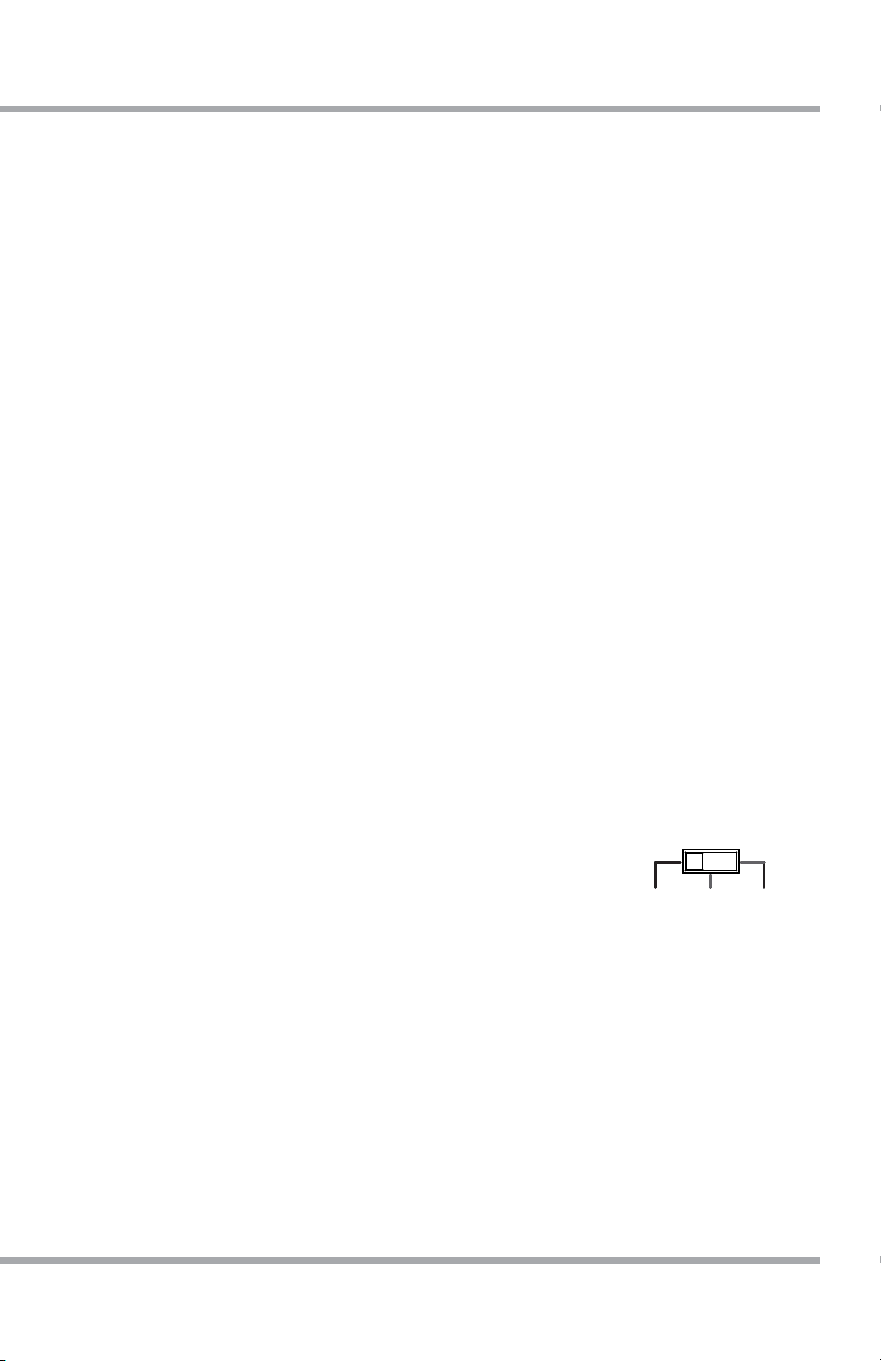
The Russound P75BT includes a powerful feature called “Bridging”. Bridging
combines the left and right speaker outputs to form a single, higher power
mono output. It is perfect for larger spaces, and especially for any outdoor
audio zones where higher power is required. When using bridging, an 8-ohm
speaker connection is required.
The wiring method for bridged connections is different from that of normal
stereo pairs of loudspeakers. When bridging, only the left-most and right-
most connectors of the speaker output are utilized. The negative conductor of
your loudspeaker wire will connect to the right-most position, and the
positive conductor will connect to the left-most position as indicated and
shown below.
Please make sure to verify the polarity of the wiring, matching the amplifier
connection to the loudspeaker connection.
Once the loudspeaker wiring has been configured and before powering on
the amplifier, set the “Stereo/Bridged” slide switch to the right for “Bridged”
operation.
USING THE P75BT
P75BT AMPLIFIER
7
USING THE P75BT
POWER CONNECTION
Once the source and loudspeaker connections have been made and the
stereo/bridged mode setting made, you can connect the power cable to the
rear of amplifier.
BASS/TREBLE ADJUSTMENTS
The P75BT has a convenient audio output adjustment on the rear panel,
allowing for +/- 12dB changes to both the bass and treble. Using a flat-
bladed mini-screwdriver, adjust the bass and treble switches to the desired
position. Please note that the Flat “0” setting without any adjustment is the
vertical position of the switch as marked.
TRIGGER IN/OUT
The 12VDC Trigger Input is used to turn on the P75BT, toggling between
standby mode when no 12V signal is present and On mode when a 12V signal
is present. This is very helpful for audio sources that have a low output signal
or where discrete, dedicated control of the amplifier status is required.
The 12VDC Trigger Output is activated when the P75BT is active. This
includes when a 12VDC input signal is present in 12V mode, when the unit
turn-on mode is set to “On”, and when the unit turn-on mode is set to “Auto”
and an input signal is present.
TURN ON MODE
The P75BT amplifiers have three turn-on modes:
ON – The amplifier is always on and ready to be used. The amplifier
consumes more electricity in this mode.
12V – The amplifier will turn on whenever a 12VDC signal (~100mA) is
detected at the 12V trigger “In” connection. When no 12V signal is present,
the amplifier will enter standby mode after a delay of approximately 1 second
and will then consume less than 0.5W of electricity.
AUTO – The amplifier will automatically detect an input signal for either input
and will turn on when needed. When no signal is detected, the amplifier
will enter standby mode after a delay of approximately 10 minutes. When in
R
L
R
L
–12 –12+12
0 0
+12
TREBLE
POWER
AC VOLTAGE SELECTOR
115/230 VAC 60/50Hz Max 260W
BASS
IN OUT
CLASS 2
WIRING
CLASS 2
WIRING
4–8Ω
SPEAKER A
4–8Ω
SPEAKER B
RISQUE DE CHOC ELECTRIQUE
NE PAS OUVRIR
SN:
BRIDGED
8Ω ONL
Y
DC 12V
TRIGGER
Designed In New Hampshire | Made In Vietnam
P100BT Amplifier
BT ANT - 50Ω
ON AUTO
12V
STEREO BRIDGED
PRODUCT
MANUAL
IN
INTERRUPT MAIN LINE OUT
L
R
L
R
OUT
R
L
R
L
–12 –12+12
0 0
+12
TREBLE
POWER
AC VOLTAGE SELECTOR
115/230 VAC 60/50Hz Max 260W
BASS
IN OUT
CLASS 2
WIRING
CLASS 2
WIRING
4–8Ω
SPEAKER A
4–8Ω
SPEAKER B
RISQUE DE CHOC ELECTRIQUE
NE PAS OUVRIR
SN:
BRIDGED
8Ω ONL
Y
DC 12V
TRIGGER
Designed In New Hampshire | Made In Vietnam
P100BT Amplifier
BT ANT - 50Ω
ON AUTO
12V
STEREO BRIDGED
PRODUCT
MANUAL
IN
INTERRUPT MAIN LINE OUT
L
R
L
R
OUT

8
P75BT AMPLIFIER
standby mode, it will consume less than 0.5W of electricity.
Russound recommends using the amplifier in AUTO mode to reduce
electricity consumption.
LINE OUT
The P75BT’s audio output can be extended to an additional amplifier for use
with larger rooms or spaces. Simply connect a stereo RCA cable to the Line
Out connection on the rear of the amplifier and connect to the input of a
second amplifier as desired. Please note that this signal is not buffered so a
maximum of 3 daisy-chained connected amplifiers could be used.
USING THE P75BT

P75BT AMPLIFIER
9
FRONT PANEL POWER BUTTON
The Front Panel Power Button will toggle between “On” and “Off” modes. It
can be used to easily turn the unit off and on. When pressed and held for 3
seconds or more, the front panel power button will also place the P75BT into
Bluetooth pairing mode.
VOLUME CONTROL
The
front panel volume control is used to adjust the sound output level for the
actively selected speakers. The level of this volume control sets the maximum
output of the P75BT. For example, if using Bluetooth audio from a phone, the
phone’s volume control can adjust the volume from zero up to the currently
selected level of the P75BT’s front-panel knob. Please take care not to set the
volume so high that the sound begins clipping or distorted. If you notice any
audio distortion, turn down the volume to prevent damage to your
loudspeakers.
USING THE P75BT
10
P75BT AMPLIFIER
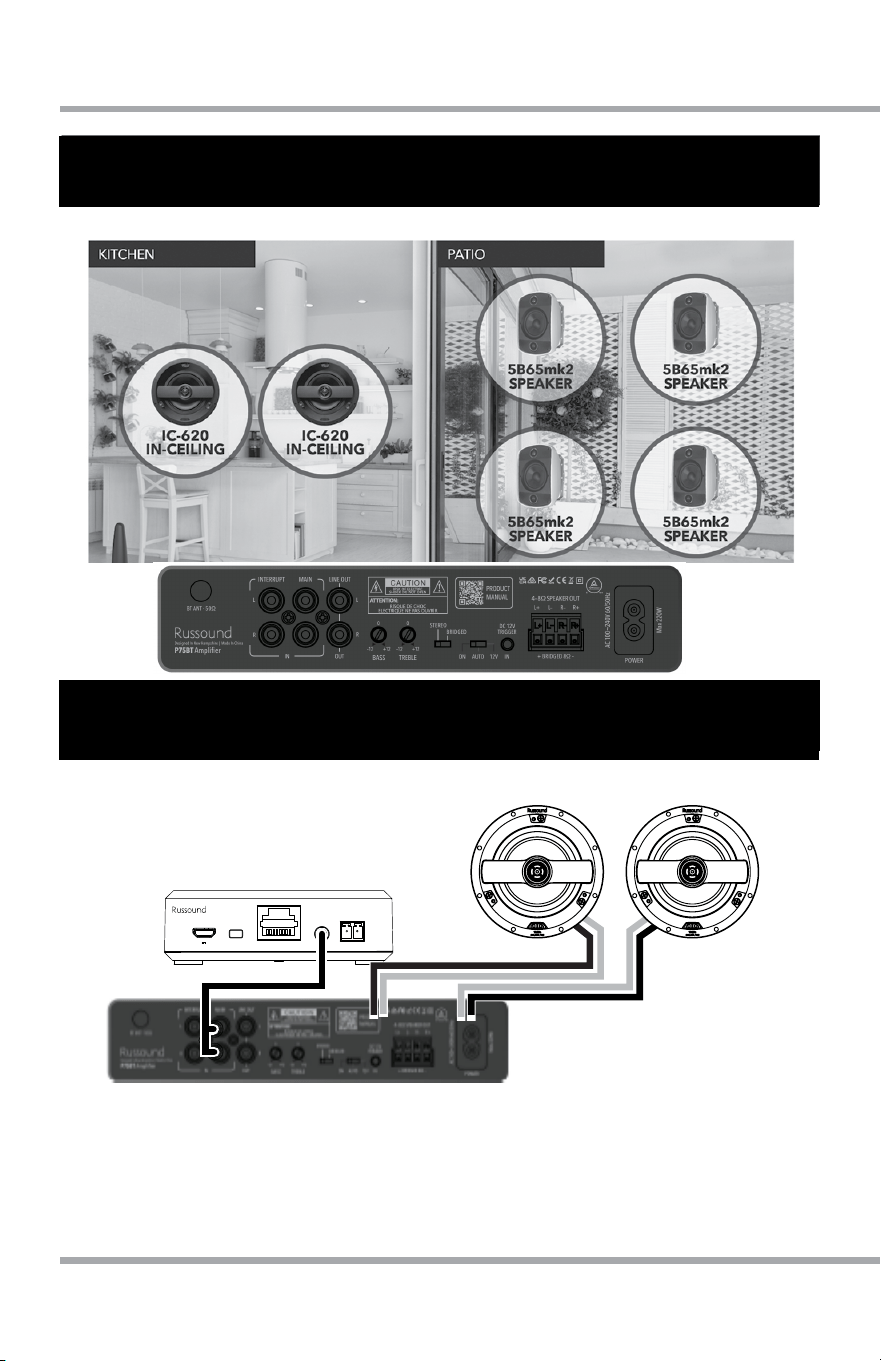
APPLICATIONS OF THE P75BT AMPLIFIER
IC-630
BTC-2X
P75BT
IC-630
EASY BLUETOOTH AUDIO SYSTEM
BTC-2X
TO BTC-2 or MCA
POWER
PAIR
AUDIO
OUT
REMOTE PAIR
OUTDOOR SYSTEM WITH THE P75BT
EASY BLUETOOTH AUDIO SYSTEM
P75BT AMPLIFIER
11
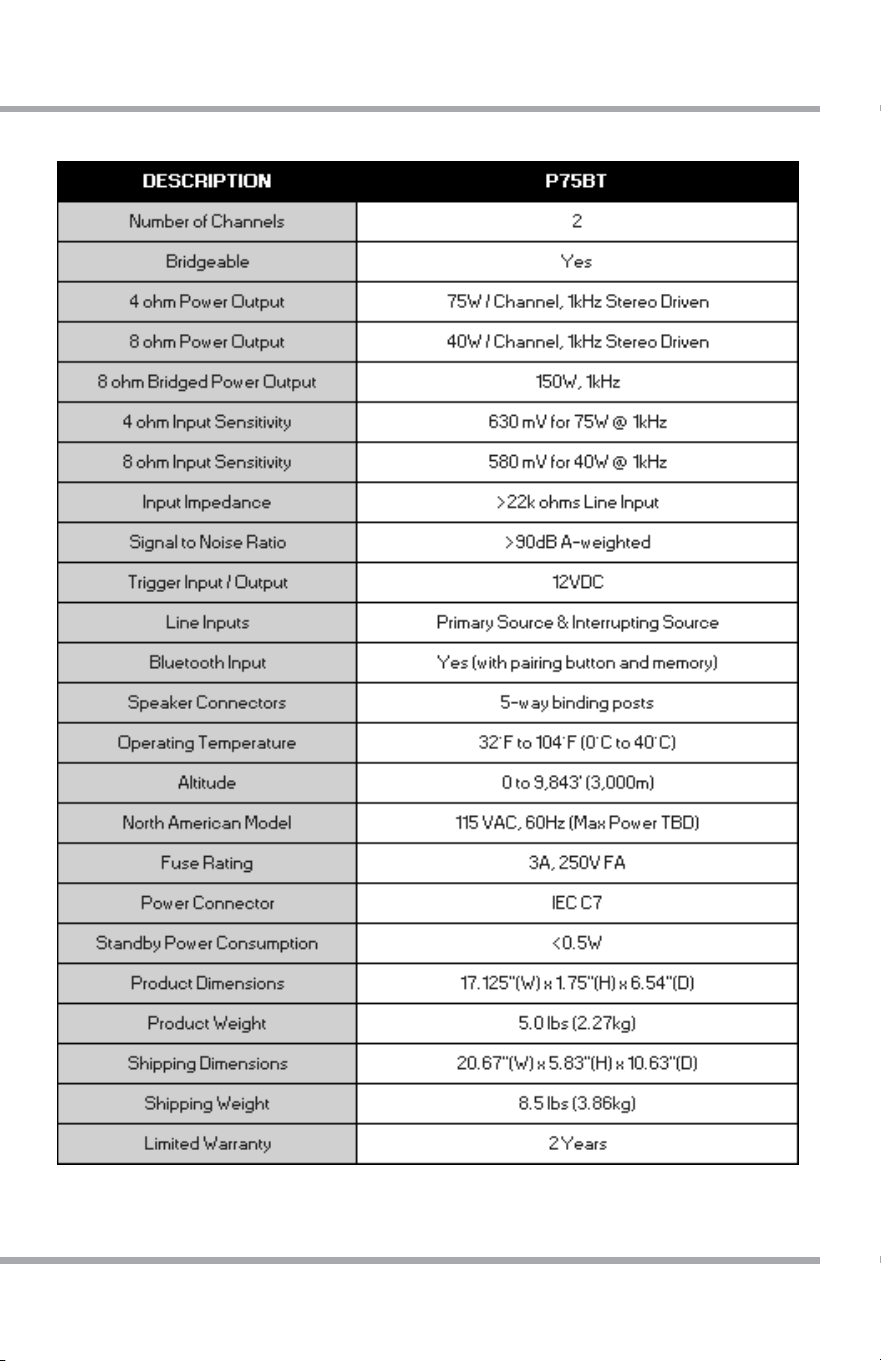
SPECIFICATIONS
12
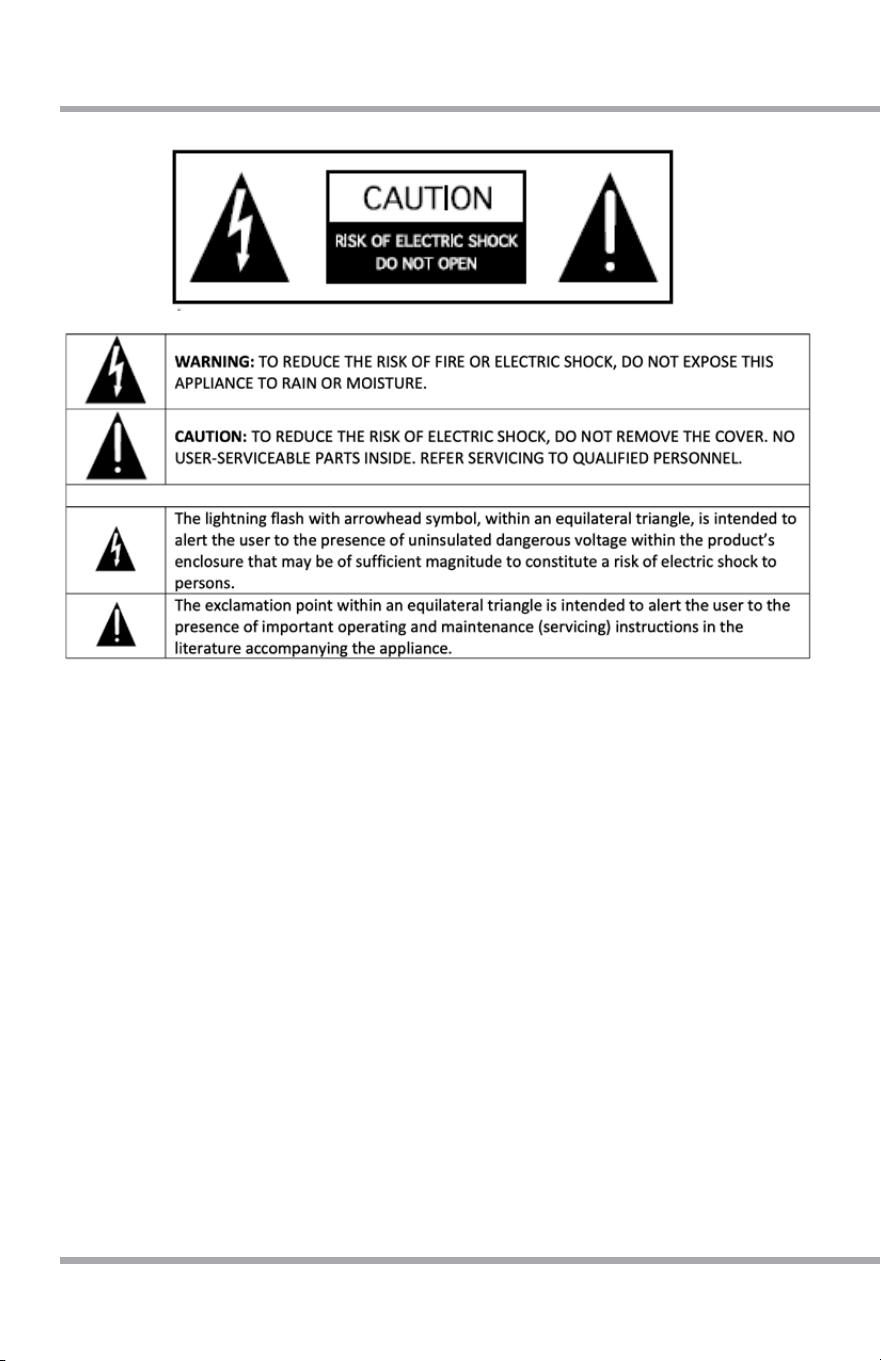
SAFETY
1. Read Instructions - All the safety and operating instructions should be read before
the appliance is operated.
2. Retain Instructions - The safety and operating instructions should be retained for
future reference.
3. Heed Warnings - All warnings on the appliance in the operating instructions should
be adhered to.
4. Follow Instructions - All operating and user instructions should be followed.
5. Water and Moisture - The appliance should not be used near water; for example,
near a bathtub, washbowl, kitchen sink, laundry tub, in a wet basement, or near a
swimming pool. The apparatus shall not be exposed to dripping or splashing liquids
and no objects filled with liquids, such as vases, shall be placed on the apparatus.
Do not touch the appliance with wet hands. Do not handle the appliance or power
cord with wet or damp hands. If water or any other liquid enters the appliance
cabinet, take it to qualified service personnel for inspection.
6. Cleaning - The appliance should be cleaned only as recommended by the
manufacturer. From time to time you should wipe off the front and side panels and
the cabinet with a soft cloth. Do not use rough material, thinners, alcohol or other
chemical solvents or cloths since this may damage the finish or remove the panel
lettering.
P75BT AMPLIFIER

P75BT AMPLIFIER
13
7. Ventilation - The appliance should be situated so that its location or position does
not interfere with its proper ventilation. For example, the appliance should not
be situated on a bed, sofa, rug, or similar surface that may block the ventilation
openings, or placed in a built-in installation, such as a bookcase or cabinet that
may impede the flow of air through the ventilation openings. Place the unit in a
well-ventilated location, leaving at least 2 inches (5 cm) of clearance on all sides,
top and rear of unit for air flow. If ventilation is blocked, the unit may overheat and
malfunction.
8. Heat - The appliance should be situated away from heat sources such as radiators,
heat registers, stoves, or other appliances (including amplifiers+6) that produce
heat.
9. Grounding or Polarization - Precaution should be taken so that the grounding or
polarization means of an appliance is not defeated.
10. Power Cord Protection - Power supply cords should be routed so that they are not
likely to be walked on or pinched by items placed upon or against them, paying
particular attention to cords at plugs, receptacles, and the point where they exit
from the appliance.
11. Power Sources - The appliance should be connected to a power supply only of the
type described in the operating instructions or as marked on the appliance.
12. Main Power Disconnect - The main power plug is used as the disconnect device
and shall remain readily operable. When installing the product, ensure that the
plug is easily accessible.
13. Non-Use Periods - The power cord of the appliance should be unplugged from the
outlet when left unused for a long period of time.
14. Attachments - Only use attachments/accessories specified by the manufacturer.
15. Location of the Amplifier - Do not mount this unit under a kitchen cabinet. Do not
expose the amplifier to direct sunlight or heating units as the amplifier internal
components’ temperature may rise and shorten the life of the components.
16. Avoid damp and dusty places.
17. Object and Liquid Entry - Care should be taken so that objects do not fall and
liquids are not spilled into the enclosure through the openings.
18. Servicing - The user should not attempt to service the appliance beyond that
described in the operating instructions. All other servicing should be referred to
qualified service personnel.
19. Damage Requiring Service - The appliance should be serviced by qualified service
personnel when: A. The power supply cord or the plug has been damaged; B.
Objects have fallen, liquid has been spilled into the appliance; C. The appliance
has been exposed to rain; or D. The appliance does not appear to operate
normally; or E. The appliance has been dropped or the enclosure is damaged.
SAFETY

14
P75BT AMPLIFIER
FCC/IC WARNING
FCC WARNING
This device complies with part 15 of the FCC Rules. Operation is subject
to the following two conditions: (1) This device may not cause harmful
interference, and (2) this device must accept any interference received,
including interference that may cause undesired operation.
Any Changes or modifications not expressly approved by the party
responsible for compliance could void the user’s authority to operate the
equipment.
Note: This equipment has been tested and found to comply with the limits
for a Class B digital device, pursuant to part 15 of the FCC Rules. These limits
are designed to provide reasonable protection against harmful interference
in a residential installation. This equipment generates uses and can radiate
radio frequency energy and, if not installed and used in accordance with
the instructions, may cause harmful interference to radio communications.
However, there is no guarantee that interference will not occur in a particular
installation. If this equipment does cause harmful interference to radio or
television reception, which can be determined by turning the equipment off
and on, the user is encouraged to try to correct the interference by one or
more of the following measures:
• Reorient or relocate the receiving antenna.
• Increase the separation between the equipment and receiver.
• Connect the equipment into an outlet on a circuit different from that to
which the receiver is connected.
• Consult the dealer or an experienced radio/TV technician for help.
This equipment complies with FCC radiation exposure limits set forth for an
uncontrolled environment.
This equipment should be installed and operated with minimum distance
20cm between the radiator & your body.

P75BT AMPLIFIER
15
FCC/IC WARNING
IC WARNING
English: This device contains licence-exempt transmitter(s)/receiver(s)
that comply with Innovation, Science and Economic Development Canada’s
licence- exempt RSS(s). Operation is subject to the following two conditions:
1. This device may not cause interference.
2. This device must accept any interference, including interference that may
cause undesired operation of the device.
French: Cet appareil contient des émetteurs/récepteurs exemptés de licence
qui sont conformes aux RSS exemptés de licence d’innovation, sciences et
développement économique Canada. Le fonctionnement est soumis aux deux
conditions suivantes:
1. Cet appareil ne peut pas causer d’interférences.
2. Cet appareil doit accepter toute interférence, y compris les interférences
qui peuvent causer un fonctionnement indésirable de l’appareil.
This equipment complies with ISED radiation exposure limits set forth for an
uncontrolled environment. This equipment should be installed and operated
with minimum distance 20cm between the radiator & your body.
Cet équipement est conforme aux limites d’exposition aux rayonnements
ISED établies pour un environnement non contrôlé. Cet équipement doit être
installé et utilisé avec une distance minimale de 20 cm entre le radiateur et
votre corps.

16
P75BT AMPLIFIER
WARRANTY
LIMITED WARRANTY
The Russound P75BT is guaranteed for two (2) years from the date of
purchase against all defects in materials and workmanship. During this period
Russound will replace any defective parts and correct any defect in
workmanship without charge for either parts or labor. For this warranty to ap-
ply, the unit must be installed and used according to its written instructions. If
service is necessary, it must be performed by Russound. Russound assumes
no responsibility for defects resulting from abuse or servicing performed by
an agency or person not specifically authorized in writing by Russound. Dam-
age to or destruction of components due to improper use voids the warranty.
In these cases, the repair will be made at the owner’s expense. Accidental
damage and shipping damage are not considered defects under the terms of
the warranty. To return for repairs, the unit must be shipped to a repair facility
designated by Russound at the owner’s expense, along with a Return Autho-
rization number and documentation explaining the nature of the service re-
quired. Any product returned without prior written permission will be returned
to sender. Russound sells products only through authorized Dealers and
Distributors to ensure that customers obtain proper support and service. Any
Russound product purchased from an unauthorized dealer or other source,
including retailers, mail order sellers and online sellers will not be honored or
serviced under existing Russound warranty policy. Any sale of products by an
unauthorized source or other manner not authorized by Russound shall void
the warranty on the applicable product.
WARRANTY ADDRESS
Russound
Attn: RA# (Insert your RA number here)
1955 Wehrle Dr
Williamsville NY 14221
email: tech@russound.com
©2026 Russound/FMP, Inc. All rights reserved.
All trademarks are the property of their respective owners.
Specifications are subject to change without notice REV042026