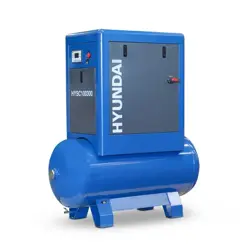
SCREW AIR COMPRESSOR
HY
SC75300, HYSC75350D, HYSC100300, HYSC100350D,
HYSC150300, HYSC150500D, HYSC200300, HYSC200500D
HYSC100500DVSD, HYSC150500DVSD, HYSC200500DVSD
Combined Manual

Before installation and initial operation of the air compressor, please read the manual
carefully and clearly learn about relevant information guideline for operation and
maintenance about the compressor.
Please hand over the manual and the machine together to the user.
There are important safety information in the technical manual, please save it together with
the compressor.
1.1 General Safety Notes.
1.2 The operator of the machine is responsible for, and has a duty of care in making sure
that the machine is operated safely and in accordance with the instructions in this user
manual. Keep the manual safe and pass it on if the machine is loaned or sold to another
user.
1.3 Please note the following safety points.
1.4 The machine should never be left it in a condition which would allow an untrained or
unauthorised person/s to operate this machine.
1.5 All due care and diligence should be taken by the operator for the safety of and with
regard to those around whilst using the machine.
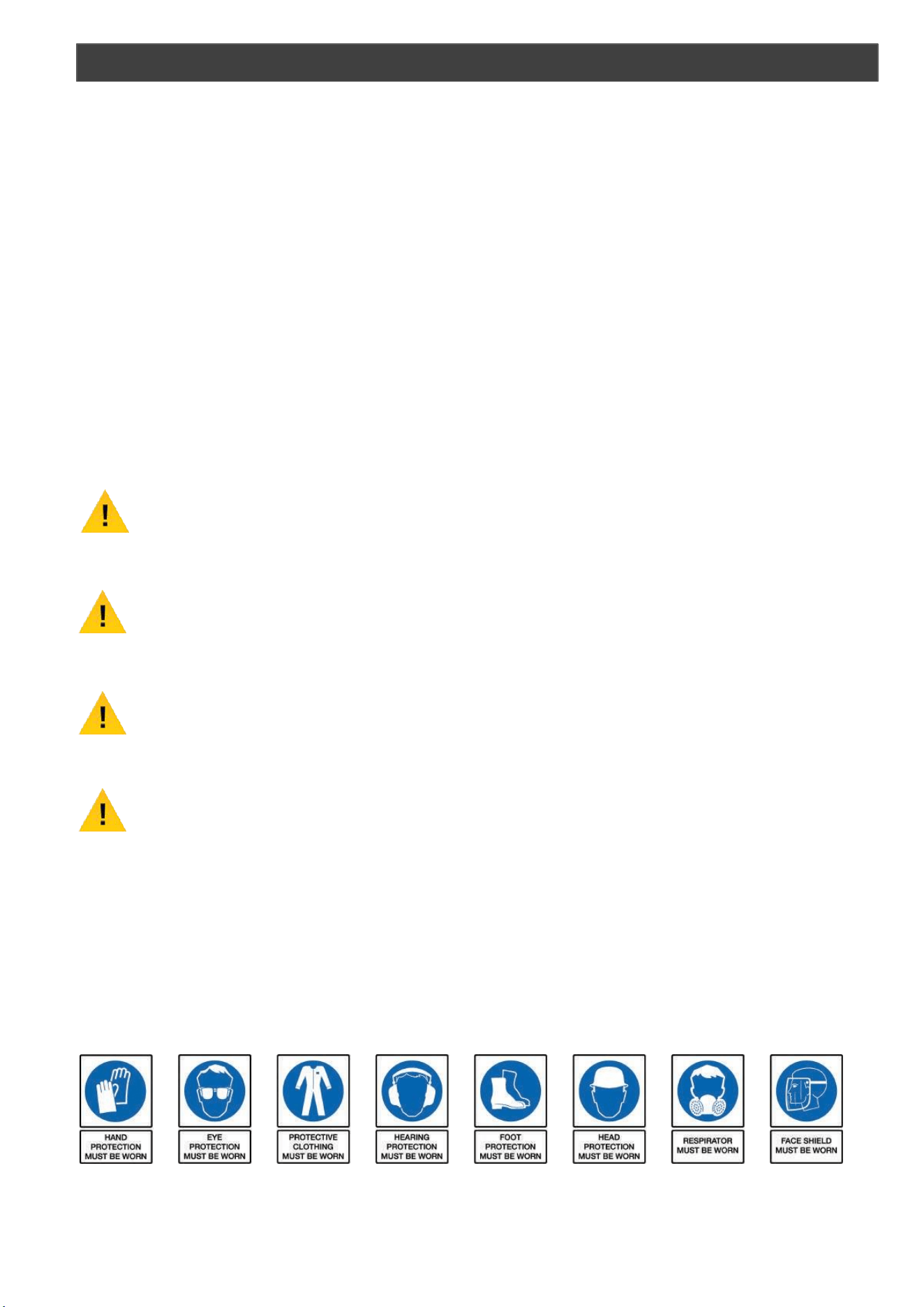
1.6 Some or all of the following - warning signs, symbols and/or PPE pictograms may ap-
pear throughout this manual. You MUST adhere to their warnings. Failure to do so
may result in personal injury to yourself or those around you.
DANGER
Indicates a hazard, which, if not avoided, could result in serious injury or death.
WARNING
Indicates a hazard, which, if not avoided, could result in serious injury.
CAUTION
Indicates a hazard which, if not avoided, might result in minor or moderate injury.
NOTE
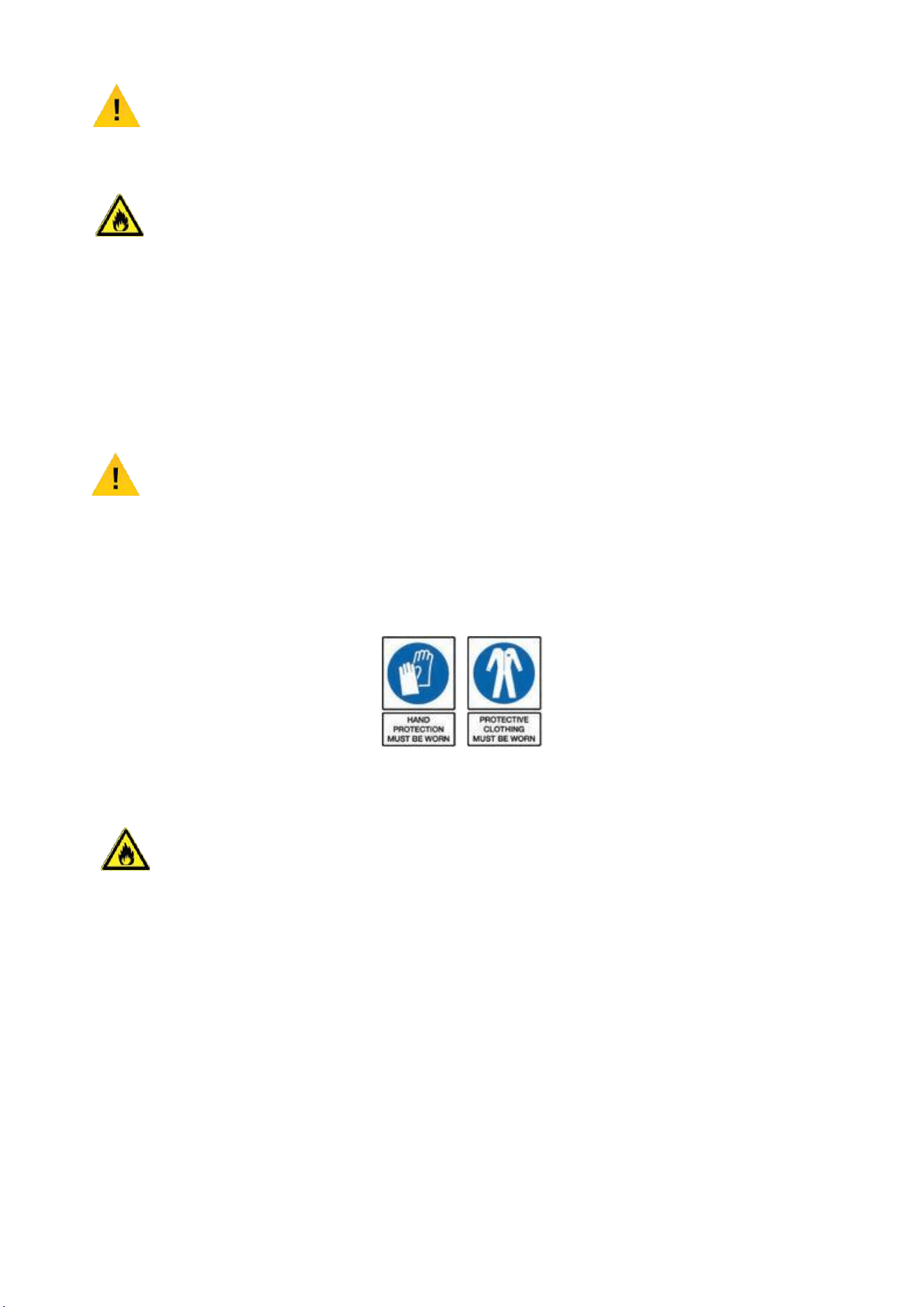
Indicates a situation that could easily result in equipment damage.
READ and keep the manual safe and pass it on if the machine is loaned or sold to another user.
You MUST fully understand all instructions to ensure you use and operate the machine safely.
Appropriate Personal Protective Equipment (PPE), MUST be worn at all times when operating or
repairing the machine.
SAFETY
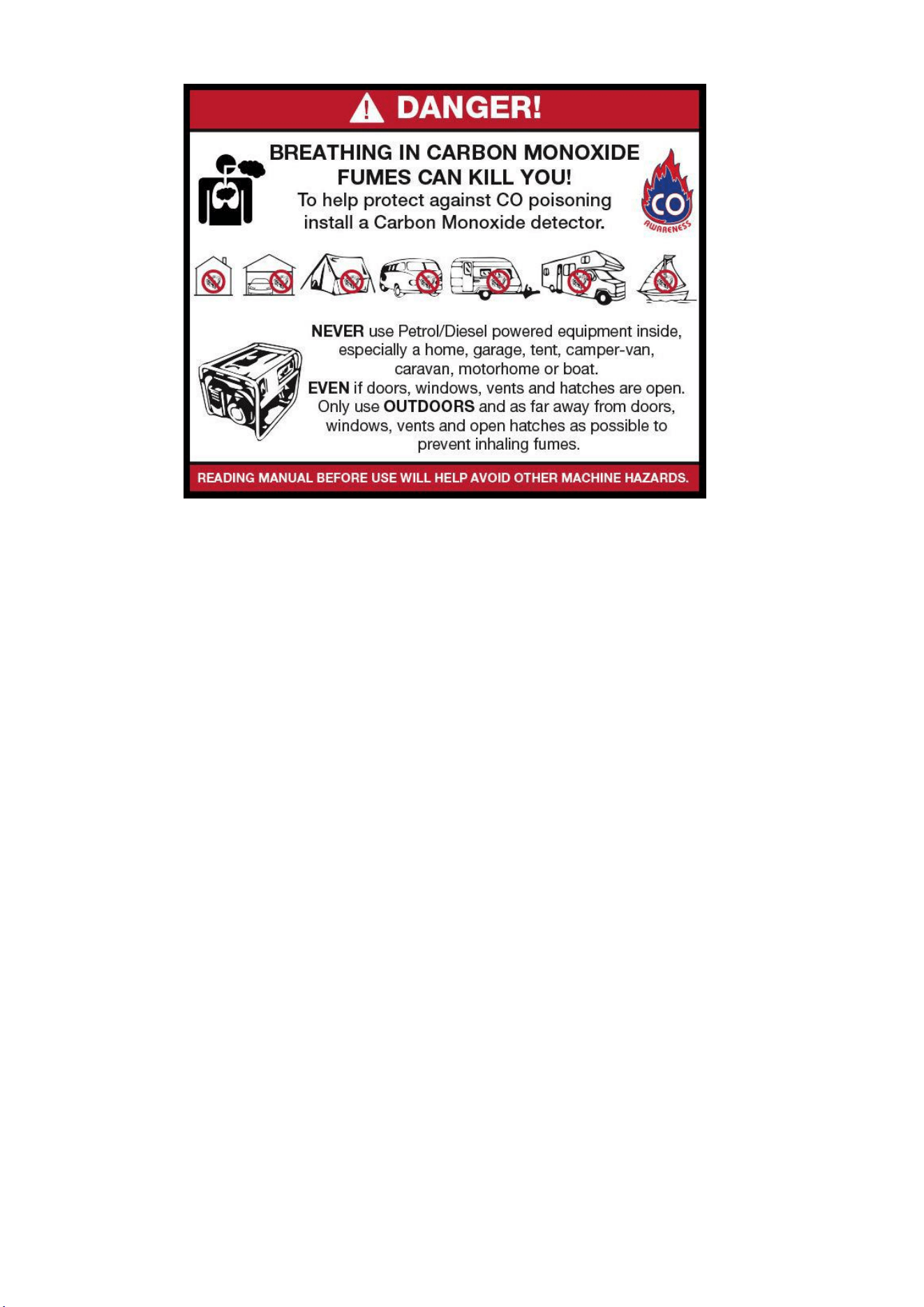
1.10 Carbon Monoxide (where applicable).
1.11 Carbon monoxide is a colourless and odourless gas. Inhaling this gas can cause
death as well as serious long term health problems such as brain damage.
1.12 The symptoms of carbon monoxide poisoning can include but are not limited to the
following;
Headaches, dizziness, nausea, breathlessness, collapsing or loss of consciousness.
1.13 Carbon monoxide poisoning symptoms are similar to flue, food poisoning, viral
infections and simply tiredness. It is quite common for people to mistake this very
dangerous poisoning for something else.
1.14 To avoid carbon monoxide poisoning DO NOT use Petrol/Diesel powered equipment
inside any of the following; Home, garage, tent, camper van, mobile home, caravan
or boat. This is not exhaustive and if you are in any doubt contact your dealer.
1.15 If you think you have or someone around you has been affected by carbon monoxide
poisoning;
1.16 Get them fresh air immediately, by leaving the affected area or by opening doors and
windows. If safe and practical to do so make sure that the machine is turned off.
DO NOT enter a room you suspect of having carbon monoxide present – instead call
the emergency services.
1.17 Contact a Doctor immediately or go to Hospital – let them know that you suspect
carbon monoxide poisoning.
1.18 DO NOT use in an enclosed area or moving vehicle.
1.20 General Fuel Safety (where applicable).
CAUTION
ALL FUELS ARE FLAMABLE
1.21 Fire Hazard – keep fuel away from all sources of ignition for example heaters.
Lamps, sparks from grinding or welding.
1.22
DO NOT carry out hot work on tanks that have contained fuel.
1.23 ALWAYS keep the work area tidy.
1.24 ALWAYS clean up spills promptly using absorbent granules and a lidded bin.
1.25 ALWAYS dispose of waste fuels correctly.
1.30 Fueling/De-fueling (where applicable).
CAUTION
ALL FUELS ARE FLAMABLE
1.31 ALWAYS fuel and defuel in a well-ventilated area outside of buildings.
1.32 ALWAYS wear correct, suitable and fit for purpose Personal Protective Equipment
(PPE), suggested items are but not limited to safety gloves, overalls.
1.33 When fueling/de-fueling ALWAYS avoid inhaling fumes.
1.34 When de-fueling ALWAYS use a proper fuel retriever.
1.35 ALWAYS carry fuel in the correct and clearly marked container.
1.40 Electrical Safety (where applicable).
1.41 Electricity can kill – NEVER work on LIVE/ENERGISED equipment.
1.42 Prior to carrying out any maintenance work you MUST identify electrical isolation
methods and isolate all electrical supplies.
1.43 Prior to use and with all electrical supplies isolated, you MUST check all electrical
cables, plugs and connectors for the following;
1.44 Are intact and have no signs of damage, to include but not limited to bare wires,
chaffing, cuts and loose wiring.
1.45 If there are any signs of damage, the damaged item MUST be taken out of service
until the damage has been repaired by an electrically competent person.

1.46 All trailing cables should be routed so as not to cause any kind of trip hazard.
1.47 NEVER work on or near electricity with wet hands, wet clothing and wet gloves.
1.50 Batteries (where present).
1.51 Batteries present a risk if they become damaged by the possible leaking of
electrolyte. This electrolyte is an acid and can cause serious burn injuries. Care
should be taken when working on or near them. NOTE the electrolyte may be in
a liquid or gel form.
1.52 Should you come in to contact with electrolyte you should;
1.53 Remove all clothing contaminated with electrolyte. If you cannot remove then
saturate them in water.
1.54 Get medical assistance as soon as possible. You must advise the medical staff of
the type of acid.
1.55 Lead/acid battery = dilute sulphuric acid.
1.56 Nickel/cadmium = potassium hydroxide alkali electrolyte.
1.57 Use fresh running water to wash off excess electrolyte, continue this until medical
assistance arrives. Make sure that you do not was the electrolyte to another part of
your body or face.
1.58 If electrolyte comes in to contact with Eyes the electrolyte needs to be immediately
washed away with large amounts of water. Make sure that you do not wash the
electrolyte to another part of your face or body.
1.59 Gasses from charging batteries are highly flammable and great care should be taken
to charge in well ventilated areas.
1.59.1 There is an explosion risk if the battery terminals are short circuited, when
connecting/disconnecting ALWAYS exercise great care so that the terminals or
battery leads are NOT allowed to touch and cause a spark. ALWAYS use suitable
insulated tools.
1.60 Vibrations (where applicable).
1.61 Prolonged use of hand held (operated) machines will cause the user to feel the
effects of/from vibrations. These vibrations can lead to white finger (Raynaud’s
phenomenon) or carpal tunnel syndrome. This condition reduces the ability of the
hand to feel and regulate temperature, causing numbness and heat sensations and
may cause never damage and circulatory tissue death.
1.62 Not all factors that lead to white finger disease are known, but cold weather, smoking
and other diseases that affect blood vessels and blood circulation as well as large
and long-lasting impact of shocks are considered factors in the formation of white
finger. Note the following to reduce the risk of white finger and carpal tunnel
syndrome;
1.63 Wear gloves and keep your hands warm.
1.64 Take regular breaks.
1.65 All of the above precautions may help reduce the risk of white finger disease but not
rule out the carpal tunnel syndrome. Long-term and regular users are therefore

recommended to observe the condition of your hands and fingers. Seek medical
attention immediately if any of the above symptoms should occur.
1.70 Noise (where applicable).
1.71 The operating noise of the machine can damage your hearing. Wear hearing
protection such as earplugs or ear defenders to protect your hearing. Long-term
and regular users are advised to have hearing checked regularly. Be especially
vigilant and cautious when hearing ear protection because your ability to hear alarm
warnings will be reduced.
1.72 Noise emissions for this equipment is unavoidable. Carry out noisy work at approved
times and for certain periods. Limit the working time to a minimum. For your personal
protection and protection of people working nearby it is also advisable for them to
wear hearing protection.
1.73 See Certificate of Conformity section for Outdoor Noise declaration of
conformity.
2.0 DO NOT direct the output jet of air towards people or animals.
2.1 Familiarise yourself with the application and limitations of the air compressor.
2.2 Ensure that the compressor is in good order and condition before use.
If in any doubt, do not use the compressor and contact your service agent.
2.3 Before moving or maintaining the compressor, ensure that the air tank pressure
has been vented.
2.4 Only use recommended attachments and parts. Unapproved items may be dangerous
and will invalidate the warranty.
2.5 Read the instructions for any accessory used with the compressor. Ensure that the
safe working pressure of any air appliance used, exceeds the output pressure of the
compressor.
If using a spray gun, check the area selected for spraying is provided with an air
change system or adequate ventilation.
2.6 Make sure that the air supply valve is turned off before disconnecting the air supply
hose.
2.7 Use the compressor in a well-ventilated area and ensure it is placed on a firm surface.
2.8 Keep tools and other items away from the compressor when it is in use and keep the
work area clean.
2.9 Make sure that the air hoses are not tangled, twisted or pinched.
2.10 Keep children and unauthorised persons away from the work area.
2.11 DO NOT disassemble the compressor for any reason if you are not qualified to do so.
The unit must be checked by qualified persons only.
MACHINE SPECIFIC SAFETY
2.12
2.13
2.14
2.15
2.16
2.17
2.18
2.19
2.20
2.21
2.22
2.23
2.24
DO NOT operate the compressor within the vicinity of flammable liquids, gases or
solids.
DO NOT touch the compressor cylinder, cylinder head or pipe from the head to the
tank as these may be hot and will remain so for some time after shutdown.
DO NOT operate the compressor without all the safety guards in place.
DO NOT attempt to move the compressor by pulling the air hose.
DO NOT use the compressor for a task for which it was not designed.
DO NOT deface the certification plate attached to the compressor tank.
DO NOT operate the compressor without an air filter.
DO NOT allow anyone to operate the compressor unless they have received full
instruction.
DO NOT leave the compressor unattended.
DO NOT block the ventilation grills.
DO NOT cover the compressor or restrict airflow around the machine whilst it is
operating.
The air tank is a pressure vessel and the following safety measures apply;
DO NOT tamper with the safety valve DO NOT modify or alter the tank in any way.
DO NOT strap anything to the tank.
DO NOT subject the tank to impact, vibration or heat.
DO NOT allow contact with abrasive or corrosive materials.
YOU MUST drain condensation from the tank daily and inspect side walls for corrosion
every 12 months.
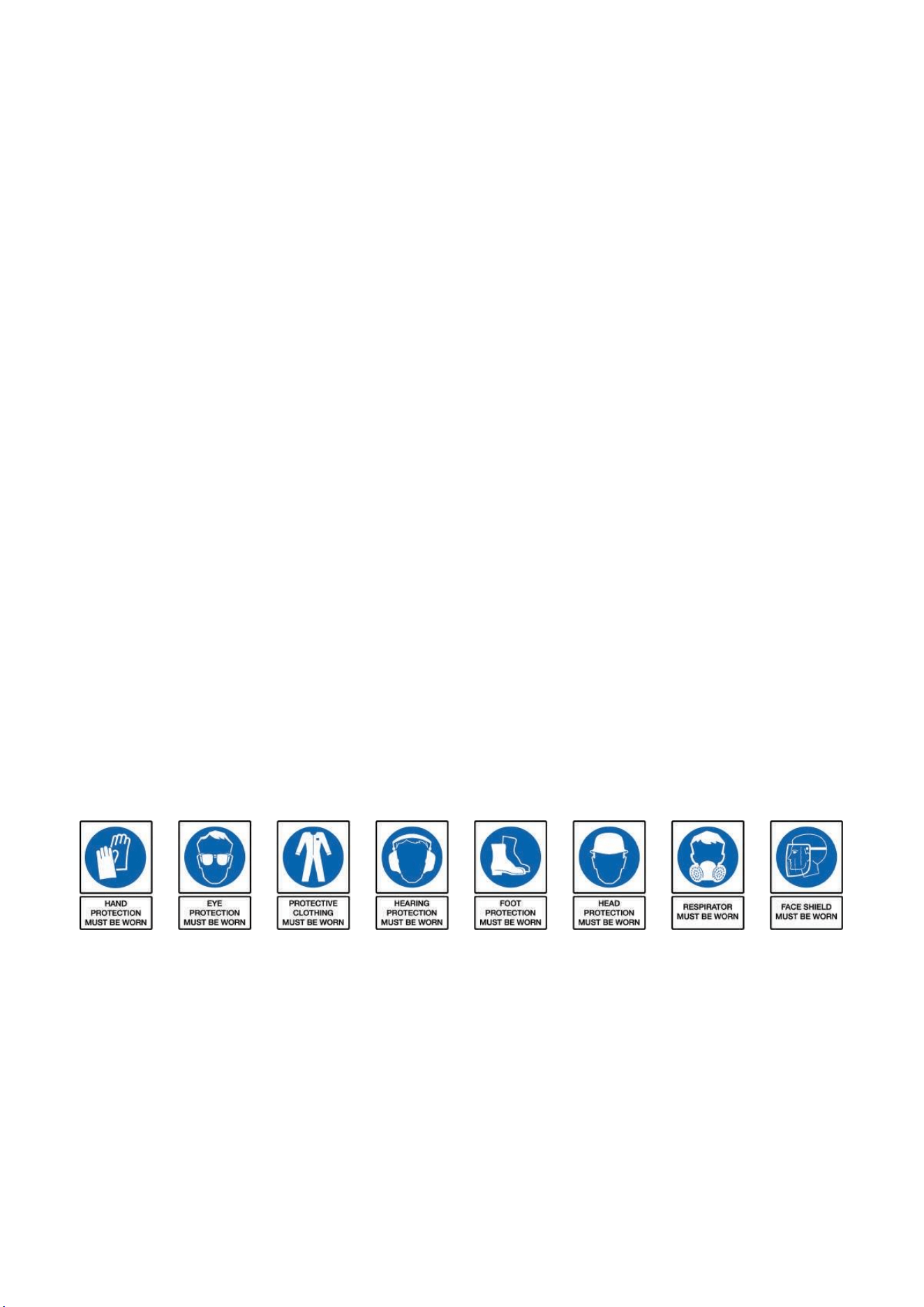
Correct Personal Protective Equipment (PPE) MUST be worn at all times when
operating or repairing this machine. This should include but is not limited to;
2.25
The pressure safety valves on Hyundai compressors have been updated to comply
with the latest CE certification standards. The pressure release pull ring has been
removed from the valve due to the pull ring being incorrectly used to drain the air from
the compressor tank, causing excessive wear to this safety valve. The air and moisture
should drained from the tank by releasing the drain valve on the bottom of the tank.
10.0 We do not offer a take back scheme for the recovery of Waste Electrical Electronic
Equipment (WEEE) & Batteries.
Instead the responsibility to dispose of WEEE and or Batteries is passed on to you by
us.
So when it becomes necessary to dispose of your machine you must take it to your
local Civic Amenity Site.
For further information please contact your local Authority for disposal advice.
10.1 You MUST make sure that all unused oil and fuel is disposed of correctly either
beforehand or at your local Civic Amenity Site.
Under NO circumstances must any fuel or oil be put down drains.
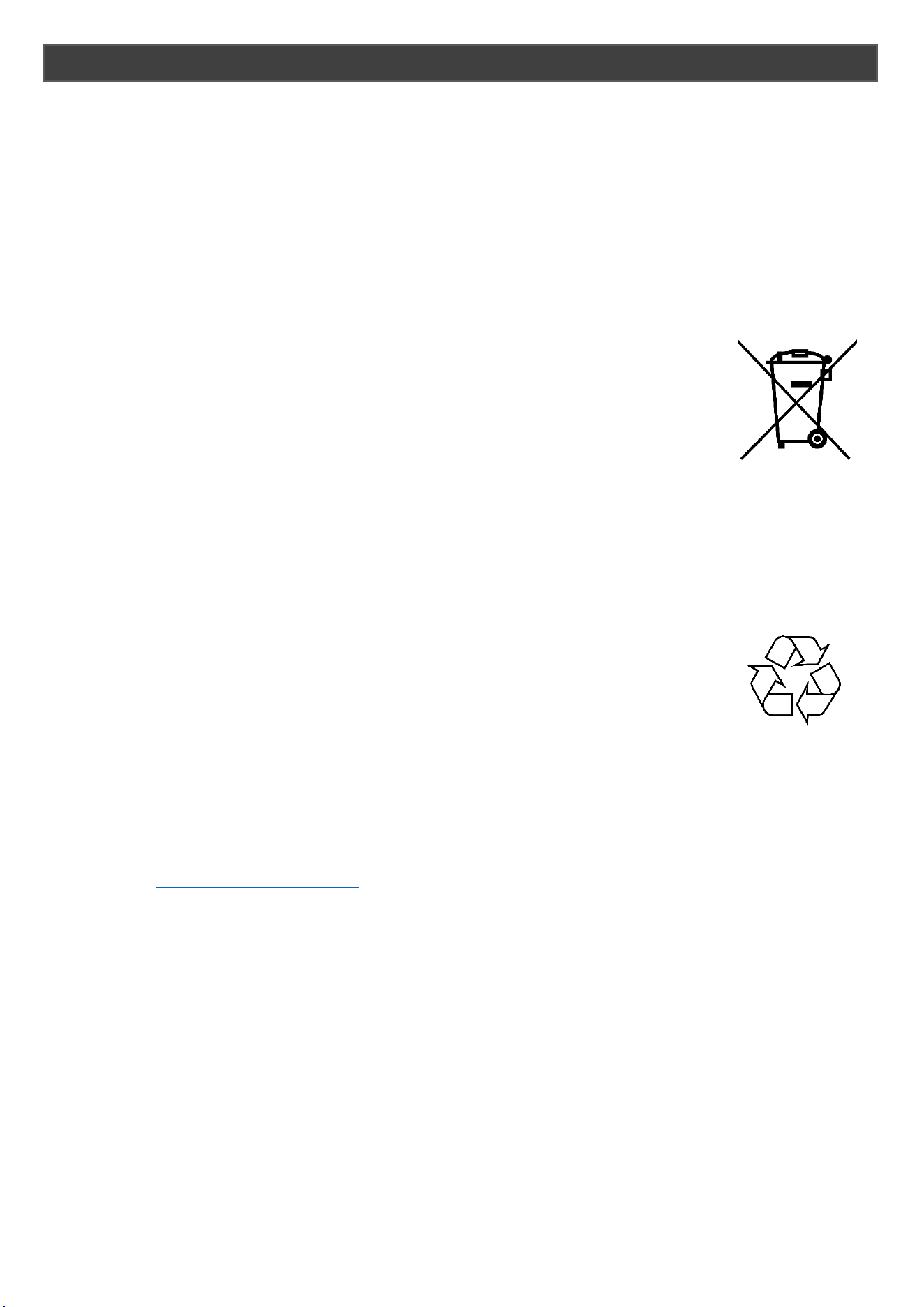
10.2 Certain products contain WEEE waste which should be disposed
of in your domestic waste.
10.3 You MUST recycle WEEE in accordance with your local authority or
recycling centre.
10.4 Certain products contain batteries which should not be disposed of
in your domestic waste.
10.5 You MUST recycle batteries in accordance with your local authority or recycling
centre.
10.6 Unwanted packaging and materials should be stored and taken to a recycling centre
so it can be disposed of in a manner which is compatible with the environment.
10.7 The following symbol means that you should ‘Reduce – Reuse -
Recycle’
10.8 We are a member of the VALPAK National Compliance Scheme and our registration
number is RM08660.
10.9 For further information about disposal please contact your Local Authority.
10.10 You can also get more advice and guidance about recycling at the following website
http://recycle-more.co.uk
10.11 Should you pass this product on to another user either sold or loaned, you MUST
pass on this user manual.
This will make sure that all other users can use and maintain this machine safely.
RECYCLING AND PRODUCT DISPOSAL

1. Introduction
Thank you for purchasing your HYUNDAI product. Please read the user's manual carefully
before operating the machine.
The HYUNDAI screw compressor is a two-shaft positive displacement rotating type air
compressor; with an alternate name of two-shaft air compressor. The compressor has
high and reliable operation characteristics, high gas transmission efficiency characteristics,
excellent dynamic balance characteristics, low noise and vibration as well as easy
operation and maintenance. It is of long performance life and environment protection.
Commonly used in industries of precision machinery and instruments, electronic products
and food, Chemical Fiber and Textile, aerospace application and chemistry, decorative
coating, medical pharmaceutical, traffic transportation and agriculture etc., Products have
a universally acknowledged development prospects.
1.1 Description on the compressor
The screw compressor manufactured by HYUNDAI is an achievement of several years’
research and development. The combination of these prerequisite conditions guarantees a
long performance life, high reliability and operational efficiency. The products meet all
requirements for environment protection.
1.2 Range of application
The machines and units of the series are manufactured according to mature technology
and recognized safety rules. The occurrence of the following, however, might cause threat
to the user or life and body of the third party, which might cause damage to the machines
and other material possessions
Incorrect range of application
Operation by unqualified personnel
Unreasonable modification or transform to the machines
Nonobservance to safety rules
As a result, all staff that has the right to operate, maintain or repair the machines has to
read and obey all safety rules. It can be confirmed by signature if necessary.
The following shall also be obeyed:
Relevant accident prevention rules
Acknowledged safety rules
National laws and regulations.
The machines and units of the series must be operated in perfect technical conditions and
must be operated compliance with the range of application and guideline specified in the
operation manual. The operators shall have strong safety awareness and fully recognize
the risks during the operation of the machines. Any functional breakdowns, especially
those that will threaten the safety, must be repaired in time (or ask others to repair it).

The meaning of operating the machines in range of application also
includes observing the guideline in the operation manual, check and
maintaining as required.
1.3 Maintenance
The machines must be carefully maintained to meet various requirements for screw
compressors or compressor units. The machines, therefore, must be carefully maintained
during the specified maintenance period, especially in condition of bad working
environment.
If there is any breakdown or requirements for spare parts, please contact with compressor
manufacturer of my company. If there is any damage to the equipment, the well-trained
serviceman of my company will provide excellent after-sales service with the parts
manufactured by my company. The authentic parts manufactured by my company are of
mature technology and therefore are able to guarantee reliable operation of the machine.
Guarantee
You must understand the machine as well as relevant introductions before operating the
machine. If the operation of the machine is inconsistent with the range of application or
intended use goes beyond the range mentioned in the manual, the company will not be
responsible for safety of the operation.
In following conditions, warranty claim will not be accepted:
Maloperation
Improper maintenance
Misuse of auxiliary materials
Nonuse of the original parts manufactured by my company
Modifying or repairing the equipment
HYUNDAI refuses to expand the warranty or compensation conditions.
Any arbitrary modifications to the compressor or compressor station or installation of parts
which are not authorized by the manufacturer are not accepted by the manufacturer for
warranty or compensation conditions.
Safety rules
Safety rules in the operation guideline shall be strictly abided by.
Technical modification
We reserve the right to modify the parts without prior notification during the process of
technical research and development.

2. Operating Principle
A complete operating cycle of screw air compressor includes three procedures, inspiration,
compression and exhaust. Each pair of gears which are meshing to each other will
complete the same operating cycle in succession when the rotor is rotating. To make thing
simple and clear, we research the whole operating process of a pair of gears.
a) Procedure of inspiration: As the rotor begins to rotate, one end of the gear
gradually demeshes to form a cavity between gears. With expansion of the cavity,
there forms some vacuum inside. As the cavity between gears are only connected to
air entry, therefore air flows inside under the effect of differential pressure. During the
subsequent process of rotor rotation, the male rotor gear ceaselessly demeshes from
the gear slot of the female rotor, with on increase in cavity between gears. The cavity
breaks from the air entry and the sealed up between the gears. The procedure of
inspirations is completed.
b) Procedure of compression: As the rotor is rotating, cavity between gears
continuously reduces as rotating gear meshes. Reduction in volume of the air in the
sealed cavity between gears causes pressure rise. Thereby the procedure of air
compression is carried out.
c) Procedure of exhaust: As the cavity between gears continuously reduces, the air
with exhausting pressure is ceaselessly conveyed to exhaust orifice and exhausted
out. This process continues till the complete mesh of shaped wires in the end. For
the time being, the compressed air in cavity between gears is conveyed to exhaust
orifice and completely exhausted out. The volume of sealed cavity between gears
becomes zero and the procedure of air compression is carried out.
3. Main Technical Data
Type HYSC75300 HYSC100300 HYSC150300 HYSC200300
Motor power KW 5.5 7.5 11 15
Air displacement /
Exhaust pressure
(m
3
/min) /Mpa
0.9/0.7 1.2/0.7 1.65/0.7 2.55/0.7
0.8/0.8 1.1/0.8 1.53/0.8 2.25/0.8
0.69/1.0 0.95/1.0 1.32/1.0 1.82/1.0
0.6/1.25 0.8/1.25 1.1/1.25 1.55/1.25
Cooling mode Air cooled Air cooled Air cooled Air cooled
Drive mode Directly connected Directly connected Directly connected Directly connected
Starting mode Y-△ Y-△ Y-△ Y-△
Length × Width × Height (mm)
L 840 840 910 910
W 600 600 700 700
H 880 880 1000 1000
Net weight Kg 185 205 245 255
Noise dB(A) 62±2 62±2 63±2 63±2
Diameter of outlet pipe G3/4″ G3/4″ G3/4″ G3/4″
Type HYSC75350D HYSC100350D HYSC150500D HYSC200500D
Motor power KW 5.5 7.5 11 15
Air displacement /
Exhaust pressure
(m
3
/min) /Mpa
0.9/0.7 1.2/0.7 1.65/0.7 2.55/0.7
0.8/0.8 1.1/0.8 1.53/0.8 2.25/0.8
0.69/1.0 0.95/1.0 1.32/1.0 1.82/1.0
0.6/1.25 0.8/1.25 1.1/1.25 1.55/1.25
Cooling mode Air cooled Air cooled Air cooled Air cooled
Drive mode Directly connected Directly connected Directly connected Directly connected
Starting mode Y-△ Y-△ Y-△ Y-△
Length × Width × Height (mm)
L 1800 1800 1800 1800
W 600 600 700 700
H 1560 1560 1750 1750
Net weight Kg 370 380 505 515
Noise dB(A) 62±2 62±2 63±2 62±2
Diameter of outlet pipe G3/4″ G3/4″ G3/4″ G3/4″
Tank volume (m
3
) 0.5 0.5 0.5 0.5
As the products of the company are continuously optimized and upgraded, the information is subject to changes in specifications
and relevant data.
Type HYSC100500DVSD HYSC150500DVSD HYSC200500DVSD
Motor power KW 9.5 14 18
Max. Pressure
10 10 10
Noise dB(A)
65 65 65
Net Weight
380
510 510
Gross Weight
420
570
570
As the products of the company are continuously optimized and upgraded, the information is subject to changes in specifications
and relevant data.
kg
kg
bar
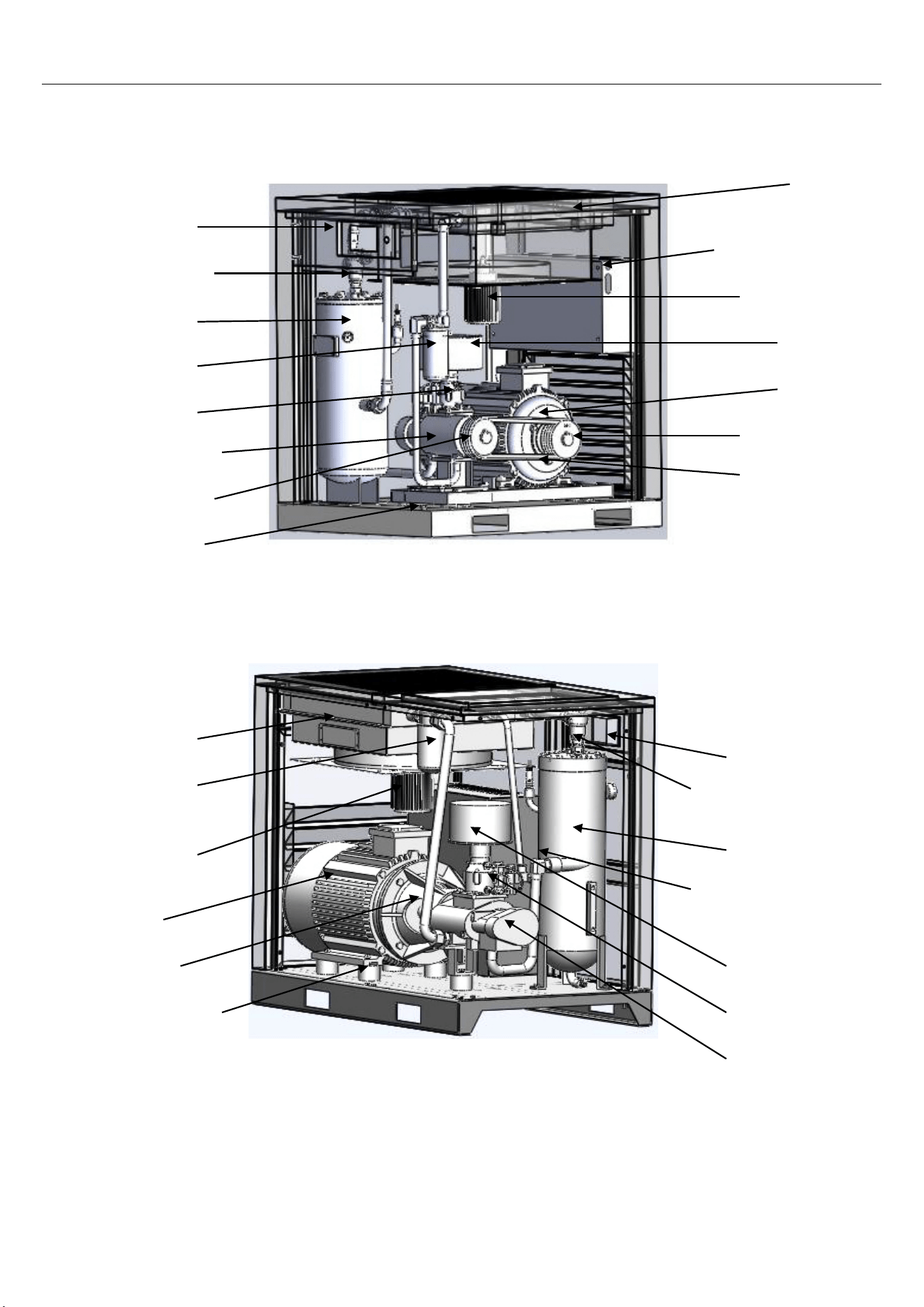
4. Main Structures
Conveyor
Motor
Motor
Electric control cabinet
Air filter
Cooling fan
Cooler
Shockproof cushion
Host machine
Air inlet valve
Oil filter
Oil and gas barrel
Minimum pressure valve
Control panel
Shockproof cushion
Motor wheel
Electric control panel
Air filter
Cooling fan
Control panel
Coupling
Host machine
Air inlet valve
Oil and gas barrel
Oil filter
Minimum pressure valve
Cooler
Host machine wheel
Diagram 2. Directly Connected - Type Screw Compressor
Diagram 1. Conveyor - Type Screw Compressor
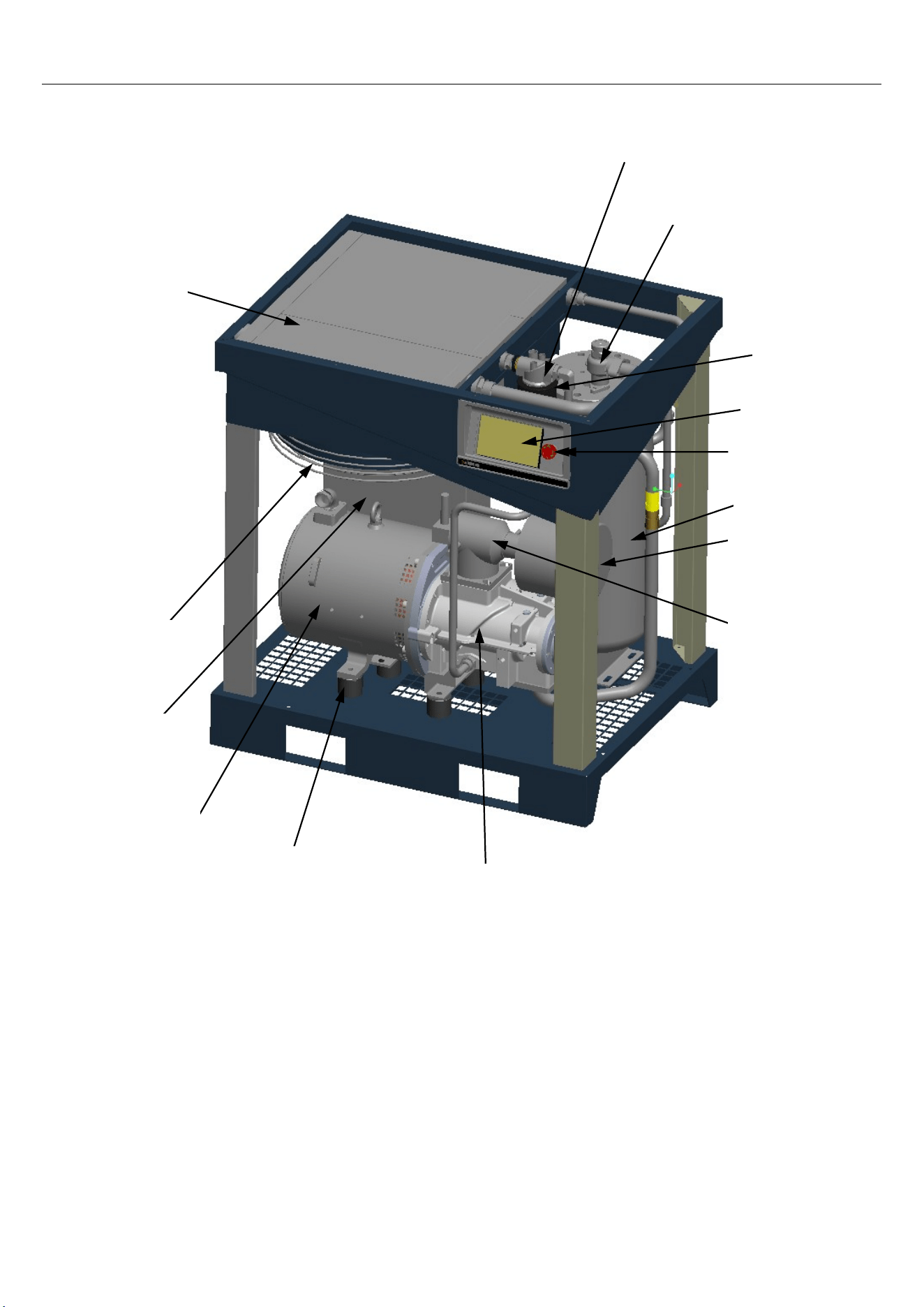
Oil filter base
Minimum pressure valve
Oil filter
Control panel
Emergency
Oil and gas barrel
Air filter
Air inlet valve
Host machine
Shockproof
Motor
Electric
control
cabinet
Cooling fan
Cooler
Diagram 3. Directly Connected - Type Screw Compressor
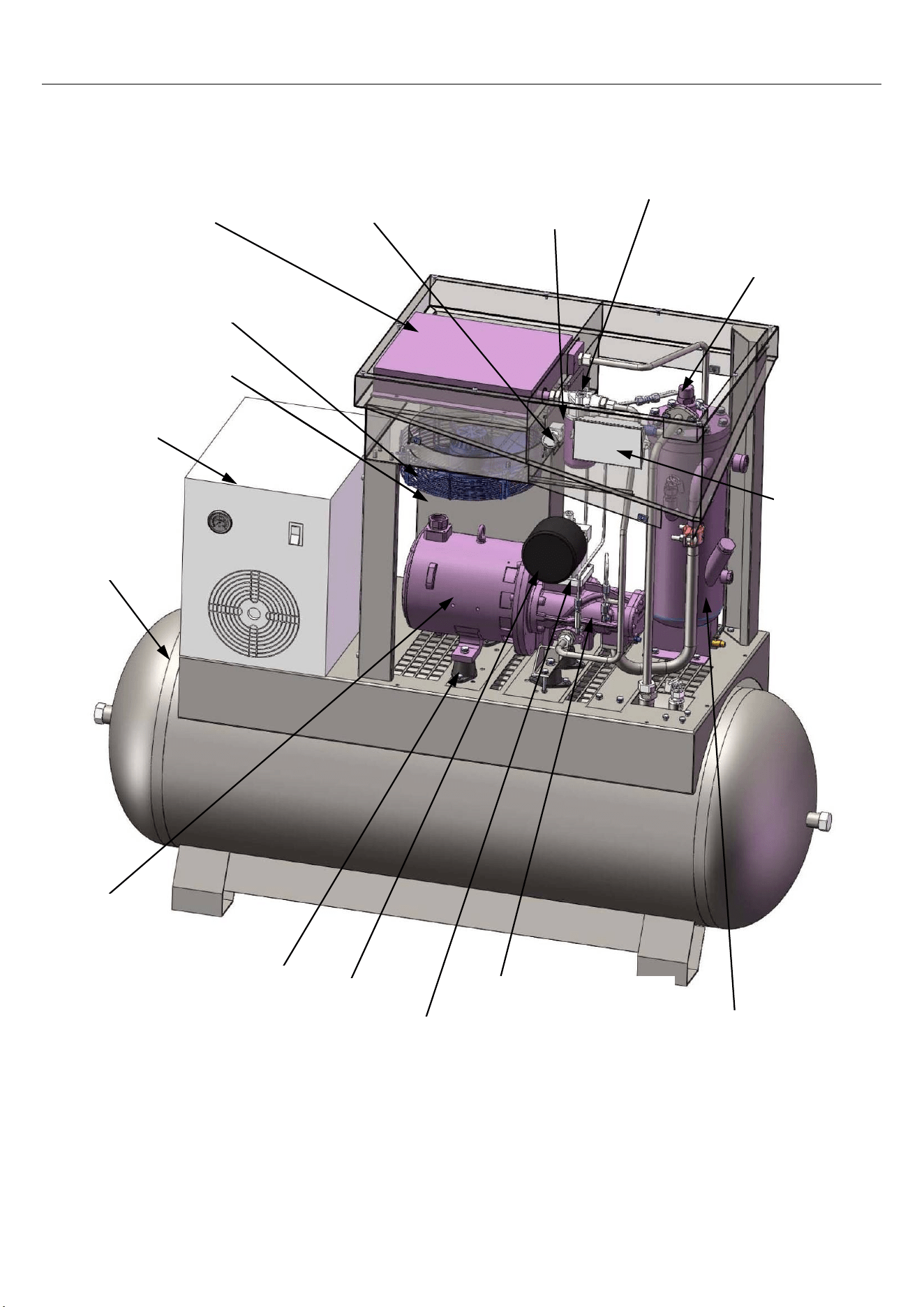
Diagram 4. Directly Connected - Type Screw Compressor
Cooler
Cooling fan
Electric control
Dryer
Motor
Shockproof
cushion
Host machine
Air filter
Air inlet valve
Oil and gas barrel
Control panel
Minimum pressure valve
Emergency switch
Oil filter
Oil filter
Tank
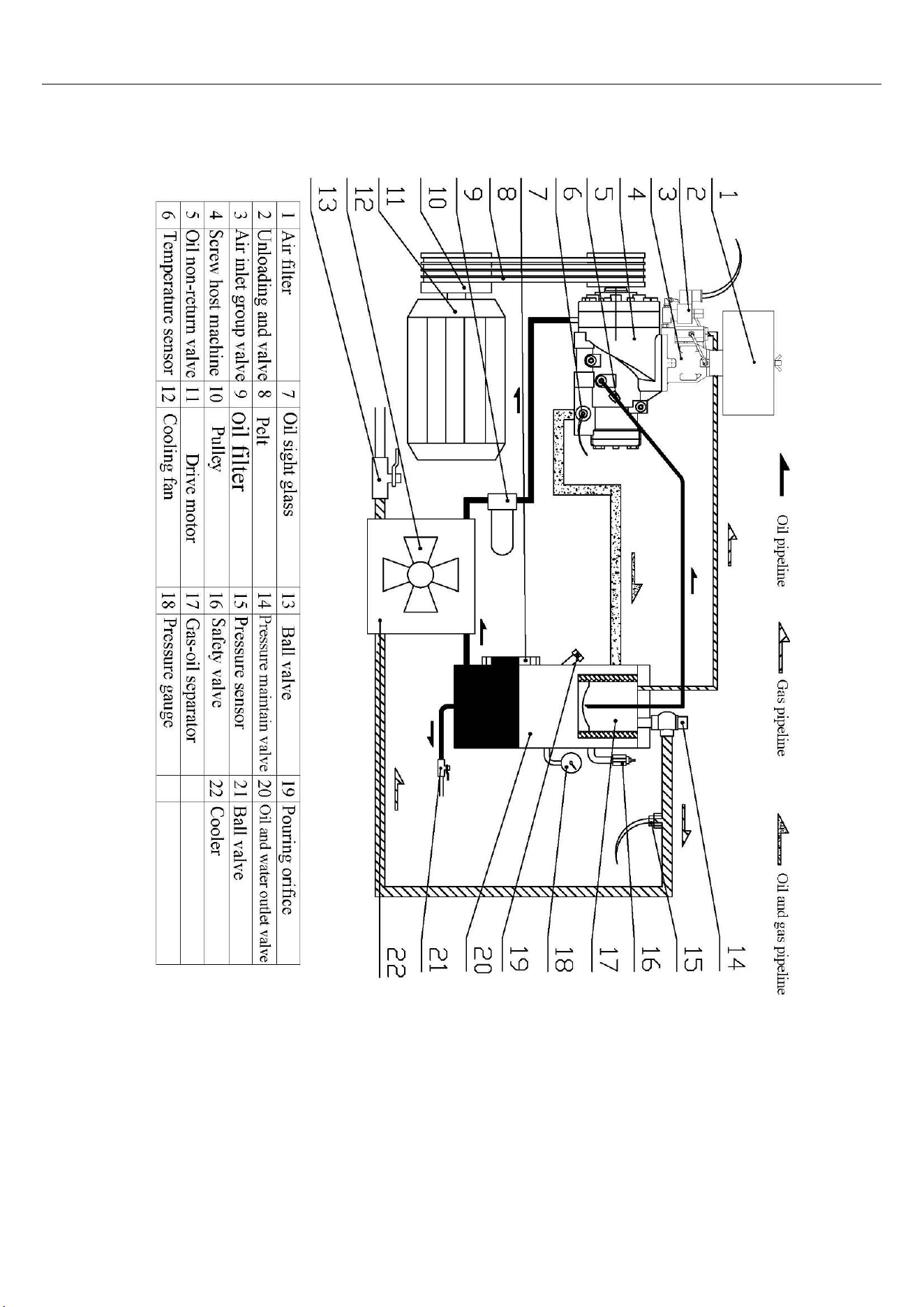
5. Pipeline Flow Diagrams
D
iagram 5. Conveyor - Type Screw Compressor Flow Diagram
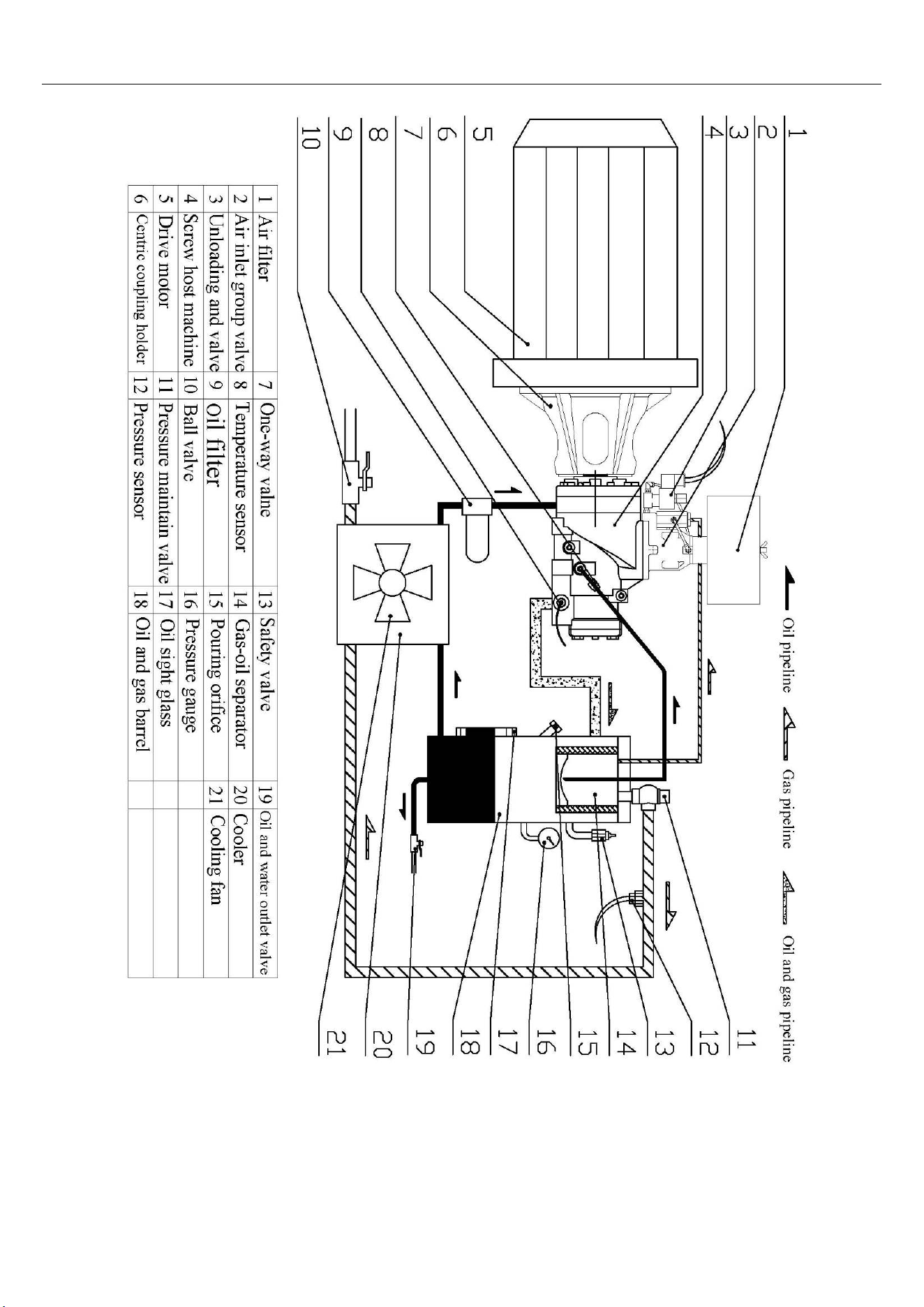
Diagram 6. Directly Connected Screw Compressor Flow Diagram
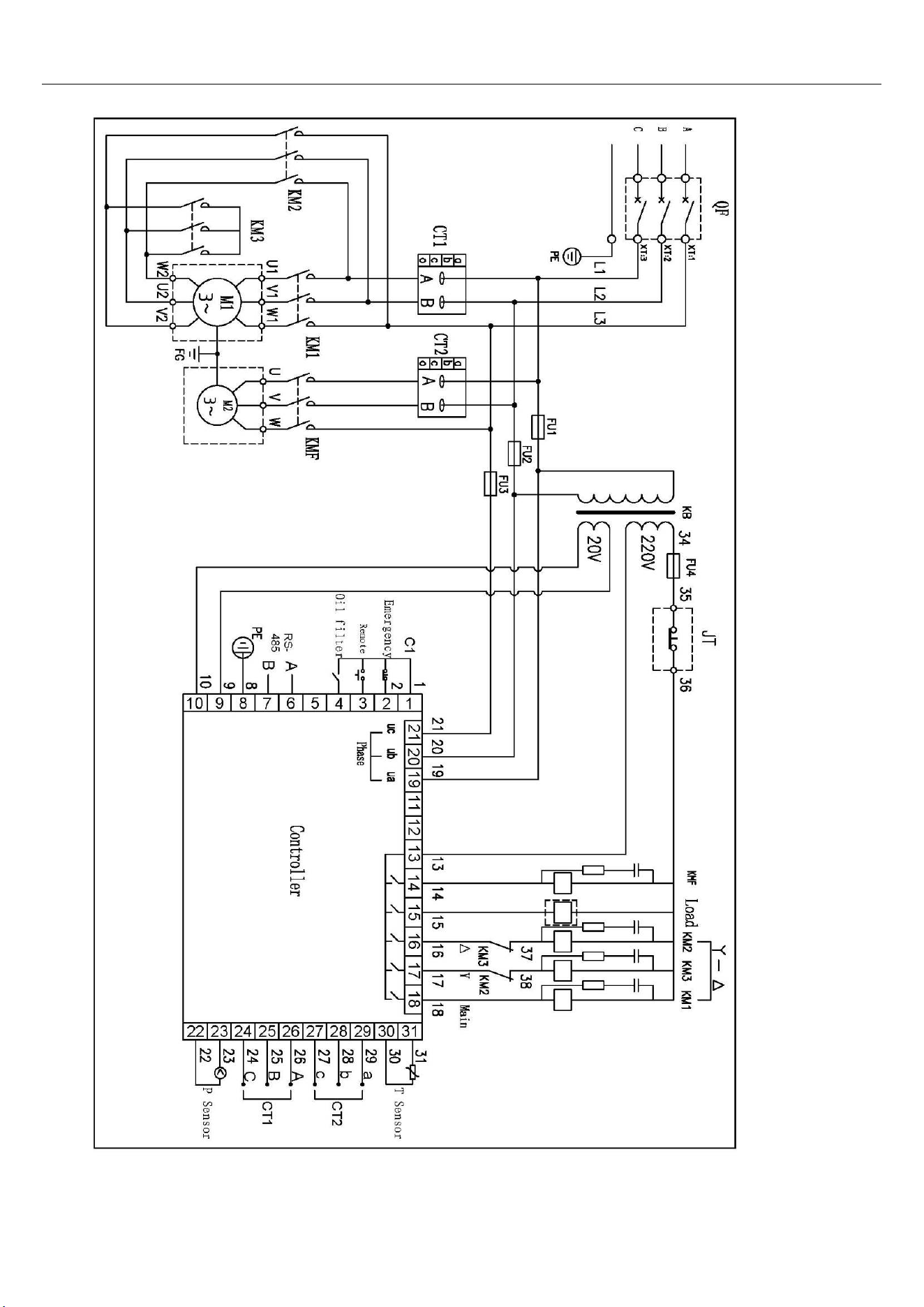
6. Electric Principle Diagram
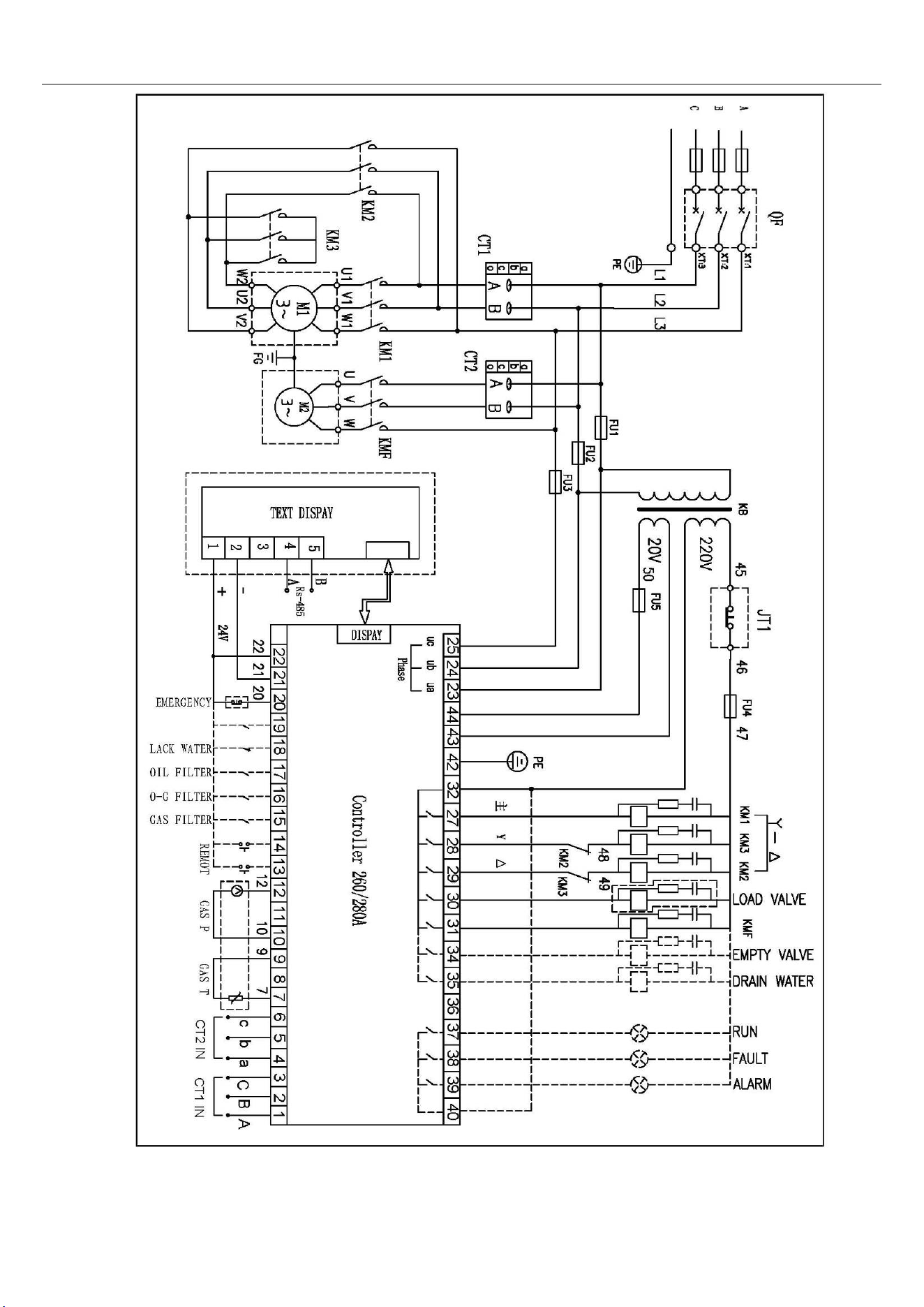
Diagram 7. Electric Principle Diagram For Split Type Main Controller
D
iagram 8. Integral-Type Main Controller Electric Principle Diagram

7. Warnings and Announcements
7.
1 Power distribution for the machine
a) According to the power, voltage frequency and other characteristics of the air compressor,
select and use matched power supply and suitable power line (If conditions permit, excellent power
line with properties of anti-high temperature and anti-aging shall be equipped to avoid breakdown in
the air compressor caused by power line or power).
b) Cross area of the power line shall be no less than the data in Table 2.
Table 2. Minimum cross area of the power line (Copper wire mm
2
)
Code of the
product
Motor power
(
KW
)
Cross area
(
mm
2
)
HYSC75300 5.5 50
HYSC100300 7.5 6
HYSC150300 11 10
HYSC200300 15 16
c) Proper air switch shall be selected and equipped by professional electrician according to
the power and voltage of the air compressor to protect the power electrical system for safety
guarantee, which is shown in Picture 9
Picture 9. Air Switch
d) The air compressor must be reliably grounded to avoid the dangers caused by electricity
leakage and static electricity.
e) Air compressor with large displacement shall use a separate set of power supply unit to avoid
impact on the normal operation of other equipments, or it goes against the normal operation of the
air compressor( It causes to the operation of screw protective devices)
7.2 Announcements
a) In order to avoid the damage caused by jolt during the process of storage and transportation has
been screwed when it leaves the factory. The user has to lock in the transportation fastening screw
and loosen the fasteners before using the equipments, which is shown in Picture 10
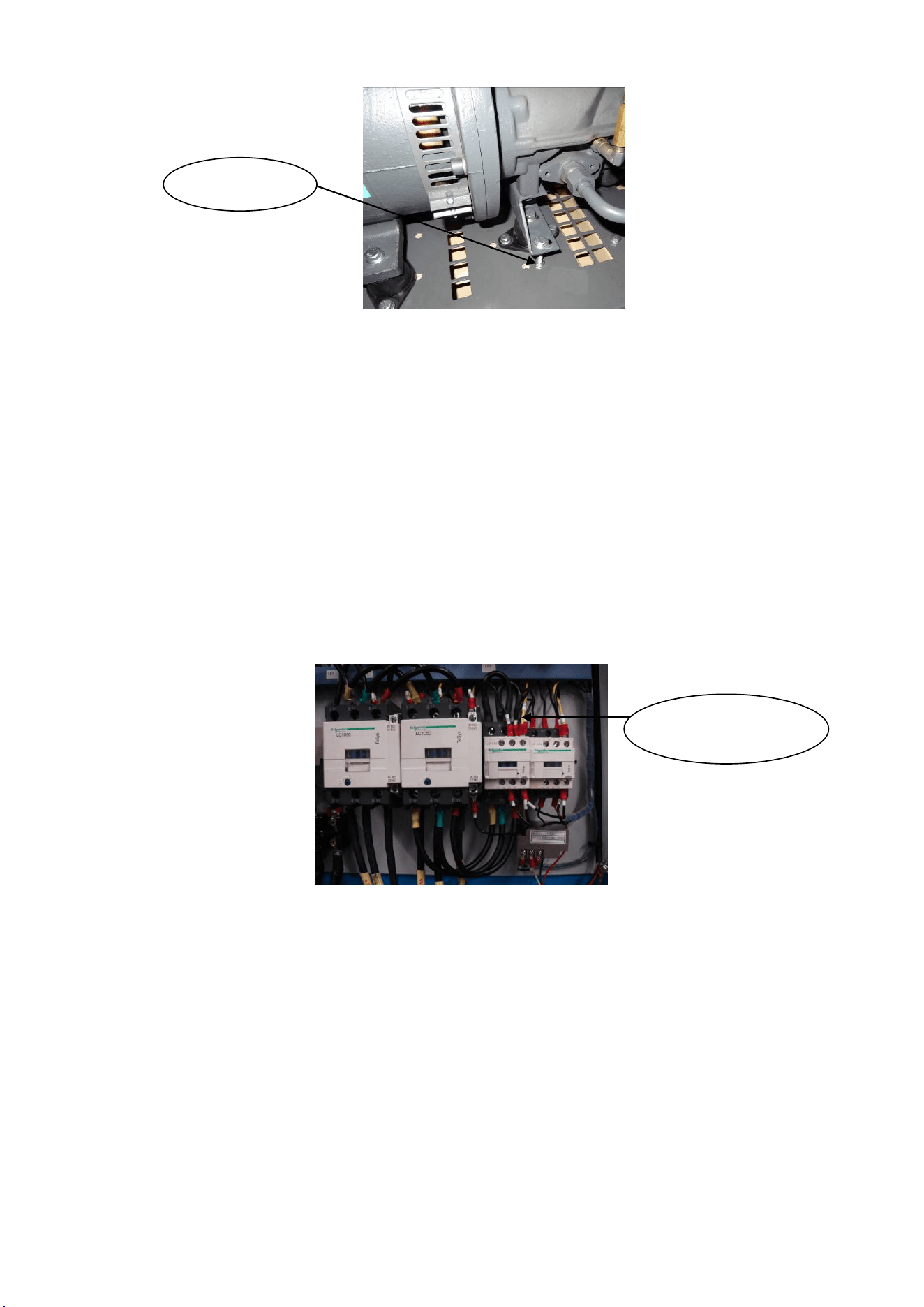
Picture 10.
b) Debugging of the new machine must be operated by appointed or authorized person by the
company.
c)Operators must read, comprehend and follow the relevant operating procedures, announcements
and maintenance specifications in the manual.
d) The air compressor without air storage tin can only be used after being equipped with air storage
tin.
e) The air compressor shall not be arbitrarily altered or set the rated operating voltage to avoid
overload damage to the motor.
f) Air compressor shall be operated indoor, with good ventilation and a temperature that is less than
45℃.
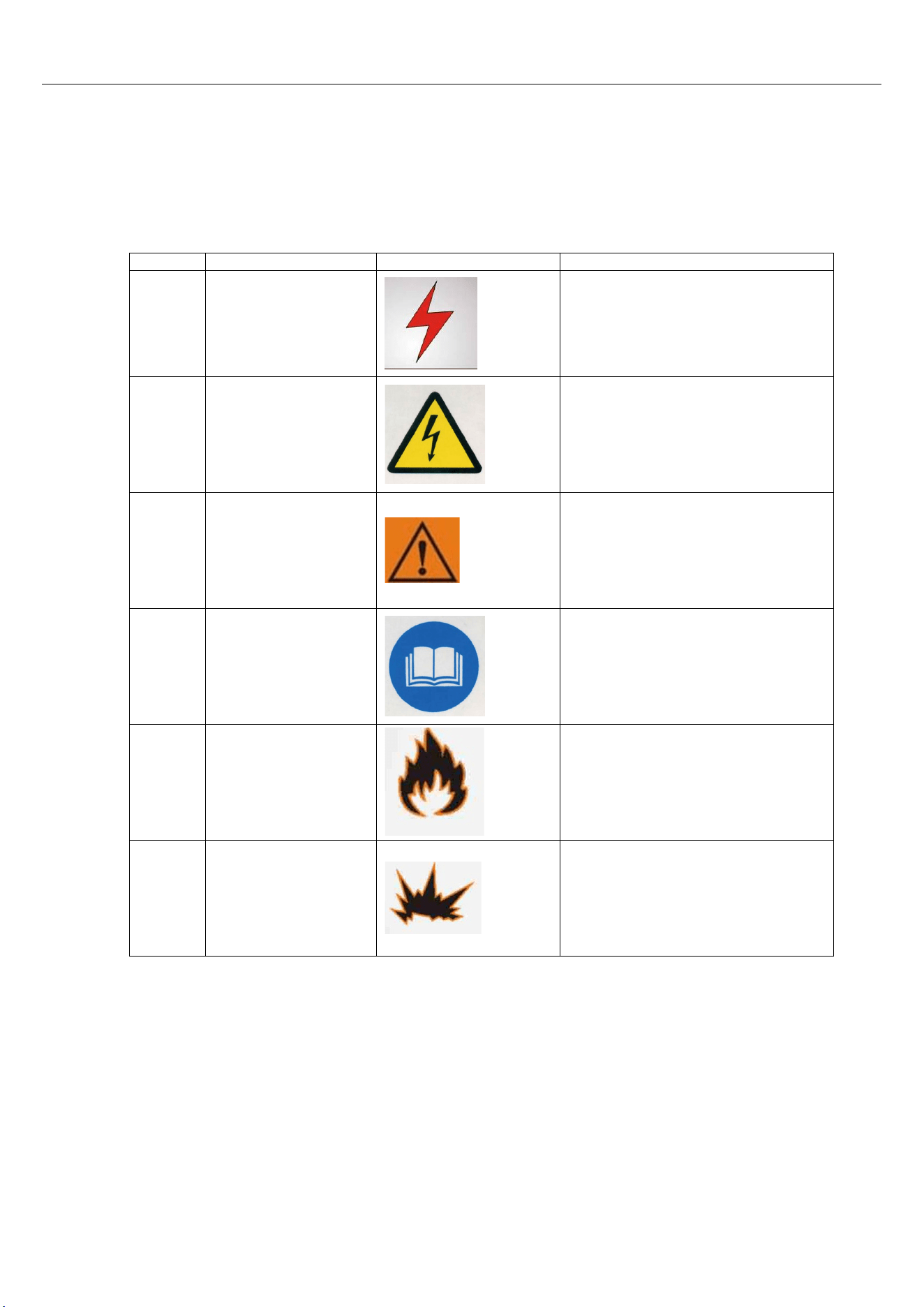
g) The end of the inlet wire of power supply shall be equipped with a terminal to guarantee that the
bolt in the terminal is fixed and won’t become flexible. The wire must be installed by professional
electricians( As shown in Picture 11).
Picture 11.
h) It is strictly prohibited that the compressor operates under a pressure less than 0.4Mpa in
long-term basis.
i) Keep the lubricating oil between the range of upper and lower limits of the oil indicator. Mixture of
different brands of lubricating oils is strictly prohibited to avoid serious accident caused by coke
accumulation in pipeline system.
j) It is strictly prohibited to examine and repair the electrical equipment and circuit under the condition
that the power supply is not off.
k) It is strictly prohibited to examine and repair the pressure volume and pressure pipeline.
l) Timely get rid of the moisture in gas and oil barrel.
m) The exhaust temperature shall be between 70 and 105℃.
n) Cleansers which are inflammable, explosive and volatile cleaners cannot be used to maintain and
The end of the
inlet wire
Shockproof
fasteners
clean the parts. Safe dissolvent free from corrosion shall be used instead.
o) If there is breakdown alarm in the compressor, please don’t start up the machine forcefully. Please
timely find out the cause and deal with it accordingly.
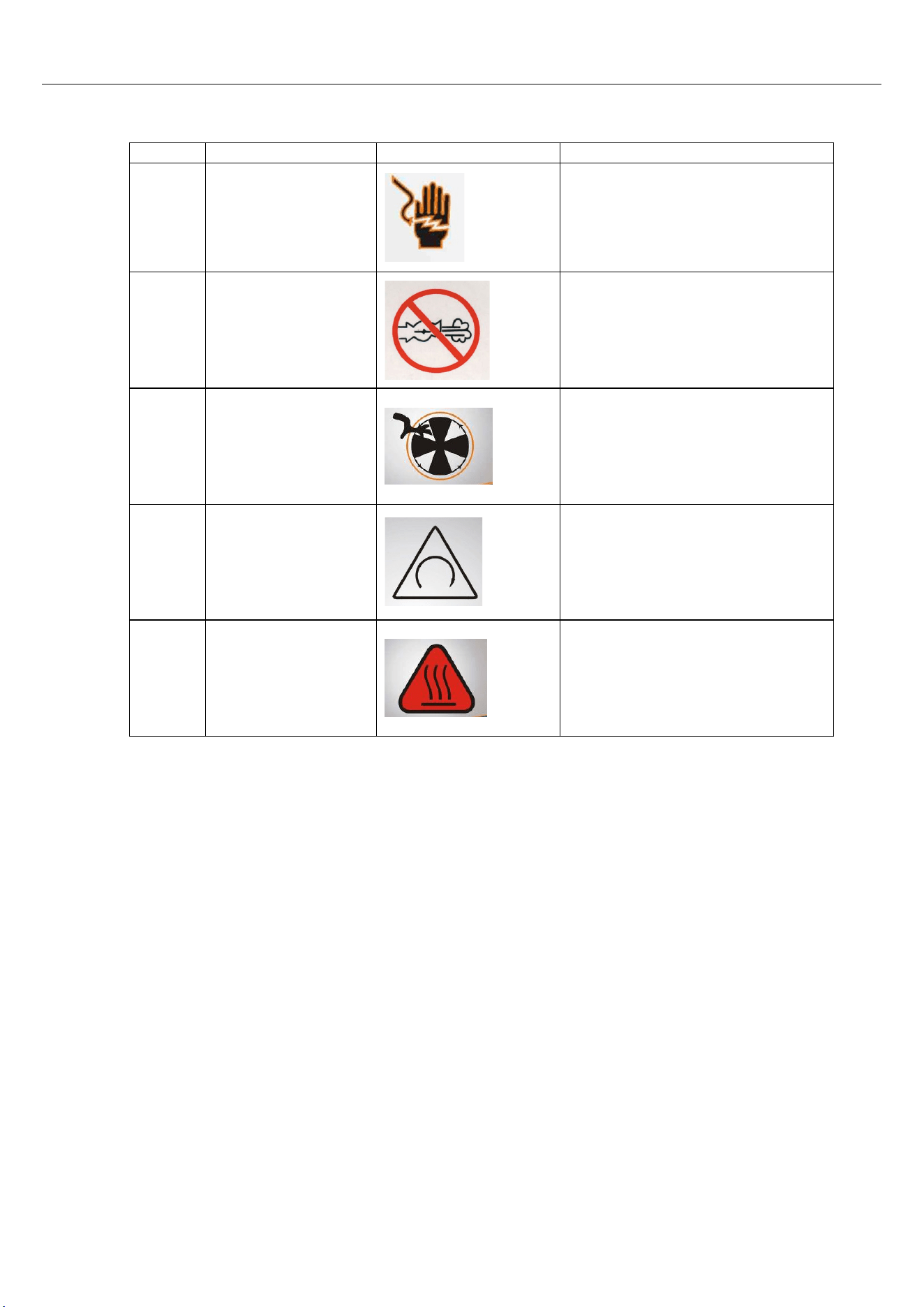
7.3 Warning symbols
Ta
ble 3
S.N.
Name
Symbol
Description
1
Safety in
electricity
utilization
Make sure the working supply
voltage is off during operation
2
Danger!
Electricity!
Watch out charged body,
leakage body and other
electrical parts
3 Danger warning
Pay attention to and be careful
about relevant warning
information
4
Reading the
instruction
Read the instruction before
operation
5 Ignition hazard
Inflammable and explosive
materials shall be away form
the machine
6
Exploration
hazard
Please don't weld or repair the
air storage tank
S.N.
Name
Symbol
Description
7
Electric shock
hazard
Please don't place the
equipment in wet places or
outdoors to avoid electricity
leakage due to reduction in
electrical insulation resistance
8 No air leakage No air leakage here
9
Caution, hand
injury
Don't touch transmission part
10
Rotational
direction of the
motor
Check rotational direction of
the motor during the process
of first starting up or changing
wire to avoid serious
breakdown to the machine
11 Danger, hot! Hot surface, avoid burns
8. Equipment Installations
Installation site choosing and heat elimination and ventilation system
An installation site plan must be made to correctly use the air compressor to create good
environment for its operation and maintenance. A reasonable site must meet the following
requirements.
a) Air compressor must be installed indoor, which is clean, dry, ventilated, dust free and harmful
gases free.
b) Operating environment temperature shall not exceed 45℃. And the relative humidity of the
surrounding atmosphere shall be less than 80%.
c) The floor for installation shall be solid, smooth and horizontal.
d) If the planning site is an air compressor station, proper compressed air processing devices,
valves, pipelines and pressure containers shall be equipped according to relevant provisions. In order
to assure good heat dissipation and maintenance space, the distance between the air compressor
and the wall shall be no less than one meter and space of more than 1.5 meters shall be reserved on
the top to avoid wind bridge which is formed by the outlet hot wind and inlet cold wind. Exhaust
devices shall be equipped in the machine room which is badly ventilated.
9. Equipment Operation
9.1 Transportation shockproof fixation bolt shall be loosened before the
operation (Please refer to what is stated in item 7.2 in announcements)
9.2 Air compressor can only be come into service when it is equipped with air
storage tank(as what is shown in Table 1-Main Technical Data).
9.3 Test run of the new machine
a) Testing voltage on page 12, item 7.1-a, shall meet the requirements in relevant provisions.
According to the requirement of item 7.1-d on page 12, it shall be grounded. According to the items
7.1-b and c on page 12, it shall be connected to the power line. The cross area and length of the
power line shall meet the provisions in Table 2 on page 12.
b) Check the oil level in gas and oil barrel to see if it is between the upper and lower limits.
c) To guarantee safety of starting up, it shall be firstly confirmed that there are no personnel,
tools and inflammable and explosive materials in the unit.
d) Pour approximate 0.2 liters lubricating oil which is specially used for air compressor to the air
inlet valve and turn the hand piece if the machine for several turns to avoid damage in dynamic and
static tray in air compressor due to oil shortage.(A funnel with net is used for filtrating to prevent
foreign matters from entering the hand piece.)
e) Charge electricity to the control panel in air compressor
f) Trial operation test: Trail operation shall be done for two or three times before the formal
operation. The purpose of Trial operation, starting up the machine and shut it down immediately, is to
check if the rotating direction of the air compressor is correct or not and if there is abnormal noise
and vibration.
g) Normal operation: Press the start button again to start the operation of the air compressor.
h) After the starting up of the machine, motors with power more than 11kw shall be set as Y-△
starting up, the initial operation is slowly speeded up in way of Y shape and automatically changed to
quick speeding up in way of △ shape.
i) Stop: When the stop button is pressed, the air compressor stops to run. The compressed air
in pressure pipeline will be discharged by load relief valve when the machine is stopped, getting
ready for the next no load starting up of the equipment. It is a normal phenomenon if some weak
sound of air discharging can be heard.
9.4 Safety protection
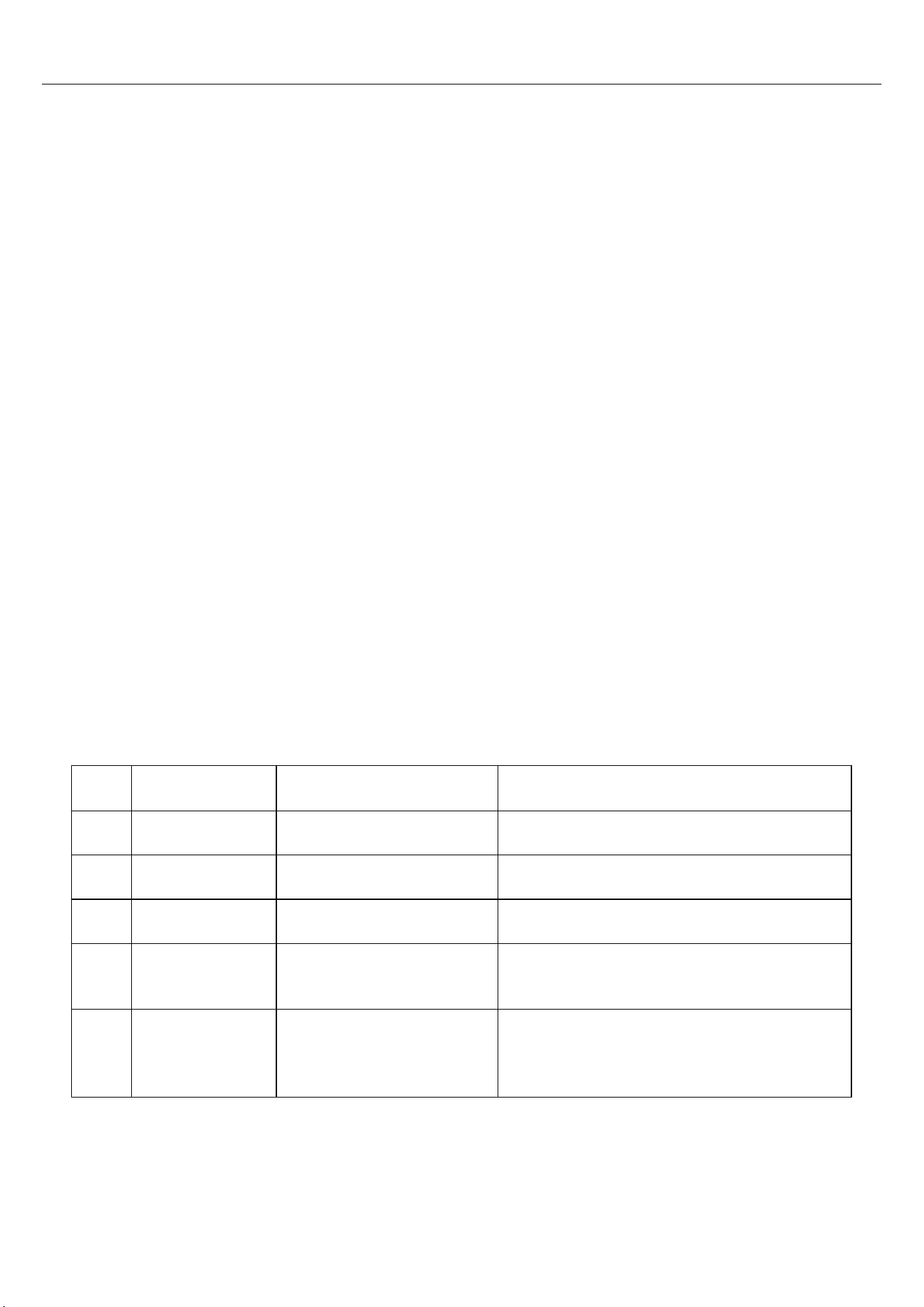
a) Motor protection Table 4
S.N.
Breakdown
description
Breakdown display
Causes
1
Phase
shortage
Shutdown
Breakdown in power supply, contactor
and motor circuit
2
Overload
Shutdown
Increase in load capacity or mechanical
breakdown
3
Locked-rotor
Shutdown
Increase in load capacity or mechanical
breakdown
4
Imbalance
Shutdown
Three- phase voltage of the power
supply is not stable or circuit
breakdown in motor
5
Short circuit
Shutdown
Serious electricity leakage, short circuit
between circles of the motor or error in
current setting
b) Air (Oil) exhaust standard exceeding protection
When temperatures of air (oil) exhausting reach the set warning temperature, there will be alerting
information on the controller and give an alarm. When the temperature reaches set breakdown
temperature, the controller execute the order and shutdown

When the phase sequence of the three-phase power supply is different from that set in the
controller, the controller is unable to output the starting up signal and the motor cannot start
operation. For the time being, you have to exchange any two power lines and see the rotating
direction of the motor.
c) Exhaust pressure overpressure protection
When the exhaust pressure is high than the upper limit value, the controller execute the order
and shutdown
d) Sensor failure protection
When pressure sensor and temperature sensor are in breakdown of disconnection, the
controller execute the order and shutdown.
10 Operations and Maintenance
10.1 Routine operation and maintenance (According to provisions in
Table 5)
10.1.1. Examining and maintaining before operation
a) Check to see if the equipment is clean and complete.
b) Check and maintain the intact of the electrical elements and firmness of the
grounding.
c) Check and maintain the reliability of the fasteners.
d) Check and adjust the tension of the belt and change it if necessary.
e) Check, adjust and change the coupling or bumper block if necessary.
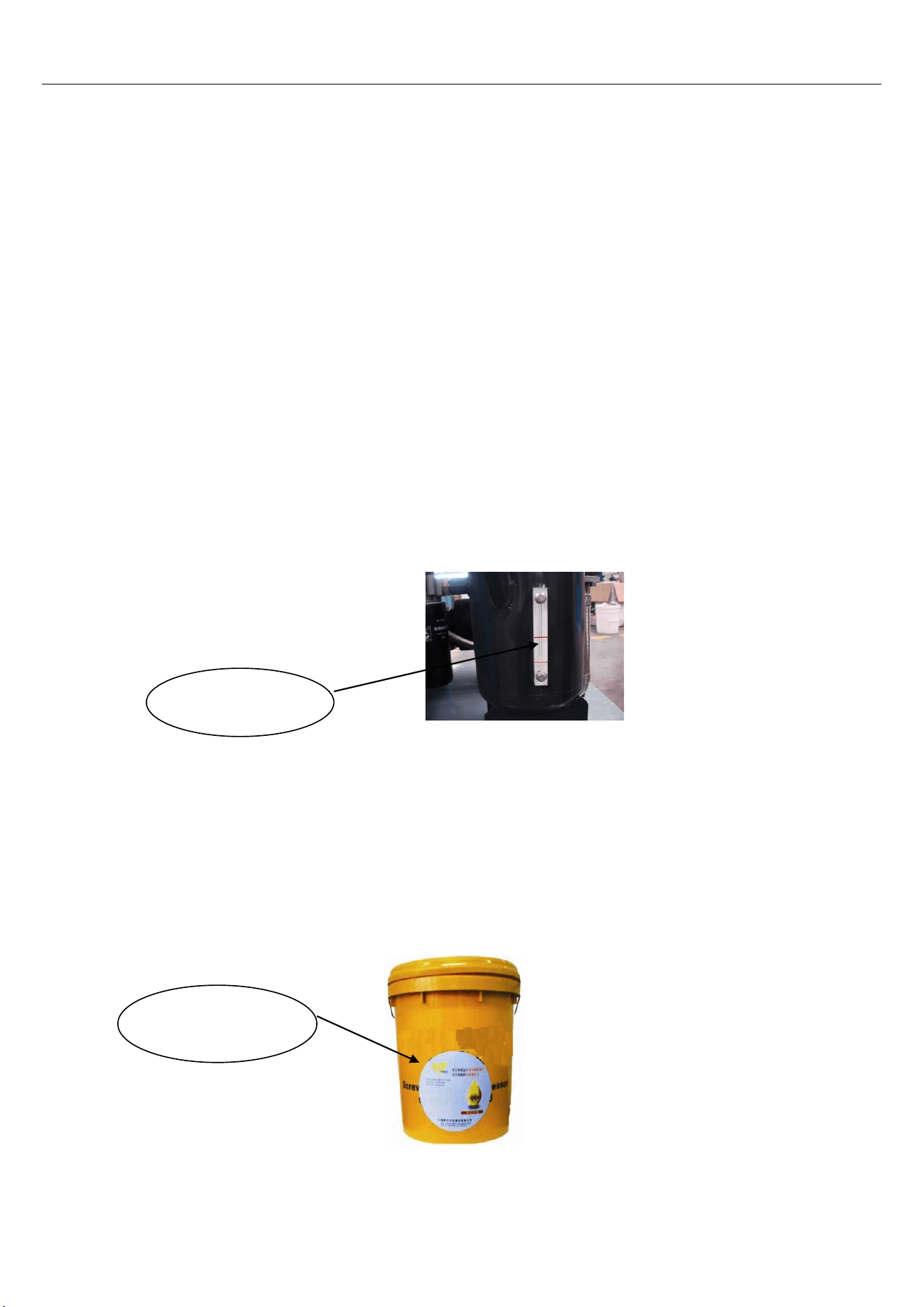
f) Check, add and change the lubricating oil if necessary.
Oil level shall be between the upper and lower red line of the oil indicator, as what
is shown in Picture 12.
Picture 12.
Special lubricants for screw machine as shown in Picture 1 should
be used.
Picture 13.
Oil indicating
tube
Special
lubricants
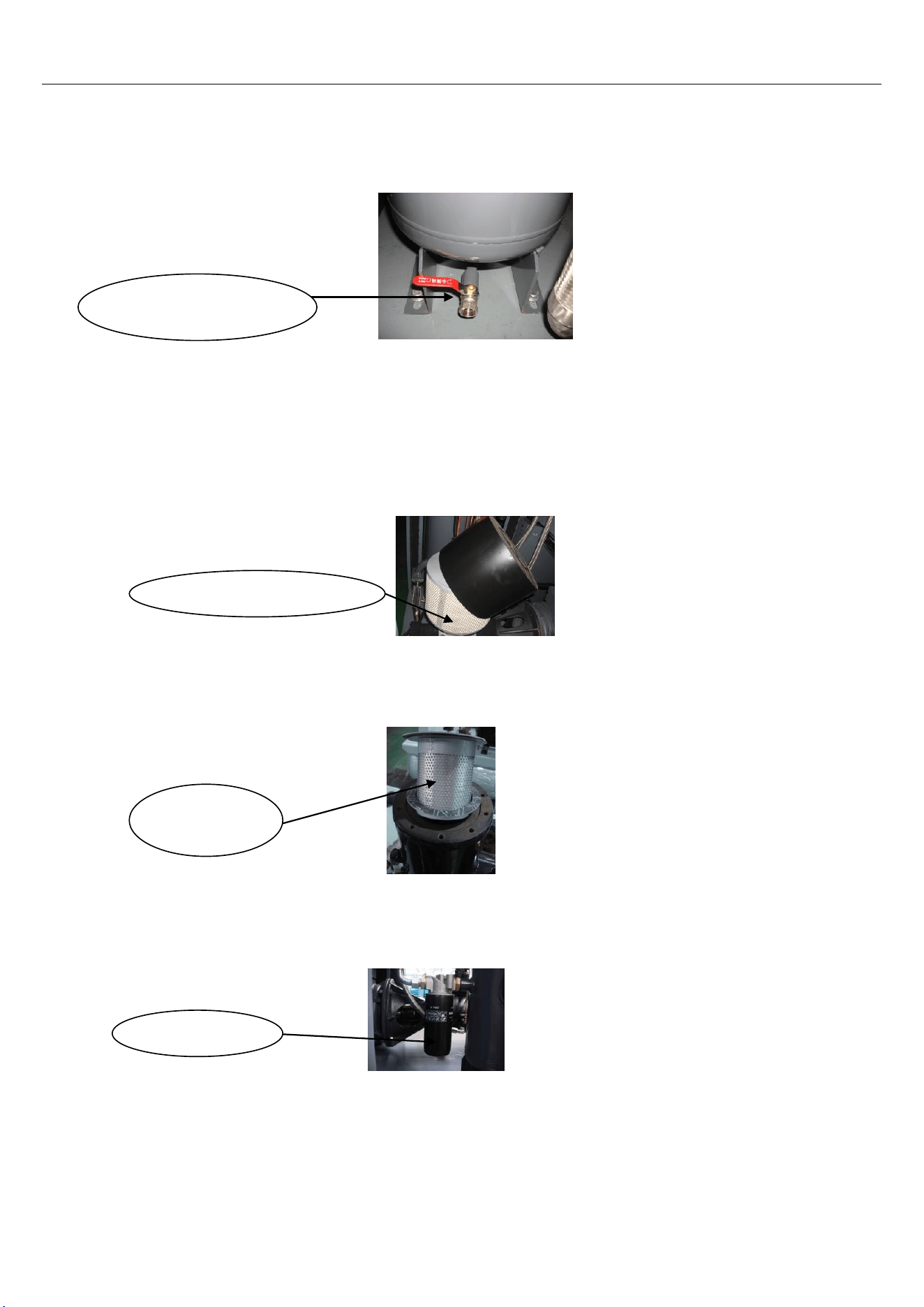
Refueled oil should be filtered through Cleaned funnel(Filtering precision is 14um )
The used oil should be discharged before the change of lubricant as shown in
Picture 14.
Picture 14.
g) Check to see if it is necessary to discharge the condensate water in the gas
and oil barrel.(Slightly open the liquid discharge valve on the bottom of gas
and oil barrel and discharge the condensate water till the lubricating oil
flows out.)
h) Check, clean and replace the filter element of the air filter if necessary as
shown in Picture 15.
Picture 15.
i) Check, clean and replace the oil-gas separator if necessary as shown in
Picture 16.
Picture 16.
j) Check, clean and replace the oil filter if necessary as shown in Picture 17.
P
icture 17.
m) Check and clean the cooler if necessary as shown in Picture 18.
Water(Oil)
drainage valve
Air filter element
Oil-gas
separator
Oil filter
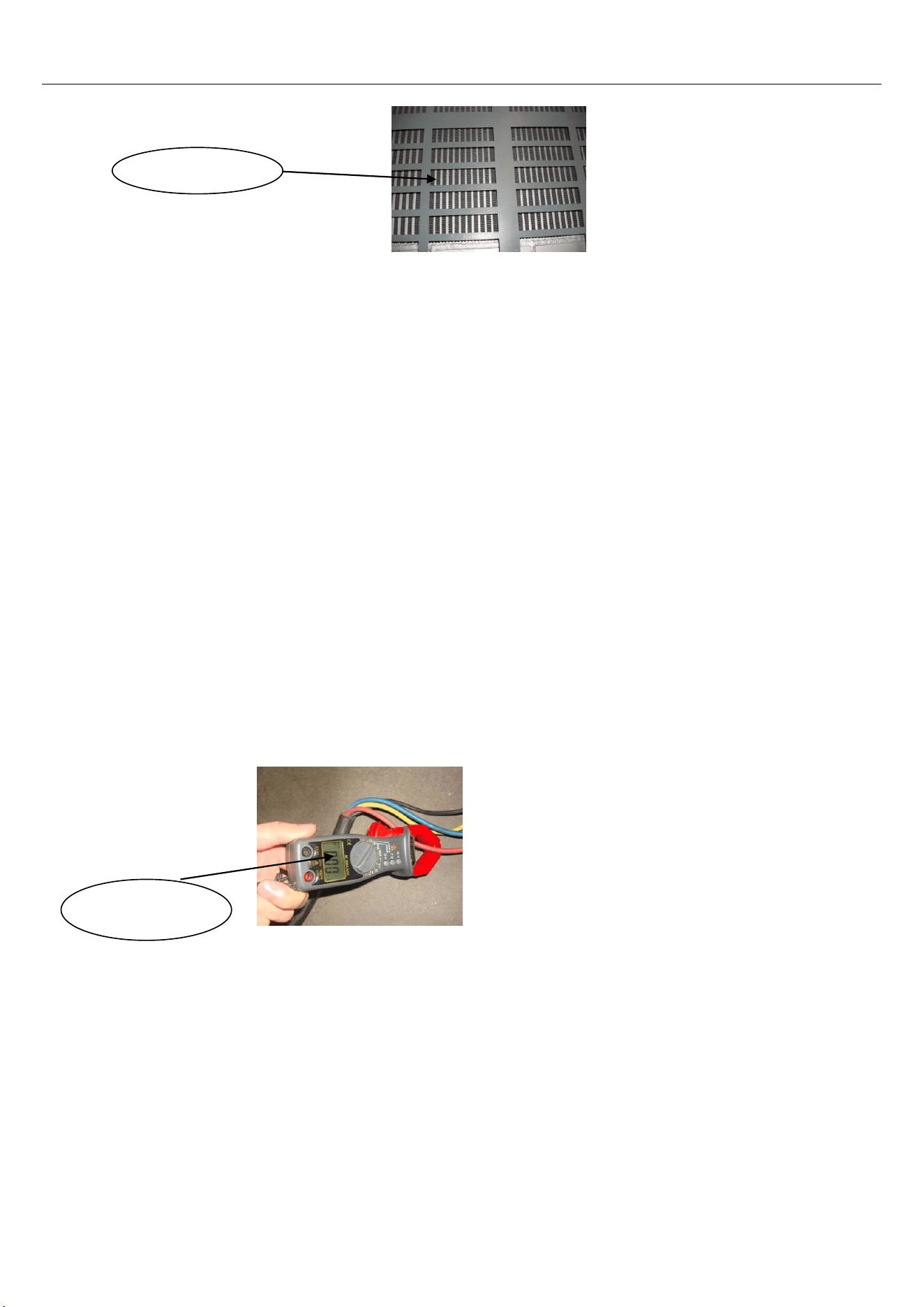
P
icture 18.
10.1.2 Starting up Checking
a) Check the operating button to see if it is in normal condition.
b) Check whether there are phenomena of abnormal noise vibration and oil
leakage.
c) Check the instruments of pressure gauge, oil thermometer, ammeter and
indicator light etc. to see if they are in normal condition.
d) Check the oil return pipe to see if it is in normal condition.
e) Check the pressure of the automatic stop and that starting up to see if it is in normal
condition.
f) Check the unloading valve to see if it is deflating or not when the machine
stopped.
Check the exhaust temperature to see if it is in normal condition.
g)Check to see if the temperature is in normal condition
h)Check the voltage and electric current to see if they are in normal condition.
Picture19.
i) Check, clean and replace the safety valve if necessary.
Check the motor insulation resistance.
k) Record the voltage, current, air pressure, exhaust temperature and oil level every day and
take notes of the working time, maintenance status and abnormalities per shift.
Pincer-like
ammeter
Cooler

Maintenance plans
Table 5
S.N
.
Checking
Items
Working
content
Maintenance cycle Remarks
Day
Wee
k
Month
Half
year
A
year
Two
year
s
1 Fastener
Check the bolts
and transmission
components
☆
T
he bolts and transmission
components can’t fall off or
loosen.
2 Coupling Check the
coupling
☆
Concentricity is normal with
no damage.
3
Strainer of
oil return
pipe
Check the
strainer
★
No
sundries
4
Condition of
oil return
in
transparent
return pipe
Make sure the oil
return is normal
☆
Oil return is fluent
5 Unloading
valve
Make sure the
machine is
stopped and
☆
Normal stop, unloading and
deflating
6
¤
Lubricating
oil
Check the level
and quality of oil
☆
The oil level should be within
the alerting line, without
oxidation discoloration
7
Air (oil)
exhausting
temperature
Make sure the
venting
temperature
☆
T
he normal temperature is
between 70℃ and 105℃
8
Voltage and
current
Check the
voltage and
current.
☆
W
ithin 1.2 times of that of the
rated current
9 ¤ Air filter Cleaning
☆
Replace the filter element
only
10
Drainage in
Gas and oil
barrel
Water drainage
☆
Discharge from the oil
discharge valve
11
dustproof
gauze
Cleaning and
maintenance
☆
T
ake out and clean
12
Pipeline
system
Check the
situation of oil
leakage and air
leakage.
☆
No phenomenon of oil
leakage
13
Circuit
system
Line terminal or
displaying
information
☆
No phenomena of
information alarming or wire
decrustation
14 ¤Oil strainer
Checking and
cl
eaning
☆
Rep
lace the filter
element only

15
Filter
element of
oil-gas
separator
Cleaning and
replacement
★
Replace the filter
element only
16
Mechanical
seal for the
host
machine
Checking the
leakage
☆
The quantity of oil leakage is
less than 1.5g/h
17
Motor
insulation
Checking the
insulation
resistance
★
More than 2MΩ when the
voltage is 500V
18 Relief valve
Checking the
sensitivity of the
action
☆
In condition of rated
pressure, it can discharge
when the discharging ring of
the relief valve is pulled with
a force less than 1 kg and the
sundries are cleared off.
19
Pressures
of
automatic
stop and
automatic
start up
Checking the
sensitivity of the
action
☆
Stop pressure and start-up
pressure are in normal
condition.
20 Cooler
Maintenance and
cleaning
☆
Clean the surface dirt in the
way of blowing
21
Indicator of
the oil level
indicator
Checking the
clarity
☆
Replace it when the oil level
is fuzzy.
22
Belt and
pulley
Checking the
firmness or
replacement.
☆
Extrude the center of the belt
with the thumb to make sure
it is 10 to 15 mm and with no
damage.
Notes: “
☆
”refers to parts that are maintained by users, “
★
”refers to parts that are entrusted to service
center . “¤”refers to parts that must be replaced after the new machine running continuously for 500 hours,
then replace them after 3000 hours’ work. The maintenance parts are those whose working time are less
than 6000 hours.
10.1.3 Processing method of long-term shutdown
10.1.3.1 Equipment should be sealed if it is shutdown for a long period of time.
a) Clean the equipment and spread some antirust oil on the parts which are easy to be rusted.
b) Electric equipment such as motor control panel etc., all Valves, tables, indicators shall be
wrapped up with plastic paper or oil paper.
c) The water in the oil cooler (gas and oil barrel), gas cooler and air storage tank shall be all
discharged..
d) Covering all the equipment with plastic paper or some other similar materials.
e) Transportation fixed screw should be locked if the transfer storage space is changed.
10.1.3.2 To restart the sealed air compressor , the Motor insulation resistance should be
measured first (No less than 1 MΩ).then do as the operating instructions on page 16 item
9.3.The air compressor sealed more than one year should replace the lubricant .
11. Breakdown and Elimination
Table 6
S.N.
Breakdown
phenomena
Causes Breakdown elimination
1
Motor
starting up
failure
No input voltage or the voltage is in abnormal
condition.
Check the power supply circuit
Phase failure (The motor gives out "buzz-buzz"
sound)
Check the power line terminal, electric controller and on-line
terminals
Connection error in power phase position
Adjust the phase-sequence and repair or replace the main
controller
Blown fuse
Check and make sure there is no error in circuit and replace
the fuse
Burning of AC contactor or failure
Repair or replace
Failure of pressure switch (Pressure sensor) Repair or replace
Motor burning out and bearing failure
Repair or replace
Clamping stagnation in dynamic tray in hand piece
or block up caused by bearing failure
Repair or replace
Temperature sensor operation protection
Find out the causes and eliminate the breakdown
Current protector operation protection
Find out the causes and eliminate the breakdown
2
Story
frequent
starting up
Failure in starting up the time delay unit
Check and reset the time delay unit and main controller or
replace it
Serious leakage in pipeline Check the leaking parts and eliminate the breakdown
Volume of air storage tank is not large enough
Add air storage tanks or replace larger air storage tanks
3
Exhaust (oil)
temperature
is too high
Environmental temperature is too high
Increase the air volume in the unit room
The cooler is dirty and with bad heat dissipation
Clean the cooler
Blocking in oil pipeline Check and get the pipe through
Failure of temperature sensor Repair and replace
The lubricating oil is not enough Add lubricating oil
Failure in cooling fan Repair or replace
4
Too low
exhaust
pressure
Failure in pressure switch, force sensor and main
controller
Repair adjust and replace
Too much air consumption
Repair the pipeline, buy more air compressors and control the
air volume
Serious leakage in pipeline
Repair and replace if necessary
Blocking in air filter
Clean and replace the filter element
Breakdown in air inlet valve Repair or replace
Blocking in oil-gas separator
Repair or replace
Leakage in unloading solenoid valve
Repair or replace
Slipping in V shape rotational belt
Repair, adjust and replace
5
Great
consumption
of lubricating
oil
Blocking in oil return pipe
Disentangle or replace
Warranty period of oil-gas separator is due
Clean or replace
Too high lubricating oil level Decrease the oil level
Breakdown in minimum pressure valve Repair or replace
No use of special lubricating oil Exchange the special lubricating oil
6
Abnormal
noise and
vibration
Fasteners become flexible. Host bearing wear or damage
in motor
Repair or replace
Conveyor wear Replace the belt
Wear or looseness in the coupling Check, fasten or replace
Foreign matters enter rotating parts such as hand piece,
motor or fan
Repair or replace
7
Early
deterioration
in lubricating
oil
Failure in empty the used lubricating oil
Empty the used oil and add new special lubricating oil
No use of special lubricating oil Exchange special lubricating oil
Too high exhausting temperature
Increase air volume and decrease the environmental
temperature or repair the temperature control valve and
cooling system
8
Oil leakage in
air filter when
it is shutdown
Breakdown in air inlet valve
Repair or replace
Gas return in minimum pressure valve Repair or replace
Unloading solenoid valve fails to deflate
Repair or replace
9
Great current
or trip caused
by slow
rotation of
the motor
Breakdown in hand piece, motor and the bearing Repair or replace
V shape rotation belt is too tight Repair and adjust the hand piece
Low input voltage(The wire is too long and the diameter is
too small)
Adjust the wire
Poor contact in circuit
Repair or replace
Too great differential pressure in pipeline (Blocking in
filter element)
Repair or replace
Serious imbalance in three-phase voltage Check and eliminate the breakdown
Poor contact or current capacity of the breaker is not
large enough
Repair or replace
No use of special lubricating oil Exchange for special lubricating oil
10
Failure of
rotating in
cooling fan
Too high temperature, great current and operation of
overload protector
Repair or replace
Phase failure
Check the circuit and AC contactor
Breakdown in temperature controller and main controller
Repair or replace
Inconformity in three-phase resistance value ( Motor
burnt our)
Repair or replace
Breakdown in fan bearing
Repair or replace
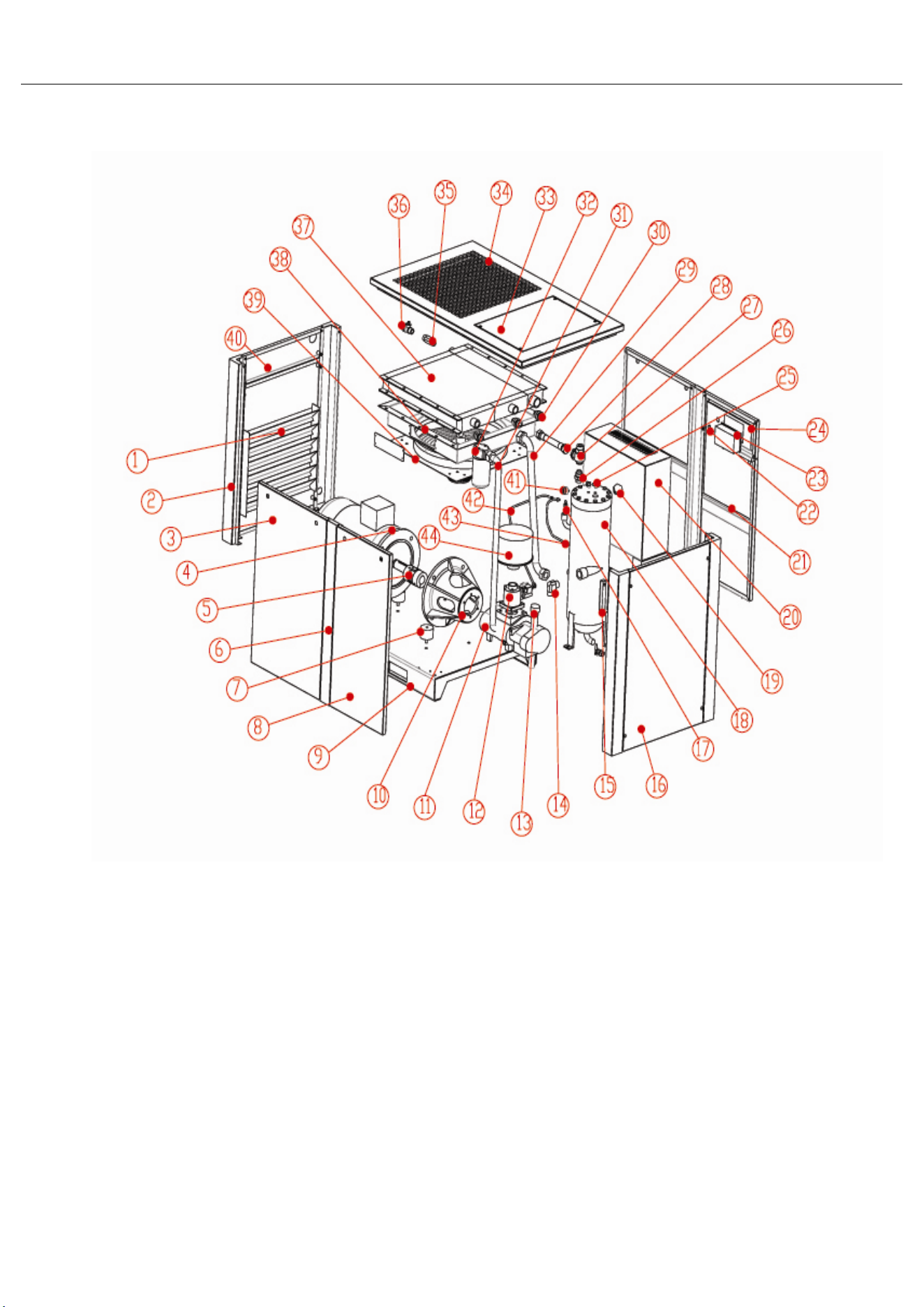
12. Directly-Connected Type Screw Machine
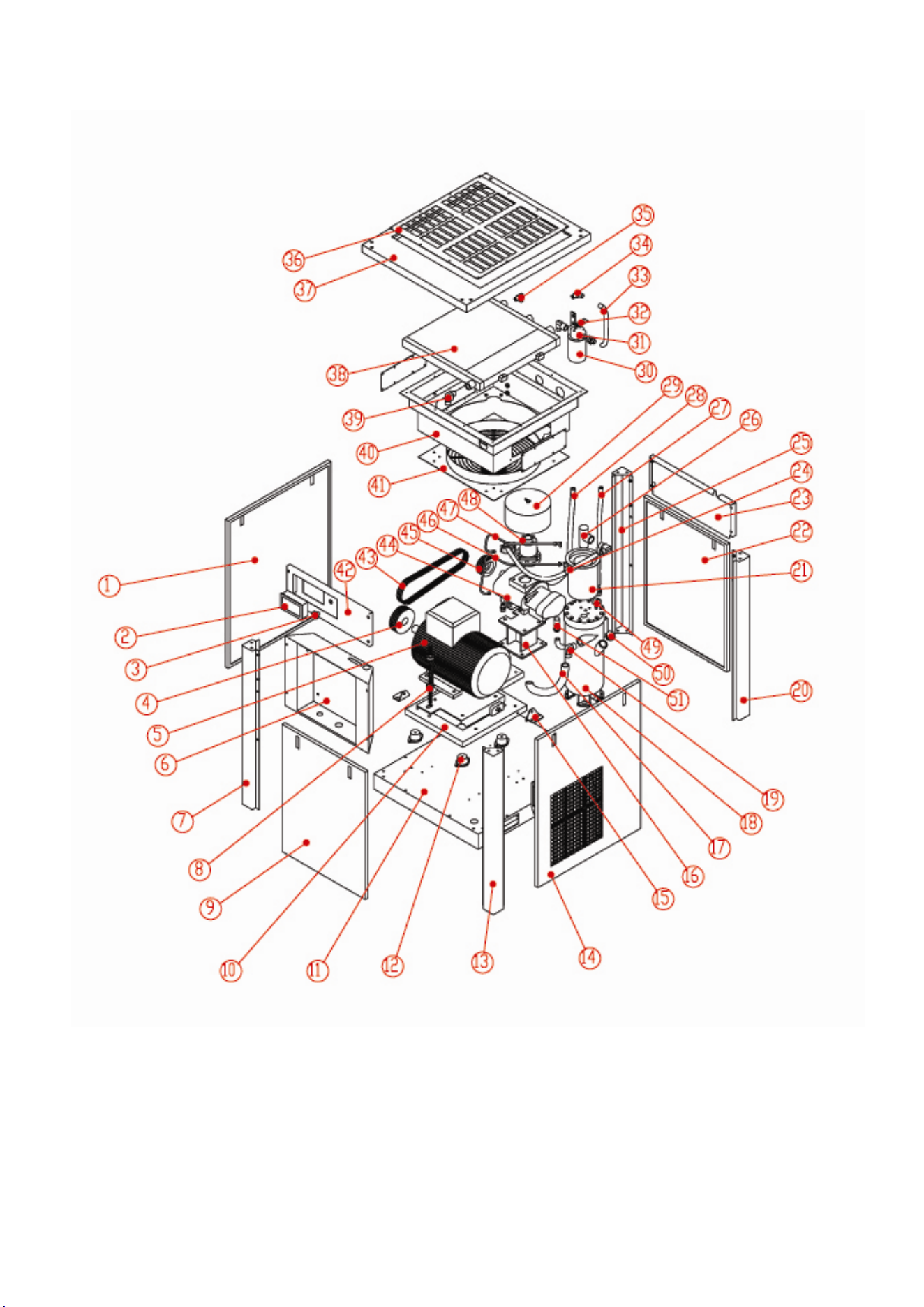
List of the parts of directly-connected type screw machine
S.N. Name Quantity S.N. Name Quantity
1 Right shutter 1 24 Control shutter 1
2
Right front side vertical
shaft
1 25 Bend 1
3
Front and back right
shutters
1 26 Adjustable pipe joint 1
4 Motor 1 27 Minimum pressure valve 1
5 Coupling 1 28 Air outlet pipe 1
6 Back-central gatepost 1 29 Head oil inlet 1
7 Anti-vibration pad 1 30 Oil inlet joint of the cooler 1
8
B
ack-left gatepost
1 31 Oil filter assembly 1
9 The main baseplate 1 32 Oil filter joint 1
10 Center bracket 1 33 Camp of the head cover 1
11 Screw hand piece 1 34 Head cover 1
12 Air inlet valve 1 35 Gas supply pipe 1
13
Exhausting pipe of
hand piece
1 36 Ball valve 1
14 Bend 1 37 Fin type heat exchanger 1
15 Oil mirror 1 38 Wind cover assembly 1
16 Left shutter 1 39 Fan 1
17
R
elief valve
1 40 Deflation opening board 1
18 Oil-gas barrel 1 41
Pressure gauge of the
oil-gas barrel
1
19
Refueling cover of the
oil-gas barrel
1 42
Fine oil differentiating
return pipe
1
20
Electric control cabinet
1 43 U
nloading pipe 1
21 Front-left shutter 1 44 Air filter assembly 1
22
Emergency "stop"
button
1
23 Controller 1
13. Conveyor- type screw machine
List of Parts of All Cover Conveyor Type Screw Conveyor
S.N. Name Quantity S.N. Name Quantity
1 Left shutter 1 27
Oil return pipe of oil and
gas barrel
1
2 Digital display panel 1 28
Main return pipe of he
head
1
3 Emergency "stop" button 1 29 The air filter assembly 1
4 Motor pulley 1 30 Oil filter 1
5 Motor 1 31 Oil filter joint 1
6 Electric control cabinet 1 32 Oil filter fixed board 1
7
Vertical shaft on left side of
the front shutter
1 33
Oil filter exhausting
tubing
1
8
Automatic tension spring of the
conveyor
1 34 Oil inlet bend 1
9 Front shutter 1 35 Oil return bend 1
10
Anti-vibration platform
1 36 Exhaust shutters 1
11 The main base-plate 1 37 Head cover 1
12 Anti-vibration pad 4 38 Oil-gas cooler 1
13
Vertical shaft on right side of
the front shutter
1 39 Exhaust bend 1
14 Shutter on the right side 1 40
The protective cover of
the cooler-fan
1
15 Transportation fixed board 1 41 Cooling fan 1
16 Host frame 1 42 Control panel 1
17
Head exhaust pipe of hand
piece
1 43 Belt 3
18 Oil-gas barrel 1 44 Hand piece of screw 1
19 Bend 1 45 Headpiece pulley 1
20
Vertical shaft on right side of
the back shutter
1 46
A fine differentiating oil
return pipe
1
21
Built-in oil-gas fine
differentiator
1 47 Unloading pipe 1
22 Back shutter 1 48 Air intake valve 1
23 Deflation opening board 1 49
Oil-gas barrel pressure
gauge
1
24
Exhausting pipe of oil and gas
barrel
1 50
Refueling plug of Oil-gas
barrel
1
25
Vertical shaft on left side of the
shutter
1 51 Air intake pipe joints 1
26 Minimum pressure valve 1
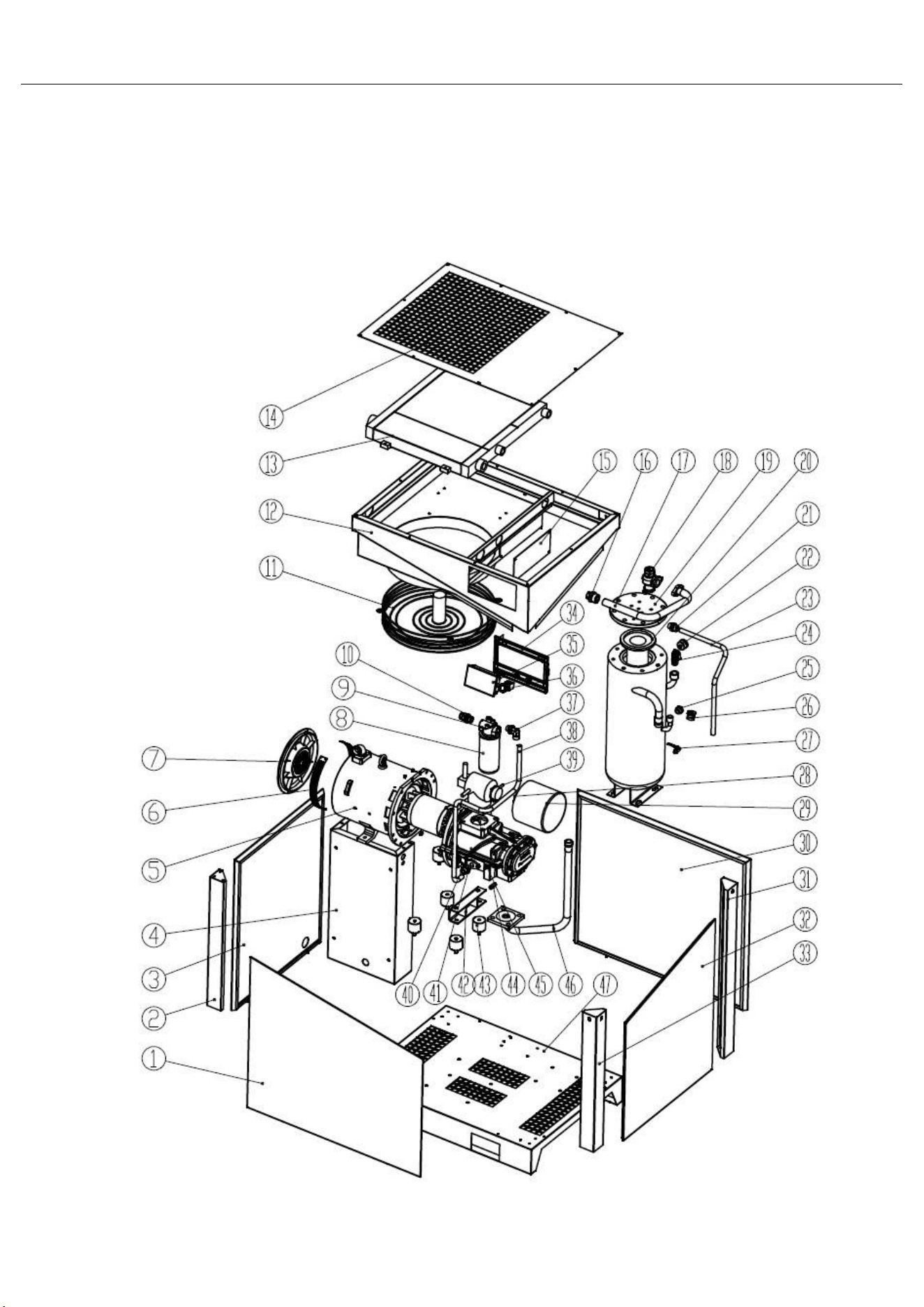
14. Directly-Connected Type Screw Machine
List of the parts of directly-connected type screw machine
S.N. Name Quantity S.N. Name Quantity
1 front shutter 1 25 Oil mirror 1
2
Vertical shaft on left side
of the front shutter
1 26
Oil inlet plug of Oil-gas
barrel
1
3 Left shutter 1 27 Ball valve 1
4 Electric control cabinet 1 28 Air filter element 1
5 Motor barrel 1 29 Air filter cover 1
6 Gridding plate 1 30 Back shutter 1
7 Motor barrel back cover 1 31
Vertical shaft on right
side of the back shutter
1
8 Oil filter 1 32 Right shutter 1
9 Oil filter base 1 33
Vertical shaft on right
side of the front shutter
1
10
adjustable straight
connector
1 34 Plastic panel 1
11 Cooling fan 1 35 Display control panel 1
12
The protective cover of the
cooler & fan
1 36 Emergency stop switch 1
13 cooler 1 37 90°adjustable connector 1
14 Head cover plate 1 38
Main return pipe of air
end
1
15 Fan cover plate 1 39 Air inlet valve 1
16
Discharge pipe straight
connector
1 40 Host machine 1
17
Discharge pipe of oil-gas
barrel
1 41
Oil inlet straight
connector
1
18 Minimum pressure valve 1 42 Air end support 1
19
Flange cover of oil-gas
barrel
1 43
Rubber Anti-vibration
foot
1
20
Built-in oil-gas fine
differentiator
1 44 oil return valve 1
21
Oil return pipe straight
connector
1 45 Temperature sensor 1
22 Pressure gauge 1 46 Discharge pipe of air end 1
23
Oil return pipe of oil and
gas barrel
1 47 Main base plate 1
24 Safety valve 1
SCREW AIR COMPRESSOR CONTROL USER
OPERATING MANUAL
NOTICE
P
lease read instruction manual before usage
Installation of MAM—8** can be performed only by professional technicians
A
ssembling position shall be considered carefully during mechanical installation in order to
ensure good heat dissipation and reduce electromagnetism interferences
W
iring shall be performed respectively according to regulations for heavy and weak current
to reduce electromagnetism interferences
S
urge absorber must be communicated with inductive load such as AC contactor of
output control of relay
Output wiring shall be inspected carefully before switch up
E
arthing terminal of this body part shall be earthed correctly (the third type of earthing) to
increase product’s capacity of resisting signal noise.
M
otor’s rated current (current for stopping instrument automatically) shall be set according
to rated current indicated on motor’s name plate × overload current multiplication factor
of motor/ 1.2
Features
:
● LCD Chinese / English display
● With control functions of starting, stopping and operation for motor.
● With protection functions of preventing reverse rotation of air compressor.
● Temperature measurement and control
● Automatic adjusting of rate of load and controlling of pressure balance
● Selections of remote and local control
● Selections of interlocking and independent
● Function of RS485 communication
2、 Common Failures and Causes .................................................................................................. 19
9、Electrical diagram ............................................................................................................................... 21
Basic Operation
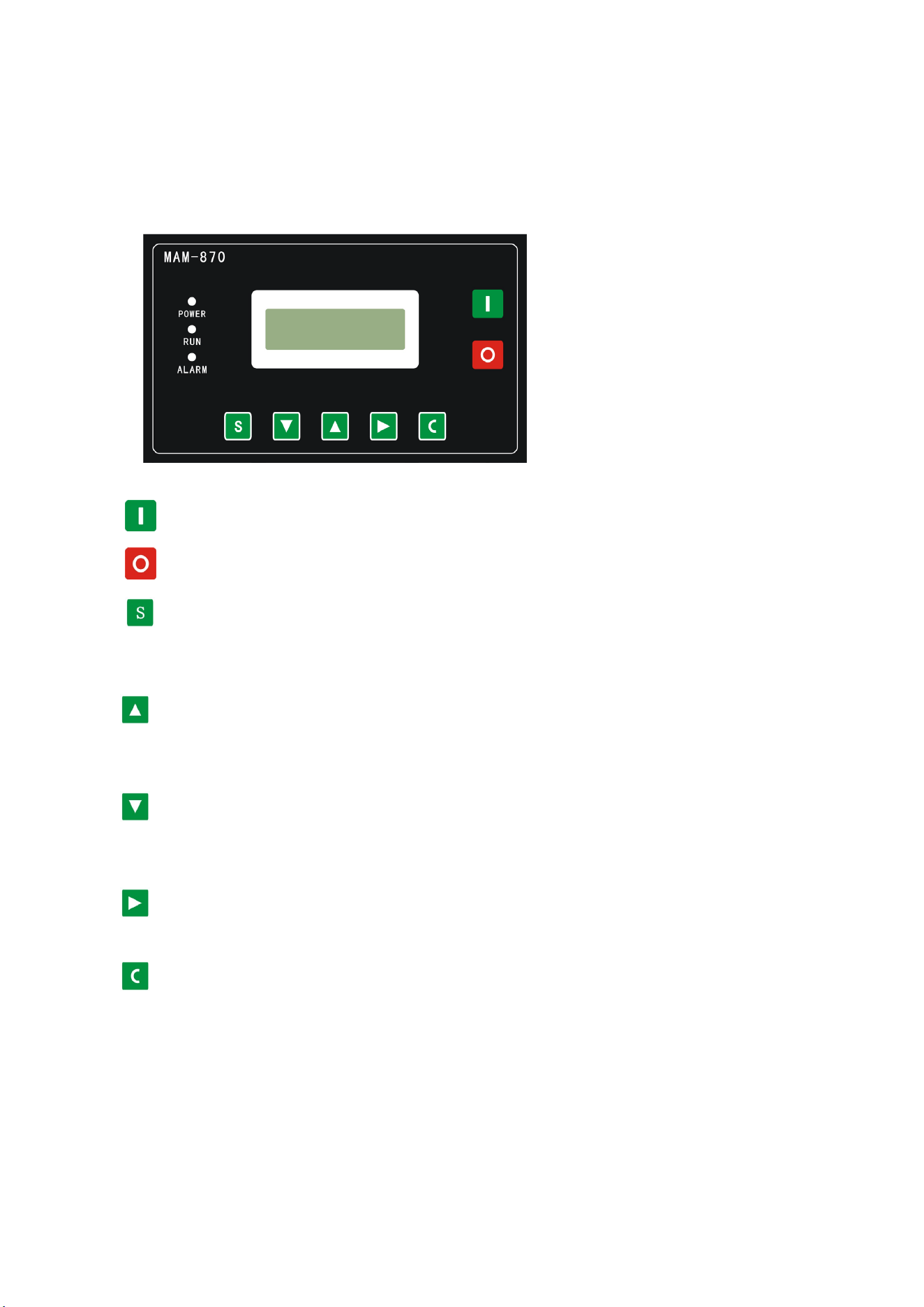
1. Button Explanation
Figure 1.1.1
——Start Button: Press this button to start the compressor.
——Stop button:Press this button to stop the compressor.
——Set Button/ Loading / unloading Button: After modification, press this to
confirm and save modified data;When the compressor is running ,press this
button to load or unload under a certain pressure.
——Move up button/increase button: Data at current position is increased by
pressing this button when data are modified; Menu is moved upwards when
menu is selected.
——Move down button / Descending button: Data at current position is
descended by pressing this button when data are modified; menu is moved
downwards when menu is selected.
——Shift button /Enter button: This button services as shift button when data are
modified and services as enter button when menu is selected.
——Back button / Reset button: This button services as back button when operate menu to
come back
Parent menu; resetting is carried out by pressing this button for a little long time when
failure shutdowns
2. Indicator instructions
Power
:
After controller power on, power LED light
Run: Compressor operation,run LED light.
Alarm
:
Early warning, the fault light flashes; fault shutdown, fault lights lit, clear fault, reset
off.
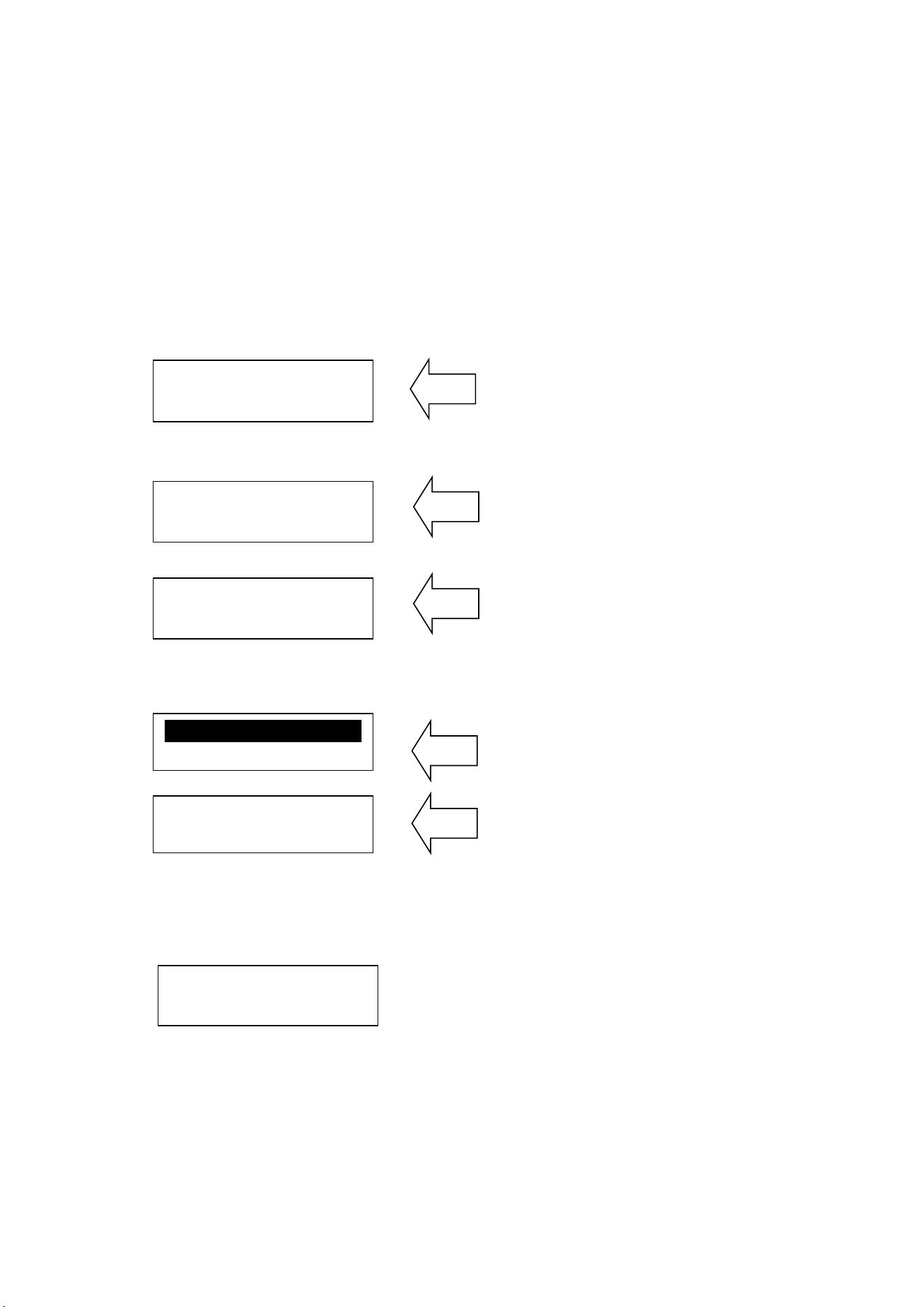
3. Display of status and operations
The display screen will be as follow when the units are powered on:
After power on,
screen show this page
After 5 seconds, the main page will show up as:
Main
page
Pres
s shift button, the main page will show up as:
Main page
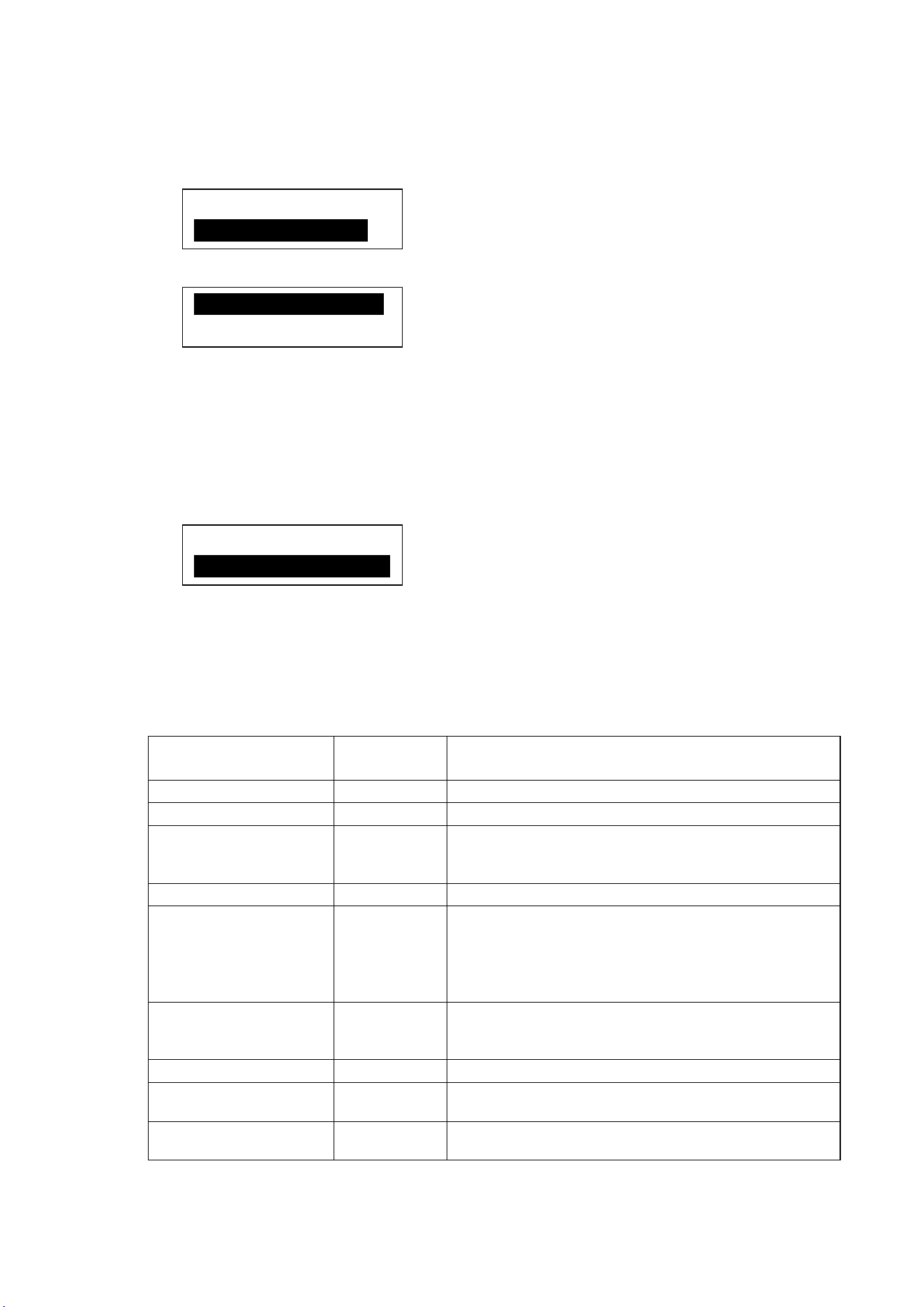
Press “Move down button” to enter into Menu Selection Interface:
Level 1 menu screen
Level 1 menu screen
4. Operating parameters
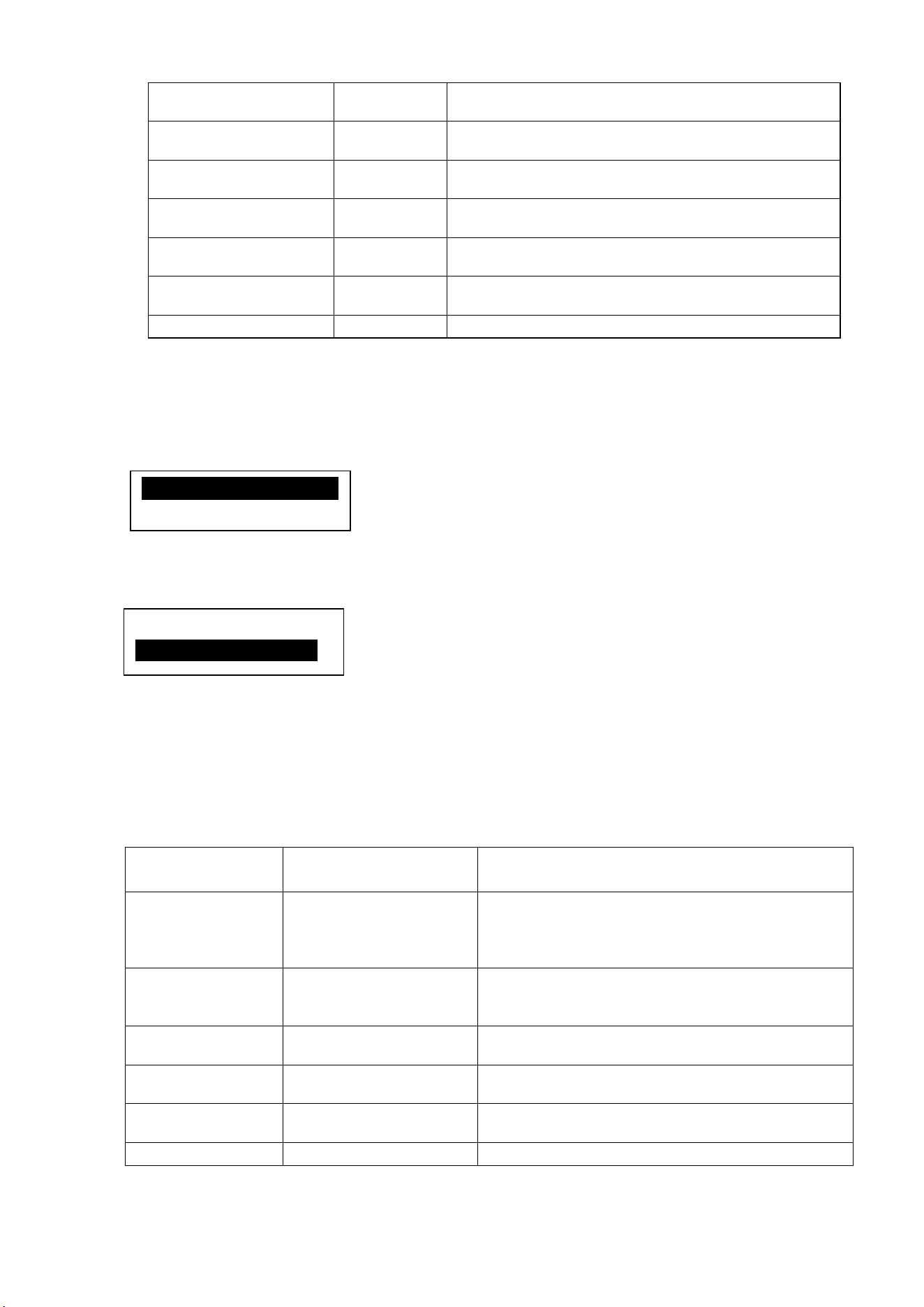
Press “Move down button” or “Move up button” to move the black cursor to “RUN PARA.”,
press enter button to pop up submenu:
Continuously press “Move down button” you can see run parameters and run state
parameters as follows:
Fan current, Total run time, Total load time, This run time, This load time,
Oil filter time, O-a filter time, Air filter time, Lube time, Grease time, Belt time…etc.
SCREW
COMPRESSOR
PRES: 0.60MPa
SYS STOP C01
RUN PARA.
USER PARA.
MOTOR(A) A-0100
B-0100 C-0100
TEMP: 80℃
SYS STOP C01
FACTORY PARA.
MOD PARAMETER
5. User Parameter (Customer Parameter):
In primary menu,
press the move button to move the black slider to the "USER PARA."
menu, press the shift button to switch to the following menu:
In t
his menu, Press shift button ,Switch to the following interface requirements to enter
a user password
After showing this interface,The first bit data or password started flashing,press
“increase button” or “descending button” to modify the flashing data equal to
the first bit of password,Press the shift button, move the cursor to the next data
bit, modify the current data is equal to the second password data, Accordance
with the above, modify the third and fourth Finally, press the “Set button” to
confirm the input, the system verify the password is correct, switch to the following
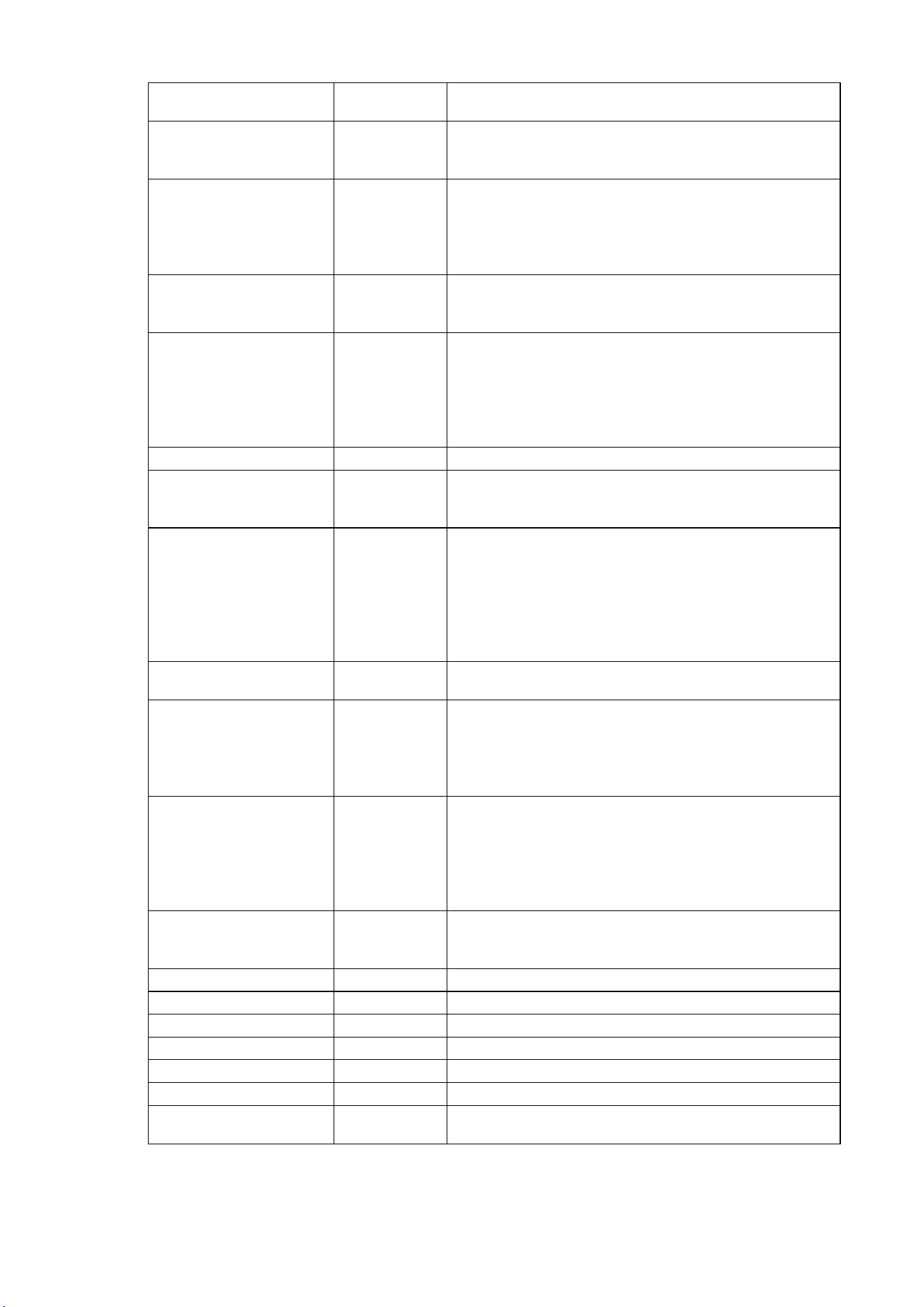
interface:
The upper right corner with "* "prompt said
the system has passed the password authentication
In as shown above interface, press “enter button”, then the data of loading pressure start to
flash, users can press “increase button” or “Descending button” to modify the present data.
When finished, press “
Set Button” to confirm and save. the controller prompt sends out the
short voice to tip.
6. Customer Parameter and Functions
Parameters Preset Value Functions
LOAD PRES. *.**MPa LOADING PRESSURE VALUE
UNLOAD PRES. *.**Mpa UNLOADING PRESSURE VALUE
FAN START TEMP
***℃
Control the fan starting. This value will be set as
“120℃” if there is no fan present or the fan is not
required to be protected.”
FAN STOP TEMP
***
℃
Control the stopping of the fan
MOTOR DELAY T 0008S
When using the controller to protect the motor, it is
required that the time set
here will not meet the
impulse starting current of the motor, the value
here must be longer than the STAR DELAY TIME
plus LOAD DELAY TIME
FAN DELAY T 0006S
When using the controller to protect the motor, it is
required that the time set
here will not meet the
impulse starting current of the motor.
STAR DELAY TIME 0006S Star pressure descending start delay time.
LOAD DELAY TIME 0002S
The loading delay time after star pressure
descending.
EMPTY DELAY T 0020M
Load free continuous running time, the machine will
automatically stop after this time
LOAD PRES:
00.65MPa
PASSWORD:0***
LOAD PRES: *
00.65MPa
STOP DELAY TIME 0010S
The machine will not stop until the load free running
status lasting till this time
START DELAY T 0100S
Machine can not be restarted before this set time
after stopped or over time operation at load free
state
START MODE LOCAL/FAR
When the remote mode is set, both the button on
the controller
and the remote control button can
turn on and off the machines; When the near mode
is set, only the button on the controller can turn on
and off the machines.
LOAD MODE
AUTO/MAN
U
When the manual mode is set, the Load/Unload
function can only be executed by pressing
“load/unload ‘button
COM MODE
BAN/COMP.
/BLOCK
When this is set as “BAN” the communication
function is not available
When this is set as “COMP. ”the Controller as a
slave, in accordance with MODBUS protocol
communications with external devices
When this is set block, block control active
COM ADDRESS 0255 Communication address
SEQ STATE SLAVE
Service as main or assistant air compressor during
interlocking operation. The MAIN controls the
SLAVE
TOGGLES TIME 9999 Hours
During interlocking operation, if one air compressor
continuously ope
rates for time period more than
time set here and rest time of one air compressor in
interlocking network has reached the time set here,
alternative rest is achieved by starting the resting
air compressor and stopping the operating air
compressor
SEQ NUMER 0016
Number of air compressors in interlocking network
during interlocking operation
SEQ LOAD PRES. *.**MPa
The main air compressor searches for one device in
the interlocking network for loading or starting
when main air compressor’s gas supply pressure is
less than the value set here during interlocking
operation
SEQ U.L. PRES. *.**MPa
The main air compressor searches for one device in
the interlocking network for unloading or stopping
when main air compressor’s gas supply pressure is
more than the va
lue set here during interlocking
operation
SEQ DELAY 0030S
The least waiting time that the main air compressor
needs to continuously sends control commands
two time
OIL FILTER
0000H
Reset time for the duration of oil filter changing
O/A FILTER
0000H
Reset time for O/G Separator changing
AIR FILTER
0000H
Reset time for gas filter changing
LUBE
0000H
Reset time for Lubricate Oil Changing
GREASE
0000H
Reset time for Lubricate Grease Changing
BELT
0000H
Reset time for Belt Grease Changing
OIL FILTER
9999H
Set this value to “0” will make the oil filter alarm not
available
O/A SEPARATOR
9999H
Set this value to “0” to disable the O/G separator
alarm function
AIR FILTER
9999H
Set this value to “0” to disable the alarm function of
gas filter
LUB
9999H
Set this value to “0” to disable the time alarm of
lub. oil
GREASE
9999H
Set this value to “0” to disable the time alarm of
Lub. Grease
BELT
9999H
Set this value to “0” to disable the time alarm of
belt.
LANGUAGE SEL
ENGLISH/C
HINESE
Set this value to “EN” , Display text in English
Set this value to “CH” , Display text in Chinese
USER PASSWORD
****
Customer could modify the user password
7. Factory Parameters
The factory parameters can be looked over and modified with manufacturer password, but its
operation method is the same as that of user parameters. Please refer to following table for main
functions and purposes.
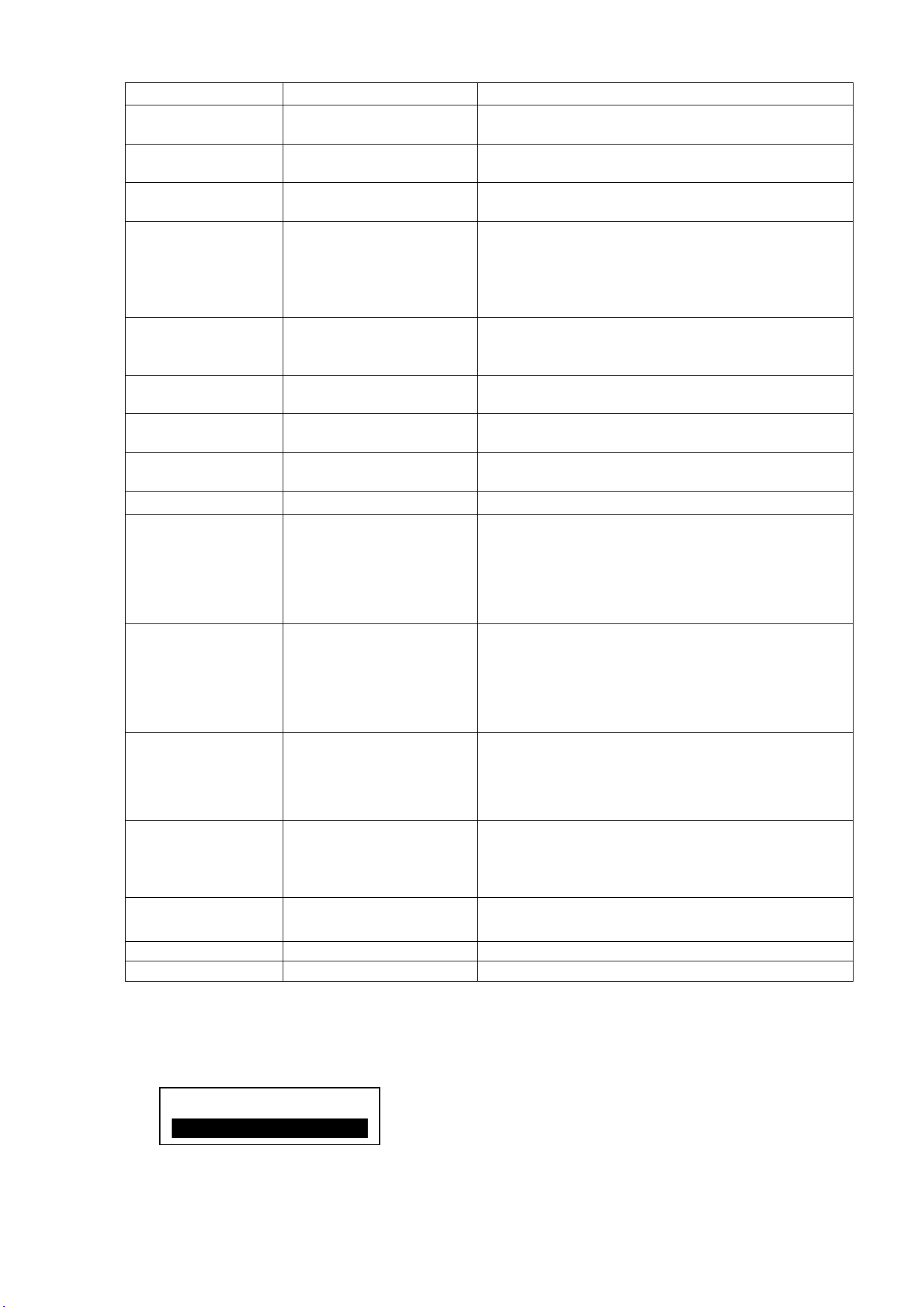
Manufacturers enter the correct password
,
press set button, switch to the factory
parameters of the interface as follows
Continuously press “Move down button” you can see factory parameters as follows:
FAN CURR, PRE-ALARM TEM, STOP TEMP, STOP PRESS, MAX U.L. PRESS,
TOTAL RUN TIME, TOTAL LOAD TIME, RESET FAULT……ect.
Factory parameters "run time", "phase sequence protection," "Frequency
Selection" and the time need check super password to changes.
8. Manufacturers and function
PARAMETER Initial Value Functions
MOTOR CURR
MAXIMUM OVERLOAD
VAULE OF THE MOTOR
/1.2
After the starting delay time, when the motor
current is greater than 1.2 times of the set value
and less than 4 times of the set value, th
e unit
will jump as per overload feature.
FAN CURR
Maximum allowable fan
motor overload
value/1.2
Same as above
ALARM T.
105℃
Pre-alarm when the temperature reaches this set
value
STOP T.
110℃
Alarm when the air exhausting temperature
reaches this set value.
STOP P. 1.00MPa
Alarm and stop the machine when the air supply
temperature reaches this set value
MAX U.L. 0.80MPa
The Unload Limit Pressure in the Customer
MOTOR CURR: *
100. 0A
PASSWORD :0***
Parameter must be set lower than this value.
RUN TIME ****Hours
The manufacturer can modify the total running
time
LOAD TIME ****Hours
The manufacturer can modify the load running
time
CLR FAULT ****
Input the history failure password to clear all the
history failures.
CUR UN.BAL. 0006
When (the max. phase current / min. phase
current
) is not greater than (1+set value), the
unbalance protection will stop the machine. If the
set value is greater than 15, the unbalance
protection will be unavailable.
LACK PAHSE 005.0
If set time of phase failure ≥20 seconds, phase
failure doesn’t funct
ion; If unbalance protection
is activated, it will stop operation.
DATA ****-**-**
The manufacturer input the product date of the
unit.
SERIAL ********
The manufacturer input the product No. of the
unit
PHASE PRO. ON/OFF
ON: Select sequence protection
OFF: Not select sequence protection
POWER FREQ
50H
Set the power frequency
HIGH VOL. ****V
Controller detects the voltage higher than
the set value, the shutdown protection,
reported voltage is too high. Set this value
to 0000, the high voltage function is no
function
LOW VOL. ****V
Controller detects the voltage lower than
the set value, the shutdown protection,
reported voltage is too low. Set
this value
to 0000, the low voltage function is no
function
LOW T PRO-
-48℃
Controller detects the temperature is lower
than this value, display temperature is
too low, not allowed to start the air
compressor
TIME LIM 0000H
When the compressor run time is greater than
TIME LIM set, the controller will stop the
compressor and alarm ;
If the value set as ‘0000’the function is disable.
ALM STOP 0010H
Warning time over here to set, compressor
report "warning too long" and stop
COM SET PARA
ON/
PARA1
****
9. Calibration parameters
Calibration parameter used to set the controller data,Does not allow unauthorized users to view
and modify
View calibration parameters as follows, Press the “Move down button”, Move the cursor to
FACTORY PARA.
MOD PARAMETE

the “MOD PARAMETE” menu, then press “Enter button”, Verify the password, you can view the
calibration parameters. The calibration parameter and functions as list
PAR
AMETER Initial Value Functions
M
O
T
O
R
A
T
ARGET CUR 0000
Enter the current value, the controller will
detect user input value divided by the current
to the current value, calculate the current
coefficient
COEF 1.000
Calibration current, the input coefficients.
Controller displays the current value = sample
value × COEF
CUR ***.*A
Displays the current controller sampling current
values. This value is the real value can not be
set.
M
O
T
O
R
B
TARG
ET CUR 0000
Enter the current value, the controller will
detect user input value divided by the current
to the current value, calculate the current
coefficient
COEF 1.000
Calibration current, the input coefficients.
Controller displays the current val
ue = sample
value × COEF
CUR ***.*A
Displays the current controller sampling current
values. This value is the real value can not be
set.
M
O
T
O
R
C
TA
RGET CUR 0000
Enter the current value, the controller will
detect user input value divided by the current
to the current value, calculate the current
coefficient
COEF 1.000
Calibration current, the input coefficients.
Controller displays the current value = sample
value × COEF
CUR ***.*A
Displays the current controller sampling current
values. This value is the real value can not be
set.
F
A
N
A
TA
RGET CUR 0000
Enter the current value, the controller will
detect user input value divided by the current
to the current value, calculate the current
coefficient
COEF 1.000
Calibration current, the input coefficients.
Controller displays the current value = sample
value × COEF

CUR ***.*A
Displays the current controller sampling current
values. This value is the real value can not be
set.
F
A
N
B
TA
RGET CUR 0000
Enter the current value, the controller will
detect user input value divided by the current
to the current value, calculate the current
coefficient
COEF 1.000
Calibration current, the input coefficients.
Controller displays the current value = sample
value × COEF
CUR ***.*A
Displays the current controller sampling current
values. This value is the real value can not be
set.
F
A
N
C
TA
RGET CUR 0000
Enter the current value, the controller will
detect user input value divided by the current
to the current value, calculate the current
coefficient
COEF 1.000
Calibration current, the input coefficients.
Controller displays the current value = sample
value × COEF
CUR ***.*A
Displays the current controller sampling current
values. This value is the real value can not be
set.
10. The operating authority and password
Controller provides multiple passwords and access management, according to
different levels of passwords, providing different levels of operating authority,
different levels of passwords and permissions as follows:
1. user's password: fixed as :___________
Per
missions: allows to modify the load pressure unload pressure, fan start temperature,
fan stop temperature, start and stop mode, loading method, communication mode,
communication address and linkage parameters.
2. User Password: set as:___________
3. Permissions: Allows to modify all user parameters.
4. man
ufacturers sales password: this password can be modify, set to :___________
Perm
issions: Allows users to modify all the parameters, the user password, and the
parameters of some manufacturers, manufacturers selling password.
5. man
ufacturers Password: factory fixed:___________
Permissions: Allows users to modify all the parameters, the user password, and the
parameters of some manufacturers, manufacturers selling password.
6. Calibration Password: set as:___________
Permissions: allows you to modify the current parameters of the calibration parameters
7.
Super Password: set as:___________
Permissions:
Allows users to modify
"run time " "phase sequence protection " "power
frequency " "max run time"
2. Technical parameters and functions
1、Digital input: Digital input of 3# circuit; digital output of relay of 5# circuit;
2、Simulation quantity: Pt100 temperature input of 1# circuit; 4~20mA input of transducer of 1#
circuit; two groups of three phase current input(CT provided);
3、Input voltage of phase sequence: three phase 380V/220V;
4、Controller’s power supply: AC20V、50Hz、10VA;
5、Measurement range displayed:
①、Oil temperature:-50~150℃; precision: ±1℃.
②、Air temperature:-50~150℃;precision:±1℃.
③、Operation time: 0~999999 hours.
④、Measurement range displayed for current:0~999.9A.
⑤、Pressure: 0~1.60MPa. Precision: 0.01Mpa.
6、Phase-sequence protection: When protector inspects wrong phase, response time≤2s (optional);
7、 Protection of motor: this controller has five basic protection functions for main motor and fan’s
motor
①、block protection:When working current reaches to from 4 times to 8 times of set current after
finish starting, response time ≤0.2s;
②、Sh
ort circuit protection: when testing current reaches above 8 times of set current, response
time≤0.2s;
③、Protection of phase failure: in case of phase failure of any one phase,
operation time equals
setup time;
④、Unbalance protection: when currents of any two phase differ 60~75%,
operation time equals
set time;
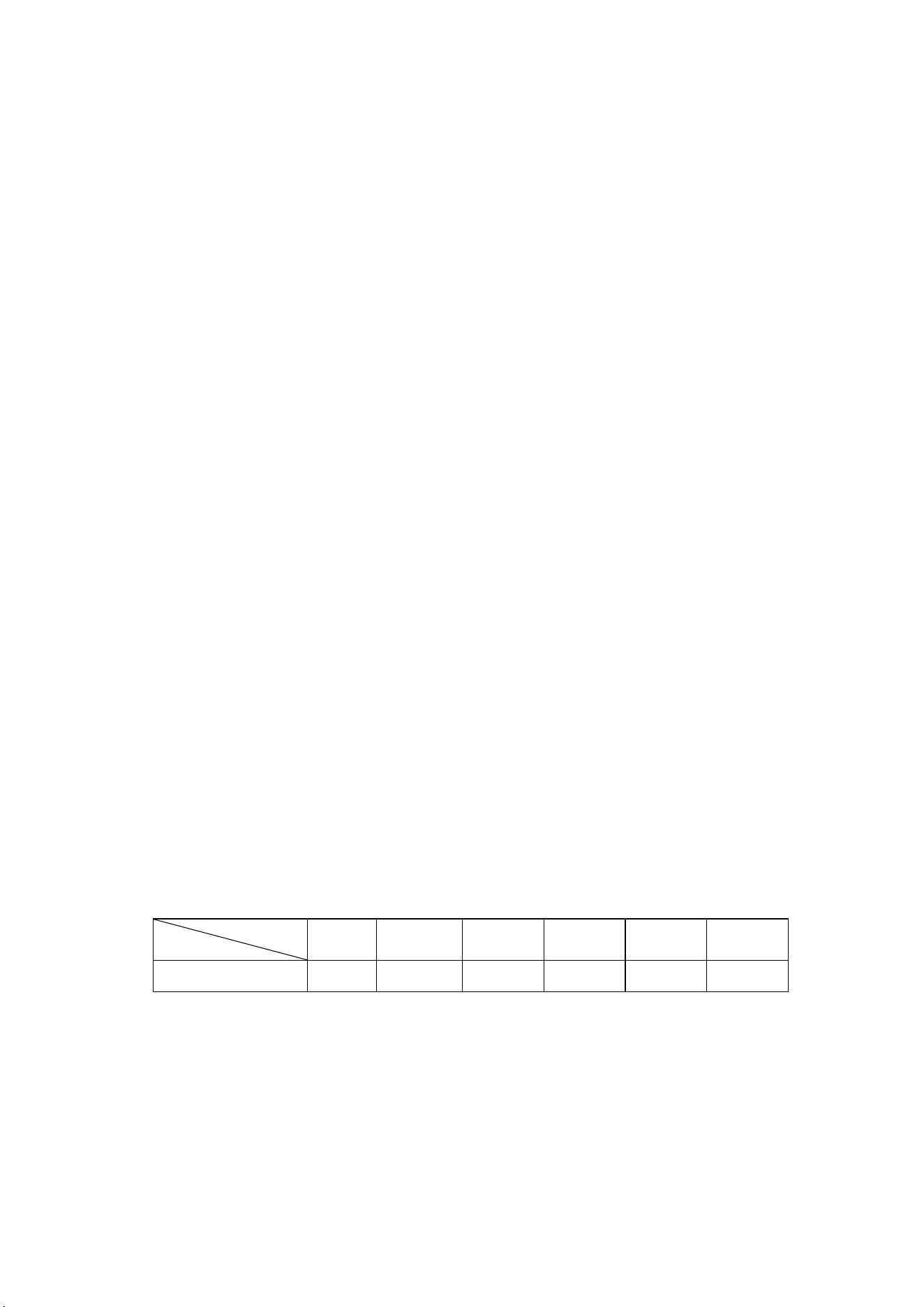
⑤、Protection characteristics of reverse time limit of overload (time unit: second),please see
following table(table 2.1.1), multiple=I
actual
/I
set
motor operates with delay time according to overload factors and operation time shown in
following table (table 2.1.1) when motor’s working current is larger or equal to from 1.2 times
and 3.0 times of set current.
I
actual/
I
set
Time parameters
≥1.2 ≥1.3 ≥1.5 ≥1.6 ≥2.0 ≥3.0
Operation time(S
)
60 48 24 8 5 1
Table 2.1.1 curve table of reverse time limit for protection of motor
8、Temperature protection: when actual temperature measured is larger than temperature set;
response time≤2s;
9、Contact capacity of output relay: 250V,5A;Contact endurance 500000 times
10、Error of displayed current is less than 1.0%.;
11、RS485 communication
3. Type and specification
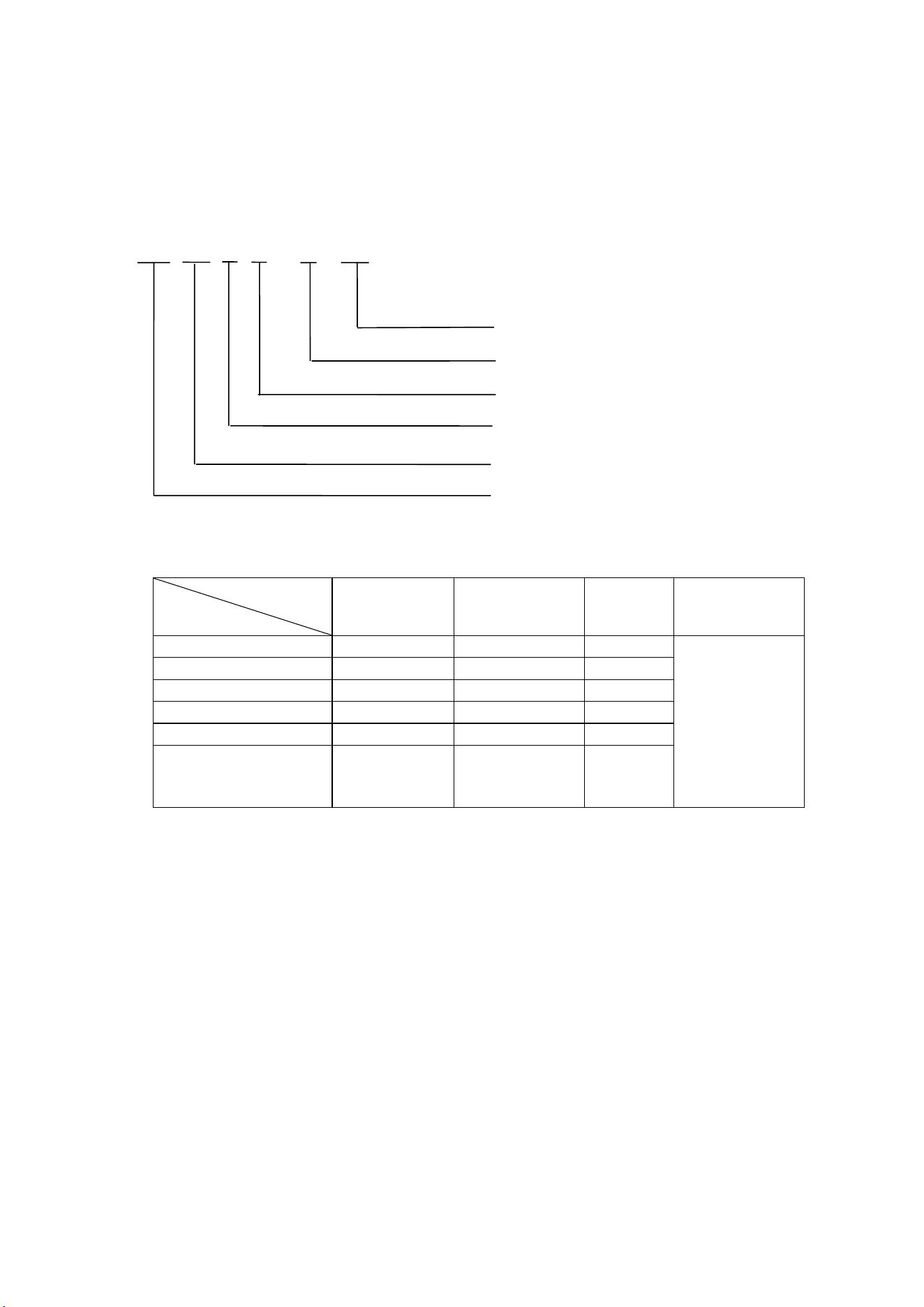
1. Instruction of type
2. Specification table for power of suited motor
Parameter
Specification
Current range
(A)
Suited main
motor power
(KW)
Remark Description
MAM870
(
20
)
8
~
20
4
~
10
Fan has three
levels of
current, such
as 0.2-2.5A,
1-
5A and
4-10A,
determined
according to
fan’s current
MAM870
(
40
)
16
~
40
8
~
20
MAM870
(
100
)
30
~
100
15
~
50
MAM870
(
200
)
80
~
200
40
~
100
MAM870(400) 160~400 80~200
MAM870(600/5)
100~600 50~300
4. Installation
1. Installation of transducer
The transducer shall be installed at place where motor’s line current (rated current) can be
measured, thus controller can be set according to instructions on motor’s name plate, the
detailed dimensions as followed:
MAM 870(B)( T) (V)(40)
Maximum working current matching
With voltage detection
With RS485 communication
B: pressure sensor; K: Pressure switch
870 controller
Serial
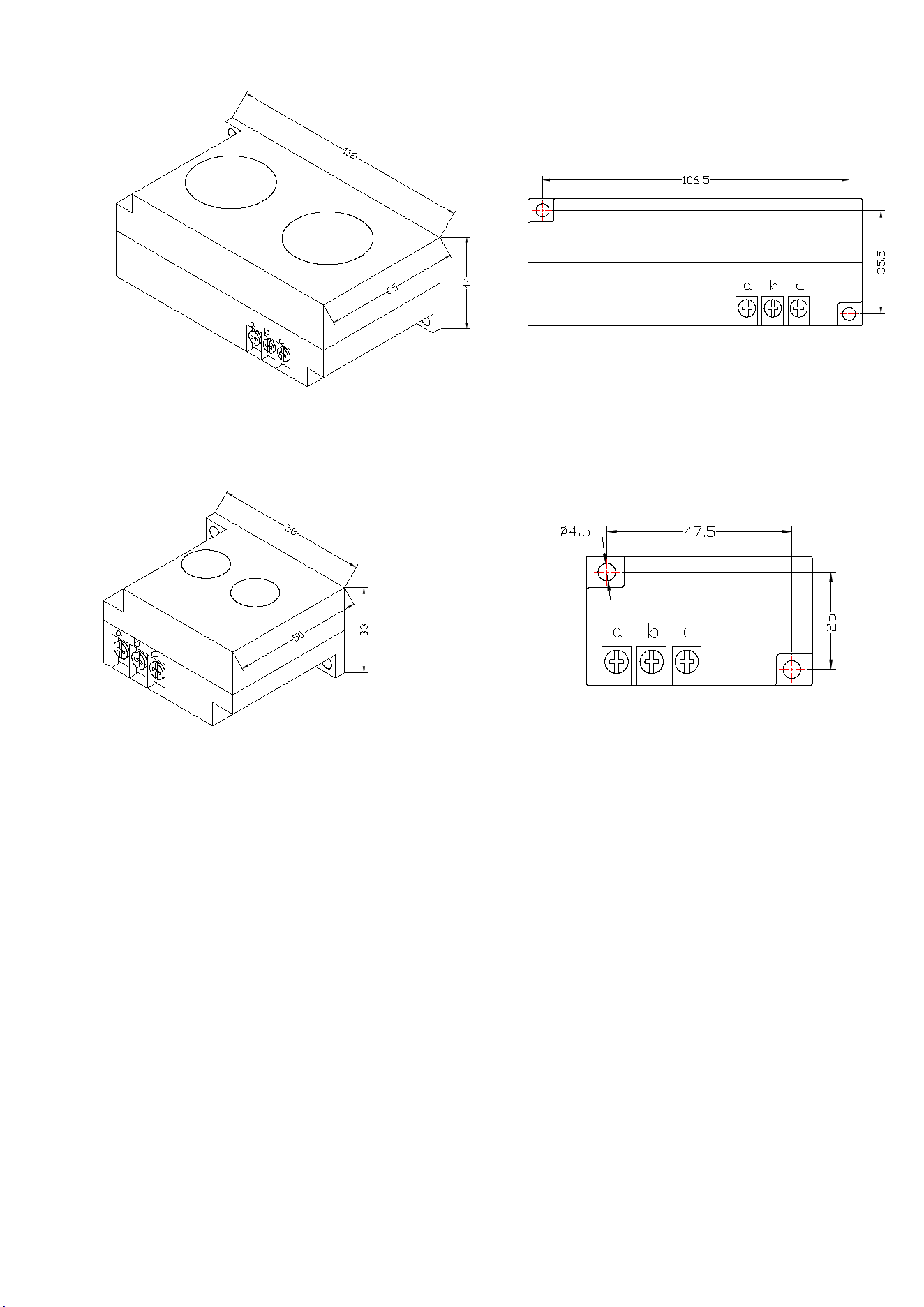
Fi
gure 4.1.1. Structural dimensions of CT1 (ф36 through hole) Figure 4.1.2. Install dimensions of
CT1
Fi
gure 4.1.3. Structural dimensions of CT2 (ф10 through hole) Figure 4.1.4. Install dimensions of
CT2
2. Controller Installation
The controller is installed as plate. Room should be left around controller for wiring. The
specific dimensions are as follows:
A
B
B
A
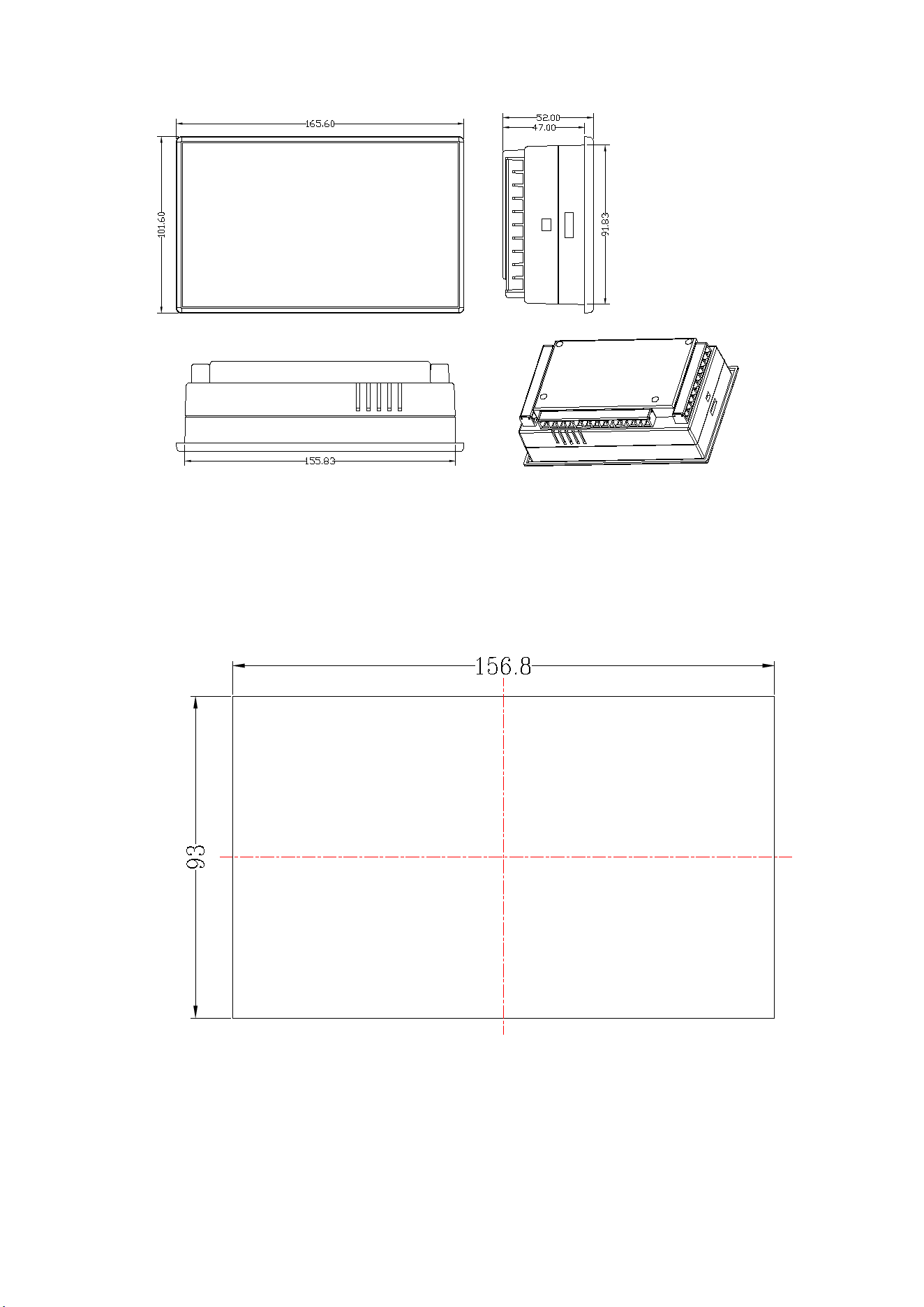
Fi
gure 4.1.5 Controller structure dimensions
Figure 4.1.6 Hole size
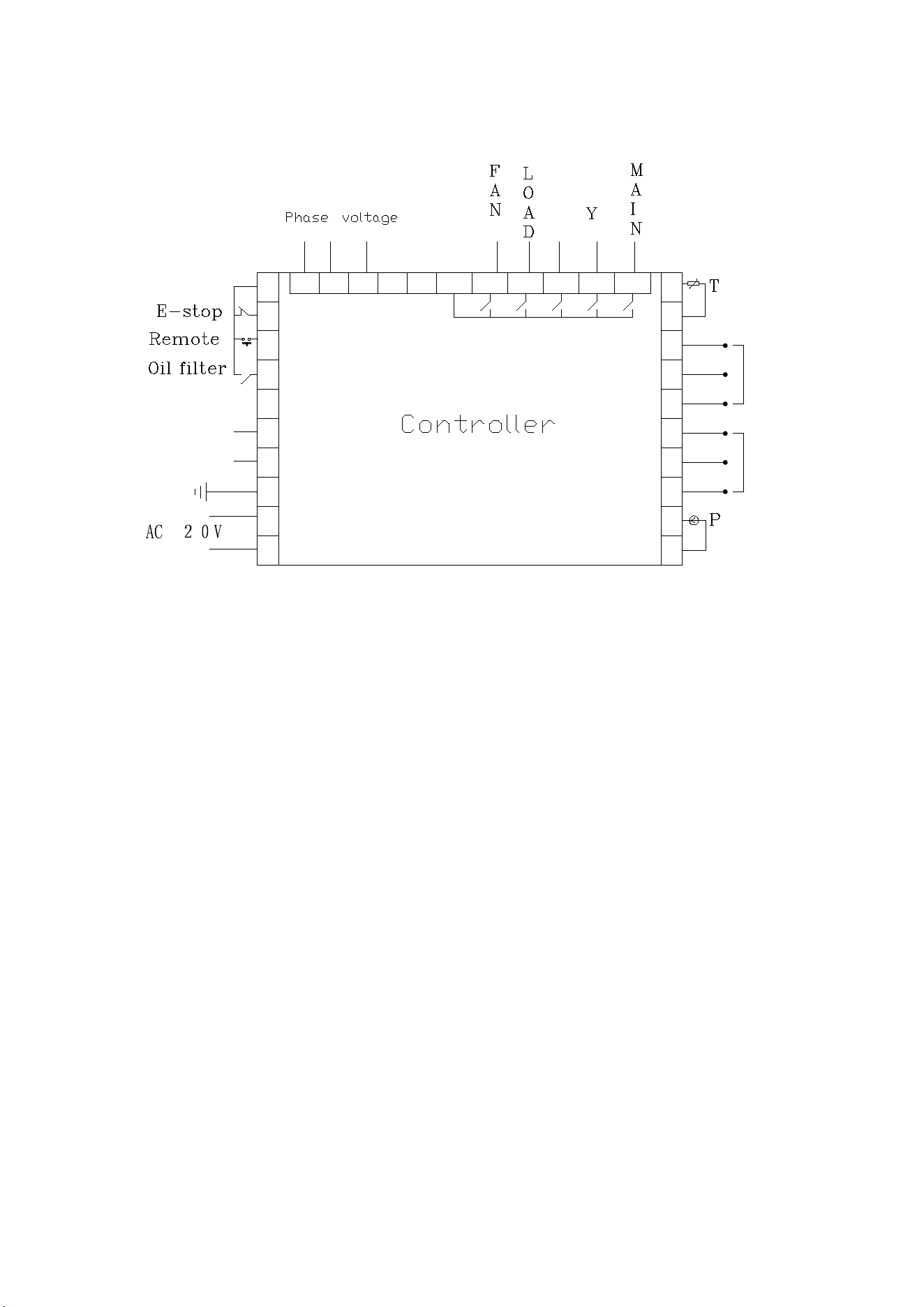
3. Terminal arrangement diagram
△
1211
CT1
C
B
A
c
b
10 9 8
7
6 5
4
3
2
19
20
21
CT2
a
31302928
27
2625
24
23
22
FG
1
A
B
RS-485
C1
、
ub ua
uc
13
14
15
16
17
18
Fi
gure 4.2.1 Terminal arrangement diagram
Terminal blocks of controller:
1 is common terminal COM1;2 is input terminal for emergent stop signal; 3 is remotely controlled
on/off signal input terminal;4 terminal is used to detect oil filter blocked; 6 is RS485 A; 7 is RS485 B;
8 is the simulated ground (Earth);17 and 18 are the AC20V power source;22、23 terminals are
Pressure Sensor signal input;24、25、26 terminals are motor mutual inductor CT1 input;27、28、2
terminals are Fan mutual inductor CT2 input;30、31 terminals are Temperature Sensor signal input;
19、20、21 terminals Used to detect the phase sequence and voltage;13 terminals is common terminal
of output relay;14 terminals controls fan;15 terminals controls load valve;16 terminals controls
angle-shaped contactor;17 terminals controls star-shaped contactor;18 terminals controls main
contactor.
NOTE: Eelectromagnetism coil shall be connected with surge absorber during
wiring, and dotted lines are extendable functions.
5. Control principles
1. Local Automatic control
①. Press down start button for starting: (Y-△start)
There is fives of self-test after controller is energized and it can not be started by pressing start

button .The air compressor starts by pressing start button after self-test finished. The course of
compressor’s start as followed: KM3 and KM2 are energized → Y-type status of start → delay time is
reached (Y-△change-over time); KM3 is de-energized (KM1 and KM3 are interlocked) and KM1 is
energized → motor operates with △ type to finish start. During the course of starting, all
electromagnetism valves are de-energized to achieve no load start.
②. Automatic operation control:
When the motor is started to running in △ status and load the magnetic valve
with power applied after a certain period of delay. Air compressor is loaded and
pressure inside gas tank begins to increase. When increased air pressure is more than higher
pressures limit (value of unload pressure), electromagnetism valve for loading is de-energized
and electromagnetism valve for discharging is energized, meanwhile, the air compressor
operates without load. If air pressure decreases to set lower pressure limits (value of load
pressure), the electromagnetism valve for loading is energized again and electromagnetism
valve for discharging is de-energized. Air compressor operates normally to increase pressure
in air tank. If the unload run time exceeds the set delay time of non-load, the compressor will
automatically stop motor’s operation to achieve automatic shutdown after works without load
for long time. Only when pressure decreases to lower pressure limits, the motor start
operation according to course of starting, then circularly repeat this step.
③. Manual loading/unloading under automatic status
When compressor in automatically runs state and runs at unload operation, press down
load or unloading button, the electromagnetism valve for loading joggles a little and comes
back to unloading status; if the pressure is less than relief pressure, the electromagnetism
valve for loading is energized and it returns to unloading status until gas supply pressure
becomes larger than relief pressure and device is at loading status. Unloading is performed
when press down unloading button “S”. If the pressure is higher than loading pressure, the
electromagnetism valve for loading is de-energized and turns to status of loading until gas
supply pressure is less than loading pressure. If pressure is less than loading pressure, the
unloading button do not function.
④. Normal shutdown:
Press the button , the load magnetic valve will loss power and the unload magnetic will be
applied with power, after a while of delay (stop delay), the motor contactor will loss power,
the host and fan will stop running, after the restarting delay completed, the unload magnetic
will loss power. Only pressing the button could restart the motor.
⑤. Control of preventing frequent starting
Press stop button to stop operation; Air compressor can not be started up immediately
after shutdown due to operation without load for long time or failure shutdowns, and it can be
started up again when remaining delay time is zero which the time display window of the
controller in a variety of shutdown state shows.
2. Remote automatic control
Remote automatic control and local automatic control are basically same, but the difference is
that starting up or stopping of devices can be achieved by means of control of remote switch.
3. Local manual control
Control of starting and stopping are same as automatic control, but device is in status of

unloading operation after finish starting up and loading is carried out by pressing down loading
and unloading button to load. When gas supply pressure is more than relief pressure, the
device unloads automatically. If doesn’t press loading, unloading button, the device will operate
with unloading until stops without load. During unloading, press loading and unloading button
to load. During loading, press loading and unloading button to unload.
4. Remote Manual Control
The remote automatic control is almost the same as the local manual control, the
only difference is that the start and stop of the unit is controlled by remote control.
5. Network control
①: When communication method is set “computer”, network control between computer and
controllers can be achieved
②: When communication method is set “interlocking”, network control between controllers can
be achieved, but the main air compressor only can service as 1# compressor.
6. Temperature control of fan
When exhausting temperature is higher than fan’s starting temperature, fan operates; when
exhausting temperature is lower than fan’s stopping temperature, fan stops operation.
7. Failure shutdown and emergency shutdown
When electrical failure or high exhausting temperature appears during process of operation, the
controller stops motor’s operation immediately. Air compressor only can be started up after
failure is eliminated. In case of emergency, press down emergency stop button to cut off power
of controller and contactors
6. Early-warning and prompts
1. Indication of early warning of oil filter
①. Early warning for blockage of oil filter
The controller can display the message on the text display to remind the
operator that “the air filter is blocked” by checking the pressure difference
switch operating state.
②. Set the running time alarm of the air filter
The Text displays “OIL FILTER LIFE END” when the using time of the oil filter
terminates.
2. Indication of early warning for air filter
The Text displays “AIR FILTER LIFE END” when the using time of the oil filter terminates.
3. Indication of early warning for oil separator
The Text displays “O/A LIFE END” when the using time of the oil separator terminates.

4. Indication of early warning for lubricating oil
The Text displays “LUBE LIFE END” when the using time of the lube terminates.
5. Indication of early warning for grease
The Text displays “GREASE LIFE END” when the using time of the grease terminates.
6. Indication of early warning for belt
The Text displays “BELT LIFE END” when the using time of the belt terminates.
7. High air temperature warning
Controller detects the air temperature high, the text display “HIGH TEMPERATURE”
7. Controller protection
1. Motor protection
MAM-870 air compressor controller provides all-round protection functions of short-circuit,
locking, phase failure, overload, imbalance for motor.
Electronic
failure
Failure Display Reason
Short
circuit
Display failure “HOST/FAN SHORT”
Short circuit or rated current is set by
mistake
Blocked Display failure “HOST/FAN BLOCK”
Too large load, bearing wear and other
mechanical failure
Overload
Display failure “HOST/FAN OVER
CARRY”
Too large load, bearing wear and other
mechanical failure
Phase
failure
Display failure “HOST/FAN LACK
PHASE”
Power supply, contactor and phase
failure of motor
Unbalance
Display failure “HOST/FAN
UNBLANCE”
Poor contact of contactor, inside
open-loop of motor
2. Gas Exhaust Over-temperature Protection
When the Air exhaust temperature is higher than the upper limit of set temperature, the controller
would be stopped, the display will show “HIGHT T”.
3. Non-reversing Protection of Air Compressor
When three-phase supply phase sequence connected to the air compressor is not the same
with that set for the controller, the on-site failure is displayed as “PHASE REVERSAL”, as a result,
the controller cannot start up the motor. Then just change any arbitrary two-phase power lines
leading to check the rotation of motor.
4. Overpressure Protection of Pressure Supply
When the gas exhaust pressure is higher than the upper limit of set pressure, the controller
would be stopped for warning, the on-site failure is displayed as “HIGH P”.
5. Malfunction Protection of Sensor
When pressure sensor or temperature sensor is disconnected, the controller would be stopped
for warning. The on-site failure is displayed as “**SENSOR FAULT”.
8. Removal of Common Failures
1. Failures Review
When a fault occurs, the controller in the main interface displays the current fault content. For
example, when the pressure sensor failure, it displays the following interface:
2. Common Failures and Causes
Failure Reason Disposal method
Air Exhaust
Temperature
too high
Bad vent condition, Oil lacking
etc.
Check the vent condition and
lubricant amount etc.
Temperature
Sensor Failure
Cable off or PT1OO damaged Checking the wiring and PT100
Over Pressure
The pressure too high or the
pressure sensor failure
Check the pressure and the pressure
sensor
Pressure
Sensor Failure
Cable off, Sensor damaged or the
cable connected reversed
Check the wiring and sensor
transformer
Lack Phase
Power phase lacking or the
Contactor terminal damaged
Check the power and contactors
Overloaded
Voltage too low, tubes blocked,
Bearing Wear off or other
mechanical failure or wrong set
data etc.
Check the set data, Voltage, bearings,
tubes and other mechanical system.
Unbalance
Power unbalance, Contactor
damaged or th
e internal open of
the motor
Check the power, contactors and the
motor
Rotor Lock
Voltage too low, tubes blocked,
Bearing Wear off or other
mechanical failure or wrong set
data etc.
Check the set data, Voltage, bearings,
tubes and other mechanical system.
Short Circuit
Wrong Wiring, Incorrect Data
setting etc.
Checking the wiring and set the data
correctly
Wrong Phase
Sequence
Reversed Phase sequence or
phase off
Check the wiring
Overload or
Rotor locking
during starting
process
Host start time set to a valueless
than the star angel time delay
Reset the host starting time to be
longer than star angel delay + Load
delay time
STOP:
P SENSOR FAULT

Main Contactor
activate time to
time
The emergency button loose Check the wiring
Air Exhaust
Temperature
too high
B
ad vent condition, Oil lacking
etc.
Check the vent condition and
lubricant amount etc.
Temperature
Sensor Failure
Cable off or PT1OO damaged Checking the wiring and PT100
Over Pressure
The pressure too high or the
pressure sensor failure
Check the pressure and the pressure
sensor
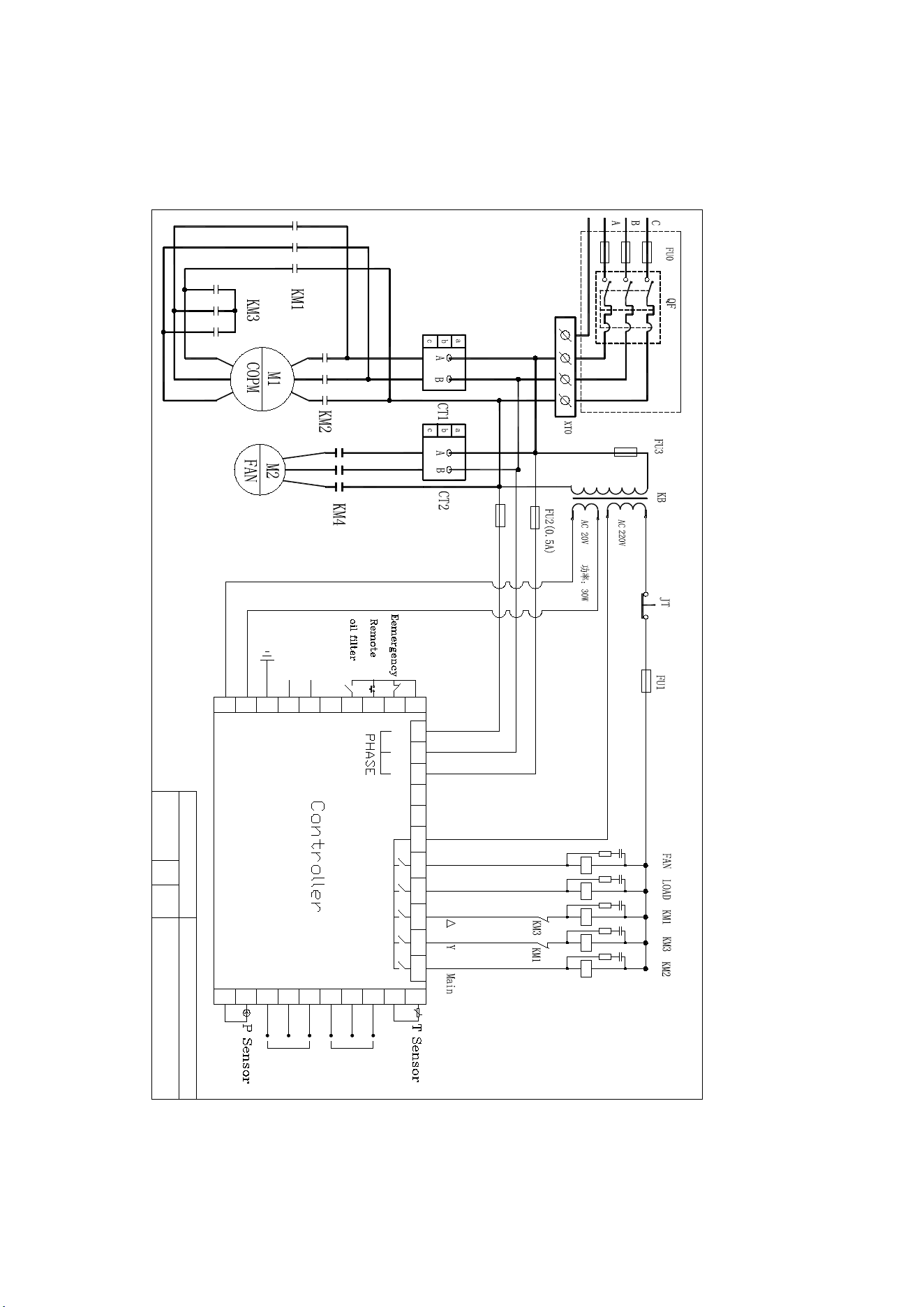
9. Electrical diagram
18
17
16
15
14
13
uc
uaub
C1
RS-485
B
A
1
FG
22
23
24
25 26
27
28 29 30 31
a
CT2
21
20
19
2
3
4
56
7
8910
b
c
A
B
C
CT1
11 12

Air Dryer
Notice item
A place shall not to be installed.
A place where the storm directly hit and moisture
A place where dusty and corrosive gas
A place a poorly ventilated or confined space
A place where with shake and leaning
A place where there is heat near the input wind
A place where narrow and no maintenance and operations
The temperature should be below 38℃
(B)Installation
A horizontal position does not special installation of foundation
The power distribution should be according to the power、voltage、frequency on
the nameplate
Install a separate power control switch
When two machines put together, it should be keep their distance, it must be to
avoid the hot exhaust of a machine is another inhalation
(C) Stop and run
Stop running the machine, and then start running at least 3-5 minutes later
Low load or low temperature, the machine will stop and run interval. It is normal
Air-cooled (MID -TEMP) air dryer flow diagram
Exit and entrance
Refrigerant pressure meter
Evaporator
Water separator
Expansion valve
Refrigerant filter
Bypass valve
Pressure controller
Drainage
Refrigerant compressor
Condenser fan
Condenser
Air-cooled (MID -TEMP) air dryer type and technical date
Type, Air volume, Use condition
Entrance temp. ≤45℃ B condition temp.38℃
Work pressure 0.3-1.0MPa (over pressure, accept custom)
Refrigerant
Other, accept custom

Motor power
Power source
Input/output dia
Measurement
Weight
The fault and exclude way of the dryer
Cannot start
Check the power supply voltage is normal or not; refrigerant pressure is normal or not
(normal is stop state 5-12kg); 220V/12V transformer, 12V is normal or not; the start and
stop button on the panel is normal or not, AC contactor coil of contact point is normal
or not; the pressure switch, thermal relay is reset or not, the above fault is AC contactor
can not pull
The AC contactor can pull but can not start and run
Check the compressor connection line, the contact of wiring plug is normal or not,
capacitor is damaged or decreased capacity, the overload protector is damaged or not;
compressor coil is open or short circuit Above shall confirm the damaged parts and
replace with the new parts
Can start but stop a little late
Low pressure fault: not enough refrigerant, check the leak point, after confirm the leak
point and repair it and then reevacuated and filling the refrigerant
High pressure fault, too dust on the condenser, or the condition temperature is too high,
it should wash the condenser and improve the ventilation condition
The gas is reduced or not by the compressed air
Ice block or too much dust, the reason of ice block: the load is reduced, the pressure
controller to be failure. Remedy is to readjust the temperature controller or pressure
switch., the method is:start, watching the pressure meter gauge, when reach 4 kg, the
machine should be stopped, watch several times. If can not be adjusted. It should be
replaced the dust should be cleaned.
Not cooling (the drainage has a long time without water discharge) but can hear the
compressor running sound. Owing to the damage to the compressor valve plate, it
should replace the compressor, it is not compress the refrigerant (the refrigerant
pressure gauge pointer does not move)
The head frost
Remedy should accord to the article 3 ice block fault (adjust the fan control switch)
Fault exclude
The fault of air dryer and external factors, the way of fault exclude is as following
The air pressure to be reduced too much
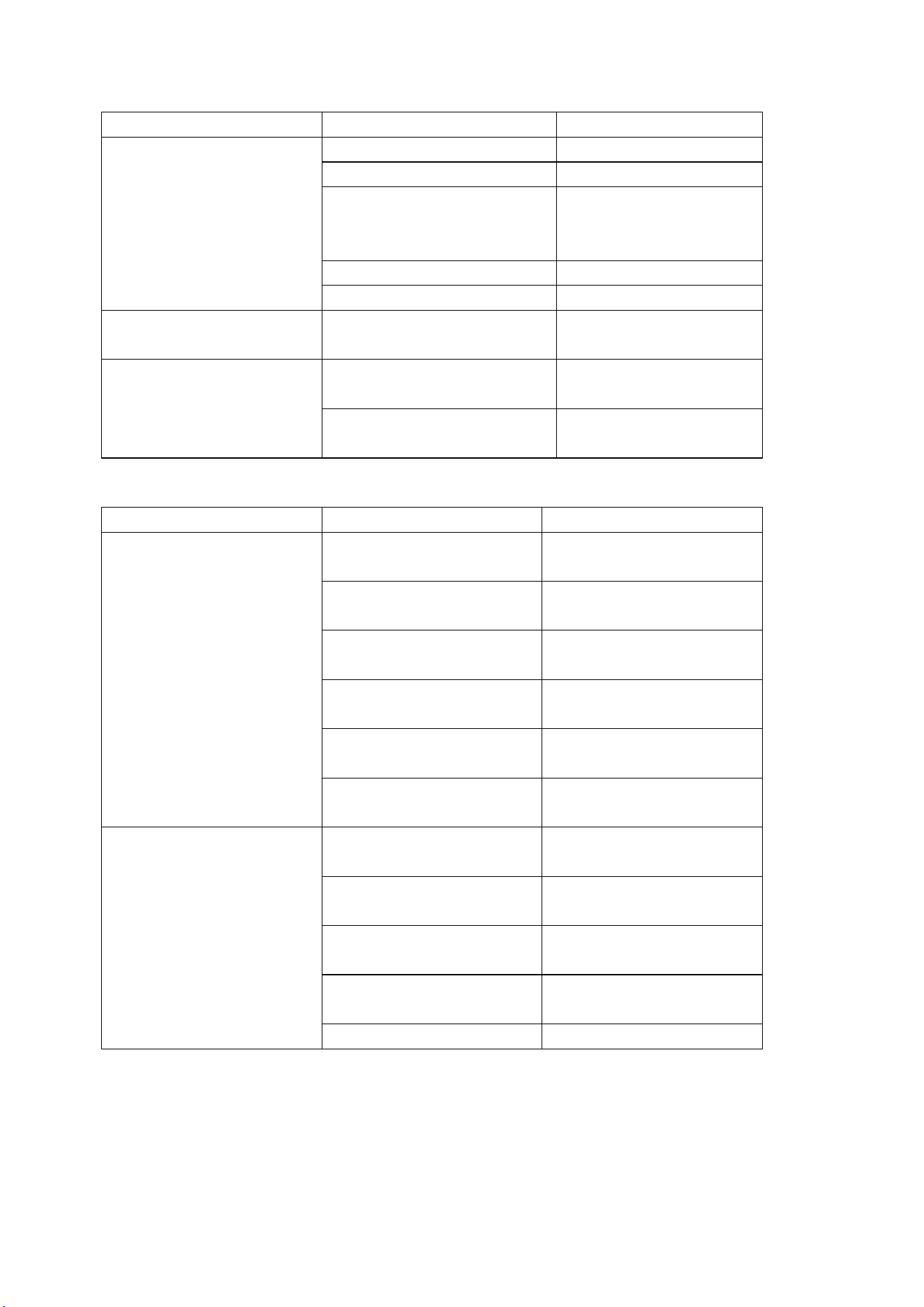
Feature Reason Fault Exclude
T
he pressure is too
large between the
operate condition and
the press
The pipe valve is closed Open the valve
The small of pipe dia. Enlarge the pipe dia.
T
he pipe is too long,
elbow, connector are too
much
Redesi
gn the pipe
system
The leaking in connector
Check and repair
The filter is blocked
Replace the filter
Not enough air capacity The using capacity is over
the rate of air compressor
Replace the bigger
rate air compressor
Evaporator iced
Pressure switch fault
Adjust the pressure or
replace the switch
T
he expansion valve
blocked
Replace the expansion
valve
Poor water removal
feature
reason
fault exclude
Site water
T
he bypass valve not
closed tightly
Closed the bypass valve
tightly
The
air is not through
the air dryer
Open the dryer exit and
entrance valve
Air flowing and pressure
too much
Replace the mach air
dryer
Drainage poor
Clean or replace
The drain pipe is higher
the auto-drainage
Redesign the pipe
The air compresso
r is
not mach the air dryer
R
edesign the cleaning
system
T
he evaporated high
temperature indicate
abnormal
The evaporated
temperature too high
C
heck the air
compressor air load
The pollution air or poor
ventilation
Select the position or
improve the ventilation
T
he expansion valve
blocked
Replace the valve
The refrigerant leaking C
heck the leaking point
and filling the refrigerant
The meter damaged
Replace the meter
Feature Reason Fault Exclude
No power source Fuse broke
n or fuse switch
tripped
C
onfirm the power source
leak of phase ,short circuit
or not
C
heck the fuse or closed
the fuse switch
Wire broken
Check the wire , repair
Power source
normal
but can not start
P
ower source abnormal or the
dia. of wire too small
Select according to the rate
voltage on the nameplate
Switch poor
Replace the switch
Connector poor
Replace connector
Overload relay poor
Replace overload relay
Capacitor poor
Replace capacitor
Start relay poor Replace start relay
High-low pressure switch poor Replace high-
low pressure
switch
Temperature switch poor
Replace temperature switch
Compressor poor
Replace compressor
Switch normal but
cannot start
High-
low voltage switch tip no
reversion
Check and reset
Electromagnetic no reversion
Check and reset
High temperature no reversion
Check and reset
T
emperature setting poor
errors
Reset or replace the switch
Compressor poor
Replace compressor
Feature
Reason
Fault Exclude
Evaporated temperature
indicate too low
E
vaporate temperature
meter poor
Replace the evaporator
temperature meter
Expansion valve blocked
Replace expansion valve
T
emp. switch or pressure
switch setting too low
Adjust and reset
Refrigerant leaking Check the leaking point and
filling the refrigerant
Evaporated temperature
indicate too high
Condition temp. too high Select the position and
improve the ventilation
Hot air bypass valve fault Adjust or replace the bypass
valve
Condenser blocked Clean
Too air capacity
Redesign
T
he compressor valve
plate poor
Replace the compressor
Poor after start
Feature
Reason
Fault Exclude
High voltage
tripped ,reversion
but can not start
Shortly after start, wire short
circuit ,charred taste
Chain control wire and
switch reconfiguration
Pressure switch poor Replace pressure switch
Fan poor
Replace fan
Overload tripped
Find reason and check relay
Condenser dusted
Clean
Too much refrigerant
Reduction in refrigerant
Too high position temp Select the position and
improve the ventilation
Expansion valve blocked
Replace expansion valve
Dry filter blocked
Replace dry filter
Overload relay
tripped
Start relay poor
Replace start relay
Capacitor poor Replace capacitor
Pressure switch poor Replace pressure switch
Compressor overload Reduce the air capacity or
replace the right dryer
Too high temperature of
position
Select the position and
improve the ventilation
Too low of relay current
adjust
Relay connect poor
Adjust or replace
Phase lack
Check the reason
Connector poor or connect
point poor
Clean or replace connector
Auto drain system poor
Feature Reason Fault Exclude
Drain poor The drainage pressure
low1.5kg/cm
2
Use the pressure 2-10
kg/cm
2
drainage
Drain valve damaged Replace drain valve
Drainage lean or
damaged
Adjust or replace drain
valve
Drainage filter blocked Clean or replace
drainage filter
Too high using pressure
Use rate pressure
Outfall blocked
Clean
Dryer Controller User Guide
Technique Index
Te
mperature display range: -20
~
100
℃(
The resolution is 0.1
℃
)
Power supply: 220V±10%
Temperature sensor: NTC R25=5kΩ,B(25/50)=3470K
1. Operating Guide
1.1 Meaning of the index lights on the panel
Index
light
Name Light Flash
Refrigeration Refrigerating
Ready to refrigerate, in the state of
compressor start delay pro
Fan Fanning -
Defrost Defrosting -
Alarm - Alarm state
1.2 Meaning of the LED display
Alarm signal will alternate display temperature and warning code. (A xx)
To cancel the alarm need recharge the controller. Display code as follow:
Code Meaning Explain
A11 External alarm
Alarm from external alarm signal, refer to the internal
parameter code “F50”
A21
The dew-point
sensor fault
The dew-point sensor broken-line or short circuit(The
dew-point temperature display “OPE” or “SHr”)
A22
Condensation
sensor fault
The condensation broken-line or short circuit(Press
“” will display “SHr” or “OPE”)
A31
The dew-point
temperature
fault
If alarm occurred in the dew-point temperature higher
than the set value, can choose whether closing down or
not (F51).
The dew-point temperature alarm will not occurred when
compressor starts in five minutes.
A32
Condensation
temperature
fault
If alarm occurred in the condensation temperature higher
than the set value, can choose whether closing down or
not.(F52)
1.3 Temperature display
After power on self-test, the LED display the dew-point temperature value. When press on“”, it
will display the temperature of condenser. Reverse will back to display the dew-point temperature.
1.4 Cumulative working hours display
Pressing on the“”at the same time, will display the compressor accumulated operational time.
Unit: hours
1.5 Higher level operation
Long press “M” 5 seconds to enter parameter setting condition. If have set the command, will display
word “PAS” to hint import the command. Using press“”to import the command. If the code is right,
it will display parameter code. Parameter code as followed table:
Category Code
Parameter
name
Setting
range
Factory
setting
Unit Remark
Temperature
F11
dew-point
temperature
warning point
10 - 45 20 ℃
It will warning
when the
temperature
higher than the
set value.
F12
Condensation
temperature
warning point
42 - 70 65 ℃
F18
Dew-point
sensor
amendment
-20.0 –
20.0
0.0 ℃
Amend dew-point
sensor error
F19
Condensation
sensor
amendment
-20.0 –
20.0
0.0 ℃
Amend
condensation
sensor error
Compressor F21
Sensor delay
time
0.0 –
10.0
1.0
Min
ute
Fan/
Anti-freezing
F31
Start anti-
freezing
demand
temperature
-5.0 –
10.0
2.0 ℃
It will start when
dew-point
temperature lower
than the set value.
F32
Anti-f
reezing
return difference
1 - 5 2
.0 ℃
It
will stop when
dew-point
temperature
higher than
F31+F32.
F41
The second way
the output
mode.
OFF
1-3
1 -
OFF: close fan
1.
The fan under
the control of
condensation
temperature.
2.
Fan worked at
the same time with
compressor.
3. Anti-freezing
output mode.
F42
Fan start
temperature
32 - 55 42 ℃
It will start when
condensation
temperature
higher than the
set value. It will
close when lower
than set return
difference.
F43
Fan close
temperature
return
difference.
0.5 –
10.0
2.0 ℃
Alarm
F50
External alarm
mode
0 - 4 4 -
0: without external
alarm
1 : a
lways open,
unlocked
2 :
always open,
locked
3:
always closed,
unlocked
4:
always closed,
locked
F51
The way of
dealing with
dew-point
temperature
alarm.
0 - 1 0 -
0 : Only alarm, not
close.
1: Alarm and
close.
F52
The way of
dealing with
condensation
temperature
alarm.
0 - 1 1 -
0 : Only alarm, not
close.
1: Alarm and
close.
System
means
F80 Password
OFF
0001 --
9999
-- -
OFF means no
password
0000 System
means clearing
password
F83
Switch machine
state memory
YES -
NO
YES -
F85
Display the
compressor
accumulated
operational time
- -
Hou
r
F86
Reset
compressor
accumulated
operational
time.
NO -
YES
NO -
NO:
not reset
YES:
reset
F88 Reserved
Testing
F98 Reserved
F99 Test-self
This function can attract all relays in turn,
and please don’t use it when the controller
is running!
End Exit
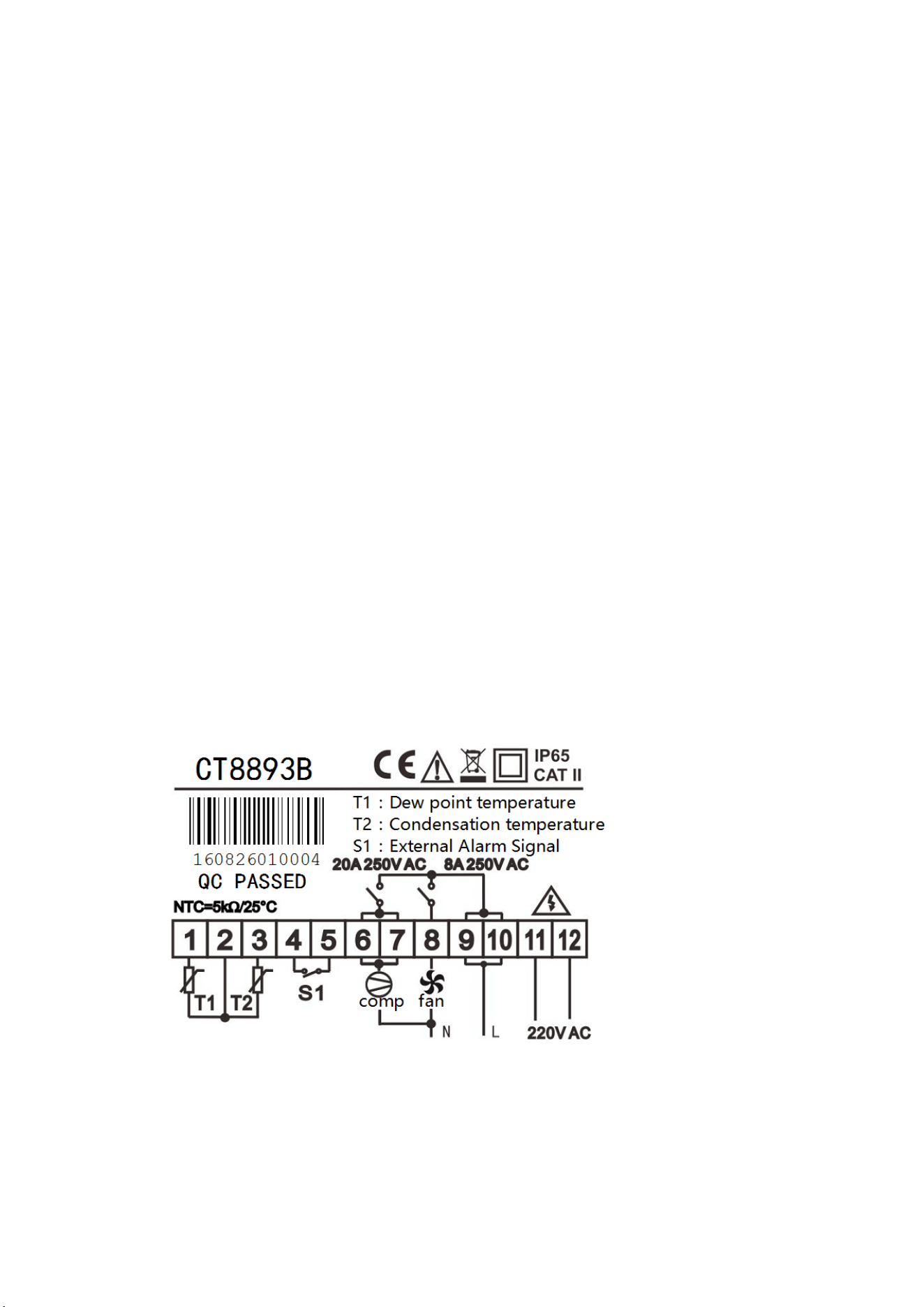
2. Basic Operating Principle
2.1 Compressor control
After controller powered on, the compressor will delay for a moment to protect itself (F21). The
indicator light will flicker at the same time. If checked external input is alarming, the compressor will stop.
2.2 Fan control
Fan default under control of condensing temperature. It will open when temperature is higher than
(including) set point (F42) , closed when lower than the set point - return difference (F43) . If condensation
sensor fails, the fan output along with the compressor.
2.3 External alarm
When external alarm occurs, stop the compressor and fan. External alarm signal has 5 modes
(F50): 0: without external alarm, 1: always open, unlocked, 2: always open, locked; 3: always closed,
unlocked; 4: always closed, locked. “Always open” means in normal state, external alarm signal is
open, if closed, the controller is alarm; “Always closed” is on the contrary. “Locked” means that when
external alarm signal becomes normal, the controller is still in the alarm state, and it needs to press any
key to resume.
2.4 Command
In order to prevent irrespective persons from changing the parameters, you can set
a password (F80), and if you have set a password, the controller will hint you to enter the
password after you press the key “M” for 5 seconds, you must enter the correct
password, and then you can set the parameters. If you don’t need the password, you
can set F80 to “0000”. Notice that you must remember the password, and if you forget
the password, you cannot enter the set state.
3. Wiring Diagram
4. Notes
Please use the temperature sensor allocated by our company.
If compressor power is less than 1.5HP, can direct control by internal relay. Otherwise need to
connect ac contactor.
Fan loaded with no more than 200w.
For Inquiries, Please Contact:
GENPOWER LTD
Isaac Way, London Road,
Pembroke Dock, UK, SA72 4RW.
T: +44 (0) 1646 687 880
E: info@hyundaipowerproducts.co.uk
www.hyundaipowerproducts.co.uk
Imported / Distributed by Genpower Ltd for
the United Kingdom & Ireland
Licensed by Hyundai Corporation Holdings, Korea

