
EN
FULLY AUTOMATIC ESPRESSO /
CAPPUCCINO MACHINE
Translation of the original manual
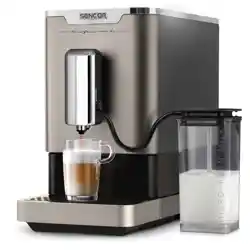
SES 9300BK
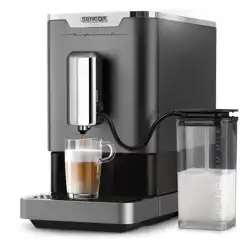
SES 9301WH
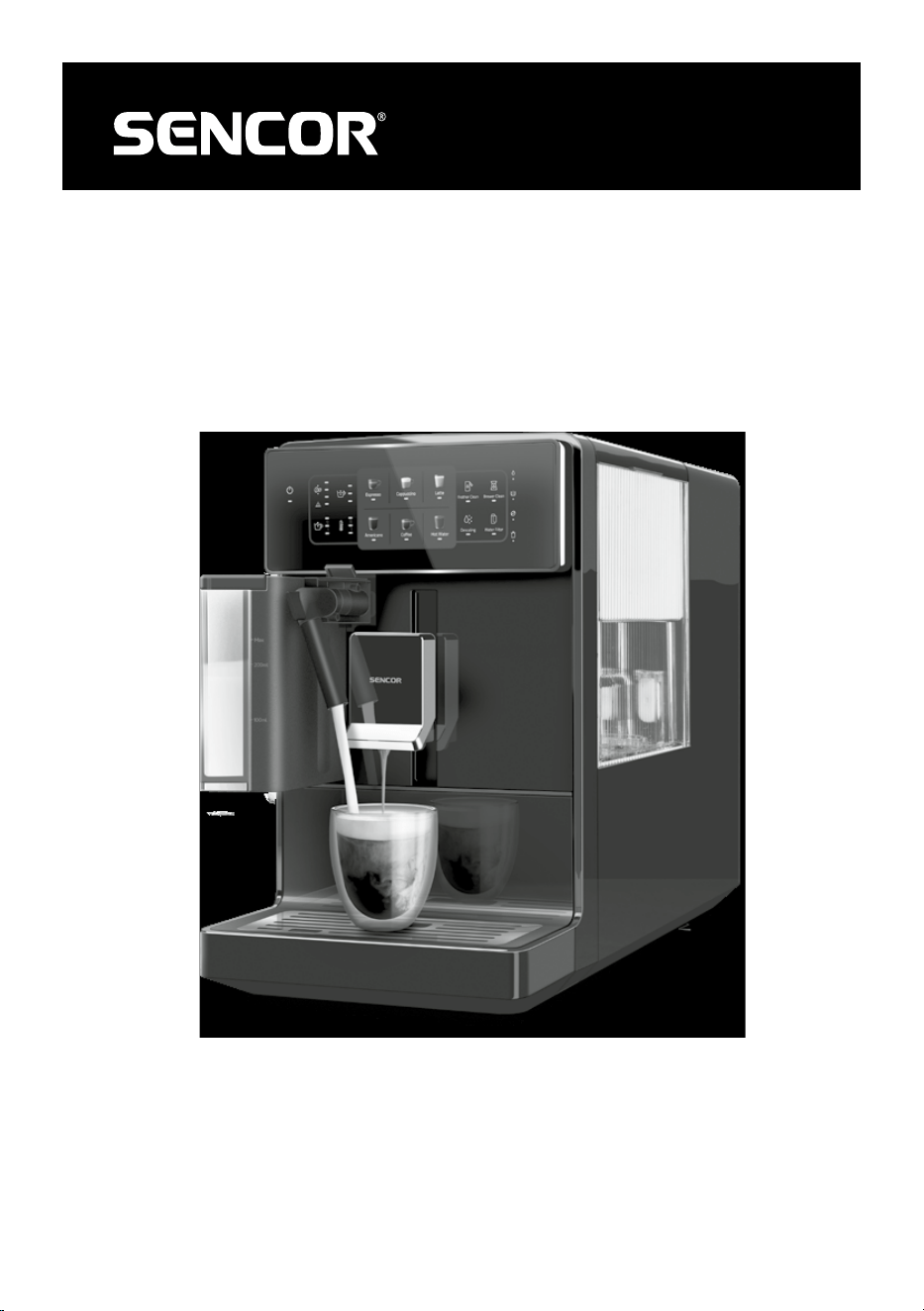
SES 9300BK
SES 9301WH
A
1
2
3
4
6
7
8
9
10
11
12
13
14
15
5
B
Espresso Cappuccino Latte
Americano Coffee Hot Water
Frother Clean
Brewer Clean
Descaling
Water Filter
1
2
3 4 5 6 7 8 9
10
11
12
13 14 15 16
17
18
19
20
C
D1 D2
E1 E2
E3 E4
E5 E6
E7
- 1 -
03/2024
2024, .
EN
Fully Automatic Espresso / Cappuccino Machine
Important Safety Instructions
READ CAREFULLY AND STORE FOR FUTURE USE.
• This appliance is not to be used by children. Keep this
appliance and its power cord out of the reach of children.
• The appliance may be used by persons with reduced
physical, sensory or mental abilities or lack of experience
and knowledge, provided they are supervised or have
been instructed in the safe use of the appliance and
understand the potential hazards.
• Children must not play with the device.
• Cleaning and maintenance by the user must not be carried
out by children.
• If the power cord is damaged, have it replaced in
aprofessional service centre in order to prevent
adangerous situation. It is forbidden to use the appliance
with the power cord damaged.
• Always clean the parts of the appliance that come into
contact with food with clean warm water and alittle neutral
dishwashing liquid, rinse them with clean water and wipe
dry.
WARNING:
Incorrect use may lead to injury.
- 2 -
03/2024
2024, .
Always disconnect the appliance from the power supply
when leaving it unattended and before assembly,
disassembly or cleaning.
This appliance is intended for household use.
It is not intended for use in areas such as:
• kitchenettes in shops, offices and other workplaces;
• agriculture;
• by guests in hotels, motels and other residential areas;
• bed and breakfast establishments.
WARNING:
Avoid spilling on the plug.
WARNING:
The outer surface of the appliance heats up during
use and may be hot for some time after use. Be very
careful.
The appliance must not be placed in acabinet when in use.
WARNING:
The filling hole must not be opened during use.
Do not do submerge the power cord, plug or
appliance in water or any other liquid.
Electrical Safety
• Before connecting the appliance to apower outlet, make sure that its nominal voltage indicated on the rating plate matches the electrical voltage of
the socket.
• Connect the appliance only to aproperly grounded socket. For safety reasons, we do not recommend using adaptor plugs or extension cords.
• Do not place the appliance on windowsills, sink drain trays or unstable surfaces. Always place the appliance on astable, flat and dry surface.
• Do not place the appliance on an electric or gas stove or near an open flame.
• Never use the appliance in the immediate vicinity of abath, shower or swimming pool.
• Use the appliance only for the purpose for which it has been designed.
• Use the appliance according to the instructions in this user manual. Otherwise injury, damage to the appliance or dangerous situation might occur.
• Only use the appliance with the original accessories supplied with it.
• During operation, aclear space of at least 15 cm must be left around and above the appliance to ensure sufficient air circulation.
• Do not place any items on the top surface of the appliance.
• Fill the water tank with clean, cold water. Do not pour hot water or other liquids into it or place any objects inside it.

- 3 -
03/2024
2024, .
– the drip tray with grid is installed in its place;
– the water tank is filled with asufficient amount of water and is properly installed in its position;
– the bean hopper is filled with fresh coffee beans.
Safety in Use
• The water level must not exceed the maximum mark.
• Take extra care when operating the appliance to avoid scalding with hot water or steam.
• The hot water function may only be used continuously for amaximum of one emptying of the entire water tank.
• When using the appliance, check the water level in the water tank regularly. If the water level falls below the minimum mark, refill the water tank.
Before adding water, first turn off the appliance and disconnect it from the power socket.
• Use the built-in coffee grinder only for grinding coffee beans. Do not use it for any other purposes.
• Ensure that no hair or other items enter the grinder area during the grinding process. The coffee bean hopper lid should always be properly closed
unless you are refilling coffee beans or adjusting the grinding coarseness.
• The appliance is equipped with abuilt-in thermal fuse that shuts it off when the pump is idling to prevent damage. If such asituation occurs, unplug
the power cord and allow the appliance to cool down for at least 30 minutes. Then you can use it again.
• Do not move the appliance with acoffee cup located on the grid of the drip tray.
• Ensure that the power cord does not come into contact with ahot surface.
• Unplug the appliance from the power socket by pulling the plug, not the power cord. Otherwise, damage to the power cord or the socket may occur.
• Do not submerge the appliance, power cord or plug in water or any other liquid.
• Make sure that the power cord and plug does not come into contact with water or other fluid.
• To avoid the risk of electric shock do not repair or modify the appliance yourself. Have all repairs or adjustments performed at an authorised service
centre. By tampering with the appliance, you expose yourself to the risk of losing your legal rights regarding faulty performance or warranty for
quality.
- 4 -
03/2024
2024, .
• Thank you for purchasing our SENCOR product; we hope it will serve
to your satisfaction.
• Before using this appliance, please familiarise yourself with the
user’smanual, even if you are already familiar with using similar
types of appliances. Use the appliance only as described in this
user'smanual. Keep the manual for future reference.
• It is recommended to keep the original shipping carton, packing
material, receipt and confirmation of the extent of the seller'sliability
or warranty certificate at least for the duration of the legal right of
defective performance or quality guarantee. When transporting the
appliance, we recommend packaging it again in the original box
provided by the manufacturer.
. . . . . . . . . . . . . . . . . . . . . . . . . . . . . . . . . . . . . . . . . . . . . . . . . . . . . . . . . . . . . . . . . . . .
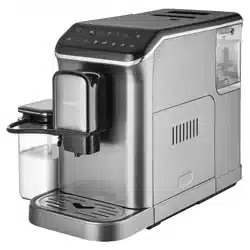
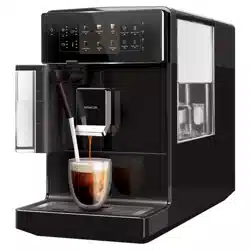
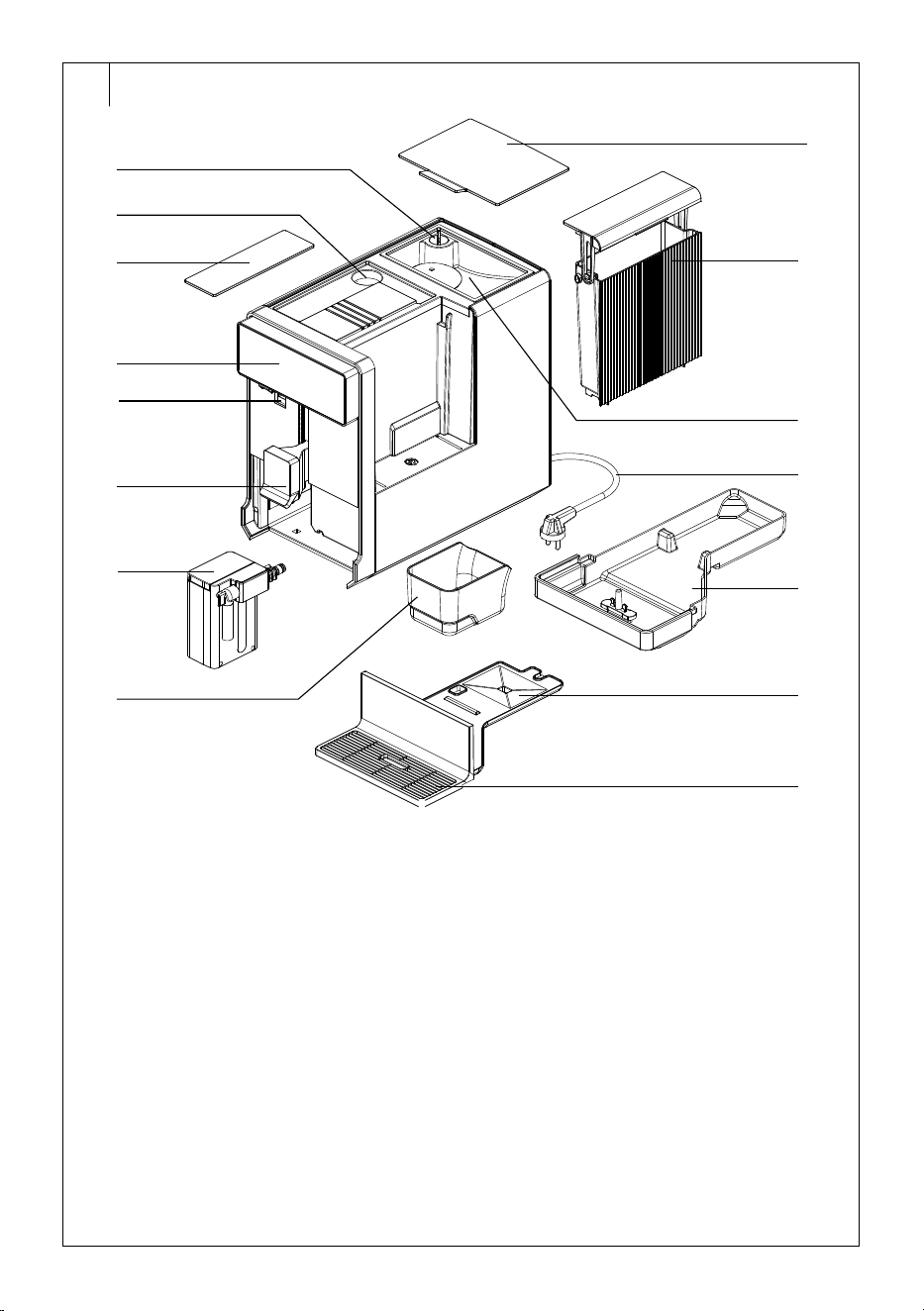
DESCRIPTION OF THE APPLIANCE
A1 Grinding coarseness regulator
A2 Ground coffee hopper
A3 Ground coffee hopper cover
A4 Control panel
A5 Hole for inserting the milk
container with cap
A6 Coffee spout head (height is
adjustable)
A7 Milk Container
A8 Coffee grounds container
A9 Bean hopper lid
A10 Water tank, capacity 1.4 l
A11 Coffee bean hopper
Inside the hopper there is
agrinder with adjustable
grinding coarseness
A12 Power cord
A13 Drip tray
A14 Drip tray cover
A15 Grid
Without illustration: measuring cup for ground coffee
. . . . . . . . . . . . . . . . . . . . . . . . . . . . . . . . . . . . . . . . . . . . . . . . . . . . . . . . . . . . . . . . . . . .
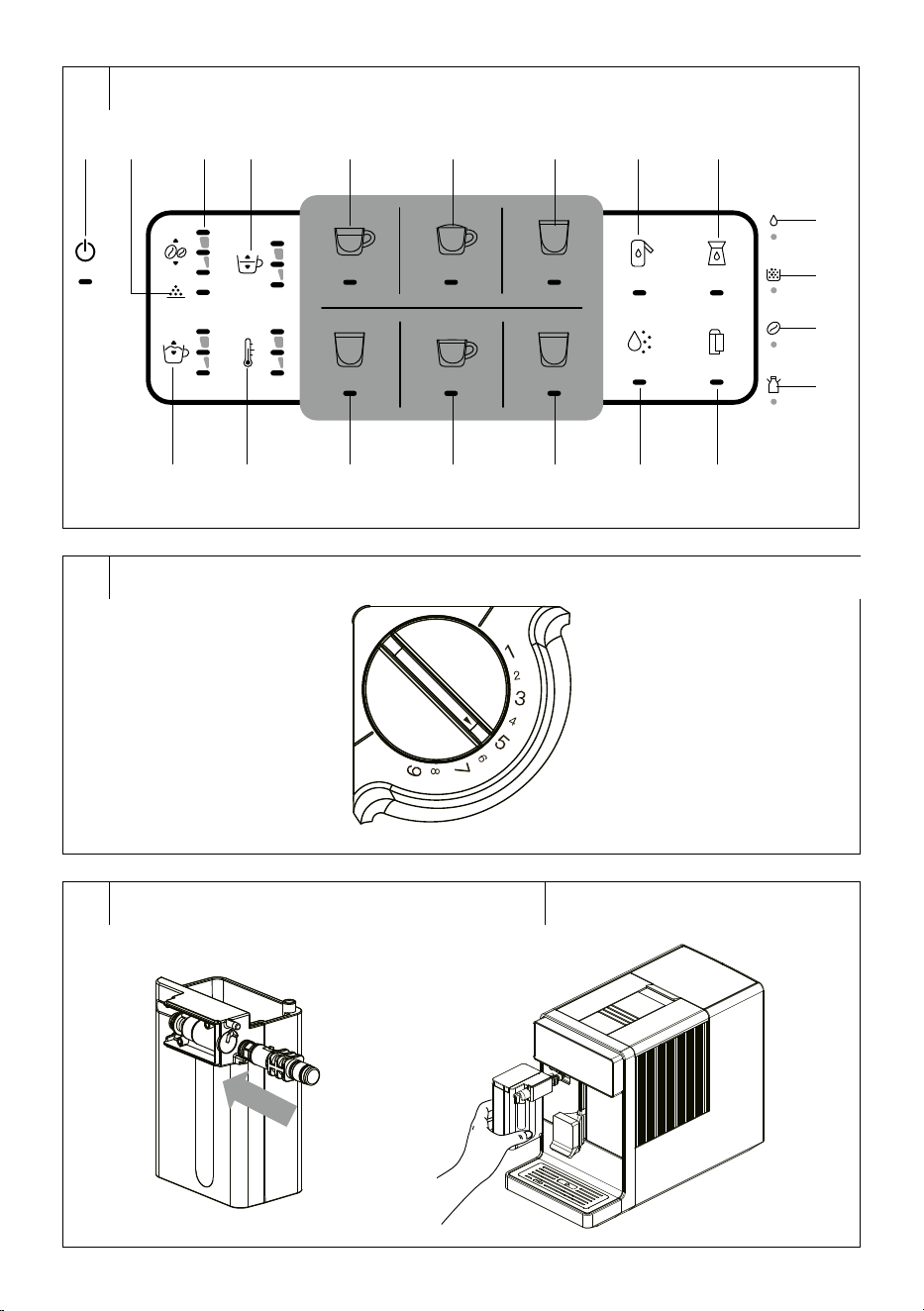
DESCRIPTION OF THE CONTROL PANEL
B1
button: coffee machine
power on/off
B2
icon: ground coffee
brewing function icon
B3
button: adjusting the
amount of ground coffee
B4
button: beverage volume
setting
B5 Espresso button: start brewing
espresso
B6 Cappuccino button: start
brewing cappuccino
B7 Latte button: start brewing
latte
B8 Frother Clean
button:
flushing the foaming system
B9 Brewer Clean
button:
cleaning the brewing system
B10
button: milk foam volume
adjustment
B11
button: adjust preset
temperature
B12 Americano button: start
brewing Americano
B13 Coffee button: start brewing
coffee
B14 Hot Water button: hot water
dispensing
B15 Descaling
button: starting
the descaling process
B16 Water Filter
button:
changing the water filter
B17
indicator light: empty water
tank warning
B18
indicator light: full coffee
grounds container warning
B19
indicator light: empty bean
hopper warning
B20
indicator light: incorrectly
installed milk container
warning
. . . . . . . . . . . . . . . . . . . . . . . . . . . . . . . . . . . . . . . . . . . . . . . . . . . . . . . . . . . . . . . . . . . .
BEFORE FIRST USE
• Before first use, remove the appliance and its accessories form the
packaging and discard all promotional labels and tags. Check that
neither the appliance nor any of its components is damaged.
• Install the appliance on an even, dry and clean surface.
• Remove the water tank, rinse it with clean water and asmall amount
of neutral kitchen detergent. Then rinse it properly with clean water,
dry it and put it back in place.
• Secure the outer drip tray properly to the appliance.
• Wipe the outer surface of the appliance with aslightly damp cloth and
then wipe dry properly.
• Fully unwind the detachable power cord and connect it to the
corresponding socket at the back of the appliance.
Installing andactivating the water filter (optional)
The water filter contains activated carbon to help remove deposits from
the
water, help reduce water hardness andreduce the formation of
mineral deposits and
limescale in the internal pipes of the coffee machine,
water heater and
brew head. Therefore, we recommend using awater
filter for coffee machines, especially if you have medium to very hard
water.
Use water filters for Espresso machines, which are
commonly
commercially available (with afitting system for BRITA
AquaAroma Crema filters).
Important: The coffee machine can also be used without the water filter.
The installation and
activation of the water filter must be carried out
manually, as the coffee machine is not equipped with asensor that
recognizes the installed filter. To install and
activate the water filter,
pleased proceed as follows:
1. Take the water filter out of the packaging.
2. Immerse the water filter in cold andclean water with the hole
pointing upwards for at least 30minutes. If necessary, squeeze out
the rest of the air by shaking lightly in water. Then take it out and
shake carefully. Follow the filter manufacturer'sinstructions.
3. Switch on the coffee machine.
4. Hold
down the button for approx. 3seconds and the button
light will flash yellow.
5. Briefly press the
button and the indicator light will light up.
6. Remove the water tank from the coffee machine.
7. Insert the filter into aholder at the tank bottom. Push gently so that
the water filter is well seated in theholder and fits all the way to the
bottom of the tank.
8. Fill the tank with waterand put it back into the coffee machine. The
filter will be activated automatically. The filter will be briefly irrigated
and the machine will switch to the original mode.
Change the water filter each time the
button light flashes red. This
usually happens when the time of using the water filter has elapsed.
If the
button light does not flash red within three months of installing
and activating the water filter, we recommend replacing it.
When replacing the water filter, follow the instructions inthe “Replacing
the Water Filter” section in the “Cleaning andMaintenance” chapter.
Note:
Once you activate the water filter use in thecoffee
machine, you cannot deactivate it any more. The
coffee machine will measure the water flow andwarn
of the need to replace the filter, evenif there is no filter
installed in thetank. However, this has no impact on
the coffee machine functionality. The coffee machine
will work normally evenwhen the indicator light is
flashing.
Filling the water tank
1. Hold the water tank by its lid. This also serves as acarrying handle.
Lift it up and remove it from the coffee machine side.
2. Fill the water tank with clean water up to the maximum mark and
insert it back into the appliance. Make sure that the water tank is
properly installed in its place.
Note:
The water that you pour into the water tank should
ideally be at room temperature (approximately 25°C).
Water that is too cold can adversely affect the final
taste of the coffee drink.
EN
Fully Automatic Espresso / Cappuccino Machine
User’sManual
- 5 -
03/2024
2024, .
Warning:
The maximum capacity of the water tank is 1.4 l of
water. Do not overfill it.
Never fill the water tank with warm or hot water,
sparkling water or other liquids such as milk. This
could damage the appliance.
Never fill the water tank by pouring water into in while
it is inserted inside the appliance. There is arisk of
spilling the appliance or overfilling the water tank.
Note:
Awater filter can be installed in the water tank.
This is not included. Follow the water filter
manufacturer'sinstructions, especially regarding
use and replacement. For installation and activation,
please follow the instructions provided inthis
user'smanual under “Installing andActivating the
Water Filter (Optional)” and“Replacing the Water
Filter”.
3. Do not leave water in the water tank for more than one day. For
preparing quality fresh coffee, it is necessary to always use fresh
water. Otherwise, the taste of the resulting drink may be adversely
affected.
Filling the Coffee Bean Hopper
1. Remove the bean hopper lid.
2. Pour roasted coffee beans into the bean hopper and close the lid.
Do not leave the lid of the bean hopper open, otherwise the coffee
beans will lose their aroma more quickly.
Warning:
Themaximum capacity of the hopper is 200 g of
coffee beans. Do not overfill it.
Never fill the bean hopper with ground or instant
coffee, caramelised or otherwise specially treated
coffee beans, cocoa beans or other items that may
cause damage to
the appliance.
Grinding Coarseness Regulator
Use the grinding coarseness regulator to adjust the appropriate
coarseness of the ground coffee. Only adjust the grinding coarseness
when the grinder is running. The new coarseness will be reflected on
the second or third coffee preparation since the grinding coarseness was
changed.
1. You can adjust the coarseness of the grinding in 9 levels by using
the grinding coarseness regulator, which is located inside the bean
hopper (Figure C).
2. Turn the regulator towards number 9 to set acoarser grind, or turn
towards number 1 to set afiner grind. Number 9represents the
coarsest grinding level while number 1represents the finest grinding
level.
3. Only adjust the grinding coarseness when the grinder is running.
Otherwise, damage to the appliance could occur.
4. If the brewed coffee flows out very slowly, it means that the beans
are ground too finely and acoarser grind should be set. On the other
hand, if the brewed coffee flows out too fast, it means that the grains
are ground too coarsely and afiner grind should be set.
Note:
Darker roasted beans require acoarser grinding
degree, while lighter roasted beans require alighter
grinding degree.
Milk container
Use the milk container to prepare latte macchiato or cappuccino. The
coffee machine can also be used without the milk container installed.
Insuch acase the
light will flash red andcoffee drinks withmilk will
not be available. This is anormal event and does not affect the proper
coffee machine functioning.
Before using the container, it must be folded andinserted into the coffee
machine. Proceed as follows:
1. Remove the milk container from the package andslide the lid away
to remove the steam nozzle located there. Rinse the milk container
in clean water and wipe dry.
2. Unpack the steam nozzles andinsert them into the tank opening
so that the protrusion on the steam nozzle fits into the cutout in the
tank, and turn the nozzle clockwise simultaneously until you feel
resistance (see Fig. D1).
3. Remove the container lid andfill it with fresh, cold milk. Then turn
the lid back.
4. Open the hole cap to insert the milk container (see Fig. A, number 5).
5. With the end of the steam nozzle pointing forward, insert the milk
container into the hole (see Figure D2) and push gently.
Always fill below the maximum level line. The maximum capacity of the
milk container is 250ml.
Note:
If the milk container is installed in the machine,
the Frother Clean indicator light will be on. This is
anormal occurrence.
. . . . . . . . . . . . . . . . . . . . . . . . . . . . . . . . . . . . . . . . . . . . . . . . . . . . . . . . . . . . . . . . . . . .
USING THE COFFEE MACHINE
• Place the coffee machine on aflat, dry and clean surface at
asufficient distance from the from the power socket. Ensure there is
enough space around it for manipulation, at least 15 cm around the
entire coffee machine.
• Make sure that the water tank is refilled with fresh water and that the
bean hopper has an adequate amount of coffee beans and that the
appliance is properly assembled.
• Plug the power cord connector into the socket in the coffee machine
and connect the power cord plug to the power socket.
• The control panel is equipped with touch buttons. Use the bellies
of your fingers to press the buttons, not the tips. When pressing, it
is important to ensure constant finger contact with the button. Do
not push the button with force. Press the button where its symbol is
located.
Note:
When refilling water and coffee beans, always follow the
instructions provided in chapter “Filling the Water Tank”
and “Filling the Bean Hopper”.
Coffee Machine Power On/Off
• Hold down the
button for 3seconds to turn the coffee machine on.
The
button indicator light will flash.
• The coffee machine starts heating up, and the preparation process
begins, during which water is pumped into the internal circuit, the
grinder is checked, and the coffee spout is rinsed, with asmall amount
of water flowing into the cup. During this time, the pump will be
running briefly. This is anormal occurrence.
• During heating, the control panel indicator lights will gradually turn on
andoff in the clockwise direction.
• At the same time, the internal circuit is flushed and asmall amount
of water flows through the head. Water drains into the drip tray then.
Alternatively, you can place amug with acapacity of at least 100 ml
under the head.
• As soon as all the buttons light up, the machine is ready for use.
• When you have finished using the coffee machine, hold down the
button for 3seconds to turn the coffee machine off. If acoffee drink
was prepared before the coffee machine was turned off, the internal
circuit will also be flushed when the appliance is turned off.
Note:
The coffee machine is equipped with an automatic shut-off
function. The automatic shut-off occurs when the set
inactivity time-out has elapsed - see the section “Automatic
Shut-off of the Coffee Machine” later in this manual. This is
anormal occurrence.
- 6 -
03/2024
2024, .
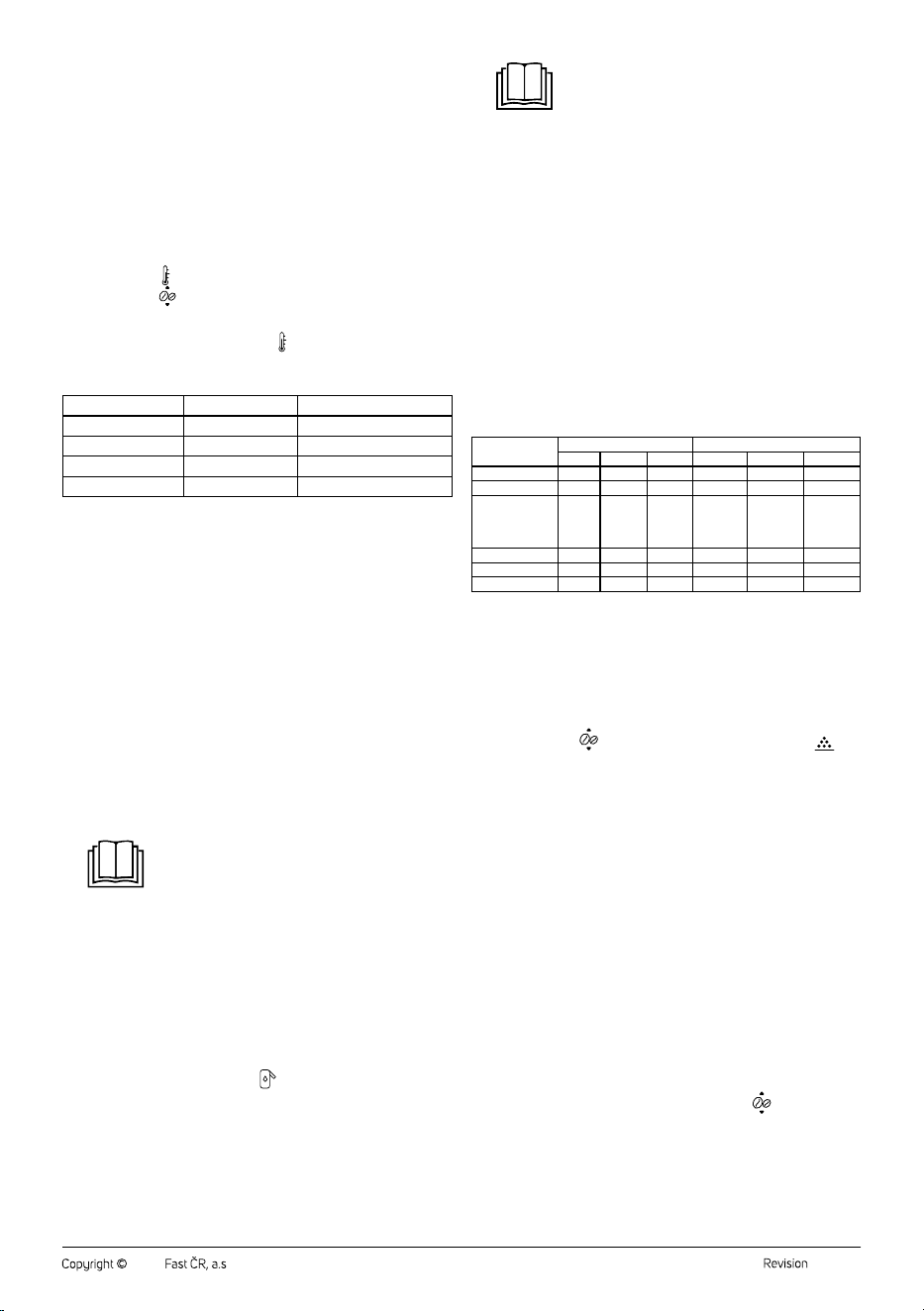
Water Hardness Settings
• The water hardness will need to be adjusted the first time the machine
is switched on, or when switching on after the factory settings have
been made.
• The water hardness is factory set to 4.
• You can find out the hardness of the water either by asking your
drinking water supplier or by taking awater hardness test by dipping
atest strip into the water. Water hardness test kit not included.
• We recommend that you set the water hardness correctly according
to how hard you will use the water in the machine. This will ensure
proper operation of the machine, descaling intervals and prolong its
life.
• Long press the
button to enter the water hardness setting mode,
then press the
button repeatedly to set the desired water
hardness from 1 to 4. The corresponding number of indicator lights
will illuminate.
• To save the settings, press the button
.
Table for Setting Up Water Hardness
Indicator position Level Water Hardness
1 1 1–7 dH
2 2 8–15 dH
3 3 16–23 dH
4 4 24–30 dH
Coffee brewing using Espresso, Americano and Coffee buttons
1. Place acup, mug or glass under the brewing head. Adjust the height
of the brewing head by moving it up or down depending on the size
of your cup, mug or glass.
2. Press the Espresso, Americano or Coffee button. The indicator light
of the selected button lights up.
3. The coffee machine will automatically start the grinding, dosing,
tamping and dispensing process.
Preparing Americano coffee consists of preparing 1 cup of espresso and
adding hot water. Do not remove the cup from under the brewing head
until the hot water dispensing is finished.
You can cancel the preparation of coffee by pressing the corresponding
button.
If you want to adjust your coffee parameters (e.g. change the temperature,
intensity, volume of coffee dispensed, etc.), follow the instructions in the
"User settings" chapter.
Coffee brewing using Latte and Cappuccino buttons
1. Pour the milk into the milk container and place the container in the
coffee machine.
Note:
To achieve rich and creamy froth, we recommend
using properly chilled milk (around 5°C) with
aminimum fat content of 3%.
2. Place acup, mug or glass under the brewing head. Adjust the height
of the brewing head by moving it up or down depending on the size
of your cup, mug or glass.
3. Turn the steam nozzle so that it points into the cup.
4. Press the Cappuccino or Latte button. The indicator light of the
selected button lights up.
5. The coffee machine will automatically start the preparation process
for Latté macchiato or Cappuccino.
6. After finishing the brewing, we recommend cleaning the milk
frothing system by pressing the
button.
You can cancel the preparation of coffee by pressing the corresponding
button.
If you want to adjust your coffee parameters (e.g. change the temperature,
coffee intensity, milk volume, dispensed coffee volume etc.), follow the
instructions in the "User settings" chapter.
Note:
If there is not enough milk in the milk container or if it
needs arefill, slide the lid away andpour fresh, cold
milk inside without having to remove the container
from thecoffee machine. However, when pouring
milk, be careful not to overfill the container or spill
the milk.
Unused milk can be stored for ashort time
inacontainer that you put in your refrigerator.
However, we recommend consuming such milk as
soon as possible.
Dispensing Hot Water
1. Place acup, mug or glass under the brewing head. Adjust the height
of the brewing head by moving it up or down depending on the size
of your cup, mug or glass.
2. Press the Hot Water button. The light of the selected button lights up
and the coffee machine starts dispensing hot water.
You can cancel hot water dispensing by pressing the Hot Water button.
If you wish to adjust hot water parameters (e.g. change the temperature
or dispensed water volume), please follow the instructions in the chapter
“User settings”.
Preset Coffee Quantity Table
Coffee Water/coffee volume (ml) Milk volume (ml)
Small Medium Large Small Medium Large
Espresso coffee
25 45 60 - - -
Coffee
80 120 180 - - -
Americano
30 ml
coffee +
90 ml
water
45 ml
coffee +
135 ml
water
60 ml
coffee +
180 ml
water
Latté macchiato
30 45 60
approx. 90 approx. 155 approx. 220
Cappuccino
30 45 60
approx. 70 approx. 115 approx. 180
Hot water
120 180 240 - - -
Brewing Coffee from Ground Coffee
The coffee maker allows the preparation of coffee from pre-ground coffee.
The recommended amount of ground coffee in the preparation of one cup
is 5 to 12 g.
1. Remove the ground coffee hopper cover (Fig. A, number 3) andpour
the desired amount of coffee into the coffee machine hopper (Fig. A,
number 2).
2. Hold down the
button until the indicator light next to the
icon (ground coffee brewing function) lights up.
3. Press any coffee button and the machine will start.
If you wish to adjust your coffee parameters (e.g. change the temperature
or volume of the coffee dispensed), please follow the instructions in the
chapter “User settings”.
We recommend using the ground coffee scoop included in the package
(the scoop volume aligned to the edge with ground coffee is 6g). The
recommended ground coffee volume for one cup is 5 to 12g.
. . . . . . . . . . . . . . . . . . . . . . . . . . . . . . . . . . . . . . . . . . . . . . . . . . . . . . . . . . . . . . . . . . . .
USER SETTINGS
User Settings for the Entire Coffee Machine
The settings below (amount of ground coffee, volume of coffee dispensed,
volume of frothed milk and coffee/hot water temperature) will affect the
preparation of all beverages. This is auniversal setting for the entire coffee
machine.
1. Setting the Amount of Ground Coffee
Use the ground coffee quantity adjustment if the prepared coffee is too
strong or weak.
To adjust the ground coffee amount setting, press the
button.
Press the button repeatedly to adjust the amount of ground coffee. The
corresponding number of indicator lights will illuminate: 1 light = weak
coffee; 2 lights = medium coffee; 3 lights = strong coffee.
2. Setting the Volume of Coffee Dispensed
The coffee machine allows you to adjust the volume of dispensed coffee.
- 7 -
03/2024
2024, .
To adjust the volume of coffee dispensed, use the
button. Press
the button repeatedly to adjust the volume of coffee dispensed. The
corresponding number of indicator lights will illuminate: 1 light = small
amount of coffee; 2 lights = medium amount of coffee; 3 lights = large
amount of coffee.
3. Setting the Volume of Frothed Milk
The coffee machine allows you to adjust the volume of frothed milk
dispensed.
To adjust the volume of frothed milk dispensed, use the button. Press
the button repeatedly to adjust the volume of frothed milk dispensed. The
corresponding number of indicator lights will illuminate: 1 light = small
amount of frothed milk; 2 lights = medium amount of frothed milk; 3 lights
= large amount of frothed milk.
4. Coffee/Hot Water Temperature Setting
The coffee maker allows you to adjust the temperature of the coffee/hot
water dispensed.
Use the
button to adjust the temperature. Press the button repeatedly
to adjust the temperature of the coffee/hot water dispensed. The
corresponding number of indicator lights will illuminate: 1 light = low
temperature; 2 lights = medium temperature; 3 lights = high temperature.
User Settings for Individual Beverage
The coffee machine allows you to adjust the settings of the beverage you
are about to prepare. However, this will not affect the setting of the entire
coffee machine, only the selected beverage.
1. Long press the button of the selected beverage until the beep
sounds.
2. The indicator lights of the buttons that allow individual beverage
adjustment will flash (for example, for espresso coffee, the
button indicator light will flash; for cappuccino or latté macchiato ,
the and button indicator light will flash).
3. Briefly press the button for the selected beverage.
4. The coffee preparation starts.
5. Once the desired amount of coffee has been dispensed into the cup,
press the
. The settings are saved in memory.
6. When making acappuccino or latte macchiato, the milk frothing will
be started afterwards. Once the desired amount of milk has flowed
into the cup, press the
button. The settings are saved in memory.
Note:
If you need to cancel the setting (before starting
the coffee preparation), long press the button of the
selected beverage.
. . . . . . . . . . . . . . . . . . . . . . . . . . . . . . . . . . . . . . . . . . . . . . . . . . . . . . . . . . . . . . . . . . . .
ADDITIONAL FUNCTIONS
Automatic Shut-off of the Coffee Machine
Set the idle time, after which the machine will switch off. Automatic shut-
off is used to save electricity.
1. Long press the
button and then press the button repeatedly to
set the automatic shut-off time.
2. Each time you press the
button, the indicator lights come on:
1 indicator light = automatic shut-off after being idle for 15 minutes;
2 indicator lights = automatic shut-off after being idle for 45 minutes;
3 indicator lights = automatic shut-off after being idle for 90 minutes.
3. Long press the
button to confirm, save to memory and go back.
Setting the Power Saving Mode
The appliance can be set to energy-saving mode, in which greater energy
savings are achieved.
1. Long press the
button.
2. Press the Americano button repeatedly to switch the power saving
mode setting on/off. If the Americano button light is on, the power
saving mode is on; if the light is off, the power saving mode is off.
3. To confirm, save to memory and go back, long press the
button.
Restoring Factory Defaults
If you need to restore the factory settings and erase all your customized
settings, perform afactory reset.
Long press the
button and then long press the Coffee. An audible
warning sounds and the machine switches off.
Emptying the Internal Circuit
Use the internal circuit emptying function when the coffee machine will
not be used for along period of time to prevent the water in the circuit from
spoiling and the formation of unwanted microorganisms and odours.
1. Place acup under the coffee spout. Direct the steam nozzle into the
cup.
2. Long press the
button.
3. Long press the Espresso until the light flashes.
4. Remove the water tank from the machine,
warning light will flash .
5. Press the Espresso button again to start the internal circuit emptying
function. The water in the steam nozzle circuit and the coffee outlet
is emptied.
6. Once the function is complete, an audible warning sounds and the
machine switches off.
Note:
During the emptying of the internal circuit, the
sound of the pump will be heard. This is anormal
occurrence.
. . . . . . . . . . . . . . . . . . . . . . . . . . . . . . . . . . . . . . . . . . . . . . . . . . . . . . . . . . . . . . . . . . . .
CLEANING AND MAINTENANCE
Before cleaning, unplug the power cord from the mains socket and allow
the appliance to cool down.
Warning:
Do not use abrasive cleaning agents, solvents, or any
substances to clean any parts of the appliance that
could damage the surface of the appliance. None
of the components of this appliance are dishwasher
safe.
Warning:
To prevent the risk of electric shock, do not submerge
the appliance, plug or power cord in water or any
other liquid.
. . . . . . . . . . . . . . . . . . . . . . . . . . . . . . . . . . . . . . . . . . . . . . . . . . . . . . . . . . . . . . . . . . . .
Replacing the water filter
When the
button indicator lights red, the water filter needs to be
replaced. This is usually after the end of its period of use (approximately
after the flow of 80l of water).
When replacing the water filter, proceed as described inthe section
"Installing andactivating the water filter (optional)", however, before
inserting anew water filter, remove the old one.
. . . . . . . . . . . . . . . . . . . . . . . . . . . . . . . . . . . . . . . . . . . . . . . . . . . . . . . . . . . . . . . . . . . .
DAILY CLEANING AND MAINTENANCE
Regular cleaning and maintenance are crucial for the proper functioning
and longevity of the appliance.
Before cleaning, turn off the appliance, unplug it and allow it to cool down.
Drip Tray and Coffee Grounds Container
• Carefully pull the drip tray out of the body of the machine. Remove the
grid and the coffee grounds tray. Carefully place the drip tray over the
sink and remove the cover.
• Pour the contents of the drip tray into the sink.
• Empty the coffee grounds container into the municipal waste or
compost.
• Wash the drip tray, its cover, the grid and the coffee grounds tray with
clean water and then dry them properly.
- 8 -
03/2024
2024, .
Warning:
Be careful not to scald yourself when handling the
tray. It may contain hot water.
• Place the cover on the drip tray, insert the grid into the open space in
the cover and place the coffee grounds container on top of the cover.
• Put the folded drip tray back into the coffee machine.
Drip tray full indicator
The drip tray contains afloat that serves as afull indicator. When the
water level reaches the maximum amount, the float is ejected through the
opening in the grid. In this case, the drip tray must be emptied to prevent
water from spilling out of the tray.
Warning for full coffee grounds container
If the
indicator light comes on while the coffee machine is in operation,
the coffee grounds container is full and needs to be emptied.
Water Tank
Remove the water tank, rinse it with clean water and asmall amount of
neutral kitchen detergent. Then rinse it properly with clean water, dry it
and put it back in place.
Coffee Spout
Wipe the coffee spout with asoft, slightly dampened sponge and then
wipe with adry cloth.
Milk container
To prevent milk accumulation and the build-up of unwanted odours, it is
important to clean the milk container after each use.
1. Place abowl under the brewing head.
2. Direct the milk dispensing nozzle into the bowl.
3. Press the Frother Clean button. The cleaning of the milk frothing
system will start andhot water withsteam will be dispensed through
the milk dispensing nozzle.
4. Allow the coffee machine to complete the cleaning process.
5. Remove the milk container from the machine.
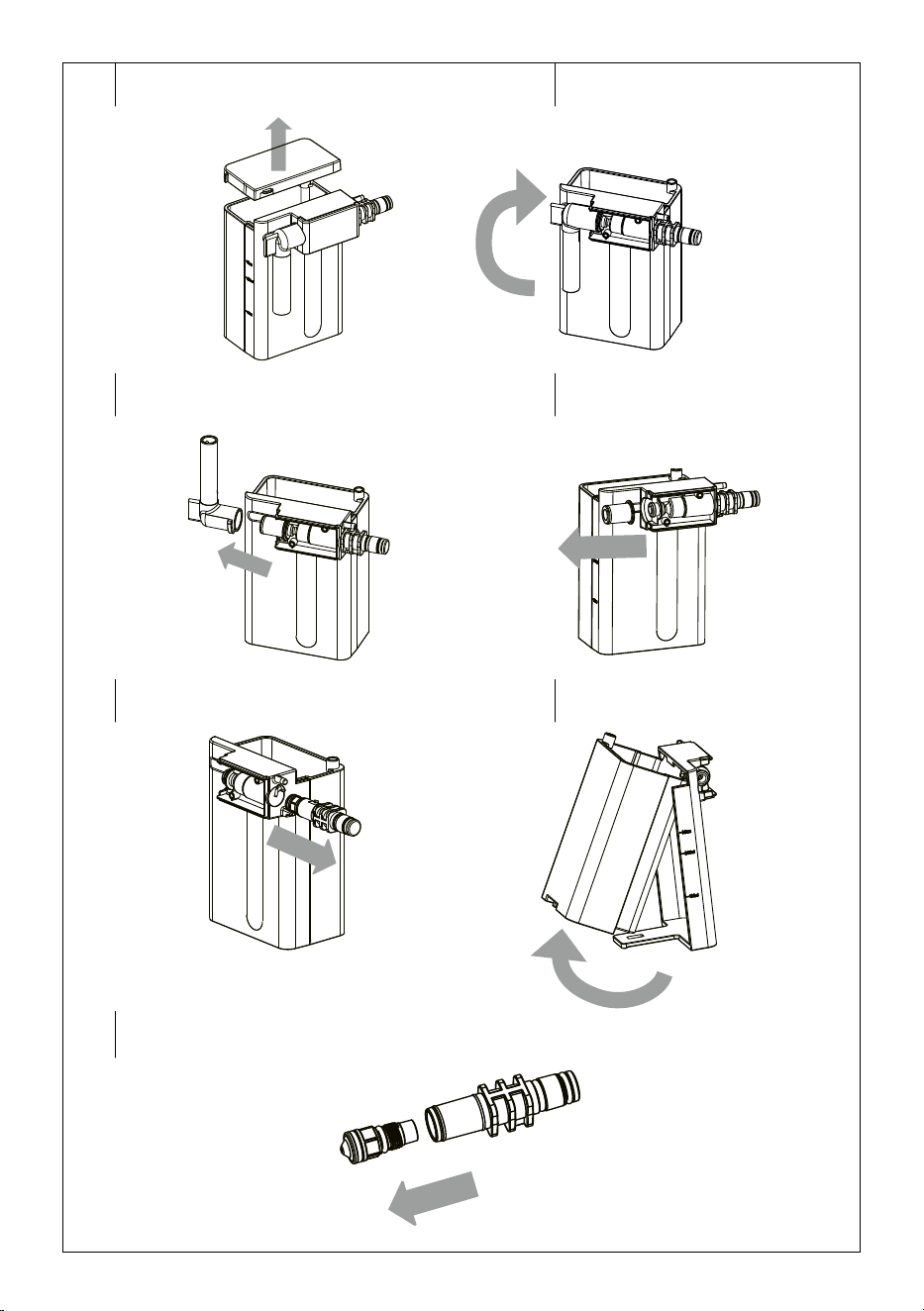
6. Remove the milk container lid and cap (Figure E1).
7. Turn the steam outlet upwards (Figure E2) and remove it (Figure E3).
8. Remove the rubber coupling (Figure E4).
9. Turn the steam nozzles anticlockwise to pull them out (Figure E5).
10. Release the lock at the milk container bottom and remove the
container from the holder (Figure E6).
11. Unscrew the steam nozzle (Figure E7).
12. Wash the all the parts in warm water with asmall amount of
washing-up liquid. Rinse in clean water and wipe dry.
13. Clean the small hole at the end of the steam nozzle with athin object
(e.g. aneedle). It is important that the opening is clean, otherwise the
whole milk frothing system could be damaged.
14. Reassemble the milk container in reverse order and put it back in the
machine.
Outer Surface of the Coffee Machine
To clean the outer surface of the appliance, use aclean, slightly damp
cloth. Afterwards, wipe it dry thoroughly.
. . . . . . . . . . . . . . . . . . . . . . . . . . . . . . . . . . . . . . . . . . . . . . . . . . . . . . . . . . . . . . . . . . . .
CLEANING THE BREWING SYSTEM
By using the coffee machine, oil residues fromcoffee beans and ground
coffee may accumulate in the brewing system and internal piping,
which may clog these parts over time andcause the coffee machine
to malfunction. To prevent clogging andpossible choking the brewing
system and the internal piping, the machine is equipped with an internal
counter, making the
button indicator light come on after every 230
cups of brewed coffee. This is to alert that the brewing system needs
cleaning.
Toclean the brewing system, use degreasing tablets for Espresso-type
machines, which are commonly commercially available.
1. When the
button light comes on, hold down the button for
about 3seconds until the light flashes.
2. Then the
warning light comes on and the button light goes
out.
3. Make sure the drip tray andthe coffee grounds container are empty.
Empty them if necessary.
4. Press the
button briefly and the button light will flash.
5. Water will drain from the coffee machine.
6. When the water dispensing is complete, the
icon lights up. Place
the degreasing tablet in the ground coffee hopper.
7. Long press the
button and the button light will flash. The
brewing system cleaning process will start. Allow the coffee
machine to complete the cleaning process.
8. When the warning light comes on, empty the drip tray and the
coffee machine will switch to the standby mode.
9. Clean the drip tray by following the instructions above andinsert it
back into the coffee machine.
Note:
If you need to start cleaning the brewing system
before the
button light comes on, hold downthe
button for 3seconds.
. . . . . . . . . . . . . . . . . . . . . . . . . . . . . . . . . . . . . . . . . . . . . . . . . . . . . . . . . . . . . . . . . . . .
Brewing unit rapid rinsing
The integrated brewing unit can be quickly flushed to remove coffee
residues andoil from thecoffee beans deposited in the unit. Dependingon
the frequency of the coffee machine use, we recommend flushing the
brewing unit manually at least once amonth. If you regularly use it to
agreater extent or have not used the coffee machine for aprolonged
period of time, rinse the brewing unit more often.
1. Place abigger cup or abowl under the brewing head.
2. Hold down the
button for approx. 3 seconds until the indicator
light next to the
icon comes on.
3. Press the Coffee button and the coffee machine will start brewing
the coffee drink, but without ground coffee inside.
4. Only water will flow into the cup/bowl. Allow the coffee machine to
complete the brewing.
5. Repeat step 3 as required to rinse the brewing unit thoroughly.
6. Pour out the water from the cup/tray.
7. Press the
button briefly repeatedly to adjust the required amount
of ground coffee (intensity of the coffee drink being brewed).
. . . . . . . . . . . . . . . . . . . . . . . . . . . . . . . . . . . . . . . . . . . . . . . . . . . . . . . . . . . . . . . . . . . .
DESCALING
Mineral deposits from water can accumulate in the internal circuit of the
coffee machine with regular use. It is anatural process. Therefore, regular
descaling is necessary. Mineral deposits can adversely affect the taste of
the coffee being brewed. Therefore, as soon as the
button light comes
on, the descaling process must be carried out.
Use adescaling agent suitable for Espresso type machines and follow the
instructions given in the descaling agent'saccompanying documentation.
Do not use vinegar, citric acid or other agents to descale the coffee
machine.
1. Long press the
button for and the button light will flash. At the
same time, the
warning light will come on to indicate that the
water filter, if fitted, must be removed and the water tank filled with
asolution of water and descaling agent.
2. If the
warning light comes on again, remove the drip tray, pour
water out, then insert it back into the espresso machine.
3. The
button indicator light comes on. Press the button to start
the descaling process.
4. If the
warning light comes on during the descaling process,
empty the drip tray and put it back.
5. When the
warning light comes on, remove the water tank, empty
it and refill it with clean water. Insert the tank back into the coffee
machine.
6. Press the
button again to flush the internal circuit and remove
any remaining descaler and dirt.
7. After rinsing, the
warning light comes on, empty the drip tray and
put it back.
8. The descaling process is now complete and the machine can be
used again.
- 9 -
03/2024
2024, .
Warning:
Hot water is flowing out of the coffee machine. When
handling the drip tray, be careful to avoid scalding.
Note:
If you need to start the descaling process before the
button light come on, long-press the
button.
Storage
• If the appliance will not be used for an extended period, unplug it
from the power socket, let it cool down, and clean it following the
instructions provided above.
• Before storing, ensure that the appliance and all accessories are
thoroughly clean and dry.
• Store the appliance in adry, clean, and well-ventilated place away
from extreme temperatures and out of the reach of children or pets.
. . . . . . . . . . . . . . . . . . . . . . . . . . . . . . . . . . . . . . . . . . . . . . . . . . . . . . . . . . . . . . . . . . . .
TROUBLESHOOTING
Problem Cause Solution
The milk squirts out
of the container as it
foams.
There'snot enough
milk in the container.
Refill the milk.
The milk frothing
system is clogged.
Clean the milk
container.
The milk container is
not inserted correctly in
the coffee machine.
Remove the container
and reinsert it into the
coffee machine.
The amount of
frothed milk is very
little or none.
The internal circuit is
clogged with scale.
Perform the descaling
process.
The drip tray cannot
be removed together
with the drip tray; or
the drip tray cannot
be inserted into the
coffee machine with
the drip tray.
The brewing unit inside
the coffee machine
and the coffee grounds
container touch and
block each other.
Remove the coffee
grounds container by
hand and then insert
the separate drip tray.
Switch on the coffee
machine and wait for
it to warm up. Remove
the drip tray and place
the coffee grounds tray
on top. Insert back into
the coffee machine.
The coffee doesn't
flow or just drips.
The ground coffee is
too fine.
Adjust the milling
fineness.
The brewing system is
clogged.
Have the brewing
system cleaned.
Coffee spout is
clogged.
Clean the coffee spout.
The internal circuit is
clogged with scale.
Perform the descaling
process.
All warning lights are
flashing.
Coffee machine
malfunction
Turn off the coffee
machine and
disconnect it from the
mains socket. Wait
for awhile before
switching it on again.
If the problem
persists, contact your
authorised service
centre.
Note:
If the problem is not listed in the table or if the problem
persists, turn off the coffee machine, disconnect it from the
power source, and contact an authorised service centre.
Warning
indicator
Meaning Solution
Empty water tank indicator
light
Refill the water tank.
Full coffee grounds container
indicator
Empty the coffee grounds
hopper.
Empty bean hopper indicator Add coffee beans to the
hopper.
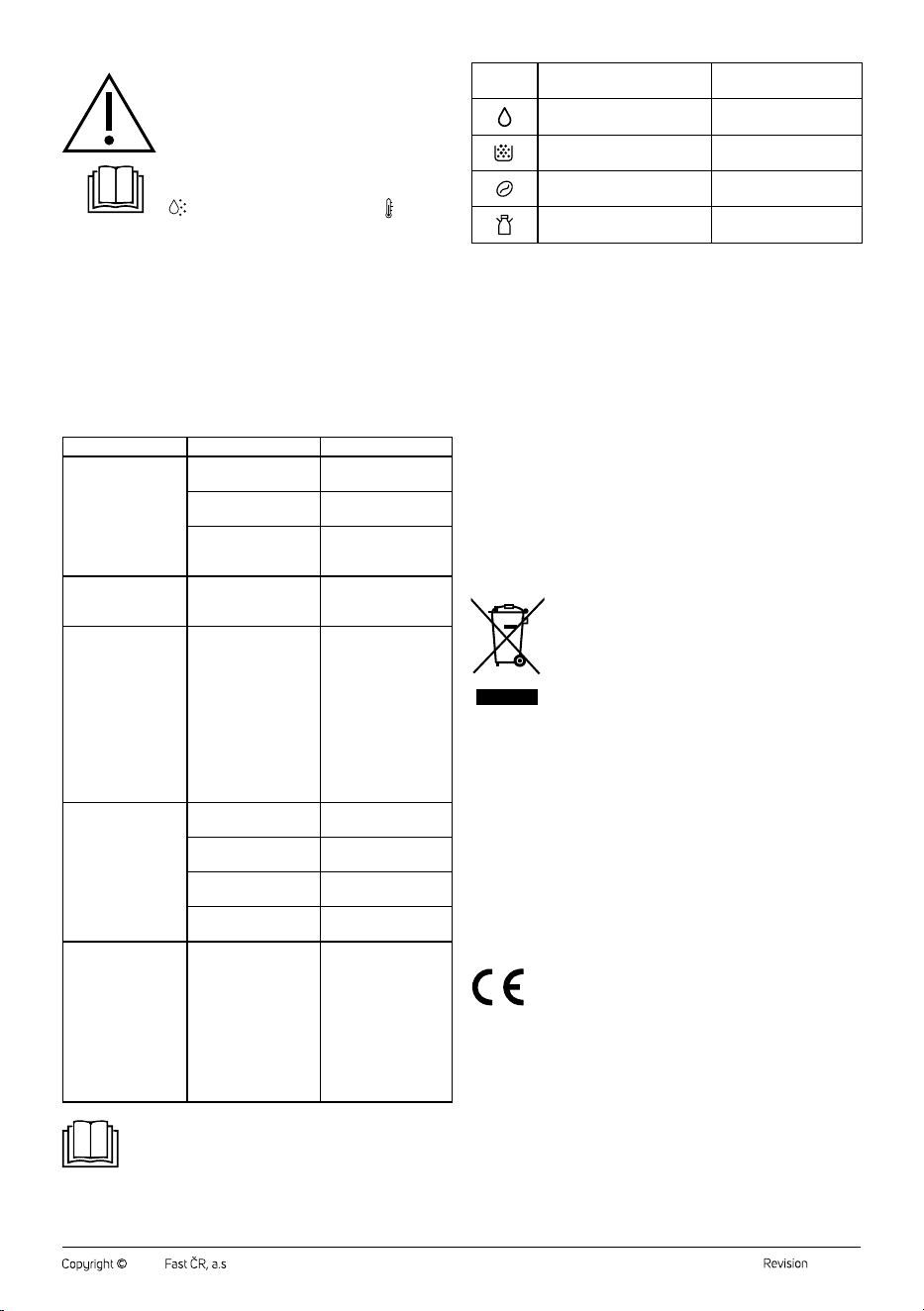
Milk container incorrectly
installed indicator light
Remove the milk
container and reinsert it.
. . . . . . . . . . . . . . . . . . . . . . . . . . . . . . . . . . . . . . . . . . . . . . . . . . . . . . . . . . . . . . . . . . . .
TECHNICAL SPECIFICATIONS
Rated voltage range ..............................................................................220−240 V~
Rated frequency ............................................................................................50/60Hz
Rated power input .............................................................................................1400W
Noise level ...................................................................................................... <65dB(A)
The declared noise emission level of this appliance is <65dB(A),
representing the A-weighted sound power level relative to the reference
sound power level of 1pW.
We reserve the right to change the text and technical specifications.
. . . . . . . . . . . . . . . . . . . . . . . . . . . . . . . . . . . . . . . . . . . . . . . . . . . . . . . . . . . . . . . . . . . .
INSTRUCTIONS AND INFORMATION ON DISPOSAL OF USED
PACKAGING MATERIAL
Dispose of used packaging material in the designated waste disposal area
determined by the municipality.
DISPOSAL OF USED ELECTRICAL AND ELECTRONIC EQUIPMENT
This symbol on the products or accompanying documents
indicates that used electrical and electronic products
should not be disposed of with regular municipal waste.
For proper disposal and recycling of these products, deliver
them to designated collection points. Alternatively, in some
European Union states or other European countries the
products can be returned to the local retailer when buying
an equivalent new product. By properly disposing of this
product, you help preserve valuable natural resources and contribute to
preventing potential negative impacts on the environment and human
health resulting from improper waste disposal. For further details, contact
your local authorities or the nearest collection point. Fines may be
imposed for improper disposal of this type of waste in accordance with
national regulations.
For Business Entities in European Union States
If you want to dispose of electric or electronic devices, ask your retailer or
supplier for the necessary information.
Disposal in Other Countries Outside the European Union
This symbol is valid in the European Union. If you wish to dispose of this
product, request the necessary information about the correct disposal
method from the local council or from your retailer.
This product complies with all the essential requirements of
the applicable EU directives.


FAST ČR, a.s.
U Sanitasu 1621
CZ-251 01 Říčany
www.sencor.eu