
CYNUS
User Manual v1.0
1 Inside the box
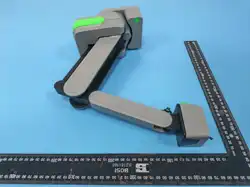
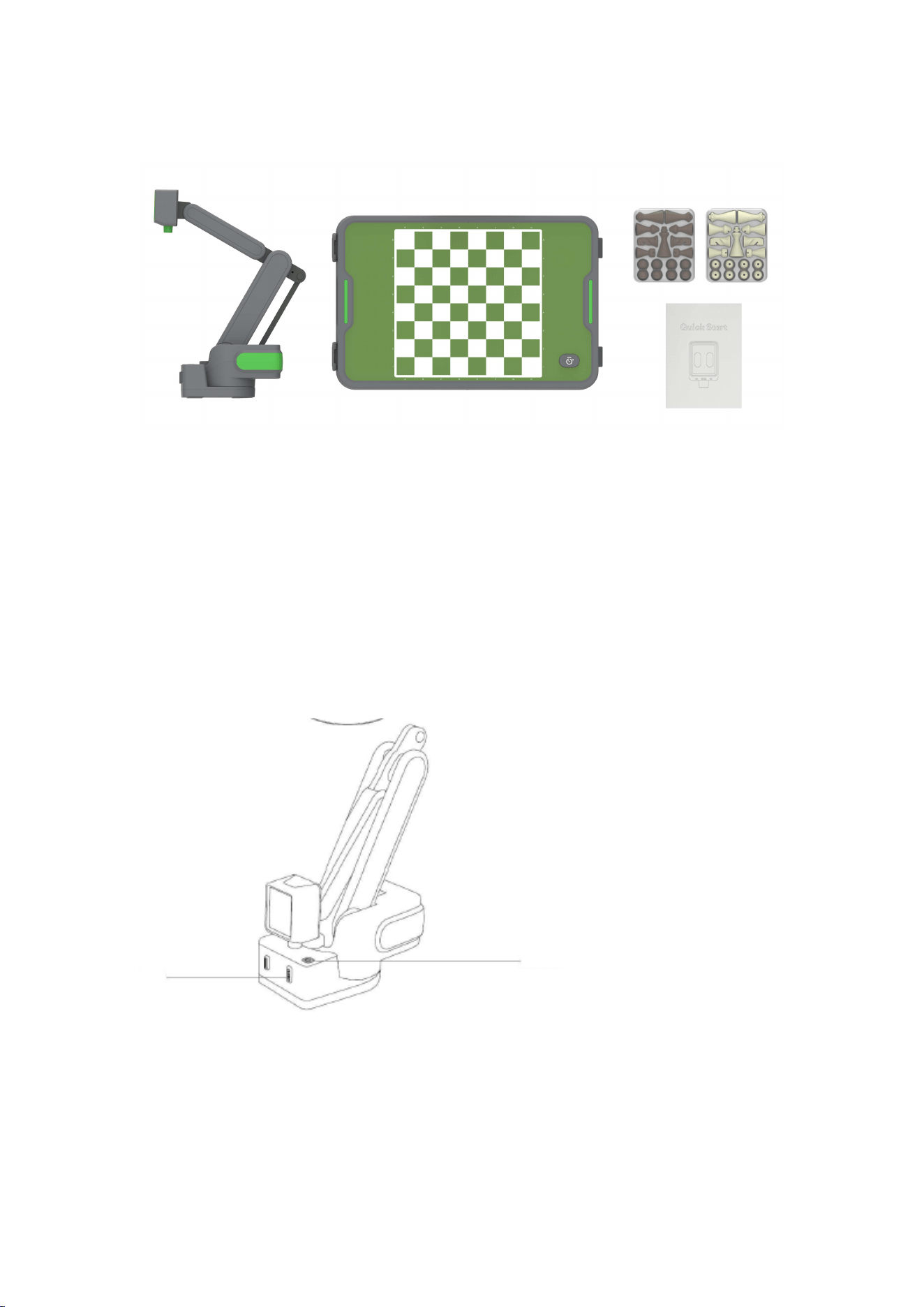
Robotic arm x1
Board x1
Quick Starter x1
Chess pieces: 2 sets of 17 each (including an extra queen)
2 Product introduction
3 Starting Guide
3.1 take out
hold the rear-end of the robot to take it out of the box.
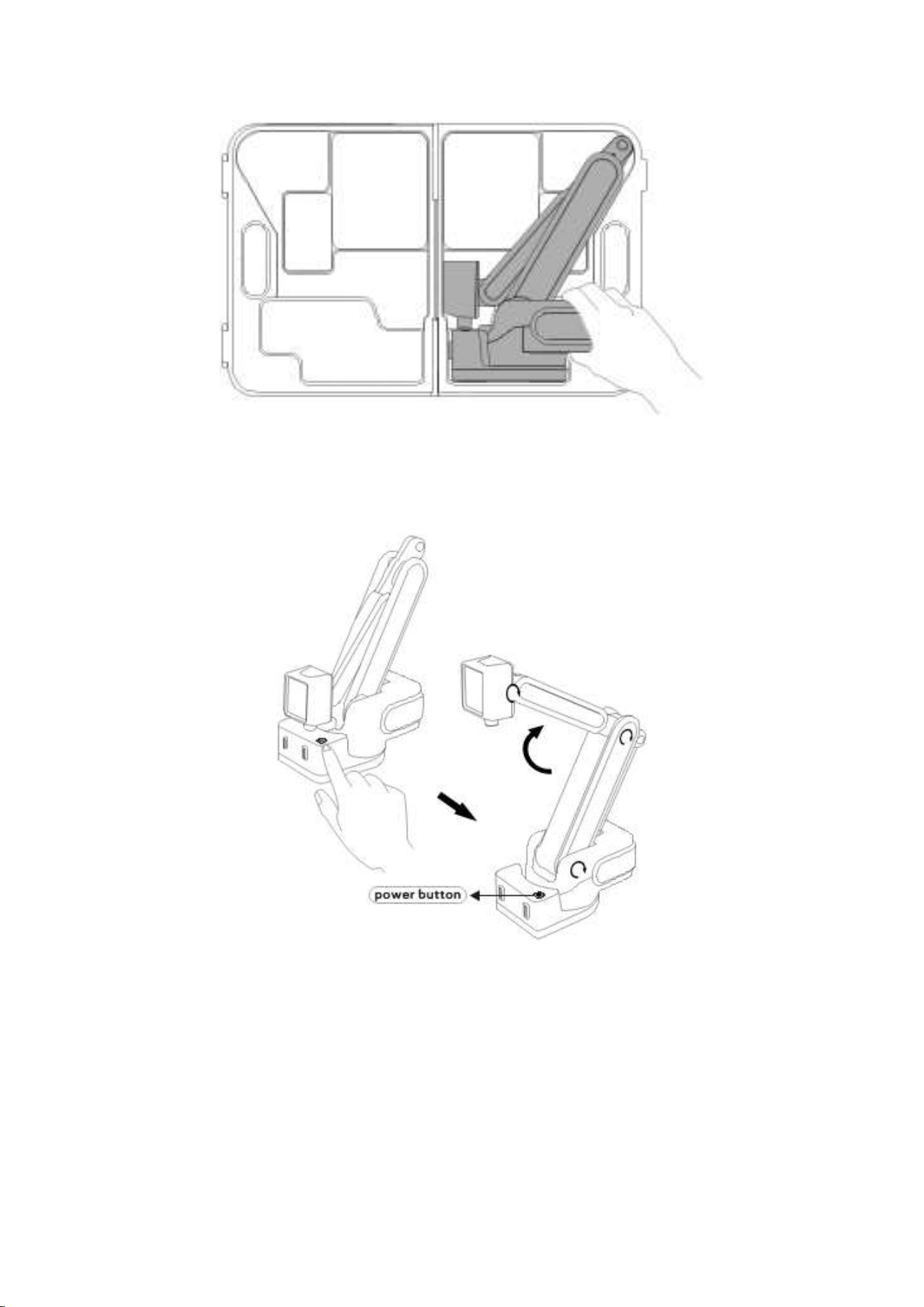
3.2 power on
Place the robot on a solid platform first, then press the power button on the
robot. The robot will boot up and unfold itself.
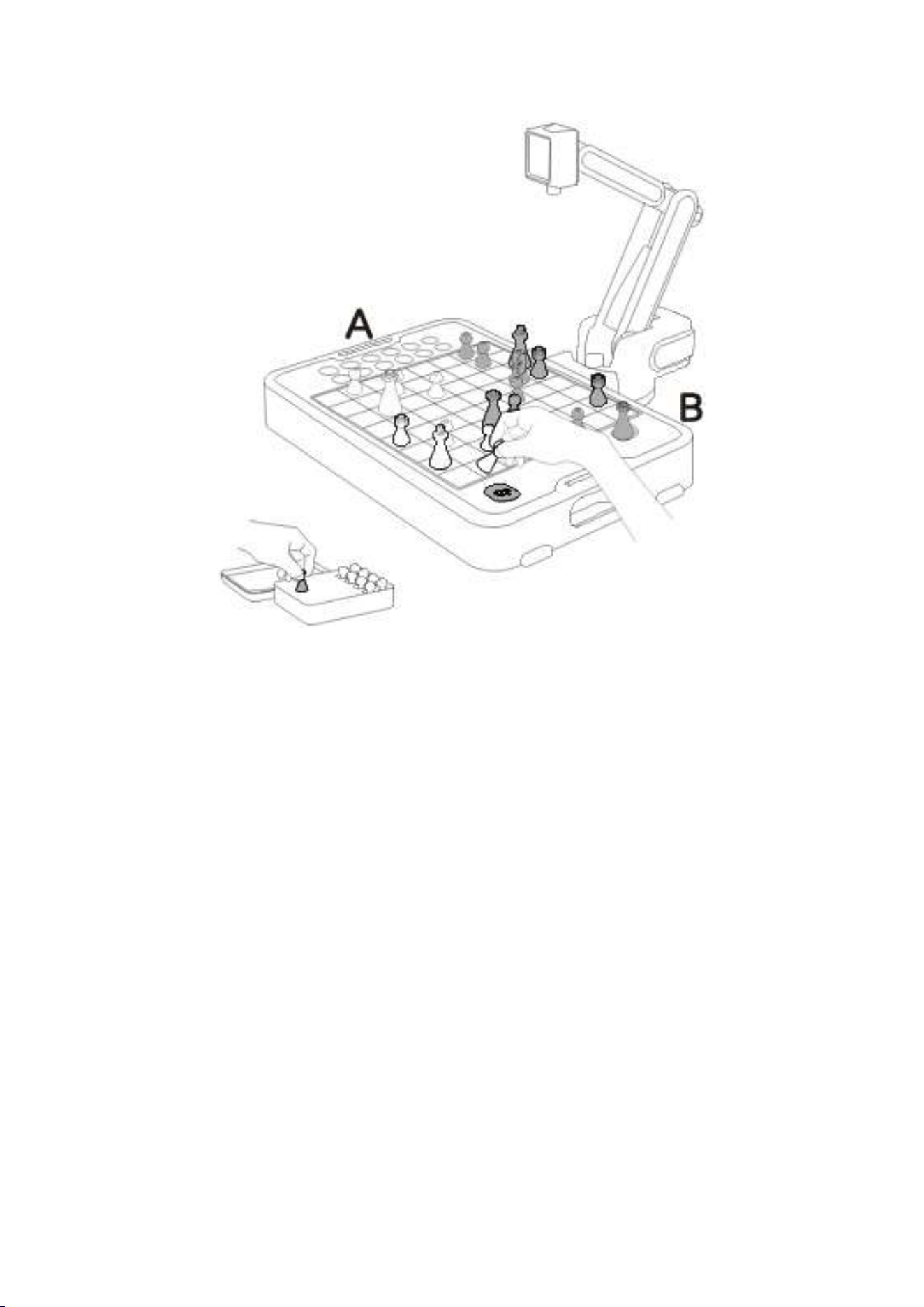
3.3 Chess board
Unfold the chessboard, and place it in front of the robot.
As noted on the chess board, row 8 is on the robot side, so the robot will play
black by default, If you want to play black, please place a white queen on the
promotion area.
When the board is connected to the robot, the robot will detect the color of the
promotion pieces. If the promotion queen is white, the board will be flipped
logically, the robot will play white piece, you can play the dark piece on your side.
Otherwise the robot will play dark, you need to play the pieces as normal.
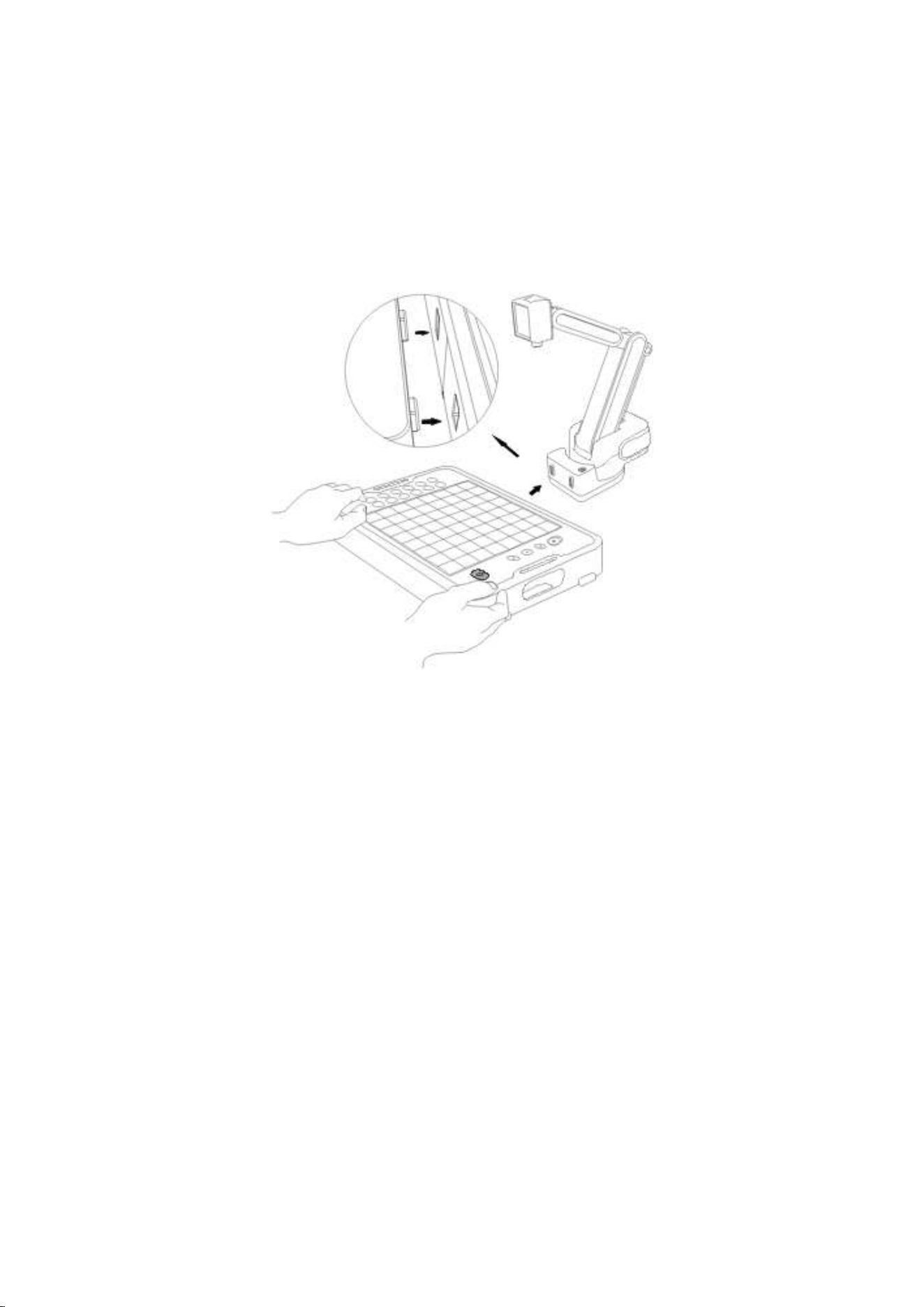
3.4 connect
Keep the robot still, align the connector of the chess board with the robot’s
connector, and push the chess board to the robot. There are magnets installed in
the chessboard and the robot, they will stick together when they are closed to
each other.
3.5 set up
If there is no queen on the promotion area or the queen is dark when the board
gets connected with the robot, please place the dark piece on the robot side and
white piece on you side as normal.
If the queen on the promotion area is white, please place the dark piece at your
side and white piece at robot side.
And please do not place any piece on the left area, that area is reserved for robot
to place the piece it captured.
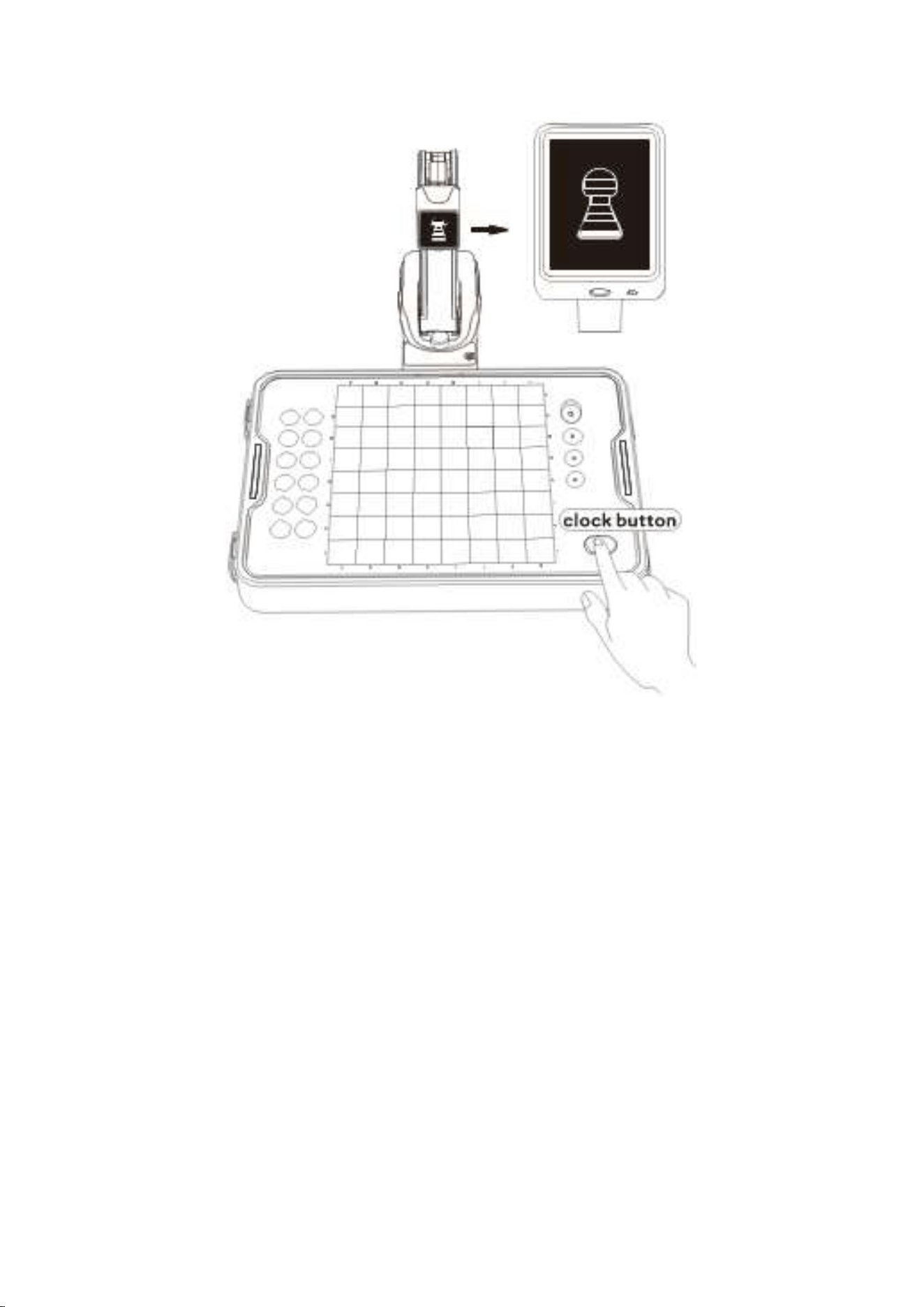
3.6: change the difficulty
Long press the clock button on the board for more than 5 seconds until the
difficulty icon shows on the screen, then release the button, click the button to
change the difficulty. The difficulty will increase one level on each click, until it
reach the highest level 8, then it will return to level one. After the difficulty is
changed, leave the button for about 5 seconds when the emoji comes back on the
screen, the setting is finished.
The setting will be stored, and remain same when it powered on next time.
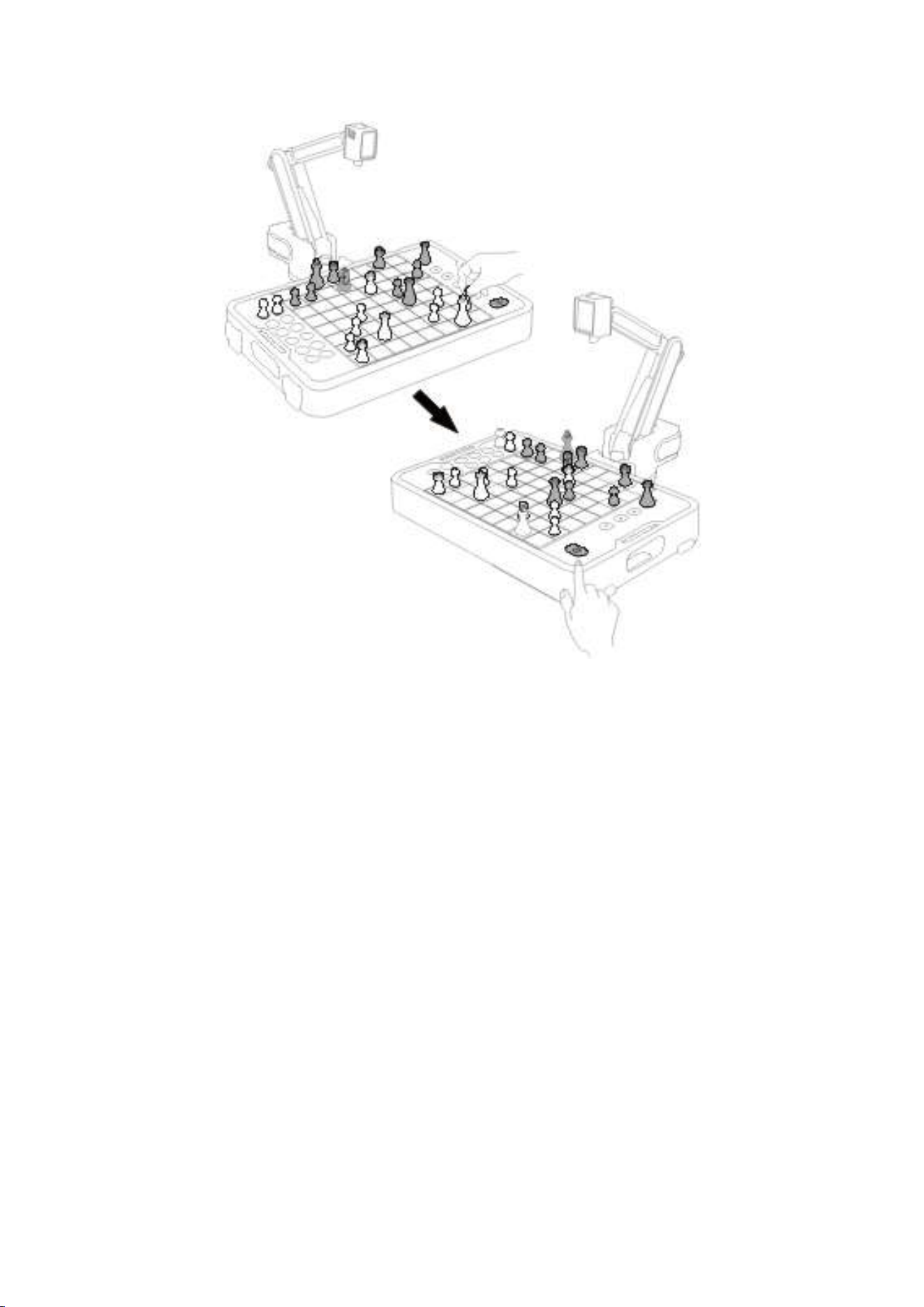
3.7 play
After powered up, the clock button on the board will be GREEN, which means it is
your turn, you can make your move now. After finishing your move, you need to
press the clock button to tell the robot that you have finished your move, and let
the robot make it move. The clock button will turn RED, and the robot will start the
scanning of the board and make its move, a thinking emoji will be showed on the
screen when the robot is computing. After the computing, robot will make its
move and reset to the default pose, the clock button will turn GREEN again, you
can make your move again.
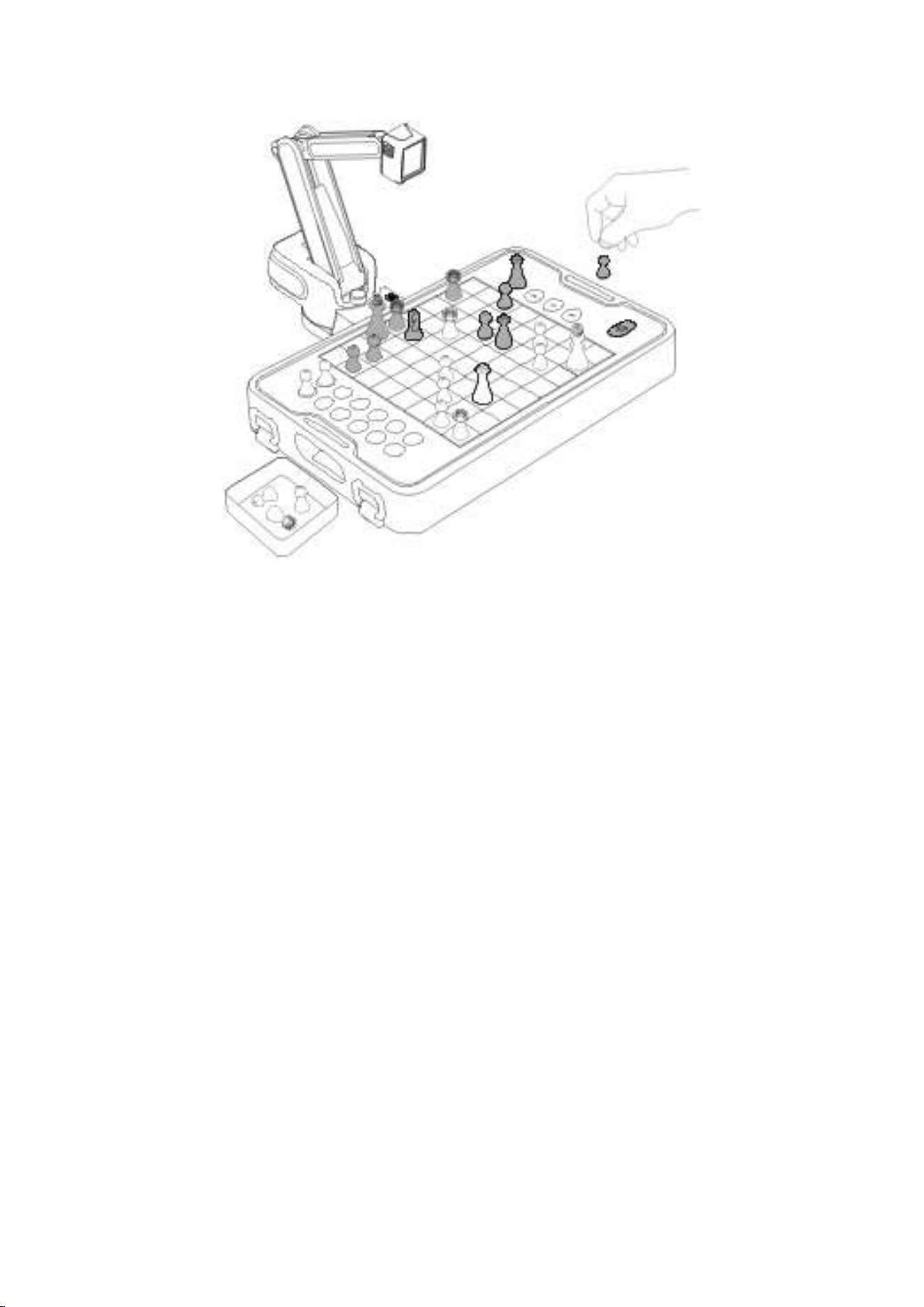
3.8 Capture
The robot will place the pieces it captured on the left area of the chess board, so
do NOT place any piece you captured on the left area.
And if the there are on place left on the left area of the board, the robot will drop
the piece it capture off the board.
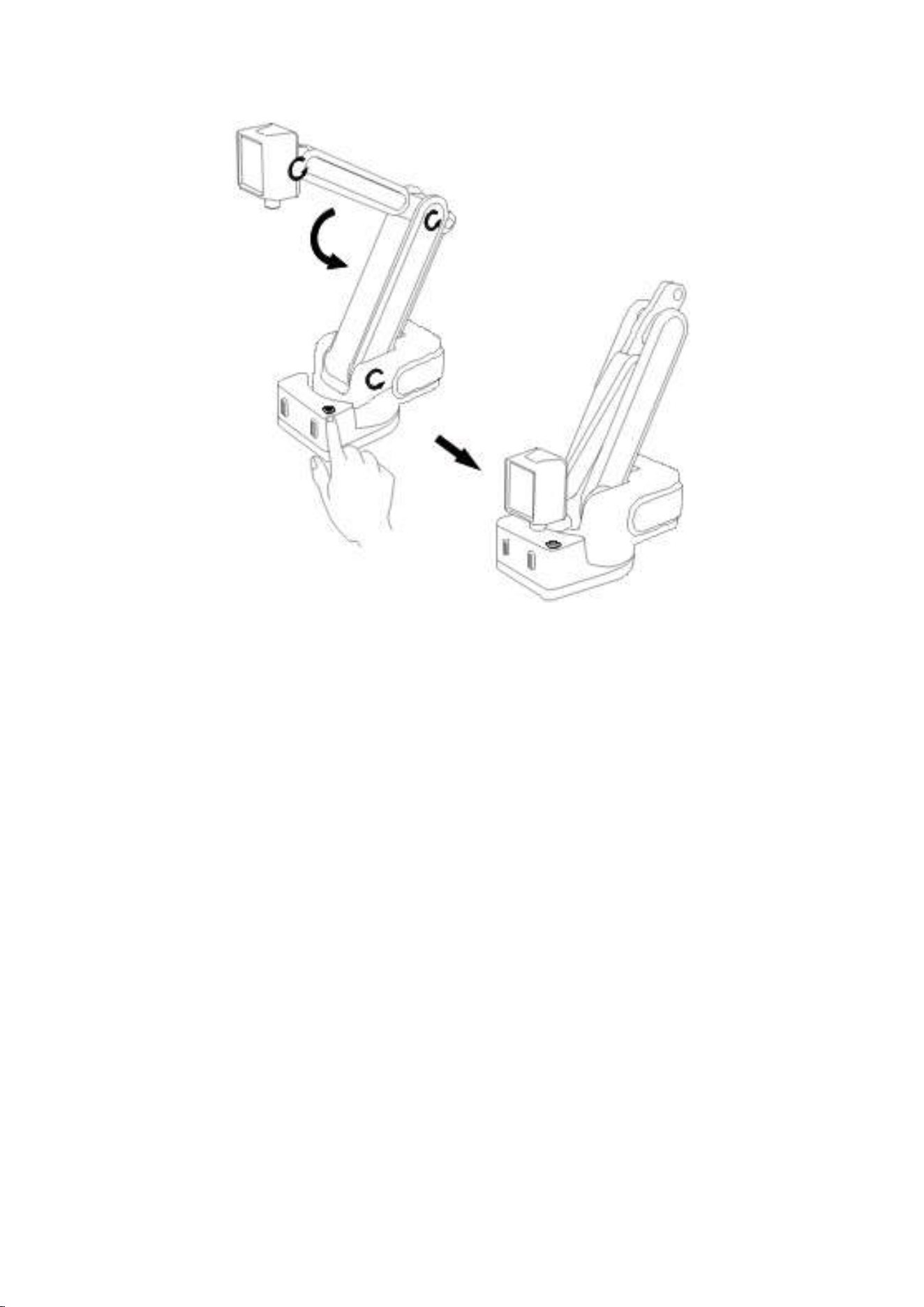
3.9 power off and fold
Long press the power button for about 5 second will fold the robot and power it
off, after folded, you can place the robot in the chess board box.
If you don’t need to store the robot in the chess board box, you can just click the
power button to power the robot off without folding it.
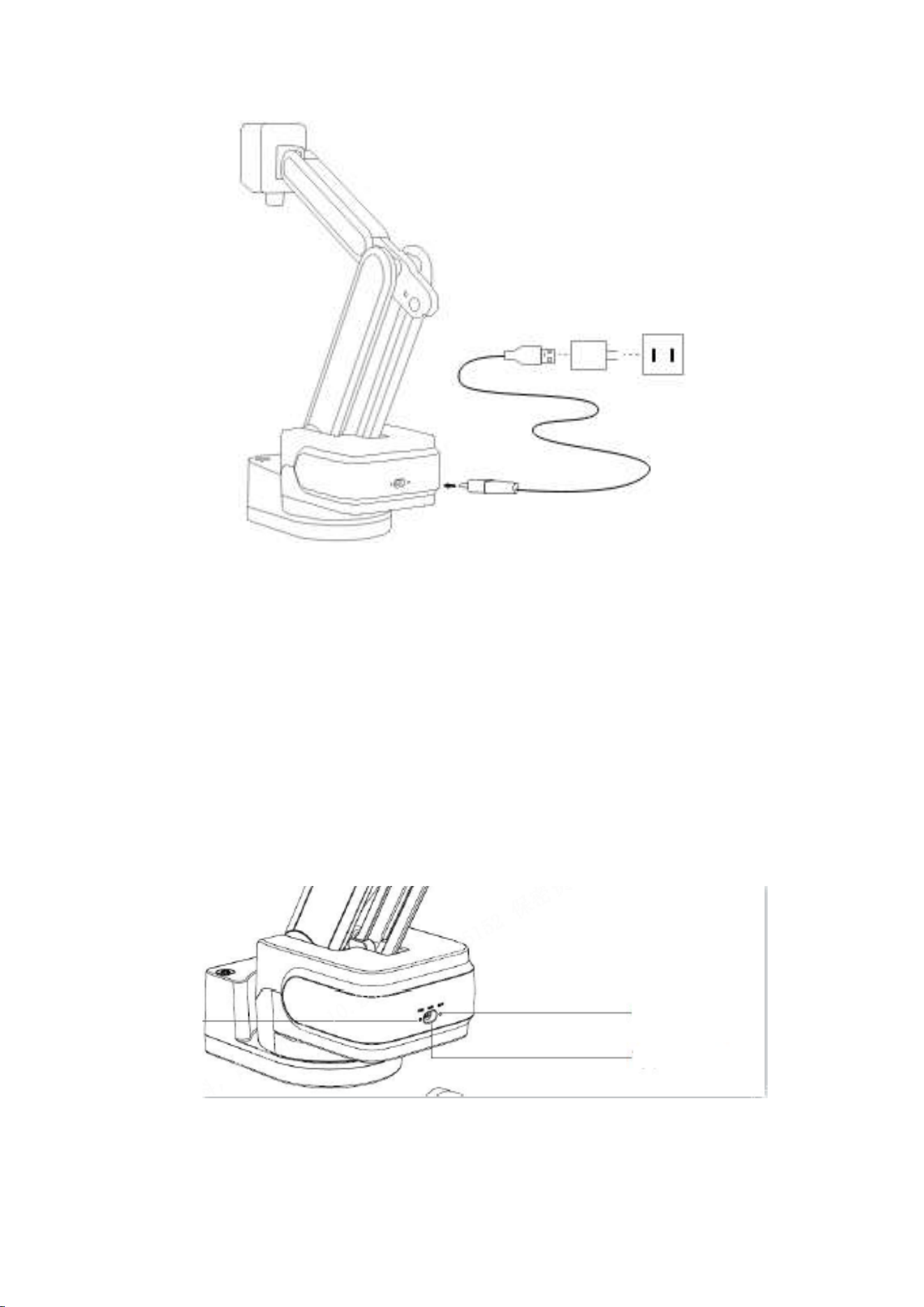
4 charge
There is a standard USB type C connector on the back of the robot, please use a
normal USB type-c cable and a normal USB adapter to charge it. Make sure that
the USB adapter is able to provide more than 1.5A at 5V.
Please recharge the robot once every two months at least to prevent the battery
from over-discharge.
5:open source protocol
The robot equipped with a Bluetooth LE, by which it can be connected and
controlled by the smart phone or a PC. The protocol is open sourced, if you want
to program to control the robot, you can find the protocol on our website.
6: APP
The app can be used to set the time mode, flip board, upgrade the robot, or
record the game. You can find it by searching “Cynus” on the Apple’s App
Store or on Google play.
7: Reset
If the robot is not able to be powered off normally, please use a thin object like a
needle to reset the robot in the rear of the robot.
8: Notes
1: the robot and the chessboard has to be placed on a flat solid surface,
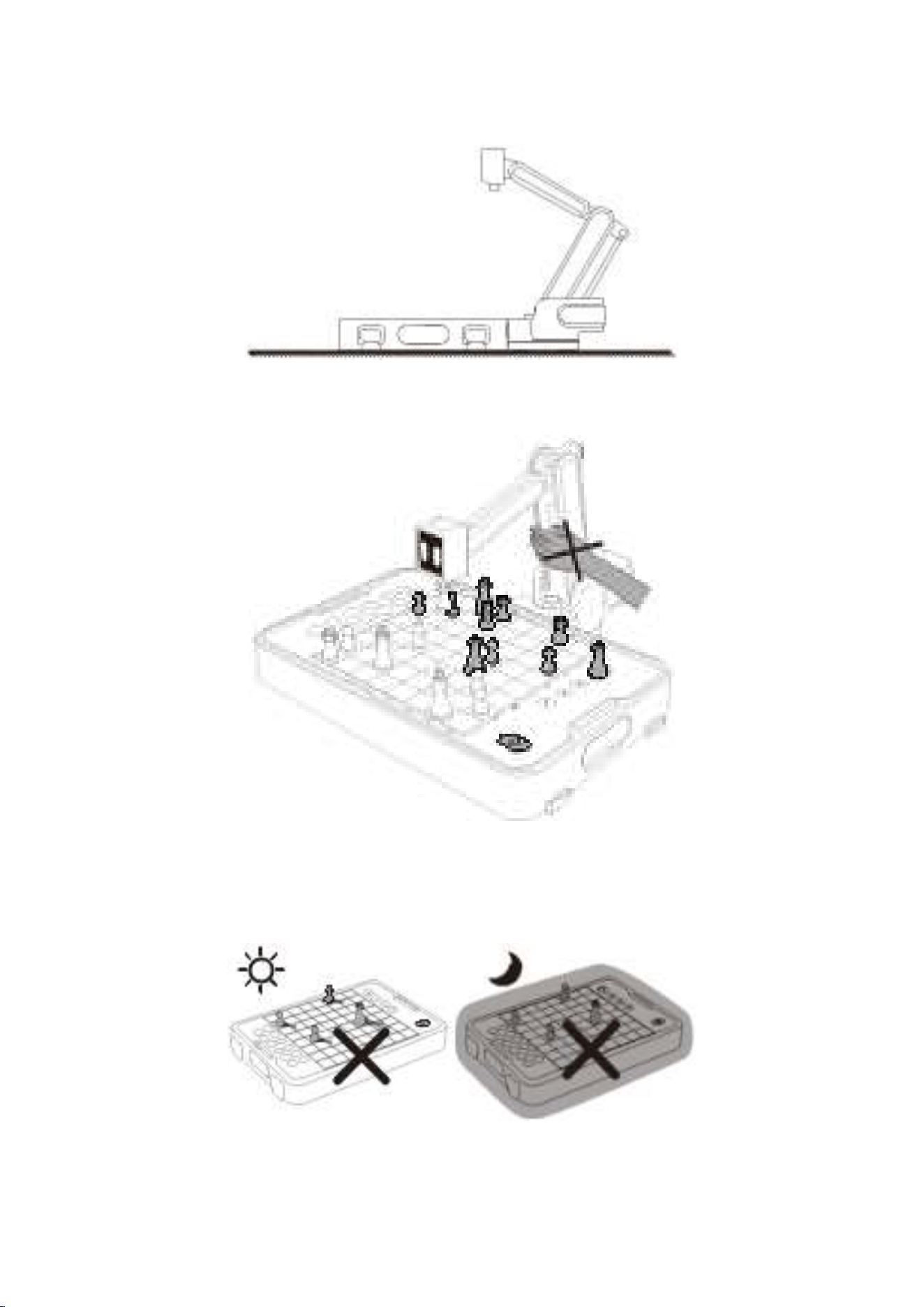
otherwise the robot may not able to work properly.
2: do not touch the robot arm when it is moving, it may hurt you.
3: Do NOT play the robot in the sunshine or dim places, the shadow of the
chess pieces or the in sufficient light may cause robot’s recognition error.
9 Product specifications
weight Approx. 2.6kg
flolded dimension 310*245*119mm
expanded dimension 310*490*59mm
battery 2000mAh Li-ion
Charging time Approx. 2hours
Buetooth V5.1
Camera 3 Mega pixels
Display 2.0 inch
Speaker Yes
Microphone Yes
Auto shutdown Yes
input volatge USB type-C 5V
operating temperature 0°- 40°
Storage temperature -10°- 55°
10 Safety precautions
Cynus is not suitable for children under 6 years old.
The USB type-c cable and charging adapter for this product is not included
in the package.
Please use the recommended adapter (DC5V/1.5A) to recharge Cynus.
Do not touch the robot arm when it is running.
Please try not to place Cynsu at any location with high potential risk of
dropping and falling.
11 Warranty Terms and Conditions
1 year warranty.
*Free repairing service will be offered during the warranty period, if the failure
occurs due to normal conditions according to the instruction manual (determined
by Manya After-Sales Service Team).
The warranty does not cover below circumstances.
a. Failure to provide a warranty certificate and a valid purchase invoice.
b. Misuse and improper repair.
c. Natural consumption/wear and tear of consumable materials and aging.
d. Water or other liquid damage & damage caused by external fore, etc. due
to improper use.

e. Damage caused by using inappropriate power source or voltage
www.manyaspace.com
FCC Warning
NOTE: This equipment has been tested and found to comply with the
limits for a Class B digital device, pursuant to part 15 of the FCC Rules.
These limits are designed to provide reasonable protection against
harmful interference in a residential installation. This equipment
generates, uses and can radiate radio frequency energy and, if not
installed and used in accordance with the instructions, may cause
harmful interference to radio communications. However, there is no
guarantee that interference will not occur in a particular installation. if
this equipment does cause harmful interference to radio or television
reception, which can be determined by turning the equipment off and
on, the user is encouraged to try to correct the interference by one or
more of the following
measures:
--Reorient or relocate the receiving antenna.
--Increase the separation between the equipment and receiver.
--Connect the equipment into an outlet on a circuit different from
that to which the receiver is connected.
--Consult the dealer or an experienced radio/TV technician for help.
Any changes or modifications not expressly approved by the party
responsible for compliance could void the user's authority to operate
the equipment.
This device complies with part 15 of the FCC Rules. Operation is
subject to the following two conditions:
(1)This device may not cause harmful interference, and
(2)This device must accept any interference received, including
interference that may cause undesired operation.
This equipment complies with FCC radiation exposure limits set forth
for an uncontrolled environment .
This transmitter must not be co-located or operating in conjunction
with any other antenna or transmitter.