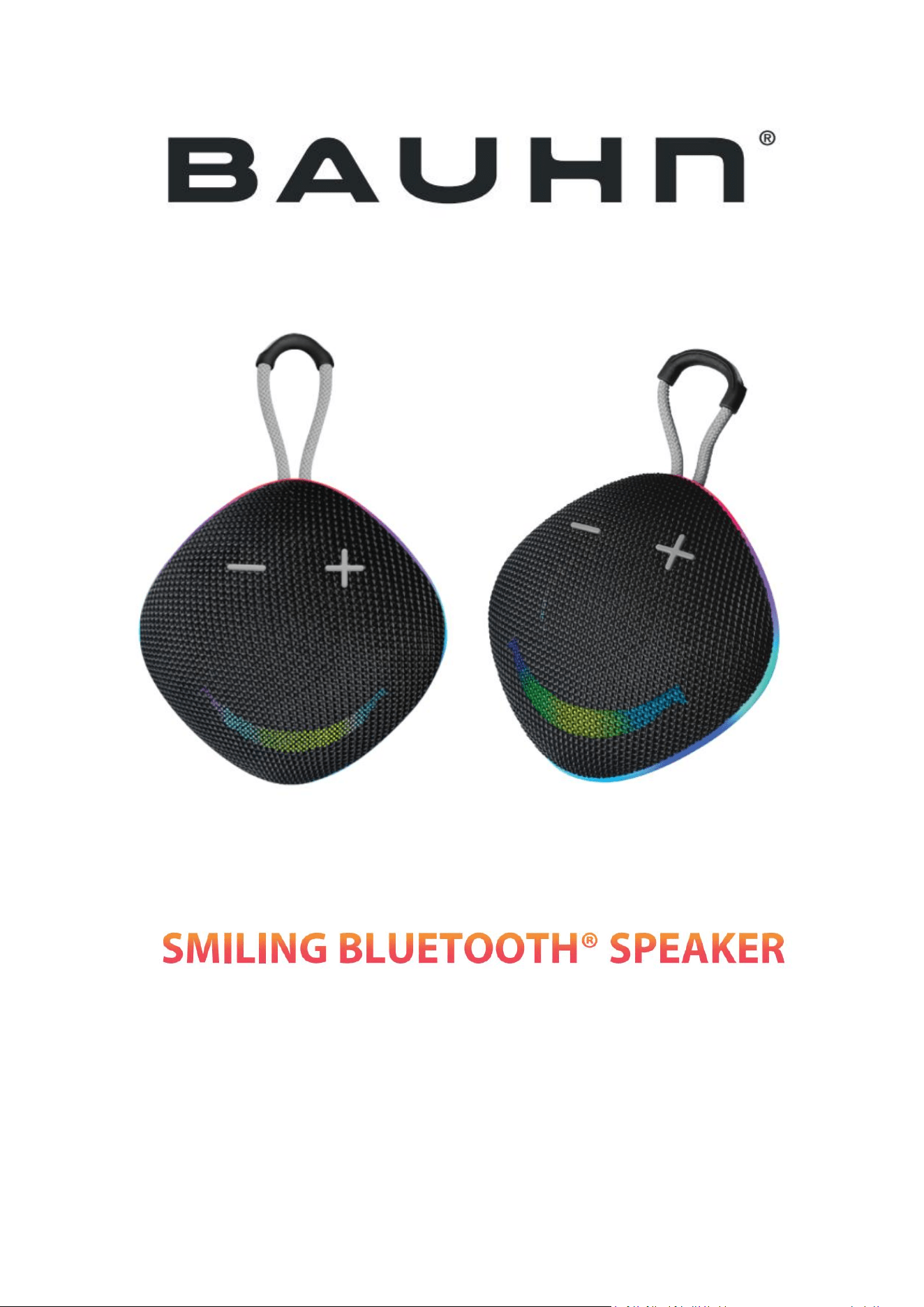
MODEL: BT207
INSTRUCTION MANUAL
PLEASE READ ALL INSTRUCTIONS CAREFULLY & RETAIN FOR FUTURE USE

SAFETY INSTRUCTIONS:
Keep the unit away from heat sources, direct sunlight, humidity, water and any other
liquids.
Do not operate the unit if it has been exposed to water, moisture or any other liquids
to prevent against electric shock, explosion and/or injury to yourself and damage to
the unit.
Do not use the unit if it has been dropped or damaged in any way.
Repairs to electrical equipment should only be performed by a qualified electrician.
Improper repairs may place the user at serious risk.
Do not use the unit with wet hands.
Do not put objects into any of the openings.
Keep the unit free from dust, lint etc.
Do not use this unit for anything other than its intended use.
Keep the unit out of reach of children.
This product is not a toy.Do not use the handset at excessive volume levels, as
damage to hearing may occur.
GETTING STARTED
:
Remove the unit from the box. Remove any packaging from the product.
Please retain all packaging until you have checked and counted all the parts and the
contents against the parts list.
ACCESSORIES:
Speaker: 1pc
Charging cable: 1 pc
User manual: 1 pc
Warranty Card: 1 pc
HOW TO CONNECT BLUETOOTH:
Turn on the speaker unit and the Bluetooth switch on your mobile or other device
and search for the speaker model name "BT207" and Pair the device. Once device
is paired it will automatically connect when unit is turned on subsequently.
CHARGING:
Plug the charging cable into the speaker’s charging port and connect to the power
source.
The red light will be on when the unit is charging and will be off once fully charged.
OPERATION:
HOW TO USE TRUE WIRELESS STEREO FUNCTION:
If have 2 units for BT207speaker. Turn on both units, and long press " " button ,
you will hear “DIDI” sound and units will connect with each other automatically .
Long press " " button again to cancel TWS connecting.
Note: True wireless stereo function only .
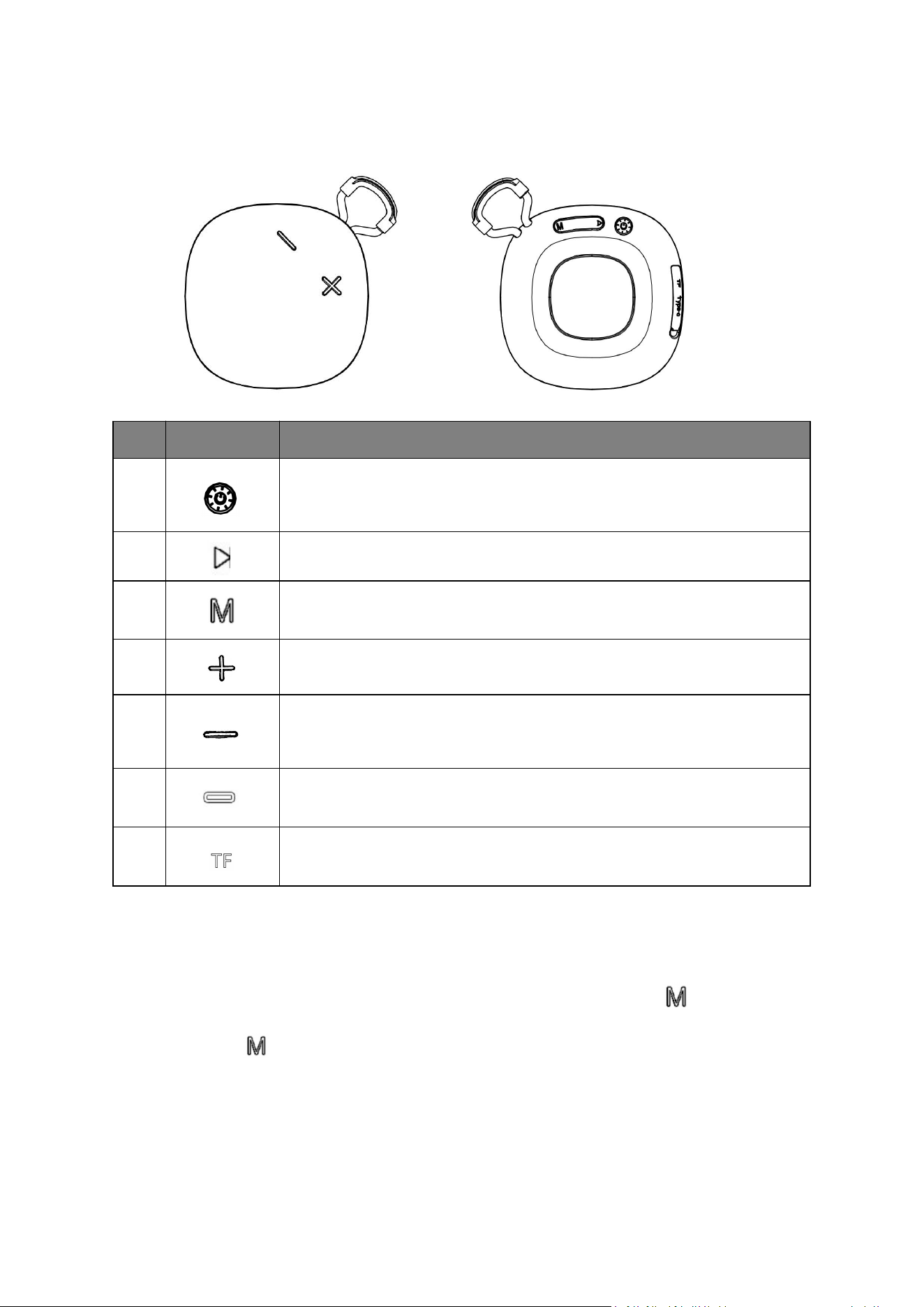
Item
Function
Operation
1
Long press: Power ON/OFF
Short Press to switch between 4 lights modes, then short press to
turn off the light, and then short press to turn on the light.
2
Short press: Play and pause
Short press to search FM channels automatically in FM mode
2
Short press:Switch modes between FM/BT/TF
Long Press:TWS function in BT mode
3
Short press: Next Song in BT mode / next channel in FM mode
Long Press: Volume increase
4
Short press: Previous Song in BT mode / previous channel in FM
mode
Long Press: Volume decrease
5
Type-C charging port
6
TF slot

FCC ID : 2AIDL-BT207
FCC STATEMENT
This device complies with Part 15 of the FCC Rules. Operation is subject to the
following two conditions:
(1)This device may not cause harmful interference,and
(2)This device must accept any interference received,including interference that
may cause undesired operation.
Warning:Changes or modifications not expressly approved by the party responsible
for compliance could void the user's authority to operate the equipment.
Notes:This equipment has been tested and found to comply with the limits for a
Class B digital device,pursuant to part 15 of the FCC Rules.These limits are designed
to provide reasonable protection against harmful interference in a residential
installation.This equipment generates,uses and can radiate radio frequency energy
and,if not installed and used in accordance with the instructions,may cause harmful
interference to radio communications,However, there is no guarantee that
interference will not occur in a particular installation. if this equipment does cause
harmful interference to radio or television reception,which can be determined by
turning the equipment off and on,the user is encouraged to try to correct the
interference by one or more of the following measures:
--Reorient or relocate the receiving antenna.
--Increase the separation between the equipment and receiver.
--Connect the equipment into an outlet on a circuit different from that to which the
receiver is connected.
--Consult the dealer or an experienced radio/TV technician for help.
FCC Radiation Exposure Statement:
This equipment complies with FCC radiation exposure limits set forth for an
uncontrolled environment. In order to avoid the possibility of exceeding the FCC
radio frequency exposure limits, The device has been evaluated to meet general RF
exposure requirement.
Migear International Group LLC,
21 W 38th Street, 14th Floor, NY, NY 10018 USA
TEL: 929-390-4504