QUICK BUTTON COMMAND
Low Battery Prompt
Battery below 50%
Voice prompts
“Power is lower than 50%”
Charge
Battery below 10%
Voice prompts
“Power is lower than 10%”
Power off
(After factory reset, power off and restart the device. The power button
will flash red and blue alternately. At this point, you can directly connect the
device to your phone via Bluetooth without entering pairing mode again; )
(Please use the DC 5V adapter to charge. It will flash RED light while
charging and turn BLUE when fully charged.)
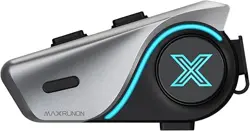
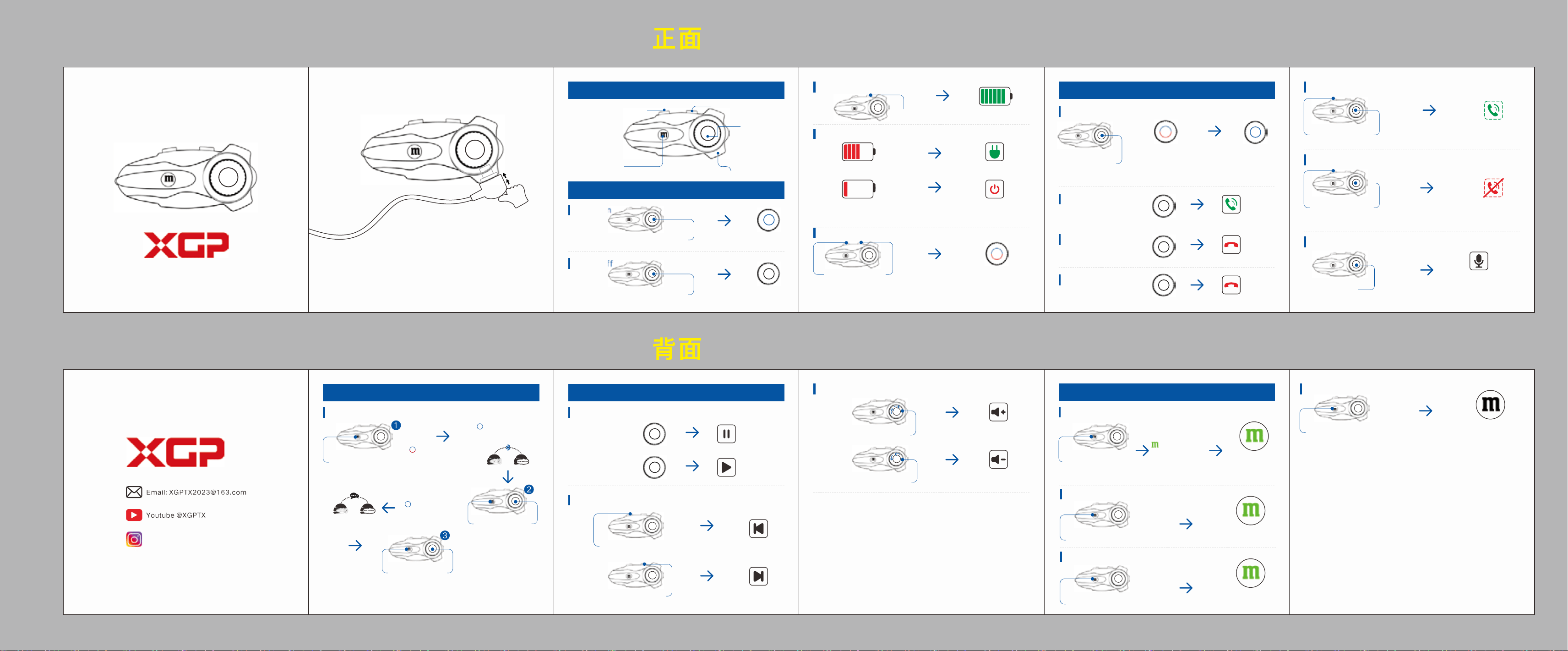
1、Product Overview
Play Forward Button
Play Backward Button
Mesh Button
Charging/Headset Type-C Port
Jog Dial
Power on
2、Basic Function
Hold 2 seconds
Blue Light
Flashes
voice prompts
“Power on”
Power off
Hold 2 seconds
Red Light
Goes out
voice prompts
“Power off"
Battery Prompts
Factory Reset
Hold 3 seconds
Red and blue
lights Flash
voice prompts
“Factory Reset”
3、Phone Call
Connect Phone (Power off status)
Hold 4 seconds
voice prompts
“connected”
Red and blue lights flash,
voice prompts”pairing”,
Phone bluetooth connects
“X10”
Answer call
Tap x1
(coming call)
Answer
End call
Reject call
Tap x1
(on the phone)
End
Hold 1s
( coming call)
Reject
Activate Voice Call (Siri/Google Assistant)
Tap x2
Speak out the
name on your phone
list to call or other
commands.
Music Play/Pause
5、Music Function
Tap x1
(music stops)
Play
Tap x1
The solid green
light ON
Tap x1
(music playing)
Pause
Music Switch
Last song
(music playing)
Next song
(music playing)
Rotate counterclockwise
Volume Modulation
Tap x1
Turn up
(music playing)
Turn down
(music playing)
Exit Mesh Intercom
Tap X2
Power is %
Usable Power
Blue light
blinks
Enable Auto-answering call
Hold 3 seconds
voice prompts
“enable auto answer”
Auto-answering
about 6s
Disable Auto-answering call
Hold 3 seconds
voice prompts
“disable auto answer”
Shut down
(The factory default setting is “No auto answering”)
End a talk:
Tap x1 together
Start a talk:
Tap x1 together
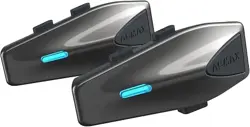
2-Way Bluetooth Intercom (Power on Status)
6、Universal Pairing
Hold 3s (other brand
enter pairing mode
on its way)
The red and blue lights
flash, voice prompts
“searching”
The blue light flash
on X10, voice prompts
“device is connected”
2-Way Bluetooth
Intercom
(The X10 unit can simultaneously connect two phones)
Motorcycle Bluetooth Headset X10
Rotate clockwise
Tap x1
The blue light
flash slowly on X10
(1.There’s a tone “du” while adjusting volume. When the volume is at
themaximum the tone turns to “di”, and at the minimum it turns to
“du”
2. The X10 has Audio Multitasking feature. So when have a intercom talk
an
d music playing simultaneously, rotate the Jog Dial directly to adjust
the music volume, and pause the music playing then rotate the Jog Dial
to
adjust the intercom volume.)
Mesh Intercom Function (Power on Status)
4、Mesh Intercom Function
Tap x1 on each
intercom
The green light
flash quickly,
voice prompts
“intercom mesh on”,
After 5s the Solid
green light is On,
voice prompts“N”
mesh devices
connected”
Tap x1
The green light
flashes every 2s
Recover Mesh Intercom
(To connect with XGP other styles intercom, just enter the pairing mode
together when the red and blue light flash on both units, wait till the blue
light slowly flashes then you can talk back and forth.)
Tips:
1
.To ensure the sound quality and normal audio output, please
plug
the speaker wire into the TYPE-C jack all the way till there
is
a “click” tone.
2
.Due to the wzaterproof finish for the charging connector, the
Type-
C Jack will be much longer, so please use our TYPE-C
cable
for charging.
voice prompts
“Intercom mesh off”
The green
light is Off
Tap x2
Turn off Mesh Intercom
(1. The XGP X10 can support up to 10 people to have a mesh intercom
talk. The “
N”presents numbers 1 to 10.
2. Anyone who want to exit the mesh intercom, just click the "M" button,
at this time others can still keep connected and talk; if he wanna
re-enter the mesh intercom talk, click the “M” bu
tton again to join in.
3. If some
one beyond the range and disconnect from the mesh intercom
ta
lk, it will automatically reconnected if he come back to the mesh
gr
oup talk within 5 minutes, or have to click the "M" button again
to
re-join in.
Ins @xgpmoto

FCC Statement
This equipment has been tested and found to comply with the limits for a Class B digital device, pursuant to
Part 15 of the FCC Rules. These limits are designed to provide reasonable protection against harmful
interference in a residential installation. This equipment generates uses and can radiate radio frequency
energy and, if not installed and used in accordance with the instructions, may cause harmful interference to
radio communications. However, there is no guarantee that interference will not occur in a particular
installation. If this equipment does cause harmful interference to radio or television reception, which can be
determined by turning the equipment off and on, the user is encouraged to try to correct the interference by
one or more of the following measures:
-- Reorient or relocate the receiving antenna.
-- Increase the separation between the equipment and receiver.
-- Connect the equipment into an outlet on a circuit different from that to which the receiver is connected.
-- Consult the dealer or an experienced radio/TV technician for help.
This device complies with part 15 of the FCC Rules. Operation is subject to the following two conditions: (1)
This device may not cause harmful interference, and (2) this device must accept any interference received,
including interference that may cause undesired operation.
Changes or modifications not expressly approved by the party responsible for compliance could void the
user's authority to operate the equipment.
FCC&ISED Radiation Exposure statement
The device has been evaluatec to meel general RF exposure requirement. The device can be used
in portable exposure condition without restriction.
Déclaration d’exposition aux rayonnements FCC&ISED
Le dispositif a été évalué en fonction des exigences générales d’exposition aux RF. L’appareil
peut être utilisé en condition d’exposition portable sans restriction.
- The device contains licence-exempt transmitter(s)/receiver(s) that comply with Innovation,
Science and Economic Development Canada’s licence-exempt RSS(s). Operation is subject to the
following two conditions:
- (1) This device may not cause interference.
- (2) This device must accept any interference, including interference that may cause undesired
operation of the device.
- L’émetteur/récepteur exempt de licence contenu dans le présent appareil est conforme aux
CNR d’Innovation, Sciences et Développement économique Canada applicables aux appareils
radio exempts de licence. L’exploitation est autorisée aux deux conditions suivantes :
- 1. L’appareil ne doit pas produire de brouillage;
- 2. L’appareil doit accepter tout brouillage radioélectrique subi, même si le brouillage est
susceptible d’en compromettre le fonctionnement.