User Manual
Key Click Mouse with
Ergonomic Palm Supporter
Model# RBXX005A
CONTROLS
SPECIFICATION
Material: ABS Plastic, Silicone
Connection Distance:33 ft±6.6ft/10M±2M
Adjustable Resolution(DPI): 800-1200-1600
Button: 4 Function Buttons
Battery type: YN602040-400mAh, voltage: 1.48wh
Minimum System Requirements:
Windows 11, 10, 8, 7
macOS 10 or higher
Package Contents:
* Key Click Mouse with Ergonomic Palm Supporter
* 1 USB Dongle
* User Manual
* 1 Type-C cable
How to Use
1. Plug in the USB Dongle
Insert the USB Dongle into an available USB port on your computer.
2. Switch The Power On&Connection:
Switch the power button to the ON position.
3.Automatic Pairing
The mouse will pair with the USB receiver within a few seconds. No driver
installation is required.
4. Adjust DPI (If Applicable)
Press the DPI button to switch between dierent sensitivity levels for
better control.
5. Start Using
Once connected, the mouse is ready to use.
Notes
* If the mouse does not respond, try reinserting the USB Dongle or charge
the mouse.
* Use the mouse within an eective range of up to 10 meters (32 feet).
* Avoid using the mouse on reective or glass surfaces for best
performance.
Charging Instructions
Connect the included UsB Type-C charging cable to the
charging port on the microphone handle.
During charging, the LED indicator will turn red.
FCC STATEMENT
NOTE: This equipment has been tested and found to comply with the
limits for a Class B digital device, pursuant to part 15 of the FCC Rules.
These limits are designed to provide reasonable protection against
harmful interference in a residential installation. This equipment
generates, uses and can radiate radio frequency energy and, if not
installed and used in accordance with the instructions, may cause harmful
interference to radio communications. However, there is no guarantee
that interference will not occur in a particular installation. If this
equipment does cause harmful interference to radio or television
reception, which can be determined by turning the equipment o and
on, the user is encouraged to try to correct the interference by one or
more of the following measures:
-Reorient or relocate the receiving antenna.
-Increase the separation between the equipment and receiver.
-Connect the equipment into an outlet on a circuit dierent from that to
which the receiver is connected.
-Consult the dealer or an experienced radio/TV technician for help.
Changes or modications not expressly approved by the party
responsible for compliance could void the user's authority to operate the
equipment.
This device complies with Part 15 of the FCC Rules. Operation is subject to
the following two conditions:
(1)This device may not cause harmful interference, and (2) this device
must accept any interference received, including interference that may
cause undesired operation.
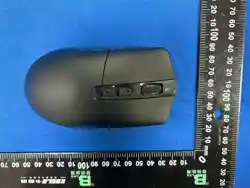
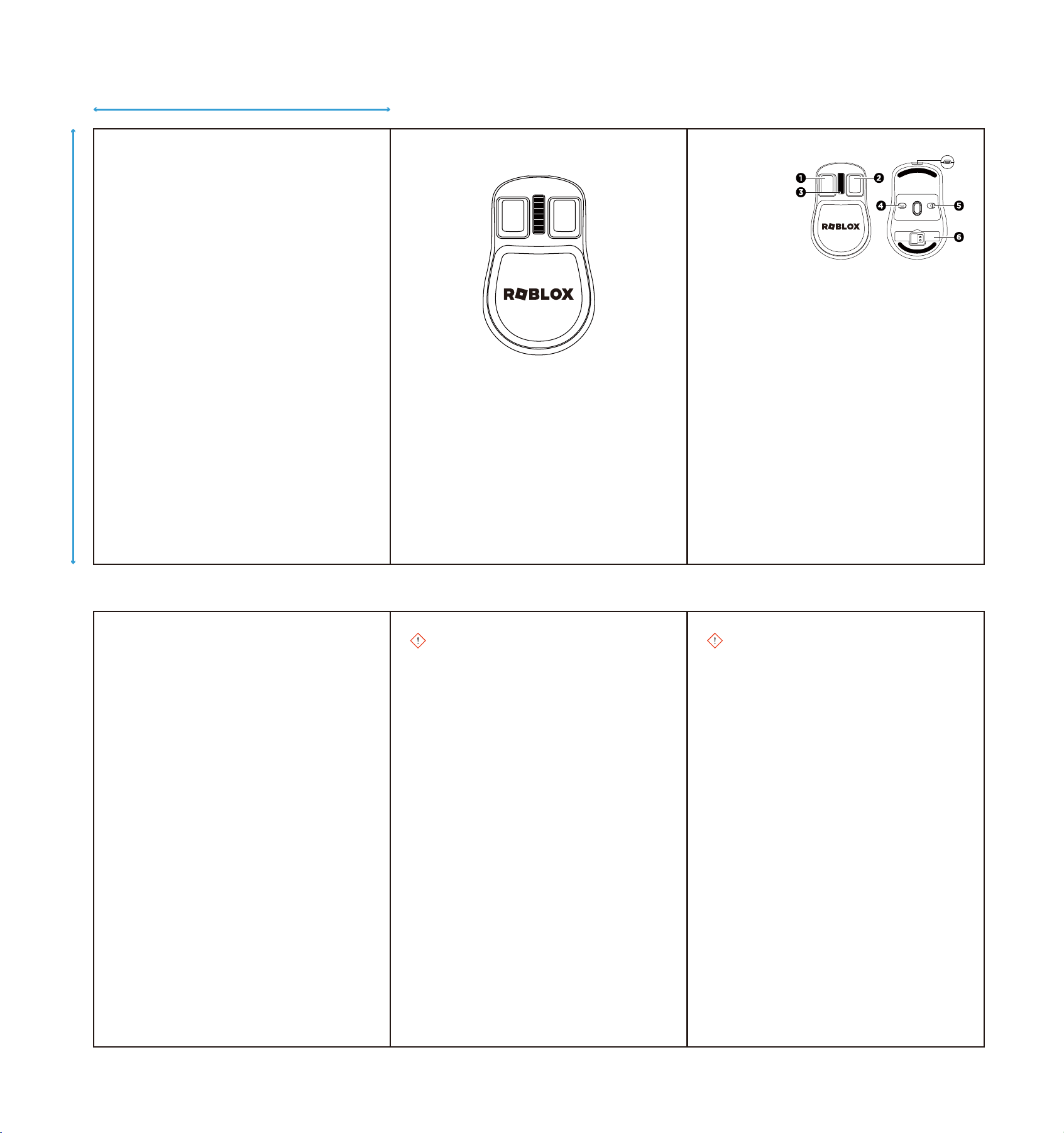
Mouse Diagram:
1. Left Button
2. Right Button
3. Scroll Wheel
4. DPI Switch Button
5. Power Switch
6. USB Dongle
Mouse FCC ID: 2A2WN-SPM260801
Receiver FCC ID: 2A2WN-SPM260802
FRN: 0031270333
Questions? Comments?
Contact: contact@culturey.com
P1 P2 P3
P4 P5 P6
DPI
ON/OFF
THIS IS A BATTERY-OPERATED PRODUCT. THIS IS NOT A TOY. INTENDED USE OF THE
PRODUCT SHOULD NOT RESULT IN EXPOSURE TO THE BATTERY. In case of rupture, the below
hazards exist.
Harmful if swallowed. Causes skin irritation. Causes eye irritation. May cause
respiratory irritation.
Proper Handling:
Do not open, disassemble, crush, or burn battery. Do not handle battery in a manner
that allows terminal to short circuit. Avoid mechanical damage of the battery. Battery
may explode or cause burns, if disassembled, crushed, or exposed to re or high
temperature. Do not short or install with incorrect polarity. Avoid all personal contact,
including inhalation. Wear protective clothing when risk of exposure occurs. Use in a
well-ventilated area. Prevent concentration in hollows and sumps.
Proper Storage:
Store in a cool, dry, well-ventilated area. Keep away from heat and direct sunlight.
Disposal considerations:
Recycle in accordance with government, state and local regulations, to ensure proper
disposal.
If exposed to the battery – potential health eect and rst aid measures:
After eye contact:
Flush eyes cautiously with plenty of water for several minutes while holding eyelids
open. Remove contact lenses, if present and easy to do. Continue rinsing. Get medical
attention if irritation persists.
After skin contact:
Remove contaminated clothing and shoes. Immediately wash with water and soap and
rinse thoroughly. Wash clothing and shoes before reuse. If irritation occurs, get medical
attention.
After inhalation:
Remove person to fresh air and keep comfortable for breathing. Administer articial
respiration if breathing is dicult. Seek medical attention.
After swallowing:
Rinse mouth with water. Do not induce vomiting. Get medical attention.
Battery may burst and release hazardous decomposition products when exposed to a re
situation. Lithium-ion batteries contain ammable electrolyte that may vent, ignite, and
product sparks when subjected to high temperature (>65ºC) (>150ºF), when damaged or
abused (e.g. mechanical damage or electrical overcharging), may burn rapidly with
are-burning eect, may ignite other batteries in close proximity.
Special protective actions for reghters: Wear positive pressure self-contained
breathing apparatus (SCBA). Structural reghters’ protective clothing will only provide
limited protection. Eliminate all ignition sources (no smoking, ares, sparks, or ames in
immediate area). Do not touch or walk through spilled material. Absorb with earth, sand,
or other non-combustible materials. Leaking batteries and contaminated absorbent
material should be placed in metal containers. Suitable re-extinguishing media: Small
re: dry chemical, CO2, water spray, or regular foam. Large re: water spray, fog, or
regular foam.
110 mm
75 mm