Dr.AI Ring User Guide
Thank you for choosing Dr.AI Ring.
To ensure the best possible experience, please read this guide carefully
before using the ring, the companion app, or any other Dr.AI-related
services. Failure to follow the instructions in this guide may result in
product damage, malfunction, or personal injury.
1. Package Contents
Your package includes at least the following items:
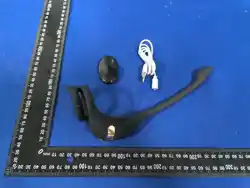
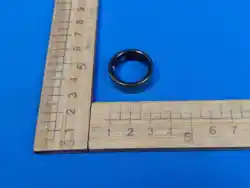
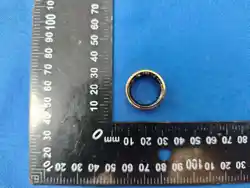
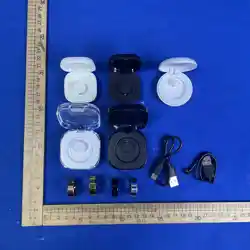
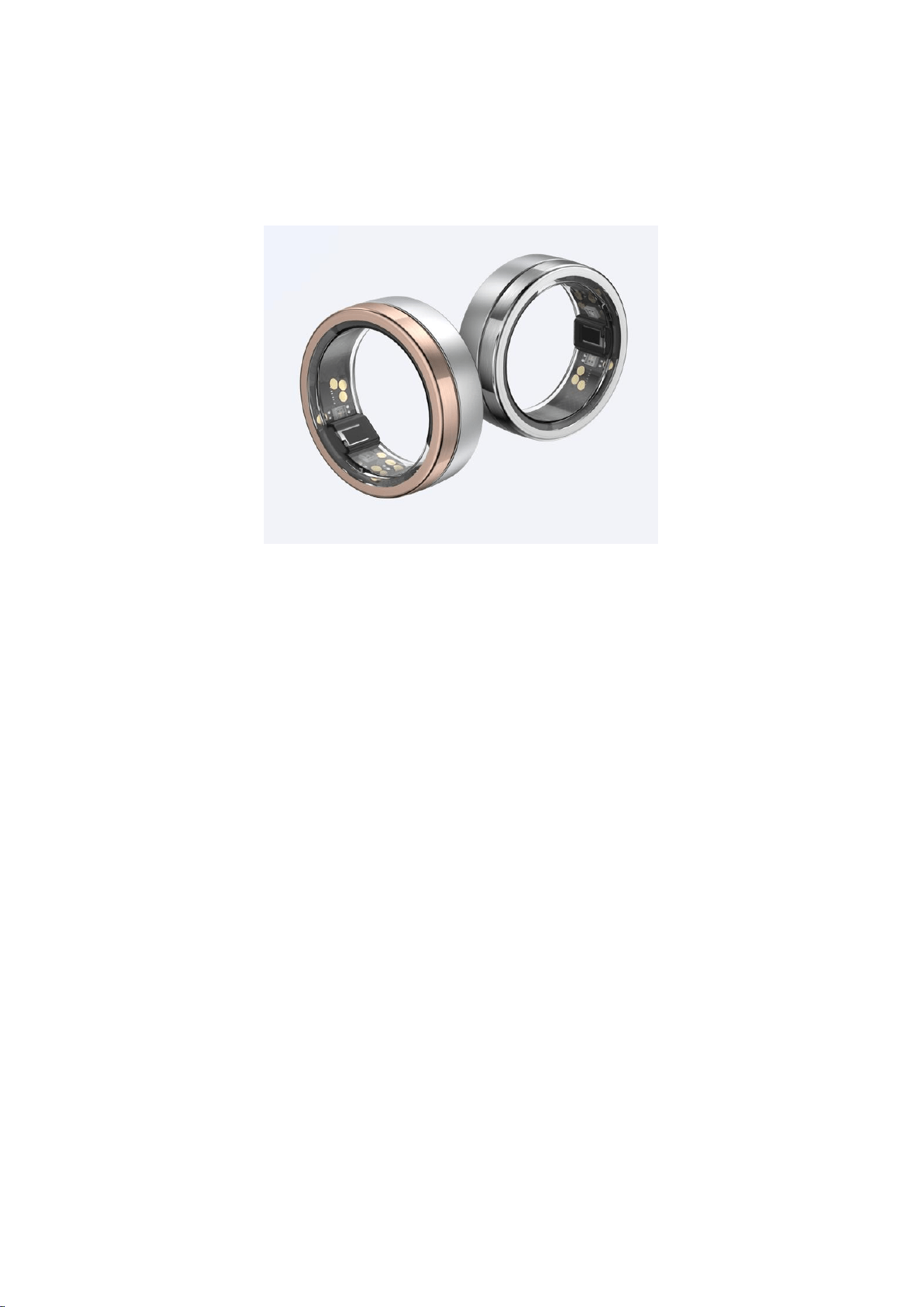
Dr.AI Ring × 1
Dr.AI Ring Charging Case × 1
USB Charging Cable × 1
※ If you discover any missing components, defects, or abnormalities,
please contact us within two weeks of purchase.
2. Product Specifications

Product Name: Dr.AI Ring
Model: DRR01
Finishes: Rose Twilight / Glacial Snowlight
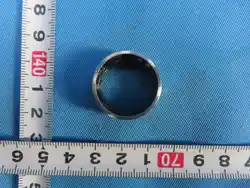
Ring Dimensions: Width 7.9 mm; Thickness 2.8 mm
Ring Weight: Approx. 4–6 g
Ring Sizes (U.S. Standard): Sizes 6–14
Exterior Material: Titanium steel
Interior Material: Hypoallergenic, non-metal seamless lining
On-Device Data Storage: Approx. 1 week
Battery: Rechargeable lithium battery (not user-replaceable)
Battery Life: Approx. 5–7 days (varies by ring size, sleep patterns, and
activity level)
Charging Method: Dr.AI Ring charging case only
Charging Time: Approx. 30–120 minutes
Connectivity: Bluetooth Low Energy (BLE)
Firmware Updates: Automatic via the Dr.AI Ring app
App Availability: iPhone App Store and major Android app stores
Privacy & Security: Encrypted data transmission with secure pairing
between ring and app
Water Resistance: Up to 50 m / 164 ft

Drop Resistance: Withstands drops from 1 m / 3.3 ft or equivalent
impact
Operating Temperature: −10°C to 49°C (14°F to 120.2°F)
Charging Temperature: 0°C to 45°C (32°F to 113°F); room
temperature recommended
Charging Case Input: USB Type-C; use a 5V / ≥1A power adapter
Power Adapter: Use BSMI-certified adapters compliant with CNS
15598-1 and related standards
3. Charging the Ring
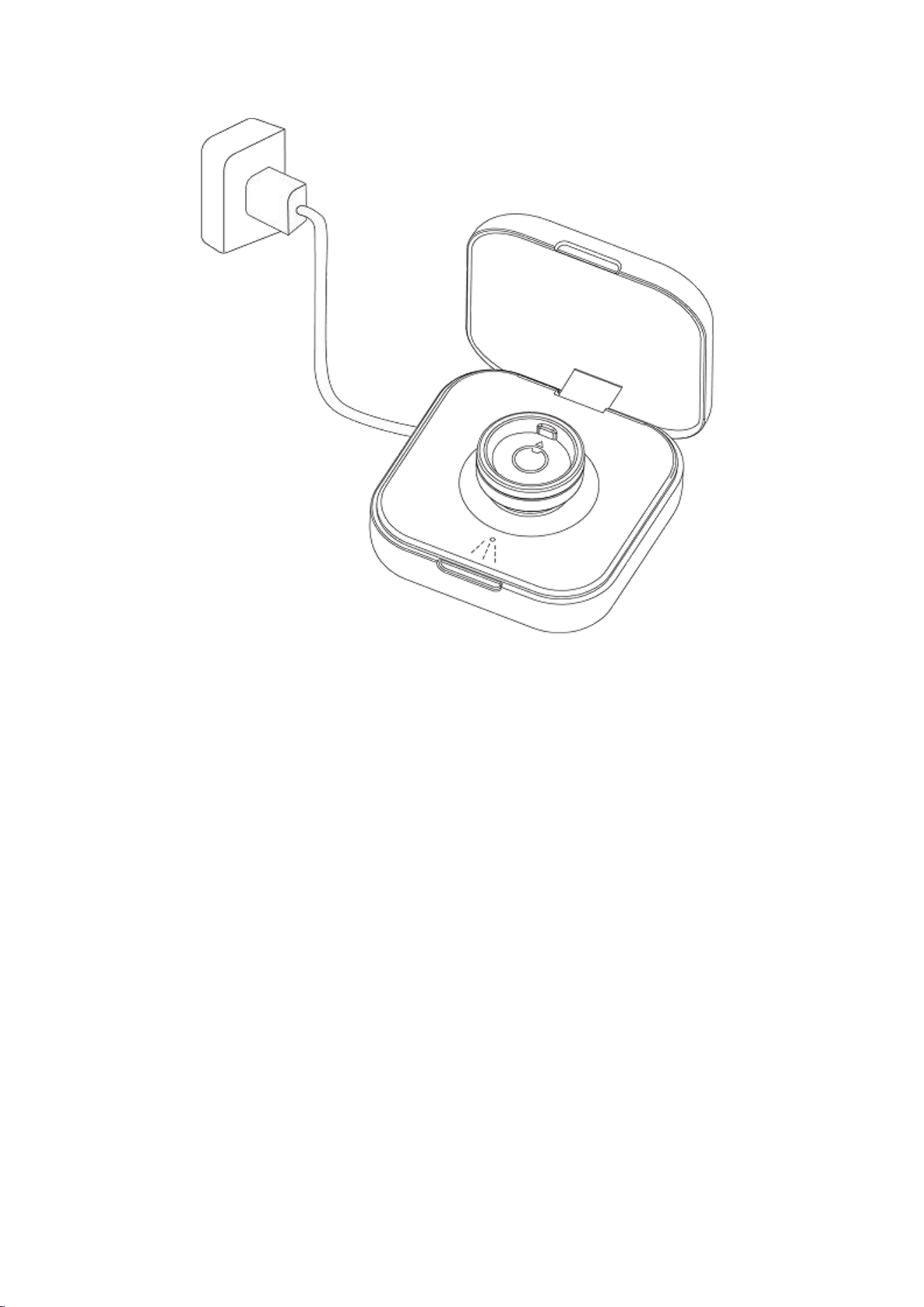
1. Connect the Charging Case
Insert the supplied USB Type-C cable into the charging case,
then connect the USB Type-A end to a compliant power source.
2. Place the Ring Correctly
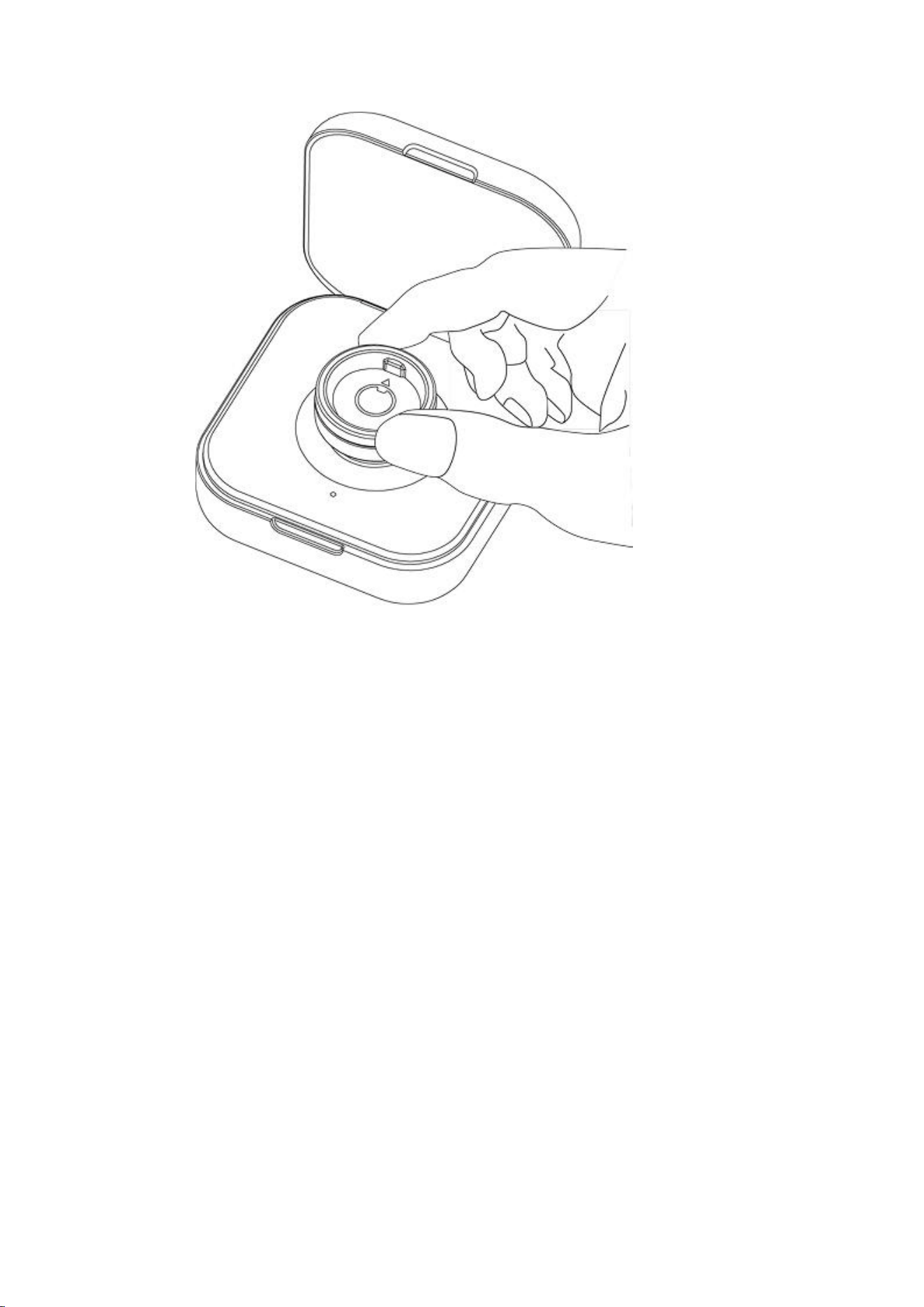
Align the ring with the indicators inside the charging case.
Ensure the raised sensor inside the ring aligns with the center
charging contact.
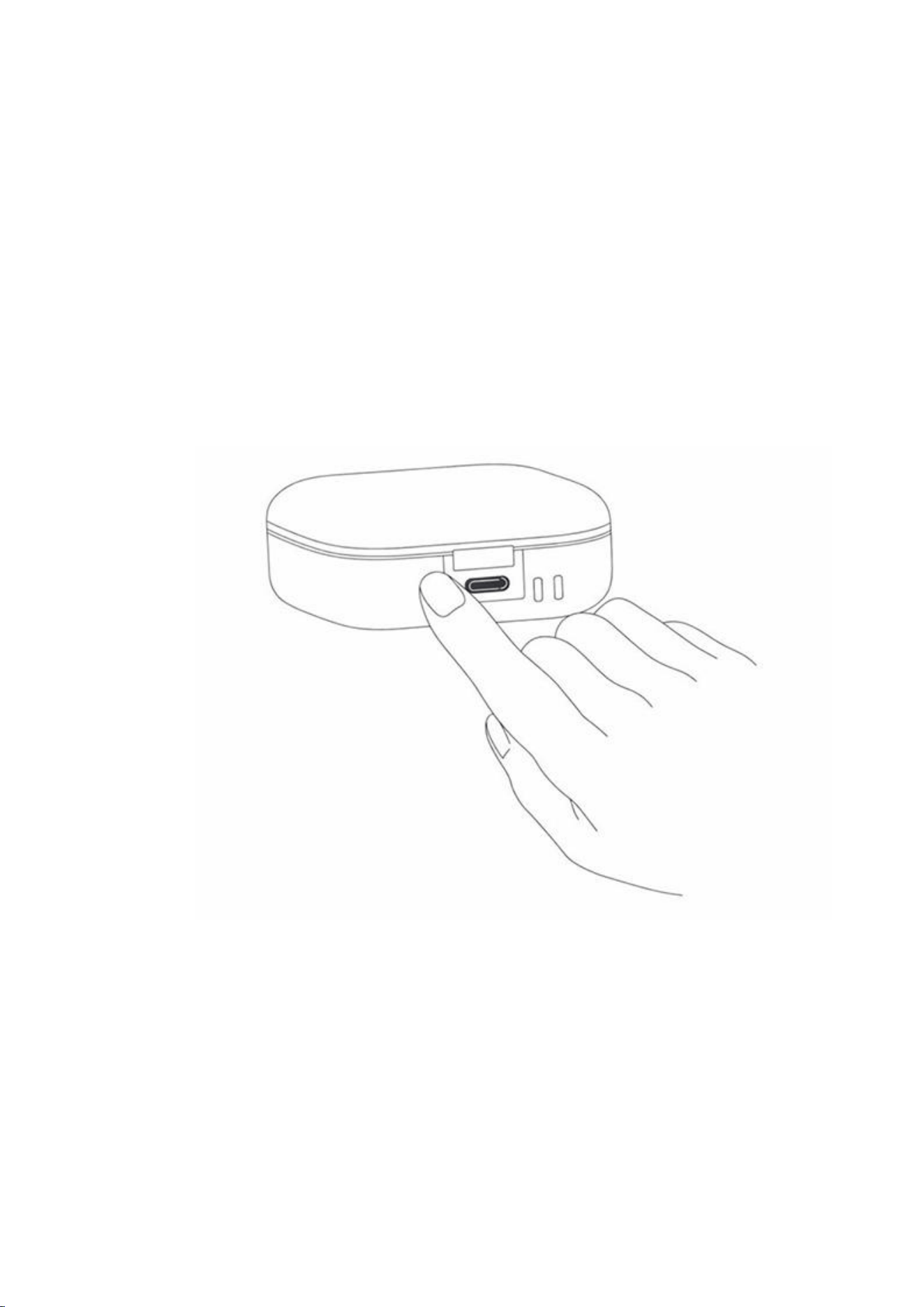
Briefly press the button on the back of the charging case to
activate charging.
3. Charging Indicator Lights
Press the button for approximately one second:
Flashing green: Charging in progress
Solid green: Fully charged
Flashing red: Charging, but charging case battery is low
Important Notes
The ring does not begin charging automatically—you must press
the charging case button.
Charge only between 0°C and 45°C (room temperature
recommended).
Use certified power adapters only.
Avoid charging in excessively hot or cold environments.
After firmware updates, battery readings may be temporarily
inaccurate—fully recharge to recalibrate.
4. Checking Charging Case Battery Level
Press and hold the button for approximately two seconds:
Red: Below 30%
Orange: 30%–70%
Green: 70%–100%

5. Battery Calibration & Charging Time
To calibrate the battery:
Place the ring in the charging case and press the button to start
charging.
Continue charging until 100% is displayed and for at least 60
minutes total.
A fully depleted ring requires approximately 120 minutes to
recharge.
Notes
Without external power, the charging case will charge the ring to
approximately 95% to preserve battery longevity.
To reach 100%, connect the charging case to an external power
source during charging.
4. Installing the Dr.AI Ring App
1. Search “Dr.AI Ring” in the App Store or Android app store
and install the app.
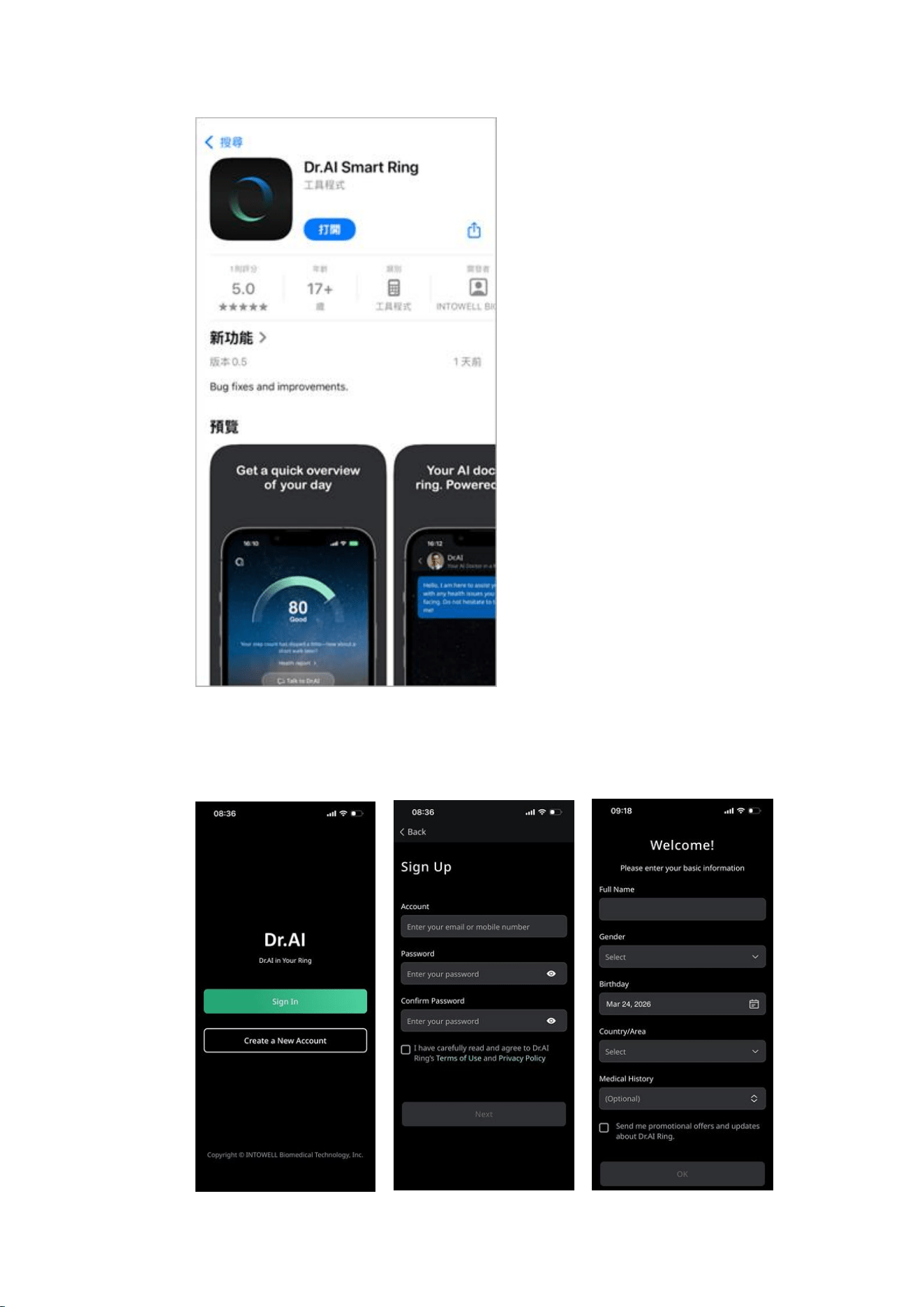
2. Open the app, register a new account, confirm your
activation email, log in, and complete your basic profile.
5. Pairing the Ring
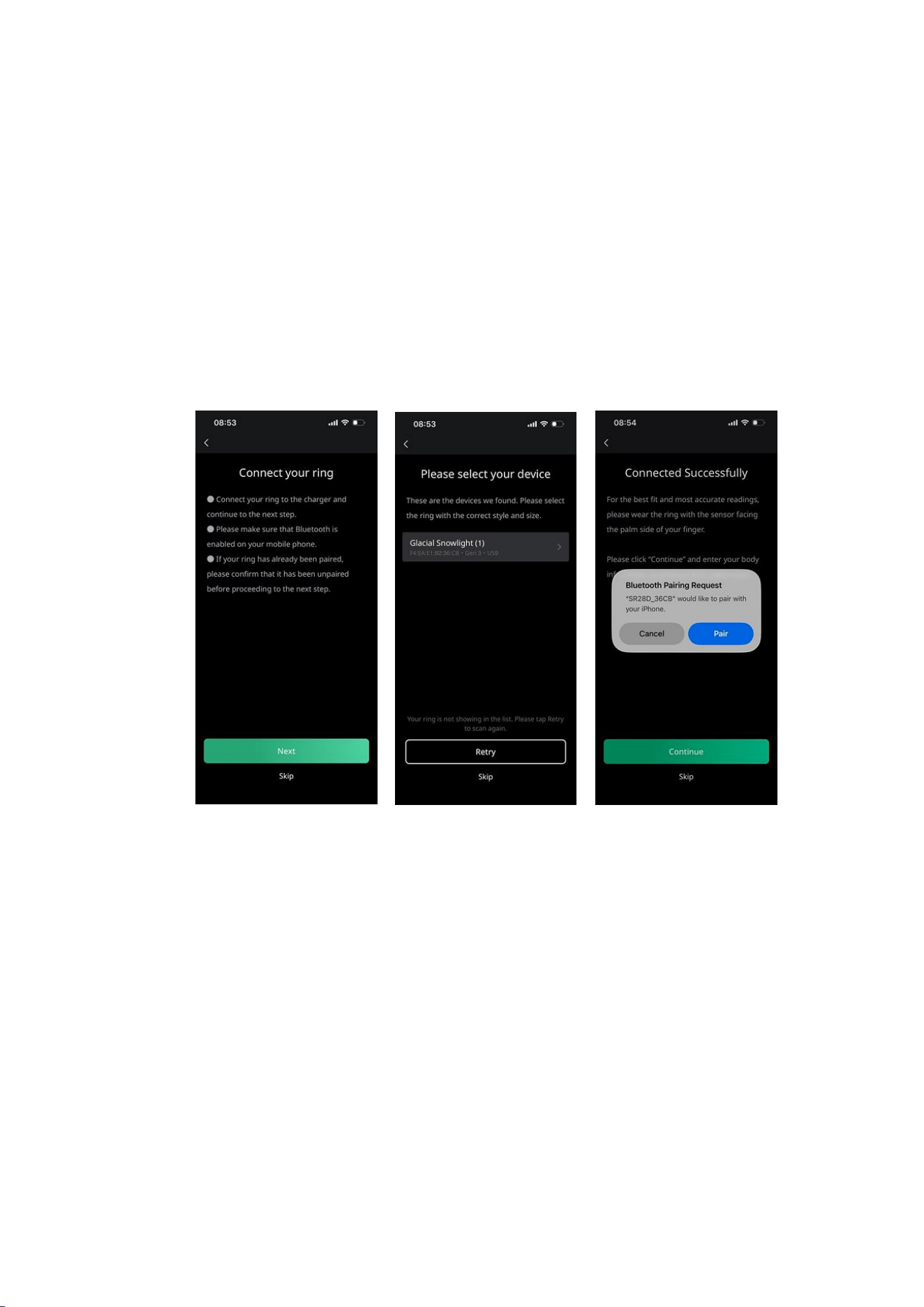
1. Place the ring in the charging case and press the button to
wake it.
2. Ensure Bluetooth is enabled on your smartphone.
3. Open the Dr.AI Ring app and select the device matching your
ring size and model to complete pairing.
4. Replacing Your Ring: To switch to a different ring, go to
"More" → "Device" and select "Set Up a New Ring." The new ring
will overwrite the settings of the current one.
5. Transferring Ownership: If you are giving the ring to someone
else, we recommend going to "More" → "Device" and selecting
"Factory Reset." This ensures all internal data and personal
settings are cleared.
6. Long-term Storage: If you do not plan to use the ring for a
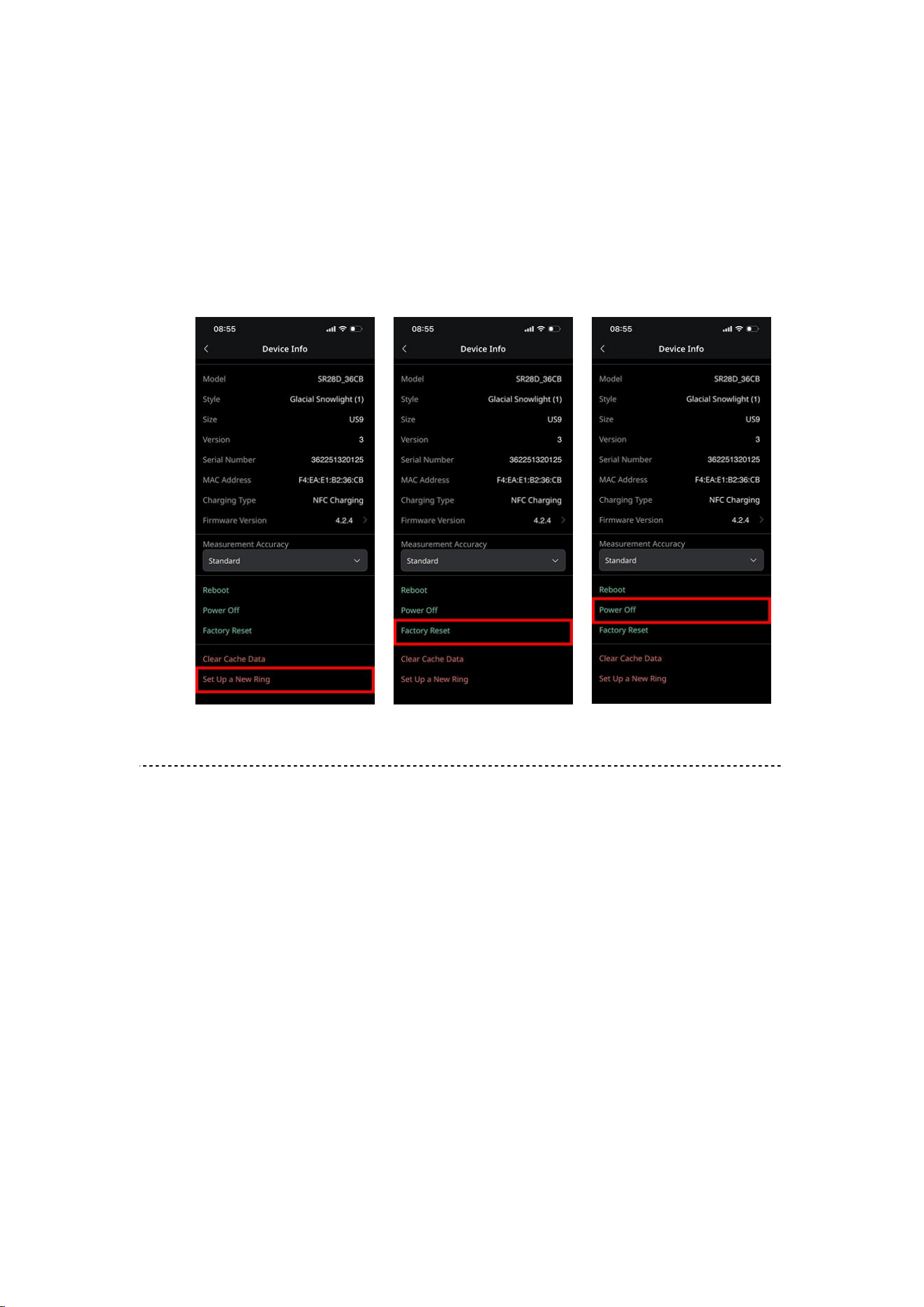
long time, fully charge it first, then go to "More" → "Device" and
select "Power Off" to save battery. To reactivate the ring, simply
place it on the charging dock; it will turn back on once it starts
charging.
6. Wearing the Ring
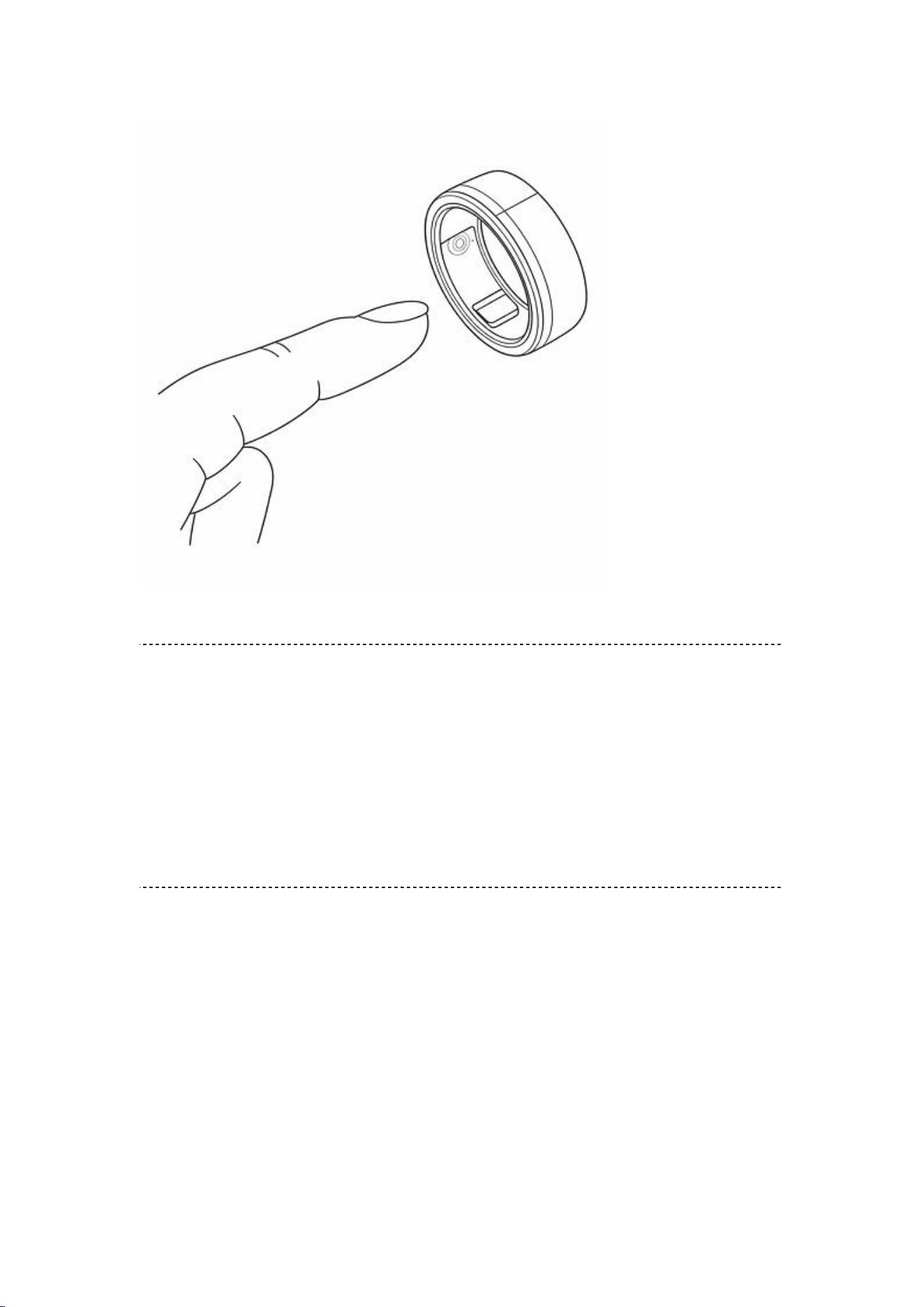
Rotate the ring so the raised inner sensor rests against the finger pad.
Proper alignment improves measurement accuracy.
7. Support & Assistance
For questions about setup, usage, or service issues, please visit:
Official website: https://www.draiai.com
Or email: service@draiai.com
8. Safety Information
Dr.AI services are not intended for the diagnosis, treatment, cure, or
prevention of any disease or medical condition. All information and
recommendations provided by Dr.AI are for general reference
purposes only and do not replace evaluation, judgment, or treatment
by qualified medical professionals.

If you have any questions regarding the health information provided
by Dr.AI, or any adjustment recommendations based on your sleep or
activity data, you must consult a qualified healthcare professional. Do
not delay, disregard, or substitute professional medical care based on
any content provided by Dr.AI.
Dr.AI shall bear no responsibility or liability whatsoever for any health
issues that may arise as a result of using information or
recommendations provided through Dr.AI-related services. If you
choose to make any adjustments based on Dr.AI sleep or activity
recommendations, you acknowledge and agree that you voluntarily
assume all risks arising therefrom..
You must carefully monitor your physical condition and responses. For
example, if changes in sleep or activity patterns result in unexpected,
recurring, or persistent pain, fatigue, or any form of discomfort, you
are strongly advised to consult a physician before continuing or
implementing further adjustments.
Additionally, if due to personal health conditions or rare physiological
differences your bodily functions or responses differ significantly from
general population averages, information or guidance provided by

Dr.AI services may be misleading. In such cases, you must consult a
qualified healthcare professional before referencing or adopting any
Dr.AI-provided information or recommendations.
When lifting heavy objects or performing physical movement, ensure
that the ring or any other Dr.AI Ring products are not caught,
pinched, or trapped by fixed structures or heavy objects, in order to
prevent injury or damage.
If your finger shows redness, itching, swelling, or other signs of skin
irritation while wearing the Dr.AI Ring, remove the ring immediately.
If symptoms persist after discontinuing use for 2–3 days, consult a
dermatologist promptly.
If you notice that the ring becomes abnormally hot or swollen, causing
finger discomfort or making removal difficult, seek immediate
assistance from qualified medical personnel and contact us as soon as
possible so we can further assess the product condition and advise on
appropriate follow-up actions.
9. Use, Care, and Maintenance
Finger size may fluctuate throughout the day. If the ring becomes
stuck:
Wash with cold water and mild soap while gently twisting.
Elevate your hand above heart level before attempting removal.
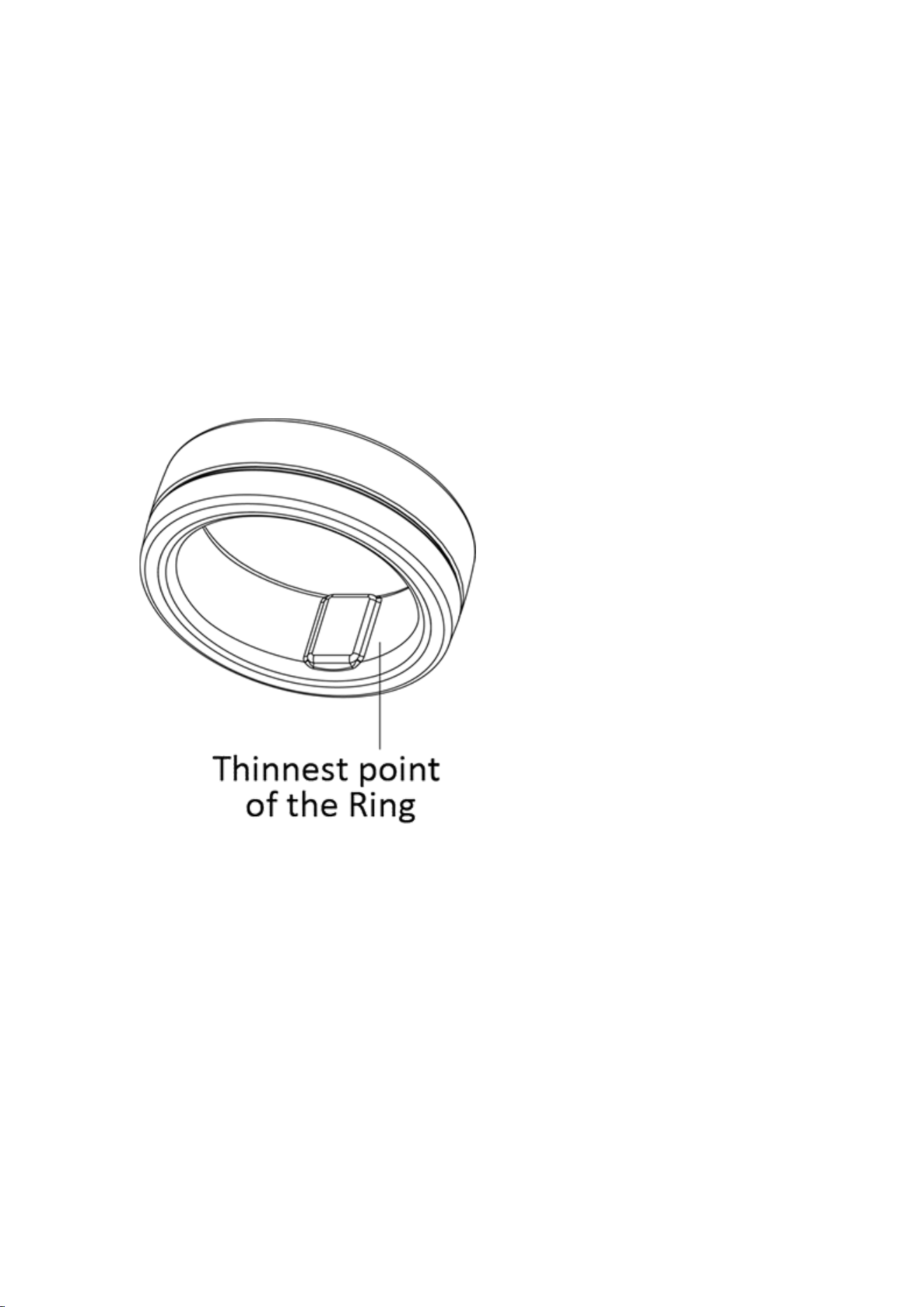
In emergencies, a professional may cut the ring from the palm side at its
thinnest point.
If battery electrolyte contacts skin or eyes, rinse with water
immediately and seek medical care.
Daily Care Guidelines
Clean with a soft cloth or mild soap and water.
Suitable for showering, swimming, and scuba diving with breathing
apparatus.
Recharge at least once every three months if unused.
Avoid contact with hard jewelry or abrasive materials.
Remove during heavy lifting or tool use.

Rinse immediately after contact with detergents or disinfectants.
Avoid submersion exceeding 12 hours.
Avoid extreme environments below −20°C or above 60°C.
Accessories are not water- or dust-resistant.
Do not place the ring in the mouth; not a toy.
Keep away from prolonged heat exposure.
Never puncture the ring or battery.
10. Disclaimer and Limited Warranty
Disclaimer
Except as expressly set forth in the Limited Ring Warranty below, the
ring and all Dr.AI services are provided by IntoWell Technology Co.,
Ltd. (hereinafter referred to as “IntoWell”) on an “as is” basis.
IntoWell, together with its partners, suppliers, and any affiliated
parties, makes no representations or warranties of any kind, whether
express or implied, regarding the operation or content of the services
provided through the Dr.AI Ring (including the ring device itself), or
regarding any information obtained through use of the Dr.AI Ring.
IntoWell, its partners, suppliers, and affiliated entities expressly
disclaim all warranties, whether express or implied, relating to the

Dr.AI Ring services, including but not limited to any implied
warranties of merchantability, title, fitness for a particular purpose,
and non-infringement.
IntoWell does not warrant that the Dr.AI Ring services will be
uninterrupted, available at any time or at any specific location,
completely secure, or error-free. IntoWell further does not warrant
that any defects will be corrected, or that the Dr.AI Ring services are
free of viruses or other potentially harmful components.
Limited Ring Warranty
IntoWell provides the following limited warranty to the original
end-user purchaser: the ring will be free from defects in materials and
workmanship for a period of one (1) year from the date of purchase.
If applicable local law requires a warranty period longer than one year,
the warranty period shall be extended accordingly in compliance with
such laws.
During the warranty period, IntoWell will, at no charge, repair or
replace any ring component that fails to meet the terms of this
Limited Warranty. You are responsible for all associated shipping and

transportation costs.
Replacement products may be new or refurbished, at IntoWell’s sole
discretion.
This Limited Warranty does not apply to:
(i) Normal wear and tear, including scratches and dents;
(ii) Consumable components within the ring (such as the battery),
unless damage results from defects in materials or workmanship;
(iii) Damage caused by failure to use the ring in accordance with
instructions provided with the product or on the website;
(iv) Damage caused by accident, flooding, fire, misuse, or abuse;
(v) Damage caused by repair, modification, or alteration performed
by any person not authorized by IntoWell; or
(vi) Damage resulting from use of the ring with any application or
software other than the Dr.AI Ring application.
IntoWell reserves the sole and exclusive right, at its discretion, to
repair the ring, replace the ring, or issue a full refund. The remedies
described above constitute your sole and exclusive remedies for any
breach of warranty.

Any repair or replacement performed during the warranty period
shall carry a new warranty period, commencing on the date of
completion of the repair or replacement, for ninety (90) days or the
remainder of the original one-year warranty period, whichever is
longer.
11. Limitation of Liability
Under no circumstances shall IntoWell Technology Co., Ltd., or any of
its subsidiaries, be liable for any direct, indirect, incidental, punitive,
or consequential damages arising out of, resulting from, or related to
the use of, the inability to use, or the results of using the Dr.AI Ring
services (including, but not limited to, loss of profits, loss of data, or
business interruption), regardless of whether such claims are based on
contract, tort, or any other legal theory, and regardless of whether
IntoWell has been advised of the possibility of such damages.
IntoWell’s total aggregate liability for all claims arising out of or
relating to the ring and the Dr.AI Ring services (whether the form of
action or claim is based on contract, warranty, tort, strict liability,
negligence, or any other legal theory) shall be limited to a maximum
amount of USD 100.
Some jurisdictions do not allow the exclusion or limitation of certain

liabilities. In such cases, the above limitations shall apply to the
maximum extent permitted by applicable law in those jurisdictions.
12. Terms of Use
Your use of the Dr.AI Ring products and services is governed by and
subject to our Terms of Use and Disclaimer, as well as our Privacy
Policy, as set forth below:
Terms of Use and Disclaimer:
Available at: https://www.draiai.com/smartring/terms-of-use
Privacy Policy:
Available at: https://www.draiai.com/smartring/privacy-policy
The foregoing provisions, including but not limited to warranty
disclaimers and limitation of liability clauses, are excerpted from the
above-referenced Terms of Use.
If such Terms of Use are revised in the future, the revised terms shall
be updated accordingly and shall apply to your continued use of the
Dr.AI Ring products and services.
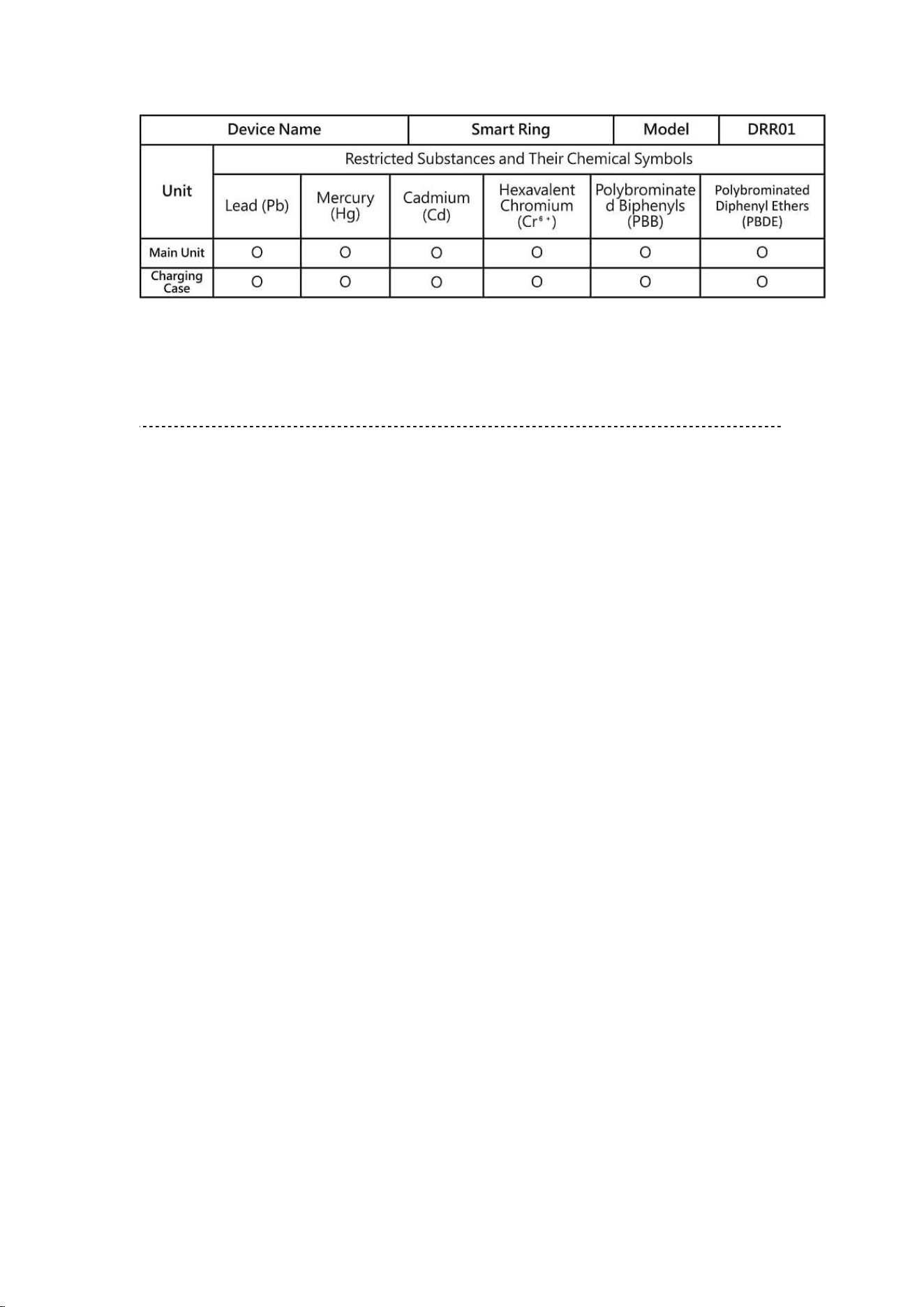
13. Regulations and Compliance
14. FCC Caution.
This device complies with part 15 of the FCC Rules. Operation is
subject to the following two conditions: (1) This device may not cause
harmful interference, and (2) this device must accept any interference
received, including interference that may cause undesired operation.
Any Changes or modifications not expressly approved by the party
responsible for compliance could void the user's authority to operate
the equipment.
Note: This equipment has been tested and found to comply with the
limits for a Class B digital device, pursuant to part 15 of the FCC Rules.
These limits are designed to provide reasonable protection against
harmful interference in a residential installation. This equipment
generates uses and can radiate radio frequency energy and, if not
installed and used in accordance with the instructions, may cause
harmful interference to radio communications. However, there is no

guarantee that interference will not occur in a particular installation.
If this equipment does cause harmful interference to radio or television
reception, which can be determined by turning the equipment off and
on, the user is encouraged to try to correct the interference by one or
more of the following measures:
-Reorient or relocate the receiving antenna.
-Increase the separation between the equipment and receiver.
-Connect the equipment into an outlet on a circuit different from that
to which the receiver is connected.
-Consult the dealer or an experienced radio/TV technician for help.
*RF warning for Portable device:
The device has been evaluated to meet general RF exposure
requirement. The device can be used in portable exposure condition
without restriction.
FCC ID: 2BWDK-DRR01
The product is too small to be engraved.