Please read all instructions before use for the best performance
of this product. Save these instructions for future reference.
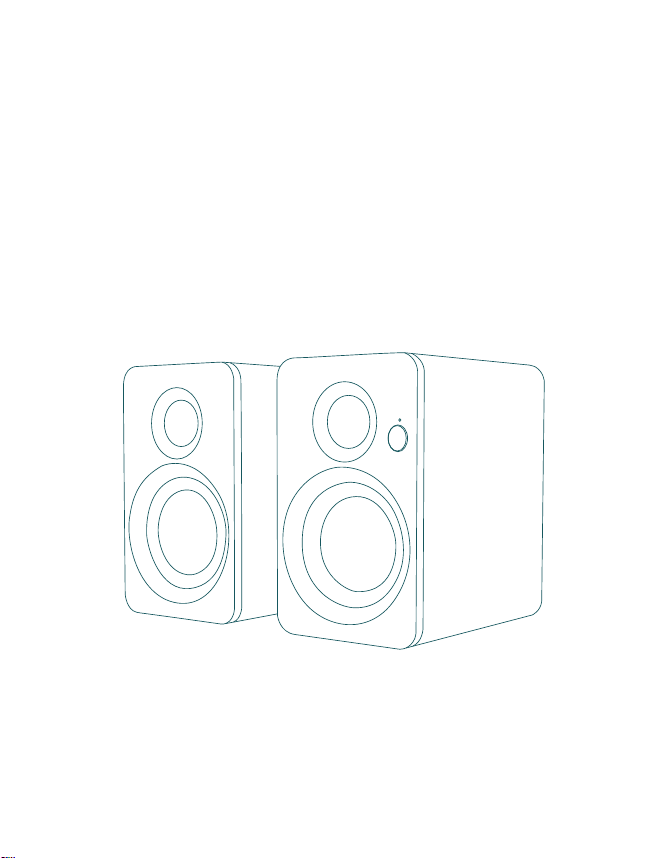
Ingenuity Creation & Brilliant Sound Quality
Bookshelf Speaker
(SR32-01)
Quick Start
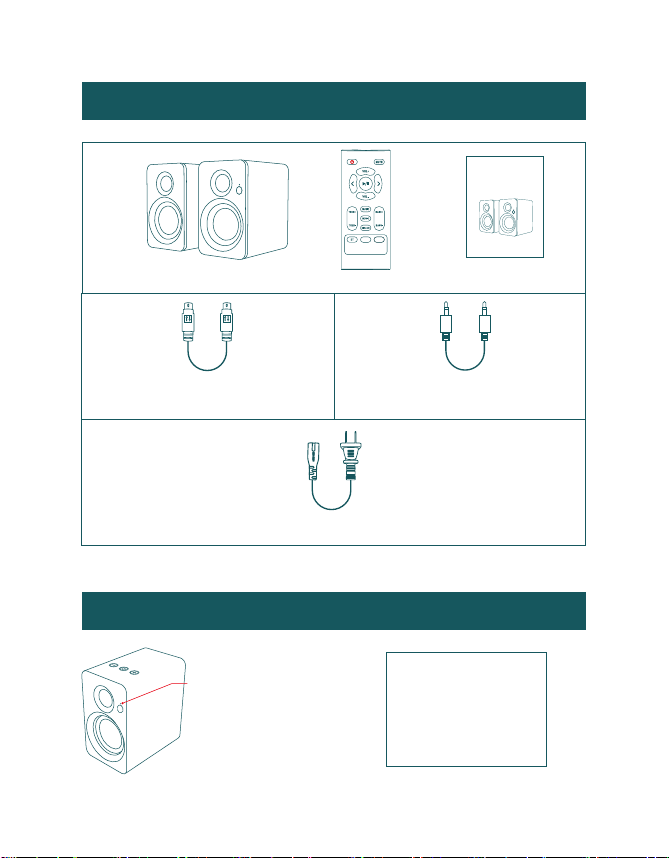
Box Contents
Main and auxiliary
engine connection cable
Stereo 3.5mm to
3.5mm audio cable
Power Adapter
Bookshelf Speaker Remote Control Quick Start
LED Indicators and Button Introduction
Standby
(Red)
(Yellow) (Purple)
(Blue)
Bluetooth
AUX USB-C
Active Speaker
Please read all instructions before use for the best performance
of this product. Save these instructions for future reference.
Ingenuity Creation & Brilliant Sound Quality
Bookshelf Speaker
(SR32-01)
Quick Start
LED Indicators
AUX
USB-C
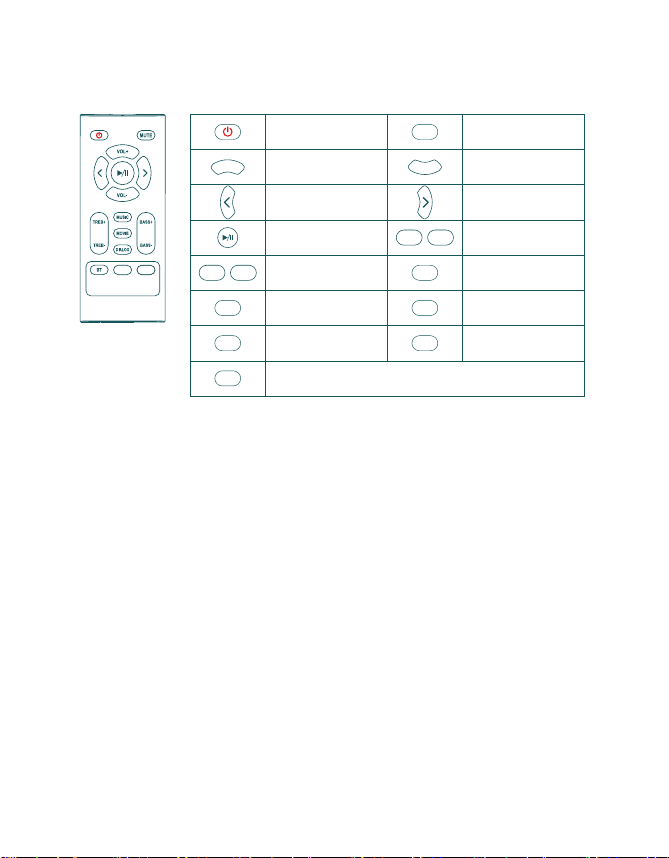
Know Your Remote
Power button
Volume up
Previous track
Play/pause
Movie mode Dialogue mode
Increase or
decrease bass
Increase or
decrease treble
Music mode
AUX mode
Next track
Volume down
Mute/Unmute
VOL+
VOL-
AUX
MOVIE
MUTE
DIALOG
MUSIC
BT
BASS+ BASS-
TREB+ TREB-
Bluetooth mode
USB-C
USB-C mode (Sound card)
AUX
USB-C
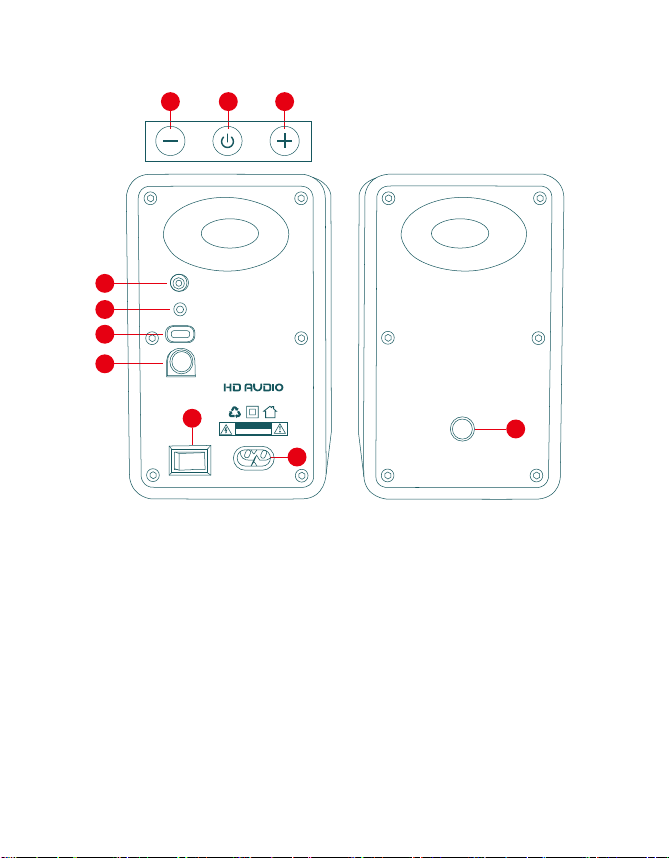
01. Short press to reduce the volume, long press to switch to
the previous song; AUX mode: Short press/long press to reduce
the volume
02. Press and hold on/off, short press pause/play (short press to
mute in AUX mode), double press to switch mode BT / AUX /
USB_C sound card
03. Short press to increase the volume, long press to switch to the
next track; AUX mode: Short press/long press is used to increase
the volume
04. Bass output port
05. AUX input port
06. USB_C sound card
04
05
06
07
10
08
There is an electrical hazard,
do not open it
CAUTION
2.0 multimedia speaker
09
01 02 03
SUB OUT
AUX
USB-C
SPK OUT
SPK IN
POWER AC 120-240V~50/60Hz
ONOFF
07. Speaker audio output
08. Power switch
09. AC power supply
10. Speaker audio input
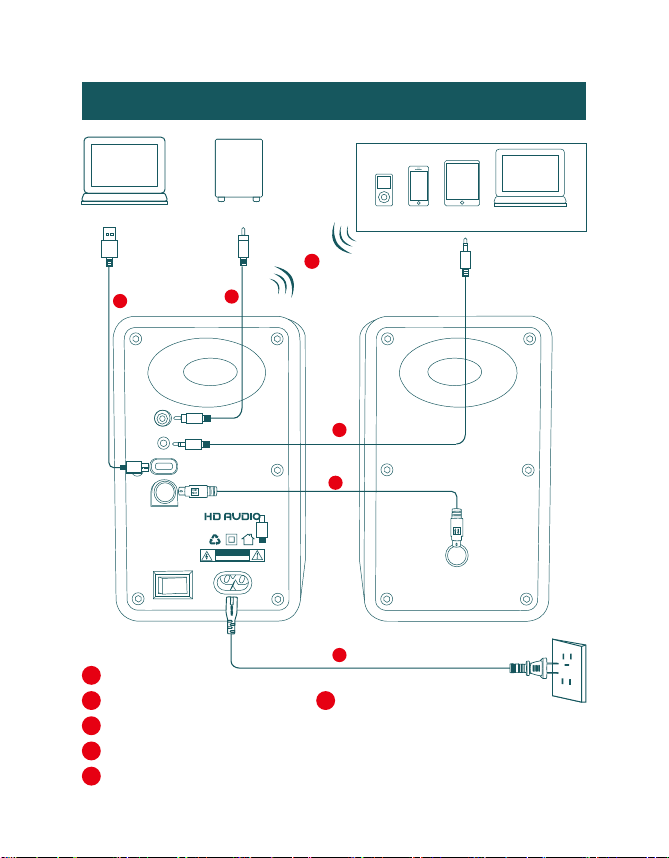
Connection Diagram
Bluetooth signal
up to 30 feet
Bluetooth Device
Passive Speaker
e
b
c
a
f
Bluetooth
a
Audio cable
(not supplied)
b
USB-C cable
(not supplied)
c
3.5mm to 3.5mm audio cable
(supplied)
d
Main and auxiliary engine connection cable
(supplied)
e
AC power cord
(supplied)
f
Active Speaker
d
There is an electrical hazard,
do not open it
CAUTION
2.0 multimedia speaker
SUB OUT
AUX
USB-C
SPK OUT
SPK IN
POWER AC 120-240V~50/60Hz
ONOFF
Subwoofer
Computer
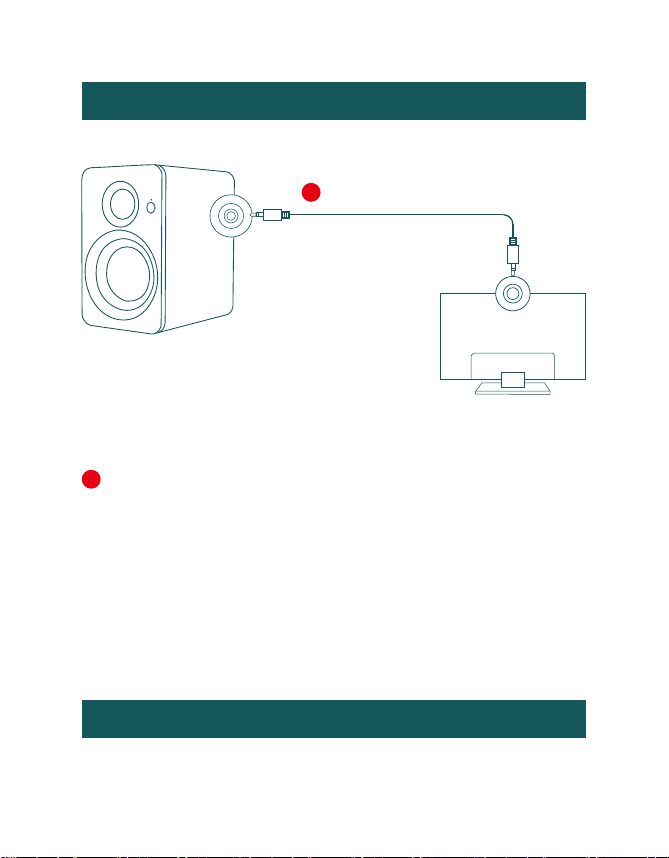
Connecting with a TV
Setting “PCM” on your TV
When all cables are connected properly, and LED indicator
A
Method 1. Connecting using a 3.5mm to 3.5mm audio cable.
Select AUX mode.
Active Speaker
A
3.5mm to 3.5mm audio
cable
(supplied)
TV
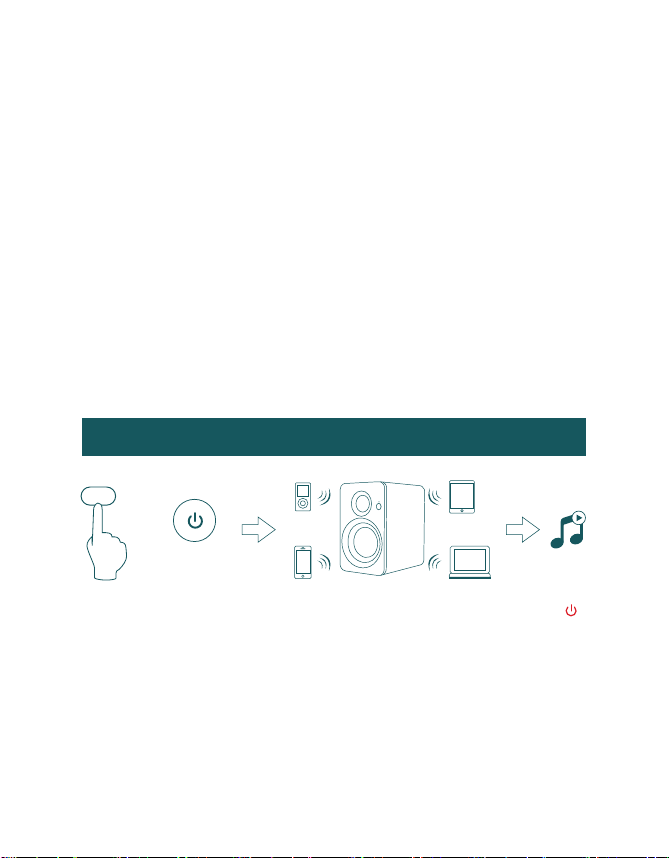
Connecting a Bluetooth Device
lights properly, if there is no sound from tv or Soundbar, please
setting your tv as below:
1. Press "Menu" on the TV’s remote control.
2. Press the arrow keys on the remote to scroll to "Audio Settings."
3. Press "OK" on the remote control.
4. Scroll to "Advanced Audio" and press "OK". Some televisions may
not have an"Advanced Audio" menu and may list various audio
settings instead.
5. Scroll to "Audio Output Mode" or "Digital Audio Output Mode" and
press "OK".
6. Scroll until "PCM" is displayed as the current audio output.
7. Press "OK" to save the settings.
b. Turn on Bluetooth on the Bluetooth device.
c. Select “SR32-01” and connect it. When your Bluetooth device is
connected, the LED indicator blinks blue slowly.
d. Play music files from the device, connected via Bluetooth, through
the bookshelf speaker.
a. Press the “ ” button on the remote control or double-tap the “ ”
button on top of the active speaker, and then the LED indicator will
flash blue.
BT
or
Bluetooth signal
up to 30 feet
BT
Specifications
Power output:
L/R: 60W
Signal to noise ratio dB(A):
L/R: ≥85dB (A)
Input sensitivity:
AUX: R/L: 650±50mV
Frequency response:
45HZ-20KHZ
Mid-woofer:
3 inch
Tweeter unit:
Φ20mm silk dome tweeter
No sound
Check if the power indicator light is ON.
Cannot connect via Bluetooth
Make sure the speaker is switched to Bluetooth input, in other audio input mode
Bluetooth can not be paired or connected. Disconnect from any Bluetooth device by
press and hold the volume dial in Bluetooth mode, then try again.
Effective Bluetooth transmission range is 10 meters, please make sure operation is
within the range.
Try another Bluetooth device for connection.
Try to turn up the volume using either the master volume control or remote control.
Ensure the audio cables are firmly connected and the input is set correctly on the
speakers.
Check if there is signal output from the audio source.
Troubleshooting
The SR32-01 Bookshelf Speaker does not turn on
Check if mains power is connected. or if the wall outlet is switched on.

FCC Statement
This device complies with Part 15 of the FCC Rules. Operation is subject to the
following two conditions:
(1) This device may not cause harmful interference.
(2) This device must accept any interference received, including interference that
may cause undesired operation.
Warning: Changes or modifications not expressly approved by the party
responsible for compliance could void the user's authority to operate the
equipment.
NOTE: This equipment has been tested and found to comply with the limits for a
Class B digital device, pursuant to Part 15 of the FCC Rules. These limits are
designed to provide reasonable protection against harmful interference in a
residential installation. This equipment generates uses and can radiate radio
frequency energy and, if not installed and used in accordance with the
instructions, may cause harmful interference to radio communications. However,
there is no guarantee that interference will not occur in a particular installation.
If this equipment does cause harmful interference to radio or television reception,
which can be determined by turning the equipment off and on, the user is
encouraged to try to correct the interference by one or more of the following
measures:
Reorient or relocate the receiving antenna.
Increase the separation between the equipment and receiver.
Connect the equipment into an outlet on a circuit different from that to which
the receiver is connected.
Consult the dealer or an experienced radio/TV technician for help.
FCC Radiation Exposure Statement:
This equipment complies with FCC radiation exposure limits set forth for an
uncontrolled environment. This equipment should be installed and operated with
minimum distance 20cm between the radiator & your body.

Thanks for reading!