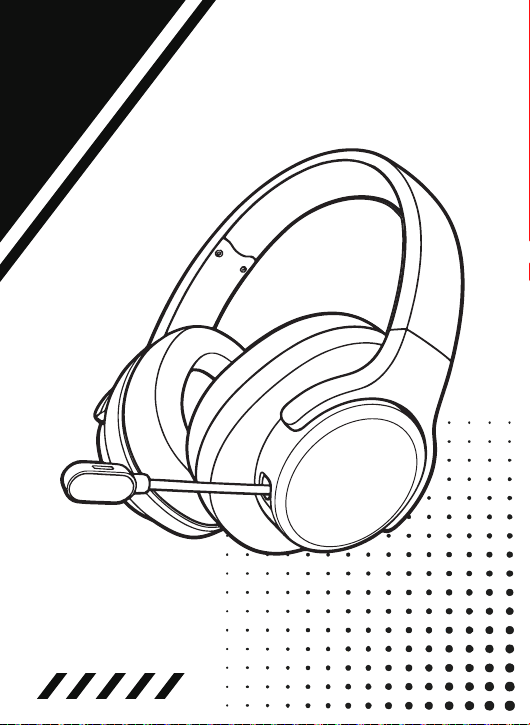
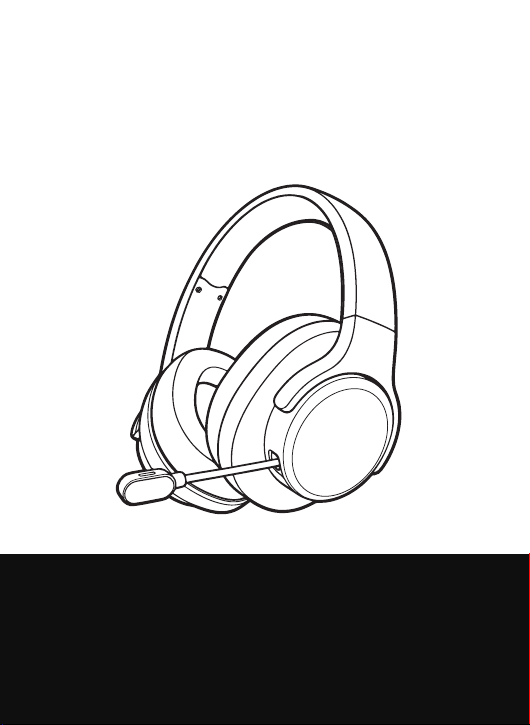
GAMING HEADSET
User Manual
Customize Your Style, Decorate the Side Covers

CONTENTS
QUICK START GUIDE
PRODUCT LAYOUT
SPECIFICATION
PRODUCT STORAGE & BATTERY SAFETY
FCC CAUTION
------------------1
-------------------3
---------------------4
------4
----------------------5
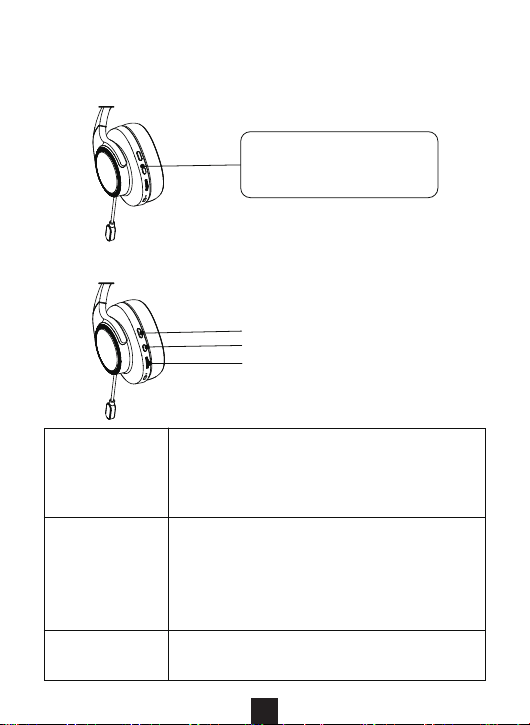
1. Power On/Off
QUICK START GUIDE
1
2. Button Functions
Microphone
Button
● Click: Mic on/off
● Double click: Switch sound effect mode
● Triple click: Switch connection mode
● Hold 3s: Clear BT pairing
Power
Button
● Hold 3s: Power on/off
● Click: Play/Pause/Answer/Hang up
● Hold 2s: Reject call
● Double click: Previous track
● Triple click: Next track
Volume
Wheel
● Scroll up: Volume up
● Scroll down: Volume down
Microphone Switch
Power Button
Volume Button
Long-press the Power
Button for 3 seconds.
4. Charging
2
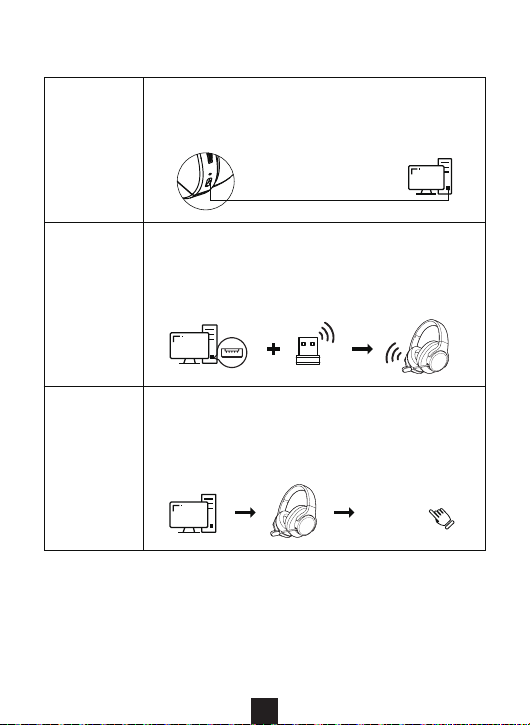
3. Connect Your Device
Wired Mode
● Turn off the headset.
● Plug in the cable.
● Wired mode starts automatically.
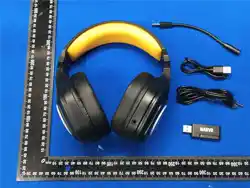
3.5mm to Type-C cable
2.4G Mode
● Turn on the headset.
● Plug in the USB dongle. (Name: SS202)
● Pairing starts automatically.
LED: Blue on receiver / White on headset
“SS202”
BT Mode
● Turn on the headset.
● Triple-press the Microphone Button.
● Search for "SS202" in your device's
Bluetooth settings and tap to pair.
Connect the USB Type-C cable, and the LED turns red during charging.
The LED turns off when fully charged.
Note: The headset can still be used while charging in 2.4G/BT mode.
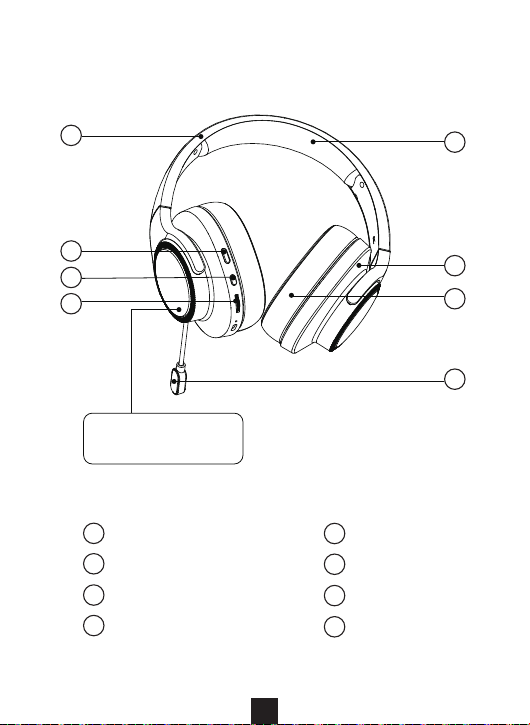
PRODUCT LAYOUT
3
Removable
Decorative Cover
1
2
3
4
8
5
Headband Pad
Ear Cup
Ear Pad
Microphone
6
7
Headband
Microphone Switch
Power Button
Volume Button
1
2
3
4
8
5
6
7
Storage
● Store in a clean, dry place (–5°C to 35°C).
● For long-term storage, charge the headset every 3 months to
protect battery life.
Battery Safety
● Do not expose to re, extreme heat, or liquids.
● Never disassemble, crush, or modify the battery.
Custom Cover Care
● The decorative cover features a printed design.
● Clean only with a dry or slightly damp soft cloth.
● Do not use alcohol, solvents, or abrasive cleaners—they may
damage the print.
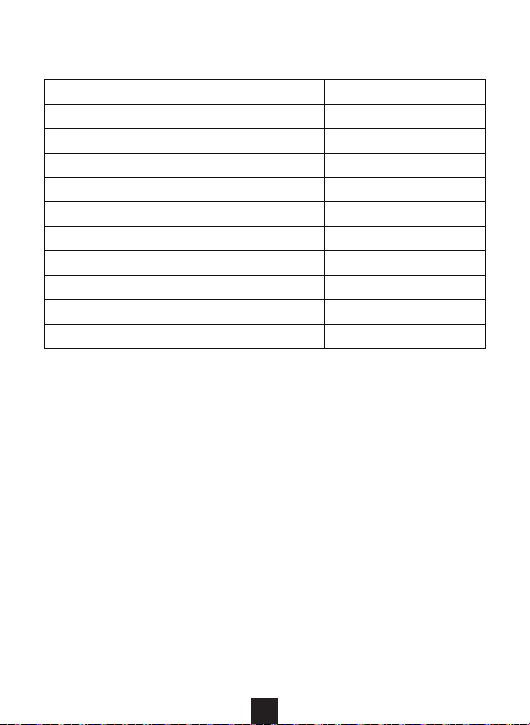
Rated Input Power
Maximum Input Power
Speaker Diameter
Speaker Impedance
Headphone Sensitivity
Frequency Response
Microphone Sensitivity
Microphone Frequency Response
Battery Capacity
Headphone Lighting Effect
Product Dimensions
32±10%Ω
30 mW
100 mW
50 mm
100±3 dB
1000 mAh
RGB
20 Hz-20 KHz
-40±3 dB
100~10 KHz
187*92*193 mm
SPECIFICATION
PRODUCT STORAGE & BATTERY SAFETY
4

Any Changes or modications not expressly approved by the
party responsible for compliance could void the user's authority
to operate the equipment.
Note: This equipment has been tested and found to comply with
the limits for a Class B digital device, pursuant to part 15 of the FCC
Rules. These limits are designed to provide reasonable protection
against harmful interference in a residential installation. This
equipment generates uses and can radiate radio frequency energy
and, if not installed and used in accordance with the instructions,
may cause harmful interference to radio communications. However,
there is no guarantee that interference will not occur in a particular
installation. If this equipment does cause harmful interference to
radio or television reception, which can be determined by turning
the equipment off and on, the user is encouraged to try to correct
the interference by one or more of the following measures:
● Reorient or relocate the receiving antenna.
● Increase the separation between the equipment and receiver.
● Connect the equipment into an outlet on a circuit different from
that to which the receiver is connected.
● Consult the dealer or an experienced radio/TV technician for help.
* RF warning for Portable device:
ThedevicehasbeenevaluatedtomeetgeneralRFexposure
requirement.Thedevicecanbeusedinportable exposurecondition
withoutrestriction.
This device complies with part 15 of the FCC Rules. Operation is
subject to the following two conditions: (1) This device may not
cause harmful interference, and (2) this device must accept any
interference received, including interference that may cause
undesired operation.
FCC CAUTION
5