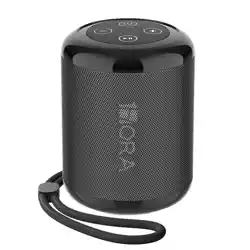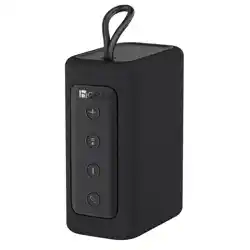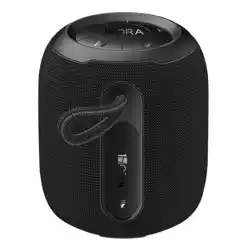
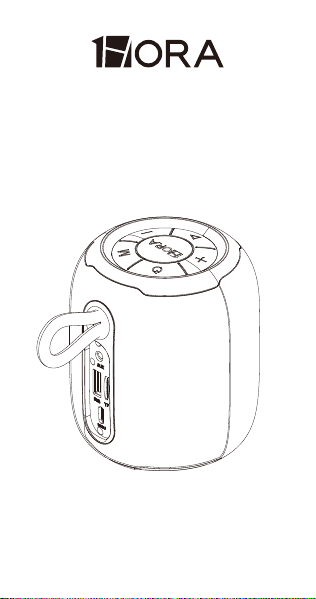
WIRELESS SPEAKER
USER MANUAL
BOC243

Model: BOC243
Bluetooth Version: 5.3
Connection Distance: 10M approx.
SNR: 85dB
Battery: 2000mah 3.7V 7.4Wh
Playing time: 5.6Hrs (At 100% Volume)
Speaker Size: Φ52mm
Power: 3Ω/7W RMS
Frequency: 150HZ-20KHZ
Dimensions: Φ87.8*101.27mm
Weight: 356g
Input: 5V⎓1A
1. Internationally advanced wireless chip and
circuit design technology, supporting all
wireless devices.
2. With Hi-Fi speaker, to make sure the clear
and bright sound.
3. 10 meters wireless working distance, can
connect all external wireless devices (mobile
phone/tablet/TV) to play music.
4. With AUX line in, can be directly
connected external devices , for example:
tablet/TV/mobile phone.
5. Support TF card and USB port, play MP3
format audio.
6. With FM function, it can automatically
search for radio stations. Note: In FM mode,
PRODUCT SPECIFICATIONS:
PRODUCT FEATURE:
1. Internationally advanced wireless chip and
circuit design technology, supporting all
wireless devices.
2. With Hi-Fi speaker, to make sure the clear
and bright sound.
3. 10 meters wireless working distance, can
connect all external wireless devices (mobile
phone/tablet/TV) to play music.
4. With AUX line in, can be directly
connected external devices , for example:
tablet/TV/mobile phone.
5. Support TF card and USB port, play MP3
format audio.
6. With FM function, it can automatically
search for radio stations. Note: In FM mode,
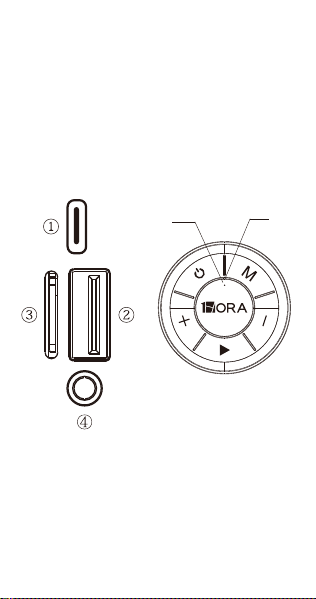
KEY AND SLOT FUNCTIONS:
to automatically search for FM stations,
please insert a 3.5mm Aux cable before
initiating the search.
7. Built-in microphone for hands-free calling.
8. Support True Wireless Stereo Dual
Pairing.
①.DC 5V Slot: Use the standard Type C
charging cable to charge.
②.USB Slot: When inserting the U disk into the
slot, it can decode and play audio in
MP3/WAV format.
⑤
⑩
⑪
⑥
⑦
⑧
⑨

to automatically search for FM stations,
please insert a 3.5mm Aux cable before
initiating the search.
7. Built-in microphone for hands-free calling.
8. Support True Wireless Stereo Dual
Pairing.
③.TF Slot: When inserting a TF card into the
slot, it can decode and play audio in
MP3/WAV format.
④.AUX Line in Slot: Use 3.5mm AUX line input
through external equipment
⑤.Power Switch: Long press for "on/off " to turn
on or turn off.
TWS Pairing: After turning on the two
speakers, double click the power button of
one of the speakers and the speakers will
automatically perform TWS pairing.
⑥. Play Button
1) Press once: Play or pause;
2) Long press: enter pairing mode;
3) Radio mode: short press to automatically
search for radio stations.
4) Call Mode: Short press to answer/end calls.
Long press for 2 seconds to reject calls.
⑦. During music playback, press the "+" button
once to increase the volume, long press the
"+" button to skip to the next song.
In radio mode, press the "+" button once to
increase the volume, and press and hold the
"+" button to jump to the next station.
⑧. During music playback, press the"-" button
once to decrease the volume, long press the
"-" butt to return to the previous song.
In radio mode, press the "-" button once to
reduce the volume and long press the "-"
button to return to the previous station.
⑨ M Mode Switch Button
Short press to switch modes (BT/USB/T-
F/FM/AUX).
Note: In FM mode, you need to insert a
3.5mm Aux cable before automatically
searching for FM stations.
⑩ Indicator Light
The red light stays on during charging, and
turns off when fully charged.
⑪ Microphone Location
⑧

⑧. During music playback, press the"-" button
once to decrease the volume, long press the
"-" butt to return to the previous song.
In radio mode, press the "-" button once to
reduce the volume and long press the "-"
button to return to the previous station.
⑨ M Mode Switch Button
Short press to switch modes (BT/USB/T-
F/FM/AUX).
Note: In FM mode, you need to insert a
3.5mm Aux cable before automatically
searching for FM stations.
⑩ Indicator Light
The red light stays on during charging, and
turns off when fully charged.
⑪ Microphone Location
RESET: Long press ON/OFF for 10 seconds
to reset