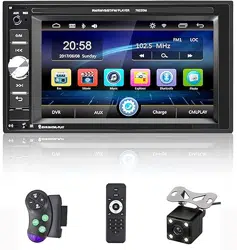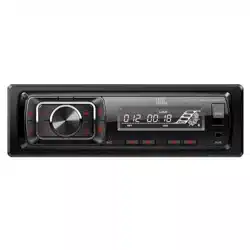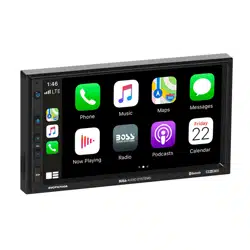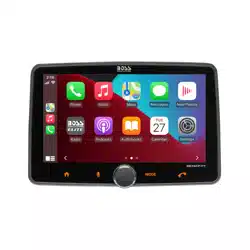
Power Supply Voltage
Max Current Consumption
Max Output Power
SPECIFICATION
12 DC, Negative Ground 6.5A
4X60W
Car player
CarPlay wired + wireless(optional)
Operation Manual
ENGLISH
RADIO
Private mold radiator
CarPlay & Android Auto Player
Private mold radiator
Ver.202603101721
Thank you very much for purchasing and using our products, when you receive
the product, please do not take the product directly to the car for installation,
because the product is in the after a long journey, it may affect the product. Please
try the machine before installing.
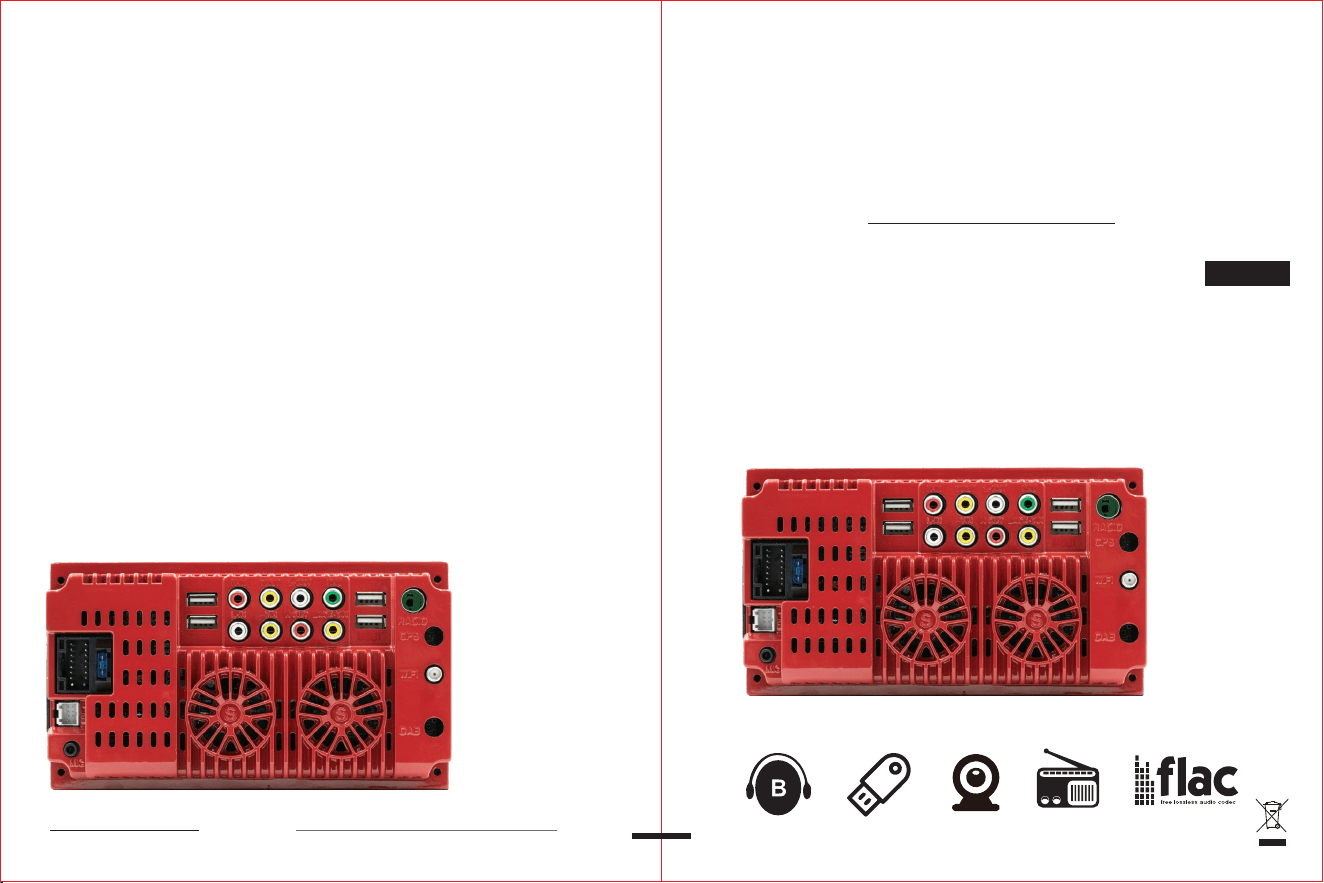
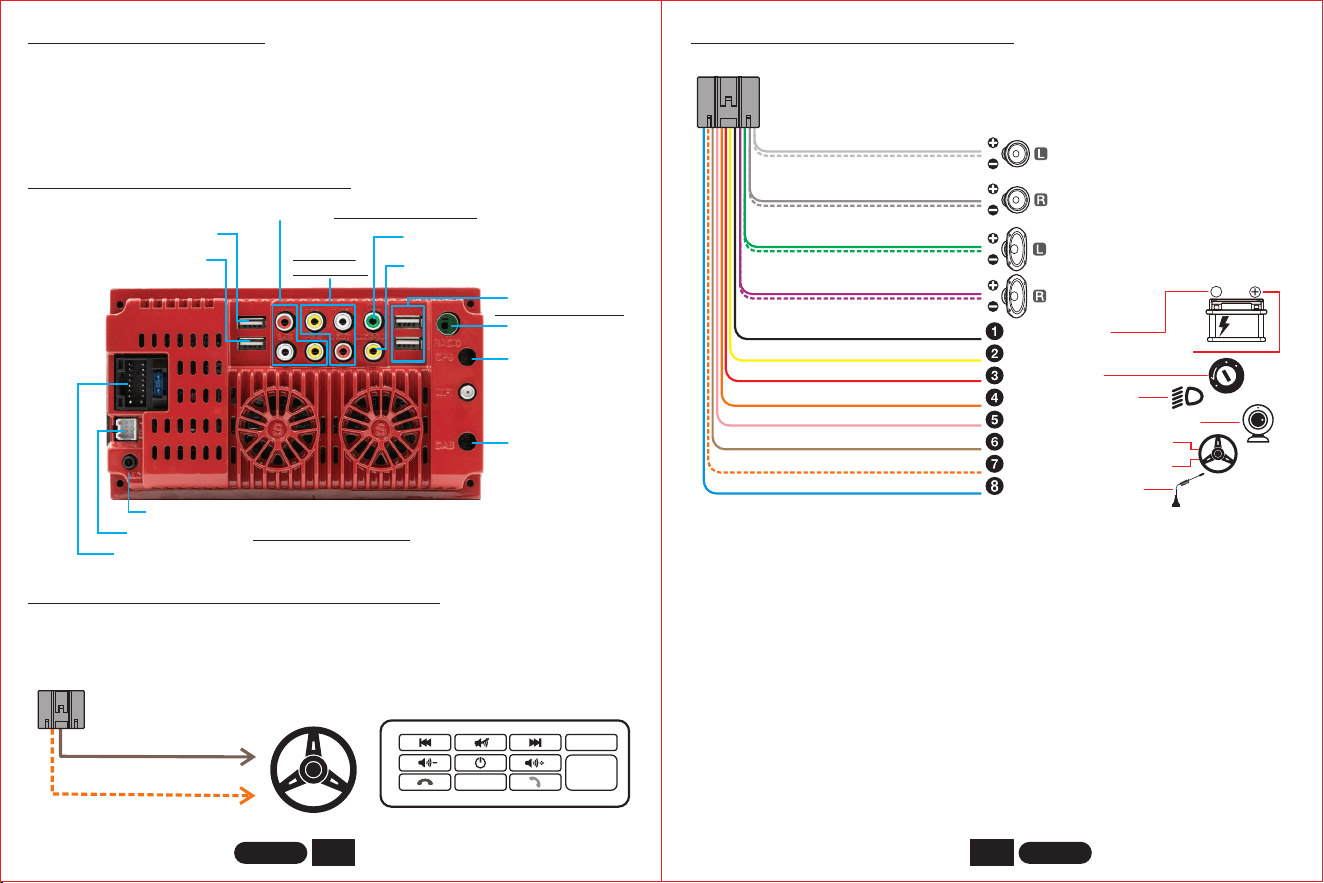
REAR INTERFACE DESCRIPTION
REAR INTERFACE DESCRIPTION
* When the yellow line B+ and the red line ACC have a 12V positive power at the
same time, the unit can be turned on normally.
* The yellow line B+ keeps the power on and the machine has a memory
function.
* 8 speaker cables, each cable can not be grounded, can not be shared, can not
touch the line, otherwise there will be no sound output, output sound distortion,
machine fever and so on.
Power plug(16Pin)
MIC input hole (3.5mm)
USB charging 5V_2.1A
NONE
USB 1/2 input
Radio ANT
NONE
NONE
AV input
(Left/Right Audio + Video)
AV output
Subwoofer output
Reversing video input
(Left/Right
Audio+Video)
USB1 only for some models
Protocol box plug
(Only support some models)
BEFORE INSTALLATION
LEARNING STEERING WHEEL CONTROLS
KEY1
KEY2
So ur ce
Reset
Confirm
Example:
Press and hold a button on the steering wheel of the original car and find
the button icon corresponding to the function of the button on the steering wheel.
Click the icon to change the color, learning is successful.
GND
BATTERY
ACC
ILLUMINATION
KEY2
ANT
Front speaker
Rear speaker
+
-
12V
White
White/black striped
Gray
Gray/black striped
Green
Green/black striped
Purple
Purple/black striped
Black(thick)
Yellow
Red
Orange
Pink
Brown
Orange/black striped
Blue
REVERSE
KEY1
Ground Wire/B-
Constant Power Supply +12V
Ignition Switch
Illuminate Backlight
Reversing camera control line
Steering Wheel Control -2
Steering Wheel Control -1
Auto Antenna Power
1
2
ENGLISH ENGLISH
Orange/black
Brown
3
4
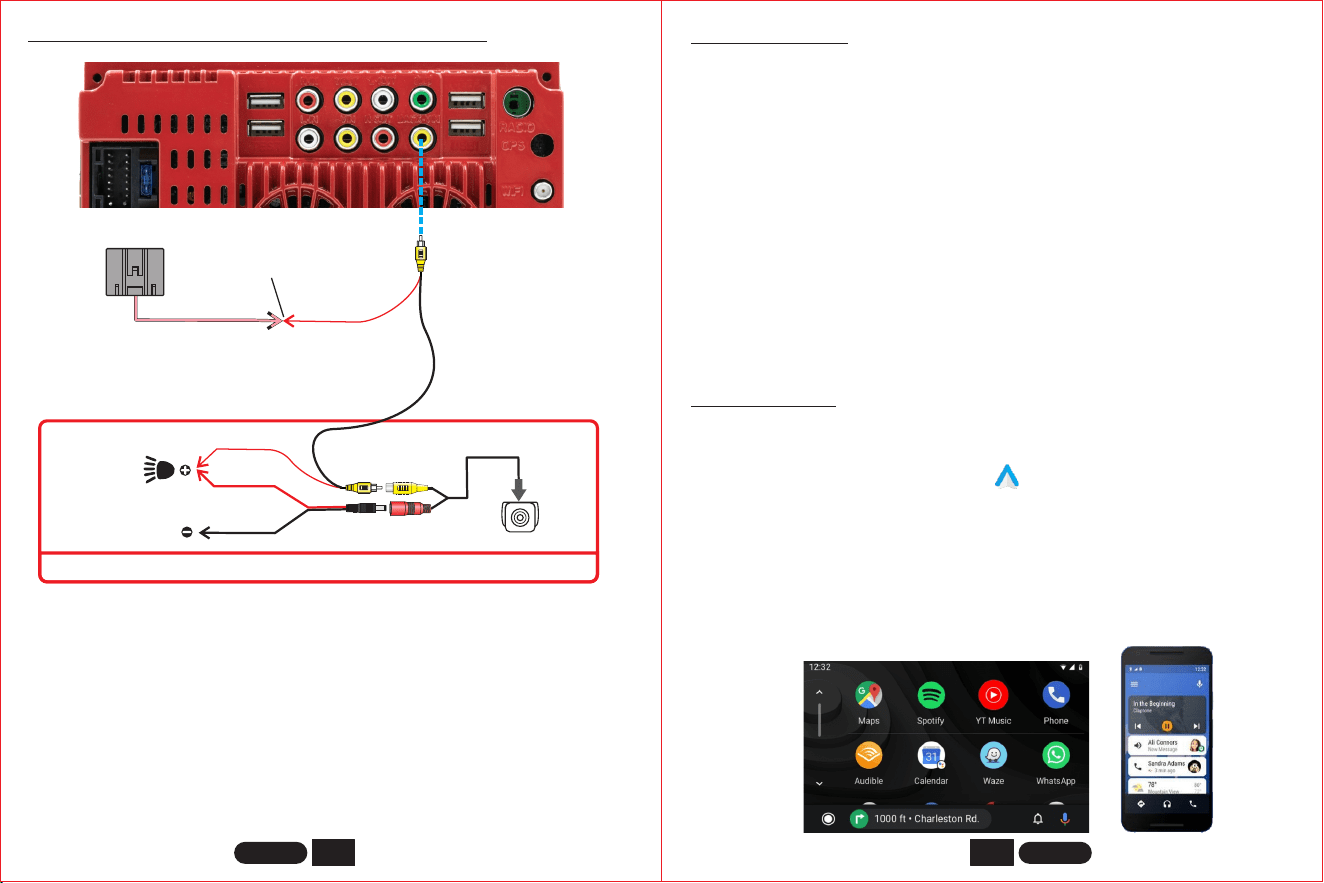
Apple CarPlay wired , wireless(optional)
Android Auto wired , wireless(optional)
This feature is not supported in all countries, and “Google Play” services need to
be available locally.
If the reversing camera is not installed, please do not connect the
REVERSE/BACK cable to any place. Please leave the cable unconnected,
otherwise the machine will not display properly, or it will automatically enter the
reverse mode, which will cause the machine to fail. In case of such a situation,
please disconnect the REVERSE/BACK line as soon as possible to avoid affecting
the normal use of the user.
Reverse Video Input
pink
Red
(Reverse)
Red
Black
Red
Rear view camera
Connected
This part is installed at the rear of the car.
(GND)
Reverse light
REVERSING CAMERA INSTALLATION METHOD
1. Need to download and install “Android Auto” software in “Google Play”.
2. A mobile phone with Android 6.0 or higher must be used. Must use a valid data cable
connection.
3. Wired connection: Just connect the USB data cable, and then it will automatically enter
the Android Auto interface.
4. First turn on the Bluetooth and wifi functions of the mobile phone, Wireless connection:
and then connect the Bluetooth. Then it will automatically enter the Android Auto
interface. (Note: The signal is transmitted through wifi at this time, so even if the
Bluetooth function is turned off, it will be transmitted normally. When the wifi function is
turned off, Android Auto will be disconnected.)
1. Wired connection: Just connect the USB data cable, and then it will automatically enter
the CarPlay interface.
2. Wireless connection: first turn on the bluetooth and wifi functions of the mobile phone,
and then connect the bluetooth. Then it will automatically enter the CarPlay interface.
(Note: The signal is transmitted through wifi at this time, so even if the Bluetooth function
is turned off, it will be transmitted normally. When the wifi function is turned off, CarPlay
will be disconnected.)
ENGLISH ENGLISH
5
6
SPECIFICATION
Power Supply Voltage
Max Current Consumption
Max Output Power
System setup password
12~14.4V DC, Negative Ground
15A
4X60W
“113266”
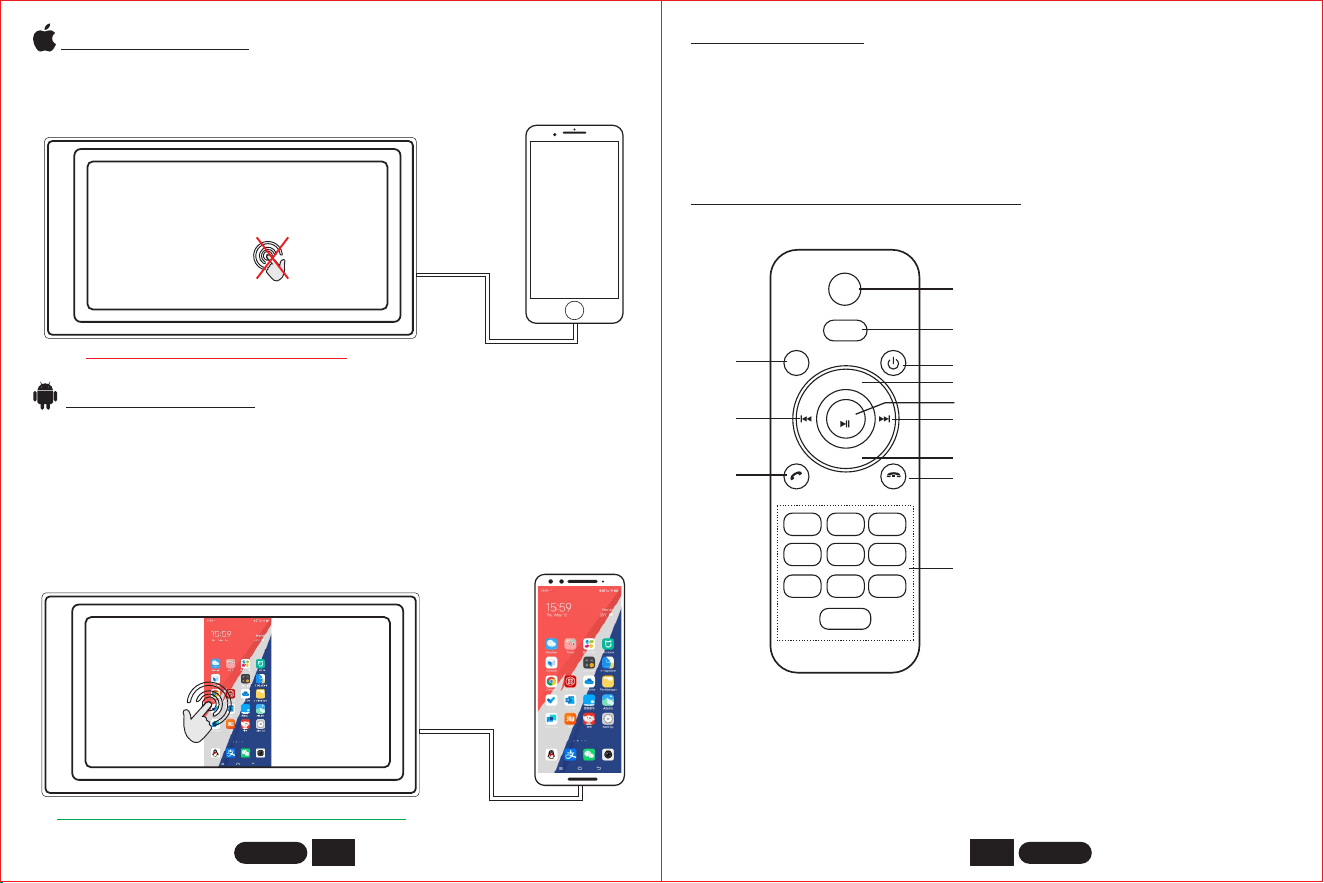
REMOTE CONTROL FUNCTION
MUTE
MODE
MENU
VOL+
VOL-
ENT
1 2 3
4 5 6
7 8 9
0
1
2
3
4
5
6
7
8
9
12
11
10
1. Mute On/off
2. Mode: Switch mode
3. Power On/off
4. Volume +
5. Enter; Play / Pause
6. Next Track
7. Volume -
8. End Call
9. Number Button
10. Menu
11. Previous Track
12. Answer Call
NOTE:
1. Before using the remote control, please remove the battery insulation paper at
the bottom of the remote control.
2. If the remote control does not work, please take the battery off and wipe it,
then put it back, generally it can be used normally. Still not working, it may be
that the remote control battery is low, please replace the remote control
battery.
When the device is plugged into the iPhone, the content of the phone screen
will be projected onto the car screen.
iPHONE Mirrorlink
NO
Touch input
Android Mirrorlink
When using an Android device, after connecting the USB data cable, you will
be prompted to install the APP software. After installation, Plug the data
cable again, it will enter the screen mirroring mode. And it can be operated
on both the player screen and the phone screen.
Mirrorlink
APP
YES
Touch input
(Only support some models)
(Only support some models)
You can’t control your iphone here.
Only the image transfer is successful at this time. The sound can only be
transmitted after the Bluetooth connection is successful.
You can also control your android phone here.
ENGLISH ENGLISH
(Only some models come with a remote control.)
1) Cannot boot normally
1. "Yellow" "Red" "Black" this 3 lines only connected 2 line of them, so it will not
start, it should be that the yellow line is connected to the positive pole, red
line to the key control line, black to the negative pole, less connection or
wrong connection does not boot.
2. The original car line and unit wiring can not be connected to the color, the
color of the original car line is not standard, if you connect like that it can not
only be turned on but also may burn.
3. The original car plug can’t be plugged directly into the new unit, even if it just
plugs in, it can’t be used, otherwise it won’t be turned on or burned.
4. The 3 wires are connected right, but it does not boot. Check if the fuse on the
yellow line is broken. If there is no problem with the fuse, twist the yellow
and red wires together. Turn on the key and press the unit’s power button to
see if it can be turned on.
5. Every time you change the fuse, it burns. Please don’t change it again The
reason is that when you first connect the positive and negative poles, the
protection circuit of the unit is short-circuited. The unit can be repaired
under the guidance of our master. No basis can only be returned to the
after-sales or new unit. If these are no problem, or also don’t boot, please
make the final step to confirm, find a 12V battery or 12V power supply
“yellow” and “red” twist together with the positive, black to the negative pole,
press the button check if it can boot or no, if you can boot, it showed that the
original car line is not right connect, or there is a problem with the car line.
If it can’t be boot, the unit is broken. Does not boot unit, check the line
carefully, do not blindly suspect the unit problem.
2) Automatic shut-down
1. The cable error connect: If the blue cable (automatic antenna power supply)
is connected to the power cable of the unit, an automatic shutdown will
occur. Please follow the correct wiring method to solve the problem.
2. The voltage is unstable: please find a 12V-5A which one is the power supply
and re-tested to see if it will automatically shut down. If it does not
automatically shut down after the test, please replace the power supply. If it
will automatically shut down, it is problem with the unit.
3) There is noise
4) Remote control cannot be used
1. Test method: Turn on the camera of the mobile phone and align the light of the
remote control, then press the button of the remote control to see if the phone will
light up. If it is not lit, there will be no power. Replace the battery; If it is lit, there is
electricity, which proves that there is no problem with the remote control.
5) Settings can not be saved ( no memory )
1. The yellow line and the red line are connected together (separate yellow to
positive, red to key control).
2. Yellow and red are reversed (just change position).
6) Bluetooth not working
Turn on the machine, search for the Bluetooth name of the machine using the
Bluetooth of the mobile phone, and then click Connect, after connecting, you
can answer calls or play songs via Bluetooth.
7) The product emits smoke
1. Please reset the unit or unplug the power cord and plug it in.
2. The Volume knob is broken, and the knob can be replaced.
8) The sound cannot be adjusted
9) Reversing camera does not display
Replace the fuse FUSE, if the problem cannot be solved, the internal circuit has
been burned. After-sales service is required.
1. Wrong wiring or missing wiring.
Camera connection method:
1) Find accessories : 1 camera + 1 power cord +1 video cable.
1. The original speaker power is too small. When the volume of the unit is turned up,
there will be noise.
Solution: When replacing the speaker or listening to the song, the volume should not
be too large.
2. The speaker cable is grounded.
Solution: Take the iron speaker cable. Directly connected to the speaker cable of the
unit.
7
8
ENGLISH ENGLISH
COMMON PROBLEMS AND SIMPLE TROUBLESHOOTING

2) Find the port of the wiring.
First find the reverse control line on the power line of the unit. The control line is a
pink line. connect this line to the positive pole of 12V and the screen will turn
blue.
And then find the back of the unit the CAM video input interface, find the positive
and negative of the backup light.
3) There are two sockets on the camera, the red socket is connected to the power
cable, the yellow is inserted into the video cable, the red wire of the power
cable and the wire of the video cable are screwed together on the positive pole
of the reverse lamp, and the black wire of the power cable is not used,
connected, the other end of the video cable is connected to the CAM video input
interface on the back of the unit. The red line coming out of the video line is
connected to the reversing control line of the power line.
2. The camera is broken. If the lamp that is properly wired to the camera is not lit,
it will be broken and replaced with a new one.
10) USB devices cannot be played
Format the USB flash disk, and the file system is selected as: FAT32, re-download
on or two songs and try again. If it still doesn't work, please replace the USB
flash drive.
11) FM does not receive the radio station
1. The antenna plug is not fully inserted, the antenna is disconnect or the line is
disconnect.
2. Search station, press AS will automatically search or press before or after
button.
Can’t solve the above 2 points, Please unplug the antenna plug and find a
screwdriver or a metal strip to insert it instead of the antenna.
12) There is no sound right after installation
Dear customers, the unit has been tested before shipment. If there is no
sound, it is usually a wiring error or the original car speaker wire is short-
circuited with iron. According to the steps to check it:
1. Check if the speaker cable is short-circuited and connected. Please
reconnect if you have any short circuit.
2. Check how many speaker cables according to the original speaker cable if
there are only 2 speaker cables to prove that the original car line does not
match our unit, you need to re-route the original car line. One speaker must
lead to 2 speaker wires. 2 speakers must be have 4 speaker cables to
available.
13) There is no sound after a while
Disconnect all the speaker cable from the unit (do not remove them), and then
find an external speaker to receive the gray and purple of the tail line of the unit.
Green any group, and then try to see if there is any sound. If there is a sound, it is
proved that the car’s speaker line is short-circuited with iron or the speaker is
damaged. If there is no sound, the unit is broken.
9
10
Tips: If the device is updated, the functions are subject to change without prior notice.
ENGLISH ENGLISH

This device complies with part 15 of the FCC Rules. Operation is subject to the
following two conditions: (1) This device may not cause harmful interference, and (2)
this device must accept any interference received, including interference that may cause
undesired operation.
Any Changes or modifications not expressly approved by the party responsible for
compliance could void the user's authority to operate the equipment.
Note: This equipment has been tested and found to comply with the limits for a Class B
digital device, pursuant to part 15 of the FCC Rules. These limits are designed to
provide reasonable protection against harmful interference in a residential installation.
This equipment generates uses and can radiate radio frequency energy and, if not
installed and used in accordance with the instructions, may cause harmful interference
to radio communications. However, there is no guarantee that interference will not
occur in a particular installation. If this equipment does cause harmful interference to
radio or television reception, which can be determined by turning the equipment off and
on, the user is encouraged to try to correct the interference by one or more of the
following measures:
-Reorient or relocate the receiving antenna.
-Increase the separation between the equipment and receiver.
-Connect the equipment into an outlet on a circuit different from that to which the
receiver is connected.
-Consult the dealer or an experienced radio/TV technician for help.
-This equipment complies with FCC radiation exposure limits set forth for an
uncontrolled environment. This equipment should be installed and operated with
minimum distance 20cm between the radiator & your body.