Quick-Start
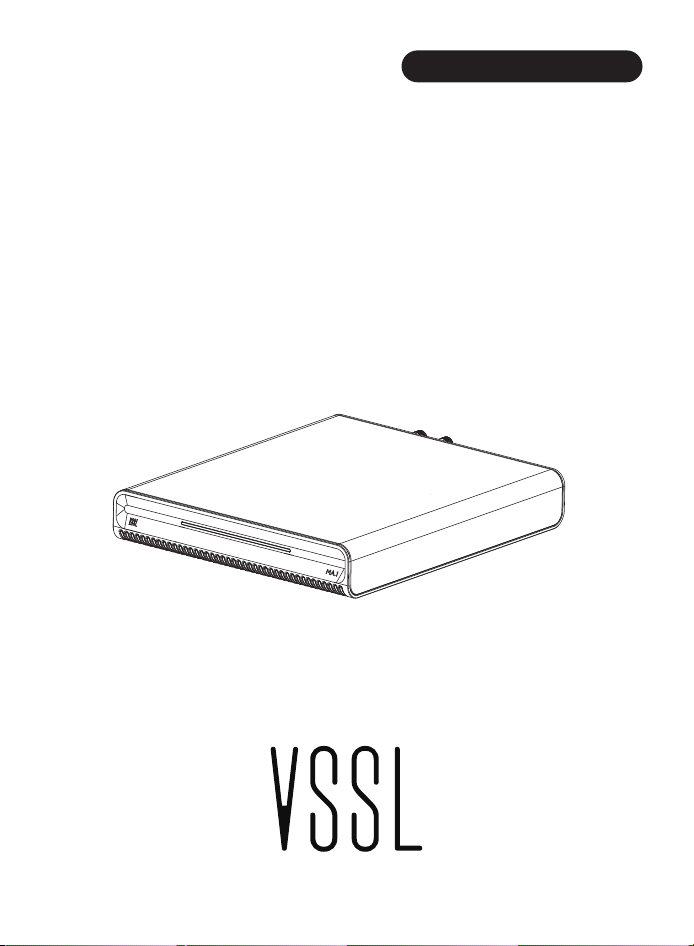
VSSL
INTERNET MUSIC STREAMER


Introduction
Thank you for choosing VSSL.
Vssl delivers high-resolution audio streams from some of the best
Internet music sources such as Qobuz, Tidal, Amazon Music, and Spotify.
As more services become available, they will be added through Over-the-Air
updates. In addition, thousands of Internet radio stations may be enjoyed
via v- Tuner, I-Heart Radio and Tune-in.
Vssl can also access content from any DLNA or AirPlay 2 compati -
ble device on your network, such as computers, servers, or network storage
devices. You can also play content directly from your phone or tablet using
AirPlay2 or Bluetooth. In addition, VSSL Works with Alexa, allowing
control from any Amazon Alexa devices on your network.
Although some content is free, you will be required to purchase a subscrip-
required in some instances.
On-Line Instructions
This Quick-Start guide will explain the basic connections and get you
started. Once the basic setup is complete, refer to the owne r's manual for
complete operating instructions. Features and operation will evolve over
time as your vssl receives updates, therefore up to date instruc -
tions can be found on line. Use your phone to take a pho to of this QR code
to go directly to the most current owner's manual.
tion from the content supplier for specific premium services or advanced
features. Configuration of your DLNA device to allow sharing may be
System Requirements
.
.
.
.
.
.
.
.
.
A WiFi router suppo rting the 2.4GHz or 5GHz dual/mode
802.11b/g/n/ac protocols.
A Smartphone or Tablet connected to the WiFi network running iOS
9.0 or Android 6.0 or newe r.
VSSL requires an audio system or powered speaker that ac -
cepts line level analog (Aux) or a coax or optical digital input.
VSSL Front Panel
.
.
Front panel bt key
Front panel RESET key-Press and hold for 10 seconds to reset.
- Short press for three seconds to trigger bt pairing
Long press for ten seconds to clear the pairing
BT:4 Center LEDs = Royal Blue (Solid), all other LED’s off for 5sec then
return to normaloperation.
Streaming:4 Center LEDs = Turquoise (Solid), all other LED’s off for 5sec
then return to normaloperation.
Analog:4 Center LEDs = Green (Solid), all other LED’s Off for 5sec then
return to normal operation.
Digital:4 Center LEDs = Yellow (Solid), all other LED’s off for 5sec then
return to normal operation.
HDMI:4 Center LEDs = Orange (Solid), all other LED’s off for 5sec then
return to normal operation.
USB: 4 Center LEDs = Purple (Solid), all other LED’s off for 5sec then
return to normal operation.
Power On - While Machine BootingLED = Yellow (Flashing),
Wait for boot complete.
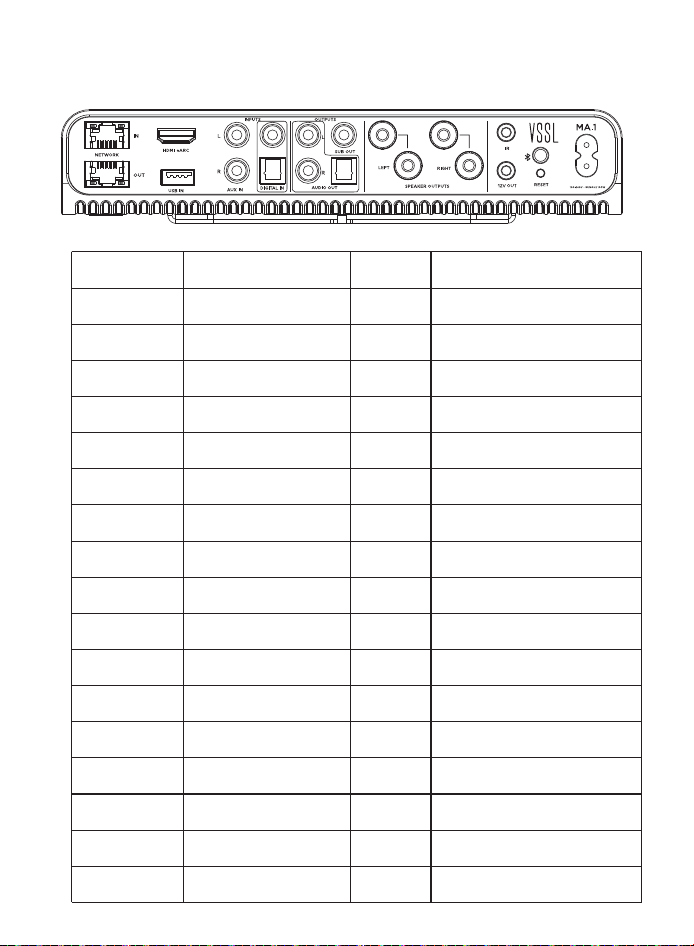
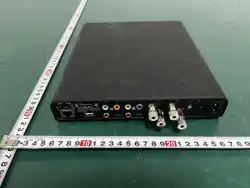
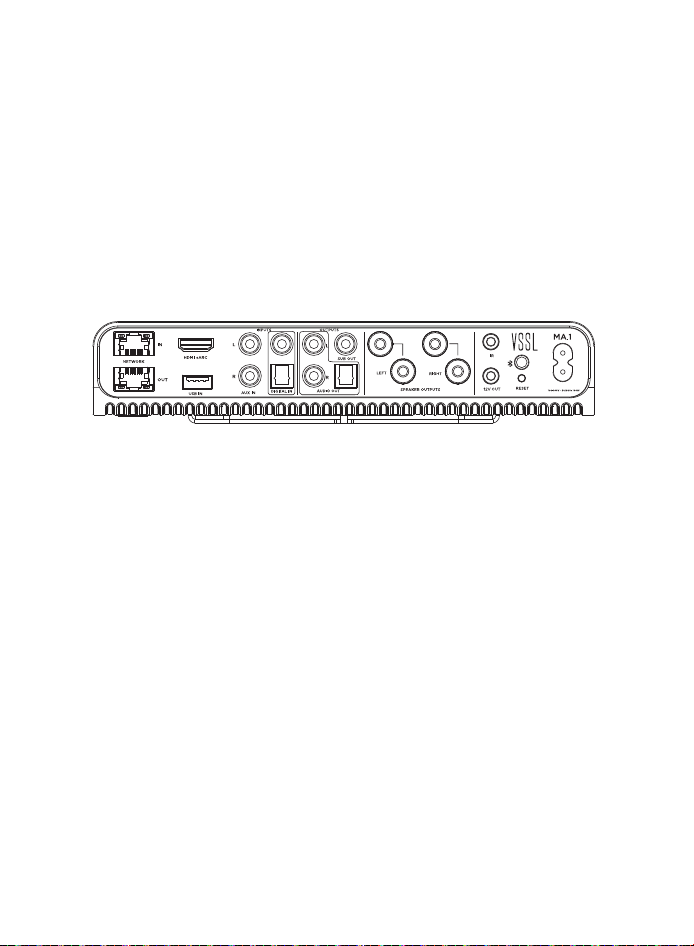
VSSL Rear Panel
RESET
POWER
HDMI-eARC
USB IN
NETWORK OUT
NETWORK IN
AUX IN(RCA)
AUX OUT(RCA)
COAX IN
SUB OUT
OPT OUT
OPT IN
IR
12V OUT
LEFT
Interface type
Interface identification
Type
Core function
Wireless/Control
Bluetooth button
-
-
-
-
-
Turn on Bluetooth, connect the
devices to play audio
Reset the device to factory settings
Power supply.
Import
Import
Import
Import
Import
Import
Import
Import
Equipment power supply interface
Video/audio input
Receiving
TV audio (support return)
Data Entry
Read local audio files such as USB
flash disk
Network
Access the network and play the
media on the network
Connect other devices in series
(multi-room audio)
Output
Output
Output
Output
Output
Analog Audio
Digital Audio (Coaxial)
Digital Audio (Fiber)
Infrared
SPEAKER OUTPUTS
External IR receiver (12 V supply)
Receiving infrared control signal of
controller
Outputting digital audio to other device
Receive digital audio from external
(anti-jamming)
Outputting digital audio to other device
Receiving digital audio from external
device
Output analog audio amplifier/speaker
Receive analog audio from external
device
phoneandother
streaming
devices
remote
RIGHT
Left channel
Right channel

1.
2.
Set up using the VSSL CNCT application.
Download VSSL CNCT on the app store for apple IOS devices or
GOOGLE play for Android.
Open the VSSL CNCT APP, search for devices under DEVICES, click
NewDevices Found Settings, select the WiFi device that has not been
added, set the wiFi and mobile phone to enter the same network
according to the prompt, and the APP is ready to use.

Andover Audio, L.L.C.
15 High Street No rth And over, Massachusetts 01845
www.andoveraudio.com
www.andoveraudio.com/suppo rt | 978.775.3670
Copyright 2022, And over Audio L.L.C.
Andover Audio subscribes to a program of continuous imp rovement. As a result, some
product features and characteristics may change without prior notice.
2311RA