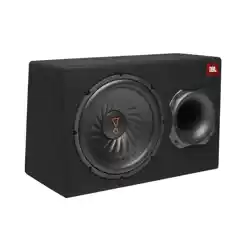
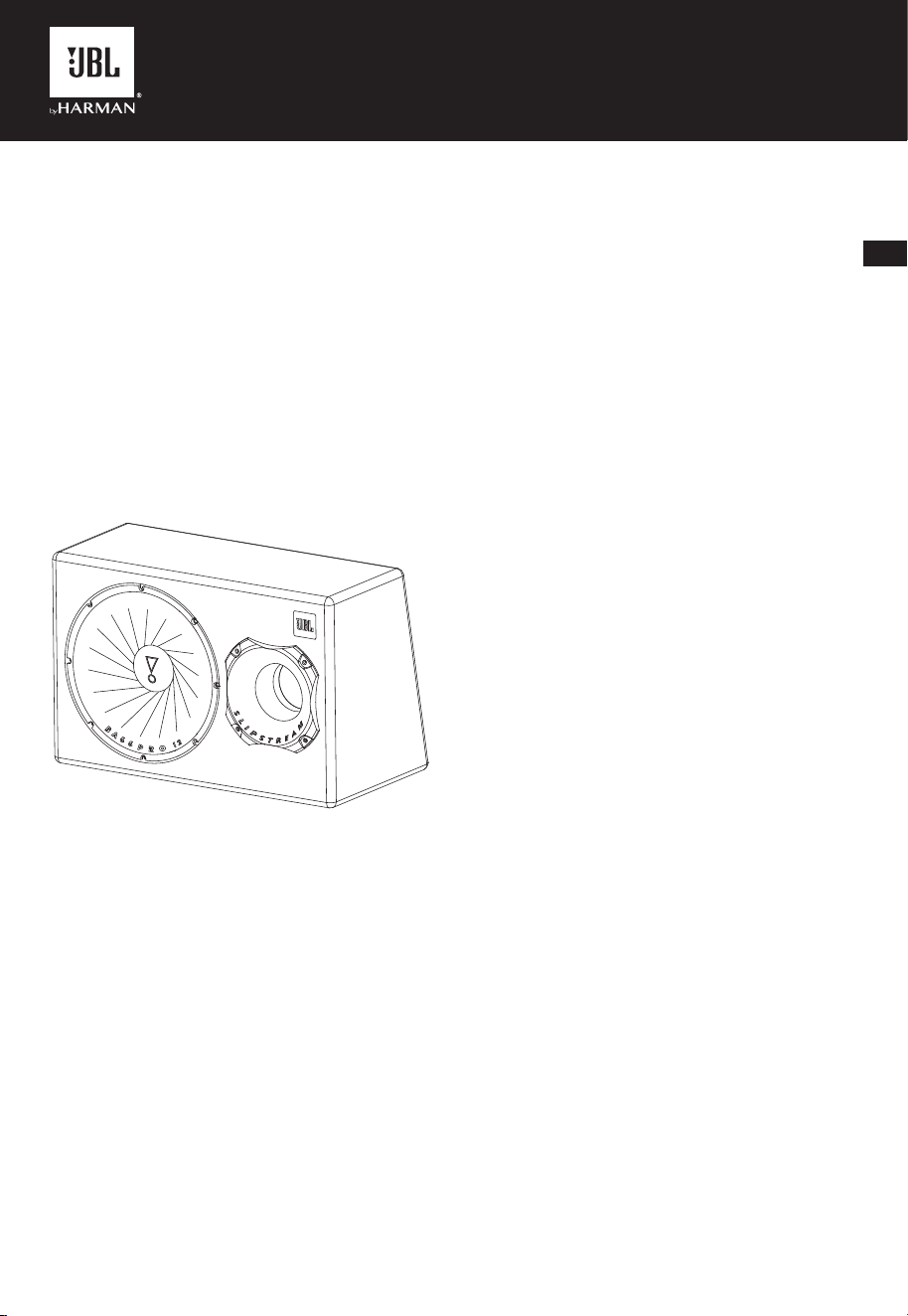
Basspro 12BassPro 12
EN
DE
ES
FI
FR
IT
NL
NO
SV
RU
CN
KO
ID
DA
Owner's Manual
Betjeningsvejledning
Bedienungsanleitung
Manual del propietario
Käyttöopas
Mode d'emploi
Manuale d'istruzioni
Gebruikershandleiding
Bruksanvisning
Bruksanvisning
Руководство пользователя
用户手册
사용자 설명서
Panduan Pengguna
Basspro 12BassPro 12
Speaker-level from factory or aftermarket stereo
GND RE M
P
25
A
A
A
A
A
A
AU
UR
FUS
SS S
S
S
S
E
ER
R
M
M
G
M XI
I
I
I
O
O
O
OB
B
O
O
O
OFF
O
O
T
T
T
T
T
E
C N
N
N
NPU T IN PUT
N
N N
N
L
L
L
L
+
+
R
L
R
RO P
P
PH
8
8
0
R
Hz
40Hz
0
0
0
2
1
1
Hz
0 0dB dB02 2Hz
E
E
E IGH H
OW
W
T TEC
+ 12V
L
R
Splice to vehicle’s
right speaker wires
Splice to vehicle’s
left speaker wires
NO
FFO
U O
ONNUR
T
T
A
Harness high-level input wire guide
White/White with black stripe Left + / Left -
Gray/Gray with black stripe Right + / Right -
NOTE: When connecting a factory or aftermarket stereo to the BassPro 12’s
speaker-level inputs, set the
switch to .
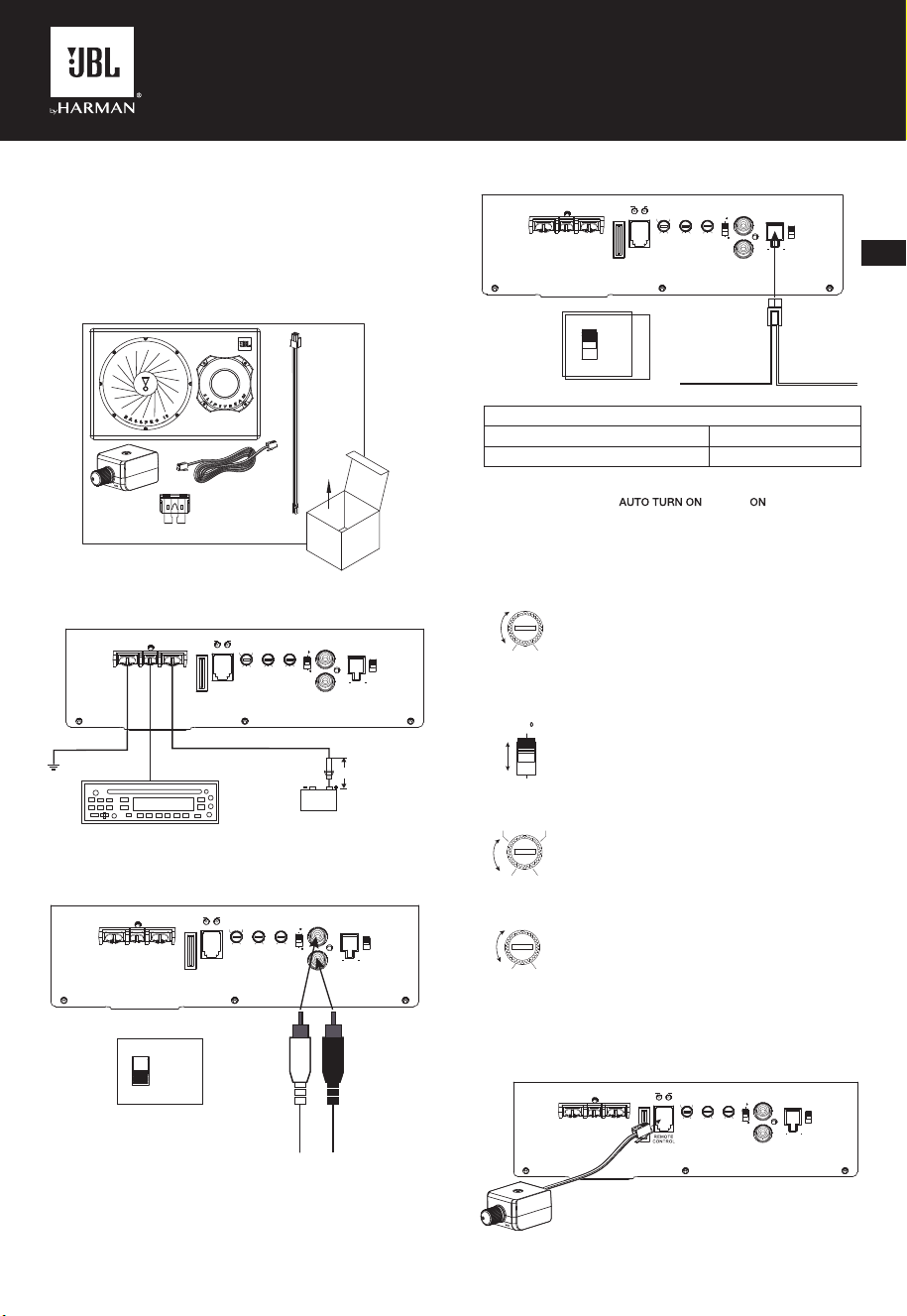
SETTING GAIN, ADJUSTING PHASE, LOW-PASS
FILTER, AND BASS BOOST
M MA
A
I
I
N
N
X
G
1. Start with GAIN control set to minimum, and the
crossover control rotated midway.
2. Choose music with substantial bass content and
turn the volume control on your receiver to ¾ of its
total output.
3. Adjust the GAIN control clockwise, listening
carefully to the bass output. If you hear distortion,
turn the GAIN control counterclockwise to decrease
the GAIN.
1
0
08
SEP AH
4. Switch the PHASE back and forth to determine
which setting provides the most clean bass output.
SS
LOW
PA
H
H z H z
H zz
08 1 2
2
0
0 004
5. Adjust the LOW-PASS control until the BassPro 12
plays only low-frequency information – you should
not hear elements such as vocals coming from the
woofer.
OOS
SS
TB
B
B Bdd 210
A
6. Adjust the BASS-BOOST control clockwise or
counterclockwise to suit your taste.
CONNECTING THE REMOTE BASS CONTROL
MODULE
GND R EM
P
25
A
A
A
A
A
A
AU
UR
FUS
SS S
S
S
S
E
M
G
M XI
I
I
I
O
OB
B
O
O
O
OFF
O
T
T
T
N
N
NPU T I NPUT
N
N N
N
L
L
L
+
+
R
L
R
RO P
P
PH
8
8
0
R
Hz
40Hz
0
0
0
2
1
1
Hz
0 0 dB dB02 2Hz
E
E
E IGH H
OW
W
T TEC
+ 12V
L
R
ABOUT THE MANUAL
This manual displays general installation guidelines. However, please note that
proper installation of mobile audio components requires qualified experience.
If you do not have the knowledge and tools to successfully perform this
installation, we strongly recommend consulting an authorized JBL dealer
about your installation options. Keep all instructions and sales receipts for
reference.
WHAT’S IN THE BOX
1X
2X
1X
1X
1X
WIRING FOR POWER AND GROUND
Remote turn-on to aftermarket
stereo REM out
+12V power
Chassis ground (–)
Fuse holder, 25A fuse
Battery
18“ (46cm)
GND RE M
P
25
A
A
A
A
A
A
AU
UR
FUS
SS S
S
S
S
E
ER
R
M
M
G
M XI
I
I
I
O
O
O
OB
B
O
O
O
OFF
O
O
T
T
T
T
T
E
C N
N
N
NPU T INP UT
N
N N
N
L
L
L
L
+
+
R
L
R
RO P
P
PH
8
8
0
R
Hz
40Hz
0
0
0
2
1
1
Hz
0 0dB dB02 2Hz
E
E
E IGH H
OW
W
T TEC
+ 12V
L
R
WIRING FOR AUDIO SIGNAL
Line-level from aftermarket stereo
GND R EM
P
25
A
A
A
A
A
A
AU
UR
FUS
SS S
S
S
S
E
ER
R
M
M
G
M XI
I
I
I
O
O
O
OB
B
O
O
O
OFF
O
O
T
T
T
T
T
E
C N
N
N
NPU T I NPU T
N
N N
N
L
L
L
L
+
+
R
L
R
RO P
P
PH
8
8
0
R
Hz
40Hz
0
0
0
2
1
1
Hz
0 0dB dB02 2Hz
E
E
E I GH H
OW
W
T TEC
+ 12V
L
R
Right line output
(from stereo)
Left line output
(from stereo)
NO
FFO
U O
ONNUR
T
T
A
NOTE: When connecting an aftermarket stereo to the BassPro 12’s line-level
inputs and remote turn-on wire, set the AUTO TURN ON switch to OFF.
EN

SPECIFICATIONS
• Driver Complement: 12” (300mm) subwoofer
• Amplifier Power Output: 150 watts RMS, 450 watts peak
• Frequency Response: 30 Hz – 200 Hz
• Maximum Current Draw: 20A
• Quiescent Current Draw: <0.9A
• Input Sensitivity: 0.065 V – 2.0 V line-level input;
0.35 V – 10V high-level input
• Crossover Frequency: 40 Hz – 200 Hz
• Crossover Slope: 12 dB/octave
• Bass Boost: 0 dB to +12 dB @ 45Hz
• Fuse: 25A
• Dimensions (W x H x D): 22-1/2” x 14-5/8” x 9-3/16” D1;
12-1/6” D2 (570mm x 371mm x 232mm D1; 305mm D2)
• Weight: 34.3 lb. (15.56 kg)
TROUBLESHOOTING
No audio and indicator is off.
• No voltage at
and/or terminals, or bad or no ground connec-
tion. Check voltages at amplifier terminals with .
No audio and
indicator illuminated.
• DC voltage on amplifier output. Amplifier may need service; see enclosed
warranty card for service information.
No audio and
and indicators illuminated.
• Voltage less than 9V on
connection. Check vehicle charging system.
No audio and
indicator is on.
• Amplifier is overheated. Make sure amplifier cooling is not blocked at
mounting location. Or, there may be voltage greater than 16V (or less than
9V) on
connection. Check vehicle charging system.
Amplier fuse keeps blowing.
• The wiring is connected incorrectly or there is a short circuit. Check wiring
connections.
Distorted audio.
•
is not set properly. Check setting. Check wires for shorts or grounds.
Amplifier or source unit may be defective.
Music lacks dynamics or “punch.”
• If using speaker-level inputs, check connections for proper polarity. Switch
back and forth between 0° and 180° and leave on setting with
best sound.
Engine noise—whining or clicking—in system when the engine is on.
• Amplifier is picking up alternator noise. First, check ground connection
on the amplifier – a loose or improper ground is one of the main causes
for noise. Turn down
. Move RCA audio cables away from power
wires. Installing an alternator noise filter on power line between battery and
alternator might also be necessary.
HARMAN International Industries,
Incorporated
8500 Balboa Boulevar
d,
Northridge, CA 91329 USA
www
.jbl.com
© 2019 HARMAN International Industries, Incorporated. All rights reserved.
JBL is a trademark of HARMAN International Industries, Incorporated,
registered in the United States and/or other countries. Features, specifications
and appearance are subject to change without notice.
EN

CA_JBL_Basspro 12_QSG_SOP_V6