Quick Start Guide
Item: AI5002
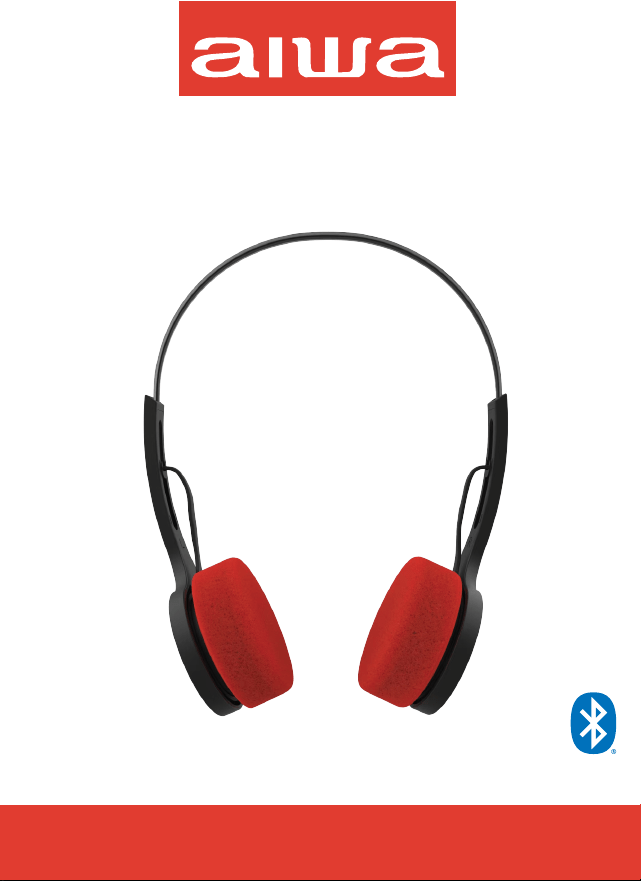
AIWA Throwback
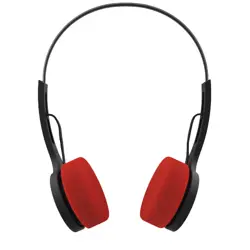
Throwback Headphones
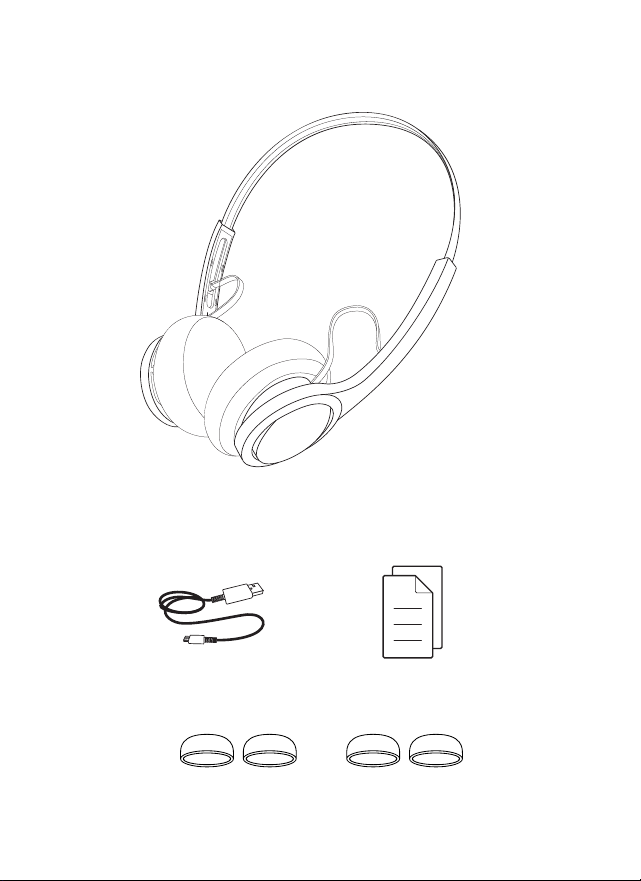
AI5002 Headphones
USB Charging Cable Quick Start Guide
2 extra sets of foam cushion covers
WHAT’S INCLUDED
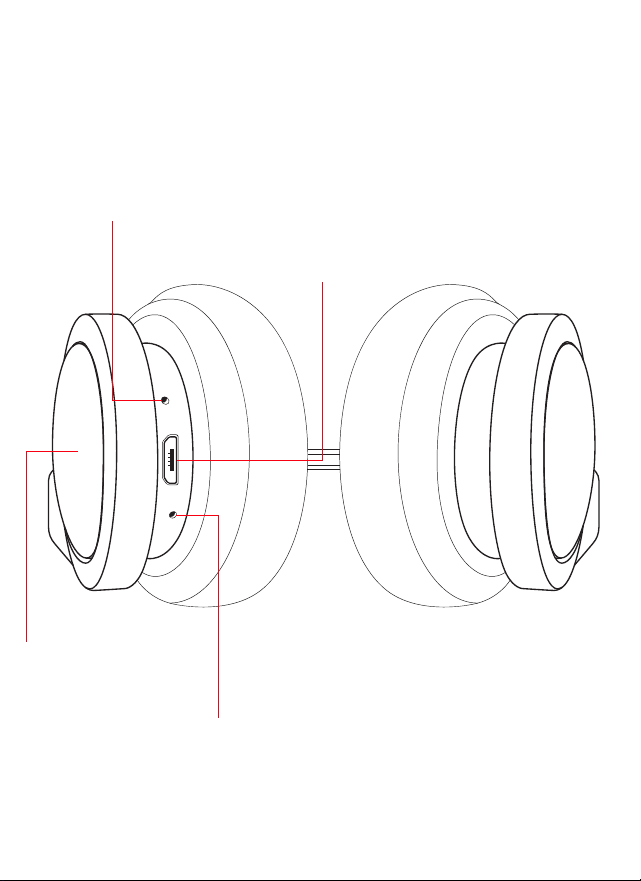
A CLOSER LOOK
Microphone
Micro USB Charging Port
LED Indicator light
Control Panel
L R
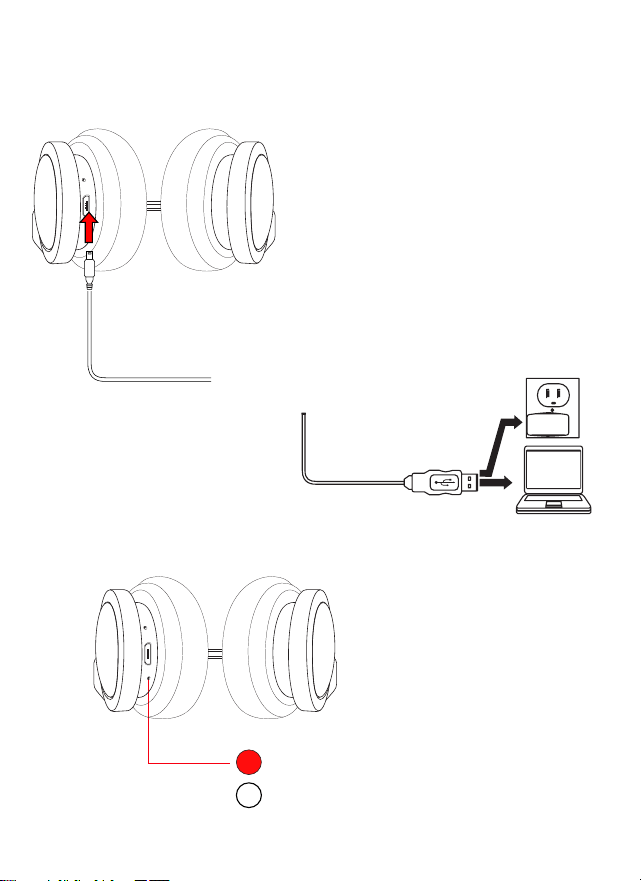
CHARGING
Insert one end of the included charging
cable into the charging port on your
headphones.
Insert the other end into the
USB port of a computer or
suitable USB charging adapter.
Charging (Indicator is RED)
Charging Complete (Indicator Off)
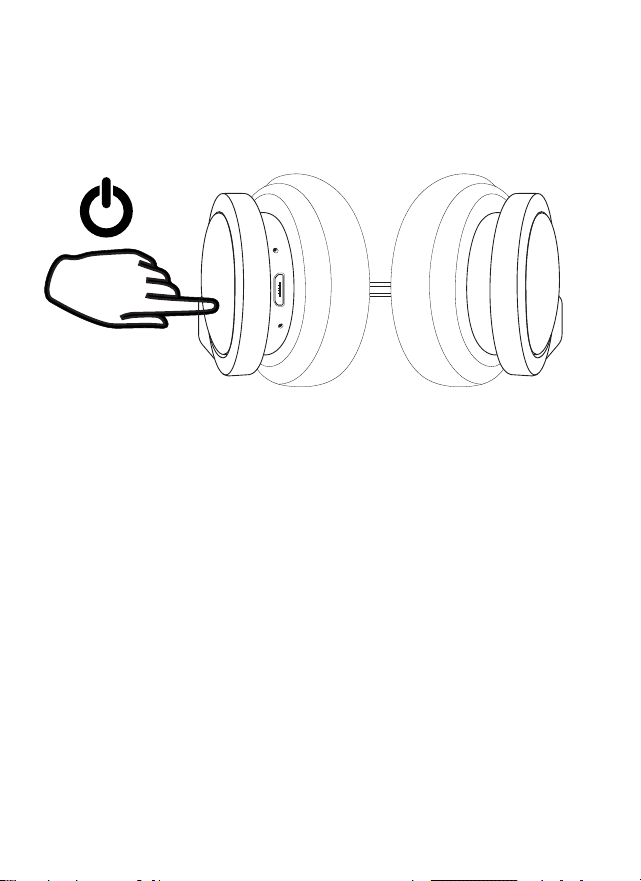
POWERING ON/OFF
Touch and hold the Control Panel area for approximately 5 seconds to power on
or power off your headphones.
5 seconds
Touch & Hold
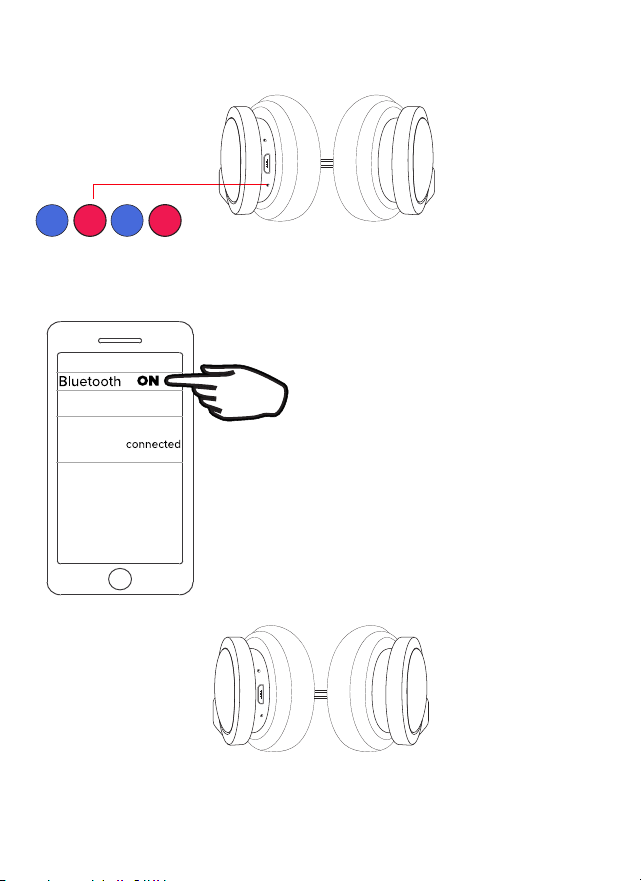
BLUETOOTH PAIRING
Pairing Mode
(Blue + Red Flashing)
Once paired a voice prompt will state “connected”.
AIWA Throwback
Go to the Bluetooth settings menu on your
phone. Make sure that Bluetooth is turned
on. Connect to the device listed as
“AIWA Throwback.”
Once powered on, your headphones will go
into pairing mode. The LED Indicator will
alternately flash blue and red and a voice
prompt will say “Power on”.
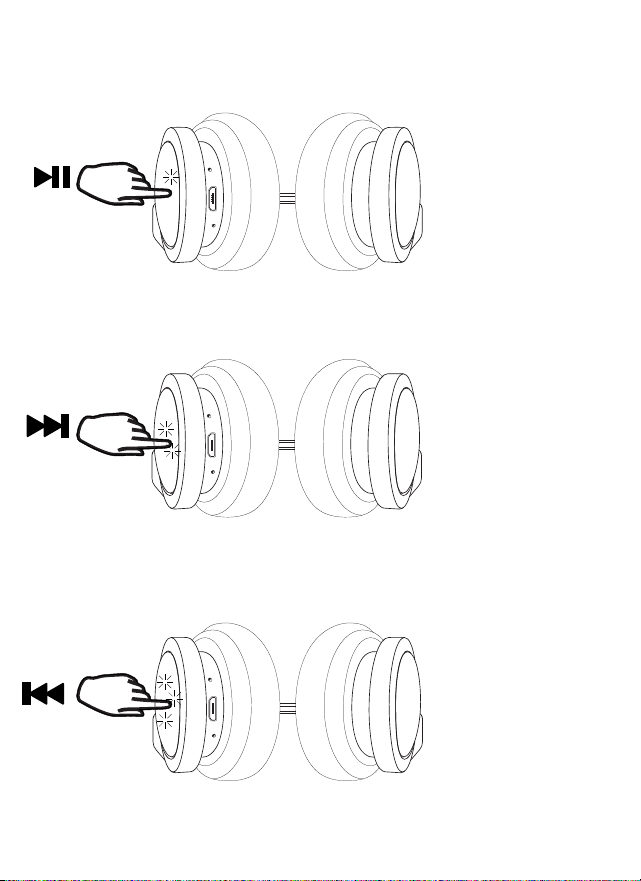
LISTENING TO MUSIC
Touch the Control Panel
once to play or pause
music.
touch
touch
twice
touch
three
times
Touch the Control Panel
twice to play the next
song.
Touch the Control Panel
three times to play the last
song played.
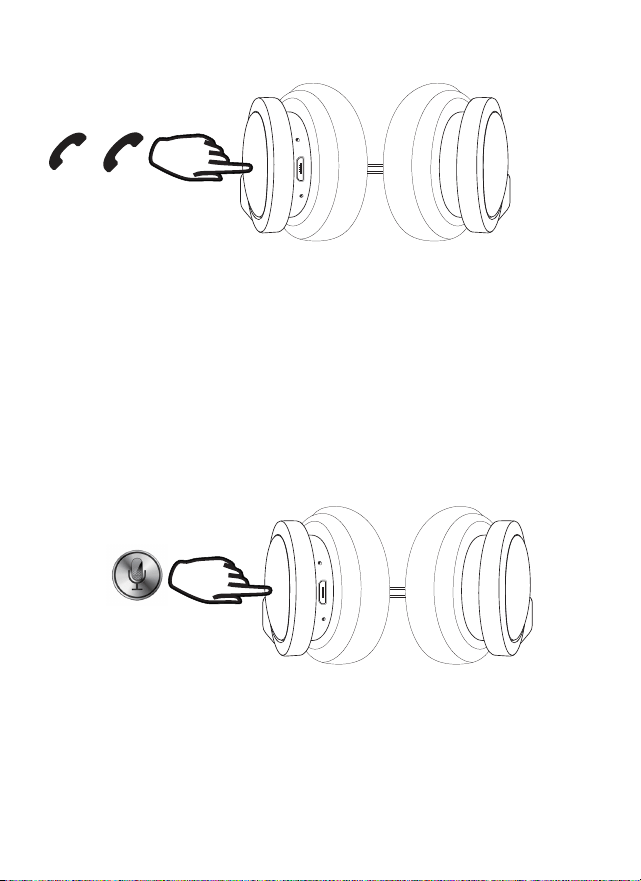
ADDITIONAL FEATURES
X
Touch the Control Panel once to pickup an incoming phone call.
Touch and hold for approximately 2 seconds to reject an incoming phone call
or end a phone call.
Touch and hold the Control Panel for 2 seconds to access your phone’s vocal
assistant.

SAFETY PRECAUTIONS
When using your headphones, basic safety precautions should always be followed
including:
1. READ ALL INSTRUCTIONS BEFORE USING YOUR HEADPHONES.
2. Do not submerge your headphones in water.
3. Only clean using a clean, soft cloth.
4. Do not allow children or the infirm to play with this product. Parental
supervision is advised.
5. Do not expose this product to excessive heat or fire.
6. Do not expose this product to temperatures above 100°F. Keep out of direct
sunlight.
7. Do not attempt to repair this product yourself. Contact a qualified service
center if the product is in need of service.
8. Do not drop, crush, or expose this product to excessive physical force.
9. This product is not intended for commercial use.
10. When charging, keep all charging cables well ventilated. Do not keep your
charging cable in contact with flammable materials such as bedding, linens or
synthetic fabrics.
Maintenance and Care
-Use a soft cloth or paper towel to clean your headphones. Never use any harsh
chemicals or detergents for cleaning. Make sure your headphones are dry before
charging.
-When your headphones are not in use, they should be stored in a cool, dry place.
-Never tug or yank on a cable while it is connected to your headphones. Connect
and disconnect cables as carefully as possible.
-Never expose your headphones to high temperatures, extreme cold.
-Please recycle or dispose of your headphones properly based on the laws and
rules of your municipality. Contact local recycling facilities and/or the manufactur-
er of your headphones for further information.
Warning
To prevent possible hearing damage, do not listen at high volume levels for long
periods. For your own safety, please be aware of your surroundings when using
these headphones.

FCC STATEMENT
Changes or modifications not expressly approved by the party responsible for compliance
could void the user’s authority to operate the equipment.
This device complies with Part 15 of the FCC Rules. Operation is subject to the following two
conditions: (1) this device may not cause harmful interference, and (2) this device must accept
any interference received, including interference that may cause undesired operation.
This equipment has been tested and found to comply with the limits for a Class B digital device,
pursuant to Part 15 of the FCC Rules. These limits are designed to provide reasonable
protection against harmful interference in a residential installation. This equipment generates,
uses and can radiate radio frequency energy and, if not installed and used in accordance with
the instructions, may cause harmful interference to radio communications. However, there is
no guarantee that interference will not occur in a particular installation.
If this equipment does cause harmful interference to radio or television reception, which can
be determined by turning the equipment off and on, the user is encouraged to try to correct
the interference by one or more of the following measures:
-- Reorient or relocate the receiving antenna.
-- Increase the separation between the equipment and receiver.
-- Connect the equipment into an outlet on a circuit different from that to which the receiver is
connected.
-- Consult the dealer or an experienced radio/TV technician for help.
FCC Radiation Exposure Statement:
The device has been evaluated to meet general RF exposure requirement.
The device can be used in the portable exposure condition without restriction.
SPECIFICATIONS
BLUETOOTH VERSION: 5.4
WORKING DISTANCE: UP TO 10 METERS
CHARGE TIME: APPROXIMATELY 2 HOURS
PLAY TIME: UP TO 40 HOURS*
*Applicable at 50% of maximum volume. Results will be lower when volume is
higher.
CHARGING VOLTAGE: 5V DC
CHARGING INTERFACE: Micro USB
BATTERY 3.7V 300mAh Lithium Ion Battery

WARRANTY
This warranty covers the original consumer purchaser only and is not
transferable.
This warranty covers products that fail to function properly UNDER NORMAL USAGE, due to
defects in material or workmanship. Your product will be repaired or replaced at no charge for
parts or labor for a period of one year.
What Is Not Covered By Warranty
Damages or malfunctions not resulting from defects in material or
workmanship and damages or malfunctions from other than normal use, including, but not
imited to, repair by unauthorized parties, tampering, modification or accident.
To Obtain Warranty Service and Troubleshooting Information:
Call 1-800-592-9541 or visit our website at www.aiwa.co.
To receive Warranty service along with the name and address of an authorized product service
center, the original consumer purchaser must contact us for problem determination and service
procedures. Proof of purchase in the form of a bill of sale or receipted invoice, evidencing that
the product is within the applicable Warranty period(s), MUST be presented in order to obtain
the requested service. It is your responsibility to properly package and send any defective
products along with a dated copy of proof of purchase, a written explanation of the problem,
and a valid return address of the authorized service center at your expense. Do not include any
other items or accessories with the defective product. Any products received by the authorized
service center that are not covered by warranty will be returned unrepaired.
© 2024 Aiwa Acquisitions LLC. All rights reserved. AIWA and associated marks
are owned by Aiwa Acquisitions and used under license.
Keep all relevant information for future reference.
The Bluetooth® word mark and logos are registered trademarks owned by the
Bluetooth SIG, Inc. and any use of such marks by Sakar International is under license.
AIWA
Edison, NJ 08817