Note: The model approval code is
shown on the product nameplate
折线折线
• Please read this user manual before using the projector and keep
it properly for future reference.
• Do not look directly at the projector lens during operation. The
strong light beam may cause eye injury.
• Do not block the projection lens or the device body with any
objects while the projector is working.
• Do not drop or impact the product from a high place to avoid
equipment damage.
• Do not use the FM radio function during thunderstorms to prevent
lightning strikes and electric shock hazards.
• Do not place the product in humid, dusty or smoky environments,
which may contaminate optical components and shorten the
service life.
• If the product is not in use for a long time, fully charge it once a
month to prevent the built-in battery from failing.
• This product is suitable for use only under non-tropical climatic
conditions.
• This product is applicable to altitudes below 2000 meters.
• If any malfunction occurs, do not disassemble the projector by
yourself. Please contact professional after-sales personnel for
assistance.
封面
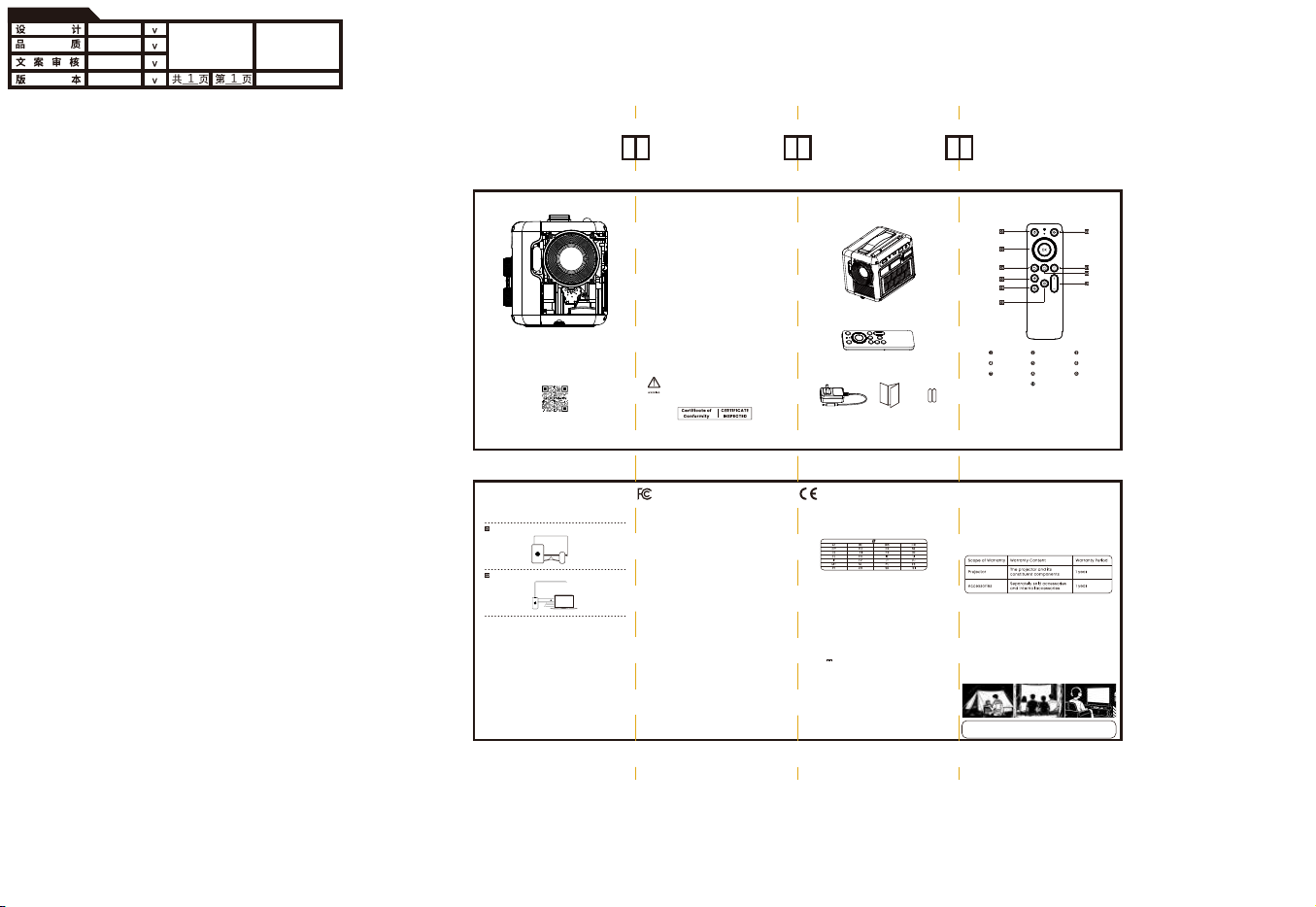
Projector Body*1
User Manual*1
AAA Battery*2
Power Adapter*1
Safety Notes Scope of Delivery
GL��W�说明书
ROONWIN
荣影科技
孟长军
X�
��*���mm
折页
每页尺寸
���g双铜过哑油
专黑印刷
Warning: Do not disassemble the projector to replace the
built-in battery or other components by yourself. Using an
incorrect battery model poses potential dangers.
折线
Remote Control*1
Remote Control
• Follow on-screen guide for first startup.
• Observe correct polarity when replacing remote
batteries.
• Optimal remote range: within 8 meters.
• Keep remote path to projector clear of obstacles.
• Aim remote at rear of projector for best
performance.
Down Keystone
Settings
Up Keystone
Power On/Off
Direction Keys
Mute key
Home
Return
Menu
Volume
Wireless Display
•Fully extend the telescopic antenna for optimal FM reception.
•Use in open, unobstructed areas. Keep away from large metal
objects, high-voltage lines and strong electromagnetic
interference to avoid signal noise.
•Tune frequencies slowly to prevent unclear station search or
damage to the tuning mechanism.
•If reception is poor, adjust the device position, direction or
re-extend the antenna to improve signal.
Tips: Reception clarity standards may vary by individual. Adjust
as above for your optimal listening experience.
FM Radio Notes
Android Devices
IOS Devices
Built-in wireless screen mirroring & Bluetooth speaker: supports
Android/iOS screen casting and Bluetooth audio playback.
After-Sales Website:
After-Sales service email:
Shenzhen Roonwin Co., Ltd. (hereinafter 'Roonwin') formulates its
after-sales policies in strict accordance with relevant laws and
regulations to provide the 'three guarantees' of repair, replacement and
return.
Warranty Policy
Service Period: The validity period of 'three guarantees' commences
from the date of purchase or the date of receipt of the package. If the
product experiences a performance failure, the package must be
returned within 30 days. The projector is guaranteed for 1 year.
Non-Warranty Policy
•
Out of warranty period
•No valid purchase proof/invoice
•Damage from improper use, installation, maintenance or abnormal
environment
•Damage from unauthorized disassembly, repair, modification or abuse
•Damage from force majeure (flood, fire, earthquake, lightning, etc.)
•Tampered/removed product labels or serial numbers
•Normal wear and tear during use (including brightness, lens, battery, etc.)
Product Return, Exchange and Warranty Policy
•Contact after-sales for return/exchange/repair reason, get return
address after agreement.
•Keep product, gifts, packaging and purchase proof intact, ship to
designated address.
•Roonwin after-sales will inspect and verify compliance with the policy.
After-Sales Service Policy
EU Declaration Conformity
Hereby, SHENZHEN Roonwin CO., LTD. declares that this device is in
compliance with the essential requirements and other relevant
provisions of Directive 2014/53/EU. In accordance with Article10(2) and
Artical10(10), This product is allowed to use in all EU member states.
Warnings
EUT operation temperature range: 0°C to 40°C.
Do not store the device in temperatures lower -20 °C and higher than
60 °C.
Adapter shall be installed near the equipment and shall be easily
accessible.
To power the device, Please use a matching power supply adapter
offered by the authorized producer, unauthorized adapter may cause
charger exploding or damage the machine.
Plug the adapter power socket in 100-240VAC socket, others may
cause charger exploding or damage the machine. The plug
considered as disconnect device of adapter.
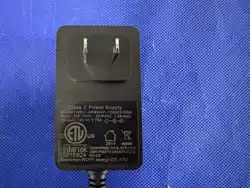
Adapter:
Input: AC 100-240V 50/60Hz 1.5A
Output: 12V 3.75A 45W
Technical description:
Frequency Range: Bluetooth:2402-2480MHz
2.4G WiFi (20 MHz): 2412 - 2472 MHz/2.4G WiFi (40 MHz): 2422 - 2462
MHz/5G WiFi(H20): 5180 - 5240 MHz/5G WiFi(H40): 5190 - 5230 MHz/
5G WiFi(H80): 5210MHz/5G WiFi: 5745 - 5825MHz
Radiation Exposure Statement
This device complies with RF radiation exposure limits set forth for an
uncontrolled environment. This transmitter must not be co-located or
operating in conjunction with any other antenna or transmitter. This
device must operate with a minimum distance of 20 cm between the
radiator and user body.
This device complies with Part 15 of the FCC Rules. Operation is subject
to the following two conditions:(1) this device may not cause harmful
interference, and (2) this device must accept any interference received,
including interference that may cause undesired operation.
Note: This equipment has been tested and found to comply with the
limits for a Class B digital device, pursuant to part 15 of the FCC Rules.
These limits are designed to provide reasonable protection against
harmful interference in a residential installation. This equipment
generates, uses and can radiate radio frequency energy and, if not
installed and used in accordance with the instructions, may cause
harmful interference to radio communications. However, there is no
guarantee that interference will not occur in a particular installation. If
this equipment does cause harmful interference to radio or television
reception, which can be determined by turning the equipment off and
on, the user is encouraged to try to correct the interference by one or
more of the following measures:
- Reorient or relocate the receiving antenna.
- Increase the separation between the equipment and receiver.
- Connect the equipment into an outlet on a circuit different from that
to which the receiver is connected.
- Consult the dealer or an experienced radio/TV technician for help.
FCC Radiation Exposure Statement
This projector complies with FCC RF radiation exposure limits set forth
for an uncontrolled environment. This device should be installed and
operated with a minimum distance of 20cm between the radiator and
user body. This transmitter must not be co-located or operating in
conjunction with any other antenna or transmitter.
FCC WARNING: This equipment may generate or use radio frequency
energy. Changes or modifications to this equipment may cause harmful
interference unless the modifications are expressly approved in the
instruction manual. The user could lose the authority to operate this
equipment if an unauthorized change or modification is made.
The device can operate in EU Member State without restricted.
The device can operate in EU Member State without restricted.
User Manual
Scan QR code for our WeChat
official account
Portable Projector