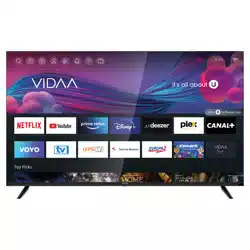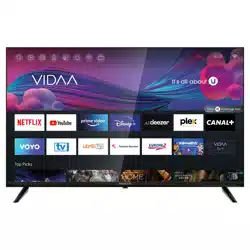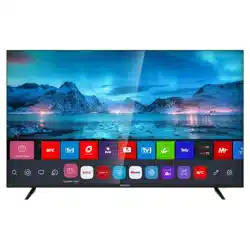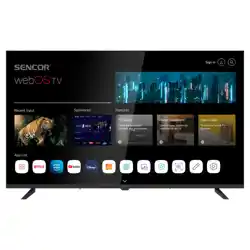
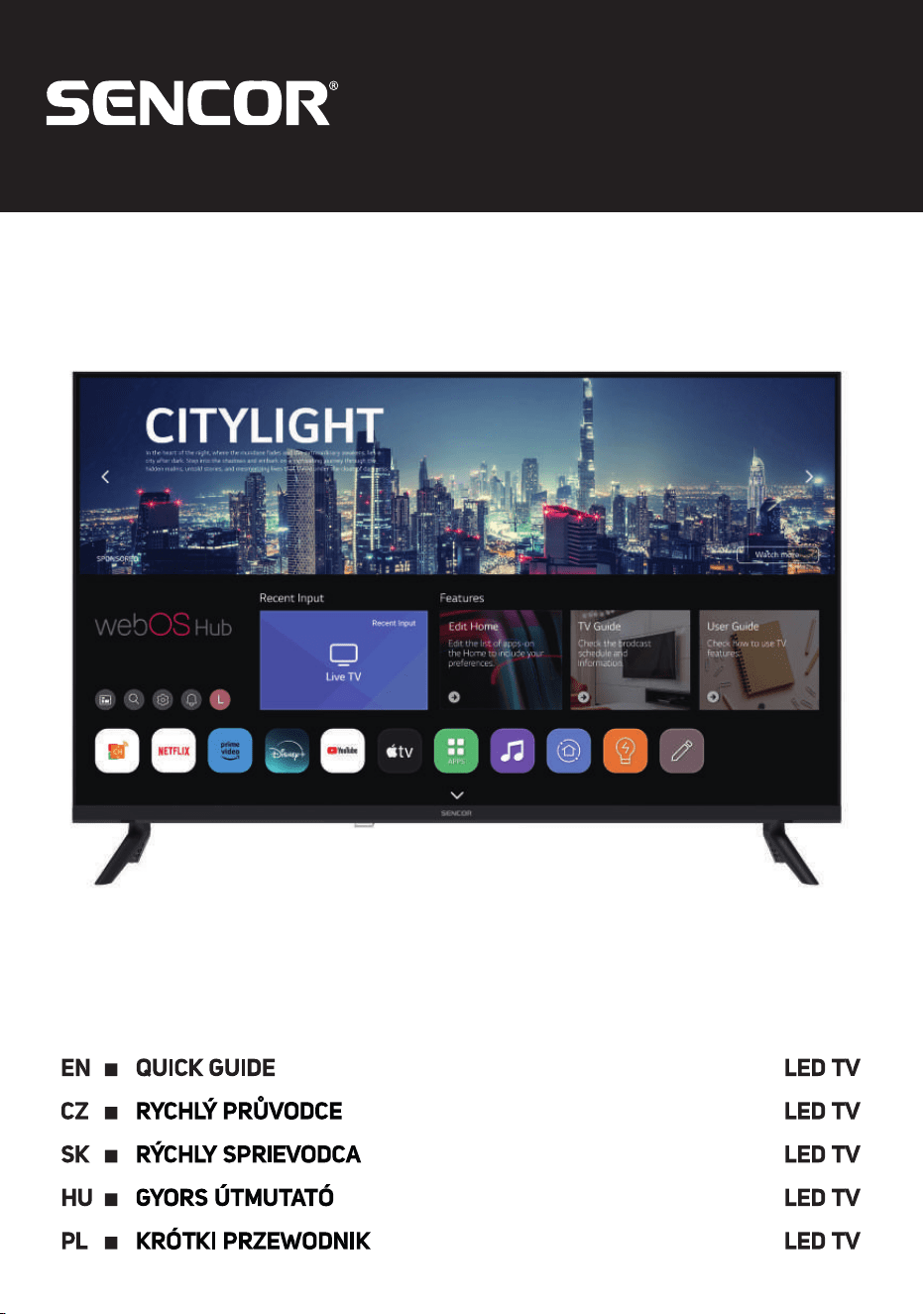
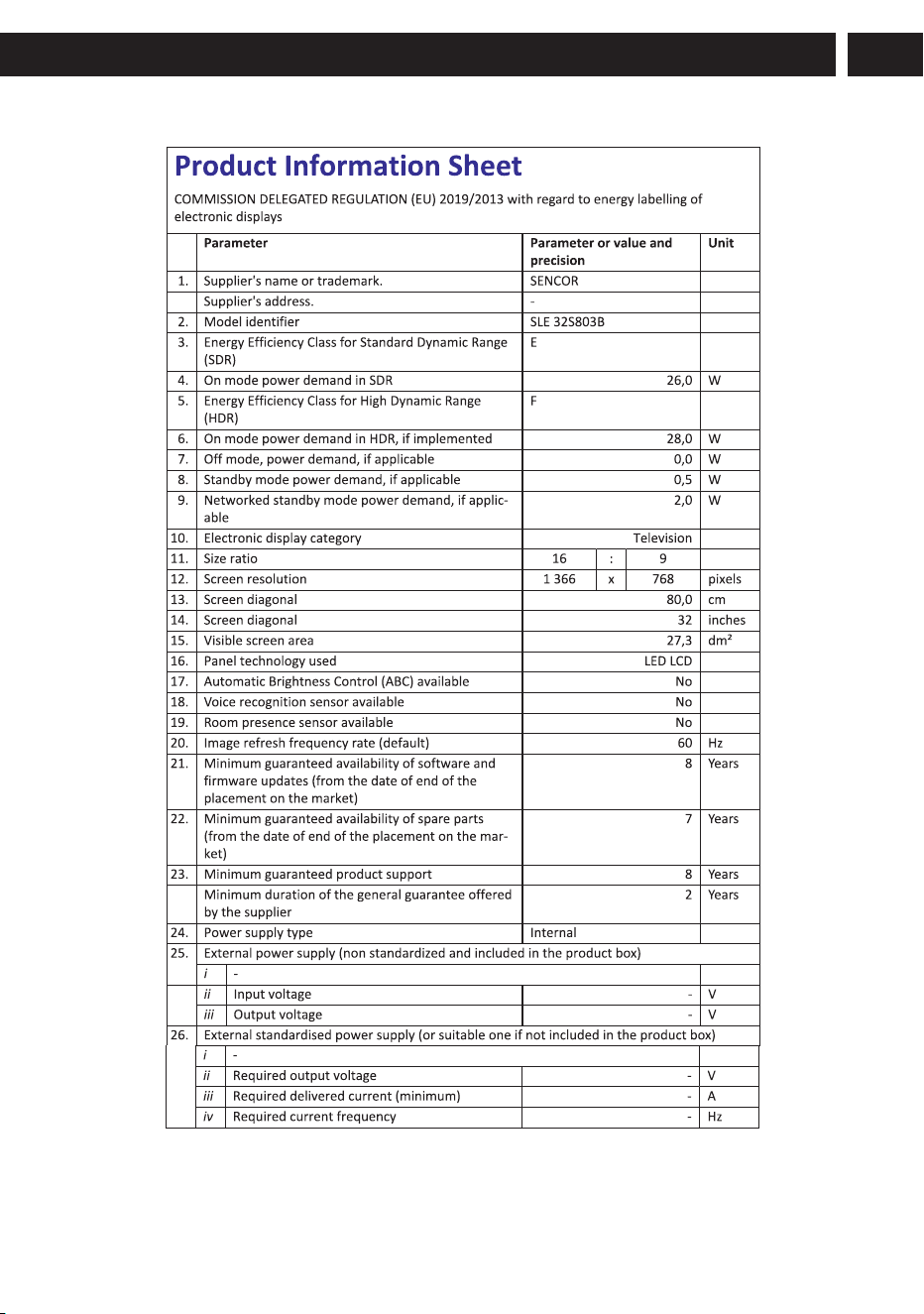
SLE XX803B
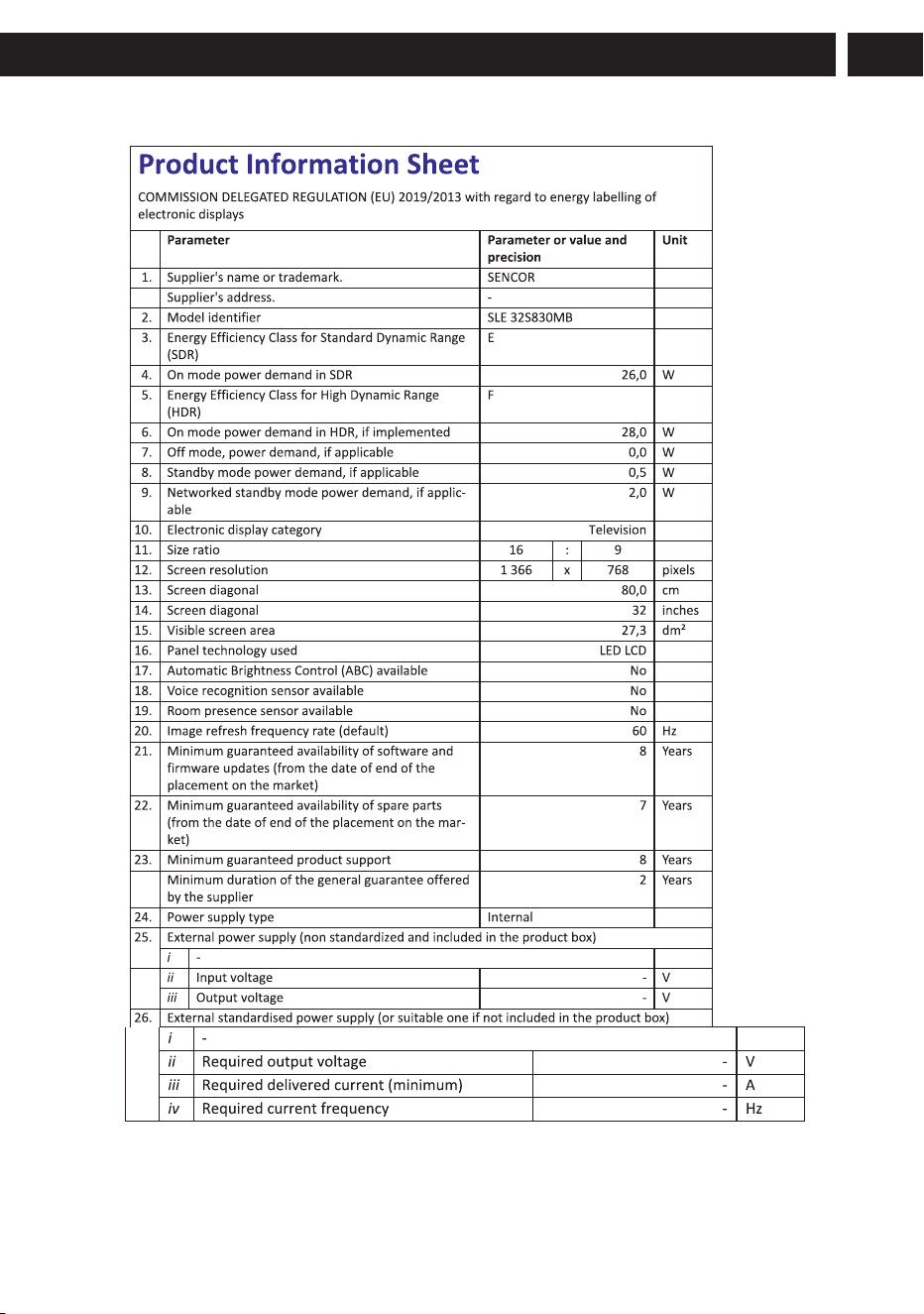
SLE XX830MB
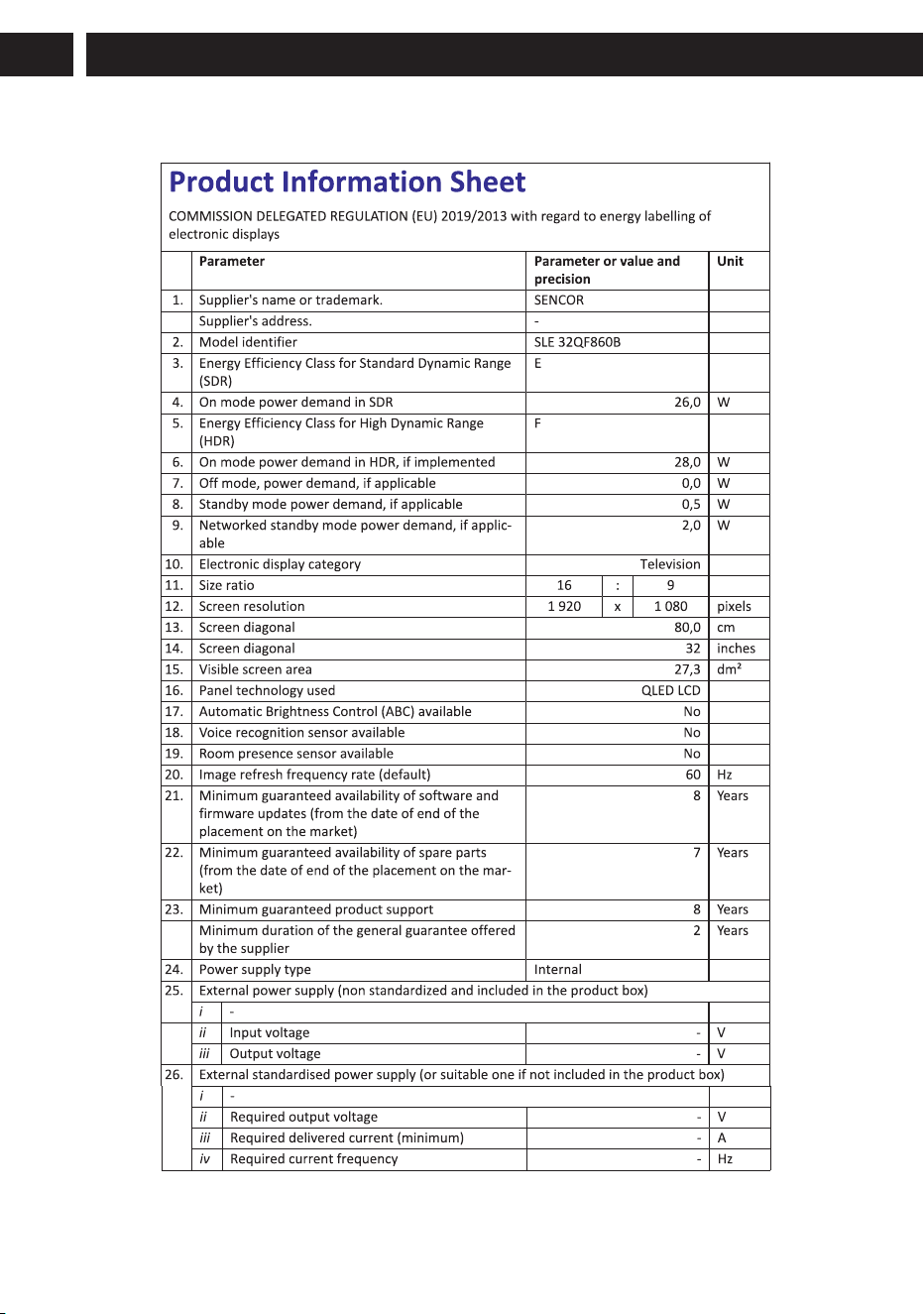
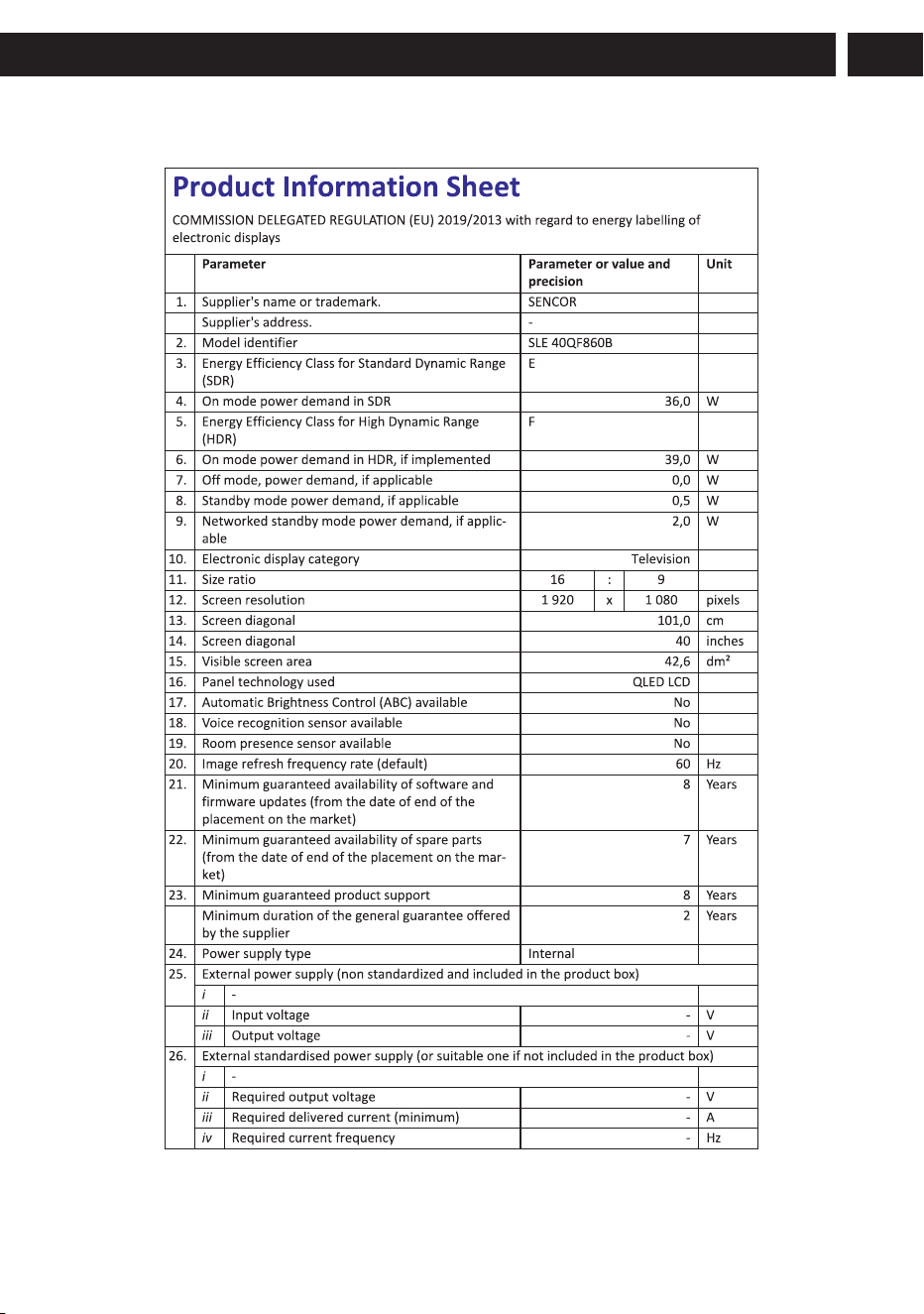
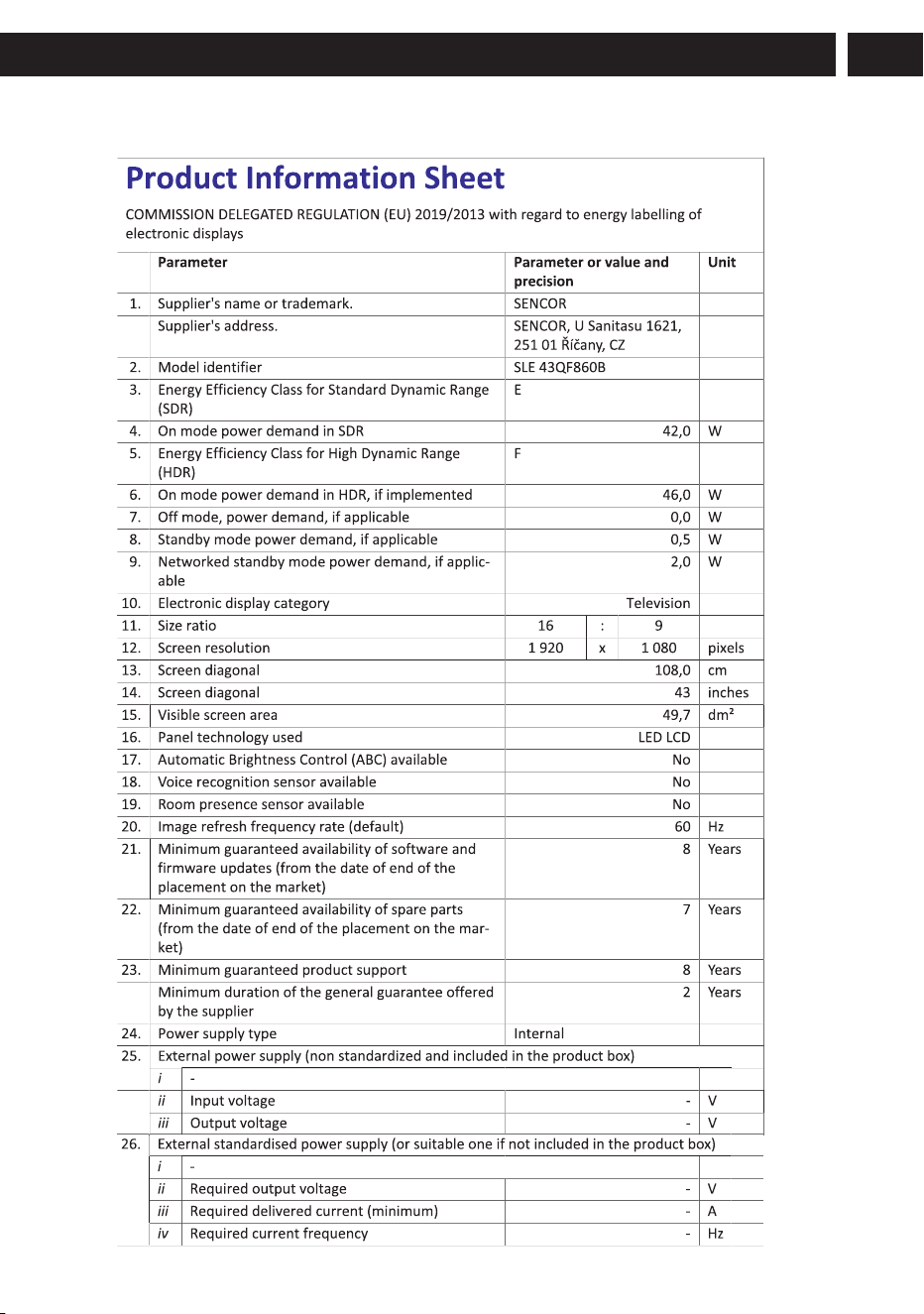
SLE XX860B
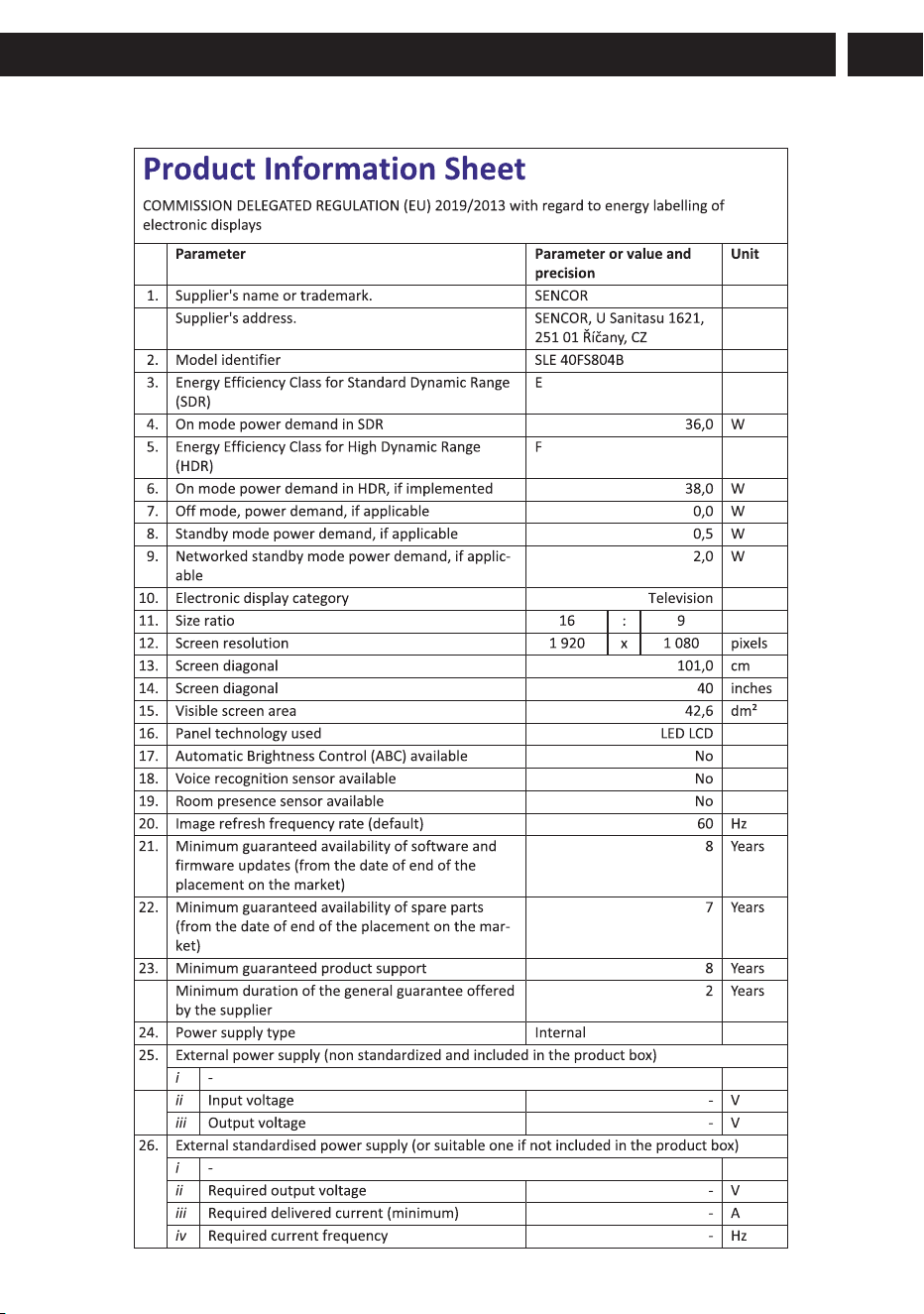
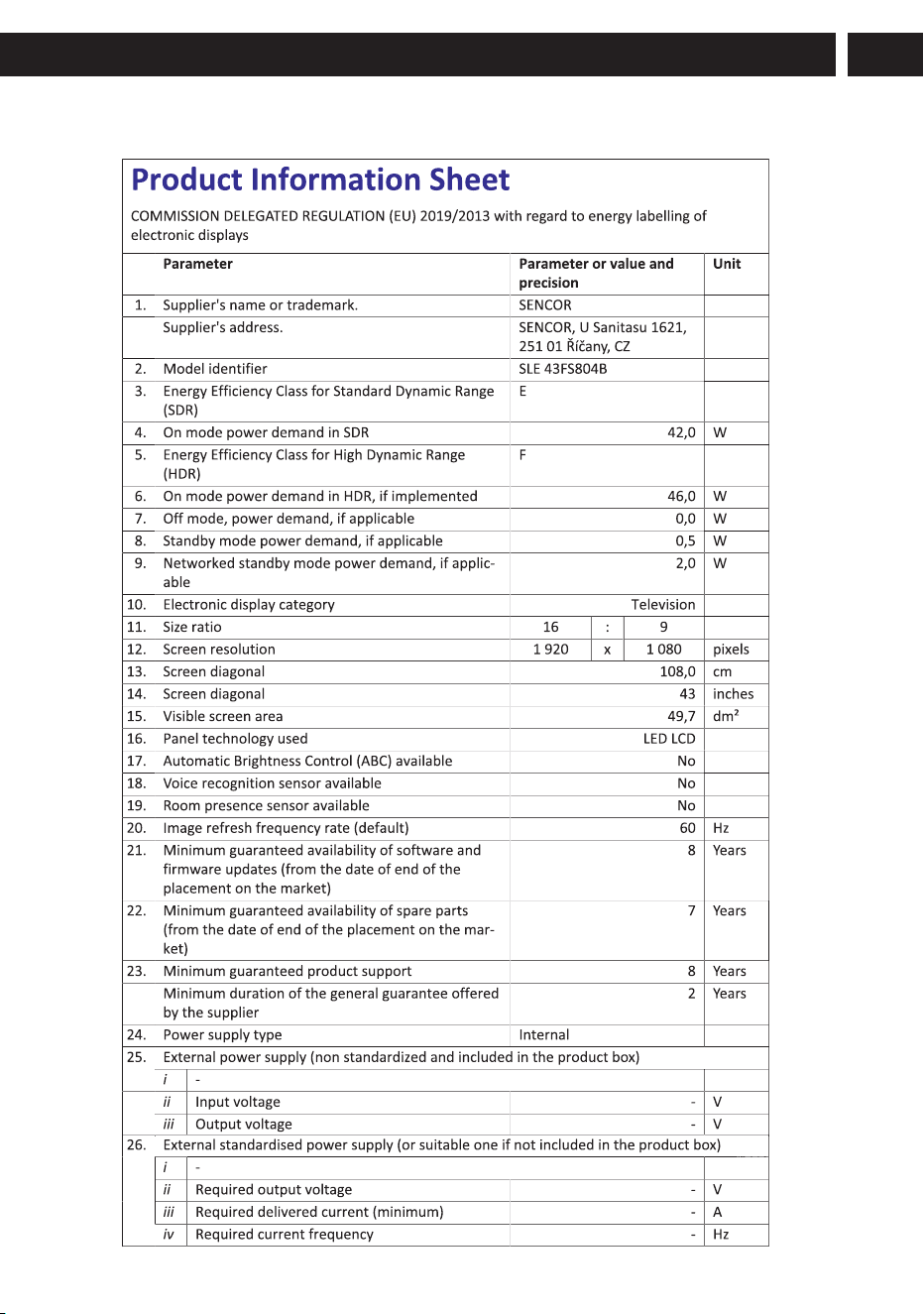
SLE XX804B
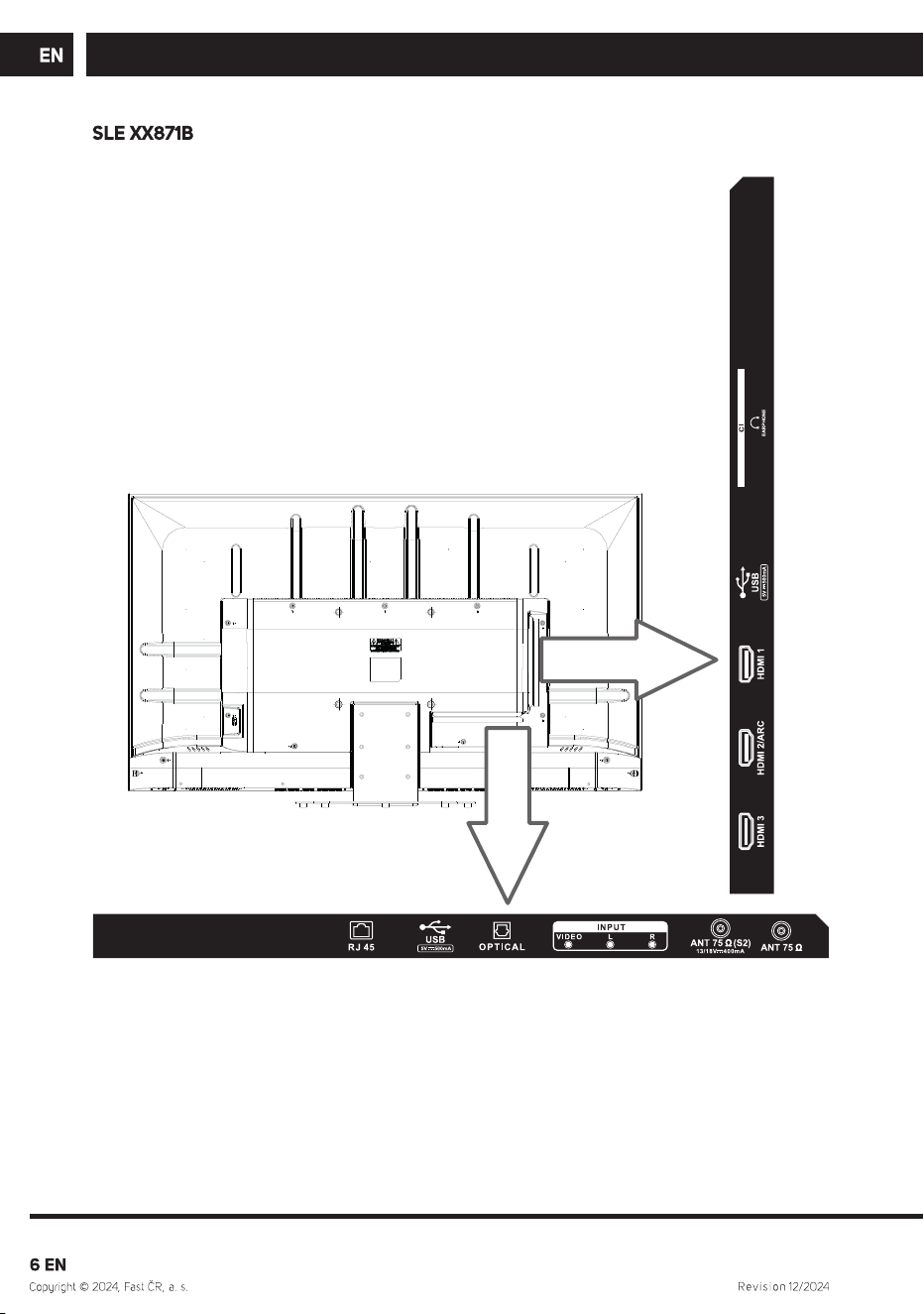
SLE XX871B
SLE XX810B
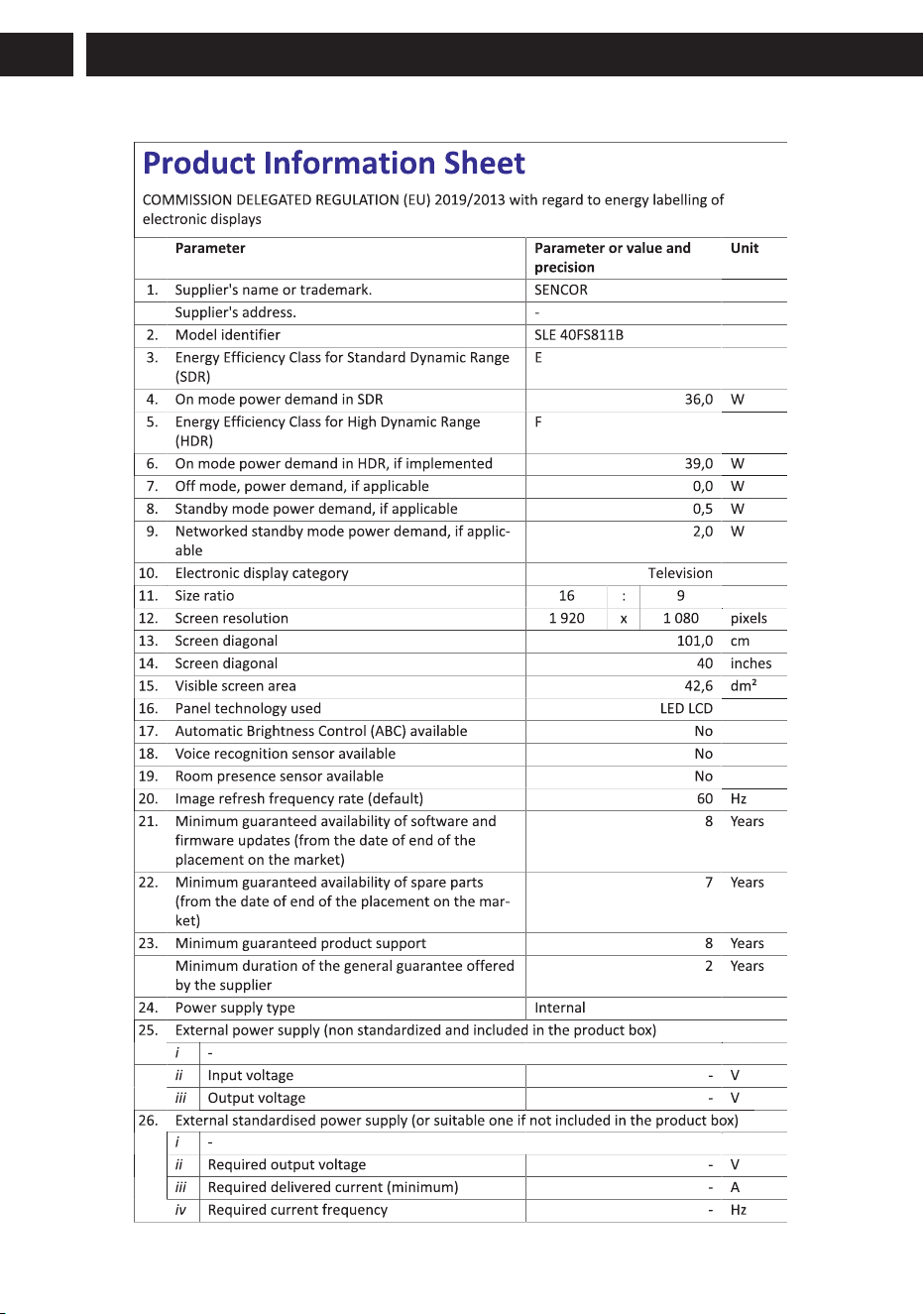
SLE XX811B
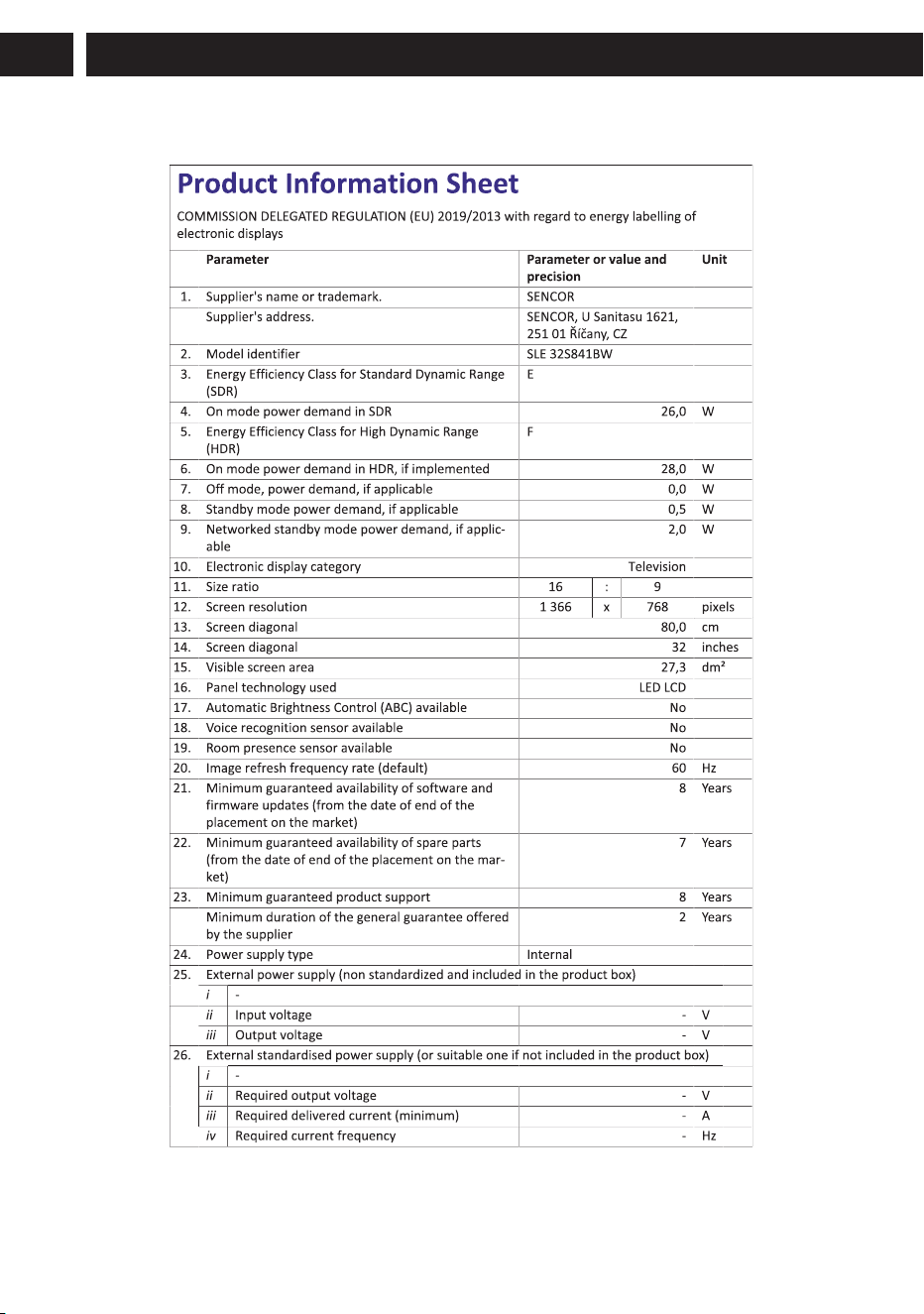
SLE XX841BW
SLE XX841MBW
, SLE XX810B
, SLE XX841MBW
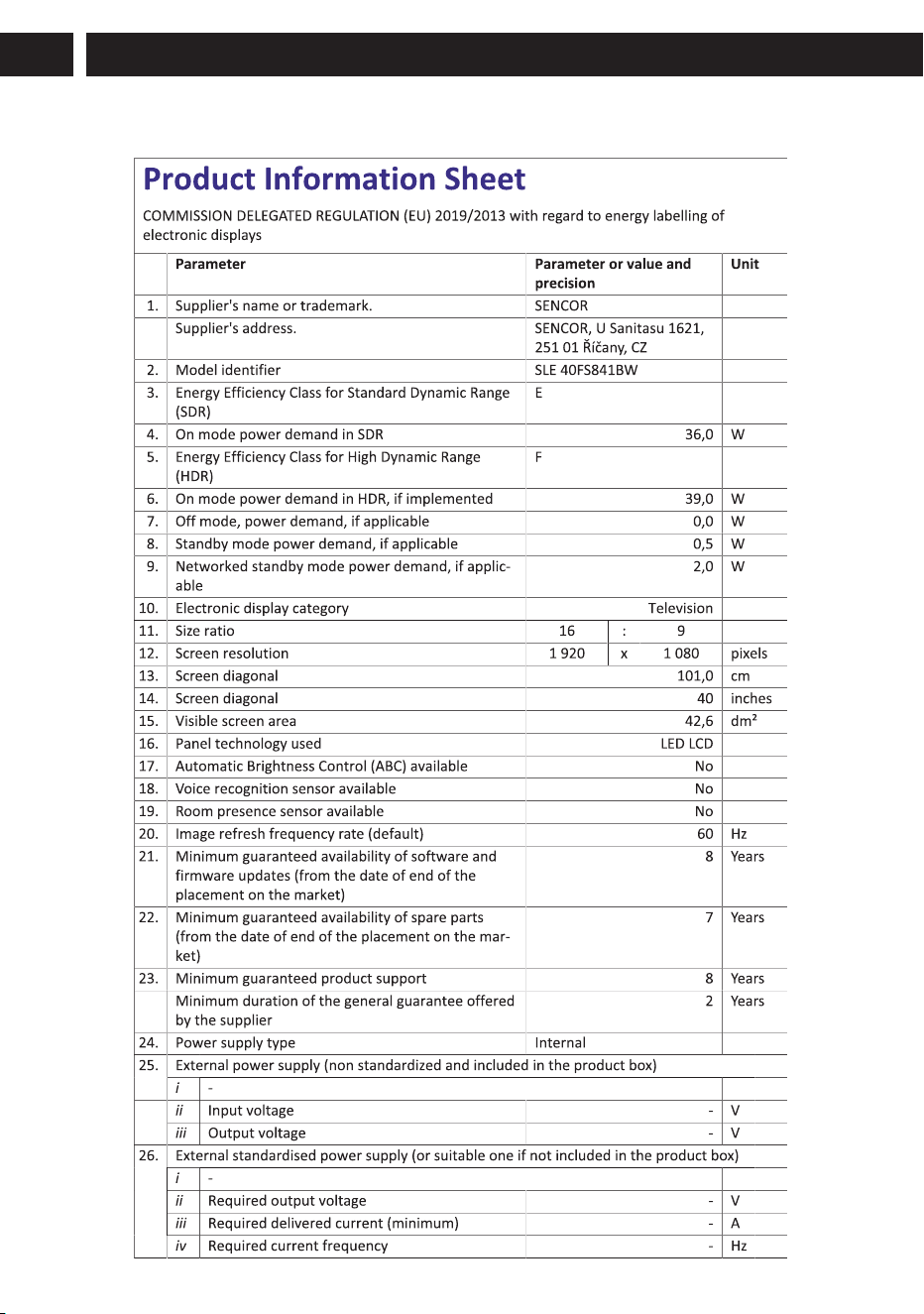
SLE XX841BW
, SLE XX811B
(UHD and QLED models only).
BM4*18
Total:6PCS
KM6*8
Total:3PCS
40-65”
24-32”
4
, SLE XX810B
, SLE XX811B, SLE XX841BW, SLE XX841MBW
Note:If the model has a CI
card slot on its top and
includes a silicone plug in
the packaging,please
insert the silicone plug into
the slot when no CI card is
in use. No action required
for models with a slot but
without a silicone plug.
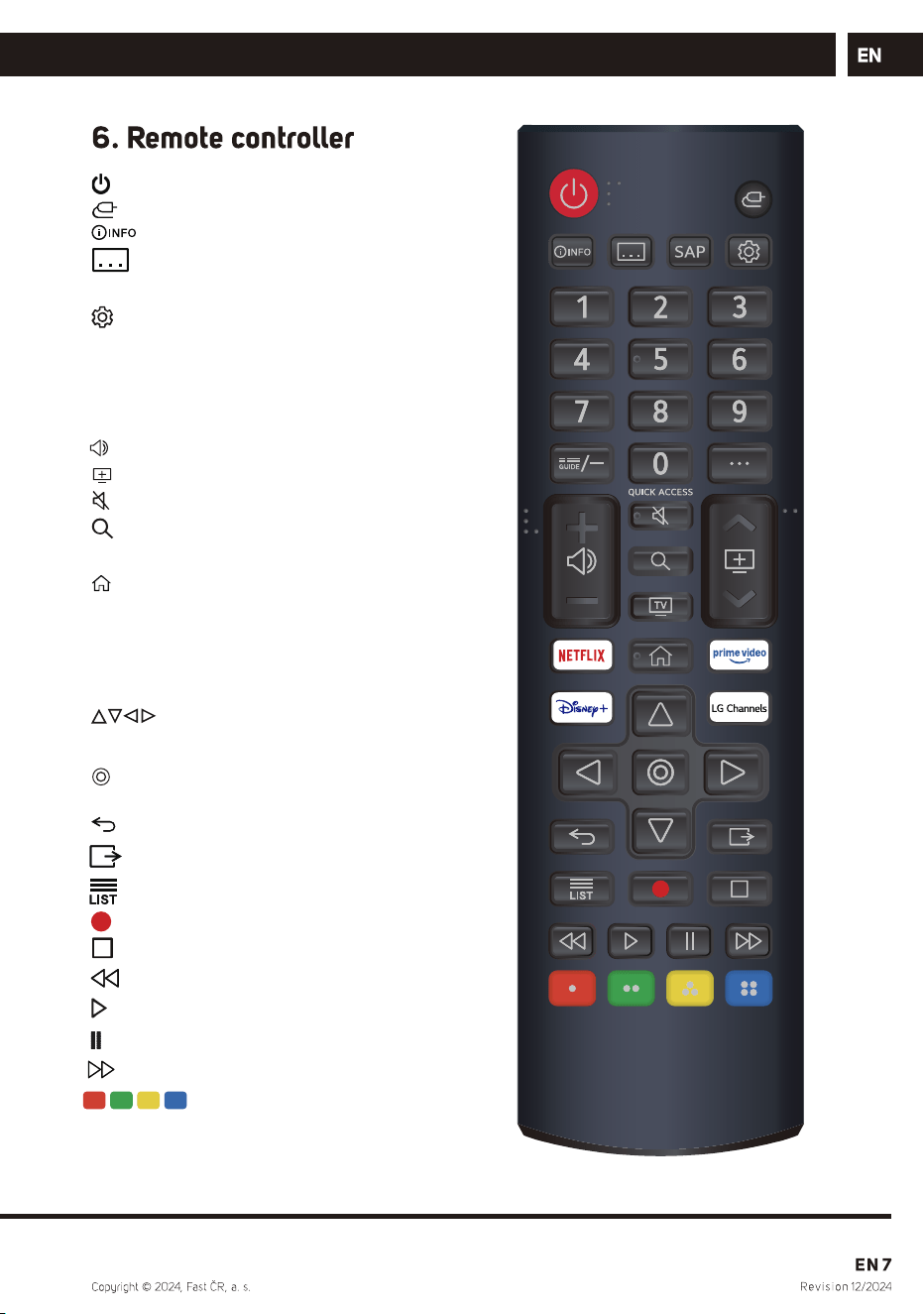
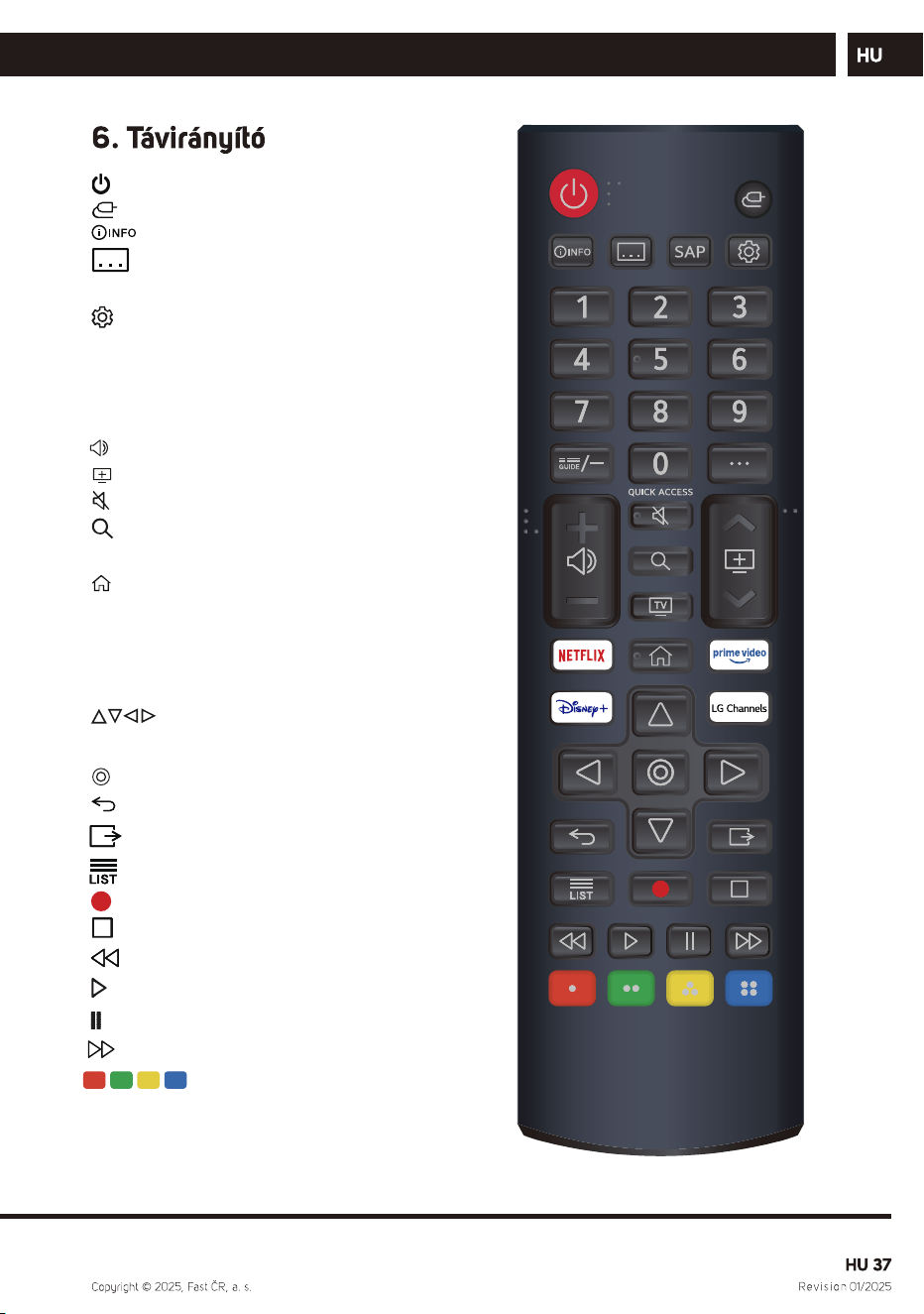
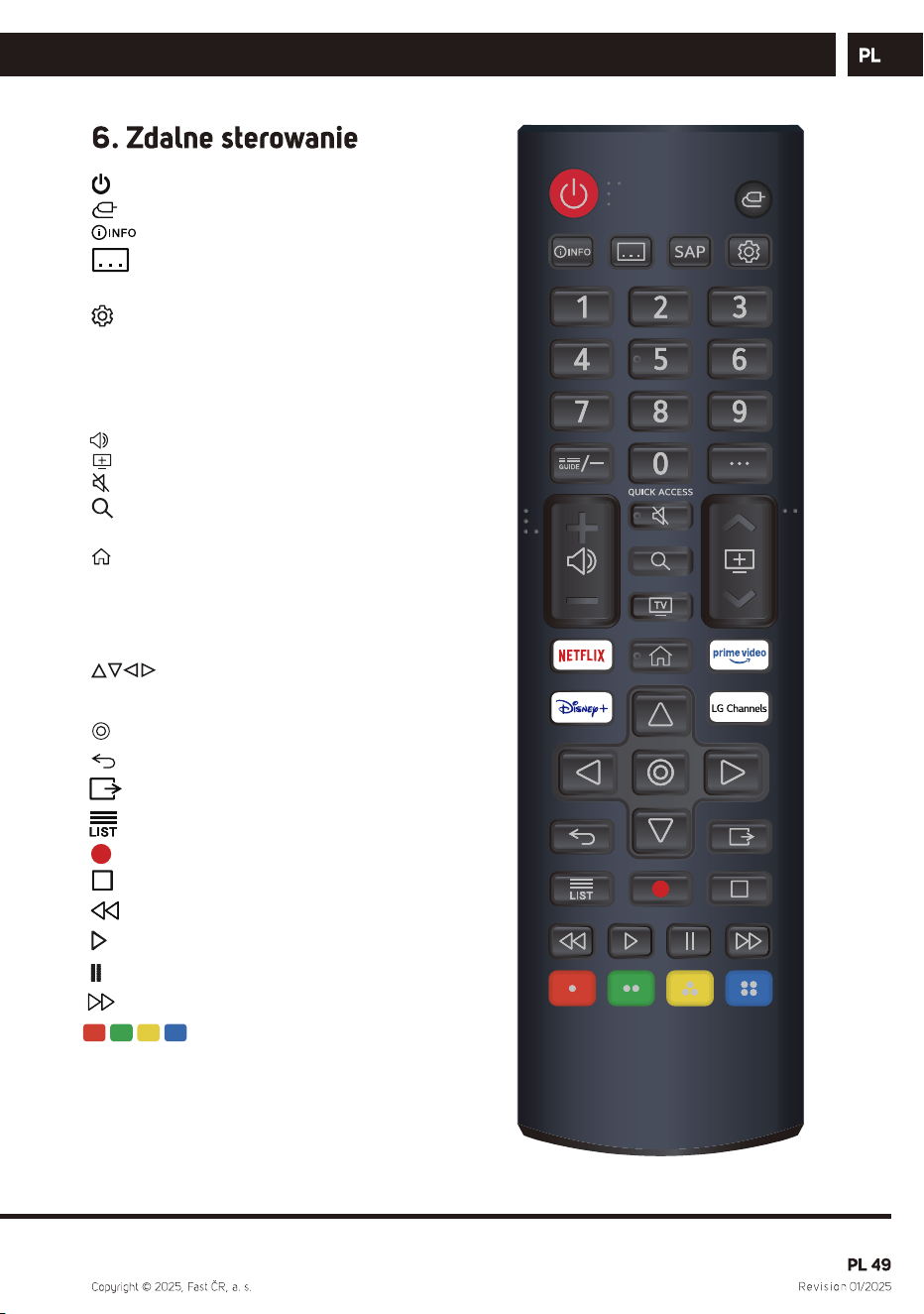
: power ON/OFF.
: Selects an input source.
:
:
Show program information.
subtitle
SAP: Audio Language.
: Enters the Quick Settings menu.
0-9: Number selection key.
G UIDE: You can check the programme.
··· : It displays the additional buttons on
the remote control.
: Setting the volume.
: Channel switching.
: Mutes the sound.
: Search.
TV: Switch to TV.
: Displays the Home menu.
NETFLIX :go to NETFLIX.
Prime video : go to prime video.
Disney+ :go to disney
LG Channels :go to lg channels
: RIGHT/LEFT UP/DOWN
buttons to navigate the
on-screen menus.
: Select current option thats
highlighted.
:
:
Move to the previous step.
All services terminated
: Channe l List
:Record
:Stop
:Rewind
: Play.
:
:
Pause.
FF
: Corresponds to various
colour functions in the
menu or teletext.
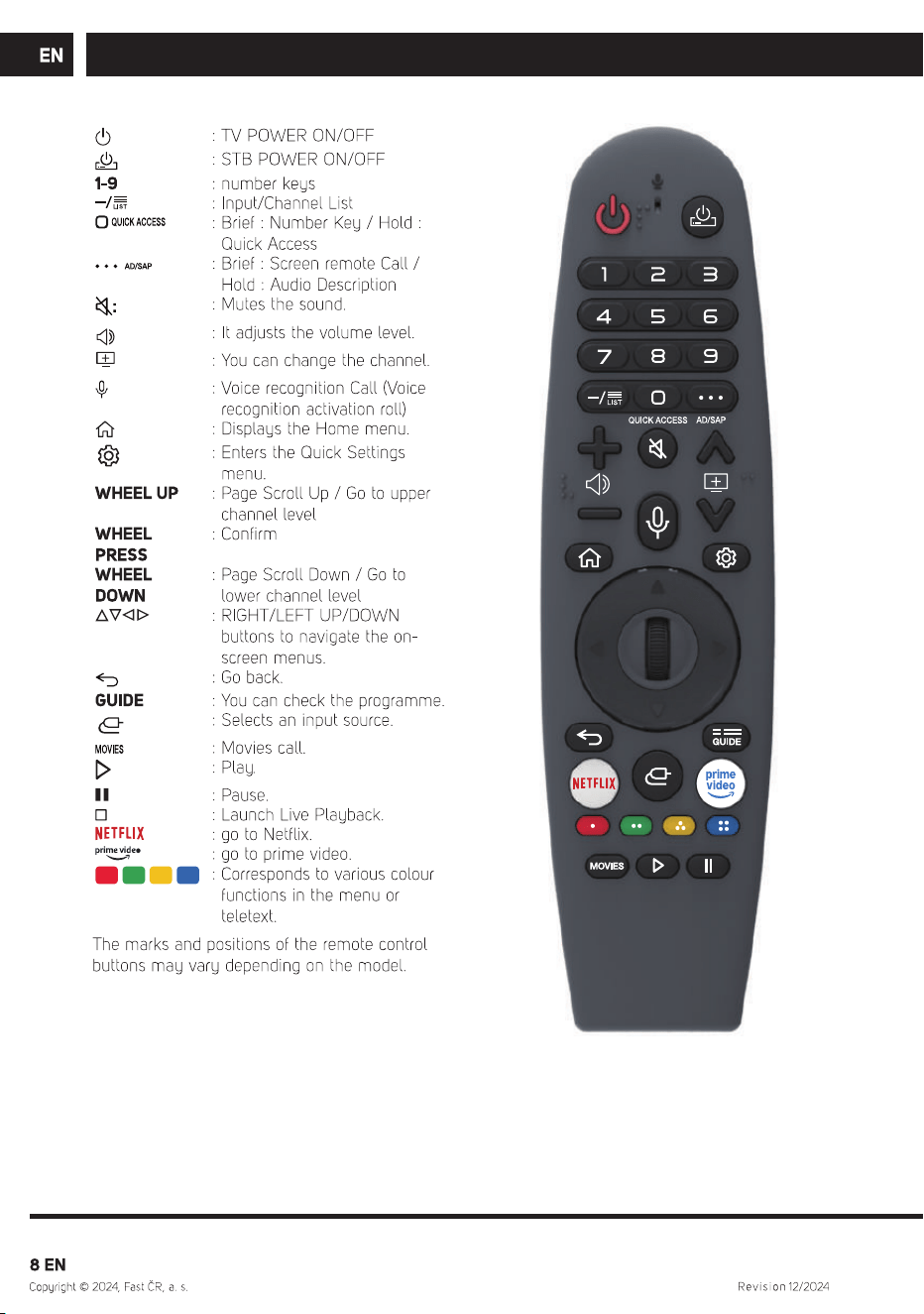
, SLE XX810B
SLE XX811B
, SLE XX841BW, SLE XX841MBW
(in case of UHD and QLED models).
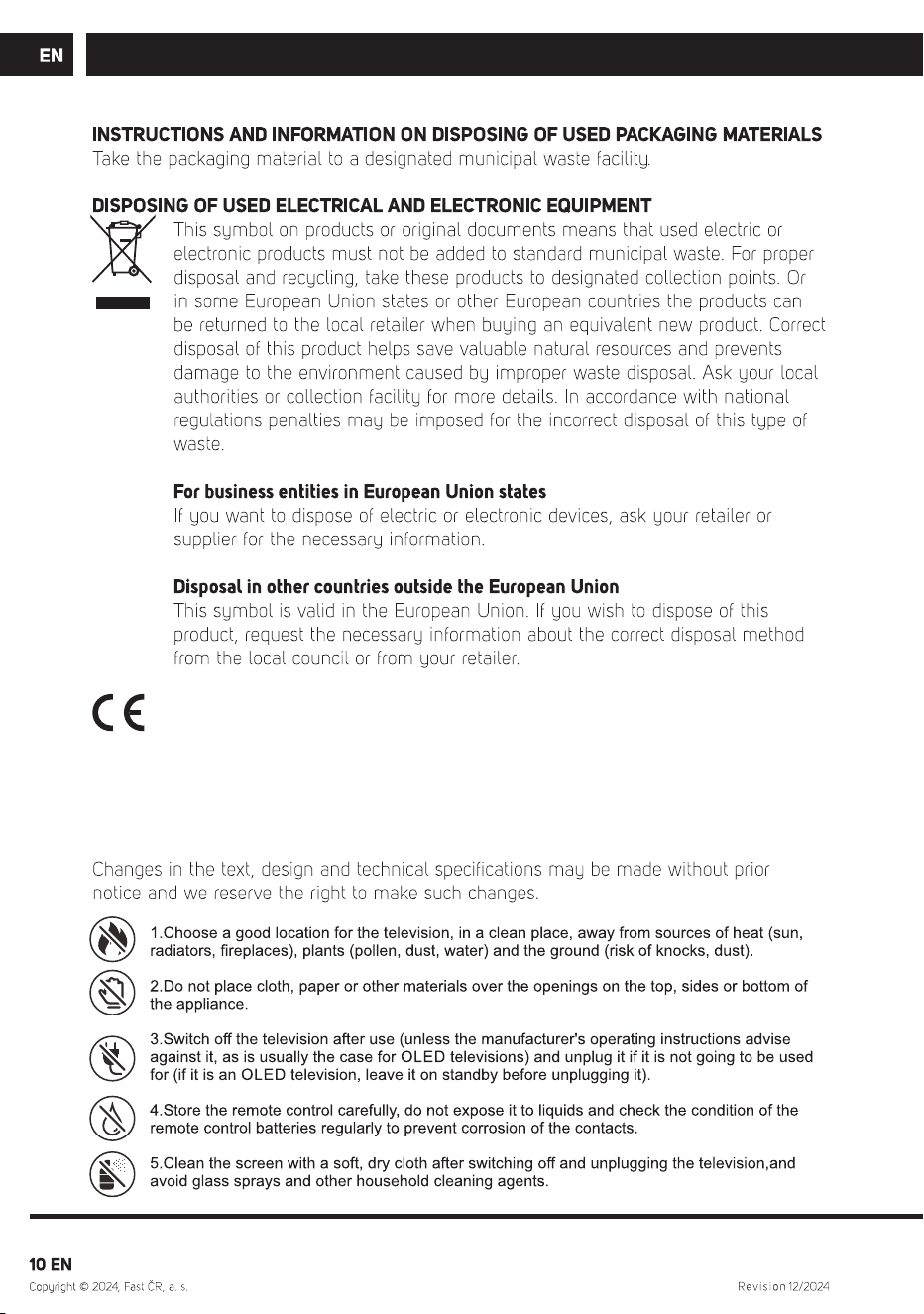
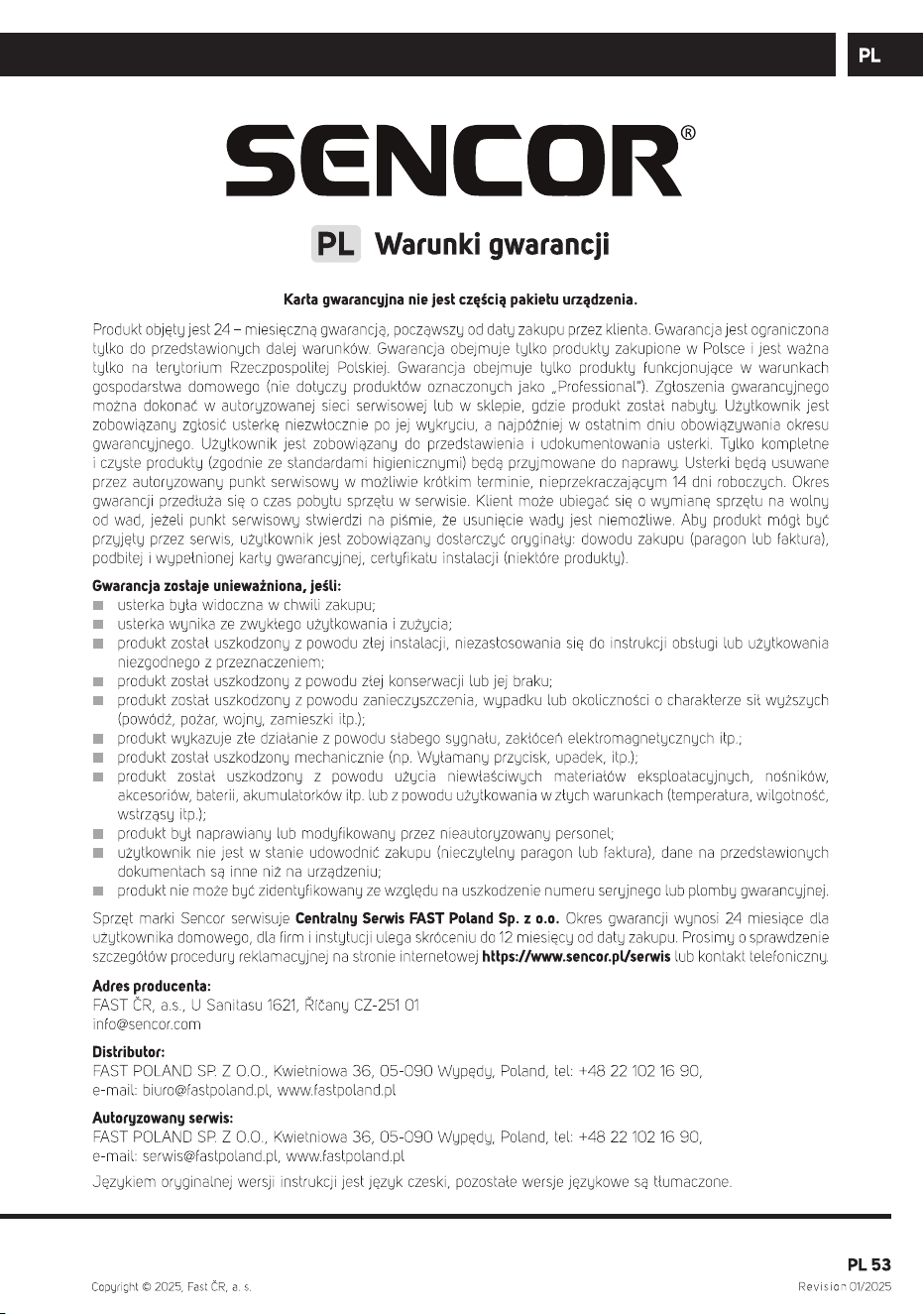
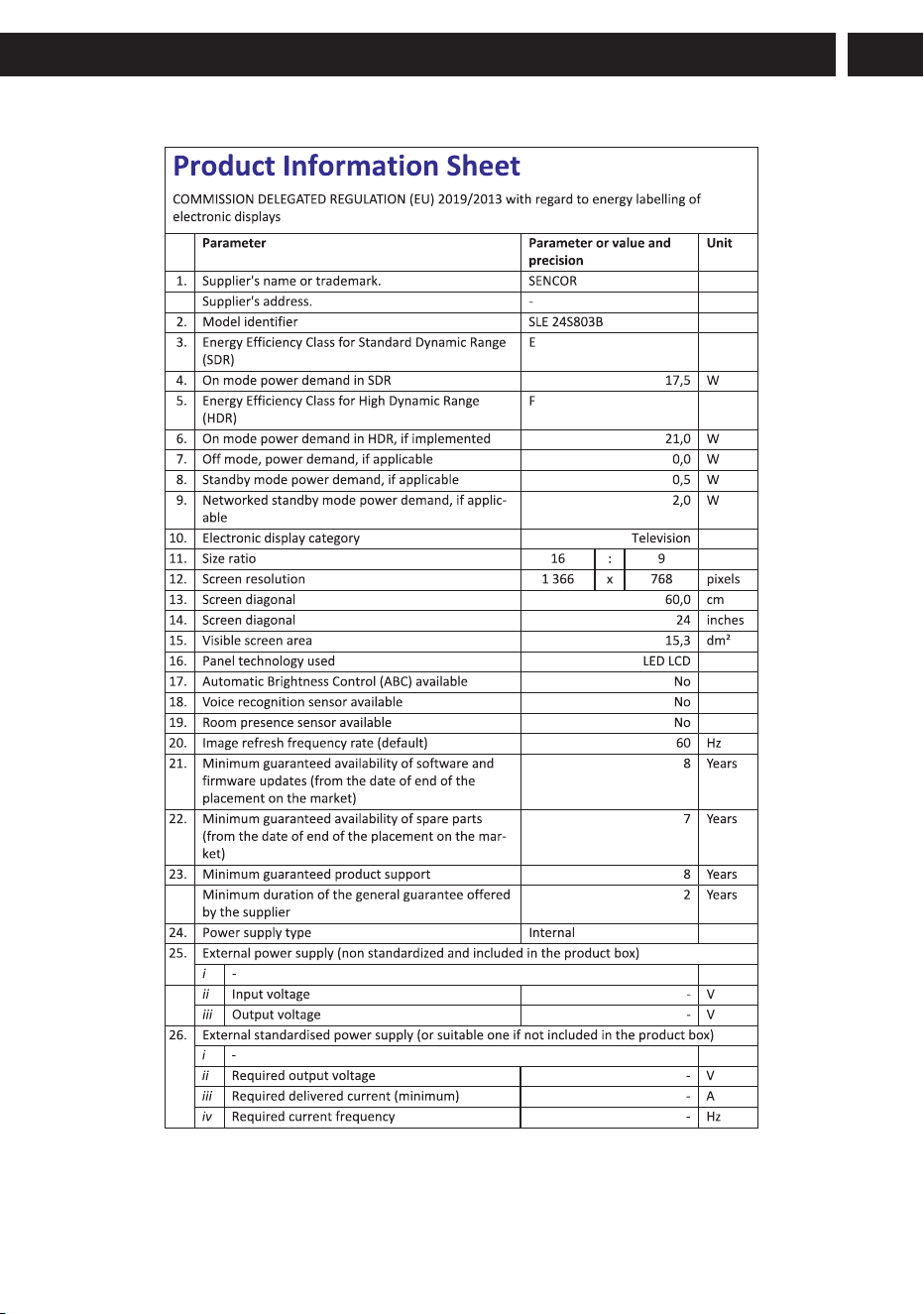
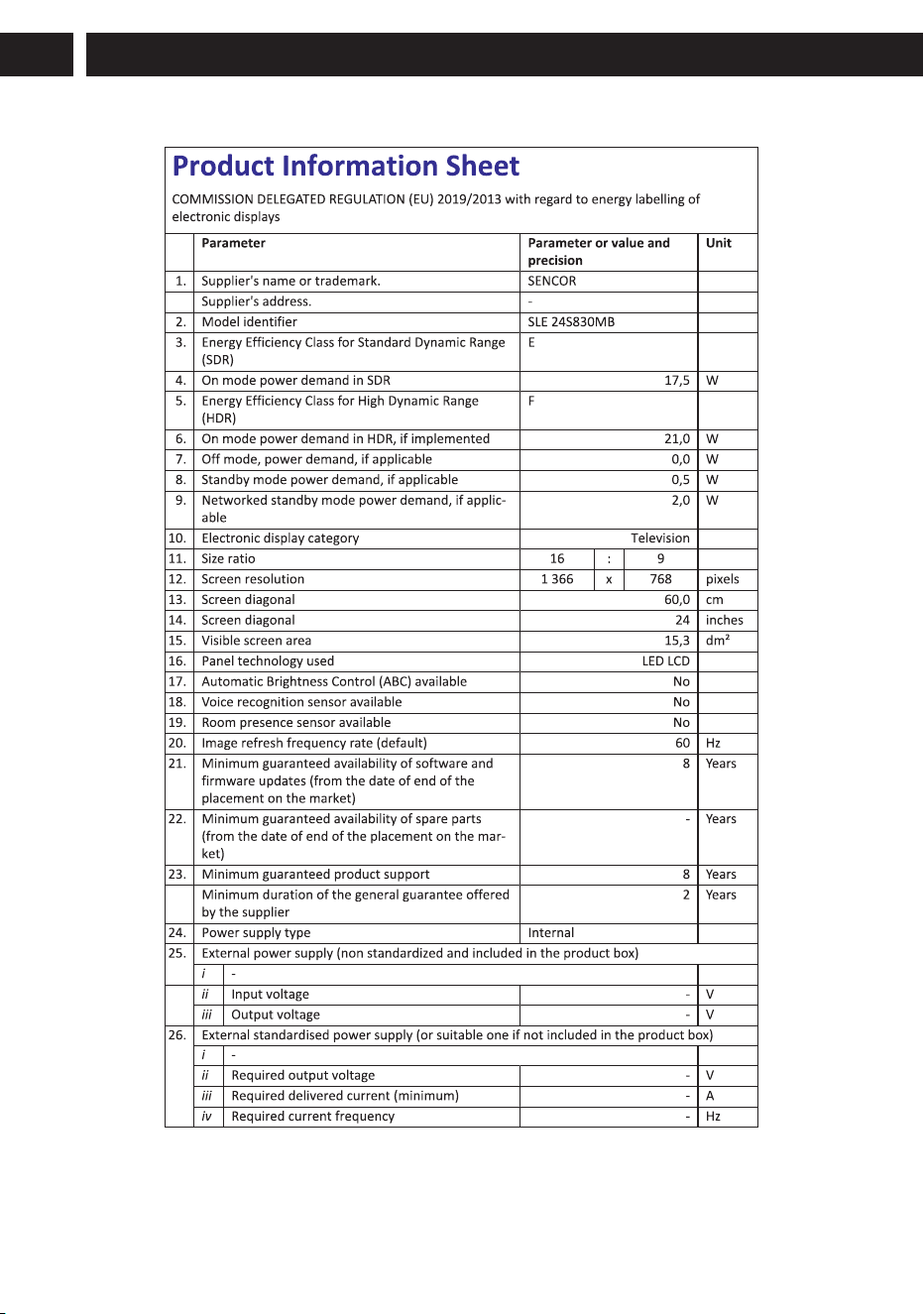
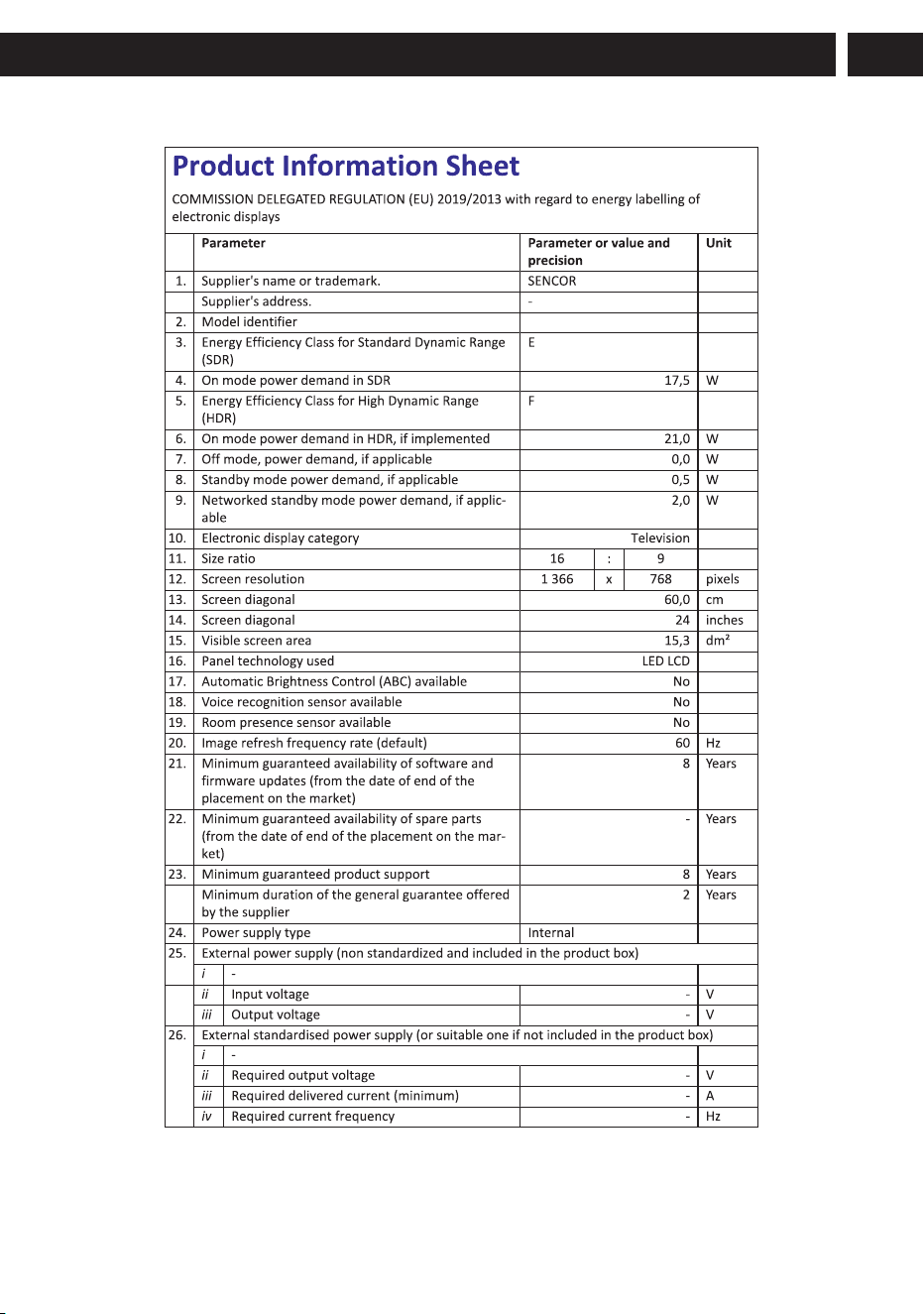
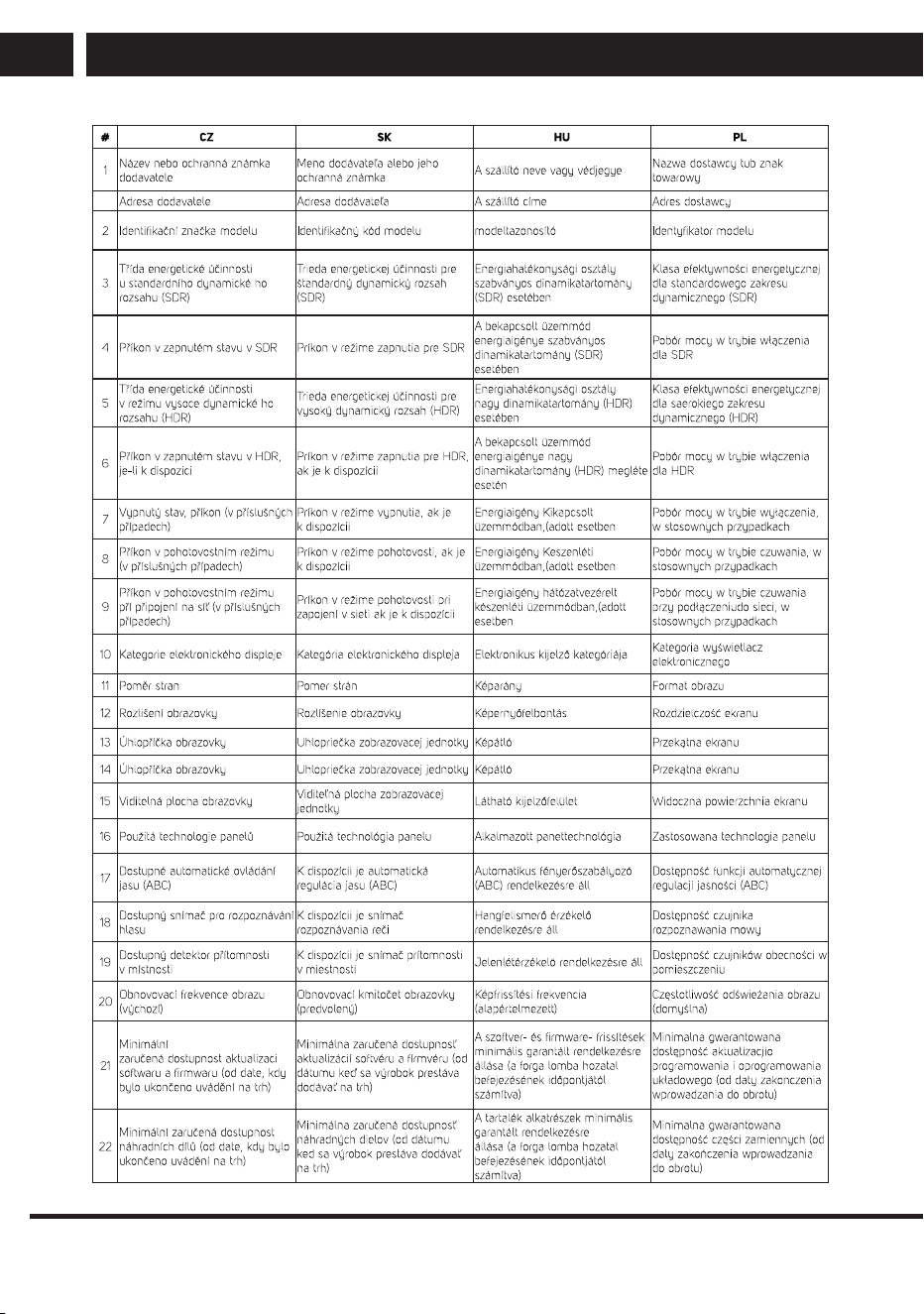
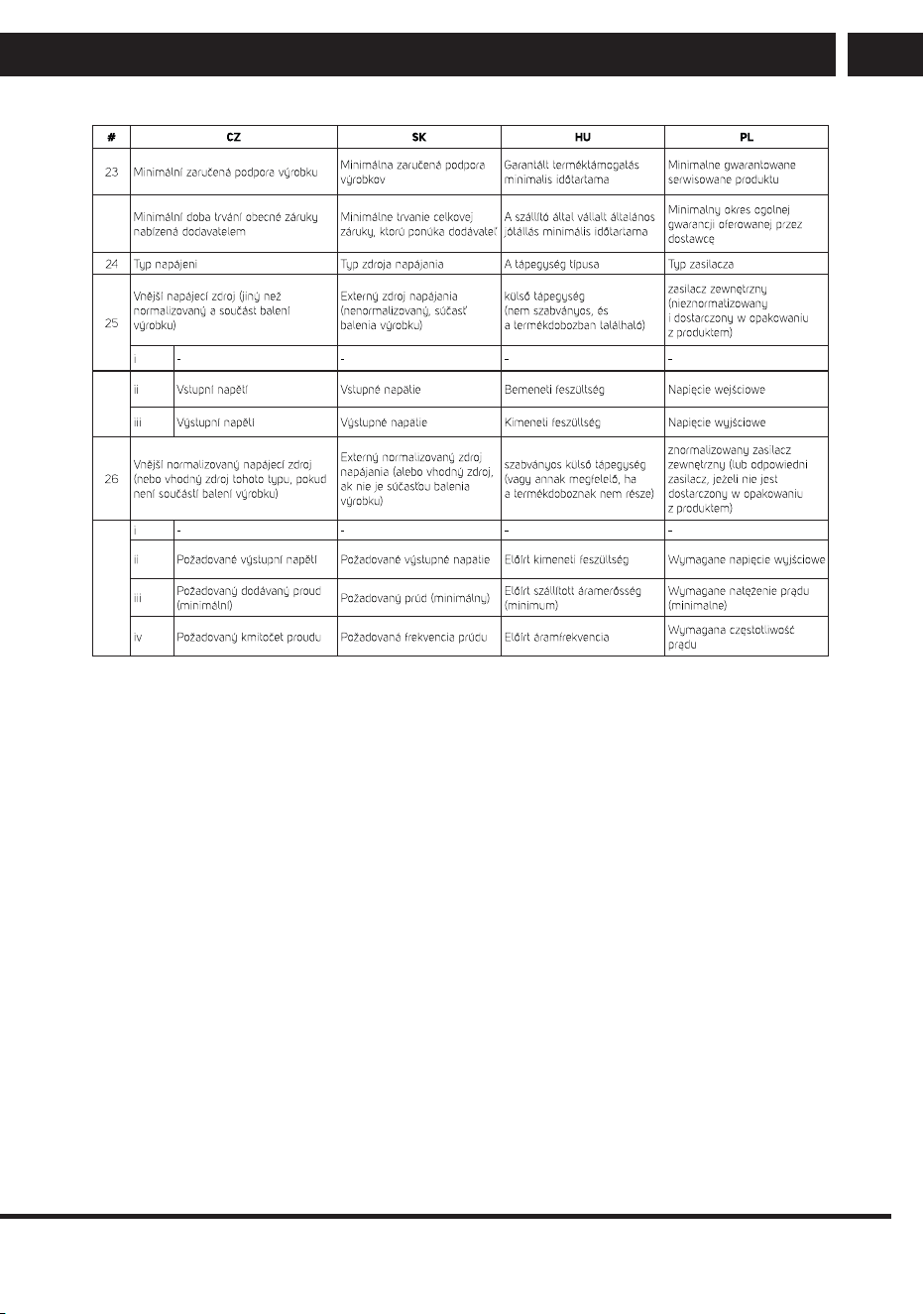
FAST CR, a.s. hereby declares that the radio device type SLE 24S803B,
SLE 24S830MB, SLE 24S841MBW, SLE 32QF860B, SLE 32S803B,
SLE 32S810B, SLE 32S830MB, SLE 32S841BW, SLE 40FS804B,
SLE 40FS811B, SLE 40QF860B, SLE 40FS841BW, SLE 43FS804B,
SLE 43Q871B, SLE 43QF860B, SLE 43US804B, SLE 50Q871B,
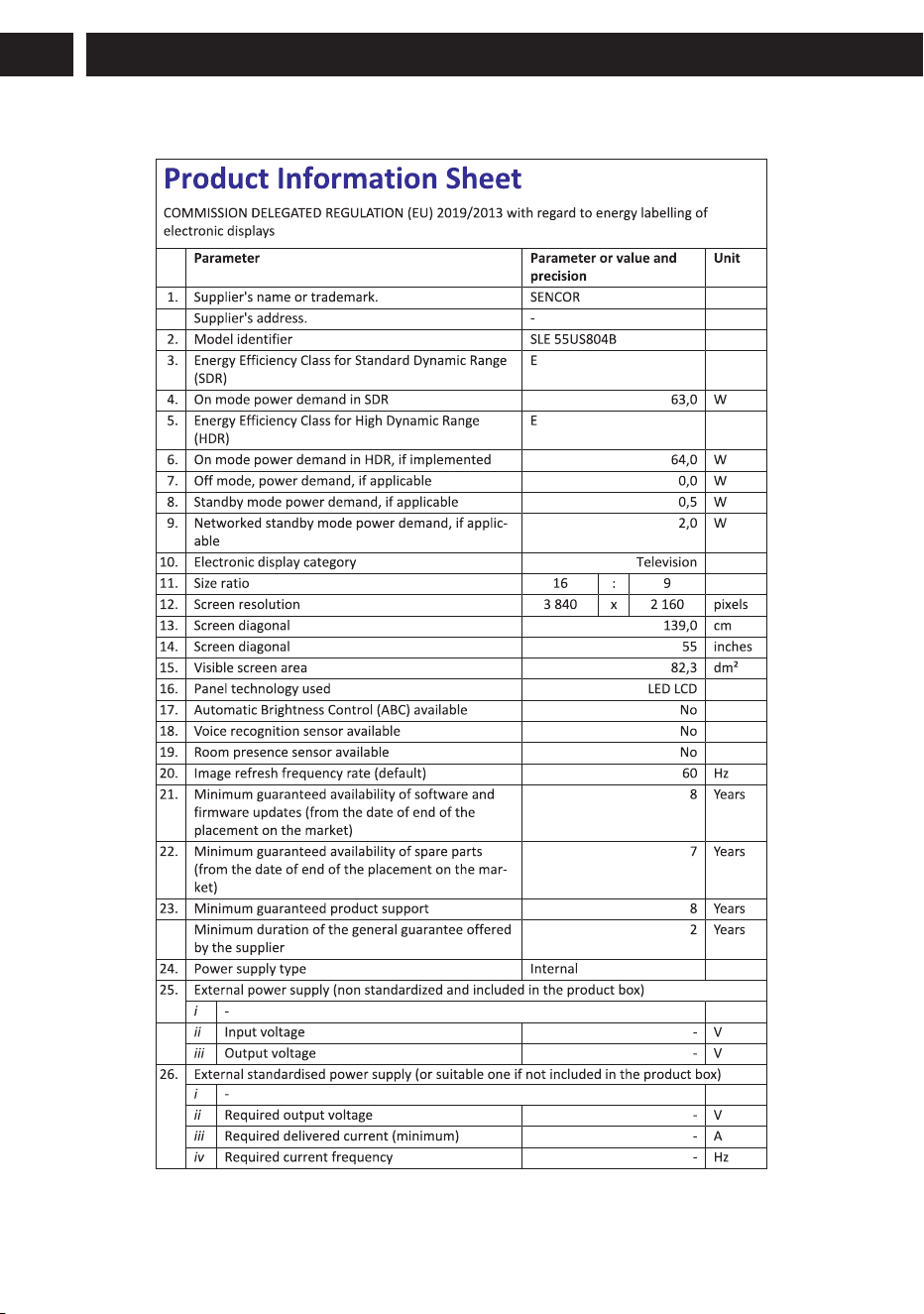
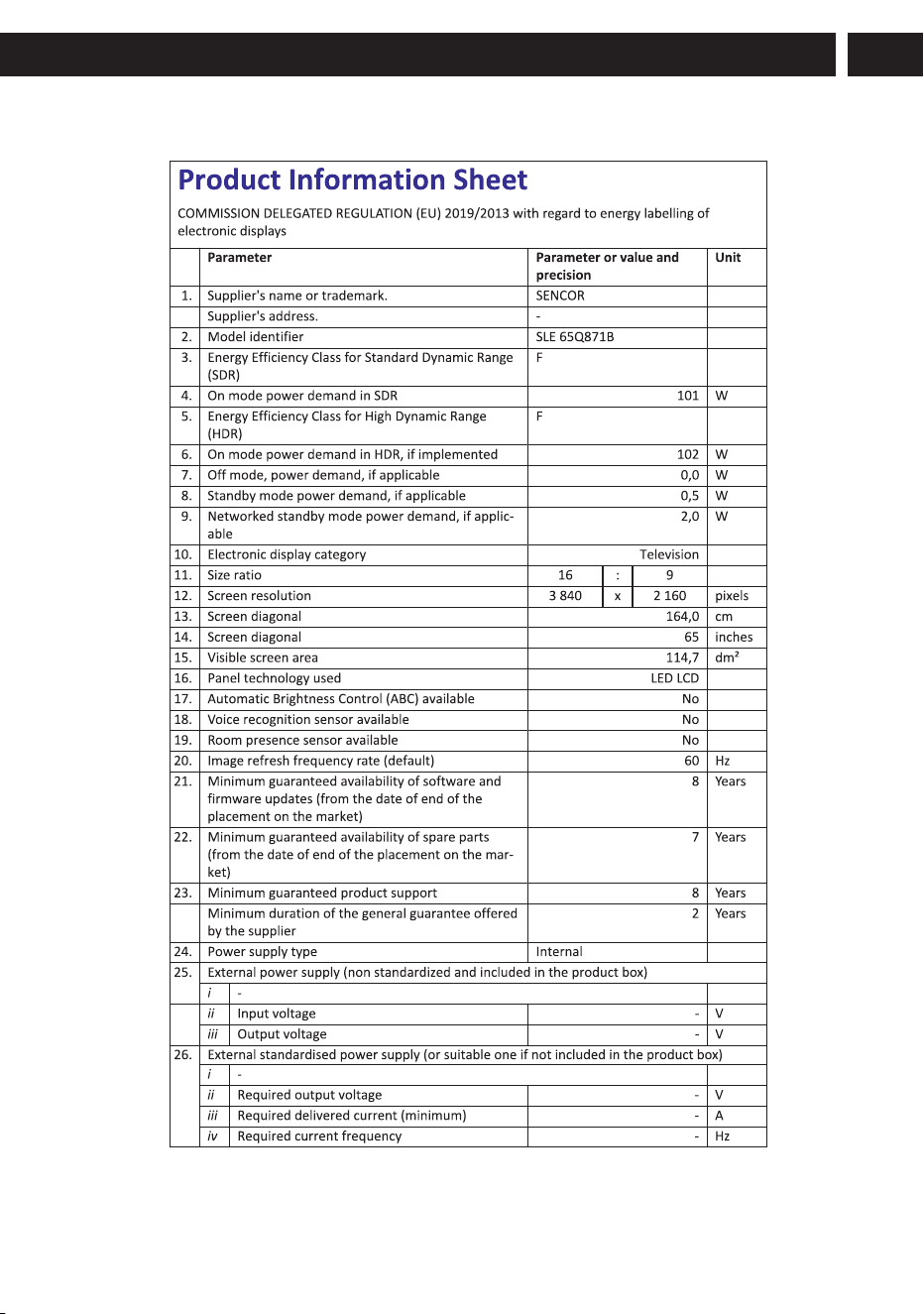
SLE 50US804B, SLE 55Q871B, SLE 55US804B, SLE 65Q871B and
SLE 65US804B conforms to the 2014/53/EU directive.

, SLE XX810B
, SLE XX841MBW
SLE XX841BW
, SLE XX811B
Vložte do ovladače Magic (pouze UHD
a QLED modely) dvě baterie AA.
BM4*18
Celkem: 6ks
KM6*8
Celkem: 3ks
40-65”
24-32”
4
, SLE XX810B
, SLE XX811B, SLE XX841BW, SLE XX841MBW
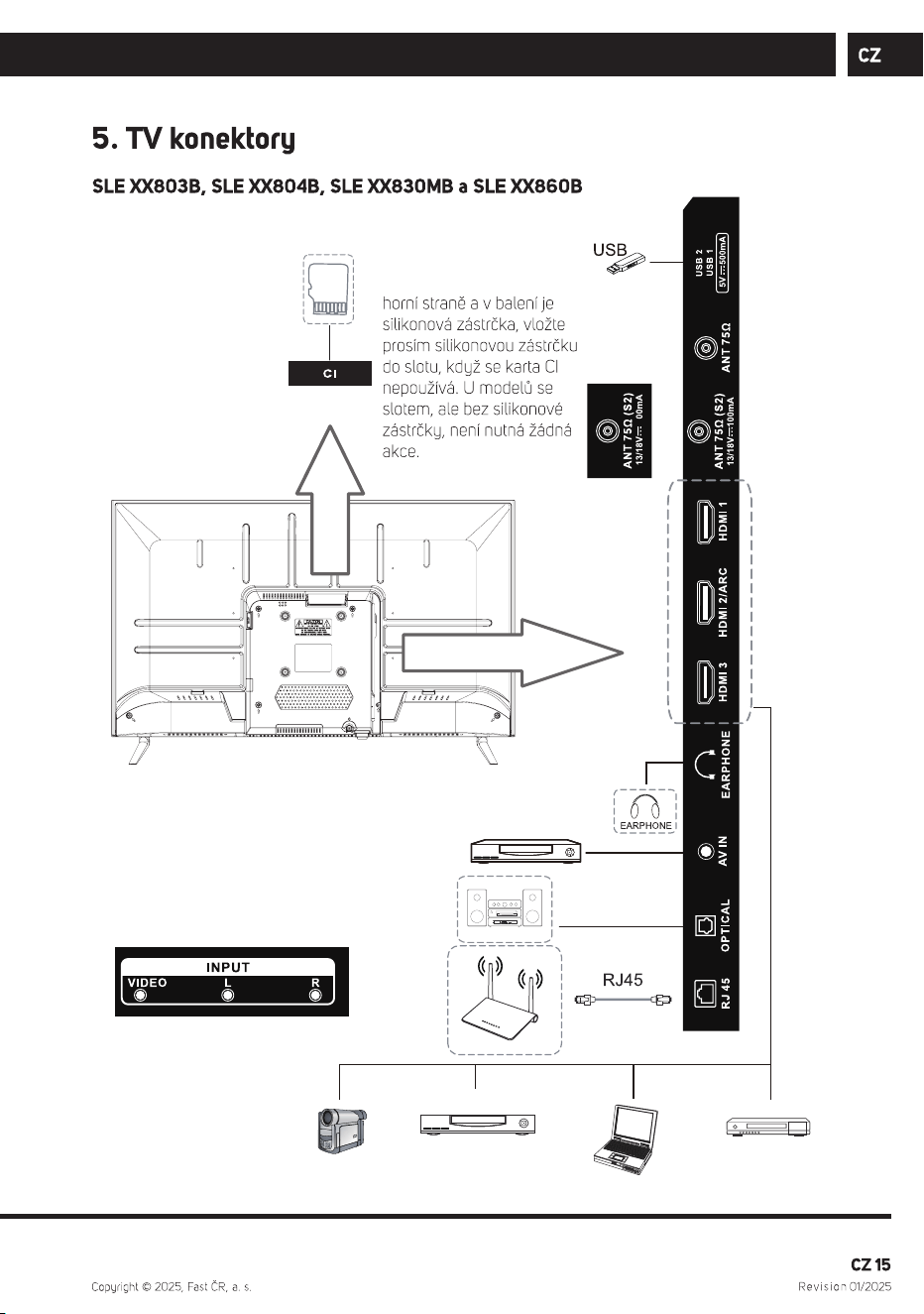
Poznámka: Pokud má
model slot pro kartu CI na
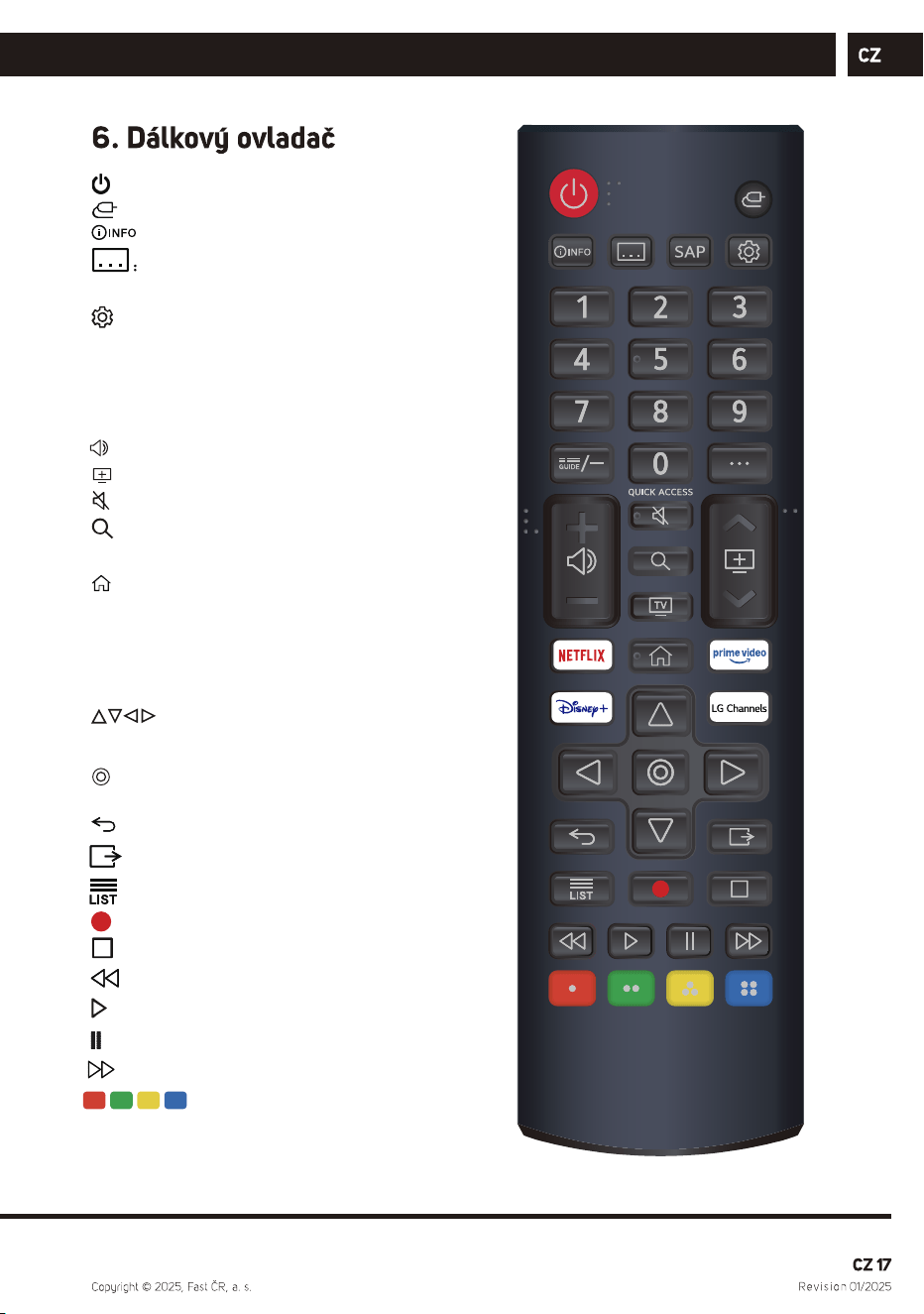
: zapnutí/vypnutí.
: Vybírá vstupní zdroj.
: Zobrazit informace o programu.
Titulky.
SAP: Jazyk zvukové stopy.
: Vstup do nabídky Rychlá nastavení.
0-9: Tlačítko pro výběr čísla.
G UIDE: Můžete zkontrolovat program.
··· : Zobrazuje další tlačítka na dálkovém
ovladači.
: Nastavení hlasitosti.
: Přepínání kanálu.
: Ztlumí zvuk.
: Vyhledávání.
TV: Přepnutí na TV
: Zobrazí nabídku Home.
NETFLIX :spustí NETFLIX.
Prime video : spustí prime video.
Disney+ :spustí disney
LG Channels :spustí lg channels
: Tlačítka VPRAVO/VLEVO
NAHORU/DOLŮ pro pohyb v
nabídkách na obrazovce.
: Vyberte aktuální možnost, která je
zvýrazněna.
: Přejděte na předchozí krok.
: Všechny služby ukončeny.
: Seznam kanálů.
:Záznam
:Pause
: Zpět
: Play.
: Pause.
: Rychle dopředu
: Odpovídá různým
barevným funkcím v
menu nebo teletextu.
, SLE XX810B
SLE XX811B
, SLE XX841BW, SLE XX841MBW
(v případě UHD a QLED modelů).
Tímto FAST CR, a.s. prohlašuje, že typ rádiového zařízení SLE 24S803B,
SLE 24S830MB, SLE 24S841MBW, SLE 32QF860B, SLE 32S803B,
SLE 32S810B, SLE 32S830MB, SLE 32S841BW, SLE 40FS804B,
SLE 40FS811B, SLE 40QF860B, SLE 40FS841BWSLE 43FS804B,
SLE 43Q871B, SLE 43QF860B, SLE 43US804B, SLE 50Q871B,
SLE 50US804B, SLE 55Q871B, SLE 55US804B, SLE 65Q871B a
SLE 65US804B je v souladu se směrnicí 2014/53/EU.

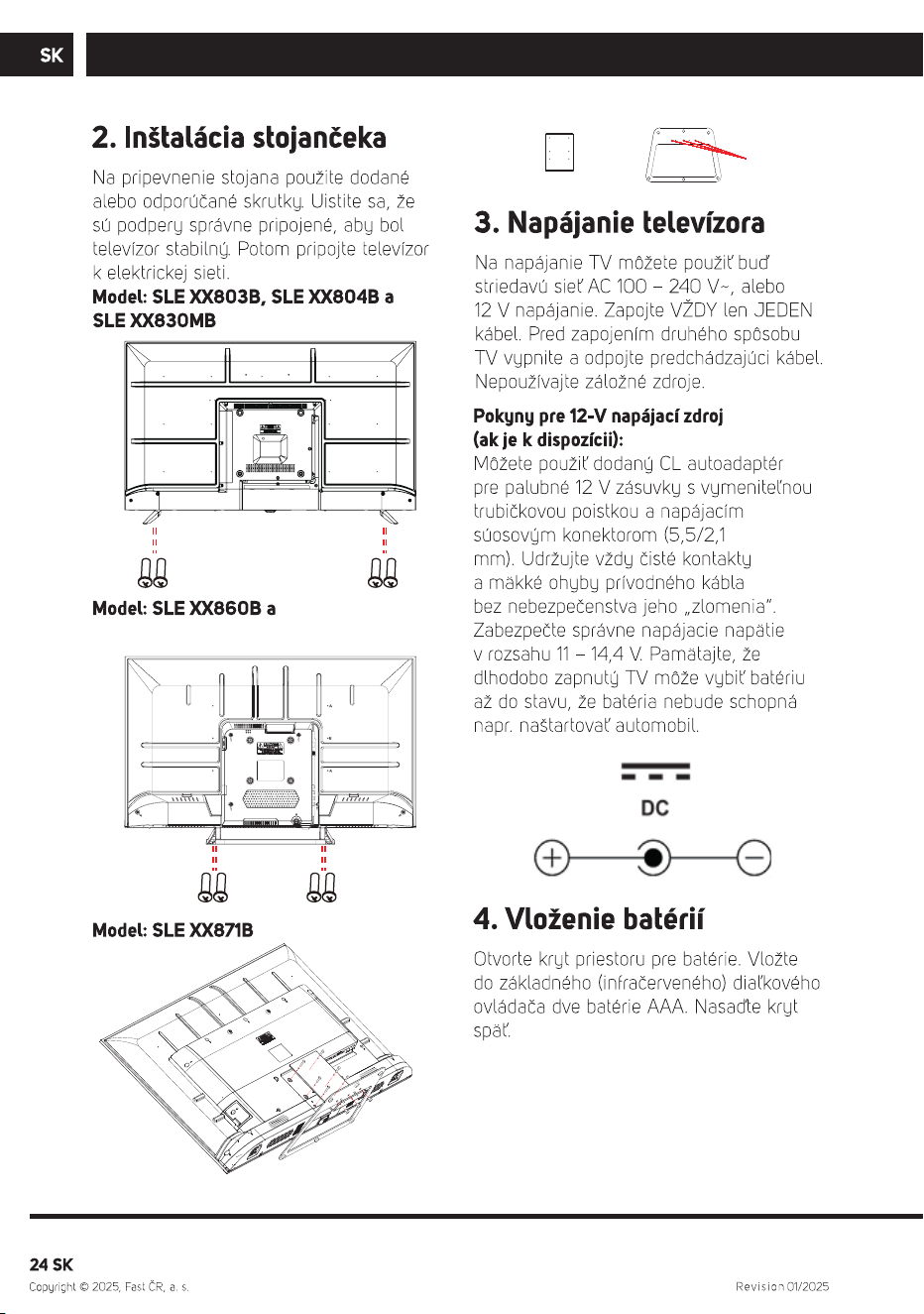
, SLE XX810B
, SLE XX841MBW
SLE XX841BW
, SLE XX811B
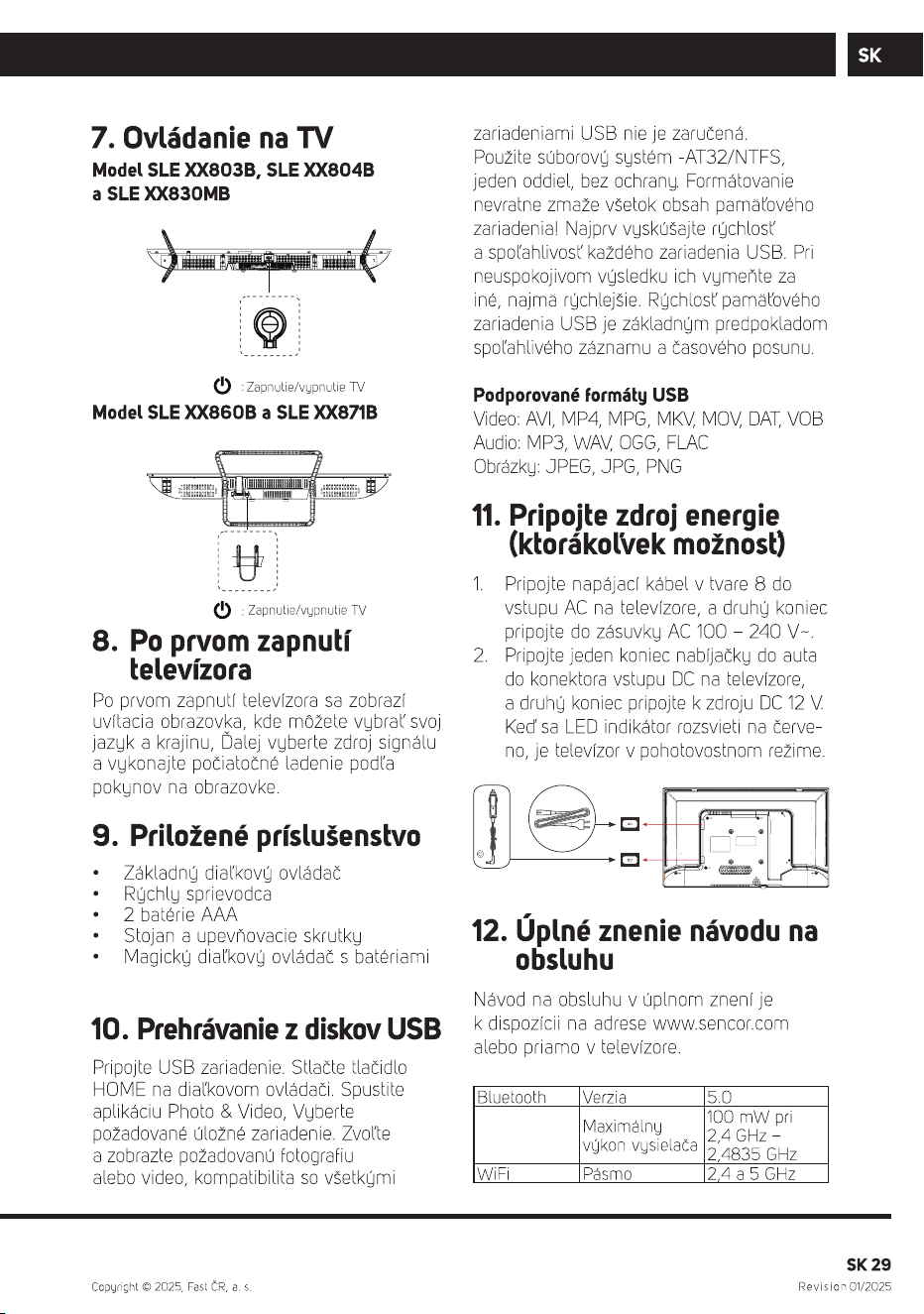
Vložte do ovládača Magic (iba UHD a QLED
modely) dve batérie AA.
BM4*18
Celkom: 6 kusov
KM6*8
Celkom: 3 kusov
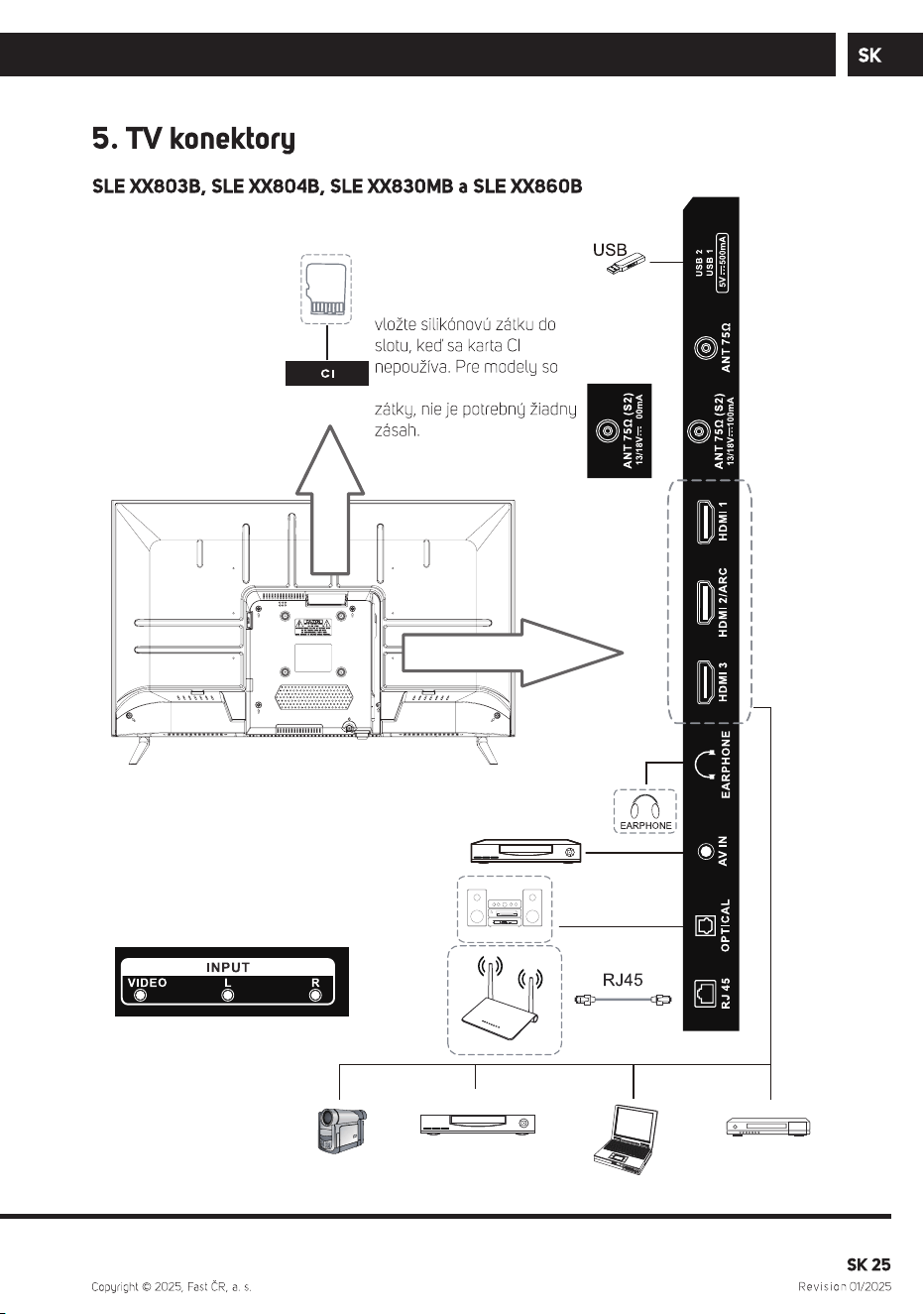
40-65”
24-32”
4
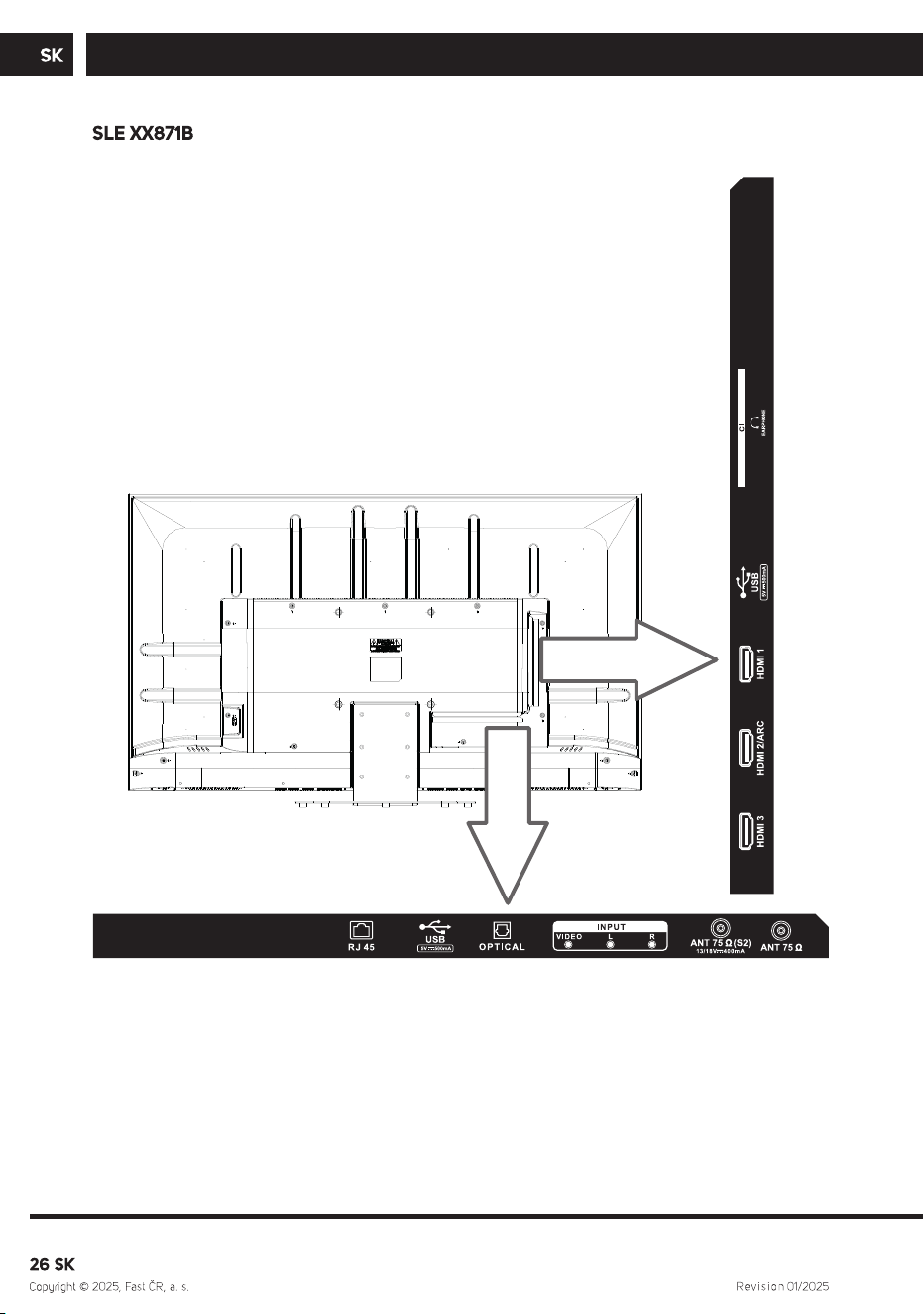
, SLE XX810B , SLE XX811B, SLE XX841BW, SLE XX841MBW
Poznámka: Ak má model slot
pre kartu CI na vrchnej strane
a v balení je silikónová zátka,
slotom, ale bez silikónovej
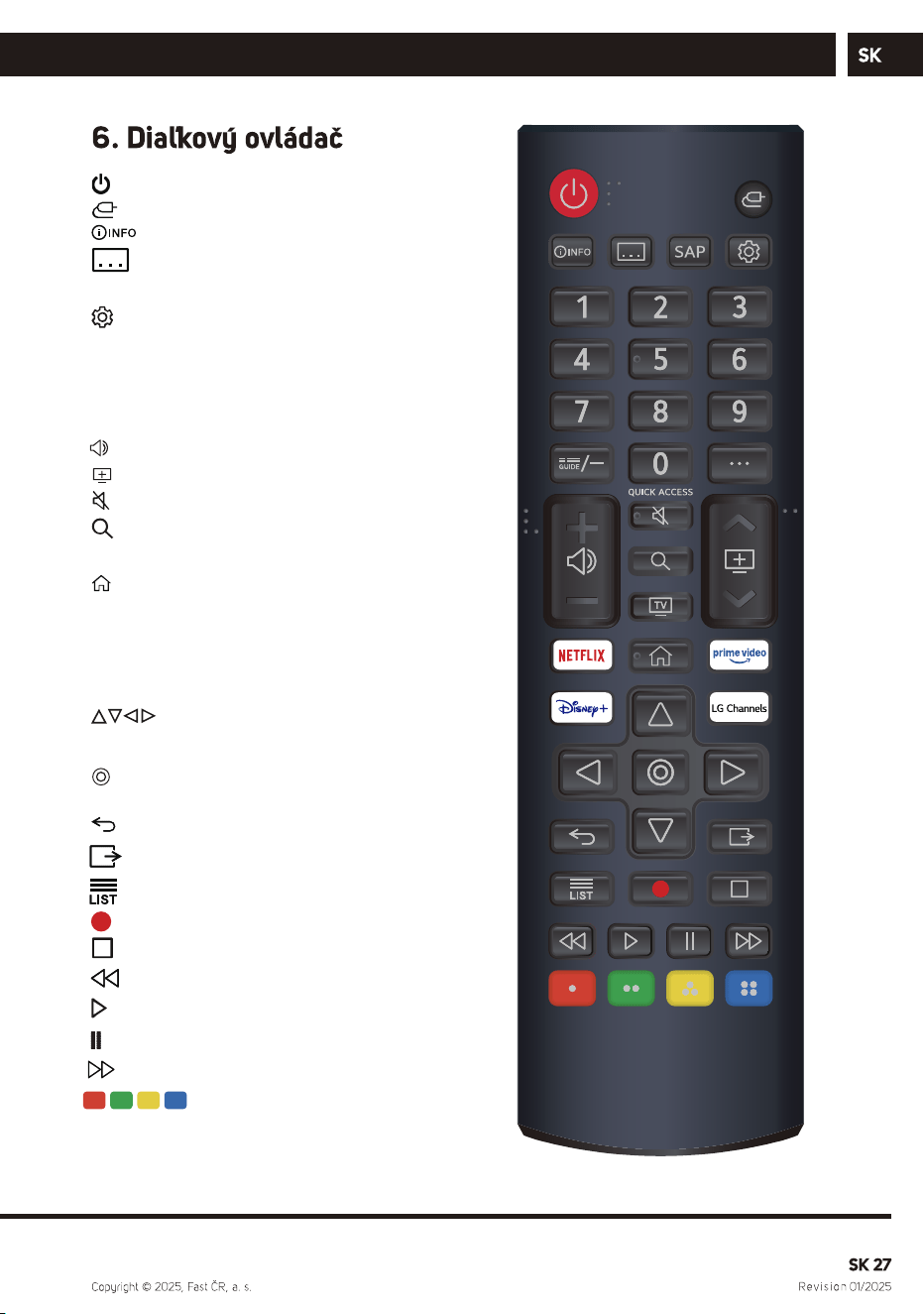
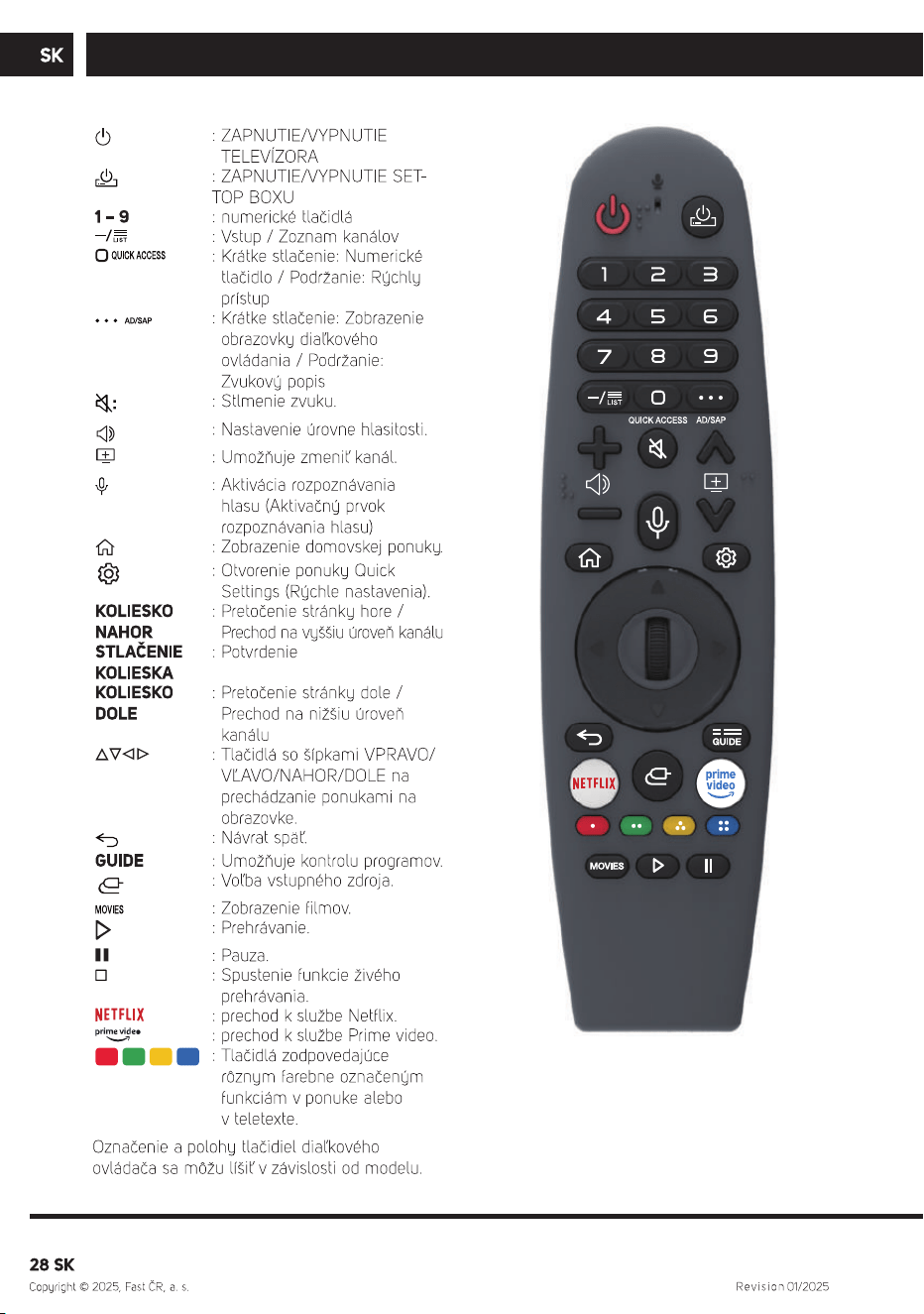
: zapnutie/vypnutie.
:
:
Vyberie vstupný zdroj.
: Zobraziť informácie o programe.
Titulky.
SAP: Jazyk zvuku.
: Vstúpi do ponuky Rýchle nastavenia.
0-9: Tlačidlo na výber čísla.
G UIDE: Môžete skontrolovať program.
··· : Zobrazuje d'alšie tlačidlá na dial'kovom
ovládači.
: Nastavenie hlasitosti.
: Prepínanie kanálu.
: Stlmí zvuk.
: Vyhl'adávanie.
TV: Prepnutie na TV
: Zobrazí ponuku Home.
NETFLIX
Prime video : spustí prime video.
: spustí NETFLIX.
Disney+
LG Channels :spustí lg channels
: spustí disney
: Tlačidlá DOPRAVA/DOL'AVA
NAHOR/NADOL na navigáciu v
ponukách na obrazovke.
: Vyberte aktuálnu možnosť, ktorá je
zvýraznená.
: Prejdite na predchádzajúci krok.
: Všetky služby ukončené.
: Zoznam kanálov.
: Nahrávanie
:zastavenie
: Späť
: Prehrávanie
: pozastavenie
: Rýchly posun vpred
: Zodpovedá rôznym
farebným funkciám v
menu alebo teletextu.
, SLE XX810B
SLE XX811B
, SLE XX841BW, SLE XX841MBW
(v prípade UHD a QLED modelov).
Týmto FAST CR, a.s. vyhlasuje, že typ rádiového zariadenia SLE 24S803B,
SLE 24S830MB, SLE 24S841MBW, SLE 32QF860B, SLE 32S803B,
SLE 32S810B, SLE 32S830MB, SLE 32S841BW, SLE 40FS804B,
SLE 40FS811B, SLE 40QF860B, SLE 40FS841BW, SLE 43FS804B,
SLE 43Q871B, SLE 43QF860B, SLE 43US804B, SLE 50Q871B,
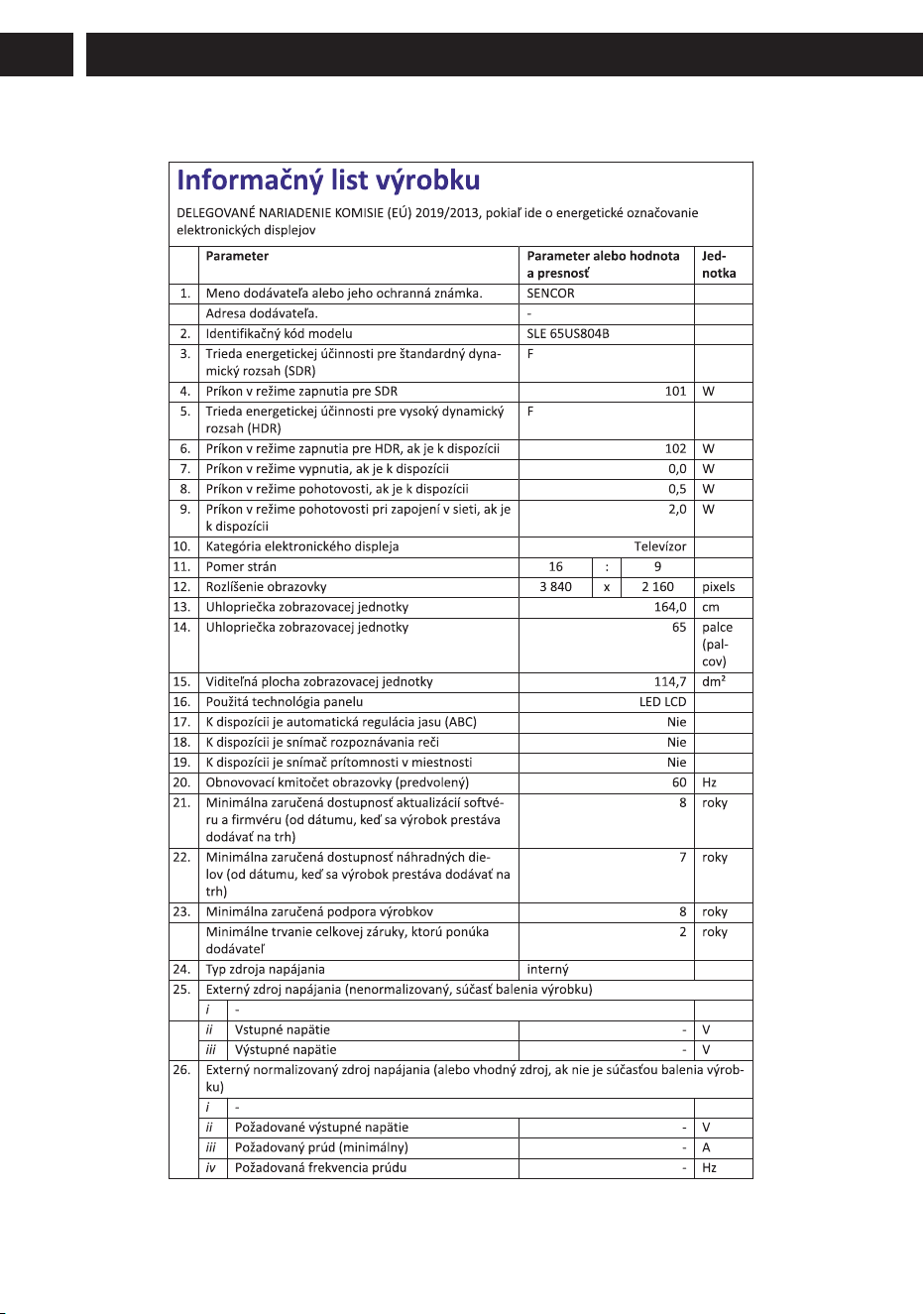
SLE 50US804B, SLE 55Q871B, SLE 55US804B, SLE 65Q871B a
SLE 65US804B je v súlade so smernicou 2014/53/EÚ.

, SLE XX810B
, SLE XX841MBW
SLE XX841BW
, SLE XX811B
Tegyen be két AA elemet a Magic
távirányítóba (csak az UHD és QLED
modelleknél).
BM4*18
Összesen: 6PCS
KM6*8
Összesen: 3PCS
40-65”
24-32”
4
, SLE XX810B , SLE XX811B, SLE XX841BW, SLE XX841MBW
Megjegyzés: Ha a modell
tetején CI-kártya foglalat
található, és a csomagolásban
szilikondugó is található, akkor
helyezze be a szilikondugót a
foglalatba, amikor nem
használ CI-kártyát. Nincs
azoknál a modelleknél,
amelyeken van foglalat, de
nincs szilikondugó.
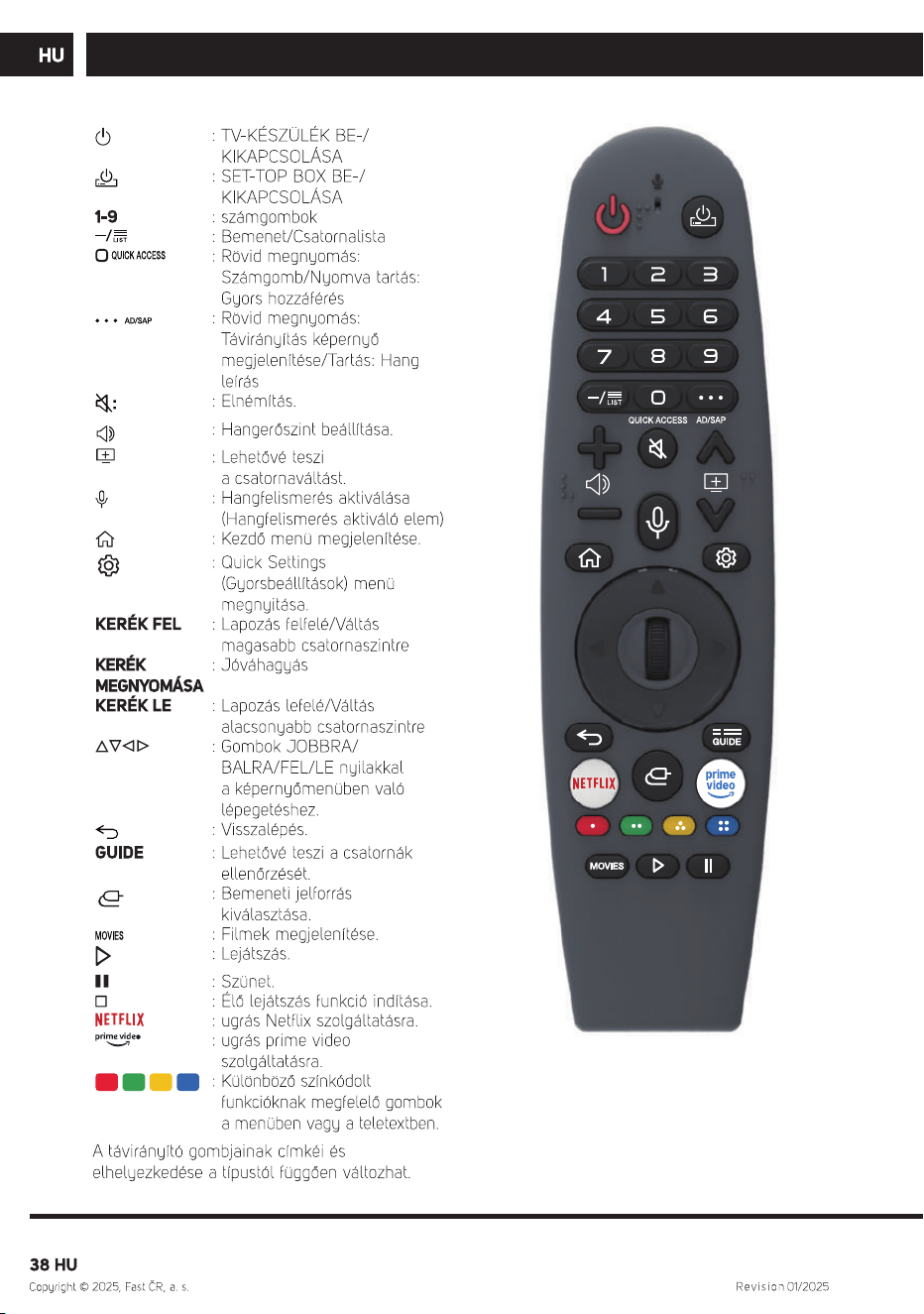
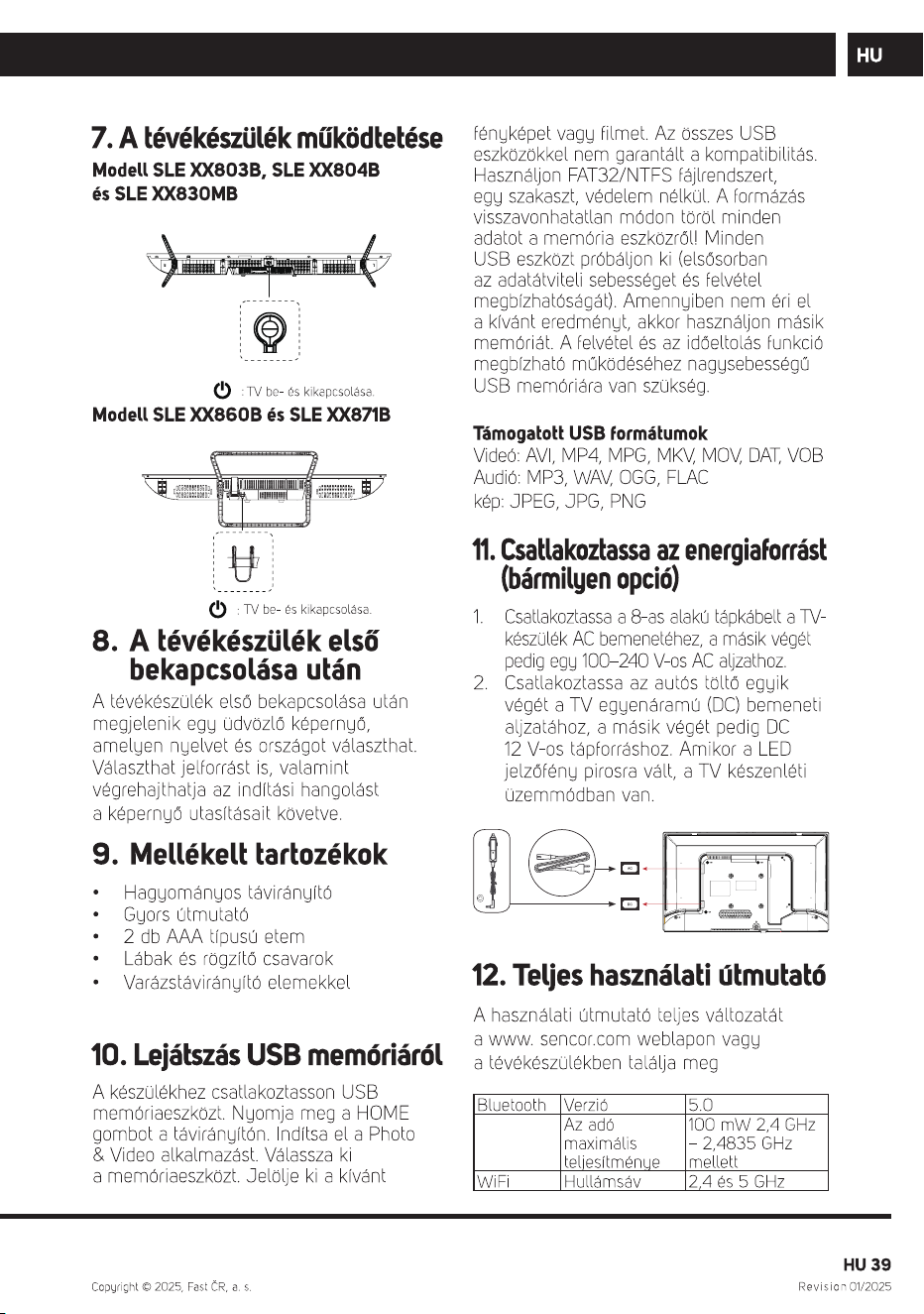
: be- és kikapcsolás.
:
:
Bemeneti forrás kiválasztása.
: Műsorinformációk megjelenítése.
Felirat.
SAP: Hang nyelve.
: Belép a Gyorsbeállitások menübe.
0-9: Számválasztó gomb.
G UIDE: A programot ellenőrizheti.
··· : Megjeleníti a távirányító további
gombjait.
: Hangerő beállítása.
: csatornaváltás.
: Elnémítja a hangot.
: keresés.
TV: TV kiválasztása.
: Megjeleníti a Főmenüt.
NETFLIX : NETFLIX bekapcsolása.
Prime video
Disney+ : disney bekapcsolása.
LG Channels : lg channels bekapcsolása.
: prime video bekapcsolása.
: JOBBRA/BALRA FEL/LE
gombokkal navigálhat a
képernyőmenükben.
: Válassza ki a kiemelt opciót.
: Ugrás az előző lépésre.
: Minden szolgáltatás leállítva.
: csatorna lista.
: rögzítése.
: leállítása
: Visszacsatolás
: Program lejátszása
: szüneteltetése
: Gyors előre
: Megfelel a menü vagy
a teletext különböző
színfunkcióinak.
, SLE XX810B
SLE XX811B
, SLE XX841BW, SLE XX841MBW
(UHD és QLED modellek esetében).
A FAST CR, a.s. ezúton kijelenti, hogy a SLE 24S803B, SLE 24S830MB,
SLE 24S841MBW, SLE 32QF860B, SLE 32S803B, SLE 32S810B,
SLE 32S830MB, SLE 32S841BW, SLE 40FS804B, SLE 40FS811B,
SLE 40QF860B, SLE 40FS841BW, SLE 43FS804B, SLE 43Q871B,
SLE 43QF860B, SLE 43US804B, SLE 50Q871B, SLE 50US804B,
SLE 55Q871B, SLE 55US804B, SLE 65Q871B és SLE 65US804B
radiókészülek típus összhangban van a 2014/53/EU irányelvvel.
, SLE XX810B
, SLE XX841MBW
SLE XX841BW
BM4*18
Całkowita liczba: 6PCS
KM6*8
Całkowita liczba: 3PCS
, SLE XX811B
Do pilota Magic (tylko model UHD i QLED)
włóż dwie baterie AA.
40-65”
24-32”
4
, SLE XX810B, SLE XX811B, SLE XX841BW, SLE XX841MBW
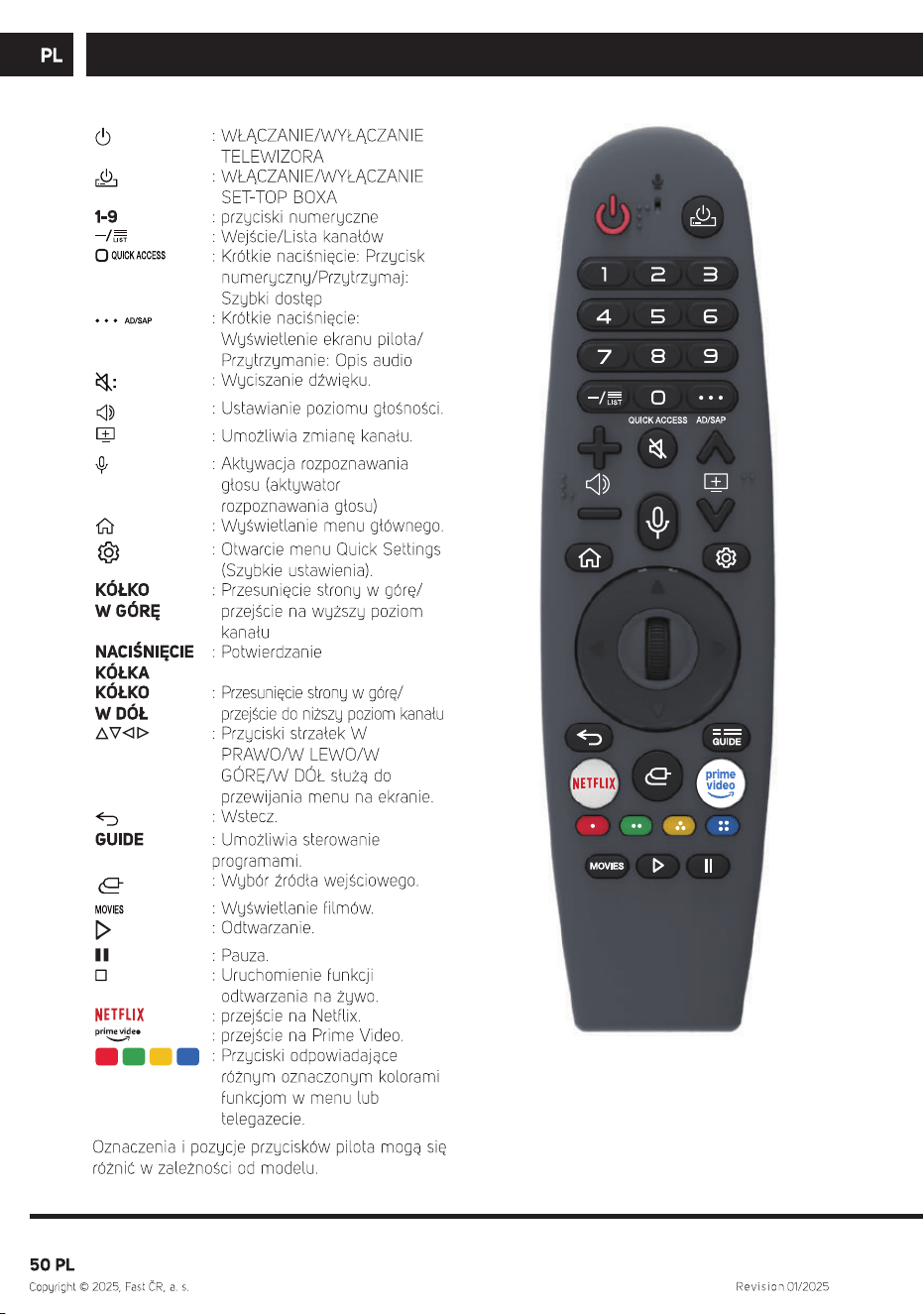
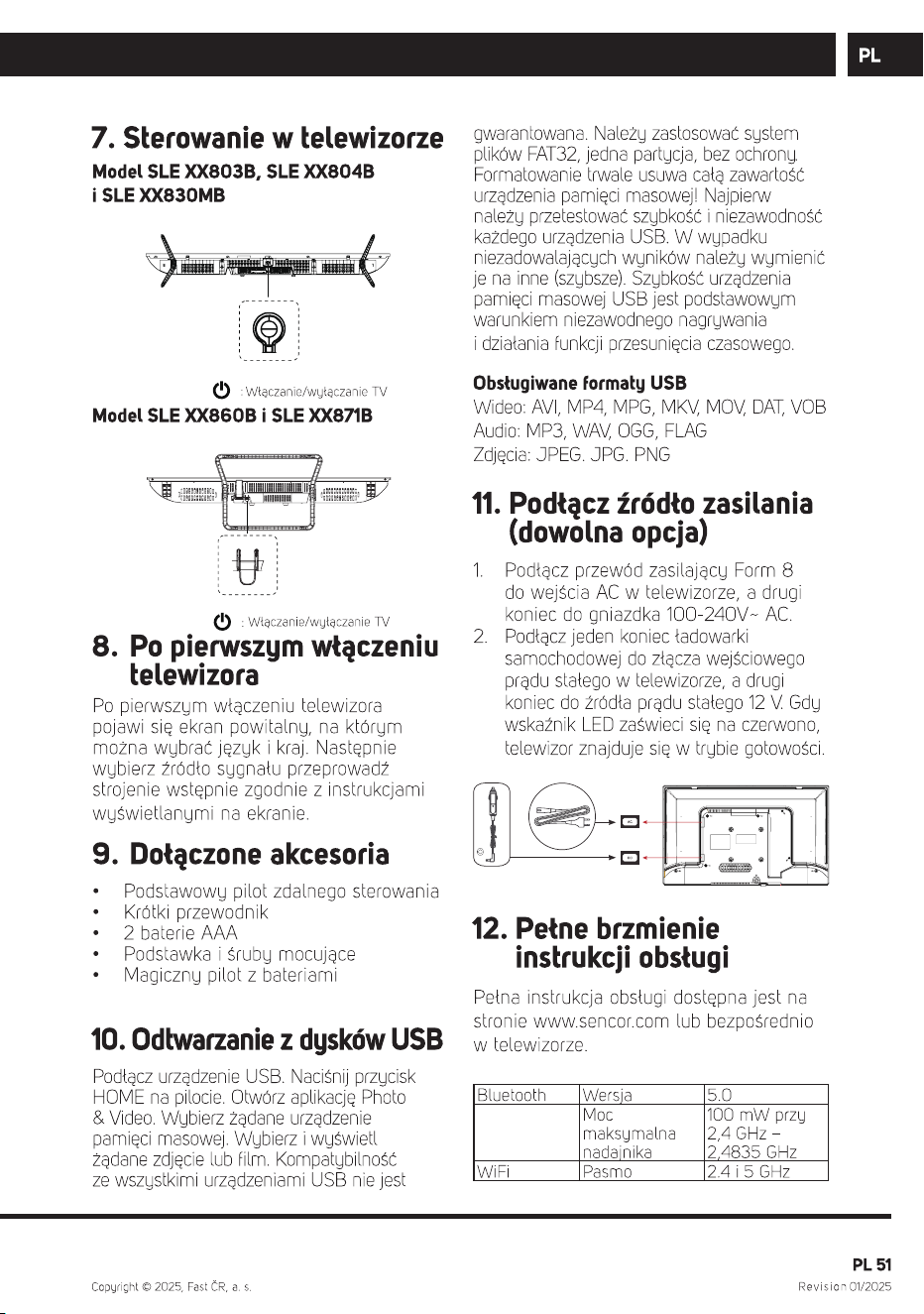
: włączenie/wyłączenie zasilania.
: Wybiera źródło sygnału wejściowego.
: Pokaż informacje o programie.
: Napisy.
SAP: Język audio.
: Umożliwia przejście do menu Szybkich
ustawień.
0-9: Klawisz wyboru numeru.
G UIDE: Można sprawdzić program.
··· : Wyświetla dodatkowe przyciski na pilocie.
: Ustawienie głośności.
: Przełaczanie kanałów.
: Wycisza dźwięk.
: Wyszukiwanie.
T
NETFLIX :Uruchomienie aplikacji NETFLIX.
Prime video : Uruchomienie aplikacji prime video.
Disney+ :Uruchomienie aplikacji disney
LG Channels :Uruchomienie aplikacji lg channels
V: Przełączanie na TV
: Wyświetla menu główne.
: Przyciski PRAWO/LEWO GÓRA/DÓŁ
umożliwiające poruszanie się po menu
ekranowym.
: Wybierz bieżącą opcję, która jest podświetlona.
: Przejdź do popredniego kroku.
: Wszystkie usługi zostały zakończone.
: Lista kanałów.
: Nagrywaj
: zatrzymaj
: Zwróć
: Odtwórz
: wstrzymaj
: Szybkie przewijanie do przodu
: Odpowiada różnym funkcjom
kolorów w menu lub teletekście.
, SLE XX810B
SLE XX811B
, SLE XX841BW, SLE XX841MBW
(dla modeli UHD i QLED).
FAST CR, a.s. oświadcza ze typ urządzenia radiowego SLE 24S803B,
SLE 24S830MB, SLE 24S841MBW, SLE 32QF860B, SLE 32S803B,
SLE 32S810B, SLE 32S830MB, SLE 32S841BW, SLE 40FS804B,
SLE 40FS811B, SLE 40QF860B, SLE 40FS841BW, SLE 43FS804B,
SLE 43Q871B, SLE 43QF860B, SLE 43US804B, SLE 50Q871B,
SLE 50US804B, SLE 55Q871B, SLE 55US804B, SLE 65Q871B i
SLE 65US804B spełnia wymogi dyrektywy 2014/53/EU.

SLE 24S841MBW
SLE 32S810B
1 / 2
SLE 43Q871B
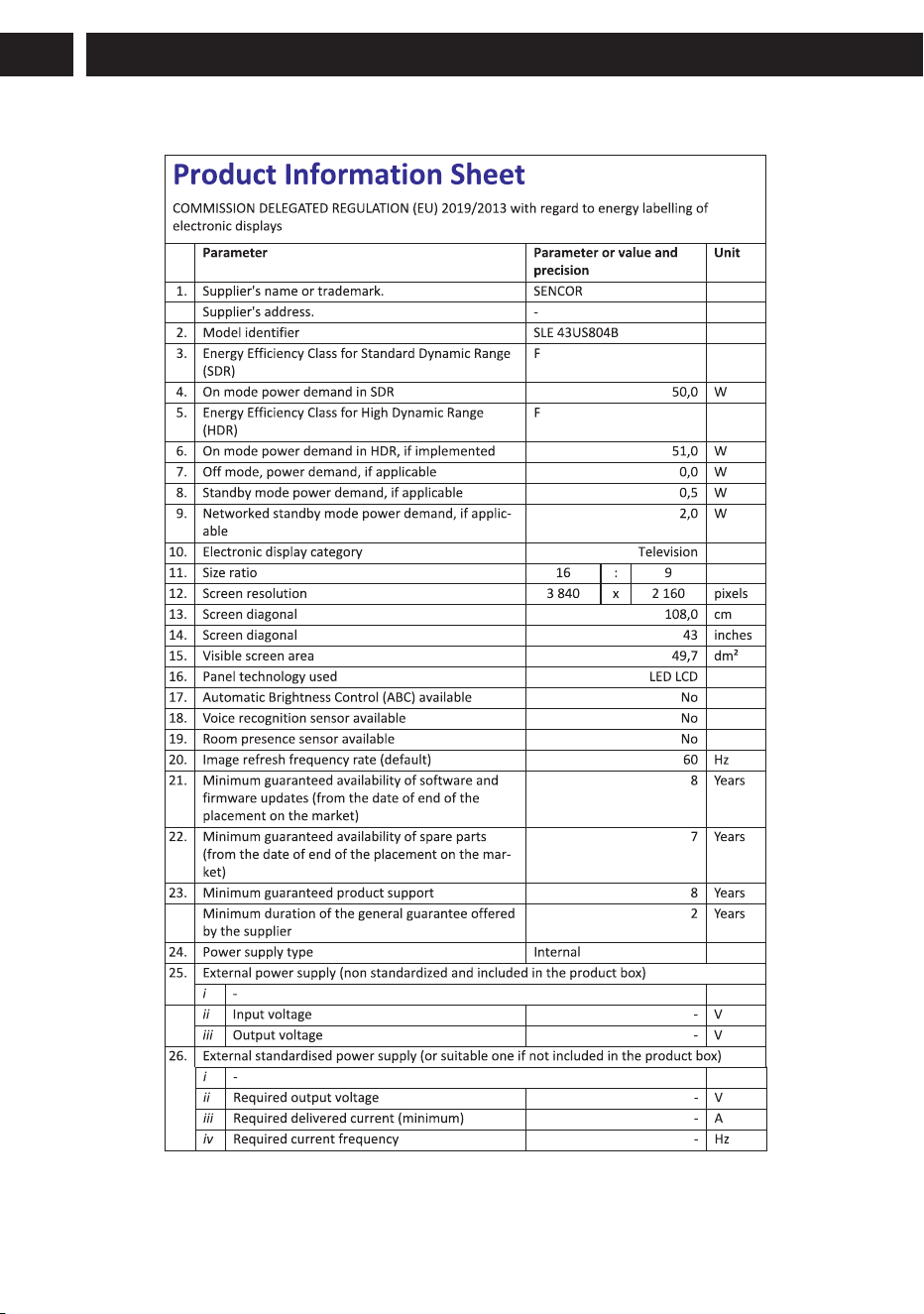
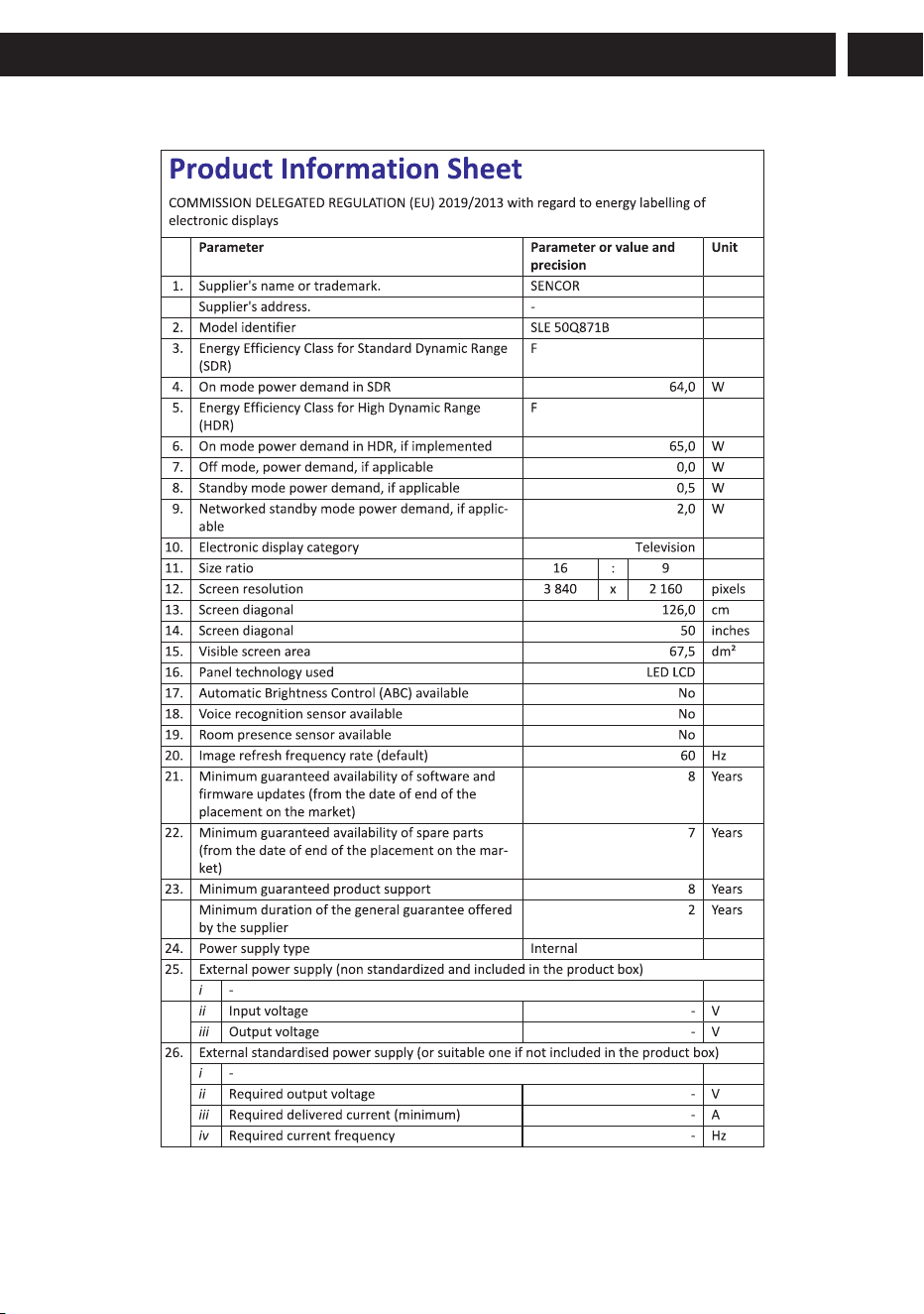
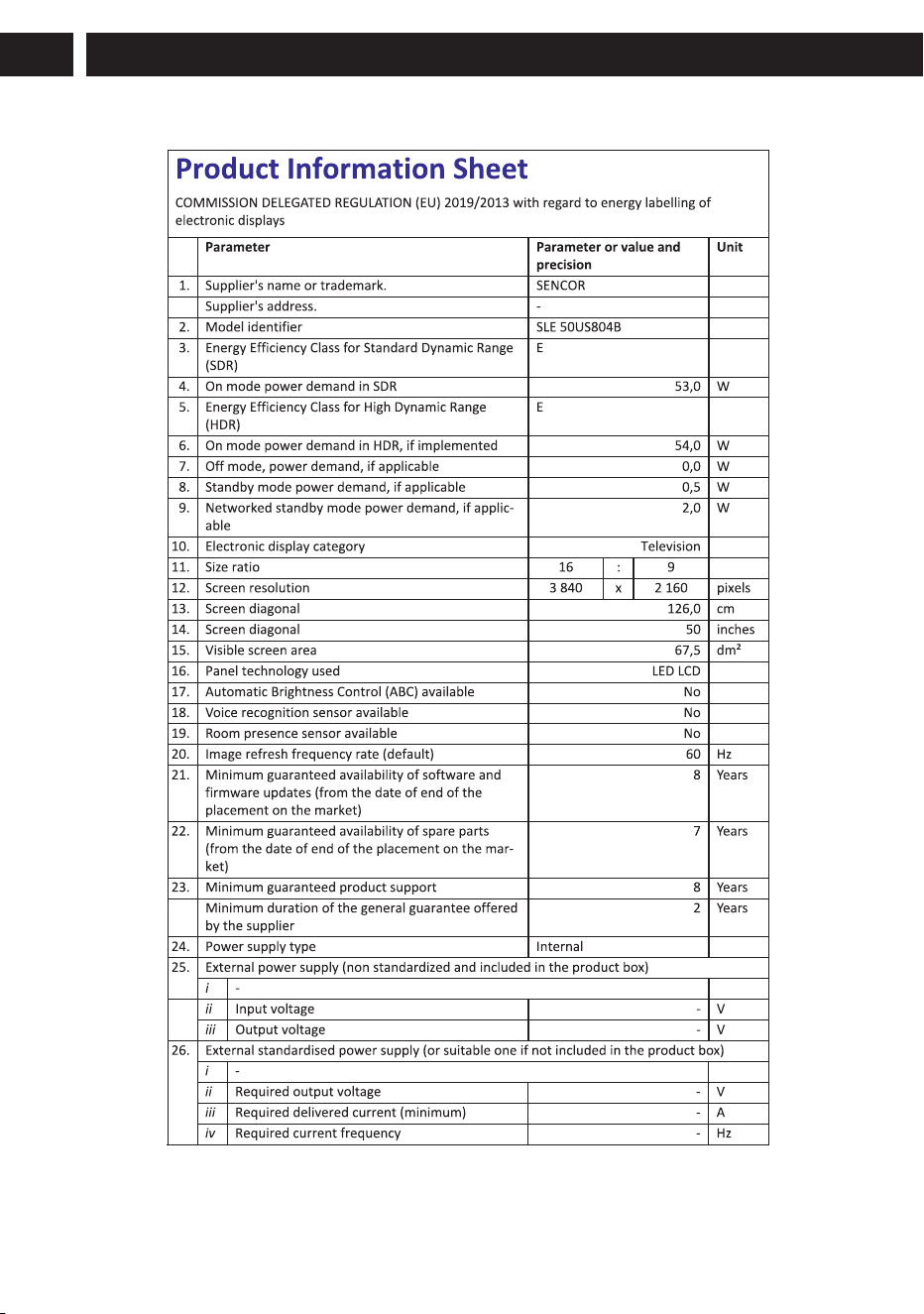
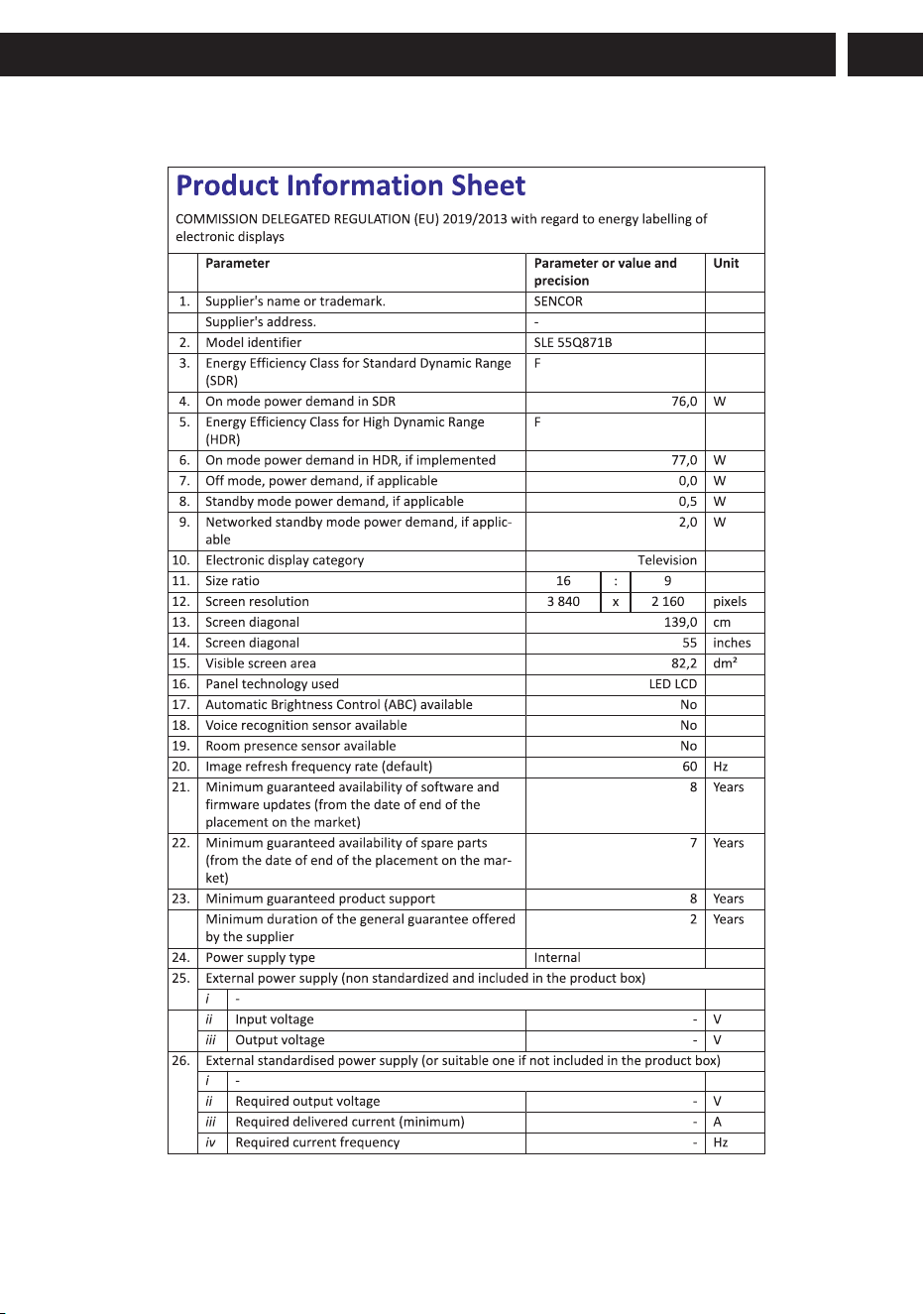

Visually lmpaired and Hearing Impaired Auxiliary function
Models: SLE 24S803B,SLE 24S830MB,SLE 24S841MBW,SLE 32QF860B,SLE 32S803B,SLE 32S810B,SLE 32S83MB,
SLE 32S841BW,SLE 40FS804B,SLE 40FS811B,SLE 40QF860B,SLE 40FS841BW,SLE 43FS804B,SLE 43Q871B,
SLE 43QF860B
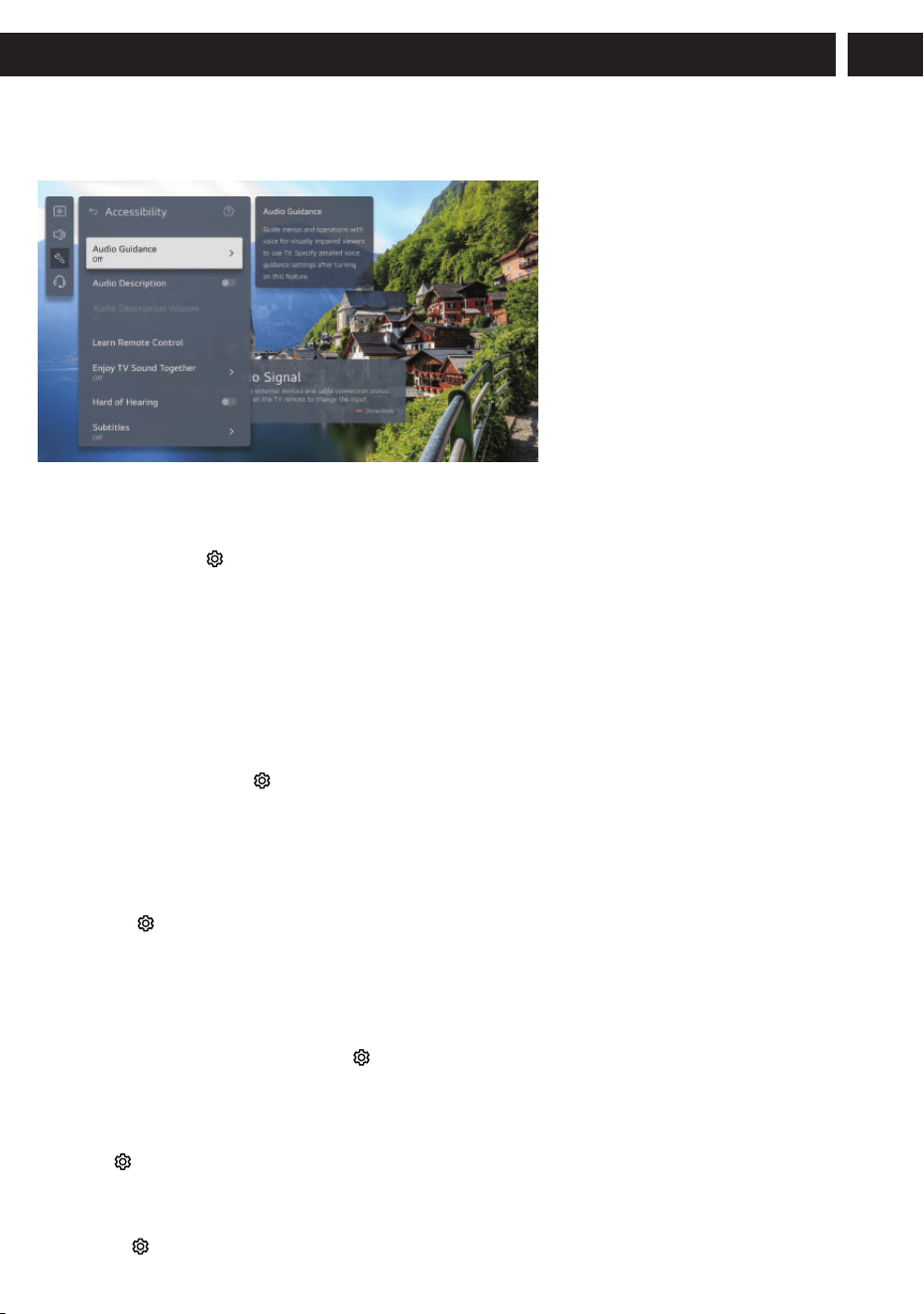
1.Audio Guidance
Guide menus and operations with voice for visually impaired viewers to use TV. Specify detailed voice guidance settings after
turning on this feature.
2.Audio Description
Describe the contents on the work screen with voice for visually impaired viewers to use TV This function works only when it
is provided by the broadcast programme.
3.Hard of Hearing
Display captions for hearing-impaired viewers to use TV. It works only when the broadcasting programme supports subtitles.
A caption will be provided for the hearing-impaired.
When the Hard of Hearing is turned On, it will be prioritized over the general captions. Some models may not be supported.
4.High Contrast
Enhance the contrast between bright and dark areas of some menus, such as the background and text,for being easily viewed
by those with low-vision.
Changing the Menu to High-Contrast Screen:
When this feature is set to On, it adjusts the background of some of the menus on the screen and font colors to highlight the
contrast between the light and dark areas.
5.Greyscale
Change the colour of the menu on the screen to black and white tone for higher clarity.
6.Invert Colors
Invert and compensate certain colors in some menus to enhance the visibility of items displayed on thescreen.
Change the colour of the menu on the screen to black and white tone to make its ambiguity very clear.Set to On.
To Set Hard of Hearing
The contents on the screen will be described with voice for visually impaired viewers.
You can use this function if the broadcasting company supports Audio Description for the visually impaired.
Some models may not be supported. Audio Description Volume: -15-15
1.Enable the function / 2.Speed Slow:Adjust Audio Guidance speed.
3.Volume Medium:Adjust Audio Guidance Volume. / 4.Pitch Medium: Adjust Audio Guidance pitch.
1.Enable the function / 2.Speed: Adjust the speed of spoken guide.
3.Volume: Adjust the volume of spoken guide. / 4.Pitch: Adjust the speed of spoken guide.
-This feature is available on certain languages only. -Some models may not be supported.
-The configurable items differ depending on model. -For visually impaired users.
-Setting the Audio Guidance to On automatically switches the TV Power Sound (only available on certain models) to On as
well.
Tο Use Audio Guidance:
If Audio Guidance is set to On, audio guides will be provided various situations, such as when you change programmers,
adjust the volume or change settings and input signals.
(Setting)→General→Accessibility→Audio Guidance
01 Press the (Setting)button on the remote control. / 02 Select →General→Accessibility.
03 Set Subtitles to On. / 04 Set Hard of Hearing to On.
Menu for the Visually Impaired:
(Setting)→General→Accessibility→Audio Description
(Setting)→General→Accessibility→High Contrast
Greyscale:
Invert Colors:
To enhance the visibility of the menus on the screen, you can invert and calibrate certain colors in some menus.Set to On.
(Setting)→General→Accessibility→Greyscale
(Setting)→General→Accessibility→Invert Colors
Visually lmpaired and Hearing Impaired Auxiliary function
Models: SLE 43US804B,SLE50Q871B,SLE 50US804B,SLE 55Q871B,SLE55US804B,SLE 65Q871B and SLE65US804B
Certain features require support from the video source and may vary depending on system version and device model.
Actual functionality may differ from specifications. Please refer to the product you have purchased for details.
Certain features require support from the video source and may vary depending on system version and device model.
Actual functionality may differ from specifications. Please refer to the product you have purchased for details.
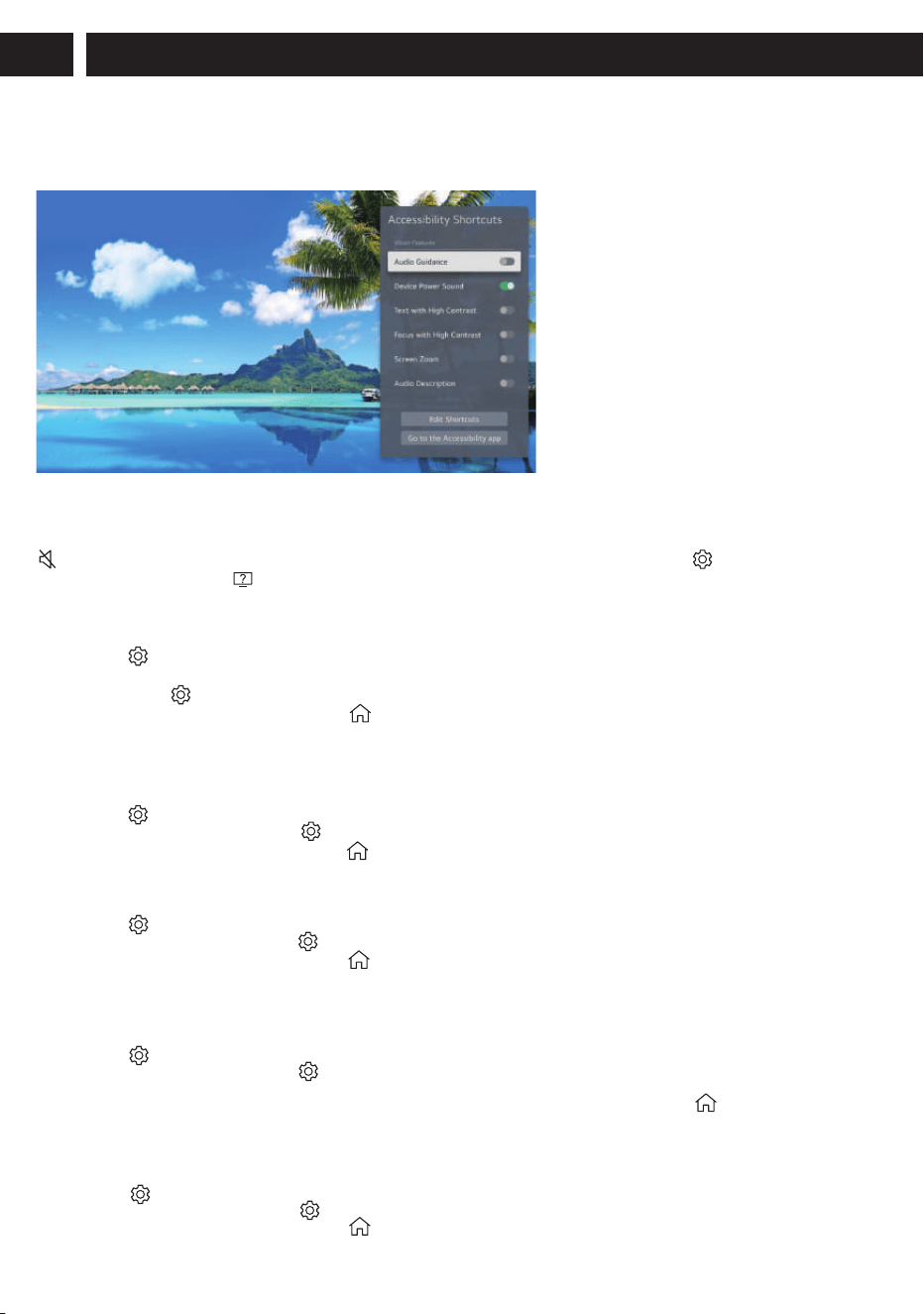
2.Edit Shortcuts
You can customize Accessibility Shortcuts to group together your most frequently. It provides voice guidance in various
situations, such as channel switching, volume adjustment, settings, and input signal changes.
1.Press the (Setting)button on the remote control.
2.Enter the following path on the screen: used Accessibility features. / Go to the Accessibility app. / Move to the Accessibility app.
3.Audio Description
The contents on the screen will be described with voice for visually impaired viewers.
You can use this function if the broadcasting company supports Audio Description for the visually impaired.
4.Listen simultaneously with a hearing aid
You can simultaneously output sound through both internal speakers and hearing aids.
You can also set this function by pressing the (HOME)button on the remote control and selecting Accessibility on the
screen.Off Turns off the Listen simultaneously with a hearing aid.
Bluetooth Device
Sound Out changes to Bluetooth Device + TV Speaker.The existing Bluetooth connection history will then be deleted.
A caption will be provided for the hearing-impaired,You can also set this function by pressing the (HOME) button on
there mote control and selecting Accessibility on the screen.
● When the Hard of Hearing is turned On, it will be prioritised over the general captions.
● Some models may not be supported. / ● The configurable items differ depending on model
6.Subtitles
If a broadcaster provides content with captions, you can see them.
You can also set this function by pressing the (HOME)button on the remote control and selecting Accessibility on the
screen.
5.Hard of Hearing
1.Press the (Setting)button on the remote control.
2.Enter the following path on the screen:
3.Set Subtitles to On. / 4.Set Hard of Hearing to On.
1.Press the (Setting)button on the remote control.
2.Enter the following path on the screen:
You can also set this function by pressing the (HOME)button on the remote control and selecting Accessibility on the
screen.
1.Press the (Setting)button on the remote control.
2.Enter the following path on the screen:
You can also set this function by pressing the (HOME)button on the remote control and selecting Accessibility on the
screen.
3.Audio Guidance:
(Setting)→General→Accessibility→Audio Guidance
(Setting)→General→Accessibility→Audio Description
(Setting)→General→Accessibility
1.Press the (Setting)button on the remote control.
2.Enter the following path on the screen:
3.Change Subtitles to On and select subtitle setting
(Setting)→General→Accessibility→Subtitles
(Setting)→General→Accessibility→Listen simultaneously with a hearing aid
1.Accessibility Shortcuts
You can display Accessibility Shortcuts on any screen to change for features supported by Accessibility. Press and hold the
(Mute)button on the Remote Control.You can also run Accessibility Shortcuts by pressing the (Setting)button on the
remote control and selecting (Accessibility) on the screen.