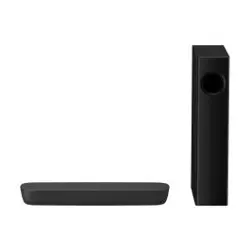
Operating Instructions
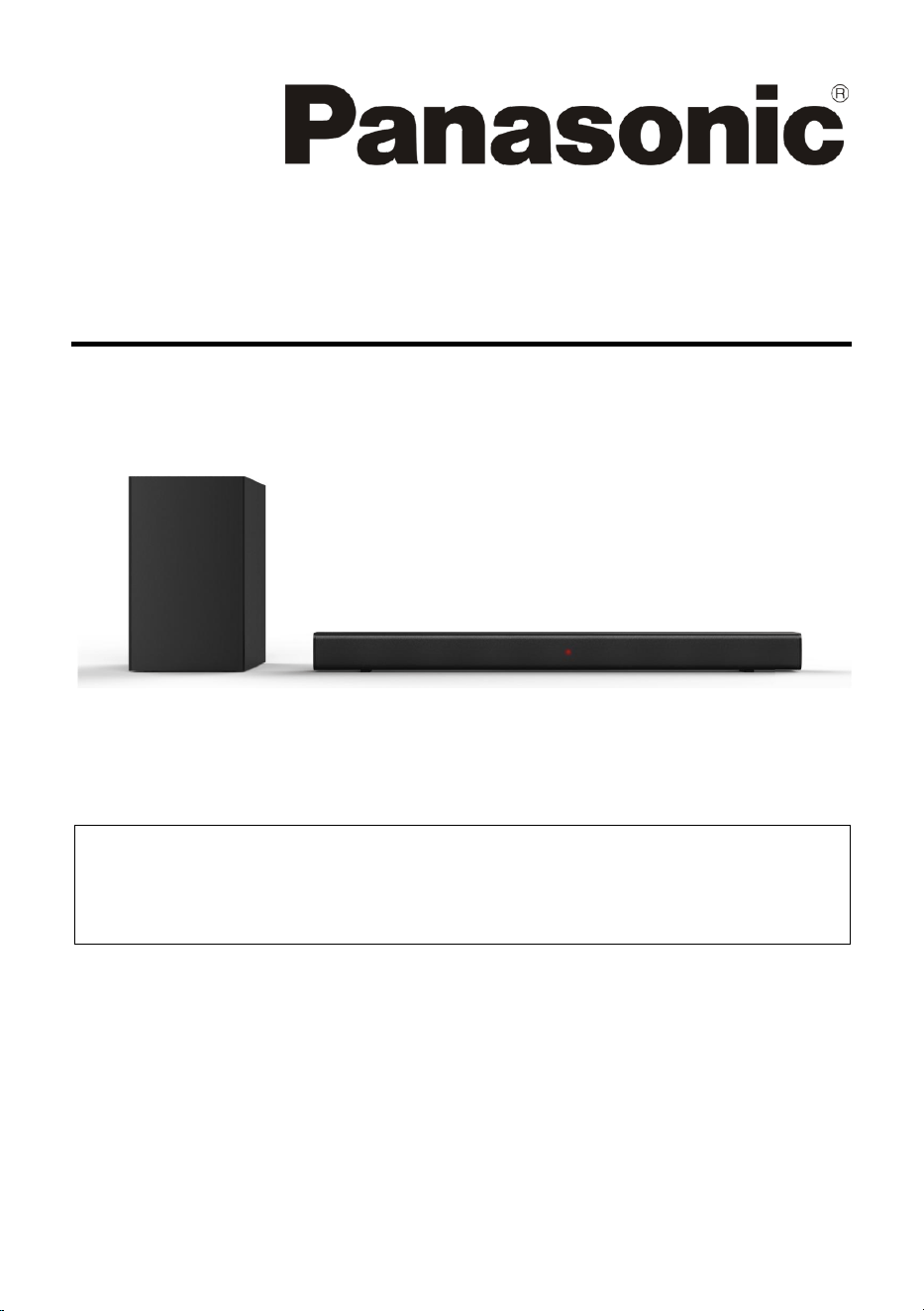
Home Theater Audio System
Model No. SC-HTB150
Thank you for purchasing this product.
For optimum performance and safety, please read these instructions carefully. Please keep this
manual for future reference.
Included Installation Instructions
Installation work should be completed by a qualified installation specialist. ( 5 to 7)
Before commencing work, carefully read these installation instructions and the operating
instructions to ensure that installation is performed correctly.
(Please keep these instructions. You may need them when maintaining or moving this system.)
Ver. 1.0.0
2

3
Contents
Safety precautions .......................................................................................................... 3
Features .......................................................................................................................... 5
Placement ....................................................................................................................... 5
Wall-mounting ................................................................................................................ 6
Panel ............................................................................................................................... 7
Connections .................................................................................................................... 8
Subwoofer Connection ................................................................................................. 10
Remote control ............................................................................................................. 11
Basic Playback ............................................................................................................... 12
Troubleshooting ............................................................................................................ 13
Specifications ................................................................................................................ 14
References .................................................................................................................... 15
License .......................................................................................................................... 15
Product conformity information ................................................................................... 16
Safety precautions
WARNING
Unit
To reduce the risk of fire, electric shock or product damage,
– Do not expose this unit to rain, moisture, dripping or splashing.
– Do not place objects filled with liquids, such as vases, on this unit.
– Use the recommended accessories.
– Do not remove covers.
– Do not repair this unit by yourself. Refer servicing to qualified service personnel.
AC mains lead
To reduce the risk of fire, electric shock or product damage,
– Ensure that the power supply voltage corresponds to the voltage printed on this unit.
– Insert the mains plug fully into the socket outlet.
– Do not pull, bend, or place heavy items on the lead.
– Do not handle the plug with wet hands.
– Hold onto the mains plug body when disconnecting the plug.
– Do not use a damaged mains plug or socket outlet.
Small objects
Keep the wall mount plug & wall mount screw out of reach of children to prevent swallowing.
4
CAUTION
Unit
To reduce the risk of fire, electric shock or product damage,
– Do not install or place this unit in a bookcase, built-in cabinet or in another confined space.
Ensure this unit is well ventilated.
– Do not obstruct this unit's ventilation openings with newspapers, tablecloths, curtains, and
similar items.
– Do not place sources of naked flames, such as lighted candles, on this unit.
This unit is intended for use in moderate climates.
This unit may receive radio interference caused by mobile telephones during use. If such
interference occurs, please increase separation between this unit and the mobile telephone.
Setup the unit on an even surface away from direct sunlight, high temperatures, high humidity, and
excessive vibration.
This system might get warm after prolonged usage. This is normal. Do not be alarmed.
AC mains lead
The mains plug is the disconnecting device. Install this unit so that the mains plug can be unplugged
from the socket outlet immediately.
Battery
Danger of explosion if battery is incorrectly replaced. Replace only with the type recommended by
the manufacturer.
When disposing of the batteries, please contact your local authorities or dealer and ask for the
correct method of disposal.
Do not heat or expose to flame.
Do not leave the battery(ies) in a car exposed to direct sunlight for a long period of time with doors
and windows closed.
Insert with poles aligned.
Remove the battery if you do not use the remote control for a long period of time. Keep in a cool,
dark area.
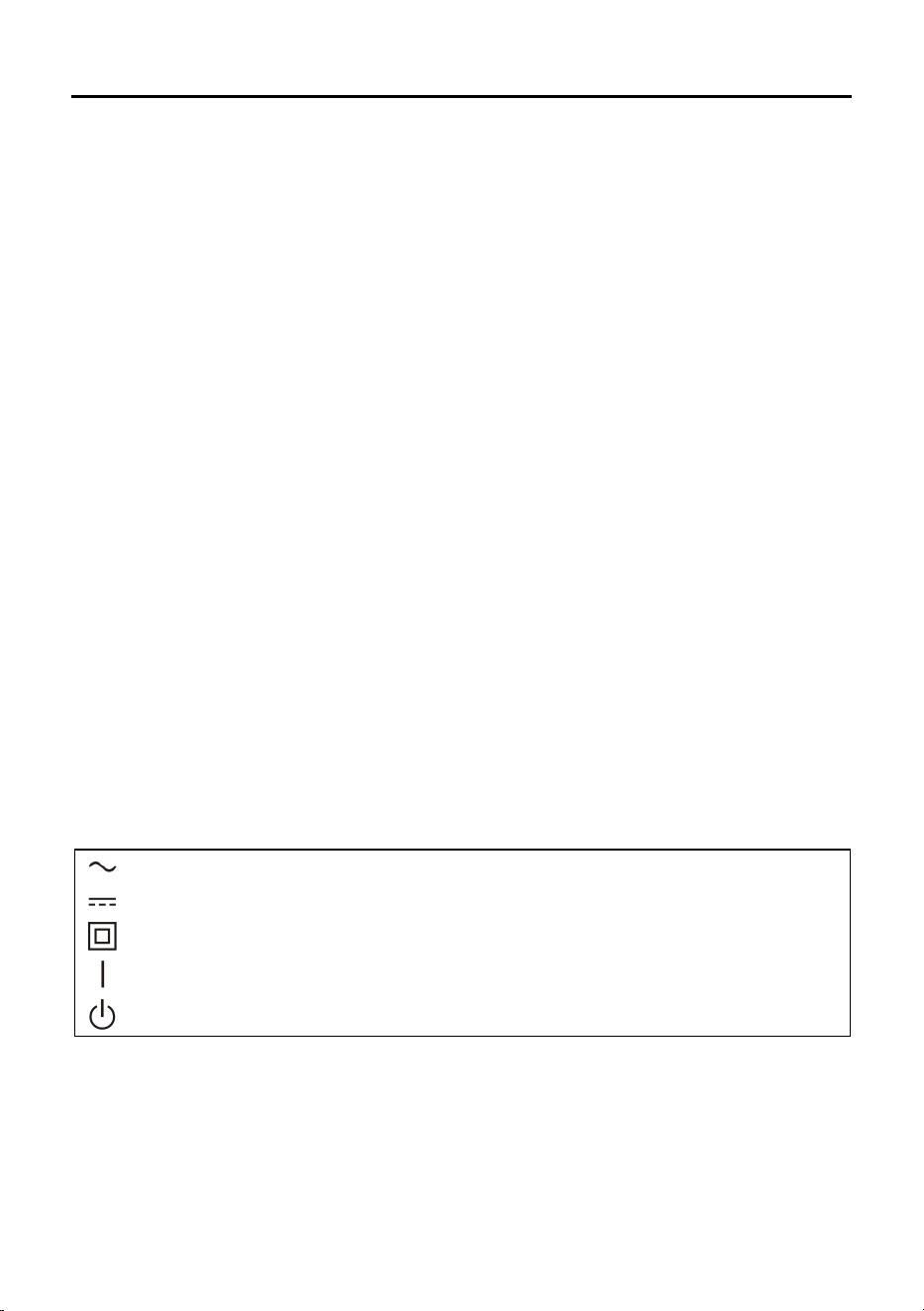
The symbols on this product (including the accessories) represent the following:
o
AC
o
DC
o
Class II equipment (The construction of the product is double-insulated.)
o
ON
o
Standby
5
Features
Thanks for your purchase of our product. Please read through this manual before making connections
and operating this product. Retain this manual for future reference.
LINE input
Optical input
HDMI ARC function
Bluetooth play back
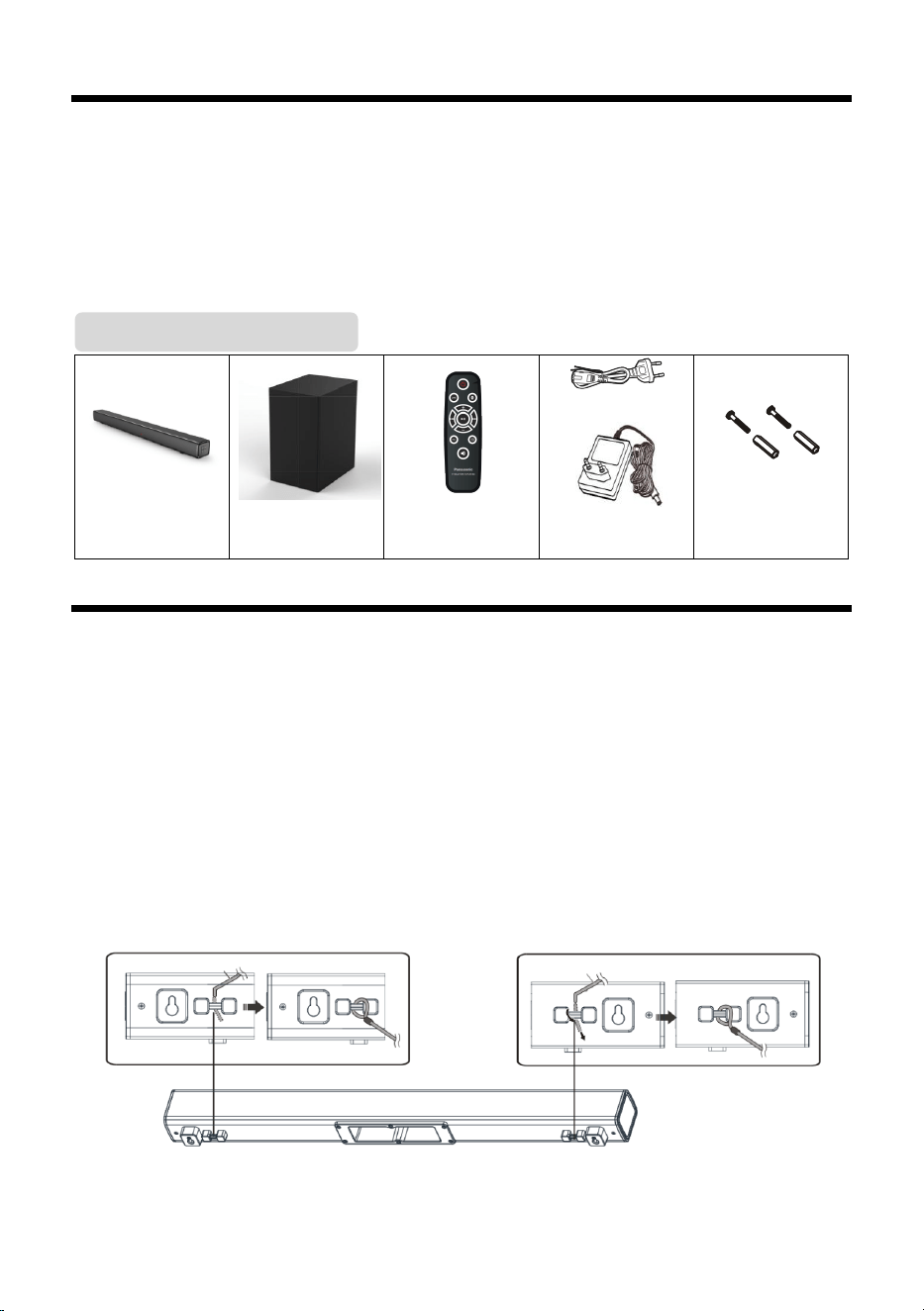
AC Cable
Main unit
(SC-HTB150)
Subwoofer
(SC-HTB150S)
Remote control
AC adaptor
Wall plug (2x) and
screw (2x)
Placement
Placing the main unit in a rack, on a table or on the wall.
In order to prevent injuries, the sound bar device must be securely fasten to the wall in accordance
with the below installation instructions.
Additionally required accessories (Commercially available)
Fall prevention cord (x2)
Screw eyes (to attach the fall prevention cord) (x2)
Note:
Use commercially available screws that are capable of supporting over 30 kg.
Use a cord that is capable of supporting over 30 kg (with a diameter of about 1.5 mm).
1 Attach the cord to the main unit.
Package Contents
Cord
Cord
6
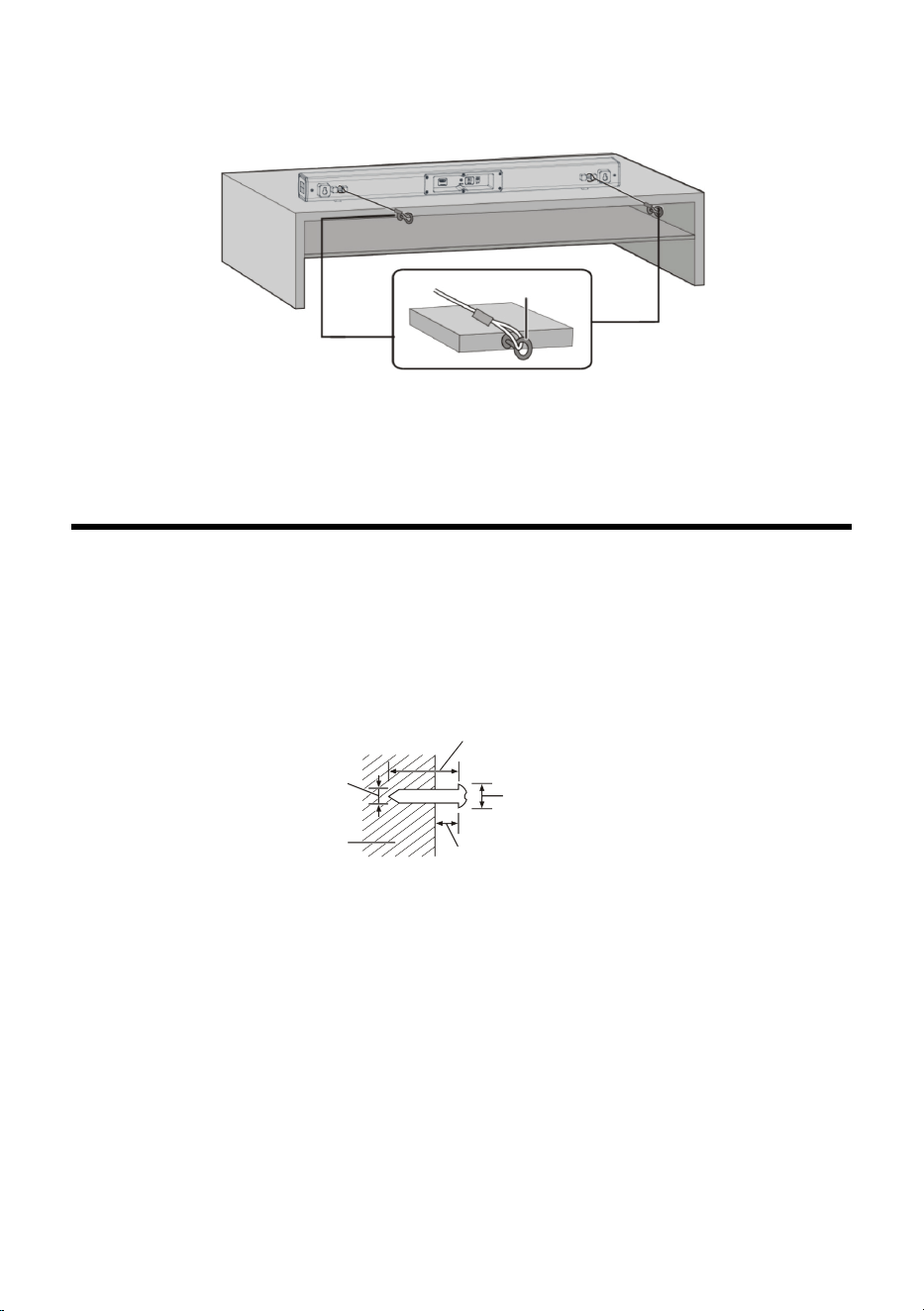
2 Place the main unit in the desired position and attach each cord onto the
rack or table.
Make sure that the slack of the cord is minimal.
Do not lean the main unit against the TV or wall.
Attach the screw eye at a position capable of supporting over 30 kg.
Depending on the placement of the main unit, the screwing position of the screw eye may differ.
Wall-mounting
Mounting sound bar on a wall
In order to prevent injuries, the sound bar device must be securely fastened to the wall in accordance
with the below installation instructions.
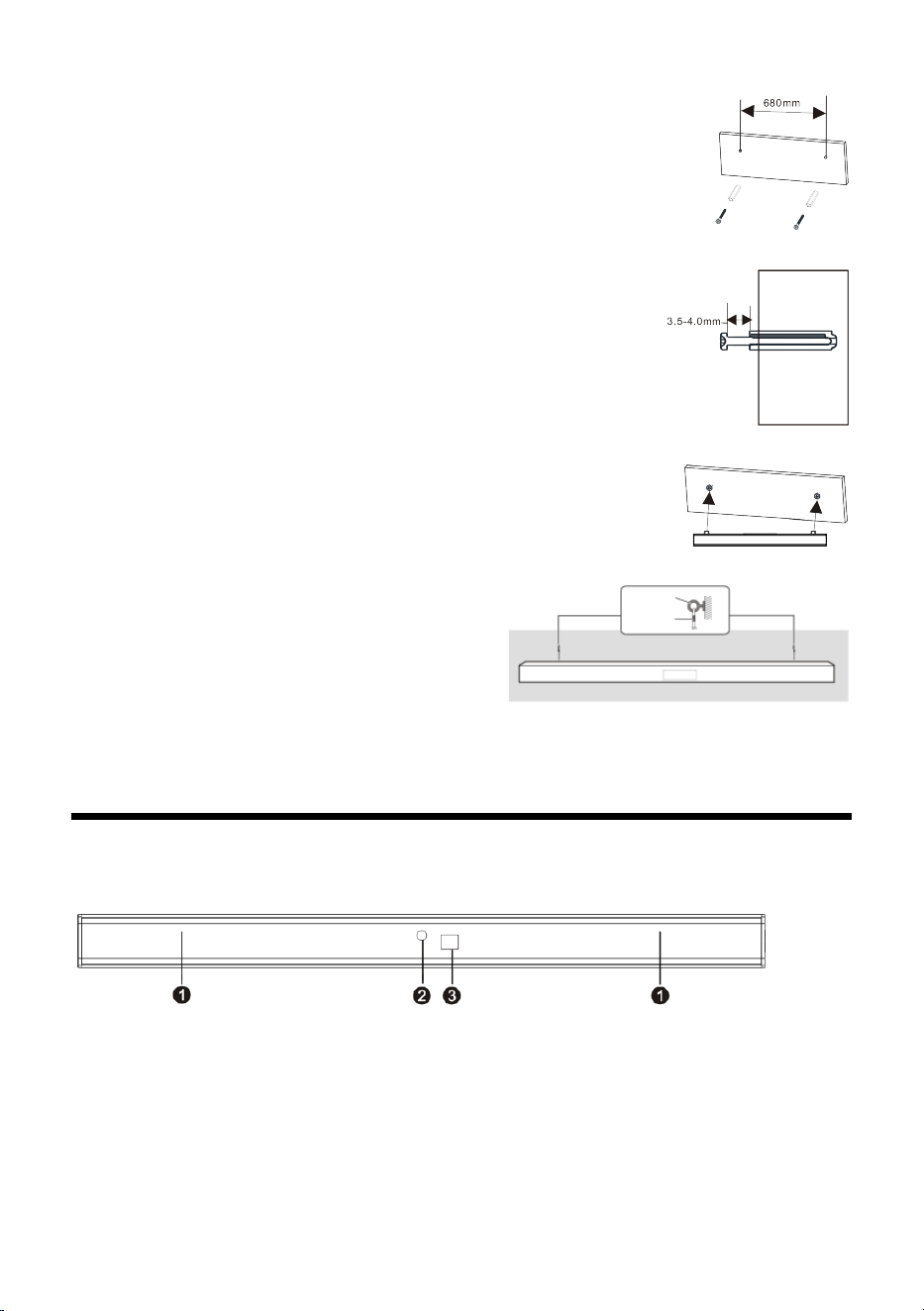
Drive the screws into the wall:
Use the measurements indicated below to identify the screwing positions on the wall.
Leave at least 100 mm of space above the main unit to allow enough space for fiting the main Unit.
Be sure to use a level to ensure that both mounting holes are level with each other.
Note: If you are installing screws into drywall or concrete, use the wall anchors (provided) designed
for that type of surface, these are not required when fixing to wood.
Safety requirement for wall mount fixing:
Wall-mounted equipment must be positioned to ensure that metal parts of the equipment such as
mounting screws are not grounded through metallic members in the wall such as metal laths, wire
laths and metal plates, in order to prevent smoke emission, ignition and fire hazards.
When mounting you must ensure that any metal parts of the equipment (such as the mounting
screws) do not contact any metallic parts in the wall as stated above.
Caution: Keep the mounting screws and plastic screw dowels out of reach of children to prevent
swallowing.
Screw eye
>25 mm
Ø7.0 mm - Ø9.4 mm
3.5 mm - 4.0 mm
Wall or pillar
Ø3.6 mm
7
1. Drill the two holes (about 6mm diameter) in the wall
keeping 680 mm distance between the drill holes, as
shown in the picture on the right. Insert the two plugs
supplied into the drilled holes and then insert two screws
(supplied) into the holes and tighten. As shown in the
picture on the right (diagram1).
Diagram 1
2. Take care to leave 4 mm between the screw heads and
the wall. As shown in the picture on the right (diagram 2).
Diagram 2
3. Hang the assembled sound bar on the screw set in the
wall. As shown in the picture on the right (diagram3).
Diagram 3
4. Attach the fall prevention cord (not supplied)
to the screw eyes, secure the cord to the wall,
making sure that the slack of the cord is
minimal. As shown in the lower picture
(diagram4).
Diagram 4
Note: Use a cord that is capable of suppor�ng over 30kg (with a diameter of about 1.5mm).
Panel
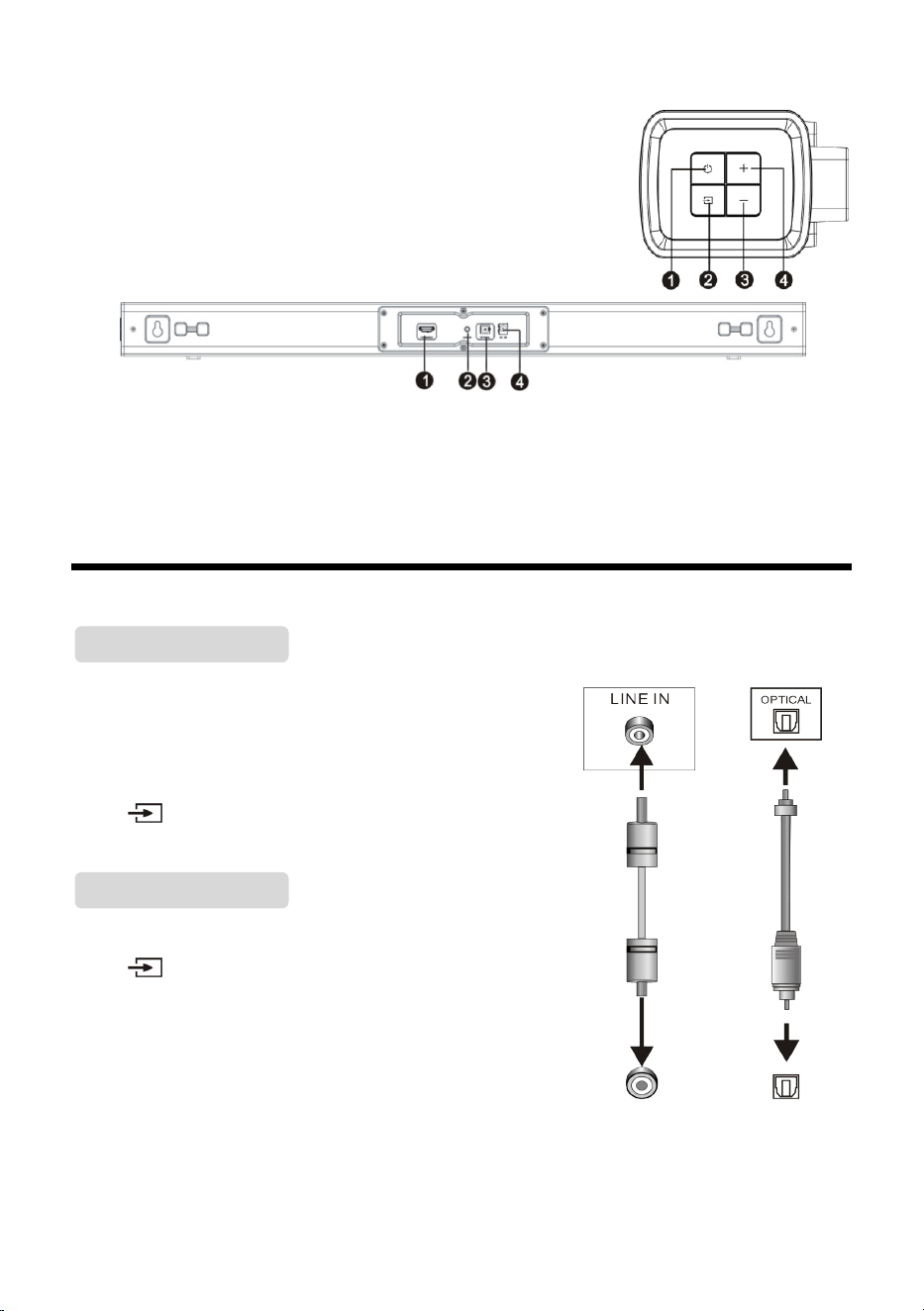
FRONT PANEL:
❶ SPEAKER: Amplifier of the unit.
❷ INDICATOR LIGHT: Show the units current mode status.
❸ REMOTE SENSOR: Point the remote control at the remote
control sensor, away from obstacles and within the
operation range.
Indicator light
Red: In STANDBY mode.
Blue: In Bluetooth mode.
Green: In LINE IN mode.
Yellow: In Optical mode.
Purple: In HDMI ARC mode.
Screw eye
Cord
8
SIDE PANEL:
❶ STANDBY: Switch the unit between ON and STANDBY mode.
❷ SOURCE: Switch to the different source mode among in,
BLUETOOTH, LINE IN, OPTICAL IN and ARC mode.
❸ VOLUME-: Press to decrease the volume level.
❹ VOLUME+: Press to increase the volume level.
REAR PANEL:
❶ ARC SLOT: HDMI TV (ARC) terminal (ARC compatible).
❷ LINE IN: Connect to a 3.5mm headphone socket of the external audio device.
❸ OPTICAL DIGITAL AUDIO INPUT: Connect to an optical output socket of the external audio
device.
❹ DC IN (DC18V/2.0A): DC power input terminal.
Connections
This sound bar has an extra group of audio input terminals.
You can input analogue stereo audio signals from extra
devices such as VCD, CD, VCR, DVD player, etc.
Use the audio cable to connect the stereo audio output
terminals of a VCD, CD, VCR, DVD player to the stereo input
LINE IN terminal of this sound bar.
Press [ ] button on the remote control to select LINE IN -
shown as a solid green indicator light.
Use the optical cable to connect the optical input of this sound
bar to the optical output of a VCD, CD, VCR, DVD player.
Press [ ] button on the remote control to select Optical
mode - the indicator will show as a solid yellow light on the
sound bar.
AUDIO INPUT
LINE Input
LINE Output
Optical Input
Optical Output
AUDIO OUTPUT
Optical Input
LINE IN
9
ARC is audio return channel function, used in digital audio output of liquid-crystal display televisions
in order to get the optimal synchronous sound quality.
Use the HDMI cable to connect the HDMI-ARC input port of this sound bar to the ARC output port of
the liquid-crystal display television.
Press [ ] button to switch to HDMI ARC mode on the remote control and the indicator will show
as solid purple on the sound bar.
This sound bar automatically switches to standby after 15 minutes of button inac�vity and no audio
play from a connected device.
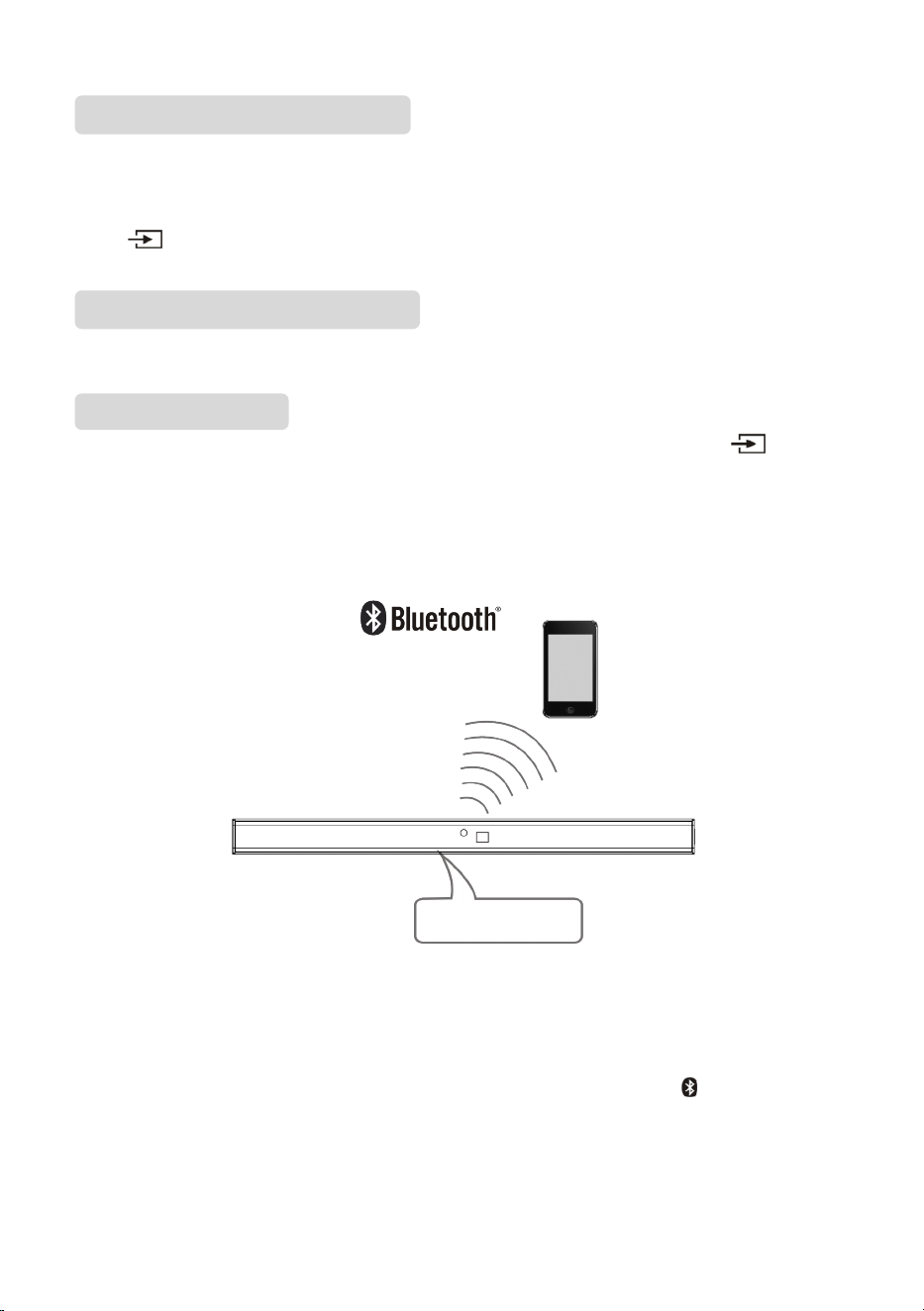
Press STANDBY button on the remote control to power on the sound bar, then press [ ] button
on the remote control to switch to Bluetooth mode, the indicator will blink blue quickly, showing that
the sound bar is in searching Bluetooth signal status. Use your Bluetooth device to search for the
Bluetooth signal of the sound bar, select SC-HTB150 on your list, input the password 0000 if the
password prompt is shown, the sound bar will synchronize to play songs on your mobile phone and
the indicator light will show as a solid blue light meaning connection was successful.
Disconnect the Bluetooth on the Bluetooth devices to switch off the Bluetooth connection.
Note:
Bluetooth connection range is 10 meters.
The model SC-HTB150 in your device was not deleted.
In Bluetooth mode, [PLAY/PAUSE], [NEXT], [PREVIOUS], [VOLUME+/-] etc. are also active.
Pairing a device
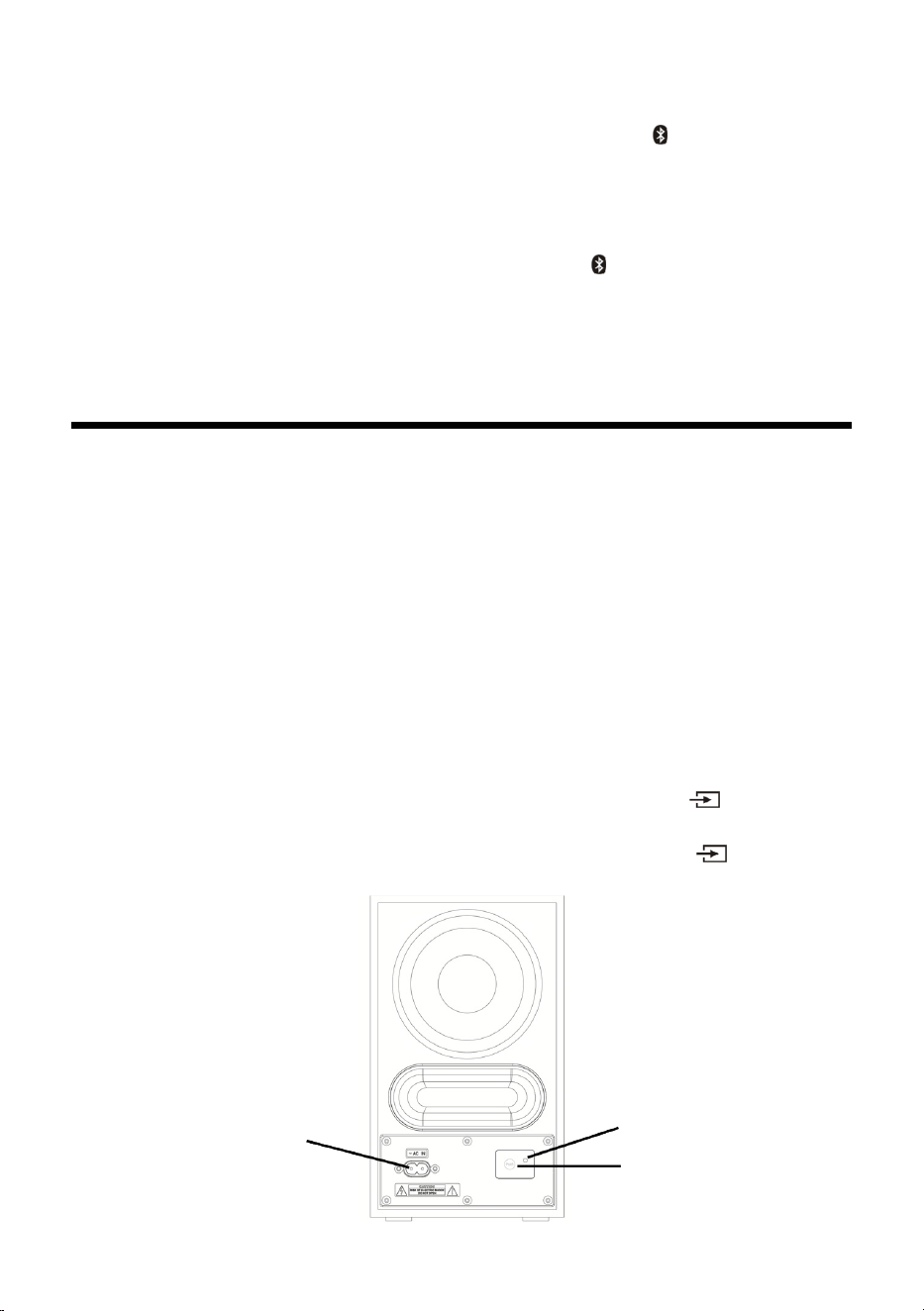
If this sound bar is already connected to a Bluetooth device, press and hold the button on the
remote control to disconnect it, the indicator blinks blue quickly, activate your device's Bluetooth
function to search for the Bluetooth signal, the Bluetooth pairing name SC-HTB150 will be shown on
the device list.
Note: You can pair up to 8 devices with this system, if a 9th device is paired, the device that has not
been used for longest time will be replaced.
BLUETOOTH
Auto Standby
ARC (AUDIO RETURN CHANNEL)
Model: SC-HTB150
10
Connecting a paired device
If this sound bar is already connected to a Bluetooth device, press and hold button on the remote
control to disconnect it, the indicator will blink blue quickly, activate your device's Bluetooth function
to search for the Bluetooth signal, select SC-HTB150 on the device list and tap it, when your device
and sound bar is connected the indicator on the sound bar will show a solid blue light.
Disconnecting a device
If this sound bar is connected to a Bluetooth device, press and hold button on the remote control
to disconnect it.
Note: This sound bar can only connect to one device at a time; when the sound bar switches to
Bluetooth mode, it will automatically try to connect to the last connected device; when the sound bar
switches to another source, the previous Bluetooth device will be disconnected.
Subwoofer Connection
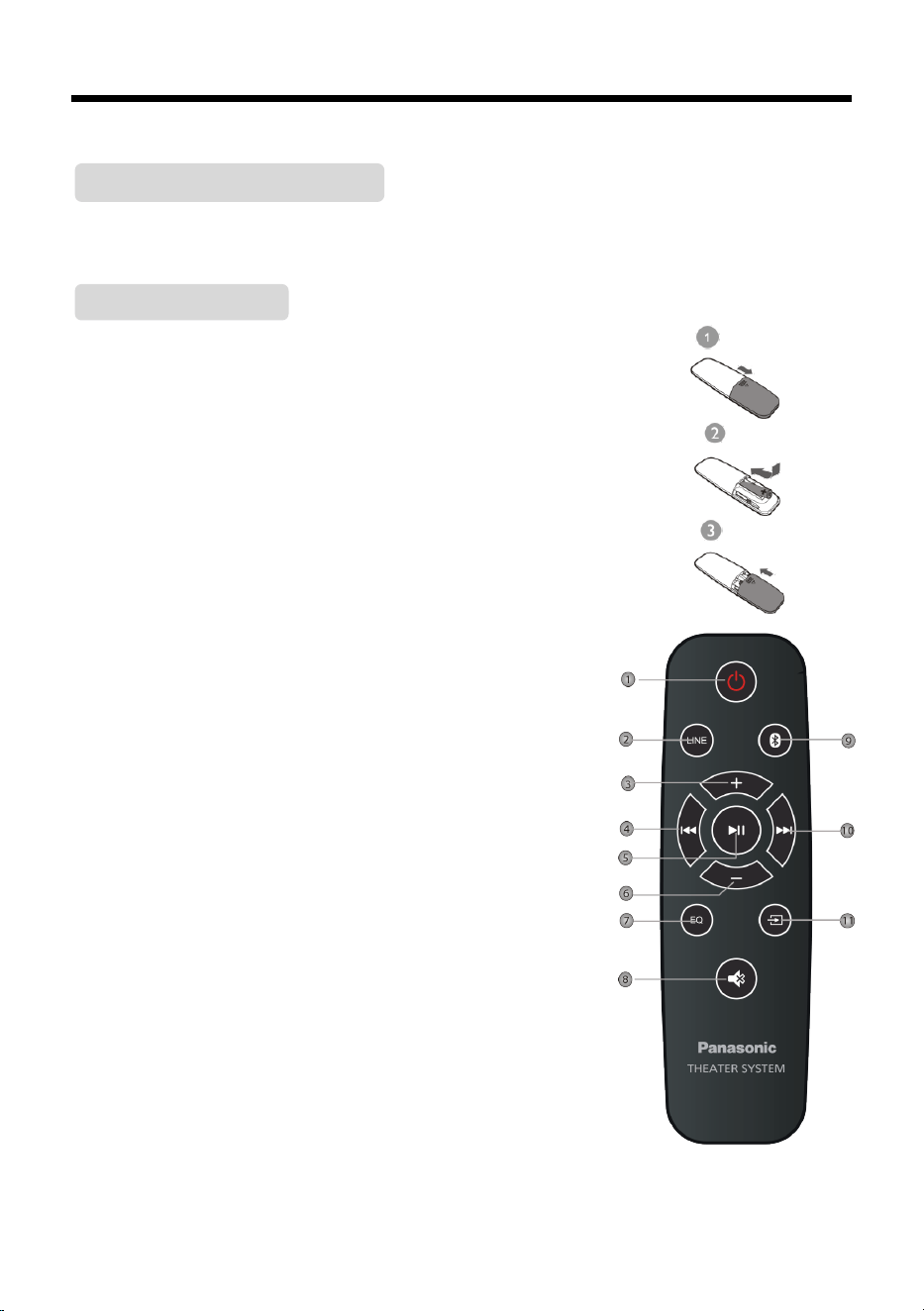
Make sure the AC power cord for the subwoofer is connected to a power supply securely.
The subwoofer will automatically connect to the sound bar in case both devices turned on. When the
red indicator is flashing on the subwoofer, the subwoofer is searching for the wireless signal of the
soundbar. When the blue indicator keeps lighting on the subwoofer it means the sound bar and
subwoofer successfully connected.
Note: During the connection of sound bar and subwoofer, users should not press PAIR button on the
subwoofer, otherwise the connection between sound bar and subwoofer will be disconnected.
If the sound bar and subwoofer cannot be connected automatically, please check Troubleshooting on
Page 13.
How to disconnect and reconnect manually the subwoofer from the sound
bar
In order to disconnect the subwoofer from the sound bar, please press and hold on the
soundbar until the indicator LED on the subwoofer turns from blue to red.
In order to reconnect the subwoofer with sound bar again, please press and hold on the
soundbar until the indicator LED on the subwoofer turns from red to blue.
AC Inlet
Indicator LED
Pair button
11
Remote control
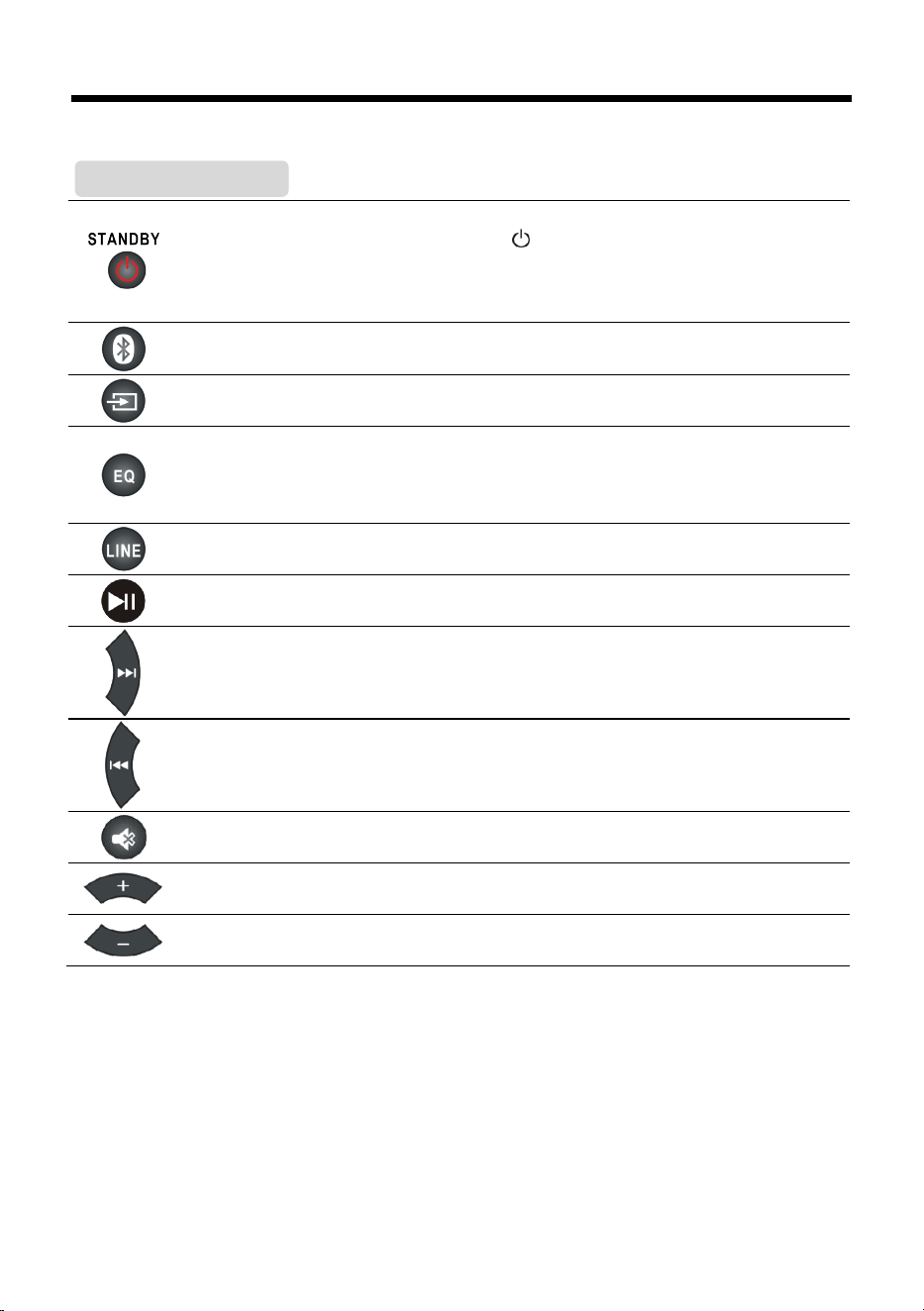
Insert the battery into the remote control. Point the remote control at the remote sensor on the
front panel. The remote control works within a distance of about 8 metres from the sensor and
within an angle of about 30 degrees from the left and right side.
❶
Remove the battery compartment cover on the back of the remote
control.
❷
Load one AAA/1.5V batteries into the battery compartment making sure
that the batteries have been inserted with the correct polarities matching
the symbols +, - as indicated inside the battery compartment.
❸
Replace the cover.
Note:
Remove the battery when you do not intend to use the remote
control for a long time.
Weak batteries can leak and severely damage the remote control.
The battery must not be exposed to excessive heat, such as sunshine,
fire or other similar heat sources.
Be environmentally friendly and dispose of batteries according to
your government regulations.
Avoid use in the following conditions
High or low extreme temperatures during use, storage or
transportation.
Replacement of a battery with an incorrect type.
Disposal of a battery into fire or a hot oven, or mechanically
crushing or cutting of a battery, that can result in an explosion.
Extremely high temperature and/or extremely low air pressure
that can result in an explosion or the leakage of flammable liquid
or gas.
1 STANDBY
2 LINE
3 VOLUME+
4 PREVIOUS
5 PLAY/PAUSE
6 VOLUME-
7 EQ
8 MUTE
9 BLUETOOTH
10 NEXT
11 SOURCE
Note: Please see P12 in basic playback chapter for details of remote control button function.
Battery Installation
Remote Control Operation
12
Basic Playback
Press to switch on the unit. Press it again to put the unit in standby mode.
The unit is in the standby condition (the [ ] indicator lights) when the AC mains
lead is connected.
The primary circuit is always "live" as long as the AC adaptor is connected to an
electrical outlet.
Press to enter the BT (Bluetooth) mode.
Hold down this button for 3 seconds to disconnect Bluetooth.
Press repeatedly to switch between BLUETOOTH, LINE IN, OPTICAL and HDMI ARC
mode.
Press repeatedly to switch between Eql, Eq2 and Eq3 equalizer modes.
Eql (mode indicator blinks white for 3 seconds) stands for MUSIC,
Eq2 (mode indicator blinks green for 3 seconds) stands for MOVIE,
Eq3 (mode indicator blinks red for 3 seconds) stands for NEWS.
Press to enter the LINE IN mode.
Press to temporarily pause a playback. Press it again to resume the playback.
Press to skip to the next track.
Press to return to the previous track.
Press to temporarily switch off the sound (indicator blinks red). Press it again to
switch it on.
Press [VOLUME+] to turn up the volume.
Press [VOLUME-] to turn down the volume.
Operation

13
Troubleshooting
Before resorting to maintenance service, please kindly check the following chart.
Symptom
Cause(s)
Remedy
No Power
The AC power cord of the adaptor is not
connected to the main unit or it's not
connected to the power supply.
Please check that the AC power cord of the
adaptor is connected securely.
Sound
There is no
sound or the
sound is
distorted.
The audio cables aren't connected
securely.
The volume is set to the minimum level.
The sound is switched off.
Is the unit placed in an extremely hot
place.
Make sure that the received audio signal
is compatible with the unit.
Connect the audio cables securely.
Turn up the volume.
Press [MUTE] on the remote control to
switch on the sound.
Press [PLAY/PAUSE],
Move the unit to a cooler place and try to
switch it on again.
Check if the audio signal is OK.
The remote
control does
not function.
There is no battery in the remote
control.
The battery is out of charge.
The remote control isn't pointed to the
remote sensor.
The remote control is out of its
operating area.
The unit is shut down.
Install one AAA/1.5V battery in it.
Replace the battery with new one.
Make sure that the remote control is
pointed to the remote control sensor.
Make sure the remote control is within the
operating area.
Switch off the unit and disconnect it from
the AC outlet. Then power on the unit again.
No sound
from
subwoofer
The AC power cord of the subwoofer is
not connected to the AC Inlet of the
subwoofer or to the power supply.
Please check that the AC power cord of the
subwoofer is connected securely.
Accidently pressed PAIR button on the
backside of subwoofer.
Please turn the power "off" and "on" on the
main unit to let the subwoofer auto pairing
process restart automatically.
The main unit is not connected with the
subwoofer.
If the sound bar and subwoofer cannot be
connected automatically, please repair it as
follow:
1. Press PAIR button on the subwoofer to
reset and the red indicator on the
subwoofer will start to flash quickly
(twice per second).
2. In LINE mode, press the STANDBY button
on the sound bar for 5 seconds to reset.
After the sound bar is in standby, press
the STANDBY button to power on, the
sound bar will automatically pair and
connect the subwoofer.

14
Specifications
Power Supply
Soundbar
AC
~
100-240V,50/60Hz, DC18V/2A
Subwoofer
AC
~
100-240V, 50/60Hz
Power Consumption
(normal use)
Soundbar
25W
Subwoofer
20W
Power Consumption in
standby mode
Soundbar
<0.5W
Subwoofer
≤2W
Dimensions
(W x H x D)
Soundbar
762mm x 58mm x 70mm
Subwoofer
150mm x 253mm x 202mm
Carton Box (individual)
818mm x 353mm x 214mm
Net Weight
Soundbar
1.5kg
Subwoofer
1.7kg
Working Environment
Temperature
-10 ~ + 35°C
Relative Humidity
5% - 90%
Power Output (RMS)
30% THD
Total RMS Stereo Mode
100W
Soundbar
45W (22.5W X 2)
Subwoofer
55W
Frequency response
±3dB (20Hz ~ 20kHz)
Bluetooth version
V4.2
Bluetooth frequency band
2402 - 2480MHz
Bluetooth maximum power
7.5dBm (5.62mW)
Terminal
HDMI Output (ARC)
Audio Format LPCM, Version 1.4b
Optical Audio Input
Audio FormatL PCM
Analogue Audio Input
AUX IN
USB Terminal
- (for service purpose only)

15
References
Panasonic bears no responsibility for data and/or information that is compromised during a wireless
transmission.
Frequency band
This system uses the 2.4 GHz frequency band.
Certification
This system conforms to the frequency restrictions and has received certification based on
frequency laws. Thus, a wireless permit is not necessary.
The actions below are punishable by law in some countries:
– Taking apart or modifying the unit.
– Removing specification indications.
Restrictions of use
Wireless transmission and/or usage with all Bluetooth equipped devices is not guaranteed.
All devices must conform to standards set by the Bluetooth SIG, Inc.
Depending on the specifications and settngs of a device, it can fail to connect or some operations
can be different.
This system supports Bluetooth security features. But depending on the operating environment
and/or settngs, this security is possibly not sufficient. Transmit data wirelessly to this system with
caution.
This system cannot transmit data to a Bluetooth device.
Range of use
Use this device at a maximum range of 10 m.
The range can decrease depending on the environment, obstacles or interference.
Interference from other devices
This system may not function properly and troubles such as noise and sound jumps may arise due
to radio wave interference if this unit is located too close to other Bluetooth devices or the devices
that use the 2.4 GHz band.
This system may not function properly if radio waves from a nearby broadcasting station, etc. is too
strong.
Intended usage
This system is for normal, general use only.
Do not use this system near an equipment or in an environment that is sensitive to radio frequency
interference (example: airports, hospitals, laboratories, etc.).
License
The Bluetooth word mark and logos are registered trademarks owned by Bluetooth SIG, Inc. and any
use of such marks by Panasonic Entertainment and Communication Company is under license. Other
trademarks and trade names are those of their respective Owners.
The terms HDMI and HDMI High-Definition Multimedia Interface, and the HDMI Logo are trademarks
or registered trademarks of HDMI Licensing Administrator, Inc.

16
Product conformity information
English
Declaration of Conformity (DoC)
Hereby, "Panasonic Marketing Europe GmbH" declares that this
product is in compliance with the essential requirements and other
relevant provisions of Directive 2014/53/EU.
Customers can download a copy of the original DoC to our RE
products from our DoC Server: http://www.ptc.panasonic.eu
Contact to Authorised Representative:
Panasonic Marketing Europe GmbH, Panasonic Testing Centre,
Winsbergring 15, 22525 Hamburg, Germany
Type of wireless
Frequency band
Maximum power
(dBm E.I.R.P.)
Bluetooth®
2402 - 2480 MHz
7.5 dBm
(5.62 mW)
Confirmation of Compliance with UK Regulations
This product complies with UK relevant Regulations and
Standards (being those relevant for England, Wales and
Scotland).
<Importer for UK>
Panasonic UK, a branch of Panasonic Marketing Europe GmbH,
Maxis 2, Western Road, Bracknell, Berkshire, RG12 1RT
<Declaration of Conformity for Radio Equipment in UK>
Panasonic Marketing Europe GmbH declares that the radio
equipment type (Model Numbers are referred in the Operating
Instructions) is in compliance with The Radio Equipment Regulations
2017.
The full text of the UK declaration of conformity is available at the
following internet address:
https://www.ptc.panasonic.eu/compliance-documents
Contact in the UK:
Panasonic Testing Centre on behalf of Panasonic UK, a branch of
Panasonic Marketing Europe GmbH (Importer), Maxis 2,
Western Road, Bracknell, Berkshire, RG12 1RT
Manufactured by: Panasonic Marketing Europe GmbH
Hagenauer Straße 43, Wiesbaden, Germany
Authorized Representative Panasonic Marketing Europe GmbH
in Europe: Panasonic Testing Centre
Winsbergring 15, 22525 Hamburg, Germany
Panasonic Marketing Europe GmbH
Web Site: http://www.panasonic.com
© Panasonic Marketing Europe GmbH 2022