Kindly Note
If the battery level drops below 10%, there will be a low battery warning.
When powering on, the headset provides a battery status voice prompt: Battery High
/ Medium / Low.
When fully charged, the indicator light turns green.
In Bluetooth mode, the battery level icon will be shown on the connected phone.
Changing Ear Cap Cushions
For extended wearing comfort, we recommend using the Fabric Ear Cushions, which
come pre-installed on your headset.
If you prefer a stronger Active Noise Cancellation (ANC) performance and enhanced
noise isolation, switch to the Leather Ear Cushions supplied in the accessory kit.
How to Replace the Ear Cushions:
1. Hold the ear cushion firmly and gently pull it outward to detach it from
the headset frame.
2. Align the replacement cushion with the edges of the ear cup.
3. Press around the edges until it securely fits into place.
The cushions are designed with a simple press-fit mechanism, making it easy to swap
cushions anytime based on your comfort and listening preference.
Dual-Mode (Dongle & BT) Pairing Instructions
1. First-time Use
After powering on, the headset enters pairing mode and will connect to either
the Dongle or BT (only one mode at a time). To pair the second mode,
quickly tap the “MFB button 5 times in a row” until the headset prompts “pairing”.
At this point, insert the dongle into the target device to wait for pairing,
or enable BT on your phone, search for the headset’s pairing name and
select it to complete Bluetooth pairing. Once both modes are successfully paired,
the audio source will switch automatically, with the headset playing the most recently
activated audio.
2. Subsequent Dual-Mode Connection
To enable dual-mode connectivity after each power-off, follow the above pairing process,
with one key difference:
- If the Dongle is connected first, the headset will automatically reconnect to the
paired phone’s BT when the phone’s BT is turned on.
- If BT is connected first, you need to quickly tap the “MFB button 5 times”
to put the headset back into pairing mode, then insert the dongle into the corresponding
device (e.g., computer or phone) for the headset to automatically search and pair with
the dongle.
Note
Once dual-mode pairing is completed, audio source switching cannot be done via
the headset itself and must be operated on the connected devices—the headset
will automatically play the most recently played audio. In addition, the call mode
has the highest priority.
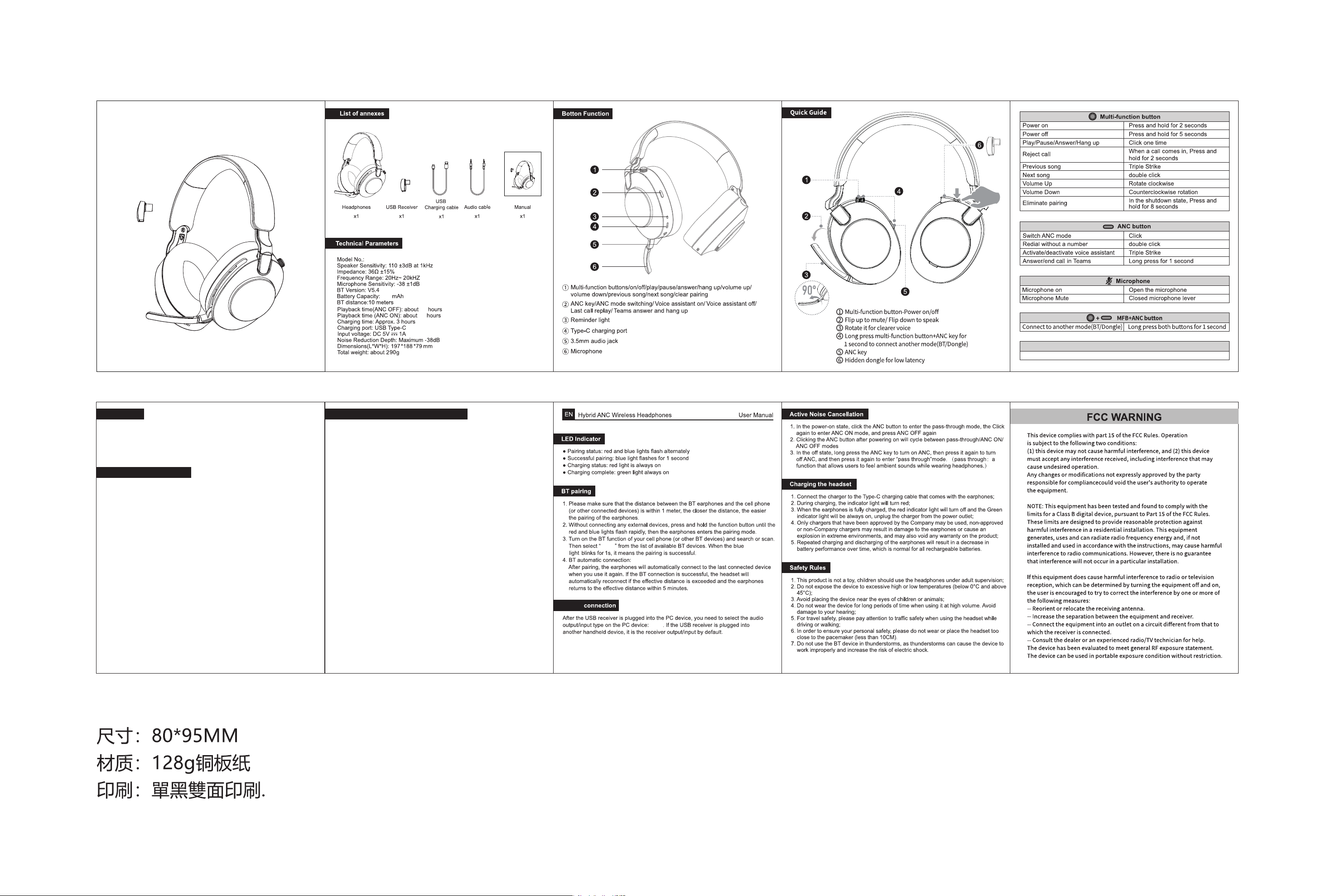
A509-说明书
Hybrid ANC Wireless Headphones
User Manual
A509
A509
A509
800
80
45
Guidelines for simultaneous connection of Bluetooth and Dongle Dual-mode
Step: Pair Dongle first, then Bluetooth
(Dongle )
Hybrid ANC Wireless Headphones
User Manual
Dongle