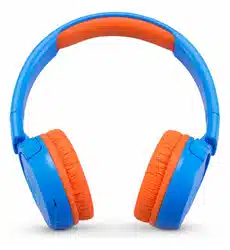
Overview
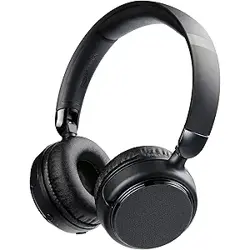
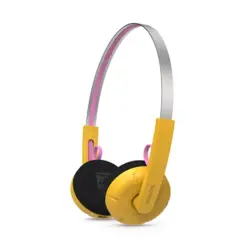
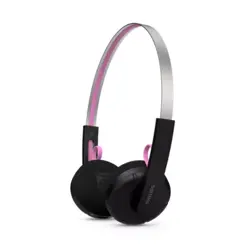
The Monster N-Tune MINI 01 is a wireless on-ear headphone featuring Bluetooth 6.0 connectivity, 50-hour continuous playback, and an ergonomic, lightweight design. It supports hands-free telephony and is suitable for music, travel, and daily use.

Key specifications:
- Bluetooth Version: 6.0
- Driver: 40mm dynamic driver
- Frequency Range: 20Hz – 20,000Hz
- Battery Life: Up to 50 hours
- Weight: 120g
- Wireless Range: Up to 30 meters
- Compatible Devices: Smartphones, tablets, laptops
What's in the Box
- Monster N-Tune MINI 01 Wireless Headphones
- Charging cable (USB-C, not specified – assume standard)
- User manual / Quick start guide
Features
Bluetooth 6.0 Connectivity
Equipped with Bluetooth 6.0 for instant pairing and a stable, extended connection range. Supports multipoint connection – can connect to two devices simultaneously (e.g., laptop and phone).

40mm Dynamic Drivers
High-fidelity 40mm dynamic drivers deliver clear audio with robust bass. Dynamic EQ adapts across different usage modes (meetings, workouts, commutes).

All-Day Comfort & Lightweight Design
Ergonomic metal-arched headband with ultra-soft protein leather earpads. Professional clamping force for a snug, pressure-free fit. Weighs only 120g for extended wear.

Multi-Layer Mirror Ambient Lighting
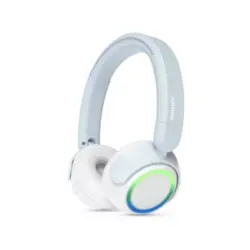
Illuminated "Multi-Layer Mirror" ambient lighting with solid static or gentle breathing modes. Adds a stylish, cyber-fashion aesthetic.
Hands-Free Calling
Integrated microphone enables clear, hands-free calls without touching your phone.

Long Battery Life
Up to 50 hours of continuous playback on a full charge. Minimal charging required, consistent sound quality.

Use Guide
Charging the Headphones
Connect the included charging cable to the charging port on the headphones. Plug the other end into a USB power source. The LED indicator will show charging status. A full charge takes approximately 2 hours and provides up to 50 hours of playback.
Power On/Off
- Power On: Press and hold the power button for 2-3 seconds until the LED indicator flashes.
- Power Off: Press and hold the power button for 2-3 seconds until the LED indicator turns off.
Pairing with a Bluetooth Device
- Ensure the headphones are powered off.
- Press and hold the power button for about 5 seconds until the LED indicator rapidly flashes blue and red (pairing mode).
- On your device (smartphone, tablet, laptop), enable Bluetooth and search for available devices.
- Select "Monster N-Tune MINI 01" from the list.
- If prompted, enter the PIN "0000" or confirm pairing.
- Once connected, the LED indicator will stop flashing and remain solid (or slow blink).
Multipoint Connection: To connect two devices simultaneously, first pair with the first device, then turn off Bluetooth on that device. Repeat the pairing process with the second device. Then turn Bluetooth back on the first device – the headphones will reconnect automatically.
Controls
- Play/Pause: Press the multifunction button once.
- Volume Up: Press the "+" button.
- Volume Down: Press the "-" button.
- Next Track: Press and hold the "+" button for 2 seconds.
- Previous Track: Press and hold the "-" button for 2 seconds.
- Answer/End Call: Press the multifunction button once.
- Reject Call: Press and hold the multifunction button for 2 seconds.
- Activate Voice Assistant: Press the multifunction button twice quickly.
- Ambient Lighting Mode: Press the lighting button (if available) to cycle through solid static and breathing modes.
LED Indicator Status
- Flashing blue/red: Pairing mode
- Slow blue flash: Connected, standby
- Solid blue: Fully charged / connected and active
- Red flash: Low battery
- Solid red (while charging): Charging
- Off: Powered off or fully charged (if disconnected from charger)
Wearing the Headphones
Adjust the headband so the earpads sit comfortably over your ears. The metal-arched headband provides a secure fit without excessive pressure. The protein leather earpads are soft and breathable for extended use.

Cleaning and Maintenance
- Wipe the earpads and headband with a soft, dry cloth.
- Do not use harsh chemicals or abrasive materials.
- Store in a cool, dry place when not in use.
- Avoid exposing to extreme temperatures or moisture.
Troubleshooting
- No sound / headphones not connecting: Ensure Bluetooth is enabled on your device. Try turning the headphones off and on again. Delete the device from your Bluetooth list and re-pair.
- Poor audio quality or intermittent connection: Move closer to the connected device (within 10 meters). Avoid obstacles like walls or other wireless devices. Ensure the headphones are fully charged.
- Microphone not working during calls: Check that the headphones are selected as the audio input device on your phone/computer. Ensure the microphone is not blocked.
- Headphones not charging: Verify the charging cable is securely connected. Try a different USB port or power adapter. If the LED does not light up, the cable or port may be damaged.
- Ambient lighting not working: Ensure the headphones are powered on. Press the lighting button (if available) to cycle through modes. If still not working, reset the headphones.