
1
Product User Manual
Tiankang Two-Motor
Remote Control
Model
:
RF.16.001
2
一、Product Appearance:
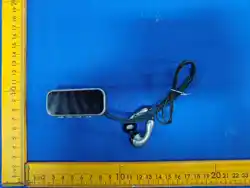
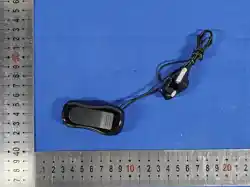
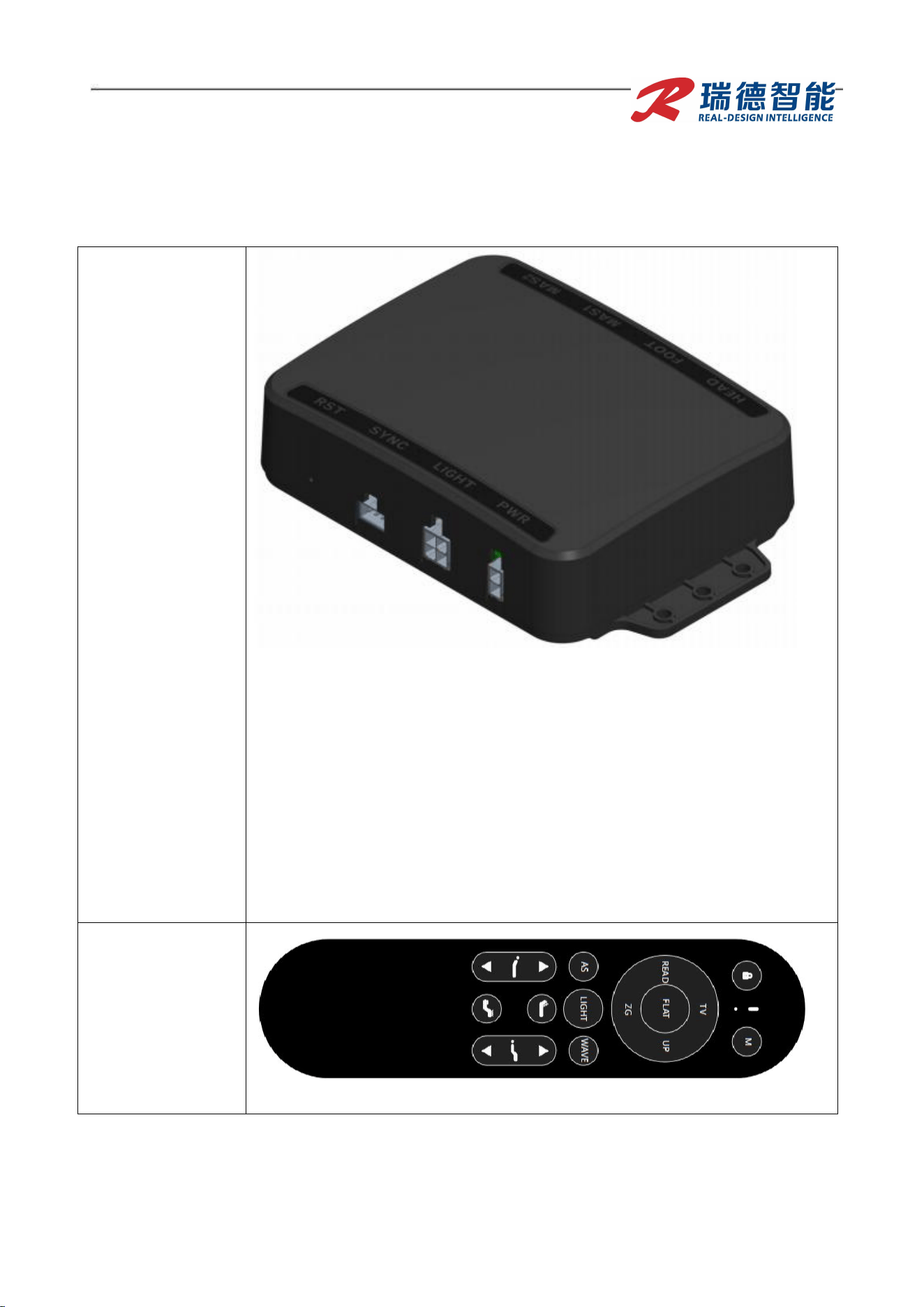
Control Box:
RD00009020101
0001
Notes:
1. PWR: Connect to adapter. Input voltage 24–29V, input power ≥58W.
For multiple motors, input power should exceed the total rated power
of all motors.
2. LIGHT: Reserved LED strip interface.
3. SYNC: Synchronization interface.
4. HEAD: Connect to head adjustment motor.
5. FOOT: Connect to leg adjustment motor.
6. MAS1: Connect to back massage motor.
7. MAS2: Connect to leg massage motor.
8. RST: Pinhole reset button (press twice briefly to re‑ enter 10‑
second remote pairing; press and hold for 5 seconds to reset the
control box to factory defaults).
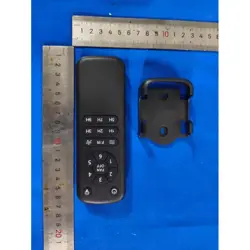
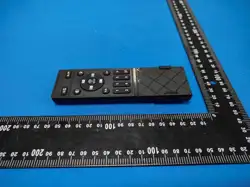
Remote
Control:
RF.16.001
Product User Manual
2/4
3
二:
Remote Control Functions

Product User Manual
2/4
4
FCC Statement
This device complies with part 15 of the FCC rules. Operation is subject to the following two conditions: (1) this de
vice may not cause harmful interference, and (2) this device must accept any interference received, including int
erference that may cause undesired operation.
Caution: Changes or modifications not expressly approved by the party responsible for
compliance could void the user’s authority to operate the equipment.
NOTE: This equipment has been tested and found to comply with the limits for a Class B digital device, pursuant to
part 15 of the FCC Rules. These limits are designed to provide reasonable protection against harmful interference i
n a residential installation. This equipment generates uses and can radiate radio frequency energy and, if not installe
d and used in accordance with the instructions, may cause harmful interference to radio communications. However,
there is no guarantee that interference will not occur in a particular installation. If this equipment does cause harmfu
l interference to radio or television reception, which can be determined by turning the equipment off and on, the use
r is encouraged to try to correct the interference by one or more of the following measures:
‐ Reorient or relocate the receiving antenna.
‐ Increase the separation between the equipment and receiver.
‐ Connect the equipment into an outlet on a circuit different from that to which the receiver is connected.
‐Consult the dealer or an experienced radio/TV technician for help important announcement
Radiation Exposure Statement
The device has been evaluated to meet general RF exposure requirement. The device can be used in portable
exposure condition without restriction.
Product User Manual
5
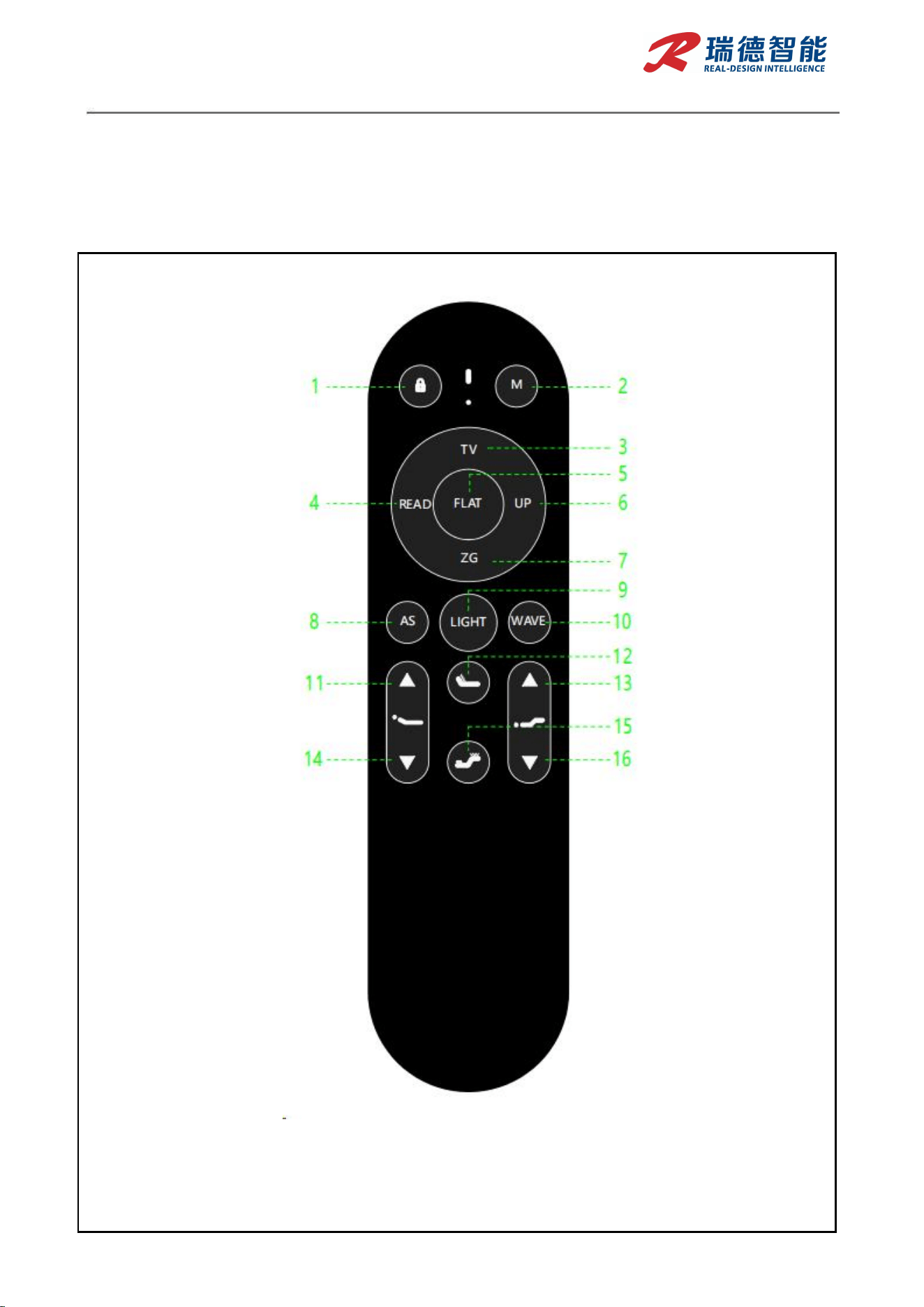
KEY
Function
Description
KEY1
Child Lock
Press and hold for 3–5 seconds; control box beeps twice and remote
enters locked mode. In locked mode, press and hold again for 3–5
seconds; control box beeps once and remote exits locked mode.
KEY2
M
(Memory)
Press and hold for 3 seconds (one beep) to save current position as
memory. Short‑ press to go to the saved memory position. If no
position is saved, short‑ press goes to the factory‑ default angle.
KEY3
TV
Short‑ press to move bed to the movie‑ watching position.
KEY4
READ
Short‑ press to move bed to the reading position.
KEY5
FLAT
Short‑ press to move bed to the flat position.
KEY6
UP
Short‑ press to move bed to the assist‑ stand position.
KEY7
ZG (Zero
Gravity)
Short‑ press to move bed to the zero‑ gravity position.
KEY8
AS (Anti‑
Snore)
Short‑ press to activate anti‑ snore mode.
KEY9
LIGHT
Short‑ press to turn on the under‑ bed light. Short‑ press again to
turn it off.
KEY10
WAVE
Short‑ press to activate cradle rocking (lulling) mode.
KEY11
Back Raise
Press and hold to raise the backrest; release to stop. Short‑ press to
raise the backrest for 3 seconds, then stop.
KEY12
Back Massage
Short‑ press to start back massage motor at level 1. Short‑ press
again for level 2, again for level 3, again to stop.
KEY13
Leg Raise
Press and hold to raise the foot section; release to stop. Short‑ press
to raise the foot section for 3 seconds, then stop.
KEY14
Back Lower
Press and hold to lower the backrest; release to stop. Short‑ press to
lower the backrest for 3 seconds, then stop.
KEY15
Leg Massage
Short‑ press to start leg massage motor at level 1. Short‑ press again
for level 2, again for level 3, again to stop.
KEY16
Leg Lower
Press and hold to lower the foot section; release to stop. Short‑ press
to lower the foot section for 3 seconds, then stop.
/
Interrupt
During normal operation, pressing any button immediately stops the
current movement.
KEY8+KEY10
Pairing
Within 30 seconds of power‑ on, press and hold both Button 8 and
Button 10 simultaneously. A "beep‑ beep‑ beep" sound confirms
successful pairing.