
User Manual
Model:JT-HTB001
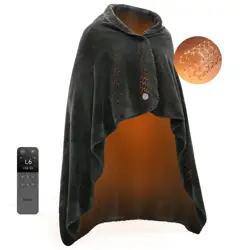
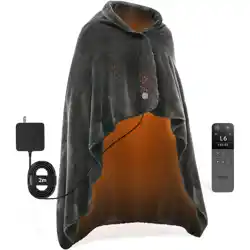
Jartoo Warming Throw

PART 1 PRECAUTIONS FOR USE
·Before using this product, please read through these "Safety Precautions" to
ensure proper use;
·Before use, check whether or not the power cord and adapter are damaged.
Do not use them in case of any damage and contact the brand’s official custom-
er service (support@jartoo.com) directly for resolution;
·The adapter is the product that matches the electric blanket. Other adapters
are not allowed for use with this electric blanket;
·Be sure to cut off the power and unplug the adapter before washing; keep the
adapter dry and never try to wash it with water;
·For better heating effect, make sure that the electric blanket is completely dried
before use;
·Do not use it in conjunction with other heating products to avoid burns due to
excessive temperature;
·To save energy and protect the environment, cut off the power when the
electric blanket is not in use;
·The electric blanket can be machine-washed, but cannot be dry-cleaned;
·For better heating effect, it is recommended to replace the electric blanket
product every 5 to 6 years.
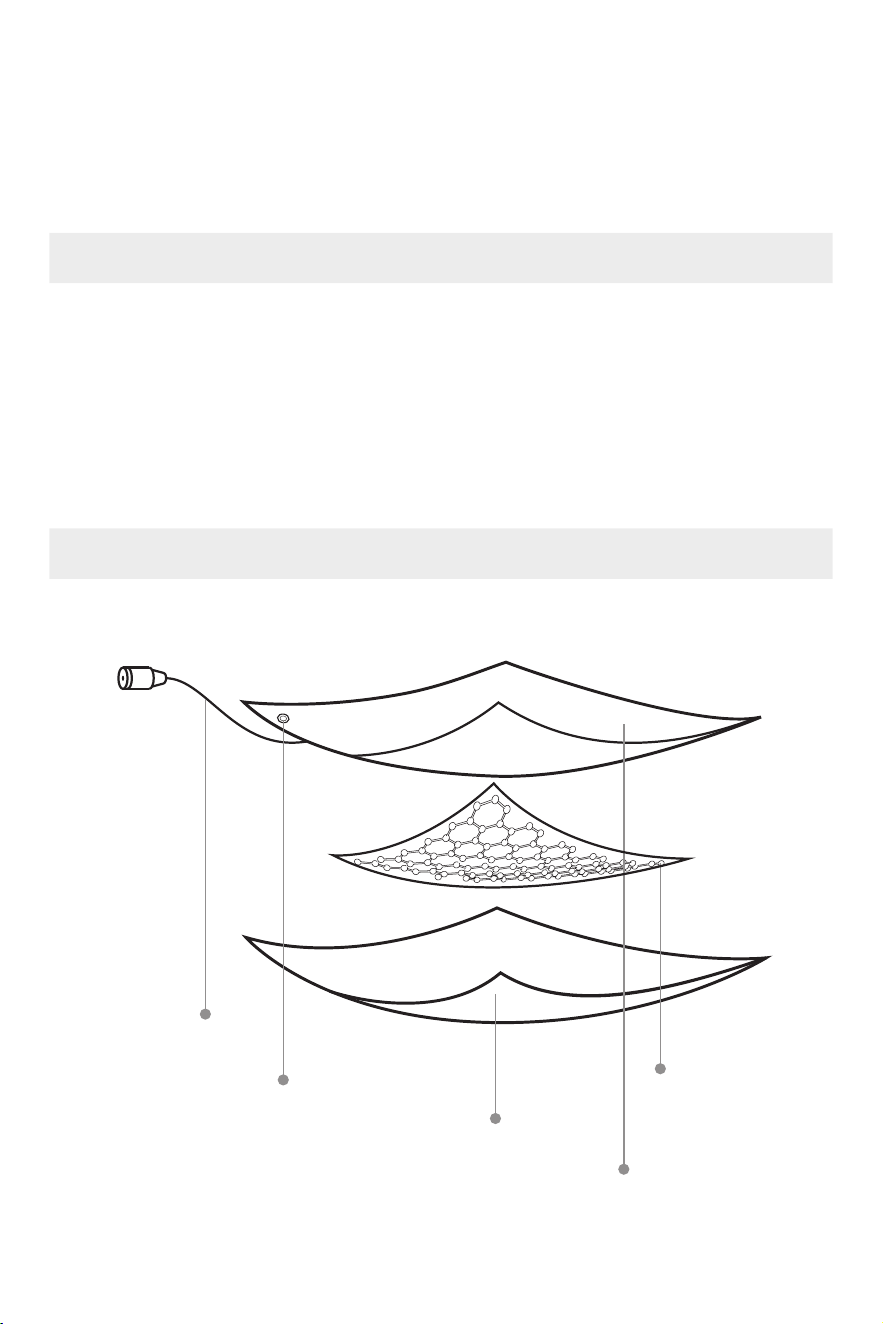
This product contains the following items:
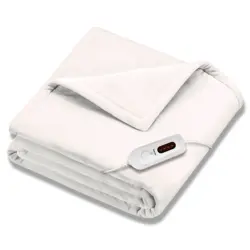
1. Electric blanket ×1
2. Adapter×1
3. Manual ×1
4. After-sales card ×1
Adapter connection port
(zipper hidden)
Power button
Side B: 100% polyester
Side A: 100% polyester
Apalos FlexHT
Product List
Product Introduction
PART 2 PRODUCT DESCRIPTION
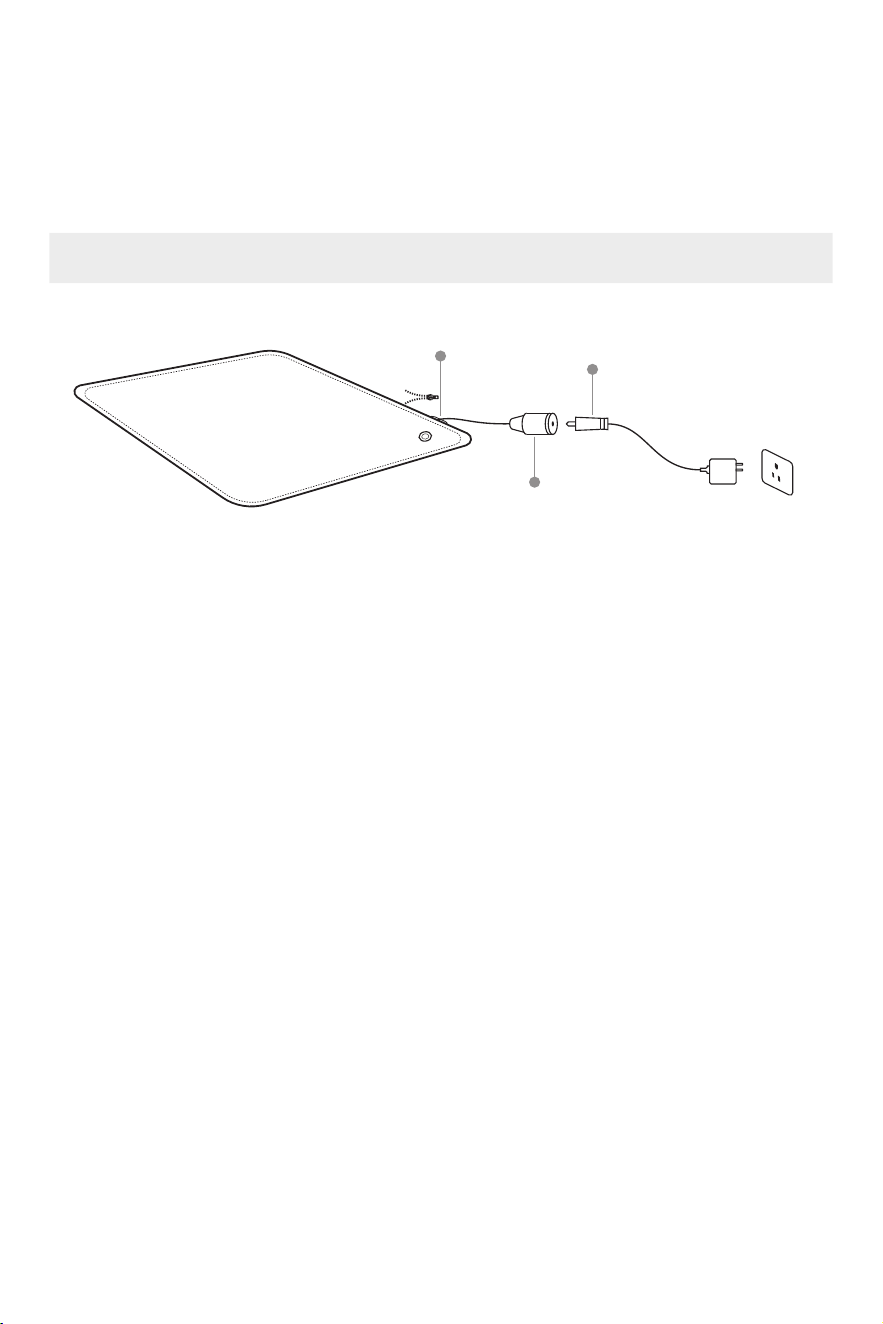
Power Connection Instructions
PART 3 INSTRUCTIONS FOR USE
DC jack port
1. Open the zipper of the hidden pocket of the electric blanket and find the DC
jack port of the adapter;
2. Connect the adapter power cord to the DC plug and the DC jack port;
3. Connect the adapter to a 100V to 240V AC power source.
Caution!
1. Keep the power cord at the connection out of reach of children to avoid any
possible electric shock or injury;
2. Do not use damaged wires. Damaged wires may cause overheating or fire;
3. Never try to plug in the product when it is damp or wet, otherwise it may
cause a short circuit at the outlet;
4. Insert the power plug completely into the power socket connector, other-
wise it may cause an electric shock, short circuit, smoke or fire, etc.;
5. In case of an abnormality or a fault, stop using it immediately and unplug
the power.
6. Unplug the power when not working, to avoid hidden dangers caused by
aging circuits or short circuits and leakage in humid environments.
DC plug
Open zipper
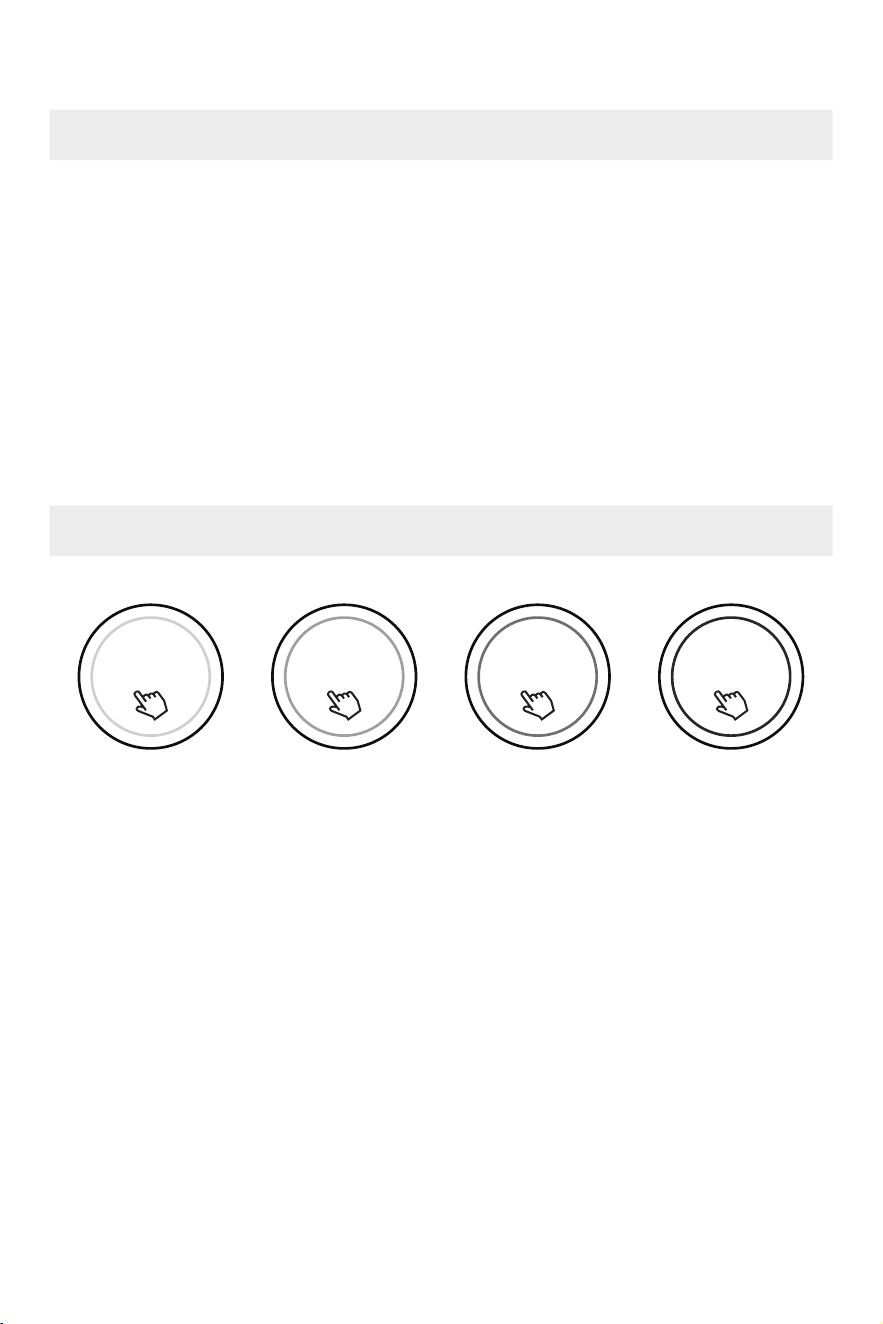
Gently press the power button on the blanket body to start and the blue light
will be on and the product enters Level 1 mode; short press the power button
again to change the temperature level and it stops when the light goes out.
Caution!
To ensure safety, the electric blanket will automatically shut off (lights will
turn off) after 60 minutes of non-use.
Press the button on the blanket body to adjust the temperature of the electric
blanket:
Level 1 is 95℉ (displays blue light), Level 2 is 108℉ (displays green light),
Level 3 is 118℉ (displays purple light), and Level 4 is 131℉ (displays red
light);
Level cycle: Level 1 → Level 2 → Level 3 → Level 4 → stop;
Caution!
Level 3 and above are high-temperature levels. It is recommended not to keep
it working for too long and use it according to personal conditions.
Start/Stop
Temperature Adjustment
Blue light Green light Purple light Red light
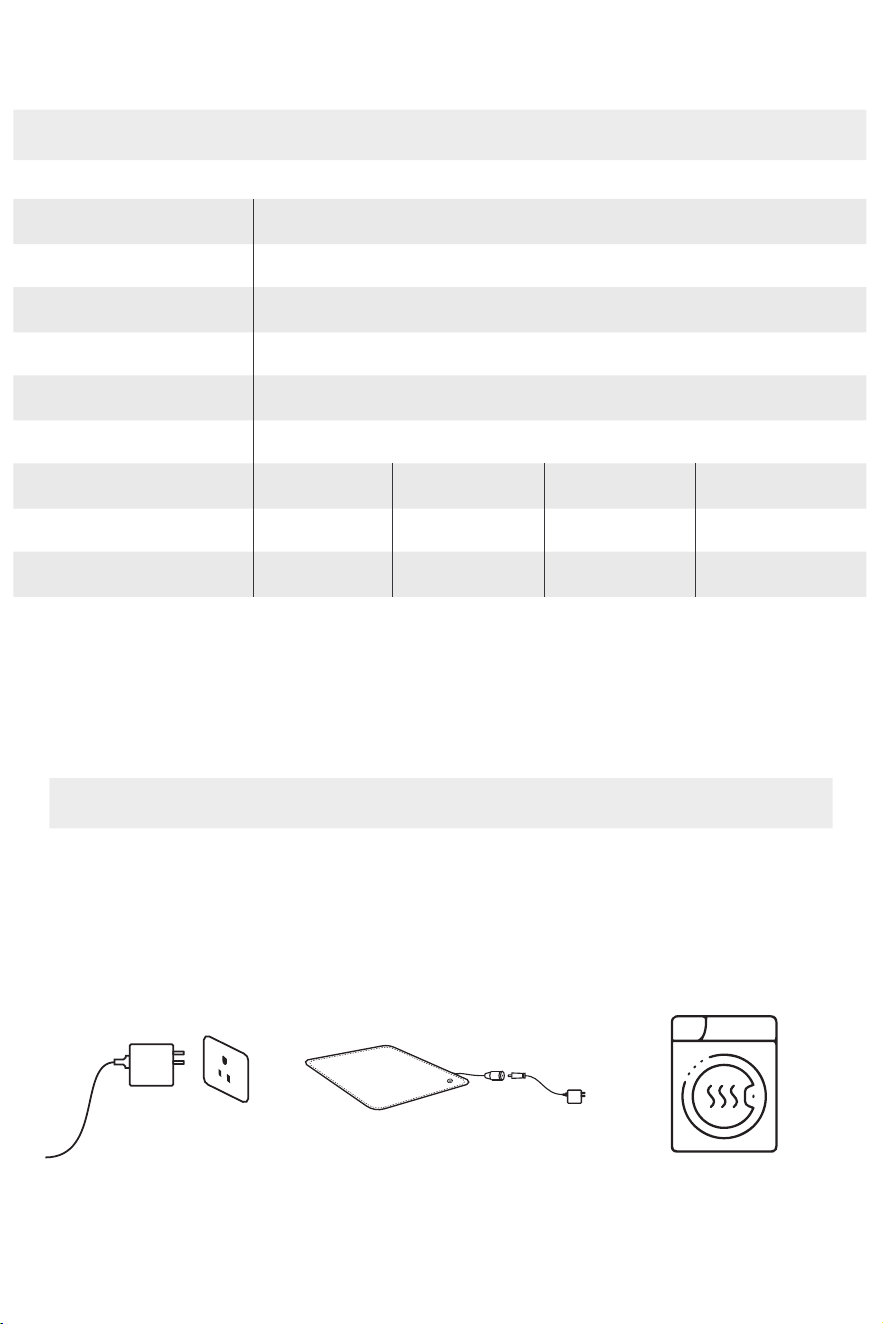
1. Disconnect power
Name of the product
Model
Blanket body size
Heating Technology
Rated voltage
Rated power
Temperature levels
Temperature
Control button display color
Jartoo Warming Throw
JT-HTB001
60*50 in
Apalos FlexHT
DC 24V
70W
Level 1 (weak)
95℉
Blue
Level 2 (middle)
108℉
Green
Level 3 (strong)
118℉
Purple
Level 4 (strongest)
131℉
Red
PART 4 DAILY CLEANING AND SAFEKEEPING
Instructions For Washing
2. Unplug the adapter,
place the blanket power
port cable into the storage
pocket and zip it
3. Clean it by standard
machine washing, then
hang up to dry or dry by a
dryer
Technical Parameters And Specifications
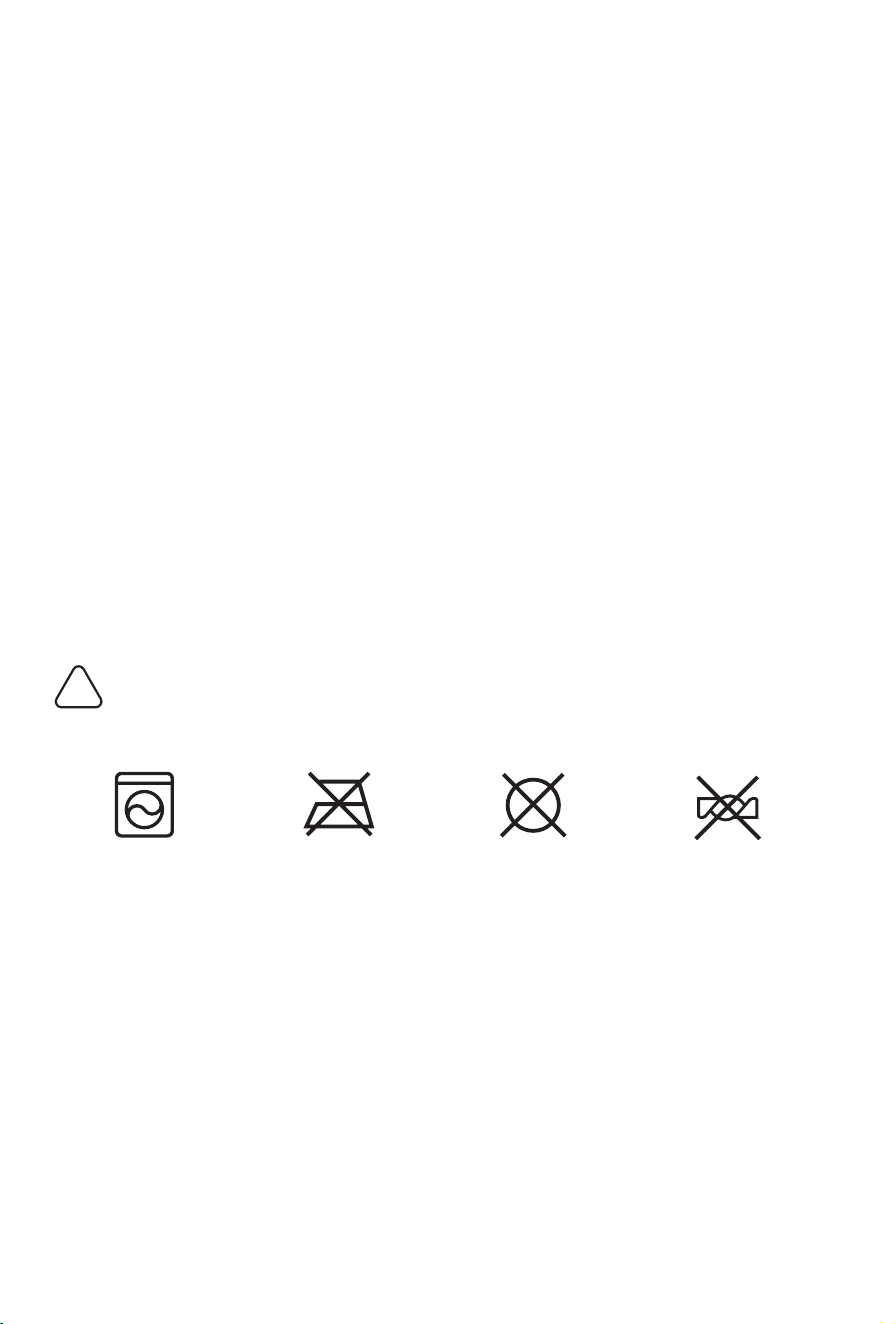
Machine washable No ironing No dry cleaning No wringing
Caution
Caution !
!
1. The electric blanket body can be machine-washed;
2. Wait until the blanket is cooled before washing;
3. Be sure to cut off the power and unplug the adapter before washing; keep
the adapter dry and never try to wash it with water;
4. Never try to soak it in high-temperature (>140℉) hot water or clean it by dry
cleaning;
5. To get a longer service life, the drying temperature is recommended to be
lower than 149℉;
6. For better heating effect, make sure the electric blanket is completely dried
before use.
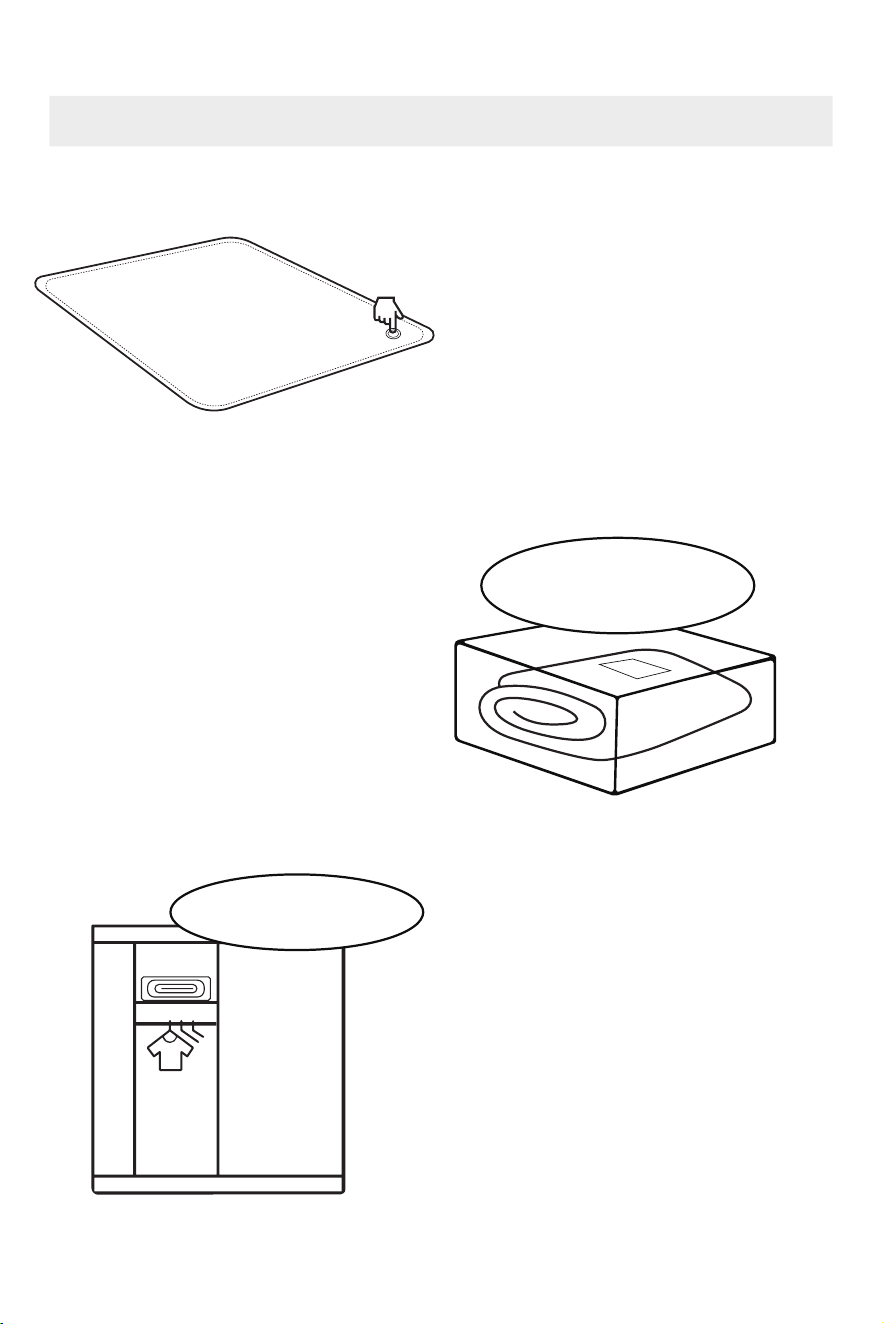
First, short press the power button
to switch to the OFF button. When
the light goes out, it stops and then
cut off the power.
Cool the electric blanket before
putting it away.
Fold the electric blanket and store
it on the top shelf of the cabinet.
Try not to place other heavy
beddings on the top of the electric
blanket.
It is recommended to keep the
storage pocket provided so that it
can be stored together with the
matching peripheral accessories.
Storage And Storage Methods
1. Electric blanket X1
2. Adapter X1
3. Manual X1
Turn off
Place it on the top shelf of
the storage cabinet

PART 5 TROUBLESHOOTING
It is dry in winter, so the electric
blanket itself is prone to generating
static electricity after being rubbed.
Using a softener during washing can
reduce the generation of static
electricity.
The electric blanket has a power
frequency of 50HZ. According to
IEC62233 "Household appliances and
similar apparatus. Measurement
methods for electromagnetic fields
with regard to human exposure," it is
safe when the radiation amount is
lower than 100 r.ms; the value of our
electric blanket measured by the
authoritative testing organization SGS
is 1.09rms (including the self-contained
radiation value in the air), which is far
lower than the safety limit.
Yes. However, to get a longer service
life, the drying temperature is recom-
mended to be lower than 149℉.
FAQ
Static electricity can be felt during use
The electric blanket is radioactive
No. Using other heaters at the same
time may cause overly high tempera-
ture and there is a risk of overheating.
If the above solutions do not work, please contact the brand’s official customer service
(support@jartoo.com) directly for consultation and resolution
Can it be used in conjunction with other heaters?
Can it be dried by a dryer?
Handling Methods/

PART 6 WARRANTY & SERVICE
Customer Care:
1-year Limited Warranty for Jartoo products purchased from us covers defects
in materials or workmanship under normal, non-commercial use.
Warranty Coverage:
1. All labor and parts are included at no extra cost to ensure proper machine
operation during the warranty period.
2. We repair or replace Jartoo heated products found defective within 1 year
of purchase or delivery.
3. Covered components: controller, wiring, and the blanket.
Exclusions:
1. Damage from abuse, accidents, or failure to follow care instructions.
2. Improper voltage/current usage or unauthorized modifications/repairs.
3. Attempts to adjust electrical/mechanical functions.
Warranty Service:
1. Contact support@jartoo.com or visit www.jartoo.com for queries.
2. Provide model name/number, purchase date, order number, and repair
request.
3. Find model number on the care label or user manual cover.
4. Keep the purchase receipt safe for necessary information; warranty service
doesn't extend its term.

PART 7 FCC DESCRIPTION
NOTE: This equipment has been tested and found to comply with the limits for
a Class B digital device, pursuant to part 15 of the FCC Rules. These limits are
designed to provide reasonable protection against harmful interference in a
residential installation. This equipment generates uses and can radiate radio
frequency energy and, if not installed and used in accordance with the
instructions, may cause harmful interference to radio communications.
However, there is no guarantee that interference will not occur in a particular
installation. If this equipment does cause harmful interference to radio or
television reception, which can be determined by turning the equipment off
and on, the user is encouraged to try to correct the interference by one or
more of the following measures:
- Reorient or relocate the receiving antenna.
- Increase the separation between the equipment and receiver.
-Connect the equipment into an outlet on a circuit different from that to which
the receiver is connected.
-Consult the dealer or an experienced radio/TV technician for help
Changes or modifications not expressly approved by the party responsible for
compliance could void the user's authority to operate the equipment.
This device complies with Part 15 of the FCC Rules. Operation is subject to the
following two conditions:
this device may not cause harmful interference, and (2) this device must
accept any interference received, including interference that may cause
undesired operation.

www.jartoo.com
Email:support@jartoo.com
Manufacturer information:
Shenzhen Core Shadow Feiyang Technology Co.,Ltd.
Room 702,Building 11,Phase II(02-08 Plot),Tianan Yungu Industrial Park,Gang-
tou Community,Bantian Street,Longgang Distrct,Shenzhen.