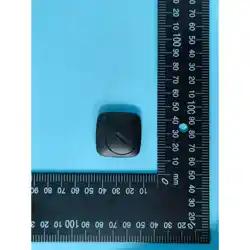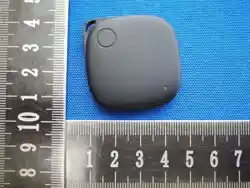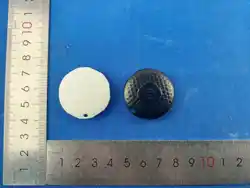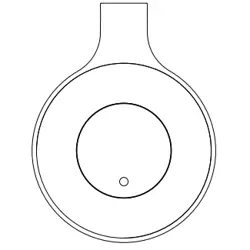

Locator Bike Bell
User Manual
2.93”
1.90”
2.5”
1
2 3 4
9 10 11 12 13 14
Locator Bike Bell Overview:
1. Tap “Items”. Then
tap “Add Items” or
the “+” sign.
2. Tap “Other
Supported Item”.
Automatically Reconnect After
Disconnection:
If
the distance between the paired HP Locator and the
iOS device exceeds the Bluetooth connection distance
(which is 50 m in a closed barrier-free space), clicking
"Play Sound" in the Find My app will prompt that the
connection cannot be made. However, if the HP Locator
and the iOS device are within Bluetooth connection
distance, clicking "Play Sound" in the Find My app will
make the HP Locator emit consecutive sounds, enabling
you to easily find the items by following the sound.
Lost Mode - Find Things Easier:
The HP Locator can be put into Lost Mode. You will
automatically receive a notification when it’s
detected by other devices in the Find My network. To
activate Lost Mode, open the Find My app and follow
the on-screen instructions, where you can add your
phone number or email account. This way, if someone
else picks up your HP Locator, they can easily contact
you by following the instructions in Find My app.
the “Notify When Left Behind” toggle. You will receive
a notification when you leave your HP Locator behind
and it's no longer in range of your device.
Enabling "Notify When Left Behind":
Open Find My app and select the "Items" tab or open
the Find Items app on your Apple Watch. Tap on your
HP Locator from the list. Under “Notifications” enable
Enabling "Notify When Found":
Under
“Notifications” enable the “Notify When Found” Toggle.
When your HP Locator is seen by another Find My
network device, you will receive a notification of its
location. Note: “Notify When Found” can only be
activated when your HP Locator is out of range.
Remove the HP Locator From Find My App:
Open
Find My app and select the "Items" tab. Tap on
your Locator from the list. Please ensure “Lost
Mode” is disabled. Scroll to the bottom of the screen
and tap “Remove Item”. A summary will open, tap
“Remove” to confirm.
Power Off / Factory Reset the HP Locator:
Power
off: Loosen the screw on the back, open the back
cover, and remove the battery to power off the device.
Reset:
Loosen the screw on the back, open the back
cover. Quickly insert and remove the battery 4 times
(you will hear a single beep upon each insertion). On
the 5th insertion, keep the battery in. A different beep
will sound to confirm successful reset.
Limited Warranty:
Your
HP Product is warranted to be free from defects in
materials or workmanship under normal use for one year, Your
dated sales or delivery receipt is your proof of purchase. You
may be required to provide proof of purchase as a condition of
receiving warranty service. During the warranty period, if a
defective HP Product covered by this Limited Warranty is
returned to the designated Service Center, it will be repaired
or replaced or, at the option of the Service Center, its purchase
price will be refunded. No repair, replacement, or refund will be
provided unless the defective HP Product is returned to the
Service Center at your expense; for some HP Products, no
return will be accepted unless the Service Center first provides
you with a Return Material Authorization (RMA). If your HP
Product has recurring failures, at the option of the Service
Center, either you will be furnished with a different product that
is equivalent in performance or you will receive a refund of
your purchase price. Service Center support may be provided
by an HP subcontractor or other third parties. Please see the
Service Center information provided.
Where permitted by local law, HP Products and any
replacement products or parts may contain new materials or
used materials equivalent to new in performance and reliability.
Replacement products or parts will have functionality at least
equal to that of the product or part being replaced.
Replacement products and parts are warranted to be free from
defects in materials or workmanship for 90 days, or for the
remainder of the warranty period for the HP Product which they
are replacing or in which they are installed, whichever is longer.
Locate your Authorized Service Center
If you need support during the warranty period, locate the Authorized
Service Center for this product at:
hpofficesupply.com
Or use the following contact information: USA: 833-523-0800
Sole Remedies/No Incidental or
Consequential Damages:
To the extent allowed by local law, the remedies provided in this
Limited Warranty are your sole and exclusive remedies. These
terms and conditions supersede any prior agreements or
representations, including statements made in sales literature or
advice given in connection with your purchase.
TO THE EXTENT ALLOWED BY LOCAL LAW, AND EXCEPT AS
SPECIFICALLY SET FORTH IN THIS LIMITED WARRANTY, IN NO
EVENT SHALL HP, ANY HP SERVICE CENTER OR ANY
HP-AUTHORIZED SERVICE PROVIDER BE LIABLE FOR ANY
DAMAGES CAUSED BY THE PRODUCT OR THE FAILURE OF THE
PRODUCT TO PERFORM, INCLUDING ANY DIRECT, INDIRECT,
SPECIAL, INCIDENTAL OR CONSEQUENTIAL DAMAGES, WHETHER
BASED ON CONTRACT, TORT, OR ANY OTHER LEGAL THEORY,
AND WHETHER OR NOT ADVISED OF THE POSSIBILITY OF
SUCH DAMAGES.
Federal Communications Commission
(FCC) radio frequency interference
statement information to the user
Warning:
This device complies with Part 15 of the FCC Rules. Operation is
subject to the following two conditions: (1) this device may not cause
harmful interference, and (2) this device must accept any
interference received, including interference that may cause
undesired operation. Changes or modifications not expressly
approved by the party responsible for compliance could void the
user's authority to operate the equipment.
NOTE: This equipment has been tested and found to comply with the limits
for a Class B digital device, pursuant to Part 15 of the FCC Rules. These limits
are designed to provide reasonable protection against harmful interference
in a residential installation. This equipment generates, uses, and can radiate
radio frequency energy and, if not installed and used in accordance with the
instructions, may cause harmful interference to radio communications.
However, there is no guarantee that interference will not occur in a particular
installation. If this equipment does cause harmful interference to radio or
television reception which can be determined by turning the equipment
off and on, the user is encouraged to try to correct the interference by
one or more of the following measures:
- Reorient or relocate the receiving antenna.
- Increase the separation between the equipment and receiver
- Connect the equipment in an outlet on a circuit different from that
to which the receiver is connected.
Consult the dealer or an experienced radio/TV technician for help.
NOTE: This device and its antenna(s) must not be co-located or
operated in conjunction with any other antenna or transmitter
.
RF exposure:
The device has been evaluated to meet general RF exposure
requirements. The device can be used in portable exposure
condition without restriction.
Specifications:
Product Size:
Model: BBU18
Bluetooth version: V5.2
Battery type: CR2023 Replaceable
App: Apple Find My
Operating System: iOS 14.5 of above
Ambient Operating Temp: 14° F - 113° F
Size: 2.93” x 2.5” x 1.9”
Weight: 1.78 oz
HP-LocatorBikeBell- BBU18IM0714
HP Warranty Processing
50 Hilton Street
Easton, PA 18042
ROYAL
®
Consumer Information Products, Inc.
hpofficesupply.com
Made in China
HP is a trademark of HP Inc. or its affiliates, used by Royal
Consumer Information Products under license from HP Inc.
© Copyright, Royal Consumer Information Products, Inc. 2026
All Rights Reserved.
1 Metal Bell
2 Paddle
3 Turntable
4 Top cover
5 Bottom cover
6 Mounting bracket
7 Screw
Limitations/Local Laws:
EXCEPT AS EXPRESSLY SET FORTH IN THIS LIMITED
WARRANTY, THERE ARE NO OTHER WARRANTIES, EXPRESS
OR IMPLIED, FOR YOUR HP PRODUCT. ALL OTHER
WARRANTIES, INCLUDING ANY IMPLIED WARRANTIES OF
MERCHANTABILITY OR FITNESS FOR A PARTICULAR
PURPOSE, ARE EXPRESSLY DISCLAIMED. ANY IMPLIED
WARRANTIES IMPOSED BY LAW ARE LIMITED IN DURATION
TO THE APPLICABLE WARRANTY PERIOD.
This Limited Warranty gives you specific legal rights, and it is
governed by the laws of the state and country in which your
HP Product was purchased. You may also have other rights
that vary from state to state and country to country. You
are advised to consult applicable state and country laws to
determine your rights. Some states and countries do not allow
any limitation on how long a limited warranty will last, or any
exclusion or limitation of incidental or consequential damages.
In such states and countries, some of the exclusions or
limitations stated in this Limited Warranty may not apply to you.
This Limited Warranty does not include technical assistance.
This Limited Warranty does not cover cosmetic damage,
loss or damage in transit, or damage resulting from (a)
accident, misuse, abuse, or other external causes; (b)
product elements not supplied by HP; (c) improper site
preparation or maintenance; or (d) modification or service by
anyone other than HP, an HP Service Center or another
HP-authorized service provider.
5 6
Installation:
Battery Replacement
Add Bike Bell to Apple Find My:
Update to the latest version of iOS or iPadOS.
Turn on Bluetooth of your phone.
Pull out the mylar
strip to power on.
The Apple Find My network provides an easy, secure
way to locate compatible personal items using the
Find My app on your iPhone, iPod, Mac, iPod touch, or
the Find Items app Apple Watch.
To use the Apple Find My app to locate this item, the
latest version of iOS, macOS or watchOS is required.
Use of the Works with Apple badge means that a product
has been designed to work specifically with the technology
identified in the badge and has been certified by the product
manufacturer to meet Apple Find My network product
specifications and requirements. Apple is not responsible
for the operation of this device or use of this product or Its
compliance with safety and regulatory standards.
Apple, Apple My, Apple Watch, Find My, iPhone, iPad, iPadOS,
Mac, macOS and watchOS are trademarks of Apple lnc. iOS
is a trademark of Cisco and is used under license.
Captive screw are used:
1. Pairing with iOS
Find My app.
Screws fall out when the
cover is removed.
Captive screws do not fall
out of the cover.
2. Mount the bell on your bike
and tighten the screw.
TIP: If the bike
handlebars are too
thin, you can add
silicone pads.
1. Use a screwdriver to
loosen the screws.
3. Replace battery. 4. Put the back cover back
in place.
5. Put the back cover back
in place.
6. Tighten screws.
2. Rotate the back cover
counterclock wise to open,
and remove cover.
Open the Find My app:
8
Battery type : CR2032
Nominal voltage: 3V
Non-rechargeable batteries are not to be
recharged.
Do not force discharge, recharge, disassemble,
heat above 70˚, or incinerate. Doing so may
result in injury due to venting, leakage, or
explosion resulting in chemical burns.
Ensure the batteries are installed correctly
according to polarity (+ and -).
Do not mix old and new batteries, different
brands, or types of batteries, such as alkaline,
carbon-zinc, or rechargeable batteries.
Remove and immediately recycle or dispose of
batteries from equipment not used for an
extended period of time according to local
regulations.
Always completely secure the battery
compartment. If the battery compartment does
not close securely, stop using the product,
remove the batteries, and keep them away
from children.
WARNING:
1
3
7
2
4
6
5
XXXX
HP Locator
Bike Bell
3. Wait for. 4. Connect.
5. Fill in the
name.
6. Choose an
Emoji.
7. Wait for. 8. Finish.
Note: After removing the mylar, if not connected within 10 minutes,
the finder will power off automatically. To restart it, please loosen
the screws and reinstall the battery.
Remove and immediately recycle or dispose of
used batteries according to local regulations
and keep away from children. Do NOT dispose
of batteries in household trash or incinerate.
Even
used batteries may cause severe injury
or death.
Call a local poison control center for
treatment information.
7
• INGESTION HAZARD:
This product contains a button
cell or coin battery.
• DEATH or serious injury can
occur if ingested.
• A swallowed button cell or coin
battery can cause Internal
Chemical Burns in as little as
2 hours.
• KEEP new and used batteries
OUT OF REACH of CHILDREN.
• Seek immediate medical
attention if a battery is suspected
to be swallowed or inserted inside
any part of the body.
WARNING

Locator Bike Bell
User Manual
2.93”
1.90”
2.5”
1
2 3 4
9 10 11 12 13 14
Locator Bike Bell Overview:
1. Tap “Items”. Then
tap “Add Items” or
the “+” sign.
2. Tap “Other
Supported Item”.
Automatically Reconnect After
Disconnection:
If
the distance between the paired HP Locator and the
iOS device exceeds the Bluetooth connection distance
(which is 50 m in a closed barrier-free space), clicking
"Play Sound" in the Find My app will prompt that the
connection cannot be made. However, if the HP Locator
and the iOS device are within Bluetooth connection
distance, clicking "Play Sound" in the Find My app will
make the HP Locator emit consecutive sounds, enabling
you to easily find the items by following the sound.
Lost Mode - Find Things Easier:
The HP Locator can be put into Lost Mode. You will
automatically receive a notification when it’s
detected by other devices in the Find My network. To
activate Lost Mode, open the Find My app and follow
the on-screen instructions, where you can add your
phone number or email account. This way, if someone
else picks up your HP Locator, they can easily contact
you by following the instructions in Find My app.
the “Notify When Left Behind” toggle. You will receive
a notification when you leave your HP Locator behind
and it's no longer in range of your device.
Enabling "Notify When Left Behind":
Open Find My app and select the "Items" tab or open
the Find Items app on your Apple Watch. Tap on your
HP Locator from the list. Under “Notifications” enable
Enabling "Notify When Found":
Under
“Notifications” enable the “Notify When Found” Toggle.
When your HP Locator is seen by another Find My
network device, you will receive a notification of its
location. Note: “Notify When Found” can only be
activated when your HP Locator is out of range.
Remove the HP Locator From Find My App:
Open
Find My app and select the "Items" tab. Tap on
your Locator from the list. Please ensure “Lost
Mode” is disabled. Scroll to the bottom of the screen
and tap “Remove Item”. A summary will open, tap
“Remove” to confirm.
Power Off / Factory Reset the HP Locator:
Power
off: Loosen the screw on the back, open the back
cover, and remove the battery to power off the device.
Reset:
Loosen the screw on the back, open the back
cover. Quickly insert and remove the battery 4 times
(you will hear a single beep upon each insertion). On
the 5th insertion, keep the battery in. A different beep
will sound to confirm successful reset.
Limited Warranty:
Your
HP Product is warranted to be free from defects in
materials or workmanship under normal use for one year, Your
dated sales or delivery receipt is your proof of purchase. You
may be required to provide proof of purchase as a condition of
receiving warranty service. During the warranty period, if a
defective HP Product covered by this Limited Warranty is
returned to the designated Service Center, it will be repaired
or replaced or, at the option of the Service Center, its purchase
price will be refunded. No repair, replacement, or refund will be
provided unless the defective HP Product is returned to the
Service Center at your expense; for some HP Products, no
return will be accepted unless the Service Center first provides
you with a Return Material Authorization (RMA). If your HP
Product has recurring failures, at the option of the Service
Center, either you will be furnished with a different product that
is equivalent in performance or you will receive a refund of
your purchase price. Service Center support may be provided
by an HP subcontractor or other third parties. Please see the
Service Center information provided.
Where permitted by local law, HP Products and any
replacement products or parts may contain new materials or
used materials equivalent to new in performance and reliability.
Replacement products or parts will have functionality at least
equal to that of the product or part being replaced.
Replacement products and parts are warranted to be free from
defects in materials or workmanship for 90 days, or for the
remainder of the warranty period for the HP Product which they
are replacing or in which they are installed, whichever is longer.
Locate your Authorized Service Center
If you need support during the warranty period, locate the Authorized
Service Center for this product at:
hpofficesupply.com
Or use the following contact information: USA: 833-523-0800
Sole Remedies/No Incidental or
Consequential Damages:
To the extent allowed by local law, the remedies provided in this
Limited Warranty are your sole and exclusive remedies. These
terms and conditions supersede any prior agreements or
representations, including statements made in sales literature or
advice given in connection with your purchase.
TO THE EXTENT ALLOWED BY LOCAL LAW, AND EXCEPT AS
SPECIFICALLY SET FORTH IN THIS LIMITED WARRANTY, IN NO
EVENT SHALL HP, ANY HP SERVICE CENTER OR ANY
HP-AUTHORIZED SERVICE PROVIDER BE LIABLE FOR ANY
DAMAGES CAUSED BY THE PRODUCT OR THE FAILURE OF THE
PRODUCT TO PERFORM, INCLUDING ANY DIRECT, INDIRECT,
SPECIAL, INCIDENTAL OR CONSEQUENTIAL DAMAGES, WHETHER
BASED ON CONTRACT, TORT, OR ANY OTHER LEGAL THEORY,
AND WHETHER OR NOT ADVISED OF THE POSSIBILITY OF
SUCH DAMAGES.
Federal Communications Commission
(FCC) radio frequency interference
statement information to the user
Warning:
This device complies with Part 15 of the FCC Rules. Operation is
subject to the following two conditions: (1) this device may not cause
harmful interference, and (2) this device must accept any
interference received, including interference that may cause
undesired operation. Changes or modifications not expressly
approved by the party responsible for compliance could void the
user's authority to operate the equipment.
NOTE: This equipment has been tested and found to comply with the limits
for a Class B digital device, pursuant to Part 15 of the FCC Rules. These limits
are designed to provide reasonable protection against harmful interference
in a residential installation. This equipment generates, uses, and can radiate
radio frequency energy and, if not installed and used in accordance with the
instructions, may cause harmful interference to radio communications.
However, there is no guarantee that interference will not occur in a particular
installation. If this equipment does cause harmful interference to radio or
television reception which can be determined by turning the equipment
off and on, the user is encouraged to try to correct the interference by
one or more of the following measures:
- Reorient or relocate the receiving antenna.
- Increase the separation between the equipment and receiver
- Connect the equipment in an outlet on a circuit different from that
to which the receiver is connected.
Consult the dealer or an experienced radio/TV technician for help.
NOTE: This device and its antenna(s) must not be co-located or
operated in conjunction with any other antenna or transmitter
.
RF exposure:
The device has been evaluated to meet general RF exposure
requirements. The device can be used in portable exposure
condition without restriction.
Specifications:
Product Size:
Model: BBU18
Bluetooth version: V5.2
Battery type: CR2023 Replaceable
App: Apple Find My
Operating System: iOS 14.5 of above
Ambient Operating Temp: 14° F - 113° F
Size: 2.93” x 2.5” x 1.9”
Weight: 1.78 oz
HP-LocatorBikeBell- BBU18IM0714
HP Warranty Processing
50 Hilton Street
Easton, PA 18042
ROYAL
®
Consumer Information Products, Inc.
hpofficesupply.com
Made in China
HP is a trademark of HP Inc. or its affiliates, used by Royal
Consumer Information Products under license from HP Inc.
© Copyright, Royal Consumer Information Products, Inc. 2026
All Rights Reserved.
1 Metal Bell
2 Paddle
3 Turntable
4 Top cover
5 Bottom cover
6 Mounting bracket
7 Screw
Limitations/Local Laws:
EXCEPT AS EXPRESSLY SET FORTH IN THIS LIMITED
WARRANTY, THERE ARE NO OTHER WARRANTIES, EXPRESS
OR IMPLIED, FOR YOUR HP PRODUCT. ALL OTHER
WARRANTIES, INCLUDING ANY IMPLIED WARRANTIES OF
MERCHANTABILITY OR FITNESS FOR A PARTICULAR
PURPOSE, ARE EXPRESSLY DISCLAIMED. ANY IMPLIED
WARRANTIES IMPOSED BY LAW ARE LIMITED IN DURATION
TO THE APPLICABLE WARRANTY PERIOD.
This Limited Warranty gives you specific legal rights, and it is
governed by the laws of the state and country in which your
HP Product was purchased. You may also have other rights
that vary from state to state and country to country. You
are advised to consult applicable state and country laws to
determine your rights. Some states and countries do not allow
any limitation on how long a limited warranty will last, or any
exclusion or limitation of incidental or consequential damages.
In such states and countries, some of the exclusions or
limitations stated in this Limited Warranty may not apply to you.
This Limited Warranty does not include technical assistance.
This Limited Warranty does not cover cosmetic damage,
loss or damage in transit, or damage resulting from (a)
accident, misuse, abuse, or other external causes; (b)
product elements not supplied by HP; (c) improper site
preparation or maintenance; or (d) modification or service by
anyone other than HP, an HP Service Center or another
HP-authorized service provider.
5 6
Installation:
Battery Replacement
Add Bike Bell to Apple Find My:
Update to the latest version of iOS or iPadOS.
Turn on Bluetooth of your phone.
Pull out the mylar
strip to power on.
The Apple Find My network provides an easy, secure
way to locate compatible personal items using the
Find My app on your iPhone, iPod, Mac, iPod touch, or
the Find Items app Apple Watch.
To use the Apple Find My app to locate this item, the
latest version of iOS, macOS or watchOS is required.
Use of the Works with Apple badge means that a product
has been designed to work specifically with the technology
identified in the badge and has been certified by the product
manufacturer to meet Apple Find My network product
specifications and requirements. Apple is not responsible
for the operation of this device or use of this product or Its
compliance with safety and regulatory standards.
Apple, Apple My, Apple Watch, Find My, iPhone, iPad, iPadOS,
Mac, macOS and watchOS are trademarks of Apple lnc. iOS
is a trademark of Cisco and is used under license.
Captive screw are used:
1. Pairing with iOS
Find My app.
Screws fall out when the
cover is removed.
Captive screws do not fall
out of the cover.
2. Mount the bell on your bike
and tighten the screw.
TIP: If the bike
handlebars are too
thin, you can add
silicone pads.
1. Use a screwdriver to
loosen the screws.
3. Replace battery. 4. Put the back cover back
in place.
5. Put the back cover back
in place.
6. Tighten screws.
2. Rotate the back cover
counterclock wise to open,
and remove cover.
Open the Find My app:
8
Battery type : CR2032
Nominal voltage: 3V
Non-rechargeable batteries are not to be
recharged.
Do not force discharge, recharge, disassemble,
heat above 70˚, or incinerate. Doing so may
result in injury due to venting, leakage, or
explosion resulting in chemical burns.
Ensure the batteries are installed correctly
according to polarity (+ and -).
Do not mix old and new batteries, different
brands, or types of batteries, such as alkaline,
carbon-zinc, or rechargeable batteries.
Remove and immediately recycle or dispose of
batteries from equipment not used for an
extended period of time according to local
regulations.
Always completely secure the battery
compartment. If the battery compartment does
not close securely, stop using the product,
remove the batteries, and keep them away
from children.
WARNING:
1
3
7
2
4
6
5
XXXX
HP Locator
Bike Bell
3. Wait for. 4. Connect.
5. Fill in the
name.
6. Choose an
Emoji.
7. Wait for. 8. Finish.
Note: After removing the mylar, if not connected within 10 minutes,
the finder will power off automatically. To restart it, please loosen
the screws and reinstall the battery.
Remove and immediately recycle or dispose of
used batteries according to local regulations
and keep away from children. Do NOT dispose
of batteries in household trash or incinerate.
Even
used batteries may cause severe injury
or death.
Call a local poison control center for
treatment information.
7
• INGESTION HAZARD:
This product contains a button
cell or coin battery.
• DEATH or serious injury can
occur if ingested.
• A swallowed button cell or coin
battery can cause Internal
Chemical Burns in as little as
2 hours.
• KEEP new and used batteries
OUT OF REACH of CHILDREN.
• Seek immediate medical
attention if a battery is suspected
to be swallowed or inserted inside
any part of the body.
WARNING

Locator Bike Bell
User Manual
2.93”
1.90”
2.5”
1
2 3 4
9 10 11 12 13 14
Locator Bike Bell Overview:
Power Off / Factory Reset the HP Locator:
Power
off: Loosen the screw on the back, open the back
cover, and remove the battery to power off the device.
Reset:
Loosen the screw on the back, open the back
cover. Quickly insert and remove the battery 4 times
(you will hear a single beep upon each insertion).
On the 5th insertion, keep the battery in. A different
beep will sound to confirm successful reset.
Limited Warranty:
Your
HP Product is warranted to be free from defects in
materials or workmanship under normal use for one year, Your
dated sales or delivery receipt is your proof of purchase. You
may be required to provide proof of purchase as a condition of
receiving warranty service. During the warranty period, if a
defective HP Product covered by this Limited Warranty is
returned to the designated Service Center, it will be repaired
or replaced or, at the option of the Service Center, its purchase
price will be refunded. No repair, replacement, or refund will be
provided unless the defective HP Product is returned to the
Service Center at your expense; for some HP Products, no
return will be accepted unless the Service Center first provides
you with a Return Material Authorization (RMA). If your HP
Product has recurring failures, at the option of the Service
Center, either you will be furnished with a different product that
is equivalent in performance or you will receive a refund of
your purchase price. Service Center support may be provided
by an HP subcontractor or other third parties. Please see the
Service Center information provided.
Where permitted by local law, HP Products and any
replacement products or parts may contain new materials or
used materials equivalent to new in performance and reliability.
Replacement products or parts will have functionality at least
equal to that of the product or part being replaced.
Replacement products and parts are warranted to be free from
defects in materials or workmanship for 90 days, or for the
remainder of the warranty period for the HP Product which they
are replacing or in which they are installed, whichever is longer.
Locate your Authorized Service Center
If you need support during the warranty period, locate the Authorized
Service Center for this product at:
hpofficesupply.com
Or use the following contact information: USA: 833-523-0800
Federal Communications Commission
(FCC) radio frequency interference
statement information to the user
Warning:
This device complies with Part 15 of the FCC Rules. Operation is
subject to the following two conditions: (1) this device may not cause
harmful interference, and (2) this device must accept any
interference received, including interference that may cause
undesired operation. Changes or modifications not expressly
approved by the party responsible for compliance could void the
user's authority to operate the equipment.
NOTE: This equipment has been tested and found to comply with the limits
for a Class B digital device, pursuant to Part 15 of the FCC Rules. These limits
are designed to provide reasonable protection against harmful interference
in a residential installation. This equipment generates, uses, and can radiate
radio frequency energy and, if not installed and used in accordance with the
instructions, may cause harmful interference to radio communications.
However, there is no guarantee that interference will not occur in a particular
installation. If this equipment does cause harmful interference to radio or
television reception which can be determined by turning the equipment
off and on, the user is encouraged to try to correct the interference by
one or more of the following measures:
- Reorient or relocate the receiving antenna.
- Increase the separation between the equipment and receiver
- Connect the equipment in an outlet on a circuit different from that
to which the receiver is connected.
Consult the dealer or an experienced radio/TV technician for help.
NOTE: This device and its antenna(s) must not be co-located or
operated in conjunction with any other antenna or transmitter
.
RF exposure:
The device has been evaluated to meet general RF exposure
requirements. The device can be used in portable exposure
condition without restriction.
Specifications:
Product Size:
Model: BBU18
Bluetooth version: V5.2
Battery type: CR2023 Replaceable
App: Find Hub
Operating System: Android™
Ambient Operating Temp: 14° F - 113° F
Size: 2.93” x 2.5” x 1.9”
Weight: 1.78 oz
HP-LocatorBikeBell- BBU18IM0715
HP Warranty Processing
50 Hilton Street
Easton, PA 18042
ROYAL
®
Consumer Information Products, Inc.
hpofficesupply.com
Made in China
HP is a trademark of HP Inc. or its affiliates, used by Royal
Consumer Information Products under license from HP Inc.
© Copyright, Royal Consumer Information Products, Inc. 2026
All Rights Reserved.
1 Metal Bell
2 Paddle
3 Turntable
4 Top cover
5 Bottom cover
6 Mounting bracket
7 Screw
Limitations/Local Laws:
EXCEPT AS EXPRESSLY SET FORTH IN THIS LIMITED
WARRANTY, THERE ARE NO OTHER WARRANTIES, EXPRESS
OR IMPLIED, FOR YOUR HP PRODUCT. ALL OTHER
WARRANTIES, INCLUDING ANY IMPLIED WARRANTIES OF
MERCHANTABILITY OR FITNESS FOR A PARTICULAR
PURPOSE, ARE EXPRESSLY DISCLAIMED. ANY IMPLIED
WARRANTIES IMPOSED BY LAW ARE LIMITED IN DURATION
TO THE APPLICABLE WARRANTY PERIOD.
This Limited Warranty gives you specific legal rights, and it is
governed by the laws of the state and country in which your
HP Product was purchased. You may also have other rights
that vary from state to state and country to country. You
are advised to consult applicable state and country laws to
determine your rights. Some states and countries do not allow
any limitation on how long a limited warranty will last, or any
exclusion or limitation of incidental or consequential damages.
In such states and countries, some of the exclusions or
limitations stated in this Limited Warranty may not apply to you.
This Limited Warranty does not include technical assistance.
This Limited Warranty does not cover cosmetic damage,
loss or damage in transit, or damage resulting from (a)
accident, misuse, abuse, or other external causes; (b)
product elements not supplied by HP; (c) improper site
preparation or maintenance; or (d) modification or service by
anyone other than HP, an HP Service Center or another
HP-authorized service provider.
5 6
Installation:
Battery Replacement
Connecting to Google's Find Hub app:
Download and install the Find Hub app on
Google Play.
Log in to the app using your Google Account.
Make sure your phone’s Bluetooth and network
connection are turned on.
Bring your Locator Bike Bell close to your phone.
Pull out the mylar to power on the Locator Bike Bell.
Wait for the Locator Bike Bell to appear on your
screen. Tap Connect and follow the prompts to
complete pairing.
In the Find Hub app, you can customize your device
name and category.
Captive screw are used:
Screws fall out when the
cover is removed.
Captive screws do not fall
out of the cover.
Mount the bell on your bike
and tighten the screw.
1. Use a screwdriver to
loosen the screws.
3. Replace battery. 4. Put the back cover back
in place.
5. Put the back cover back
in place.
6. Tighten screws.
2. Rotate the back cover
counterclock wise to open,
and remove cover.
TIP: If the bike handlebars are too
thin, you can add silicone pads.
Find Hub helps you find and connect to what matters in a
single, secure place. Find your belongings quickly and
safely – even if your devices are offline. Plus, seamlessly
and securely share your location with friends & family for
peace of mind. All of your device location information
remains private and safely stored.
Note: There is no button in the Find Hub app to manually
trigger the pairing screen. It should automatically appear
when your locator is activated near your phone.
Automatically Reconnect After
Disconnection:
If
the distance between the paired HP Locator and the
Android device exceeds the Bluetooth connection
distance (which is 50 m in a closed barrier-free space),
clicking "Play Sound" in the Find Hub app will
prompt that the connection cannot be made. However,
if the HP Locator and the Android™ device are within
Bluetooth connection distance, clicking "Play Sound" in
the Find Hub app will make the HP Locator emit
consecutive sounds, enabling you to easily find the
items by following the sound.
Enabling "Mark as lost" if your HP Locator
is Lost:
Open
the Find Hub app and select your HP Locator
from the list.
Tap
Mark as lost and follow the on-screen
instructions to fill the contact information.
You
will be notified if the Find Hub network locates
your lost HP Locator.
Remove the HP Locator From Find Hub app:
Open
the Find Hub app, select your Locator Bike Bell,
tap the Setting button, then tap Remove from Find
Hub and confirm.
Sole Remedies/No Incidental or
Consequential Damages:
To the extent allowed by local law, the remedies provided in this
Limited Warranty are your sole and exclusive remedies. These
terms and conditions supersede any prior agreements or
representations, including statements made in sales literature
or advice given in connection with your purchase.
TO THE EXTENT ALLOWED BY LOCAL LAW, AND EXCEPT AS
SPECIFICALLY SET FORTH IN THIS LIMITED WARRANTY, IN NO EVENT
SHALL HP, ANY HP SERVICE CENTER OR ANY HP-AUTHORIZED
SERVICE PROVIDER BE LIABLE FOR ANY DAMAGES CAUSED BY
THE PRODUCT OR THE FAILURE OF THE PRODUCT TO PERFORM,
INCLUDING ANY DIRECT, INDIRECT, SPECIAL, INCIDENTAL OR
CONSEQUENTIAL DAMAGES, WHETHER BASED ON CONTRACT,
TORT, OR ANY OTHER LEGAL THEORY, AND WHETHER OR NOT
ADVISED OF THE POSSIBILITY OF SUCH DAMAGES.
Find Hub network requires location services and Bluetooth
to be turned on. Requires cell service or internet connection.
Works on Android 9+ and in certain countries for
age-eligible users.
This product has been certified by Google to meet Find Hub
network accessory specification. Google is not responsible
for the operation of this product. Google is also not
responsible for ensuring that the product complies with any
applicable safety standards or other requirements. Google,
Android, Google Play, Find Hub and Google Maps are
trademarks of Google LLC.
8
Battery type : CR2032
Nominal voltage: 3V
Non-rechargeable batteries are not to be
recharged.
Do not force discharge, recharge, disassemble,
heat above 70˚, or incinerate. Doing so may
result in injury due to venting, leakage, or
explosion resulting in chemical burns.
Ensure the batteries are installed correctly
according to polarity (+ and -).
Do not mix old and new batteries, different
brands, or types of batteries, such as alkaline,
carbon-zinc, or rechargeable batteries.
Remove and immediately recycle or dispose of
batteries from equipment not used for an
extended period of time according to local
regulations.
Always completely secure the battery
compartment. If the battery compartment does
not close securely, stop using the product,
remove the batteries, and keep them away
from children.
Remove and immediately recycle or dispose of
used batteries according to local regulations
and keep away from children. Do NOT dispose
of batteries in household trash or incinerate.
Even
used batteries may cause severe injury
or death.
Call a local poison control center for
treatment information.
7
WARNING:
1
3
7
2
4
6
5
Note: After pressing the button to turn on, if not connected
within 10 minutes, the locator will power off automatically.
To restart it, please press the power button again to turn it on.
1. Connect 2. Continue.
4. Finish.3. Open App
• INGESTION HAZARD:
This product contains a button
cell or coin battery.
• DEATH or serious injury can
occur if ingested.
• A swallowed button cell or coin
battery can cause Internal
Chemical Burns in as little as
2 hours.
• KEEP new and used batteries
OUT OF REACH of CHILDREN.
• Seek immediate medical
attention if a battery is suspected
to be swallowed or inserted inside
any part of the body.
WARNING

Locator Bike Bell
User Manual
2.93”
1.90”
2.5”
1
2 3 4
9 10 11 12 13 14
Locator Bike Bell Overview:
Power Off / Factory Reset the HP Locator:
Power
off: Loosen the screw on the back, open the back
cover, and remove the battery to power off the device.
Reset:
Loosen the screw on the back, open the back
cover. Quickly insert and remove the battery 4 times
(you will hear a single beep upon each insertion).
On the 5th insertion, keep the battery in. A different
beep will sound to confirm successful reset.
Limited Warranty:
Your
HP Product is warranted to be free from defects in
materials or workmanship under normal use for one year, Your
dated sales or delivery receipt is your proof of purchase. You
may be required to provide proof of purchase as a condition of
receiving warranty service. During the warranty period, if a
defective HP Product covered by this Limited Warranty is
returned to the designated Service Center, it will be repaired
or replaced or, at the option of the Service Center, its purchase
price will be refunded. No repair, replacement, or refund will be
provided unless the defective HP Product is returned to the
Service Center at your expense; for some HP Products, no
return will be accepted unless the Service Center first provides
you with a Return Material Authorization (RMA). If your HP
Product has recurring failures, at the option of the Service
Center, either you will be furnished with a different product that
is equivalent in performance or you will receive a refund of
your purchase price. Service Center support may be provided
by an HP subcontractor or other third parties. Please see the
Service Center information provided.
Where permitted by local law, HP Products and any
replacement products or parts may contain new materials or
used materials equivalent to new in performance and reliability.
Replacement products or parts will have functionality at least
equal to that of the product or part being replaced.
Replacement products and parts are warranted to be free from
defects in materials or workmanship for 90 days, or for the
remainder of the warranty period for the HP Product which they
are replacing or in which they are installed, whichever is longer.
Locate your Authorized Service Center
If you need support during the warranty period, locate the Authorized
Service Center for this product at:
hpofficesupply.com
Or use the following contact information: USA: 833-523-0800
Federal Communications Commission
(FCC) radio frequency interference
statement information to the user
Warning:
This device complies with Part 15 of the FCC Rules. Operation is
subject to the following two conditions: (1) this device may not cause
harmful interference, and (2) this device must accept any
interference received, including interference that may cause
undesired operation. Changes or modifications not expressly
approved by the party responsible for compliance could void the
user's authority to operate the equipment.
NOTE: This equipment has been tested and found to comply with the limits
for a Class B digital device, pursuant to Part 15 of the FCC Rules. These limits
are designed to provide reasonable protection against harmful interference
in a residential installation. This equipment generates, uses, and can radiate
radio frequency energy and, if not installed and used in accordance with the
instructions, may cause harmful interference to radio communications.
However, there is no guarantee that interference will not occur in a particular
installation. If this equipment does cause harmful interference to radio or
television reception which can be determined by turning the equipment
off and on, the user is encouraged to try to correct the interference by
one or more of the following measures:
- Reorient or relocate the receiving antenna.
- Increase the separation between the equipment and receiver
- Connect the equipment in an outlet on a circuit different from that
to which the receiver is connected.
Consult the dealer or an experienced radio/TV technician for help.
NOTE: This device and its antenna(s) must not be co-located or
operated in conjunction with any other antenna or transmitter
.
RF exposure:
The device has been evaluated to meet general RF exposure
requirements. The device can be used in portable exposure
condition without restriction.
Specifications:
Product Size:
Model: BBU18
Bluetooth version: V5.2
Battery type: CR2023 Replaceable
App: Find Hub
Operating System: Android™
Ambient Operating Temp: 14° F - 113° F
Size: 2.93” x 2.5” x 1.9”
Weight: 1.78 oz
HP-LocatorBikeBell- BBU18IM0715
HP Warranty Processing
50 Hilton Street
Easton, PA 18042
ROYAL
®
Consumer Information Products, Inc.
hpofficesupply.com
Made in China
HP is a trademark of HP Inc. or its affiliates, used by Royal
Consumer Information Products under license from HP Inc.
© Copyright, Royal Consumer Information Products, Inc. 2026
All Rights Reserved.
1 Metal Bell
2 Paddle
3 Turntable
4 Top cover
5 Bottom cover
6 Mounting bracket
7 Screw
Limitations/Local Laws:
EXCEPT AS EXPRESSLY SET FORTH IN THIS LIMITED
WARRANTY, THERE ARE NO OTHER WARRANTIES, EXPRESS
OR IMPLIED, FOR YOUR HP PRODUCT. ALL OTHER
WARRANTIES, INCLUDING ANY IMPLIED WARRANTIES OF
MERCHANTABILITY OR FITNESS FOR A PARTICULAR
PURPOSE, ARE EXPRESSLY DISCLAIMED. ANY IMPLIED
WARRANTIES IMPOSED BY LAW ARE LIMITED IN DURATION
TO THE APPLICABLE WARRANTY PERIOD.
This Limited Warranty gives you specific legal rights, and it is
governed by the laws of the state and country in which your
HP Product was purchased. You may also have other rights
that vary from state to state and country to country. You
are advised to consult applicable state and country laws to
determine your rights. Some states and countries do not allow
any limitation on how long a limited warranty will last, or any
exclusion or limitation of incidental or consequential damages.
In such states and countries, some of the exclusions or
limitations stated in this Limited Warranty may not apply to you.
This Limited Warranty does not include technical assistance.
This Limited Warranty does not cover cosmetic damage,
loss or damage in transit, or damage resulting from (a)
accident, misuse, abuse, or other external causes; (b)
product elements not supplied by HP; (c) improper site
preparation or maintenance; or (d) modification or service by
anyone other than HP, an HP Service Center or another
HP-authorized service provider.
5 6
Installation:
Battery Replacement
Connecting to Google's Find Hub app:
Download and install the Find Hub app on
Google Play.
Log in to the app using your Google Account.
Make sure your phone’s Bluetooth and network
connection are turned on.
Bring your Locator Bike Bell close to your phone.
Pull out the mylar to power on the Locator Bike Bell.
Wait for the Locator Bike Bell to appear on your
screen. Tap Connect and follow the prompts to
complete pairing.
In the Find Hub app, you can customize your device
name and category.
Captive screw are used:
Screws fall out when the
cover is removed.
Captive screws do not fall
out of the cover.
Mount the bell on your bike
and tighten the screw.
1. Use a screwdriver to
loosen the screws.
3. Replace battery. 4. Put the back cover back
in place.
5. Put the back cover back
in place.
6. Tighten screws.
2. Rotate the back cover
counterclock wise to open,
and remove cover.
TIP: If the bike handlebars are too
thin, you can add silicone pads.
Find Hub helps you find and connect to what matters in a
single, secure place. Find your belongings quickly and
safely – even if your devices are offline. Plus, seamlessly
and securely share your location with friends & family for
peace of mind. All of your device location information
remains private and safely stored.
Note: There is no button in the Find Hub app to manually
trigger the pairing screen. It should automatically appear
when your locator is activated near your phone.
Automatically Reconnect After
Disconnection:
If
the distance between the paired HP Locator and the
Android device exceeds the Bluetooth connection
distance (which is 50 m in a closed barrier-free space),
clicking "Play Sound" in the Find Hub app will
prompt that the connection cannot be made. However,
if the HP Locator and the Android™ device are within
Bluetooth connection distance, clicking "Play Sound" in
the Find Hub app will make the HP Locator emit
consecutive sounds, enabling you to easily find the
items by following the sound.
Enabling "Mark as lost" if your HP Locator
is Lost:
Open
the Find Hub app and select your HP Locator
from the list.
Tap
Mark as lost and follow the on-screen
instructions to fill the contact information.
You
will be notified if the Find Hub network locates
your lost HP Locator.
Remove the HP Locator From Find Hub app:
Open
the Find Hub app, select your Locator Bike Bell,
tap the Setting button, then tap Remove from Find
Hub and confirm.
Sole Remedies/No Incidental or
Consequential Damages:
To the extent allowed by local law, the remedies provided in this
Limited Warranty are your sole and exclusive remedies. These
terms and conditions supersede any prior agreements or
representations, including statements made in sales literature
or advice given in connection with your purchase.
TO THE EXTENT ALLOWED BY LOCAL LAW, AND EXCEPT AS
SPECIFICALLY SET FORTH IN THIS LIMITED WARRANTY, IN NO EVENT
SHALL HP, ANY HP SERVICE CENTER OR ANY HP-AUTHORIZED
SERVICE PROVIDER BE LIABLE FOR ANY DAMAGES CAUSED BY
THE PRODUCT OR THE FAILURE OF THE PRODUCT TO PERFORM,
INCLUDING ANY DIRECT, INDIRECT, SPECIAL, INCIDENTAL OR
CONSEQUENTIAL DAMAGES, WHETHER BASED ON CONTRACT,
TORT, OR ANY OTHER LEGAL THEORY, AND WHETHER OR NOT
ADVISED OF THE POSSIBILITY OF SUCH DAMAGES.
Find Hub network requires location services and Bluetooth
to be turned on. Requires cell service or internet connection.
Works on Android 9+ and in certain countries for
age-eligible users.
This product has been certified by Google to meet Find Hub
network accessory specification. Google is not responsible
for the operation of this product. Google is also not
responsible for ensuring that the product complies with any
applicable safety standards or other requirements. Google,
Android, Google Play, Find Hub and Google Maps are
trademarks of Google LLC.
8
Battery type : CR2032
Nominal voltage: 3V
Non-rechargeable batteries are not to be
recharged.
Do not force discharge, recharge, disassemble,
heat above 70˚, or incinerate. Doing so may
result in injury due to venting, leakage, or
explosion resulting in chemical burns.
Ensure the batteries are installed correctly
according to polarity (+ and -).
Do not mix old and new batteries, different
brands, or types of batteries, such as alkaline,
carbon-zinc, or rechargeable batteries.
Remove and immediately recycle or dispose of
batteries from equipment not used for an
extended period of time according to local
regulations.
Always completely secure the battery
compartment. If the battery compartment does
not close securely, stop using the product,
remove the batteries, and keep them away
from children.
Remove and immediately recycle or dispose of
used batteries according to local regulations
and keep away from children. Do NOT dispose
of batteries in household trash or incinerate.
Even
used batteries may cause severe injury
or death.
Call a local poison control center for
treatment information.
7
WARNING:
1
3
7
2
4
6
5
Note: After pressing the button to turn on, if not connected
within 10 minutes, the locator will power off automatically.
To restart it, please press the power button again to turn it on.
1. Connect 2. Continue.
4. Finish.3. Open App
• INGESTION HAZARD:
This product contains a button
cell or coin battery.
• DEATH or serious injury can
occur if ingested.
• A swallowed button cell or coin
battery can cause Internal
Chemical Burns in as little as
2 hours.
• KEEP new and used batteries
OUT OF REACH of CHILDREN.
• Seek immediate medical
attention if a battery is suspected
to be swallowed or inserted inside
any part of the body.
WARNING