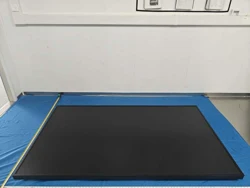

WINDOW FACING DISPLAY
USER MANUAL
FCC Warning
This device complies with Part 15 of the FCC Rules. Operation is subject to the following two conditions:
(1) This device may not cause harmful interference, and
(2) this device must accept any interference received, including interference that may cause undesired operation.
NOTE 1: This equipment has been tested and found to comply with the limits for a Class B digital device, pursuant to part 15 of
the FCC Rules. These limits are designed to provide reasonable protection against harmful interference in a residential
installation. This equipment generates, uses and can radiate radio frequency energy and, if not installed and used in accordance
with the instructions, may cause harmful interference to radio communications. However, there is no guarantee that
interference will not occur in a particular installation. If this equipment does cause harmful interference to radio or television
reception, which can be determined by turning the equipment off and on, the user is encouraged to try to correct the
interference by one or more of the following measures:
- Reorient or relocate the receiving antenna.
- Increase the separation between the equipment and receiver.
-Connect the equipment into an outlet on a circuit different from that to which the receiver is connected.
-Consult the dealer or an experienced radio/TV technician for help.
NOTE 2: Any changes or modifications to this unit not expressly approved by the party responsible for compliance could void the
user's authority to operate the equipment.
RF Exposure Statement
To maintain compliance with FCC'S RF Exposure guidelines, This equipment should be installed and operated with minimum
20cm between the radiator and your body. This device and its antenna(s) must not be co-located or operation in conjunction
with any other antenna or transmitter.

2
INDEX
ENGLISH ............................................................................................................................................ 3
1. IMPORTANT INFORMATION ................................................................................................... 3
2. SAFETY PRECAUTIONS, MAINTENANCE AND RECOMMENDED USES ................................... 4
2.1. RECOMMENDED USES ........................................................................................................ 5
2.2. ERGONOMICS ..................................................................................................................... 6
2.3. CLEANING THE LCD PANEL ................................................................................................. 6
2.4. CLEANING THE CABINET ..................................................................................................... 6
2.5. MAINTENANCE ................................................................................................................... 6
3. INSTALLATION ......................................................................................................................... 7
3.1. CEILING MOUNTING ........................................................................................................... 7
3.2. WALL MOUNTING .............................................................................................................. 7
4. OUTLINE DIMENSIONS AND DRAWINGS ............................................................................... 8
5. TECHNICAL PARAMETERS ....................................................................................................... 9
6. DISPLAY SCHEMATIC DIAGRAM .............................................................................................. 9
3
ENGLISH
1. IMPORTANT INFORMATION
TO PREVENT FIRE OR SHOCK HAZARDS, DO NOT EXPOSE THIS UNIT TO RAIN OR MOISTURE.
ALSO, DO NOT USE THIS UNIT’S POLARIZED PLUG WITH AN EXTENSION CORD RECEPTACLE OR
OTHER OUTLETS UNLESS THE PRONGS CAN BE FULLY INSERTED.
REFRAIN FROM OPENING THE CABINET AS THERE ARE HIGH VOLTAGE COMPONENTS INSIDE.
REFER SERVICING TO QUALIFIED SERVICE PERSONNEL.
TO REDUCE THE RISK OF ELECTRIC SHOCK, MAKE SURE POWER CORD IS UNPLUGGED
FROM WALL SOCKET. TO FULLY DISENGAGE THE POWER TO THE UNIT, PLEASE DISCONECT
THE POWER CORD FROM THE AC OUTLET. DO NOT REMOVE COVER (OR BACK). NO USER
SERVICEABLE PARTS INSIDE. REFER SERVICING TO QUALIFIED SERVICE PERSONNEL.
This symbol warns user that uninsulated voltage within the unit may have sufficient magnitude to
cause electric shock. Therefore, it is dangerous to make any kind of contact with any part inside this
unit.
This symbol alerts the user that important literature concerning the operation and maintenance of this
unit has been included. Therefore, it should be read carefully in order to avoid any problems.
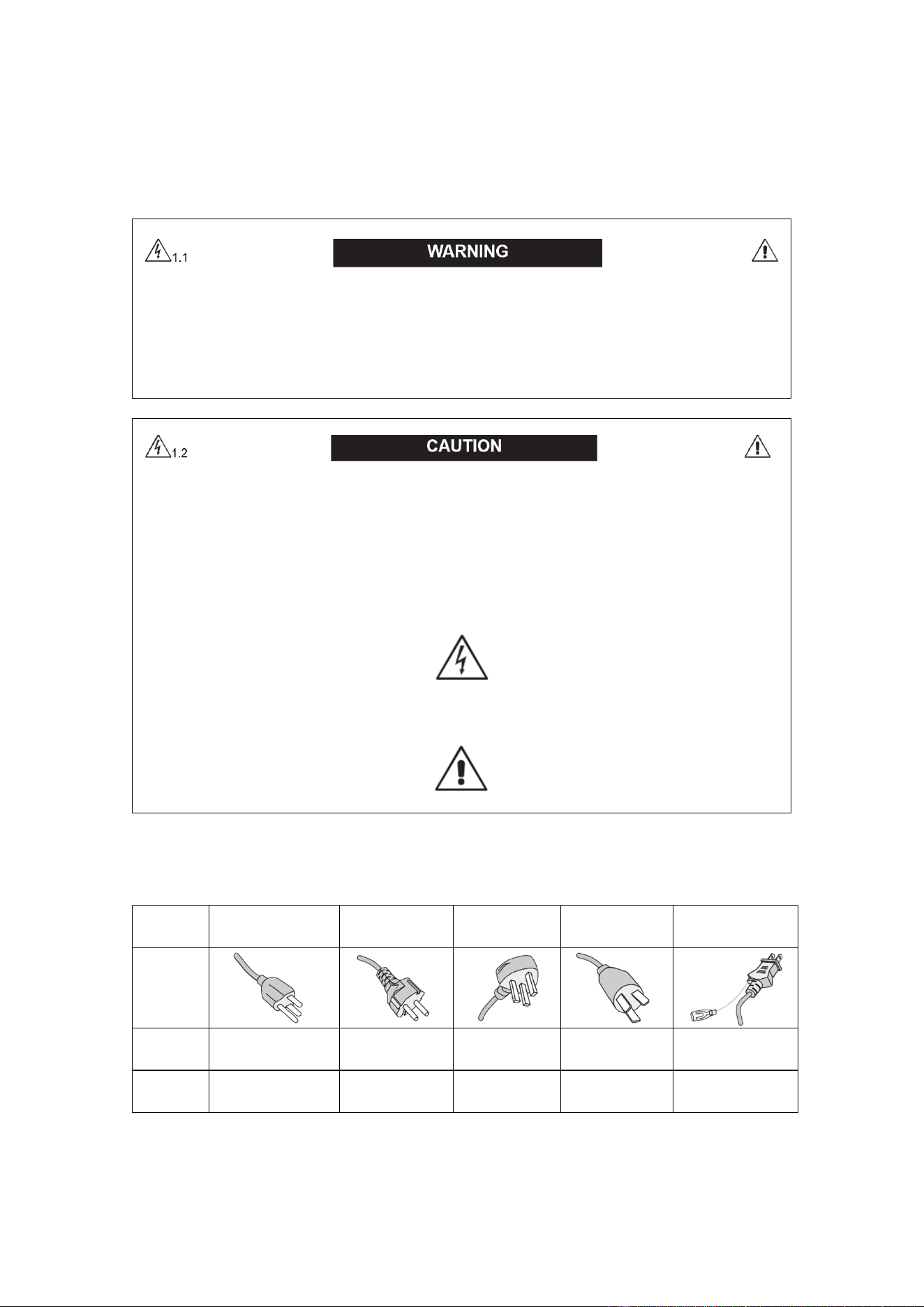
CAUTION: Please use the power cord provided with this monitor in accordance with the table below. If a power cord is not
supplied with this equipment, please contact your supplier. For all other cases, please use a power cord that matches the AC
voltage of the power outlet and has been approved by and complies with the safety standard of your country.
Plug
type
North America Europe U.K. Chinese Japanese
Plug
shape
Region
U.S.A / Canada
Taiwan
EU U.K. China Japan
Voltage
120*
110
230 230 220 100
* When operating the monitor with its AC 125-240V power supply, use a power supply cord that matches the power supply
voltage of the AC power outlet being used.
4
NOTE: This product can only be serviced in the country where it was purchased.
Use the power cord which has BSMI mark at both ends when you use this monitor in Taiwan.
•
The intended primary use of this product is as an Information Technical Equipment in an office or domestic
environment.
•
The product is intended to be Connected to a computer and is not intended for the display of television
broadcast signals.
2. SAFETY PRECAUTIONS, MAINTENANCE AND
RECOMMENDED USES
FOR OPTIMUM PERFORMANCE, PLEASE NOTE THE FOLLOWING WHEN SETTING UP AND USING
THE MULTI-FUNCTION MONITOR:
DO NOT OPEN THE MONITOR.
• There are no user serviceable parts inside and opening or removing covers may expose you to
dangerous shock hazards or other risks. Refer all servicing to qualified service personnel.
• Do not spill any liquids into the cabinet or use your monitor near water.
• Do not insert objects of any kind into the cabinet slots, as they may touch dangerous voltage points,
which can be harmful or fatal or may cause electric shock, fire or equipment failure.
• Do not place any heavy objects on the power cord. Damage to the cord may cause
shock or fire.
• Do not place this product on a sloping or unstable cart, stand or table, as the monitor may fall,
causing serious damage to the monitor.
• Do not mount this product face up, face down or upside down for an extended period as it may
cause permanent damage to the screen.
The power supply cord you use must have been approved by and comply with the safety standards of your
country. (Type H05VV-F 3G 1mm2 should be used in Europe).
In UK, use a BS-approved power cord with molded plug having a black (13A) fuse installed for use with this
monitor.
• Do not place any objects onto the monitor and do not use the monitor outdoors.
• Do not bend, crimp or otherwise damage the power cord.

5
• If glass is broken, handle with care.
• Do not cover vent on monitor.
• Do not use monitor in high temperature, humid, dusty, or oily areas.
• If monitor or glass is broken, do not encounter the liquid crystal and handle with care.
• Allow adequate ventilation around the monitor, so that heat can properly dissipate. Do not block
ventilated openings or place the monitor near a radiator or other heat sources. put anything on
top of the monitor.
• The power cable cord is the primary means of detaching the system from the power supply. The
monitor should be installed close to a power outlet, which is easily accessible.
• Handle with care when transporting. Save packaging for transporting.
• Please clean the holes of back cabinet to reject dirt and dust at least once a year because of set
reliability.
• Do not use monitor under rapid temperature and humidity change condition or avoid cold air from
air-conditioning outlet directly, as it may shorten the lifetime of the monitor or cause condensation.
If condensation happens, let the monitor stand unplugged until there is no condensation.
• The touch panel glass is not safety glass and is not laminated. As with other glass, the touch
panel glass may break into sharp pieces if misused, dropped, or otherwise subjected to a
substantial shock. If touch panel glass happens to break, please use care to avoid injury.
• DO NOT tap the monitor with hard or pointed object, such as a pen, or pencil.
Connected to a TV*
• Cable distribution system should be grounded (earthed) in accordance with ANSI/NFPA 70, the
National Electrical Code, in particular Section 820.93, Grounding of Outer Conductive Shield of
a Coaxial Cable.
• The screen of the coaxial cable is intended to be Connected to earth in the building installation.
Immediately unplug your monitor from the wall outlet and refer servicing to qualified service personnel
under the following conditions:
• When the power supply cord or plug is damaged.
• If liquid has been spilled, or objects have fallen into the monitor.
• If the monitor has been exposed to rain or water.
• If the monitor has been dropped or the cabinet damaged.
• If you notice any structural damage such as cracks or unnatural wobbling.
• If the monitor does not operate normally by following operating instructions.
2.1. RECOMMENDED USES
• For optimum performance, allow 20 minutes for warm-up.
• Rest your eyes periodically by focusing on an object at least 5 feet away. Blink often.
• Position the monitor at a 90° angle to windows and other light sources to minimize glare and

6
reflections.
• Clean the LCD monitor surface with a lint-free, non-abrasive cloth. Avoid using any cleaning
solution or glass cleaner!
• Adjust the monitor’s brightness, contrast and sharpness controls to enhance readability.
• Avoid displaying fixed patterns on the monitor for long periods of time to avoid image persistence
(after image effects).
• Get regular eye checkups.
2.2. ERGONOMICS
To realize the maximum ergonomic benefits, we recommend the following:
• Use the preset Size and Position controls with standard signals.
• Use the preset Color Setting.
• Use non-interlaced signals.
• Use primary color blue on a dark background, as it is difficult to see and may produce eye fatigue
due to insufficient contrast.
• Suitable for entertainment purposes at controlled luminous environments, to avoid disturbing
reflections from the screen.
2.3. CLEANING THE LCD PANEL
When the liquid crystal panel is dusty, please gently wipe with a soft cloth.
• Please do not rub the LCD panel with hard material.
• Please do not apply pressure to the LCD surface.
• Please do not use OA cleaner as it will cause deterioration or discolor on the LCD surface.
2.4. CLEANING THE CABINET
• Unplug the power supply
• Gently wipe the cabinet with a soft cloth
• To clean the cabinet, dampen the cloth with a neutral detergent and water, wipe the cabinet
and follow with a dry cloth.
NOTE: DO NOT clean with benzene thinner, alkaline detergent, alcoholic system detergent, glass cleaner,
wax, polish cleaner, soap powder, or insecticide. Rubber or vinyl should not be in contact with the cabinet
for an extended period. These types of fluids and materials can cause the paint to deteriorate, crack or
peel.
The product you purchased may not have this feature.
2.5. MAINTENANCE
Periodically check for loose screws, gaps, distortions, or other problems that may occur with the mounting
7
apparatus. If a problem is detected, please refer to qualified personnel for service.
Regularly check the mounting location for signs of display.
3. INSTALLATION
The ceiling and wall must be strong enough to support the monitor and mounting accessories.
• DO NOT install in locations where a door or gate can hit the unit.
• DO NOT install in areas where the unit will be subjected to strong vibrations and dust.
• DO NOT install near where the main power supply enters the building.
• Do not install in where people can easily grab and hang onto the unit or the mounting apparatus.
• Allow adequate ventilation or provide air conditioning around the monitor, so that heat can properly
dissipate away from the unit and mounting apparatus.
3.1. CEILING MOUNTING
Ensure that the ceiling is sturdy enough to support the weight of the unit and the mounting apparatus over
time, against earthquakes, unexpected vibrations, and other external forces.
Be sure the unit is mounted to a solid structure within the ceiling, such as a support beam. Secure the monitor
using bolts, spring lock washers, washer and nut.
• DO NOT mount to areas that have no supporting internal structure.
• DO NOT use wood screws or anchor screws for mounting.
• DO NOT mount the unit to trim or to hanging fixtures.
3.2. WALL MOUNTING
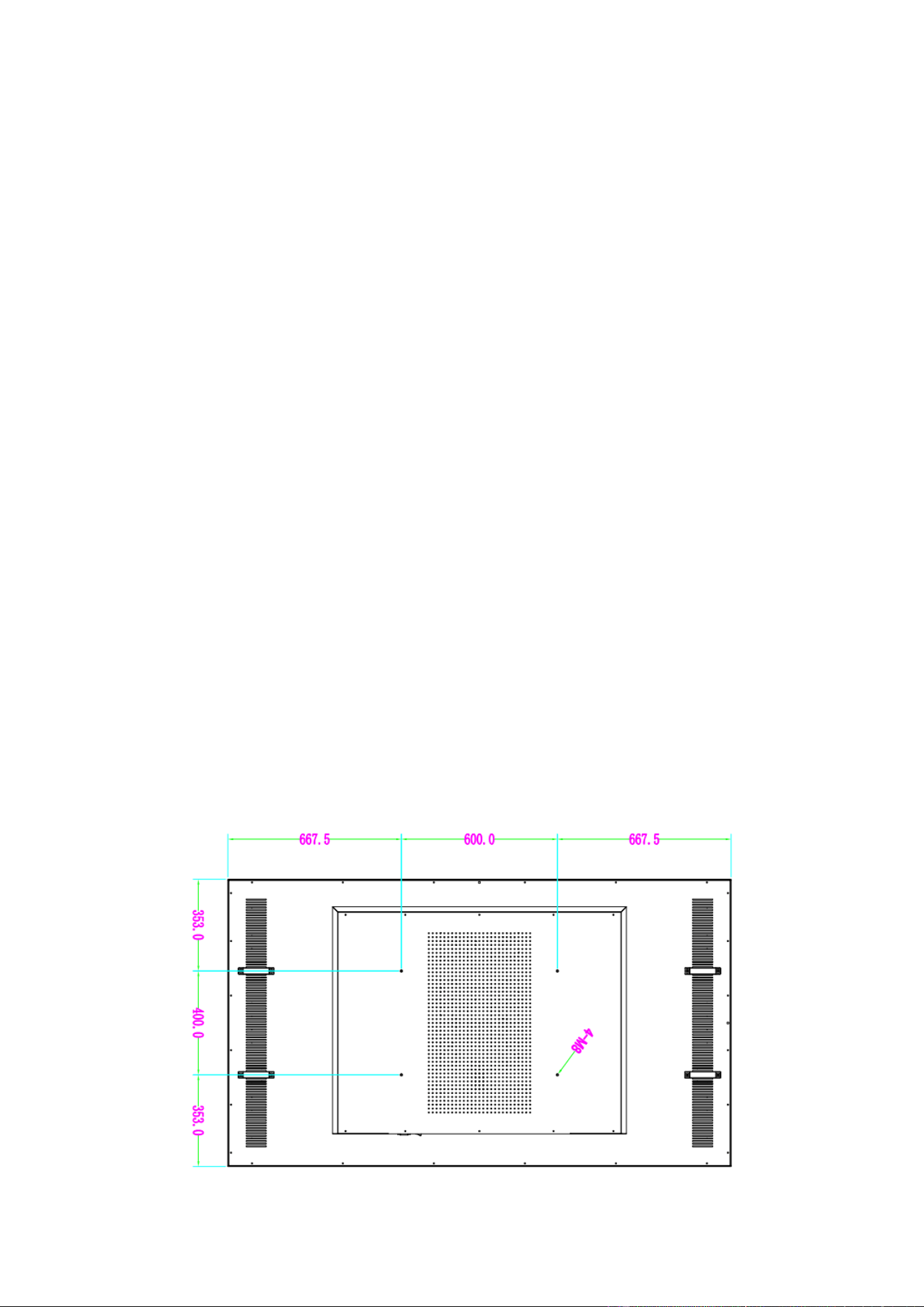
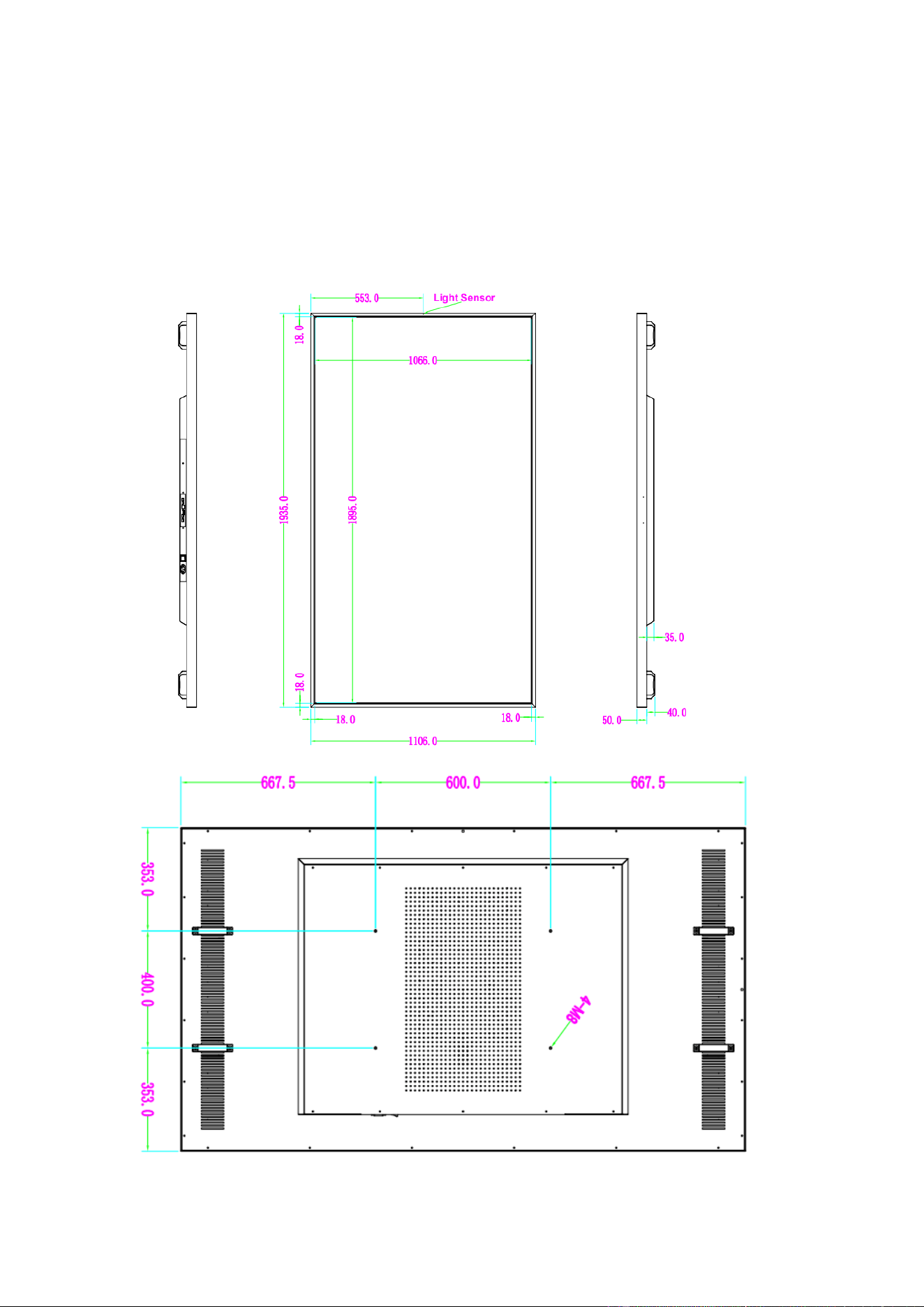
Back mounting method: 4*M8 screw holes.
Vertical installation distance.
Unit: mm
8
Strongly recommends using size M8 screw.
4. OUTLINE DIMENSIONS AND DRAWINGS
Unit: mm
9
5. TECHNICAL PARAMETERS
Display Size 86"
Aspect Ratio 16:9
Resolution 3840 x 2160
Brightness 3500 cd/m²
Contrast Ratio 1200:1
Viewing Angle 178° Horizontal / 178°Vertical tical
Video Interface USB*2 HDMI-in*1 RJ45*1
Audio interface Earphone
Working Temperature 0°C to +40°C
Working Humidity 5% to 90%
Power Source AC 180-264V@50-60Hz
Maximum Power 1230W
Dimension (W*H*D) 1935mm x 1106mm x 85mm
Installation Type VESA installation
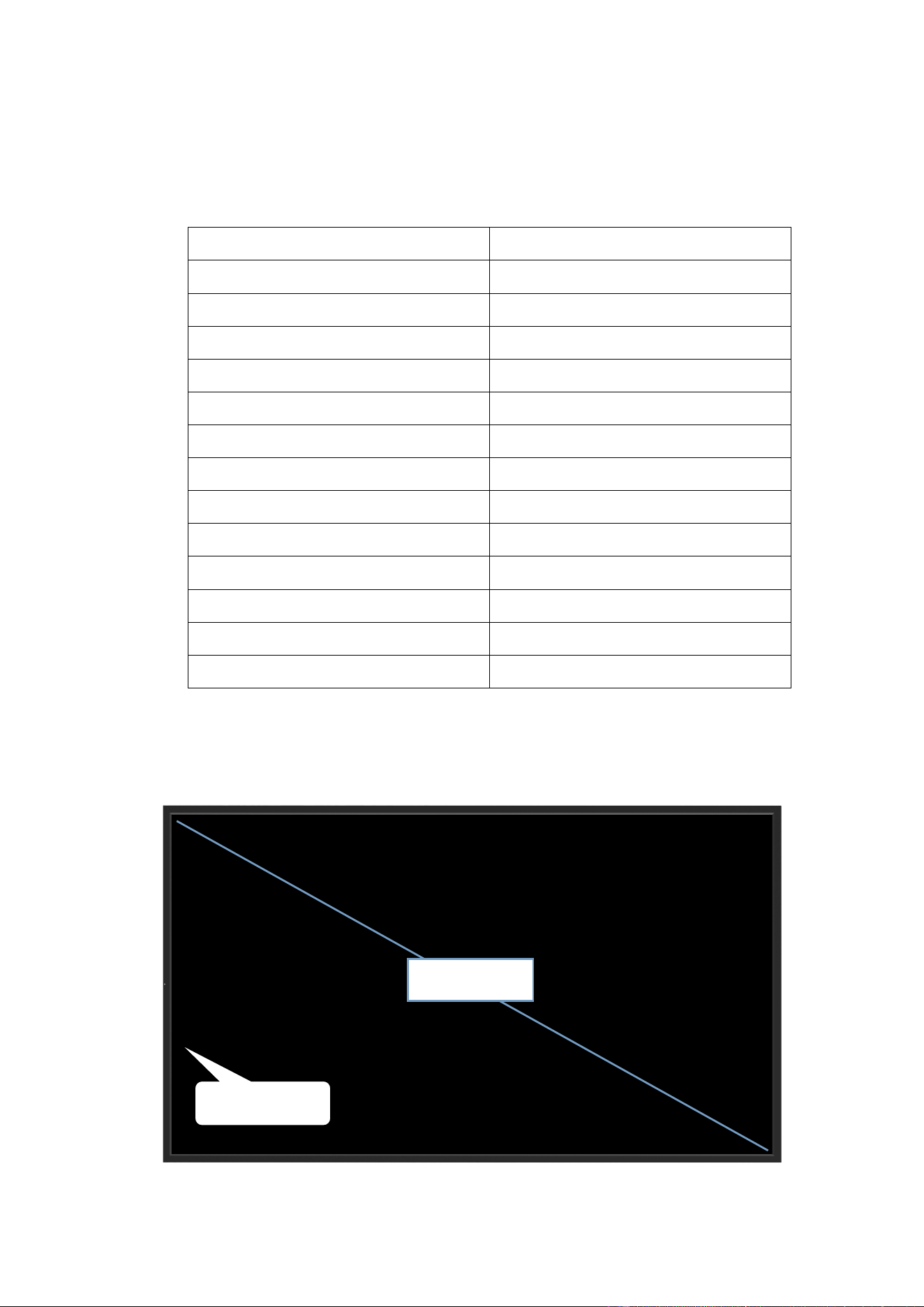
6. DISPLAY SCHEMATIC DIAGRAM
Front side
Light Sensor
Active Area
10
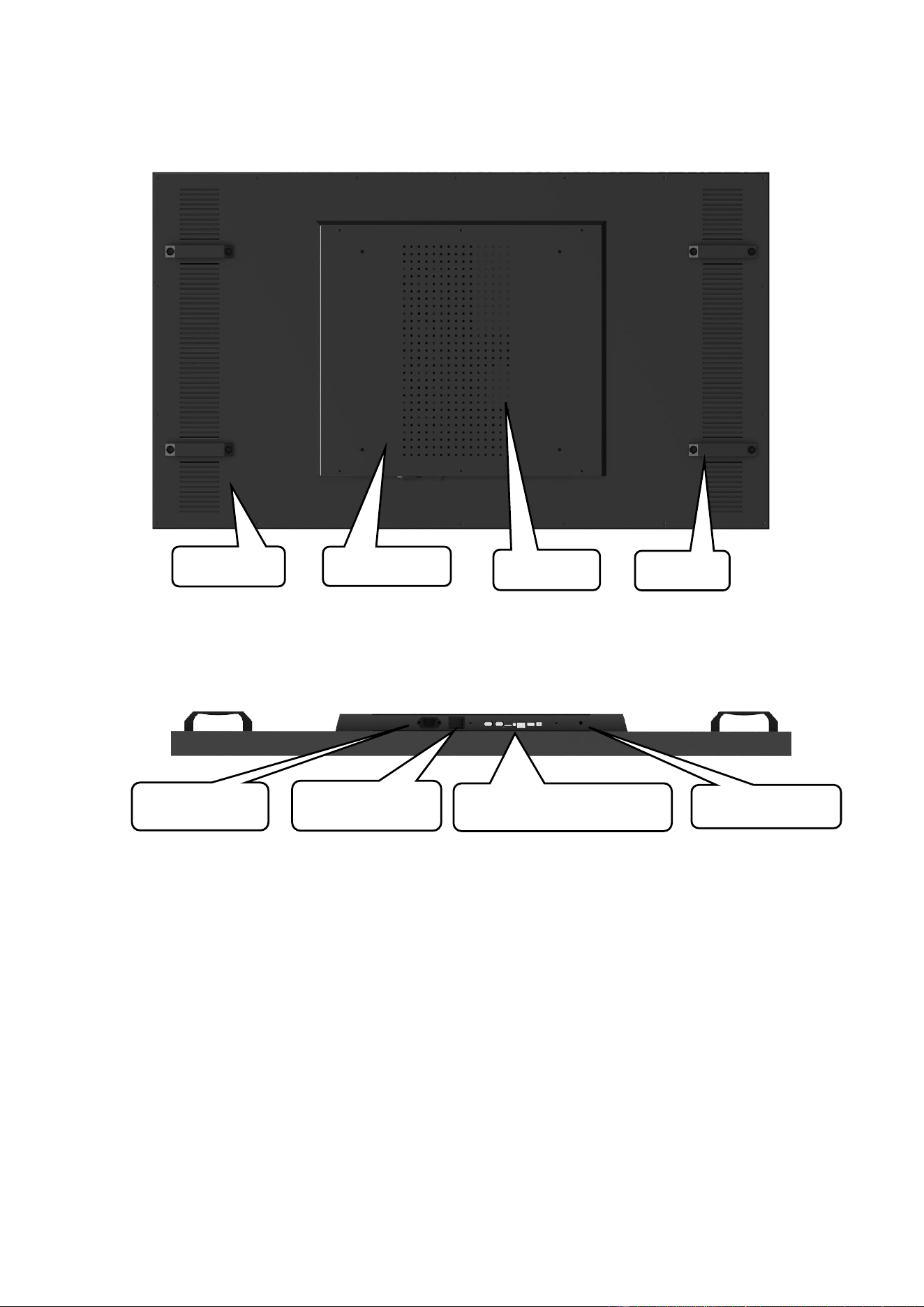
Back side
Interfaces
Air vent
Air Inlet
Power box
Handle
Mainboard Interfaces
AC Power In
Power switch
WIFI Antenna