
2
ENGLISH
TABLE OF CONTENTS
BASIC............................................. 3
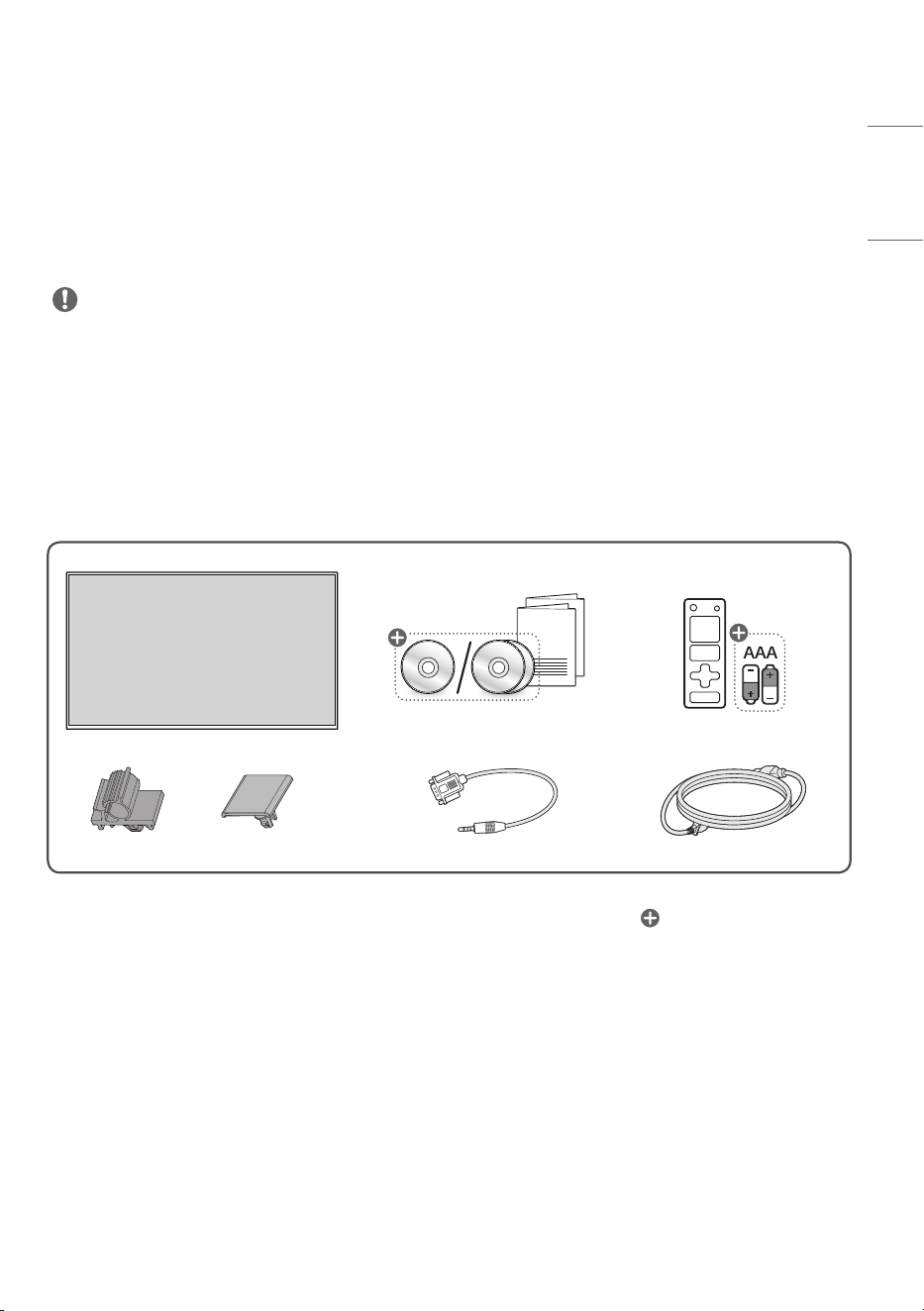
- Checking the Accessories ................................3
- Learning the Buttons .........................................4
GETTING.READY......................... 5
- Connecting the IR Sensors ..............................5
- Kensington Lock Device ....................................6
CHECKING.BEFORE.
INSTALLATION..............................7
- Installation Orientation .....................................7
- Installation Location ...........................................8
- Wall Mount Holder ..............................................9
PRECAUTIONS.FOR.USE......... 10
- Dust ......................................................................... 10
- Afterimage ........................................................... 10
PRODUCT..
SPECIFICATIONS....................... 12
LICENCE........................................17
3
ENGLISH
WARNING - This product is not intended for household use.
BASIC
.NOTE
• The accessories provided with your product may vary depending on the model or region.
• Product specifications or contents in this manual may be changed without prior notice due to upgrade of
product functions.
• SuperSign Software & Manual
- Visit
https://partner.lge.com
to download the latest SuperSign software and manual.
Checking.the.Accessories
CABLE
MANAGEMENT
CABLE
MANAGEMENT
.X.2
Depending upon country
4
ENGLISH
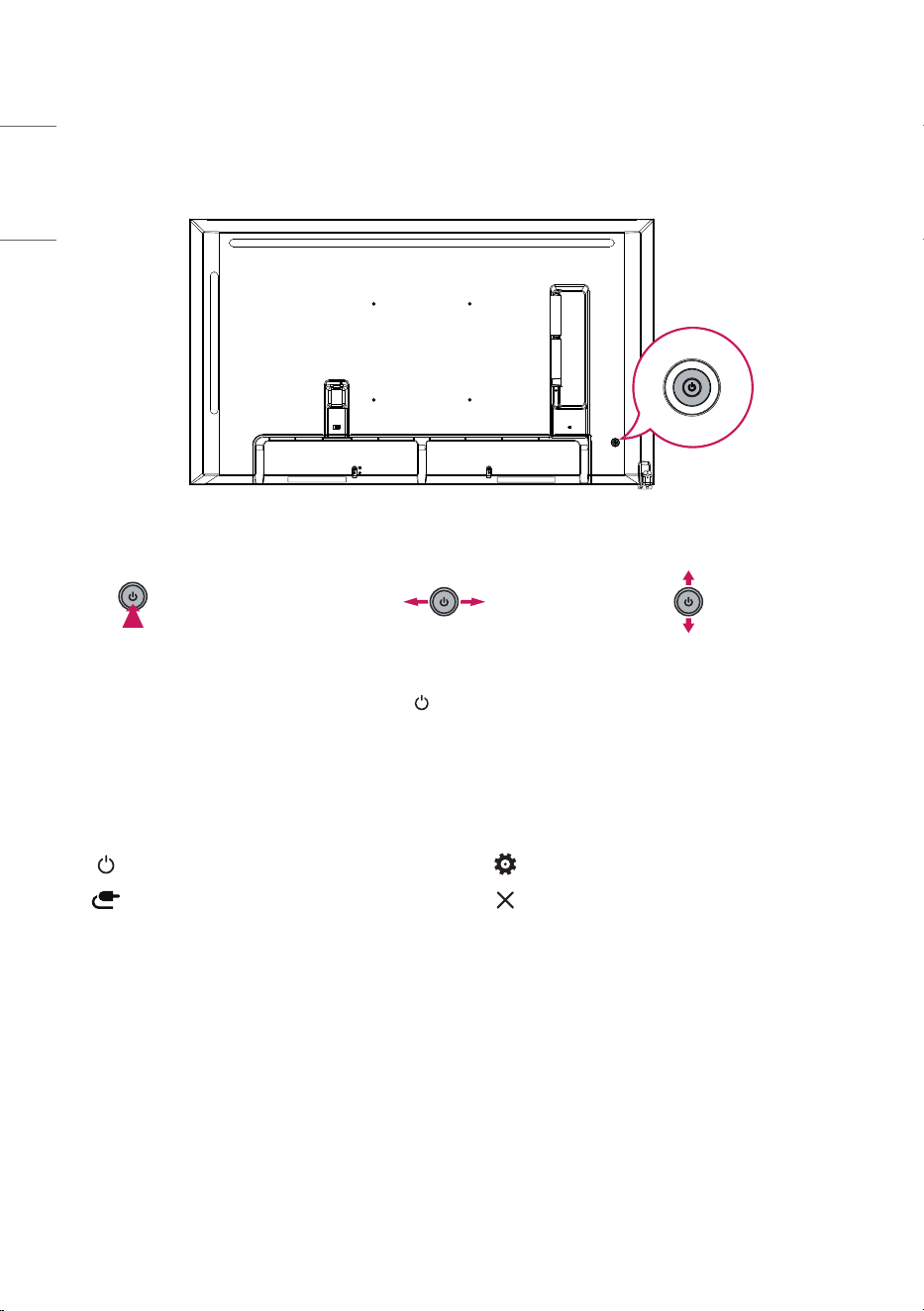
Learning.the.Buttons
The illustrations may differ depending on the model.
Power On (Press)
Quick Menu (Press
1
)
Menu Selection (Press
2
)
Power Off
3
(Press and
Hold)
Volume Control
Menu Control
2
Menu Control
2
1 When the monitor is turned on, press the button one time.
2 You can use the function when you control menu.
3 All running apps will close.
Quick.Menu
Turns the power off. Accesses the main menu.
Changes the input source. Close the quick menu.
5
ENGLISH
GETTING READY
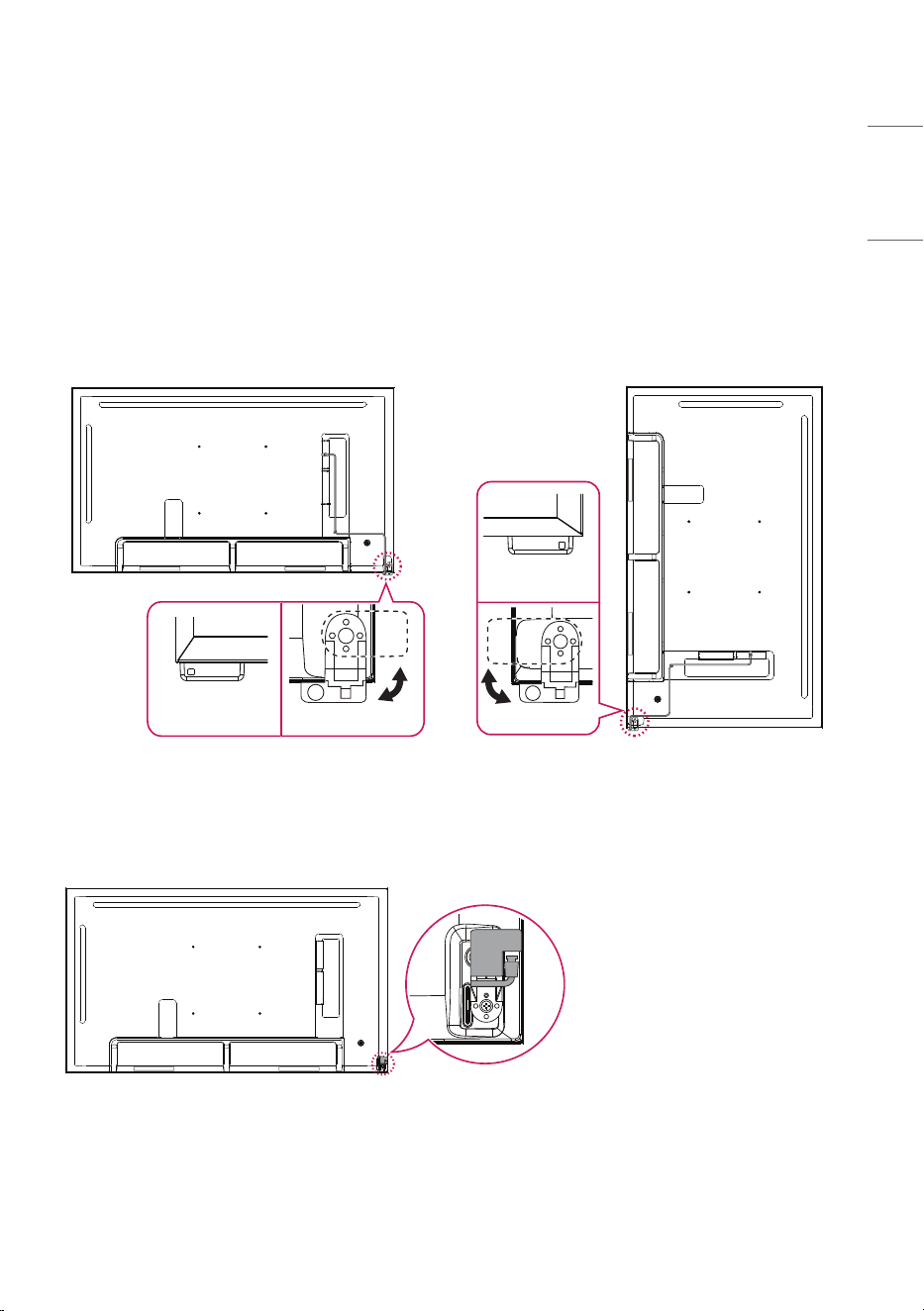
Connecting.the.IR.Sensors
Connecting the cable to the product allows it to receive signals from the remote control.
Rotate the IR sensor according to horizontal or vertical use.
- The illustrations may differ depending on the model.
- Remove the protective cable film before use.
Back
Front
Front
Back
Horizontal.Use.(Default.Mount) Vertical.Use
You can hide the IR sensor.
6
ENGLISH
Kensington.Lock.Device
(This feature applies only to some models.)
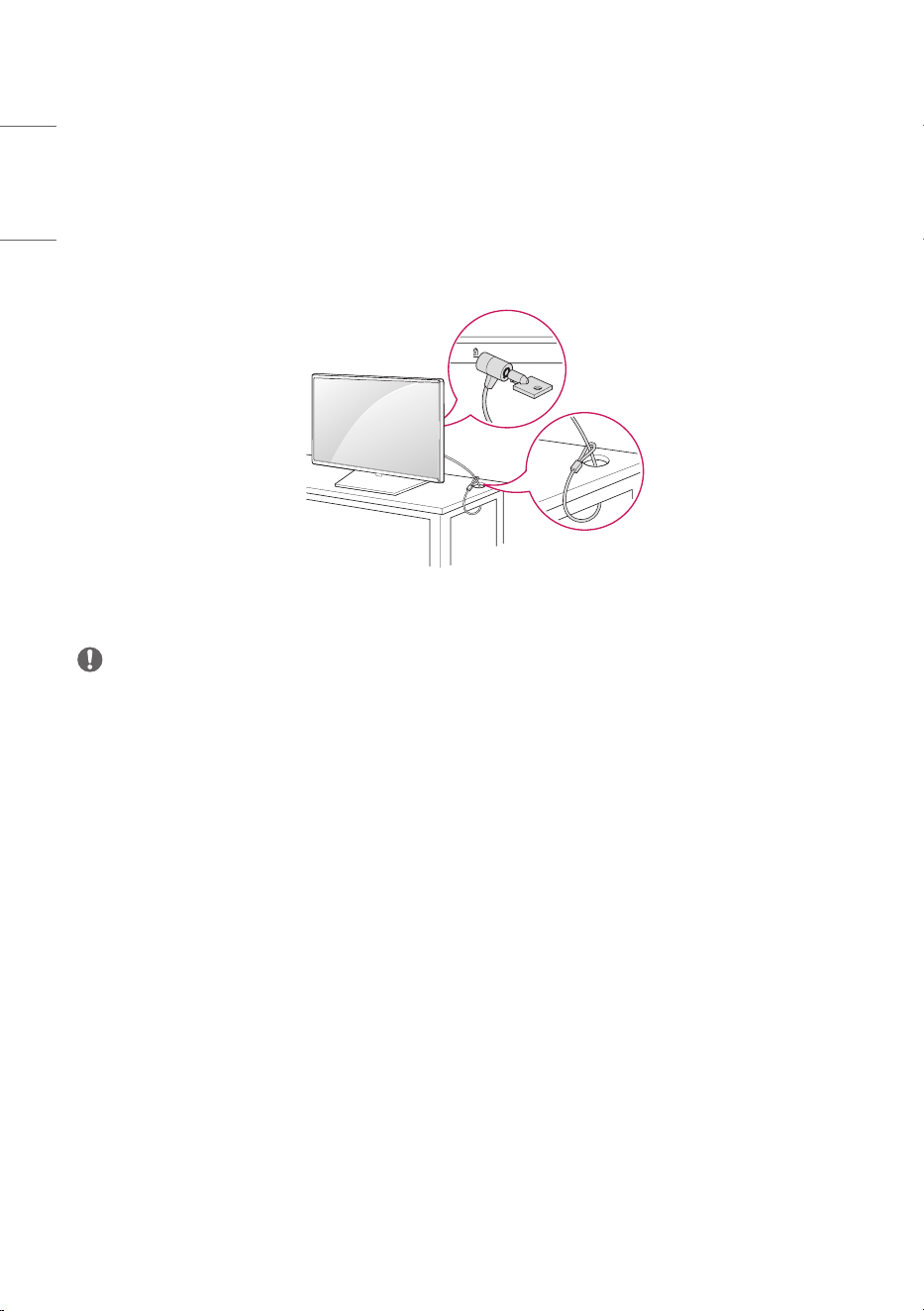
The Kensington lock device connector is located on the back of the monitor. For more information on
installation and use, refer to the user manual provided with the locking device.
Connect the Kensington security system cable between the monitor and a table.
.NOTE
• The Kensington lock device is an optional specification.
• This is a general illustration of installation and may look different from the product held by the
customer.
7
ENGLISH
CHECKING BEFORE INSTALLATION
We are not responsible for product damage caused by failure to follow the guide.
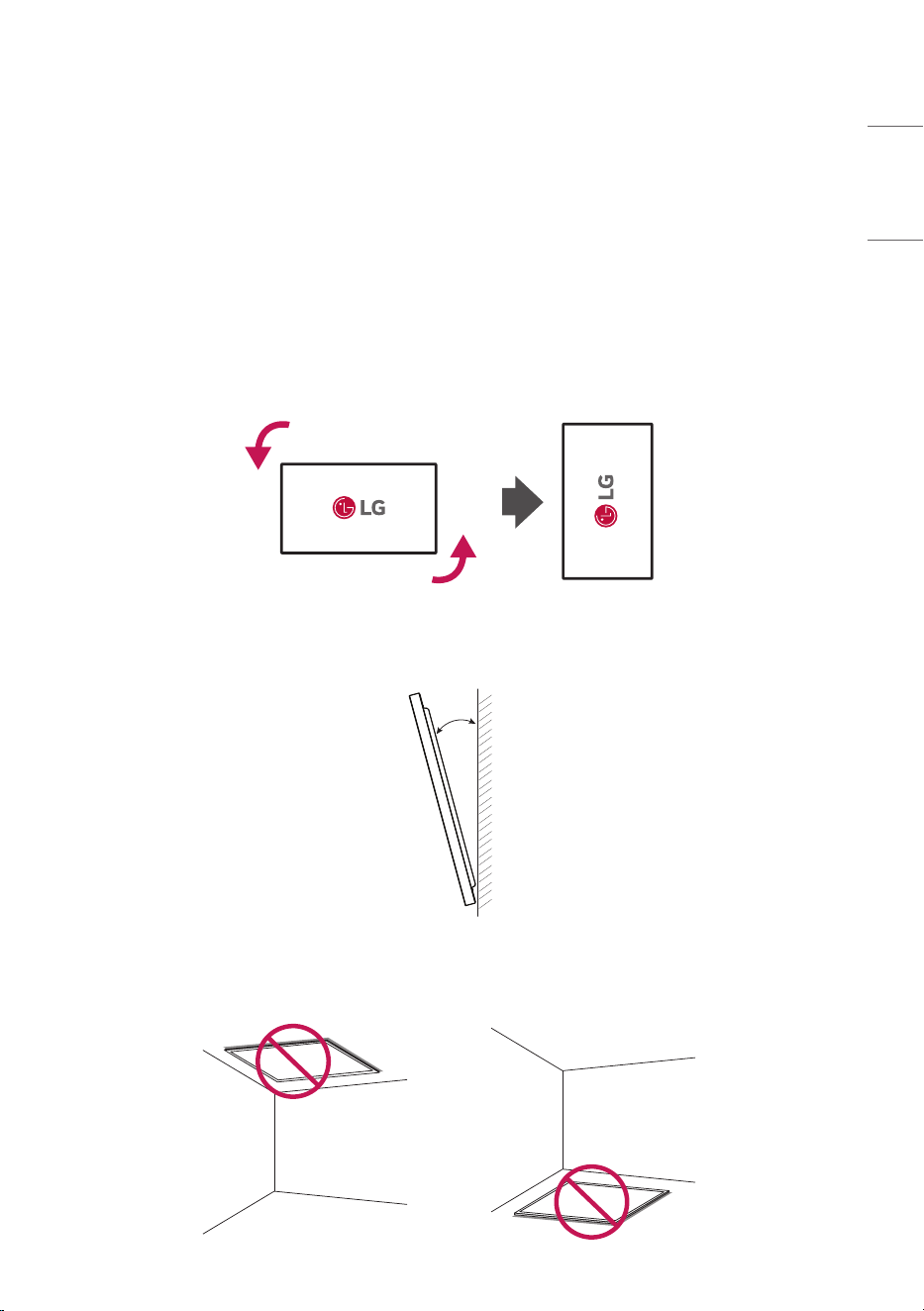
Installation.Orientation
Using.Vertically
When installing vertically, rotate the monitor 90 degrees anti-clockwise while facing the front of the
screen.
Tilt.Angle
30°
Ceiling,.Floor.Orientation
8
ENGLISH
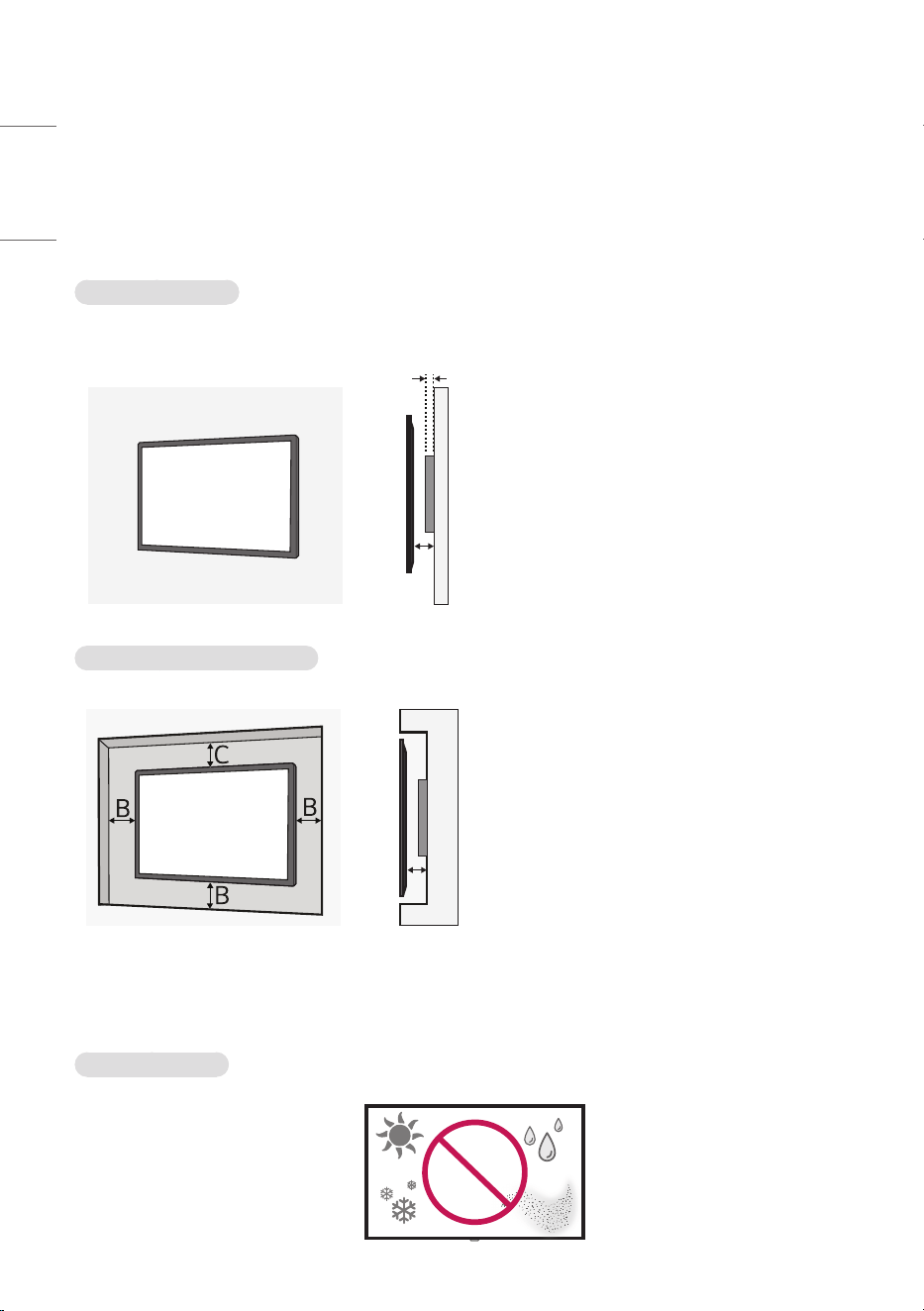
Installation.Location
We are not responsible for product damage caused by failure to follow the guide.
Indoor
Installing.on.a.Wall
13 mm (0.5 inches) (Slim Wall Mount, optional)
26 mm (1.0 inches) (Normal Wall Mount, optional)
A
A
A : 13 mm (0.5 inches) or more
• The warranty will not cover any damage
caused by using the product in direct
sunlight on the front panel.
• Leave sufficient space around the
product so that the ventilation vents of
the product are not blocked.
Installing.on.a.Recessed.Wall
A
A
A : 13 mm (0.5 inches) or more
B : 50 mm (1.9 inches) or more
C : 70 mm (2.7 inches) or more
• The warranty will not cover any damage
caused by using the product in direct
sunlight on the front panel.
Outdoor
Outdoor.Enclosed
9
ENGLISH
Wall.Mount.Holder
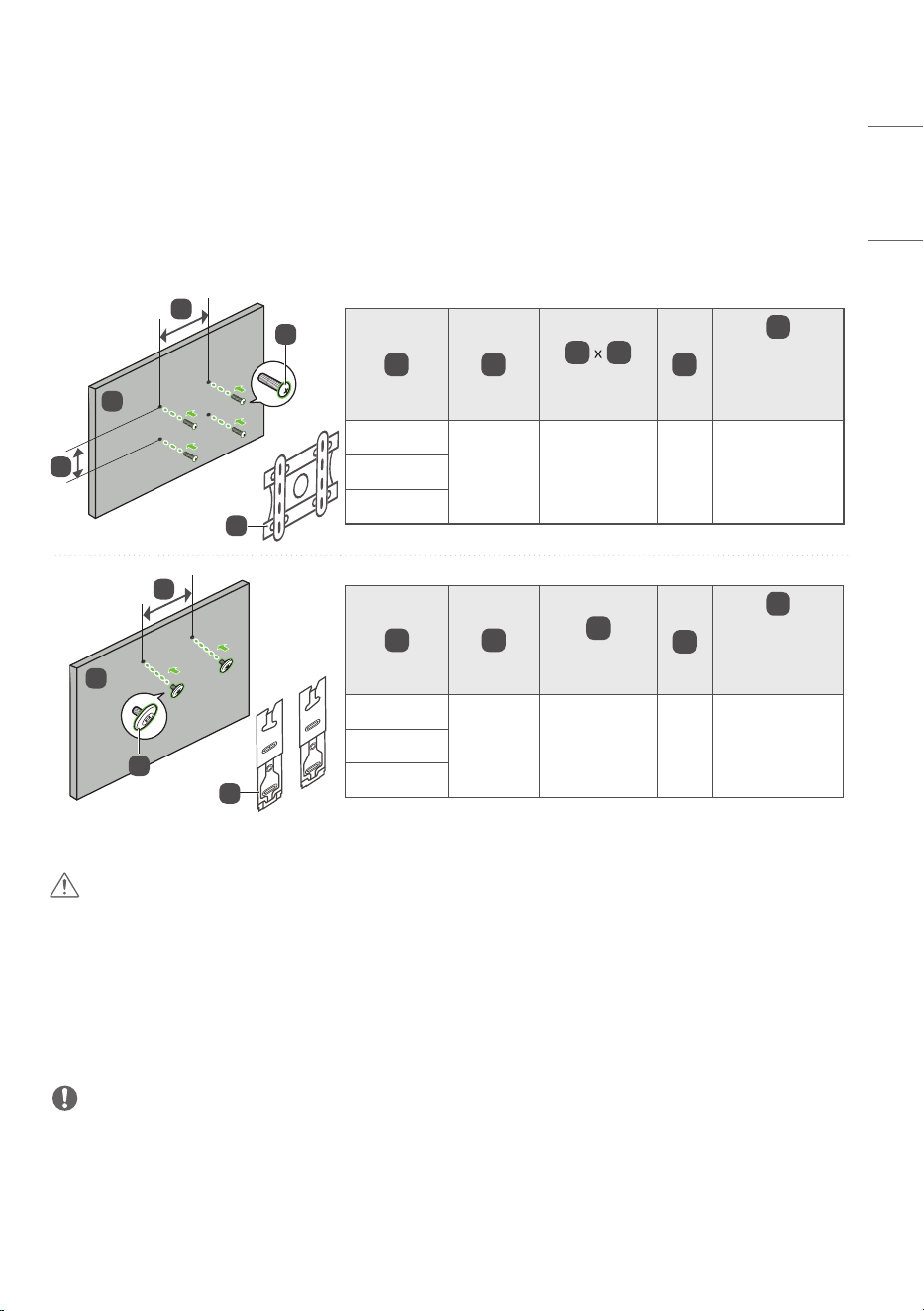
To install the monitor on a wall, attach a wall mount holder (optional) to the back of the monitor.
Take caution, and ensure that the wall mount holder (optional) is securely fixed to the monitor and to the
wall.
The VESA dimensions of the wall mount by model are as follows.
C
A
D
E
B
A B
C
D
(mm (inches))
E
E
Length
(Maximum)
(mm (inches))
49UV5N-E
OLW480*
300 x 300
(11.8 x 11.8)
M6
14
(0.5)
55UV5N-E
65UV5N-E
C
A
D
B
A B
C
(mm (inches))
D
D
Length
(Maximum)
(mm (inches))
49UV5N-E
WB21LM*
300
(11.8)
M6
14
(0.5)
55UV5N-E
65UV5N-E
.CAUTION
• Disconnect the power cord first, and then move or install the monitor. Otherwise, it may result in electric
shock.
• If the monitor is installed on a ceiling or inclined wall, it may fall and result in injury.
• Damage to the monitor by tightening the screws too tightly may void your warranty.
• Use screws and wall mount plates conforming to VESA standards. Breakage or personal injury due to use
or misuse of inappropriate components is not covered by the warranty of this product.
.NOTE
• Using screws longer than the indicated depth may damage the inside of the product. Be sure to use the
proper length.
• For more information on installation, please refer to the user manual for the wall mount.

10
ENGLISH
PRECAUTIONS FOR USE
Dust
The warranty will not cover any damage caused by using the product in an excessively dusty environment.
Afterimage
• After-image appears when the product is turned off.
- Pixels may be damaged rapidly if a still image is displayed on the screen for a long period of time. Use
the screen-saver function.
- Switching from a screen with high differences in luminance (black and white or grey) to a darker screen
may cause an afterimage. This is normal due to the display characteristics of this product.
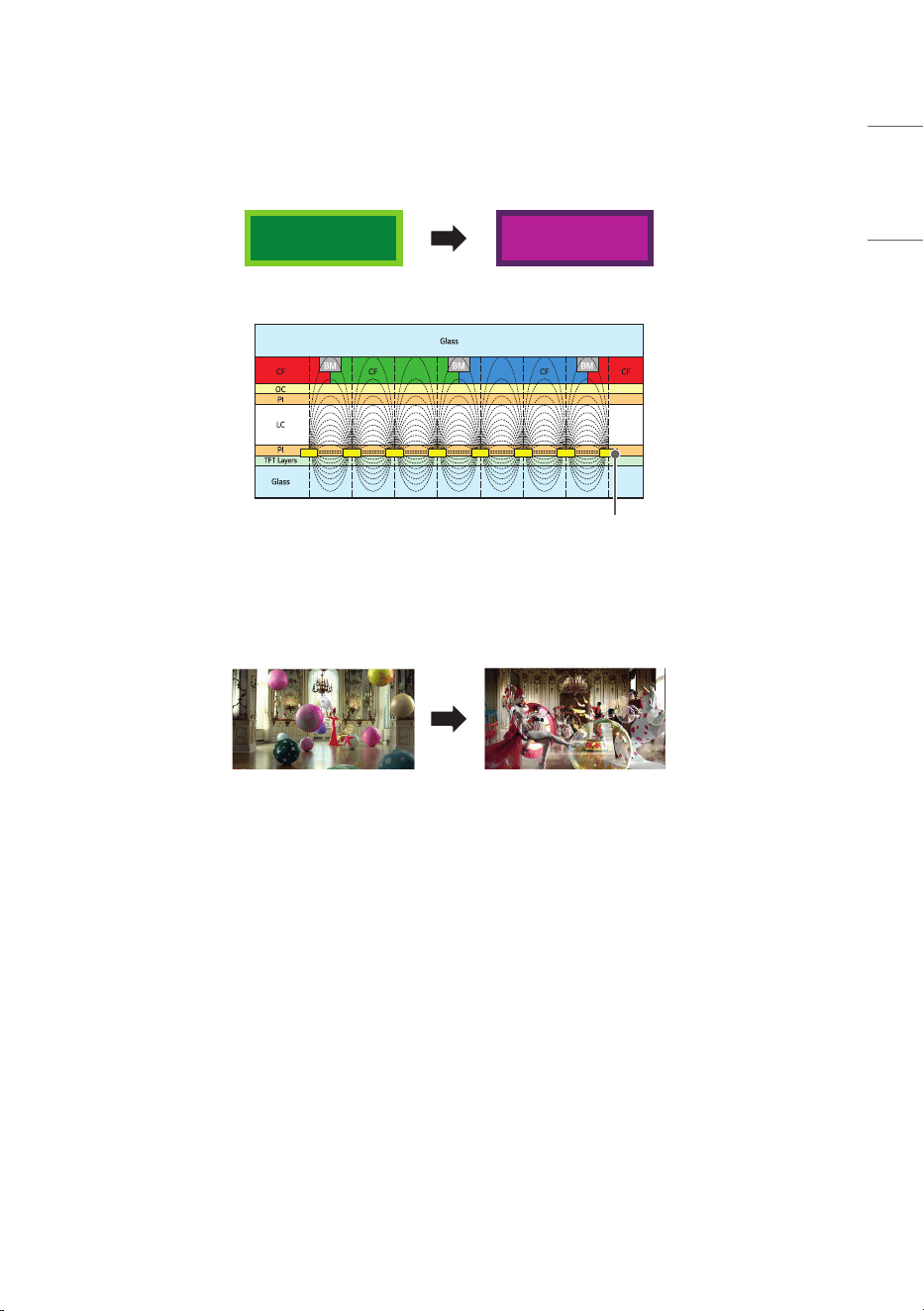
• When the LCD screen is in a still pattern for extended periods of use, a slight voltage difference may
occur between the electrodes that operate the liquid crystal (LC). The voltage difference between the
electrodes increases over time and tends to keep the liquid crystal aligned in one direction. At this time,
the previous image remains, which is called an afterimage.
• Afterimages do not occur when continuously changing images are used but take place when a certain
screen is fixed for a long time. The following are operational recommendations for reducing the
occurrence of afterimages when using a fixed screen. The maximum recommended time for switching
the screen is 12 hours. Shorter cycles are better for preventing afterimages.
11
ENGLISH
• Recommended Usage Condition
1 Change the background color and text color at equal intervals.
- Afterimages occur less when the colors to be changed are complementary to one another.
A A
ITO or MoTi Pixel Layer
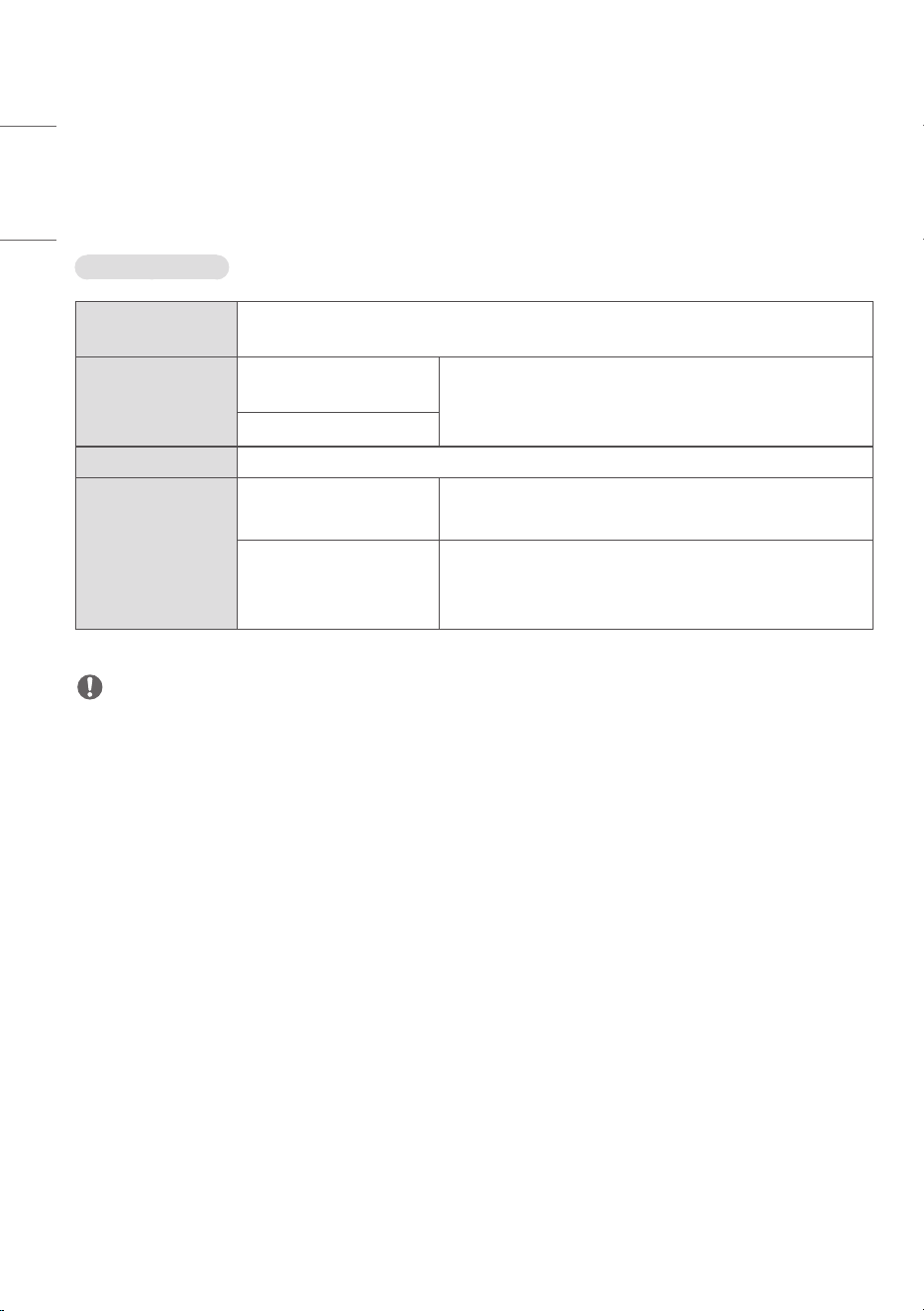
2 Switch the screen at equal time intervals.
- Take caution, and ensure that text or images from before the screen change are not left in the same
location after the screen change.
12
ENGLISH
PRODUCT SPECIFICATIONS
Without prior notice, all product information and specifications contained in this manual are subject to
change to improve the performance of the product.
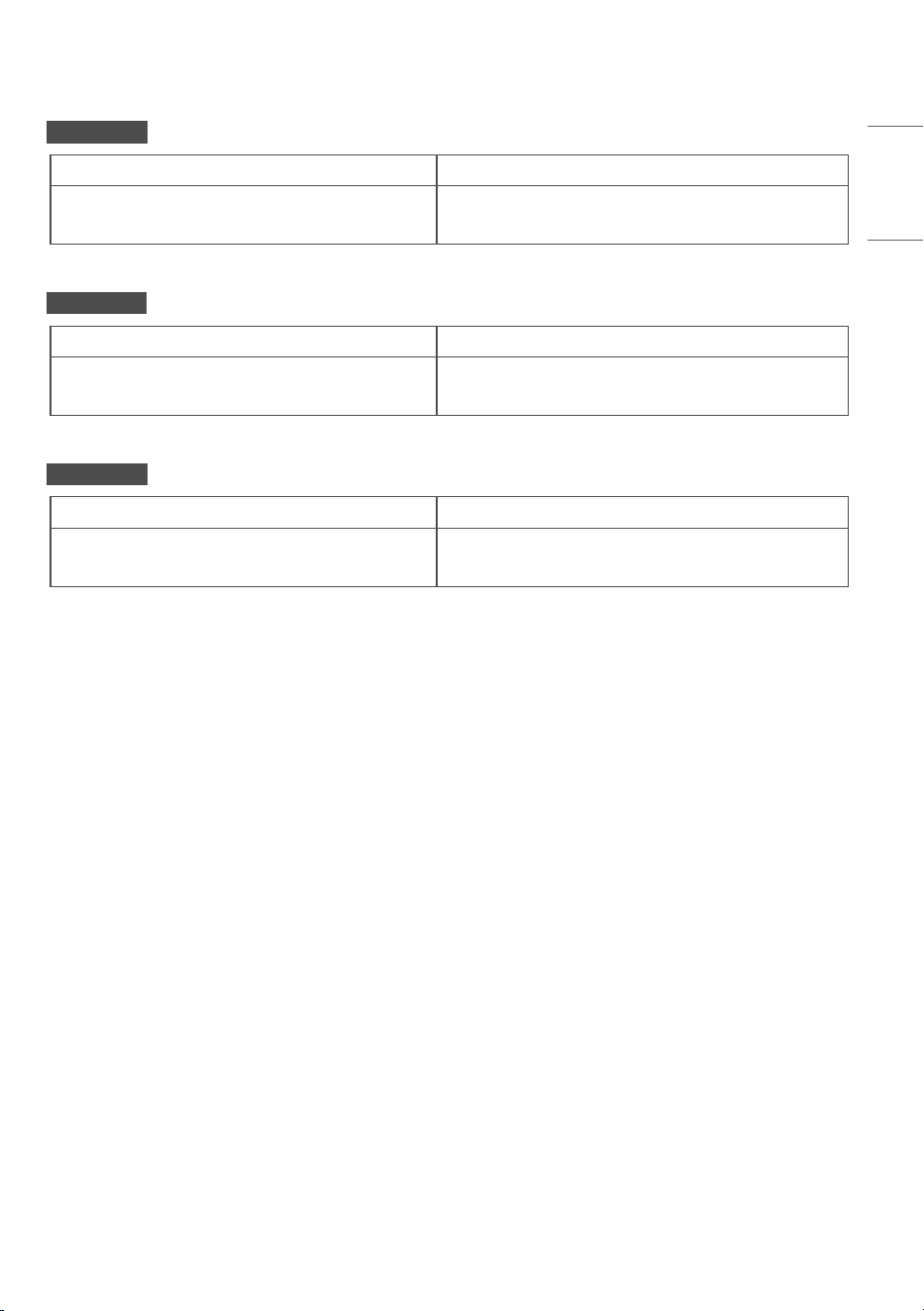
49/55/65UV5N-E
Input/Output.
Ports
LAN IN, HDMI™ IN 1, HDMI™ IN 2, HDMI™ IN 3, DP IN, HDMI™ OUT, USB 2.0 IN,
RS-232C IN, RS-232C OUT, IR&LIGHT SENSOR, AUDIO OUT
Resolution Recommended
Resolution
3840 x 2160 @ 60 Hz (HDMI1,2,3 / DisplayPort)
- This may not be supported on some OS or graphics
card types.
Max Resolution
Embedded.battery Applied
Environmental.
Conditions
Operating Temperature 0 °C to 40 °C (32 °F to 104 °F)
Operating Humidity 10 % to 80 % (Condition for preventing condensation)
Storage Temperature -20 °C to 60 °C (-4 °F to 140 °F)
Storage Humidity 5 % to 85 % (Condition for preventing condensation)
* Product box packaging storage conditions
.NOTE
• Video Daisy Chain can be configured through HDMI™ OUT, and input resolution can support up to
3840 x 2160 at 30 Hz, and it cannot be above 30 Hz.
13
ENGLISH
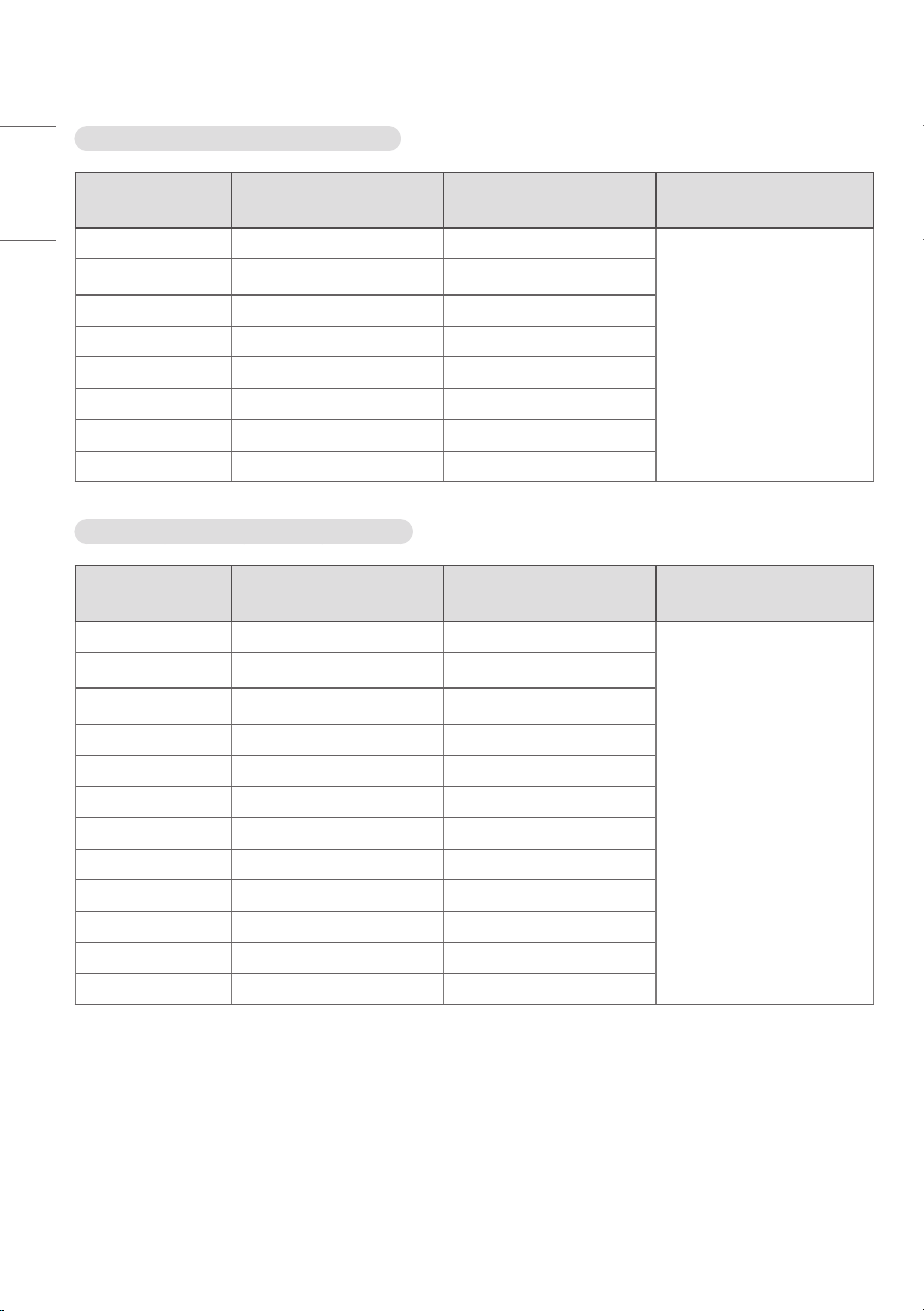
49UV5N-E
Power Voltage 100-240 V~ 50/60 Hz 1.3 A
Size (Width x Height x Depth) / Weight
1095.6 mm x 630.8 mm x 29.7 mm / 13.6 kg
(43.1 inches x 24.8 inches x 1.1 inches / 29.9 lbs)
55UV5N-E
Power Voltage 100-240 V~ 50/60 Hz 1.6 A
Size (Width x Height x Depth) / Weight
1231.4 mm x 707.2 mm x 29.7 mm / 16.1 kg
(48.4 inches x 27.8 inches x 1.1 inches / 35.4 lbs)
65UV5N-E
Power Voltage 100-240 V~ 50/60 Hz 2.0 A
Size (Width x Height x Depth) / Weight
1450.3 mm x 830.3 mm x 29.7 mm / 24.2 kg
(57.0 inches x 32.6 inches x 1.1 inches / 53.3 lbs)
14
ENGLISH
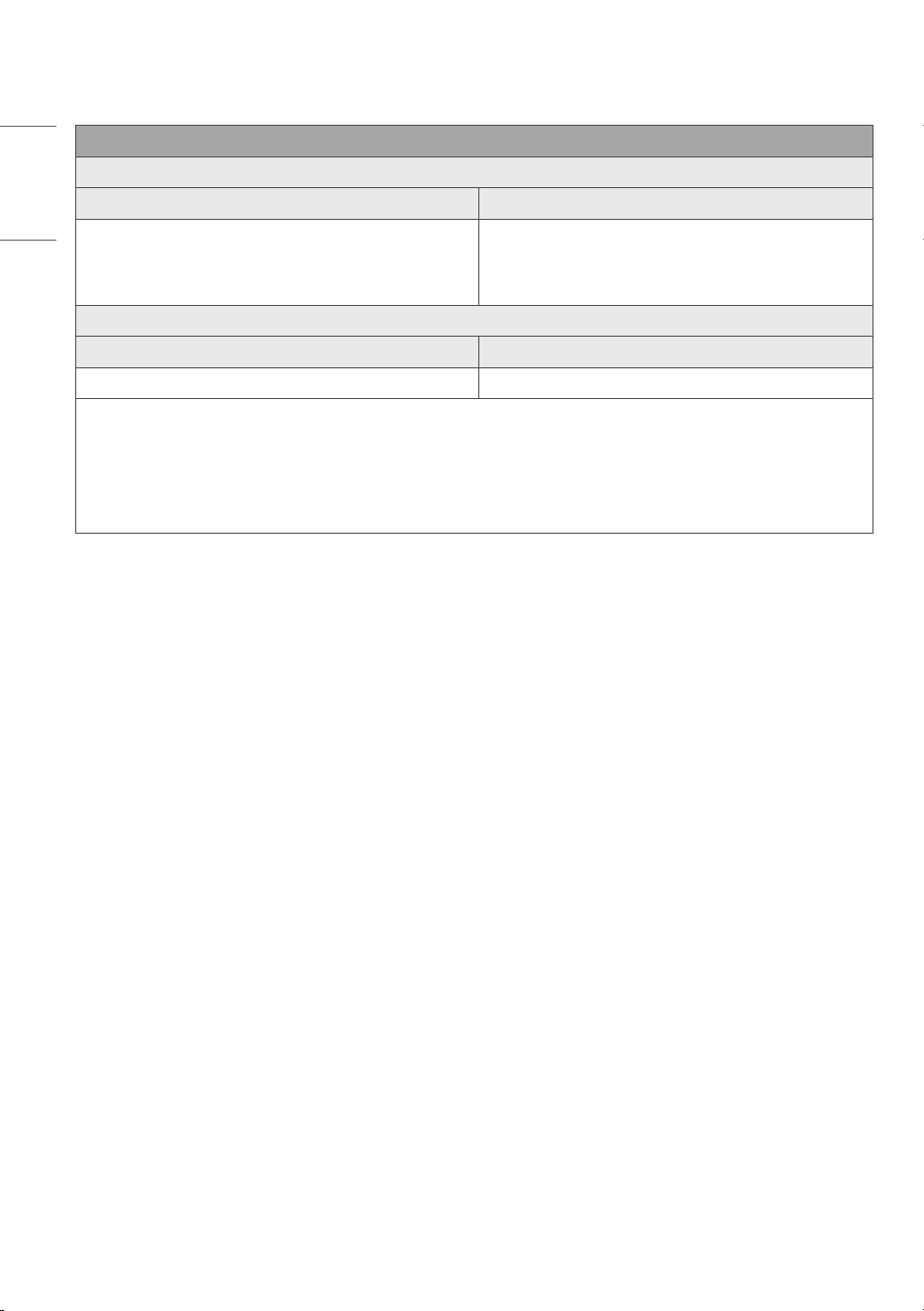
HDMI./.DisplayPort.(PC).Support.mode
Resolution
Horizontal.frequency.
(kHz)
Vertical.frequency.(Hz) Remark
800 x 600 37.879 60.317
HDMI1/2/3, DisplayPort
1024 x 768 48.363 60
1280 x 720 44.772 59.855
1280 x 1024 63.981 60.02
1680 x 1050 65.29 59.954
1920 x 1080 67.5 60
3840 x 2160 67.5 30
3840 x 2160 135 60
HDMI./.DisplayPort.(DTV).Support.mode
Resolution
Horizontal.frequency.
(kHz)
Vertical.frequency.(Hz) Remark
480/60p 31.5 60
HDMI1/2/3, DisplayPort
576/50p 31.25 50
720/50p 37.5 50
720/60p 45 60
1080/50i 28.1 50
1080/60i 33.75 60
1080/50p 56.25 50
1080/60p 67.432 59.94
1080/60p 67.5 60
2160/30p 67.5 30
2160/50p 112.5 50
2160/60p 135 60

15
ENGLISH
.NOTE
• Horizontal frequency: The horizontal interval is the time taken to display one horizontal line. When
1 is divided by the horizontal interval, the number of horizontal lines displayed every second can be
tabulated as the horizontal frequency. The unit is kHz.
• Vertical frequency: The product display functions by the screen image changing dozens of times every
second like a fluorescent lamp. The vertical frequency or refresh rate is the number of image displays
per second. The unit is Hz.
16
ENGLISH
Wireless.module.(LGSBWAC95).Specifications
Wireless.LAN.(IEEE.802.11a/b/g/n/ac)
Frequency.range.(MHz) Output.power.(Max.).(dBm)
2400 to 2483.5
5150 to 5725
5725 to 5850
18.5
18
18
Bluetooth
Frequency.range.(MHz) Output.power.(Max.).(dBm)
2400 to 2483.5 9
• As band channels can vary per country, the user cannot change or adjust the operating frequency. This
product is configured for the regional frequency table.
• For consideration of the user, this device should be installed and operated with a minimum distance of
20 cm (7.8 inches) between the device and the body.
• FCC ID: BEJLGSBWAC95 / IC: 2703H-LGSBWAC95

17
ENGLISH
LICENCE
Supported licenses may differ by model. For more information of the licenses, visit
www.lg.com.
The terms HDMI, HDMI High-Definition Multimedia Interface, HDMI trade dress and the HDMI Logos are
trademarks or registered trademarks of HDMI Licensing Administrator, Inc.
Manufactured under license from Dolby Laboratories. Dolby, Dolby Vision, Dolby Vision IQ, Dolby Audio,
Dolby Atmos, and the double-D symbol are trademarks of Dolby Laboratories Licensing Corporation.
The Bluetooth
®
word mark and logos are registered trademarks owned by Bluetooth SIG, Inc. and any use
of such marks by LG Electronics Inc. is under license. Other trademarks and trade names are those of their
respective owners.
Temporary noise is normal when powering ON
or OFF this device.
The model and serial number of the product
are located on the back and on one side of the
product. Record them below in case you ever
need service.
MODEL
SERIAL NO.
Supplier’s.Declaration.of.Conformity
Trade Name LG
Responsible Party LG Electronics USA, Inc.
Address 111 Sylvan Avenue, North
Building, Englewood Cliffs,
NJ 07632
E-mail [email protected]om
This pr
oduct qualifies for ENERGY
ST
AR®.
Changing the factor
y default
c
onfiguration and settings or
enabling
certain optional features
and functionalities ma
y increase
ener
gy consumption beyond the
limits r
equired for ENERGY STAR®
ce
rtification.
Refer to ENERGYS
TAR.gov for
mo
re information on the ENERGY
ST
AR® program.