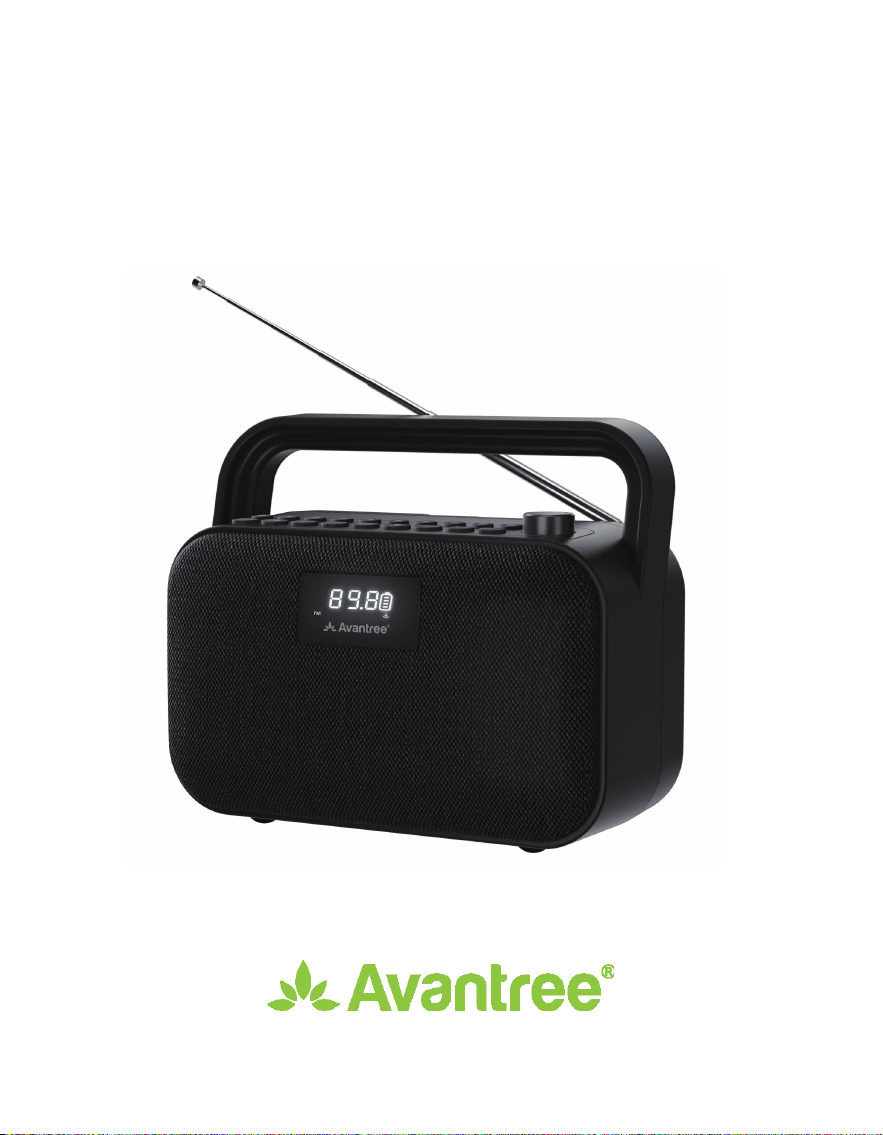
PowerByte
User Manual
Model No.: BTSP-880

EN
Book an Appointment
You can also book a 1-on-1 setup appointment with one of our support agents
at avantree.com/book-a-call
DE
Buchen Sie einen Termin
Vereinbaren Sie einen persönlichen Einrichtungstermin mit einem Support-Mitarbe-
iter unter avantree.com/book-a-call und wählen Sie Ihre passende Zeit.
FR
Prenez Rendez-Vous
Vous pouvez également réserver un rendez-vous d’installation individuel avec
l’un de nos agents de support via avantree.com/book-a-call
IT
Prendi un Appuntamento
Puoi anche prenotare un appuntamento con uno dei nostri agenti del suppor-
to tecnico su: avantree.com/book-a-call
ES
Haga una Cita
También puede reservar una cita con uno de nuestros agentes de soporte
técnico en: avantree.com/book-a-call

User Manual
POWERBYTE
Contents
EN
DE
FR
ES
IT
2
17
32
47
62
User Manual
Benutzerhandbuch
Manuel de I’Utilisateur
Manuale Utente
Manual del Usuario
• ••••••••••••••••••••••••••••••••••••••••••••••••••••••••
• •••••••••••••••••••••••••••••••••••••••••••••••••
• •••••••••••••••••••••••••••••••••••••••••••••
• ••••••••••••••••••••••••••••••••••••••••••••••••••••
• •••••••••••••••••••••••••••••••••••••••••••••••••
1

User Manual
POWERBYTE
2
EN
Table of Contents
Product Introduction ••••••••••••••••••••••••••••••••••••••••••••••••••••••••••• 3
Product Overview •••••••••••••••••••••••••••••••••••••••••••••••••••••••• 3
Button Functions ••••••••••••••••••••••••••••••••••••••••••••••••••••••••• 4
LCD Screen Status •••••••••••••••••••••••••••••••••••••••••••••••••••••••• 5
Use as an FM Radio ••••••••••••••••••••••••••••••••••••••••••••••••••••••••••••• 6
Use as a Bluetooth Speaker •••••••••••••••••••••••••••••••••••••••••••••••••••• 7
Use as a MicroSD Card Player •••••••••••••••••••••••••••••••••••••••••••••••••• 8
Use as a USB Drive Player• •••••••••••••••••••••••••••••••••••••••••••••••••••••• 8
Use as a Wired Speaker ••••••••••••••••••••••••••••••••••••••••••••••••••••••••• 9
Charging •••••••••••••••••••••••••••••••••••••••••••••••••••••••••••••••••••••••• 9
Turn O and On the Voice Prompt ••••••••••••••••••••••••••••••••••••••••••••• 9
Factory Reset ••••••••••••••••••••••••••••••••••••••••••••••••••••••••••••••••••• 9
Spcications •••••••••••••••••••••••••••••••••••••••••••••••••••••••••••••••••••10
FAQ •••••••••••••••••••••••••••••••••••••••••••••••••••••••••••••••••••••••••••••11
Contact Us •••••••••••••••••••••••••••••••••••••••••••••••••••••••••••••••••••••56
User Manual
POWERBYTE
3
EN
Product Introduction
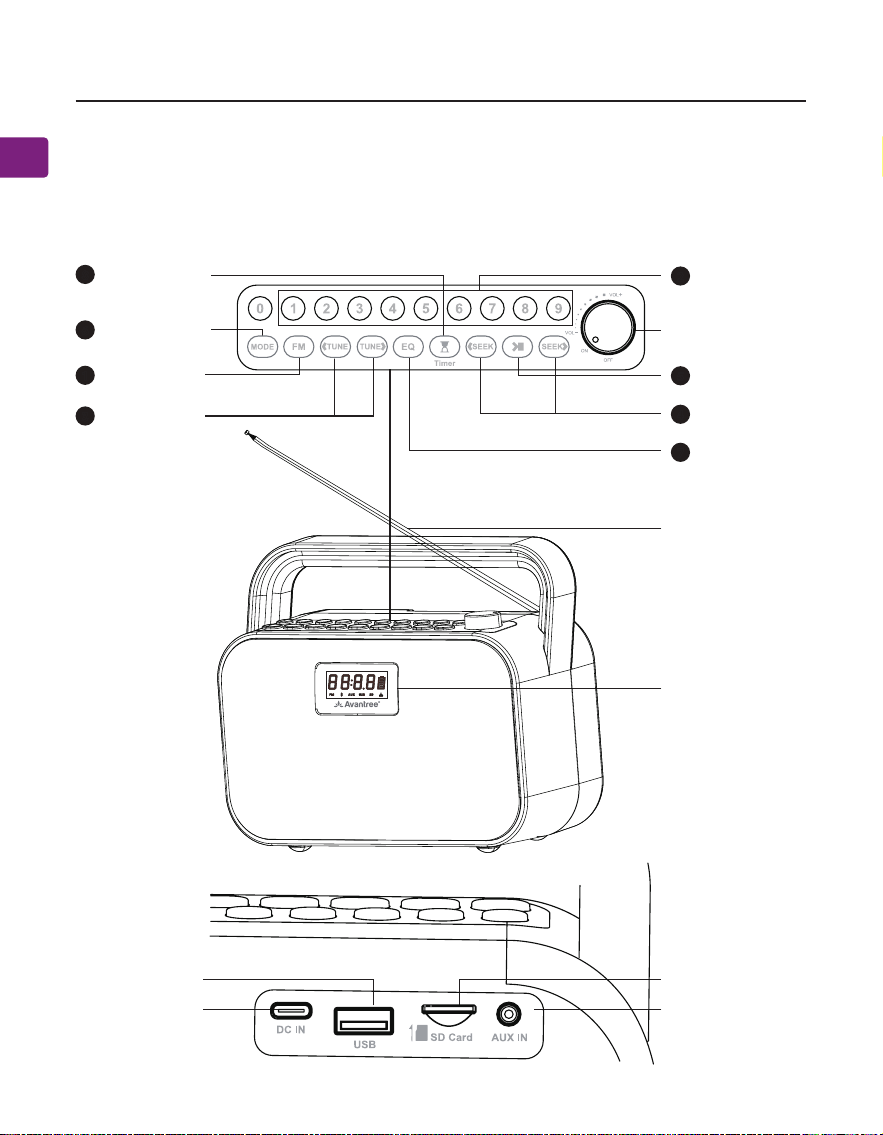
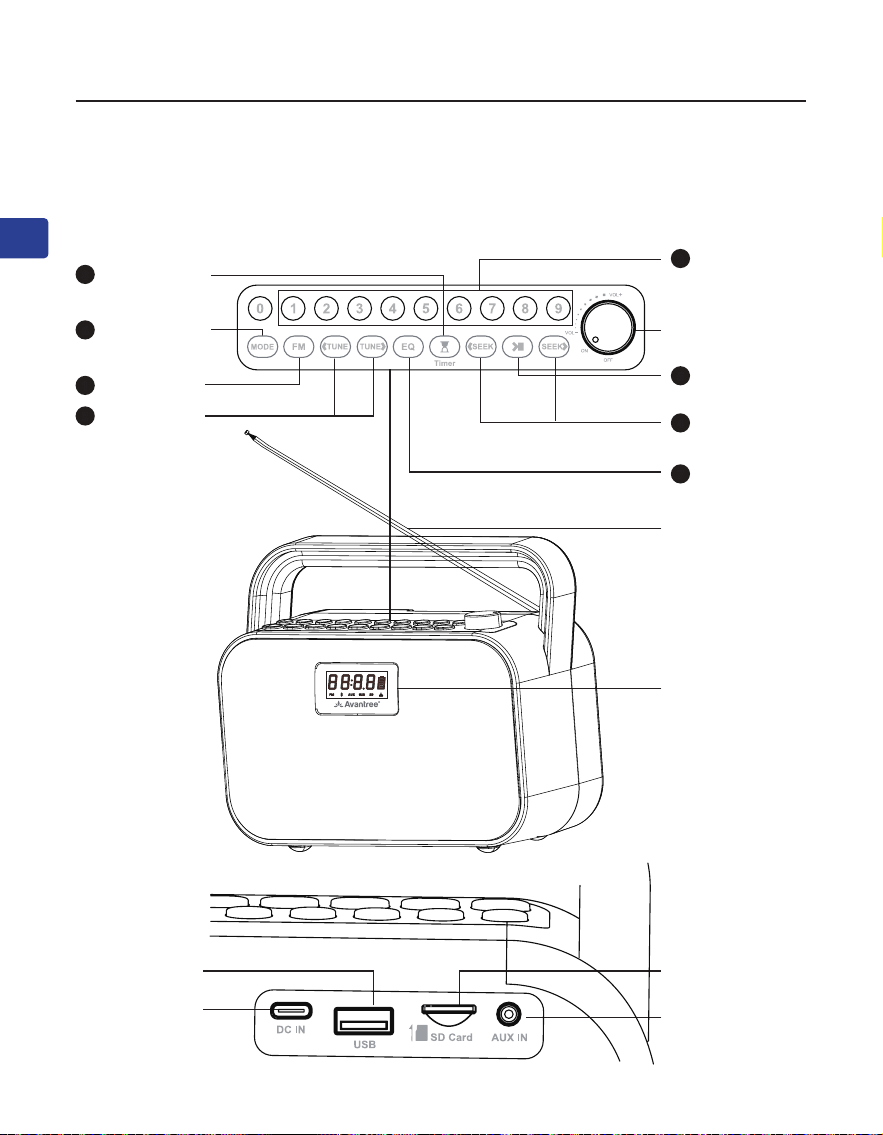
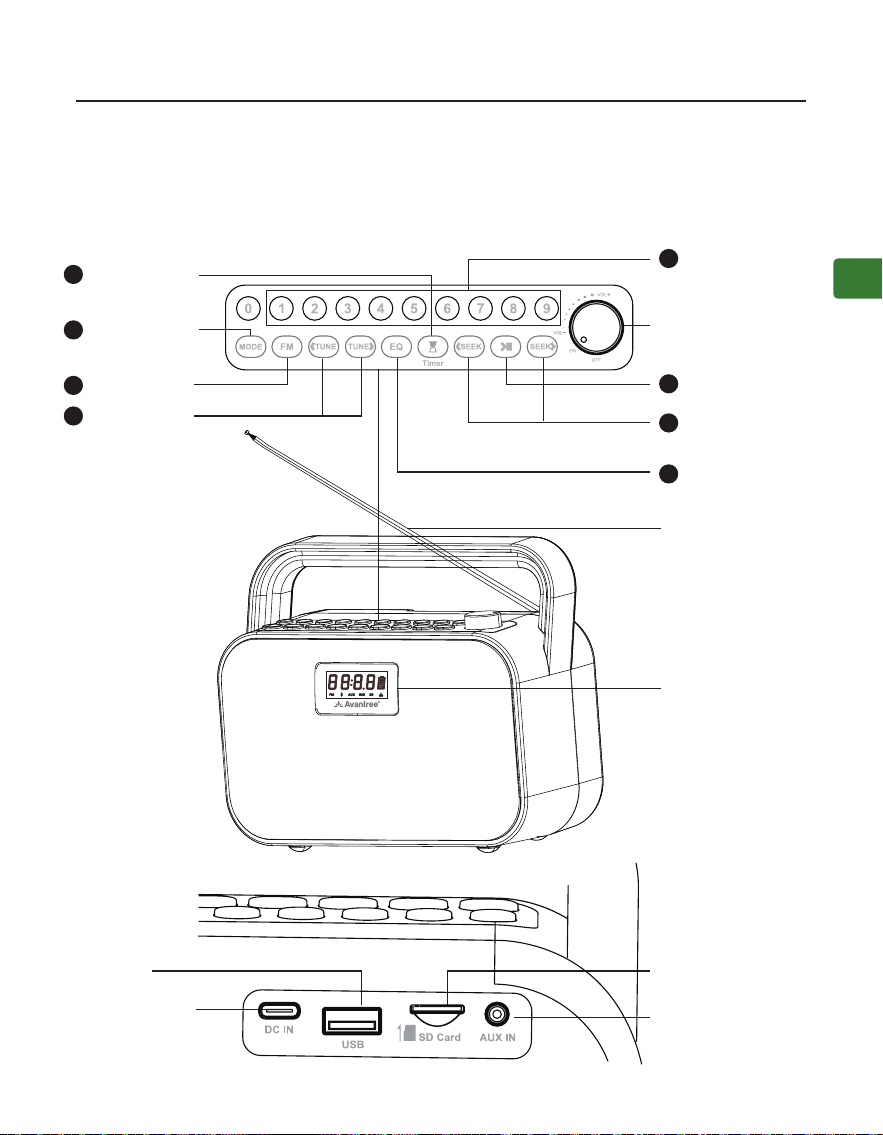
Product Overview
Charging Port
USB Drive Port
Aux Input Port
MicroSD Card Slot
Antenna
Screen
FM Channel
Input / Save /
Play Button
Sound Mode
Button
Seek Buttons
Mode Switch
Button
Manual Tun-
ning Buttons
Sleep Timer
Button
FM Button
ON / OFF /
Volume Knob
2
7
4
6
3
8
1
Play / Pause
Button
5
User Manual
POWERBYTE
4
EN
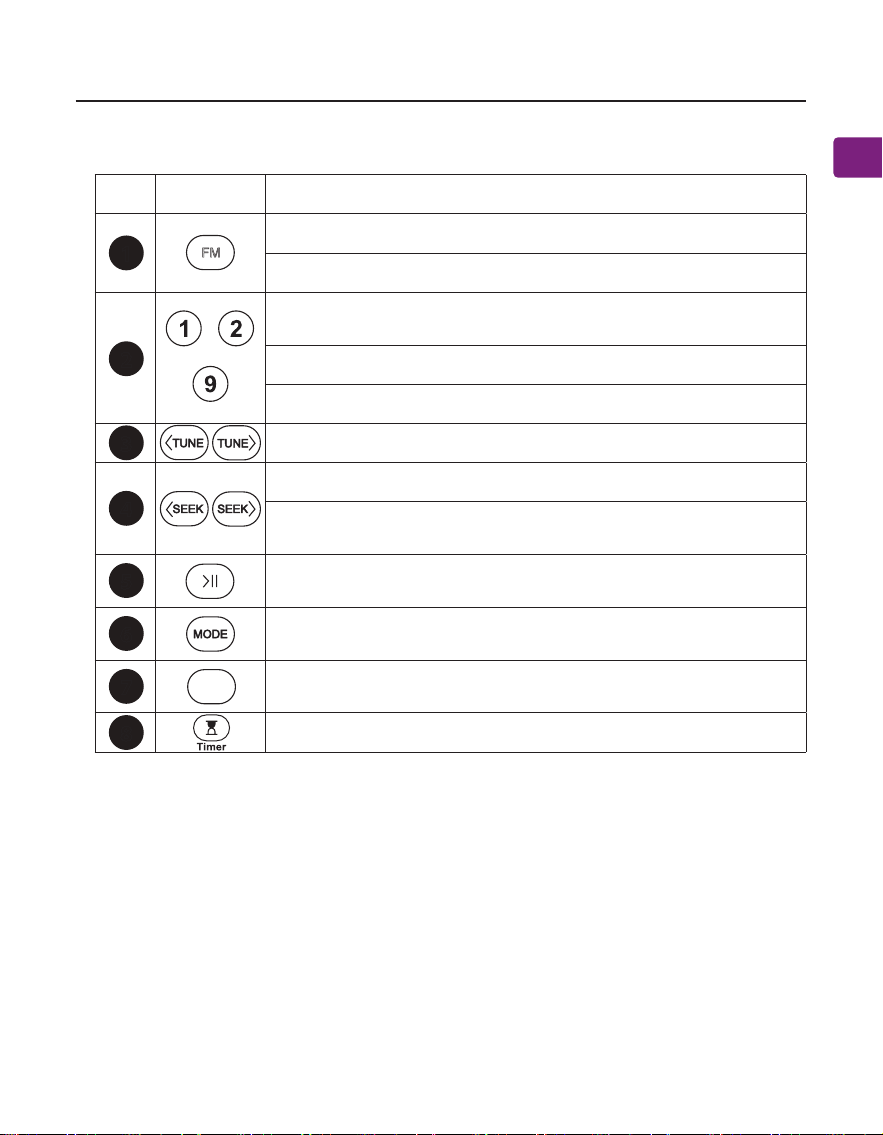
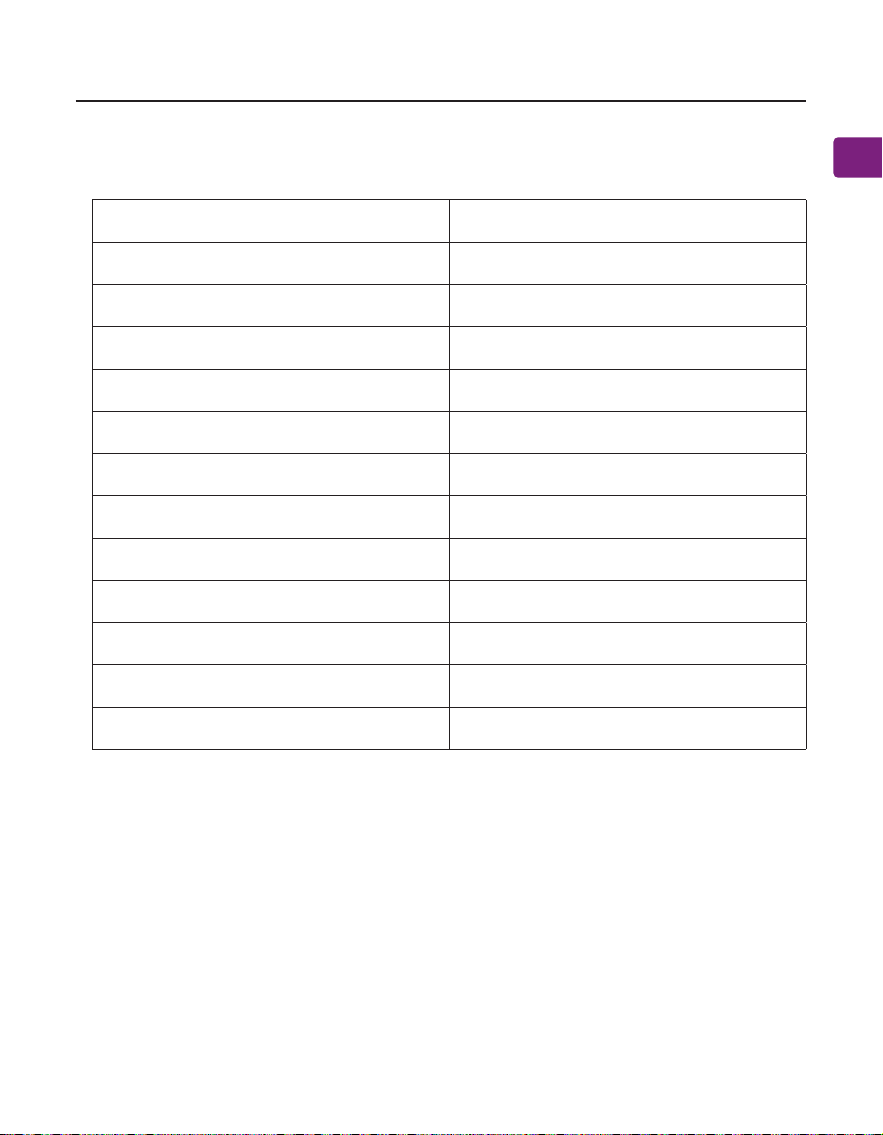
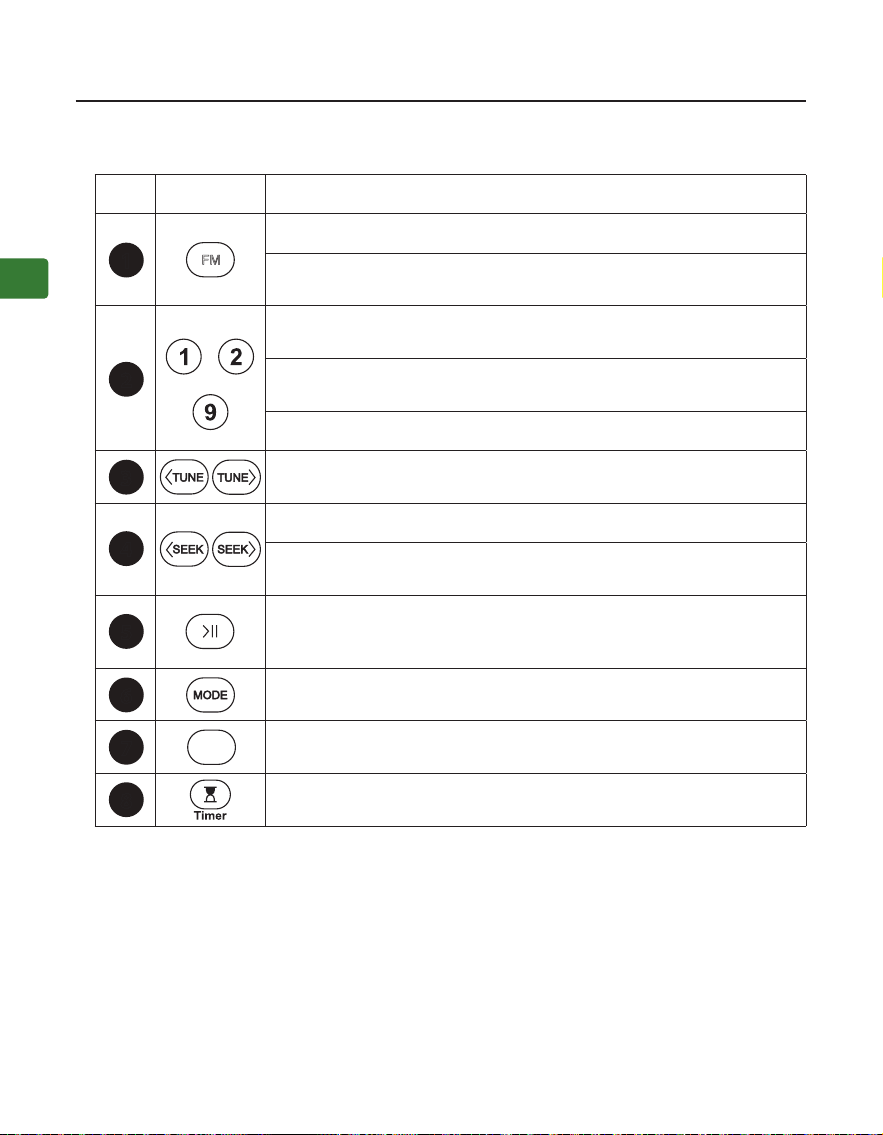
No. Button Functions
Press to enter FM mode
Press and hold to start searching for all available FM channels
......
Directly input the FM channel, e.g., for 102.5, press the number
sequence 1-0-2-5
Press and hold to save FM channel to desired number button
Press to play saved FM channel
Press once to adjust channel up / down by 0.1 MHz(FM mode)
Press for previous / next channel / track
Press and hold to search up / down for the next clear FM
channel
Press once to mute / unmute (FM / wired speaker mode) or
play / pause (other modes)
Press to switch between Bluetooth speaker / micro SD card /
USB drive player / wired speaker modes
Press once to switch between EQ1(balanced), EQ2(clear voice),
and EQ3(bass boost)
Press once to set sleep timer between 30/60/90/120 mins
Button Functions
3
4
5
6
7
8
2
1
EQ
FM
User Manual
POWERBYTE
5
EN
LCD Screen Status
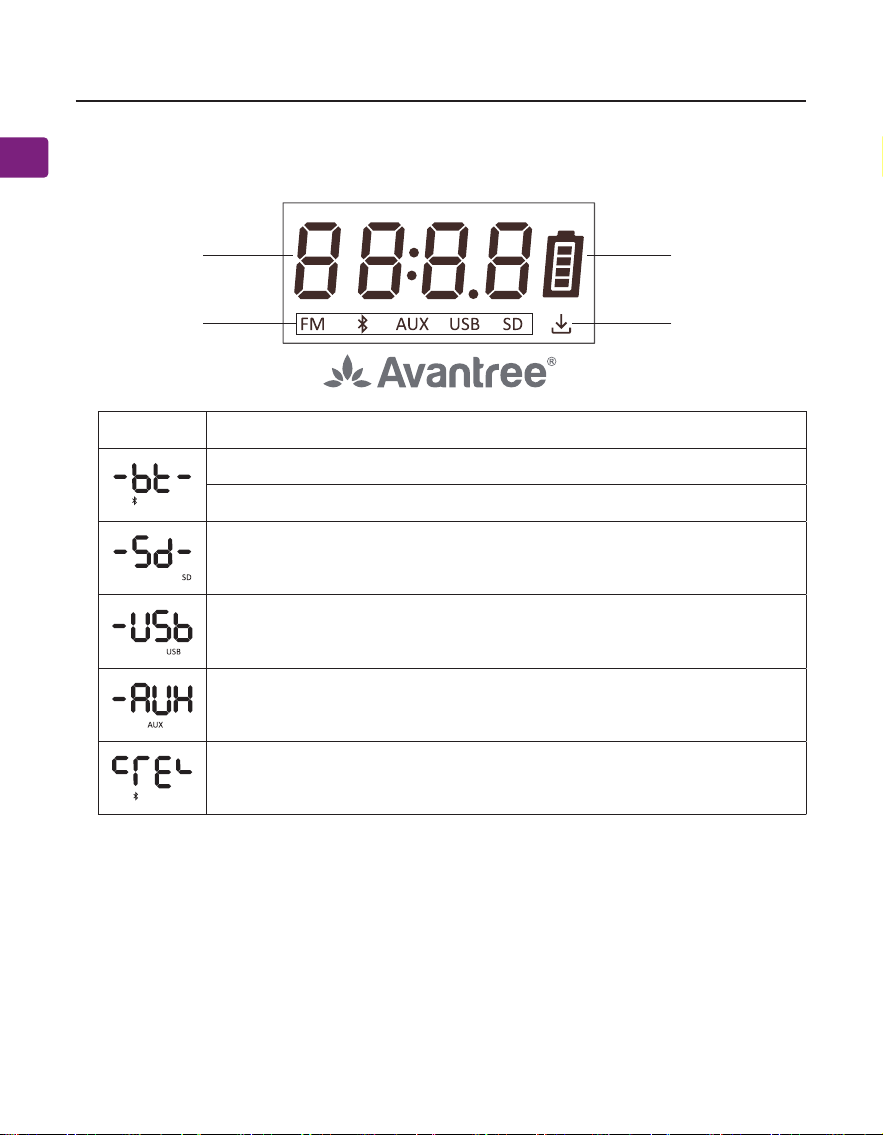
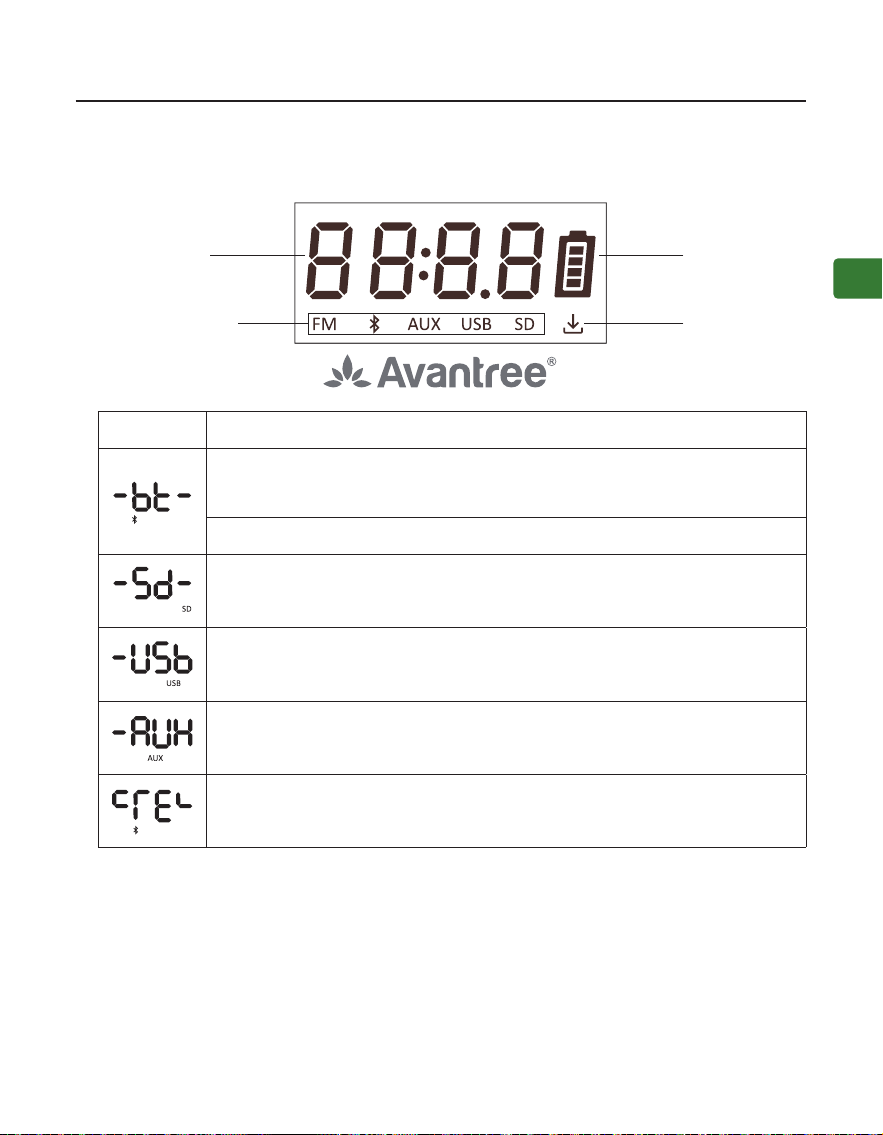
Working Status Battery
Working Mode Saved Channels
LCD Status
Flashing, Bluetooth speaker mode - pairing mode
Solid, connected
Micro SD card mode
USB drive mode
Wired speaker mode
Bluetooth paired history cleared
User Manual
POWERBYTE
6
EN
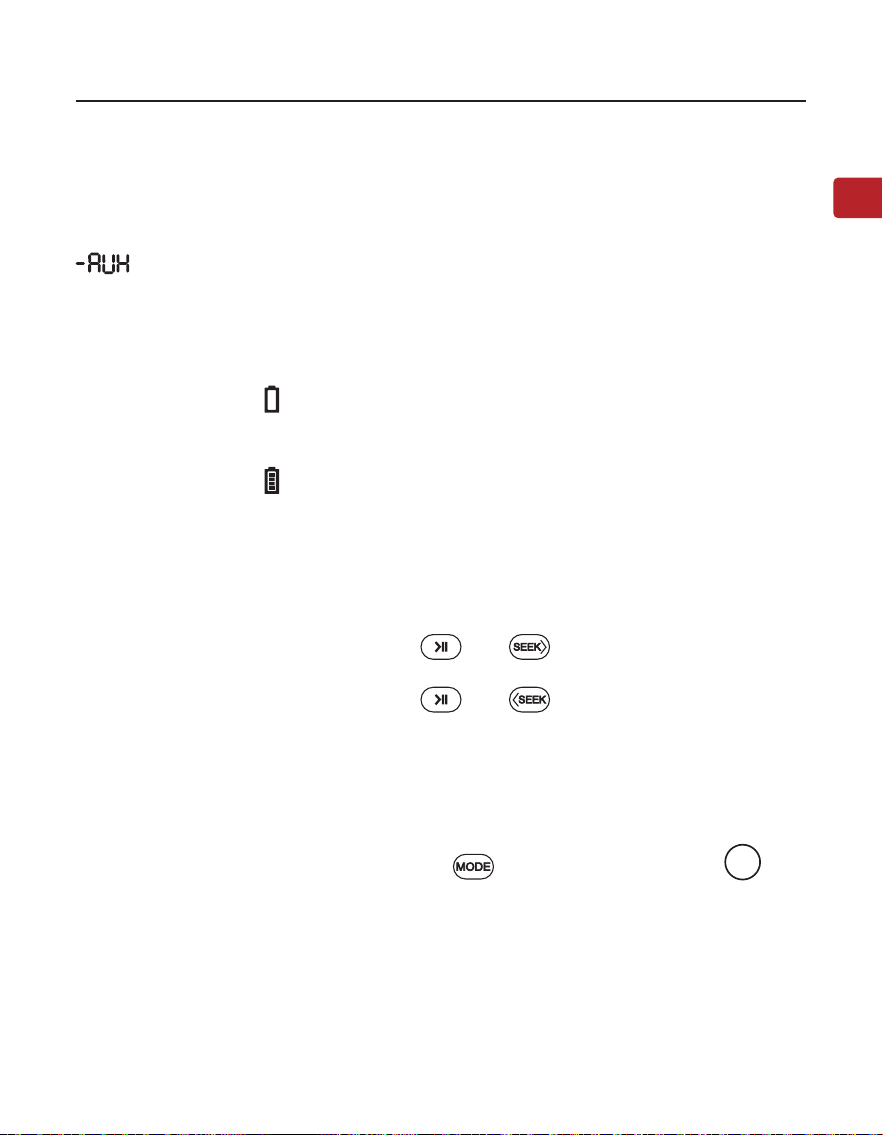
STEP 1: Turn on the PowerByte
Rotate the volume control clockwise to ON; the screen will light up.
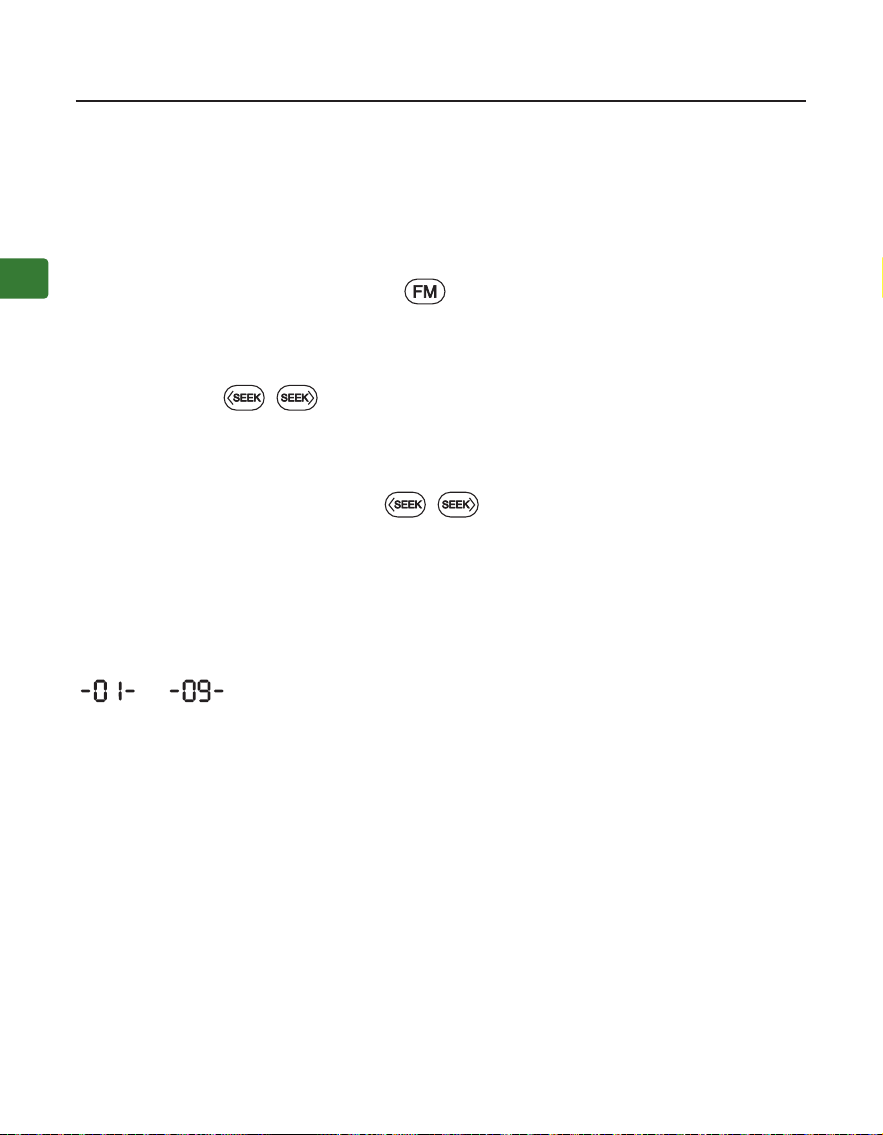
For 1st time use, it will start auto-scanning for channels. If not, press and hold
the button to start auto-scanning. Please wait until the auto-scanning
complete.
STEP 2: Tune into Channels
Press the / buttons to choose your desired channel.
Or you can directly input the channel frequency using the number pad, e.g., for
FM102.5, press the number sequence 1-0-2-5.
Or press and hold the / button, it will scan up / down for the next clear
channel.
STEP 3: Save and play your favorite channels
Save channels to the number pad for quick access - Find local FM channels
as described above, then save any channel for quick access by pressing and
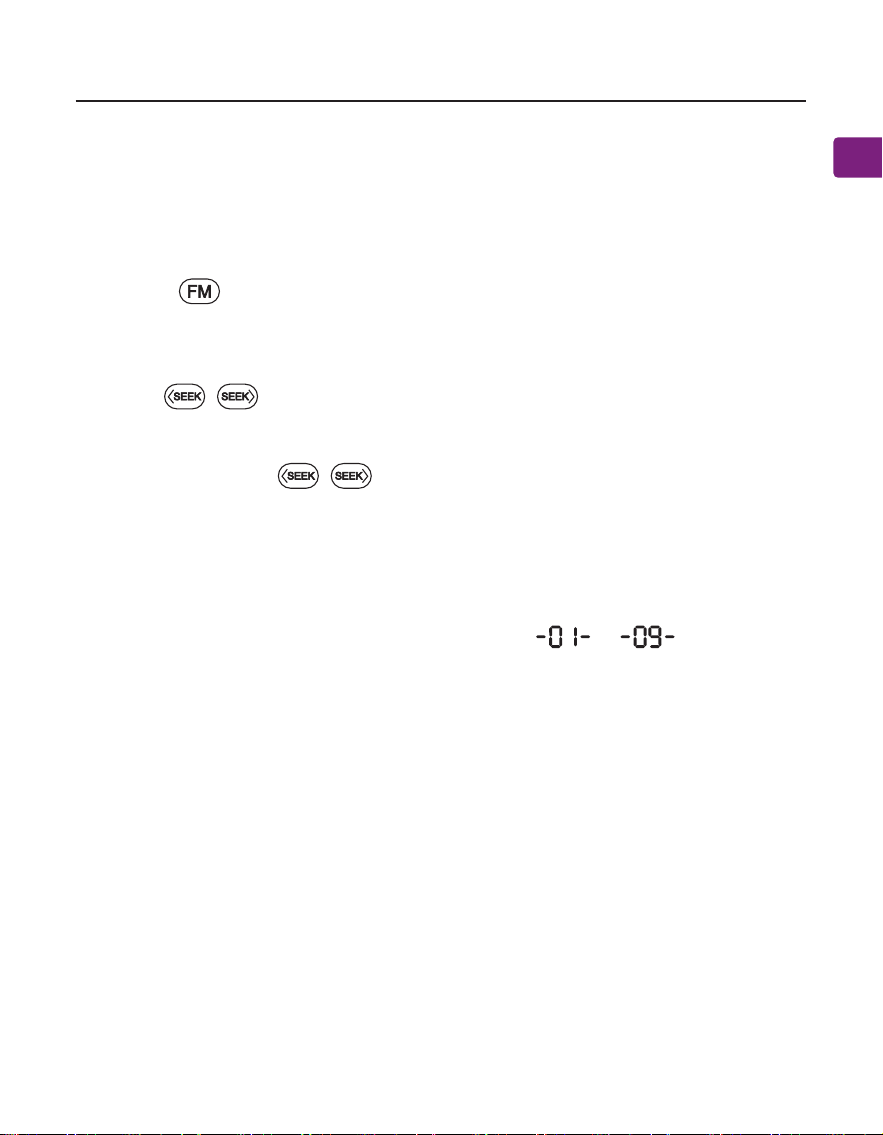
holding the number pad until the screen displays --- . You can save
up to 9 channels.
Play the saved channels - Click the corresponding number pad button once.
Use as an FM Radio
User Manual
POWERBYTE
7
EN
Use as a Bluetooth Speaker
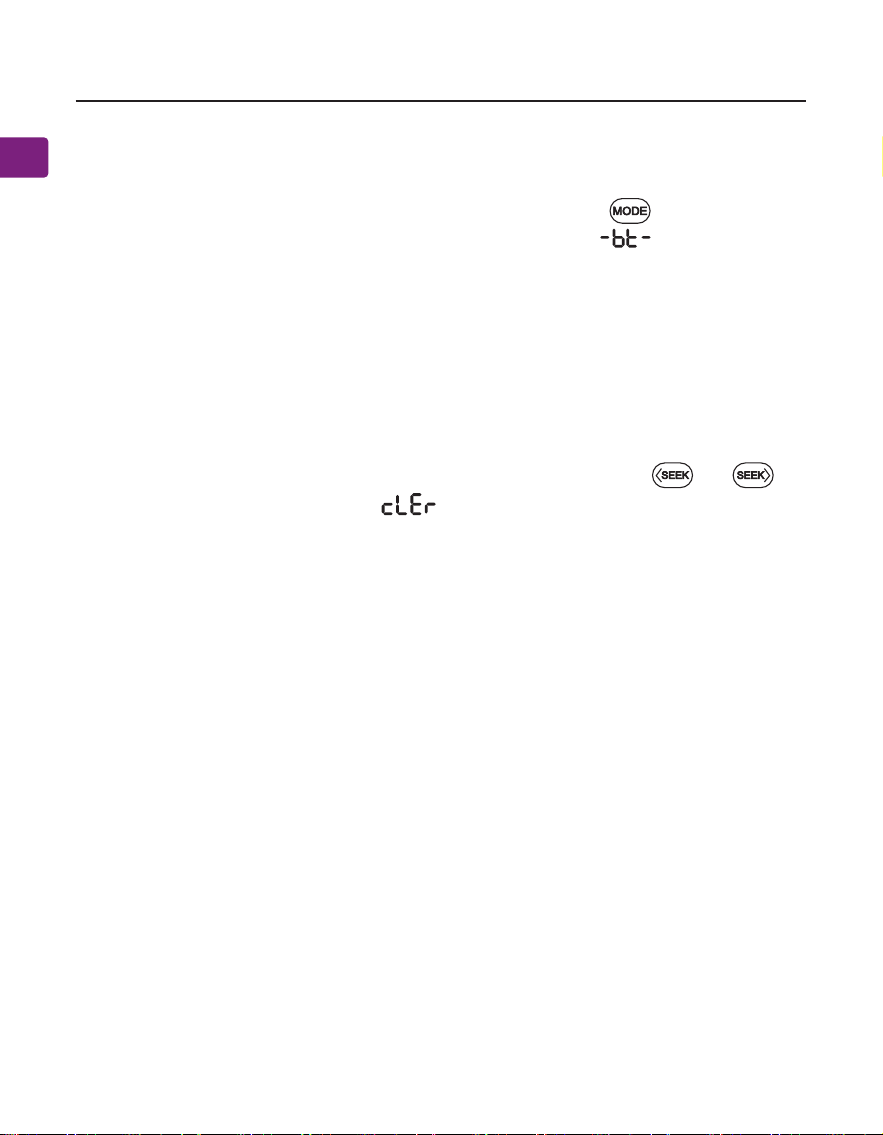
Pair and connect - Turn the speaker on, press the button once to enter
Bluetooth speaker mode, you will see the screen display and hear
“Bluetooth speaker mode, pairing”. Now activate Bluetooth on your device
(i.e., phone, tablet, laptop etc.) and search for “Avantree PowerByte” to pair and
connect.
To reconnect - Each time you turn it on and enter Bluetooth mode, the speak-
er should automatically reconnect to the last connected device. If not, select
“Avantree PowerByte” on your device.
Clear Bluetooth pairing history - Press and hold both buttons and for
5 seconds, the screen will display , then its Bluetooth pairing history is
cleared and it enter pairing mode automatically.
User Manual
POWERBYTE
8
EN
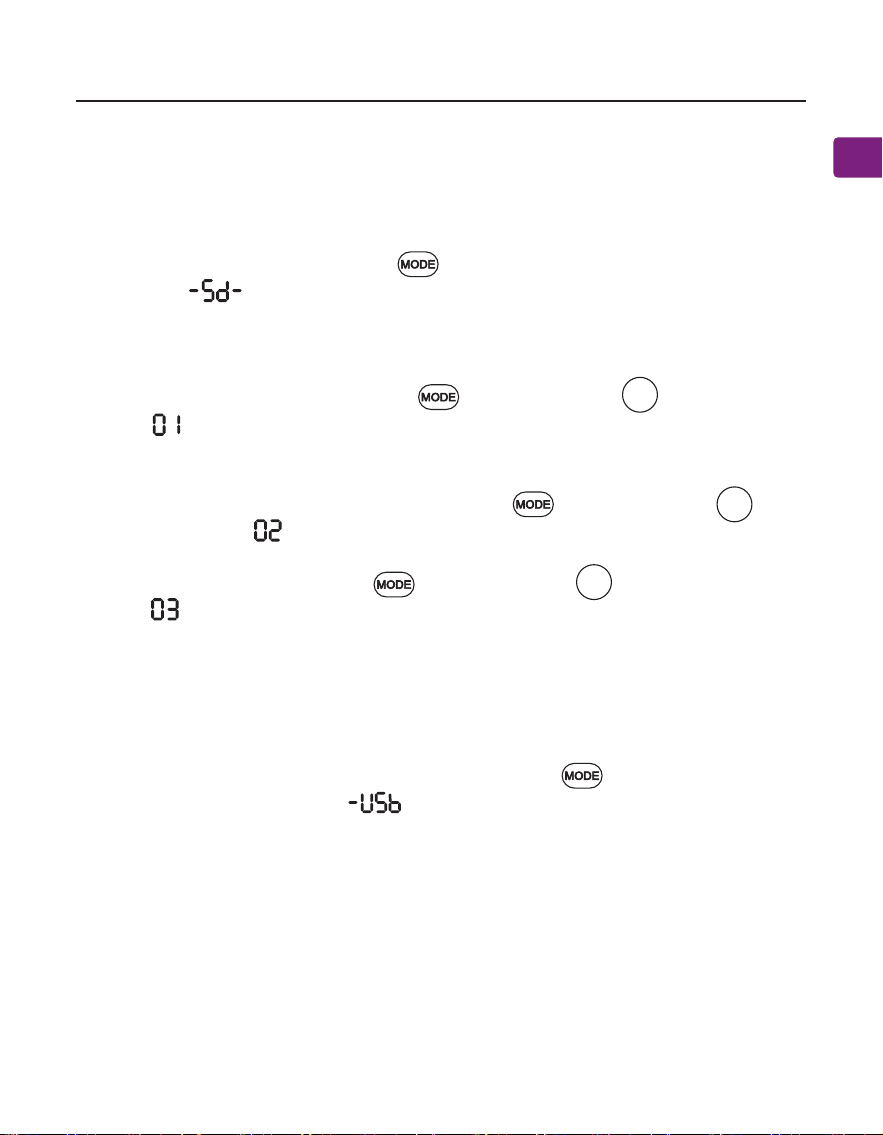
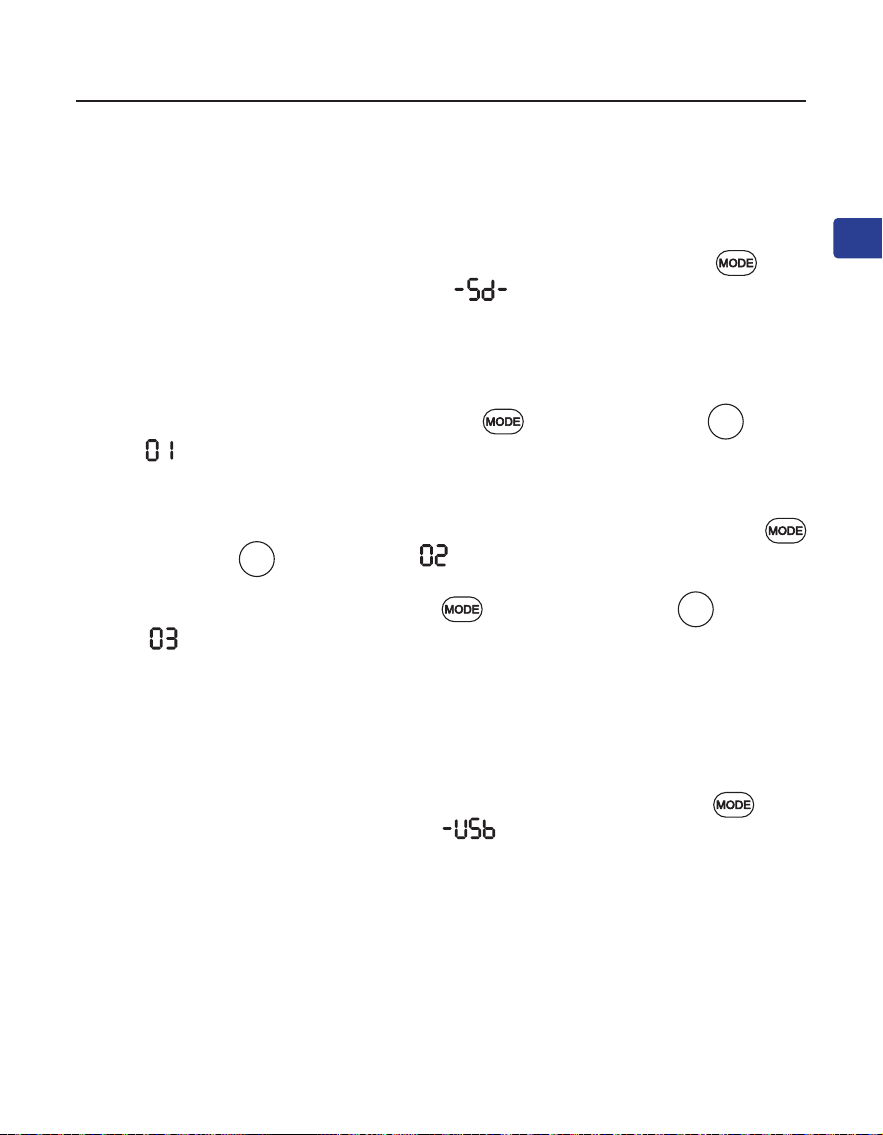
Use as a USB Drive Player
Follow the instructions for the MicroSD card player above, swapping “microSD
card” with “USB drive”. Make sure to press the button to switch to USB drive
mode, the screen will display and you will hear “USB drive mode”.
Use as a MicroSD Card Player
When you insert a microSD card (not included) while the radio is on, it will
automatically switch to microSD mode. If you insert the card when the radio is
o, you’ll need to press the button to switch to microSD mode, the screen
will display , and you will hear “microSD card mode”.
The PowerByte supports MP3, WMA, WAV, APE, FLAC le formats, and the max
storage capacity of the SD card is 32GB.
Repeat One - Press both the buttons and number pad , the screen will
display and you will hear “repeat one”.
Repeat All - Repeat all is the default setting. If you need to switch from other
play mode to repeat all, press both the buttons and number pad , the
screen will display and you will hear “repeat all”.
Shue - Press both the buttons and number pad , the screen will
display and you will hear “shue”.
1
2
3
User Manual
POWERBYTE
9
EN
Charging
Use as a Wired Speaker
Turn O and On the Voice Prompt
Factory Reset
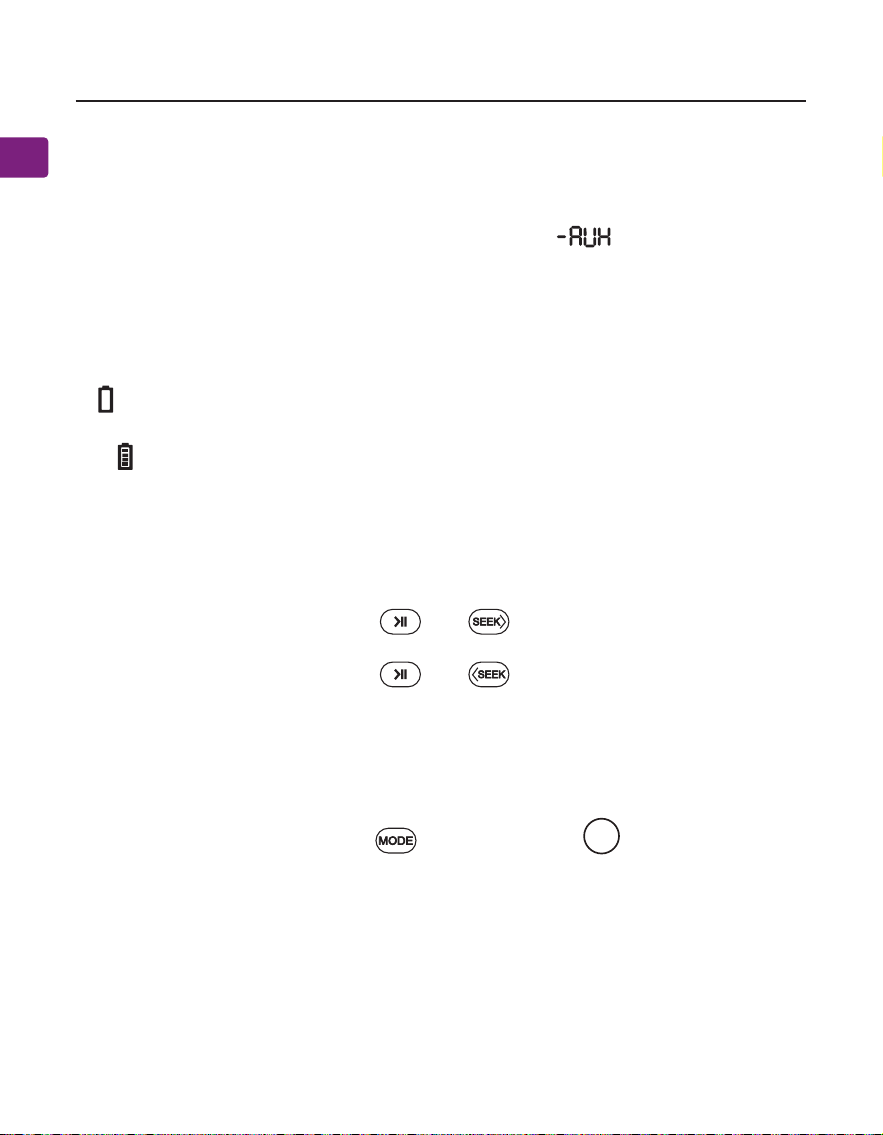
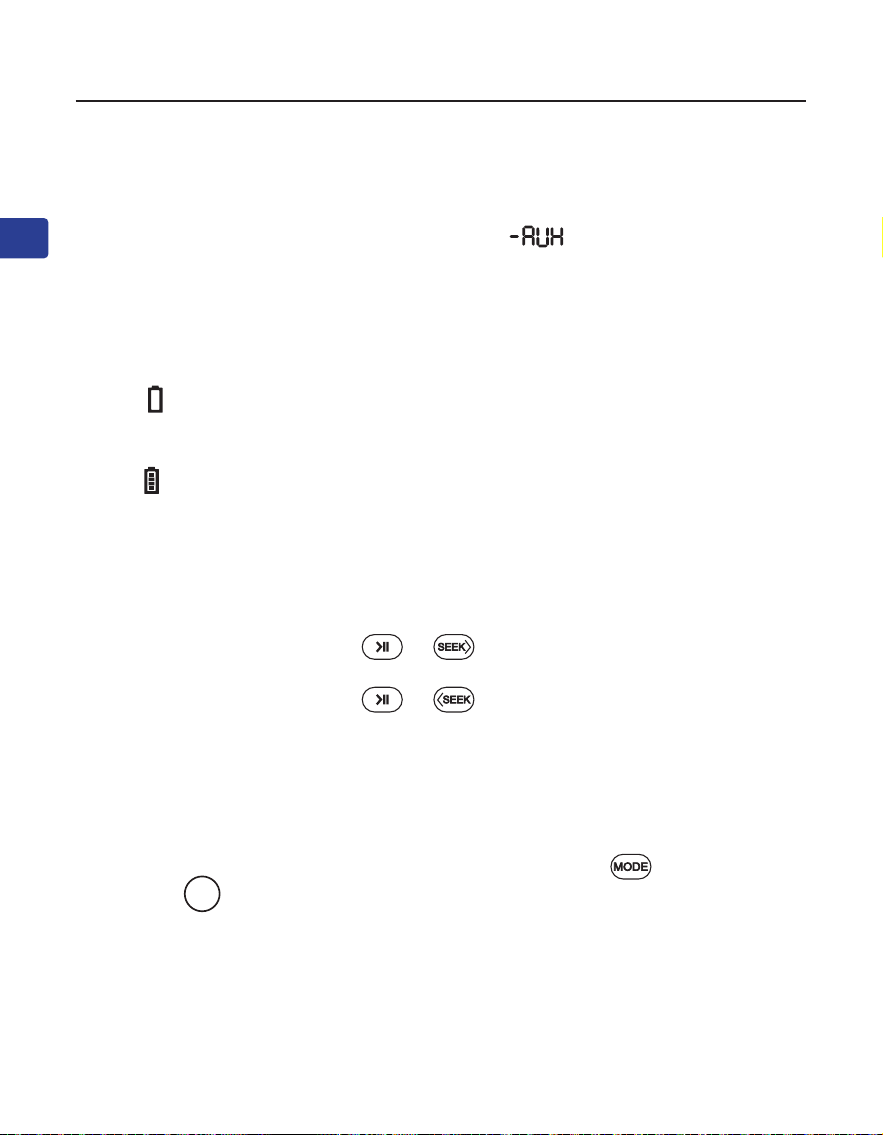
A icon will ash on the PowerByte’s screen to indicate low battery. You can
charge the radio using the provided charging cable.
The icon on the screen will ash while charging and stop once charging is
complete.
Follow the instructions for the MicroSD card player above, swapping “microSD
card” with “AUX audio cable”, the screen will display and you will hear
“Auxiliary mode”.
Press and hold both the buttons and for 5 seconds, you will hear
“voice prompt on”.
Press and hold both the buttons and for 5 seconds, you will hear
“voice prompt o”.
Press and hold both the buttons and number pad for 5 seconds,
screen letters will all light up for 5 seconds and turn o, now it is factory reset.
The radio will turn o and back on, enter FM mode and start auto searching.
0
User Manual
POWERBYTE
10
EN
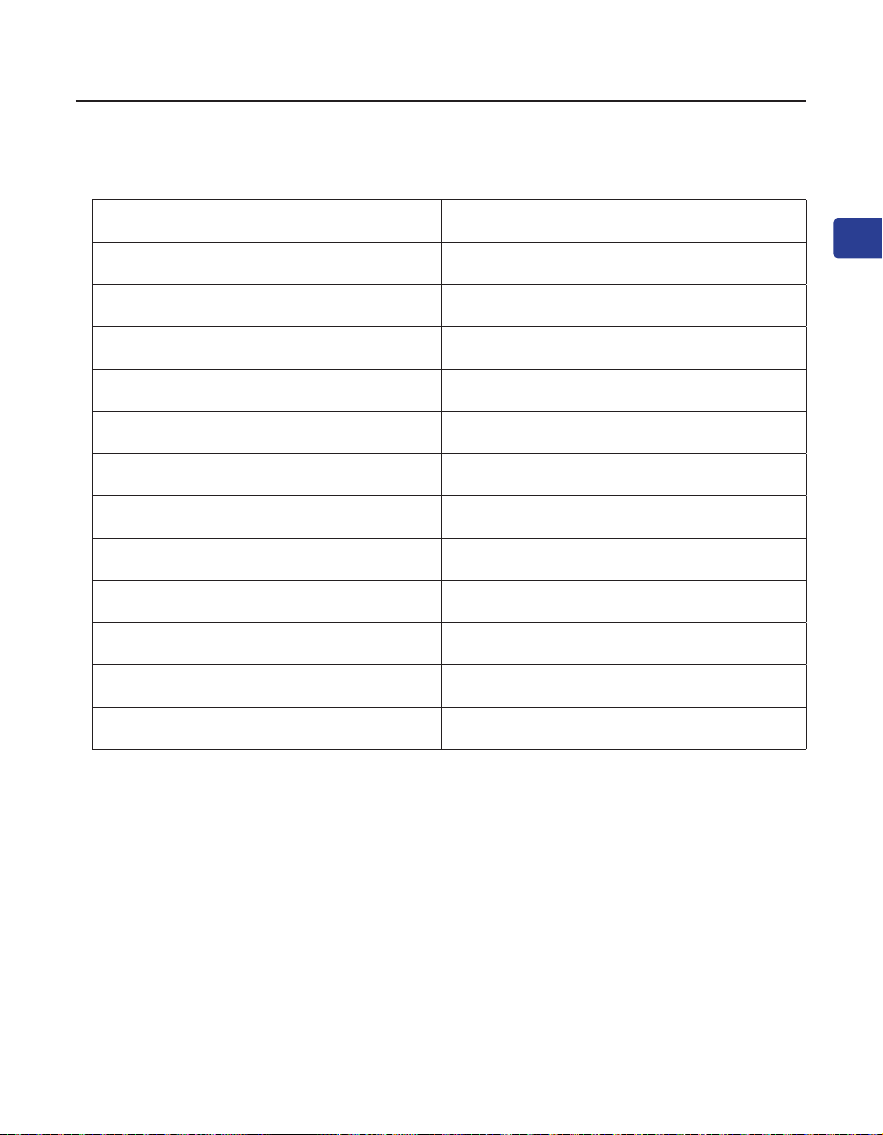
Spcications
FM Frequency Range 87MHz - 108MHz
Frequency Range 2.402 - 2.48 GHz
BT V5.3
Power Output 30W(15WX2)
Battery Type Built-in 7.4V 3600mAh battery
Playtime Up to 20hrs(at 50% volume)
Charging Voltage 5V/3A
Operating Range 30ft/10m
Supported Proles A2DP, HFP, AVRCP
Supportee Music File Format MP3, WMA, WAV, APE, FLAC
Supported Storage Up to 32GB Micro SD card/U disk
Speaker Size 235*198*112mm
Speaker Weight 1745g±10g

User Manual
POWERBYTE
11
EN
FAQ
Below are some of the most common questions people have during setup.
Why is my FM reception so bad?
Why is my microSD card not working?
……
For answers to questions like these and for a full FAQ list, you can visit
avantree.com/support/powerbyte, or you can contact us directly for additional
assistance.

Benutzerhandbuch
12
DE
POWERBYTE
Inhaltsverzeichnis
Verpackungsinhalt ••••••••••••••••••••••••••••••••••••••••••••••••••••••••••••13
Produkt-Einführung •••••••••••••••••••••••••••••••••••••••••••••••••••••••••••14
Produktübersicht •••••••••••••••••••••••••••••••••••••••••••••••••••••••14
Tastenfunktionen •••••••••••••••••••••••••••••••••••••••••••••••••••••••15
Status des LCD-Bildschirms •••••••••••••••••••••••••••••••••••••••••••••16
Verwendung als FM Radio• ••••••••••••••••••••••••••••••••••••••••••••••••••••17
Verwendung als Bluetooth-Lautsprecher ••••••••••••••••••••••••••••••••••••18
Verwendung als MicroSD-Kartenleser ••••••••••••••••••••••••••••••••••••••••19
Verwendung als USB-Laufwerk •••••••••••••••••••••••••••••••••••••••••••••••19
Verwendung als Kabelgebundener Lautsprecher •••••••••••••••••••••••••••20
Ladevorgang •••••••••••••••••••••••••••••••••••••••••••••••••••••••••••••••••••20
Ein- und Ausschalten der Sprachansage •••••••••••••••••••••••••••••••••••••20
Zurücksetzen auf Werkseinstellungen ••••••••••••••••••••••••••••••••••••••••20
Technische Daten ••••••••••••••••••••••••••••••••••••••••••••••••••••••••••••••21
Häug gestellte Fragen (FAQ) •••••••••••••••••••••••••••••••••••••••••••••••••22
Kontaktieren Sie uns ••••••••••••••••••••••••••••••••••••••••••••••••••••••••••56
Benutzerhandbuch
13
DE
POWERBYTE
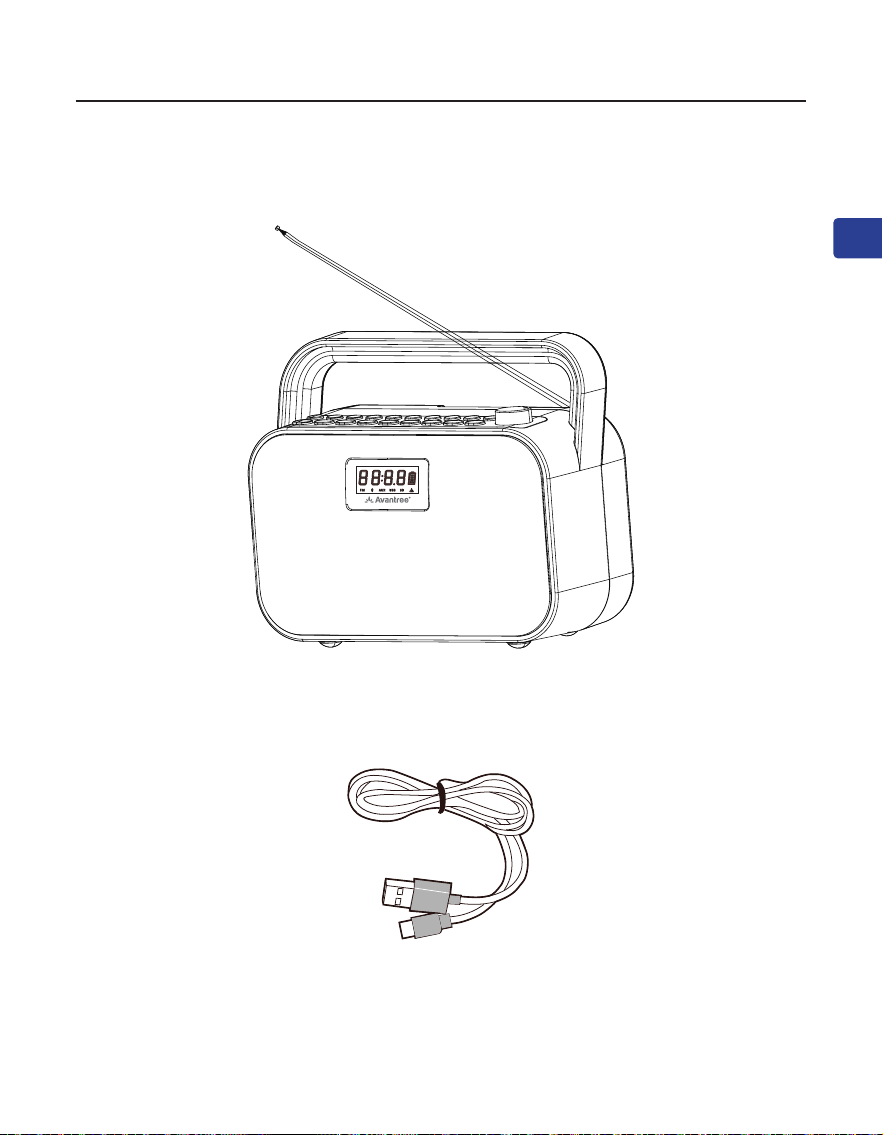
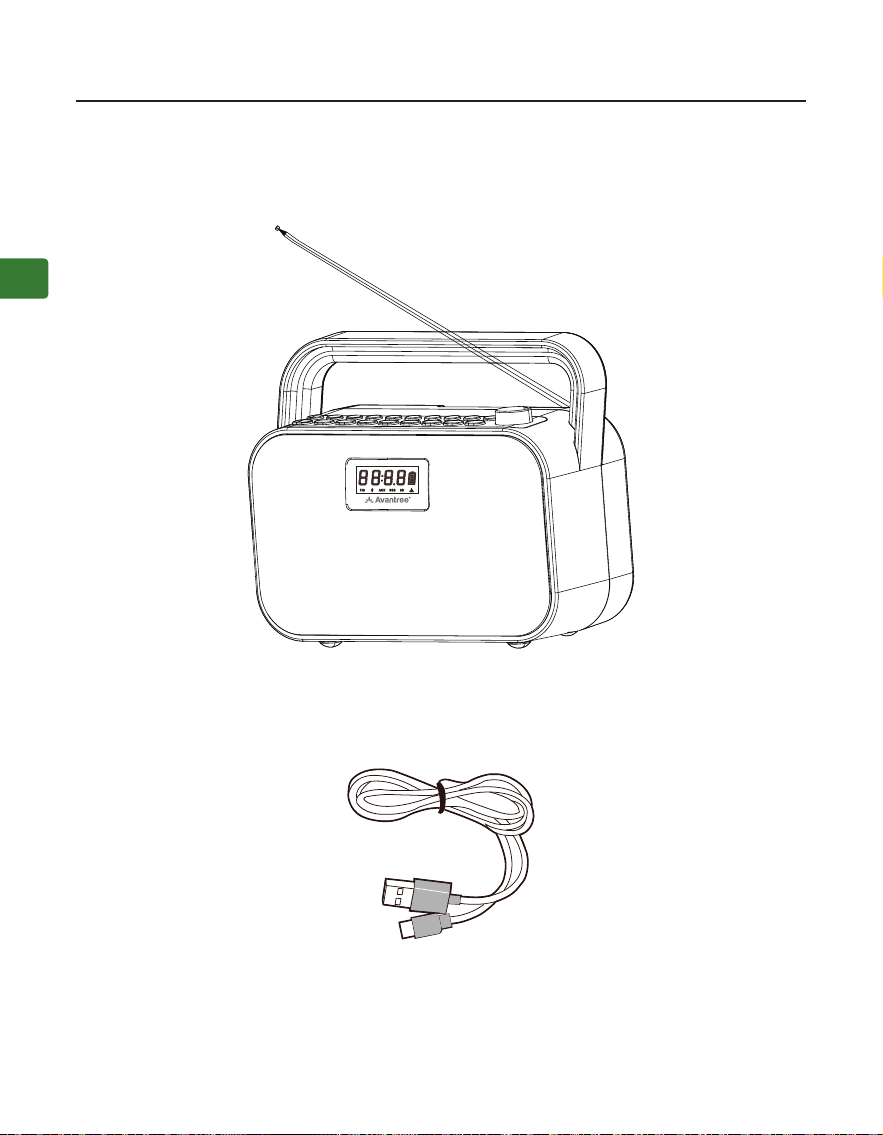
Verpackungsinhalt
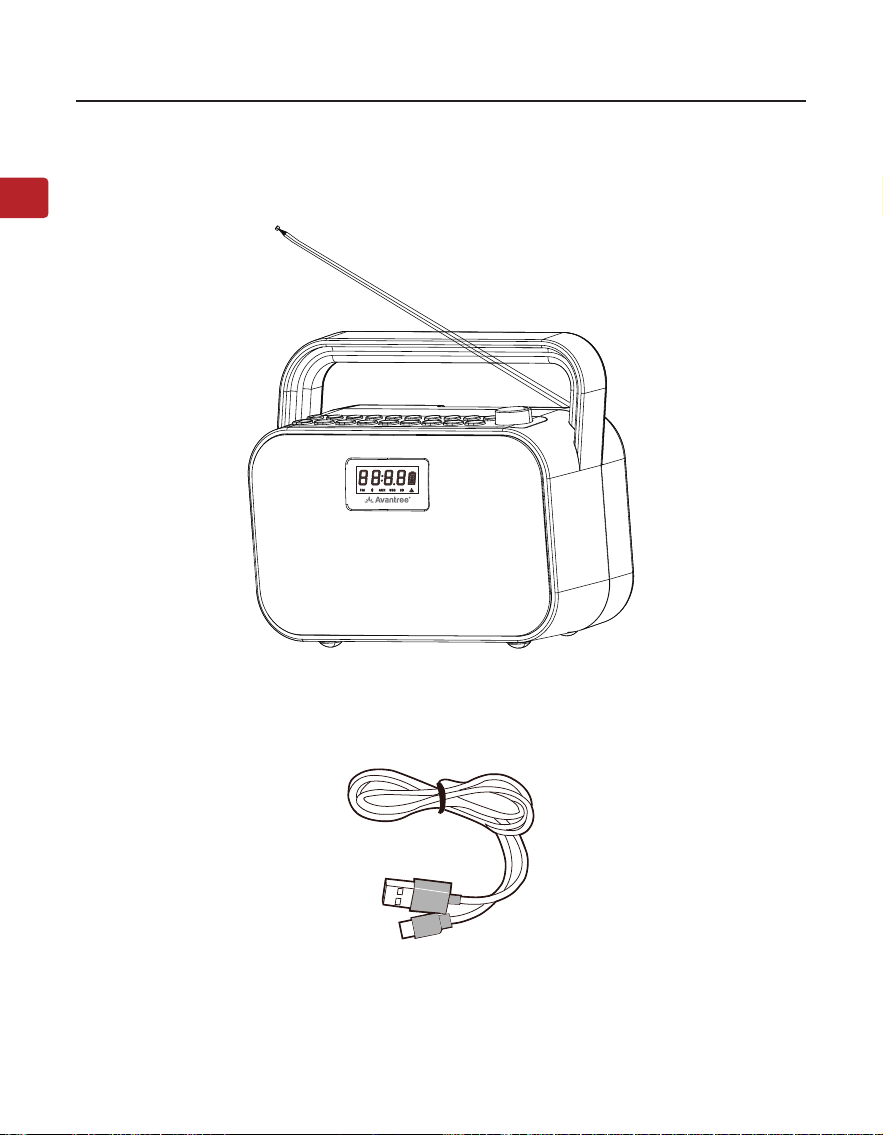
Radio
Auadekabel
Benutzerhandbuch
14
DE
POWERBYTE
Produkt-Einführung
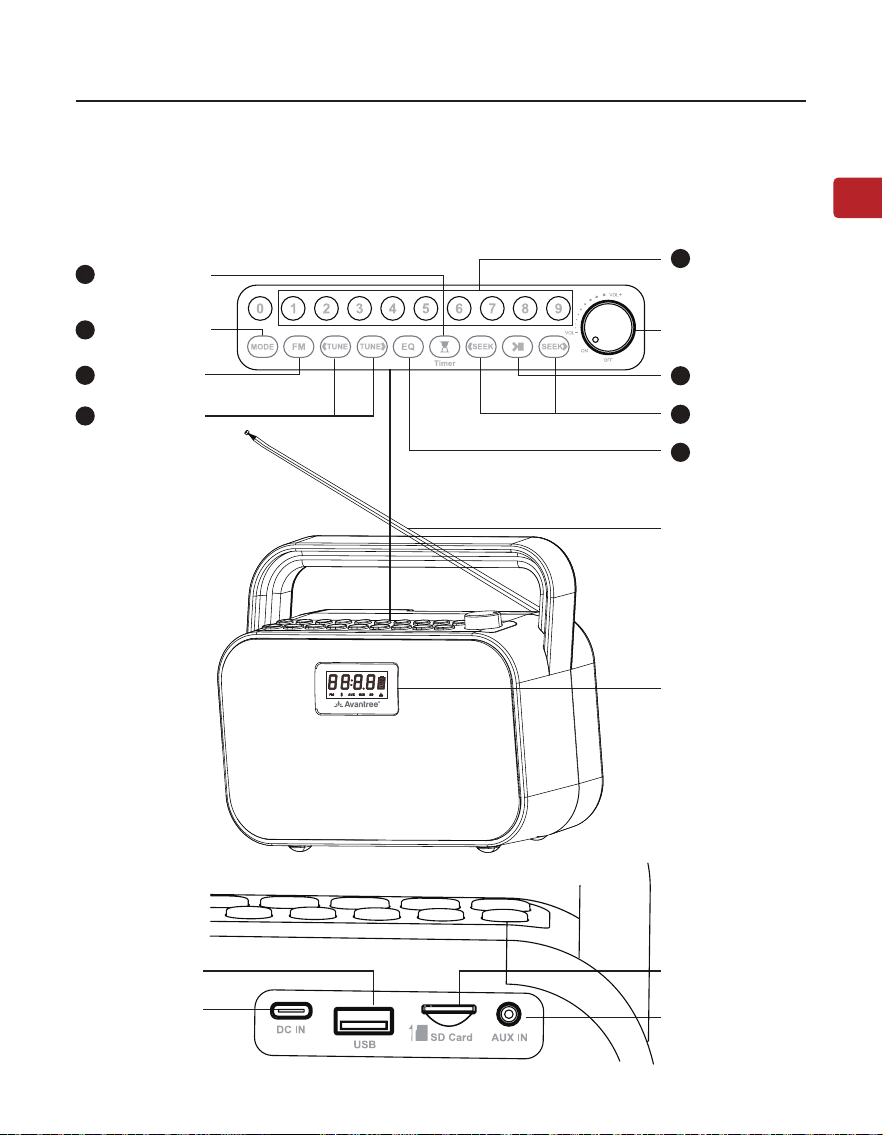
Produktübersicht
Auadestation
USB-Laufwerk-
sanschluss
Aux-Eingang-
sanschluss
MicroSD-Karten-
steckplatz
Antenne
Bildschirm
FM-Kanale-
ingabe/Spe-
ichern/Wie-
dergabe-Taste
Taste für den
Tonmodus
Suchlauftasten
Taste für den
Moduswechsel
Tasten für manu-
elle Sendersuche
Schlaf-Timer-
Taste
FM-Taste
Ein/Aus/Laut-
stärkeregler
2
7
4
6
3
8
1
Wiedergabe/
Pause-Taste
5
Benutzerhandbuch
15
DE
POWERBYTE
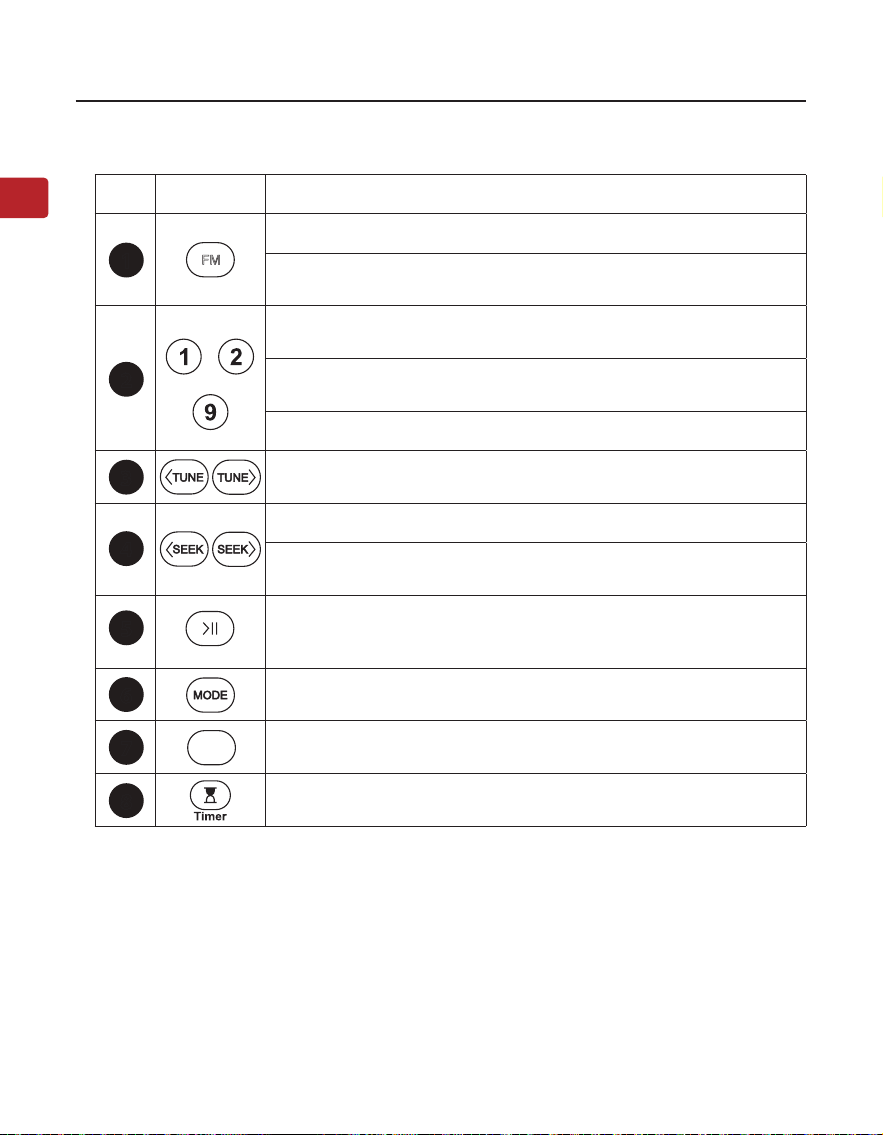
Nr Taste Funktionen
Drücken Sie, um den FM-Modus aufzurufen
Drücken und halten Sie die Taste, um die Suche nach allen
verfügbaren FM-Kanälen zu starten.
……
Geben Sie den FM-Kanal direkt ein, z.B. für 102,5, drücken Sie
die Zahlenfolge 1-0-2-5
Halten Sie die Taste gedrückt, um den FM-Kanal unter der
gewünschten Nummer zu speichern.
Drücken, um gespeicherten FM-Kanal abzuspielen
Drücken Sie einmal, um den Kanal um 0,1 MHz nach oben oder
unten zu verschieben (FM-Modus)
Drücken Sie für vorherigen/nächsten Kanal/Titel
Drücken und halten Sie, um nach dem nächsten
klaren FM-Kanal zu suchen
Drücken Sie einmal um stummzuschalten/zu entsperren
(FM/Kabel-Lautsprechermodus) oder abzuspielen/anzuhalten
(andere Modi)
Drücken Sie, um zwischen Bluetooth-Lautsprecher/Micro-SD-
Karte/USB-Laufwerk/Wired-Speaker-Modi zu wechseln.
Drücken Sie einmal um zwischen EQ1 (ausgewogen), EQ2
(klare Stimme) und EQ3 (Bass-Boost) zu wechseln
Drücken Sie einmal, um den Schlaf-Timer auf 30/60/90/120
Minuten einzustellen
Tastenfunktionen
3
4
5
6
7
8
2
1
EQ
FM
Benutzerhandbuch
16
DE
POWERBYTE
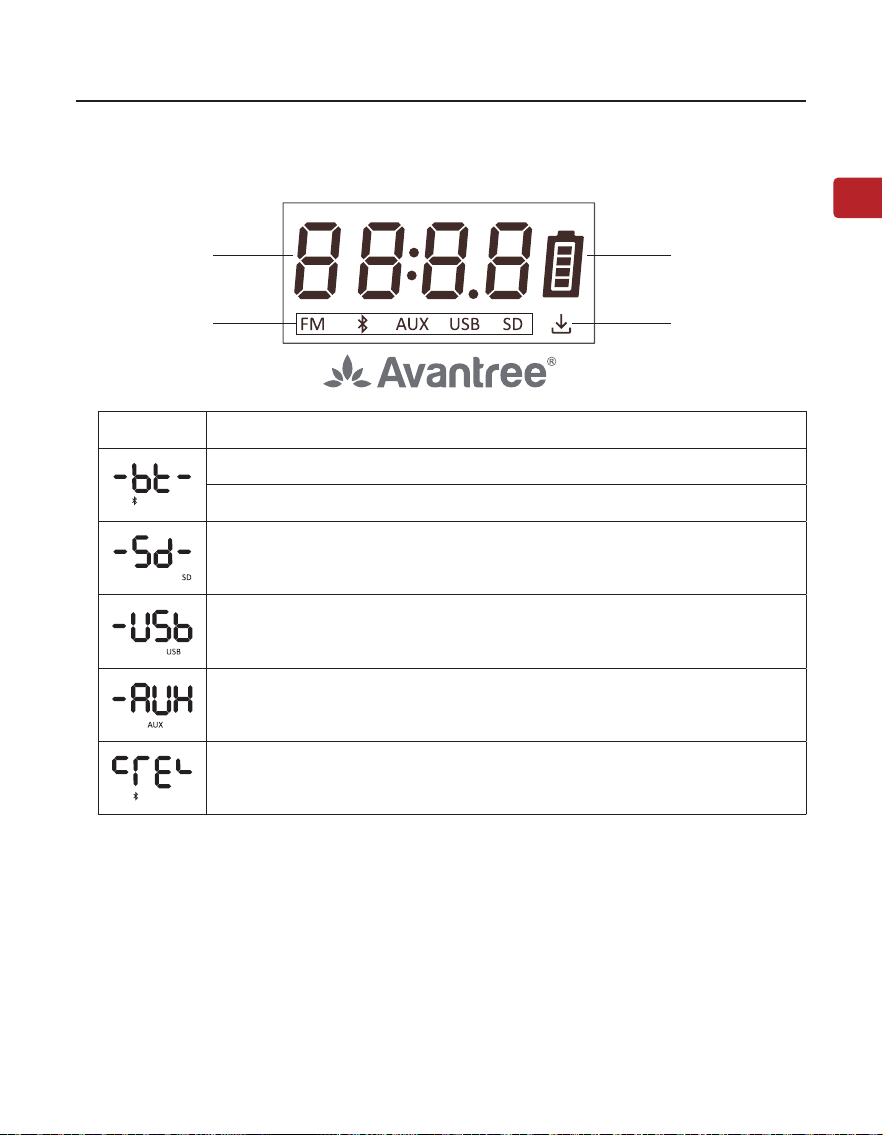
Status des LCD-Bildschirms
Betriebszustand Batteriestand
Betriebsmodus
Gespeicherte
Kanäle
LCD Status
Blinkend, Bluetooth-Lautsprechermodus - Koppelmodus
Durchgehend, verbunden
Micro-SD-Kartenmodus
USB-Laufwerk-Modus
Kabelgebundener Lautsprechermodus
Bluetooth-Kopplungsverlauf gelöscht
Benutzerhandbuch
17
DE
POWERBYTE
SCHRITT 1: Schalten Sie den PowerByte ein
Drehen Sie den Lautstärkeregler im Uhrzeigersinn auf ON; der Bildschirm wird
aueuchten.
Bei der ersten Verwendung beginnt er automatisch mit der Kanalsuche. Wenn
nicht, drücken und halten Sie die Taste um die automatische Kanalsuche
zu starten. Bitte warten Sie, bis die automatische Kanalsuche abgeschlossen ist.
SCHRITT 2: Einstellen der Kanäle
Drücken Sie die Tasten / um den gewünschten Kanal zu wählen.
Sie können auch die Kanalfrequenz direkt über den Ziernblock eingeben, z. B.
für FM102.5 die Zahlenfolge 1-0-2-5.
Oder drücken und halten Sie die Taste / um nach dem nächsten klaren
Kanal zu suchen, entweder aufwärts oder abwärts.
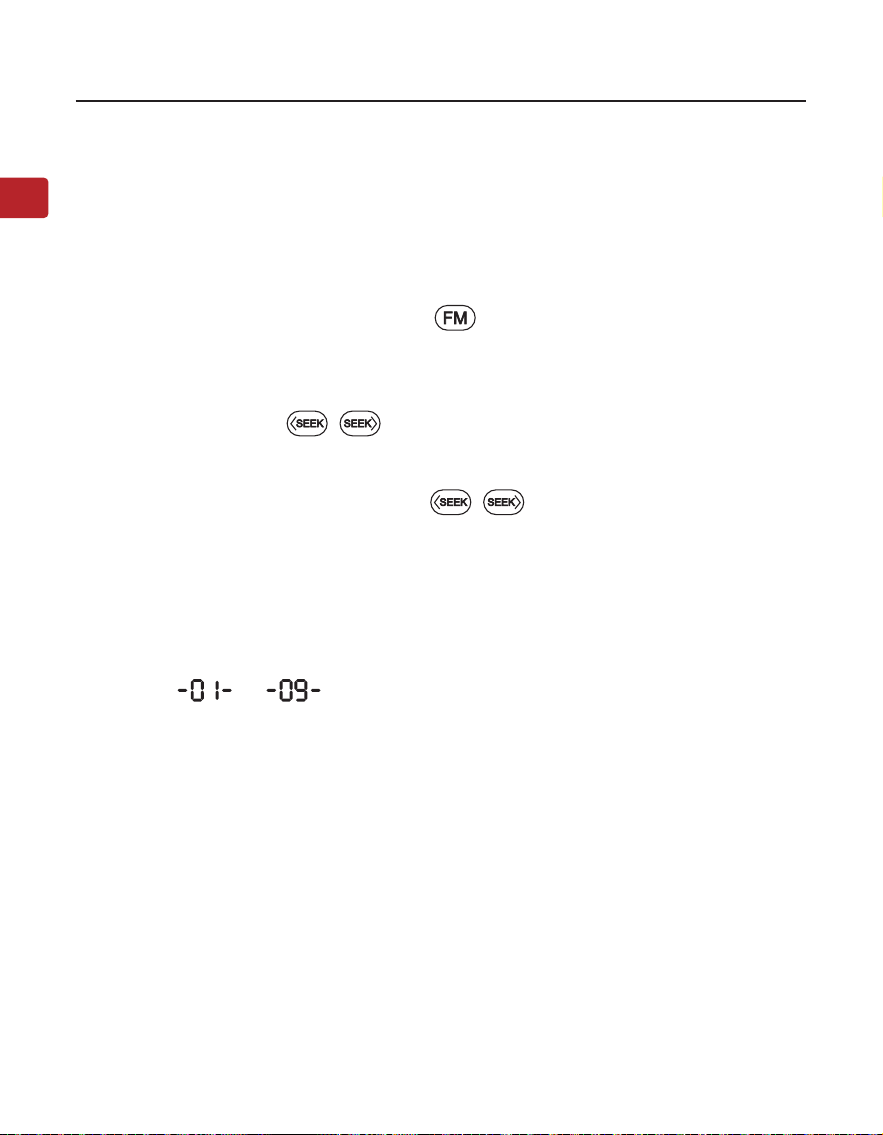
SCHRITT 3: Speichern und Wiedergabe Ihrer Lieblingskanäle
Speichern Sie Kanäle auf der Zierntastatur für schnellen Zugri - Finden
Sie lokale FM-Kanäle wie oben beschrieben, und speichern Sie jeden Kanal für
einen schnellen Zugri, indem Sie die Zierntasten gedrückt halten, bis der
Bildschirm --- anzeigt. Sie können bis zu 9 Kanäle speichern.
Wiedergabe der gespeicherten Kanäle - Klicken Sie einmal auf die entsprech-
ende Zierntaste.
Verwendung als FM Radio
Benutzerhandbuch
18
DE
POWERBYTE
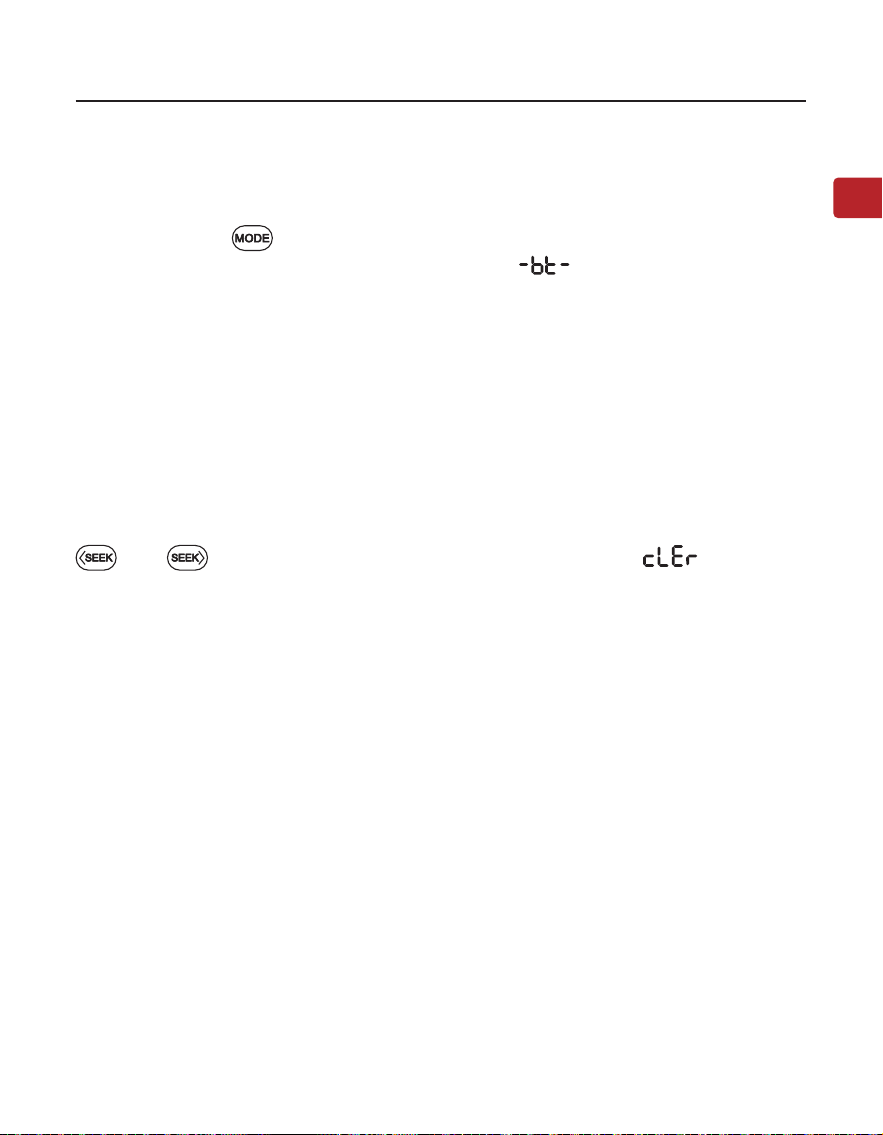
Verwendung als Bluetooth-Lautsprecher
Koppeln und verbinden - Schalten Sie den Lautsprecher ein, drücken Sie
einmal die Taste um in den Bluetooth-Lautsprechermodus zu wechseln,
Sie sehen dann auf dem Bildschirm die Anzeige und hören «Bluetooth
speaker mode, pairing”. Aktivieren Sie jetzt Bluetooth auf Ihrem Gerät (z. B.
Telefon, Tablet, Laptop usw.) und suchen Sie nach “Avantree PowerByte”, um
eine Verbindung herzustellen.”
Erneut verbinden - Jedes Mal, wenn Sie ihn einschalten und in den Blue-
tooth-Modus wechseln, sollte der Lautsprecher automatisch mit dem zuletzt
verbundenen Gerät wieder verbinden. Falls nicht, wählen Sie auf Ihrem Gerät
“Avantree PowerByte” aus.”
Bluetooth-Kopplungsverlauf löschen - Drücken und halten Sie beide Tasten
und für 5 Sekunden. Der Bildschirm wird anzeigen , dann wird
die Bluetooth-Kopplungsliste gelöscht, und das Gerät tritt automatisch in den
Koppelungsmodus ein.
Benutzerhandbuch
19
DE
POWERBYTE
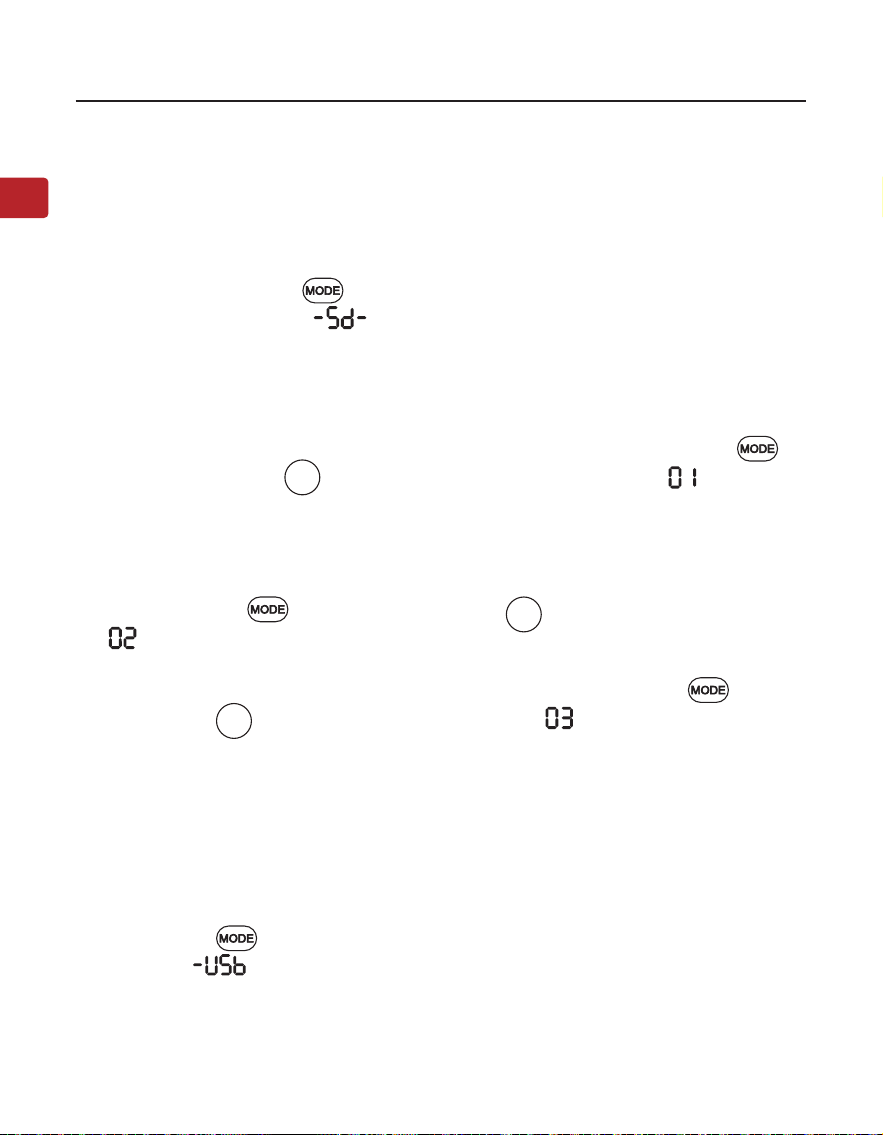
Verwendung als USB-Laufwerk
Folgen Sie den Anweisungen für den MicroSD-Kartenleser oben, indem Sie
“MicroSD-Karte” mit “USB-Laufwerk” ersetzen. Stellen Sie sicher, dass Sie die
Taste drücken, um in den USB-Laufwerk-Modus zu wechseln.Auf dem Bild-
schirm wird angezeigt und Sie werden “USB drive mode” hören.
Verwendung als MicroSD-Kartenleser
Wenn Sie eine microSD-Karte (nicht im Lieferumfang enthalten) einlegen,
während das Radio eingeschaltet ist, wechselt es automatisch in den
mcroSD-Modus. Wenn Sie die Karte einlegen, während das Radio ausgeschaltet
ist, müssen Sie die Taste drücken, um in den microSD-Modus zu wechseln.
Auf dem Bildschirm wird , und Sie werden “microSD card mode” hören.
Der PowerByte unterstützt die Dateiformate MP3, WMA, WAV, APE, FLAC, und
die maximale Speicherkapazität der SD-Karte beträgt 32 GB.
Wiederholungsfunktion für einen Titel - drücken Sie sowohl die Tasten als
auch die Zierntasten , auf dem Bildschirm wird angezeigt und Sie
werden “repeat one” hören.
Alles wiederholen - ist die Standardeinstellung. Wenn Sie von einem anderen
Wiedergabemodus zu “Wiederholen alle” wechseln müssen, drücken Sie
sowohl die Tasten und die Zierntastatur , und der Bildschirm zeigt
an während Sie «repeat all” hören.
zufällige Abspielreihenfolge - Drücken Sie gleichzeitig die Tasten und die
Zierntastatur , der Bildschirm wird anzeigen und Sie werden “shue”
hören.
1
2
3
Benutzerhandbuch
20
DE
POWERBYTE
Ladevorgang
Verwendung als Kabelgebundener Lautsprecher
Ein- und Ausschalten der Sprachansage
Zurücksetzen auf Werkseinstellungen
Das Batteriesymbol blinkt auf dem Bildschirm des PowerByte, um einen nie-
drigen Batteriestand anzuzeigen. Sie können das Radio mit dem mitgelieferten
Ladekabel auaden.
Das Batteriesymbol auf dem Bildschirm wird während des Ladevorgangs
blinken und aufhören, sobald der Ladevorgang abgeschlossen ist.
Folgen Sie den Anweisungen für den MicroSD-Kartenleser oben, indem Sie “Mi-
croSD-Karte” durch “AUX-Audiokabel” ersetzen. Der Bildschirm wird anzeigen
und Sie werden “Auxiliary mode”hören.
Drücken und halten Sie beide Tasten and für 5 Sekunden. Sie werden
“voice prompt on”hören.
Drücken und halten Sie beide Tasten and für 5 Sekunden. Sie werden
“voice prompt o”hören.
Drücken und halten Sie sowohl die Taste als auch die Zierntaste für
5 Sekunden. Der Bildschirm zeigt alle Buchstaben für 5 Sekunden an und geht
dann aus. Das Gerät wird auf Werkseinstellungen zurückgesetzt. Das Radio
schaltet sich aus und wieder ein, wechselt in den FM-Modus und beginnt mit
der automatischen Sendersuche.
0
Benutzerhandbuch
21
DE
POWERBYTE
Technische Daten
FM Frequenzbereich 87MHz - 108MHz
Frequenzbereich 2.402 - 2.48 GHz
BT V5.3
Ausgang 30W(15WX2)
Akku-Typ Eingebauter 7.4V 3600mAh Akku
Wiedergabedauer Bis zu 7 Stunden (bei 50% Lautstärke)
Ladespannung 5V/3A
Reichweite 30 Fuß/10 m
Bluetooth-Protokolle A2DP, HFP, AVRCP
Unterstütztes Musikdateiformat MP3, WMA, WAV, APE, FLAC
Unterstützte Speicher Bis zu 32 GB Micro SD-Karte/U-Disk
Größe des Lautsprechers 235*198*112mm
Gewicht des Lautsprechers 1745g±10g

Benutzerhandbuch
22
DE
POWERBYTE
Häug gestellte Fragen (FAQ)
Nachfolgend nden Sie einige der häugsten Fragen, die während der
Einrichtung auftreten.
Warum ist mein FM-Empfang so schlecht?
Warum funktioniert meine microSD-Karte nicht?
......
Für Antworten auf Fragen wie diese und für eine vollständige Liste mit häug
gestellten Fragen (FAQ) besuchen Sie bitte
avantree.com/support/powerbyte, oder kontaktieren Sie uns direkt für
zusätzliche Unterstützung.

Manuel de I’Utilisateur
23
FR
POWERBYTE
Table des matières
Contenu de la boîte •••••••••••••••••••••••••••••••••••••••••••••••••••••••••••• 24
Présentation du produit •••••••••••••••••••••••••••••••••••••••••••••••••••••••25
Aperçu du produit ••••••••••••••••••••••••••••••••••••••••••••••••••••••25
Fonctions des boutons •••••••••••••••••••••••••••••••••••••••••••••••••• 26
État de l’écran LCD ••••••••••••••••••••••••••••••••••••••••••••••••••••••27
Utilisation comme radio FM •••••••••••••••••••••••••••••••••••••••••••••••••••28
Utilisation comme haut-parleur Bluetooth •••••••••••••••••••••••••••••••••••29
Utilisation comme lecteur de carte MicroSD •••••••••••••••••••••••••••••••••30
Utilisation comme lecteur de clé USB ••••••••••••••••••••••••••••••••••••••••• 30
Utilisation comme haut-parleur câblé ••••••••••••••••••••••••••••••••••••••••31
Chargement ••••••••••••••••••••••••••••••••••••••••••••••••••••••••••••••••••••31
Désactiver et activer l’invite vocale •••••••••••••••••••••••••••••••••••••••••••31
Réinitialisation d’usine ••••••••••••••••••••••••••••••••••••••••••••••••••••••••31
Spécications ••••••••••••••••••••••••••••••••••••••••••••••••••••••••••••••••••32
FAQ •••••••••••••••••••••••••••••••••••••••••••••••••••••••••••••••••••••••••••••33
Nous contacter ••••••••••••••••••••••••••••••••••••••••••••••••••••••••••••••••• 56
Manuel de I’Utilisateur
24
FR
POWERBYTE
Contenu de la boîte
Radio
Câble de chargement
Manuel de I’Utilisateur
25
FR
POWERBYTE
Présentation du produit
Aperçu du produit
Port de
chargement
Port de clé USB
Aux Input Port
Emplacement pour
carte MicroSD
Antenne
Écran
Bouton d’entrée,
de sauvegarde
et de lecture des
canaux FM
Bouton de
mode sonore
Boutons de
recherche
Bouton de
changement
de mode
Touches de syntoni-
sation manuelle
Touche de
mise en veille
Bouton FM
Ein/Aus/Laut-
stärkeregler
2
7
4
6
3
8
1
Bouton de lec-
ture / pause
5
Manuel de I’Utilisateur
26
FR
POWERBYTE
No. Bouton Fonctions
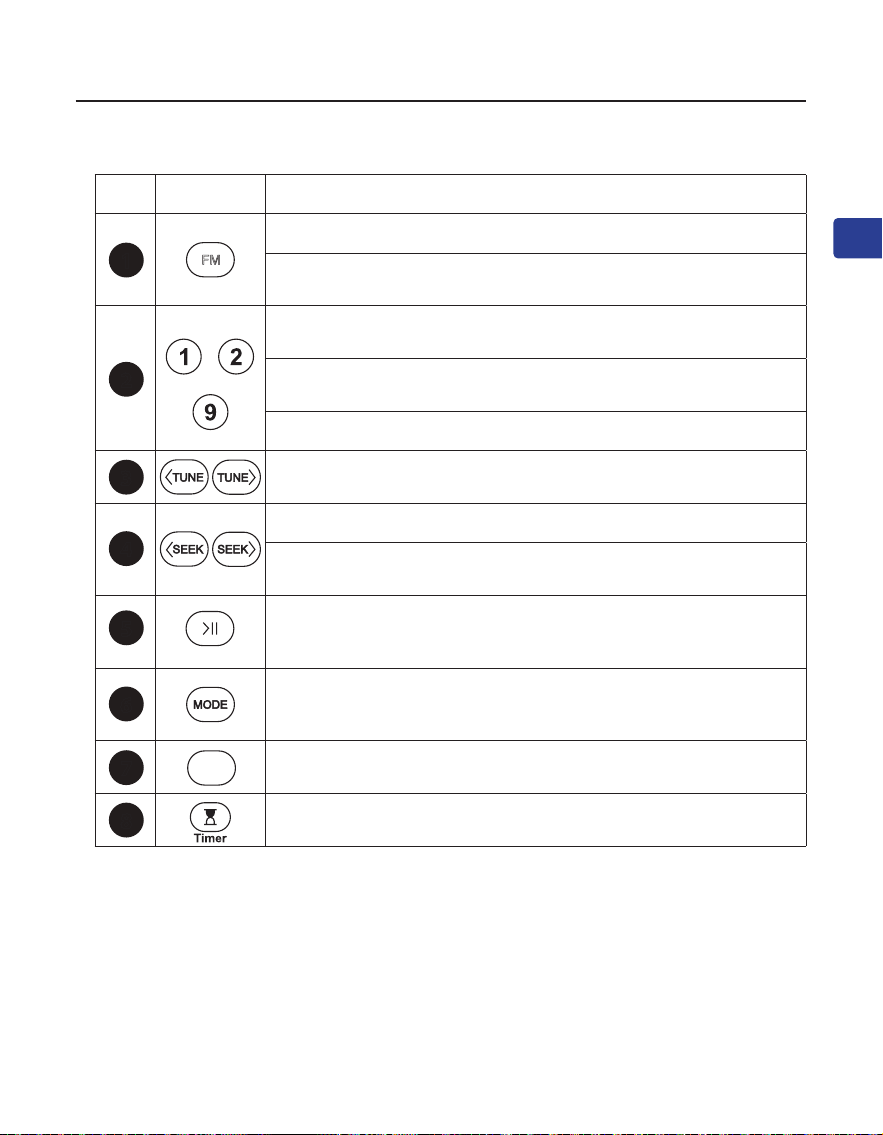
Appuyez sur cette touche pour accéder au mode FM
Appuyez sur la touche et maintenez-la enfoncée pour lancer la
recherche de tous les canaux FM disponibles.
……
Saisissez directement le canal FM, par exemple, pour 102.5,
appuyez sur la séquence de chires 1-0-2-5.
Maintenez la touche enfoncée pour enregistrer le canal FM sur
la touche numérique souhaitée.
Appuyez sur cette touche pour lire la chaîne FM enregistrée
Appuyer une fois pour régler le canal vers le haut ou vers le bas
de 0,1 MHz (mode FM)
Appuyer pour le canal / la piste précédent(e) / suivant(e)
Appuyez et maintenez enfoncée la touche pour rechercher le
canal FM suivant vers le haut ou vers le bas.
Appuyez une fois sur cette touche pour couper / rétablir le son
(mode FM / haut-parleur câblé) ou pour lire / mettre en pause
(autres modes).
Appuyez sur cette touche pour basculer entre les modes
haut-parleur Bluetooth / carte micro SD / lecteur de clé USB /
haut-parleur câblé.
Appuyez une fois pour basculer entre EQ1 (équilibré), EQ2
(voix claire) et EQ3 (accentuation des basses).
Appuyer une fois pour régler la minuterie de sommeil entre
30/60/90/120 minutes.
Fonctions des boutons
3
4
5
6
7
8
2
1
FM
EQ
Manuel de I’Utilisateur
27
FR
POWERBYTE
État de l’écran LCD
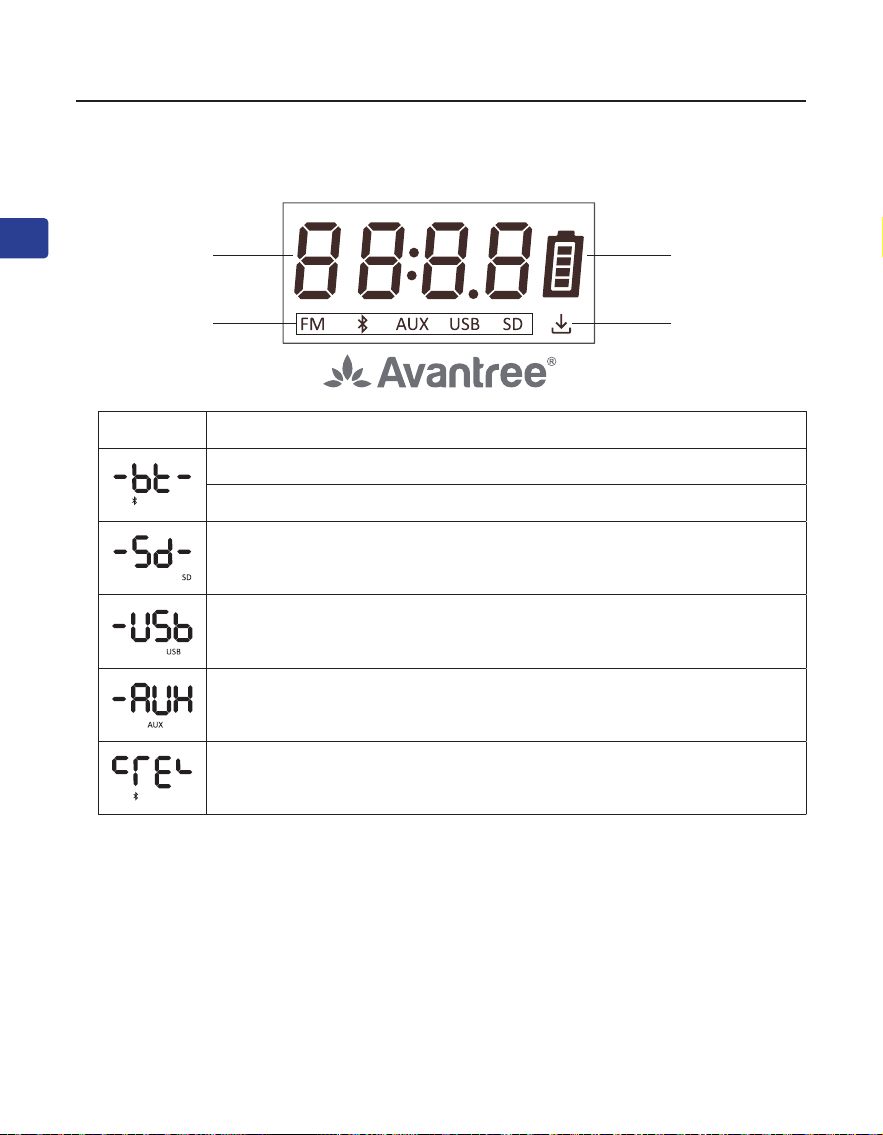
Statut de travail Batterie
Mode de
fonctionnement
Canaux
enregistrés
LCD Statut
Flash, mode haut-parleur Bluetooth - mode d'appairage
Solide, connecté
Mode carte micro SD
Mode clé USB
Mode haut-parleur câblé
Eacement de l'historique des jumelages Bluetooth
Manuel de I’Utilisateur
28
FR
POWERBYTE
ÉTAPE 1: Allumer le PowerByte
Tournez le bouton de volume dans le sens des aiguilles d’une montre jusqu’à la
position ON ; l’écran s’allume.
Lors de la première utilisation, l’appareil commence à rechercher automatique-
ment les chaînes. Si ce n’est pas le cas, appuyez sur le bouton et maintenez-le
enfoncé pour lancer l’analyse automatique. Veuillez patienter jusqu’à ce
que l’analyse automatique soit terminée.
ÉTAPE 2: Syntoniser les chaînes
Appuyer sur la touche / pour choisir la chaîne souhaitée.
Vous pouvez également saisir directement la fréquence de la chaîne à l’aide
du pavé numérique, par exemple, pour FM102.5, appuyez sur la séquence
numérique 1-0-2-5.
Ou appuyez et maintenez enfoncée la touche / il eectue un balayage
vers le haut ou vers le bas à la recherche du prochain canal libre.
ÉTAPE 3: Sauvegarde et lecture de vos chaînes préférées
Enregistrez les chaînes sur le pavé numérique pour un accès rapide - Recher-
chez les chaînes FM locales comme décrit ci-dessus, puis enregistrez n’importe
quelle chaîne pour un accès rapide en appuyant sur le pavé numérique et en
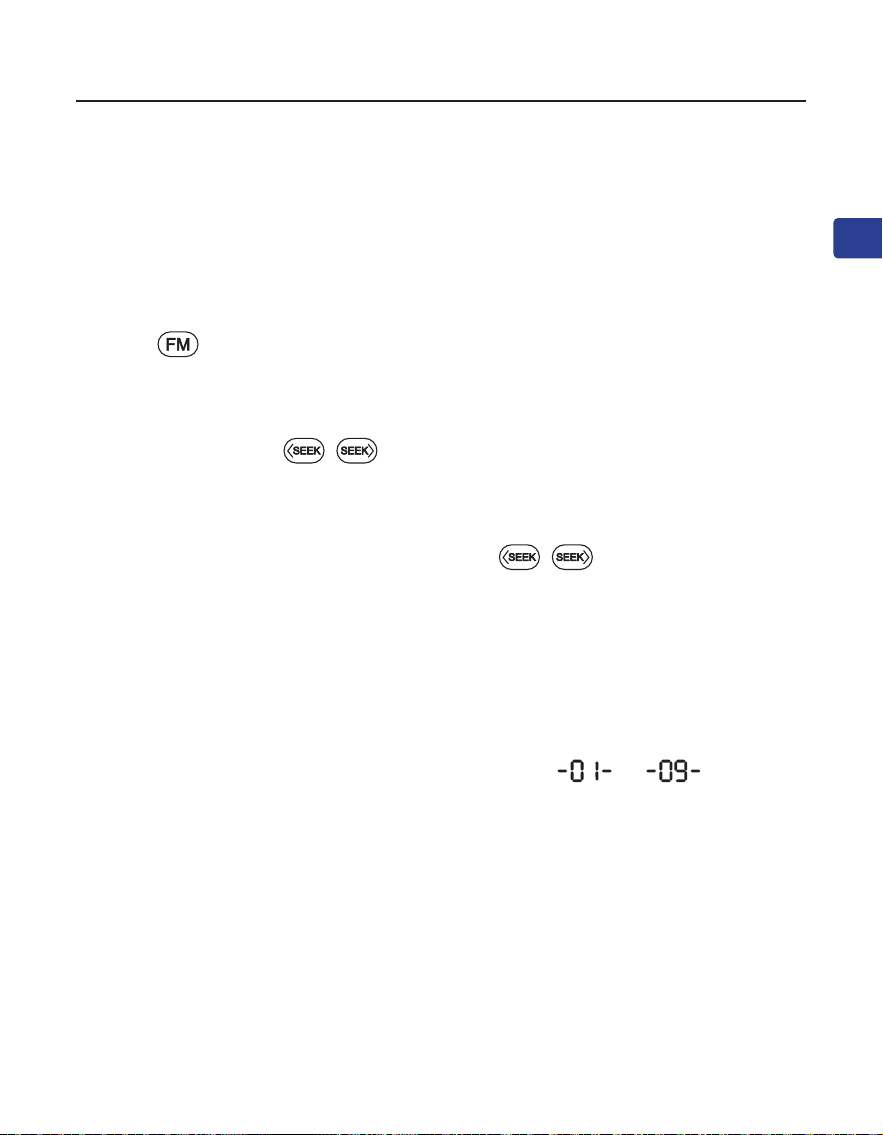
le maintenant enfoncé jusqu’à ce que l’écran ache --- . Vous pou-
vez enregistrer jusqu’à 9 chaînes.
Lecture des chaînes enregistrées - Cliquez une fois sur la touche du pavé
numérique.
Utilisation comme radio FM
Manuel de I’Utilisateur
29
FR
POWERBYTE
Utilisation comme haut-parleur Bluetooth
Jumeler et connecter - Allumez haut-parleur, appuyez sur la touche pour
passer en mode haut-parleur Bluetooth, l’écran ache et entendez
“Bluetooth speaker mode, pairing”. Activez alors le Bluetooth sur votre appareil
(téléphone, tablette, ordinateur portable, etc.) et recherchez “Avantree Power-
Byte” pour l’appairer et le connecter.
Pour se reconnecter - Chaque fois que vous l’allumez et que vous passez en
mode Bluetooth, l’enceinte doit se reconnecter automatiquement au dernier
appareil connecté. Si ce n’est pas le cas, sélectionnez “Avantree PowerByte” sur
votre appareil.
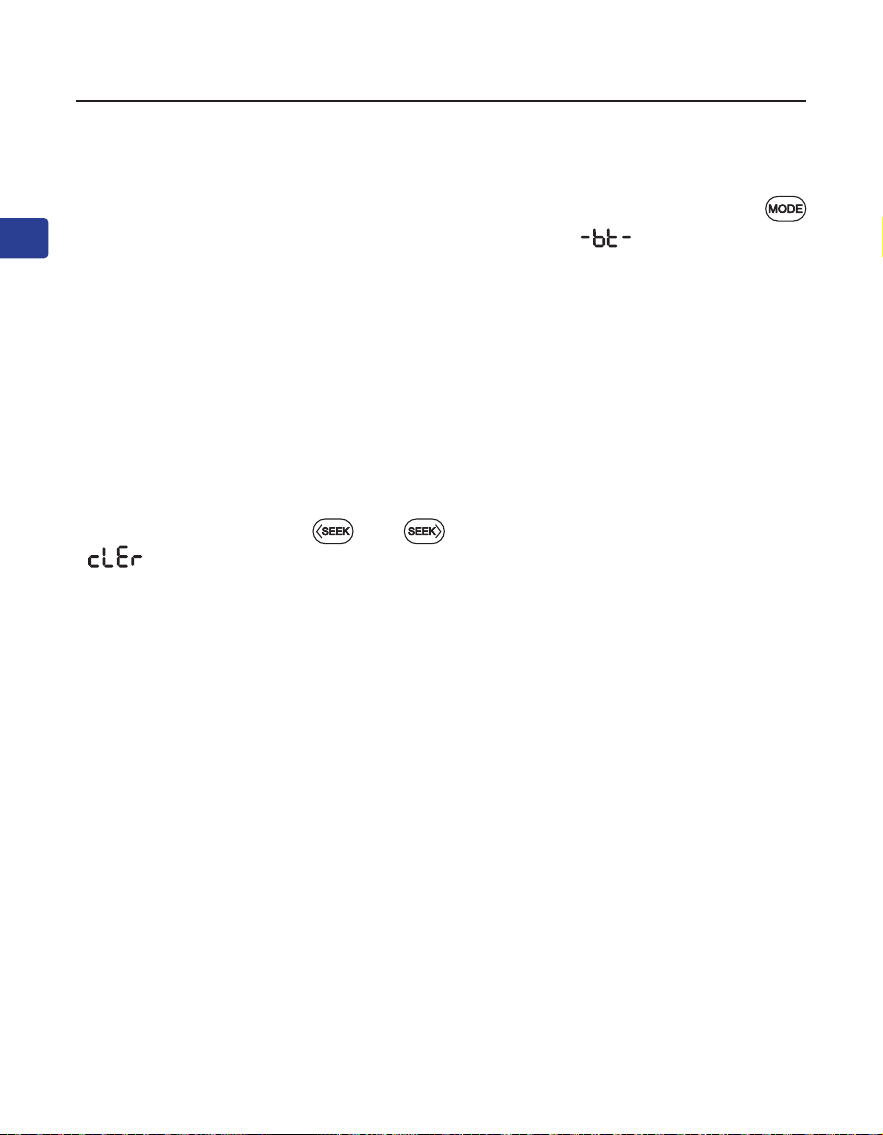
Eacer l’historique de l’appairage Bluetooth - Appuyer sur les deux boutons
et les maintenir enfoncés und pendant 5 secondes, l’écran ache
, l’historique de l’appairage Bluetooth est eacé et l’appareil entre
automatiquement en mode d’appairage.
Manuel de I’Utilisateur
30
FR
POWERBYTE
Utilisation comme lecteur de clé USB
Suivez les instructions ci-dessus pour le lecteur de carte microSD, en rem-
plaçant “carte microSD” par “clé USB”. Veillez à appuyer sur le bouton pour
passer en mode clé USB, l’écran ache et vous entendrez “USB drive
mode”.
Utilisation comme lecteur de carte MicroSD
Lorsque vous insérez une carte microSD (non fournie) alors que la radio est
allumée, elle passe automatiquement en mode microSD. Si vous insérez la
carte alors que la radio est éteinte, vous devez appuyer sur le bouton pour
passer en mode microSD, l’écran ache , et vous entendrez “microSD
card mode”.
La PowerByte prend en charge les formats de chiers MP3, WMA, WAV, APE,
FLAC, et la capacité de stockage maximale de la carte SD est de 32 Go.
Repeat one - Appuyer sur les deux boutons et pavé numérique l’écran
ache et vous entendrez “repeat one”.
Repeat All - Repeat all est le réglage par défaut. Si vous devez passer d’un autre
mode de lecture à la répétition générale, appuyez sur les deux boutons et
pavé numérique ,l’écran ache et vous entendrez “repeat all”.
Shue - Appuyer sur les deux boutons et pavé numérique , l’écran
ache et vous entendrez “shue”.
1
2
3
Manuel de I’Utilisateur
31
FR
POWERBYTE
Chargement
Utilisation comme haut-parleur câblé
Désactiver et activer l’invite vocale
Réinitialisation d’usine
L’icone clignote sur l’écran de la PowerByte pour indiquer que la batterie est
faible. Vous pouvez charger la radio à l’aide du câble de chargement fourni.
L’icone sur l’écran clignote pendant la charge et s’arrête une fois la charge
terminée.
Suivez les instructions ci-dessus pour le lecteur de carte microSD, en rem-
plaçant “carte microSD” par “câble audio AUX”. et vous entendrez “Mode
auxiliaire”.
Appuyez sur les deux boutons et et maintenez-les enfoncés
pendant 5 secondes, vous entendrez “voice prompt on”.
Appuyez sur les deux boutons et et maintenez-les enfoncés
pendant 5 secondes, vous entendrez “voice prompt o”.
Appuyez sur les deux boutons et maintenez-les enfoncés et pavé
numérique pendant 5 secondes, toutes les lettres de l’écran s’allument
pendant 5 secondes et s’éteignent. La radio s’éteint et se rallume, passe en
mode FM et commence la recherche automatique.
0
Manuel de I’Utilisateur
32
FR
POWERBYTE
Spécications
Gamme de fréquences FM 87MHz - 108MHz
Gamme de fréquences 2.402 - 2.48 GHz
BT V5.3
Puissance de sortie 30W(15WX2)
Type de batterie Batterie intégrée 7,4V 3600mAh
Temps de jeu Jusqu'à 7 h (à 50 % du volume)
Tension de charge 5V/3A
Plage de fonctionnement 30ft/10m
Prols pris en charge A2DP, HFP, AVRCP
Format de chier musical supporté MP3, WMA, WAV, APE, FLAC
Stockage pris en charge Jusqu'à 32 Go de carte Micro SD/disque U
Taille de l'enceinte 235*198*112mm
Poids du haut-parleur 1745g±10g

Manuel de I’Utilisateur
33
FR
POWERBYTE
FAQ
Vous trouverez ci-dessous les questions les plus fréquemment posées lors de
l’installation.
Pourquoi ma réception FM est-elle si mauvaise ?
Pourquoi ma carte microSD ne fonctionne-t-elle pas ?
......
Pour obtenir des réponses à des questions comme celles-ci et pour une liste
complète des FAQ, vous pouvez visiter le site suivant
avantree.com/support/powerbyte, ou vous pouvez nous contacter directement
pour une assistance supplémentaire.

Manuale Utente
34
IT
POWERBYTE
Indice dei Contenuti
Contenuto Della Confezione ••••••••••••••••••••••••••••••••••••••••••••••••••35
Introduzione al Prodotto ••••••••••••••••••••••••••••••••••••••••••••••••••••••36
Panoramica del Prodotto •••••••••••••••••••••••••••••••••••••••••••••••36
Funzione dei Tasti •••••••••••••••••••••••••••••••••••••••••••••••••••••••37
Indicatori su Schermo LCD ••••••••••••••••••••••••••••••••••••••••••••••38
Uso come Radio FM •••••••••••••••••••••••••••••••••••••••••••••••••••••••••••• 39
Utilizzare come Altoparlante Bluetooth ••••••••••••••••••••••••••••••••••••••40
Utilizzare come Lettore di Schede MicroSD ••••••••••••••••••••••••••••••••••41
Utilizzare come Lettore di Unità USB •••••••••••••••••••••••••••••••••••••••••41
Utilizzare come uno Speaker Cablato •••••••••••••••••••••••••••••••••••••••••42
Ricarica •••••••••••••••••••••••••••••••••••••••••••••••••••••••••••••••••••••••••42
Disattivare e Attivare i Messaggi Vocali ••••••••••••••••••••••••••••••••••••••42
Ripristino Impostazioni •••••••••••••••••••••••••••••••••••••••••••••••••••••••42
Speciche ••••••••••••••••••••••••••••••••••••••••••••••••••••••••••••••••••••••43
FAQ •••••••••••••••••••••••••••••••••••••••••••••••••••••••••••••••••••••••••••••44
Contatti ••••••••••••••••••••••••••••••••••••••••••••••••••••••••••••••••••••••••56
Manuale Utente
35
IT
POWERBYTE
Contenuto Della Confezione
Radio
Cavo di ricarica
Manuale Utente
36
IT
POWERBYTE
Introduzione al Prodotto
Panoramica del Prodotto
Porta di ricarica
Porta USB
Ingresso Jack Audio
Slot MicroSD
Antenna
Schermo
Input canale FM
/ salvataggio /
tasto play
Tasto modal-
ità suono
Tasti ricerca
Tasto cam-
bio modalità
Tasti per la
ricerca manuale
Tasto timer di
spegnimento
Tasto FM
Manopola Vol-
ume, accensione/
spegnimento
2
7
4
6
3
8
1
Tasto play/
pausa
5
Manuale Utente
37
IT
POWERBYTE
No. Tasto Funzione
Premere per accedere alla modalità FM
Tenere premuto per avviare la ricerca di tutti i canali
FM disponibili
……
Immettere direttamente il canale FM, ad esempio per
102.5 premere la sequenza numerica 1-0-2-5
Tenere premuto per salvare il canale FM sul pulsante
numerico desiderato
Premere per ascoltare il canale FM salvato
Premere una volta per regolare il canale su/giù di 0,1 MHz
(modalità FM)
Premere per il canale/brano precedente/successivo
Tenere premuto per cercare avanti/indietro il canale
FM successivo da cancellare
Premere una volta per disattivare/attivare l'audio
(modalità FM/altoparlante cablato) o riprodurre/mettere in
pausa (altre modalità)
Premere per passare dalla modalità altoparlante Bluetooth/
scheda micro SD/lettore USB/altoparlante cablato
Premere una volta per alternare tra EQ1 (bilanciato),
EQ2 (voce chiara) ed EQ3 (amplicazione dei bassi)
Premere una volta per impostare il timer di spegnimento tra
30/60/90/120 minuti
Funzione dei Tasti
3
4
5
6
7
8
2
1
FM
EQ
Manuale Utente
38
IT
POWERBYTE
Indicatori su Schermo LCD
Stato operativo
Batteria
Modalità operativa
Canali salvati
LCD Stato
Lampeggiante, modalità altoparlante Bluetooth - modalità
di accoppiamento
Fisso, connesso
Modalità scheda microSD
Modalità unità USB
Modalità altoparlante cablato
La cronologia delle associazioni Bluetooth è stata cancellata
Manuale Utente
39
IT
POWERBYTE
PASSO 1: Accendere il PowerByte
Ruotare il controllo del volume in senso orario su ON; lo schermo si illuminerà.
Al primo utilizzo, verrà avviata la scansione automatica dei canali. In caso
contrario, tieni premuto il pulsante per avviare la scansione automatica.
Attendi il completamento della scansione automatica.
PASSO 2: Selezionare i canali
Premere il tasto / per scegliere il canale desiderato.
Oppure è possibile inserire direttamente la frequenza del canale utilizzando il
tastierino numerico, ad esempio, per FM102.5, premere la sequenza numerica
1-0-2-5.
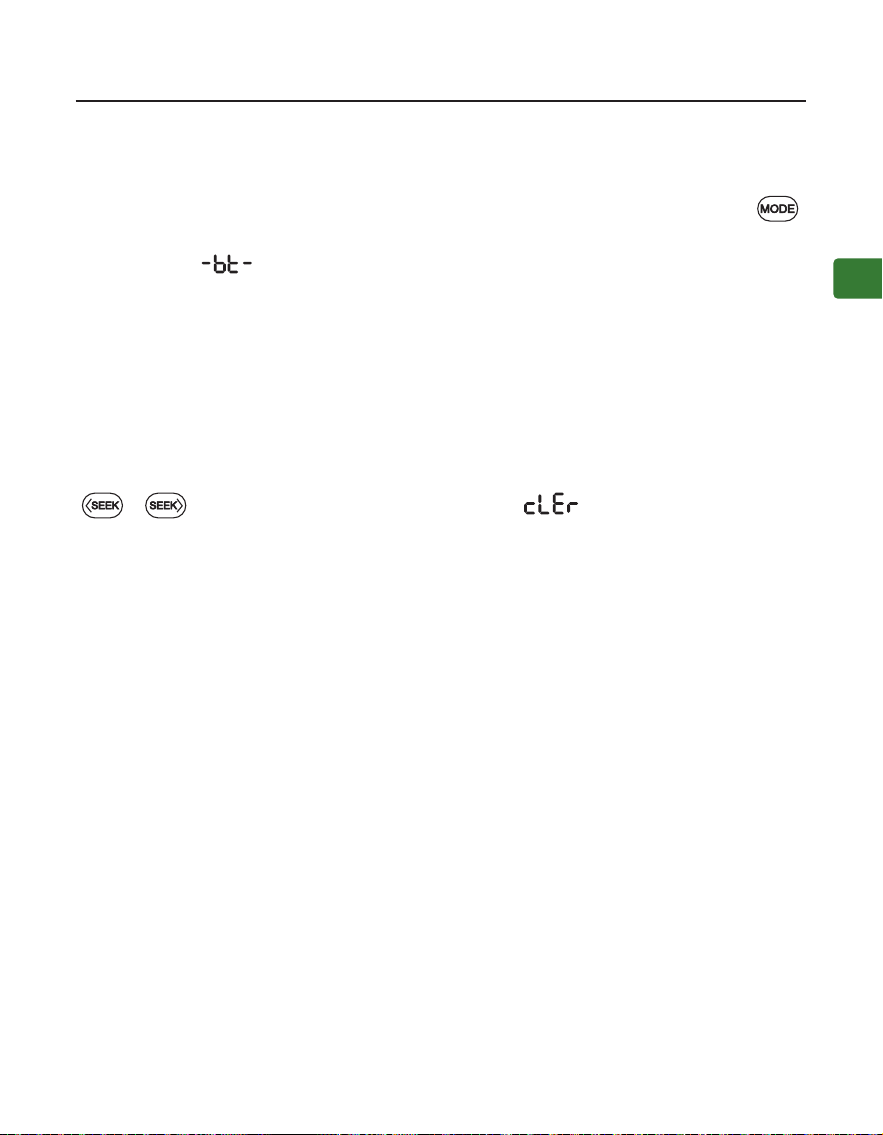
Oppure tieni premuto il pulsante / , per cercare il canale successivo da
cancellare.
PASSO 3: Salvare e ascoltare i tuoi canali preferiti
Salva i canali sul tastierino numerico per l’accesso rapido - Cerca i canali FM
locali come descritto sopra, quindi salva il canale per un accesso rapido tenen-
do premuto il tastierino numerico nché non viene visualizzato sullo schermo
--- . Puoi salvare un massimo di 9 canali.
Ascoltare i canali salvati - Premere volta sul pulsante del tastierino numerico
corrispondente.
Uso come Radio FM
Manuale Utente
40
IT
POWERBYTE
Utilizzare come Altoparlante Bluetooth
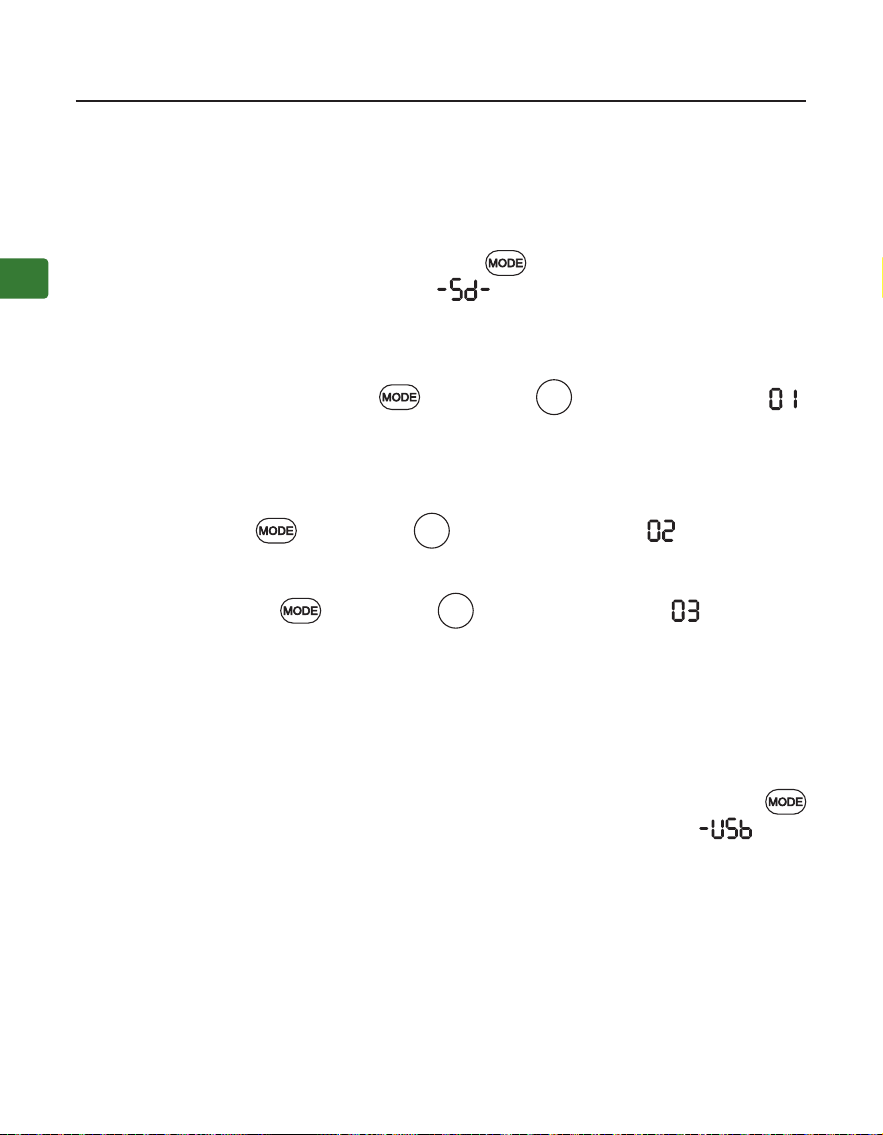
Accoppiamento e connessione - Accendi l’altoparlante, premi il pulsante
una volta per accedere alla modalità altoparlante Bluetooth, verrà visualizzata
la schermata e sentirai “Bluetooth speaker mode, pairing”. Ora attiva il
Bluetooth sul tuo dispositivo (ad esempio telefono, tablet, laptop ecc.) e cerca
“Avantree PowerByte” per accoppiarlo e connetterti.
Per la riconnessione - Ogni volta che lo accendi e entri in modalità Bluetooth,
l’altoparlante dovrebbe riconnettersi automaticamente all’ultimo dispositivo
connesso. In caso contrario, seleziona “Avantree PowerByte” sul tuo dispositivo.
Cancellare lo storico delle associazioni Bluetooth - Mantenere premuti i tasti
e per 5 secondi, lo schermo mostrerà , quindi la cronologia di
accoppiamento Bluetooth viene cancellata e la radio entra automaticamente in
modalità di accoppiamento.
Manuale Utente
41
IT
POWERBYTE
Utilizzare come Lettore di Unità USB
Seguire le istruzioni per il lettore di schede MicroSD riportate sopra, scambi-
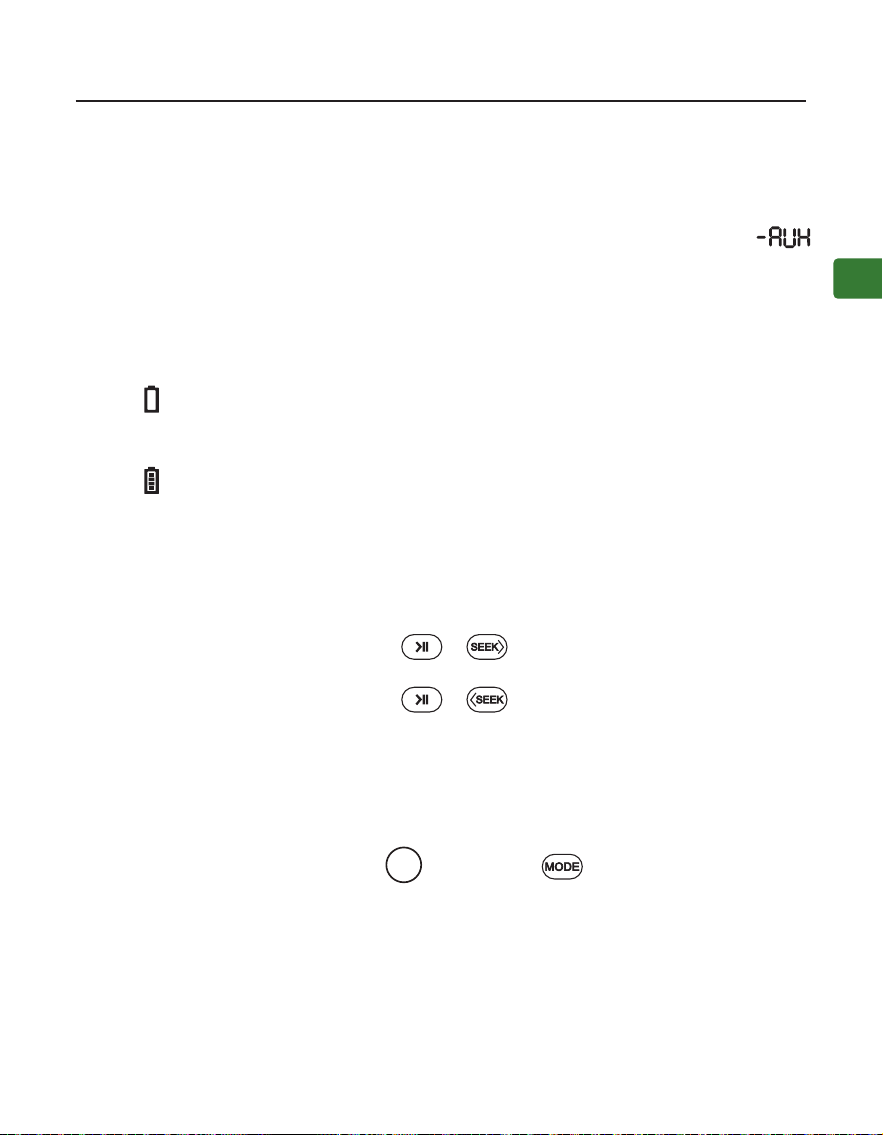
ando la “scheda microSD” con “unità USB”. Assicurati di premere il pulsante
per passare alla modalità unità USB, verrà visualizzata la schermata e
sentirai “USB drive mode”.
Utilizzare come Lettore di Schede MicroSD
Quando si inserisce una scheda microSD (non inclusa) mentre la radio è accesa,
passerà automaticamente alla modalità microSD. Se inserisci la scheda quando
la radio è spenta, dovrai premere il pulsante per passare alla modalità mi-
croSD, verrà visualizzato sullo schermo , e sentirai “microSD card mode”.
Il PowerByte supporta i formati di le MP3, WMA, WAV, APE, FLAC e una capac-
ità di archiviazione massima della scheda SD di 32 GB.
Ripetere un Brano - Premi i tasti e il numero , lo schermo mostra
e sentirai “repeat one”.
Ripetere Tutti i Brani - Ripeti tutti è l’impostazione predenita. Se è necessa-
rio passare da un’altra modalità di riproduzione per ripetere tutto, premere
entrambi i pulsanti e il numero , lo schermo mostra e sentirai
“repeat all”.
Casuale - Premi i tasti e il numero , lo schermo mostra e sentirai
“shue”.
1
2
3
Manuale Utente
42
IT
POWERBYTE
Ricarica
Utilizzare come uno Speaker Cablato
Disattivare e Attivare i Messaggi Vocali
Ripristino Impostazioni
L’icona lampeggerà sullo schermo del PowerByte per indicare che la batteria
è scarica. È possibile caricare la radio utilizzando il cavo di ricarica in dotazione.
L’icona sullo schermo lampeggerà durante la ricarica e si fermerà una volta
completata la ricarica.
Seguire le istruzioni per il lettore di schede MicroSD come sopra, scambiando la
“scheda microSD” con il “cavo audio AUX”, verrà visualizzato sullo schermo
e sentirai “Auxiliary mode”.
Tenere premuti entrambi i pulsanti e per 5 secondi, si sentirà “voice
prompt on”.
Tenere premuti entrambi i pulsanti e per 5 secondi, si sentirà “voice
prompt o”.
Tieni premuti entrambi i pulsanti e il numero per 5 secondi, tutte le
lettere sullo schermo si illumineranno per 5 secondi e si spegneranno. Ora il
dispositivo è ripristinato alle impostazioni di fabbrica. La radio si spegnerà e si
riaccenderà, entrerà in modalità FM e avvierà la ricerca automatica.
0
Manuale Utente
43
IT
POWERBYTE
Speciche
Gamma di Frequenze FM 87MHz - 108MHz
Raggio di Frequenza 2.402 - 2.48 GHz
Bluetooth V5.3
Potenza in Uscita 30W(15WX2)
Batteria Batteria integrata da 7.4V 3600mAh
Tempo di Riproduzione Fino a 7 ore (al 50% del volume)
Voltaggio di Ricarica 5V/3A
Raggio di Connessione 30ft/10m
Proli Supportati A2DP, HFP, AVRCP
Formati Audio Supportati MP3, WMA, WAV, APE, FLAC
Memoria Supportata MicroSD no a 32Gb
Misure dello Speaker 235*198*112mm
Peso dello Speaker 1745g±10g

Manuale Utente
44
IT
POWERBYTE
FAQ
Di seguito sono riportate alcune delle domande più comuni che gli utenti
hanno durante la congurazione.
Perché la mia ricezione FM è così scarsa?
Perché la mia scheda microSD non funziona?
……
Per risposte a domande come queste e per un elenco completo delle domande
frequenti, puoi visitare
avantree.com/support/powerbyte, oppure puoi contattarci direttamente per
ulteriore assistenza.

Manual del Usuario
45
ES
POWERBYTE
Índice de Contenido
Contenidos del Paquete •••••••••••••••••••••••••••••••••••••••••••••••••••••••46
Introducción al Producto ••••••••••••••••••••••••••••••••••••••••••••••••••••••47
Descripción del Producto •••••••••••••••••••••••••••••••••••••••••••••••47
Función de las Teclas ••••••••••••••••••••••••••••••••••••••••••••••••••••48
Indicadores en la Pantalla LCD ••••••••••••••••••••••••••••••••••••••••••49
Usar como Radio FM •••••••••••••••••••••••••••••••••••••••••••••••••••••••••••50
Usar como Altavoz Bluetooth •••••••••••••••••••••••••••••••••••••••••••••••••51
Usar como Lector de Tarjetas MicroSD •••••••••••••••••••••••••••••••••••••••52
Usar como Lector de Unidades USB ••••••••••••••••••••••••••••••••••••••••••52
Usar como Altavoz con Cable •••••••••••••••••••••••••••••••••••••••••••••••••53
Carga •••••••••••••••••••••••••••••••••••••••••••••••••••••••••••••••••••••••••••53
Deshabilitar y Habilitar Mensajes de Voz •••••••••••••••••••••••••••••••••••••53
Restablecer la Conguración de Fábrica ••••••••••••••••••••••••••••••••••••••53
Especicaciones •••••••••••••••••••••••••••••••••••••••••••••••••••••••••••••••54
FAQ •••••••••••••••••••••••••••••••••••••••••••••••••••••••••••••••••••••••••••••55
Contactos ••••••••••••••••••••••••••••••••••••••••••••••••••••••••••••••••••••••56
Manual del Usuario
46
ES
POWERBYTE
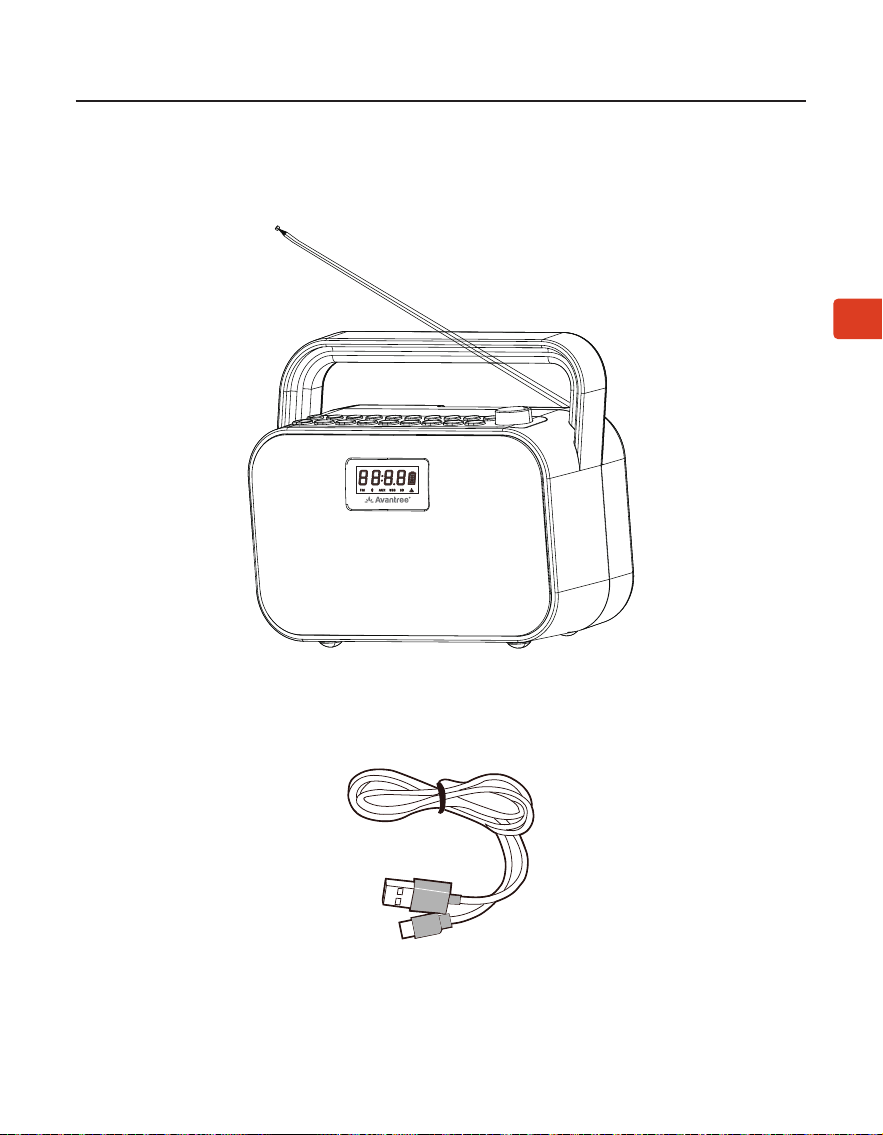
Contenidos del Paquete
Radio
Cable de carga
Manual del Usuario
47
ES
POWERBYTE
Introducción al Producto
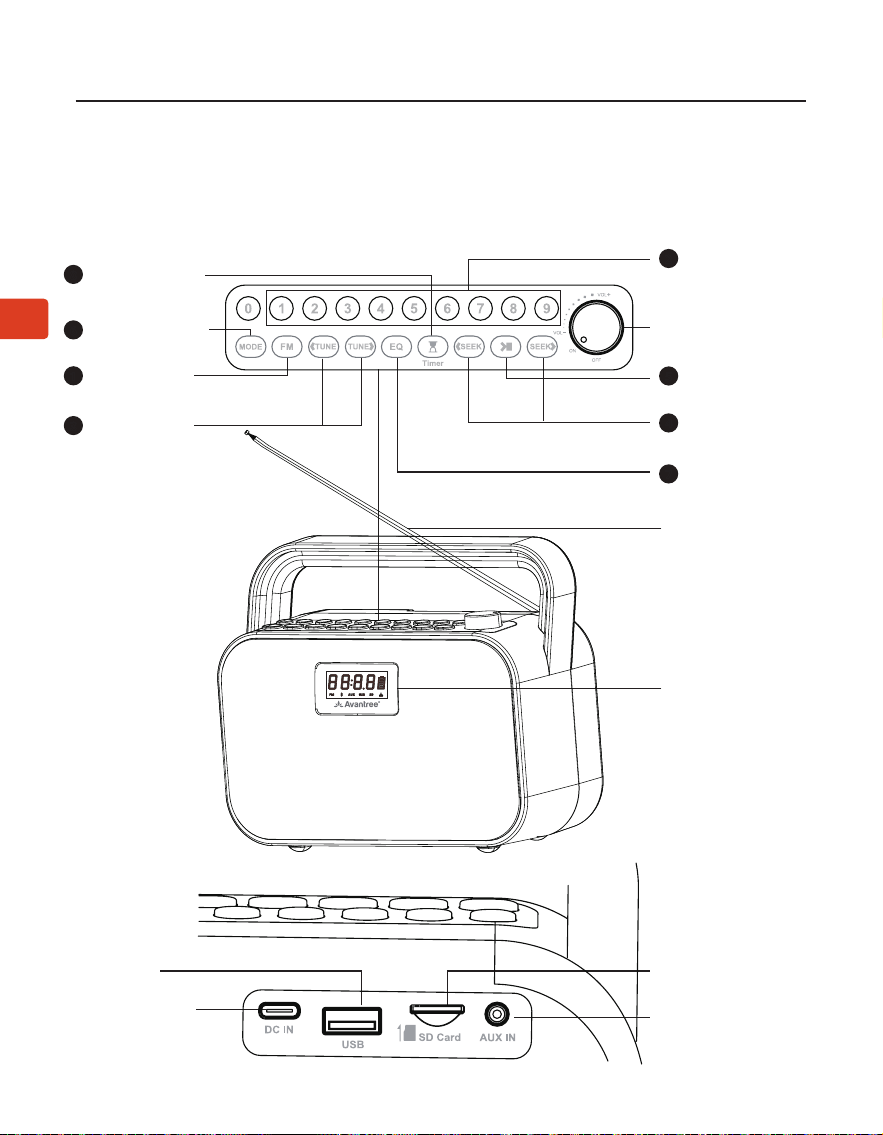
Descripción del Producto
Puerto de carga
Puerto USB
Entrada de audio
Puerto microSD
Antena
Pantalla
Botón de en-
trada de canal
FM/guardar/
reproducir
Botón de modo
de sonido
Teclas de
búsqueda
Botón de cam-
bio de modo
Teclas de
búsqueda
manual
Botón del
temporizador
de apagado
Botón FM
Volume Knob,
On/O
2
7
4
6
3
8
1
Botón repro-
ducir/pausar
5
Manual del Usuario
48
ES
POWERBYTE
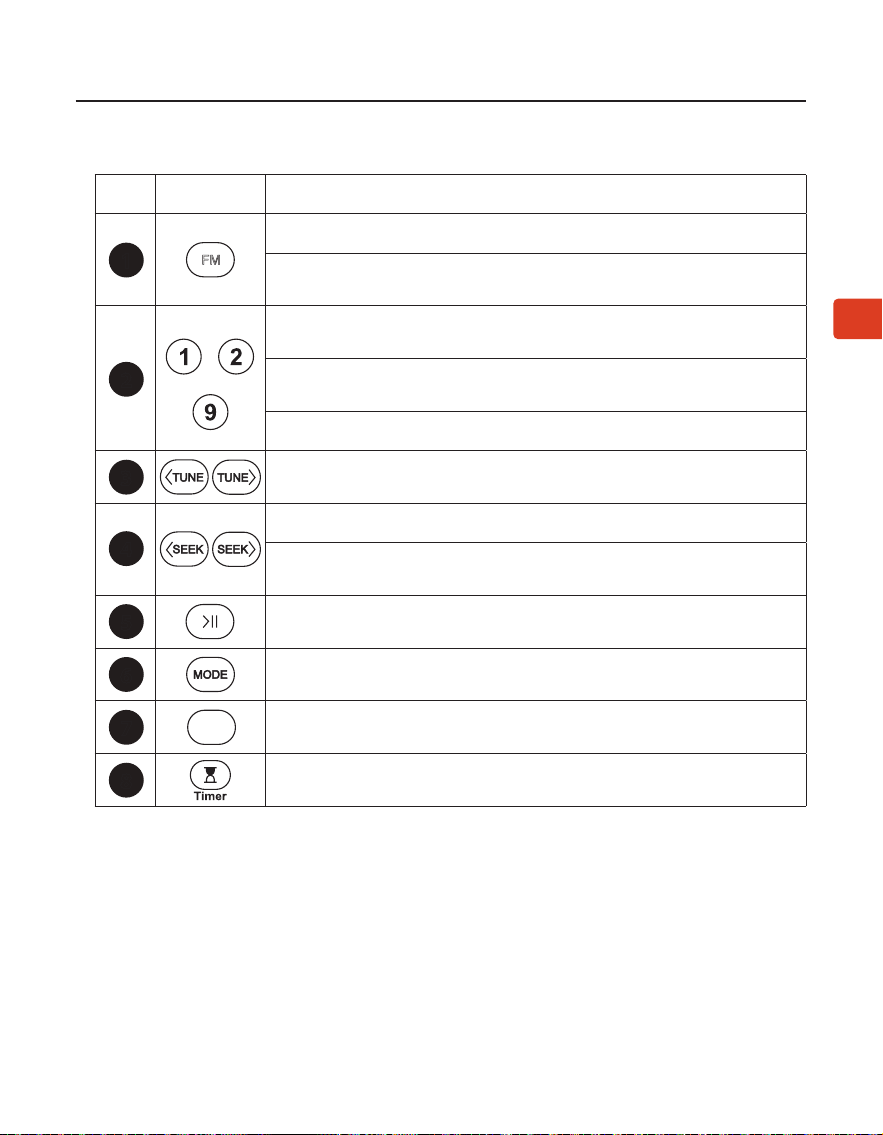
No. Tecla Función
Presione para ingresar al modo FM
Mantenga presionado para comenzar a buscar todos
los canales FM disponibles
……
Ingrese el canal FM directamente, por ejemplo para 102.5
presione la secuencia numérica 1-0-2-5
Mantenga presionado para guardar el canal FM en el botón
numérico deseado
Presione para escuchar el canal FM guardado
Presione una vez para ajustar el canal hacia arriba/abajo
en 0,1 MHz (modo FM)
Presione para canal/pista anterior/siguiente
Mantenga presionado para buscar hacia adelante o hacia atrás
el siguiente canal de FM que desea eliminar.
Presione una vez para silenciar/activar el silencio (modo FM/
altavoz con cable) o reproducir/pausar (otros modos)
Presione para cambiar entre el modo de altavoz Bluetooth/
tarjeta micro SD/reproductor USB/altavoz con cable
Presione una vez para cambiar entre EQ1 (equilibrado),
EQ2 (voz clara) y EQ3 (refuerzo de graves)
Presione una vez para congurar el temporizador de apagado
entre 30/60/90/120 minutos.
Función de las Teclas
3
4
2
1
FM
5
6
7
EQ
8
Manual del Usuario
49
ES
POWERBYTE
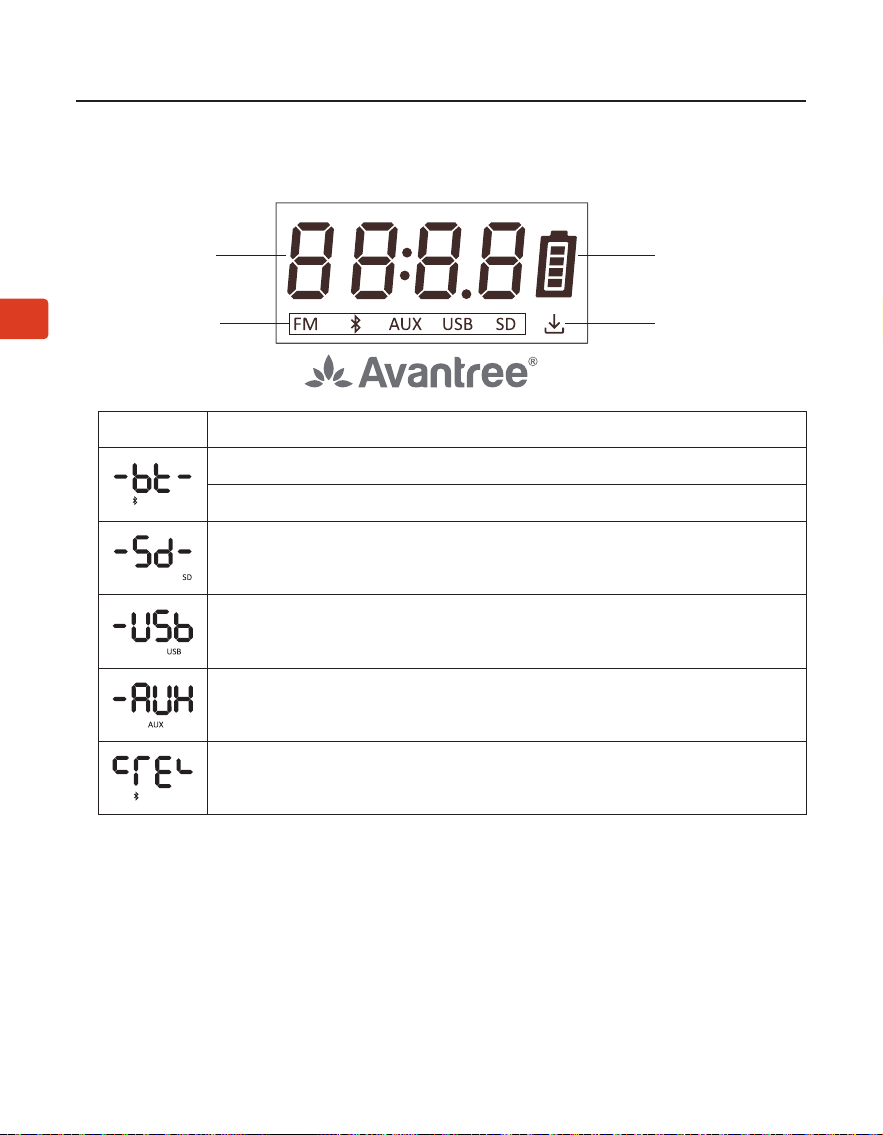
Indicadores en la Pantalla LCD
Estado operativo
Batería
Modo operativo
Canales guardados
LCD Estado
Parpadeante, modo altavoz Bluetooth - modo emparejamiento
Fijo, conectado
Modo tarjeta microSD
Modo de unidad USB
Modo de altavoz con cable
Su historial de emparejamiento de Bluetooth se ha borrado
Manual del Usuario
50
ES
POWERBYTE
PASO 1: Enciende el PowerByte
Gire la perilla de control de volumen en el sentido de las agujas del reloj hasta
ON; la pantalla se iluminará.
Tras el primer uso, se iniciará la búsqueda automática de canales. Si no es así,
mantenga presionado el botón para iniciar el escaneo automático. Espere
a que se complete el análisis automático.
PASO 2: Seleccionar canales
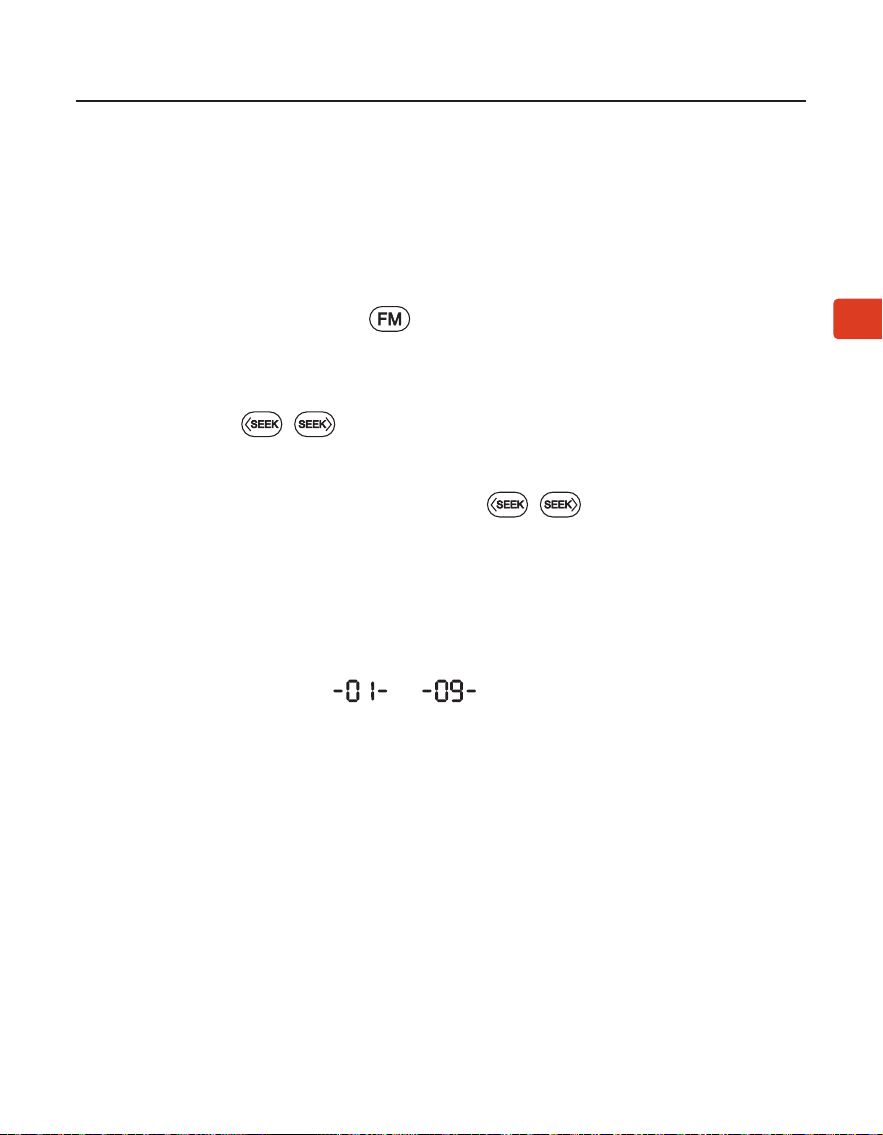
Presiona el botón / para elegir el canal deseado.
O puede ingresar directamente la frecuencia del canal usando el teclado
numérico, por ejemplo, para FM102.5, presione la secuencia numérica 1-0-2-5.
O presione y mantenga presionado el botón / , para buscar el sigui-
ente canal a eliminar.
PASO 3: Guarda y escucha tus canales favoritos
Guardar canales en el teclado numérico para un acceso rápido - Busque
canales de FM locales como se describe arriba, luego guarde el canal para
acceder rápidamente manteniendo presionado el teclado numérico hasta
que aparezca en la pantalla --- . Puede guardar un máximo de 9
canales.
Escuchar canales guardados - Presione el botón del teclado numérico corre-
spondiente una vez.
Usar como Radio FM
Manual del Usuario
51
ES
POWERBYTE
Usar como Altavoz Bluetooth
Emparejamiento y conexión - Encienda el altavoz, presione el botón una
vez para ingresar al modo de altavoz Bluetooth, se mostrará la pantalla y
escucharas “Bluetooth speaker mode, pairing”. Ahora active Bluetooth en su
dispositivo (por ejemplo, teléfono, tableta, computadora portátil, etc.) y busque
“Avantree PowerByte” para emparejarlo y conectarse.
Para reconexión - Cada vez que lo enciende y ingresa al modo Bluetooth, el
altavoz debería volver a conectarse automáticamente al último dispositivo
conectado. De lo contrario, seleccione “Avantree PowerByte” en su dispositivo.
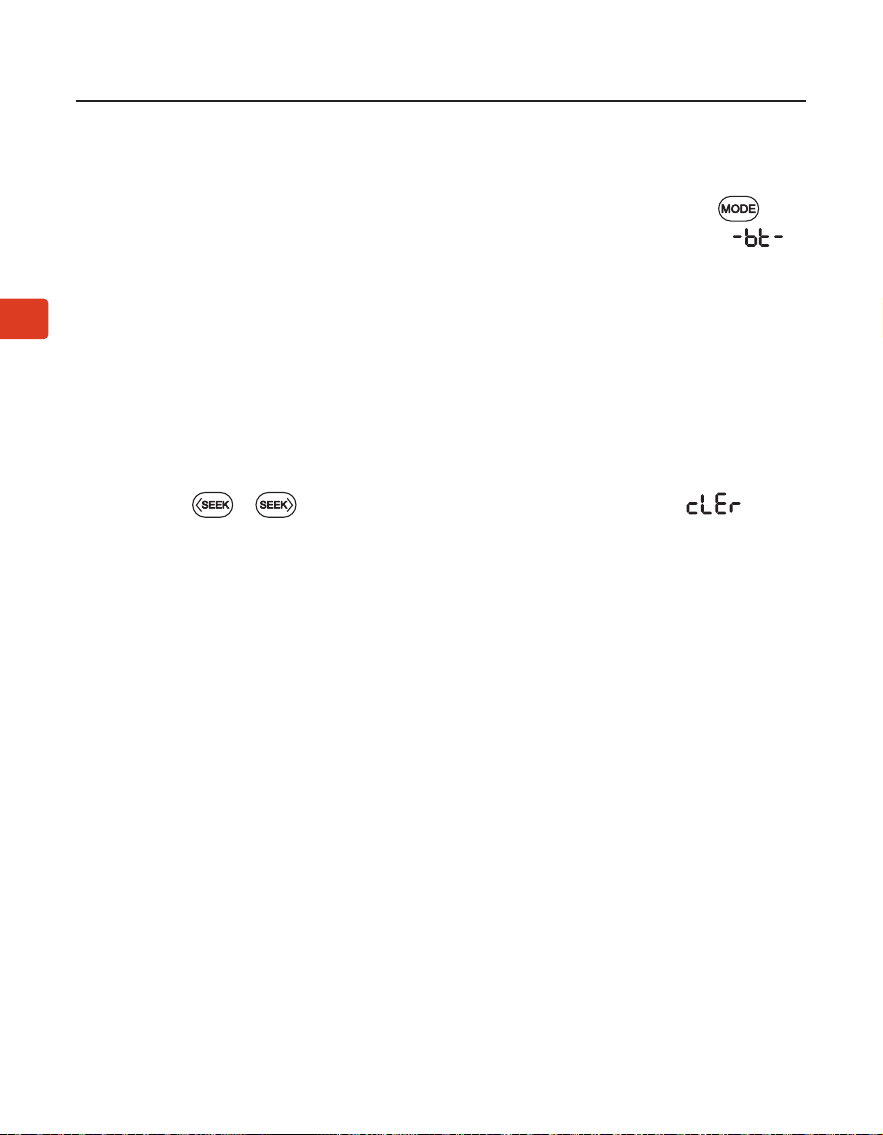
Borrar el historial de emparejamiento de Bluetooth - Mantenga las teclas
presionadas y durante 5 segundos, la pantalla mostrará ,
luego, el historial de emparejamiento de Bluetooth se borra y la radio ingresa
automáticamente al modo de emparejamiento.
Manual del Usuario
52
ES
POWERBYTE
Usar como Lector de Unidades USB
Siga las instrucciones anteriores del lector de tarjetas MicroSD, cambiando
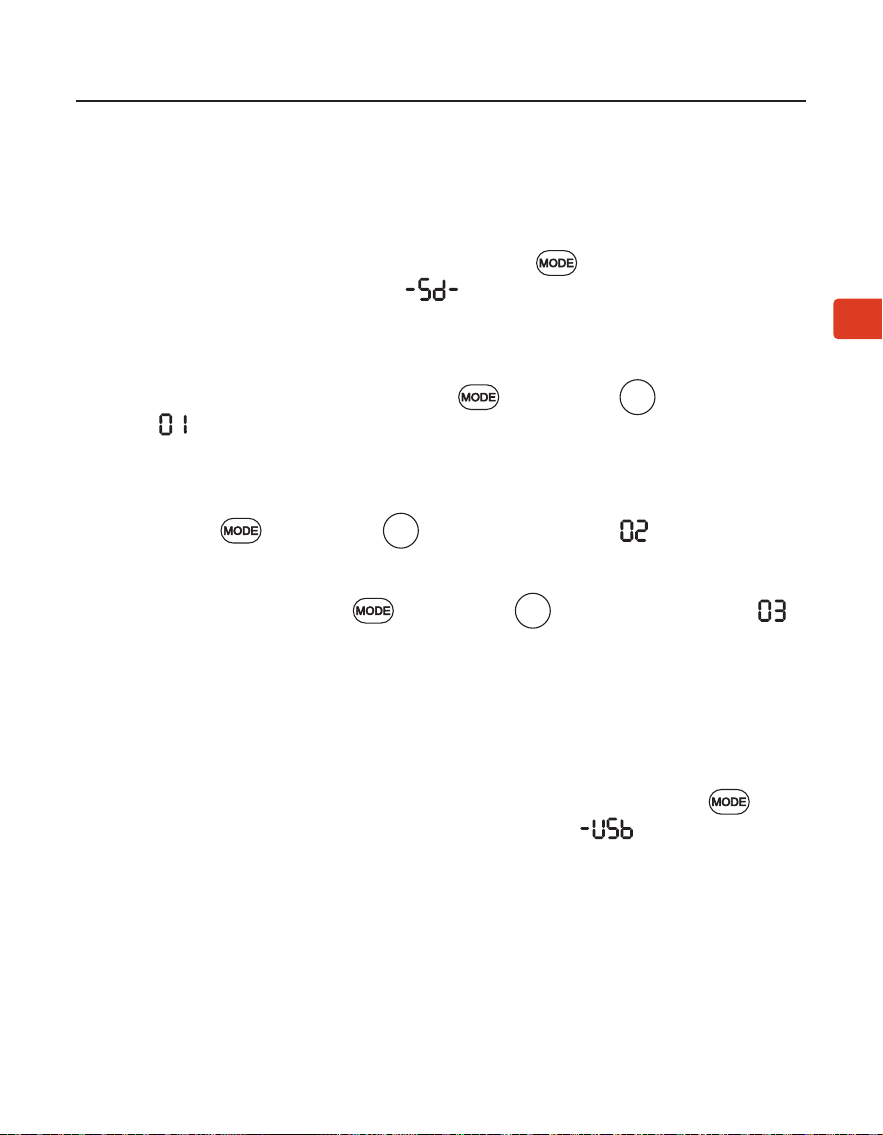
“tarjeta microSD” por “unidad USB”. Asegúrate de presionar el botón para
cambiar al modo de unidad USB, aparecerá la pantalla y escucharas “USB
drive mode”.
Usar como Lector de Tarjetas MicroSD
Cuando inserta una tarjeta microSD (no incluida) mientras la radio está en-
cendida, cambiará automáticamente al modo microSD. Si introduces la tarjeta
con la radio apagada tendrás que pulsar el botón para cambiar al modo
microSD, se mostrará en la pantalla , y escucharas “microSD card mode”.
El PowerByte admite formatos de archivo MP3, WMA, WAV, APE, FLAC y una
capacidad máxima de almacenamiento en tarjeta SD de 32 GB.
Repetir una Canción - Presione las teclas y el numero , la pantalla
muestra y escucharas “repeat one”.
Repetir Todas las Canciones - Repetir todo es el valor predeterminado. Si
necesita cambiar entre otros modos de reproducción para repetir todo, pre-
sione las teclas y el numero , la pantalla muestra y escucharas
“repeat all”.
Aleatorio - Presione las teclas y el numero , la pantalla muestra y
escucharas “shue”.
1
2
3
Manual del Usuario
53
ES
POWERBYTE
Carga
Usar como Altavoz con Cable
Deshabilitar y Habilitar Mensajes de Voz
Restablecer la Conguración de Fábrica
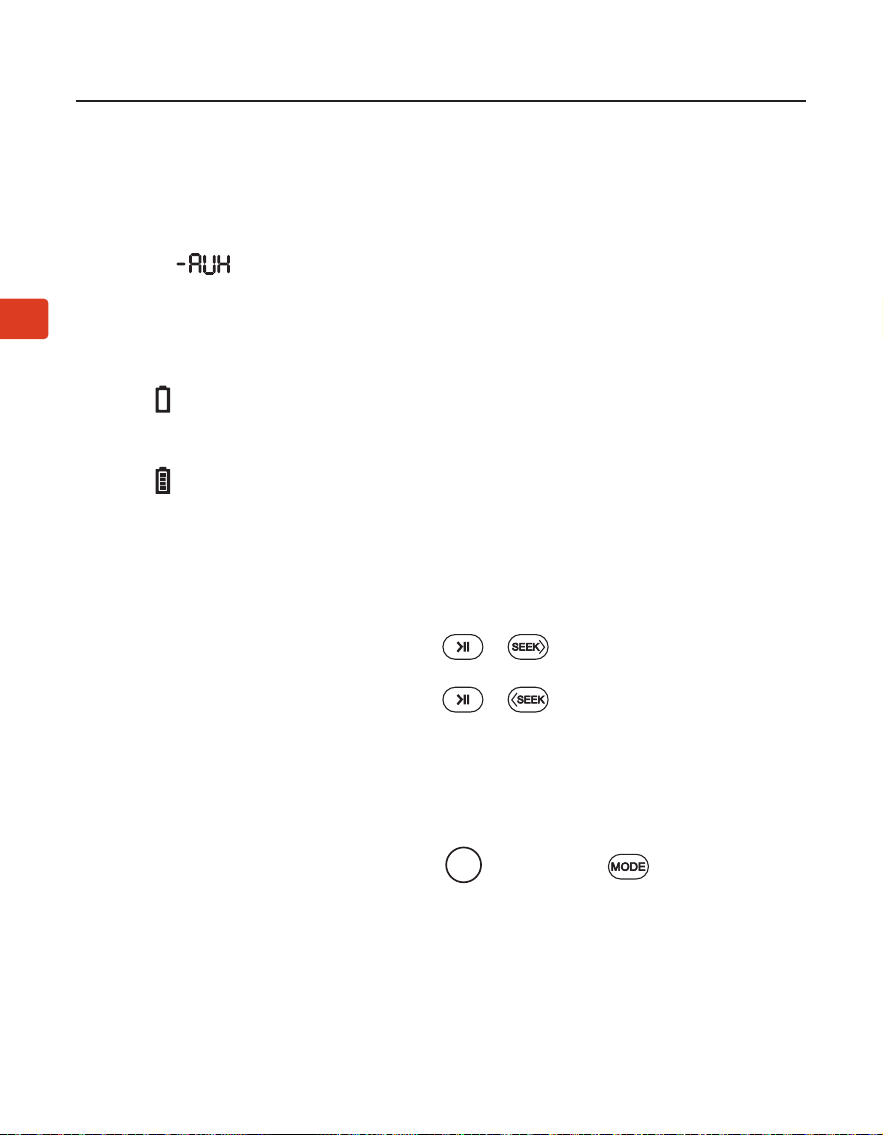
El icono parpadeará en la pantalla de PowerByte para indicar que la batería
está baja. Puede cargar la radio utilizando el cable de carga proporcionado.
El icono en la pantalla parpadeará mientras se carga y se detendrá una vez
que se complete la carga.
Siga las instrucciones para el lector de tarjetas MicroSD como se indica arriba,
intercambiando la “tarjeta microSD” con el “cable de audio AUX”, se mostrará en
la pantalla y escucharas “Auxiliary mode”.
Mantenga presionados ambos botones y durante 5 segundos, es-
cuchará “voice prompt on”.
Mantenga presionados ambos botones y durante 5 segundos, es-
cuchará “voice prompt o”.
Mantenga presionados ambos botones y el numero durante 5
segundos, todas las letras en la pantalla se iluminarán durante 5 segundos y se
apagarán. Su dispositivo ahora está restablecido a la conguración de fábrica.
La radio se apagará y encenderá nuevamente, ingresará al modo FM y comen-
zará la búsqueda automática.
0
Manual del Usuario
54
ES
POWERBYTE
Especicaciones
Rango de Frecuencia FM 87MHz - 108MHz
Radio de Frequencia 2.402 - 2.48 GHz
Bluetooth V5.3
Potencia de salida 30W(15WX2)
Bateria Batería incorporada de 7,4 V 3600 mAh
Tiempo de Juego Hasta 7 horas (al 50% del volumen)
Voltaje de Carga 5V/3A
Radio de Conexión 30ft/10m
Perles Compatibles A2DP, HFP, AVRCP
Formatos de Audio Compatibles MP3, WMA, WAV, APE, FLAC
Memoria Compatible MicroSD no a 32Gb
Medidas de Altavoz 235*198*112mm
Peso del Altavoz 1745g±10g

Manual del Usuario
55
ES
POWERBYTE
FAQ
A continuación se detallan algunas de las preguntas más comunes que tienen
los usuarios durante la conguración.
Por qué mi recepción de FM es tan mala?
Por qué no funciona mi tarjeta microSD?
……
Para obtener respuestas a preguntas como estas y una lista completa de
preguntas frecuentes, puede visitar
avantree.com/support/powerbyte, o puede contactarnos directamente para
obtener más ayuda.
56
Contact Us
Support Tickets
Support Email
Support Numbers
avantree.com/submit-a-ticket
support@avantree.com
CA +1 800 232 2078 9am-6pm PST
US +1 800 232 2078 9am-6pm PST
UK +44 208 068 2023 9am-6pm GMT
DE
+49 322 2109 7297
11am-9pm CET
FR +33 17 634 0312 11am-9pm CET
IT +39 069 4803 330 9am-6pm CET
ES +34 93 1786 261 9am-6pm CET
AU +61 2 8310 9897 11am-7pm AEST
Mon-Fri
Mon-Fri
Mon-Sat
Mon-Sat
Mon-Sat
Mon-Sat
Mon-Sat
Mon-Fri
Product Registration
FAQ
See QR code on the product.
avantree.com/support/powerbyte
Manufacturer:
Avantronics Limited
Luohu District, Shenzhen 518000 China
+ 86 755 8228 5022 [email protected]
US Importer:
Avantree Corporation
San Jose, California 95119 USA
+1 800 232 2078 [email protected]
UK Importer:
Avantree Limited
Watford, WD180 0HQ UK
+44 20 8068 2023 [email protected]
Servicer in Europe:
GizmexGmbH,
Sternstr.67, 40479Dusseldorf,Germany
+49 322 2109 7297 [email protected]
EC REP
Model No.: BTSP-880
Dispose of the packaging and this product in accordance with the latest provisions.
Z-PKQG-BTSP-880-V0