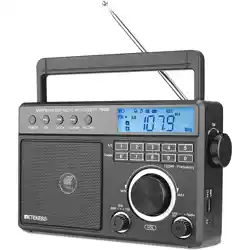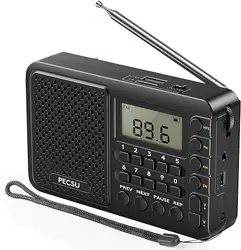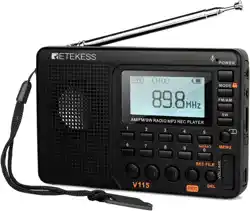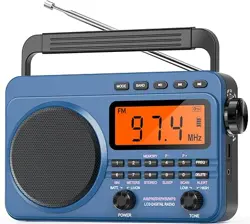
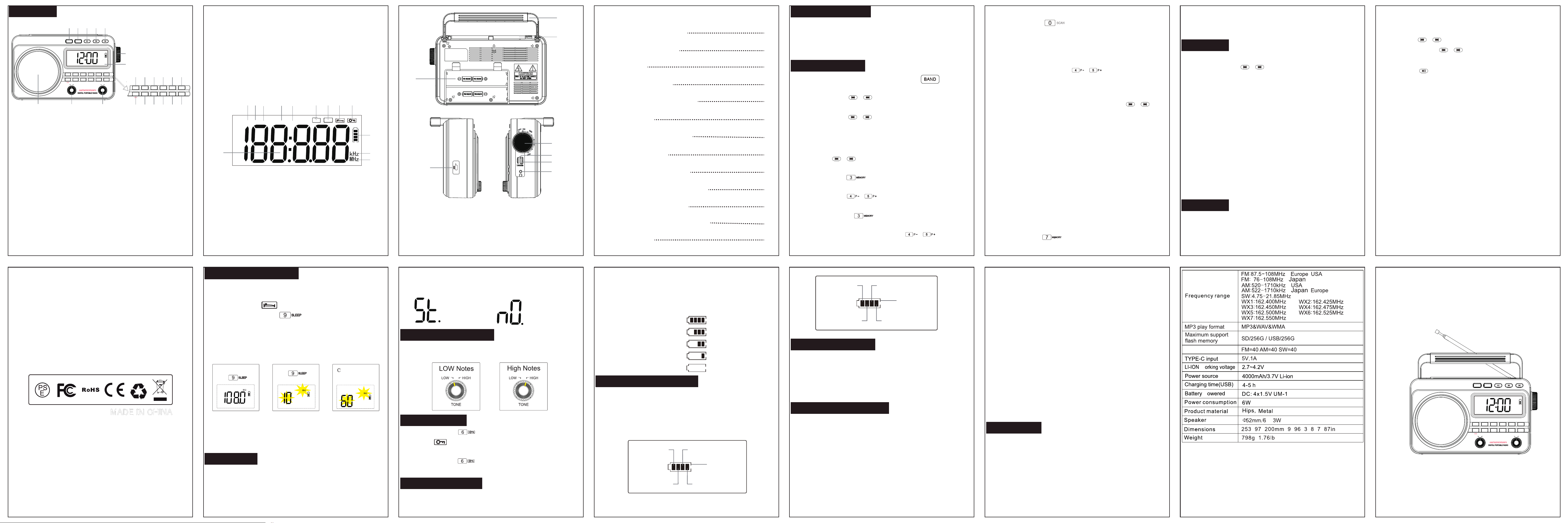
Thank you for purchasing our products.Please read
this manual carefully before using this product. lf you
encounter any difficulties or problems during usage,
please contact us for further assistance.
User Manual
AM/FM/SW/WB/MP3DIGITALRADIO
FUNCTION
1.MODE Switch Button
2.BAND Switch Button
3.Play/Pause Button
4.Previous Song/Downward adjust/Fast Rewind Button
5.Next song/Upward adjust/Fast Forward Button
6.Power ON/OFF/Volume knob
7.LCD display
8.LOW/HIGH tone selector
9.BATT/LI-LON selector
10.Speaker
11.Number 1
12.Number 2
13.Numbe 3/Manual memory storage
14.Numbe 4/Downward to call out the preset station
15.Numbe 5/Upward to call out the preset station
16. Frequency input
17.Numbe 6/Lock button
18.Numbe 7/SW band switching
19.Numbe 8/FM stereo button
20.Numbe 9/Sleep Timer setting
21.Numbe 0/Auto Scan button
22.Exit/Delete/Alert button
1.FM band
2.AM band
3.SW band
4.WX band
5.Auto-Alert
6.SD card play
7.USB Play
1.Handle
2.Antenna
3.Battery compartment
4.Power ON/OFF/Volume knob
5.SD card slot
6.USB port
7.Earphone Jack
8.TYPE-C charging port
8.Sleep Timer
9.Locking key
10.Power indicator
11.AM unit
12.FM/SW/WB unit
13.Frequency display
1
3
4
5
6 7
11
12
13
8 9
10
2
FM AM SW WX
SD
ALERT
USB
1
3
2
4
5
6
7
8
RADIO OPERATION
FM/AM/SW MODE
WX MODE
MP3/USB MODE
SLEEP TIME SETTING
EARPHONE
TONE ADJUSTMENT
LOCK SWITCH
POWER INDICATOR
BATT/LI-LON SELECTOR
USE THE ANTENNA
SAFETY INSTRUCTIONS
WARRANTY
5
5
7
7
9
9
10
10
10
11
12
12
13
CONTENTS
RADIO OPERATION
● Rotate the volume adjustment knob on the right to turn on
the radio.
● Rotate the volume knob to the"OFF" position and the
radio will be turned off.
FM/AM/SW MODE
Preset Stations Manually:
● Turn on the radio, then Short press the " "button
to switch to FM/AM/SW mode.
● Short press the ( ) button to manually select the
radio station.
● Long press the ( ) button for 2 seconds and
release it; It will automatically pause when it searches
for a station and play the searched station.
● Press the ( ) button to choose the station you
want to preset.
● Long press the" " button for 2 seconds, the serial
number of the preset station will flash.
● Short press the" " button to choose the number
you want to preset between "P01-P40" .
● Finally, press the " " button to save the preset
settings or wait five seconds for auto save.
● After preset sucessfully, press the " " button to
select the"P01-P40"preset station you want.
/
/
/
MEMORY
MEMORY
/
P - P +
/
P - P +
MEMORY
Preset Station Automatically:
● Long press the " " button for 2 seconds to scan
the stations.
● When stations search is completed, the radio will
automatically save the received stations as preset
stations"P01-40" and play the first station currently stored.
● After scanning, press the" " button to call out the
preset stations(P01-40).
Manual-Set Radio:
● Under FM/AM/SW band, Short press the ( )
button to adjust frequency up or down.
● Short press the (FERQ)button, the LCD will display
stations"P01-40" and play the first station currently stored.
● Short press the number(0-1-2-3-4-5-6-7-8-9) button to
enter the radio frequency you want.
NOTE: When the number is entered incorrectly, short press
the (DELETE/ALERT)button to cancel.
● Confirm automatically or press the (FREQ/TIME)button
when the input is completed.
NOTE:
● SW receiving range: 4.75-21.85MHz.
● In the SW mode, there are 9 stations of SW in the setting
for quicker selection of SW station.
● Short press the( )button to select.
SCAN
/
P - P +
/
●The LCD will display:
(SW:4.75MHz-5.95MHz-7.10MHz-9.50MHz-11.65MHz-
13.60MHz-15.10MHz-17.50MHz-21.45MHz) .
WX MODE
● Short press the "BAND"button to switch to WX mode.
● Short press the ( )button to select the received
weather frequency points, which are:
● 1-162.400MHz,2-162.425MHz,
● 3-162.450MHz,4-162.475MHz,
● 5-162.500MHz,6-162.525MHz,
● 7-162.550MHz
● When the radio is turned off, long press the (DELET/
ALERT)button for 2 seconds to enter the automatic warning
“ALERT” state, and "ALERT" flashes on the LCD display.
NOTE: In the automatic warning mode, all the buttons will
not work unless the ALERT mode is removed.
● Long press the (DELETE/ALERT)button for 2 seconds or
rotate the Power ON/OFF knob to exit the automatic
warning mode.
MP3/USB
● Short press the (MODE)button to switch to “MP3”
mode.(when not connected, LCD will display“----”)
/
● Press the ( ) button to adjust the last/next song.
● Long press the ( ) button to fast forward/fast
rewind play.
● Press the " " button to play/pause.
● Insert “SD Card“ or “USB flash disk” to play songs. When
the "flash disk" is inserted, short press the (BAND) button
to switch to "SD/USB".
Manual-Entry Song Catalogue
● In the MP3 play state.
● Press the (FREQ/TIME)button , the LCD will display “----”.
● Short press the number(0-1-2-3-4-5-6-7-8-9) button to
enter the song catalog number.
● When the input is completed, confirm automatically or
press the (FREQ/TIME)button to confirm.
NOTE: When the number is entered incorrectly, short press
the (DELETE/ALERT)button to cancel.
NOTE:
● SD flash disk maximum support 256G
● USB flash disk maximum support 256G
● Support playback format: MP3/WMA/WAV
● If the sound has vibration, please adjust the volume.
e. When "NULL" character appears in the display, it is due
to the factor of downloaded songs or "flash disk" is
damaged, please replace the normal "flash disk" to use.
/
/
SLEEP TIME SETTING
● In the play mode, long press the (9/SLEEP)button for 2
seconds to enter the sleep setting, the LCD will display
sleep indicator" "and shutdown time “10”.
● Then short press the ( )button to select sleep
shutdown time.
The sleep time can be set:
10-30-60-90 (minute)
● After setting, wait "5 seconds" for the automatic confirmation.
EARPHONE
● This radio is designed with an"EARPHONE" port.To avoid
affecting others just insert the earphone to its jack.
NOTE: After listening, please unplug your headphones so
that you can hear the weather alert message.
NOTE: When the radio shutdown based on the setting
sleep time,all the buttons will not work.To work again,just
turn off the power knob and turn it back on.
● When listening to FM band radio, please plug the stereo
earphones into the jack and short press the (8) button to
switch the effect.
TONE ADJUSTMENT
● When the TONE knob indicates "LOW", it is bass quality.
● When the TONE knob indicates "HIGH", it is treble quality.
Stereo prompt
Mono prompt
LOCK SWITCH
● Long press the " " key for 2 seconds, the lock
symbol" " will show on the display.When you lock
the screen,other buttons can't work at this time.
● Long press the " " key for 2 seconds again to unlock
the radio.
POWER INDICATOR
● During charging,the charging indicator shows blue light,
and the battery symbol on the screen will flash.
USE THE ANTENNA
● When listen to AM/FM radio, please pull out the antenna,
expand the length and find the good position to achieve
the best reception.
Note: Best area to received in the window are a no
electronic interference.
● When cleaning the housing use a soft cloth with a wet
detergent solution to wipe.Do not use alcohol thinner and
other strong solvents to clean.
● In walking or driving,please try not to use the headset may
cause the risk of traffic accidents.
● Do not pull or fold the headset wire which may cause the
headset wire internal copper wire breakage.
● Keep the appropriate volume to listen you can pay
attention to the surrounding environment to ensure safety.
● Please unplug the USB charging cable when not in use
for a long time.
● In the dry and cold season chemical fiber silk. and other
items that easily generate static electricity will affect or
damage the sensitive devices inside the radio.This
machine has corresponding protection measures but
please try to avoid friction with the above items.
SAFETYINSTRUCTIONS
● Avoid violent impact or fall to the ground.
● Do not place in direct sunlight,high temperature or humid
places.
● Do not use,install or store in the fireplace and other places
near the fire.
● If there is debris into the machine please find qualified
maintenance personnel to check before use.
● When cleaning the housing use a soft cloth with a wet
detergent solution to wipe.Do not use alcohol thinner and
other strong solvents to clean.
WARRANTY
● This am fm radio has full 12-month warranty against
manufacturing defects.The warranty period begins from
the date of purchase.
BATT/LI-LON SELECTOR
● When the knob is turned to "BATT", it is powered by dry
cell batteries.
● When the knob is turned to "LI-ION", it is powered by a
lithium battery.
AAA Dry batteries
● After fully charge,battery symbol on the screen will stop
flashing.
● Please use 5V /1A power adapter to charge the radio.The
fully charge time is about 5 hours.
● Battery indicator reference:
A.100% for 4-bar power: 100%
B.75% for 3-bar power: 75%
C.50% for 2-bar power: 50%
D.25% for 1-bar power: 25%
E.3% for 0-bar power: 3%
( / )
( )
( )
( / )
Ω/
* * / . * . * .
/
MODE
METERS STEREO SLEEP SCAN ALERT
LOW HIGHBATT. LI-ION
TONEPOWER
DELETE
FREQ
MEMORY
P - P +
BAND
1 2
3
4
5
06 7 8 9
MODE
METERS STEREO SLEEP SCAN ALERT
LOW HIGHBATT. LI-ION
TONEPOWER
DELETE
FREQ
MEMORY
P - P +
BAND
1 2
3
4
5
06 7 8 9
METERS STEREO SLEEP SCAN ALERT
DELETE
FREQ
MEMORY
P - P +
1 2
3
4
5
06 7 8 9
1
3
4
5
6
7
11
17
14
20
12
18
15
21
13
19
16
22
8910
2
b
a
FM
Wait 5 seconds
4.0-4.2V
3.1-3.3V
<3.1V
Flashing
3.8-4.0V
3.3-3.6V
3.6-3.8V
5.6- 6 . 0 V
<4.4V
5.2-5.6V
4.4-4.8V
4.8-5.2V
Flashing
Power on playback
Radio menoery
p
w
-1- -2- -3- -4- -5- -6-
-7-
-9- -11- -12- -13- -14-
-8-
-10-