
USER MANUAL
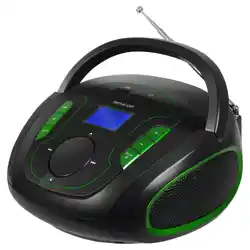
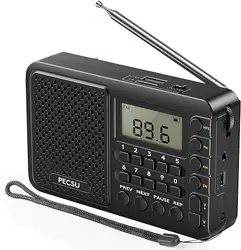
FAS2 Radio
www.pecsu.com
1. Product Specification
(1). Power supply: 1×3.7V 18650 lithium battery, or 3×1.5V AA dry battery
(2). Charging input: DC 5V 1000mA for rechargeable battery only.
(3). Frequency: FM: 70~108MHz, AM: 520~1720KHz, SW: 2.30~21.95MHz
(4). USB stick / Micro SD card playback format: MP3
(5). Speaker: 4Ω 3W
(6). Working environment: -10℃~40℃
(7). Product size: 122×76×31.8mm
2. Buttons Description
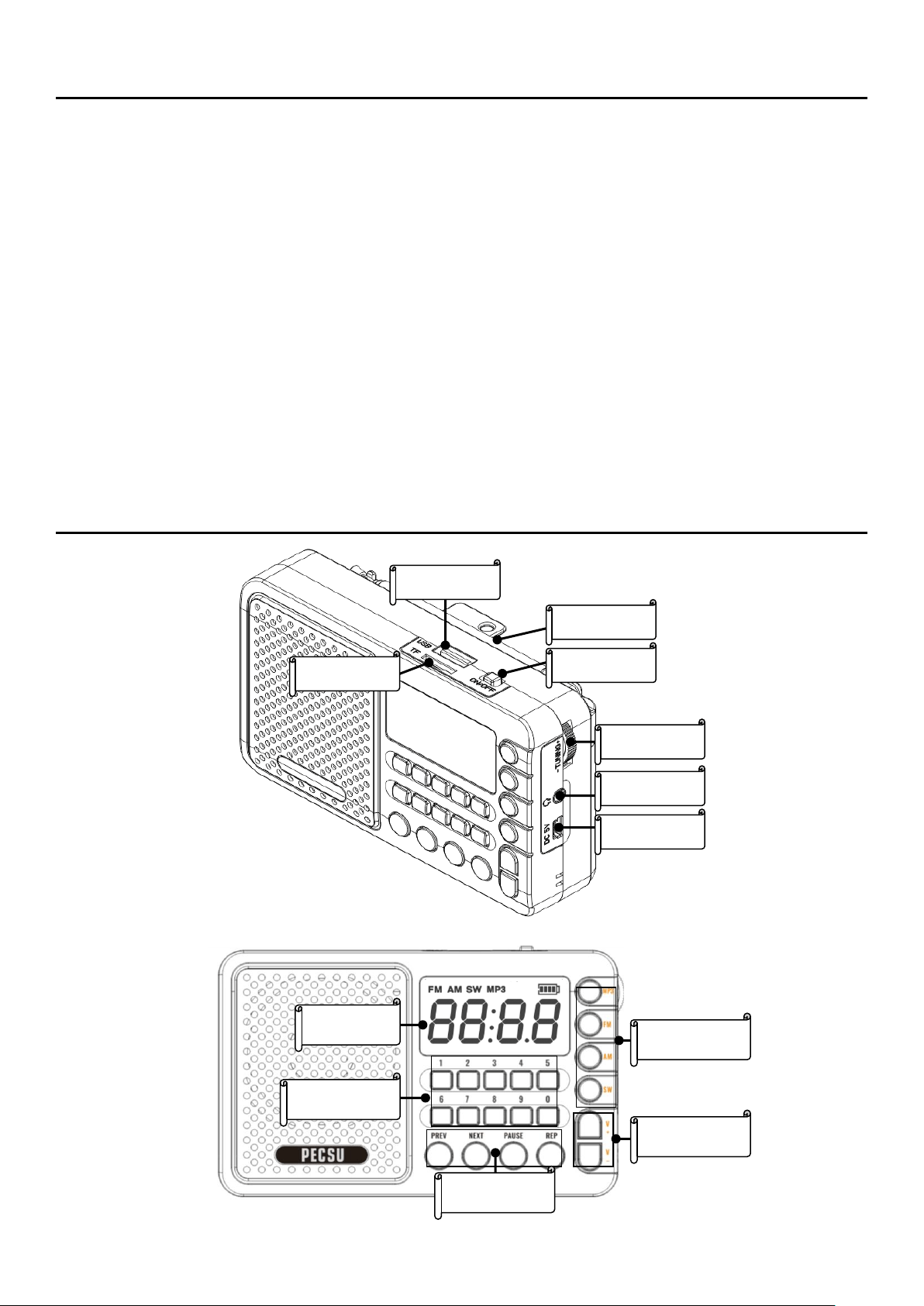
(1)USB SLOT
⑵TF SLOT
⑶ANTENNA
⑷ON/OFF
⑸TUNING
⑹EARPHONE
⑺DC IN:5V
⑻Number Button
⑽FUNCTION BUTTON
⑼LCD
⑾MODE BUTTON
⑿VOLUME

(1). USB slot: Used for inserting USB sticks/USB flash drive.
(2). Micro SD card slot: Used for inserting micro SD card.
(3). Antenna: Used for radio reception.
(4). Power switch: Turning to the ON/OFF to power ON/OFF.
(5). Tune knob: Manually adjust the radio frequency.
(6). Earphone port: For inserting 3.5mm dual channel earphones.
(7). Charging port: DC 5V 1000mA for rechargeable battery only.
(8). Number buttons: Press the 0-9 button, in MP3 mode, it can be used to select
particular songs, and in radio mode, it can be used to entry specific channels directly.
(9). LCD display: display the current content.
(10). Function buttons: used to select previous and next tracks or stations, pause, and
repeat MP3 playing.
(11). Mode button: switch between MP3 and radio modes.
(12). Volume button: adjust the volume of the speaker.
3. Radio Operating Instructions
(1). Radio modes:
Install the battery, power on the radio.
Short press MP3, FM, AM, SW to enter the corresponding modes. Please do NOT
forget to unfold the antenna for better receiption on radio modes.
(2). Search and select:
Short press the FM button to enter the FM mode, the LCD lights up the FM symbol,
and the frequency is displayed.

Deep press and hold the FM button for 2-3 seconds, the device will start scanning
and automatic channel searching. Once stable channels are successfully searched,
they will be defaultly named CH01,CH02,CH03...in order.
After the channel search is completed, the machine will stop at a certain frequency
and remain stationary, indicating that the FM band has been fully scanned and
searched.
Press [PREV] or [NEXT] to switch from CH01 to CH02...in order.
(3). Number Keys:
During radio broadcasting, a quick click function can be performed, for example, FM
is broadcasting CH09's 100.8MHz channel. Short press key number 2, and it will
immediately jump to CH02's 87.0MHz channel.
Short press the number keys to combine the radio channels for broadcasting. For
example, if the FM radio is broadcasting CH08 at a frequency of 100.0MHz, press the
9, 5, and 7 in order, and the device will immediately jump to the 95.7MHz channel.
AM and SW channels can also be operated according to the informations above.
(4). Manual tuning operation:
In any mode of broadcasting, the tuning knob can be manually used to adjust the
frequency of radio reception.
the manual adjustment accuracy of the FM can reach 0.1MHz, the accuracy of the SW
can reach 0.01MHz, and the accuracy of AM can reach 10KHz.
(5). Others:

If you listen to an AM radio station and the device does not operate for 8 seconds
while broadcasting, the device will active anti-interference mode, then, the display
screen will turn off automatically, but the machine is working normally.
In any mode, short press the pause button to pause. then, the speaker will mute.
Short press the pause button again to resume.
Short press the V+button or the V - button to control the sound volume. The volume
can be customized from U01 to U16, and the device’s default volume is U08. It is able
to remember volume setting, for example, if user set U4 level before power off, the
next time when turning on, it will be defaultly at U4 level.
4. MP3 Operating Instructions
(1). Enter MP3 mode:
Insert the USB stick or Micro SD card with MP3 format songs correctly, and the device
will automatically enter MP3 mode, ready for playback.
(2). MP3 playback operation:
When playing MP3, short press the previous button to play the previous track. Short
press the next button to play the next track.
Short press the pause button, and the playback will be paused and speaker sound
stop. Short press the pause button again to resume.
Short press the [REP](Repeat) button, and the LCD will display [ONE] subtitles,
indicating that it has actived single repeat mode. Short press the cycle button again, it
will display [ALL] subtitles, it means all songs will be played in order.
(3). Number keys for MP3:

Short press the number keys 0-9 to combine the number of song tracks. For example,
when playing, short press the 1, 8 buttons, it will directly skip to the 18th track.
(4). Shutdown memory function:
In MP3 mode, it will auto start from where it was after power off and power on again.
(MP3 playing above 3 seconds will active this function)
5. Batteries Instructions
(1). Battery instruction:
The device supports both a 3.7V 18650 lithium battery and three AA dry batteries.
When the sound decreases or rustles, it indicates that the battery capacity is low.
(2). Charging instruction for chargeable battery only:
When charging lithium batteries, input DC 5.0V 1000mA. When charging, the battery
icon on the upper right side of the LCD will light up in sequence, and when fully
charged, it will reach 4 battery bars.
Lithium batteries can be fully charged in approximately 4-6 hours. please be informed
that charging port can be used for 3.7V 18650 rechargable battery only.
For a long time no use, please charge it once a month to prevent the lithium battery
from being depleted and unable to charge any more.
Thanks for selecting Pecsu, for any unexpected issue, please visit or contact us via:
www.pecsu.com