Model: MD-601
Insert TF Card
There are two ways to turn on the player
There are two ways to turn off the player
Connect to the car radio/speaker
Connect to other 3.5mm audio devices
How to Set A-B Repetition
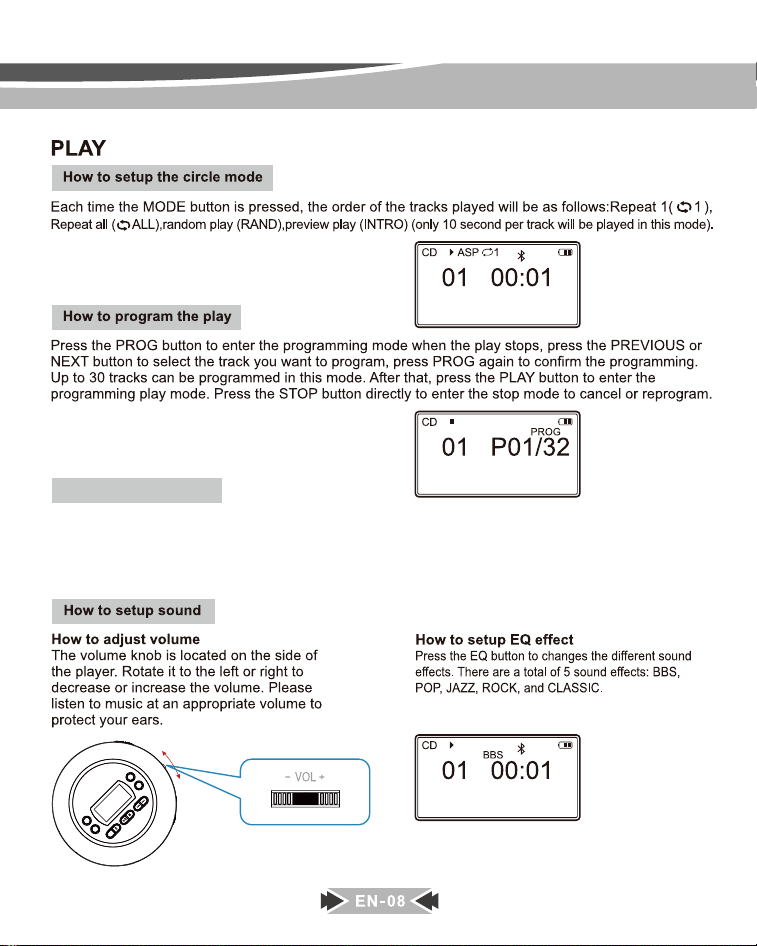
MODE
EQ
A-B
DIR
PROG
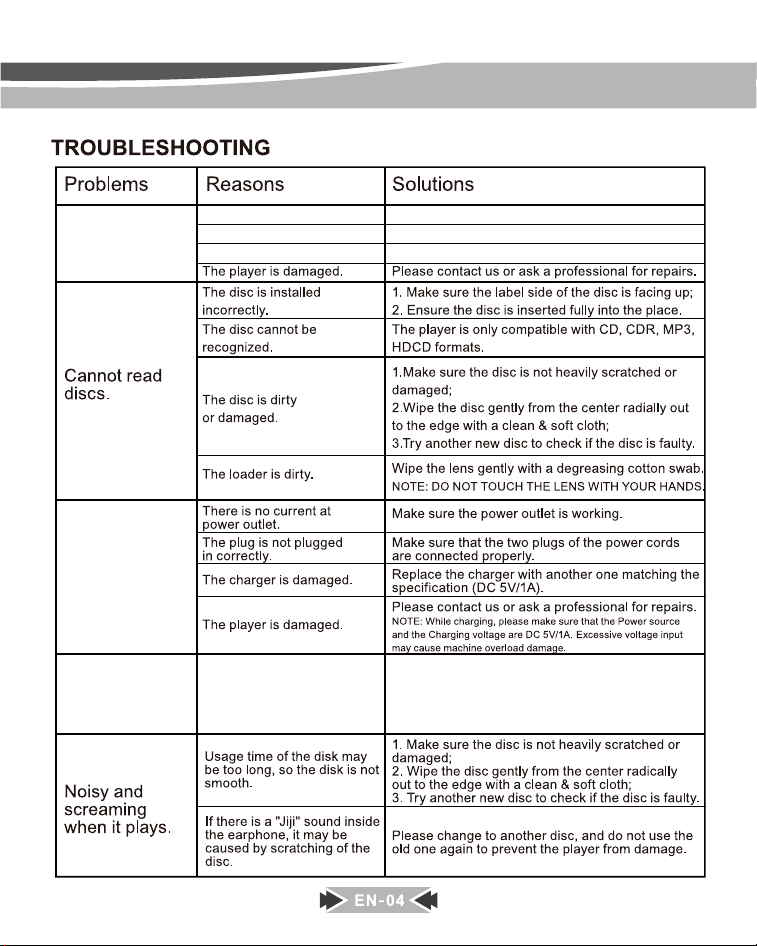
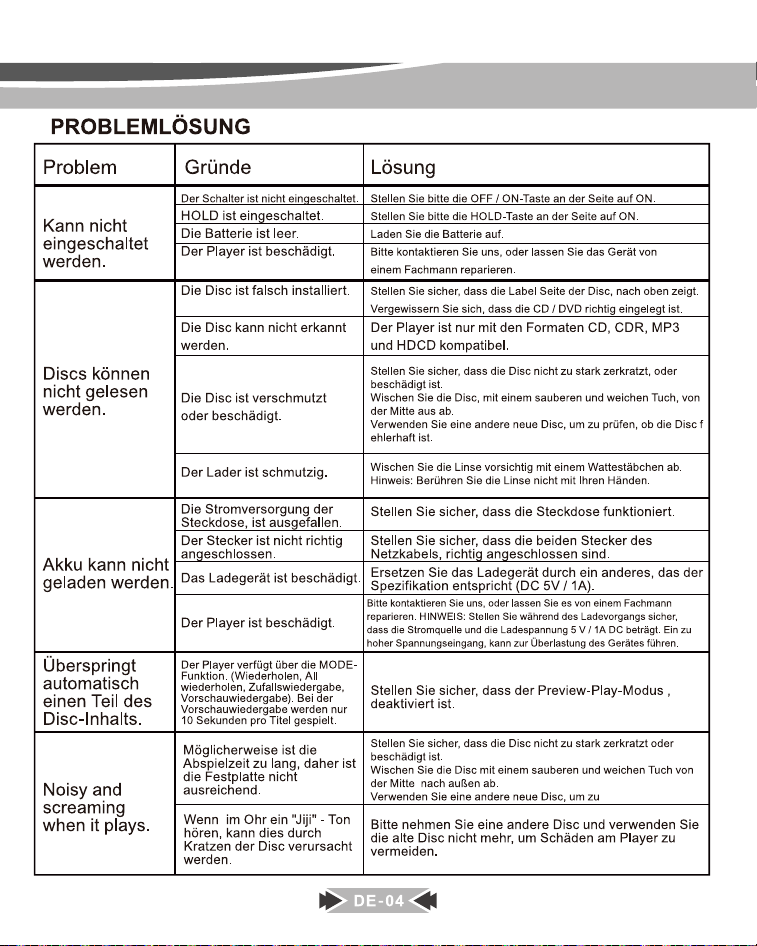
Can’t turn on
the cd player.
Can’t charge
the CD player.
Skip in the
middle of the
track.
Power switch is not in ON position.
Buttons are locked.
Please toggle the power switch to ON position.
Please make sure the HOLD button at the back of the player is in OFF position.
CD player is running out of power. Please charge the cd player.
Discs are scratched or
not smooth.
Please use a dry cloth to clean the disc, or try other
discs to see it works well.
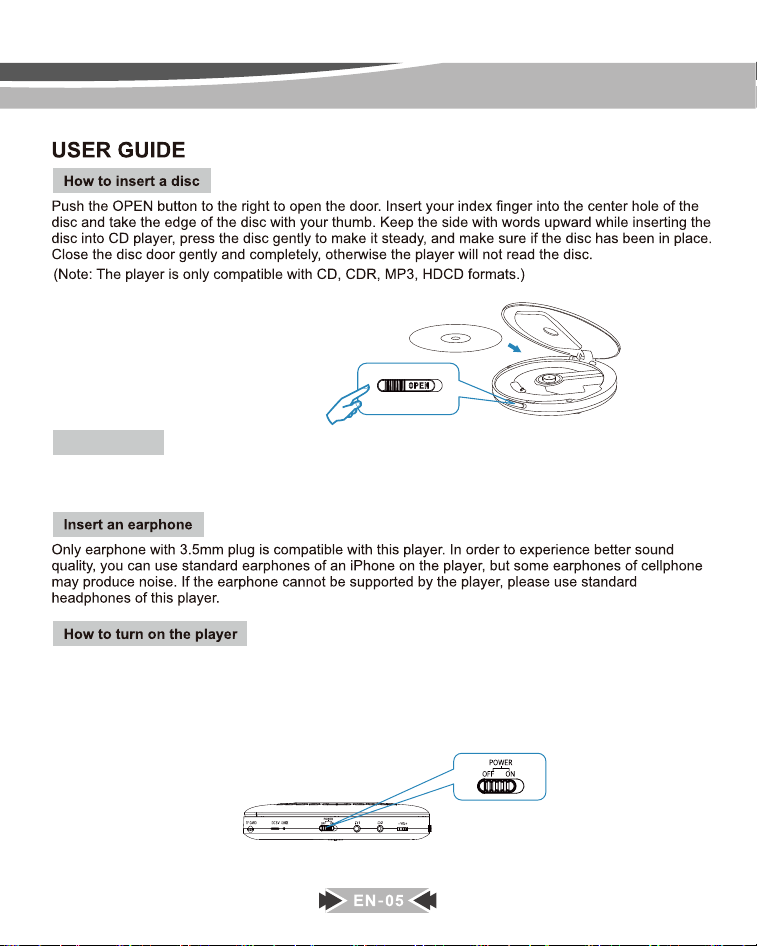
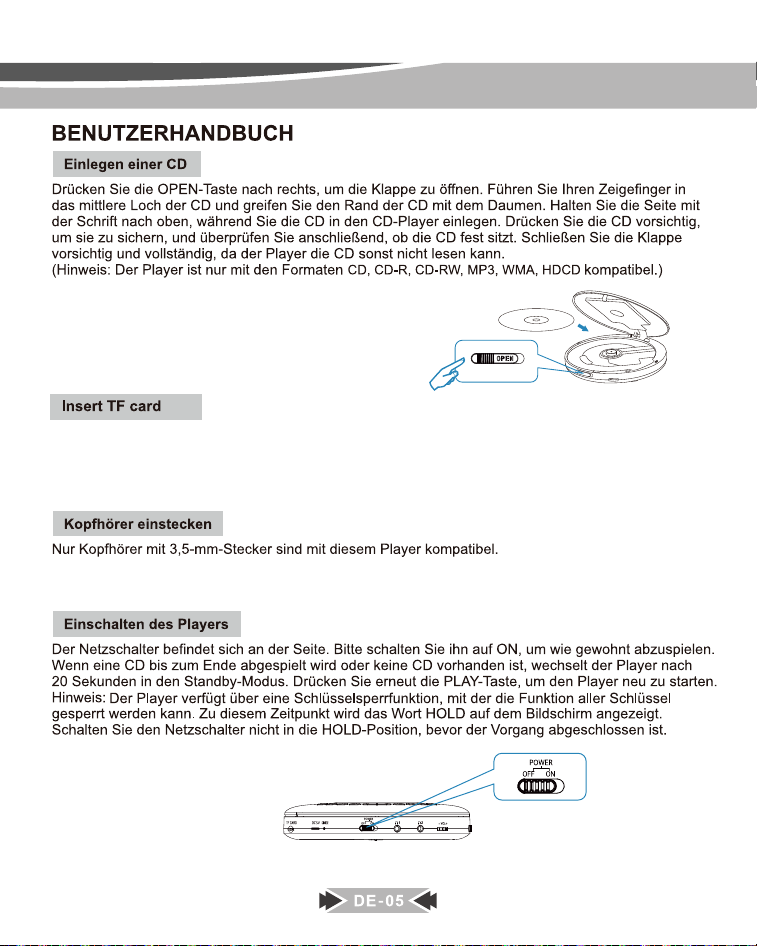
There are two ways to turn on the player:
1. The power switch is located on the side. Slide it to the ON position to turn on the player.
2. When the power switch is in the ON position, just press the PLAY button once to turn on the player.
NOTE: When a disc is played to the end and there is no activity within 20 seconds, the player will turned off
automatically. Please press the PLAY button to restart the player.
After plugging in a TF card into the cd player, Long-press the MODE button to enter into TF card playback mode.
NOTE: The TF card supports up to 32GB. Over 32GB cannot work with it.
Insert TF card
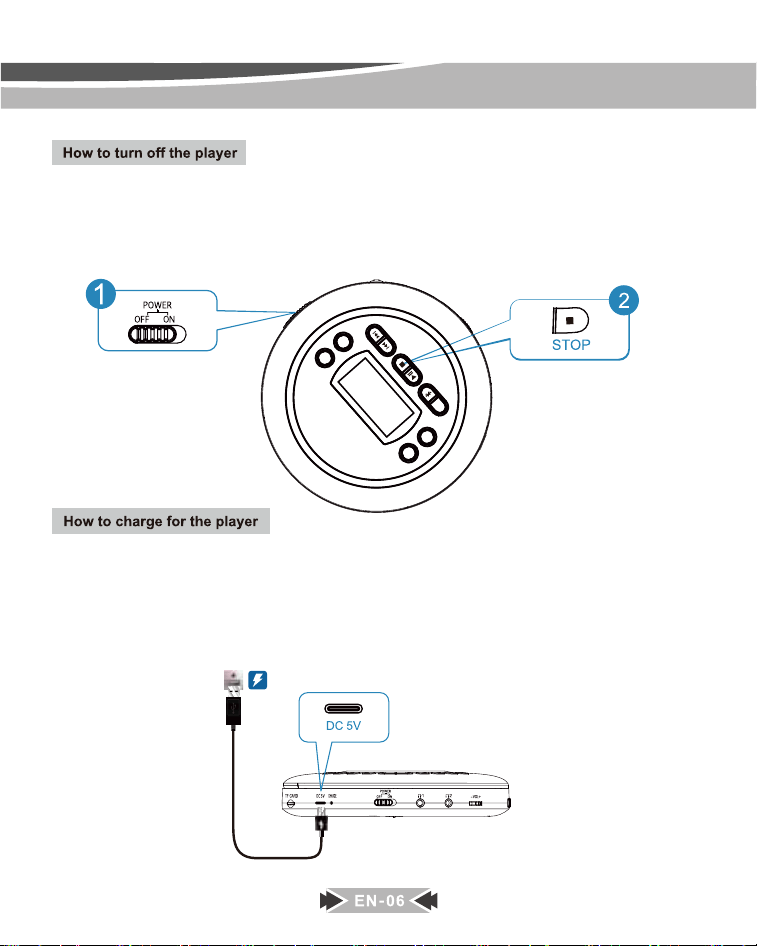
There are two ways to turn off the player:
1. Press the STOP button twice to turn off the player.
2. Slide the power switch to the OFF position to turn off the player.
NOTE: Please toggle the power switch to the OFF position if the player is not used for a long time.
How to Charge: This player only comes with a TYPE C charging cable. Please use a power
adapter to connect with the charging cable to charge the player. Any 5V, 1A USB power adapter
will compatible with it.
NOTE: When the battery sign is flashing on the screen, it means that you need to charge the player.
Charging Time: It will need about 3-4 hours for a full charge. When it is charging, the LED i
ndicator near the charging port will light up in RED; when it’s fully charged, the indicator will
turn to GREEN.
MODE
EQ
A-B
DIR
PROG
Connect to the car radio/speaker
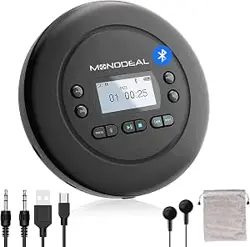
You can use this cd player in the car via the car's radio/speaker, using the included 3.5mm male-to-male cable
to connect your car’s 3.5mm AUX port with cd player’s headphones jack.
NOTE: The player ONLY works with the 3.5mm AUX port. (A USB port is NOT supportable).
Connect to other 3.5mm audio devices
You can use this cd player to connect any other audio devices that also have a 3.5mm audio jack, such as
speakers, home theater, headphones amplifiers, etc.
MODE
EQ
A-B
DIR
PROG
MODE
EQ
A-B
DIR
PROG
MODE
EQ
A-B
DIR
PROG
MODE
EQ
A-B
DIR
PROG
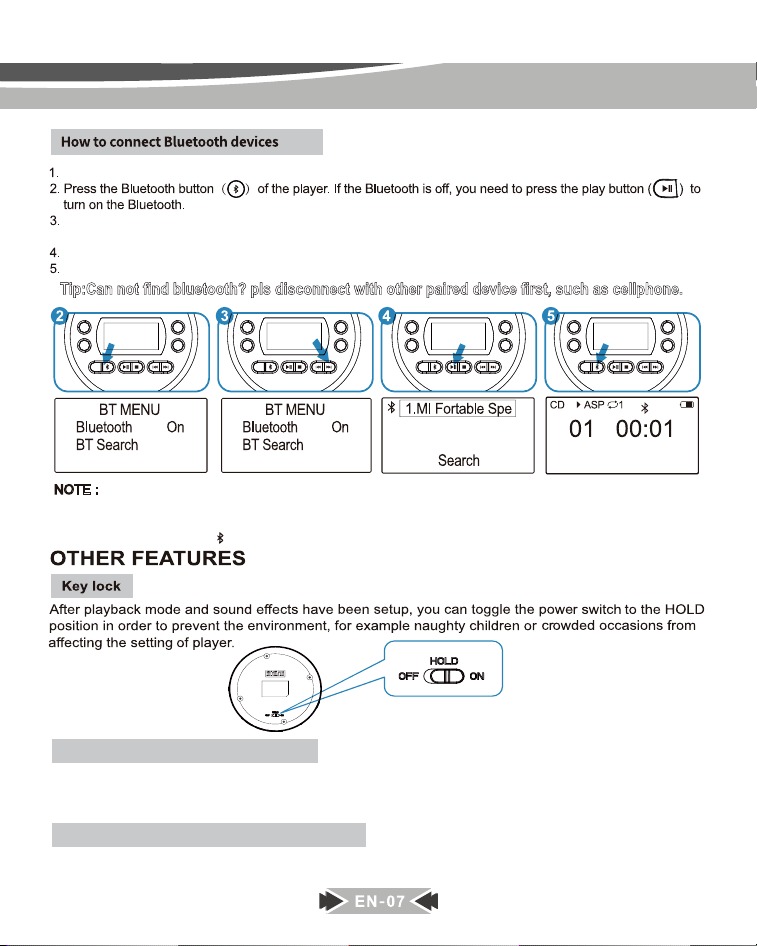
Turn on your Bluetooth headphone/speaker and make sure that the Bluetooth is turned on.
Select “ BT Search ” option, then press the PLAY button, the cd player will start searching nearby Bluetooth
devices.
Press the PLAY button to select the name of your device that needs to connect to.
After paired successfully, press the BLUETOOTH button to return to the play interface.
Tip:Can not find bluetooth? pls disconnect with other paired device first, such as cellphone.
PIN Total 4
PIN Total 4
NOTE :
1.When you connect it to your car speaker, if your car bluetooth speaker display PIN Code or password 4 zero
(0000) or 6 zero(000000), please change the [PIN Total] on the CD player to 4 or 6 accodingly.
2.You can press and hold [ ]button for 2-3 seconds to make bluetooth ON/OFF easily.
MODE
EQ
A-B
DIR
PROG
How to Set A-B Repetition
If you just want to repeat the specific part of a track, when the player is played that part, please press the A-B
button one time, the display show “A ON”, then when it plays to the end of that part, press the A-B button once
again, the display show “Ab ON” .After that, the player will only repeat that specific part.
NOTE: If you want to stop repeating that part, just press the A-B button once again, the display show “Ab OFF”,
it will play in an order.
Model: MD-601
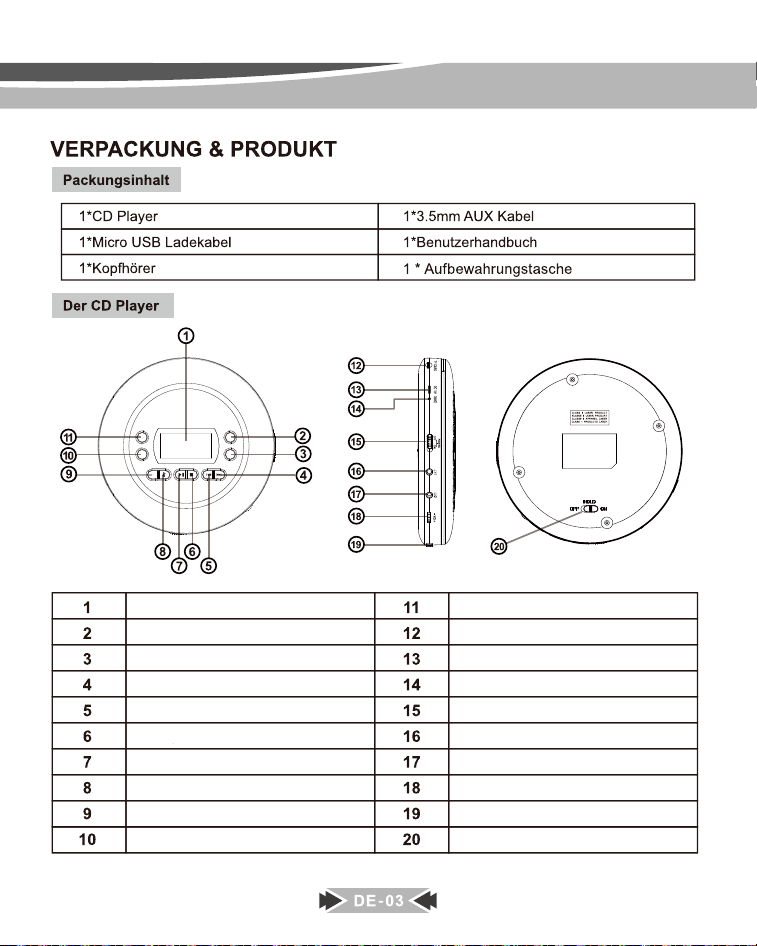
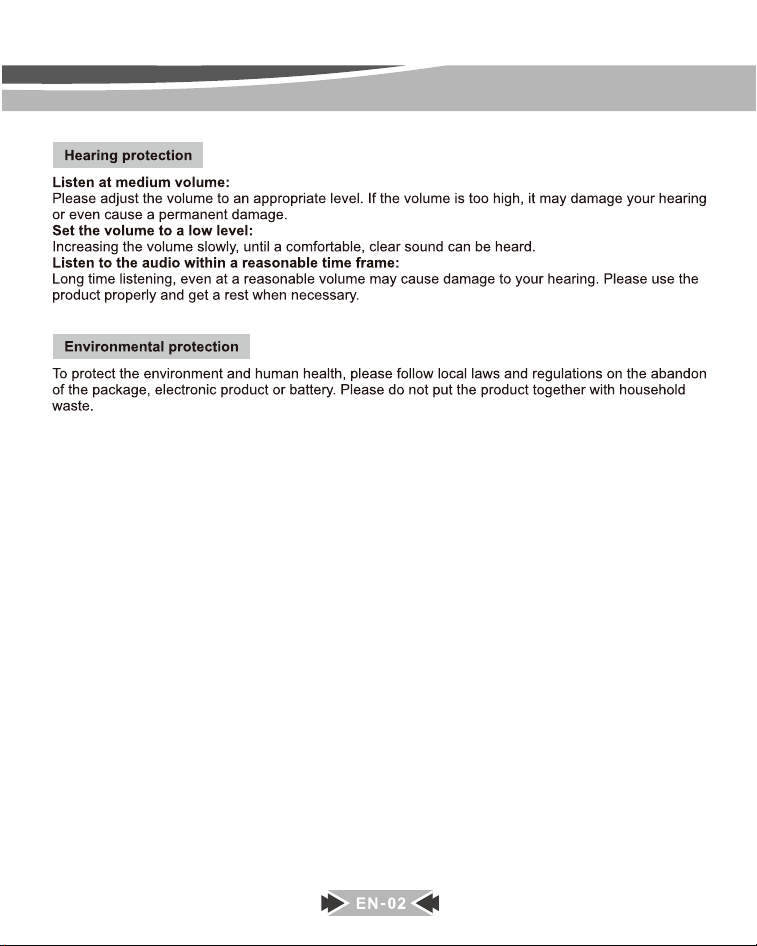
Anzeigebildschirm
PROG
A-B Wiederholen
DIR
Bluetooth
Abspielen / Pause
Stoppen
EQ / Equalizer
Weiter / Schneller Vorlauf
MODUS
Zurück / Zurückspulen
TF-KARTE
DC Eingang 5V
Lade-LED
Einschalten / Ausschalten
Kopfhöreranschluss 1
Kopfhöreranschluss 2
Tastensperre
Lautstärke Konb
OFFEN
MODE
EQ
A-B
DIR
PROG
(Hinweis:Nur "Kopfhöreranschluss 1" unterstützt die Headset-Steuerung)
Nachdem Sie eine TF-Karte in den CD-Player eingesteckt haben, drücken Sie die
MODE-Taste lange, um in den TF-Karten-Wiedergabemodus zu gelangen. HINWEIS:
Die TF-Karte unterstützt bis zu 32 GB. Über 32 GB können nicht damit arbeiten.
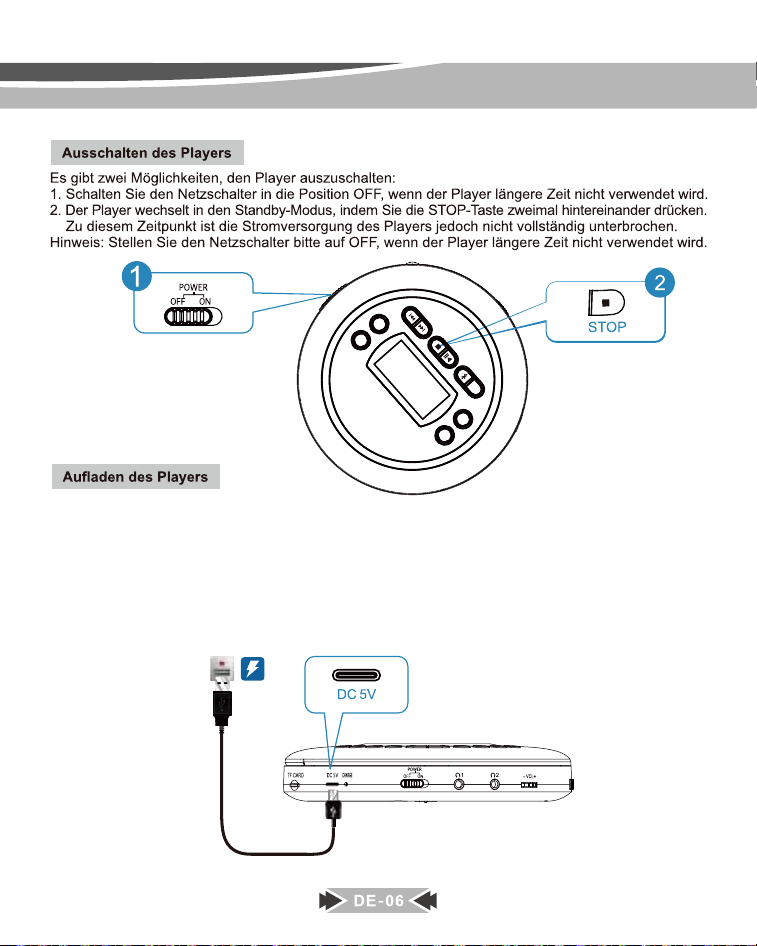
Aufladen: Dieser Player wird nur mit einem TYP-C-Ladekabel geliefert. Bitte verwenden Sie ein Ne
tzteil, um den Player mit dem Ladekabel zu verbinden. Jedes 5V, 1A USB-Netzteil ist damit kompa
tibel.HINWEIS: Wenn das Batteriesymbol auf dem Bildschirm blinkt, müssen Sie den Player auflad
en.Ladezeit: Für eine vollständige Aufladung werden etwa 3-4 Stunden benötigt. Während des Lad
evorgangs leuchtet die LED-Anzeige in der Nähe des Ladeanschlusses ROT; Wenn es vollständig
aufgeladen ist, wechselt die Anzeige auf GRÜN.
MODE
EQ
A-B
DIR
PROG
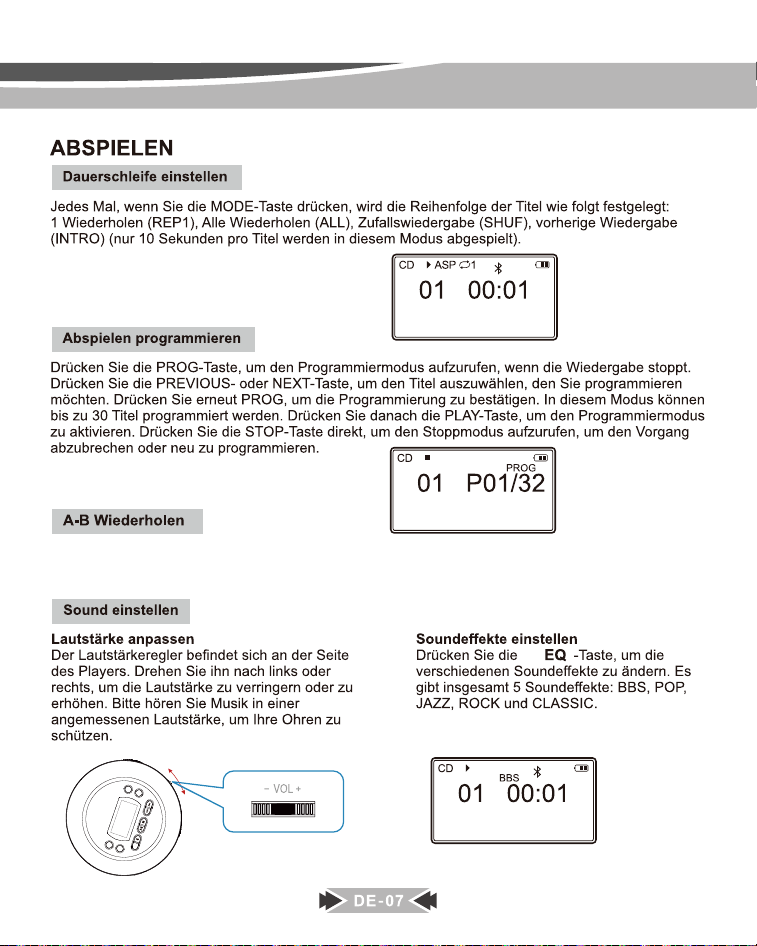
Wenn Sie nur einen bestimmten Teil eines Titels wiederholen möchten, wenn der Player diesen Teil abspielt, drücken Sie bitte
einmal die AB-Taste, das Display zeigt "A ON" an AB-Taste noch einmal, das Display zeigt "Ab ON". Danach wiederholt der
Spieler nur diesen bestimmten Teil.HINWEIS: Wenn Sie die Wiederholung dieses Teils beenden möchten, drücken Sie einfach
erneut die A-B-Taste, das Display zeigt "Ab OFF" an, es wird in einer Reihenfolge abgespielt.
MODE
EQ
A-B
DIR
PROG
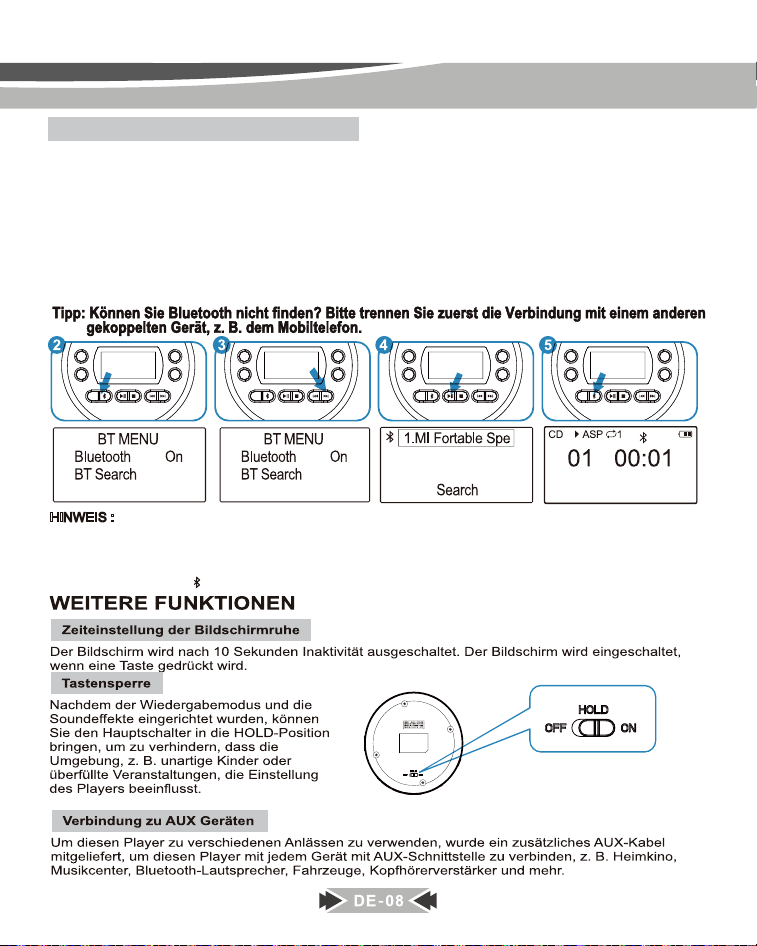
Wie verbinde ich Bluetooth-Geräte?
1. Schalten Sie Ihren Bluetooth-Kopfhörer/-Lautsprecher ein und stellen Sie sicher, dass Bluetooth eingeschaltet ist.
2. Drücken Sie die Bluetooth-Taste des Players. Wenn Bluetooth ausgeschaltet ist, müssen Sie die Wiedergabetaste
drücken, um Bluetooth einzuschalten.
3. Wählen Sie die Option "BT Search" und drücken Sie dann die Wiedergabetaste. Der CD-Player beginnt mit der
Suche nach Bluetooth-Geräten in der Nähe.
4. Drücken Sie die Wiedergabetaste, um den Namen Ihres Geräts auszuwählen, mit dem eine Verbindung hergestellt
werden soll.
5. Drücken Sie nach erfolgreicher Kopplung die Bluetooth-Taste, um zur Wiedergabeoberfläche zurückzukehren.
MODE
EQ
A-B
DIR
PROG
MODE
EQ
A-B
DIR
PROG
MODE
EQ
A-B
DIR
PROG
MODE
EQ
A-B
DIR
PROG
PIN Total 4
PIN Total 4
HINWEIS :
1. Wenn Sie es mit Ihrem Autolautsprecher verbinden und Ihr Auto-Bluetooth-Lautsprecher einen PIN-Code oder
ein Passwort 4 Null (0000) oder 6 Null (000000) anzeigt, ändern Sie bitte die [PIN Total] auf dem CD-Player
entsprechend auf 4 oder 6.
2.Sie können die Taste[ ] 2-3 Sekunden lang gedrückt halten, um Bluetooth einfach ein- und auszuschalten.