如需要其他形式(如电子版本)的用户手册,请联络东芝服务中心。
3YMGC19610_CS_EN_25/10/18
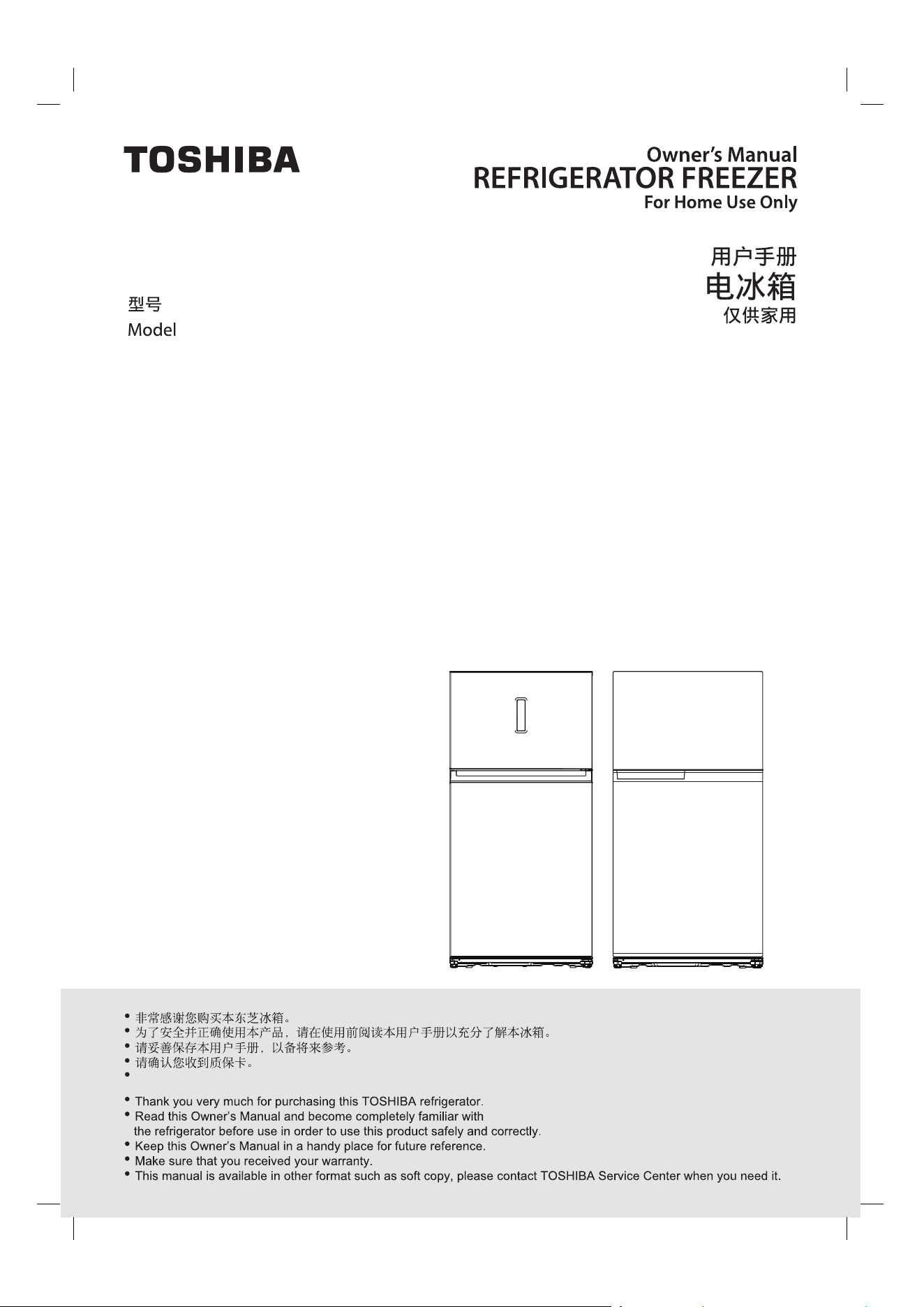
GR-RT835WE-PGY
GR-RT835WE-PMY
GR-RT735WE-PGY
GR-RT835WE-PGX
GR-RT835WE-PMX
GR-RT735WE-PGX
GR-RT735WE-PMX
3YMGC19610_CS_EN_25/10/18
/
3YMGC19610_CS_EN_25/10/18
Lorem ipsum
3YMGC19610_CS_EN_25/10/18
3YMGC19610_CS_EN_25/10/18
。
7.5
7.5
7.5
3
7.5
3
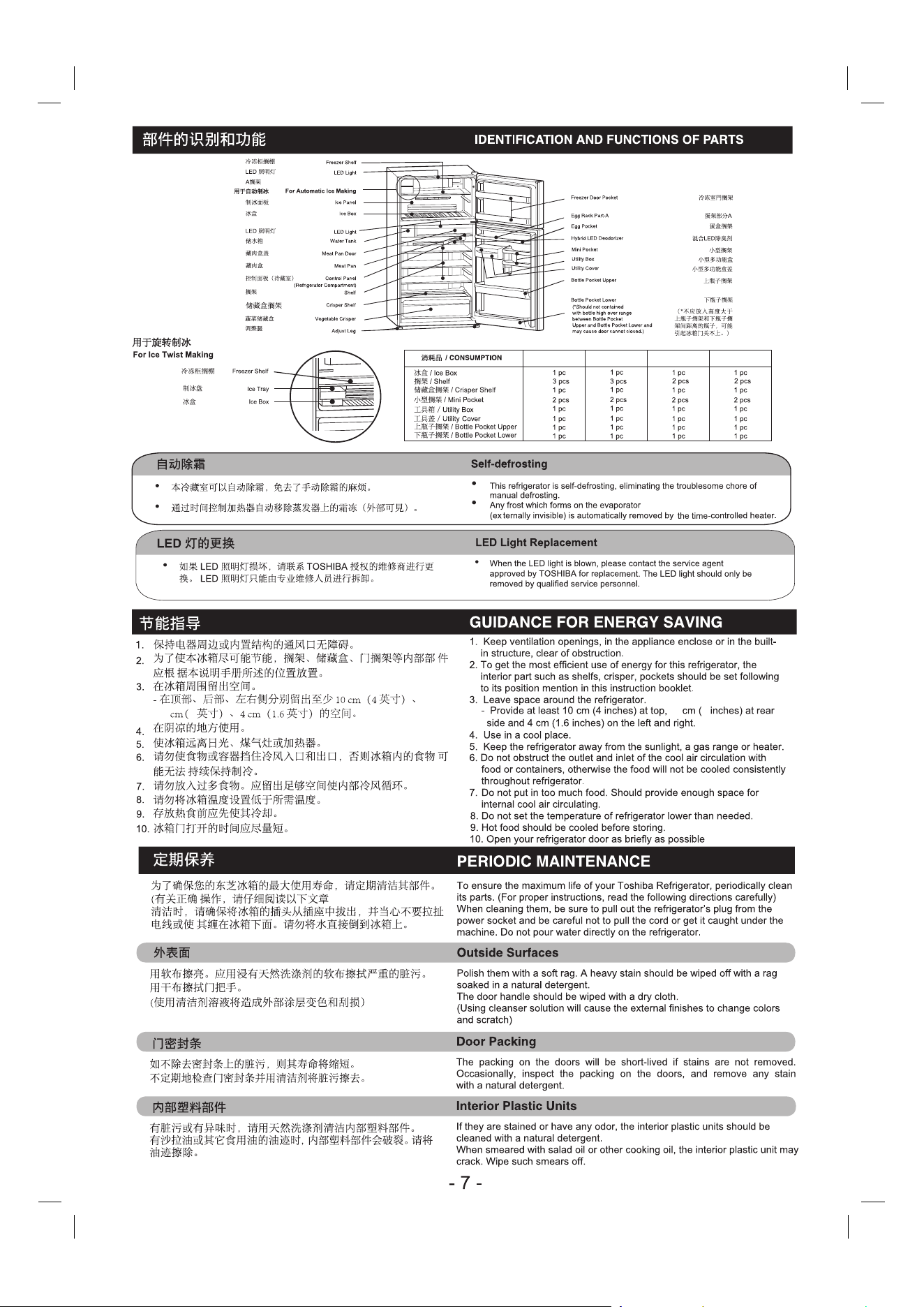
GR-RT835WE-PGY GR-RT835WE-PMY GR-RT735WE-PGY GR-RT735WE-PGY
)
7.5 3
7.5 3
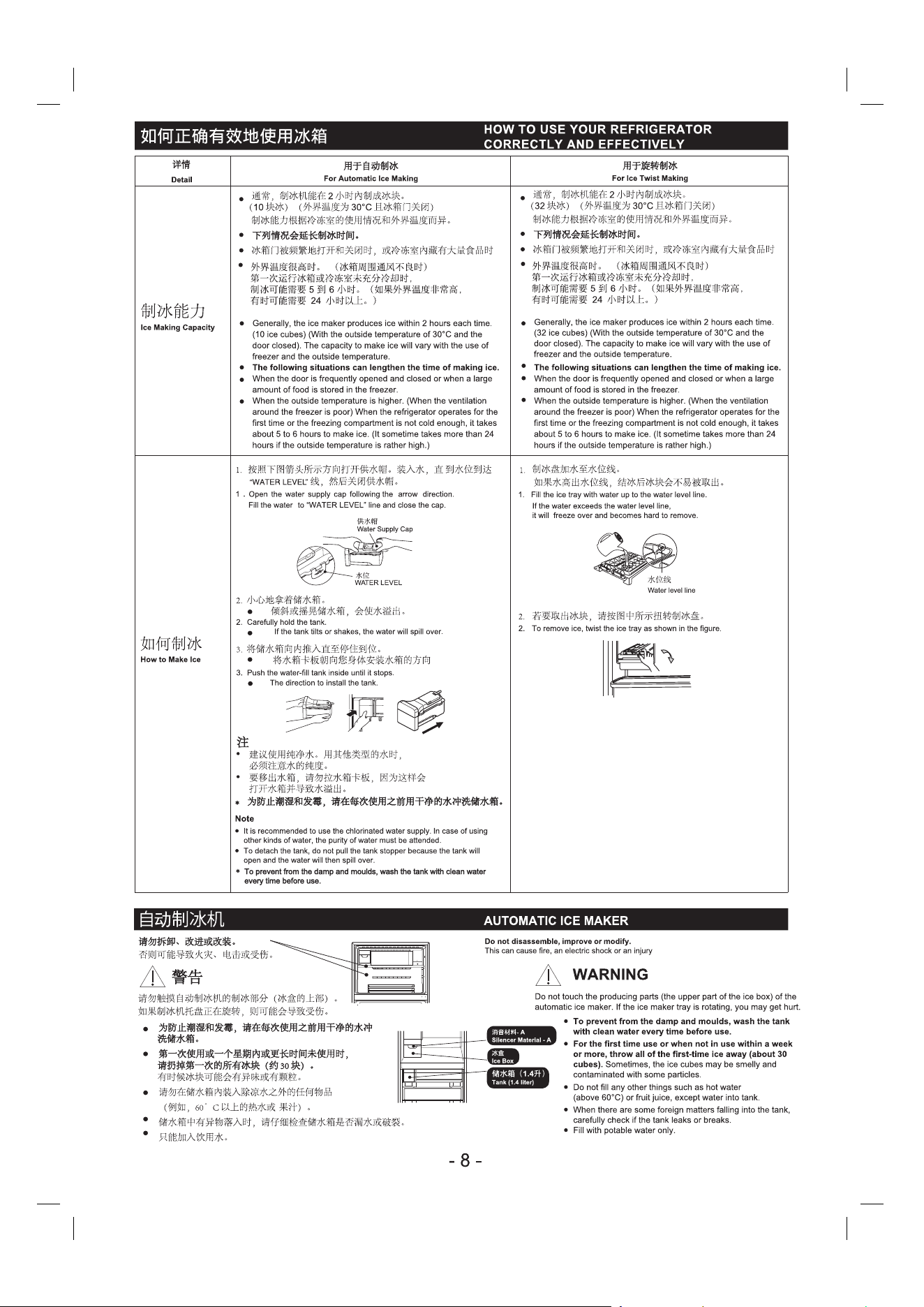
。
用时,
3YMGC19610_CS_EN_25/10/18
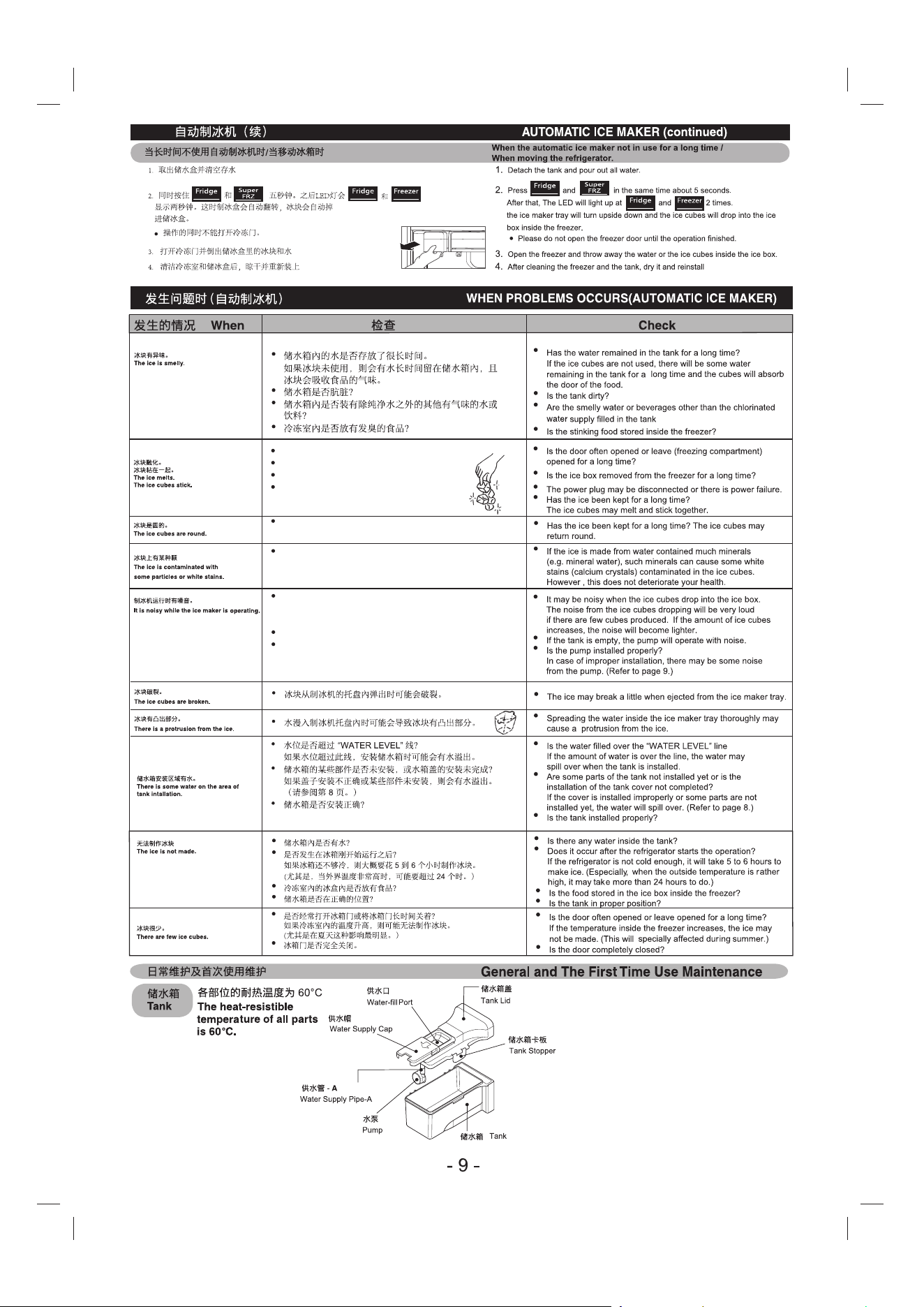
是否经常打开冰箱门或将冷冻室门长时间开着?
冰盒从冷冻室內取出的时间是否过长?
电源插头可能被拔下或发生断电。
冰块是否存放了很长时间?
冰块可能融化并粘在一起。
冰块是否存放了很长时间?
冰块可能会变圆。
如果是用含有许多矿物质的水(例如矿泉水)制作的冰块,
这些矿物质会导致冰块內有白色的污点(钙晶体)。
但是这并不会损害您的健康。
冰块掉入冰盒內可能会有噪音。
如果制作的冰块不多,则冰块掉落的声音会很响。随着冰块
数量的增多,噪音会逐渐变轻。
如果储水箱是空的,水泵运行时会有噪音。
水泵安装是否正确?
如果安装不正确,则水泵可能会发出噪音。
(请参阅第 9 頁。)
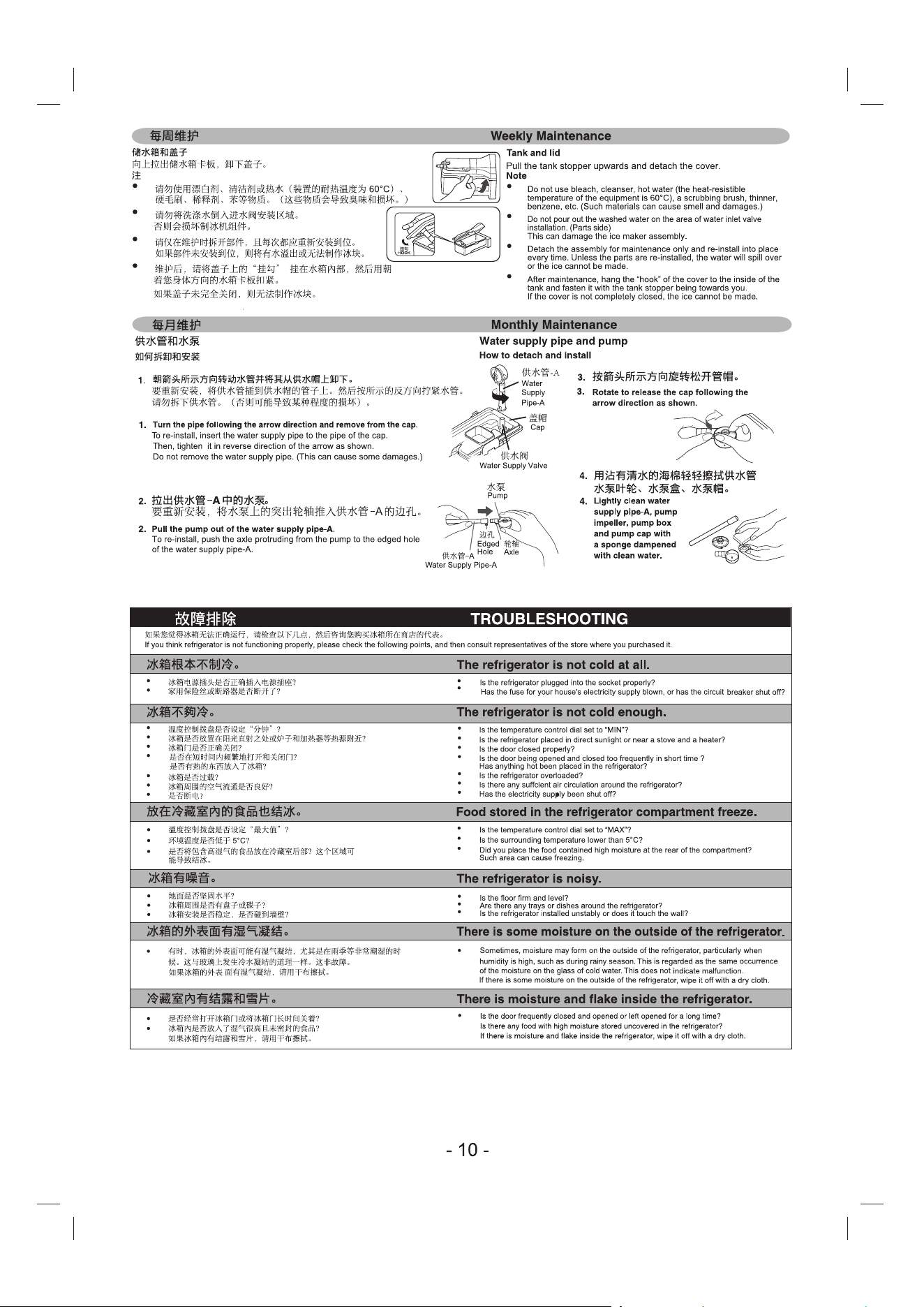
-A 、
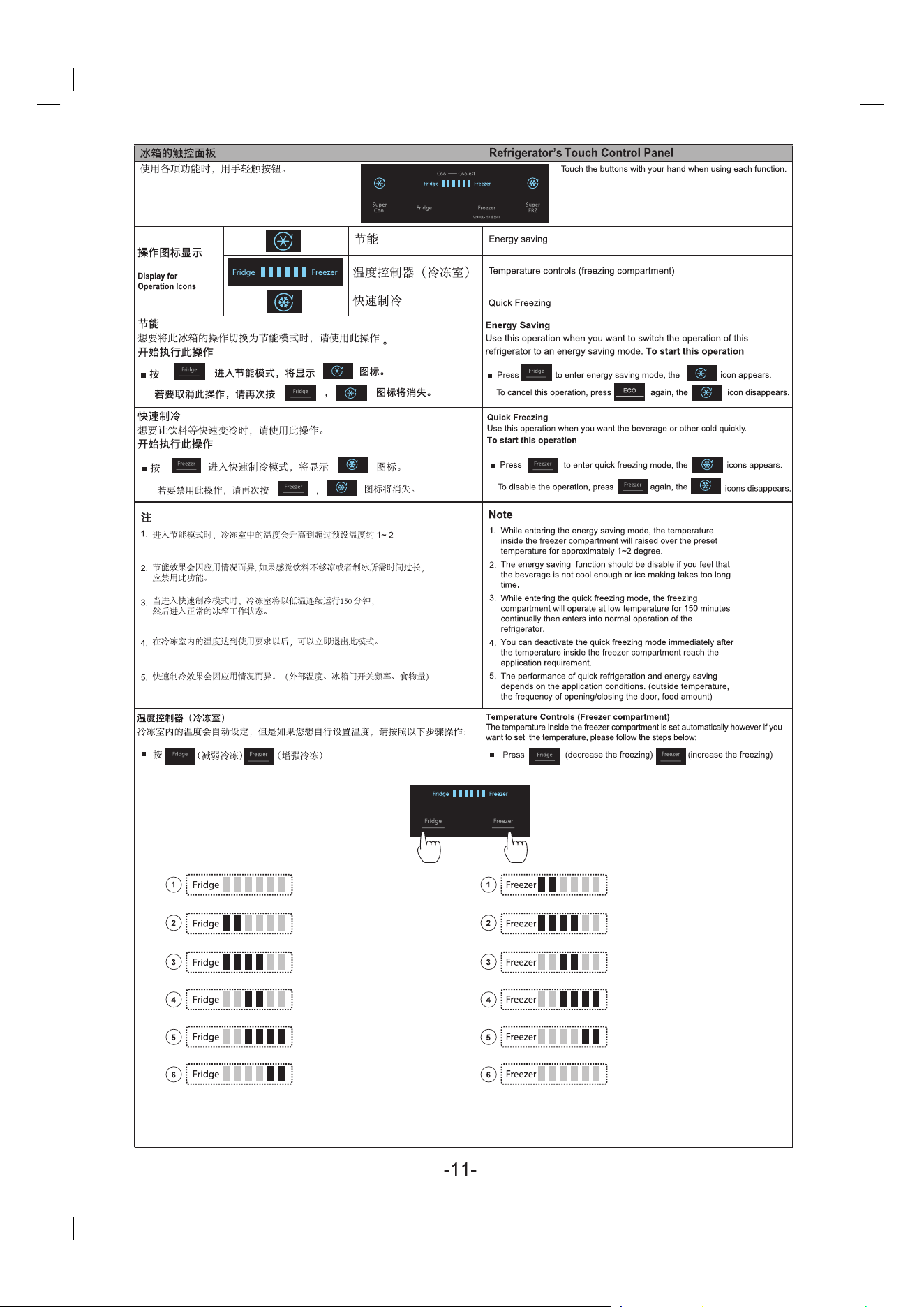
度。
“1” position refrigerator compartment
temperature will raised more than “3”
position for 3-4 C
“3” position refrigerator compartment
temperature is about 5-6 C
“6” position refrigerator compartment
temperature will decreased below “3”
position for 2-3 C
“1” position freezer compartment
temperature will raised more than “3”
position for 3-4 C
“3” position freezer compartment
temperature is about -19 - -20 C
“6” position freezer compartment
temperature will decreased below “3”
position for 2-3 C
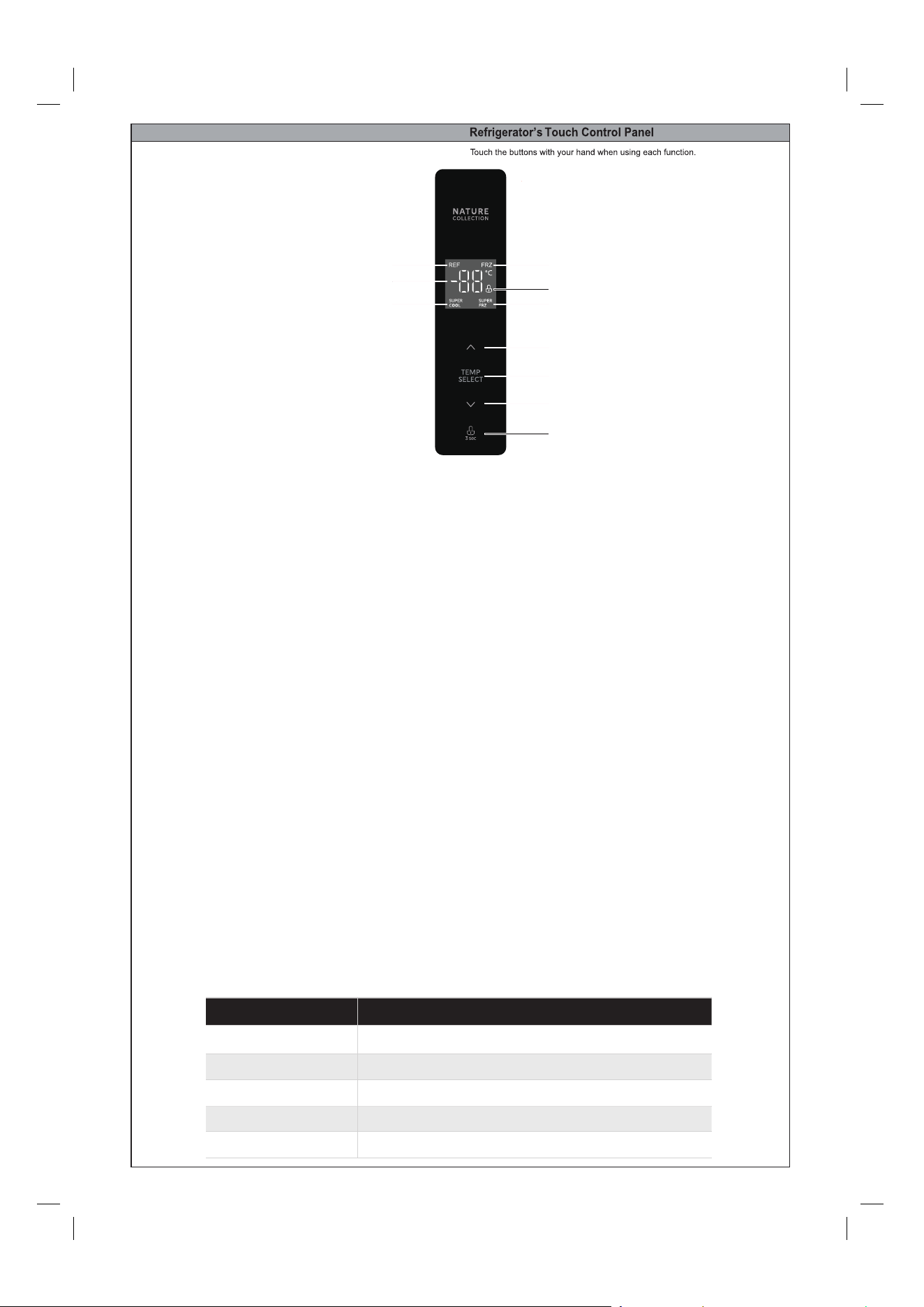
YMKJ-A
Display screen
LED1
: Refrigerating Icon
: Freezing Icon
LED2
:
LED3
: Lock / Unlock
LED4
: Temperature Display Area
LED5
: Super Cooling
LED6
: Super Freeze
A : Temperature up
B: Temperature zone selection
C: Temperature down
D: lock / unlock
Display
Button
Temperature setting of refrigerating chamber
Temperature setting of freezing chamber
Temperature setting range of cold storage room: 2 ℃~ 8 ℃,
①
④
⑤ ⑥
A
B
C
D
③
②
•
•
When selecting the cold storage room, press the up temperature button (A) to adjust the temperature upward.
Each time you press the button, the temperature will be increased by 1 degree.
Press down the A. temperature button (C) to djust the temperature downward. a Press once, the temperature
will be reduced by 1 degree.
Temperature setting range of freezing room: - 16 ℃ ~ - 24 ℃,
When the freezing chamber is selected, press the up temperature button to adjust the temperature upward.
Each time, the temperature is increased by 1 degree. ress the down temperature button to adjust the t
emperature downward. Each time you press the button, the temperature will be lowered by 1 degree
Fault indication
• The following warnings appearing on the display indicate corresponding faults of the refrigerator.
Though the refrigerator may still have refrigerator a freezing unction with the following faults,
user shall contact maintenance specialist for maintenance, so as to ensure normal use of the refrigerator.
Fault Code Fault Description
Refrigerator temperature sensor faultE1
E2
E5
Freezer temperature sensor fault
Defrost sensor fault
E6
E7
Communication fault
Ambient temperature sensor fault
Mode setting
•
Quick cooling:
After the refrigeration temperature is adjusted downward to 2 degrees, press the temperature adjustment
button again to enter the quick cooling mode, and the quick cooling icon lights up. Press the temperature
adjustment button to exit.
•
Quick freeze:
After adjusting the freezing temperature downward to -24 degrees, press the temperature adjustment
button again to enter the quick freezing mode, and the quick freezing icon will light up. Press the
temperature adjustment button to exit.
Locking /unlocking
In the non locking state, press and hold the lock button (D) for 3 seconds to enter the locking state, and the
lock buzzer sounds.
In the locking state, press and hold the lock button (D) for 3 seconds to enter the non locking state, and the
unlocking buzzer sounds.
After 30 seconds of no button operation, it will enter the locking state automatically.



