High quality, one of a kind. It’s not just a
remote control—it’s a statement of a whole
new lifestyle of luxury.
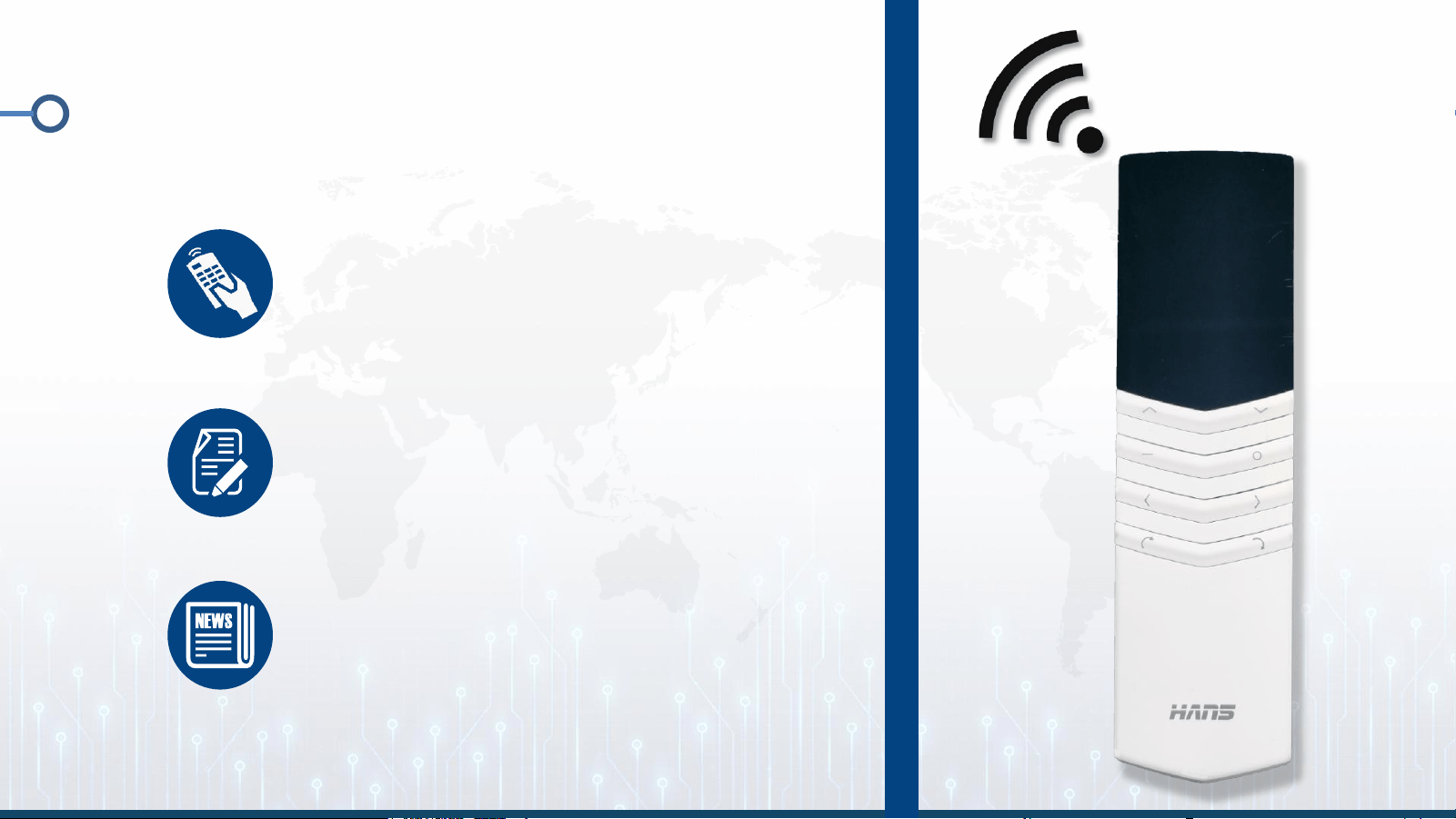
HANS's all-new generation T-series remote
control has been upgraded once again, with a
signal range of 30 – 40 meters. Signal
transmission and reception for all control
buttons are now more stable, and the
response is more sensitive.
A combination of 1 T-shaped remote control
and 1 or more light-powered receivers allows a
single remote control to operate multiple sets
of blind systems.
1. Introduction to the T-shaped Remote
Control
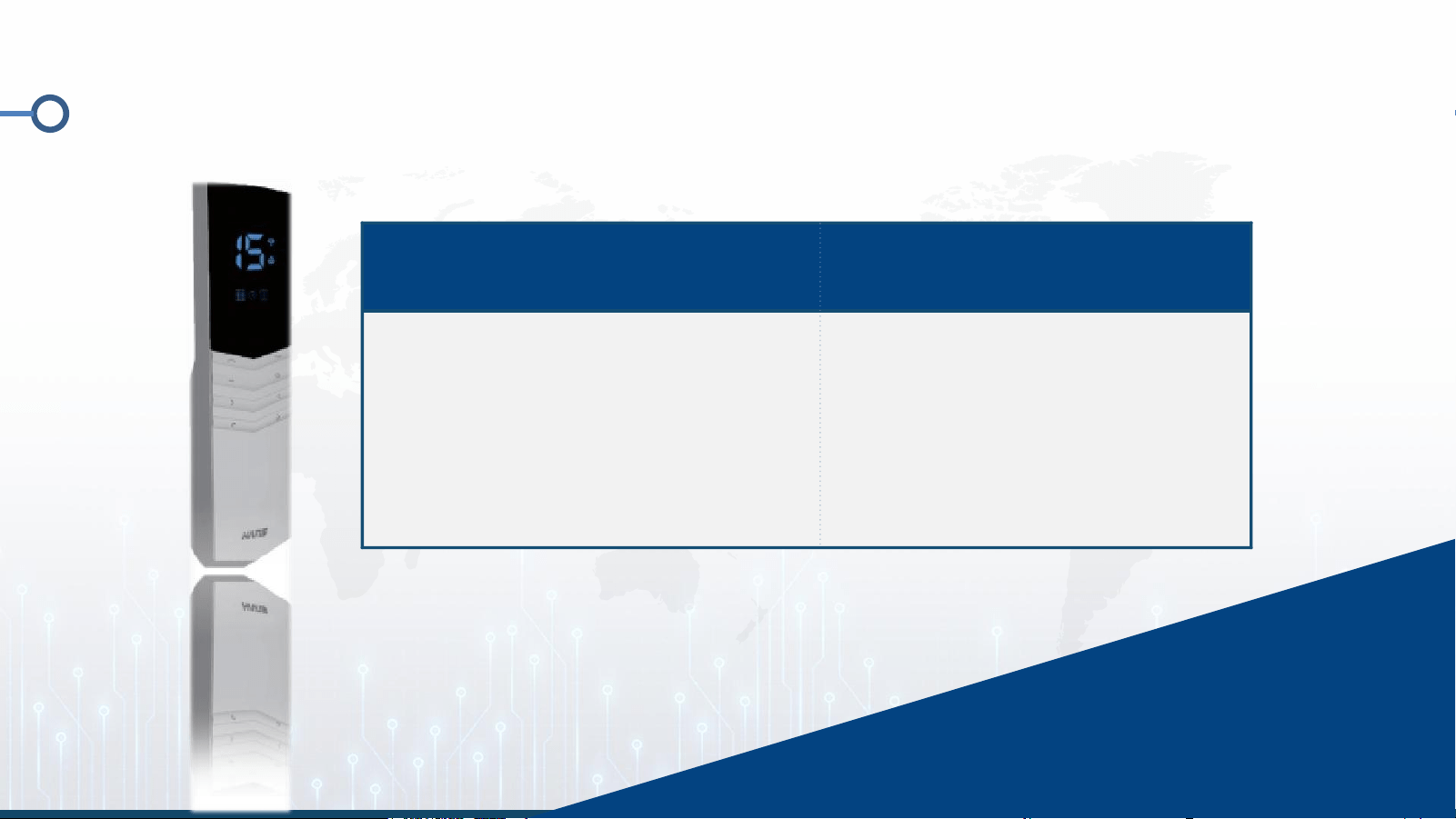
1.1 Overview of the T-Type Remote Control
Features
Technical Specifications
■LCD Display
■Venetian Blind Mode
■Multiple Channel Options
■Input voltage: 3V
■Transmission frequency:
433.92 MHz ± 100 kHz
■Transmission power: 10 mW
■Operating temperature: -10°C
to 50°C
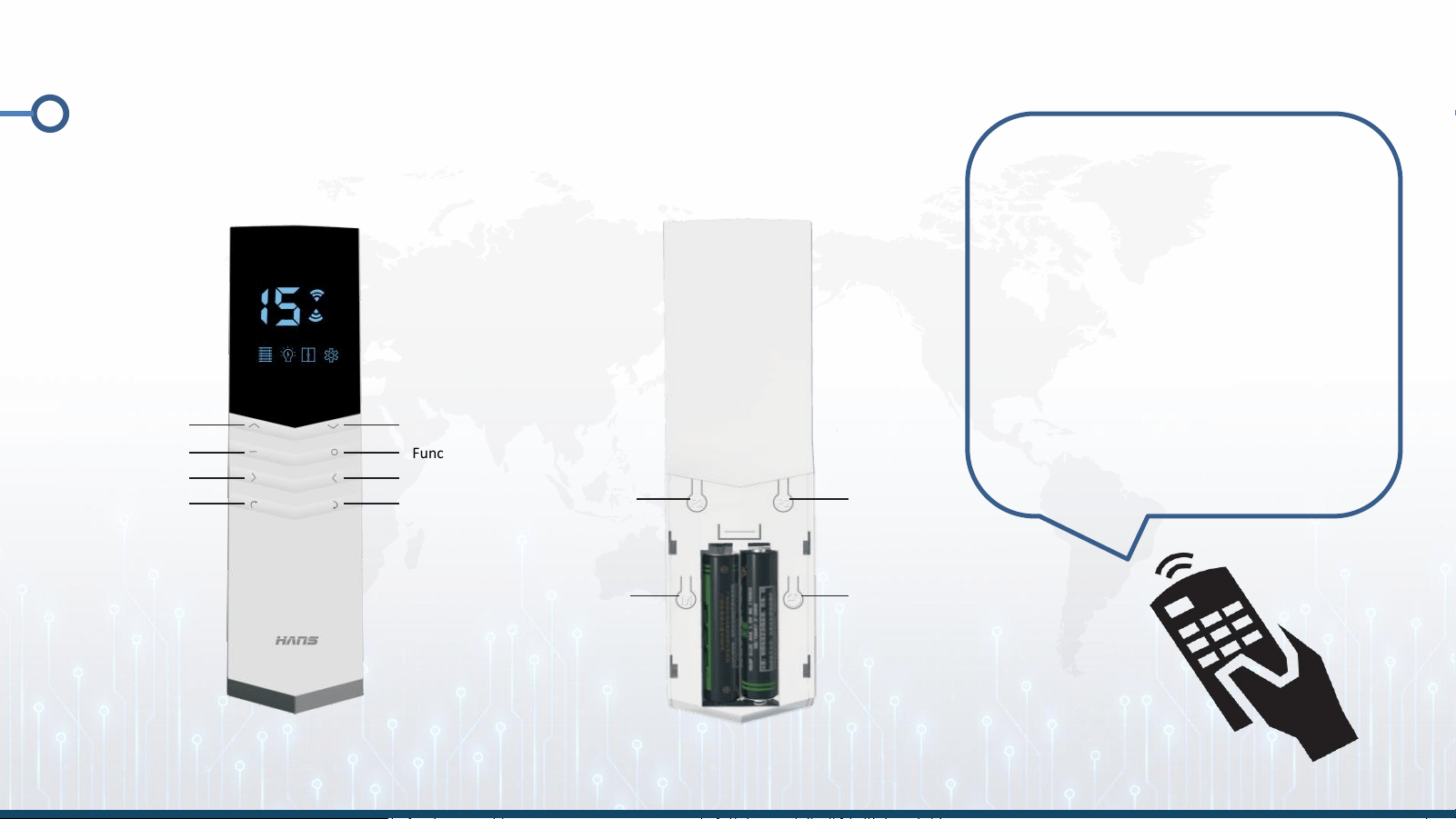
1.2 Features of the T-Type Remote Control
P2 Pairing
Settings
M Button
P2 Pairing
Settings
Clock button
Function keys
Next page
Decrease
Channel
Channel
Previous Page
Up
Stop
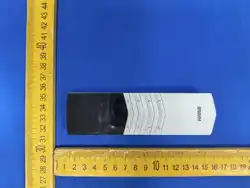
Remote Control Instructions:
● Front: As shown in the
illustration ● Back: There is a
hole on the back of P2 (for
the handheld pairing button)
● Instructions: Press the
setup button on the receiver,
then press the handheld
pairing button to complete
pairing. (For details, see
pages 9–10)
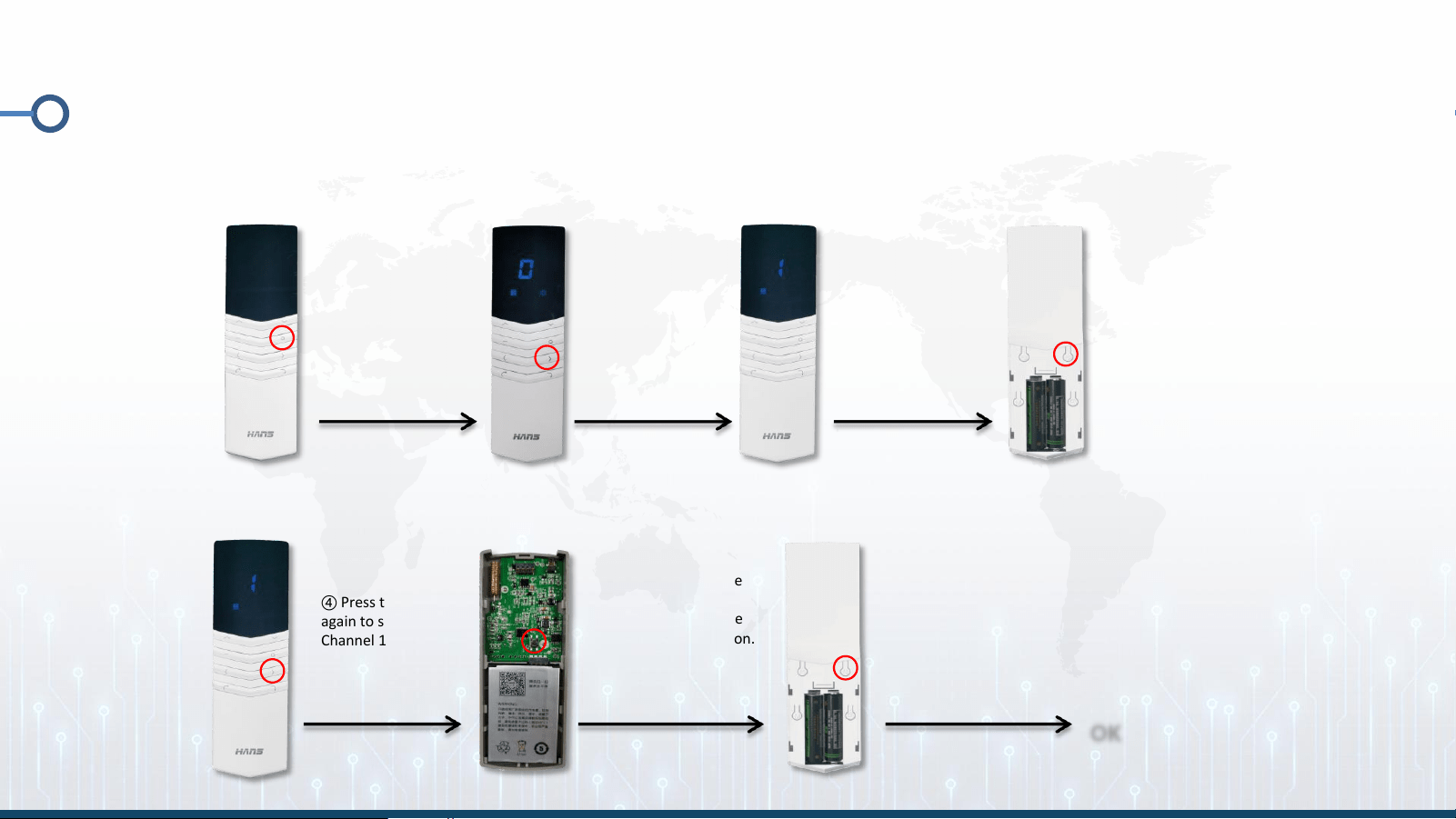
2. How to pair a T-type remote control
① T-D22 Pairing Procedure
① Press and
hold the O
button until
the settings
button lights
up
② Press
the > key
to select
Channel 1
③ Press the Back
(P2) button three
times until the
louver button
lights up
④ Press the > key
again to select
Channel 1
⑤ Press and hold the
black button on the
receiver PCB until the
indicator light turns on.
⑥ Next, press the P2
button three times
until the indicator
light turns off,
indicating that
pairing is complete.
OK
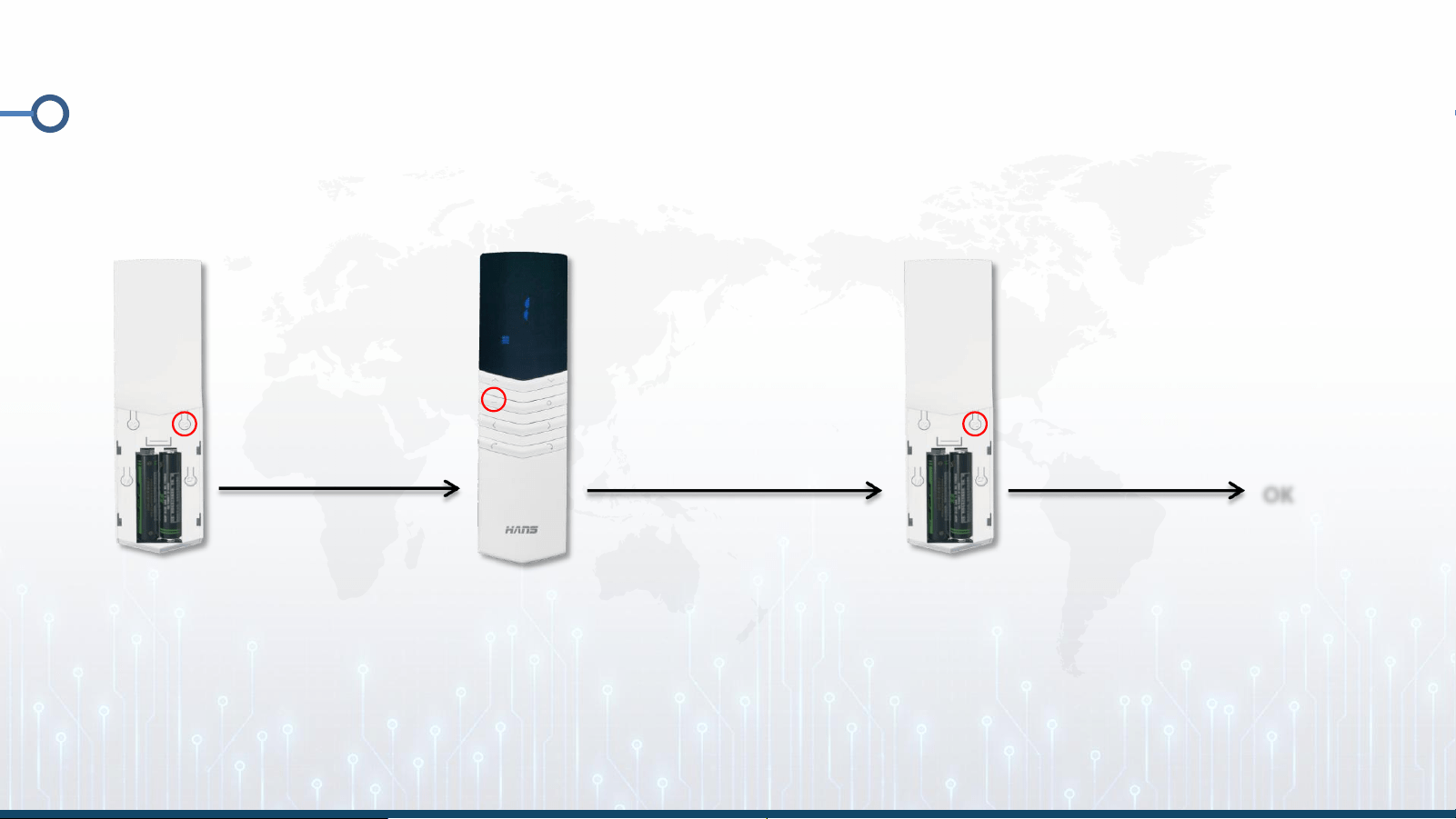
2. How to pair a T-type remote control
② Deletion operation
③ Press the remote
control (P2) once
again briefly
OK
① Press the
button on the
paired blind
remote control (P2)
once.
② Press the Stop
button on the remote
control once

FCC Statement
This device complies with part 15 of the FCC rules. Operation is subject to the following two
conditions: (1) this device may not cause harmful interference, and (2) this device must accept
any interference received, including interference that may cause undesired operation.
Changes or modifications not expressly approved by the party responsible for compliance could
void the user's authority to operate the equipment.
NOTE: This equipment has been tested and found to comply with the limits for a Class B digital
device, pursuant to part 15 of the FCC Rules. These limits are designed to provide reasonable
protection against harmful interference in a residential installation. This equipment generates
uses and can radiate radio frequency energy and, if not installed and used in accordance with the
instructions, may cause harmful interference to radio communications. However, there is no
guarantee that interference will not occur in a particular installation. If this equipment does
cause harmful interference to radio or television reception, which can be determined by
turning the equipment off and on, the user is encouraged to try to correct the interference by
one or more of the following measures:
•Reorient or relocate the receiving antenna.
•Increase the separation between the equipment and receiver.
•Connect the equipment into an outlet on a circuit different from that to which the receiver is
connected.
•Consult the dealer or an experienced radio/TV technician for help.
The device has been evaluated to meet general RF exposure requirement. The device can be used
in portable exposure condition without restriction.